The ability to perform multiple searches with Google Lens has been made available worldwide. The company has officially announced the rollout of multi-search features to Google Lens. The function enables simultaneous text and image searches using Lens. The “Search Screen” is an additional feature that has been added to Lens.From the Search bar, you may already utilise Lens to search through your camera or your photos. Google has just released a significant update to let you search what is shown on your mobile display.In the months ahead, Android users worldwide will be able to “search your screen” using Lens. With the help of this technology, you won’t even need to leave the app or experience to search for what you see in images or videos on popular websites and applications like messaging and video apps.According to the company, if your friend messages you a video of them taking a tour of Paris. Simply long-press the power or home button on your Android phone to activate Google Assistant, then tap “search screen” to find out more about the landmark you can see in the backdrop. Lens recognises it as Luxembourg Palace, and clicks for additional information.With multi-search, you may simultaneously search using text and a picture, giving you a whole new range of creative options. Multisearch is currently accessible on mobile devices everywhere, in all languages and nations where Lens is offered.By enabling local searches, Google expanded the capabilities of multi-search. If you need to find something quickly or are trying to support local businesses, you can take a picture and add “near me” to get what you need. This is now offered in English in the United States, and we’ll be making it available in other languages soon.Additionally, there are situations when you may already be looking for something when you come across something that inspires you. You’ll soon be able to use multi-search worldwide on any image you see on the mobile search results page.For instance, while looking for “modern living room ideas,” you might come across a coffee table that you adore but would rather have in a different shape, like a rectangle rather than a circle. To find the style you’re looking for, utilise multi-search and add the word “rectangle.”
For the latest gadget and tech news, and gadget reviews, follow us on Twitter, Facebook and Instagram. For newest tech & gadget videos subscribe to our YouTube Channel. You can also stay up to date using the Gadget Bridge Android App. You can find the latest car and bike news here.
Valentine’s Day is just around the corner, and if you haven’t picked a gift for your special one yet, you dont need to worry ‘cause we’ve got you covered. We’ve been taking a look at all the eye-catching tech releases over the last few months and curated this list to cover products across different categories and price points. So, without further ado, here is our Valentine’s Day gifting guide with tech gift ideas for him and her!Read Also: Top 6 Firestick Remote Apps for Android
In This Article
iPhone 14 Pro
Price: Rs 1,29,990If you’re planning on gifting a smartphone to your loved one this Valentine’s why not go big? The new iPhone 14 Pro gets a new improved display (with the highly talked about ‘Dynamic Island’) and better cameras than its predecessor. The primary 48MP quad-pixel sensor takes stunning images, upholding the reputation of the iPhone being the best camera phone in the market. On top of that, the new iPhone comes with an upgraded A16 Bionic chip and safety features such as Car Crash Detection and Emergency SOS via Satellite. Our review here.
Samsung Galaxy S23 Ultra
Price: Rs 1,34,999Talking about premium smartphones, we cannot leave Samsung’s flagship out of the list. Released earlier this month, the Samsung Galaxy S23 Ultra is the best that Android has to offer. The 6.8-inch QHD+ Dynamic AMOLED display sets the S23 Ultra apart from the rest and delivers a clarity that you haven’t seen before. The smartphone is powered by the new Snapdragon 8 Gen 2 SoC which has been specially tuned for Samsung. However, the star of the show is the 200MP primary camera that may even give certain DSLRs a run for their money. Need more? The new astrophotography mode on the S23 Ultra can even capture highly detailed images of the moon.
Redmi Note 12 Pro
Price: Rs 24,999Don’t want to splurge on a flagship? There are a lot of amazing midrange smartphones you can gift your Valentine this year. Released in January this year, the Redmi Note 12 Pro has all the specs and features you want in a daily driver. The smartphone comes in three stunning colours – Stardust Purple, Glacier Blue, and Onyx Black. While the Pro+ variant comes with a 200MP primary camera, the Note 12 Pro’s 50MP main sensor takes pictures that are just as good (Read our review here to have a look). The MediaTek Dimensity 1080 SoC delivers a stellar performance on this smartphone as well.
Samsung Galaxy Watch 5 Pro
Price: Rs 44,999Watches have always made great gifts. Now that smart wearables are on the rise, smartwatches are carving out a niche for themselves. Not only are they excellent fitness trackers, but they also have aesthetics that match some of the finest accessories on the market. The Samsung Galaxy Watch 5 Pro is the perfect convergence of technology and fashion, and would definitely be the most sought-after gift this Valentine’s day. What makes the Watch 5 Pro best in its category is Samsung’s incredible Wear OS coupled with the highly efficient fitness and health tracking features. Read our in-depth review here to know more.
Spigen Essential PF2104 Wireless Charger
Price: Rs 999Looking for an inexpensive tech gift that is also unique and fits into everyday use? This Spigen wireless charger should cover it. Priced at just Rs 999 on Amazon, the Spigen PF2104 provides 15W charging with Airboost technology. The charger is compatible with both Android and iOS devices and doesn’t occupy too much space on the desk, thanks to its sleek and compact design.
Amazon Tile Mate
Price: Rs 3,174
Speaking about unique and helpful daily accessories, the Amazon Tile Mate is a versatile tracker that helps you keep a track of your belongings. The Tile can easily be attached to your backpack, purse, luggage, keys and other items. Once fixed into place, you can use the free app to track your belongings in case they get lost. If they are in Bluetooth range, the Tile will give you step-by-step directions to the item’s location or even make a ringing sound for you to locate it. If you lost your belonging somewhere outside, you can easily look up their most recent location on the map.
Acer H Series Smart TV
Price: Rs 25,795The 43-inch Acer H Series Smart TV is one of the better deals you can find on the market right now. TVs aren’t usually the first thing that spring to mind while thinking about gift ideas, but this particular Smart TV is priced similar to an average midrange smartphone and would make all the difference if the person you’re gifting it to is still using a previous generation television. The 43-inch Acer H Series Smart TV comes with a brilliant 4K resolution display with a refresh rate of 60Hz and a 178-degree wide viewing angle. 3 HDMI and 2 USB ports offer connectivity to gaming consoles, set-top box, external hard drives and any other device you can think of. The TV comes pre-loaded with all the major OTT platforms, with the option to download more from Google Play Store.
Philips Sneaker Cleaner
Price: Rs 2,549Is your partner a sneakerhead? This may be the perfect gift for them. The Philips Sneaker Cleaner is an excellent shoe maintenance tool that is really easy to use. All you need to do is wet the brush with soapy water and let it take care of the rest. With three kinds of brushes on offer, the Philip Sneaker Cleaner can handle all kinds of dirt and grime and give your sneakers a fresh look. The product comes with a 3-year warranty if you purchase it from Philip’s website.
ASUS Vivobook 14
Price: Rs 57,990The ever-so-stylish ASUS Vivobook 14 comes with the Intel Core i5 processor and flaunts a 14-inch Full HD IPS display. Weighing just 1.35 kg, the Vivobook 14 is not a hassle to carry around. The laptop comes with a 512GB SSD hard drive and 8GB LPDDR4X RAM. The pink metal casing is durable without compromising on the looks. There is also a fingerprint scanner on board for faster system access.
iRobot Roomba 698
Price: Rs 14,900If you’re looking for a home cleaning gadget, iRobot is offering a Valentine’s Day discount the Roomba 698. This nifty gadget cleans the floors and captures dirt, dust, hair, and all kinds of debris from the surface of your home. The Roomba is compatible with all kinds of flooring and carpets, so you don’t have to worry about what path it takes while cleaning. Its 3-stage cleaning system guarantees a clean environment in your house. The device can be controlled from its dedicated app or even through your preferred voice assistant (Google or Alexa).
Xiaomi Grooming Kit Pro
Price: Rs 2,299One of the better trimmers on the market, the Xiaomi Grooming Kit Pro offers a range of customisations without being excessively bulky. It is easy to carry around while you travel and offers a 90-minute run time on a full charge. The device is also rated IPX7 for water resistance, so you don’t have to hesitate while using it in the bathroom. Want to try out a new style? The multiple heads on offer allow you to choose from 40 length options.Read Also: 6 Easy Ways to Fix ‘Quick Look Not Working’ on Mac
The Chinese smartphone brand Oppo has officially announced that it will be bringing its foldable smartphone to more markets very soon. The company has set the global launch of Oppo Find N2 Flip for February 15. The clamshell design phone was launched in China in December last year. The upcoming foldable device has a MediaTek Dimensity 9000+ SoC, 120Hz screen, and Hasselblad-branded cameras.The global debut of the Oppo Find N2 Flip is scheduled for February 15. According to the company the global launch event will take place in London and will begin at 14:30 GMT. The event will be live-streamed through its official YouTube channel.In terms of pricing, the company has not yet revealed the global launch price but as per leaks, the company will be releasing the foldable phone with a single 8GB RAM with a 256GB storage option. The variant is claimed to be priced at EUR 1,200 or approx Rs 1,07,000. There will be two colour options for the Oppo Find N2 Flip Astral Black and Moonlit Purple.Also Read:How to get the most out of Samsung Galaxy Z Flip 4’s cover screen
Oppo Find N2 Flip specifications
The 6.8-inch primary full-HD+ AMOLED screen on the Oppo Find N2 Flip has a resolution of 1,080×2,520 pixels. The screen boasts a 403ppi pixel density, a 120Hz adaptive refresh rate, a 240Hz touch sampling rate, and a maximum brightness of 1200 nits. The phone also features a 3.62-inch cover display with a 382 x 720 resolution, 250ppi pixel density, and a refresh rate of up to 60Hz. The system is based on ColorOS 13.0, which runs on Android 13. Oppo has included an Arm Mali-G710 MC10, up to 16GB of LPDDR5 RAM, and an octa-core MediaTek Dimensity 9000+ SoC in the foldable phone. Up to 512GB of UFS3.1 onboard storage is available.Also Read:Nokia 2660 Flip phone launched in India: Price and specification details insideDual rear cameras on the Oppo Find N2 Flip include a 50-megapixel primary sensor with an f/1.8 aperture and an 8-megapixel ultra-wide shooter with an f/2.2 aperture. The phone also has a 32-megapixel selfie camera with an f/2.4 aperture and a 90-degree field of view on top of its folding display.On the Find N2 Flip, Oppo has included a 4,300mAh dual-cell battery that enables 44W SuperVOOC charging. The phone supports face unlock and has a side-mounted fingerprint sensor as well.
For the latest gadget and tech news, and gadget reviews, follow us on Twitter, Facebook and Instagram. For newest tech & gadget videos subscribe to our YouTube Channel. You can also stay up to date using the Gadget Bridge Android App. You can find the latest car and bike news here.
Garena Free Fire is a battle royale game with regular awards and tournaments to keep players interested. If you play Garena Free Fire, you should be aware of the redeem codes that are released on a daily basis. However, because the battle royale game is banned in India, players from other countries can use the Free Fire Redeem codes daily. If you’re unfamiliar with the Garena Free Fire redeem codes or don’t know how to get them, we’ve put together a step-by-step guide to help you redeem them. Check out Garena Free Fire Redeem Codes for 13 February 2023.The Free Fire redeem codes are a great way to get free stuff. These are 12-digit codes that contain alphabets and numbers, as well as an expiration date and time. Because the Garena FF redeem codes cannot be used more than once, you should hurry to the redemption page to claim your free reward before someone else does. To get a free reward, all you have to do is go to reward.ff.garena.com/en, which is the official redemption page. Also, keep an eye on this space for daily updates on Garena Free Fire redemption codes and rewards.
In This Article
Garena Free Fire Redeem Codes Today 13 February 2023
HNC95435FAGJ
6KWMFJVMQQYG
FFCMCPSUYUY7E
FFCMCPSJ99S3
XZJZE25WEFJJ
V427K98RUCHZ
MCPW2D1U3XA3
FFAC2YXE6RF2
FFCMCPSBN9CU
FFBBCVQZ4MWA
BR43FMAPYEZZ
NPYFATT3HGSQ
FFCMCPSGC9XZ
MCPW2D2WKWF2
ZZZ76NT3PDSH
FFCMCPSEN5MX
MCPW3D28VZD6
EYH2W3XK8UPG
How to Get Free Fire Redeem Codes for Garena on 13 February 2023?
13 February 2023 Amazon Quiz has gone live on its platform. The quiz timings are 12 AM to 11:59 PM. Interested users can participate in the Amazon daily quiz to win exciting prizes. The company puts up 5 questions based on general awareness. You can submit the correct answers from the four options. Today the participants have the chance to win a Rs 2,500 Amazon Pay Balance.Daily the e-commerce platform Amazon brings a new set of questionnaires that includes five easy questions. The Amazon Quiz can be played from 12 AM to 11:59. The users have to answer all the questions correctly to enter into a lucky draw. The result of today’s quiz will be announced at the end of the month and only one person is declared a winner. We at Gadget Bridge update all the answers to the Amazon Quiz on our website for the convenience of our readers. Here are the answers of the 13 February 2023 Amazon Quiz that will make you win Rs 2,500 Amazon Pay Balance.Amazon Quiz Today Prize – Rs 2,500 Amazon Pay BalanceQuiz Date – 13 February 2023Daily Timing – 12 AM to 11:59 PMWinner Announcement – Today 12 PM
In This Article
Amazon Quiz Answers Today 13 February 2023
Question 1: In 2023, who reached the semi-finals of the Australian Open men’s singles for the 10th time?
Answer: Novak DjokovicQuestion 2: Salman Khan has a cameo in the movie ‘Pathaan’. What is the name of his character?Answer: TigerQuestion 3: Which of these was a nickname by which children referred to Pandit Jawaharlal Nehru?
Answer: ChachaQuestion 4: This famous gentleman received a Nobel Prize in which field?
Answer: PeaceQuestion 5: A part of which famous monument is shown here?Answer: Victoria Memorial, Kolkata
How To Play Amazon Quiz
Only app users are eligible to play the Amazon quiz every morning from 12 AM to 11:59 PM. The quiz is not available on the desktop. For those who are unaware of how to play the Amazon quiz below are the steps, you can follow to take the quiz.
Firstly download the Amazon app from Google Play Store or App Store
Now fill in the required information through the Sign Up option.
You need to log in to the Amazon app and scroll down on the home screen to find the Amazon Quiz banner.
Tap on the Amazon Quiz banner and tap on the Start button to start the Quiz.
Now you will get 5 questions and you need to answer them correctly. One wrong answer will eliminate you from the Quiz.
After answering all the questions correctly you are now eligible for a Lucky Draw.
The winner’s name will be announced today at 12 PM.
As human beings, it is a widely accepted truth that we are always on the lookout for the next best thing. This trend has coincided with the tendency to become more competitive with ourselves and others as well as trying to improve ourselves day by day. One particular industry affected by this societal attitude shift is the gaming industry, one of the most popular and lucrative sectors on a global scale. In the past, gaming has been solely tied to being a source of entertainment and a way to unwind and have fun. However, now gamers are taking their gaming to the next level by purchasing and incorporating a variety of gaming gadgets into their experience. With developments being made every day in the field of technology, it will be interesting to see what 2023 has in store for those who are a fan of gaming gadgets.
Firstly, gadgets are incredibly popular and important to everyday life in 2023. In 2017 the gaming industry changed forever when the Nintendo Switch was released. As this console has become more and more popular there has been an increasing demand for storage. This is because storage capacities is limited for Nintendo Switch users and having more storage is necessary for storing their progress and allowing them to play more games. In 2023, the solution for this problem has come in the form of the SanDisk microSD for Nintendo Switch. These SD cards which come in various sizes between 64GB and 512GB, each with a unique Nintendo symbol allows you to store a load of additional games and saved content meaning that you do not have to delete your old games to facilitate more.
Moreover, no gaming set-up is complete without a proper sound system which is why gamers in 2023 should consider purchasing the LG Module Spinner 1.3. This speaker provides 3D audio for an immersive gaming experience allowing players to properly hear other players in the game. This can massively improve your success in the game as you will be able to communicate better with others in the game as well as make it more exciting and thrilling. This device is great for surround sound and it has Bluetooth features which means it can be connected to your mobile device also. In this light, this gadget can even be integrated with casino gaming. For example, when players are visiting a casino site such as Megaways Casino it can be a great addition to your setup and is available at a myriad of outlets. This means that those who visit online casinos are able to replicate the authentic experience that they would have had if they had visited a traditional brick-and-mortar casino.
Read Also:Nintendo Switch Lite gaming console unveiled: All that you should know
Furthermore, another one of the best gaming gadgets to use in 2023 is Steam Deck which is an impressive gaming gadget which lets you improve your mobile gaming experience with various consoles, with access to a variety of gaming titles. This gadget is perfect for those who have been gaming for a long period of time and are yearning to start a professional career in it. Perfect also for those who travel a lot or who are always on the go, Steam Deck is innovative and flexible and has great build quality. Its allure is the fact that it lets players access titles and play them seamlessly between the PC and the deck. And it is not exclusively for those advanced gamers as those who have just entered into gaming realms will also find it incredibly useful.
In addition, it is worth mentioning that as technology has advanced more and more there has been a huge step taken towards integrating virtual reality into the sphere of gaming. In this context, many VR devices have been released onto the market and are gaining more attention. For example, in 2023 many gamers will be able to witness first-hand the benefits of the Vive XR Elite. Available for pre-order, gamers will soon be able to experience high-resolution passthrough with PC VR capability in a unique experience. Not only is it comfortable to wear and lightweight, but this gadget is able to quickly transform its wearers into a virtual world simply by putting on a pair of glasses.
Of course, one of the most significant breakthroughs in the past few years has been the concept of wireless charging which has truly taken the pain out of charging up your devices as you no longer have to keep your devices connected to a lead. In gaming, many devices have been released to help gamers have a hassle-free charging experience. For example, the RGB Gaming Mouse Pad with Wireless Charging is something that every avid gamer needs in 2023 as the mouse pad has plenty of space for your keyboard, phone and mouse. With various lighting modes and a rubber non-slip base, this device is both useful and visually appealing meaning that it would truly complete your gaming setup. There is no need to rush to find a charger for your phone whilst you game on a console either as the 15W charging pad allows you to charge your phone whilst you play.
In summary, from to SanDisk microSD for Nintendo Switch to the Vive XR Elite, there are a huge array of gaming gadgets to purchase in 2023. As it is now easier than ever to create an immersive gaming experience, why not improve your gaming set-up and increase your chances of becoming a professional gamer by considering integrating a gaming gadget into your life?
For the latest gadget and tech news, and gadget reviews, follow us on Twitter, Facebook and Instagram. For newest tech & gadget videos subscribe to our YouTube Channel. You can also stay up to date using the Gadget Bridge Android App. You can find the latest car and bike news here.
‘Quick Look’ is a handy native feature in Mac devices that lets you preview a file or document without opening it. This includes PDFs, videos, images, and even spreadsheets. Need a glimpse at the contents of a file before you open it on your Mac? Simply select the file and hit the spacebar to take a ‘Quick Look’ into it. Oftentimes, users report some functional issues with this feature. So, here are 8 easy ways to fix the ‘Quick Look not working’ issue on your Mac.Read Also: Sennheiser IE 200 Review: Excellent entry-level IEMs for audiophiles
In This Article
Restart your Mac
Restarting your Mac should be the first step you undertake to fix any minor issues on the system. A quick restart resolves any background issues and fixes any minor glitches on the system. To restart your Mac, simply click on the Apple logo at the top left corner of the screen and select ‘Restart’.
Clear Quick Look Cache
Oftentimes, a temporary file in the cache may get corrupted and impede certain functions on your Mac. It is a good idea to clear cache memory from time to time. Here’s how you can clear the Quick Look cache.Step 1: Launch the Terminal app on Mac.Step 2: Enter the following command and hit Enter.
qlmanage -r cache
This will clear all the temporary files in Quick Look’s cached memory. The previews should load just fine after using this fix. If not, move on to the other methods in this list.
Stop Quick Look’s process and restart it
Like the Task Manager on Windows, Activity Monitor on Mac lets you end the process of any background function. If you’re unable to use Quick Look, a quick restart may fix the issue. Here’s how you can end Quick Look’s process from the Activity Monitor.Step 1: Launch Activity Monitor on Mac.Step 2: Look for Quick Look in the Process Name section or simply search for it from the search bar on the top right corner of the screen.Step 3: Select QuickLookUIService and click on the close icon to end the process.Once you’ve ended the process, go back to Finder and use Quick Look to preview the contents of the file.
Force Quit Finder
It is possible that the issue may lie with the Finder app and not the Quick Look function. You can fix this by force quitting the Finder app and then relaunching it. Here’s how.Step 1: Click on the Apple logo at the top left corner of the screen.Step 2: Select Force Quit.Step 3: Click on Finder, select Force Quit, and then click on Relaunch.The Finder app will be shut down. Click on it again to check if Quick Look has started working.
Relaunch the Finder app
Another way to quit and relaunch the Finder app is by using the dock at the bottom of the screen.
Step 1: Right-click the Finder icon in the dock while pressing the Options key.
Step 2: Hit Relaunch.
Check the app’s settings
If the Quick Look function is not working for one particular app on your phone, check its settings. It is possible that the app has assigned another action to the spacebar. Launch the app, go to settings, and check the key next to Open Viewer. Make sure this action is assigned to the spacebar.
Restart the Mac in Safe Mode
Restarting the system in Safe Mode is a quick way to figure out if the issue is software-related or not. Rebooting your Mac in Safe Mode prevents third-party software from running on the system and also checks the hard drive for any faults. The procedure to boot a Mac in Safe Mode depends on whether it is an Intel-based Mac or an M1 Mac.To boot an Intel-based Mac in Safe Mode, shut it down, then turn it on and immediately press and hold the Shift key until the login window shows up on the screen. M1 Mac users can press and hold the power button once the Mac has been shut down, select ‘Start volume’, and then press and hold the Shift key until the option to continue in Safe Mode appears on the screen.
Update macOS
It is not uncommon for software-related bugs to pop up from time to time. Usually, these bugs are fixed with a quick update. Make sure your macOS is updated to the latest version. If you are using an older version, here is how you can update it.Step 1: Click on the Apple logo at the top right corner of the screen and select About this Mac.Step 2: Click on Software Update. Your Mac will check for any pending updates.Step 3: Click on Upgrade Now if there is a pending update.Read Also: Xiaomi TV Stick 4K is scheduled to launch in India on February 14
Frequently Asked Questions (FAQs)
Why is Quick Look not working on my Mac?
The Quick Look function may stop working on your Mac due to a corrupted cache or background malfunctions with the Finder app. If it isn’t working for a specific app, it is possible that the app has assigned another action to the spacebar.
How do I relaunch the Finder app?
Hold the Options key, right-click the Finder app in the dock, and select Relaunch.
How do I clear Quick Look’s cache?
Launch Terminal and enter this command to clear Quick Look’s cache: qlmanage -r cache.
Conclusion
These are the top 8 ways to fix the ‘Quick Look not working’ issue on Mac. If the issue still persists after trying out all the fixes in this article, take your Mac to an Apple-authorised repair centre for further diagnosis.
We have seen and used a lot of third-party apps for Amazon Firestick. The biggest issue we faced when using the physical Fire TV remote is the excruciating trouble to enter text through the onscreen keyboard. While most OTT apps like Netflix let you log in to your Smart TV using your smartphone, you still have to rely on the physical remote to search movie titles. Luckily, there are a bunch of Android apps that can take care of this situation and offer more handy features. Today, we bring you the top 6 Firestick remote apps for your Android smartphone which you can use daily and ease your Firestick problems.Read Also: Sennheiser IE 200 Review: Excellent entry-level IEMs for audiophiles
In This Article
Amazon Fire TV Remote app
The official Amazon Fire TV remote app covers all the basic remote control functions for your Firestick. Firstly, the app allows input through your smartphone’s QWERTY keyboard, which puts an end to your struggles with the annoying TV keyboard. The official app also lets you voice search through Alexa, although this option may not be available in all regions. To make things simpler, you can access all your TV apps with just one tap on the official Fire TV remote app. Connecting the remote app to your TV doesn’t take much time either. All you need to do is ensure that your smartphone and TV are connected to the same WiFi network, and then pair the two from the Fire TV remote app.
Universal Remote Control
As the name suggests, Universal Remote Control works with just about any device in your home that can be operated by a remote control device. Got an old TV with a traditional IR remote control? Use your phone’s IR blaster and let the Universal Remote Control take the rein. You won’t need the IR blaster for Smart TVs if both devices are connected to the WiFi network. Using this app, you can control almost every function of the Firestick including Power on/off, Volume control, media navigation, channel browsing, keyboard input, and much more.
VIZIO Mobile
The VIZIO Mobile app effortlessly handles basic remote tasks like keyboard input, power on/off, volume control, navigation, and more. On top of that, this app also lets you browse the apps on your TV using your smartphone, converging all your entertainment needs in one place. Navigating different apps on your Smart TV can get tricky at times, especially if the TV doesn’t respond quickly. VIZIO lets you browse everything in one place and lets you put it up on your TV whenever you want.
CetusPlay
Other than the official Fire TV remote app, CetusPlay is the most preferred remote control app among Firestick users. Not only does CetusPlay connect to the Firestick, but it also works with other services and devices like Android TV, TV box, Chromecast, KODI, and more. In order to use CetusPlay with the Firestick, you will first need to turn on ADB debugging on your TV from the developer options. Quickly restart your TV and then connect it to your smartphone from the CetusPlay app. What makes CetusPlay unique is its gamepad controller and the ability to sideload apps on your TV.
Harmony Remote
Logitech’s Harmony Remote app lets you control all your home appliances and devices from your smartphone. This includes TVs, stereos, game consoles, and even smart devices like automated lights, locks, and blinds. In order to set up Harmony Remote will all your devices, you need to install a Home Hub. One of the unique features of this app is that it lets you connect your smartphone to the TV using a Bluetooth connection, in case your home WiFi is dysfunctional.
AnyMote Universal Remote
Like Harmony Remote, AnyMote also requires a smart hub to connect to the Firestick. However, if you are already using Amazon Echo as a hub, AnyMote will work just fine. Apart from the usual navigation and input functions, AnyMote offers several customisation options and makes it incredibly easy to control your Smart TV with your smartphone. If you link it to Amazon Echo, you will also be able to use Alexa with the remote.Read Also: Nokia X30 5G launching in India soon, upcoming launch teased
Conclusion
These are the top 6 Firestick remote apps for Android smartphones. While all of the apps are free to use, Harmony Remote requires you to install a Harmony Hub for your smart devices before you can use the app. There are several other subscription-based apps on Google Play Store that you can use to control your Fire TV or Firestick as well, but the added features usually aren’t worth the price. So you can pick any of the apps from above and enjoy them at no additional cost.For the latest gadget and tech news, and gadget reviews, follow us on Twitter, Facebook and Instagram. For newest tech & gadget videos subscribe to our YouTube Channel. You can also stay up to date using the Gadget Bridge Android App. You can find the latest car and bike news here.
Microsoft Teams, along with Zoom and Google Meet, is one of the most popular clients used to hold online meetings in workspaces. Microsoft Teams comes with its own unique features, like creating different chat channels for different groups in a work setting. Microsoft Teams also allows its users to record video meetings. However, only the meeting organiser or people from the same organisation can record the meeting. If you’re a meeting guest, you will need permission from the IT team to record a meeting. In this article, we show you how to record video meetings on Microsoft Teams in HD.Read Also: Sennheiser IE 200 Review: Excellent entry-level IEMs for audiophiles
In This Article
Here’s how you can record a meeting on Microsoft Teams from your desktop
Step 1: Launch the Microsoft Teams application on your desktop and join a meeting.Step 2: Tap the ellipses (three dots) on the meeting controls and select ‘Start Recording’.Once the recording starts, all participants will get a notification that the recording and transcription have started. No more than one participant can record the meeting at one time. Once the recording is over, the video file will be uploaded on One Drive or SharePoint (if it was a channel meeting) for all participants to see. To find the recording, simply login to One Drive or SharePoint and access the Teams recording folder. You will also be able to see the recording in the meeting or channel chat. Guest attendees can only view the recording when an external link to the file is shared with them. Meeting participants can view the live transcription during the meeting. If you do not want to record the transcription, follow these steps.Step 3: To stop recording the transcription, simply click on the ellipses from the meeting controls and select ‘Stop transcription’.Step 4: To stop recording the meeting altogether, click on the ellipses and then select ‘Stop recording’.To delete a recording, simply access the file on One Drive, select it and hit delete on the top toolbar. Typically, meetings recorded on Microsoft Teams come with an expiration date. The recorded file gets auto-deleted upon expiry. If you have admin privileges you can manage the expiration date of any recording. Follow these steps to change the date of expiration of the meeting recording.Step 1: Access the My Files folder on One Drive and view it as a list. Step 2: Click on the ellipses (three dots) on the recording file.Step 3: Select ‘Show actions’ and then click on ‘Details’.Step 4: Click on the drop-down menu for Expiration Date and select a time period. If you want to store the recording permanently, choose ‘No expiration’.Read Also: Nokia X30 5G launching in India soon, upcoming launch teased
Last September Apple came out with the new iPhone 14, which boasted some new features like the Dynamic Island, Car Crash Detection and Emergency SOS via Satellite. What left most buyers bemused was that these features were reserved for the Pro and the Pro Max variants. The base variant of the iPhone had very few upgrades to offer. It even retained the A15 bionic processor as well as the 12MP camera setup from its predecessor. As we are a couple of months into a new launch year for Apple, the Internet has already been rife with rumours regarding the upcoming iPhone 15. Will the base variant finally get rid of the notch and come with the ‘Pro’ features of its predecessors? Is there an ‘Ultra’ variant in the works? When will the iPhone 15 finally be launched? Let’s take a look at what the rumours suggest so far.Read Also: Nokia X30 5G launching in India soon, upcoming launch teased
In This Article
iPhone 15: What to expect?
At this point in time, it is all but confirmed that the new Apple iPhone 15 will feature a USB Type C charging port instead of its signature Lightning port. A recent legislation passed by the European Union mandated all smartphones in the EU to use USB Type C charging. Some believed that Apple may implement this change on the iPhone 14, but it seems like we will have to wait a year. While the EU variants of iPhone 15 may come with Type C charging, it is unclear whether Apple will adopt the change in North America and the rest of the world as well.The base variant of the iPhone 15 will most likely come with a pill-shaped cutout for the front camera as well. The Dynamic Island was one of the most talked about features of the iPhone last year, and Apple would be looking to extend it to the non-Pro variants as well. Failure to do that may stagnate the design of the regular iPhone which in turn may affect sales. Other design changes may include curved titanium edges for the Pro and Pro Max variants instead of the flatter ones on iPhone 14.A lot of rumours around the iPhone 15 also suggest that an ‘Ultra’ variant is in the works. So far it is unknown whether it will replace the Pro Max variant or will simply be added to the lineup as an extra option. The iPhone 15 Ultra could also see some new features like an Astrophotography Mode for the camera, something that has been gaining the headlines with the new Samsung S23 Ultra.Image Courtesy: AppleinsiderSome rumours also suggest that Apple is really close to coming out with its own foldable iPhone. We know that Apple likes to play it safe and only incorporates new technology when it has been totally perfected. But when it comes to a foldable, the company may be slightly ahead in the development process. While we aren’t really expecting a foldable iPhone in 2023, you may never know how Apple surprises us. Read Also: Best ways to use LiDAR Scanner on iPhone
Conclusion
The most predictable thing about the iPhone 15 is the launch time period. Apple always unveils the new iPhone at its fall event, so like clockwork the iPhone 15 will come out by the second or third week of September 2023. As the months pass by there will certainly be more leaks and rumours about the iPhone 15. We will keep an out for the best ones and keep you posted. Keep checking this space for more.For the latest gadget and tech news, and gadget reviews, follow us on Twitter, Facebook and Instagram. For newest tech & gadget videos subscribe to our YouTube Channel. You can also stay up to date using the Gadget Bridge Android App. You can find the latest car and bike news here.
While Apple’s iCloud is a seamless backup service that is well integrated into your iPhone, the 5GB limit is pretty easy to fill up, especially if you make a backup of all your images and videos. So, what happens when you hit the storage limit? Instead of compromising on what you should back up, it is much better to look into other cloud storage systems. Google Drive is the first name that comes up in this discussion. It also offers 15GB of free storage space. In this article, we show you how to use Google Drive on your iPhone.Read Also: How to record video meetings on Zoom in HD?
In This Article
Here’s how you can use Google Drive on your iPhone
Step 1: Download and install the Google Drive app on your iPhone from the App Store.Step 2: Launch the app and log in using your Google Account.Once you’ve installed the app on your iPhone and logged in using your Google Account, the first thing you should do is create a backup of the pictures and videos on your device. If you have already backed up the media on your phone somewhere else, you can skip these steps.Step 3: Tap on the hamburger menu at the top left corner of the screen.Step 4: Select Settings and go to Backup.Step 5: Go to Photos & Videos and turn the toggle switch on for ‘Back up to Google Photos’.Step 6: Choose the upload quality size. Uploading images in their original resolution will take up more drive space.Step 7: You can also back up your Calendar entries and contacts on Google Drive.In order to secure your backups and limit any unauthorised access, turn on Face ID protection for Google Drive. This feature is exclusive to iPhones. Here’s how you can enable it.Step 8: Go to Google Drive settings.Step 9: Select ‘Privacy Screen’ and turn on the toggle bar.Backup aside, the most important function that Google Drive has to offer is the ability to upload and share large documents and files. If you do not want to create a backup of all the images on your iPhone, you can selectively upload them on Google Drive. Here’s how.Step 10: Launch the Google Drive app and tap on the Files tab on the bottom toolbar.Step 11: Tap the plus icon to create a new folder. Step 12: Select the folder and tap the plus icon again. Step 13: Upload the files you want to share or backup.Step 14: To share the folder with someone simply tap the ellipses (three dots) and select Share. You can also copy the link to the folder and share it with anyone you want.Read Also: Best places to buy a refurbished iPhone
Even since Apple introduced FaceID on iPhone, the mechanism to take a screenshot has changed a little. This is because iPhones no longer come with a home button at the bottom of the screen. But did you know there are multiple ways you can take a screenshot? In this article, we show you 3 quick ways to easily capture a screenshot on iPhone 13 and 14 series.Read Also: Best ways to use LiDAR Scanner on iPhone
In This Article
Use the hard buttons
This is the most common way to take screenshots on iPhones with Face ID. In order to take a quick screenshot, simply press the Volume up button and the Side Key and quickly release it. Once the screenshot has been taken, its thumbnail will appear on the lower left corner of the screen. Tap on the thumbnail to view it or swipe left to dismiss it.
Use Back Tap
Did you know that you can take a quick screenshot on your iPhone 13 and 14 by simply double tapping its back panel? Here’s how you can do that. Step 1: Go to Settings and select Accessibility.Step 2: Select Touch and tap on ‘Back tap’.Step 3: After you’ve turned on the toggle bar for Back Tap, choose the appropriate trigger. We suggest a double-tap trigger as it is much easier to use.Step 4: Choose ‘Screenshot’ as the action for the trigger you have selected.
Use Siri
Looking for a hands-free way of taking a screenshot on your iPhone? Get Siri to do it! Simply say “Hey Siri, take a screenshot” and the voice assistant will take a quick image of the current screen on your iPhone. It’s that easy!
Assistive Touch
The Assistive Touch feature on your iPhone gives you quick access to certain functions. This includes taking a screenshot. Here’s how you can do that.Step 1: Go to Settings and select Accessibility.Step 2: Under the ‘Physical and Motor’ section, select Touch.Step 3: Select ‘Assistive Touch’ and turn on the toggle bar next to it.Step 4: Now, tap on ‘Customise Top Level Menu’ and replace one of the functions with Screenshot. Step 5: Tap on the Assistive Touch icon and select ‘Screenshot’ to take a quick screenshot of the screen.To reduce the extra step of selecting ‘Screenshot’ from the Assistive Touch menu, you can simply program it in a manner that your iPhone takes a quick screenshot whenever double tap or long-press the Assistive Touch icon. Here’s how you can do that.Step 6: Go back to Assistive Touch in Settings and under the ‘Custom Actions’ sections choose Double Tap or Long Press. Select ‘Screenshot’ as your desired action.Read Also: Sony Walkman NW-A306 launched in India
Conclusion
These are three quick ways to take a screenshot on iPhone 13 and 14. When you take a screenshot the entire screen gets captured in the image. If you want to share the image, you probably want to crop out the irrelevant parts of the screen first. Here is our comprehensive guide to quickly editing a screenshot using Instant Markup.For the latest gadget and tech news, and gadget reviews, follow us on Twitter, Facebook and Instagram. For newest tech & gadget videos subscribe to our YouTube Channel. You can also stay up to date using the Gadget Bridge Android App. You can find the latest car and bike news here.
A Japan-based audio brand AIWA has expanded its Luxury Acoustics Range of Speakers with the launch of three new portable speakers in India. The company has introduced Aiwa MIX- 440 Enigma Beta, RS-X 100 and RS-X 150 Natsukasii Pro. All the devices come with retro aesthetics. The Aiwa Mix Enigma Beta Portable Bluetooth speaker is the most premium of the three. All three devices are portable and have powerful rechargeable batteries, so they can be used both inside and outside. The speakers add to a collection that includes a variety of form factors, including retro, wooden, sumptuous leather, and elegant metallic.
In This Article
AIWA MIX-440 Enigma Beta Portable Bluetooth Speaker
The AIWA MIX-440 Enigma Beta is the most expensive in the range which is priced at Rs 54,990.Having a BASS++ sound profile, it is a wireless stereo speaker. Over Bluetooth 5.0, it provides audio in 24-bit music quality. Enigma Beta has two passive bass radiators (front + back) to ensure a balanced sound field. Additionally, this device has a Type-C charging port that offers 4 hours of charging time and 9 hours of playback time. It is powered by a 15000 mAH Li-ion battery that produces 80W of tremendous sound. For those who enjoy Karaoke, the speaker also includes a wireless microphone. Additionally, there includes a 3.5mm AUX-IN and a digital control panel. A basic feature of the MIX-440 Enigma Beta is TSW Multi-Link technology, which enables customers to link various products together.Also Read:Nokia X30 5G launching in India soon, upcoming launch teasedRS-X 150 Natsukasii Pro
AIWA RS-X 150 Natsukasii Pro Portable Retro Bluetooth Speaker
On the other hand, the AIWA RS-X 150 Natsukasii Pro Portable Retro Bluetooth Speaker comes with a price tag of Rs 33,990. The company’s portable speaker has a vintage appearance. It includes three drivers for a powerful sound field. Additionally, this speaker has a Type-C charging port that allows for 2 hours of charging time and 12 hours of playback time. It is powered by a 6000 mAH Li-ion battery that produces a reliable 60W of high-quality sound.RS-X 100 Natsukasii Pro
AIWA RS-X 100 Natsukasii Pro Portable Retro Bluetooth Speaker
Sennheiser unveiled its latest In-Ear Monitor, the IE 200, at CES last month. The wired earphones were introduced in India earlier this month at a price of Rs 14,990. Sennheiser has enjoyed tremendous success with its IE range of in-ear monitors, with IE 600 and IE 900 being some of the more popular headphones among audiophiles. With IE 200, Sennheiser seeks to bring its signature ‘IE’ sound at a significantly lower price, appealing to the newer audio enthusiasts looking for an entry-level product. We got our hands on the Sennheiser IE 200 as soon as it launched and have been testing it for over a week, here is our comprehensive review.Read Also: Portronics Hydra 10 RGB keyboard launched in India
In This Article
Sennheiser IE 200 review: Design
Unboxing the Sennheiser IE 200, you will find the IE 200 earphones neatly placed in a foam piece with the braided cable with MMCX connectors attached to them. The extra silicone and memory foam sets are placed in the adjacent section along with a handy pouch and the safety guide. Unlike IE 300, the IE 200 does not come with a hard carry case.In terms of design and form factor, the IE 200 do not stray too far from the rest of the series. Sennheiser has toned down the look and made it more minimal, but retained the signature IE design profile. The earphones are made out of plastic, unlike the aluminium build of the IE 600 and 900. The braided cable feels quite sturdy and did not create any friction noise during our time of testing. If you have a better cable lying around, you can easily attach it to the earphones using the MMCX connectors.The left earbud has the IE 200 branding on the inner panel while the right earbud has a red ring around it as a distinguishing feature. On the outer panel, the Sennheiser logo is embossed right below the air vent. The braided cable also gets an angled 3.5mm plug.The IE 200 comes with three pairs of silicone and memory foam tips. We’d suggest trying either one to see which offers the better fit. Pushing the ear tips all the way down on the earbuds will deliver a bass-driven audio output. To reduce the low-end representation in the sound profile, pull them slightly outwards. However, in our testing, the ear tips got pushed all the way down after a period of staying in the ears.The plastic ear hooks go over the top of your ear once you put on the earphones. The fit is firm and snug and offers a decent level of passive noise cancellation. Each earbud weighs just 4 grams, so you can easily wear these earphones for hours without feeling any real strain. Overall, we were very pleased with the design choices and the comfortable fit offered by the IE 200.
Sennheiser IE 200 review: Performance
The Sennheiser IE 200 are powered by dynamic 7mm audio drivers. The earphones have a frequency response of 6-20,000Hz and the impedance is just 18 ohms. You don’t necessarily need any additional hardware or headphone amplifier, simply plug the IE 200 into your smartphone or laptop and you are good to go.The soundstage offered by the Sennheiser IE 200 upholds the reputation of the IE series. While it may not be as fleshed out as the IE 600 and IE 900, it has a personality of its own and does not stray away from the signature sound profile that we have come to associate with Sennheiser.The range of frequencies is presented in a very subtle and intricate manner. The low end is given enough room to do its own thing without overpowering the mids and the highs. The overall output is perfectly balanced, letting you enjoy a nice blend of frequencies as the mix commands. Even the sound of the clapper in the background is well-pronounced and brings a good amount of attention to itself. There is no shrillness to the high-end frequencies and they are delivered in a very nuanced manner.The versatility offered by the IE 200 is quite impressive as well. The soundstage across different genres did justice to the original mix and did not stray too far from the track. There is a level of neutrality that you expect from a good pair of IEMs. Overall, the IE 200 is exactly what you expect Sennheiser to deliver in this price range.Read Also: Canon EOS R8 and EOS R50 full-frame mirrorless cameras launched in India
Verdict
At Rs 14,990, the Sennheiser IE 200 are the ideal pair of IEMs for people who are looking for an affordable entry point into the world of in-ear monitors. If you’re a seasoned audiophile, maybe there are better (also pricier) headphones out there for you. However, if you’re looking for a headset that is in the mould of IE 600 and IE 900 without the hefty price tag, the IE 200 is what you should be going for.
Nokia currently appears to be preparing to introduce the Nokia X30 5G smartphone in India. To recall, the smartphone was introduced last year at IFA 2022. The device has a 6.43-inch AMOLED display and a Snapdragon 695 5G SoC as its power source. The phone has a dual rear camera setup and comes equipped with a 4,200mAh battery with 33W fast charging support. In addition to this the handset is IP67 rated for dust and water resistance.Mr. Sanmeet Kochhar, Vice President of HMD Global for India & MENA took to twitter to confirm that the Nokia X30 5G will be launching in India soon. The company’s head did not specify a specific date for the phone’s introduction in India. His tweet reads, Our Nokia X30 5G is made with 100% recycled aluminium & 65% recycled plastic and we are here together to make a better tomorrow. Nokia X30 5G coming soon to India. Stay tuned.”Also Read:Nokia C31 Review: A decent buy at Rs 9,999?
Nokia X30 5G price and specifications
HMD Global announced Nokia X30 5G at the IFA 2022 event in Berlin with a price tag of EUR 529 translating to Rs 46,766. It was presented in two colour options of Cloudy Blue and Ice White colour options. There will be two variants 6GB RAM with 128GB storage and 8GB RAM with 256GB storage option.The 6.43-inch Full HD+ AMOLED display on this smartphone has a resolution of 1,080×2,400 pixels. It boasts a maximum brightness of 700 nits, a 90Hz refresh rate, and Corning Gorilla Glass Victus protection. It has a Snapdragon 695 5G SoC inside. The device is powered by Android 12.The smartphone has two cameras on the back: a 50MP primary sensor with optical image stabilisation and a 13MP ultra-wide angle camera. Additionally, a Corning Gorilla Glass layer protects the back camera arrangement. A 16MP front-facing camera is also present.The 4,200mAh battery in the Nokia X30 5G supports 33W fast charging. The smartphone has a fingerprint sensor hidden beneath the display. It features Bluetooth v5.1 connectivity and dual-band Wi-Fi.
For the latest gadget and tech news, and gadget reviews, follow us on Twitter, Facebook and Instagram. For newest tech & gadget videos subscribe to our YouTube Channel. You can also stay up to date using the Gadget Bridge Android App. You can find the latest car and bike news here.
The smart home device from Xiaomi, the TV Stick 4K, will be debuting in India soon. The Chinese electronics manufacturer has confirmed its launch to take place on February 14. As the device has already been launched in another market we already know its features. So the streaming device will run on Android TV 11. Moreover, it will support Dolby Vision and will be powered by a quad-core Cortex A35 chipset. The upcoming device will succeed the existing Mi TV Stick, which was launched last year. However, 4K streaming is available with the upgraded model.The company took to Twitter to announce that it is coming up with a new smart home device- Xiaomi TV Stick 4K in India on February 14. In December 2021, Xiaomi first made the device available.Also Read:Xiaomi TV Stick 4K announced featuring 4K streaming, Android TV 11 and moreThe Mi Voice Remote, which includes a specific Assistant button, is included with the Xiaomi TV Stick 4K. The remote includes a built-in Chromecast and shortcut buttons for every app. The streaming device supports both Dolby Atmos and Dolby Vision for better movie playback and helps in converting a regular TV to a Smart TV. The smart device comes preinstalled with YouTube, Netflix, and Amazon Prime Video. It is powered by a quad-core Cortex-A35 processor together with a Mali-G31 MP2 GPU and 2GB of RAM. More RAM is included in the Xiaomi TV Stick 4K than the previous version but comes with the same storage capacity. The stick comes with 8GB of inbuilt storage. The system utilises Android TV 11 giving you access to more than 400,000 movies and TV shows from all of your favourite apps. Google Play offers 7000+ apps. Cast from any device, play music and games, and more.Also Read:Sony Walkman NW-A306 launched in IndiaWireless connectivity options supported by the smart home device include dual-band Wi-Fi 802.11 ac and Bluetooth v5.2. Additionally, it has a Micro-USB port for charging and an HDMI port for connecting to a television.Because it includes Chromecast, users can cast entertainment from all of their preferred apps to a variety of gadgets, including smartphones, laptops, and tablets.
For the latest gadget and tech news, and gadget reviews, follow us on Twitter, Facebook and Instagram. For newest tech & gadget videos subscribe to our YouTube Channel. You can also stay up to date using the Gadget Bridge Android App. You can find the latest car and bike news here.
The LiDAR scanner was first introduced with the iPhone 12 and has been an exclusive feature of the Pro models ever since. LiDAR stands for Light Detection And Ranging. As you can guess already, LiDAR determines the shape, distance, and measurements of the objects in your surroundings by bouncing light signals off them and processing the results. LiDAR is quite similar to RADAR, the only difference being that it uses light signals instead of radio waves. In this article, we bring you the best ways to use the LiDAR scanner on your iPhone.Read Also: Best places to buy a refurbished iPhone
In This Article
Take accurate measurements
LiDAR records accurate measurements of the objects around you by scanning the signals that bounce off their surface and edges. While there are a ton of measuring apps for your iPhone, the ones that use LiDAR are generally much more accurate than the others. The native ‘Measure’ app works perfectly fine as well. Apart from measuring dimensions, LiDAR can also tell the distance of the object from you.
Low light photography
Capturing good images in low light conditions can be a real struggle. Most cameras find it hard to focus on a subject in dimly light surroundings. With LiDAR, this is not an issue. Using this technology, your iPhone can detect the distance of the subject from the lens and help the camera focus on it. Even in challenging situations, you will be able to take highly detailed images using LiDAR.
Redecorate your house
If you’re planning on carrying out a facelift for your house, you need to plan things out virtually first. With LiDAR, your iPhone is perfectly equipped to handle the task. There are tons of apps on the App Store that will help you create 3D renders of a room using LiDAR. Once you’ve got an accurate 3D representation of a room, you can use it to see how the furniture will fit into it. This will save you a lot of labour in readjusting the furniture in real-time.
AR Gaming
Over the years, AR Gaming has become incredibly immersive. LiDAR takes the immersion to a whole new level, as it is able to gauge your surroundings better than a regular camera and can easily embed AR objects on it, making them look life-like. Several apps like Ikea and LEGO Hidden Side already use LiDAR to interact with real-world surroundings.
Create 3D models
Using LiDAR, you can create accurate 3D models of the objects around you. The process of creating 3D scans and renders of real-life objects is called ‘photogrammetry’ and is a well-established part of movie making. Apps like Polycam can take 3D scans of objects within minutes. If you’re working on an art project, this feature can be of tremendous help.Read Also: Portronics Hydra 10 RGB keyboard launched in India
Today, Sony unveiled the newest member of the Walkman line, the NW-A306. The device is said to provide listeners with high-quality audio in a small package so they can experience music the way the artist intended. The new Sony walkman is Wi-Fi compatible for direct download and music streaming. To recall, the company introduced the Walkman NW-ZX707 late last month in the country.With the sleek and portable new Sony Walkman NW-A306, customers may download and stream more of their favourite music. The lightweight NW-A306 series, which has a 3.6-inch touch screen and intuitive physical music controls, gives excellent music experiences and weighs only 199 grams. The high-quality aluminium machined frame offers improved rigidity for low impedance, clear, stable sound, and strong bass. It uses a gold-containing reflow soldering technology, which has a substantial impact on the overall enhanced sound localization and expanded sound range.Also Read:Sony Walkman NW-ZX707 with DSD Remastering Engine launched in IndiaA dual clock, film capacitor, and fine sound register have all been properly positioned inside the Walkman to achieve the evolutionary sound of both music players.The native DSD format is compatible with the S-Master HX digital amp technology, which was independently designed for Walkman. According to the company, rich, full-bodied sound is produced with less distortion and noise across a wide frequency range, which is further enhanced by new, high-performance lead-free solder. It makes use of DSEE Ultimate, a real-time upscaler of compressed digital audio files, and Edge-AI (artificial intelligence). A deep and rich listening experience is provided by restoring the acoustic subtleties and dynamic range.In comparison to earlier models, the NW-A306 offers excellent battery life, allowing users to enjoy more of their music for longer. In order to satisfy consumer demand, it has a battery life of up to 36 hours for 44.1kHz FLAC playing, up to 32 hours for 96kHz FLAC high-definition music playback, or even up to 26 hours while using the streaming service apps.Also Read:The Sony Walkman is back in an all-new avatar: Tech specs, price and availabilityCustomers may experience DSEE Ultimate for upscaling their music in NW-A306 whether it is downloaded or streamed via Wi-Fi, building on the lessons learned from its preceding models. With wireless headphones, listeners can now enjoy DSEE Ultimate as well.
For the latest gadget and tech news, and gadget reviews, follow us on Twitter, Facebook and Instagram. For newest tech & gadget videos subscribe to our YouTube Channel. You can also stay up to date using the Gadget Bridge Android App. You can find the latest car and bike news here.
Garena Free Fire is a battle royale game with regular awards and tournaments to keep players interested. If you play Garena Free Fire, you should be aware of the redeem codes that are released on a daily basis. However, because the battle royale game is banned in India, players from other countries can use the Free Fire Redeem codes daily. If you’re unfamiliar with the Garena Free Fire redeem codes or don’t know how to get them, we’ve put together a step-by-step guide to help you redeem them. Check out Garena Free Fire Redeem Codes for 10 February 2023.The Free Fire redeem codes are a great way to get free stuff. These are 12-digit codes that contain alphabets and numbers, as well as an expiration date and time. Because the Garena FF redeem codes cannot be used more than once, you should hurry to the redemption page to claim your free reward before someone else does. To get a free reward, all you have to do is go to reward.ff.garena.com/en, which is the official redemption page. Also, keep an eye on this space for daily updates on Garena Free Fire redemption codes and rewards.
In This Article
Garena Free Fire Redeem Codes Today 10 February 2023
Updating Soon
How to Get Free Fire Redeem Codes for Garena on 10 February 2023?
10 February 2023 Amazon Quiz has gone live on its platform. The quiz timings are 12 AM to 11:59 PM. The Amazon App users can participate in the quiz daily and all they have to do is submit correct answers to the questions asked on the e-commerce platform. Today’s participants can get a chance to win Rs 500 Amazon Pay Balance.Amazon brings a fresh questionnaire that contains 5 questions daily. These questions are based on current affairs and general knowledge. The quiz can be played from 8 AM to 11:59 PM and the contestants need to answer correctly to enter into a lucky draw.Only one person is declared as a winner and the results will be announced at the end of every month. And to make sure that you give correct answers to all the 5 questions Gadget Bridge everyday updates all the answers to the Amazon Quiz. Do check out 10 February 2023 Amazon Quiz Answers to win Rs 500 Amazon pay Balance.Amazon Quiz Today Prize – Rs 500 Amazon Pay BalanceQuiz Date – 10 February 2023Daily Timing – 12 AM to 11:59 PMWinner Announcement – Today 12 PM
In This Article
Amazon Quiz Answers Today 10 February 2023
Question 1: Who came into the Australian Open 2023 men’s singles as the No.1 seed but was knocked out in the second round?
Answer: Rafael NadalQuestion 2: Who is the composer behind the Oscar nominated song ‘Naatu Naatu’?
Answer: MM Keeravani
Question 3: Cannelloni, Cavatelli, Ravioli and Penne are types of what?Answer: PastaQuestion 4: A part of which monument is shown here?Answer: Taj MahalQuestion 5: The places shown here are depicted in which popular show?Answer: Game of Thrones
How To Play Amazon Quiz
Only app users are eligible to play the Amazon quiz every morning from 12 AM to 11:59 PM. The quiz is not available on the desktop. For those who are unaware of how to play the Amazon quiz below are the steps, you can follow to take the quiz.
Firstly download the Amazon app from Google Play Store or App Store
Now fill in the required information through the Sign Up option.
You need to log in to the Amazon app and scroll down on the home screen to find the Amazon Quiz banner.
Tap on the Amazon Quiz banner and tap on the Start button to start the Quiz.
Now you will get 5 questions and you need to answer them correctly. One wrong answer will eliminate you from the Quiz.
After answering all the questions correctly you are now eligible for a Lucky Draw.
The winner’s name will be announced today at 12 PM.
Unlike Google Meet, you don’t need a paid subscription to record a video meeting on Zoom. However, there is one small catch here. Zoom only lets you record meetings at a maximum resolution of 720p. In order to record at a higher 1080p resolution, you will need to subscribe to a Business or Enterprise plan. If you’re planning on recording a lecture, a 720p HD resolution is good enough. In this article, we show you how to record video meetings in HD in Zoom.Read Also:Best ways to fix ‘Sound Not Working on Reddit Videos’ in app and website
In This Article
Here’s how you can record a video meeting on Zoom in HD
Step 1: Launch the desktop client for Zoom and sign in using your email address.Step 2: Click on the gear icon to open Settings.Step 3: Go to the Video tab and select the checkbox for ‘HD’. Additionally, select the checkbox for ‘Touch up my appearance’ as well.Step 4: Now, go to the recording tab and set a destination folder for the recorded file.Step 5: Select the checkbox for ‘Record a separate audio file of each participant’. This will help you during the post-processing of the video. If multiple speakers talk over each other during the meeting, you will be able to use separate audio files to make the audio output much cleaner.Step 6: Start a meeting and wait for the participants to join.Step 7: To start recording the meeting, click on ‘More’ at the bottom toolbar and select ‘Recording on this computer’. Alternatively, you can press Alt+R to start a recording.Step 8: To stop recording, click on ‘More’ and select ‘Stop Recording’. The video will be converted to mp4 format and saved to the destination folder.Read Also: Moto E13 with 6.5-Inch IPS Display announced in India
If you don’t want to shell out a hefty sum of money on the new iPhone, buying a refurbished iPhone is the next best thing. Apple provides up to six years of software updates for iPhones, which means you can easily buy a two year old iPhone at a reduced cost and use it without any security issues for at least four years. On the other hand, most Android phones get software updates for three to five years, depending on the manufacturer. But, what exactly is a ‘refurbished iPhone’ and which are the best places where you can buy one? Read along to find out.Read Also: How to easily Translate WhatsApp Messages on Android to any language: Top 3 ways
In This Article
What is a refurbished iPhone?
A ‘refurbished iPhone’ simply means a previously used iPhone that has been repaired by a trained technician and is in full working condition. You will rarely ever run into any performance issues with a refurbished iPhone. One key difference between a refurbished iPhone and a regular used iPhone is that the former usually comes with a product warranty.While buying a refurbished iPhone, you should ensure that it has some years of software updates left on it. Periodic software updates keep your smartphone secure and get rid of any unexpected software bugs. While a used iPhone may cost cheaper, buying a refurbished one is a much safer choice. Since a lot of users upgrade their iPhones every year, you are likely to get a good deal on a refurbished iPhone that is close to mint condition.
Which are the best places to buy a refurbished iPhone?
There are several sellers and e-commerce websites that can get you a good deal on a refurbished iPhone. Here are the best ones.
Apple’s Refurbished Store
Buying a refurbished iPhone from Apple’s very own Refurbished Store is the safest bet. Sure, they may price the smartphone a bit higher than other sellers, but the iPhone comes with a brand-new battery and exterior shell. Phone batteries are known to deteriorate over time, so a new battery significantly improves the life of the product. A new shell improves the look of the product, ensuring it feels good as new.
Blynk
Blynk is one of the more popular and reliable players when it comes to selling refurbished phones in India. The refurbished smartphones you buy on Blynk come with a one-year warranty and a seven-day money-back guarantee. Simply log on to the site and look for refurbished iPhones. Currently, you can buy a refurbished iPhone 11 for as low as Rs 29,000 on Blynk.
Amazon
The world’s biggest e-commerce website may be new to the ‘refurbished’ arena, but it has taken no time to attract buyers to its platform. Refurbished products on Amazon carry the ‘Renewed’ tag. All you need to do is search ‘Renewed iPhone’ on Amazon and browse through the best results. Refurbished iPhones on Amazon are professionally tested by the seller and come with a 6-month warranty.
Sahi Value
A platform to buy and sell used products, Sahi Value also deals in refurbished iPhones. Simply log on to the website, scroll down to the bottom and click on ‘Refurbished iPhones’ to have a look at their collection. Currently, you can even buy the latest (refurbished) iPhone 14 Pro on Sahi Value at a reduced price of Rs 1,19,000. Meanwhile, a refurbished iPhone 13 Mini will cost you as low as Rs 46,000. Sahi Value also offers pan-India shipping for free along with Cash on Delivery and EMI options.
Offline Sellers
If you don’t think you’re getting a good deal on the Internet, there are several local sellers in your area that may offer you a better price. Some sellers also offer very lucrative exchange offers where you can turn in your current smartphone for a better deal on a refurbished iPhone.Read Also: Google announces Bard, a new AI chatbot and ChatGPT competitor
Conclusion
These are the best places to buy a refurbished iPhone. While buying a refurbished iPhone, always make sure you check if the battery of the device is in good condition. To check the battery health of an iPhone, read our article here. If you have decided on buying a refurbished iPhone, we would suggest getting one which has a few years of software updates left.For the latest gadget and tech news, and gadget reviews, follow us on Twitter, Facebook and Instagram. For newest tech & gadget videos subscribe to our YouTube Channel. You can also stay up to date using the Gadget Bridge Android App. You can find the latest car and bike news here.
Portronics has today expanded its portfolio with the announcement of the new keyboard in India. The company has introduced its first gaming keyboard- Portronics Hydra 10 a compact wireless RGB keyboard. It comes with 20 different RGB customisations. Moreover, the keyboard is iOS-compatible and offers both wired and wireless connectivity.
In This Article
Portronics Hydra 10 RGB keyboard price in India and availability
The Portronics Hydra 10 RGB keyboard has been launched in India with a price tag of Rs 2,999. According to the company the gaming keyboard is currently being offered at an introductory price. It comes with a 12 months warranty and is available for purchase via the company’s official website Portronics.com, Amazon.in, Flipkart.com, and other leading online and offline stores in the country.Also Read:OnePlus TV 65 Q2 Pro, Keyboard 81 Pro introduced in India
Portronics Hydra 10 RGB keyboard specifications and features
The Portronics Hydra 10 RGB keyboard features some of the newest technologies and a luxury design. The Hydra 10 has been designed specifically for gamers and has extremely tactile, user-replaceable, maintenance-free RED mechanical switches for a speedy and painless clicking experience. To improve the appearance of your gaming system, the keys are backlit with RGB LEDs that can output 16.8 million distinct colours and have 20 different customisation choices. The keyboard is made with an incredibly small 68-key form factor (580g), with great portability for frequent travellers in mind.The Portronics Hydra 10 can connect utilising Bluetooth V5.0 and 2.4GHz Wireless receiver, both of which are designed for extreme connectivity and interoperability across numerous devices and platforms. This keyboard is simple to pair and connect with four separate devices at once: three using Bluetooth and one using a laptop or desktop’s wireless 2.4GHz nano receiver. A 1000mAh internal rechargeable battery powers the keyboard and charges via a USB-C connector. When your battery runs out, you may use the USB-C connector to connect this as a wired keyboard and play games with the utmost lag-free performance. With just an hour of charge, the USB-C Port’s fast charging can provide 5 days of wireless use.
For the latest gadget and tech news, and gadget reviews, follow us on Twitter, Facebook and Instagram. For newest tech & gadget videos subscribe to our YouTube Channel. You can also stay up to date using the Gadget Bridge Android App. You can find the latest car and bike news here.
Canon has announced the arrival of the EOS R8 and EOS R50 as new mirrorless cameras in India. Both serious amateurs and wedding industry experts will like using the new Canon EOS R8 mirrorless camera. It includes the Canon Log 3 and up to 40 frames per second continuous shooting capabilities of the EOS R6 Mark II with the portability of the EOS RP. The Canon EOS R50, on the other hand, is a portable, lightweight APS-C mirrorless camera designed for vloggers and content creators.
In This Article
Canon EOS R8
The weight of the Canon EOS R8 is approximately 461g (with battery pack and SD card). It is equipped with Movie Digital IS, which uses digital technology to stabilise images on five axes while recording videos and correct tilt. It has a 24.2-megapixel CMOS image sensor, allowing for the capture of 6K data across its entire width and the production of high-quality cropless oversampled 4K UHD footage at up to 60p. Additionally, the camera incorporates heat suppression features that let you record for an unlimited amount of time at 4K 30p and up to 30 minutes at 4K 60p. When shooting in Full HD at a resolution of 180p or above, the resulting video will be 30p with slowed-down action.The Canon new full-frame camera includes two modes for capturing 10-bit 4:2:2 high dynamic range video HDR PQ and Canon Log 3. It is asserted that the HDR PQ offers incredible dynamic range and natural colour. Canon Log 3, on the other hand, provides the same level of information but it is not “baked-in,” giving it more flexibility for post-processing processes that are more involved and entail colour grading. The Dual Pixel CMOS AF II technology found in the EOS R6 Mark II is also present in the EOS R8.The mirrorless camera R8 boasts an EOS iTR AF X system for quick and precise focusing that not only uses deep learning to identify and track people, animals, and moving objects but also “locks” onto other things based on their shape, colour, and brightness.The AF is still functional in low-light situations because of the low-light restrictions of up to EV-6.5 for still photos and EV-42 for videos. This improves the camera’s usability in low light and works with the high native ISO speed ranges of up to ISO 102,400 (still photography) and ISO 25,600 (video photography).Canon also introduced two new RF lenses, the RF24-50mm f/4.5-6.3 IS STM and the RF-S55-210mm f/5-7.1 IS STM, in addition to the EOS R8. Both of these allow focus breathing correction and provide optical IS up to 4.5 stops equal.
Focus breathing correction is a feature of professional cinema cameras that lessens the angle of view’s discernible variations during focusing.
False colours and zebras: advanced visual aids for exposure adjustment and setting.
Aspect marker display: for easier framing of video to fit various social media dimensions.
UVC (USB Video Class)/UAC (USB Audio Class) support: Plug-and-play direct transmission of audio and Full HD video to a computer with just a USB connection; ideal for live streaming.
The Multi-function Shoe, a digital interface that permits a cordless digital setup with appropriate add-ons like external microphones, is another feature of this device.
Canon EOS R50
With so many clever features, Canon’s new entry-level APS-C mirrorless camera makes creating videos and other digital content simple and hassle-free. The 1-inch image sensor on the most recent smartphones is three times smaller than the APS-C format image sensor on the EOS R50. As a result, even in low light, photos and videos will be crisper, more detailed, and noise-free. Additionally, users may anticipate stunning, authentic-looking bokeh (shallow focus) effects. The EOS R50’s 24.2 megapixels can also produce excellent Uncrop 4K 30p video oversampled from 6K of data.The EOS R50 is made for vloggers who want dedicated camera image quality without the typical learning curve associated with using one.The Dual Pixel CMOS AF II technology, which uses its features to detect and track humans, animals (such as dogs, cats, and birds), and vehicles (such as motorcycles and racing cars), just became smarter. The Movie for Close-up Demo mode swiftly and automatically shifts focus on the subject that is nearest to the camera for close-up demonstrations. With the focus where you want it, you can flaunt your new device or internet shopping haul in one fluid take. When used in conjunction with an RF lens that has in-lens IS, the EOS R50 has two separate Movie IS (Image Stabiliser) levels (‘Enhanced’ and ‘On’) that digitally execute 5-axis camera shaking correction.The “Movie IS: Enhanced” option by default optimises image stabilisation for handheld wide-angle photography while the monitor is in “selfie” mode by removing the undesired motion that accentuates itself at the borders of wide-angle shots.You can simply transfer films and JPEG photographs from your camera to a smartphone using the simple-to-install Camera Connect smartphone software using either a wireless Wi-Fi or wired USB-C connection.The RF-S18-45mm f/4.5-6.3 IS STM and the RF-S55-210mm f/5-7.1 IS STM are two kit choices for the EOS R50, which is available in black and white.
For the latest gadget and tech news, and gadget reviews, follow us on Twitter, Facebook and Instagram. For newest tech & gadget videos subscribe to our YouTube Channel. You can also stay up to date using the Gadget Bridge Android App. You can find the latest car and bike news here.
In India, the demand for gaming headphones is increasing. Online gaming revenue in India reportedly grew by 28% from USD 906 million in 2019 to USD 1.3 billion in 2021. Recently, the BTG (Born To Game) Beta earphones from Truke, a German Audio trademark but made in India, were released in India. The audio device, as its name would imply, makes the claim that its True Gaming Mode, which boasts the Best-In-Class Ultra Low Latency of less than 40ms, would provide the best gaming experience. These TWS earphones for gaming are on a budget and cost Rs 999. It features dual MEMS microphones, 13mm drivers, AAC codec support, up to 38 hours of battery and one-step quick pairing. Are the TWS worth the price? Let’s find out in the review below.
In This Article
Truke BTG Beta Review: Design
The small charging case for the Truke BTG Beta is included in the box. They have an plane jane, simple design and a traditional black body. In addition, Truke BTG Beta is available in different colours. A white version is also an option for gamers. With the Truke logo on the front, the case is built entirely of high-quality plastic and has a matte black finish. An LED indicator, located below the Truke branding, lets you know how the charging case and earphones are doing. So that it may stand upright on a flat surface, the charging case’s bottom is flat.A USB-C connector for charging the charging case is located at the bottom. A USB-C cable has been included within the box by Truke. The case is portable and light, making it simple to handle. On the charging case for the Truke BTG Beta earbuds, there are no buttons. Simply opening the case causes it to begin searching for a device to pair with. Furthermore, the matte finish helps hide any scratches.Also Read:Truke BTG X1 Review: Great looks with a performance to match!When you lift the case’s cover, you’ll see that the earphones are safely inserted into the corresponding slots. It is marked with the words Left and Right. When you lift the case’s cover, you’ll see that the earphones are safely inserted into the corresponding slots. It is marked with the words Left and Right. The case comes with built-in magnets to hold the earphones in place.Talking more about the earbuds, they are extremely lightweight and comfortable to wear, and they offer a secure, comfortable fit that makes them ideal for prolonged use. They have a two-tone appearance. The interior piece has a glossy sheen, while the upper part, which has the Truke logo, has a matte finish. The responsive touch sensors in both earbuds allow you to switch between tracks, accept or decline voice calls, and activate the voice assistant.The touch sensors are positioned behind the LED indicators which turn red while you keep them within the case, showing that they are charging. The LED indicator shines green when they are completely charged.The earphones are IPX4-certified to offer protection from water and dust. They are therefore perfect for use while exercising or engaging in sports like running.
Truke BTG Beta Review: Performance
The Truke BTG Beta connects to your device when you open the lid of the case. You have the option to manually turn off the earphones in addition to having them turn off automatically when you place them back in the charging case. The earphones can be turned off by pressing and holding the button on any of the two earbuds for five seconds.Although the earphones are touch sensitive, we have not had any problems with them and are efficient. Unfortunately, there is no volume control on these earbuds. This implies that the touch sensors on the earphones cannot be used to change the volume. You’ll need to use a linked device to control the volume.The 13mm Titanium drivers in the Truke BTG Beta earphones are a nice touch. They also support the AAC codec. You can choose to “Use High-quality Audio” in the Bluetooth options. The earbuds are set to the SBC codec by default because this option is deactivated. The AAC codec turns on after you activate this feature.Also Read:Google Pixel Buds Pro Review: Highest Quality TWSThe Truke BTG Beta earphones support the newest Bluetooth 5.3 version and have a wireless range of approximately 10 metres in terms of connectivity. It only takes a few seconds to reconnect to the previously paired device, and connectivity is immediate because they allow 1-step rapid pairing. Even before you remove the earphones from the case, they will automatically pair with the nearest previously linked device once the case lid is opened.Due to the lack of dual-pairing functionality, you are unable to use these earphones with two devices at once. The Google Assistant and Apple’s Siri voice assistants are also supported by the earbuds. Double-tap on either earbud to turn it on. Voice assistance is also effective.The earbuds are equipped with Dual MEMS microphones, one on each earbud, and Deep Neural Network Call Noise Cancellation technology, which uses AI to precisely pick up sound waves. The AI-powered noise cancelling does function ok.The 40ms low-latency gaming mode is these earphones’ main selling point. Truke BTG Beta has two modes: gaming mode and music mode. Simply touching the left earbud three times toggles the functionality on or off for those who wish to utilise the earphones’ Gaming Mode. The Gaming Mode, which we tested, performed well, but the Music Mode, as the default option, did not particularly wow us. While using it, there was never any lag. During the game, there is no stutter, voice sync problems, or audio lag.It didn’t deliver a high-quality, immersive musical experience, but its audio quality can at most be described as average. We experimented with many songs from various genres. Although Music Mode produces high-quality treble-heavy music, they don’t seem to have the ability to produce high-quality bass, therefore their potential to create a rich and seamless experience is still limited. If you prefer deeper bass, you won’t appreciate these earbuds because they typically lean more toward the treble. On higher volume levels, We did not notice any distortion, but when the volume level reaches 80%, the sound begins to seep. Overall, the call quality is decent and ought to be sufficient for even lengthy voice calls.The BTG’s battery life is likewise excellent. With 100 percent of the volume, you’ll likely get 5 to 6 hours of battery life. By keeping the volume somewhat low and turning the earbuds off when not in use for an extended period of time, you can increase your endurance. While charging, the white light on the earbuds is constantly on. The green light will appear when the earphones are fully charged, and the blue charging indicator light will turn off after 10 seconds. When the charging case is linked to a USB cable, a white light will continue to flicker. When the charging case is powered up, a white light will remain on until the USB cord is removed.
Verdict
It’s battery life is excellent. When speaking to someone else on the call, the mic quality is pretty good. ENC functions nicely, and Bluetooth Pairing is quick. Bass is typical. The low-latency gaming mode functions well overall and should be sufficient for casual gamers. Overall, it’s an excellent product for less than Rs 999.
For the latest gadget and tech news, and gadget reviews, follow us on Twitter, Facebook and Instagram. For newest tech & gadget videos subscribe to our YouTube Channel. You can also stay up to date using the Gadget Bridge Android App. You can find the latest car and bike news here.


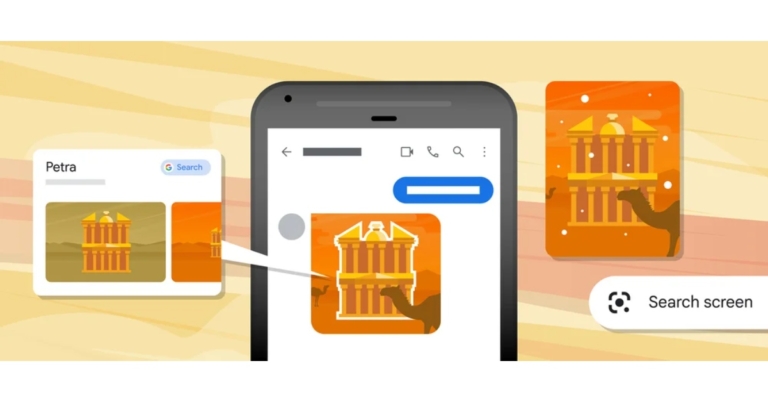

 If you’re planning on gifting a smartphone to your loved one this Valentine’s why not go big? The new iPhone 14 Pro gets a new improved display (with the highly talked about ‘Dynamic Island’) and better cameras than its predecessor. The primary 48MP quad-pixel sensor takes stunning images, upholding the reputation of the iPhone being the best camera phone in the market. On top of that, the new iPhone comes with an upgraded A16 Bionic chip and safety features such as Car Crash Detection and Emergency SOS via Satellite. Our review here.
 Talking about premium smartphones, we cannot leave Samsung’s flagship out of the list. Released earlier this month, the Samsung Galaxy S23 Ultra is the best that Android has to offer. The 6.8-inch QHD+ Dynamic AMOLED display sets the S23 Ultra apart from the rest and delivers a clarity that you haven’t seen before. The smartphone is powered by the new Snapdragon 8 Gen 2 SoC which has been specially tuned for Samsung. However, the star of the show is the 200MP primary camera that may even give certain DSLRs a run for their money. Need more? The new astrophotography mode on the S23 Ultra can even capture highly detailed images of the moon.
 Looking for an inexpensive tech gift that is also unique and fits into everyday use? This Spigen wireless charger should cover it. Priced at just Rs 999 on Amazon, the Spigen PF2104 provides 15W charging with Airboost technology. The charger is compatible with both Android and iOS devices and doesn’t occupy too much space on the desk, thanks to its sleek and compact design.
 If you’re planning on gifting a smartphone to your loved one this Valentine’s why not go big? The new iPhone 14 Pro gets a new improved display (with the highly talked about ‘Dynamic Island’) and better cameras than its predecessor. The primary 48MP quad-pixel sensor takes stunning images, upholding the reputation of the iPhone being the best camera phone in the market. On top of that, the new iPhone comes with an upgraded A16 Bionic chip and safety features such as Car Crash Detection and Emergency SOS via Satellite. Our review here.
 Talking about premium smartphones, we cannot leave Samsung’s flagship out of the list. Released earlier this month, the Samsung Galaxy S23 Ultra is the best that Android has to offer. The 6.8-inch QHD+ Dynamic AMOLED display sets the S23 Ultra apart from the rest and delivers a clarity that you haven’t seen before. The smartphone is powered by the new Snapdragon 8 Gen 2 SoC which has been specially tuned for Samsung. However, the star of the show is the 200MP primary camera that may even give certain DSLRs a run for their money. Need more? The new astrophotography mode on the S23 Ultra can even capture highly detailed images of the moon.
 Don’t want to splurge on a flagship? There are a lot of amazing midrange smartphones you can gift your Valentine this year. Released in January this year, the Redmi Note 12 Pro has all the specs and features you want in a daily driver. The smartphone comes in three stunning colours – Stardust Purple, Glacier Blue, and Onyx Black. While the Pro+ variant comes with a 200MP primary camera, the Note 12 Pro’s 50MP main sensor takes pictures that are just as good (Read our review here to have a look). The MediaTek Dimensity 1080 SoC delivers a stellar performance on this smartphone as well.
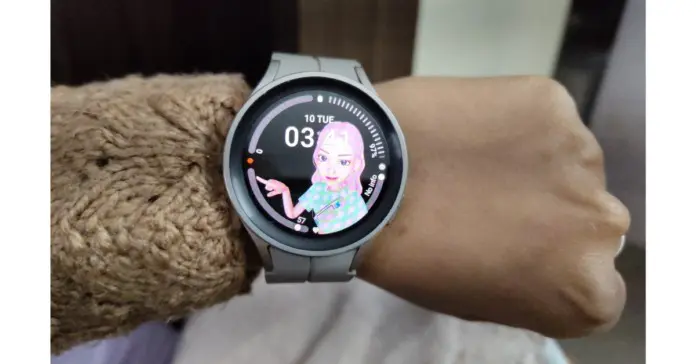 Watches have always made great gifts. Now that smart wearables are on the rise, smartwatches are carving out a niche for themselves. Not only are they excellent fitness trackers, but they also have aesthetics that match some of the finest accessories on the market. The Samsung Galaxy Watch 5 Pro is the perfect convergence of technology and fashion, and would definitely be the most sought-after gift this Valentine’s day. What makes the Watch 5 Pro best in its category is Samsung’s incredible Wear OS coupled with the highly efficient fitness and health tracking features. Read our in-depth review here to know more.
 Looking for an inexpensive tech gift that is also unique and fits into everyday use? This Spigen wireless charger should cover it. Priced at just Rs 999 on Amazon, the Spigen PF2104 provides 15W charging with Airboost technology. The charger is compatible with both Android and iOS devices and doesn’t occupy too much space on the desk, thanks to its sleek and compact design.
 Speaking about unique and helpful daily accessories, the Amazon Tile Mate is a versatile tracker that helps you keep a track of your belongings. The Tile can easily be attached to your backpack, purse, luggage, keys and other items. Once fixed into place, you can use the free app to track your belongings in case they get lost. If they are in Bluetooth range, the Tile will give you step-by-step directions to the item’s location or even make a ringing sound for you to locate it. If you lost your belonging somewhere outside, you can easily look up their most recent location on the map.
 The 43-inch Acer H Series Smart TV is one of the better deals you can find on the market right now. TVs aren’t usually the first thing that spring to mind while thinking about gift ideas, but this particular Smart TV is priced similar to an average midrange smartphone and would make all the difference if the person you’re gifting it to is still using a previous generation television. The 43-inch Acer H Series Smart TV comes with a brilliant 4K resolution display with a refresh rate of 60Hz and a 178-degree wide viewing angle. 3 HDMI and 2 USB ports offer connectivity to gaming consoles, set-top box, external hard drives and any other device you can think of. The TV comes pre-loaded with all the major OTT platforms, with the option to download more from Google Play Store.
 Is your partner a sneakerhead? This may be the perfect gift for them. The Philips Sneaker Cleaner is an excellent shoe maintenance tool that is really easy to use. All you need to do is wet the brush with soapy water and let it take care of the rest. With three kinds of brushes on offer, the Philip Sneaker Cleaner can handle all kinds of dirt and grime and give your sneakers a fresh look. The product comes with a 3-year warranty if you purchase it from Philip’s website.
 The ever-so-stylish ASUS Vivobook 14 comes with the Intel Core i5 processor and flaunts a 14-inch Full HD IPS display. Weighing just 1.35 kg, the Vivobook 14 is not a hassle to carry around. The laptop comes with a 512GB SSD hard drive and 8GB LPDDR4X RAM. The pink metal casing is durable without compromising on the looks. There is also a fingerprint scanner on board for faster system access.
 If you’re looking for a home cleaning gadget, iRobot is offering a Valentine’s Day discount the Roomba 698. This nifty gadget cleans the floors and captures dirt, dust, hair, and all kinds of debris from the surface of your home. The Roomba is compatible with all kinds of flooring and carpets, so you don’t have to worry about what path it takes while cleaning. Its 3-stage cleaning system guarantees a clean environment in your house. The device can be controlled from its dedicated app or even through your preferred voice assistant (Google or Alexa).
 One of the better trimmers on the market, the Xiaomi Grooming Kit Pro offers a range of customisations without being excessively bulky. It is easy to carry around while you travel and offers a 90-minute run time on a full charge. The device is also rated IPX7 for water resistance, so you don’t have to hesitate while using it in the bathroom. Want to try out a new style? The multiple heads on offer allow you to choose from 40 length options.
Read Also: 6 Easy Ways to Fix ‘Quick Look Not Working’ on Mac
One of the better trimmers on the market, the Xiaomi Grooming Kit Pro offers a range of customisations without being excessively bulky. It is easy to carry around while you travel and offers a 90-minute run time on a full charge. The device is also rated IPX7 for water resistance, so you don’t have to hesitate while using it in the bathroom. Want to try out a new style? The multiple heads on offer allow you to choose from 40 length options.
Read Also: 6 Easy Ways to Fix ‘Quick Look Not Working’ on Mac
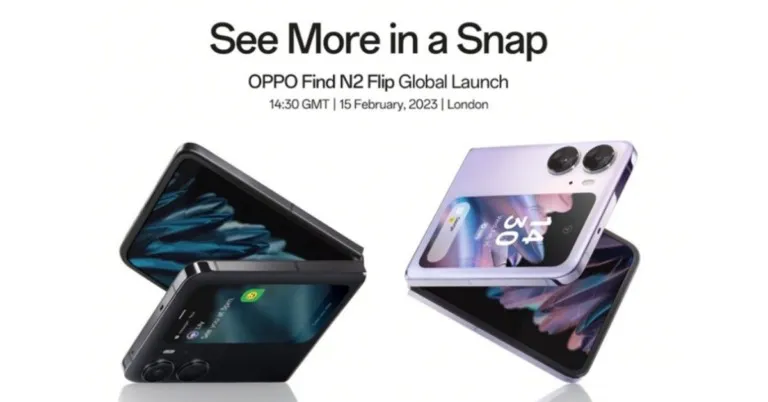




 Restarting your Mac should be the first step you undertake to fix any minor issues on the system. A quick restart resolves any background issues and fixes any minor glitches on the system. To restart your Mac, simply click on the Apple logo at the top left corner of the screen and select ‘Restart’.
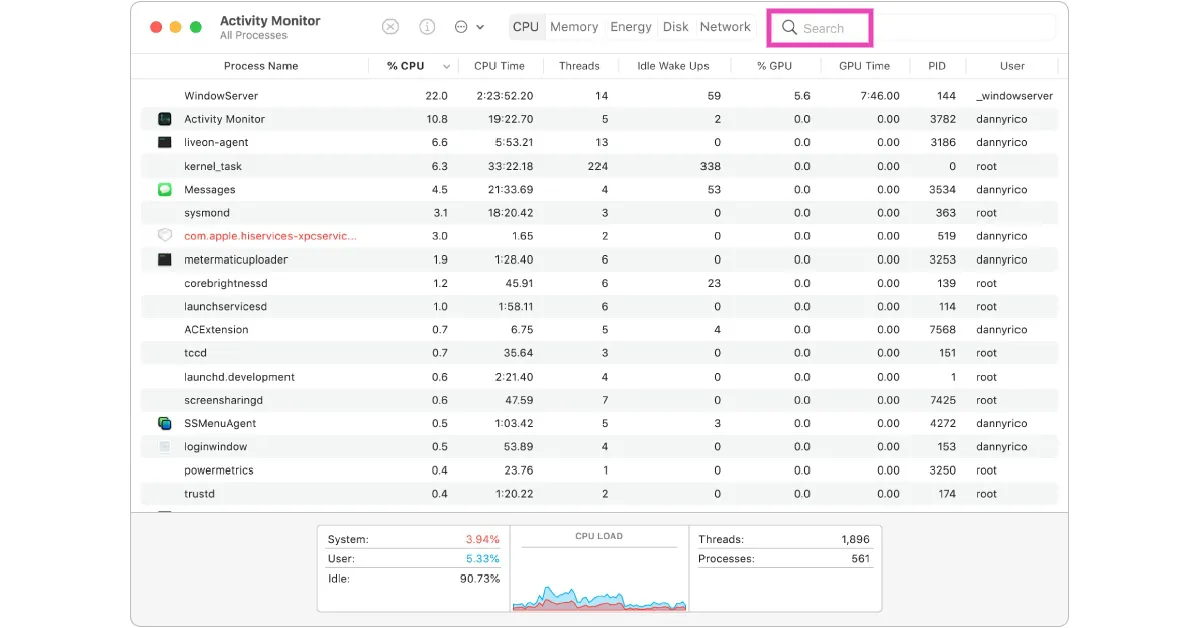 Step 3: Select QuickLookUIService and click on the close icon to end the process.
Once you’ve ended the process, go back to Finder and use Quick Look to preview the contents of the file.
Step 3: Select QuickLookUIService and click on the close icon to end the process.
Once you’ve ended the process, go back to Finder and use Quick Look to preview the contents of the file.
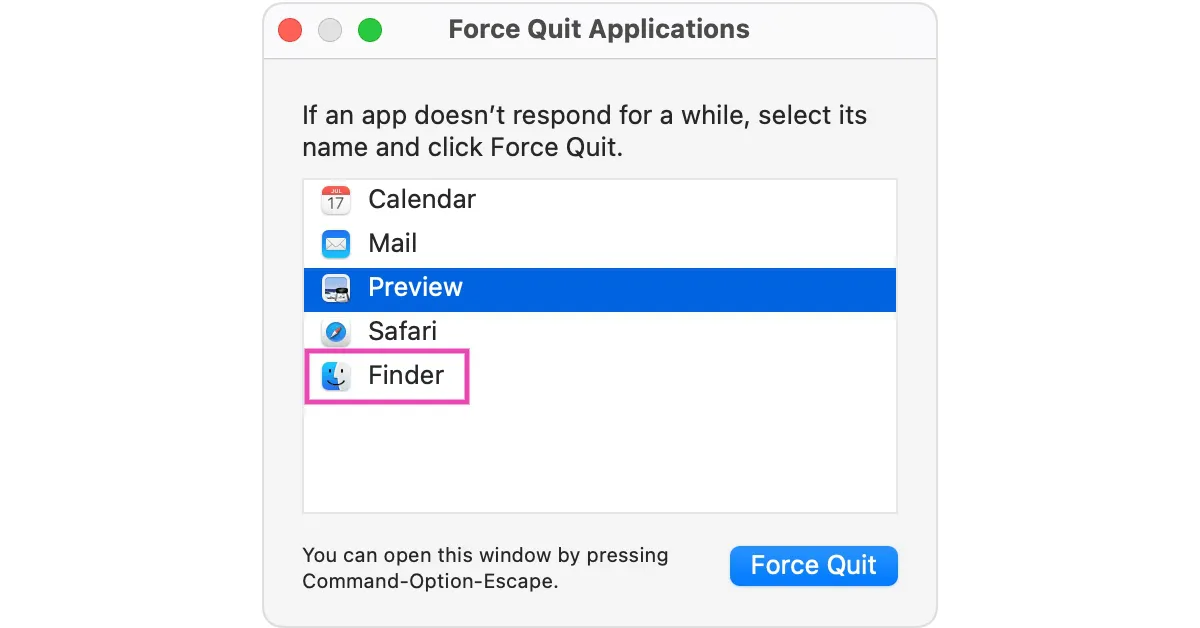 The Finder app will be shut down. Click on it again to check if Quick Look has started working.
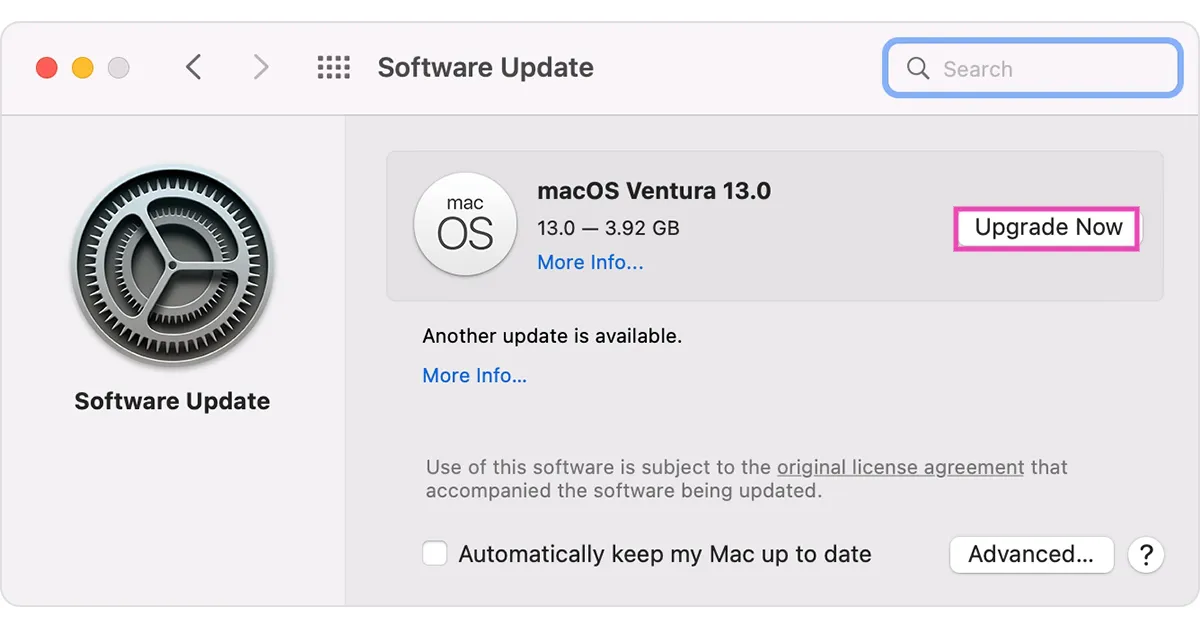 Read Also: Xiaomi TV Stick 4K is scheduled to launch in India on February 14
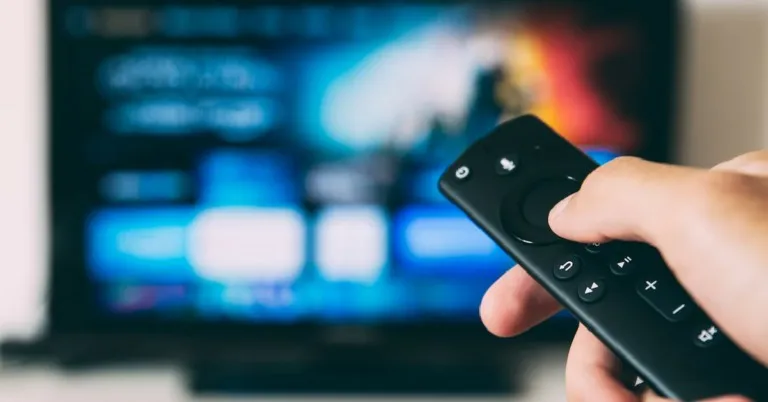
 The official Amazon Fire TV remote app covers all the basic remote control functions for your Firestick. Firstly, the app allows input through your smartphone’s QWERTY keyboard, which puts an end to your struggles with the annoying TV keyboard. The official app also lets you voice search through Alexa, although this option may not be available in all regions. To make things simpler, you can access all your TV apps with just one tap on the official Fire TV remote app. Connecting the remote app to your TV doesn’t take much time either. All you need to do is ensure that your smartphone and TV are connected to the same WiFi network, and then pair the two from the Fire TV remote app.
 As the name suggests, Universal Remote Control works with just about any device in your home that can be operated by a remote control device. Got an old TV with a traditional IR remote control? Use your phone’s IR blaster and let the Universal Remote Control take the rein. You won’t need the IR blaster for Smart TVs if both devices are connected to the WiFi network. Using this app, you can control almost every function of the Firestick including Power on/off, Volume control, media navigation, channel browsing, keyboard input, and much more.
 The VIZIO Mobile app effortlessly handles basic remote tasks like keyboard input, power on/off, volume control, navigation, and more. On top of that, this app also lets you browse the apps on your TV using your smartphone, converging all your entertainment needs in one place. Navigating different apps on your Smart TV can get tricky at times, especially if the TV doesn’t respond quickly. VIZIO lets you browse everything in one place and lets you put it up on your TV whenever you want.
 Other than the official Fire TV remote app, CetusPlay is the most preferred remote control app among Firestick users. Not only does CetusPlay connect to the Firestick, but it also works with other services and devices like Android TV, TV box, Chromecast, KODI, and more. In order to use CetusPlay with the Firestick, you will first need to turn on ADB debugging on your TV from the developer options. Quickly restart your TV and then connect it to your smartphone from the CetusPlay app. What makes CetusPlay unique is its gamepad controller and the ability to sideload apps on your TV.
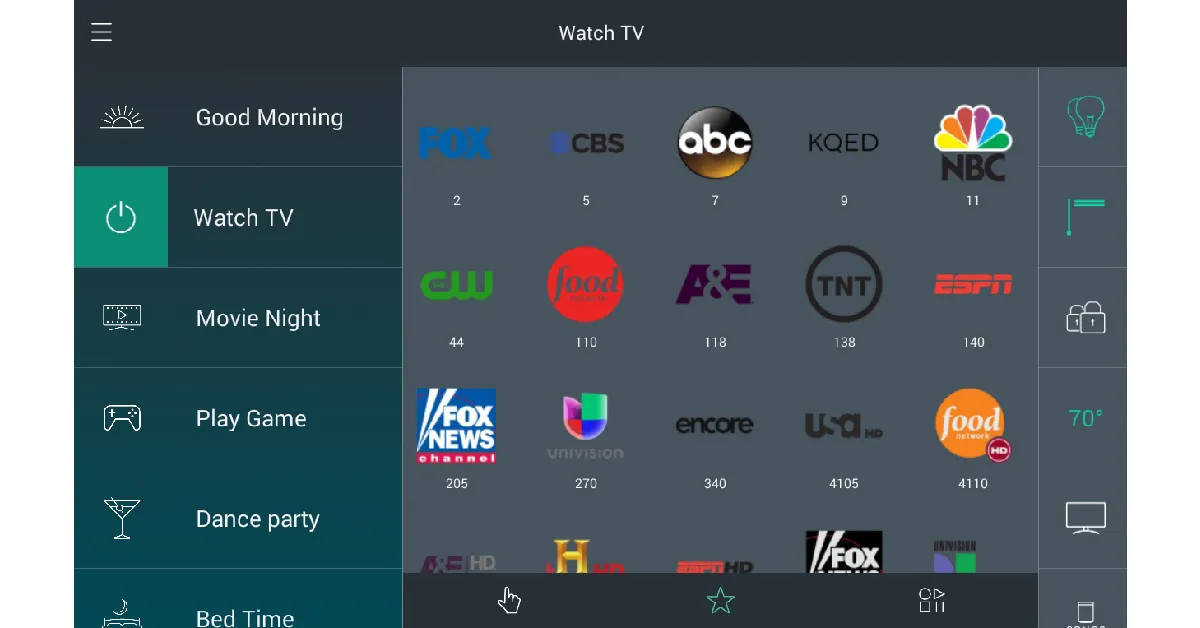 Logitech’s Harmony Remote app lets you control all your home appliances and devices from your smartphone. This includes TVs, stereos, game consoles, and even smart devices like automated lights, locks, and blinds. In order to set up Harmony Remote will all your devices, you need to install a Home Hub. One of the unique features of this app is that it lets you connect your smartphone to the TV using a Bluetooth connection, in case your home WiFi is dysfunctional.
 Like Harmony Remote, AnyMote also requires a smart hub to connect to the Firestick. However, if you are already using Amazon Echo as a hub, AnyMote will work just fine. Apart from the usual navigation and input functions, AnyMote offers several customisation options and makes it incredibly easy to control your Smart TV with your smartphone. If you link it to Amazon Echo, you will also be able to use Alexa with the remote.
Read Also: Nokia X30 5G launching in India soon, upcoming launch teased
Like Harmony Remote, AnyMote also requires a smart hub to connect to the Firestick. However, if you are already using Amazon Echo as a hub, AnyMote will work just fine. Apart from the usual navigation and input functions, AnyMote offers several customisation options and makes it incredibly easy to control your Smart TV with your smartphone. If you link it to Amazon Echo, you will also be able to use Alexa with the remote.
Read Also: Nokia X30 5G launching in India soon, upcoming launch teased
 Once the recording starts, all participants will get a notification that the recording and transcription have started. No more than one participant can record the meeting at one time. Once the recording is over, the video file will be uploaded on One Drive or SharePoint (if it was a channel meeting) for all participants to see. To find the recording, simply login to One Drive or SharePoint and access the Teams recording folder. You will also be able to see the recording in the meeting or channel chat. Guest attendees can only view the recording when an external link to the file is shared with them. Meeting participants can view the live transcription during the meeting. If you do not want to record the transcription, follow these steps.
Step 3: To stop recording the transcription, simply click on the ellipses from the meeting controls and select ‘Stop transcription’.
Step 4: To stop recording the meeting altogether, click on the ellipses and then select ‘Stop recording’.
To delete a recording, simply access the file on One Drive, select it and hit delete on the top toolbar. Typically, meetings recorded on Microsoft Teams come with an expiration date. The recorded file gets auto-deleted upon expiry. If you have admin privileges you can manage the expiration date of any recording. Follow these steps to change the date of expiration of the meeting recording.
Step 1: Access the My Files folder on One Drive and view it as a list.
Step 2: Click on the ellipses (three dots) on the recording file.
Step 3: Select ‘Show actions’ and then click on ‘Details’.
Step 4: Click on the drop-down menu for Expiration Date and select a time period. If you want to store the recording permanently, choose ‘No expiration’.
Read Also: Nokia X30 5G launching in India soon, upcoming launch teased
Once the recording starts, all participants will get a notification that the recording and transcription have started. No more than one participant can record the meeting at one time. Once the recording is over, the video file will be uploaded on One Drive or SharePoint (if it was a channel meeting) for all participants to see. To find the recording, simply login to One Drive or SharePoint and access the Teams recording folder. You will also be able to see the recording in the meeting or channel chat. Guest attendees can only view the recording when an external link to the file is shared with them. Meeting participants can view the live transcription during the meeting. If you do not want to record the transcription, follow these steps.
Step 3: To stop recording the transcription, simply click on the ellipses from the meeting controls and select ‘Stop transcription’.
Step 4: To stop recording the meeting altogether, click on the ellipses and then select ‘Stop recording’.
To delete a recording, simply access the file on One Drive, select it and hit delete on the top toolbar. Typically, meetings recorded on Microsoft Teams come with an expiration date. The recorded file gets auto-deleted upon expiry. If you have admin privileges you can manage the expiration date of any recording. Follow these steps to change the date of expiration of the meeting recording.
Step 1: Access the My Files folder on One Drive and view it as a list.
Step 2: Click on the ellipses (three dots) on the recording file.
Step 3: Select ‘Show actions’ and then click on ‘Details’.
Step 4: Click on the drop-down menu for Expiration Date and select a time period. If you want to store the recording permanently, choose ‘No expiration’.
Read Also: Nokia X30 5G launching in India soon, upcoming launch teased
 The base variant of the iPhone 15 will most likely come with a pill-shaped cutout for the front camera as well. The Dynamic Island was one of the most talked about features of the iPhone last year, and Apple would be looking to extend it to the non-Pro variants as well. Failure to do that may stagnate the design of the regular iPhone which in turn may affect sales. Other design changes may include curved titanium edges for the Pro and Pro Max variants instead of the flatter ones on iPhone 14.
A lot of rumours around the iPhone 15 also suggest that an ‘Ultra’ variant is in the works. So far it is unknown whether it will replace the Pro Max variant or will simply be added to the lineup as an extra option. The iPhone 15 Ultra could also see some new features like an Astrophotography Mode for the camera, something that has been gaining the headlines with the new Samsung S23 Ultra.
The base variant of the iPhone 15 will most likely come with a pill-shaped cutout for the front camera as well. The Dynamic Island was one of the most talked about features of the iPhone last year, and Apple would be looking to extend it to the non-Pro variants as well. Failure to do that may stagnate the design of the regular iPhone which in turn may affect sales. Other design changes may include curved titanium edges for the Pro and Pro Max variants instead of the flatter ones on iPhone 14.
A lot of rumours around the iPhone 15 also suggest that an ‘Ultra’ variant is in the works. So far it is unknown whether it will replace the Pro Max variant or will simply be added to the lineup as an extra option. The iPhone 15 Ultra could also see some new features like an Astrophotography Mode for the camera, something that has been gaining the headlines with the new Samsung S23 Ultra.

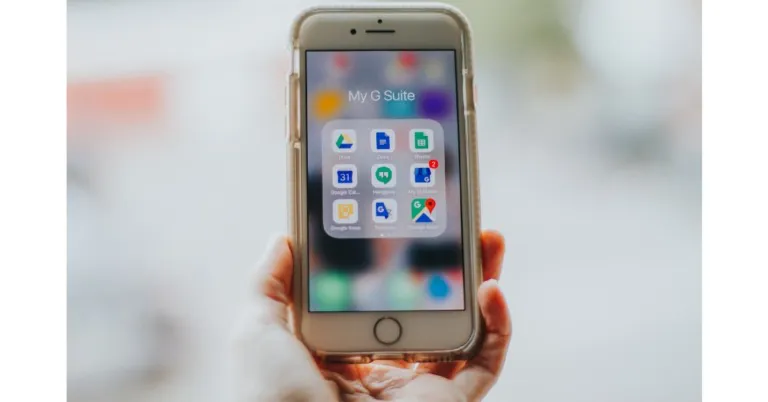
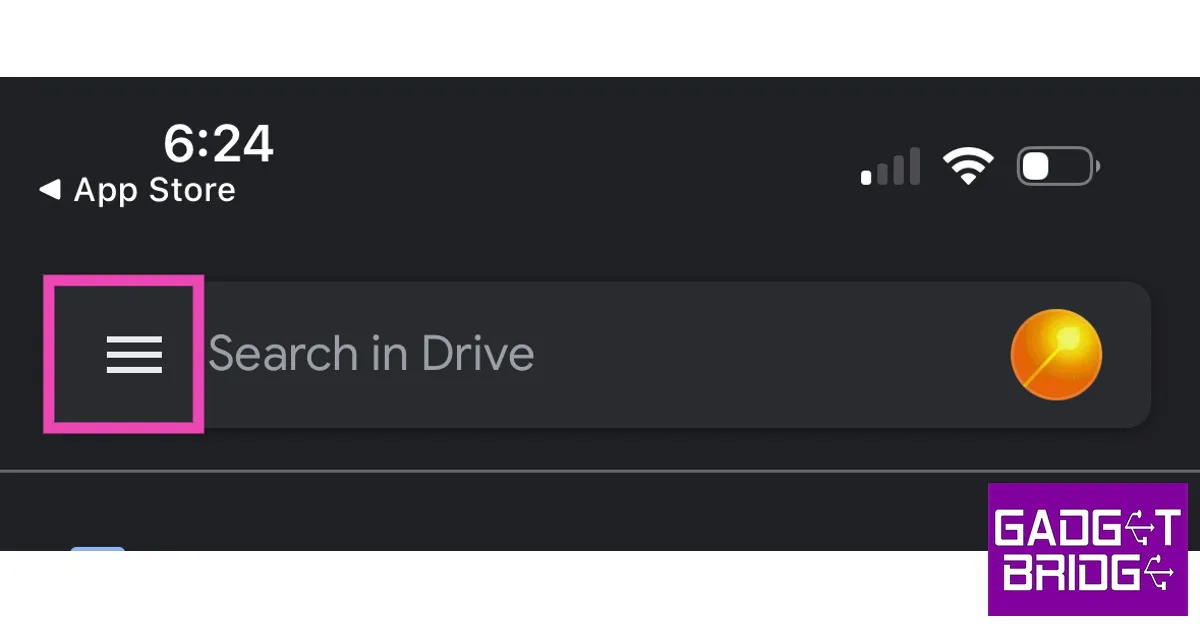 Step 4: Select Settings and go to Backup.
 Step 5: Go to Photos & Videos and turn the toggle switch on for ‘Back up to Google Photos’.
 Step 6: Choose the upload quality size. Uploading images in their original resolution will take up more drive space.
Step 7: You can also back up your Calendar entries and contacts on Google Drive.
In order to secure your backups and limit any unauthorised access, turn on Face ID protection for Google Drive. This feature is exclusive to iPhones. Here’s how you can enable it.
Step 8: Go to Google Drive settings.
Step 9: Select ‘Privacy Screen’ and turn on the toggle bar.
Backup aside, the most important function that Google Drive has to offer is the ability to upload and share large documents and files. If you do not want to create a backup of all the images on your iPhone, you can selectively upload them on Google Drive. Here’s how.
Step 10: Launch the Google Drive app and tap on the Files tab on the bottom toolbar.
Step 6: Choose the upload quality size. Uploading images in their original resolution will take up more drive space.
Step 7: You can also back up your Calendar entries and contacts on Google Drive.
In order to secure your backups and limit any unauthorised access, turn on Face ID protection for Google Drive. This feature is exclusive to iPhones. Here’s how you can enable it.
Step 8: Go to Google Drive settings.
Step 9: Select ‘Privacy Screen’ and turn on the toggle bar.
Backup aside, the most important function that Google Drive has to offer is the ability to upload and share large documents and files. If you do not want to create a backup of all the images on your iPhone, you can selectively upload them on Google Drive. Here’s how.
Step 10: Launch the Google Drive app and tap on the Files tab on the bottom toolbar.
 Step 11: Tap the plus icon to create a new folder.
 Step 12: Select the folder and tap the plus icon again.
 Step 13: Upload the files you want to share or backup.
Step 14: To share the folder with someone simply tap the ellipses (three dots) and select Share. You can also copy the link to the folder and share it with anyone you want.
Read Also: Best places to buy a refurbished iPhone
Step 13: Upload the files you want to share or backup.
Step 14: To share the folder with someone simply tap the ellipses (three dots) and select Share. You can also copy the link to the folder and share it with anyone you want.
Read Also: Best places to buy a refurbished iPhone
 This is the most common way to take screenshots on iPhones with Face ID. In order to take a quick screenshot, simply press the Volume up button and the Side Key and quickly release it. Once the screenshot has been taken, its thumbnail will appear on the lower left corner of the screen. Tap on the thumbnail to view it or swipe left to dismiss it.
 Step 2: Select Touch and tap on ‘Back tap’.
 Step 3: After you’ve turned on the toggle bar for Back Tap, choose the appropriate trigger. We suggest a double-tap trigger as it is much easier to use.
Step 4: Choose ‘Screenshot’ as the action for the trigger you have selected.
Step 3: After you’ve turned on the toggle bar for Back Tap, choose the appropriate trigger. We suggest a double-tap trigger as it is much easier to use.
Step 4: Choose ‘Screenshot’ as the action for the trigger you have selected.

 Step 4: Now, tap on ‘Customise Top Level Menu’ and replace one of the functions with Screenshot.
 Step 5: Tap on the Assistive Touch icon and select ‘Screenshot’ to take a quick screenshot of the screen.
 To reduce the extra step of selecting ‘Screenshot’ from the Assistive Touch menu, you can simply program it in a manner that your iPhone takes a quick screenshot whenever double tap or long-press the Assistive Touch icon. Here’s how you can do that.
Step 6: Go back to Assistive Touch in Settings and under the ‘Custom Actions’ sections choose Double Tap or Long Press. Select ‘Screenshot’ as your desired action.
Read Also: Sony Walkman NW-A306 launched in India
To reduce the extra step of selecting ‘Screenshot’ from the Assistive Touch menu, you can simply program it in a manner that your iPhone takes a quick screenshot whenever double tap or long-press the Assistive Touch icon. Here’s how you can do that.
Step 6: Go back to Assistive Touch in Settings and under the ‘Custom Actions’ sections choose Double Tap or Long Press. Select ‘Screenshot’ as your desired action.
Read Also: Sony Walkman NW-A306 launched in India
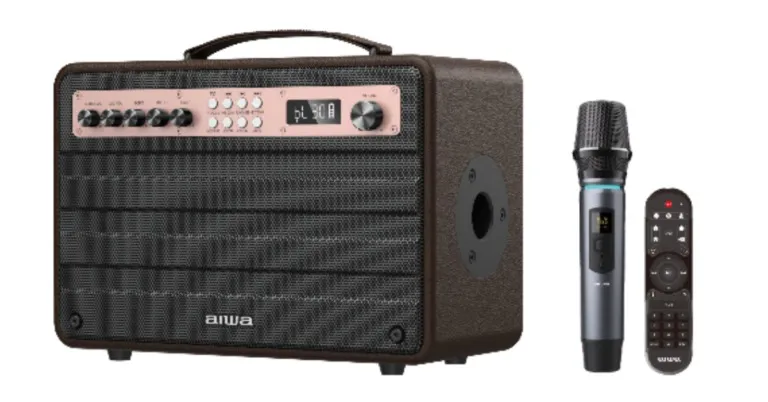


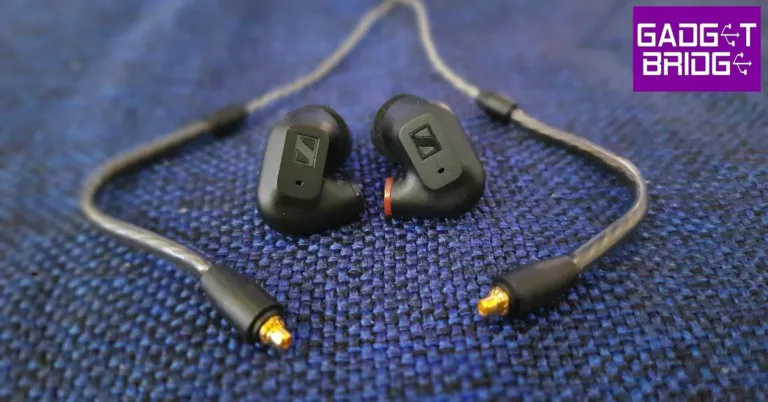
 In terms of design and form factor, the IE 200 do not stray too far from the rest of the series. Sennheiser has toned down the look and made it more minimal, but retained the signature IE design profile. The earphones are made out of plastic, unlike the aluminium build of the IE 600 and 900. The braided cable feels quite sturdy and did not create any friction noise during our time of testing. If you have a better cable lying around, you can easily attach it to the earphones using the MMCX connectors.
 The left earbud has the IE 200 branding on the inner panel while the right earbud has a red ring around it as a distinguishing feature. On the outer panel, the Sennheiser logo is embossed right below the air vent. The braided cable also gets an angled 3.5mm plug.
 The IE 200 comes with three pairs of silicone and memory foam tips. We’d suggest trying either one to see which offers the better fit. Pushing the ear tips all the way down on the earbuds will deliver a bass-driven audio output. To reduce the low-end representation in the sound profile, pull them slightly outwards. However, in our testing, the ear tips got pushed all the way down after a period of staying in the ears.
 The plastic ear hooks go over the top of your ear once you put on the earphones. The fit is firm and snug and offers a decent level of passive noise cancellation. Each earbud weighs just 4 grams, so you can easily wear these earphones for hours without feeling any real strain. Overall, we were very pleased with the design choices and the comfortable fit offered by the IE 200.
 The soundstage offered by the Sennheiser IE 200 upholds the reputation of the IE series. While it may not be as fleshed out as the IE 600 and IE 900, it has a personality of its own and does not stray away from the signature sound profile that we have come to associate with Sennheiser.
 The range of frequencies is presented in a very subtle and intricate manner. The low end is given enough room to do its own thing without overpowering the mids and the highs. The overall output is perfectly balanced, letting you enjoy a nice blend of frequencies as the mix commands. Even the sound of the clapper in the background is well-pronounced and brings a good amount of attention to itself. There is no shrillness to the high-end frequencies and they are delivered in a very nuanced manner.
 The versatility offered by the IE 200 is quite impressive as well. The soundstage across different genres did justice to the original mix and did not stray too far from the track. There is a level of neutrality that you expect from a good pair of IEMs. Overall, the IE 200 is exactly what you expect Sennheiser to deliver in this price range.
Read Also: Canon EOS R8 and EOS R50 full-frame mirrorless cameras launched in India
The versatility offered by the IE 200 is quite impressive as well. The soundstage across different genres did justice to the original mix and did not stray too far from the track. There is a level of neutrality that you expect from a good pair of IEMs. Overall, the IE 200 is exactly what you expect Sennheiser to deliver in this price range.
Read Also: Canon EOS R8 and EOS R50 full-frame mirrorless cameras launched in India
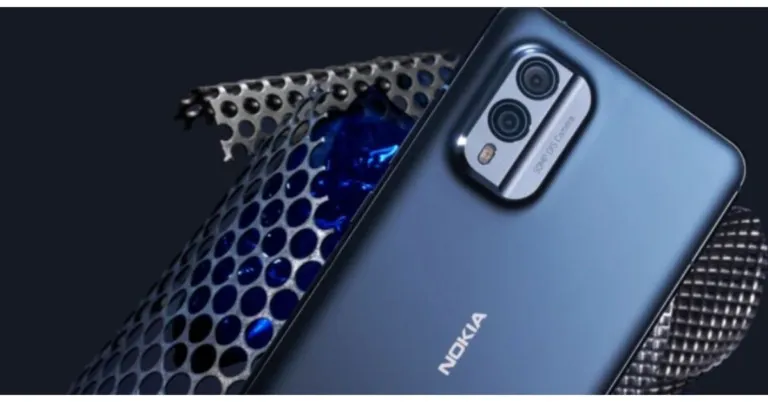
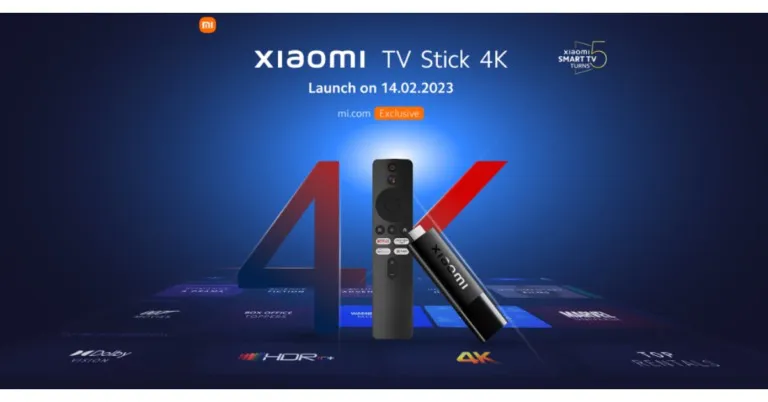
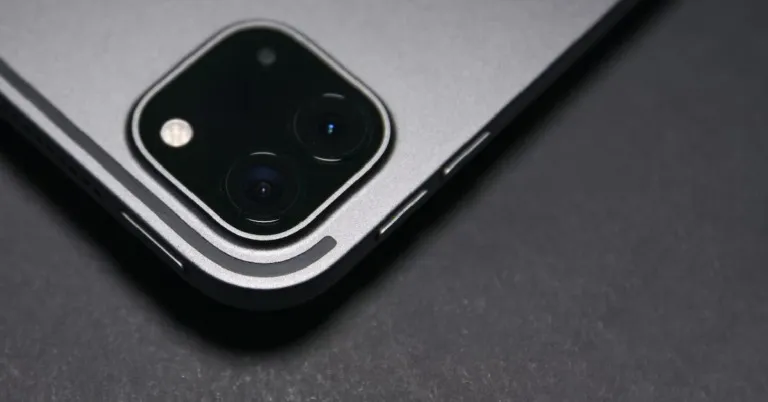
 LiDAR records accurate measurements of the objects around you by scanning the signals that bounce off their surface and edges. While there are a ton of measuring apps for your iPhone, the ones that use LiDAR are generally much more accurate than the others. The native ‘Measure’ app works perfectly fine as well. Apart from measuring dimensions, LiDAR can also tell the distance of the object from you.
 Capturing good images in low light conditions can be a real struggle. Most cameras find it hard to focus on a subject in dimly light surroundings. With LiDAR, this is not an issue. Using this technology, your iPhone can detect the distance of the subject from the lens and help the camera focus on it. Even in challenging situations, you will be able to take highly detailed images using LiDAR.
 If you’re planning on carrying out a facelift for your house, you need to plan things out virtually first. With LiDAR, your iPhone is perfectly equipped to handle the task. There are tons of apps on the App Store that will help you create 3D renders of a room using LiDAR. Once you’ve got an accurate 3D representation of a room, you can use it to see how the furniture will fit into it. This will save you a lot of labour in readjusting the furniture in real-time.
 Over the years, AR Gaming has become incredibly immersive. LiDAR takes the immersion to a whole new level, as it is able to gauge your surroundings better than a regular camera and can easily embed AR objects on it, making them look life-like. Several apps like Ikea and LEGO Hidden Side already use LiDAR to interact with real-world surroundings.
 Using LiDAR, you can create accurate 3D models of the objects around you. The process of creating 3D scans and renders of real-life objects is called ‘photogrammetry’ and is a well-established part of movie making. Apps like Polycam can take 3D scans of objects within minutes. If you’re working on an art project, this feature can be of tremendous help.
Read Also: Portronics Hydra 10 RGB keyboard launched in India
Using LiDAR, you can create accurate 3D models of the objects around you. The process of creating 3D scans and renders of real-life objects is called ‘photogrammetry’ and is a well-established part of movie making. Apps like Polycam can take 3D scans of objects within minutes. If you’re working on an art project, this feature can be of tremendous help.
Read Also: Portronics Hydra 10 RGB keyboard launched in India
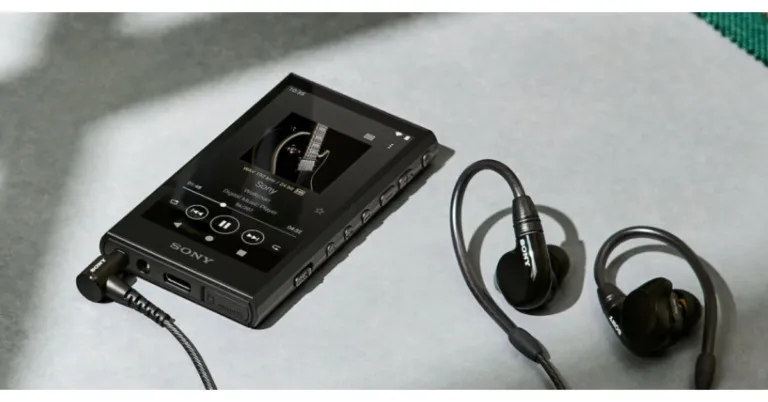
 Also Read: Sony Walkman NW-ZX707 with DSD Remastering Engine launched in India
A dual clock, film capacitor, and fine sound register have all been properly positioned inside the Walkman to achieve the evolutionary sound of both music players.
The native DSD format is compatible with the S-Master HX digital amp technology, which was independently designed for Walkman. According to the company, rich, full-bodied sound is produced with less distortion and noise across a wide frequency range, which is further enhanced by new, high-performance lead-free solder. It makes use of DSEE Ultimate, a real-time upscaler of compressed digital audio files, and Edge-AI (artificial intelligence). A deep and rich listening experience is provided by restoring the acoustic subtleties and dynamic range.
In comparison to earlier models, the NW-A306 offers excellent battery life, allowing users to enjoy more of their music for longer. In order to satisfy consumer demand, it has a battery life of up to 36 hours for 44.1kHz FLAC playing, up to 32 hours for 96kHz FLAC high-definition music playback, or even up to 26 hours while using the streaming service apps.
Also Read: The Sony Walkman is back in an all-new avatar: Tech specs, price and availability
Customers may experience DSEE Ultimate for upscaling their music in NW-A306 whether it is downloaded or streamed via Wi-Fi, building on the lessons learned from its preceding models. With wireless headphones, listeners can now enjoy DSEE Ultimate as well.
For the latest gadget and tech news, and gadget reviews, follow us on Twitter, Facebook and Instagram. For newest tech & gadget videos subscribe to our YouTube Channel. You can also stay up to date using the Gadget Bridge Android App. You can find the latest car and bike news here.
Also Read: Sony Walkman NW-ZX707 with DSD Remastering Engine launched in India
A dual clock, film capacitor, and fine sound register have all been properly positioned inside the Walkman to achieve the evolutionary sound of both music players.
The native DSD format is compatible with the S-Master HX digital amp technology, which was independently designed for Walkman. According to the company, rich, full-bodied sound is produced with less distortion and noise across a wide frequency range, which is further enhanced by new, high-performance lead-free solder. It makes use of DSEE Ultimate, a real-time upscaler of compressed digital audio files, and Edge-AI (artificial intelligence). A deep and rich listening experience is provided by restoring the acoustic subtleties and dynamic range.
In comparison to earlier models, the NW-A306 offers excellent battery life, allowing users to enjoy more of their music for longer. In order to satisfy consumer demand, it has a battery life of up to 36 hours for 44.1kHz FLAC playing, up to 32 hours for 96kHz FLAC high-definition music playback, or even up to 26 hours while using the streaming service apps.
Also Read: The Sony Walkman is back in an all-new avatar: Tech specs, price and availability
Customers may experience DSEE Ultimate for upscaling their music in NW-A306 whether it is downloaded or streamed via Wi-Fi, building on the lessons learned from its preceding models. With wireless headphones, listeners can now enjoy DSEE Ultimate as well.
For the latest gadget and tech news, and gadget reviews, follow us on Twitter, Facebook and Instagram. For newest tech & gadget videos subscribe to our YouTube Channel. You can also stay up to date using the Gadget Bridge Android App. You can find the latest car and bike news here.  Also Read: Sony Walkman NW-ZX707 with DSD Remastering Engine launched in India
A dual clock, film capacitor, and fine sound register have all been properly positioned inside the Walkman to achieve the evolutionary sound of both music players.
The native DSD format is compatible with the S-Master HX digital amp technology, which was independently designed for Walkman. According to the company, rich, full-bodied sound is produced with less distortion and noise across a wide frequency range, which is further enhanced by new, high-performance lead-free solder. It makes use of DSEE Ultimate, a real-time upscaler of compressed digital audio files, and Edge-AI (artificial intelligence). A deep and rich listening experience is provided by restoring the acoustic subtleties and dynamic range.
In comparison to earlier models, the NW-A306 offers excellent battery life, allowing users to enjoy more of their music for longer. In order to satisfy consumer demand, it has a battery life of up to 36 hours for 44.1kHz FLAC playing, up to 32 hours for 96kHz FLAC high-definition music playback, or even up to 26 hours while using the streaming service apps.
Also Read: The Sony Walkman is back in an all-new avatar: Tech specs, price and availability
Customers may experience DSEE Ultimate for upscaling their music in NW-A306 whether it is downloaded or streamed via Wi-Fi, building on the lessons learned from its preceding models. With wireless headphones, listeners can now enjoy DSEE Ultimate as well.
For the latest gadget and tech news, and gadget reviews, follow us on Twitter, Facebook and Instagram. For newest tech & gadget videos subscribe to our YouTube Channel. You can also stay up to date using the Gadget Bridge Android App. You can find the latest car and bike news here.
Also Read: Sony Walkman NW-ZX707 with DSD Remastering Engine launched in India
A dual clock, film capacitor, and fine sound register have all been properly positioned inside the Walkman to achieve the evolutionary sound of both music players.
The native DSD format is compatible with the S-Master HX digital amp technology, which was independently designed for Walkman. According to the company, rich, full-bodied sound is produced with less distortion and noise across a wide frequency range, which is further enhanced by new, high-performance lead-free solder. It makes use of DSEE Ultimate, a real-time upscaler of compressed digital audio files, and Edge-AI (artificial intelligence). A deep and rich listening experience is provided by restoring the acoustic subtleties and dynamic range.
In comparison to earlier models, the NW-A306 offers excellent battery life, allowing users to enjoy more of their music for longer. In order to satisfy consumer demand, it has a battery life of up to 36 hours for 44.1kHz FLAC playing, up to 32 hours for 96kHz FLAC high-definition music playback, or even up to 26 hours while using the streaming service apps.
Also Read: The Sony Walkman is back in an all-new avatar: Tech specs, price and availability
Customers may experience DSEE Ultimate for upscaling their music in NW-A306 whether it is downloaded or streamed via Wi-Fi, building on the lessons learned from its preceding models. With wireless headphones, listeners can now enjoy DSEE Ultimate as well.
For the latest gadget and tech news, and gadget reviews, follow us on Twitter, Facebook and Instagram. For newest tech & gadget videos subscribe to our YouTube Channel. You can also stay up to date using the Gadget Bridge Android App. You can find the latest car and bike news here. 

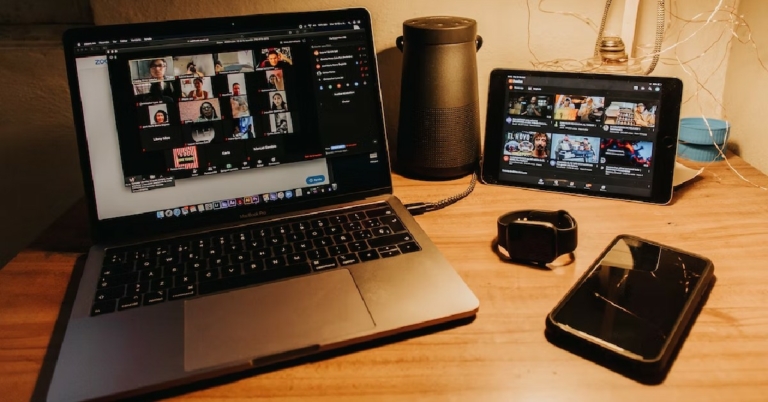
 Step 3: Go to the Video tab and select the checkbox for ‘HD’. Additionally, select the checkbox for ‘Touch up my appearance’ as well.
 Step 4: Now, go to the recording tab and set a destination folder for the recorded file.
Step 5: Select the checkbox for ‘Record a separate audio file of each participant’. This will help you during the post-processing of the video. If multiple speakers talk over each other during the meeting, you will be able to use separate audio files to make the audio output much cleaner.
Step 4: Now, go to the recording tab and set a destination folder for the recorded file.
Step 5: Select the checkbox for ‘Record a separate audio file of each participant’. This will help you during the post-processing of the video. If multiple speakers talk over each other during the meeting, you will be able to use separate audio files to make the audio output much cleaner.
 Step 6: Start a meeting and wait for the participants to join.
Step 7: To start recording the meeting, click on ‘More’ at the bottom toolbar and select ‘Recording on this computer’. Alternatively, you can press Alt+R to start a recording.
Step 6: Start a meeting and wait for the participants to join.
Step 7: To start recording the meeting, click on ‘More’ at the bottom toolbar and select ‘Recording on this computer’. Alternatively, you can press Alt+R to start a recording.
 Step 8: To stop recording, click on ‘More’ and select ‘Stop Recording’. The video will be converted to mp4 format and saved to the destination folder.
Read Also: Moto E13 with 6.5-Inch IPS Display announced in India
Step 8: To stop recording, click on ‘More’ and select ‘Stop Recording’. The video will be converted to mp4 format and saved to the destination folder.
Read Also: Moto E13 with 6.5-Inch IPS Display announced in India
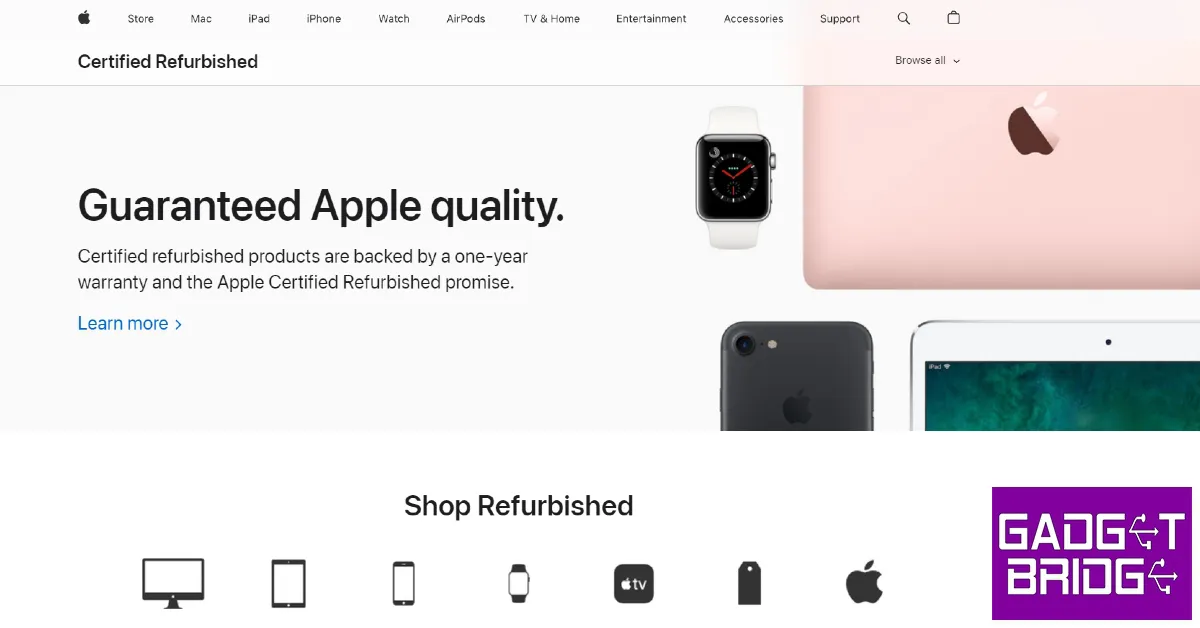 Buying a refurbished iPhone from Apple’s very own Refurbished Store is the safest bet. Sure, they may price the smartphone a bit higher than other sellers, but the iPhone comes with a brand-new battery and exterior shell. Phone batteries are known to deteriorate over time, so a new battery significantly improves the life of the product. A new shell improves the look of the product, ensuring it feels good as new.
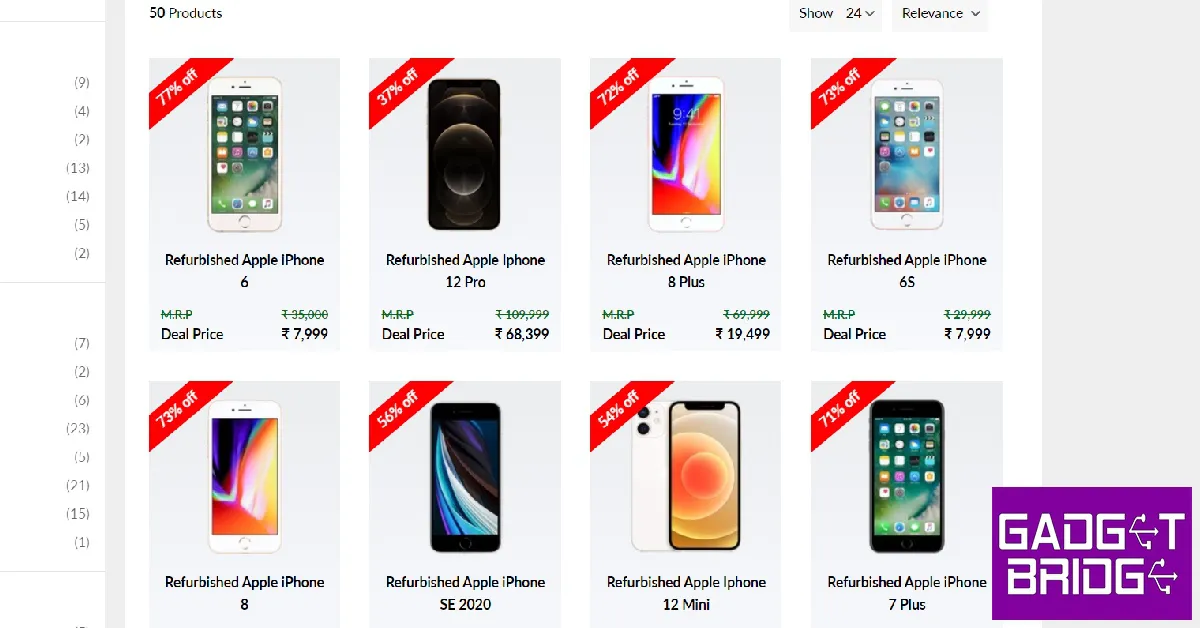 Blynk is one of the more popular and reliable players when it comes to selling refurbished phones in India. The refurbished smartphones you buy on Blynk come with a one-year warranty and a seven-day money-back guarantee. Simply log on to the site and look for refurbished iPhones. Currently, you can buy a refurbished iPhone 11 for as low as Rs 29,000 on Blynk.
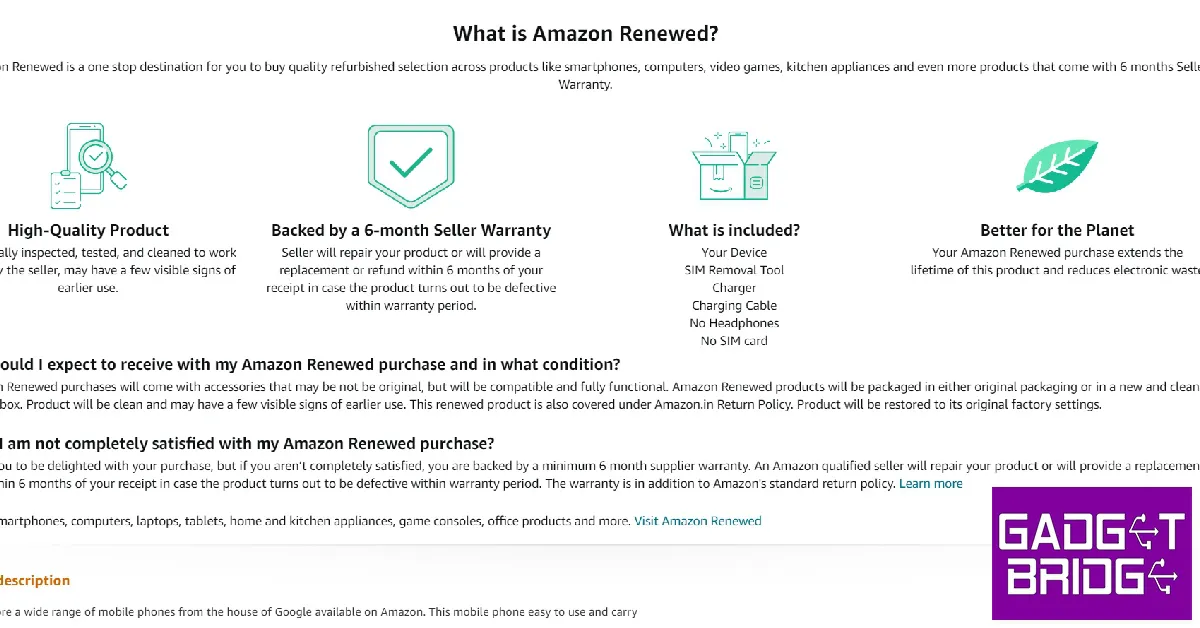 The world’s biggest e-commerce website may be new to the ‘refurbished’ arena, but it has taken no time to attract buyers to its platform. Refurbished products on Amazon carry the ‘Renewed’ tag. All you need to do is search ‘Renewed iPhone’ on Amazon and browse through the best results. Refurbished iPhones on Amazon are professionally tested by the seller and come with a 6-month warranty.
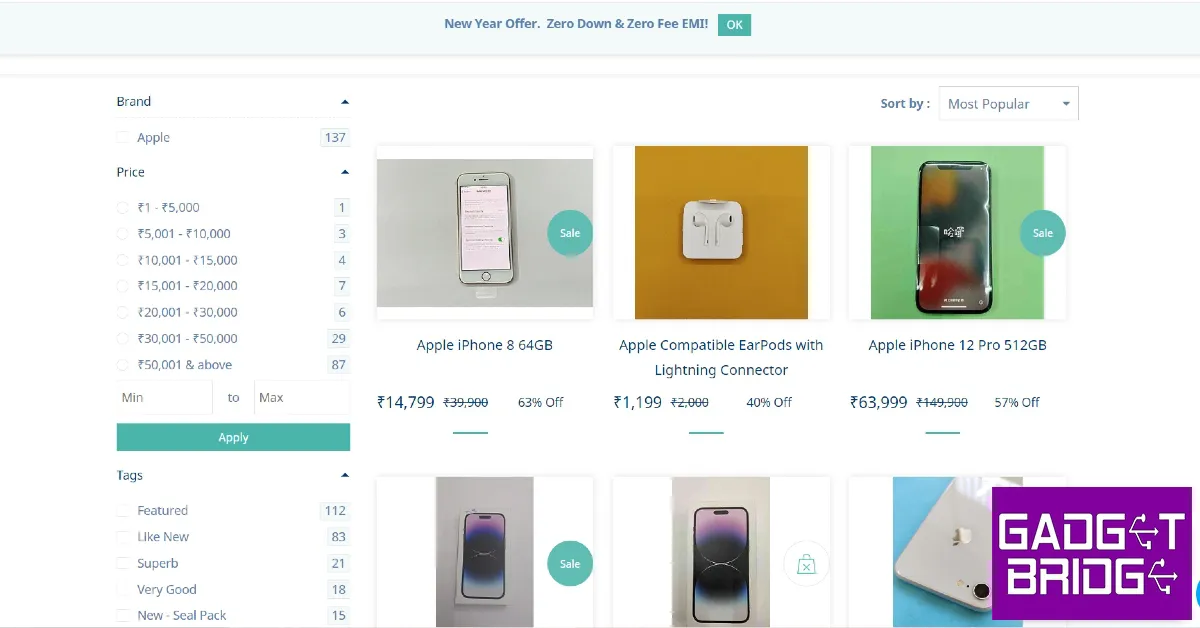 A platform to buy and sell used products, Sahi Value also deals in refurbished iPhones. Simply log on to the website, scroll down to the bottom and click on ‘Refurbished iPhones’ to have a look at their collection. Currently, you can even buy the latest (refurbished) iPhone 14 Pro on Sahi Value at a reduced price of Rs 1,19,000. Meanwhile, a refurbished iPhone 13 Mini will cost you as low as Rs 46,000. Sahi Value also offers pan-India shipping for free along with Cash on Delivery and EMI options.
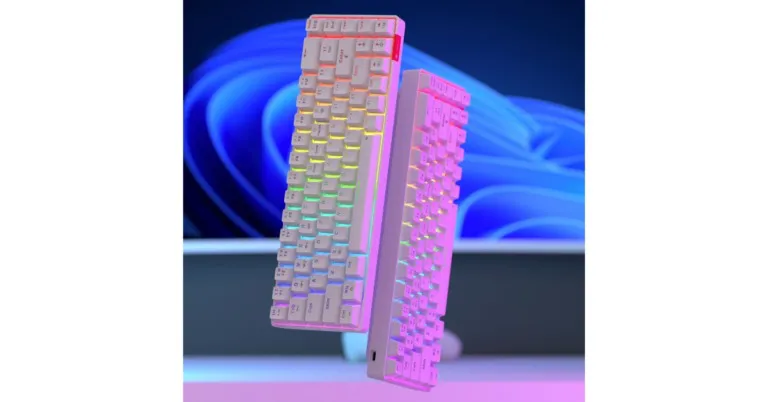
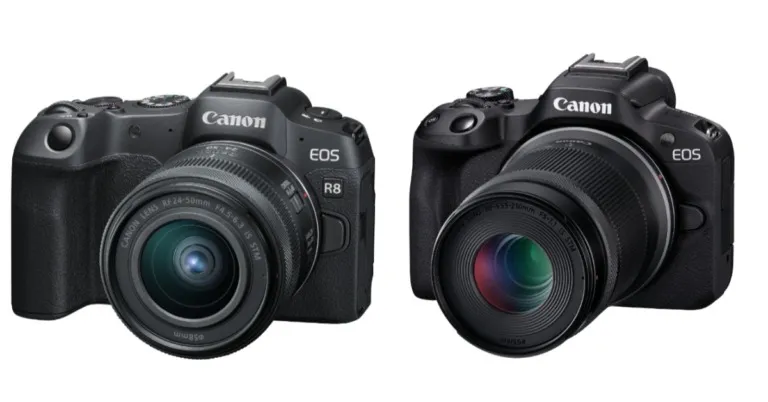
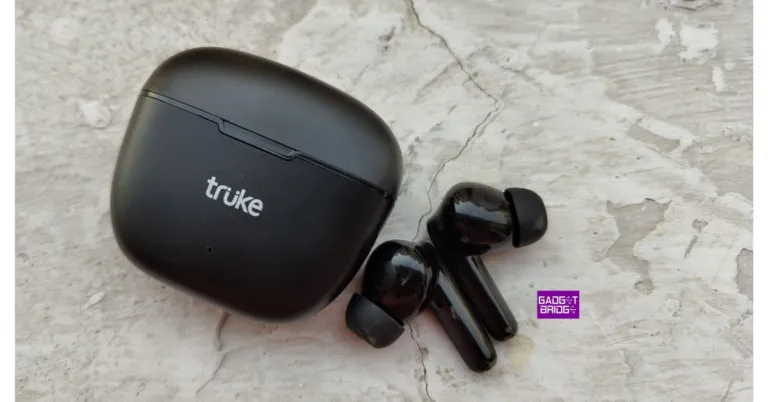
 A USB-C connector for charging the charging case is located at the bottom. A USB-C cable has been included within the box by Truke. The case is portable and light, making it simple to handle. On the charging case for the Truke BTG Beta earbuds, there are no buttons. Simply opening the case causes it to begin searching for a device to pair with. Furthermore, the matte finish helps hide any scratches.
Also Read: Truke BTG X1 Review: Great looks with a performance to match!
A USB-C connector for charging the charging case is located at the bottom. A USB-C cable has been included within the box by Truke. The case is portable and light, making it simple to handle. On the charging case for the Truke BTG Beta earbuds, there are no buttons. Simply opening the case causes it to begin searching for a device to pair with. Furthermore, the matte finish helps hide any scratches.
Also Read: Truke BTG X1 Review: Great looks with a performance to match!
 When you lift the case’s cover, you’ll see that the earphones are safely inserted into the corresponding slots. It is marked with the words Left and Right. When you lift the case’s cover, you’ll see that the earphones are safely inserted into the corresponding slots. It is marked with the words Left and Right. The case comes with built-in magnets to hold the earphones in place.
 Talking more about the earbuds, they are extremely lightweight and comfortable to wear, and they offer a secure, comfortable fit that makes them ideal for prolonged use. They have a two-tone appearance. The interior piece has a glossy sheen, while the upper part, which has the Truke logo, has a matte finish. The responsive touch sensors in both earbuds allow you to switch between tracks, accept or decline voice calls, and activate the voice assistant.
 The touch sensors are positioned behind the LED indicators which turn red while you keep them within the case, showing that they are charging. The LED indicator shines green when they are completely charged.
The earphones are IPX4-certified to offer protection from water and dust. They are therefore perfect for use while exercising or engaging in sports like running.
The touch sensors are positioned behind the LED indicators which turn red while you keep them within the case, showing that they are charging. The LED indicator shines green when they are completely charged.
The earphones are IPX4-certified to offer protection from water and dust. They are therefore perfect for use while exercising or engaging in sports like running.
 The 13mm Titanium drivers in the Truke BTG Beta earphones are a nice touch. They also support the AAC codec. You can choose to “Use High-quality Audio” in the Bluetooth options. The earbuds are set to the SBC codec by default because this option is deactivated. The AAC codec turns on after you activate this feature.
Also Read: Google Pixel Buds Pro Review: Highest Quality TWS
The Truke BTG Beta earphones support the newest Bluetooth 5.3 version and have a wireless range of approximately 10 metres in terms of connectivity. It only takes a few seconds to reconnect to the previously paired device, and connectivity is immediate because they allow 1-step rapid pairing. Even before you remove the earphones from the case, they will automatically pair with the nearest previously linked device once the case lid is opened.
The 13mm Titanium drivers in the Truke BTG Beta earphones are a nice touch. They also support the AAC codec. You can choose to “Use High-quality Audio” in the Bluetooth options. The earbuds are set to the SBC codec by default because this option is deactivated. The AAC codec turns on after you activate this feature.
Also Read: Google Pixel Buds Pro Review: Highest Quality TWS
The Truke BTG Beta earphones support the newest Bluetooth 5.3 version and have a wireless range of approximately 10 metres in terms of connectivity. It only takes a few seconds to reconnect to the previously paired device, and connectivity is immediate because they allow 1-step rapid pairing. Even before you remove the earphones from the case, they will automatically pair with the nearest previously linked device once the case lid is opened.
 Due to the lack of dual-pairing functionality, you are unable to use these earphones with two devices at once. The Google Assistant and Apple’s Siri voice assistants are also supported by the earbuds. Double-tap on either earbud to turn it on. Voice assistance is also effective.
The earbuds are equipped with Dual MEMS microphones, one on each earbud, and Deep Neural Network Call Noise Cancellation technology, which uses AI to precisely pick up sound waves. The AI-powered noise cancelling does function ok.
The 40ms low-latency gaming mode is these earphones’ main selling point. Truke BTG Beta has two modes: gaming mode and music mode. Simply touching the left earbud three times toggles the functionality on or off for those who wish to utilise the earphones’ Gaming Mode. The Gaming Mode, which we tested, performed well, but the Music Mode, as the default option, did not particularly wow us. While using it, there was never any lag. During the game, there is no stutter, voice sync problems, or audio lag.
It didn’t deliver a high-quality, immersive musical experience, but its audio quality can at most be described as average. We experimented with many songs from various genres. Although Music Mode produces high-quality treble-heavy music, they don’t seem to have the ability to produce high-quality bass, therefore their potential to create a rich and seamless experience is still limited.
If you prefer deeper bass, you won’t appreciate these earbuds because they typically lean more toward the treble. On higher volume levels, We did not notice any distortion, but when the volume level reaches 80%, the sound begins to seep. Overall, the call quality is decent and ought to be sufficient for even lengthy voice calls.
The BTG’s battery life is likewise excellent. With 100 percent of the volume, you’ll likely get 5 to 6 hours of battery life. By keeping the volume somewhat low and turning the earbuds off when not in use for an extended period of time, you can increase your endurance. While charging, the white light on the earbuds is constantly on.
The green light will appear when the earphones are fully charged, and the blue charging indicator light will turn off after 10 seconds. When the charging case is linked to a USB cable, a white light will continue to flicker. When the charging case is powered up, a white light will remain on until the USB cord is removed.
Due to the lack of dual-pairing functionality, you are unable to use these earphones with two devices at once. The Google Assistant and Apple’s Siri voice assistants are also supported by the earbuds. Double-tap on either earbud to turn it on. Voice assistance is also effective.
The earbuds are equipped with Dual MEMS microphones, one on each earbud, and Deep Neural Network Call Noise Cancellation technology, which uses AI to precisely pick up sound waves. The AI-powered noise cancelling does function ok.
The 40ms low-latency gaming mode is these earphones’ main selling point. Truke BTG Beta has two modes: gaming mode and music mode. Simply touching the left earbud three times toggles the functionality on or off for those who wish to utilise the earphones’ Gaming Mode. The Gaming Mode, which we tested, performed well, but the Music Mode, as the default option, did not particularly wow us. While using it, there was never any lag. During the game, there is no stutter, voice sync problems, or audio lag.
It didn’t deliver a high-quality, immersive musical experience, but its audio quality can at most be described as average. We experimented with many songs from various genres. Although Music Mode produces high-quality treble-heavy music, they don’t seem to have the ability to produce high-quality bass, therefore their potential to create a rich and seamless experience is still limited.
If you prefer deeper bass, you won’t appreciate these earbuds because they typically lean more toward the treble. On higher volume levels, We did not notice any distortion, but when the volume level reaches 80%, the sound begins to seep. Overall, the call quality is decent and ought to be sufficient for even lengthy voice calls.
The BTG’s battery life is likewise excellent. With 100 percent of the volume, you’ll likely get 5 to 6 hours of battery life. By keeping the volume somewhat low and turning the earbuds off when not in use for an extended period of time, you can increase your endurance. While charging, the white light on the earbuds is constantly on.
The green light will appear when the earphones are fully charged, and the blue charging indicator light will turn off after 10 seconds. When the charging case is linked to a USB cable, a white light will continue to flicker. When the charging case is powered up, a white light will remain on until the USB cord is removed.
 A USB-C connector for charging the charging case is located at the bottom. A USB-C cable has been included within the box by Truke. The case is portable and light, making it simple to handle. On the charging case for the Truke BTG Beta earbuds, there are no buttons. Simply opening the case causes it to begin searching for a device to pair with. Furthermore, the matte finish helps hide any scratches.
Also Read: Truke BTG X1 Review: Great looks with a performance to match!
A USB-C connector for charging the charging case is located at the bottom. A USB-C cable has been included within the box by Truke. The case is portable and light, making it simple to handle. On the charging case for the Truke BTG Beta earbuds, there are no buttons. Simply opening the case causes it to begin searching for a device to pair with. Furthermore, the matte finish helps hide any scratches.
Also Read: Truke BTG X1 Review: Great looks with a performance to match!
 When you lift the case’s cover, you’ll see that the earphones are safely inserted into the corresponding slots. It is marked with the words Left and Right. When you lift the case’s cover, you’ll see that the earphones are safely inserted into the corresponding slots. It is marked with the words Left and Right. The case comes with built-in magnets to hold the earphones in place.
 Talking more about the earbuds, they are extremely lightweight and comfortable to wear, and they offer a secure, comfortable fit that makes them ideal for prolonged use. They have a two-tone appearance. The interior piece has a glossy sheen, while the upper part, which has the Truke logo, has a matte finish. The responsive touch sensors in both earbuds allow you to switch between tracks, accept or decline voice calls, and activate the voice assistant.
 The touch sensors are positioned behind the LED indicators which turn red while you keep them within the case, showing that they are charging. The LED indicator shines green when they are completely charged.
The earphones are IPX4-certified to offer protection from water and dust. They are therefore perfect for use while exercising or engaging in sports like running.
The touch sensors are positioned behind the LED indicators which turn red while you keep them within the case, showing that they are charging. The LED indicator shines green when they are completely charged.
The earphones are IPX4-certified to offer protection from water and dust. They are therefore perfect for use while exercising or engaging in sports like running.
 The 13mm Titanium drivers in the Truke BTG Beta earphones are a nice touch. They also support the AAC codec. You can choose to “Use High-quality Audio” in the Bluetooth options. The earbuds are set to the SBC codec by default because this option is deactivated. The AAC codec turns on after you activate this feature.
Also Read: Google Pixel Buds Pro Review: Highest Quality TWS
The Truke BTG Beta earphones support the newest Bluetooth 5.3 version and have a wireless range of approximately 10 metres in terms of connectivity. It only takes a few seconds to reconnect to the previously paired device, and connectivity is immediate because they allow 1-step rapid pairing. Even before you remove the earphones from the case, they will automatically pair with the nearest previously linked device once the case lid is opened.
The 13mm Titanium drivers in the Truke BTG Beta earphones are a nice touch. They also support the AAC codec. You can choose to “Use High-quality Audio” in the Bluetooth options. The earbuds are set to the SBC codec by default because this option is deactivated. The AAC codec turns on after you activate this feature.
Also Read: Google Pixel Buds Pro Review: Highest Quality TWS
The Truke BTG Beta earphones support the newest Bluetooth 5.3 version and have a wireless range of approximately 10 metres in terms of connectivity. It only takes a few seconds to reconnect to the previously paired device, and connectivity is immediate because they allow 1-step rapid pairing. Even before you remove the earphones from the case, they will automatically pair with the nearest previously linked device once the case lid is opened.
 Due to the lack of dual-pairing functionality, you are unable to use these earphones with two devices at once. The Google Assistant and Apple’s Siri voice assistants are also supported by the earbuds. Double-tap on either earbud to turn it on. Voice assistance is also effective.
The earbuds are equipped with Dual MEMS microphones, one on each earbud, and Deep Neural Network Call Noise Cancellation technology, which uses AI to precisely pick up sound waves. The AI-powered noise cancelling does function ok.
The 40ms low-latency gaming mode is these earphones’ main selling point. Truke BTG Beta has two modes: gaming mode and music mode. Simply touching the left earbud three times toggles the functionality on or off for those who wish to utilise the earphones’ Gaming Mode. The Gaming Mode, which we tested, performed well, but the Music Mode, as the default option, did not particularly wow us. While using it, there was never any lag. During the game, there is no stutter, voice sync problems, or audio lag.
It didn’t deliver a high-quality, immersive musical experience, but its audio quality can at most be described as average. We experimented with many songs from various genres. Although Music Mode produces high-quality treble-heavy music, they don’t seem to have the ability to produce high-quality bass, therefore their potential to create a rich and seamless experience is still limited.
If you prefer deeper bass, you won’t appreciate these earbuds because they typically lean more toward the treble. On higher volume levels, We did not notice any distortion, but when the volume level reaches 80%, the sound begins to seep. Overall, the call quality is decent and ought to be sufficient for even lengthy voice calls.
The BTG’s battery life is likewise excellent. With 100 percent of the volume, you’ll likely get 5 to 6 hours of battery life. By keeping the volume somewhat low and turning the earbuds off when not in use for an extended period of time, you can increase your endurance. While charging, the white light on the earbuds is constantly on.
The green light will appear when the earphones are fully charged, and the blue charging indicator light will turn off after 10 seconds. When the charging case is linked to a USB cable, a white light will continue to flicker. When the charging case is powered up, a white light will remain on until the USB cord is removed.
Due to the lack of dual-pairing functionality, you are unable to use these earphones with two devices at once. The Google Assistant and Apple’s Siri voice assistants are also supported by the earbuds. Double-tap on either earbud to turn it on. Voice assistance is also effective.
The earbuds are equipped with Dual MEMS microphones, one on each earbud, and Deep Neural Network Call Noise Cancellation technology, which uses AI to precisely pick up sound waves. The AI-powered noise cancelling does function ok.
The 40ms low-latency gaming mode is these earphones’ main selling point. Truke BTG Beta has two modes: gaming mode and music mode. Simply touching the left earbud three times toggles the functionality on or off for those who wish to utilise the earphones’ Gaming Mode. The Gaming Mode, which we tested, performed well, but the Music Mode, as the default option, did not particularly wow us. While using it, there was never any lag. During the game, there is no stutter, voice sync problems, or audio lag.
It didn’t deliver a high-quality, immersive musical experience, but its audio quality can at most be described as average. We experimented with many songs from various genres. Although Music Mode produces high-quality treble-heavy music, they don’t seem to have the ability to produce high-quality bass, therefore their potential to create a rich and seamless experience is still limited.
If you prefer deeper bass, you won’t appreciate these earbuds because they typically lean more toward the treble. On higher volume levels, We did not notice any distortion, but when the volume level reaches 80%, the sound begins to seep. Overall, the call quality is decent and ought to be sufficient for even lengthy voice calls.
The BTG’s battery life is likewise excellent. With 100 percent of the volume, you’ll likely get 5 to 6 hours of battery life. By keeping the volume somewhat low and turning the earbuds off when not in use for an extended period of time, you can increase your endurance. While charging, the white light on the earbuds is constantly on.
The green light will appear when the earphones are fully charged, and the blue charging indicator light will turn off after 10 seconds. When the charging case is linked to a USB cable, a white light will continue to flicker. When the charging case is powered up, a white light will remain on until the USB cord is removed.