The e-commerce website Flipkart is hosting Daily Trivia Quiz. Every day it brings a bunch of new questions for its users. By answering them correctly you can win exciting prizes. The questionnaire is based on questions related to general knowledge. Also, the users can win free vouchers and super coins, among other offers via the daily quiz. April 5 Flipkart Daily Trivia Quiz Answers has already gone live on its platform.
The participant should be at least 18 years old and should have a valid login ID. The Quiz is available on the mobile platform and not the web version. E-commerce conducts the quiz on daily basis and goes live at 12:00 AM IST and runs till 11:59 PM IST. The winners are announced within 15 days from the date of participation that can be viewed under the Gems/Rewards section in the app.
In This Article
How to participate in the Flipkart Daily Trivia Quiz
To participate download the Flipkart app on your phone. Then open the Flipkart app then head to Game Zone. Now click on the Daily Trivia Banner or search for Daily Trivia. Enter the game and answer all 5 questions with correct answers.
April 5 Flipkart Daily Trivia Quiz Answers
Question 1: For which domestic team do Hardik Pandya and Krunal Pandya play?
Answer: Baroda
Question 2 Beginning in 1949, with which sport is the Thomas Cup associated?
Answer: BadmintonQuestion 3: After which freedom fighter is Asia’s largest sports institute named?
Answer: Subhas Chandra Bose
Question 4: In 1924, in which country were the first-ever Winter Olympics held?
Answer: France
Question 5: Who is the first Indian bowler to take a five-wicket haul in all formats of cricket?
Answer: Bhuvneshwar Kumar
For the latest gadget and tech news, and gadget reviews, follow us on Twitter, Facebook and Instagram. For newest tech & gadget videos subscribe to our YouTube Channel. You can also stay up to date using the Gadget Bridge Android App.
April 5 Amazon Quiz has gone live on its Mobile app platform. The quiz can be played from 12 AM to 11:59 PM. To participate log in to the e-commerce app and then answer 5 questions based on general knowledge and current affairs. You have to answer all the questions correctly otherwise the wrong answer will eliminate you from the quiz. After clearing the daily quiz you will get selected for a lucky draw. The winner’s name will be announced at the end of the month. To make sure you answer all the questions correctly Gadget Bridge everyday updates all the correct answers to all 5 questions to win Rs 5000. Check out today’s answers:
April 5 Amazon Quiz Answers
Question 1: Which country recently became the first country in the world to receive vaccines under the UN-backed Covax scheme?
The answer is- Ghana
Question 2: Rashtra Pratham – 82 varshon ki Swarnim Gatha’ is a recently released book chronicling the history of which force?
The answer is- CRPF
Question 3: Elizabeth Ann is a clone of which endangered animal, created by scientists in the US?
The answer is- Black-footed ferret
Question 4: Which of these dishes found in the iconic Paradise restaurant contains this fruit as the central ingredient?
The answer is- Qubani ka Meetha
Question 5: When this letter was sent to Harry Potter, which family used to stay at the address mentioned in this letter?
The answer is- Dursleys
For the latest gadget and tech news, and gadget reviews, follow us on Twitter, Facebook and Instagram. For newest tech & gadget videos subscribe to our YouTube Channel. You can also stay up to date using the Gadget Bridge Android App.
The Portable Document Format, commonly known as PDF is one of the most preferred file formats across different purposes and professions. This file format is compatible with almost all electronic devices. Being a highly secure format, it is used for circulating online content like e-books, research papers, applications, and press releases.
In This Article
Why would you need to convert a PDF file into Word?
Although PDF has a plethora of benefits over other file formats, it has its drawbacks too. Here are the reasons why you would need to convert your PDF file into Word.
It is not easy to edit PDF files. You need specialised programs to make changes to a PF file. And sadly PDF software including Adobe Acrobat and Foxit don’t’ offer the editing feature in their free versions.
Since the PDF format considers everything including graphics and text as images, it’s highly inconvenient to carry out basic tasks on PDF text. So, what should you do? Try the below.
How to convert a PDF File into Word using the ilovepdf.com website?
To convert a PDF file into Word using the ilovepdf.com website, follow these steps.
Open the iLovePDF website (https://www.ilovepdf.com/) in a web browser. This website offers a plethora of tools to modify your PDF files.
Hover over the ‘CONVERT PDF’ option in the menu bar located at the top.
In the dropdown menu, select the ‘PDF to WORD’ option.
Select the PDF file from your device’s storage that you want to convert into Word.
Click the ‘Convert to PDF’ button located at the bottom right.
The processing time may vary depending on the size of the PDF file. Bigger the PDF file, the more processing time it will take.
The uploaded PDF file will be converted into a Word file and automatically downloaded. However, if the auto-download feature does not work, click the ‘Download WORD’ button to save the file.
How to convert a PDF File into Word using the ilovepdf.com website?
How to convert a PDF File into Word using Adobe online PDF convertor?
To convert a PDF File into Word using Adobe online PDF convertor, follow these steps.
In order to not grant access to apps from accessing your device’s installed app inventory, Google has made new changes to its developer’s policy. As per the Google latest policy update, Google play will restrict the use ofhigh risk or sensitive permissions to access the inventory of installed apps on a given device. This move can be seen as the company’s major step in strengthening and preventing the user’s sensitive data from being stolen and make it difficult for apps to sneak into the device and restrict it from being stolen.Google recently announced its Developer Program Policy changes that will come into effect on May 5, 2021. According to the tech giant, the Play Store observes the device list of installed apps queried from a user’s device as private and sensitive data, and the grant is only provided when your app’s core user-facing functionality or purpose, needs wide perceptibility toward installed apps on the user’s device. The company says that if the app meets the policy requirements then they will be required to declare this and any other high-risk permissions using the Declaration Form in Play Console. Whereas those who fail or do not submit a Declaration Form shall be removed from Google Play. “If you change how your app uses these restricted permissions, you must revise your declaration with updated and accurate information. Deceptive and non-declared uses of these permissions may result in a suspension of your app and/or termination of your developer account,” the company stressed.Furthermore, the inventory access permission only takes effect when your app targets Android API level 30 or later on devices running Android 11 or later.In order to use that inventory access permission, the app must come within permitted uses below and have a core purpose to search for all apps on the device. Also, it should sufficiently justify why a less interfering way of app visibility will not adequately allow your app’s policy-compliant user-facing core functionality. Google further clarified, “Core functionality is defined as the main purpose of the app. Without this core ability to search for all apps on the device, the app is “broken” or rendered unusable. The core functionality, as well as any core features that comprise this core functionality, must all be prominently documented and promoted in the app’s description.”
For the latest gadget and tech news, and gadget reviews, follow us on Twitter, Facebook and Instagram. For newest tech & gadget videos subscribe to our YouTube Channel. You can also stay up to date using the Gadget Bridge Android App.
Facebook-owned photo and video-sharing social networking service, Instagram allow you to temporarily deactivate your account. When you deactivate your Instagram account, your account is not deleted. However, the entire data of your profile including posts, and comments will be hidden. Instagram permits You to disable your Instagram account only once a week.
It must be noted that there is no feature within the Instagram Android or iOS application to temporarily deactivate your account. Hence, you will have to use a web browser on a PC or your smartphone.
In This Article
How to deactivate your Instagram account using a PC?
To temporarily deactivate your Instagram account using a PC, follow these steps.
Log in to your Instagram account by entering your username and password.
Click your profile picture located on the top right and select the Profile option.
Click the Edit Profile option.
Scroll down and click Temporarily disable my account located at the bottom right of the page.
You will be required to select an option from the dropdown next to the question, Why are you disabling your account? It is compulsory to select a reason from the dropdown other you button to deactivate your account will not appear.
Enter your password once again and click Temporarily Disable Account.
How to deactivate your Instagram account using a PC?
How to deactivate your Instagram account using a smartphone?
To temporarily deactivate your Instagram account using a smartphone, follow these steps.
Log in to your Instagram account by entering your username and password.
Tap on your profile picture located on the top right and select the Profile option.
Tap on the Edit Profile option.
Scroll down and tap on Temporarily disable my account located at the bottom right of the page.
You will be required to choose an option from the dropdown next to the question, Why are you disabling your account? It is compulsory to choose a reason from the dropdown other you button to deactivate your account will not appear.
Type your password once again and tap on Temporarily Disable Account.
You may reactivate your account whenever you like by logging back into your account using your username and password. It is highly recommended that you write and keep your account credentials in a secure place. Since you’ll be away from Instagram for a while, forgetting your account credentials is likely.
For the latest gadget and tech news, and gadget reviews, follow us on Twitter, Facebook and Instagram. For newest tech & gadget videos subscribe to our YouTube Channel. You can also stay up to date with the Gadget Bridge Android App.
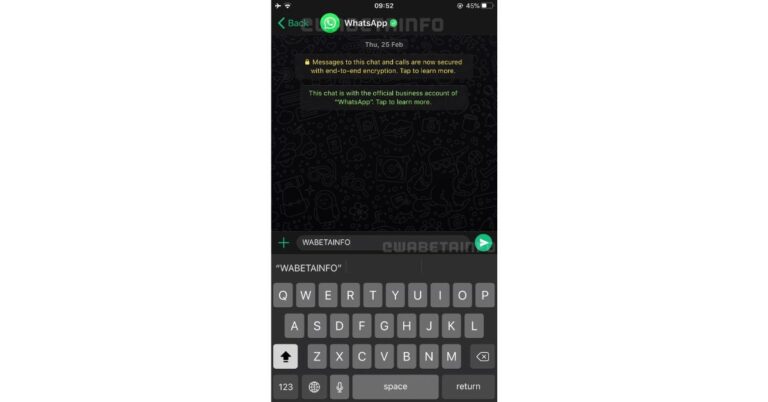
WhatsApp keeps on upgrading its app and features for a better user experience. The much demanded new voice messages playback speed feature and multi-device support are already under the pipeline. The company was recently spotted working on both of these features. The latter one was reportedly spotted working on public testing of multi-device support for iOS users. But in a new development, the instant messaging platform has now appeared to be in the works with another new feature that will let the users change their app’s colour.Well, according to the latest tweet by WABetaInfo WhatsApp is developing a new feature. In the future, the users will be able to change colours in the chatbox as well as go for a darker shade of green for the text on the screen. The tweet reads, “WhatsApp is developing a feature that allows changing some colors in their app.” Image Courtesy: WABetaInfoThe messaging app was also seen working on bringing an option to change the playback speed for voice message. Though this feature is under development and will be able in a future iOS/Android update. As per the publisher, WhatsApp is working on 3 different playback speeds for voice messages with a fresh UI. The playback speed can be simply changed by tapping the speed label: 1.0X, 1.5X and 2.0X are the available options. The app is also expected to support lower playback speeds.As per WABetaInfo, the feature is under development and there are no further details at the time. At the moment the company is working with lots of features and multi-devices login is believed to be a much-needed feature. The Facebook-owned popular instant messaging platform WhatsApp appeared to be working on public testing of this feature for support for the iOS users. Some screenshots were also shared which shows in future the users will be able to use the web application of the app without having to keep their phones connected to the Internet. This functionality is expected to be available on other devices including mobile phones. While the log out feature on WhatsApp is said to be for WhatsApp and WhatsApp Business so the users do not need to delete or uninstall the instant messaging app and would be able to simply log out of an account.
For the latest gadget and tech news, and gadget reviews, follow us on Twitter, Facebook and Instagram. For newest tech & gadget videos subscribe to our YouTube Channel. You can also stay up to date using the Gadget Bridge Android App.
Noise, an Indian wearables company headquartered in Gurugram, has launched its new Noise Buds Play true wireless stereo (TWS) earphones. The company markets itself as “Made in India”. Moreover, the tagline of the new earphones says “How India likes to play”. Noise has been rated among the top 5 wireless earphones brands in India.
The new Noise Buds Play earphones come loaded with the latest technologies like Tru Bass, Google Fast Pair, in-ear wear detection, and IPX4 rating. The earphones are expected to offer tough competition to the existing player in the earphones industry like Sony, Boat, and JBL.
In This Article
What are the features of Noise Buds Play earphones?
The breakdown of features of the new Noise Buds Play earphones is given below.
Sound Quality
The new Noise Buds Play earphones come are designed using Tru Bass technology. The 10mm dynamic drivers produce full bass and offer a high-quality sound. You get a quad-mic setup i.e. each earbud is installed with two microphones for excellent audio capture. The device is capable of offering an environmental noise cancellation of up to -25dB for disturbance-free communication during calls.
Efficiency
The Noise Buds Play earphones come with an in-ear wear detection feature. This feature ensures that the earbuds play music only as long as the earbuds are intact in your ear. As soon as you remove them, the music automatically stops playing. The device offers a total playtime of up to 25 hours. You get a USB Type-C charging port to ensure that the earbuds get fully charged within 90 minutes.
What are the features of Noise Buds Play earphones?
Comfort & Convenience
The Noise Buds Play earphones are light in weight and the ergonomic design ensures that you can wear them over a sustained period without discomfort. You get an IPX4 rating for water resistance i.e. the device is resistant towards splashes. The earphones offer handy features to control your listening experience. With on-ear touch controls on either earbud, you can adjust volume, attend calls, and ask Google Assistant or Siri.
Connectivity
The Noise Buds Play earphones come with excellent connectivity features. You get Bluetooth 5.0 technology for fast and stable pairing. Moreover, the Google Fast Pair technology enables the earbuds to use Bluetooth Low Energy (BLE) to discover nearby devices with minimum battery consumption. The earphones are fully compatible with all Android and iOS devices.
What is the price of Noise Buds Play earphones? Where can you buy them?
Apple iOS 14.5 will come with an updated version of Siri that will offer two new voices. Instead of providing the default female voice, users will be asked to choose the desired voice for Siri. The new feature is introduced in iOS 14.5 beta 6 and will be available to all users in the stable iOS 14.5 stable release.
According to Apple, “We’re excited to introduce two new Siri voices for English speakers and the option for Siri users to select the voice they want when they set up their device. This is a continuation of Apple’s long-standing commitment to diversity and inclusion and products and services that are designed to better reflect the diversity of the world we live in”.
In This Article
Will Apple devices no longer have the default female voice for Siri?
The familiar female voice of Siri comes as a default setting of Apple devices in most countries. However, in some countries, the same devices have been launched with the default male voice. The new iOS update will not only bring enhancements to the existing default voices but also offer new voices. The users can decide during the device setup which voice they want. They can also switch to a preferred voice anytime in the Settings.
Why does Apple want to bring new voices for Siri in iOS 14.5?
Apple decided to remove the female Siri voice as the default voice to address the ongoing debate over gender bias. Most tech companies prefer to set a female voice as the default voice in their voice assistants. This convention is believed to provide fuel to the notion that women are naturally and must be willing to do a service or assist others.
According to a report by the United Nations in 2019, Siri as the default voice in Apple devices emboldens the belief that “women are obliging, docile, and eager-to-please helpers.”
Thus, Apple believes that giving liberty to the user to decide the voice for Siri would reduce the heat of the gender-bias debate and shall promote equality.
Why does Apple want to bring new voices for Siri in iOS 14.5?
How to use new voices in Siri?
Once you install the stable release of iOS 14.5 on your Apple device, you can easily switch voices for Siri in the Settings. However, if you own a new Apple device, you shall be prompted at the start-up to choose a voice for Siri.
Besides the existing male and female voices in respective countries, you will get the additional voices. To switch to a new voice, go to Settings > Siri & Search > Siri Voice.
What is the technology behind the new voices of Siri?
Apple has implemented its Neural Text-to-Speech (Neural TTS) technology to design the new voices. The company has rigorously trained the voices so that they sound accurate and natural. Besides, the existing female and male voices of Siri voices have been upgraded by implemented the Neural TTS technology.
According to reports, Siri installed on Apple devices takes around 25 billion requests per month across more than 500 million devices. Currently, Siri supports 21 languages spread across 26 countries worldwide.
For the latest gadget and tech news, and gadget reviews, follow us on Twitter, Facebook and Instagram. For newest tech & gadget videos subscribe to our YouTube Channel. You can also stay up to date with the Gadget Bridge Android App.
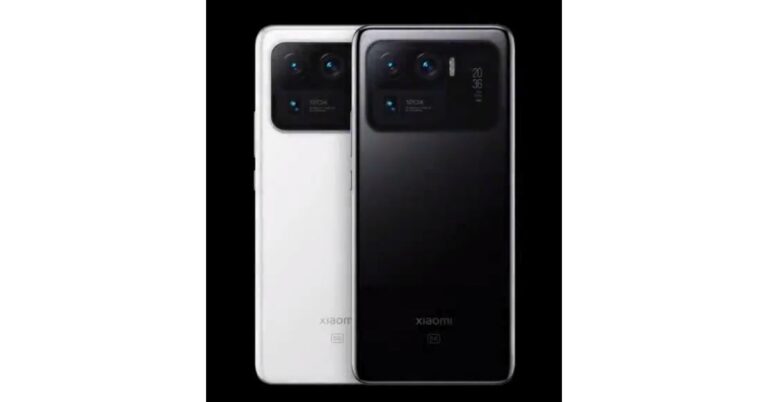
Xiaomi’s Mi 11 Ultra has just landed in the global market and soon it is will make its way to the Indian market. The device is also a strong contender to the newly launched OnePlus 9 Pro and Vivo X60 Pro Plus in the same price segment. The device has also received a lot of praise from DxOMark for its pro-grade camera performance. The Chinese tech firm has not yet reported the pricing of the smartphone for India but we have learnt from industry insiders that the phone will retail in India over Rs 70,000 price point.Xiaomi officially announced the arrival of the Mi 11 Ultra as its latest premium smartphone in the Indian market. The company has set the launch of the smartphone on April 23 in the country. Prior to its launch in the country, the device has already been introduced in the company’s home market China. We are aware of its blueprint as well as the Chinese pricing, however, the company is expected to reveal the pricing of the smartphone for India on the day of launch only. According to industry insiders, Mi Ultra will come to India with a starting price of Rs 70,000. It should be noted that the speculated pricing is even higher than the OnePlus 9 Pro, Vivo X60 Pro+ and Apple iPhone 12 Mini.Yes, we understand that many of you are anxiously waiting for Xiaomi to launch its newest premium model in the Indian market, which is expected to burn a hole in the pocket. Till now Mi 11 Ultra is the most expensive smartphone ever offered by the company in the country. Noticeably in China, the price of the device starts at CNY 5,999 (approx Rs 66,400) for the 8GB RAM with 256GB storage, whereas the 12GB with 256GB storage variant at CNY 6,499 (approx Rs 72,000) and the 12GB RAM with 512GB storage variant priced at CNY 6,999 (approx Rs 77,500). In fact, the price of the Special Edition with 12GB RAM and 512GB storage has been set at CNY 6,999 that changes to Rs 77,500.The publisher also emphasizes that initially, Xiaomi will import its early units from China rather than local manufacturing in India. Therefore the required import duty and additional taxes on the smartphone will result in some price hike.The Xiaomi’s Mi 11 Ultra comes with top of the line flagship features. It comprises a quad-curved 6.81-inch 2K WQHD+ E4 AMOLED display with a 120Hz refresh rate panel with a 240Hz touch sampling rate support. In addition to this, there is a secondary 1.1-inch AMOLED touch screen with 126×294 pixels of resolution. The phone runsMIUI 12 on top of Android 11 out of the box and is powered by Qualcomm Snapdragon 888 SoC paired with Adreno 660 GPU.For the cameras, there is a triple rear camera setup with a multi-functional secondary display for notifications, battery level, and weather alerts. It consists of a 50-megapixel Samsung GN2 primary wide-angle sensor with f/1.95 aperture andOIS support. Also, there are two 48-megapixel Sony IMX586 ultra-wide-angle and tele-macro sensors (5x optical and 120x digital zoom) onboard. All three sensors support 8K video recording at 24fps. Upfront, there is a 20-megapixel sensor for taking selfies and video calling.The phone is backed by a5,000mAh battery, which has support for 67W wired and wireless fast charging tech along with a 10W reverse wireless charging tech.
For the latest gadget and tech news, and gadget reviews, follow us on Twitter, Facebook and Instagram. For newest tech & gadget videos subscribe to our YouTube Channel. You can also stay up to date using the Gadget Bridge Android App.
Apple Inc., the American multinational technology company, has blocked updates from those applications that do not conform to the Tracking Transparency rules. As a result, applications shall not be permitted to access your data without your permission.
In This Article
Why would Apple iOS 14.5 block updates of some application?
An installed application interacts with the smartphone through a Software Development Kit (SDK). The SDK enables the application to interact and utilise the hardware and software resources of the device. However, SDKs can also be used to track sensitive information like device model, fingerprint, and IP address. This information may be utilised to build a user profile and send unauthorised recommendations.
Apple decided to protect the privacy of its users by obstructing applications that utilise Adjust SDK. It is a particular type of SDKs that use device fingerprinting. Although the use of Adjust SDK is legitimate, the company is determined to eliminate applications that use this feature without explicit consent.
How will Apple iOS 14.5 prevent apps from tracking you?
According to reports, the Apple iOS 14.5 will come with a stringent according to which, applications shall demand permission from the user to use factors that identify a device like a device model, fingerprint, and IP address.
Apple recently refused several applications from being placed on the App Store including Radish Fiction, Heetch, and Innovated Games. The company has also informed the rejected application developers that their application utilised sensitive information for profiling and user-tracking.
How was Apple’s decision to block some application updates in iOS 14.5 greeted?
Apple’s decision to bring a strict privacy policy in the new Apple iOS 14.5 has created dissatisfaction for several companies. The decision is a setback for big companies including Facebook that earn revenue through targeted advertisement. As per a former Facebook employee, the new privacy policy in Apple iOS 14.5 would severely impact firms that work on user data collection.
Apple’s new decision has also put hurdles on application developers. The iOS 14.5 shall prevent applications from taking information related to the user. As a result, mobile developers will not have sufficient means to figure out applications designed by them. Developing and testing mobile application without sufficient information about the hardware, software, and users is like walking with a blindfold on.
How was Apple’s decision to block some application updates in iOS 14.5 greeted?
When will Apple release iOS 14.5 and what steps are being taken by application developers?
According to the policy of Apple’s App Store, the responsibility to monitor the application lies with the app developer. To ensure that applications don’t violate the privacy policy of the new iOS 14.5, one has to make changes to its Adjust SDK. Now, applications utilising Adjust SDK will not run codes to access sensitive information like CPU type and battery status.
Apple has already released six beta version of iOS 14.5. However, the official release date is yet to be announced. Since the App Tracking Transparency rules are now being implemented on application updates, we can expect the new iOS 14.5 to arrive soon globally.
For the latest gadget and tech news, and gadget reviews, follow us on Twitter, Facebook and Instagram. For newest tech & gadget videos subscribe to our YouTube Channel. You can also stay up to date with the Gadget Bridge Android App.
Twitter is bringing animated stickers to Fleets. Twitter Fleets are temporary posts similar to Instagram Stories that remain on a user’s profile for 24 hours. However, unlike Instagram, Fleets can be posted and are visible only on Twitter mobile applications. Twitter tested out the testing process of the Fleet’s animated stickers with users in Japan.
In This Article
Why does Twitter want to bring animated stickers to Fleets?
Twitter has been testing the Fleet’s animated stickers since February 2021 and is expected to bring more features soon. Other social media platforms like Instagram, Snapchat, and Facebook have dozens of features not only to make the Stories appealing but also to make them interactive.
Since Fleets was launched quite late, it only provides basic options to the users to create their Stories. Probably, Twitter opted to uphold its elegant interface and refrained from adding fancy features to Fleets. However, options like polls and AR filters have boosted the usage of platforms like Instagram and Snapchat. Even Linked provides stickers to include in the Stories. Thus, Twitter hardly had any reason not to bring animated stickers to its Fleets.
How to use Twitter Fleets’ animated stickers?
Twitter will now allow users to enhance the appearance of their Fleets by adding animated Twemojis and GIF. To get new stickers, users just have to tap o the smiley face icon in the Twitter Fleets section. They can also the search bar to find the desired stickers.
According to a tweet by Twitter Support, “Your Fleets just got an upgrade. Now you can express yourself in the conversation with stickers. Add GIFs and Twemojis to a Fleet by tapping the icon, on Android and iOS”.
How to use Twitter Fleets’ animated stickers?
What is the significance of the Twitter Fleets’ new animated stickers?
A picture is indeed worth a thousand words. When it comes to posting a picture or thoughts on social media, the importance of animated stickers can’t be denied. They shall enhance the emotion of the content and the context of Twitter Fleets. Moreover, animated stickers are the best ways to express even the most serious and sarcastic views in a comical manner.
Besides making the Fleets more interactive, the new animated stickers will offer users new ways to express themselves. As Fleets evolve with time, it is expected to get new features that would make it stand out among other platforms like Snapchat and Instagram Stories. Recently, Twitter released some innovative features like voice DMs and voice tweets. As the company is a firm believer in freedom of speech, it is constantly working to provide people with handy features to express themselves.
For the latest gadget and tech news, and gadget reviews, follow us on Twitter, Facebook and Instagram. For newest tech & gadget videos subscribe to our YouTube Channel. You can also stay up to date with the Gadget Bridge Android App.
Samsung is all set to launch two new mobile handsets in India soon. The firm has teased to bring Samsung Galaxy F02s and Galaxy F12 on April 5. A dedicated microsite has also been created on Flipkart to tease its availability. Ahead of the launch, the key specs and the designs of both smartphones have also been revealed. Both the devices will come with a waterdrop-style display. While the former one is to come with a 60Hz refresh rate support, the latter one refreshes at 90Hz. A triple rear camera and quad rear cameras are there on the phones respectively.Samsung took to Twitter to announce the arrival of Samsung Galaxy F02s and Galaxy F12 in the Indian market. As said, the launch of both devices is set for April 5 at 12 noon. The dedicated microsite not only revealed the design of the smartphone but also threw some light on the key specs that both the devices are going to feature.Speaking of the specifications, the listing for the Samsung Galaxy F02s reveals that the device is going to come with a 6.5-inch HD+ Infinity-V Display having 60Hz refresh rate support. It is confirmed to be powered by an octa-core Qualcomm Snapdragon 450 SoC clocked at 1.8GHz. The phone is listed to feature a triple rear camera set up headlined with a 13-megapixel primary sensor. According to the company, the Galaxy F02s will house a 5,000mAh battery to deliver a full day charge.Samsung Galaxy F02sThe company has not yet revealed the pricing but Samsung Galaxy F02s is rumoured to be available with a starting price of Rs 8,999. In the past, the device was also spotted at the Google Play Console listing suggesting to run on Android 10. On the other hand, a separate microsite for the superior Samsung Galaxy F12 reveals that the smartphone will feature a 6.5-inch HD+ Infinity-V Display and it refreshes at 90Hz. The quad rear camera setup on the phone will include a 48-megapixel primary sensor. Additionally, the mobile phone will be backed by a 6,000mAh battery. Under the hood, there will be an Exynos 850 SoC. It will further include a USB Type-C port for charging and a 3.5mm headphone jack.While the launch is set for the next week Smasung is expected to spill more beans as far as the specs and the pricing is concerned.
For the latest gadget and tech news, and gadget reviews, follow us on Twitter, Facebook and Instagram. For newest tech & gadget videos subscribe to our YouTube Channel. You can also stay up to date using the Gadget Bridge Android App.
Popular for manufacturing gaming-centric laptops, MSI today announced the launch of its new series of Summit laptops. The product line includes MSI Summit E16 Flip and MSI Pen along with Summit E13 Flip Evo 2-in-1 laptops. In addition to this, the company has also launched MSI USB-C Docking Station Gen 2. All these devices were introduced at “MSIology: Determined to Succeed 2021” virtual event. According to the company, the laptops will be available in India later this year at MSI’s exclusive stores and authorized resellers and platforms. Commenting on the announcement, Green Lin, Regional Marketing Manager, MSI, said “We are always pushing boundaries when it comes to product innovation and providing the ultimate user experience. Keeping this in mind, we have designed laptops that are the perfect companions for people who spend more time working remotely. The brand-new Summit series laptops can seamlessly blend into the user’s work, social occasions, family time, and different scenarios. It demonstrates that the laptop has become like a partner at work, a bestie to enjoy entertainment together, or a loyal sidekick who secures your data, aiding you to face the dynamic fast-paced challenge in the new modern era.”Summit E13 Flip Evo and Summit E16 Flip 2-in-1 laptoptech specsSummit E13 Flip Evo, which has claimed the “Best of CES 2021” award comes in 13-inch screen size with a 16:10 aspect ratio. The chassis of the laptop is built by the CNC machining process, it features an ergonomic 360-degree hinge for variable working scenarios. It will be available in a special Ink-Black or Pure-White case with shining streamline edges. Summit E13 Flip EvoBased on the Intel Evo platform, the Summit E13 Flip Evo features the latest 11th Gen. Intel Core i7 processor paired with the Intel Iris Xe graphics. This MSI laptop is the first to come with the latest Wi-Fi 6E technology for faster and smooth WiFi coverage. In addition to this, there is Thunderbolt 4 support along with other connectivity options such as PCIe Gen4 SSD, USB-A (3.2) port, USB-C (4.0) port with PD and DisplayPort and a 3.5mm audio jack. There is a webcam for video calls with triple protection that includes an indicator light, an on/off hotkey, and a thoughtful physical switch on the side of the laptop. Moreover, it also comes integrated with MSI AI Noise Cancellation and the Noise Reduction CAM for the uninterrupted professional working environment for constant meetings.Summit E16 FlipThe Summit E16 Flip is a 16-inch 2-in-1 convertible laptop. It comes in an Ink-Black design with diamond-cut edges. Powered by the latest 11th Gen. Intel Core i7 processor and NVIDIA graphics card E16 Flip features a new thermal design – Dynamic Cooler Boost. The system only produces 35dB sound even when the CPU is under full load, while the competitor laptops generate in the average range of 45 to 60dB. MSI PenMSI Pen and USB-C Docking Station Gen2The MSI Pen has been awarded at the 2021 CES. It provides 4096-level pressure sensitivity and equips with MPP2.0 technology for a more stable connection. MSI Pen Control allows users to customize functions of the pen button, and more conveniently, shows battery life on the screen. MSI USB-C Docking Station Gen2MSI USB-C Docking Station Gen2 is capable of connecting up to 3 displays and with 5 extra USB ports for users. It provides 100W power output,4K video and data transmission, therefore, saving time.
For the latest gadget and tech news, and gadget reviews, follow us on Twitter, Facebook and Instagram. For newest tech & gadget videos subscribe to our YouTube Channel. You can also stay up to date using the Gadget Bridge Android App.
HMD Global Nokia Mobile recently sent invitations regarding a launch event to media houses. The event is expected to take place on April 8, 2021.
In This Article
What is the event all about?
According to the invitation, the launch event will begin at 3 PM as per the UK time (7:30 PM IST). The invitation does not say anything regarding the smartphones that shall be launched. However, reports say that Nokia will release its smartphones in the X-series and the G-series. In the X-series, the company may showcase Nokia X10 and Nokia X20. These smartphones will be 5G smartphones belonging to a budget range. Nokia’s G-series will consist of Nokia G10 and Nokia G20 smartphones.
What are the expected features of the Nokia G-series?
The Nokia G10 and Nokia G20 shall come loaded with features. Both smartphones will feature 6.38-inch HD+ displays and may run on the Android 11 operating system. Each device may arrive in 32GB and 64GB variants accompanied by 3GB or 4GB of RAM. You may also get the facility of memory expansion up to 512GB through microSD cards. Nokia G10 may be powered by an octa-core MediaTek Helio P22 processor while Nokia G20 may house a MediaTek Helio G35 SoC.
The G-series is expected to offer a quad rear camera setup with a 48MP primary lens, a 2MP depth lens, a 5MP ultra-wide sensor, and a 2MP macro sensor. You may also get an 8MP front camera for clicking selfies. Each of the smartphones is reported to be powered by a 5,000mAh battery with 10W charging. The two devices are expected to sport Blue and Purple colours.
What are the expected features of the upcoming Nokia smartphones?
What are the expected features of the Nokia X-series?
The Nokia X10 5G and Nokia X20 5G smartphones are expected to come with Qualcomm Snapdragon 480 SoC and may run the Android 11 operating system. The Nokia X10 5G may offer 32GB storage with 6GB RAM while the Nokia X20 5G may arrive with 128GB storage accompanied by 6GB RAM. While the Nokia X10 5G will be available in Green and White colours, the Nokia X20 5G will sport Blue and Sand shades.
The Nokia X20 5G is reported to have a quad rear camera setup with a 48MP primary lens, a 5MP ultrawide sensor, a 2MP depth sensor, and a 2MP macro lens. You may also get a 16MP front camera for taking selfies. The device will be powered by a 4,500mAh battery supported by 10W fast charging.
How much will the upcoming smartphones cost?
In India, the Nokia G10 and Nokia G20 are reported to arrive at the starting price of ₹11,999. In Europe, smartphones phones may cost around EUR 139 and EUR 169 respectively. The Nokia X10 5G is expected to cost around EUR 300 (approx ₹25,800) while the Nokia X20 5G is reported to be priced at EUR 349 (approx ₹30,000).
For the latest gadget and tech news, and gadget reviews, follow us on Twitter, Facebook and Instagram. For newest tech & gadget videos subscribe to our YouTube Channel. You can also stay up to date with the Gadget Bridge Android App.
The e-commerce website Flipkart is hosting Daily Trivia Quiz. Every day it brings a bunch of new questions for its users. By answering them correctly you can win exciting prizes. The questionnaire is based on questions related to general knowledge. Also, the users can win free vouchers and super coins, among other offers via the daily quiz. April 2 Flipkart Daily Trivia Quiz Answers has already gone live on its platform.
The participant should be at least 18 years old and should have a valid login ID. The Quiz is available on the mobile platform and not the web version. E-commerce conducts the quiz on daily basis and goes live at 12:00 AM IST and runs till 11:59 PM IST. The winners are announced within 15 days from the date of participation that can be viewed under the Gems/Rewards section in the app.
In This Article
How to participate in the Flipkart Daily Trivia Quiz
To participate download the Flipkart app on your phone. Then open the Flipkart app then head to Game Zone. Now click on the Daily Trivia Banner or search for Daily Trivia. Enter the game and answer all 5 questions with correct answers.
April 2 Flipkart Daily Trivia Quiz Answers
Question 1: Sports ____ of India is the apex national sports body of India, established in 1984.
Answer: Authority
Question 2: With which of these sports is the Expedite System-associated?
Answer: Table Tennis
Question 3: Which PBL team retained P. V. Sindhu for the maximum possible amount of 77 lakh?
Answer: Hyderabad Hunters
Question 4:Which bowler was nicknamed ‘Whispering Death’ by umpire Dickie Bird for his silent run-up?
Answer: Michael Holding
Question 5: Who is the first Indian spinner to take five-wicket hauls in all formats of cricket?
Answer: Kuldeep Yadav
Get ready to answer a new set of questions as the Amazon Quiz is live on its platform. The quiz can be played every day from 12 AM to 11:59 PM. Today you can stand a chance to win Samsung Smart TV.
By participating in Amazon Quiz every day you can stand a chance to win prizes such as iPhone X, iPhone Xs, Seagate HDD, GoPro Hero 8 Camera, LG Smartphones, Samsung Galaxy S20, Air Purifier, Oppo smartphones, Amazon Pay Balance among other exciting free gifts. The E-commerce platform brings a daily quiz on its mobile platform which every day gives chances to millions of people across the country to win gadgets and goodies. The quiz goes live on the Amazon app but the quiz is not available for desktop users only app users can participate in the daily quiz. The quiz contains 5 questions based on general knowledge and current affairs to which the contestants have to answer all the questions correctly. Any wrong answer will eliminate you from the quiz. Further, your name will be selected for a lucky draw and the company will announce the results at the end of the month. We have updated all five questions with their correct answers below so that you can win Samsung Smart TV.
April 2 Amazon Quiz Answers
Question 1: Which city intends to have the first undersea tunnel of India by the year 2023?
The answer is- Mumbai
Question 2: Which country recently opened a National Ministry for Extraterrestrial Space Affairs, The Moon and Other Celestial Bodies?The answer is- Nicaragua
Question 3: Who is the first woman to serve as the United States secretary of the treasury?
The answer is- Janet Yellen
Question 4: In the nursery rhyme “The Farmer in the Dell”, what did this domestic animal take?
The answer is- Mouse
Question 5:What recreational and competitive adventure sport is being performed by the man in the picture?
The answer is- Paragliding
Snap Inc., an American camera and social media company could launch its Augmented Reality-enabled glasses and a drone soon. This will be the third AR glass designed by the company. Previously, the company launched two versions of glasses implementing Augmented Reality.
In This Article
What will be the features of Snap’s new AR glasses?
The new AR glasses of Snap will be the third edition in the ‘Spectacle’ series of smart glasses by Snap.
Besides new features, Snap’s Spectacles 3 will have some features from its predecessors. The new AR glasses of Snap may consist of a display to help the user directly view the Augmented Reality graphics without looking at his/her smartphone.
The design of Snap’s AR glasses is yet to be revealed. The company may come out with an AR headset with head-mount cameras. The processing part may be carried out on smartphones or tablets.
What will be the features of Snap’s new drone?
While Snap’s Spectacles 3 has gained much popularity, there is not much official information related to the drone. Rumours suggest that the company has been constantly working on the drone. In this attempt, Snap acquired a drone-manufacturing company in 2017 and invested about USD20 million in a Chinese drone company.
The release date of the drone is yet not clear. However, we may expect it to arrive soon as a priority has been set for the drone project. The gadget will be designed by Snap Lab, a hardware group of Snap.
What will be the features of Snap’s new drone?
When will Snap’s Spectacles 3 be released and at what price?
According to reports, Snap is designing AR glasses for developers rather than consumers. The primary purpose of the glasses will be to help developers create and analyse the functioning of smart glasses to deliver an improved experience to consumers. The price of the new Ar glasses of Snap is expected to be $380 (approx ₹28,000).
Which other companies are working in the fields of Virtual Reality (VR), Augmented Reality (AR), and Mixed Reality (MR)?
Tech giants like Facebook, Microsoft, and Apple are already competing against each other in designing smart glasses dealing with advanced technologies like Virtual Reality (VR), Augmented Reality (AR), and Mixed Reality (MR).
Mesh is one such technology, which was recently announced by Microsoft that will enable people located at different locations to meet in a shared mixed reality space. Regarding the Mesh, Alex Kipman, Microsoft technical fellow says, “This has been the dream for mixed reality, the idea from the very beginning. You can actually feel like you’re in the same place with someone sharing content or you can teleport from different mixed reality devices and be present with people even when you’re not physically together.”
Apple is reportedly working on a new mixed-reality headset that might arrive in the markets by 2022. Apple wants to release a powerful headset capable of featuring 8K resolution for each eye with the implementation of technologies like augmented reality (AR) and virtual reality (VR) technologies. According to technological experts, Apple’s new headset could bring a shift in the paradigm that is currently dominated by smartphones.
What is the significance of Snap’s AR glasses?
Snap is primarily renowned as the developer of Snapchat, a multimedia messaging application. The Spectacles 3 will help the company explore the possibilities in the hardware domain. The company no longer wants to restrict its identity as a software developer. Instead, it wants to develop gadgets that shall have a far-reaching influence in day-to-day lives. Seeing the consistency in releasing its AR glasses, Snap is deemed to offer tough competition to the big companies in the near future.
For the latest gadget and tech news, and gadget reviews, follow us on Twitter, Facebook and Instagram. For newest tech & gadget videos subscribe to our YouTube Channel. You can also stay up to date with the Gadget Bridge Android App.
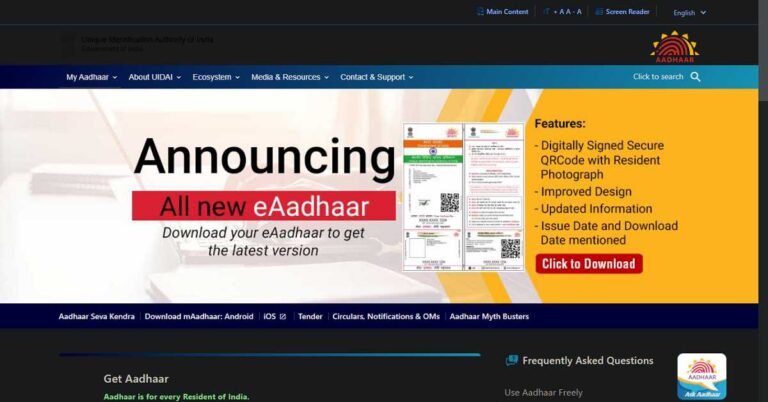
The deadline for linking the Permanent Account Number (PAN) to the Aadhaar number has been extended till June 30, 2021. You may verify your PAN-Aadhaar linking status on different platforms.
According to the Income-tax Department, “Representations have been received from taxpayers that the last date for intimating the Aadhaar number may further be extended in the wake of the ongoing COVID-19 pandemic. Keeping in view the difficulties faced by the taxpayers, the central government has issued a notification today extending the last date for the intimation of the Aadhaar number and linking thereof with PAN to June 30, 2021”.
In This Article
Why should you verify that your PAN is linked to your Aadhaar Number?
Section 139AA of the Income-tax Act has the following provisions:
Every Aadhaar-eligible person must quote the Aadhaar number in the income tax return and the PAN card application.
Also, a person has to link his PAN with Aadhar if he is eligible for obtaining an Aadhaar number and has been allotted PAN as of July 1, 2017.
What will happen if your PAN is not linked to your Aadhaar Number?
As per Section 234H of the Income-tax Act, not linking the PAN with the Aadhaar Number will have the following consequences.
The defaulter may have to pay a penalty of up to Rs 1,000.
The PAN card of the defaulter may be rendered invalid.
Taxpayer defaulters will have to pay higher TDS and TCS.
The PAN holder will not be able to file their income tax returns, make financial transactions requiring PAN, and avail of government benefits like LPG subsidy, pension, and scholarship.
It must be noted that the deactivated PAN of a person will become active as soon as he gets it linked to the Aadhaar Number.
How to check if your PAN is linked to your Aadhaar Number using the official website?
To check if your PAN is linked to your Aadhaar Number using the official website, follow these steps.
The deadline for linking the Permanent Account Number (PAN) to the Aadhaar number has been extended till June 30, 2021. According to the Income-tax Department, the relaxation in the deadline is given considering the ongoing COVID-19 pandemic.
According to the Income-tax Department, “Representations have been received from taxpayers that the last date for intimating the Aadhaar number may further be extended in the wake of the ongoing COVID-19 pandemic. Keeping in view the difficulties faced by the taxpayers, the central government has issued a notification today extending the last date for the intimation of the Aadhaar number and linking thereof with PAN to June 30, 2021”.
In This Article
Why should you link your PAN with your Aadhaar Number?
Section 139AA of the Income-tax Act has the following provisions:
Every Aadhaar-eligible person must quote the Aadhaar number in the income tax return and the PAN card application.
Also, a person has to link his PAN with Aadhar if he is eligible for obtaining an Aadhaar number and has been allotted PAN as of July 1, 2017.
What happens if you don’t link PAN and Aadhaar Number?
As per Section 234H of the Income-tax Act, not linking the PAN to the Aadhaar Number will have the following consequences.
The defaulter may have to pay a penalty of up to Rs 1,000.
The PAN card of the defaulter may be rendered invalid.
Taxpayer defaulters will have to pay higher TDS and TCS.
The PAN holder will not be able to file their income tax returns, make financial transactions requiring PAN, and avail of government benefits like LPG subsidy, pension, and scholarship.
It must be noted that the deactivated PAN of a person will become active as soon as he gets it linked to the Aadhaar Number.
How to link your PAN with your Aadhaar Number using the official website?
To link your PAN with your Aadhaar Number using the official website, follow these steps.
In the form, enter the required details like your PAN, Aadhaar Number, and Name as per AADHAAR.
Enter the CAPTCHA and click the Link Aadhar button.
How to link your PAN with your Aadhaar Number using the official website?
As soon as the Income Tax Department validates the information entered by you, your PAN will be linked to your Aadhaar Number.
How to link your PAN with your Aadhaar Number through SMS?
To link your PAN with your Aadhaar Number through SMS, follow these steps.
On your registered mobile number, open the messages app and create a new message.
Type your UIDPAN, PAN and Aadhaar Number.
Send the message to 567678 or 56161.
How to link your PAN with your Aadhaar Number manually?
To link your PAN with your Aadhaar Number through SMS, follow these steps.
Visit the nearest PAN Card service centre.
Fill the Annexure-I form.
Affix a copy of your PAN and Aadhaar cards to the form.
DroidCam is an application that enables you to use the camera of your Android device as a webcam. It works with a PC client to connect your Android device with your PC.
Download DroidCam on the Play Store
In This Article
Who needs to use an Android device as a webcam?
Nowadays, devices like smartphones and tablets come equipped with high-quality cameras. Some premium phones can even deliver camera quality comparable to professional cameras. If you want to achieve a high video capturing quality, you should utilise the camera installed in your smartphone. Moreover, it saves the effort and cost of buying a piece of additional equipment.
Who needs to use an Android device as a webcam?
How to use an Android device as a webcam with Droidcam?
To use your Android device as a webcam using the Droidcam app, follow these steps.
Now install the desktop version of the app on your computer. During installation, permit the app to install the required audio drivers.
As soon as the Windows app is running, you’ll see available options to connect your device, namely through USB or wirelessly.
In the box below the options, enter the IP Address of your Android device. To know the IP Address, launch the DroidCam application on your Android device.
In the desktop application, check the boxes for audio and video. The feature that you keep unchecked will be disabled.
In your Android application, launch the settings by tapping the three vertical dots located in the top-right
How to use an Android device as a webcam with Droidcam?
In the Camera section, choose between the rear or the selfie camera to use as the webcam. Leave the other settings as default.
Go to the desktop application and press Start to build the connection.
Start the desired video-conferencing application like Google Meet, Microsoft Teams, and Cisco Webex.
Go to the video settings within the video-conferencing application and choose ‘DroidCam Source 2’ or ‘DroidCam Source 3’.
Likewise, go to the microphone section and select ‘DroidCam Virtual Audio’.
Oppo F19 series has been in the news for quite some time now. At that time the line-up was to include a new hybrid optical zoom technology allowing the user to capture photos with up to 10x zoom. However, the series did not launch at the time. But recently the company released two phones from the series Oppo F19 Pro+ and Oppo F19 Pro. Also, after the successful launch, Oppo today announced to launch Oppo F19 in the country. The device will be joining the other two siblings on April 6.Yes, Oppo today officially confirmed to launch Oppo F19 to its latest smartphone series which already includes Oppo F19 Pro+ and Oppo F19 Pro. To recall, both the smartphones were launch earlier last month and the company recently shared the news that OPPO has received over Rs 2,300 Crores sales for the Oppo F19 Pro in only three days of its availability in the market. After the success, the company will be launching the standard variant on April 6.
Fastest in the history of OPPO.⚡ Get set and get excited, we’re bringing the all-new #OPPOF19 with the superfast OPPO 33W Flash Charge in the Fastest Launch Ever on 6th April, 12PM with @Zakirism. Stay tuned! #FastestLaunchpic.twitter.com/mkz7BHnnG2
Oppo said, “In line with the distinguished F series legacy of bringing in devices featuring sleek designs and lightweight, the leading global smart device brand is all set to introduce the sleekest** smartphone with 5000mAh battery, the all-new OPPO F19. OPPO has been constantly striving to innovate not only in terms of product but also in terms of launch events that reverberate with the soul of the young audience and highlight OPPO’s youthful brand ethos. The F19 launch will continue to mirror the F series’ spirit of ‘Flaunt’. To match the fast-paced lifestyle of today’s consumers and demonstrate the F19’s super sleek and fast features, OPPO will be hosting the Fastest Launch Event* with Zakir Khan, the famous stand-up comedian on April 6th, 2021.”The Oppo F19 specification is stated to include a massive 5,000mAh battery that’s paired with a 33W Flash Charge, which runs on a 11V3A solution. The phone is claimed to fully charge in 72 minutes and up to 54 percent in just 30 minutes. As per the company, with 5 minutes of charging you can enjoy 5.5 hours of calling and around 2 hours of YouTube use. It is confirmed to come with an AMOLED FHD+ punch-hole display with all-day eye care.The company has not revealed much about the device and has not shared the pricing of F19. But citing information from tipster Ishan Agarwal the upcoming Oppo smartphone is likely to be priced under Rs 20,000 in India for the base variant.The device has also been listed on the company’s Sri Lankan website suggesting a 6.43-inch full HD+ AMOLED display offering 800 nits’ peak brightness, 409ppi pixel density, and standard 60Hz refresh rate. As per the listing, the phone is powered by a Qualcomm Snapdragon 662 SoC coupled with 6GB LPDDR4x RAM and 128GB internal storage. However, it is worth noting that both the elder siblings Oppo F19 Pro and Oppo F19 Pro Plus carry a MediaTek processor.In terms of cameras, F19 is listed to come with a triple rear camera setup that includes a 48-megapixel primary sensor. Additionally, there is a 2-megapixel depth sensor and a 2-megapixel macro camera. On the front, it sports a 16-megapixel selfie camera.
For the latest gadget and tech news, and gadget reviews, follow us on Twitter, Facebook and Instagram. For newest tech & gadget videos subscribe to our YouTube Channel. You can also stay up to date using the Gadget Bridge Android App.
Google announced that users of its video-communication service, Google Meet, will be able to enjoy unlimited video calls until June 30, 2021. Last year, the company had set the deadline of March 31, 2021. The extended deadline will incentivise Google Meet users to carry out their tasks while at home during the ongoing COVID-19 pandemic.
In This Article
Why did Google Meet offer free unlimited video calls?
A majority of organisations encouraged their employees to work from their homes in 2020 due to the rapid pace of the COVID-19 pandemic. Google had made an announcement in March 2020 regarding the extension of unlimited Google Meet calls.
According to a tweet by the Google Workspace, “We’re continuing unlimited #GoogleMeet calls (up to 24 hours) in the free version through June 2021 for Gmail accounts → https://goo.gle/3fqLb7U”
The extension of unlimited Google Meet calls offered several premium services to all G Suite customers. The users could carry out online meetings with up to 250 members. They could conduct live streaming and save their recordings in Google Drive. Gradually, other companies also extended free video calling support e.g., Microsoft Teams and Cisco Webex.
Why did Google Meet offer free unlimited video calls?
What are the features of the latest extension?
In 2020, Google had announced to place a 60-minute limit for free virtual calls effective from September 30, 2020. Considering the rise in the COVID-19 cases, the company was left with no choice but to extend the deadline to March 31. Now, the deadline is further extended till June 30, 2021.
The features of the unlimited Google Meet calls are as follows.
After the integration of Google Meet into Gmail accounts, several innovative features were added like noise cancellation and blur background.
With your free Gmail account, you can make virtual calls for up to 24 hours without paying any charges.
Each Google Meet call can include up to 100 participants.
Google Meet also offers the ability to schedule meetings and share your screen.
Xiaomi’s newest premium model Mi 11 Ultra is all set to make its way to the Indian market later this year. The Chinese tech firm confirmed the arrival and the launch date is set for April 23 for India. The company launched the smartphone on Monday this week featuring a pro-grade camera set up consisting of a massive, 50-megapixel primary Samsung GN2 sensor nearly alike 1-inch sensor available on Sony’s RX cameras. The phone is powered by Qualcomm Snapdragon 888 SoC paired with Adreno 660 GPU.Soon after the grand and successful launch of Mi 11 Ultra in China, Xiaomi today officially announced the arrival of Mi 11 Ultra, the newest premium model in the Indian market. Like said, the company has declared to launch the device on April 23 in the country.Xiaomi said, “Block your date for the most exciting and awaited launch of the year. In the world of flagships, we’re here pushing further. The only #SuperPhone, launching on 23.04.2021. Stay tuned to our social media channels for more updates. Exciting times ahead!”Xiaomi’s Mi 11 Ultra has recently achieved the top rank in the camera phone category surpassing the Huawei Mate 40 Pro+ to become the latest number one smartphone on DxOMark. The device has achieved 100 points in the zoom test, 17 for video and 148 scores for its still photography.As for the specifications, Mi 11 Ultra comes with a quad-curved 6.81-inch 2K WQHD+ E4 AMOLED display with a 120Hz refresh rate panel with a 240Hz touch sampling rate support. It backed with HDR10+ as well as Dolby Vision. There is an additional secondary 1.1-inch AMOLED touch screen with 126×294 pixels of resolution.On the software front, it runsMIUI 12 on top of Android 11. Under the hood, there is Qualcomm Snapdragon 888 SoC paired with Adreno 660 GPU. It packs up to 12GB LPDDR5 RAM, and up to 512GB UFS 3.1 storage. Mi 11 Ultra features a triple rear camera setup with a multi-functional secondary display for notifications, battery level, and weather alerts. It consists of a 50-megapixel Samsung GN2 primary wide-angle sensor with f/1.95 aperture and OIS support, which is close to a 1-inch sensor available on Sony’s RX cameras. Moreover, there are two 48-megapixel Sony IMX586 ultra-wide-angle and tele-macro sensors (5x optical and 120x digital zoom) onboard. All three sensors support 8K video recording at 24fps. Upfront, there is a 20-megapixel sensor for taking selfies and video calling.Besides this, there is a 5,000mAh battery, which has support for 67W wired and wireless fast charging tech along with a 10W reverse wireless charging facility.
For the latest gadget and tech news, and gadget reviews, follow us on Twitter, Facebook and Instagram. For newest tech & gadget videos subscribe to our YouTube Channel. You can also stay up to date using the Gadget Bridge Android App.
April Fool’s Day is an annual convention of playing pranks and revealing them by uttering “April Fool!” at the people who were subjected to the prank. Interestingly, it not only an occasion for individuals. Some big companies including tech firms have played April Fool’s Day pranks. They try to create hoaxes by making stories around over-optimistic concepts. Some brands make fake announcements about launching a product or a service that will exist only in future.
Here are the pranks played by big tech companies on April Fool’s Day 2021.
In This Article
Has Ola Air Pro actually arrived?
One of the distinguished April Fool’s Day prank is being played by Ola Cabs, an Indian multinational ride-sharing company. The company has released a video boasting that the concept of air ride-sharing is now active and customers can avail of the service right away. Although the company didn’t reveal the prank, experienced followers and customers of Ola Cabs are perceiving it as a prank.
In 2015, Ola Cabs played a similar prank. Back then, the company used the term ‘Ola Air’ to mesmerise the viewers. Later, it was found that the company is indeed working on the project but it shall take time to accomplish.
Will Amazefit’s smartwatch really have a tablet-sized screen?
Amazefit also rose to the occasion and released a video announcing a smartwatch with the biggest display ever existed on a smartwatch. The smartwatch was showed with self-disintegration capability. The video appears just like a standard product announcement video unless the video greets with the message, “Just kidding… Disintegrate? Come on… April Fools!”. Viewers found the video quite interesting as the company itself revealed the prank in the video.
Is Volkswagen actually renamed “Voltswagen”?
The German motor vehicle manufacturer, Volkswagen posted an unfinished press release announcing the name change of the company. According to the press release, the company is planning to rebrand itself as “Voltswagen” to encourage electric vehicles and e-mobility.
As per a tweet by Volkswagen on March 30, 2021, “We know, 66 is an unusual age to change your name, but we’ve always been young at heart. Introducing Voltswagen. Similar to Volkswagen, but with a renewed focus on electric driving. Starting with our all-new, all-electric SUV the ID.4 – available today.”
Is Volkswagen really renamed “Voltswagen”?
Since the information was released two days before April Fool’s Day, it brought chaos to the media worldwide causing the prank to backfire.
According to the award-winning business reporter for USA Today, Nathan Bomey, “Dear Volkswagen: You lied to me. You lied to AP, CNBC, Reuters and various trade pubs. This was not a joke. It was deception. In case you hadn’t noticed, we have a misinformation problem in this country. Now you’re part of it. Why should anyone trust you again? ”
Why did Google cancel the April Fools prank consecutively the second time?
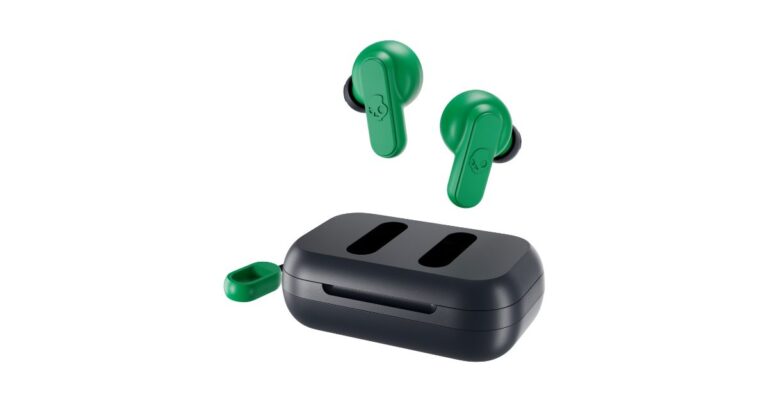
The US-based company, Skullcandy, announced the launch of new wireless earbuds in India. The audio brand has launched the Skullcandy Dime True Wireless Earbuds under Rs 5,000 price segment. With the launch of the product, the company aims to take on other companies such as Xiaomi, Realme, Oppo and more that offer TWS devices at budget-friendly costs. Dime offers up to 12 hours of playback though it lacks touch controls instead it equips physical controls on each earbud.“Despite being the fastest-growing segment in stereo headphones, true wireless earbuds still account for less than half of the market,” said Amlan Bhattacharjya, CEO, Brand Eyes, Distributor of Skullcandy in India, referring to 2020 NPD Unit Share data. “Our all-new Dime True Wireless Earbuds are intent on changing that. Offering stellar sound and unmatched simplicity at a price that makes it possible to throw a pair in every bag, Dime breaks down all barriers formerly associated with true wireless.”Skullcandy Dime True Wireless Earbuds price and availability detailsSkullcandy Dime True Wireless Earbuds comes with a price tag of Rs 2,249. It will be available in three colour options of Dark Blue/ Green, Light Grey/ Blue, and True Black colours. Those interested can purchase via Skullcandy’s official website in India starting April 4.Skullcandy Dime True Wireless Earbuds specificationsSpeaking of the specifications and features, the Skullcandy Dime True Wireless Earbuds comes with a full suite of media controls to take calls, change tracks, adjust volume controls and activate native device assistants (Google, Siri, etc.) without ever touching a phone. The TWS device features 6mm drivers with a frequency response range of 20Hz to 20,000Hz. Each earphone consists of microphones so you can use an earphone solo. With Bluetooth 5.0 for connectivity, the earphones have a quick pairing ability and it automatically turns on and pairs with the last device used.The Skullcandy Dime True Wireless Earbuds embraces a noise-isolating fit and IPX4 rating for sweat and water resistance. Integrated with a Lanyard, the charging case and buds stay protected from accidental drops. In addition to this, the charging case is equipped with a Micro-USB port for charging. The Skullcandy earbuds offer up to 12 hours of battery life with each earbud delivering 3.5 hours of black and 8.5 hours in the charging case.
For the latest gadget and tech news, and gadget reviews, follow us on Twitter, Facebook and Instagram. For newest tech & gadget videos subscribe to our YouTube Channel. You can also stay up to date using the Gadget Bridge Android App.



















 Speaking of the specifications, the listing for the Samsung Galaxy F02s reveals that the device is going to come with a 6.5-inch HD+ Infinity-V Display having 60Hz refresh rate support. It is confirmed to be powered by an octa-core Qualcomm Snapdragon 450 SoC clocked at 1.8GHz. The phone is listed to feature a triple rear camera set up headlined with a 13-megapixel primary sensor. According to the company, the Galaxy F02s will house a 5,000mAh battery to deliver a full day charge.

 On the other hand, a separate microsite for the superior Samsung Galaxy F12 reveals that the smartphone will feature a 6.5-inch HD+ Infinity-V Display and it refreshes at 90Hz. The quad rear camera setup on the phone will include a 48-megapixel primary sensor. Additionally, the mobile phone will be backed by a 6,000mAh battery. Under the hood, there will be an Exynos 850 SoC. It will further include a USB Type-C port for charging and a 3.5mm headphone jack.
While the launch is set for the next week Smasung is expected to spill more beans as far as the specs and the pricing is concerned.
For the latest gadget and tech news, and gadget reviews, follow us on Twitter, Facebook and Instagram. For newest tech & gadget videos subscribe to our YouTube Channel. You can also stay up to date using the Gadget Bridge Android App.
On the other hand, a separate microsite for the superior Samsung Galaxy F12 reveals that the smartphone will feature a 6.5-inch HD+ Infinity-V Display and it refreshes at 90Hz. The quad rear camera setup on the phone will include a 48-megapixel primary sensor. Additionally, the mobile phone will be backed by a 6,000mAh battery. Under the hood, there will be an Exynos 850 SoC. It will further include a USB Type-C port for charging and a 3.5mm headphone jack.
While the launch is set for the next week Smasung is expected to spill more beans as far as the specs and the pricing is concerned.
For the latest gadget and tech news, and gadget reviews, follow us on Twitter, Facebook and Instagram. For newest tech & gadget videos subscribe to our YouTube Channel. You can also stay up to date using the Gadget Bridge Android App.  Speaking of the specifications, the listing for the Samsung Galaxy F02s reveals that the device is going to come with a 6.5-inch HD+ Infinity-V Display having 60Hz refresh rate support. It is confirmed to be powered by an octa-core Qualcomm Snapdragon 450 SoC clocked at 1.8GHz. The phone is listed to feature a triple rear camera set up headlined with a 13-megapixel primary sensor. According to the company, the Galaxy F02s will house a 5,000mAh battery to deliver a full day charge.

 On the other hand, a separate microsite for the superior Samsung Galaxy F12 reveals that the smartphone will feature a 6.5-inch HD+ Infinity-V Display and it refreshes at 90Hz. The quad rear camera setup on the phone will include a 48-megapixel primary sensor. Additionally, the mobile phone will be backed by a 6,000mAh battery. Under the hood, there will be an Exynos 850 SoC. It will further include a USB Type-C port for charging and a 3.5mm headphone jack.
While the launch is set for the next week Smasung is expected to spill more beans as far as the specs and the pricing is concerned.
For the latest gadget and tech news, and gadget reviews, follow us on Twitter, Facebook and Instagram. For newest tech & gadget videos subscribe to our YouTube Channel. You can also stay up to date using the Gadget Bridge Android App.
On the other hand, a separate microsite for the superior Samsung Galaxy F12 reveals that the smartphone will feature a 6.5-inch HD+ Infinity-V Display and it refreshes at 90Hz. The quad rear camera setup on the phone will include a 48-megapixel primary sensor. Additionally, the mobile phone will be backed by a 6,000mAh battery. Under the hood, there will be an Exynos 850 SoC. It will further include a USB Type-C port for charging and a 3.5mm headphone jack.
While the launch is set for the next week Smasung is expected to spill more beans as far as the specs and the pricing is concerned.
For the latest gadget and tech news, and gadget reviews, follow us on Twitter, Facebook and Instagram. For newest tech & gadget videos subscribe to our YouTube Channel. You can also stay up to date using the Gadget Bridge Android App. 


















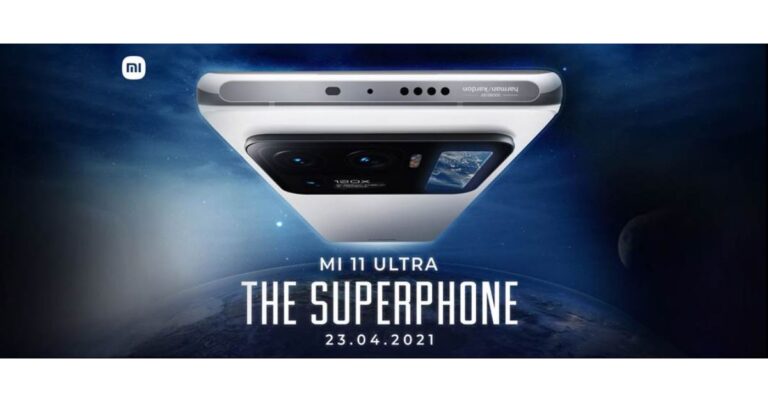
 Xiaomi’s Mi 11 Ultra has recently achieved the top rank in the camera phone category surpassing the Huawei Mate 40 Pro+ to become the latest number one smartphone on DxOMark. The device has achieved 100 points in the zoom test, 17 for video and 148 scores for its still photography.
As for the specifications, Mi 11 Ultra comes with a quad-curved 6.81-inch 2K WQHD+ E4 AMOLED display with a 120Hz refresh rate panel with a 240Hz touch sampling rate support. It backed with HDR10+ as well as Dolby Vision. There is an additional secondary 1.1-inch AMOLED touch screen with 126×294 pixels of resolution.
On the software front, it runs MIUI 12 on top of Android 11. Under the hood, there is Qualcomm Snapdragon 888 SoC paired with Adreno 660 GPU. It packs up to 12GB LPDDR5 RAM, and up to 512GB UFS 3.1 storage.
Mi 11 Ultra features a triple rear camera setup with a multi-functional secondary display for notifications, battery level, and weather alerts. It consists of a 50-megapixel Samsung GN2 primary wide-angle sensor with f/1.95 aperture and OIS support, which is close to a 1-inch sensor available on Sony’s RX cameras.
Moreover, there are two 48-megapixel Sony IMX586 ultra-wide-angle and tele-macro sensors (5x optical and 120x digital zoom) onboard. All three sensors support 8K video recording at 24fps. Upfront, there is a 20-megapixel sensor for taking selfies and video calling.
Besides this, there is a 5,000mAh battery, which has support for 67W wired and wireless fast charging tech along with a 10W reverse wireless charging facility.
For the latest gadget and tech news, and gadget reviews, follow us on Twitter, Facebook and Instagram. For newest tech & gadget videos subscribe to our YouTube Channel. You can also stay up to date using the Gadget Bridge Android App.
Xiaomi’s Mi 11 Ultra has recently achieved the top rank in the camera phone category surpassing the Huawei Mate 40 Pro+ to become the latest number one smartphone on DxOMark. The device has achieved 100 points in the zoom test, 17 for video and 148 scores for its still photography.
As for the specifications, Mi 11 Ultra comes with a quad-curved 6.81-inch 2K WQHD+ E4 AMOLED display with a 120Hz refresh rate panel with a 240Hz touch sampling rate support. It backed with HDR10+ as well as Dolby Vision. There is an additional secondary 1.1-inch AMOLED touch screen with 126×294 pixels of resolution.
On the software front, it runs MIUI 12 on top of Android 11. Under the hood, there is Qualcomm Snapdragon 888 SoC paired with Adreno 660 GPU. It packs up to 12GB LPDDR5 RAM, and up to 512GB UFS 3.1 storage.
Mi 11 Ultra features a triple rear camera setup with a multi-functional secondary display for notifications, battery level, and weather alerts. It consists of a 50-megapixel Samsung GN2 primary wide-angle sensor with f/1.95 aperture and OIS support, which is close to a 1-inch sensor available on Sony’s RX cameras.
Moreover, there are two 48-megapixel Sony IMX586 ultra-wide-angle and tele-macro sensors (5x optical and 120x digital zoom) onboard. All three sensors support 8K video recording at 24fps. Upfront, there is a 20-megapixel sensor for taking selfies and video calling.
Besides this, there is a 5,000mAh battery, which has support for 67W wired and wireless fast charging tech along with a 10W reverse wireless charging facility.
For the latest gadget and tech news, and gadget reviews, follow us on Twitter, Facebook and Instagram. For newest tech & gadget videos subscribe to our YouTube Channel. You can also stay up to date using the Gadget Bridge Android App.  Xiaomi’s Mi 11 Ultra has recently achieved the top rank in the camera phone category surpassing the Huawei Mate 40 Pro+ to become the latest number one smartphone on DxOMark. The device has achieved 100 points in the zoom test, 17 for video and 148 scores for its still photography.
As for the specifications, Mi 11 Ultra comes with a quad-curved 6.81-inch 2K WQHD+ E4 AMOLED display with a 120Hz refresh rate panel with a 240Hz touch sampling rate support. It backed with HDR10+ as well as Dolby Vision. There is an additional secondary 1.1-inch AMOLED touch screen with 126×294 pixels of resolution.
On the software front, it runs MIUI 12 on top of Android 11. Under the hood, there is Qualcomm Snapdragon 888 SoC paired with Adreno 660 GPU. It packs up to 12GB LPDDR5 RAM, and up to 512GB UFS 3.1 storage.
Mi 11 Ultra features a triple rear camera setup with a multi-functional secondary display for notifications, battery level, and weather alerts. It consists of a 50-megapixel Samsung GN2 primary wide-angle sensor with f/1.95 aperture and OIS support, which is close to a 1-inch sensor available on Sony’s RX cameras.
Moreover, there are two 48-megapixel Sony IMX586 ultra-wide-angle and tele-macro sensors (5x optical and 120x digital zoom) onboard. All three sensors support 8K video recording at 24fps. Upfront, there is a 20-megapixel sensor for taking selfies and video calling.
Besides this, there is a 5,000mAh battery, which has support for 67W wired and wireless fast charging tech along with a 10W reverse wireless charging facility.
For the latest gadget and tech news, and gadget reviews, follow us on Twitter, Facebook and Instagram. For newest tech & gadget videos subscribe to our YouTube Channel. You can also stay up to date using the Gadget Bridge Android App.
Xiaomi’s Mi 11 Ultra has recently achieved the top rank in the camera phone category surpassing the Huawei Mate 40 Pro+ to become the latest number one smartphone on DxOMark. The device has achieved 100 points in the zoom test, 17 for video and 148 scores for its still photography.
As for the specifications, Mi 11 Ultra comes with a quad-curved 6.81-inch 2K WQHD+ E4 AMOLED display with a 120Hz refresh rate panel with a 240Hz touch sampling rate support. It backed with HDR10+ as well as Dolby Vision. There is an additional secondary 1.1-inch AMOLED touch screen with 126×294 pixels of resolution.
On the software front, it runs MIUI 12 on top of Android 11. Under the hood, there is Qualcomm Snapdragon 888 SoC paired with Adreno 660 GPU. It packs up to 12GB LPDDR5 RAM, and up to 512GB UFS 3.1 storage.
Mi 11 Ultra features a triple rear camera setup with a multi-functional secondary display for notifications, battery level, and weather alerts. It consists of a 50-megapixel Samsung GN2 primary wide-angle sensor with f/1.95 aperture and OIS support, which is close to a 1-inch sensor available on Sony’s RX cameras.
Moreover, there are two 48-megapixel Sony IMX586 ultra-wide-angle and tele-macro sensors (5x optical and 120x digital zoom) onboard. All three sensors support 8K video recording at 24fps. Upfront, there is a 20-megapixel sensor for taking selfies and video calling.
Besides this, there is a 5,000mAh battery, which has support for 67W wired and wireless fast charging tech along with a 10W reverse wireless charging facility.
For the latest gadget and tech news, and gadget reviews, follow us on Twitter, Facebook and Instagram. For newest tech & gadget videos subscribe to our YouTube Channel. You can also stay up to date using the Gadget Bridge Android App. 

 Skullcandy Dime True Wireless Earbuds price and availability details
Skullcandy Dime True Wireless Earbuds comes with a price tag of Rs 2,249. It will be available in three colour options of Dark Blue/ Green, Light Grey/ Blue, and True Black colours. Those interested can purchase via Skullcandy’s official website in India starting April 4.
Skullcandy Dime True Wireless Earbuds specifications
Speaking of the specifications and features, the Skullcandy Dime True Wireless Earbuds comes with a full suite of media controls to take calls, change tracks, adjust volume controls and activate native device assistants (Google, Siri, etc.) without ever touching a phone. The TWS device features 6mm drivers with a frequency response range of 20Hz to 20,000Hz. Each earphone consists of microphones so you can use an earphone solo. With Bluetooth 5.0 for connectivity, the earphones have a quick pairing ability and it automatically turns on and pairs with the last device used.
The Skullcandy Dime True Wireless Earbuds embraces a noise-isolating fit and IPX4 rating for sweat and water resistance. Integrated with a Lanyard, the charging case and buds stay protected from accidental drops. In addition to this, the charging case is equipped with a Micro-USB port for charging. The Skullcandy earbuds offer up to 12 hours of battery life with each earbud delivering 3.5 hours of black and 8.5 hours in the charging case.
For the latest gadget and tech news, and gadget reviews, follow us on Twitter, Facebook and Instagram. For newest tech & gadget videos subscribe to our YouTube Channel. You can also stay up to date using the Gadget Bridge Android App.
Skullcandy Dime True Wireless Earbuds price and availability details
Skullcandy Dime True Wireless Earbuds comes with a price tag of Rs 2,249. It will be available in three colour options of Dark Blue/ Green, Light Grey/ Blue, and True Black colours. Those interested can purchase via Skullcandy’s official website in India starting April 4.
Skullcandy Dime True Wireless Earbuds specifications
Speaking of the specifications and features, the Skullcandy Dime True Wireless Earbuds comes with a full suite of media controls to take calls, change tracks, adjust volume controls and activate native device assistants (Google, Siri, etc.) without ever touching a phone. The TWS device features 6mm drivers with a frequency response range of 20Hz to 20,000Hz. Each earphone consists of microphones so you can use an earphone solo. With Bluetooth 5.0 for connectivity, the earphones have a quick pairing ability and it automatically turns on and pairs with the last device used.
The Skullcandy Dime True Wireless Earbuds embraces a noise-isolating fit and IPX4 rating for sweat and water resistance. Integrated with a Lanyard, the charging case and buds stay protected from accidental drops. In addition to this, the charging case is equipped with a Micro-USB port for charging. The Skullcandy earbuds offer up to 12 hours of battery life with each earbud delivering 3.5 hours of black and 8.5 hours in the charging case.
For the latest gadget and tech news, and gadget reviews, follow us on Twitter, Facebook and Instagram. For newest tech & gadget videos subscribe to our YouTube Channel. You can also stay up to date using the Gadget Bridge Android App.  Skullcandy Dime True Wireless Earbuds price and availability details
Skullcandy Dime True Wireless Earbuds comes with a price tag of Rs 2,249. It will be available in three colour options of Dark Blue/ Green, Light Grey/ Blue, and True Black colours. Those interested can purchase via Skullcandy’s official website in India starting April 4.
Skullcandy Dime True Wireless Earbuds specifications
Speaking of the specifications and features, the Skullcandy Dime True Wireless Earbuds comes with a full suite of media controls to take calls, change tracks, adjust volume controls and activate native device assistants (Google, Siri, etc.) without ever touching a phone. The TWS device features 6mm drivers with a frequency response range of 20Hz to 20,000Hz. Each earphone consists of microphones so you can use an earphone solo. With Bluetooth 5.0 for connectivity, the earphones have a quick pairing ability and it automatically turns on and pairs with the last device used.
The Skullcandy Dime True Wireless Earbuds embraces a noise-isolating fit and IPX4 rating for sweat and water resistance. Integrated with a Lanyard, the charging case and buds stay protected from accidental drops. In addition to this, the charging case is equipped with a Micro-USB port for charging. The Skullcandy earbuds offer up to 12 hours of battery life with each earbud delivering 3.5 hours of black and 8.5 hours in the charging case.
For the latest gadget and tech news, and gadget reviews, follow us on Twitter, Facebook and Instagram. For newest tech & gadget videos subscribe to our YouTube Channel. You can also stay up to date using the Gadget Bridge Android App.
Skullcandy Dime True Wireless Earbuds price and availability details
Skullcandy Dime True Wireless Earbuds comes with a price tag of Rs 2,249. It will be available in three colour options of Dark Blue/ Green, Light Grey/ Blue, and True Black colours. Those interested can purchase via Skullcandy’s official website in India starting April 4.
Skullcandy Dime True Wireless Earbuds specifications
Speaking of the specifications and features, the Skullcandy Dime True Wireless Earbuds comes with a full suite of media controls to take calls, change tracks, adjust volume controls and activate native device assistants (Google, Siri, etc.) without ever touching a phone. The TWS device features 6mm drivers with a frequency response range of 20Hz to 20,000Hz. Each earphone consists of microphones so you can use an earphone solo. With Bluetooth 5.0 for connectivity, the earphones have a quick pairing ability and it automatically turns on and pairs with the last device used.
The Skullcandy Dime True Wireless Earbuds embraces a noise-isolating fit and IPX4 rating for sweat and water resistance. Integrated with a Lanyard, the charging case and buds stay protected from accidental drops. In addition to this, the charging case is equipped with a Micro-USB port for charging. The Skullcandy earbuds offer up to 12 hours of battery life with each earbud delivering 3.5 hours of black and 8.5 hours in the charging case.
For the latest gadget and tech news, and gadget reviews, follow us on Twitter, Facebook and Instagram. For newest tech & gadget videos subscribe to our YouTube Channel. You can also stay up to date using the Gadget Bridge Android App.