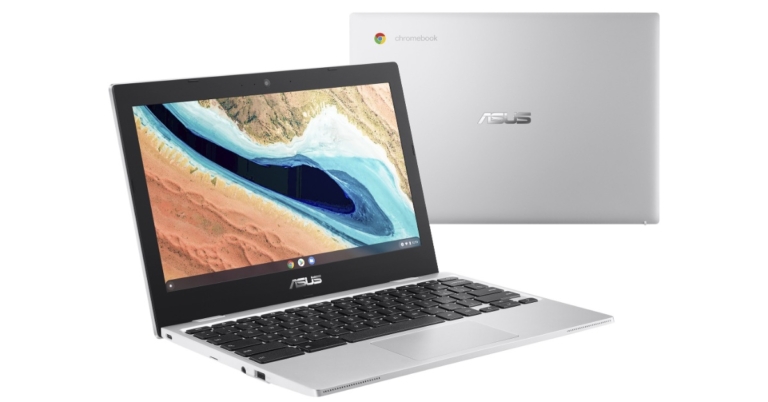
Asus Chromebook CX1101 launched in India at Rs 19,999

Asus has announced the release of a new rugged design laptop in the Indian market. The company has introduced the Asus Chromebook CX1101 that is MIL-STD 810H certified and is powered by Celeron N4020 processor. The compact PC features an 11-inch display and comes with dual-band 5GHz Wi-Fi for connectivity. Keep on reading to know its pricing and availability.

Asus Chromebook CX1101 price in India and availability details

The price of the Asus Chromebook CX1101 starts at Rs 19,999. The Chromebook will be available for purchase in the country from December 15 via the e-commerce website Flipkart. As an introductory offer, consumers can avail of Asus Chromebook CX1101 at a special discount of Rs 18,999 between December 15th to 21st.

Asus Chromebook CX1101 price in India and availability details

Asus Chromebook CX1101 specifications

MIL-STD-810H certified for military-grade durability, the Asus Chromebook CX1101 has a rugged design. It comes with a 180 degree lay flat design. The device has an anti-glare 11.6-inch HD display. A dual-core Intel Celeron N4020 processor is housed beneath the chassis, along with 4GB of LPDDR4 RAM and 64GB of eMMC storage. The storage can be further expanded up to a supported 2TB via a MicroSD memory card. In terms of software, the Asus Chromebook runs Google’s ChromeOS.

Aside from that, the Asus Chromebook CX1101 has an HD camera and Loud Stereo speakers for fantastic video conferencing and entertainment. The laptop can last up to a full productive 13 hours on a full charge thanks to a long-life 42Wh lithium-ion battery pack. The laptop’s 3 cell 42Wh lithium-ion battery allows it to run for up to 13 hours on a single charge. There are two USB 3.2 Type-C ports, two USB 3.2 Type-A ports, a microSD card reader, and a 3.5mm audio jack for connectivity. The Chromebook also features a keyboard with a 1.5mm key-travel for great comfort and accurate feedback even if you’re on it all day long, and sports spill-protection along with a 10mn keystroke life span.

Commenting on the new Chromebook launch, Leon Yu, Regional Director, India and South Asia, ASUS said, “We are thrilled to launch another variant of the ASUS Chromebook, which is an ideal mix of power and productivity. With the rapidly evolving education and enterprise market in the country, it is imperative that we support consumers with the right tools and technology for remote working and hybrid learning environments. Looking at the outstanding response received for ASUS Chromebook, the new variant CX1101 is designed to empower on-the-go lifestyles, with solid features and durability for all your travel requirements.”

For the latest gadget and tech news, and gadget reviews, follow us on TwitterFacebook and Instagram. For newest tech & gadget videos subscribe to our YouTube Channel. You can also stay up to date using the Gadget Bridge Android App. You can find the latest car and bike news here.

Netflix India plans price dropped to 60 percent in India: Details inside

Amazon raised the price of its prime membership subscriptions in India the day before. Netflix, the company’s biggest competitor in the country, today announced a strategic price reduction on its plans in the country. So starting today you will be saving anywhere from 18% to 60% when you subscribe to Netflix India plans.

Each of the four Netflix plans has been reduced in price. The price change will take effect on December 14, 2021, and will affect members’ next billing cycle. At www.netflix.com, new members can simply sign up for Netflix and select the plan that best suits their needs. If you’re already a Netflix member on one of our Mobile, Basic, or Standard plans, you will be upgraded to a plan that’s one tier higher than your current plan for the same monthly price. You’ll get a notification on your device the next time you’re on Netflix, with the option to ‘Confirm Upgrade’ to use the plan or choose any other plan you want.

The video streaming platform has reduced its prices by 18-60% across various plans. The price of the Netflix Mobile plan has been reduced by 25% to Rs. 149 per month, from Rs. 199. On the other hand, the Basic plan in India that earlier cost Rs 499 per month is now accessible at Rs 199 seeing a major price drop of 60.12 percent.

Netflix India plans new price

The price of the Netflix Standard plan has got a price cut of 13.11 percent. Earlier one had to pay Rs 649 but now the users can subscribe for Rs 499. Lastly, the Premium Netflix plan which was earlier available at Rs 799 will now come at Rs 649 bringing down the original price by 18.77 percent. Now Netflix can be accessed without ads, at new, lower prices.

While announcing the latest price revision, Monika Shergill, VP-Content, Netflix India commented, “As Indians, we love great entertainment. Whatever your mood, tastes or plan, Netflix is now even more accessible. Whether you choose Aranyak on Friday, Money Heist on Saturday, or Dhamaka and Sooryavanshi on Sunday, you can watch all of Netflix on your mobile for INR 149, and on any device starting at INR 199.”

For the latest gadget and tech news, and gadget reviews, follow us on TwitterFacebook and Instagram. For newest tech & gadget videos subscribe to our YouTube Channel. You can also stay up to date using the Gadget Bridge Android App. You can find the latest car and bike news here.

Asus introduced ProArt StudioBook 16 OLED laptop with AMD Ryzen 5000 series processor in India

Taiwanese tech giant Asus today introduced a new ProArt series of laptops in India today. Along with the flagship ProArt StudioBook 16 OLED, ASUS has released a series of VivoBook Pro 14 and VivoBook Pro 15 OLED, VivoBook Pro 14X OLED, and VivoBook Pro 16X OLED in AMD/ Intel and 14inch/ 16inch variants.

ProArt StudioBook 16 OLED, VivoBook Pro 14 and VivoBook Pro 15 OLED, VivoBook Pro 14X OLED, and VivoBook Pro 16X OLED price and availability

ProArt StudioBook 16 OLED price in India has been set at Rs 1,69,990. The price of the Vivobook Pro(Intel) starts at Rs 74,990. whereas the Vivobook Pro X with AMD processors price will begin at Rs 94,990 and goes up to Rs 1,24,990. All the laptops will be available via Flipkart, Amazon, Offline and (ROG stores/Asus Exclusive Stores) in the country. However, the ProArt StudioBook laptop will be available for purchase from January 2022.

Asus ProArt StudioBook 16 OLED specifications

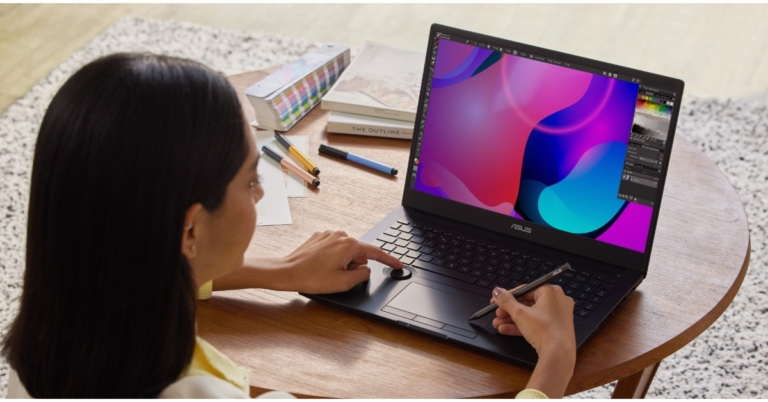
Asus ProArt StudioBook 16 OLED is meant for content creators in various fields and equips ASUS Dial design and a touchpad that can support a stylus. As the name suggests it features a 16-inch 4K OLED HDR 16:10 display with a 100% DCI-P3 colour gamut, PANTONE Validated and Calman Verified certifications, factory-calibrated Delta-E 2 colour accuracy, and VESA DisplayHDR 500 True Black accreditation delivers stunning visuals. The laptop is powered by AMD Ryzen 5000 series (H5600) and fast NVIDIA GeForce up to RTX 3070 (H5600) graphics.

Asus ProArt StudioBook 16 OLED specifications

The ASUS Dial allows quick, intuitive adjustments while working with incompatible Adobe apps, such as Photoshop, Premiere Pro, Photoshop Lightroom Classic, and After Effects. Along with four PCIe 3.0 or PCIe 4.0 x4 SSD support, the laptop comes with 64 GB of 3200 MHz DDR4 RAM or USB 3.2 Gen 2 Type-C (H5600) ports, plus HDMI 2.1 and an SD Express 7.0 card reader.

VivoBook Pro 14X/16X OLED (M7400, M7600, N7400, N7600) specifications

VivoBook Pro 14X/16X OLED laptops are available in 14 inch and 15-inch NanoEdge 4K OLED displays. They are powered by AMD Ryzen 5000 H Series Mobile Processors or Intel Corei7,  and up to NVIDIA GeForce RTX 3050 Ti graphics.

VivoBook Pro 14X/16X OLED (M7400, M7600, N7400, N7600) specifications

The unique DialPad allows for precise and intuitive control of creative tools, while the dual-fan cooling design and up to a 96Wh high-capacity battery allow users to work in peace. The anodized-metal 0° Black and Cool Silver colour options, as well as the weave-coating Meteor White and Comet Grey colour options, are available on the VivoBook Pro 14X/16X OLED.

VivoBook Pro 14/15 OLED (M3401, M3500, K3400, K3500) specifications

VivoBook Pro 14/15 OLED are highlighted with a 14-inch or 15-inch NanoEdge 2.8, K/FHD OLED display along with Harman Kardon-certified audio. The Asus laptop comes in two distinctive colour options, Quiet Blue or Cool Silver. Under the hood, there is the latest AMD Ryzen 5000 H Series Mobile Processors or Intel Core i7, NVIDIA GeForce RTX 3050 graphics.

VivoBook Pro 14/15 OLED (M3401, M3500, K3400, K3500) specifications

In addition to this, there is a dual-fan cooling system and ultrafast Wi-Fi 6 on the new VivoBook Pro 14/15 OLED.

For the latest gadget and tech news, and gadget reviews, follow us on TwitterFacebook and Instagram. For newest tech & gadget videos subscribe to our YouTube Channel. You can also stay up to date using the Gadget Bridge Android App. You can find the latest car and bike news here.

MSI Creator Z16 laptop with 11th Gen Intel Core processors and NVIDIA GeForce graphics launched

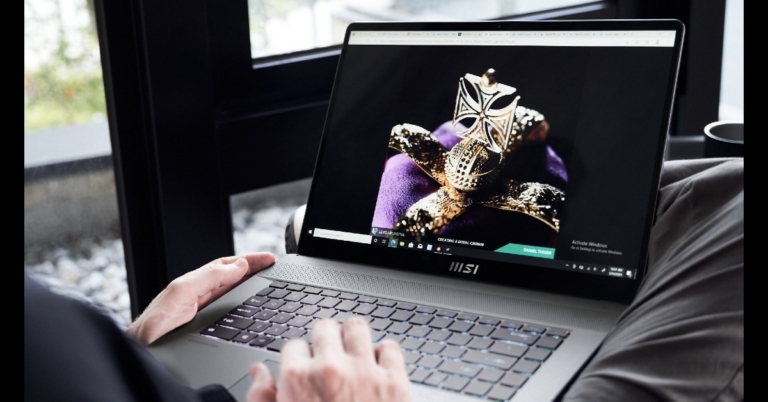
The popular gaming brand, MSI, has come up with the latest MSI laptops in the market. The company has introduced Creator Z16 laptops in India equipped with 11th Gen Intel Core i9 and i7 processors with NVIDIA GeForce RTX 3060 graphics. It comes with the world’s first MiniLED Keyboard Laptop mini LED-backlit keyboard.

MSI Creator Z16 laptop price and availability details

MSI Creator Z16 laptops come in two variants. The i7 model is priced at Rs 2,40,990 whereas the i9 variant comes with a price tag of Rs 2,57,990. Both the MSI laptops will be available for purchase across MSI brand stores, Flipkart and authorized sellers in the country.

MSI Creator Z16 laptop specifications

Speaking about the design the MSI Creator laptop is sleek with rounded edges. It is available in a unique ‘Lunar gray’ colour and carries a stylish CNC body. The machine features a 16-inch QHD+ touchscreen IPS display offering 2560×1600 pixels of resolution. The display comes with 120Hz refresh rate support, 16:10 aspect ratio, 100% DCI-P3(Typical).

The Creator Z16 illuminates lightly dim spaces and assists you in completing tasks with ease, thanks to the World’s First MiniLED Keyboard Laptop mini LED-backlit keyboard. While the Steel Series Engine also provides personalised per-key RGB backlighting on the laptop. It also has factory-calibrated Delta-E 2 accuracy as well as a True Color Technology post-colour gamut, to meet the needs of designers and creators.

MSI Creator Z16 laptop

The laptops are powered by 11th Gen. Intel Core i9 and i7 Processors with NVIDIA GeForce RTX 3060 Laptop GPU 6GB GDDR6. There are two slots for DDR4-3200MHz RAM of up to 64GB storage and two NVMe M.2 SSD storage slots. In addition to this, there is a microSD card reader and an HD webcam with an IR sensor. In terms of connectivity there is Killer Wi-Fi 6E AX1675, Bluetooth v5.2, 2 x Thunderbolt 4 / DP/ USB4 Type-C, 2 USB 3.2 Gen 2 Type-A and DC-in.

The MSI Creator Z16 laptop comes equipped with a 4-Cell Li-Polymer battery with a 180W Slim adaptor.

For the latest gadget and tech news, and gadget reviews, follow us on TwitterFacebook and Instagram. For newest tech & gadget videos subscribe to our YouTube Channel. You can also stay up to date using the Gadget Bridge Android App. You can find the latest car and bike news here.

Infinix Note 11 and Infinix Note 11S with 5,000mAh battery and 33W fast charging support launched

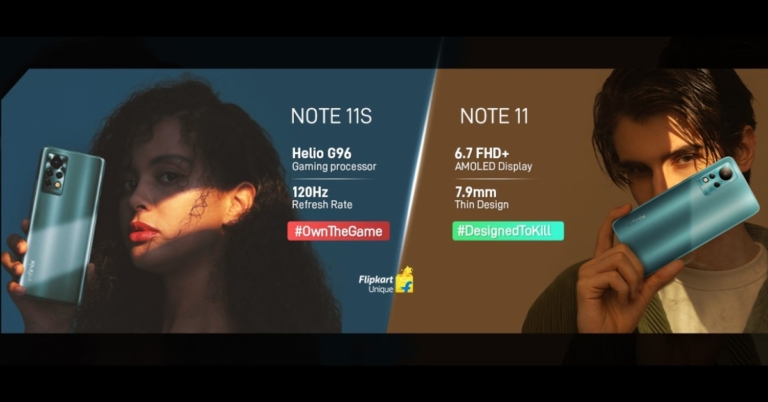
Infinix Note 11 Series has officially made its way into the Indian market, which is the successor of the Note 10 Series that arrived in June this year. The company has introduced two phones under the line-up- Infinix Note 11 and Note 11S. The devices feature a 50-megapixel sensor and are powered by MediaTek processors. In addition to this, there is a 5,000mAh battery fueling both handsets.

Infinix Note 11 and Infinix Note 11S price and availability details

Infinix Note 11 price India starts at Rs 11,999 for the 4GB RAM with 64GB storage model. The phone will come in three colour options of Celestial Snow, Glacier Green and Graphite Black. The device is scheduled to go on sale in India from December 23 via Flipkart.

On the other hand, Note 11S will be available with a price tag of Rs 12,999 for the 6GB RAM with 64GB storage model whereas the 8GB RAM with 128GB storage option is priced at Rs 14,999. This phone will be available in three shades of Haze Green, Mithril Grey and Symphony Cyan. The phone will go on sale on December 20 through Flipkart in the country.

Infinix Note 11 specifications

Infinix Note 11 is highlighted with a 6.7-inch full HD+ AMOLED display with 1,080×2,400 pixels of resolution. The phone runs on XOS 10 on top of Android 11 and there is an octa-core MediaTek Helio G88 SoC under its hood. There is a provision to expand the internal storage to up to 512GB using a microSD card.

Infinix Note 11 specifications

In terms of imaging, Note 11 features a 50MP primary sensor, a 2MP depth sensor and an AI lens. While on the front there is a 16MP selfie camera with a dual-LED flash.

The device has a 5,000mAh battery that has 33W fast charging support. In terms of connectivity, there is 4G LTE, Wi-Fi, Bluetooth V5, and a 3.5mm headphone jack. Whereas the sensors on the phone include a fingerprint sensor on the side, an accelerometer, ambient light sensor, magnetometer, proximity sensor and gyroscope.

Infinix Note 11S specifications

Infinix Note 11S comes with a 6.95-inch full HD+ IPS display with 1,080×2,460 pixels of resolution and a 120Hz refresh rate. The handset runs on octa-core MediaTek Helio G96 SoC paired with up to 8GB of RAM and 128GB of internal storage(expandable to up to 512GB).

Infinix Note 11S specifications

The mobile phone has a triple rear camera set up that consists of a 50MP primary sensor, 2MP depth sensor and a 2MP macro lens. The device features a 16MP selfie camera upfront with a dual-LED flash.

Connectivity options, sensors and battery are similar to Infinix Note 11.

For the latest gadget and tech news, and gadget reviews, follow us on TwitterFacebook and Instagram. For newest tech & gadget videos subscribe to our YouTube Channel. You can also stay up to date using the Gadget Bridge Android App. You can find the latest car and bike news here.

14 December 2021 Amazon Quiz today answers: Answer to win Rs 30,000 Amazon Pay Balance

14 December 2021 Amazon Quiz is now live. Today the e-commerce platform is offering Rs 30,000 Amazon Pay Balance to the winner of the quiz. The quiz is accessible from 12 AM to 11:59 PM.

To participate in today’s Amazon quiz all you need to do is log in to your Amazon app on your smartphone as the quiz is not accessible on the web platform. Every day Amazon brings a fresh questionnaire that consists of five easy questions that are usually based on general knowledge and current affairs. You have to submit the correct answers and can win an Amazon Pay Balance of up to Rs 50,000.

One should also note that the winners are announced through a lucky draw. In order to enter into the lucky draw, the participants have to give all the correct answers to the five-question as one of the wrong answers will eliminate you from the quiz. The participants will be shortlisted for the lucky draw and the results will be announced at the end of the month.

Check out today’s Amazon Quiz answers to win Rs 30,000 Amazon Pay Balance.

14 December 2021 Amazon Quiz Answers

Question 1: SpaceX has recently shipped ants, a human-sized robotic arm and what fruits to the International Space Station?

Answer: Avocados

Question 2: SECMOL, India’s highest altitude educational organisation, is located in which state/union territory?

Answer: Ladakh

Question 3: Who is the first Indian woman to score a Test century in Australia?

Answer: Smriti Mandhana

Question 4: A 1962 agreement between this country and France sought to build together which of these?

Answer: Mr. Concorde

Question 5: What was the first sporting event this company ever broadcast in colour?

Answer: Wimbledon, 1967

For the latest gadget and tech news, and gadget reviews, follow us on TwitterFacebook and Instagram. For newest tech & gadget videos subscribe to our YouTube Channel. You can also stay up to date using the Gadget Bridge Android App. You can find the latest car and bike news here.

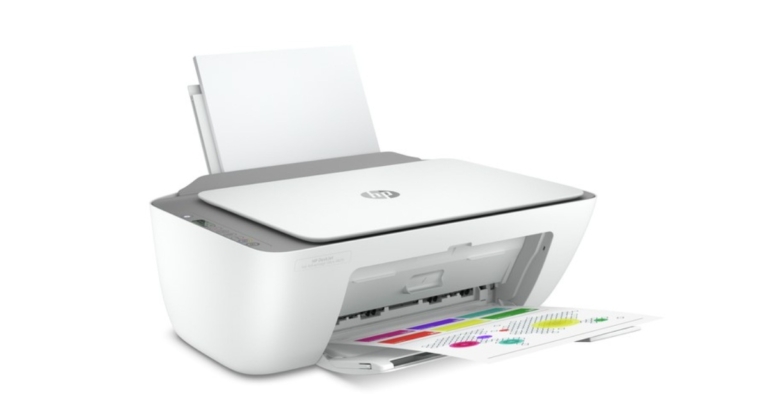
HP DeskJet Ink Advantage Ultra printer 4826 is now available in India for Rs 10,200

In the Indian market, HP has expanded its smart tank printer lineup. The HP DeskJet Ink Advantage Ultra printer 4826 is the company’s newest addition, and it’s designed for Gen Z and Gen X users for print, copy, and scan.

HP DeskJet Ink Advantage Ultra printer 4826 has been launched in India with a price tag of Rs 10200. The new printer can be bought through all the leading online retailers like Amazon and Flipkart in the country. On both platforms, the device can be purchased at Rs 8,999.

Two full cartridge sets are included with the HP DeskJet Ink Advantage Ultra printer 4826, allowing you to print 2600 (black)/1400 (colour) pages. This printer has a low cost per page of printing and a low initial cost, resulting in a low total cost of ownership that makes it an excellent choice for home users. It also includes dual-band Wi-Fi with self-reset and the HP Smart mobile print app, which can be easily integrated via a USB port.

Despite being colour-capable, it eliminates the need for a colour cartridge in the event of a black-and-white print, ensuring no leakage and a mess-free experience. Every time a cartridge is replaced, the print head is automatically renewed at no additional cost.

HP DeskJet Ink Advantage Ultra printer 4826 price in India

According to the company for black and white printing, it costs 38 paise per page. Also delivers crisp text and vibrant colours. The HP DeskJet Ink Advantage Ultra printer 4826 is suitable for basic printing tasks – With virtually no interruptions print up to 2600 pages in black and 1400 pages in colour.

While the HP Smart App makes mobile scanning and printing simple. The HP printer comes with the option of customising shortcuts, the HP Smart App makes connecting to a network easier.

The plug-and-play device allows for easy connectivity via dual-band Wi-Fi with self-reset and USB port, even after installation.

Sunish Raghavan, Senior Director, Printing Systems, HP India said, “The Work, Learn and Earn from home trend has propelled the demand for printers across all age groups. Consumers are increasingly deploying printers to organise their documents/records, manage their day-to-day activities, protect sensitive information and work on projects/assignments. Committed to creating and maintaining an outstanding printing and imaging experience, we are thrilled to introduce HP DeskJet Ink Advantage Ultra printer 4826 Ultra which is a blend of modern printing technology and cost-efficiency.”

For the latest gadget and tech news, and gadget reviews, follow us on TwitterFacebook and Instagram. For newest tech & gadget videos subscribe to our YouTube Channel. You can also stay up to date using the Gadget Bridge Android App. You can find the latest car and bike news here.

Sennheiser HD 400 PRO Studio headphones launched in India

Sennheiser HD 400 PRO Studio headphones have launched in the Indian market today. These are professional headphones meant to be used as monitors for mixing, editing, and mastering. The earphones are ideal for creators looking for natural and precise sound reproduction when evaluating their audio mixes.

Sennheiser HD 400 PRO Studio headphones have a comfortable and lightweight open-back design with soft velour ear pads to help with long sessions. The headphones come with both coiled and straight detachable cables, allowing them to be customised to the user’s preferences. The headphones offer a wide frequency response of 6 to 38,000 hertz.

Sennheiser’s 120-ohm transducers feature a diaphragm made of a special polymer blend, which, when combined with powerful driver magnets, produces a deeper, yet completely clear and well-defined bass. While the distortion is less than 0.05 percent (measured at 1 kHz, 90 dB SPL).

According to the company the HD 400 PRO faithfully reproduces audio beyond the audible frequency range, allowing you unrestricted access to nuanced harmonics and ambience in your music while revealing a bold, articulate low-end. The headphone transducers are set at a slight angle, meticulously recreating the ideal triangular listening position when listening to monitor loudspeakers in a recording studio. Furthermore, the HD 400 PRO’s open-back design allows for natural sound propagation without the need for acoustic structures that are required in closed-back designs. Both aspects contribute to a wide and spacious soundstage that is neutral and transparent, allowing audio producers to work with confidence knowing that their final mix will be heard correctly.

Sennheiser HD 400 PRO Studio headphones

The Sennheiser HD 400 Pro Studio will be available on Amazon and through the company’s official website in the country for Rs 21,990 and 

A 3-meter coiled cable and a 1.8-meter straight cable, both with a 3.5 mm (1/8″) jack plug for portable sources, are included with the headphones. The HD 400 PRO comes with a 6.3 mm (1/4″) adapter to connect it to your mixing desk or audio interface.

“We are delighted to introduce the first open studio headphones in Sennheiser’s PRO line,” commented Mr. Vipin Pungalia, Director, Professional Segment, Sennheiser Electronics, India, “When editing and mixing, you need detail and honesty, and this is what the HD 400 PRO will give you. Thanks to their linear, high-resolution reproduction, these headphones are a reliable reference to create outstanding audio mixes to give an immersive listening experience to audiophiles.” 

For the latest gadget and tech news, and gadget reviews, follow us on TwitterFacebook and Instagram. For newest tech & gadget videos subscribe to our YouTube Channel. You can also stay up to date using the Gadget Bridge Android App. You can find the latest car and bike news here.

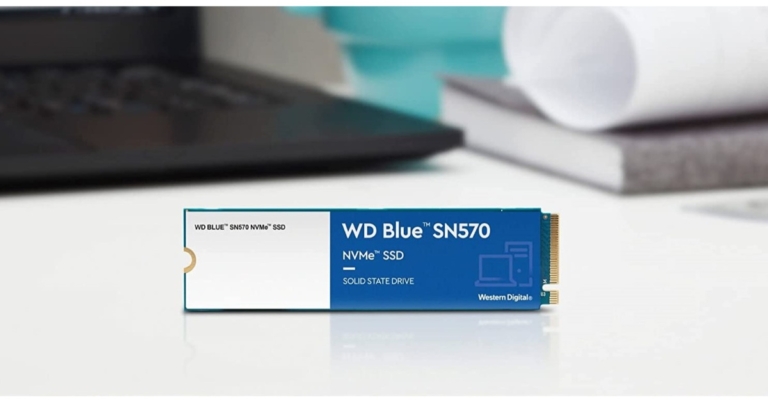
WD Blue SN570 NVMe SSD with up to 1TB capacity launched in India

Western Digital (WD), a company known for its portable storage solutions, has announced the launch of a new internal flash drive SSD in India. The new WD Blue SN570 NVMe SSD is small enough to fit in your palm and has a storage capacity of up to 1TB. This is powered by NVMe technology and is ideal for storing, accessing important content for content creators, graphic designers, videographers, UI/UX designers, artists and illustrators, entrepreneurs and freelancers, engineers, architects, grad students and more.

WD Blue SN570 NVMe SSD allows access to fast and reliable storage solutions. The new internal flash drive is a powerful solution for upgrading current PCs or optimising a custom build. Each new WD Blue SN570 NVMe SSD purchase includes a one-month membership to Adobe Creative Cloud, which gives users access to some of the world’s best creative apps and services like Adobe Photoshop, Illustrator, Lightroom, Premiere Pro, and InDesign.

In addition to this, the SSD is built for long-term use, cramming high performance into a small form factor while consuming minimal power. Systems can run up to 5X faster than Western Digital’s SATA SSDs with reading speeds up to 3,500MB/s (500GB – 1TB models).

WD Blue SN570 NVMe SSD price in India

With the downloadable Western Digital SSD Dashboard, you can monitor the drive’s health, available space, temperature, and more. A single-sided M.2 2280 PCIe Gen3 x4 NVMe SSD saves space and is ideal for building the perfect creation engine, whether it’s for a desktop or laptop PC. End-to-end data path protection, for example, can help protect your content.

The WD Blue SN570 NVMe SSD, which comes with a 5-year limited warranty, is now available for purchase from select IT Retail and Amazon.in. The capacities range from 250GB to 1TB, with prices starting at Rs 3899.

Khalid Wani, Senior Director – Sales, India, Western Digital “At the heart of Western Digital lies innovation, and we are very excited to add this device to the house of WD’s diverse SSD portfolio. Specially designed for content creators, this powerful new internal drive delivers up to 5X the speed of our best SATA SSDs, so creators can let their imagination flow and worry less about PC lag or load times.”

For the latest gadget and tech news, and gadget reviews, follow us on TwitterFacebook and Instagram. For newest tech & gadget videos subscribe to our YouTube Channel. You can also stay up to date using the Gadget Bridge Android App. You can find the latest car and bike news here.

Amazon Prime membership in India will be up to 50% more expensive, starting tomorrow

Customers will be charged 50 percent more for Amazon Prime membership beginning tomorrow that is December 14. The Amazon Prime service’s monthly, quarterly, and annual subscription plans will all be affected by the update, the benefits of the subscription have not changed.

According to the webpage, the new Amazon Prime membership pricing in India will take effect at 12 a.m. on December 14th. It says, “Since the launch 5 years ago in India, Prime has continued to increase the value it offers members. Prime provides an unparalleled combination of shopping, savings and entertainment benefits to make life more convenient and entertaining every single day, and we continue to invest in making Prime even more valuable for customers.”

However, customers can continue to use the old price until the new price is announced. Existing Prime members will be unaffected by the change, as they will be able to use their membership for the remainder of their subscription period at no additional cost.

So from tomorrow onward, the customers will pay 50 percent more for Prime membership. As per the new price revision, the annual membership plan which was earlier available at Rs 999 will now be accessible at Rs 1,499. In a similar way, its monthly plan will be available at Rs 179 up from Rs 129. And the quarterly plan price is now being raised to Rs 459 from Rs 329.

Like we said before the Prime membership benefits will remain unaffected so the customers can continue accessing all the prime membership benefits that include Prime 1- day delivery, unlimited access to award-winning movies, TV shows and Amazon Originals in 10 languages. Members also have ad-free access to Amazon Music’s 70 million songs, unlimited 5% reward points on Amazon shopping with the Amazon Pay ICICI Bank credit card, free in-game content on popular mobile games with Prime Gaming, and free access to a rotating selection of thousands of books with Prime Reading. Members also get Prime Early Access to sale events, new product launches, and Lightning Deals, as well as access to Prime Day, our global shopping event.

For the latest gadget and tech news, and gadget reviews, follow us on TwitterFacebook and Instagram. For newest tech & gadget videos subscribe to our YouTube Channel. You can also stay up to date using the Gadget Bridge Android App. You can find the latest car and bike news here.

Consumer Electronics Show 2022(CES) will be held in person in Las Vegas

Notwithstanding Omicron’s concerns, the Consumer Electronics Show 2022 will be held in person. Amidst COVID concerns the Consumer Technology Association (CTA) last year held the CES virtually connecting exhibitors, customers, thought leaders and media from around the world. Being held in person this year the CES 2022 will begin in early January.

According to Consumer Technology Association (CTA), tens of thousands of attendees have registered to attend CES 2022 in person in Las Vegas on January 5-8, 2022. Cenntro Automotive, HTC, Micron, NVIDIA, TikTok, and other companies have recently announced their participation in the event, which will feature cutting-edge technologies and product launches.

Gary Shapiro, president and CEO of CTA said, “The excitement continues to build as we get closer to the moment where the world’s most influential technology innovators meet in person with customers, media, investors and policymakers. We are thrilled to now welcome over 1900 exhibitors from all over the world to show how tech is improving our lives and transforming industries.”

Over 2,400 journalists said to have signed up to attend CES in person and meet with companies such as Amazon, AMD, Boston Consulting, Hyundai, IBM, Intel, LG Electronics, Magna, Meta, Microsoft, Oracle, Panasonic, Procter & Gamble, Qualcomm, Razer, Samsung Electronics, Scosche, Sierra Space, Sony, and others.

This year’s CES will see new categories such as Food Tech, Space Tech, and NFTs. The automotive industry is on track for record growth, with over 200 exhibitors, up 30% from CES 2020. TuSimple, which will demonstrate its self-driving semi-truck, and VinFast, a first-time Vietnamese car manufacturer, will be among the newcomers.

Like we said before, despite Omicron’s concerns the Consumer Electronics Show 2022 will be held in person, unlike last year. However the CTA says that safety, security, and health will be its top priorities and it will continue to monitor and evaluate the health situation, and additional protocols may be announced as the show approaches.

Note that the participants must be fully vaccinated with a vaccine approved by the FDA or the World Health Organization, according to CES (WHO). Those who are unable to attend the show in person will be able to view it online. 

For the latest gadget and tech news, and gadget reviews, follow us on TwitterFacebook and Instagram. For newest tech & gadget videos subscribe to our YouTube Channel. You can also stay up to date using the Gadget Bridge Android App. You can find the latest car and bike news here.

13 December 2021 Amazon Quiz today answers: Answer to win Rs 1,000 Amazon Pay Balance

13 December 2021 Amazon Quiz is now live on the Amazon app. The user can now participate in today’s quiz to win Rs 1,000 Amazon Pay Balance. The quiz will contain 5 questions and you have to answer them correctly.

Amazon every day brings a fresh questionnaire to which the contestants have to answer correctly to enter into a lucky draw. The quiz can be played daily from 12 AM to 11:59 PM. By participating in the daily quiz the users can win Amazon Pay Balance from Rs 1,000 to up to Rs 50,000.

There will be a total of five questions and all the questions will be based on general questions and current events. Amazon will announce only one winner via a lucky draw. While the results are announced at the end of the month.

Every day we update all the Amazon Quiz questions with their correct answers on Gadget Bridge. Check out 13 December 2021 Amazon Quiz today answers to win Rs 1,000 Amazon Pay Balance.

13 December 2021 Amazon Quiz Answers

Question 1: Which Indian state celebrated the golden jubilee of its statehood in 2021?

Answer: Himachal Pradesh

Question 2: Whose recently memoir is titled My Life in Full: Work, Family and Our Future?

Answer: Indra Nooyi

Question 3: Which country successfully tested a new hypersonic missile called Hwasong-8?

Answer: North Korea

Question 4: What buzzword did this company use to describe the removal of the headphone jack?

Answer: Courage

Question 5: Which team won the first-ever Men’s World Cup for this sport?

Answer: Uruguay

For the latest gadget and tech news, and gadget reviews, follow us on TwitterFacebook and Instagram. For newest tech & gadget videos subscribe to our YouTube Channel. You can also stay up to date using the Gadget Bridge Android App. You can find the latest car and bike news here.

Top must-have third-party apps to use with Spotify

Spotify is a very popular audio streaming platform and one of the cool things about Spotify is that there are many extra add-ons or third-party apps that can improve your experience with Spotify. We have looked and gathered the top three best add-ons or third-party apps that you can use with Spotify. 

Here are they:

The Playlist Miner

If you are tired of listening to your old playlist and want to add some new songs to them, and you want to listen to the same type of songs but you can’t find them. This method will help you out.Best apps for spotify-The Playlist Miner-

Just search or click here to open The Playlist Miner. The Playlist Miner is a service that helps you to find songs of the same genre you love the most. Like, you can search for motivational songs or if you are a gym rat you can search for fitness or workout music. You will get tonnes of songs of the genre you searched for. The tool searches for the top songs from publicly available playlists and collects them for you.Best apps for spotify-The Playlist Miner

You can visit The Playlist Miner from here.

Read also: Spotify adds a new playlist called Your Daily Drive: Here’ s what you

Spotify Tools

Spotify Tools is an app that allows users information about their top artists, songs, playlists they have been listening to. Users can see which song they have listened to the most in the past one week, one month, or one year. A quite amazing feature of the app is that you can enable song monitoring. After that, you can get a detailed result of how long you have listened to a song.  Spotify tools for spotify

But, if you want to enable this feature then you have to run the app in the background which will take up the battery of your phone.

You can download Spotify Tools from Google Play Store or by clicking here.

Spoti-Q

If you want to tweak your favourite song to your liking this app can turn out to be a handy tool for you. Spoti-Q is an equaliser app for Spotify with the help of this app you can make changes to the different sound stages of your favourite song to your liking.

 Spoti-Q -Spoti-QIf you have in-depth knowledge of audio editing then this can be a good tool for you and even if you don’t have much knowledge about sound editing you can still go along with built in presets which include –Classic, Heavy Metal, Pop, Jazz, Hip Hop, etc.

You can get Spoti-Q by clicking here.

Read also: Listen to Spotify songs even when offline: Download your playlist o

For the latest gadget and tech news, and gadget reviews, follow us on Twitter, Facebook and Instagram. For newest tech & gadget videos subscribe to our YouTube Channel. You can also stay up to date using the Gadget Bridge Android App. You can find the latest car and bike news here.

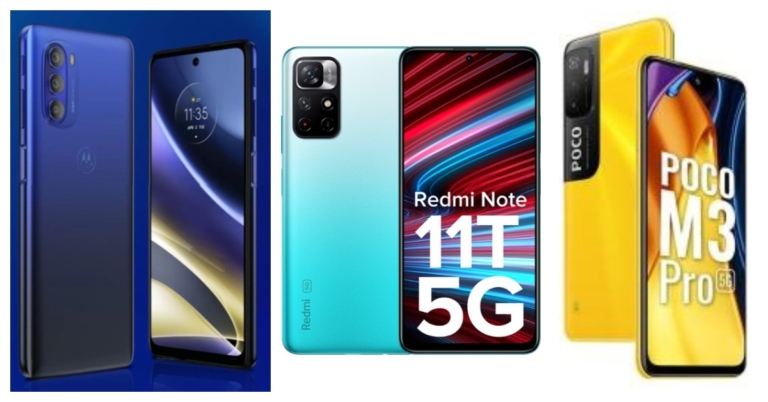
Comparison: Moto G51 Vs Redmi Note 11T Vs Poco M3 Pro, Which one is better?

Motorola has officially unveiled Moto G51 5G in the market. The device is the latest addition to the company’s G-Series. The smartphone will be taking on other devices like Redmi Note 11T and Poco M3 Pro under the same price segment. So considering the pricing we have put together Moto G51 against Redmi Note 11T and Poco M3 Pro to help you decide which offers all the features at the best price.

Display

Moto G51: 6.8-inch FHD+ Max Vision display

Redmi Note 11T: 6.6-inch FHD+ display

Poco M3 Pro: 6.5-inch full-HD+ Dot Display

Processor

Moto G51: Snapdragon 480+

Redmi Note 11T: MediaTek Dimensity 810 SoC

Poco M3 Pro: MediaTek Dimensity 700 SoC

Rear camera(s)

Moto G51: A triple rear camera set up that consists of a 50-megapixel primary sensor, an 8-megapixel ultra-wide and a 2-megapixel macro lens.

Redmi Note 11T: A dual rear camera setup that will include a 50-megapixel main sensor with an aperture of f/1.8 and an 8-megapixel ultra wide-angle sensor

Poco M3 Pro: a triple rear camera setup that consists of a 48MP main camera with an f/1.79 aperture. Further assisted by a 2MP macro camera with f/2.4 aperture and a 2MP depth sensor with f/2.4.

Selfie camera

Moto G51: 13-megapixel selfie camera

Redmi Note 11T: 16-megapixel camera sensor

Poco M3 Pro: 8MP front-facing camera

RAM and storage

Moto G51: 4GB RAM with a 64GB storage

Redmi Note 11T: 6GB RAM with 64GB/128GB and 8GB RAM with 128GB

Poco M3 Pro: 4GB RAM with 64GB storage and 6GB RAM with 128GB variant

Battery

Moto G51: 5,000mAh battery

Redmi Note 11T: 5,000mAh battery

Poco M3 Pro: 5,000mAh battery

Operating system

Moto G51: My UX on top of Android 11

Redmi Note 11T: MIUI 12.5 on top of Android 11

Poco M3 Pro: MIUI 12.5 for Poco skinned on top of Android 11

Starting Price

Moto G51: Rs 14,999

Redmi Note 11T: Rs 16,999

Poco M3 Pro: Rs 13,999

Our verdict

Both the Redmi and Poco smartphones come with a 90Hz display whereas the Motorola device supports a 120Hz refresh rate. In addition to this Moto G51 5G comes with a better camera set up and the Snapdragon 480 SoC powering the smartphone support 12 5G band. With all the best features the device is priced better than the other two. So if you are looking for an affordable option Moto G51 5G is the one for you. 

For the latest gadget and tech news, and gadget reviews, follow us on TwitterFacebook and Instagram. For newest tech & gadget videos subscribe to our YouTube Channel. You can also stay up to date using the Gadget Bridge Android App. You can find the latest car and bike news here.
Top 4 ways to open multiple websites with one click in the Chrome browser

Opening the same set of multiple websites every time you sit on your computer for work or to attend online lectures, can be a very painful job to do. But thankfully, there are some tricks with which you can open multiple websites only with one click.

Use Chrome Extension

There are a few extensions available in the Google Chrome store that you can be used to open multiple URLs with just one click. “Open Multiple URL” is one such extension on the Chrome web store that you can use to make your life simpler.

Just install the Open Multiple URL extension by clicking here and follow these steps:

  1. Add Open Multiple URL extension in your Chrome browser. Open multiple URL in chrome- Chrome Extension
  2. Paste the URL of the sites that you want to open one by one, and do not forget to check the “Preserve input” option in the extension. Open multiple URL in chrome- Chrome Extension
  3. After you have added all the URLs that you want to open, you just need to click on the open URL button.

Read also: Google’s new shortcut will change the way you use Google Docs:

Use BAT file shortcut

If you are someone who does not want to install extensions on your Chrome browser because extensions it can sometimes interfere with some web players like Spotify, this method is for you. Just follow these simple steps and you should be able to create a shortcut on your desktop to open your favourite websites at once.

  1. Open the Notepad app on your PC.
  2. In the notepad app, you just need to type the following command and paste the URL of websites that you want to open.

 Open multiple URL in chrome- bat extension- Top 4 ways to open multiple websites with one click in the Chrome browser@echo off

Start chrome https://www.gadgetbridge.com/

Start chrome https://motorbridge.com/

(similarly you can add more websites to this file)

3. Now just save the file on the desktop as a BAT file or just add the .bat extension in the last of the name (like xyz.bat). You should be able to create a shortcut on your desktop.open multiple websites with one click in the Chrome 

4. The final step is to just double click on the shortcut that you have created.open multiple websites with one click in the Chrome- chrome extension

Use bookmark folders

While many of us use bookmarks to open our favourite websites quickly, only a few know that you can also create bookmark folders. With bookmark folders, you can open all your favourite websites with one click.

To create a bookmark folder just follow these steps:

  1. Open all the websites that you want to open in different tabs.
  2. Now press Ctrl+Shift+D on your keyboard a popup menu will appear.open multiple websites with one click in the Chrome- bookmarks- How to open favourite websites with one click
  3. Just name the folder whatever you want to call it and select Bookmarks Bar. Now you have created a bookmark folder.
  4. The final step is to right-click on the folder and select open all tabs. open multiple websites with one click in the Chrome- bookmarks- How to open favourite websites with one click

All the tabs that you had added to this folder will now open.

Alternatively, if you have already bookmarked your favourite websites then you can follow these steps

  1. Right-click on the bookmark tab and select add a folderopen multiple websites with one click in the Chrome- bookmarks- How to open favourite websites with one click
  2. Type in the name of the folder and save it
  3. Now, one by one just drag the bookmarks to the folder, they will be saved into that folder.bookmarks
  4. To open them just right-click and hit open all tabs. bookmarks

Read also: Telegram Messenger to soon introduce “secure group video

Open favourite sites every time you open Chrome

All the above methods are very good and time-saving but they are still 2-3 click methods. What if, every time you open Chrome, the browser automatically opens all your favourite tabs. That would be great right? If you think yes, try the next method is for you.

  1. Open all your favourite websites that you visit regularly bookmarks
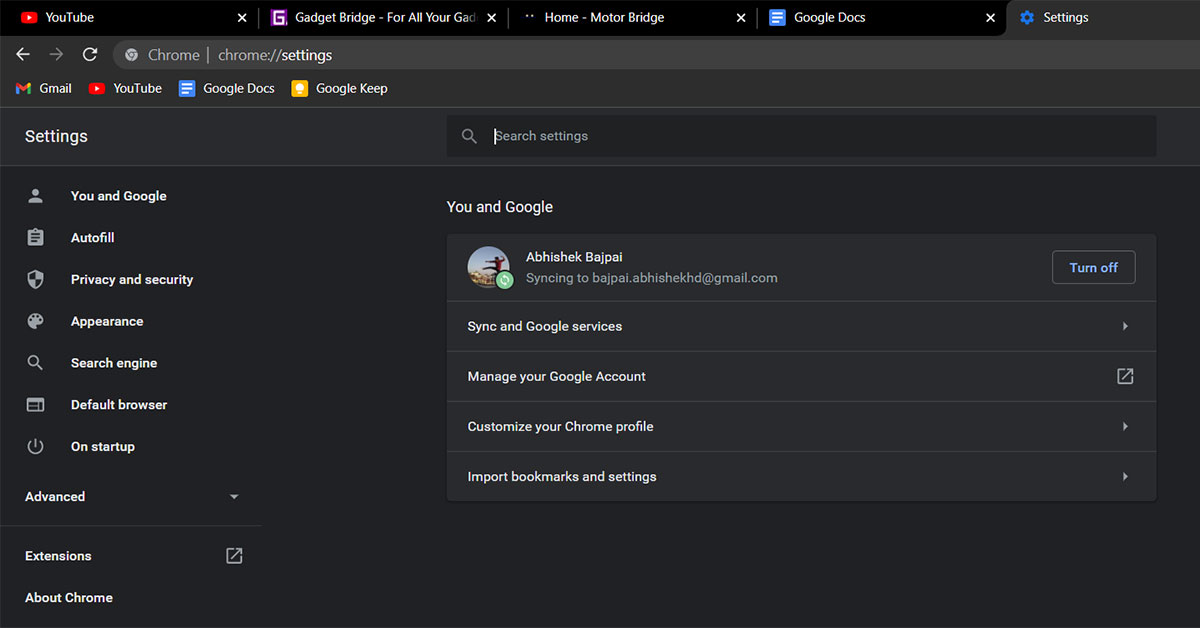
  2. Open Settings on your Chrome browser, and hit the On startup option at the bottom
  3. Select Open a specific page or set of pages, and then select Use current pages.

With this method, your favourite tabs will open automatically when you open the Chrome tab. However, the only downside of this method is that even if you don’t want to visit those pages, Chrome will still open them for you every time Chrome starts.

So, these were 4 great methods by which you can open your favourite websites with one click in Google Chrome.

Read also: Top and best ways to download and play Minecraft on Chromebooks

For the latest gadget and tech news, and gadget reviews, follow us on Twitter, Facebook and Instagram. For newest tech & gadget videos subscribe to our YouTube Channel. You can also stay up to date using the Gadget Bridge Android App. You can find the latest car and bike news here.

How to use Android apps on Windows 10

With the announcement of the new Windows 11 OS with its new features, one feature that almost everyone was excited about is to use Android apps natively on your PC. Users will be able to access all their favourite Android apps on a single device, which can be an exquisite experience. 

But you do not need to upgrade to Windows 11 if you want to experience your favourite Android apps on a bigger screen. If you have a Windows 10 machine there are ways you can access Android apps on it too. 


Here are two ways through which you can use Android apps on your Windows 10 PC:

Get Microsoft’s Your Phone app (Works best with a Samsung phone).

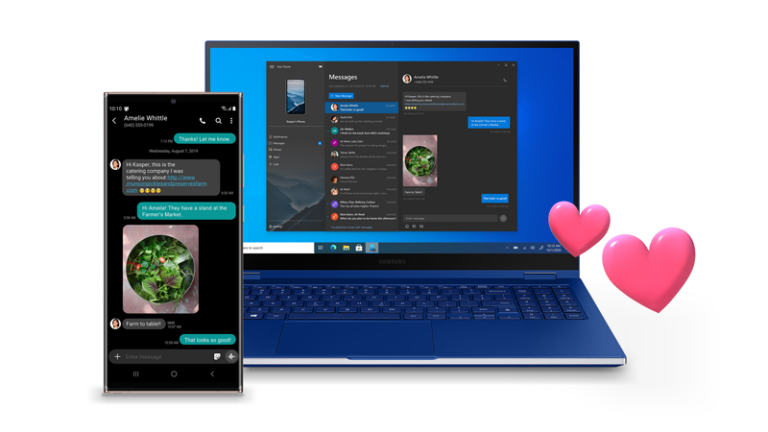
With Microsoft’s Your Phone app you can use Android apps on your PC. The only thing required is Your Phone app on your PC and Your Phone Companion app on your Android device, which you can download from their respective stores.

– Download Windows Your Phone app from here.

– Download Your Phone Companion app from here.

Your Phone app- Samsung After you have installed Your Phone app on both the devices you can now just pair them with the help of WiFi and Bluetooth. The pairing process is very simple, just grant all the required permission for the app and you should be able to pair your Android phone with your PC.

Microsoft’s Your Phone app works best only if you use a Samsung smartphone, for other Android users the experience can be a bit rough and irregular. Also, you won’t be able to use all Android apps.

Your Phone app- SamsungUse Android Emulators

Android emulator is basically a tool through which you can create a virtual Android smartphone on your PC. To run Android apps on an Emulator you do not even need to have an Android phone with you.

A downside of Emulator is that it takes up a lot of resources on your PC, so you will need to have a decently powerful PC with you.

Here are some best Android emulators that you can use on your PC:

BlueStacks Emulator

BlueStacks has been one of the most popular and best Android emulators for years. BlueStacks is available for free on Windows and yet it is jam-packed with a lot of features. You can also limit the number of hardware resources that the app consumes to ensure that other functions do not suffer. The latest version of BlueStacks can deliver good performance even if you have low-end hardware. BlueStacks- Abdroid Elulator- Best android emulator

The app allows users to create a virtual simulation of an Android device and you can even install your favourite apps on the BlueStacks because it also offers the Google Play store in it. So, you can download and install any app or game that you want to enjoy on a bigger screen. 

Read also: 15 advance keyboard shortcuts every Microsoft Excel user should know

This tool takes around 5GB of space on your PC. You can download BlueStacks by clicking here.

LD Player Emulator

LD Player is another emulator that focuses on better gaming performance. Most of the features on the LD Player are helpful for a good gaming experience and these features include – keyboard mapping controls, high FPS gaming, and many more. 

Since this emulator focuses on gaming, it does support almost all games. The emulator looks a little similar to BlueStacks, so if you already have used BlueStacks it won’t take much time to get familiar with LD Player. You will need to enable VT on your PC from system BIOS to get the best performance out of the LD Player. Overall, LD Player is also a very good Emulator LD Player- Emulator- Gaming focus LD Player- Emulator- Gaming focus

You can download LD Player by clicking here.

And by using these tricks and tools you should be able to enjoy your favourite Android apps on your Windows 10 PC.

Read also: How to blur your background in Microsoft Teams video chat?

For the latest gadget and tech news, and gadget reviews, follow us on Twitter, Facebook and Instagram. For newest tech & gadget videos subscribe to our YouTube Channel. You can also stay up to date using the Gadget Bridge Android App. You can find the latest car and bike news here.

Philips TAH6506BK headphones with ANC and 30 hours of playtime launched in India

Electronics giant, Philips, announced the launch of its new over-ear headphones – Philips TAH6506BK in the Indian market. The wireless headphones feature an Active Noise Cancellation feature. On a single charge, the headphones are said to have a total playback time of up to 30 hours, and up to 25 hours with the ANC turned on.

Philips TAH6506BK headphones price and availability

Philips TAH6506BK headphones have been launched in India with a price tag of Rs 5,999. The audio device will be available via Amazon, and other online and offline stores in the country. It will be offered in a single Black colour option.

Philips TAH6506BK headphones specifications

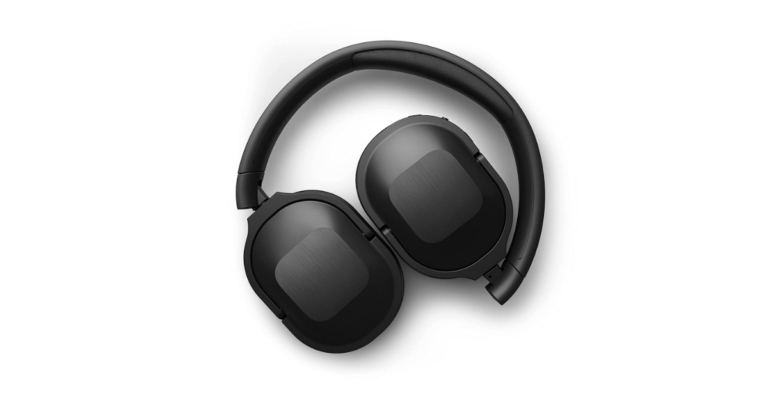
Philips TAH6506BK headphones feature an over-ear design. The ear cups swivel to allow the headphones to fold flat, which is ideal for storing in small spaces. They can also fold upwards, allowing you to store them safely inside the included soft pouch.These equip 32 mm neodymium drivers. 

The Bluetooth multipoint pairing is included that allows connecting the headphones to two devices at once and the option to switch between them as per the need. However, they support Bluetooth version 5.0 for easy pairing with a maximum range of up to 10 metres and a frequency response of up to 20,000 Hz.

Philips TAH6506BK headphones with ANC and 30 hours of playtime launched in India

The Philips TAH6506BK headphones come integrated with control buttons that let you pause your playlist, take calls, control volume and wake your phone’s voice assistant. These also feature Active Noise Cancellation with internal mics in its ear cups, which filter out the background noise you don’t want to hear.

On a single charge, the headphones are said to have a total playback time of up to 30 hours, and up to 25 hours with the ANC turned on. The Philips TAH6506BK can be charged in 15 minutes via a USB Type-C port, giving it an additional playback time of up to 2 hours.

Commenting on the launch of this new wireless headphone, Mr. Shailesh Prabhu, Country Head, TPV Technology India Pvt. Ltd. said “ANC is one of the most exciting spaces in the headphones segment right now and we are happy to announce another new Philips ANC headphone that offers long battery life and superb sound quality. We believe this product will be a perfect fit for consumers who have long commutes to work or are planning to travel this holiday season and want to enjoy a noise-free immersive music experience.”

For the latest gadget and tech news, and gadget reviews, follow us on TwitterFacebook and Instagram. For newest tech & gadget videos subscribe to our YouTube Channel. You can also stay up to date using the Gadget Bridge Android App. You can find the latest car and bike news here.

Moto G51 5G with 120Hz FHD+ display and Snapdragon 480+ SoC launched

Motorola has expanded its G-series lineup in India with the introduction of the new 5G smartphone. The company has launched Moto G51 5G as its latest handset. The device is powered by Qualcomm Snapdragon 480+ SoC and features a 120Hz display. Also, there is a triple rear camera set and a 5,000mAh battery onboard.

Moto G51 5G: price in availability

Moto G51 5G has been introduced in India in a single 4GB RAM with a 64GB storage option. The price of this model is set at Rs 14,999. The smartphone will be offered in two colour options of Blue and Bright Silver. It will be available for purchase from December 16 via Flipkart from 12 noon onwards.

Moto G51 5G price in India

Moto G51 5G: specifications

In terms of specifications, Moto G51 5G has a 6.8-inch FHD+ Max Vision display with 1,080 x 2,400 pixels of resolution and a 120Hz refresh rate. The phone has a Snapdragon 480+ processor, 4GB of RAM, and 64GB of internal storage that can be expanded to 512GB with the use of a microSD card. It comes with My UX on top of Android 11 pre-installed. The moto g51 5G boasts 12 5G bands as well.

A 50-megapixel primary sensor, an 8-megapixel ultra-wide lens, and a 2-megapixel macro lens are found on the phone’s back, along with a 50-megapixel primary sensor, an 8-megapixel ultra-wide lens, and a 2-megapixel macro lens. For selfies and video calls, the phone has a 13-megapixel front-facing camera.

Moto G51 5G: Battery and connectivity options

A 5,000mAh battery with 20W Rapid charging support is also included. 5G, 4G LTE, Wi-Fi 802.11ac, Bluetooth v5.1, GPS/ A-GPS, NFC, FM radio, USB Type-C, and a 3.5mm headphone jack are among the connectivity options. An accelerometer, ambient light, gyroscope, magnetometer, and proximity sensor are among the sensors onboard.

Motorola’s proprietary “ThinkShield for Mobile” gives the smartphone business-grade security as well as its signature ad-free, bloatware-free, near-Stock Android experience.

For the latest gadget and tech news, and gadget reviews, follow us on TwitterFacebook and Instagram. For newest tech & gadget videos subscribe to our YouTube Channel. You can also stay up to date using the Gadget Bridge Android App. You can find the latest car and bike news here.
Redmi Note 11 4G tipped to launch in India soon

Xiaomi is all set to launch another new smartphone in the Indian market under its sub-brand Redmi. The company recently launched Redmi Note 11 4G in China and soon the device will make its way to the Indian market. This is going to be the second handset to debut under the Redmi Note 11 series in the country after the Redmi Note 11T 5G that arrived late in November. 

According to a report Redmi Note 11 4G will be released in India soon. The exact launch date, however, has yet to be determined. The upcoming device has already made its debut in China, and as the report suggests an Indian launch is not far off.

The configurations will vary slightly from the RAM and storage option available in China. Here it is said to be made available in three variants of 4GB RAM with 64GB storage, 4GB with 128GB storage, and 6GB RAM with 128GB. The Redmi Note 11 4G could be offered in Graphite Grey, Star Blue, and Twilight Blue colour options.

In China, Redmi Note 11 4G was launched in two different configurations. The 4GB RAM with 128GB of storage option is priced at CNY 999 which converts to Rs 11,700 whereas the price of the 6GB RAM with 128GB storage variant is set at CNY 1,099 that translates to Rs 12,800. There it is available in Dreamy Clear Sky, Mysterious Blackland and Tome Monologue colour options.

Redmi Note 11 4G specifications

The Redmi Note 11 4G features a 6.5-inch Full HD+ display with a hole punch cutout in the centre on the top. The display has a refresh rate of 90Hz and a touch sampling rate of 180Hx. In addition, the screen has a 20:9 aspect ratio and a 1500:1 contrast ratio. MIUI 12.5 is the device’s operating system, which is based on Android 11. The 4G version of the Redmi Note 11 is equipped with a MediaTek Helio G88 SoC, 6GB of LPDDR4X RAM, and 128GB of EMMC 5.1 storage.

On the back of the phone, the Redmi Note 11 5G has a triple camera setup that includes a 50-megapixel primary sensor with an f/1.8 aperture. An 8-megapixel ultra-wide-angle lens and a 2-megapixel macro sensor are also included. For selfies and video calls, there’s an 8-megapixel front-facing camera.

For connectivity, the Redmi Note 11 5G has 5G, Bluetooth v5.1, Wi-Fi, IP blaster, GPS/A-GPS, and a Type C port. The device also includes an accelerometer, ambient light, a proximity sensor, and a magnetometer, in addition to a side-mounted fingerprint sensor. In addition, the device comes with a 5,000mAh battery that supports 18W fast charging.

For the latest gadget and tech news, and gadget reviews, follow us on TwitterFacebook and Instagram. For newest tech & gadget videos subscribe to our YouTube Channel. You can also stay up to date using the Gadget Bridge Android App. You can find the latest car and bike news here.

How to turn your Android or iPhone’s flashlight On and Off

Smartphones in today’s time are very important tools for us. They not only entertain us or help us connect with people, but they are also an essential part of our life. We have our smartphones always sitting close to us, and in case of a power cut or if you want to see under the bed, it can be a handy tool to help us see.

Since most of the latest smartphones have built-in flashlights users do not need to install any other third-party apps to get the job done.

Here is how you can turn on/off the flashlight on your Android or iOS smartphone:

Turn on/off flashlight on Android:

The flashlight was a missing feature on the earlier version of Android. Although, some of the OEMs did offer flashlight features baked into their phones. Unfortunately, stock Android users were not that lucky. But now every Android phone offers a flashlight feature. So you do not need any flashlight app for this.

If your phone is on Android 5.0 Lollipop or higher, then you can simply swipe down to quick settings, and over there you should be able to find a Torch Icon, just tap on that icon and you are good to go.Android- How to turn on flashlight on android- Flashlight apps for andoird

Also, if you have a Motorola phone then this will be an even easier and cooler way for you. Just turn on the gesture controls and over there you should be able to find the Chop-Chop gesture to turn on/off the flashlight.

Read also: 5 Android apps you should install on your elderly parents’ Moto action- Moto geature- Flashlight apps for andoird

Turn on/off flashlight on iPhone:

Turning on the flashlight is also very easy, you just need to Swipe Up if you have an older iPhone (iPhone SE, iPhone 8, iPhone 7…) you should be able to find the Torch Icon. 

how to turn on flashlight on iPhoneIf you have the latest iPhone (iPhone X, iPhone XS, iPhone 12 etc) you can find Torch Icon in the pull down menu from top, and with that, you will be able to turn on/off the flashlight on your iPhone.how to turn on flashlight on iPhone

iPhones also let you to control the intensity of the flashlight as an extra feature, which can be helpful in many situations, just tap and hold on to the flashlight toggle and you should be able to control the intensity. 

Apart from using the flashlight as a tool to find things in the dark, you can also use the flashlight in case of an emergency. Just turn on/off the flashlight continuously, it is considered as an SOS message and it can be very helpful in certain situations. You can also install an app to do this for you freely available on Android Play Store as well as Apple App Store.

Read also: How to remotely access your PC from anywhere in the world

For the latest gadget and tech news, and gadget reviews, follow us on Twitter, Facebook and Instagram. For newest tech & gadget videos subscribe to our YouTube Channel. You can also stay up to date using the Gadget Bridge Android App. You can find the latest car and bike news here.
Launching today: Moto G51 5G set to make its debut in India today

Motorola’s newest smartphone, the Moto G51 5G, will be released in India today. The upcoming smartphone is yet to be released but it has been widely publicised since its launch in the European market last month. Also, Flipkart is going to be the official sales partner for Moto G51 5G. Continue reading to learn about the expected pricing and specifications.

Moto G51 5G launch details and expected pricing

Motorola, a Lenovo-owned company, will launch the Moto G 5G in India at 12 p.m. today. The company also announced that the device will be available for purchase starting today on the e-commerce website Flipkart. The company has not yet revealed the price of the upcoming device, but it is expected to be comparable to that of the European market.

The phone is expected to cost Rs 19,999 in India, but it debuted in Europe for EUR 229.99, which translates to Rs 19,600 in India for the single 4GB of RAM with 64GB of storage option.

Moto G51 5G specifications expected

According to some reports the Moto G51 5G is expected to bear the Snapdragon 480+ chipset instead of the Qualcomm Snapdragon 480 chipset that powers the original device. The Moto G51 5G will be the company’s first mobile phone to feature this 5G processor, which will support 12, 5G bands.

The display on the Moto G51 5G is a 6.8-inch FHD+ LCD with a 120Hz refresh rate, according to the specifications. The phone is equipped with a Snapdragon 480+ processor, 4GB of RAM, and 64GB of internal storage that can be expanded to 512GB using a microSD card. Android 11 is pre-installed on it.

On the back of the phone, there’s a 50-megapixel primary sensor, an 8-megapixel ultra-wide lens, and a 2-megapixel macro lens, with a 50-megapixel primary sensor, an 8-megapixel ultra-wide lens, and a 2-megapixel macro lens. The phone has a 16-megapixel front-facing camera for selfies and video calls.

There’s also a 5,000mAh battery and a 10W charger included.

For the latest gadget and tech news, and gadget reviews, follow us on TwitterFacebook and Instagram. For newest tech & gadget videos subscribe to our YouTube Channel. You can also stay up to date using the Gadget Bridge Android App. You can find the latest car and bike news here.

10 December 2021 Amazon Quiz today answers: Answer to win Rs 10,000 Amazon Pay Balance

The 10 December 2021 Amazon Quiz is now live on the Amazon app. In today’s quiz participants have a chance to win Rs 10,000 Amazon Pay Balance by answering all the questions correctly. The quiz can be played every day from 12 AM to 11:59. Only app users are eligible to participate in the Quiz as it is not accessible on the web platform.

The Amazon Quiz brings a fresh set of questions for its customers that contains five easy questions. The questionnaire consists of five questions related to general knowledge and current affairs. The participants need to answer all the questions correctly and their names will be selected for a lucky draw. The daily quiz brings an opportunity for the customers to win exciting prizes. They can win Amazon Pay Balance ranging from Rs 1,000 to Rs 50,000. The participants need to answer all the questions correctly and their names will be selected for a lucky draw. The winner will be announced at the end of the month. Check out 10 December 2021 Amazon Quiz Answers.

16 November 2021 Amazon Quiz Answers

Question 1: The movie ‘Hum Do Humare Do’ starring Rajkumar Rao and Kirti Sanon, also features which two actors in important roles?

Answer: Paresh Rawal and Ratna Pathak Shah

Question 2: Primoz Roglic who won the 2021 Vuelta e Espana title, one of cycling’s grand tours is from which country?

Answer: Slovenia

Question 3: Not just a ___ ad’ uses machine learning to use Shahrukh Khan’s face and voice to promote local stores. Fill in the blanks

Answer: Cadbury

Question 4: This is a view of which planet as seen from Voyager 2?

Answer: Uranus

Question 5: This is the Bara Imambara located in which Indian city?

Answer: Lucknow

For the latest gadget and tech news, and gadget reviews, follow us on TwitterFacebook and Instagram. For newest tech & gadget videos subscribe to our YouTube Channel. You can also stay up to date using the Gadget Bridge Android App. You can find the latest car and bike news here.

Acer Aspire Vero laptop with 11th Gen Intel Core Processor launched in India

Acer has added a new eco-friendly laptop under its Vero lineup. The company has introduced the Acer Aspire Vero laptop in the Indian market today. The PC is made out of recycled plastic. In addition to this, it comes with inbuilt software, VeroSense which further the goals of eco-minded users, such as energy-saving to extend battery life. The Acer laptop is powered by an 11th Gen Intel Core Processor with Intel Iris Xe Graphics. Continue reading to know more.

Speaking on the launch Sudhir Goel, Chief Business Officer, Acer India said, “More than just a stylish computer the Aspire Vero is a tangible manifestation of Acer’s commitment to more sustainable operations. This is a deliberate initiative that has been designed and conceptualised to bring about a change for our future. Vero will reduce plastic waste and thereby CO2 emissions. We, at Acer, are proud of this initiative and look forward to manufacturing products that promote sustainability and preserve our planet.”

Acer Aspire Vero laptop price in India and availability

The Acer Aspire Vero laptop has been launched in India at a starting price of Rs 60,990. The newly arrived Acer laptop will be available in the country via Acer online Store, Acer Exclusive stores and other authorised retail stores. The company is offering a special exchange deal where any laptop exchanged for Aspire Vero will get an additional Rs 2000 off. In addition to this as a token of thanks, Acer is including a free plant with each purchase, which compliments the eco-friendly nature of the laptop.

Acer Aspire Vero laptop with 11th Gen Intel Core Processor launched in India

Acer Aspire Vero laptop specifications

Coming to the design and specifications, the Aspire Vero laptop comes with a 30% PCR plastic chassis cutting CO2 emissions by 21% to produce that part. The PC utilises PCR (Post-consumer Recycled)plastic across the entire chassis. The keyboard design is intended to emphasise eco ideals with the R and E keys standing out in yellow based on the concepts (Reduce, Reuse and Recycle).

The Aspire Vero is highlighted with a 15.6-inch FHD IPS display with 1920 x 1080 pixels of resolution. The screen has sleek bezels offering a screen-to-body ratio of 81.42%. It is powered by an 11th Gen Intel Core i5-1155G7 processor with a clock speed of 2.50 GHz. This has been paired with Intel Iris Xe Graphics. The laptop comes with 8GB DDR4 SDRAM and 512GB of SSD configuration. The PC operates on Windows 11 Home edition

While the new generation of Acer PurifiedVoice with AI noise reduction actively suppresses background noise for both users and is compatible with external headphones and mics. In terms of network and communication, the Acer Aspire Vero laptop supports IEEE 802.11 a/b/g/n/ac/ax, Gigabit Ethernet, Bluetooth 5.0, Wi-Fi 6, a Type-C, and two Type-A ports, with one supporting power-off charging and 1 HDMI port. The touchpad on the keyboard supports multi-touch gestures. There is a 3-cell Lithium-Ion (Li-Ion) which is claimed to provide 7 hours of battery life and is shipped with a 65W charger.

For the latest gadget and tech news, and gadget reviews, follow us on TwitterFacebook and Instagram. For newest tech & gadget videos subscribe to our YouTube Channel. You can also stay up to date using the Gadget Bridge Android App. You can find the latest car and bike news here.

How to record phone calls and conversations on Apple iPhone

Recording phone calls is a feature that everyone wants, but not everyone has the luxury to record calls on their phone. If you have an iPhone, recording calls might be a little tricky for you, this is because Apple does not allow natively to record incoming as well as outgoing calls. 

It’s true that in recent times Android users are also facing issues with recording calls. Most of the android phones are now coming with Google Dialer as the default dialer and it does allow you to record calls.  Over that, every time when you press the record button it will notify the other party about that. But, at least android users can record calls, unlike Apple who does not even let you record calls in the first place.

Although recording calls without permission is not a good practice, if you have the consent of the other party to record calls, you can go ahead and try these tricks. 

Here is how you can record calls and conversations on an iPhone:


Use another phone as a recorder

Since the iPhone doesn’t allow you to record calls natively and most of the apps on AppStore don’t work or you have to pay a hefty subscription. You can always put your phone on speaker and record calls with another phone. So, if you have an extra phone lying around you can use its voice recorder to record the conversation using an iPhone’s loudspeaker. This is not the ideal way to record calls as you have to put your phone on loudspeaker and the recording quality won’t be as good either.

Read also: New to iPhone? Do the following first if you own an iPhone 13

Install Apps from AppStore

There are a few useful apps on Apple’s AppStore that you can use to record calls. Here are two of them:

TapACall Pro:

TapACall Pro is one of the best and quite famous apps for iPhone. TapACall allows users to record both incoming and outgoing calls as well without any time limit. However, this is a paid app. You have to pay $11 for a one year subscription, and if you want to renew your subscription after that, then it will cost you $20. 

TapACall Pro creates a three way call (a conference call) between You, TapACall and the Person you want to record. After the call is recorded TapACall sends you the recorded call, which you can store to your iPhone, iCloud, Dropbox or anywhere you want.

TapACall- best call recording app for iPhone- call recording app for iphone

TapACall also provides you with a Transripted version of your call as well but you have to pay extra for that. With that, this is undoubtedly the best call recording app if you are an iPhone user.

You can download TapACall Pro from the app store.

Automatic Call Recorder:

Out of a few call recording apps that are available on Apple App Store, Automatic Call Recorder is one of the best call recording applications.

Automatic Call Recorder allows users to record incoming and outgoing calls and on top of that, you can also record international calls if you want. The app works with/without the internet so you need not worry about your internet connection. The working of Automatic Call Recorder is the same as that of TapACall, when you hit the record button it creates a conference call. The only requirement for this app is your carrier should support 3-way calling. best call recording app for iPhone- call recording app for iphone

It is a paid app with its weekly subscription costing $6.99 with 3 days of free trial, and monthly subscription costs $14.99

The best thing about this app is that it is available in India as well. 

You can download Automatic Call Recorder from the app store here.

And this is how you can record call and conversations with your iPhone easily.

Read also: 7 best ways to fix alarm volume too high or low on iPhone


For the latest gadget and tech news, and gadget reviews, follow us on Twitter, Facebook and Instagram. For newest tech & gadget videos subscribe to our YouTube Channel. You can also stay up to date using the Gadget Bridge Android App. You can find the latest car and bike news here.
Now users can make voice and video calls through Gmail in the Google Chat

In September this year, Google provided Google Meet the ability to make voice and video calls. So now the Google Chat in Gmail is getting the ability to make 1:1 voice and video calls individually to the users in your chats. Other details like missed calls and ongoing call details will also be seen in the chats.

For those who are unaware of the ability, audio and video calls were integrated into Google Meet some time ago, but now it is being extended to Google Chats as well. In Google Meet one can access the feature by tapping on the link generated by the caller to join a call. Now one can directly make calls to an individual chat and no special link is needed to be generated for conversations. The users can simply dial a call to a person from their contact list.

Announcing the new functionality, Google said, “You can now start or join meetings and audio calls from 1:1 chats in Google Chat in Gmail on Android and iOS. At the moment, this feature will be available for 1:1 chats only.”

Here is how to make or join voice and video calls in Google Chats in Gmail

First and foremost select the phone or video icon in the top right corner of a 1:1 chat to call someone directly.

Here is how to make or join voice and video calls in Google Chats in Gmail

Within the 1:1 chat, select the phone or video chat to join a call. You’ll see a banner of the person you’re on the phone with, the call duration, and a Meet icon in the chat roster while on the phone.

Here is how to make or join voice and video calls in Google Chats in Gmail

Missed calls will be indicated with a red phone or video icon within the conversation and the chat roster.

Here is how to make or join voice and video calls in Google Chats in Gmail

While you can select “Join a call” from the Google Chat app, the call will be transferred to the Gmail app. You’ll be prompted to download the Gmail app from the Google Play Store or the App Store if you don’t already have it on your device. When this feature is available for the Google Chat mobile app, we’ll post an update on the Google Workspace Updates Blog.

Note that this feature will be available for Google Chat in Gmail and when Meet video calling is enabled. Also, it will be accessible by default on Android and iOS devices — both the caller and receiver will need the latest version of Gmail.

Google also stated, “As some teams begin to return to the office, while others remain distributed, we hope this makes it easier to connect with your colleagues in the hybrid work world. This feature will allow you to seamlessly switch between chat to a video or audio call when needed, helping you collaborate and move your work forward.”

For the latest gadget and tech news, and gadget reviews, follow us on TwitterFacebook and Instagram. For newest tech & gadget videos subscribe to our YouTube Channel. You can also stay up to date using the Gadget Bridge Android App. You can find the latest car and bike news here.