Recently, Acer announced the Nitro 5 gaming laptop with AMD Ryzen 5600H processor. Today in India the Taiwanese company has again launched an upgraded version of the gaming laptop. The all-new Acer Nitro 5 comes with the 11th Gen Intel Core H-series processor paired with NVIDIA GeForce GTX 1650 graphics. In addition to this, it bears thin bezels display, CoolBoost tech along with wired and wireless connectivity Speaking on the occasion Mr Sudhir Goel, Chief Business Officer, Acer India, stated, “Acer Nitro series gaming comes with a rich legacy of offering powerful gaming performance and latest technology and patented cooling technology at value price points. The latest Nitro 5 comes with the latest 11th generation Intel Core H35 series gaming processors which offer truly outstanding performance for the price and shows our deep collaboration with Intel to deliver the best for Indian gamers.”According to the company, Nitro 5 is available at a starting price from Rs 69,999 on Acer E-store as well as authorized e-commerce and retail outlets.Talking of the specification the all-new Acer Nitro 5 is offered in a single screen size option of 15.6-inch FHD IPS display. The screen panel offers a 144Hz refresh rate and a 3ms response time with a screen-to-body ratio of 80% with narrow 7.02mm bezels. Under the hood, there is an 11th Gen Intel Core i5-11300H processor and NVIDIA GeForce GTX graphics. There are two slots for M.2 PCIe SSDs, up to 2TB HDD, and up to 32GB of DDR4 RAM. This gaming laptop comes with twin fans, Acer CoolBoost technology, and a quad exhaust port design to keep the device cool. In addition to this, there is a 4-zone RGB keyboard dedicated NitroSense Key. WASD and arrow keys are also highlighted for quick location while the key response is immediate with a 1.6mm travel distance. The computer also features DTS: X Ultra that delivers 3D spatial soundscape, allowing users to hear where their opponents are coming from with pinpoint precision. The Acer Nitro 5 also has an access to Planet 9, which is an eSports platform unlike any other filled with a community of like-minded gamers, from aspiring eSports athletes to hardcore professionals. As for the connectivity, there is Killer Wi-Fi 6, Bluetooth v5.1, an HDMI port, two USB 3.2 Gen 1 ports, a USB 3.2 Gen 2 Type-C port, a USB 3.2 Gen 1 port, and an RJ45 port.
For the latest gadget and tech news, and gadget reviews, follow us on Twitter, Facebook and Instagram. For newest tech & gadget videos subscribe to our YouTube Channel. You can also stay up to date using the Gadget Bridge Android App.
iQOO, the Chinese smartphone brand has partnered with Amazon.in to launch its new iQOO 7 5G smartphone series. The smartphone will be an exemplar of “Make in India” as it will be manufactured within the country.
According to Gagan Arora, Marketing Director of iQOO, “Our endeavour at iQOO is to offer products with superior performance and unmatched experience. Our partnership with Amazon is a step further in that direction. iQOO phones are built for those consumers who are naturally sceptical of the status quo and are constantly seeking to improve themselves- Quest on and on!”
In This Article
What features will the iQOO 7 series offer?
The iQOO 7 Series will come packed with the latest features that you generally find in premium smartphones like 5G connectivity, Wi-Fi 6, a powerful processor, and stunning camera quality. Here is the complete breakdown of its features.
Design & Display
The design of the iQOO 7 series will be inspired by BMW Motorsport as it will carry the unique BMW stripes at the rear. The smartphone features a 6.62-inch 1080×2400 pixels touchscreen display with a refresh rate of 120Hz. The display will consist of a punch hole to accommodate the selfie camera. The smartphone will run the iQOO UI over the Android 11 operating system.
Performance
The teaser of the smartphone depicts a BMW sportscar. This tells a lot about the performance of the iQOO 7 Series. It will run the powerful Qualcomm Snapdragon 888 processor to handle multitasking and efficiently manage resource-intensive tasks like AI-integrated apps and gaming. The device is designed with the Vapour Cooling system to prevent overheating and enhance the overall performance.
What features will the iQOO 7 series offer?
Camera
The iQOO 7 Series will come with a rear triple camera setup consisting of a 48MP primary lens, a 13MP ultrawide lens, and a 13MP telephoto sensor. It also sports a 16MP front camera for video calling and taking selfies.
Battery and Memory
The iQOO 7 Series will house a 4,000mAh battery with the support of 120W fast-charging. The smartphone will offer 12GB of LPDDR5 RAM to ensure lag-free gaming and video streaming. You will get 256GB of UFS 3.1 storage to keep your apps, work and media-related files.
Connectivity
The iQOO 7 will be a 5G smartphone series with loads of connectivity features like Dual-SIM support, NFC, and Type-C port. Moreover, the latest Wi-Fi 6 will ensure seamless data transfer and live streaming. With Bluetooth v5.2 you can easily connect your smart devices and speakers.
Where will the iQOO 7 Series be available and at what price?
The iQOO 7 Series will be available on Amazon.in at an expected starting price of ₹ 40,000. The manufacturing of the smartphone series will be carried out at Vivo’s Greater Noida facility. To ensure that people get smooth customer service, iQOO will handpick Vivo service centres to cater to post-sales queries.
According to Nishant Sardana, Director, Mobile Phones & Televisions, Amazon India, “We are humbled to be the partner of choice for iQOO and are excited to bring the iQOO 7 series for our customers on Amazon.in. A powerful processor offering a superior gaming experience clubbed with rich photography and a premium look & feel, iQOO 7 series ticks all the right boxes for customers”.
Where will the iQOO 7 Series be available and at what price?
For the latest gadget and tech news, and gadget reviews, follow us on Twitter, Facebook and Instagram. For newest tech & gadget videos subscribe to our YouTube Channel. You can also stay up to date with the Gadget Bridge Android App.
Xiaomi is all set to launch its Mi 11 series in India on April 23. At the same time, the company has also scheduled to bring another smartphone series to the Indian market. News is rife, the Chinese smartphone company has officially revealed that the Mi 11X is confirmed to make its debut on April 23 in the country. The company has also started sending media invites for the launch event.Xiaomi India head Manu Kumar Jain recently confirmed the launch date of the Mi 11 series in India for March 23. At the same event, the company has also scheduled the launch of the Mi 11X series launch. The company has also confirmed the launch through the press invites, which mentions that the Mi X flagship series will release in the country on April 23.
Mi Fans, Xcited that '✖️' flagship series is coming to #India! 😍
🔥 Xtreme performance 🔥 Xceptional display, camera & sound 🔥 Xquisite design 🔥 Xclusive / customized for India
The press invite only has the mention of the name of the smartphone series as well as its launch date. Further launch event details are expected to be shared soon. It should be noted that this is not the first time when we have heard of the new line-ups name nor its a fresh new series. Past rumours, reports and leaks collectively suggest that the Mi 11X series will be a rebranded version of the Redmi K40 series. The Redmi series was launched in China a few months back and is believed to make its ways to the Indian market with new branding. The line-up includes Redmi K40 and Redmi K40 Pro+. The former one is said to come as Mi 11X while the latter one to debut as Mi 11X Pro.Mi 11X series specifications expectedThe Mi 11X is expected to feature a 6.67-inch full-HD+ AMOLED display with 1,080×2,400 pixels of resolution. Its display will support a 120Hz of refresh rate and an in-display fingerprint sensor. Under the hood, there will be an octa-core Qualcomm Snapdragon 870 SoC. The device could offer up to 256GB of UFS 3.1 storage.There will be a triple rear camera set up, which is said to come with a 48-megapixel primary sensor, an 8-megapixel ultra-wide-angle lens, and a 5-megapixel macro lens. On the front, it could feature a 20-megapixel camera sensor.While the Pro variant is expected to feature a similar display. There will be a Qualcomm Snapdragon 888 SoC speculated to be paired with up to 12GB of RAM and up to 256GB of storage. It may include an upgraded camera set up, which could come with a 108-megapixel Samsung HM2 primary sensor.Both the phones might also carry a similar battery with a capacity of 4,520mAh with 33W fast charging support.
For the latest gadget and tech news, and gadget reviews, follow us on Twitter, Facebook and Instagram. For newest tech & gadget videos subscribe to our YouTube Channel. You can also stay up to date using the Gadget Bridge Android App.
India is the second-most populous country in the world. However, the financial literacy in India is unsatisfactory. According to Atul Kumar Gupta, the Present of ICAI, the financial literacy rate in India is around 24%. The CIBIL score is a financial parameter that helps citizens get aware of their creditworthiness so that they can make wise decisions in their investments and while taking loans from banks.
In This Article
What is the CIBIL score?
The CIBIL score is a three-digit number ranging from lying between and 900. It reflects the merit of credit of a person. Using the CBIL score, banks can decide whether or not they should lend loans to the individual. The higher the score means the more creditworthy the person is. A low score on the other hand indicates that the loan given to the person may turn into a bad loan and may not be recovered.
What is the benefit of the CIBIL score?
CIBIL stands for Credit Information Bureau (India) Limited. It is an agency that rates your creditworthiness. CIBIL has brought transparency to the Indian financial markets. It has increased financial awareness among the citizens regarding the risks of loans. Moreover, the CIBIL has helped banks to avoid liabilities in their balance sheets by choosing the right customers for their loans.
How can you check your CIBIL score online?
You can check your CIBIL score free of cost in simple steps. If you already have an account on CIBIL, getting the CIBIL score and your credit report is just a matter of few clicks. To check your CIBIL score online, follow these steps.
The first step is to create your account. Enter the information asked in the form like your name, mobile number, and PIN code. You will also be asked to enter an ID Proof like PAN or Voter ID.
The first step is to create your account.
Once you fill in the asked details, go through them once and click the Accept & Continue button.
If you already have an account on CIBIL, you can skip the registration process by clicking the Member Login located at the top-right.
Here you will be asked to enter additional details like Address, City, and Gender. Enter the details and click the Accept & Continue button.
Enter the address details.
Here you will be asked some question regarding your credit cards and loans. This information is needed to calculate your CIBIL score and frame your credit report.
Windows 10 is a highly robust operating system. However, it may still face issues like a file system corruption that may be caused by several reasons. These include power loss, unsafe removal of a drive, or system crash.
System Restore is a process that is opted to restore the file system to a previous snapshot and thus, prevent data loss. When data corruption or an installation failure occurs, the System Restore command takes the file system to a previously saved state so that you do not need to reinstall the Windows again.
In This Article
When does System Restore become necessary?
The System Restore command is useful when a computer virus damages your system’s file system. When the file system gets corrupted, you face issues in accessing your files and folders. The System Restore feature reinstates a previous image of the file system. Modern malicious programs like Ransomware block the Safe mode. As a result, you cannot restore your file system from the Control Panel. The only way left is to use the Command Prompt.
How to run the System Restore command using the Command Prompt?
The System Restore command works the same across different Windows versions including Windows 10, Windows 8, and Windows 7. To execute the System Restore using the Command Prompt, follow these steps.
Go to the Start Menu and search for Command Prompt. Launch the App. Alternatively, press the Windows + R key combination. Type ‘cmd’ and hit Enter.
Launch the Command Prompt
Type the command: rstrui.exe
Press Enter to open the System Restore wizard. It must be noted that some versions of Windows may not demand you to add the suffix ‘.exe’ in the command.
Type the command: rstrui.exe and hit Enter
Follow the on-screen instructions to navigate through the System Restore process.
What you must know about rstrui.exe?
The rstrui.exe is located in the folder with path, C:\Windows\System32\rstrui.exe. This tool is present by default in your Windows operating system. However, you must beware of files with a similar name. Since system restoration is a widely opted task, several malicious programs are being created with a similar name. Thus, if your find any file named rstrui.exe, don’t run it as it can be a computer virus. To prevent fake files, ensure that your anti-virus is updated.
For the latest gadget and tech news, and gadget reviews, follow us on Twitter, Facebook and Instagram. For newest tech & gadget videos subscribe to our YouTube Channel. You can also stay up to date with the Gadget Bridge Android App.
Last year Google rolled out AI features for its Google Photos app, which includes allowing users to search for text within the photos as well as screenshots. The Google Lens feature permits the user to copy the text that appears in the photos and paste that text onto a document or a note also known as OCR. Now in a new development, the search giant is extending this feature for Google Photos on desktop Web browsers. According to a report by 9to5Google the tech major is now making Google Lens available for Google Photos on desktop Web browsers. This will allow users to use the feature to copy the text in the images or screenshots and further paste it into a document or a note file. The functionality used in optical character recognition (OCR) is capable of copying text from any image. The option to copy the text from the image will appear on the left along with other options such as share, edit, zoom and others. Once you find the photo you’re looking for, click the Lens button to easily copy and paste the text. Earlier this feature was available for the mobile-based app version on Android and iOS both, but now the AI-powered Lens camera identifies the context of a picture. The functionality is now widely rolled out to the desktop web inside Google Photos, too. As per the publisher, the AI feature does not help people explore their images and memories. When you open an image including words will show up a “Copy text from image” suggestion chip that features the Lens logo as well as the remove button. Tapping on it will enable the Google Lens with the same analysis animation of pulsating dots appearing over the picture for a brief second. Moreover, you can also “Deselect text” from the top-right corner in order to just highlight specific passages and copy with a floating button over the image.Whereas for the mobile platform, you need to tap on the search bar and type the text that you are searching for. For instance, you are looking for a photo that you took some time ago of a name card. All you have to do is type the name in the search bar.When doing so Google will show up the text found within the image then tap on it. Then you need to tap on the Google lens button placed at the bottom of the screen. Now whatever you have searched will appear in a text highlighted in the photo or the screenshot. Tap on the text that you searched, copy the text and paste it on the document or a note or either on the web browser.
For the latest gadget and tech news, and gadget reviews, follow us on Twitter, Facebook and Instagram. For newest tech & gadget videos subscribe to our YouTube Channel. You can also stay up to date using the Gadget Bridge Android App
Mozilla Corporation, a free software community, recently announced that its free and open-source web browser, Firefox will cease to support the Amazon Echo Fire TV and the Echo Show devices starting from April 30, 2021.
According to Mozilla Corporation, “If you have Firefox set as your default browser on Echo Show, you will be redirected to Amazon Silk for web browsing starting April 30, 2021″.
In This Article
Why does Mozilla want to end its support to the Amazon Fire TV?
Mozilla released its support to the Amazon Fire TV in the backdrop of delisting of YouTuube from all Amazon devices in 2017. Google had stated that the decision was based on the “lack of reciprocity.”
At the time, a spokesperson of Google had said, “Amazon doesn’t carry Google products like Chromecast and Google Home, doesn’t make Prime Video available for Google Cast users, and last month stopped selling some of Nest’s latest products.”
Why does Mozilla want to end its support to the Amazon Fire TV?
As soon as YouTube was pulled down from all Amazon devices, the users began to stream YouTube videos through the Mozilla Firefox browser. However, in 2019, YouTube was brought back to the Fire TV. This led to the decline in the usage of Firefox as the users can directly access YouTube.
What changes will be observed by the Amazon Fire TV users?
Several users of the Amazon Fire TV have received notifications regarding the Firefox browser. According to Amazon, after the end of the support, the Firefox app will be deleted from the Amazon Appstore. As a result, users using the Fire TV will not be able to install Firefox. Moreover, the users no longer receive updates regarding the application.
What changes will be observed by the Amazon Fire TV users?Buy Fire TV Stick on Amazon
It must be noted that YouTube is still not available on Echo devices. After the Mozilla Firefox ceases to exist on the Echo devices, the users will have to use the Silk browser to watch content on YouTube. Silk is a web browser designed by Amazon and was released in 2011 on Kindle Fire and Fire Phone. The Fire TV version of the app was launched in 2017. To access the app, users just need to say, “Alexa, open Silk”.
For the latest gadget and tech news, and gadget reviews, follow us on Twitter, Facebook and Instagram. For newest tech & gadget videos subscribe to our YouTube Channel. You can also stay up to date with the Gadget Bridge Android App.
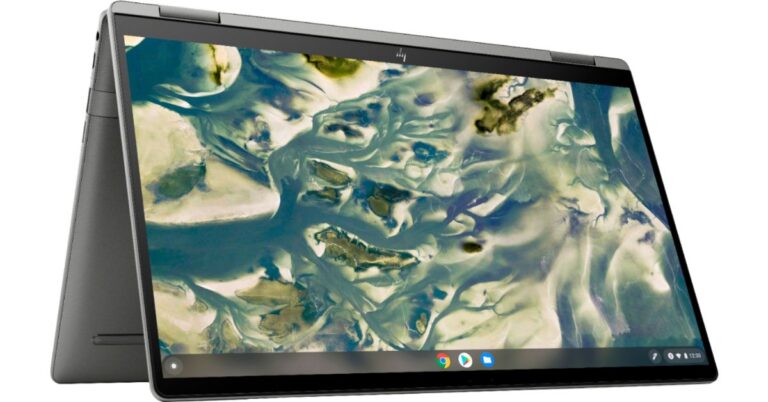
HP Chromebook x360 14c (2021) has been updated with new Intel processors. The latest version comes with a convertible design featuring a full HD screen with Corning’s Gorilla Glass 5 protection. In addition to this, it includes a 720p HD webcam with a cover for privacy and a fingerprint reader. To recall, the convertible laptop is an upgraded version of the model that was launched last year which had the 10th Generation Intel Core i3 processor.HP Chromebook x360 14c (2021) tech specsThe HP Chromebook x360 14c is the premium convertible laptop being offered by the company in the market, which offers more powerful features and the latest processors compared to its predecessor. The laptop is aimed at students and remote workers powered by an 11th-generation Intel Core i3-1115G4 processor clocking at 4.1GHz. It comes with 8GB of DDR4 RAM and 128GB of SSD storage. This HP laptop offers convertibility and features a 14-inch full-HD touch-enabled LED display with 1,920×1,080 pixels. The device is protected with Gorilla Glass 5 layering and the hinges allow it to double up as a tablet.The HP Chromebook x360 14c (2021) runs on Chrome OS. The convertible laptop is USI Pen-enabled for the Pen stylus. There is a 720p HD webcam that comes with a built-in privacy cover. This computer also has a touchpad with multitouch gesture support. In addition to this, it includes a fingerprint sensor and a backlit keyboard. Backed by a 3-cell, 58Wh lithium-ion polymer battery the HP Chromebook x360 14c (2021) supports 45W charging. The charger is claimed to charge from 0 to 50% in about 45 minutes. While the battery life has worsened from 13.5 hours, which last year’s model delivered, to 10.5 hours in this model. However, the company has also included it with dual speakers fine-tuned by Bang & Olufsen. For connectivity, it includes USB 2.0 port and two USB Type-C ports, WiFi and Bluetooth.HP Chromebook x360 14c (2021) price and availabilityHP Chromebook x360 14c comes with a starting price of $649.99 that translates to Rs 48,600. The HP convertible laptop has been listed on an online retailer’s website while the company is yet to announce sale details of the device. When it goes on sale in the US it will be available via HP official website or via Best Buy. This premium laptop will come with a configuration of up to a Core i5 processor with 256GB of PCIe SSD storage.
For the latest gadget and tech news, and gadget reviews, follow us on Twitter, Facebook and Instagram. For newest tech & gadget videos subscribe to our YouTube Channel. You can also stay up to date using the Gadget Bridge Android App
Rumours are rife regarding the upcoming iPhone have started to surface as Apple’s launch event is approaching. In the past eight years, the 2020 launch event was the only one without an iPhone. As a result, the speculations regarding the launch of the iPhone 13 may turn into reality.
In This Article
What are the rumoured features of the iPhone 13?
Design
The design of the iPhone 13 is rumoured to be like that of its predecessor. Moreover, the company may release the smartphone in the same size variants as the iPhone 12. The notch is a peculiar feature of the iPhone. However, in the upcoming smartphone, we may find a much thinner notch.
Display
Apple iPhone 13 may get an always-on display as we find in the Apple Watch. It may always display the time and the remaining battery percentage, and notifications. The smartphone may feature a 120Hz display that would enhance the scrolling and gaming experiences. The display may be designed with LTPO technology to consume minimum power.
Camera
The zoom feature of the iPhone 12 was a major drawback as compared to other premium smartphones like the Samsung S21 Ultra. The iPhone 12 offers an optical zoom of only 2.5x while the latter provides a zooming capability of up to 100x. The iPhone 12 may get an enhanced zoom feature. Moreover, the company is rumoured to be working on an ultrawide-angle lens with a larger aperture.
Touch ID
Touch ID used to be a renowned feature of the iPhone. However, Apple’s iPhone 11, iPhone 12, iPhone 12 Pro and iPhone 12 Pro Max feature the Face ID and not the Touch ID. Rumours suggest that the iPhone 13 may get an under-display touch sensor. This will serve as an alternate ID to the FaceID.
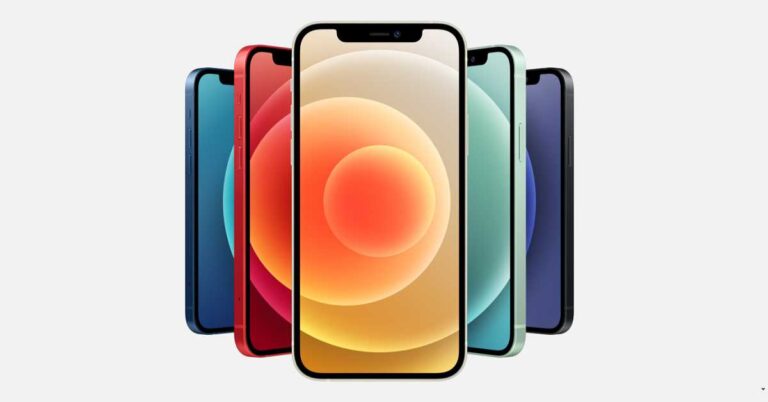
What are the rumoured features of the iPhone 13? (Image: iPhone 12)
How soon can we expect the iPhone 13 to arrive?
Apple generally launches its iPhones after a week of its announcement. However, the official announcement regarding the upcoming smartphone is yet to come. The launch of iPhones usually takes place in September. Considering that the launch event takes place on a Tuesday or Wednesday, the iPhone 13 may get released around September 15, 2021.
How much will the iPhone 13 cost?
The price of the iPhone 12 starts at ₹ 67,100 for the Mini version and reaches as high as ₹ 139,900 for the Pro Max version. The iPhone 13 is rumoured to be an improvement over its predecessor. It may just come equipped with features that the iPhone 12 lacked like Touch ID, 120Hz display, and enhanced zoom. Since the iPhone 13 is not expected to be a major upgrade, the price range will not vary much.
For the latest gadget and tech news, and gadget reviews, follow us on Twitter, Facebook and Instagram. For newest tech & gadget videos subscribe to our YouTube Channel. You can also stay up to date with the Gadget Bridge Android App.
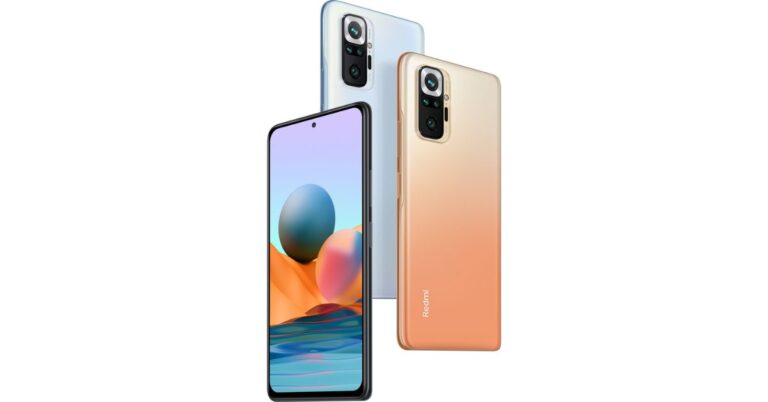
Xiaomi’s Redmi Note 10 Series landed in India last month. Unexpectedly, several users have come across numerous issues related to the performance of the devices. The series includes three devices namely Redmi Note 10, Note 10 Pro and Note 10 Pro Max. The users have recently started reporting issues related to the display. All the devices have reportedly encountered similar issues, while the company acknowledged the problem and promised to look into this matter on top priority.The early users of the Redmi Note 10 series have taken to social media to report touchscreen issues, occasional screen flickering and slowing of handsets. These issues seem to have shown up in all the three models Redmi Note 10, Note 10 Pro and Note 10 Pro Max. Many of the users have complained of Redmi Note 10 have become slow while also encountering some typing issues. On the other hand, several Redmi Note 10 Pro and the standard variant users are complaining online about the touchscreen response, therefore, becoming unresponsive. Over that, a user who recently got his Redmi Note 10 device replaced suggested to have complained about similar touch response issues even after getting his unit replaced with a new device. On repeatedly raising this issue to the service centre he was asked to wait for a further software fix, which is said to arrive in one or two months.Redmi has issued a statement and has also acknowledged the issue but said that only less than 0.001 per cent of users had faced these issues. The company said that “We are aware of the issues that a few users are facing on Redmi Note 10 Pro. These issues have been reported by less than 0.001% of Note 10 series user base. We are working to find a solution at the earliest. As a committed brand, our endeavour is to continue delivering on our consumer expectations. Our devices go through rigorous tests with a 10-point quality check, to ensure that we meet the highest quality standards. We are looking into the matter on top priority and regret the inconvenience caused to our consumers.”Besides touch response and slowing down of handsets the Redmi Note 10 Pro users have also pointed out that they are facing screen flickering when the refresh rate was set to 120Hz. The flickering issue seems to be more prominent in the Pro series as it comes with a 120Hz screen refresh rate. When the users dialled down the refresh rate to 60Hz the flicker issue disappeared. While another user reported that this issue was more noticeable when dark mode is enabled.The company’s spokesperson stated that “Our devices go through rigorous tests with a 10-point quality check, to ensure that we meet the highest quality standards. We are looking into the matter on top priority and regret the inconvenience caused to our consumers,”
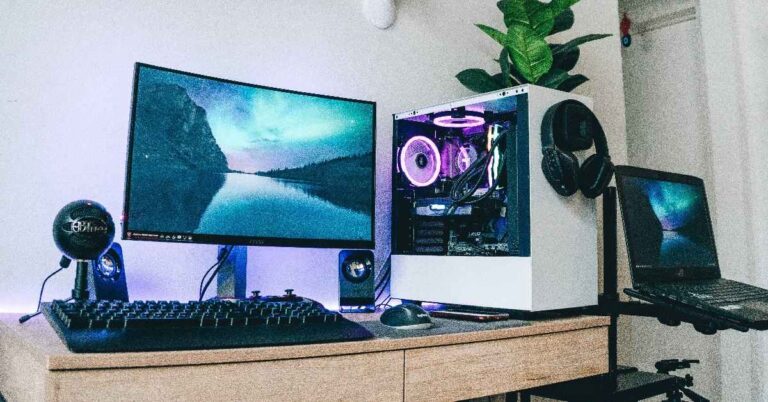
Building a gaming PC is like for many people. Although it an exciting task, it requires the skill of distributing your budget among different components. You’ve to ensure the components are compatible with each other and the visual outcome is optimum. We’ve come up with a list of all components that you need to build your gaming PC for under ₹ 1 lakh.
In This Article
1) Processor: AMD Ryzen 5 3600 Desktop Processor
The processor is the heart and soul of a PC. When it comes to gaming, you have to selective while choosing a processor. The AMD Ryzen 5 3600 provides you with the processing capabilities that you expect from a gaming PC. It comes with 6 cores that can handle 12 threads. You get a base clock speed of 3.6GHz and a max boost clock of up to 4.2GHz. The processor offers 35MP of cache memory and Thermal Design Power (TDP) of 95W.
AMD Ryzen 5 3600 Desktop Processor
Price: ₹ 18,149
Buy on Amazon
2) Motherboard: ASUS TUF B450-Plus Gaming Motherboard
You can’t imagine a PC without a motherboard. A motherboard is like a skeleton that binds together all the components including the processor and the GPU. The ASUS TUF B450-Plus Gaming Motherboard comes with military-grade TUF Components like TUF LAN guard, TUF Capacitors, and TUF MOSFETs for enhanced performance and durability. The motherboard provides firm slots and protection against overvoltage. You also get RGB lighting to uplift the appearance of your gaming setup.
ASUS TUF B450-Plus Gaming Motherboard
Price: ₹ 9,990
Buy on Amazon
The Graphics processing unit (GPU) is a critical component in a gaming PC. The Zotac NVIDIA GAMING GeForce RTX 2060 is designed on the NVIDIA Turing architecture to render realistic graphics. The GeForce RTX platform seamlessly performs complex processing including ray-tracing, DLSS AI Acceleration, and programmable shading. The graphics card comes packed with a GDDR memory and supports the DirectX 12 driver.
ZOTAC NVIDIA GAMING GeForce RTX 2060
Price: ₹31,500
Buy on Flipkart
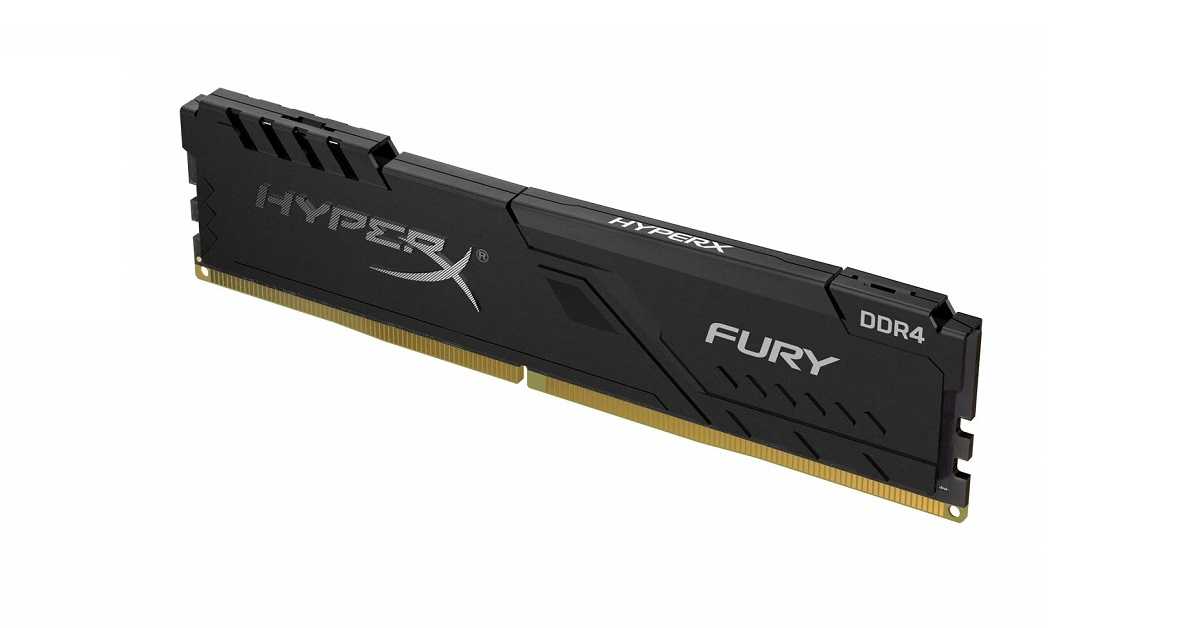
The HyperX FURY DDR4 RAM comes with a Plug N Play capability and can get overclocked up to a frequency of 3466MHz. The Memory fully supports the latest Intel and AMD processors. Besides its elegant appearance, the RAM stays cool owing to its low-profile geat-spreader. It comes tested at different speeds to offer you a lag-free gaming experience. The HyperX Fury RAMs are available in single module capacities ranging from 4GB to 16GB.
HyperX Fury 8GB 3200MHz DDR4 CL16 DIMM 1Rx8 Black XMP Desktop Memory
Price: ₹ 4,508
Buy on Amazon
5) SSD: Crucial BX500 3D NAND SATA 2.5-Inch Internal SSD Solid State Drive
An internal SSD is necessary for the quick loading of video games. The Crucial BX500 internal SSD ensures that your system boots up faster and enhance the overall response time of your system. The memory goes through rigorous testing to offer you a glitch-free gaming experience. You get a 3-year limited warranty and a guide to install the SSD on your PC. It offers a storage capacity of 120GB with 540MB/s read speed and 500MB/s write speed.
Crucial BX500 3D NAND SATA 2.5-Inch Internal SSD Solid State Drive
Price: ₹ 2,000
Buy on Amazon
6) HDD: Seagate Barracuda 1TB Desktop SATA Internal Hard Drive
The internal hard drive from Seagate provides you 1TB of space to keep your data including your video games. For fast data fetching, it provides an I/O transfer rate of up to 600Mbps. The Seagate Barracuda 1TB Desktop SATA Internal Hard Drive is designed using the latest Seagate AcuTrac technology that ensures consistent read-write performance. Moreover, it consumes low power and saves energy when it is idle.
Seagate Barracuda 1TB Desktop SATA Internal Hard Drive
Price: ₹ 2,979
Buy on Amazon
7) Cooler: DEEPCOOL GAMMAXX GTE V2 Black CPU Air Cooler
Gaming is a resource-intensive task and liberates excessive heat. To prevent the motherboard reach burning temperatures, a powerful cooler is necessary. The DEEPCOOL GAMMAXX comes with a 120mm PWM fan that efficiently expels the heat within the cabin. The advanced copper pipes enhance the heat transfer to improve the overall life of the CPU. The fan cooler works without creating noise and has attractive RGB lighting.
DEEPCOOL GAMMAXX GTE V2 Black CPU Air Cooler
Price: ₹ 2,742
Buy on Amazon
8) PC Cabinet: Ant Esports ICE-100TG Mid Tower Gaming Cabinet
The Ant Esports ICE 100 GT comes with a unique design and a black glossy finish to enhance the gaming ambience. The gaming cabinet is designed for hassle-free assembly and disassembly. You get a removable dust filter for PSU housing. For easy installation of the SSD and HDD, the Ant Esports ICE-100TG Mid Tower Gaming Cabinet is equipped with sliders. There is a fully functional interface with I/O features including USB 3.0, speaker, and power.
Ant Esports ICE-100TG Mid Tower Gaming Cabinet
Price: ₹ 2,802
Buy on Amazon
9) Power supply: Ant Esports VS500L Power Supply
A power supply unit (PSU) receives the mains AC power and converts the current to low-voltage regulated DC power. The Ant Esports VS500L consists of a 120mm silent fan that functions without noise and effectively dissipates heat. The power supply is made of high-quality components for stable output. It comes with durable connectors for different components including the motherboard, CPU, and PCI-E.
Power supply: Ant Esports VS500L Power Supply
Price: ₹ 1,889
Buy on Amazon
10) Monitor: Acer KG271 27 inch Full HD TN Panel Gaming Monitor
The quality of a monitor can make or break your gaming experience. The Acer KG271 seamlessly renders the visual data delivered by the CPU. You get a resolution of 1920×11080 pixels with a refresh rate of 75Hz. The screen has a luminance rating of Nits 400 so that you easily view the obstacles in your gameplay. The monitor has a quick response time for a lag-free gaming experience.
Acer KG271 27 inch Full HD TN Panel Gaming Monitor
Price: ₹15,999
Buy on Flipkart
Finding a gaming mouse is always a challenge. A gaming mouse should not just have quick and precise responses, but also it should be comfortable to use. The Razer DeathAdder features a 6,400 DPI optical sensor that offers precise swipes and fast response. The Hyperesponse buttons are programmed independently for seamless control. The ergonomic design ensures a firm grip so that you don’t feel to handle it during marathon gaming sessions.
Razer DeathAdder Essential – Right-Handed Wired Gaming Mouse with 6,400 DPI Optical Sensor
Price: ₹ 1,599
Buy on Amazon
12) Keyboard: Logitech G213 Gaming Keyboard
The Logitech G213 is a high-performance gaming keyboard that offers up to 4x faster click responses. It comes with individual lighting zones that offer a spectrum of up to 16.8 million colours. Each key is crafted to deliver a tactile experience and the anti-ghosting gaming matrix ensures optimal gaming performance. The device is spill-proof so that you can have refreshments while you’re indulged in gameplay.
Logitech G213 Gaming Keyboard
Price: ₹ 3,495
Buy on Amazon
What is the total cost of the gaming PC?
Summing up all the prices of all the above components, the total cost of your gaming PC would be ₹97,652. The remaining money in your budget can be utilised to buy the tools needed to assemble a PC like a screwdriver, anti-static wrist strap and cables.
What games can you run on this PC?
The gaming PC has a GeForce RTX 2060 graphics card with supported components. As a result, you can run all PC games that require up to DirectX 12 driver. Considering 1080p resolution, the maximum achieved frame rates for various games are given below.
The e-commerce website Flipkart is hosting Daily Trivia Quiz. Every day it brings a bunch of new questions for its users. By answering them correctly you can win exciting prizes. The questionnaire is based on questions related to general knowledge. Also, the users can win free vouchers and super coins, among other offers via the daily quiz. April 12 Flipkart Daily Trivia Quiz Answers has already gone live on its platform.
The participant should be at least 18 years old and should have a valid login ID. The Quiz is available on the mobile platform and not the web version. E-commerce conducts the quiz on daily basis and goes live at 12:00 AM IST and runs till 11:59 PM IST. The winners are announced within 15 days from the date of participation that can be viewed under the Gems/Rewards section in the app.
In This Article
How to participate in the Flipkart Daily Trivia Quiz
To participate download the Flipkart app on your phone. Then open the Flipkart app then head to Game Zone. Now click on the Daily Trivia Banner or search for Daily Trivia. Enter the game and answer all 5 questions with correct answers.
April 12 Flipkart Daily Trivia Quiz Answers
Question 1: The inaugural match of IPL 2021 was played in which city?
Answer: Chennai
Question 2: Who hit the longest six (106 m) in the IPL 2020 season?
Answer: Nicholas Pooran
Question 3: Who among these took a hat trick in the IPL 2020 season?
Answer: No One
Question 4: For the 2021 season, Cheteshwar Pujara was bought by CSK for his base price of
Answer: 50 Lakhs
Question 5: Identify this Rajasthan Royals player.
Answer: Rahul Tewatia
Get ready to answer a new set of questions as the April 12 Amazon Quiz is live on its platform. The e-commerce platform brings a daily quiz on its mobile platform, which every day gives chance to millions of people across the country to win exciting prizes. The quiz goes live at 8 AM and runs till 12 noon. Today’s Amazon Quiz prize is Rs 10,000.
By participating in Amazon Quiz every day you can stand a chance to win prizes such as iPhone X, iPhone Xs, Seagate HDD, GoPro Hero 8 Camera, LG Smartphones, Samsung Galaxy S20, Air Purifier, Oppo smartphones, Amazon Pay Balance among others. Every day Amazon brings a fresh new quiz on its app, here we would like to mention that the quiz is not available for desktop users, only app users can participate in the daily quiz.
The company puts 5 questions based on general knowledge and current affairs to which the contestants have to answer all the questions correctly. A wrong answer will eliminate you from the quiz. After giving correct answers to all the questions, your name will get further selected for a lucky draw. The results of the lucky draw will be announced at the end of the month. So today’s quiz winner’s name will be declared at the end of the month. We have updated today’s five questions with their correct answers below so that you can win Amazon Quiz and get Rs 10,000.
April 12 Amazon Quiz Answers
Question 1: According to the Hurun Global Rich List 2021, which country leads with the most number of billionaires at 1058?The answer is- China
Question 2: Hosting nearly 62,000 people, the Al Hol camp is one of the largest refugee camps in which conflict ridden country?
The answer is- Syria
Question 3: Which is the first dedicated commercial mission of NewSpace India Limited?
The answer is- Amazonia-1
Question 4: This is a cosplay of a DC character, named what?
The answer is- Diana
Question 5: Which technology company produces this product?
The answer is- Microsoft
There are several methods to run Android on your PC like using an Android emulator. An Android emulator runs inside your primary operating system. You can also install Android independently of your primary operating system i.e. Windows. If you like playing Android games, you can enjoy them on your PC using Google Play Games. Today, we bring you the top 3 ways to run Android apps on your Windows PC without using an emulator.
Read Also:Poco F6 5G will be the first smartphone to debut in India with Qualcomm Snapdragon 8S Gen 3
In This Article
Why would you need to install Android on your PC?
Although, a majority of developers release cross-platform applications. Still, there are several apps that are specifically designed to run on a specific platform like Android or iOS. Installing Android on your PC enables you to enjoy Android-exclusive games including The Room Series, Summer Catchers, and Ordia.
What Is Phoenix OS?
Phoenix OS is an Android 7-based operating system that can be installed on your PC alongside your Windows operating system. You can also install the Phoenix OS on a USB flash drive to run it on any computer.
How to Install the Android Phoenix operating system on your PC?
To Install the Android Phoenix operating system on your PC, follow these steps.
Go to your Downloads folder and launch the Phoenix OS installer.
In the installation window, choose the Make U-Disk option if you wish to install the Phoenix OS on a USB drive.
To install the Phoenix OS directly on your PC, choose the desired drive and click Next.
Assign the desired space to the Phoenix OS. The more storage space you reserve, the more Android apps you can install on it.
Click the install button and wait for the setup to complete the process.
As soon as the Phoenix OS is installed on your PC, you’ll be prompted to disable secure boot.
How to Install the Android Phoenix operating system on your PC? (Image Source: FileHorse.com)
How to run Android apps on the Phoenix OS?
To run Android apps on the Phoenix OS, follow these steps.
Reboot your PC and on the start-up, choose to load the Phoenix OS.
If you’re running the Phoenix OS on a laptop, you may need to connect an external mouse as the operating system is not compatible will all the trackpads.
By default, the Play Store comes pre-installed in the Phoenix OS. Thus, you can directly install apps. Moreover, you can sideload the application through APK files.
Use the Microsoft Store
A lot of Android apps are available for Windows PCs on the Microsoft Store. Almost every major instant messaging app (like WhatsApp, Telegram, Snapchat, Line, and more) has a Windows client as well. Games like Candy Crush and Minecraft can be downloaded from the Microsoft Store as well. If you only want to use a handful of apps on your PC, downloading them from the Microsoft Store may be a better option than using Phoenix OS.
Use Google Play Games
Android gamers who prefer playing their favourite titles on the big screen using PC controls need to check out Google Play Games for PC. Currently in the Beta stage, Google Play Games is available for users in Australia, India, Thailand and other countries. Not only can you play your favourite Android games on PC but you can also sync your progress across all your devices. You can find games like Call of Dragon, CookieRun, Dragon Mania Legends, eFootball, Evony, and more on this platform.
Frequently Asked Questions (FAQs)
How do I use Android Apps on my Windows PC without downloading an emulator?
You can use Phoenix OS to run Android apps on your PC or download their Windows counterparts from the Microsoft Store.
Can I play Android games on my Windows PC without using an emulator?
Yes, you can play Android games on your Windows PC by downloading them from Google Play Games.
These are the top 3 ways to run Android apps on your Windows PC without using an emulator. If you want to play old SNES games on your iPhone, this article will guide you through the process. If you found this article helpful, let us know in the comments!
Google officially quashed all the rumours regarding the cancellation of the launch of the Pixel 5A 5G. The smartphone was rumoured to be cancelled due to supply constraints. However, the company asserted that the device will be available later this year.
According to a Google spokesperson, “Pixel 5a 5G is not cancelled. It will be available later this year in the US and Japan and announced in line with when last year’s a-series phone was introduced”.
In This Article
How soon is the Pixel 5A 5G expected to arrive?
Google is expected to launch its Pixel 5A in August 2021 which would be almost one year after the Pixel 4A release. However, some reports suggest that that the launch event may take place as early as June 2021. This year’s launch event may not necessarily be in line with that of the Pixel 4A.
Last year, the launch event was postponed due to the COVID-19 outbreak. However, the suspense regarding the launch of the Pixel 5A persists as the COVID-19 cases have to rise once again in different parts of the world. The complete information regarding the regions where the Pixel 5A will be launched is yet to be revealed. In its statement, Google mentioned only two countries, namely, the U.S. and Japan.
What are the expected features of the Pixel 5A 5G?
Google’s statement confirms that the Pixel 5A will be a 5G smartphone. The hardware of the Pixel 5a 5G is expected to be quite similar to that of the Pixel 4a 5G. However, the upcoming smartphone will come with a smaller punch hole. To support the resource-demanding 5G connectivity, the device will feature a powerful Snapdragon processor. The Pixel 5A is expected to belong to is expected to be a mid-range option.
What are the expected features of the Pixel 5A 5G?
What is the rumour regarding Google’s upcoming premium smartphone?
Google is rumoured to be designing a premium smartphone that is assumed to be Pixel 6. Google’s upcoming flagship smartphone, Pixel 6 will reportedly feature a GS101 processor. According to reports, Google is designing a new smartphone, probably the sixth edition in the Pixel series. The device is expected to come with an Arm-based GS101 processor. The Pixel 6 shall succeed the Pixel 5 and the Pixel 4A 5G. The company is expected to release the smartphone in the fourth quarter this year.
For the latest gadget and tech news, and gadget reviews, follow us on Twitter, Facebook and Instagram. For newest tech & gadget videos subscribe to our YouTube Channel. You can also stay up to date with the Gadget Bridge Android App.
The South Korean multinational electronics company, Samsung Electronics has collaborated with the Taiwanese fabless semiconductor company, MediaTek to design the world’s first 8K QLED TV. The new TV will be named Samsung 8K QLED Y21 smart TV and will support the Wi-Fi 6E standards.
In This Article
What are the expected features of the Samsung 8K QLED Y21 smart TV?
Samsung had previously partnered with MediaTek to release the world’s first WiFi 6 enabled 8K TV as well. Now, these companies have together to design a premium smart TV with the fastest possible connectivity capabilities. Here are the expected features of the Samsung 8K QLED Y21 smart TV. Samsung Electronics recently announced that the 8K QLED Y21 smart TV will support the latest Wi-Fi 6E connectivity. This will be a significant improvement compared to the previous smart TV designed by the companies in cooperation.
According to Jerry Yu, MediaTek Corporate Senior Vice President and General Manager of the Intelligent Devices Business Group, “Consumers depend on fast, reliable connectivity, whether they are using their TV for streaming, gaming or following along with workouts. Our collaboration with Samsung has been instrumental in bringing consumers the latest smart TV technology to support these uses and beyond.”
The Samsung 8K QLED Y21 smart TV will be powered by MediaTek’s most advanced MT7921AU chip. This processor will efficiently fetch and deliver frames of up to 8K resolution to the QLED screen. Moreover, the chip will swiftly process a large amount of data fed to it through the Wi-Fi 6E and the Bluetooth 5.2 channels. With the integration of these technologies, the MediaTek processor will provide a networking speed of up to 1.2Gbps. As a result, the users will be able to get an immersive and lag-free viewing experience.
According to Jerry Yu, MediaTek Corporate Senior Vice President and General Manager of the Intelligent Devices Business Group, “With our advanced connectivity technologies – including WiFi-6 support – integrated into Samsung’s 8K TVs, we’re driving the premium smart TV segment forward globally”.
What are the expected features of the Samsung 8K QLED Y21 smart TV?
How will the Samsung 8K QLED Y21 smart TV be better than its predecessor?
The Samsung 8K QLED Y21 smart TV will support the next generation Wi-Fi 6E connectivity while its predecessor was built with the integration of Wi-Fi 6 technology. The Wi-Fi 6 runs in the Radio Frequency spectrum between 2.4GHz and 5GHz. On the other hand, the WiFi 6E operates on the 6GHz band.
The Wi-Fi 6E has more wireless bands available for communication, it provides connectivity with minimum lag. As a result, the smart TV can seamlessly perform VR/AR visual rendering of up to 8K resolutions.
For the latest gadget and tech news, and gadget reviews, follow us on Twitter, Facebook and Instagram. For newest tech & gadget videos subscribe to our YouTube Channel. You can also stay up to date with the Gadget Bridge Android App.
Amazfit, the Chinese smart wearable company, has released its new Amazefit Bip U Pro. The smartwatch offers everything that you need to track your fitness and maintain a healthy workout routine. With advanced features underneath an elegant appearance, the smartwatch will surely help users maintain a healthy lifestyle. To help people give up their workout procrastination habit, the company has branded the Amazefit Bip U Pro on its website with the hashtag #KoiBahanaNahi.
In This Article
What are the features of the new Amazfit Bip U Pro?
The new Amazefit Bip U Pro offers several features to track your fitness and assist you in day-to-day tasks. Moreover, the built-in Amazon’s Alexa enables you to control features through voice commands and get real-time information. Here is the breakdown of its features.
Display
The Amazfit Bip U Pro comes with a 1.43-inch IPS LCD with a resolution of 302 x 320 pixels. The screen is protected by a 2.5D glass shield and an anti-fingerprint coating. The smartwatch features more than 50 unique watch faces. Moreover, users can upload their desired pictures to set them as the face of the watch.
Performance
The Amazfit Bip U Pro comes packed with loads of fitness-related features. You get more than 60 sports and workout modes including running, swimming, hiking, and cycling. The smartwatch is capable of measuring your heart rate, blood oxygen level, stress level, and sleep pattern. Besides, you get GPS support. a 5ATM rating, and dust and water resistance.
Battery and Connectivity
The Amazfit Bip U Pro houses a 230mAh battery that is claimed to provide up to nine days of backup once fully charged. The smartwatch gets fully charged within two hours. For connectivity, it comes with Alexa and Bluetooth 5 LE support. It also features a microphone for voice control. The Amazfit Bip U Pro is compatible with devices running iOS 10 and Android 5 or later operating systems.
What are the features of the new Amazfit Bip U Pro?
What is the price of the new Amazfit Bip U Pro? How can you buy it?
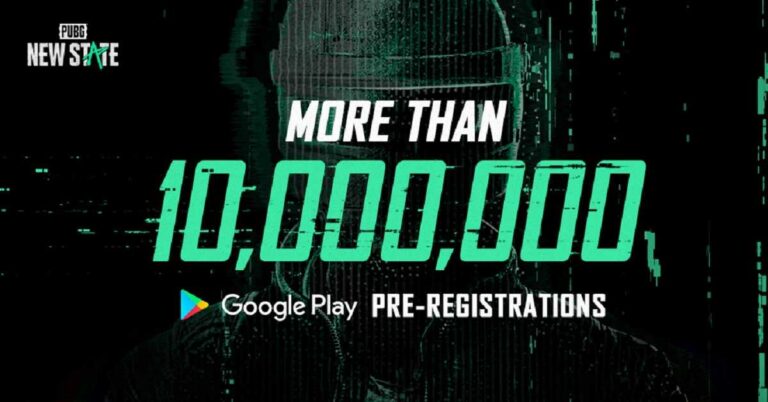
KRAFTON, the South Korean video game company, is expected to release a new version of PUBG, a famous battle royale video game made for the smartphone. Although the company will release the game by the end of the year 2021, it is available on the Play Store and the App Store for pre-registration.
According to a tweet by PUBG: New State, “We’re happy to report that we’ve hit over 10 MILLION #PUBGNEWSTATE pre-registrations on #GooglePlay. We’re humbled by the community’s overwhelming response and can’t wait to share our new battlegrounds experience with you later in 2021″.
In This Article
What is the news regarding the PUBG: New State?
The pre-registrations of the PUBG: New State started on February 25, 2021. However, the popularity of video game has surpassed all the expectations. The company recorded more than 10 million pre-registrations of the game on the Play Store.
The percentages of PUBG: New State pre-registrations across different regions are listed below.
Southeast Asia – 22.6%
America -19.1%
Middle East – 15.1%
Europe – 15%
East Asia -13.2%
Russia and CIS -13%
Africa – 1.2%
Oceania -1.6%
According to KRAFTON, the total views of the PUBG: New State trailer and related videos have surpassed the value of 60 million.
What is the significance of the larger number of pre-registrations of the PUBG: New State?
Despite the ongoing ban on Chine apps including PUBG in India, the video game managed to instil enthusiasm among gamers in the rest of the world that is evident by the massive number of pre-registrations of the PUBG: New State. If Indian gamers try to pre-register in India, they will receive a message saying, “isn’t available in your country”.
Before the ban of PUBG in India, there were around 33 million to 50 million active PUBG players with more than 175 million downloads. PUBG observed more downloads in India as compared to any other country.
What is the significance of the larger number of pre-registrations of the PUBG: New State?
When will KRAFTON release the stable version of PUBG: New State?
According to a tweet by PUBG: New State, “We’re hard at work developing the game, but we hear you! Outside of 2021, we don’t have more details around the release date, but we’re happy to announce that we will host alpha tests for #PUBGNEWSTATE during Q2 2021 in a LIMITED number of regions. Stay tuned for more info”.
KRAFTON also revealed that the new video game will soon be launched for alpha testing in limited countries. For alpha testing, PUBG: New State will be made available to selected gamers. The company is yet to reveal when the stable version of the game will be released globally.
For the latest gadget and tech news, and gadget reviews, follow us on Twitter, Facebook and Instagram. For newest tech & gadget videos subscribe to our YouTube Channel. You can also stay up to date with the Gadget Bridge Android App.
WhatsApp is a Facebook-owned cross-platform centralized messaging and voice-over-IP (VoIP) service that allows you to connect with your family, friends, and contacts. WhatsApp has been one of the most widely used messaging platforms worldwide. It constantly upgrades to the requirements of users for convenient and reliable communication including the chat backup feature to keep your chats saved on cloud storage so that you don’t lose them.
WhatsApp recently revealed the keyboard shortcuts for desktop web and desktop app versions. These WhatsApp shortcuts will be equally useful for the users who use run the app on a tab or a laptop. These keyboard shortcuts or cheat codes can be used to quickly perform functions like muting chat, beginning a new chat, and deleting chat
In This Article
Why did WhatsApp reveal the keyboard shortcuts?
Using WhatsApp on a mobile device like a smartphone is much simpler as compared to a desktop. On a smartphone, you simply use finger gestures like swiping and tapping to navigate through WhatsApp chats and Settings. On a desktop, you have to interact with the application through a keyboard and a mouse. As a result, the user experience becomes sluggish and restricted. However, with the cheat codes or keyboard shortcuts, you can expedite your WhatsApp desktop experience.
What are the cheat codes for the WhatsApp Desktop app on Mac?
Return Space: SHIFT + ENTER
Open Profile: CMD + P
New Chat: CMD + N
Search in Chat List: CMD + F
Delete Chat: CMD + SHIFT + D
Mute Chat: CMD + SHIFT + M
Settings: CMD + ,
New Group: CMD + CTRL + N
Search in Chat: CMD + SHIFT + F
Pin/ Unpin: CMD + SHIFT + P
Archive Chat: CMD + E
Mark as Unread: CMD + CTRL + U
What are the cheat codes for the WhatsApp Web on Mac?
Return Space: SHIFT + ENTER
Open Profile: CMD + CTRL + P
New Group: CMD + CTRL + SHIFT + N
Search in Chat List: CMD + CTRL + /
Delete Chat: CMD + SHIFT + BACKSPACE
Mute Chat: CMD + CTRL + SHIFT + M
Settings: CMD + CTRL + ,
New Chat: CMD + CTRL + N
Search in Chat: CMD + CTRL + SHIFT + F
Pin/ Unpin: CMD + CTRL + SHIFT + P
Archive Chat: CMD + CTRL + E
Mark as Unread: CMD + CTRL + SHIFT + U
What are the cheat codes for the WhatsApp Web on Mac?
What are the cheat codes for the WhatsApp Desktop app on Windows 10?
Return Space: SHIFT + ENTER
Open Profile: CTRL + P
New Chat: CTRL + N
Search in Chat List: CTRL + F
Delete Chat: CTRL + SHIFT + D
Mute Chat: CTRL + SHIFT + M
Settings: CTRL + ,
New Group: CTRL + SHIFT + N
Search in Chat: CTRL + SHIFT + F
Pin/ Unpin: CTRL + SHIFT + P
Archive Chat: CTRL + E
Mark as Unread: CTRL + SHIFT + U
What are the cheat codes for the WhatsApp Web on Windows 10?
The e-commerce website Flipkart is hosting Daily Trivia Quiz. Every day it brings a bunch of new questions for its users. By answering them correctly you can win exciting prizes. The questionnaire is based on questions related to general knowledge. Also, the users can win free vouchers and super coins, among other offers via the daily quiz. April 10 Flipkart Daily Trivia Quiz Answers has already gone live on its platform.
The participant should be at least 18 years old and should have a valid login ID. The Quiz is available on the mobile platform and not the web version. E-commerce conducts the quiz on daily basis and goes live at 12:00 AM IST and runs till 11:59 PM IST. The winners are announced within 15 days from the date of participation that can be viewed under the Gems/Rewards section in the app.
In This Article
How to participate in the Flipkart Daily Trivia Quiz
To participate download the Flipkart app on your phone. Then open the Flipkart app then head to Game Zone. Now click on the Daily Trivia Banner or search for Daily Trivia. Enter the game and answer all 5 questions with correct answers.
April 10 Flipkart Daily Trivia Quiz Answers
Question 1: KL Rahul is the captain of which IPL team?
Answer: Punjab Kings
Question 2: Which bowler has delivered the most dot balls in IPL history?
Answer: Harbhajan Singh
Question 3: Which of these teams was a part of the IPL 2020 Finals?
Answer: Delhi Capitals
Question 4: Identify this Mumbai Indians player.
Answer: Ishan Kishan
Question 5: The current fielding coach of Punjab Kings, Jonty Rhodes is the head coach of which national team?
Answer: Sweden
Get ready to answer a new set of questions as the April 10 Amazon Quiz is live on its platform. The e-commerce platform brings a daily quiz on its mobile platform, which every day gives chance to millions of people across the country to win exciting prizes. The quiz goes live at 12 AM to 11:59 PM. Today’s Amazon Quiz prize is Godrej Split AC.
By participating in Amazon Quiz every day you can stand a chance to win prizes such as iPhone X, iPhone Xs, Seagate HDD, GoPro Hero 8 Camera, LG Smartphones, Samsung Galaxy S20, Air Purifier, Oppo smartphones, Amazon Pay Balance among others. Every day Amazon brings a fresh new quiz on its app, here we would like to mention that the quiz is not available for desktop users, only app users can participate in the daily quiz.
The company puts 5 questions based on general knowledge and current affairs to which the contestants have to answer all the questions correctly. A wrong answer will eliminate you from the quiz. After giving correct answers to all the questions, your name will get further selected for a lucky draw. The results of the lucky draw will be announced at the end of the month. So today’s quiz winner’s name will be declared at the end of the month. We have updated today’s five questions with their correct answers below so that you can win Amazon Quiz and get Godrej Split AC.
April 10 Amazon Quiz Answers
Question 1: Michael Somare, who passed away recently, was the ‘Grand Chief’ and the ‘Father of the Nation’ of which country?
The answer is- Papua New Guinea
Question 2: “Forests and Livelihoods: Sustaining People and Planet” was the theme of which day celebrated by the UN on 3rd March 2021?
The answer is- World Wildlife Day
Question 3: In collaboration with which prestigious institution will the Govt of India set up the country’s first Centre for Excellence in Gaming?
The answer is- IIT Bombay
Question 4: The monument in this picture was built as an entrance to what?
The answer is- World’s Fair
Question 5: Which country is the first in per-capita consumption of the meat that comes from this particular bird?
The answer is- Israel
Nokia 5.4 smartphone, that was launched a few weeks back by HMD Global at a starting price of Rs 13,999, comes with a much talked about H-Log video feature. Other than that, the device also comes with a 4,000mAh battery, four rear cameras and a 6.39-inch display. Is the smartphone as good as it sounds? Find out in our Nokia 5.4 review:
In This Article
Nokia 5.4 design and display
The design of Nokia 5.4 smartphone is definitely among its pros. Even though the body of the handset is made of plastic, it didn’t seem like a downside to us because the built was sturdy. The back panel of the smartphone has the camera module in the centre with an LED flash on its left, and there is also a fingerprint scanner right below it. The back also has Nokia branding right in the centre. The device has a curved body that makes one-handed usage very simple. The Power and the Volume Rocker keys are placed on the right edge while the SIM tray and the Google Assistant button are on the left. The top has the 3.5mm headphone jack and the secondary microphone and the bottom edge has the Type-C port, the speaker grill, and the microphone.
Flip over and you will see the 6.39-inch display of the smartphone. Although the display resolution is HD+ and there are other smartphones in the same range that offer a better resolution at the same price, the screen of the device offered a decent experience. Watching videos on the smartphone was a good experience as the images showcased were sharp and clear and the colours were accurate. The viewing angles were decent too but the sunlight readability could be better. The display also houses the selfie camera of the device and there is Nokia branding on the chin that outlines it.
In a nutshell, we can say that the look and feel of Nokia 5.4 is definitely among its strong points. The back panel catches fingerprints and smudges rather easily, so we recommend you to carry a microfibre cloth with yourself. Besides this, the display could have had a better resolution and sunlight readability could have been better. But other than this, the design and display of the handset were good.
Nokia 5.4 performance and cameras
Before speaking about the performance, we’ll take a minute to discuss the rest of the specifications of Nokia 5.4. The smartphone runs Android 10 out of the box and is powered by an octa-core Qualcomm Snapdragon 662 processor. The handset comes with up to 6GB of RAM and 64GB of onboard storage and can hold microSD cards of up to 512GB. For imaging duties, there is a 48MP primary sensor, a 5MP ultra wide angle lens, a 2MP macro camera and a 2MP depth sensor. There is also a 16MP selfie camera and the smartphone packs a 4,000mAh battery.
Nokia 5.4 has stock Android, which basically means that there are no customizations. The device only comes with the usual suite of apps from Google and a support app from HMD Global. The company has said that Nokia 5.4 will receive Android updates and security patches for up to two and three years respectively.
Coming to the performance of the smartphone, it was only average. The device is powered by Qualcomm’s Snapdragon 662 processor, and offered an inconsistent performance. To be more specific, the handset was decent at some tasks and could be better at others. When we opened and switched between multiple apps on Nokia 5.4, the result wasn’t the swiftest that we have seen. Even using biometric locks wasn’t a very smooth experience.
We tried playing a few games on the device too. While light games like Alto’s Odyssey ran smoothly, graphic-hungry ones like Asphalt 9: Legends caused the handset to heat up.
The 4,000mAh battery of the smartphone lasted a day and a half with moderate usage involving browsing social media apps, listening to music and watching videos. When our usage was heavier and involved long phone calls and gaming other than the tasks we mentioned earlier, the battery still lasted us an entire day and night, which we think is really good. Nokia 5.4 takes about two hours to be charged completely with the charger that comes in the box.
Now, let’s talk about the cameras of the smartphone. As we mentioned earlier, Nokia 5.4 comes with four sensors. However, that’s not the only notable feature of the handset’s cameras. HMD Global has touted the presence of the H-Log video feature on the phone. With the feature, you can shoot videos in a very uniform tone and hue, but you get an array of editing options in the Cinema Editor. Before you use the mode, make sure you enable the H-Log format in Settings. We quite like the videos that we took with this mode enabled as we got a number of colour profiles to choose from while editing.
The primary camera of the smartphone did a decent job in well-lit conditions, particularly outdoors. But then, there were times when it struggled to get the colours right and it also took some time to focus. In lowly lit conditions, the quality of images fall and even using the Night Mode doesn’t help much with the noise. The quality of images deteriorates considerably while using the ultra-wide camera, even in well-lit conditions. The macro lens worked in a similar fashion. We managed to click some decent selfies with the 16MP front camera during the day, while the results at night were average.
Verdict
The pros of the smartphone include its sturdy built and design, the battery life and the clean UI. The H-Log video feature worked well too, and the fact that the smartphone will get regular and timely Android updates and security patches is certainly a plus. However, we cannot ignore the laggy performance and the average cameras of the handset. If you want to buy Nokia 5.4 for the H-Log video feature or its battery life, then you can go for it.
Pros
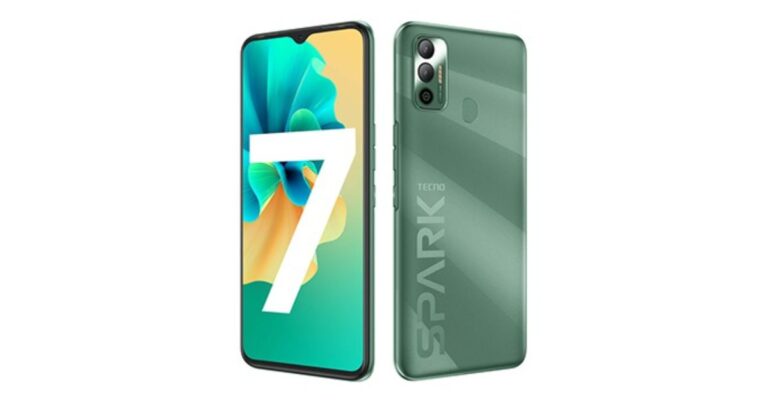
Tecno Spark 7 has officially made its debut in the Indian market today. The device is a follow up of Tecno Spark 6, which was introduced in the market last year. The key highlights of the smartphone include a 6,000mAh battery with AI power chagrin support, a dot notch display and a dual rear camera set up. The smartphone has been launched in two different configurations and will soon be available for purchase in the Indian market. Check out its specs price and availability details.Tecno Spark 7 tech specsTecno Spark 7 is an entry-level phone and comes with a 6.52-inch HD+ Dot Notch Display with 720×1,600 pixels of resolution. The display has a 20:9 aspect ratio, 90.34 per cent of screen-to-body ratio, and offers 480 nits of peak brightness. The device runs Android 11 Go edition with HiOS 7.5 on top for the 2GB RAM while other options run Android 11. The device is powered by two different processors. The 2GB RAM model with quad-core MediaTek Helio A20 SoC while the 3GB RAM with octa-core MediaTek Helio A25 SoC. For storing content it has 32GB and 64GB of storage options which is expandable up to 256GB via microSD card.For photos and videos, this smartphone features a dual rear camera set up that includes a 16-megapixel main sensor with an f/1.8 aperture and an AI lens. While on the front there is an 8-megapixel selfie camera with f/2.0 aperture. The camera on the Spark 7 includes features such as time-lapse videos, slow-motion videos, bokeh mode, AI Beauty Mode and AI Portrait Mode.Tecno Spark 7 is backed by a massive 6,000mAh battery, which is claimed to come with a standby time of 41 days, 42 hours calling time, 17 hours of web browsing, 45 hours of music playback, 17 hours of game playing and 27 hours of video playback. In terms of connectivity, there is 4G VoLTE, Wi-Fi, Bluetooth v5.0, GPS/ A-GPS, Micro-USB, and a 3.5mm audio jack. While sensors onboard include an accelerometer, ambient light, proximity sensor, and fingerprint sensor on the back of the phone.Tecno Spark 7 price and availabilityTecno Spark 7 will be available in two models, the 2GB RAM with 32GB storage priced at Rs 7,499. While the 3GB RAM with 64GB of storage will be available with a price tag of Rs 8,499. The phone will be offered in three colour options of Magnet Black, Morpheus Blue, and Spruce Green. The device is scheduled to go on sale on April 16 from 12 noon onwards via Amazon. But as a part of the launch offer the company will be offering the phone at an introductory price of Rs 6,999 and Rs 7,999 respectively.
Apple introduced the FaceID feature with the iPhone X. Now, the feature is available on newer models as well including iPhone XS, iPhone XS Max, iPhone XR, iPhone 11 series, and iPhone 12 series. The Apple FaceID allows you to access various features like device unlock, sign-in to apps, and validate online purchases.
In This Article
How can you enable Face ID on your iPhone?
To enable Face ID on your iPhone, follow these steps.
Launch the Settings app on your iPhone.
Scroll down and tap the Face ID and Passcode option.
Type your iPhone passcode to enter the Setting.
Tap the ‘Set up Face ID’ option.
Now, you’ll be asked to position your face in the camera frame.
Adjust your face within the frame until the frame turns green.
In the first round, do the adjustment process slowly while in the second, do it at a faster pace.
How can you set up an alternative FaceID?
iPhone allows you to keep a secondary FaceID so that you can unlock your iPhone if your appearance doesn’t match with the primary FaceID. To enable a secondary FaceID, follow these steps.
Launch the Settings app on your iPhone.
Scroll down and tap the Face ID and Passcode option.
Type your iPhone passcode to enter the Setting.
How can you unlock your Apple device using Face ID?
Once the Face ID is set up on your Apple device, you can use it in the following steps.
The Indian Premier League is set to begin today i.e. April 9, 2021, at 7:30 PM. Due to the ongoing COVID-19 pandemic, the IPL 2021 matches will take place without spectators in the stadium. However, thrill shall be as high as always as people can enjoy that IPL 2021 matches across different platforms.
Apart from the conventional broadcasting on Star Sports, you can watch IPL matches online. The Board of Control for Cricket in India (BCCI) has partnered with Disney+ Hotstar so that people can enjoy the IPL 2021 matches online.
In This Article
How to watch the IPL 2021 matches on Disney+ Hotstar?
The IPL 2021 matches will be streamed live on Disney+ Hotstar. You can view all the matches by subscribing to one of the following plans.
Disney+ Hotstar VIP at ₹ 399 per year, or
Disney+ Hotstar Premium at ₹ 299 per month, or
Disney+ Hotstar Premium at ₹ 1,499 per year
If you own a Credit card, you may avail of a discount of ₹ 365 on the above listed Disney+ Hotstar VIP subscription packs. Moreover, Reliance Jio, Airtel, and Vi (Vodaphone Idea) have released their exciting plans for you to access the live streaming of the IPL 2021 matches at your home.
How to watch the IPL 2021 matches on Disney+ Hotstar?
What special IPL 2021 recharge plans can Jio users subscribe to?
Reliance Jio recently released attractive recharge offers so that you can enjoy the IPL 2021 at your home. The prepaid recharge packs range from ₹ 401 to ₹ 2,599. With these plans, you will get a free Disney+ Hotstar VIP annual subscription. Moreover, Jio has brought interesting offers for postpaid users. The Postpaid Plus plans will come bundled with access to Disney+ Hotstar so that you don’t miss any highlight of the IPL 2021 matches.


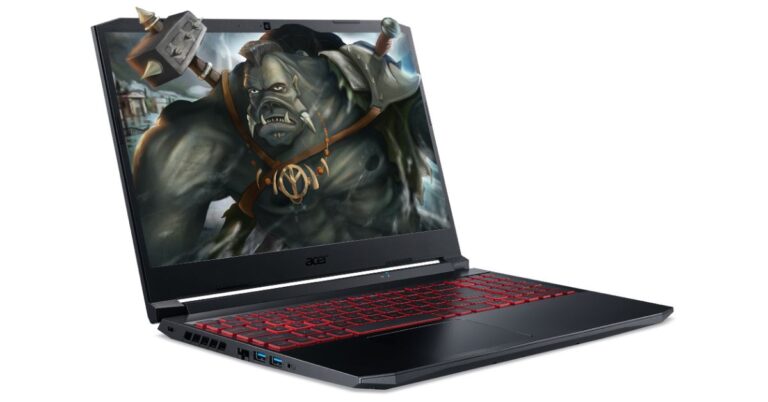
 According to the company, Nitro 5 is available at a starting price from Rs 69,999 on Acer E-store as well as authorized e-commerce and retail outlets.
Talking of the specification the all-new Acer Nitro 5 is offered in a single screen size option of 15.6-inch FHD IPS display. The screen panel offers a 144Hz refresh rate and a 3ms response time with a screen-to-body ratio of 80% with narrow 7.02mm bezels. Under the hood, there is an 11th Gen Intel Core i5-11300H processor and NVIDIA GeForce GTX graphics. There are two slots for M.2 PCIe SSDs, up to 2TB HDD, and up to 32GB of DDR4 RAM.
According to the company, Nitro 5 is available at a starting price from Rs 69,999 on Acer E-store as well as authorized e-commerce and retail outlets.
Talking of the specification the all-new Acer Nitro 5 is offered in a single screen size option of 15.6-inch FHD IPS display. The screen panel offers a 144Hz refresh rate and a 3ms response time with a screen-to-body ratio of 80% with narrow 7.02mm bezels. Under the hood, there is an 11th Gen Intel Core i5-11300H processor and NVIDIA GeForce GTX graphics. There are two slots for M.2 PCIe SSDs, up to 2TB HDD, and up to 32GB of DDR4 RAM.
 This gaming laptop comes with twin fans, Acer CoolBoost technology, and a quad exhaust port design to keep the device cool. In addition to this, there is a 4-zone RGB keyboard dedicated NitroSense Key. WASD and arrow keys are also highlighted for quick location while the key response is immediate with a 1.6mm travel distance. The computer also features DTS: X Ultra that delivers 3D spatial soundscape, allowing users to hear where their opponents are coming from with pinpoint precision.
The Acer Nitro 5 also has an access to Planet 9, which is an eSports platform unlike any other filled with a community of like-minded gamers, from aspiring eSports athletes to hardcore professionals.
As for the connectivity, there is Killer Wi-Fi 6, Bluetooth v5.1, an HDMI port, two USB 3.2 Gen 1 ports, a USB 3.2 Gen 2 Type-C port, a USB 3.2 Gen 1 port, and an RJ45 port.
For the latest gadget and tech news, and gadget reviews, follow us on Twitter, Facebook and Instagram. For newest tech & gadget videos subscribe to our YouTube Channel. You can also stay up to date using the Gadget Bridge Android App.
This gaming laptop comes with twin fans, Acer CoolBoost technology, and a quad exhaust port design to keep the device cool. In addition to this, there is a 4-zone RGB keyboard dedicated NitroSense Key. WASD and arrow keys are also highlighted for quick location while the key response is immediate with a 1.6mm travel distance. The computer also features DTS: X Ultra that delivers 3D spatial soundscape, allowing users to hear where their opponents are coming from with pinpoint precision.
The Acer Nitro 5 also has an access to Planet 9, which is an eSports platform unlike any other filled with a community of like-minded gamers, from aspiring eSports athletes to hardcore professionals.
As for the connectivity, there is Killer Wi-Fi 6, Bluetooth v5.1, an HDMI port, two USB 3.2 Gen 1 ports, a USB 3.2 Gen 2 Type-C port, a USB 3.2 Gen 1 port, and an RJ45 port.
For the latest gadget and tech news, and gadget reviews, follow us on Twitter, Facebook and Instagram. For newest tech & gadget videos subscribe to our YouTube Channel. You can also stay up to date using the Gadget Bridge Android App. 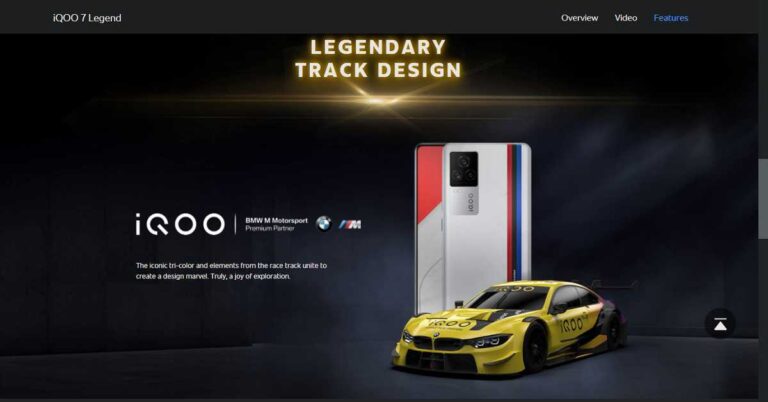






















 A lot of Android apps are available for Windows PCs on the Microsoft Store. Almost every major instant messaging app (like WhatsApp, Telegram, Snapchat, Line, and more) has a Windows client as well. Games like Candy Crush and Minecraft can be downloaded from the Microsoft Store as well. If you only want to use a handful of apps on your PC, downloading them from the Microsoft Store may be a better option than using Phoenix OS.
 Android gamers who prefer playing their favourite titles on the big screen using PC controls need to check out








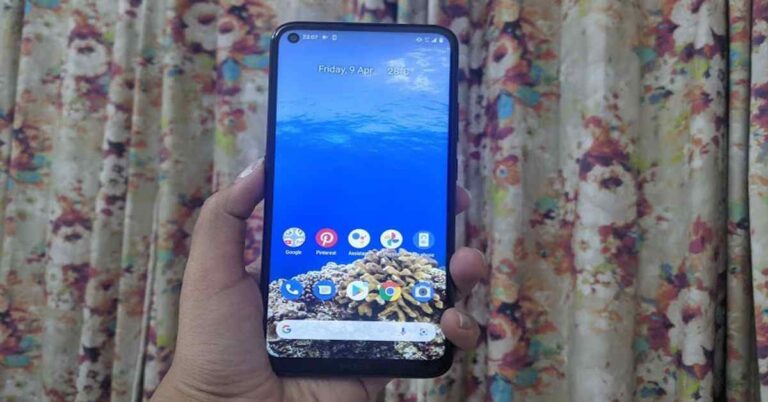
 Flip over and you will see the 6.39-inch display of the smartphone. Although the display resolution is HD+ and there are other smartphones in the same range that offer a better resolution at the same price, the screen of the device offered a decent experience. Watching videos on the smartphone was a good experience as the images showcased were sharp and clear and the colours were accurate. The viewing angles were decent too but the sunlight readability could be better. The display also houses the selfie camera of the device and there is
  In a nutshell, we can say that the look and feel of Nokia 5.4 is definitely among its strong points. The back panel catches fingerprints and smudges rather easily, so we recommend you to carry a microfibre cloth with yourself. Besides this, the display could have had a better resolution and sunlight readability could have been better. But other than this, the design and display of the handset were good.
 We tried playing a few games on the device too. While light games like Alto’s Odyssey ran smoothly, graphic-hungry ones like Asphalt 9: Legends caused the handset to heat up.
The 4,000mAh battery of the smartphone lasted a day and a half with moderate usage involving browsing social media apps, listening to music and watching videos. When our usage was heavier and involved long phone calls and
We tried playing a few games on the device too. While light games like Alto’s Odyssey ran smoothly, graphic-hungry ones like Asphalt 9: Legends caused the handset to heat up.
The 4,000mAh battery of the smartphone lasted a day and a half with moderate usage involving browsing social media apps, listening to music and watching videos. When our usage was heavier and involved long phone calls and  The primary camera of the smartphone did a decent job in well-lit conditions, particularly outdoors. But then, there were times when it struggled to get the colours right and it also took some time to focus. In lowly lit conditions, the quality of images fall and even using the Night Mode doesn’t help much with the noise. The quality of images deteriorates considerably while using the ultra-wide camera, even in well-lit conditions. The macro lens worked in a similar fashion. We managed to click some decent selfies with the 16MP front camera during the day, while the results at night were average.