The Microsoft Windows 10 comes with a feature that allows you to personalize the appearance of the Lock Screen. You can choose the background from the stock images or an image of your choice. Here is the simplest way to change the background of your Windows 10 Lock Screen. Step 1: Open ‘Settings’ from the Start menu.Step 2: Select the ‘Personalization option.Step 3: From the side panel, select the ‘Lock Screen’ tab.
Step 4: Go to the drop-down menu below ‘Background’. You’ll see three options: ‘Windows spotlight’, ‘Picture’, and ‘Slideshow’. To set the background of your choice, select ‘Picture’. To create a slideshow of images, select the ‘Slideshow’ option. However, the ‘Windows Spotlight’ randomly sets wallpapers from the server and the Windows default library. Step 5: You’ll find the ‘Browse’ button to locate the desired image or folder (for Slideshow) in the secondary storage.Step 6: When you click the ‘Browse’ button, a window opens asking you to provide the path of the desired image or folder (for Slideshow).Step 7: As soon as you select an image or a folder (for Slideshow), Windows will automatically set it as the Lock Screen background.
For the latest gadget and tech news, and gadget reviews, follow us on Twitter, Facebook and Instagram. For newest tech & gadget videos subscribe to our YouTube Channel. You can also stay up to date with the Gadget Bridge Android App.
In our day-to-day lives, we share files and documents with our friends and colleagues. Sharing small-sized files, say ranging from a few KBs to a few MBs is not at all complex. Almost all the messaging services allow you to do that. But, when the file size turns massive, we need a dedicated storage service to share files. Here are the best free web services that you can use to transfer large files.
In This Article
1) Google Drive
Google Drive is a cloud storage service by Google where you can save your documents and files. You get an upgradable 15GB of storage that you can easily access from anywhere. Google provides you with robust and handy mobile applications so that you can work from anywhere. You can share the attachments up to 25MB in size with Gmail messages. But when the files above 25MB are shared via the Drive link. Gmail users can share their files and folders up to 10GB in size. Google’s free tier is enough for a majority of users as it gives you a reusable 15GB of storage. You can repeatedly share large files provided you keep deleting the older ones.
Google Drive
2) Microsoft OneDrive
Microsoft’s OneDrive is a cloud-storage service and competitor to Google’s Drive. OneDrive offers an ungradable 5GB of storage to store files and documents and access them from any device anytime you want from anywhere. Microsoft offers a secure method to share and collaborate on data with friends and colleagues, thereby enhancing productivity and performance. To share big files, you just need to upload your files to OneDrive and select the ‘Share’ icon after right-clicking it. You will need to enter the recipient’s name in the field and set the desired permissions to the recipient(s).
Microsoft OneDrive
3) Bit.ai
Bit.ai is a modern cloud-based document collaboration service that helps you and your team to manage everything in one place. Each workspace has a sound content library that allows you to save and share different types of files like PDF, videos, audios, and spreadsheets. To share big files on Bit.ai:
Click the share button for your Box Cloud File weblink.
Copy the Box Cloud File shareable link.
Paste the Box Cloud File shareable link to a blank line in Bit.
With your cursor at the end of the link just hit enter and the Box Cloud File will automatically fetch.
Bit.ai
4) Amazon Drive
Besides providing enterprise-level storage services called AWS, Amazon has a consumer-based cloud storage solution, known as Amazon Drive. Amazon Drive enables users to save their documents and all types of files to Amazon’s cloud and obtain it anytime and anywhere. Amazon Prime members get unlimited cloud photo storage and 5GB of video storage capacity on Amazon Drive. Amazon Drive offers a convenient place for all your files at an affordable price. To share your files on Amazon Drive:
Sign in to your Amazon Drive
Select the files you want to share
Click Share
You can either share a link by clicking ‘Get shareable link’, or share by email.
Amazon Drive
5) Dropbox
Dropbox is another giant in file-sharing solutions. Dropbox offers an upgradable 2GB cloud storage to store different types of files in one place. You also get desktop clients and mobile applications to store all your files and access them anywhere and anytime. Dropbox provides integration with around 100,000 third-party applications, making it one of the most preferred cloud storage services. To share a file or folder on Dropbox:
Sign in to your Dropbox
Select ‘All files’ in the left sidebar.
Click on the file you want to share and click the share icon.
Microsoft had announced 2020 the end of the support for the Microsoft Edge Legacy desktop application on March 9, 2021. This upcoming update shall be the last security update for Microsoft Edge Legacy.
In This Article
Which version of Windows 10 will be impacted?
The new update will affect Windows 10 versions 1803 (Windows 10 April 2018 Update) and newer. Windows 7 and Windows 8.x devices will remain unaffected.
The following version of Windows 10 will run the update.
Windows 10, version 1803, all editions (April 2018)
Windows 10, version 1809, all editions (October 2018)
Windows 10, version 1903, all editions (May 2019)
Windows 10, version 1909, all editions (October 2019)
Windows 10, version 2004, all editions (May 2020)
Windows 10, version 20H2, all editions (October 2020)
Windows 10 update. Image courtesy: Wikipedia
According to Microsoft, “To replace this out of support application, we are announcing that the new Microsoft Edge will be available as part of the Windows 10 cumulative monthly security update, otherwise referred to as the Update Tuesday (or “B”) release on April 13, 2021. When you apply this update to your device out-of-support Microsoft Edge Legacy desktop application will be removed and the new Microsoft Edge will be installed.”
How will the upcoming update influence Windows?
If you already have the new Microsoft Edge installed in your Windows, the upcoming update will only remove Microsoft Edge Legacy without installing the new Microsoft Edge.
The side-by-side experience will discontinue as Microsoft Edge Legacy on your devices having Edge will come to an end.
Skipping the Windows 10 update is not an option as apart from Microsoft Edge, several other features and applications are updated including the Windows defender that protects your PC against ever-changing threats.
The new update will replace the Microsoft Edge Legacy with a new one without changing the other default and personalised settings.
If you have been using the kiosk mode in Microsoft Edge, you will need to set it up once again in the new Microsft Edge.
As soon as the update is installed, the new Microsoft Edge will scan for updates. If you use devices that are connected to a private WSUS server, you will need to keep these devices updated for the new Microsoft Edge in the WSUS catalog.
Microsoft Edge
Windows 10 users don’t need to wait for the update. They can get it from Microsoft’s website and enjoy features such as support for Chrome extensions. The new Edge is expected not to have all the features from the old Edge as Microsoft regularly updates and adds new features to it.
For the latest gadget and tech news, and gadget reviews, follow us on Twitter, Facebook and Instagram. For newest tech & gadget videos subscribe to our YouTube Channel. You can also stay up to date with the Gadget Bridge Android App.
Xiaomi’s spin-off brand, Poco has revealed its new logo as well as a mascot in India. The new logo depicts the re-defining madness, signifies goodness and is a version of Mad. The company’s new logo invokes a confusing emotion and the new mascot is now a part of the company’s identity.Poco India today introduced its new logo Made of Mad as well as a new Mascot. While unveiling the redesign of its brand identity the Chinese smartphone company said, “Poco India unveils a new brand logo and mascot, imbibing with the intent of re-defining madness, the POCO way. With ‘Made of Mad’, the new brand logo invokes a confusing emotion in the minds of the consumer, and is a representation of every individual who is looking for greater alternatives to the mainstream.”While the new mascot which is basically an emoji invokes confusing emotions. The emoji mascot is now a part of the company’s identity and is specifically designed with the intent of redefining madness.According to the company, the halo on the head of Poco’s new mascot signifies a sense of goodness. While the antennas on the head bring out the naughty side of Mad which the Poco says is almost like their mascot can spread the madness telepathically. The Intent in the eyes brings in a unique kind of incongruity when pitted against the halo on top and the distinct triangular mouth subtly connotes the sharp wit of the company.The company has also changed the name of the Official Twitter account which now reads Madder by the Minute. In addition to this, the display picture has also been replaced with the new Poco mascot which earlier has the company’s brand’s logo only.To recall, last year the company separated from its parent brand Xiaomi and recently it also celebrated its first birthday as an independent brand. Also, it launched Poco M3 in India which the company claims to have sold over 150,000 units on its first sale in the country. According to the company, the more than 30 lakhs buyer showed interest in purchasing the smartphone on its first sale. The smartphone comes in a 6GB with 64GB storage variant priced at Rs 10,999 while the 6GB with 128GB storage model comes with a price tag of Rs 11,999. The device will be offered in three colour options of Cool Blue, Poco Yellow, and Power Black. The device is the successor of Poco M2 which arrived in the Indian market last year. The device is powered by Qualcomm Snapdragon 662 SoC and houses a 6,000mAh battery. In addition to this, it has a triple rear camera setup too.
For the latest gadget and tech news, and gadget reviews, follow us on Twitter, Facebook and Instagram. For newest tech & gadget videos subscribe to our YouTube Channel. You can also stay up to date using the Gadget Bridge Android App.
Twitter rolled out the all-new voice DM feature that lets you send a recorded voice message in your direct message section. The company aims to release this new feature to users in a phased manner in select countries, including India.
According to Alex Ackerman Greenberg, Product Manager for direct messages at Twitter, “We are dedicated to giving people more options to express themselves in conversations on Twitter – both publicly and privately”.
Twitter had introduced its voice tweets feature last year. These tweets are different from regular tweets as they have the profile picture inviting to click and hear the tweet. This feature enabled the users to post tweets much faster and easier while at work. The new voice DM feature shall extend the flexibility to users even further.
According to the company, the new feature will provide users with more ways to express themselves and produce a more human experience for storytellers and listeners alike.
How does the Twitter new Audio/Voice DM feature work?
How does the Twitter new Audio/Voice DM feature work?
The new Audio/Voice Dm feature is similar to voice tweets. This functionality will be available in both Android and iOS smartphones. However, for the web platform, this feature is still waiting to come. You can DM voice or audio clip of the length as long as 140 seconds.
To send a voice DM, you need to follow these steps:
Choose an existing conversation from your DM list or initiate a new one by tapping on the desired user.
Tap on the voice recording icon to begin recording the voice message you want to send.
Tap again when you want to finish the voice recording.
Before you send your voice message, you can preview it.
How to send voice messages via Twitter DM?
The voice message feature being rolled out to Twitter is seen as a considerable effort to offer a facility that we already enjoy on instant messaging apps like WhatsApp, Messenger, and Telegram. The new voice DM feature is expected to give Twitter users more freedom in one-to-one conversations.
Regarding this new feature, Mr. Manish Maheshwari, Managing Director, Twitter India said, “We’re excited to bring the voice messages in DMs experiment to the country and give people a new way to express themselves and help them connect through the nuances, emotion, and empathy built by hearing someone’s voice.”
This could be the first step solution to ClubHouse by Twitter, which is becoming hugely popular on Apple iOS format. ClubHouse is using voice rooms to enable people to follow each other and is more like Twitter but on the spoken platform.
For the latest gadget and tech news, and gadget reviews, follow us on Twitter, Facebook and Instagram. For newest tech & gadget videos subscribe to our YouTube Channel. You can also stay up to date with the Gadget Bridge Android App.
An iPhone is a perfect device for gaming. The phone comes with optimum features to allow you to delve into high-end games. The latest A13 Bionic chip outperforms many other smartphones while still being easy on the battery. Whether you are a hardcore gamer, a casual player, or just a beginner there are plenty of video games that you can install on your iPhone. Here is the top 10 list of games to start with.
In This Article
1) Fortnite
Genre(s): Survival, battle royale, sandbox
Publisher(s): Epic Games, Warner Bros. Interactive Entertainment
Fortnite is a battle royale genre video game that is slightly similar to PUBG. The game consists of 100 players and the last gamer surviving is the winner. The gameplay is immersive and you never know when a bullet is being aimed at you as you set out to destroy others. The ‘Save the World’ and ‘Creative’ versions have been successful for Epic Games. The video game has been among the top-ranking iOS games ever since it has been launched.
Fortnite
2) Call of Duty: Mobile
Genre(s): Shooter
Publisher(s): Activision Garena
Call of Duty: Mobile was released in response to the increasing popularity of PUBG. The marketing move paid off and the game experienced as high as 150 million downloads in the first month of its launch. The graphics are remarkable and the controls are positioned for comfortable reach. The video game can be played in first-person and third-person shooter style as your crew sets out to eliminate other teams to approach the coveted 50-point mark to emerge a winner.
Call of Duty: Mobile
3) Mario Kart
Genre(s): Racing
Publisher(s): Nintendo
It is an amusing game and will challenge your alertness level and reflexes as you navigate through unforeseen situations thrown at you. This fun game is a perfect stress reliever with a simplistic interface and easy-to-move characters. One of the highlights of the video game is the application of different power-up items collected by driving into item boxes laid out on the path. These power-ups involve mushrooms to give players a speed hike, Koopa Shells to be launched at opponents, banana peels, and fake item boxes that can be placed on the course as hazards.
Mario Kart
4) Plague Inc
Genre(s): Real-time strategy, simulation
Publisher(s): Ndemic Creations, Miniclip
It’s a video game that takes out your darker side as you finish the population of the whole world by unleashing a destructive virus you have devised. This is a strategy game as you have to apply all your wits to win everything that menfolk do to guard against your pathogen. The game offers equal possibilities for all as you progress and start on your mission of eradicating humanity, making the whole world your opponent in the process.
Plague Inc
5) Candy Crush
Genre(s): Puzzle
Publisher(s): King
This is among the most popular video games offering a world of candies of all shapes and sizes that you rearrange and match as you proceed through the game. Matches of four or more candies create different candies that act as power-ups with more extensive board-clearing skills. Boards have various aims that must be accomplished within a fixed number of moves or a fixed amount of time.
Candy Crush
6) Into the Dead 2
Genre: Shooter Video Game
Publishers: PikPok, Versus Evil
This is an action video game where you are thrown against an apparently never-ending wave of zombies of all shapes and sizes that come your way. You will have different weapons at your disposal that you can use to evade the zombie threat as you strive to take your family out of the zombie zone and into the shelter. Besides the weapons, you can take help from different quarters, such as animals who are faithful to you and will help you crush the zombies.
Into the Dead 2
7) Starbeard
Genre: Puzzle
Publisher: Jolly Good Games Limited
Starbeard is a puzzle game but in a sci-fi environment. The game will ultimately test your matching skills but one that trades with planets and constellations as you venture out on a mission to protect your garden from insects that can traverse around galaxies. There are unique hurdles at every step and you can use improved powers to deal with rising threats that try to wipe out the plant species in your garden.
Starbeard
8) Real Racing 3
Genre: Racing
Publisher: Electronic Arts
The Real Racing 3 is a racing game that fits well with the wonderful processing capabilities of the iPhone and the Super Retina display makes the gaming experience realistic. The video game highlights over 45 circuits at 20 real-world locations, and over 300 licensed cars including Audi, Porsche, Lamborghini, Bugatti, Ford, Ferrari, McLaren, Chevrolet, and Koenigsegg. Unlike the previous versions of Real Racing games, players are challenged to maintain and service their vehicles.
Real Racing 3
9) Minecraft
Genre: Sandbox, survival
Publishers: Mojang Studios, Xbox Game Studios, Telltale Games, Sony Interactive Entertainment
Pocket Edition Minecraft is a videogame that offers different block types to let you create what you have envisioned. The player is the person that the user controls in the world. When the user begins a game, the player is set in a world, created by a random or specified seed, with an empty record. If the bonus chest option is allowed, a chest filled with basic items appears near the player.
Minecraft
10) Alto’s Odyessy
Genre(s): Endless runner, snowboarding
Publisher(s): Snowman
Alto’s Odyssey is the sequel to Alto’s Adventure (2015) offering a desert theme, with new features including wall-riding mechanics, water mechanics, tornadoes, and falling platforms. The video game has a Zen mode, in which players can play and fall over multiple times. This feature was added to the game with an idea that it could help them relax.
Alto’s Odyessy
For the latest gadget and tech news, and gadget reviews, follow us on Twitter, Facebook and Instagram. For newest tech & gadget videos subscribe to our YouTube Channel. You can also stay up to date with the Gadget Bridge Android App.
We often turn to Google Maps when we are in a new city or to search for new places and get directions. This also gives us real-time traffic conditions, and route planning for traveling by foot, car, bicycle and public transportation. Google Maps gets these things done so easily and to make it more powerful the company is rolling out new tools in collaboration with Google Pay. The web mapping service will now allow you to pay for street parking and transit fares using the app. Google Maps now get the ability to allow users to pay for street parking right from Google Maps, without ever taking out their wallet. The company has integrated with parking solutions providers Passport and ParkMobile, so you can now easily pay your meter right from driving navigation in Maps, and avoid touching the meter altogether. Google will be expanding the ability to pay for transit fares from Maps for over 80 transit agencies across the globe. The blog post says, Now you’ll be able to plan your trip, buy your fare, and start riding without needing to toggle between multiple apps.” The Pay for parking feature is now rolled out Android in more than 400 cities in the US with iOS coming soon. The ability to pay for transit from Google Maps expands to 80 agencies globally on Android in the coming weeks.How to use Pay for parking in Google Maps?To use Pay for parking all you need to do is simply tap on the “Pay for Parking” button. This dedicated button can be seen right next to your destination. Then enter your meter number, the amount of time you want to park for and tap “Pay.” If you need to add more time to your meter easily your parking session with just a few taps. One can easily understand how to pay in advance and even get your fare ready to go before you arrive at the station. All you need to do is go for the option to pay with your phone with the credit or debit cards already linked to your Google Pay account when you are unsure what payment options a transit agency supports. You will also be able to buy a digital Clipper card directly from Google Maps. Once you’ve purchased your fare, all you need to do is tap your phone on the reader or show your digital ticket.
For the latest gadget and tech news, and gadget reviews, follow us on Twitter, Facebook and Instagram. For newest tech & gadget videos subscribe to our YouTube Channel. You can also stay up to date using the Gadget Bridge Android App.
American premium smartwatch maker Garmin has officially announced the launch of its new smartwatch in the market. The company has expanded its range of solar charging smartwatches with the launch of Garmin Enduro. This wearable lasts up to 65 days and offers customisable power management modes. In addition to this, the Enduro watch also gets GPS support with other fitness and training features. There is VO2 Max for tracking cardiovascular fitness levels on the fitness watch along with heart rate monitor and pulse oximetry sensor.
In This Article
Garmin Enduro smartwatch: Price and availability
Garmin Enduro smartwatch has been introduced in the US in two variants of steel and titanium. The steel variant comes with a price tag of $799.99 that translates to Rs 58,300. While the titanium model’s price goes up to $899.99 that translates to Rs 65,600. The device can be purchased via the US Garmin website.
Garmin Enduro smartwatch: Features
Garmin Enduro smartwatch comes in a stainless steel or Diamond-Like Carbon (DLC) coated titanium variant with fiber-reinforced polymer with metal rear cover. The device features an always-on 1.4” sunlight-optimized display with 280 x 280 pixels of resolution. It has a rugged design that is weather resistant with a super-light sport loop band that’s elastic, adjustable and durable. There is a Power Glass solar charging lens that extends battery life up to 80 hours in GPS mode, up to 300 hours in max battery mode and up to 65 days in smartwatch mode with solar charging. The watch also comes with V02 max that estimates the cardiovascular fitness level of trail runners by adjusting based on the varying trail and terrain conditions that can affect run performance. The ultrarun activity can be used with a rest timer, and log the time you spend at aid stations. Whereas ClimbPro provides real-time information on your current and upcoming climbs, including gradient, distance and elevation gain. ClimbPro trail enhancements also give you information for descents and flats — for additional awareness.Using the MTB dynamics one can track the details of every ride with mountain biking metrics plus specialized grit and flow measurements that rate trail difficulty and how smoothly you descend. Garmin Enduro also comes with heat and altitude acclimation with advanced training metrics that include running dynamics, heat- and altitude-adjusted VO2 max, recovery advisor and more. On the other hand, the recovery advisor on the fitness watch lets you know how long to rest after each workout. The Garmin smartwatch also suggests daily run and ride based on your current training load and training status.Apart from this the smartwatch also includes access to multiple global navigation satellite systems (GPS, GLONASS and Galileo). The device comes preloaded with activity profiles for trail running, swimming, running, biking, hiking, rowing, skiing, golfing and more. The PacePro feature keeps you on pace with grade-adjusted guidance as you run a course while the Backcountry Ski profile can help you distinguish between skiing and climbing. It automatically shows metrics specific to either ascent or descent. When Enduro is paired with the Surfline Sessions app on your compatible smartphone, you can create a video of every wave you ride in front of your Surfline camera. Watch the videos later to see how you did.Besides fitness features, there are few health monitoring sensors on the smartwatch too that is a heart rate monitor that also tracks underwater without a heart rate strap. The Pulse OX sensor monitors during sleep using light beams at your wrist to gauge how well your body is absorbing oxygen. The sleep monitor gives you a breakdown of your light, deep and REM sleep stages as well as Pulse Ox and respiration data. It also receives emails, texts and alerts right on your watch when paired with a compatible device.
For the latest gadget and tech news, and gadget reviews, follow us on Twitter, Facebook and Instagram. For newest tech & gadget videos subscribe to our YouTube Channel. You can also stay up to date using the Gadget Bridge Android App.
The tech giant Google has rolled out over 50 new features across its learning and education products that include Classroom, Meet, Chromebook and G Suite for Education that has been rebranded to Workplace for Education to support more virtual learning. The pandemic has taught a new way of learning as well as schooling, therefore, forcing students, educators and teachers to opt for video conferencing platforms. Also, the Google classroom evolved with more than 150 million students, educators and school leaders took to Google’s platform for teaching and learning. Soon Google will roll out more than 50 features to Classroom and other Google products that you will see over the coming months. New features will be added to Classroom including advanced analytics to help admins better understand usage and roster sync to save them time setting up classes. Soon, for teachers using Google Workspace for Education Plus or Teaching and Learning Upgrade, Classroom add-ons will let them choose their favorite EdTech tools and content from a marketplace and assign it to students directly inside Classroom — all without extra log-ins. Admins will also be able to install add-ons for teachers in their domains.Later this year admins will be able to use Education Plus to create classes and populate and sync rosters directly to Classroom from their Student Information System (SIS). Grade Export will soon be expanded to Aspen SIS which was earlier available to Skyward and Infinite Campus customers letting teachers track grades and push them from Classroom’s Gradebook to their SIS, eliminating the need to put grades in two places. For the admins with the Classroom audit logs, you can now root out Classroom-related issues such as who removed a student from a class or archived a class on a specific date. Classroom audit information will soon be available directly in the Admin Console. Using Education Standard or Education Plus soon admins can get deeper insights about Classroom adoption and engagement. You will be able to schedule exports of Classroom audit logs to BigQuery, where they can get adoption and engagement insights.Apart from this Google Classroom will also be getting student engagement tracking features allowing educators to see relevant stats about how students interact with Classroom, such as which students submitted an assignment or commented on a post on a particular day. In addition to this, the company is also updating the Classroom Android app to work offline or with intermittent connections. Students will now be able to start their work offline, review assignments, open Drive attachments, and write assignments in Google Docs — all without an internet connection. It will also be easier for the students to attach and submit photos of their paper assignments using the app for teachers to review. They can also combine photos into a single document, crop or rotate images, and adjust the lighting.Soon teachers as well as students on the web, iOS and Android will be able to customize Classroom assignments and posts using bold, italics, underline and bullets. While the original reports for instructors to detect potential plagiarism will soon be available in 15 languages including English, Spanish, Portuguese, Norwegian, Swedish, French, Italian, Indonesian, Japanese, Finnish, German, Korean and Danish, Malay and Hindi.Google G Suite for Education has also been rebranded to Google Workspace for Education to offer more choices and control. This will include Classroom, Meet, Gmail, Calendar, Drive, Docs, Sheets, Slides and many more. And to meet the diverse needs of institutions around the globe, from Pre-K to Ph.D., it will now be available in four distinct editions instead of just two.The free edition of G Suite for Education that has been rebranded to Google Workspace for Education Fundamentals will not receive any changes besides a new name and new features.While the standard edition will provide institutions with enhanced security through the Security Center, greater visibility with tools such as advanced audit logs and more controls like advanced mobile management to make online learning even more secure. The teaching and learning upgrade will provide video communication capabilities in Google Meet, features to enrich class experiences in Classroom and tools that guide critical thinking and academic integrity with originality reports to enhance educators’ instructional impact.Google Workspace for Education Plus that was formerly known as G Suite Enterprise for Education will be delivering comprehensive solutions with advanced security and analytics, teaching and learning capabilities and more. According to the company Education, Fundamentals and Education Plus are already available and institutions will be able to purchase Education Standard and the Teaching and Learning Upgrade starting April 14, 2021. Whereas institutions who have already purchased G Suite for Enterprise for Education will start to see the new edition name, Education Plus, in their admin console and will automatically get all the features of Education Plus.For Google Meet soon educators will get more visibility and control, including the ability to set policies for who can join their school’s video calls. Emoji reactions in Meet are coming this year, giving students lightweight, non-disruptive ways to engage.This year GoogleChrome OS will be getting over 40 new Chromebook models built for education, with information on how to choose the right ones for each schools’ unique needs, and over 500 Admin Console policies that will help manage and optimize Chromebook fleets. New accessibility features, like color cursors on Chromebooks and Switch access, let students learn with tools that suit their needs.
For the latest gadget and tech news, and gadget reviews, follow us on Twitter, Facebook and Instagram. For newest tech & gadget videos subscribe to our YouTube Channel. You can also stay up to date using the Gadget Bridge Android App.
The COVID-19 pandemic has set a new trend of working from home even in Multinational Corporations. The home environment has limitations as compared to the office. Although it’s not practical to build the same setup at home as your office, you can still match the same efficacy level by having utility software at your disposal. The following list presents the must-have Windows software to efficiently work from home.
In This Article
1) Slack
Slack is one of the most preferred team communication software for creating channels to keep the discussions focused. It has voice & video call features and provides deep integration with several online services to simplify your work and save time. The instant messaging is managed into channels that team members can freely join and leave ensuring that nobody receives unnecessary messages or notifications. Slack also allows the team members to chat outside of main topics in separate threads so that your informal messages don’t interfere with the project-centric conversations.
Slack
2) Google Drive
Google Drive enables you and your teammates to work on the same document in real-time. All the participants can observe changes being made and comments can be dropped for specific parts of the document. The free version of Google Drive provides 15GB of storage. However, if you require more cloud storage, you can upgrade your plan without paying to Google Drive for businesses. In Google Drive, you can work on Word documents, spreadsheets, and presentations for free. The best thing about working on Drive is that there is hardly any noticeable lag in real-time collaboration.
Google Drive
3) Zapier
Zapier is easy-to-use automation software that will save you significant amounts of time on monotonous tasks. Instead of continually shifting between different software to perform basic functions such as manually uploading files to Google Drive, you can build Zaps to automate these functions. Zapier transfers data between applications like Gmail and Google Drive so that email attachments are automatically uploaded ensuring remote access. Zappier gives you the flexibility to create custom automation if you are not able to find them in Zapier’s library.
Zapier
4) Microsoft OneNote
OneNote is one of the most versatile Windows applications that mimic real-world notebooks for your personal and work projects. Inside each notebook, you can manage your notes in colorful sections or group notes together in a stack. The Inking tool allows you to create handwritten and add tags, text, tables, and images. OneNote is the first choice for those who use Microsoft OneDrive for storage and Outlook for email. Moreover, you can record audio while taking notes.
Microsoft OneNote
5) Stayfocusd
StayFocusd is a website blocking application that cuts the time you spend on distracting websites to the number of minutes or hours you fix yourself. You just need to add the URLs of websites that you want to avoid during work hours and set the desired time you wish to spend on them. The Nuclear feature of this application helps you block access to all blacklisted websites for a specific period fixed by you. The application is simple to take your self-discipline toward a more productive life.
Stayfocusd
6) TeamViewer
TeamViewer is one of the most preferred remote access Windows software that helps you connect to another device such as a computer or smartphone and control it from anywhere. It allows you to share your desktop with your teammates to walk them through a presentation. You can also connect to your home PC from anywhere else. By using this software, you can run a program on another computer located somewhere else without leaving your desk. TeamViewer links remote access with online meeting and screen-sharing applications.
TeamViewer
7) Microsoft To Do
While working from home, you often are required to jot down the tasks you need to do. Microsoft To Do helps you keep all your tasks organised. For a simplified list view, the software incorporates features like custom lists, subtasks, and sharing. The software also offers intelligent suggestions on how to organise the tasks you accomplish every day. The My Day feature helps you see only the tasks that you need to accomplish on a particular day that automatically gets refreshed.
Microsoft To Do
8) Google Hangouts Meet
Google Hangouts Meet is a software that allows you to have free video conferencing and meetings. The application is quite robust and easy to use. You just need to share the link with the person with whom you want to connect. Google hangout is built on a secure infrastructure to safeguard your privacy. You can easily view all your scheduled meetings and join them with just a tap.
Google Hangouts Meet
9) Time Zone Converter and Clock
Time Zone Converter and Clock is a useful tool for those with teams distributed across different time zones. The software allows you to set up different cities to track time from. It comes with a dial by which you can switch across different time zones. You just need to turn it left or right to go back and forth in time and know exactly what time it is at a particular place. Twisting the dial moves the time across all the cities, so it’s an easy way to convert time across multiple time zones.
Time Zone Converter and Clock
10) Lucidchart
Lucidchart helps you create diagrams for business and educational use. It fully supports collaboration so that more than one person can work on a chart simultaneously. Lucidchart allows users to make an organizational chart from scratch, using templates, or upload employee data to auto-generate a diagram using the data import feature. You just need to select your data file type and verify the dataset to be imported. Lucidchart also offers employees view-only access to ensure they only get the information they need.
Lucidchart
For the latest gadget and tech news, and gadget reviews, follow us on Twitter, Facebook and Instagram. For newest tech & gadget videos subscribe to our YouTube Channel. You can also stay up to date with the Gadget Bridge Android App.
Last year Samsung launched Galaxy M11 in India priced under the affordable budget segment. The company has now cut the price of the device by Rs 1,000. This is the second time that Samsung has revised the price of the mobile phone. To recall it was launched in June last year alongside Galaxy M01. The phone runs One UI based on Android 10 and is supported by Dolby Atmos. In addition to this, there is a 6.4-inch HD+ Infinity-O Display and is powered by Qualcomm Snapdragon 450 SoC.Samsung Galaxy M11: new price and availabilityThe price revision of the Samsung Galaxy M11 came just after four months when it received its first price cut of Rs 1,000 in September last year, therefore, bringing it down to Rs 11,999. The device has received a price cut of Rs 1000 which will now retail at Rs 10,999 for the 4GB RAM with 64GB storage. The updated pricing is now available via both Samsung India online store as well as offline retail shops in the country. To recall Samsung Galaxy M11 was launched at Rs Rs 12,999 for the 4GB RAM with 64GB storage. However, it was also launched in a lower variant of 3GB RAM with a 32GB storage option at Rs 10,999. The device comes in Black, Metallic Blue, and Violet colour options.Samsung Galaxy M11: specificationsSamsung Galaxy M11 runs on One UI 2.0 on top of Android 10 and is powered by an octa-core Qualcomm Snapdragon 450 processor paired with up to 4GB RAM and up to 64GB of storage. The internal storage is expandable via a microSD card up to 512GB. The device comes with a 6.4-inch HD+ Infinity-O Display with 720×1560 pixels of resolution and 19.5:9 aspect ratio. For the photos and videos, the smartphone features a triple rear camera set up that includes a 13-megapixel primary sensor with f/1.8 aperture, a 5-megapixel ultra-wide-angle lens and a 2-megapixel depth sensor with f/2.4 aperture. On the front, it sports an 8-megapixel selfie camera with f/2.0 aperture.Galaxy M11 is backed by a 5,000mAh battery that supports 15W fast charging.
For the latest gadget and tech news, and gadget reviews, follow us on Twitter, Facebook and Instagram. For newest tech & gadget videos subscribe to our YouTube Channel. You can also stay up to date using the Gadget Bridge Android App.
The e-commerce website Flipkart is hosting Daily Trivia Quiz. Every day it brings a bunch of new questions for its users. By answering them correctly you can win exciting prizes. The questionnaire is based on questions related to general knowledge. Also, the users can win free vouchers and super coins, among other offers via the daily quiz. February 18 Flipkart Daily Trivia Quiz Answers has already gone live on its platform.
The participant should be at least 18 years old and should have a valid login ID. The Quiz is available on the mobile platform and not the web version. E-commerce conducts the quiz on daily basis and goes live at 12:00 AM IST and runs till 11:59 PM IST. The winners are announced within 15 days from the date of participation that can be viewed under the Gems/Rewards section in the app.
In This Article
How to participate in the Flipkart Daily Trivia Quiz
To participate download the Flipkart app on your phone. Then open the Flipkart app then head to Game Zone. Now click on the Daily Trivia Banner or search for Daily Trivia. Enter the game and answer all 5 questions with correct answers.
February 18 Flipkart Daily Trivia Quiz Answers
Question 1: Which actor played the role of both the superheroes Deadpool and Green Lantern?
Answer: Ryan Reynolds
Question 2: The 2019 film Pet Sematary is based on a book written by
Answer: Stephen King
Question 3: Ajay Devgn’s father shared his name with which character in the film Sholay?
Answer: Veeru
Question 4: Before foraying in films, ____ was seen in the TV show ‘Kis Desh Mein Hai Meraa Dil’.
Answer: Sushant Singh Rajput
Question 5: In the 1992 film Shola Aur Shabnam, Govinda did not contribute as a
Answer: Producer
February 18 Amazon Quiz has gone live on its mobile platform. In the Quiz the participants have to answer 5 questions that are based on general knowledge and current affairs. After they have cleared the daily quiz their name will be shortlisted for a lucky draw to select a winner. The company announced the results of the lucky draw at the end of the month and today Quiz winner’s name will be announced at the end of the month.
The Amazon Quiz is hosted by the app users only, it is not available for desktop users. So, before you participate to make sure you have downloaded the Amazon App. The lucky users might win something by answering all the questions correctly. Check out today’s answers for the Amazon quiz to win Armani Valente Analog Black Dial Men’s Watch.
February 18 Amazon Quiz Answers
Question 1: Cornwall, chosen as the venue of the G7 summit 2021, is located in which country?
The answer is- UK
Question 2: Which of these is one of the costliest mushrooms in the world that grows in Jammu and Kashmir’s Doda district?
The answer is- Gucchi
Question 3: James Naismith, recently featured in a Google Doodle, was the inventor of which game?
The answer is- Basketball
Question 4: The mascot of which fast-food restaurant can we see in this picture?
The answer is- McDonald’s
Question 5: Who is being depicted on this US dollar bill?
The answer is- Benjamin Franklin
Gaming headphones are specifically designed for producing and capturing sounds that are critical while playing video games. They capture nuances of the in-game sounds giving you a heightened awareness of the gameplay. Almost all the gaming headphones are designed such that wearing them doesn’t turn stress over long hours of gameplay. Here is the list of the top 10 gaming headphones that offer an immersive experience.
In This Article
1) JBL Quantum 300
JBL Quantum 300 is one of the most preferred gaming headphones. that comes with the Quantum surround sound powered by the JBL Quantum engine. The headphones are light in weight with soft memory cushioning making them comfortable to wear even for hours. JBL Quantum 300 comes with a flip-up voice focus directional boom mic that offers a crystal voice capture while communicating.
JBL Quantum 300
Price: ₹ 4,699
Buy on Amazon
2) Corsair HS50
Corsair HS50 balances quality as well as performance. It comes with precision-tuned 50mm neodymium speaker drivers that offer a wide range of superior sound quality with accuracy. The headphones are made of metal with a solid build quality that will provide long-term durability. The microphone installed in the device is unidirectional capturing minimum noise. The memory foams feel comfortable even for hours of gameplay.
Corsair HS50
Price: ₹ 4,799
Buy on Amazon
3) Logitech G430
The Logitech G430 comes with Dolby 7.1 surround sound that offers you an immersive 360-degree sound field. The lightweight design and soft sport cloth ear cups provide maximum comfort while playing games. The noise-canceling boom mic cuts the background noise for crystal clear voice pick up. You get on-cable sound controls for quick audio adjustments.
Logitech G430
Price: ₹ 4,999
Buy on Amazon
4) HyperX Cloud Stinger
HyperX Cloud Stinger is a lightweight and comfortable gaming headphone that comes with comfortable padding on the earcups. It offers adjustable sliders to place the headphones over your head and can rotate at an angle of 90 degrees. You get an integrated noise cancellation system having 50mm audio drivers for crystal clear audio. The headphones come with 2 years manufacturer warranty.
HyperX Cloud Stinger
Price: ₹ 4,690
Buy on Amazon
5) Logitech Prodigy G231
The Logitech Prodigy G231 is one of the nest gaming headphones with premium 40mm neodymium speaker drivers for an immersive gaming experience. It comes with removable soft and breathable sports performance cloth ear cups that are resistant to heat and sweat. The lightweight design feels comfortable even during long gaming sessions. The unidirectional microphone captures your voice alone and not the surrounding noise while gaming.
Logitech Prodigy G231
Price: ₹ 4,299
Buy on Amazon
6) Razer Electra V2
The Razer Electra V2 is a gaming headphone that focuses on a balanced, virtual surround sound for your gaming and music requirements. It comes in a slim and comfortable design. The headphones have an advanced virtual 7.1 surround sound software via Razer Synapse giving you a heightened aural awareness while playing games. You get an auto-adjusting headband that perfectly fits over your head and feels comfortable throughout the gaming sessions.
Razer Electra V2
Price: ₹ 4,580
Buy on Amazon
7) SteelSeries Siberia 100
This gaming headphone has a lightweight design with soft-leather padding and low-weight durable plastic. The enclosed earcup design cancels out the background noise and the padded adjustable headband offers comfort even during sustained gaming sessions. The onboard microphone delivers detailed and crystal clear audio. The SteelSeries Mic Auto-Optimization DSP technology automatically adjusts to the levels depending on your speech and background noise.
SteelSeries Siberia 100
Price: ₹4,349
Buy on Amazon
8) Asus Cerebrus
Asus Cerebrus is one of the best-sounding gaming headphones. It comes with has 100mm cushions and adjustable straps that give you a comfortable fit throughout marathon gaming sessions. The 60mm drivers deliver a wide range of crystal clear sounds. the headphone comes with a dual microphone setup. i.e. it has a detachable boom mic for gaming and an in-line microphone for other purposes.
Asus Cerebrus
Price: ₹2,799
Buy on Flipkart
9) SteelSeries Siberia 200
The SteelSeries Siberia 200 is a gaming headphone that combines comfort and quality. The headband uniformly distributes the weight of the headset over the entire band, unlike other headsets that put the stress on a single point. The 50mm drivers identify the sound nuances frequencies that are important for gaming performance. You get a retractable mic so you can simply retract them into the earcup while traveling.
SteelSeries Siberia 200Buy on Amazon
10) Zebronics Iron Head
This gaming headphone comes with a 7.1 USB sound card that is capable of delivering thrilling surround sound with independently adjustable levels. The 7.1 simulated sound channel speakers render a 40mm frequency response It has unique 4-pieces of the padded headband for providing you comfort even during extended gaming sessions. Reinforced headband, which offers nine levels of height adjustment for the perfect fit. The headphone has a retractable mic to keep it safe while traveling.
Zebronics Iron Head
Price: ₹ 2,486
Buy on Amazon
For the latest gadget and tech news, and gadget reviews, follow us on Twitter, Facebook and Instagram. For newest tech & gadget videos subscribe to our YouTube Channel. You can also stay up to date with the Gadget Bridge Android App.
Choosing the right password manager for your Android Smartphone is not an easy task. There are thousands of applications on the internet that claim to provide a highly secure place to keep and manage your passwords. But it is also true that a significant number of such apps have been found to be nothing but phishing apps. Some of them even found to be a source to ransomware, thereby, defeating the very purpose of a password manager. However, after thorough research, we’ve found the most trusted password managing apps to keep your credentials secure. These are as follows.
In This Article
1) Dashlane
Dashlane is a password manager app for Android that preserves logins with 256-bit AES encryption and offers an accessible user interface. The features provided by Dashlane’s app are as follows:
Secure VPN: Dashlane provides a virtual private network (VPN) administering the internet usage entirely private.
Dark web monitoring: The app observes the dark web for unauthorised logins and informs you to change your password if any unscrupulous activity is found.
Two-factor authentication (2FA): Your identity remains secure with a one-time password, USB key, or a biometric fingerprint scan.
The free version of Dashlane will be sufficient for you if you want to store only 50 passwords. For feeding more passwords, you can upgrade your account to premium with 30-days money-back guarantee. Dashlane comes with a one-click password changer that allows you to replace vulnerable passwords with strong ones.
Dashlane
2) 1Password
1Password provides a friendly user interface and a variety of features to manage your passwords that are as follows.
Dark web monitoring: This feature scans the dark web for any suspected breach of data. It also lets you know about weak passwords.
Two-factor authentication (2FA): The app comes with a built-in authentication that adds another layer of security by syncing with one-time password apps.
Travel mode: The Travel mode allows you to delete some logins to protect sensitive data while you’re venturing out.
1Password is the most suitable password manager for families as it offers an intuitive feature for sharing passwords, notes, and sensitive information among users.
1Password
3) RoboForm
RoboForm comes with templates for securing data from passports, credit cards, etc., and provides an auto-fill capability for a quick submission of forms. The major features of the app are as follows.
RoboForm also comes with good security features like:
Two-factor authentication (2FA): RoboForm provides double security by syncing with two-factor authentication apps like Google Authenticator.
Password security auditing:The app regularly checks for vulnerable and reused passwords and automatically informs you to update them.
Encrypted bookmarks storage: RoboForm can sync and save bookmarks on all your devices for quick access to the desired websites.
The free version of RoboForm provides comes with infinite password storage with the auto-filling feature. However, if you want to add multi-device sync, 2FA, and cloud backup, you may go for the premium version named RoboForm Everywhere Family.
RoboForm
For the latest gadget and tech news, and gadget reviews, follow us on Twitter, Facebook and Instagram. For newest tech & gadget videos subscribe to our YouTube Channel. You can also stay up to date with the Gadget Bridge Android App.
The new Samsung Galaxy F62 has hit the market while the Samsung Galaxy F42 will arrive soon. Both the smartphones are expected to give much competition to the Samsung Galaxy M51 that was released last year. Let’s check how far the three smartphones stand against each other.
Samsung Galaxy F62
Out of the two F62 seems like a good option for the people who want good premium looks, with great performance. The price is mid-segment, but the performance is at par with the top-end smartphones. You can go for it without a doubt. Samsung Galaxy F42 is about to launch in the coming weeks and what we know of it right now, F62 will be better than it. The price will also be lower than the F62, so if your budget does not allow you to pick the F62, then you can wait and think of buying the Samsung Galaxy F42.
For the latest gadget and tech news, and gadget reviews, follow us on Twitter, Facebook and Instagram. For newest tech & gadget videos subscribe to our YouTube Channel. You can also stay up to date with the Gadget Bridge Android App.
OnePlus co-founder Carl Pei is calling out people to invest in its new startup Nothing Technologies. However, until now the company’s head has been tight-lipped on what are its plans to achieve recognition in the tech industry. Earlier it was reported that the company plans at launching TWS earbuds this year but now Carl Pei has invited users to invest in the company.Carl Pei took to Twitter to invite users to own a piece of the company Nothing Technologies by investing and becoming a shareholder. About $1.5 million worth of shares will be available to the community. These shares will be offered on a first-come, first-serve basis.For the unknown Nothing is a tech company which is based in London founded by the OnePlus co-founder Carl Pei and the new company plans to make its mark in the technology market with the launch of true wireless stereo (TWS) earbuds this year. Nothing has also acquired the smartphone brand Essential. How to invest in Nothing and become a part of the company?For early access to the investment opportunity for Nothing, one needs to get themself registered by submitting their email. Then head to Crowdcube and sign up. This is where the investment will take place once it goes live. Those who are unaware Crowdcube is a platform that enables businesses to attract investment from professionals and venture capital firms, as well as from everyday investors. Once it goes live make sure to keep your credit or debit card ready and wait until you receive an email. The interested investor will get a notification a few minutes before go time. You will officially be a Nothing shareholder once the round has closed and the cooling-off period (normally 7 days) is over.The private page for investing will go live on Crowdcube in early March. While exclusive access will be given to those who pre-registered and the company will open up for investment from all other parties publicly later in March. You can own a piece of the future starting with EUR 50, with an upper limit of EUR 20k. However, there is no fees for becoming a member of Crowdcube’s investor community. While making an investment a fee of 1.5% of the amount invested is applied to each investment. The company says, “More than just holding equity, investing in Nothing is investing in a vision for a different technological future. You will be an integral part of our community, helping to bring back artistry, optimism, and trust to consumer technology. As part of our community, you will have access to our private forum and some exclusive benefits, and one of the investors will be elected as our Community Board Member who will ensure the community is always heard and never left behind. We’ll be sharing more details on the rewards available once the funding platform opens. Stay tuned!”Once you have invested in the Nothing technologies you will not only get an opportunity to meet like-minded people but help guide product development by working closely with the Nothing team also you will get the chance to represent the community at board meetings as Community Board Member. In addition to this Nothing will also offer investors a range of exclusive rewards alongside the equity they receive for their investment. The company will share more details of the rewards available once the funding platform opens.
For the latest gadget and tech news, and gadget reviews, follow us on Twitter, Facebook and Instagram. For newest tech & gadget videos subscribe to our YouTube Channel. You can also stay up to date using the Gadget Bridge Android App.
The microblogging website Twitter has rolled out its experimental feature to allow users to record and send voice messages through direct messages. The new voice messaging feature on Twitter is now being tested in India. As per the social media platform this feature will be released to India, Brazil, and Japan starting today in a phased manner. The Voice DMs or audio tweets by Twitter came into light last year in June when the company began testing it for iOS users.The audio tweets will give Twitter a more human touch, therefore, allowing users to record their voice clippings to publish as tweets. This functionality works similar to text tweets and the Voice DMs has a set limit of 140 seconds of audio.During the trial last year the feature was only available for iOS users but in India, this will be rolled out for both Android and iOS users in India, Brazil, and Japan starting Wednesday, February 17. Besides iOS and Android, the web users will only be able to get access to see voice tweets in their feed and be able to listen to them.Manish Maheshwari, Managing Director, Twitter India said, “India is a priority market for Twitter and that is why we’re constantly testing new features and learning from people’s experience on the service here. We’re excited to bring the voice messages in DMs experiment to the country and give people a new way to express themselves and help them connect through the nuances, emotion, and empathy built by hearing someone’s voice,”How to tweet Voice DMs on Twitter?
Once recording begins, tap again to stop recording
Before you send, one can also listen to what message they have recorded.
Also, you can press-and-hold the voice recording icon to start recording again
After you’re done swipe up and release the icon sending it across.
The Voice Tweet will appear on your follower’s timelines alongside other tweets. One can tap the image to listen to the tweet.Alex Ackerman-Greenberg, Product Manager for direct messages, Twitter said, this feature will give people more options to express themselves in conversations on Twitter, both publicly and privately. “We hope letting people record and send voice messages as DMs will enhance their conversational experience by adding convenience and expression.”
For the latest gadget and tech news, and gadget reviews, follow us on Twitter, Facebook and Instagram. For newest tech & gadget videos subscribe to our YouTube Channel. You can also stay up to date using the Gadget Bridge Android App.
LG is one of the premium audio and video products producer around the world. They have some great devices and recently they brought there new XBOOM portable range to India. We got our hands on the LG XBOOM Go PL7 Bluetooth speaker to know what is so great about it. We spent quite some time with it and understood it in and out. Check out our review of the LG XBOOM Go PL7 Bluetooth speaker, if it is worth the buy?
Design
Out of the box, the LG XBOOM Go PL7 Bluetooth speaker screams for attention. Dressed in the darkest shade of blue, the speaker is in the form of a large capsule with curved sides. Which also have the LED covers in the form of a curved disc. Somewhat similar to Captain America’s shield. These vibrate with the sound and add to the show. The speaker is made of rubberised material (that runs all over the exterior) which protects it from dust and water splashes. Yes, this speaker is water-resistant and has an IPX5 rating.
The top of the speaker has Power, play/pause, Bluetooth, sound boost and volume keys. At the back users will find a pop-able enclosure, which has the Type-C charging port, Aux-in, USB playback port and also buttons to dim the LED light and also a multi-connect button to pair it with other LG PL7 devices. The LG XBOOM logo can be seen carved at the back with the Meridian logo on the front under the buttons. A mesh runs across the face of the LG XBOOM Go PL7 Bluetooth speaker which adds to the show. Under the speaker, you will find special rubber feet, which keep the speaker stable on any surface.
The device is heavy compared to the competition, but since it has a much larger battery and larger audio drivers, we did not mind the weight. Nevertheless, the LG XBOOM Go PL7 Bluetooth speaker is still very portable and can be lugged around with ease.
LG XBOOM Go PL7 Bluetooth speaker Performance
Coming to the part which we loved the most about the LG XBOOM Go PL7 Bluetooth speaker, its audio quality. We loved every beat this nifty speaker threw at us. The sound is exceptional thanks to engineering by Meridian, but more importantly because of the 2 audio drivers and with 2 sub-woofers inside by LG. The bass is exceptional and with sound boost on it become remarkable. We were amazed at how good it sounds.
The total sound output is 30W RMS, which is great for large rooms and outdoors. We did multiple tests with it. We used the AUX-in and connected it with our TV, the sound was superb and much better than the 20W RMS speakers out TV has. We never knew the daily TV soaps also have a great sound to showcase. Same was the case when we connected via Bluetooth to our smartphone and then the laptop. The movie and gaming experience was superb. Netflix, Prime Video and Amazon music all sounded much better with these speakers. We were trying to find a hole in the armour, but frankly, the LG XBOOM Go PL7 Bluetooth speaker does not have one.
The battery lasts for very long too, a massive 3,900 mAh battery comes in the LG XBOOM Go PL7 Bluetooth speaker and it lasted over 23 hours for us. The charge time is a bit high at 5 hours plus with a 15W USB Type C charger, we used from a Samsung smartphone (since there is no charger in the box of this speaker). In most cases, we had the charger connected so it was not much of a problem for us. In case you will use it outside or without the charger, a full day battery playback is very good, by far the longest we have come across when it comes to BT speakers. You can also use the speaker as a speakerphone for your smartphone. Remember it does not have a MIC, so you need to keep the smartphone close to you for the voice to be audible.
Also, you can download the LG XBOOM app to unlock additional features of the device like lighting effect and equaliser. We generally did not need it as the default mode is great for any type of listening. The highs are great, so are the mids and lows. The sound did not crack at full volume and at 30W RMS, the LG XBOOM Go PL7 Bluetooth speaker are pretty darn loud. Overall, we loved the sound!
Verdict
At Rs 12,999 the LG XBOOM Go PL7 Bluetooth speaker is going up against JBL and Sony. Can it give the competition a run for its money? Hell yes! These are great party speakers to own. These can double up as a soundbar for your television too. Moreover, they are portable and water-resistant so people can use them on the fly. All in all, Meridian engineering and LG audio driver is a very good combo to own.
Pros:
Exceptional sound
Long battery life
Looks great
Cons
Weight could have been less
For the latest gadget and tech news, and gadget reviews, follow us on Twitter, Facebook and Instagram. For newest tech & gadget videos subscribe to our YouTube Channel. You can also stay up to date using the Gadget Bridge Android App.
The Chinese smartphone company Motorola has introduced two new smartphones in the European markets. Moto G30 and Moto G10 are the company’s latest addition to the company’s budget segment. Rumours and leaks suggesting its specification and features were doing the rounds on the web even before the launch. The key highlights of the smartphones include quad rear cameras and a 5,000mAH battery. Both the devices come with thick bezels and an IP52 rating for water resistance. Read on to know more about their specs and pricing.Moto G30, Moto G10: Price and availabilityMoto G30, Moto G10 are Morotola’s latest budget-friendly offerings in the European market. Both come in a single configuration priced at EUR 179.99 that translates to Rs 15,900 and EUR 149.99 that comes around Rs 13,300 respectively. G30 is offered in two colour options of Pastel Sky and Phantom Black while G10 comes in Aurora Grey and Iridescent Pearl colour options. Moto G30: SpecificationsMoto G30 features a 6.5-inch HD+ IPS display with 720×1,600 pixels of resolution offering a 90Hz refresh rate panel. This device runs Android 11 out of the box. Under the hood, there is Qualcomm Snapdragon 662 SoC paired with 6GB of RAM and 128GB of storage which is expandable via microSD card. Moto G30For optics, there is a quad rear camera setup that includes a 64-megapixel primary sensor with f/1.7 aperture. Furthermore, there is a secondary 8-megapixel ultra-wide-angle sensor, a 2-megapixel macro lens and a 2-megapixel depth sensor. For taking selfies and video calling the phone sports a 13-megapixel front-facing camera.Moto G30 packs a 5,000mAh battery with 20W fast charging support. It comes with a plastic body with a water-resistant design and IP52 rating. In addition to this, there is a fingerprint scanner on the back. For connectivity, there is 4G, Wi-Fi, Bluetooth 5.0, NFC, GPS, 3.5mm headphone jack, and a USB Type-C port. Moto G10: SpecificationsMoto G10 is powered by Snapdragon 460 SoC paired with GB of RAM and up to 128GB of storage that can be expanded using a microSD card. The device runs Android 11 and also features a 6.5-inch HD+ display having a refresh rate of 60Hz.In terms of cameras, there is a quad rear camera setup that includes a 48-megapixel primary sensor with f/1.7 aperture, a secondary 8-megapixel ultra-wide-angle sensor and two 2-megapixel macro and depth sensors. While on the front there is an 8-megapixel sensor for taking selfies.The phone comes with a 5,000mAh battery with 10W charging support. The device has a ripple pattern on its back and is IP52 rated for water-resistant.
For the latest gadget and tech news, and gadget reviews, follow us on Twitter, Facebook and Instagram. For newest tech & gadget videos subscribe to our YouTube Channel. You can also stay up to date using the Gadget Bridge Android App.
Microsoft frequently releases Windows 10 updates to keep it compatible with the new hardware and devices along with the required drivers. When you force the update on your PC, you may run into some errors including Blue Screen of Deaths during or after the installation.
A blue screen of death (BSOD) error indicates that Windows 10 has detected a system error that can damage/currupt the operating system and must shut down immediately. As a result, you are greeted with a blue screen with a sad emoji and a message that reads, “Your PC ran into a problem and needs to restart. We’re just collecting some error info, and then we’ll restart for you.” Here are the probable reasons for the BSOD to occur and their solutions.
In This Article
1) Insufficient space in system disk
Windows 10 requires 2 to 10 Gb of free space in your system disk for proper functioning. Installing a new driver or software generates several new permanent and temporary files that may cause the memory overflow forcing the Windows to enter into the INVALID_DATA_ACCESS_TRAP. This may also occur when the Windows is starting or shutting down simultaneously.
Insufficient space in system diskSolution: Deleting the temporary files or having software like CCleaner to keep the registry entries cleans and avoid the Error 0x00000004. You can delete the temp files by typing Run in Windows>type Temp in the box>press enter>delete all files from the temp folder.
2) Faulty device drivers
Outdated drivers can also turn out to be the reason behind the error. If the system drivers are not compatible anymore, you need to update them.
Solution: To update the system drivers, follow these steps:
Click on the ‘Windows’ icon
Search for ‘Device Manager’ and hit the enter key
Select the driver that needs to be updated
Right-click and choose the ‘update driver’ option
You should run Windows update every now and then too, so that latest drivers are installed automatically on your Windows 10 machine.
3) BIOS misconfiguration
When an incompatible version of BIOS is installed or the firmware gets currupt, the BIOS gets overclocked or misconfigured leading to random issues including BSODs. Sometimes, an outdated BIOS can also result in a Blue Screen of Death.
Solution: Configure the optimum boot order in the Unified Extensible Firmware Interface (UEFI) or Basic Input/Output System (BIOS) firmware. Reset the clock speed, voltage settings, and BIOS memory options to their default settings. Check for BIOS update on the company website and update it as well.
4) Hard disk corruption
The Error 0x4 can also be caused by a broken hard disk or RAM corruption. The hard drive is an electro-mechanical device consisting of numerous memory indices. When a part of memory gets damaged. This occurs because the memory index the CPU wants to access is damaged, the CPU is not able to access the memory index forcing Windows to enter into the INVALID_DATA_ACCESS_TRAP.
Solution: You can verify the hardware corruption by any interface tool or by using the command chkdsk / f. Cleaning the RAM after removing it from the slot and reinstalling it also sometimes solves the problem.
5) Unidentified bug of Windows 10
Some viruses can also cause a Blue Screen of Death, especially those that spoil the master boot record (MBR). Whenever there is a possible threat to the NTFS file system from malware, the automatic mechanism of NTFS_FILE_SYSTEM (Error Code 0x00000024) shutdowns your computer to prevent further damage.
Unidentified bug of Windows 10Solution: Your anti-virus software should be up to date and should be able to scan the MBR and boot sector. Use trusted anti-virus software like Norton, BitDefender, Kaspersky, and McAfee to remove any infection on your computer.
6) Outdated Windows operating system
The chances of facing the blue screen error increase if you have pending updates in your Windows operating system.
Solution: To update the Windows operating system, follow these steps.
Click on the Windows icon
Go to the Settings
Select the Update & Security section
Click on Windows update>check for updates
7) Incorrect entries in the system’s registry
A Blue Screen with the error message REGISTRY_ERROR means that the registry found an Input-Output error while reading its files. The reasons may be hardware-software incompatibility or file system corruption.
Solution: Keeping the Windows operating system safe from almost all registry errors. You can also choose to troubleshoot the BSOD registry error in the Windows 10 settings. You can try to system restore and go to the last working point, in 9 out of 10 times this method works.
For the latest gadget and tech news, and gadget reviews, follow us on Twitter, Facebook and Instagram. For newest tech & gadget videos subscribe to our YouTube Channel. You can also stay up to date with the Gadget Bridge Android App.
Smartphones are one of the most important gadgets that we use in our daily lives. We conduct several tasks on our smartphones. It is evident that your smartphone functions throughout the day. But, since it’s just a gadget, thus needs to be charged regularly. The speed of charging varies across different devices. However, if you can’t afford to wait for too long, the following tips shall boost the charging rate of your smartphone no matter which Android smartphone you use.
In This Article
1) Toggle Airplane Mode
Your smartphone constantly uses services in the background like communication, radio, Bluetooth, and Wi-Fi. These features require significant power that could be utilised otherwise in shortening the charge time of the smartphone. You can enable airplane mode by using the quick access Airplane Mode button in the swipe window. Then charge the phone, you will see that the phone charges much faster.
Toggle Airplane Mode
2) Opt for Wall Charging
You should always use the charger and cord that came packed with your smartphone as they are optimised specifically for your smartphone. Moreover, charging via USB through any other device like a laptop would be slower. This is because the USB port of the laptop cannot deliver power equivalent to an adapter. Make sure you use the supplied power adaptor for best fast charge.
Opt for Wall Charging
3) Turn off mobile data while charging
The mobile data consumes significant battery power for different processes like updating apps, fetching social chats and media files, and creating backups. Thus, even if you opt not to use your smartphone while it’s charging, you should turn off the mobile data to allow it to cool and charge faster.
Turn off mobile data while charging
4) Ensure Charge Mode is Enabled
When you plug in your smartphone to an adapter, it lets you know the kind of connection it establishes. You may not always see that in your notification panel. This information exists in the developer options. To access this, you have to go to Settings> Developing Options> Select USB Configuration. In the list of choices that you see, choose the ‘Charging’ option.
Ensure Charge Mode is Enabled
5) Remove the Phone’s Case
A majority of smartphones run on lithium-ion batteries. These kinds of batteries naturally charge optimally when the temperature of the device moderate. If the temperature is extreme, not only the charging gets affected but also the battery life. The optimal charging temperature lies between 41 and 113F. Thus, removing the smartphone case will help lower the temperature-induced by charging.
Remove the Phone’s Case
Here is a bonus tip:
If you want the smartphone to charge as blitzkrieg pace, you can turn off the device and charge it with the wall charger. It will charge the device in no time. Up to 40% boost in charge time can be seen. If you can afford to turn off the device for some time and let it charge, then this will be the fastest way to charge the device.
For the latest gadget and tech news, and gadget reviews, follow us on Twitter, Facebook and Instagram. For newest tech & gadget videos subscribe to our YouTube Channel. You can also stay up to date with the Gadget Bridge Android App.
The South Korean company Samsung has officially launched a new budget smartphone in India. The company has introduced Samsung Galaxy A12 in the country that has already made its debut in the European market last year. The device features a 48-megapixel quad-camera setup and a 6.5’’ HD+ Infinity-V display. It also packs a 5,000mAh battery and is priced under the sub Rs 15000 segment.Samsung Galaxy A12: Price and availabilitySamsung Galaxy A12 has been launched in two different configurations of 4GB RAM with 64GB storage option priced at Rs 12,999 while the 4GB RAM with 128GB storage option comes at Rs 13,999. The device will go on sale in the country today that is February 17 across retail stores, Samsung.com and leading online portals.As for the offers, those JIO customers purchasing Galaxy A12 will get benefits of up to Rs 7,000. The benefits include instant cashback of INR 3000 on the prepaid recharge of Rs 349 plan and Rs 4000 worth vouchers from partners. This offer is applicable to new as well as existing Jio subscribers. While the Vi subscribers will get double data benefits on Rs 299 recharge for 3 months or 3 recharges. In addition to this, there will be Zero down-payment EMI offers also.Samsung Galaxy A12: SpecificationsSamsung Galaxy A12 comes with a 6.5-inch HD+ TFT Infinity-V Display with 720×1,600 pixels of resolution The device runs on One UI Core 2.5 on top of Android 10. The new budget smartphone by Smasnugn is powered by octa-core MediaTek Helio P35 SoC paired with up to 4GB of RAM and up to 128GB of storage. The internal storage can be expanded up to 1TB using a microSD card.In terms of cameras, Samsung Galaxy A12 features a quad rear camera setup on the Samsung Galaxy A12 that includes a 48-megapixel primary sensor with f/2.0 aperture. In addition to this, there is a 5-megapixel ultra-wide-angle lens with f/2.2 aperture, a 2-megapixel macro lens with f/2.4 aperture and lastly a 2-megapixel depth sensor with an f/2.4 aperture. Upfront there is an 8-megapixel selfie sensor with an f/2.2 aperture.The Samsung Galaxy A12 boasts a 5,000mAh battery with 15W fast-charging via a USB Type-C port. For connectivity, there is LTE, Wi-Fi, Bluetooth, GPS, and a 3.5mm headphone jack. There is a side-mounted fingerprint scanner that also doubles as the power button in addition to the other sensors that are an accelerometer, ambient light, magnetometer, and proximity sensor.
For the latest gadget and tech news, and gadget reviews, follow us on Twitter, Facebook and Instagram. For newest tech & gadget videos subscribe to our YouTube Channel. You can also stay up to date using the Gadget Bridge Android App.
The e-commerce website Flipkart is hosting Daily Trivia Quiz. Every day it brings a bunch of new questions for its users. By answering them correctly you can win exciting prizes. The questionnaire is based on questions related to general knowledge. Also, the users can win free vouchers and super coins, among other offers via the daily quiz. February 17 Flipkart Daily Trivia Quiz Answers has already gone live on its platform.
The participant should be at least 18 years old and should have a valid login ID. The Quiz is available on the mobile platform and not the web version. E-commerce conducts the quiz on daily basis and goes live at 12:00 AM IST and runs till 11:59 PM IST. The winners are announced within 15 days from the date of participation that can be viewed under the Gems/Rewards section in the app.
In This Article
How to participate in the Flipkart Daily Trivia Quiz
To participate download the Flipkart app on your phone. Then open the Flipkart app then head to Game Zone. Now click on the Daily Trivia Banner or search for Daily Trivia. Enter the game and answer all 5 questions with correct answers.
February 17 Flipkart Daily Trivia Quiz Answers
Question 1: Who was the first CM to have laid down his papers to assume the role of the PM?
Answer: H.D Deve Gowda
Question 2: What region of India was called Frederiksoerne during the Danish rule?
Answer: Nicobar Islands
Question 3: Parda, Dandi, Gullu and Kunti are some parts of which instrument?
Answer: Sitar
Question 4: What was the small pocket in jeans originally designed to carry?
Answer: Watch
Question 5: Which dessert’s invention is claimed by Nigel Mackenzie and lan Dowding?
Answer: Banoffie Pie
Amazon Quiz has gone live now. The quiz can be played daily from 8 AM to 12 noon. Amazon gives the opportunity to millions of its customers to play and win free gadgets as well as Amazon Pay Balance. Today e-commerce gives you a chance to win Rs 10,000 Amazon Pay Balance.
Every day the e-commerce platform brings a new set of questionnaires to which the participants have to answer correctly. The quiz contains only five questions that are based on current affairs and general knowledge. Answering all the questions correctly will get your name selected for a lucky draw. Only one person will be selected as the winner and the results are announced at the end of every month. The lucky ones might win something by answering all the questions correctly, and the wrong answers will get you eliminated from the quiz. So to make sure you answer all the questions correctly Gadget Bridge everyday updates all the correct answers to all 5 questions. To win Rs 10,000 Amazon Pay Balance check out today’s answers for the Amazon Quiz.
February 17 Amazon Quiz Answers
Question 1: Which of these cricketers has scored a hundred, each of the 3 times in Test cricket that he crossed 50 runs?
The answer is- Fawad Alam
Question 2: Which of this is a recently released book by Ramachandra Guha?
The answer is- The Commonwealth of Cricket
Question 3: Apple, Amazon and Google have recently suspended which social networking app?
The answer is- Parler
Question 4: This tourist attraction is situated on the South Bank of which river in London?
The answer is- Thames
Question 5: This geometric shape is generally used for which Traffic sign?
The answer is- Stop Sign


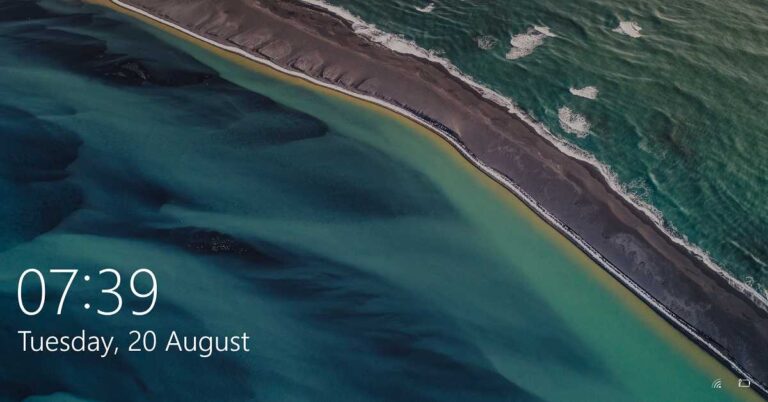
 Step 2: Select the ‘Personalization option.
Step 3: From the side panel, select the ‘Lock Screen’ tab.
Step 2: Select the ‘Personalization option.
Step 3: From the side panel, select the ‘Lock Screen’ tab.
 Step 4: Go to the drop-down menu below ‘Background’. You’ll see three options: ‘Windows spotlight’, ‘Picture’, and ‘Slideshow’. To set the background of your choice, select ‘Picture’. To create a slideshow of images, select the ‘Slideshow’ option. However, the ‘Windows Spotlight’ randomly sets wallpapers from the server and the Windows default library.
 Step 5: You’ll find the ‘Browse’ button to locate the desired image or folder (for Slideshow) in the secondary storage.
 Step 6: When you click the ‘Browse’ button, a window opens asking you to provide the path of the desired image or folder (for Slideshow).
 Step 7: As soon as you select an image or a folder (for Slideshow), Windows will automatically set it as the Lock Screen background.
For the latest gadget and tech news, and gadget reviews, follow us on Twitter, Facebook and Instagram. For newest tech & gadget videos subscribe to our YouTube Channel. You can also stay up to date with the Gadget Bridge Android App.
Step 7: As soon as you select an image or a folder (for Slideshow), Windows will automatically set it as the Lock Screen background.
For the latest gadget and tech news, and gadget reviews, follow us on Twitter, Facebook and Instagram. For newest tech & gadget videos subscribe to our YouTube Channel. You can also stay up to date with the Gadget Bridge Android App. 
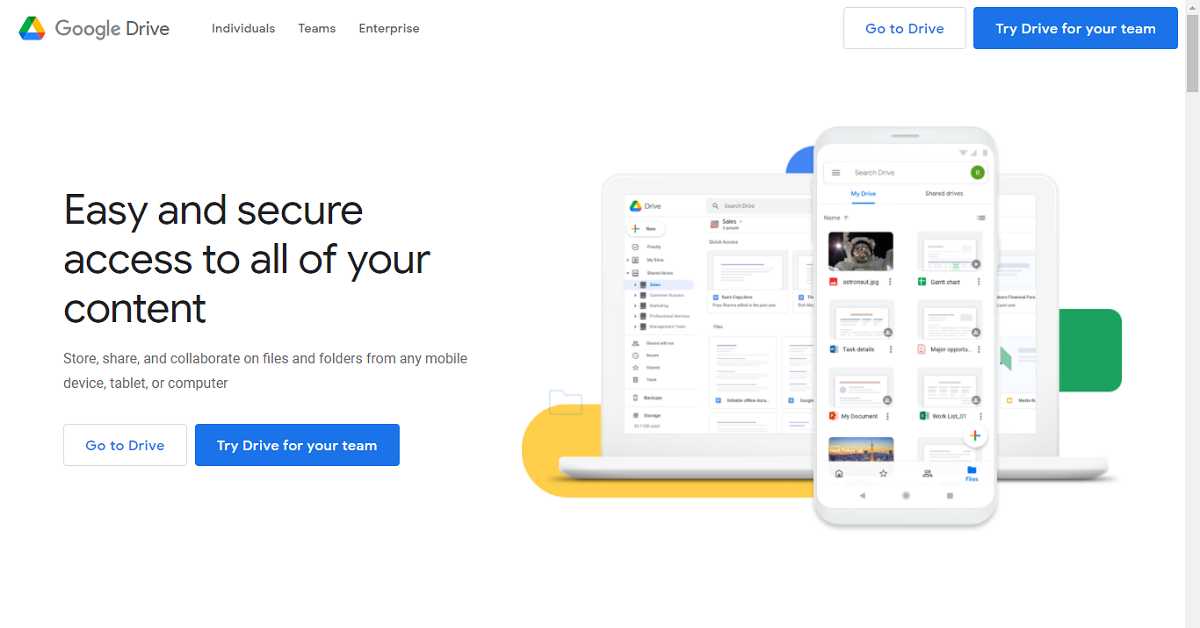





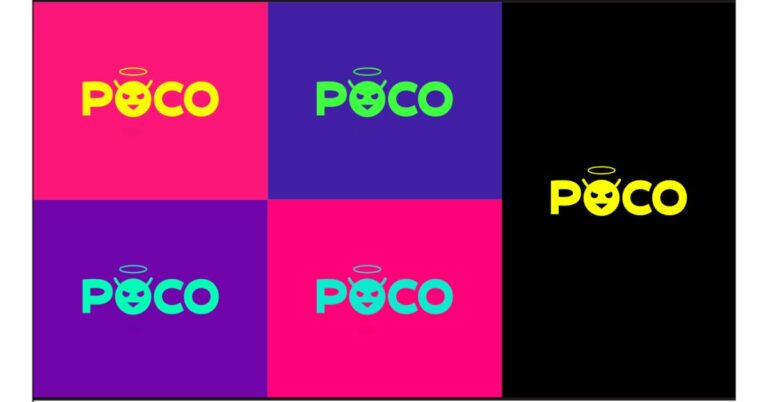



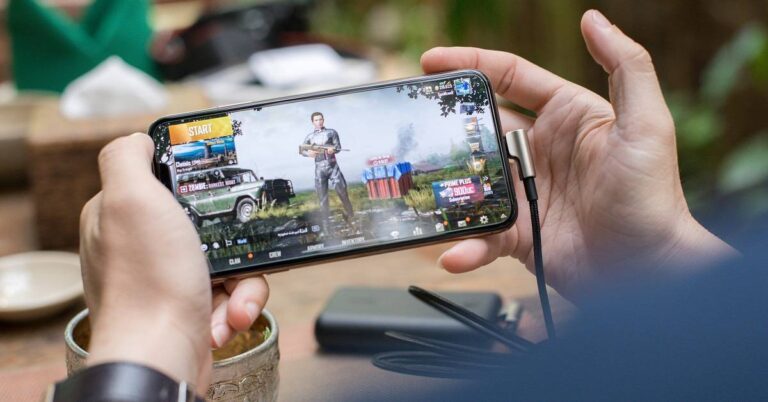


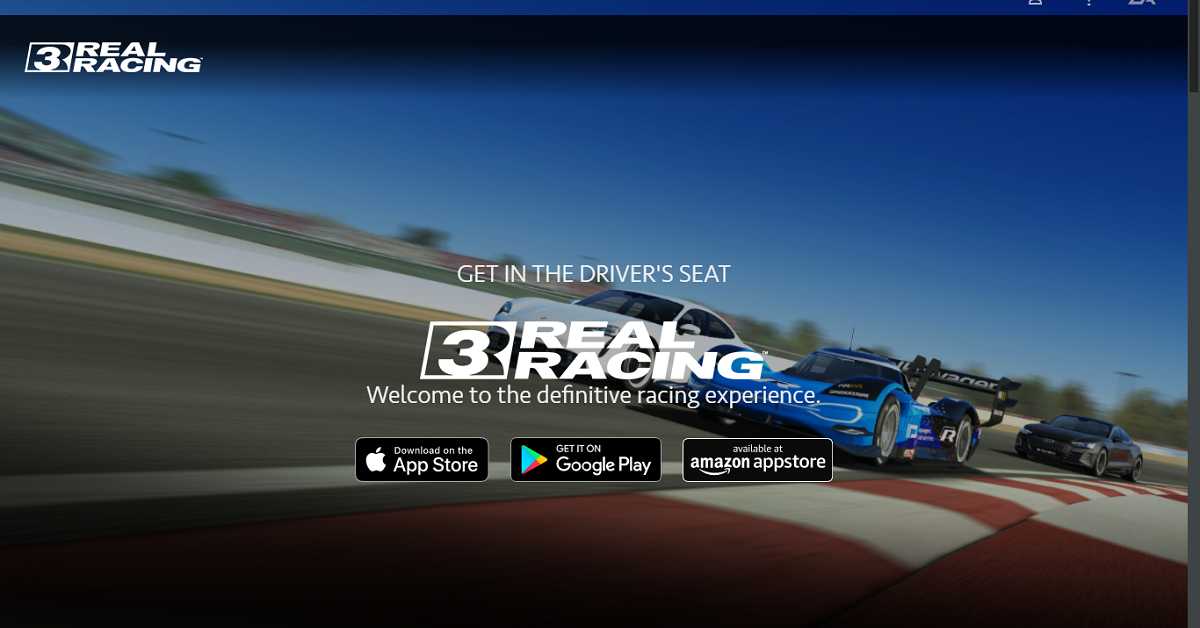



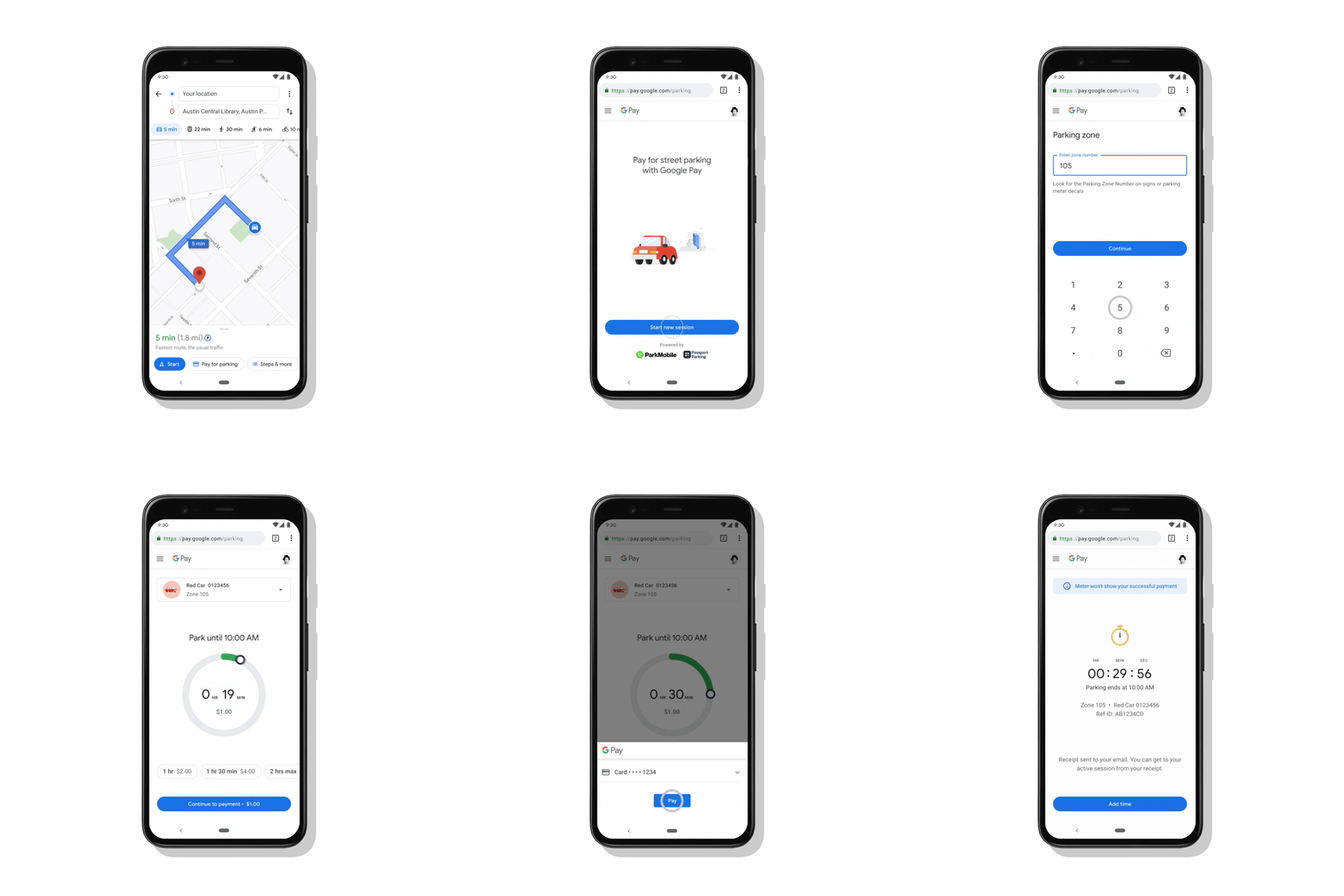
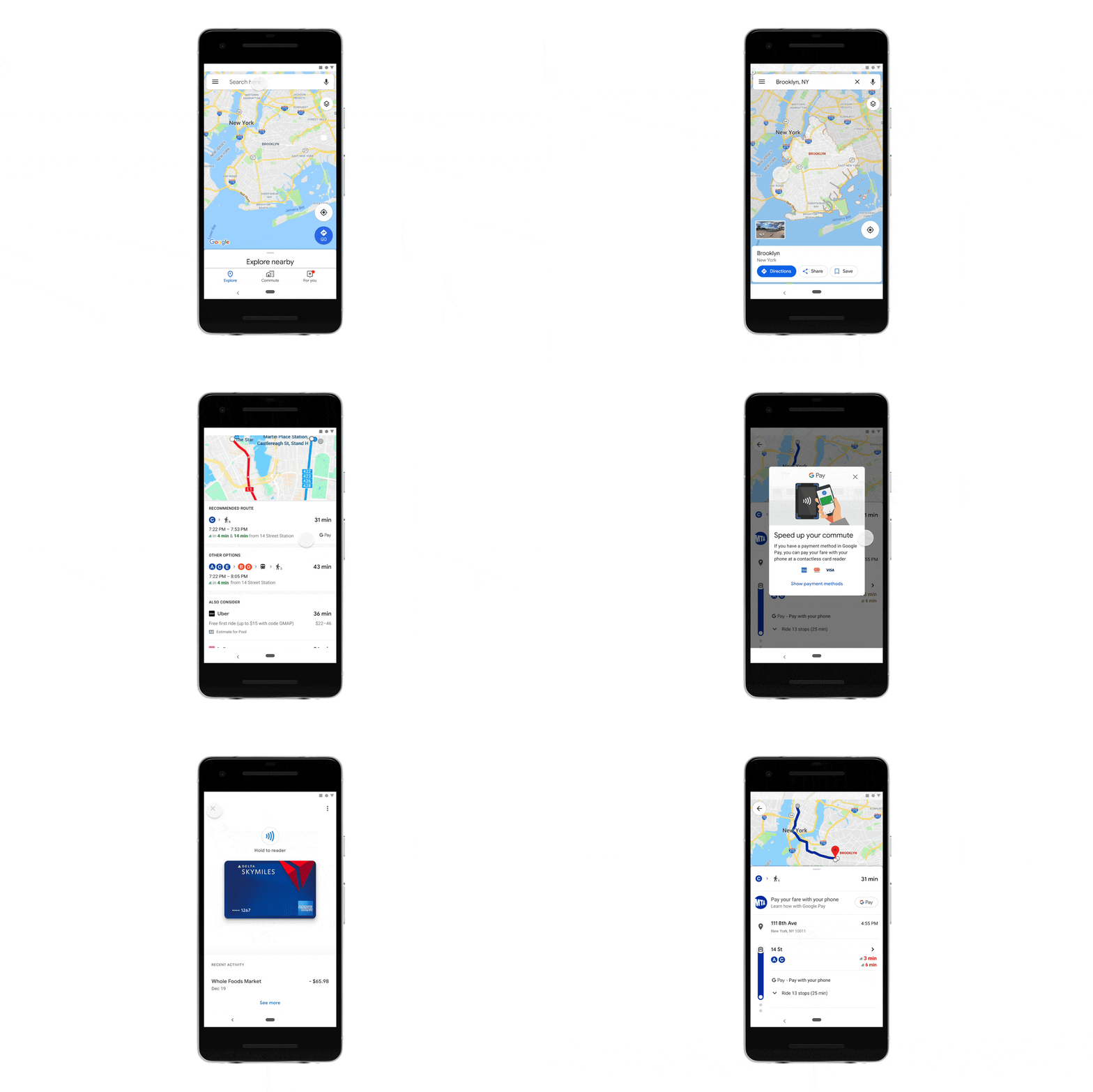
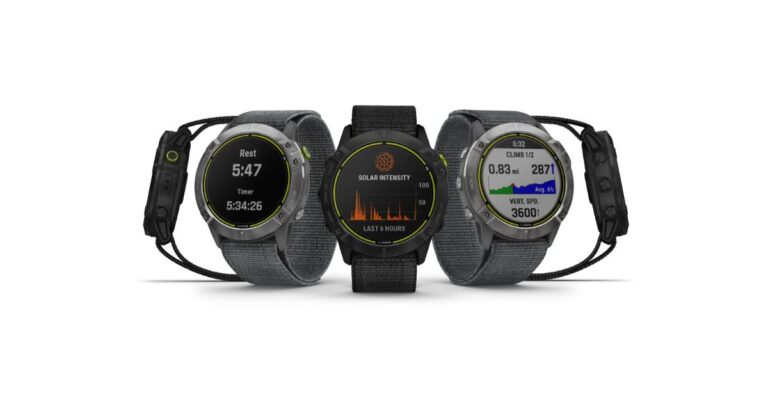



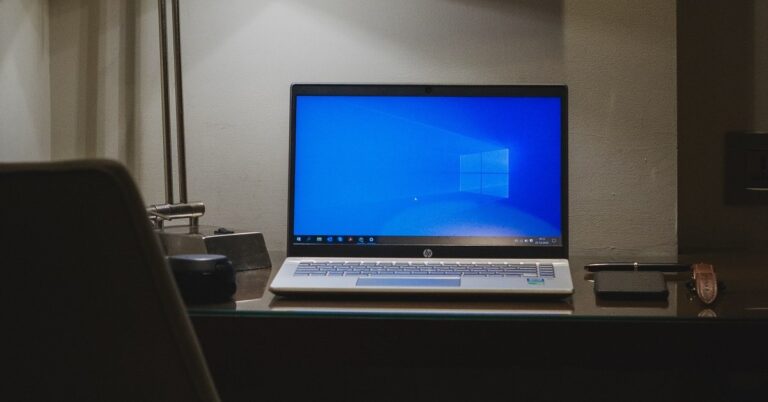
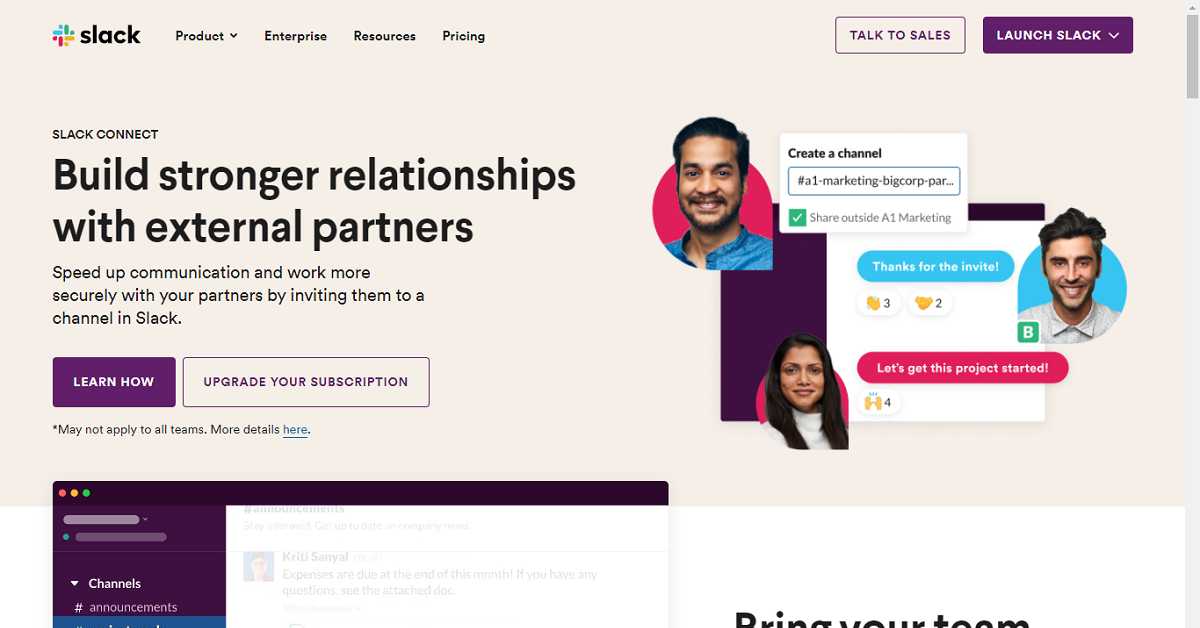


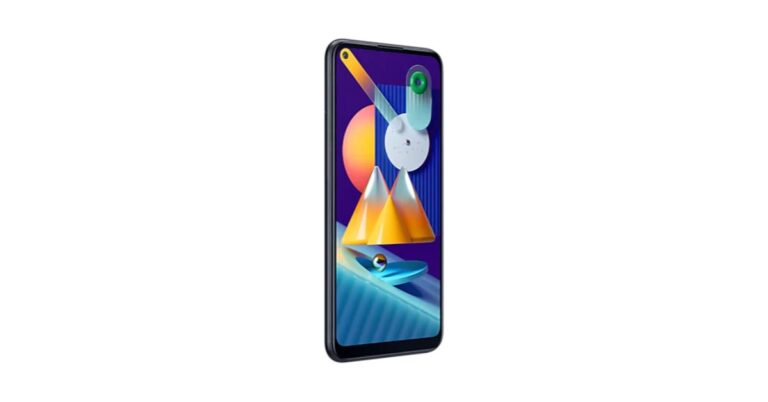




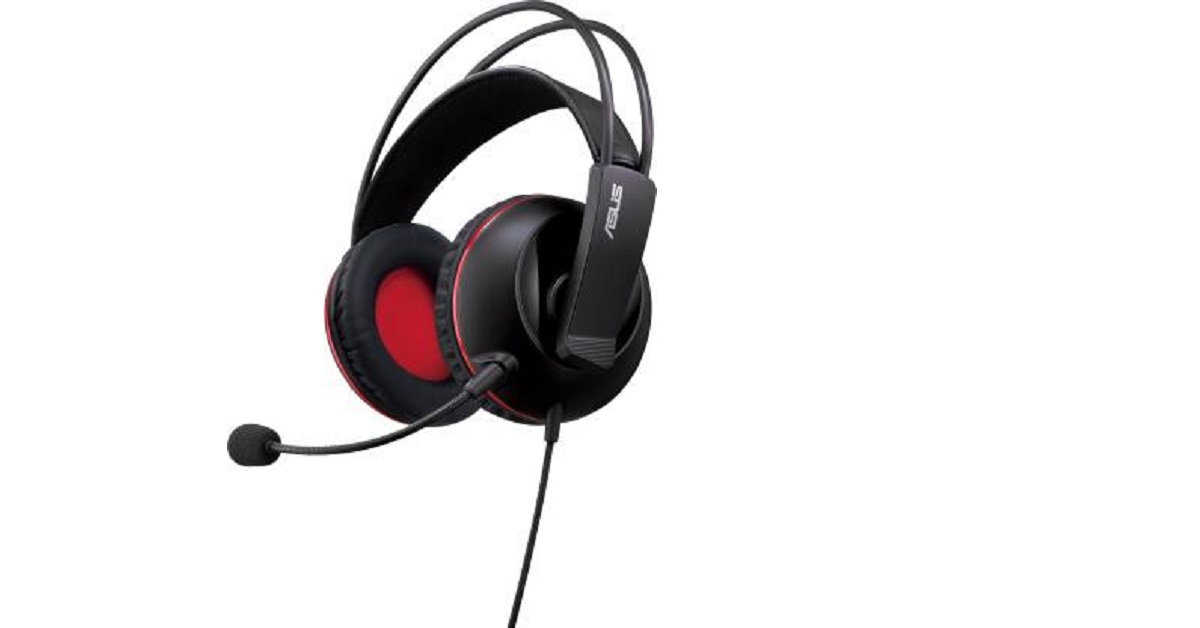


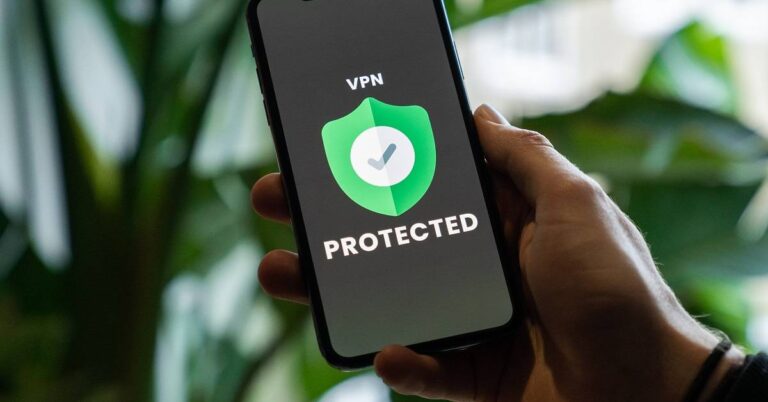


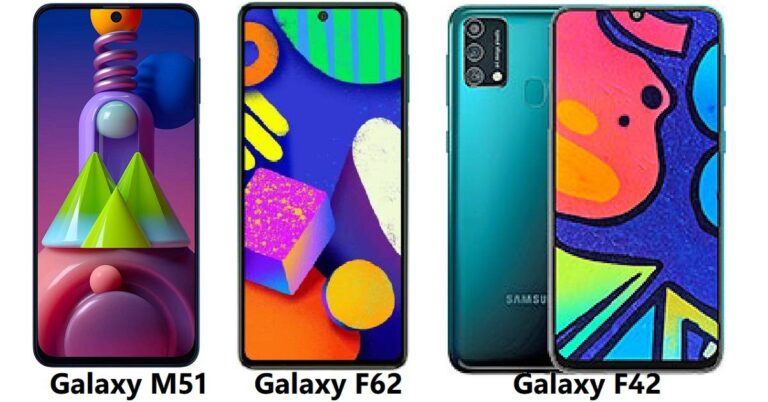



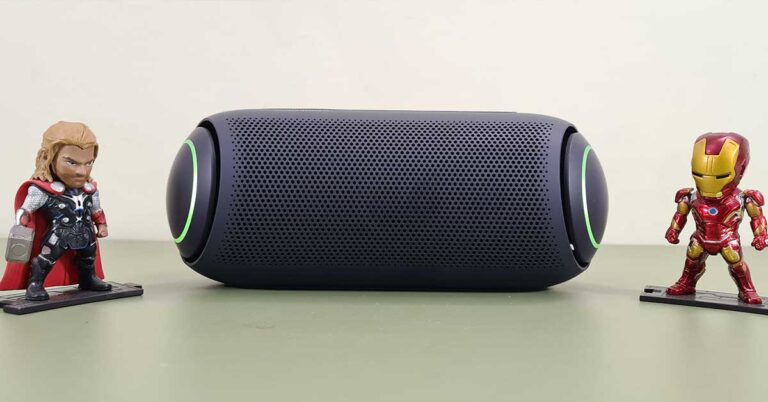
 The top of the speaker has Power, play/pause, Bluetooth, sound boost and volume keys. At the back users will find a pop-able enclosure, which has the Type-C charging port, Aux-in, USB playback port and also buttons to dim the LED light and also a multi-connect button to pair it with other LG PL7 devices. The LG XBOOM logo can be seen carved at the back with the Meridian logo on the front under the buttons. A mesh runs across the face of the LG XBOOM Go PL7 Bluetooth speaker which adds to the show. Under the speaker, you will find special rubber feet, which keep the speaker stable on any surface.
 The device is heavy compared to the competition, but since it has a much larger battery and larger audio drivers, we did not mind the weight. Nevertheless, the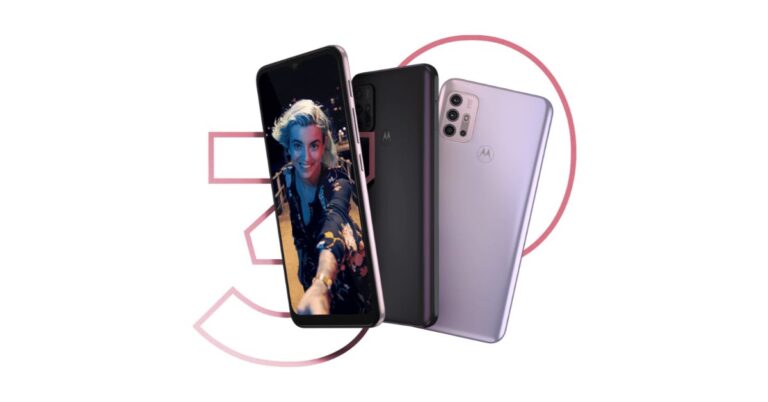


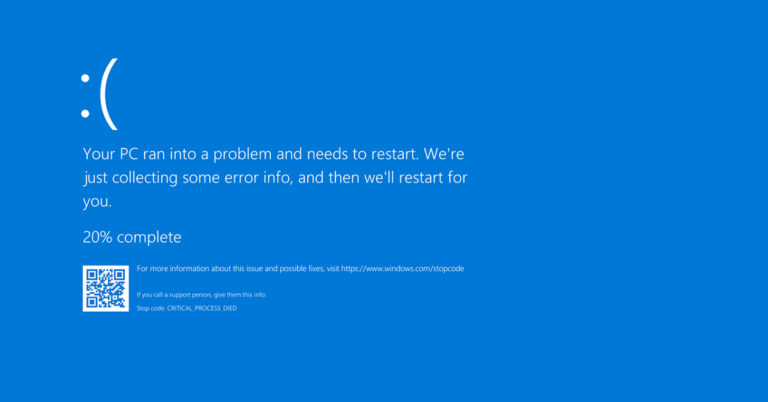


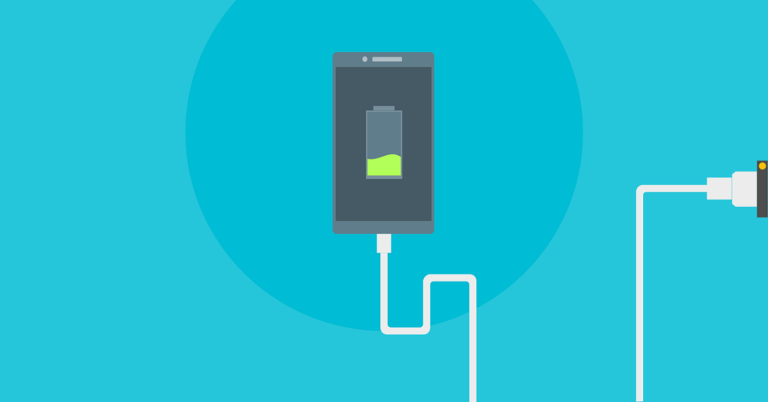


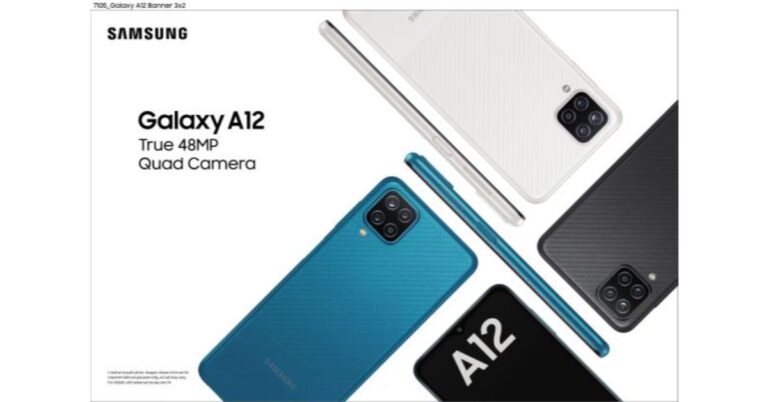

 Samsung Galaxy A12: Specifications