Top 10 Movies And TV Series To Watch On Netflix In June 2022

Make way for some entertainment this June, as Netflix can’t wait to showcase exciting old and new releases that it has in store for you. Whether you are a mystery maniac, a comedy buff or are into fantasies, magic, witchcraft and supernatural horrors, there is something in store for all. So set up your home theatre, microwave some popcorn, gather your bunch of friends or family and get ready for a fun binging session together. Here are the top 10 movies and TV series to watch on Netflix in June 2022.  Netflix and chill, everyone!

Movies

The Grudge (May 31)

The Grudge Firstly, a great update for all the horror fanatics out there is the upcoming arrival of The Grudge on Netflix. The infamous psychological mystery horror film, which was released in 2022, is being appended onto the platform at the end of this month. Those who are up for some jump scares can press the play button for this supernatural ensemble from May 31st onwards.  Watch it on Netflix

Bohemian Rhapsody (June 01)

Bohemian Rhapsody- Top 10 Movies And TV Series To Watch On Netflix In June 2022 The second one on our list of the top movies to watch on Netflix this June 2022 is the hit musical drama, Bohemian Rhapsody. An absolute delight for all the Queen fans, the movie is a biopic on the life of the band’s lead singer Freddie Mercury, his tumultuous rise to fame and the personal struggles he had to face. So, don’t you want to break free and rock with the tunes of Freddie Mercury? Watch it on Netflix.

The Witches (June 04)

The Witches Beware, all Netflix users! There’s some magic and witchcraft as well that’s about to come your way this June. A quirky fantasy comedy film which was released in 2020, The Witches is a story of a boy and his grandmother who encounter a coven of glamorously diabolical witches and their cruel, child-hating leader. The best part? You get to enjoy the performance of Anne Hathway, Stanley Tucci and Chris Rock amongst others in the movie. Watch it on Netflix Read also: The best 4K smart TVs under Rs 50,000 to watch Netflix, Prime Video and other OTT platforms

Hustle (June 08)

Hustle- Top 10 Movies And TV Series To Watch On Netflix In June 2022 Comedy lovers, we have one name for you this June. Want to guess who’s back on-screen? Coming to make you smile and fill you with a bucket of emotions as a basketball scout this time is the one and only, Adam Sandler. Hustle is a brand-new sports comedy-drama movie that is set to hit the Netflix floors on June 8th. Hence, you might want to press the bell icon in advance for this one so you don’t miss out on it. Moreover, bragging about the first-day first show watch (that too, at the comfort of your home) has its own fun, doesn’t it? Watch it on Netflix.

Breaded Life (June 10)

breaded life Breaded Life is next on our list of the top 10 movies and TV series to watch on Netflix in June 2022. A 2021 drama-comedy release, the movie is about a wealthy young man who seeks help from a local bread seller, who is the only person who recognises him after everyone in his life mysteriously forgets him. 

TV Series 

The Perfect Mother Season 1 (June 03)

The Perfect Mother- Top 10 Movies And TV Series To Watch On Netflix In June 2022 The next one is the first entry on our list of the top TV shows to watch on Netflix in June 2022. This brand-new suspense thriller TV series will be launching its first season on June 3rd on Netflix. The plot revolves around a devoted mother who is convinced of her daughter’s innocence in homicide and thus turns into an amateur detective only to uncover unsettling truths, as the line between victim and perpetrator blurs.  Watch it on Netflix

Bill Burr Presents: Friends Who Kill (June 06)

Bill Burr Presents: Friends Who Kill For those who have an inclination toward stand-up comedy, there is good news. Netflix is hosting a comedy festival, called ‘Netflix Is A Joke’, under which there are a series of stand-up releases scheduled in the coming months. And one of the noteworthy ones is Friends Who Kill, presented by Bill Burr, which is coming on June 6th on the platform. Now, who’s up for some giggles and chuckles? Watch it on Netflix Read also: Samsung announced ultra-premium 2022 Neo QLED 8K and Neo QLED TVs in India

Peaky Blinders Season 6 (June 10)

Peaky Blinders Season 6- Top 10 Movies And TV Series To Watch On Netflix In June 2022 Tommy Shelby is back you all! Bringing with him Season 6 of Peaky Blinders’ ferocious moves to climb up the ladder of success in the 1919 Birmingham underworld, the fierce Thomas Shelby returns to entertain you all in this violent period drama. Besides, who would want to miss the notable soundtrack of the popular hit TV series, which sends chills down the spine? Watch it on Netflix.

Intimidad Season 1 (June 10)

Intimidad- Top 10 Movies And TV Series To Watch On Netflix In June 2022 Next up for you is a fresh political suspense thriller TV series, whose season 1 is scheduled for arrival on June 10th on Netflix. Intimidad, meaning ‘intimacy’, is about the life of a rising politician, whose career is threatened when a surreptitiously recorded video of her sex life is leaked to the public.  Watch it on Netflix

First Kill Season 1 (June 10)

First Kill The final one on our list of the top 10 movies and TV series to watch on Netflix in June 2022 is another brand-new teen fantasy suspense. Season 1 of First Kill is set to be released on Netflix on June 10th. The plot is enriched with vampires, supernatural hunting and a wild-goose chase with themes of love and vengeance running in the background.  Watch it on Netflix. So those were our top picks for the 10 best movies and TV series to watch on Netflix in June 2022. In case you know of any other films and TV shows that will be making an entry into the OTT platform in the coming month(s), we would be delighted to hear about them. Do let us know in the comments section below. For the latest gadget and tech news, and gadget reviews, follow us on Twitter, Facebook and Instagram. For newest tech & gadget videos subscribe to our YouTube Channel. You can also stay up to date using the Gadget Bridge Android App. You can find the latest car and bike news here.
How To Hard Reset iPhone 13 (2022)? A Quick And Easy Stepwise Guide

It may happen sometimes that your iPhone starts acting up and doesn’t respond. Even turning it off then on or restarting doesn’t work. In such cases, you need to force restart your iPhone, which is also called a ‘hard reset’. The steps to hard resetting or force resetting an iPhone device vary by the type of model that you are using. Here is a step-by-step guide demonstrated pictorially on how to hard reset your iPhone 13 in 2022.  Read also: How To Recover Deleted Photos From iPhone (2022)? Best 4 Ways   If you possess a smartphone model above iPhone X, then you can force restart or hard reset your device in the following manner.  How To Hard Reset iPhone 13 (2022)? Step 1: Press and quickly release the volume up button. Step 2: Press and quickly release the volume down button. Step 3: Then, press and hold the side button. When the Apple logo appears, release the button.  Note that the volume up and volume down buttons are supposed to be pressed quickly one after the other, but not at the same time.  Read also: How To Limit Screen Time For Your Child On iPhone? The process may take a couple of tries for you to master if you’re hard resetting your iPhone 13 for the very first time. But once you get the hang of it, it seems like a cakewalk.  In case your iPhone still does not restart after trying these steps, you can seek help from Apple Support for the same. If your iPhone device is not working as expected after a hard reset or a force restart, you can visit the iPhone Support website for more help. Worst case scenario, if nothing helps, you can try contacting Apple customer service and check if they can provide a solution to your problem.  If you’re facing any such problems with your brand-new iPhone 13 or any other iOS smartphone model, do let us know in the comments section below. We would love to help in whichever way we can.  For the latest gadget and tech news, and gadget reviews, follow us on Twitter, Facebook and Instagram. For newest tech & gadget videos subscribe to our YouTube Channel. You can also stay up to date using the Gadget Bridge Android App. You can find the latest car and bike news here.

How To Recover Deleted Photos From iPhone (2022)? Best 4 Ways

No matter how large an internal memory a smartphone provides, it is still limited and is bound to get extinguished someday. Hence, we end up spending our quality time deleting unwanted files for making space in our phones. And needless to say, a large chunk of space is taken up by the infinite number of photos we take every day, which takes up a huge time to clean up. But the process comes with the risk of unintentionally deleting some of your beloved memories as well. So that you don’t have to lose your cherished captures with your loved ones, we bring to you the best 4 ways how to recover deleted photos from an iPhone in 2022. 

Recover Deleted Photos From The Photos App

Photos app iPhone- Recover Deleted Photos Step 1: Open Photos and tap on the Albums tab. Step 2: Scroll down and tap on the Recently Deleted album and then tap Select. Step 3: Tap on the photo or video that you want to recover.  Step 4: Tap Recover again to confirm. Read also: How To Limit Screen Time For Your Child On iPhone?

Recover Deleted Photos From iPhone Backup 

Step 1: Launch Finder on your macOS. Step 2: Connect your iPhone to your PC or laptop.  Step 3: Select your iPhone from the list of locations on the left pane. Step 4: Click on the Restore iPhone button under the General tab. Step 5: Let Finder backup your iPhone before restoring an earlier one. Then click on the Restore button to confirm. 

Recover Deleted Photos From iTunes Backup 

iTunes - How To Recover Deleted Photos From iPhone (2022)? Best 4 Ways Step 1: Open iTunes and connect your iPhone to your PC. Step 2: Select the Restore Backup option and chose the most relevant backup you want to restore.  Step 3: Click on the Restore button.  Read also: 5 Best Ways To Quickly Recover Deleted Contacts On iPhone

Recover Deleted Photos From iCloud Backup 

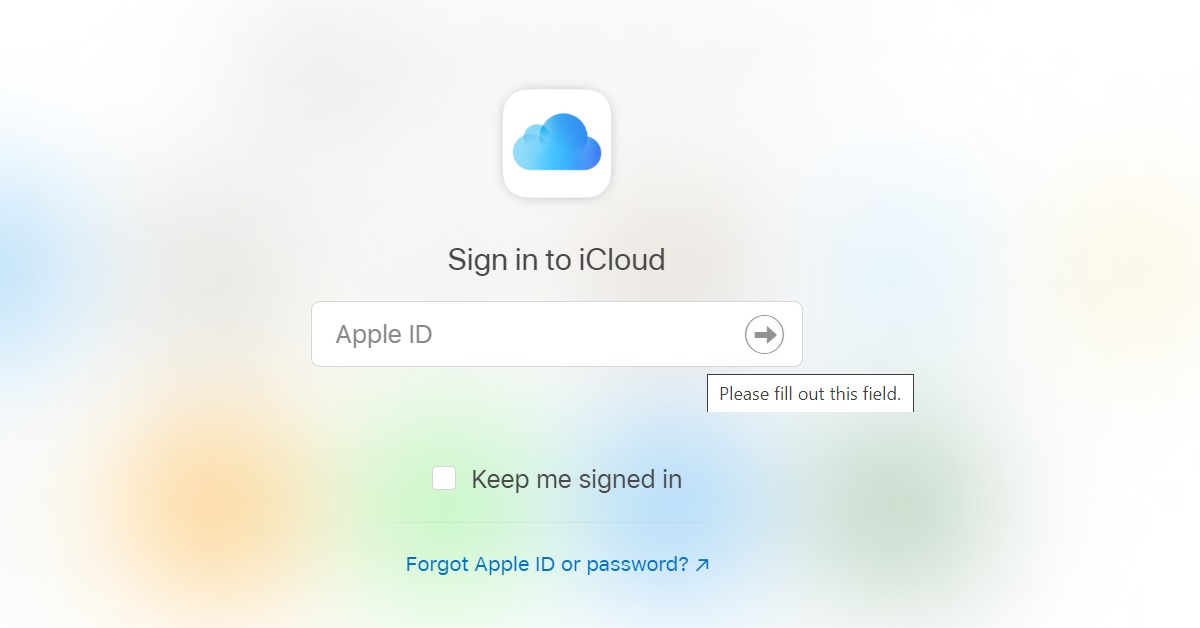
iCloud- How To Recover Deleted Photos From iPhone (2022)? Best 4 Ways Step 1: Go to https://www.icloud.com and log in with your username and password.   Step 2: Select Photos from the web page once you successfully log in.  Step 3: Click the album marked Recently Deleted. Step 4: Select the photo you want to restore and click on Recover In this way, you can restore or recover deleted photos from your iPhone in 2022. In case there is any other way to do the same, do let us know in the comments section below. And who knows, maybe your suggestion would help save someone’s lost but beloved memory? For the latest gadget and tech news, and gadget reviews, follow us on Twitter, Facebook and Instagram. For newest tech & gadget videos subscribe to our YouTube Channel. You can also stay up to date using the Gadget Bridge Android App. You can find the latest car and bike news here.

Asus Zenbook 14X Space Edition laptop review: Innovative new laptop with space-age features

0
Many do not know but it has been 25 years since Asus sent its laptop to space. On the silver jubilee of the occasion, Asus launched a special laptop just for it. Called the Asus Zenbook 14X Space Edition this is a unique laptop with killer features. We got to play around with the laptop for quite some time and this is the Asus Zenbook 14X Space Edition laptop review you need to read before you purchase it.

Asus Zenbook 14X Space Edition laptop review: Design and Display

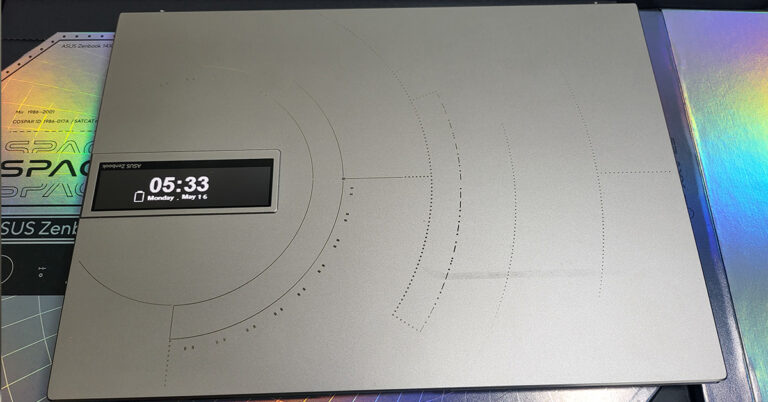
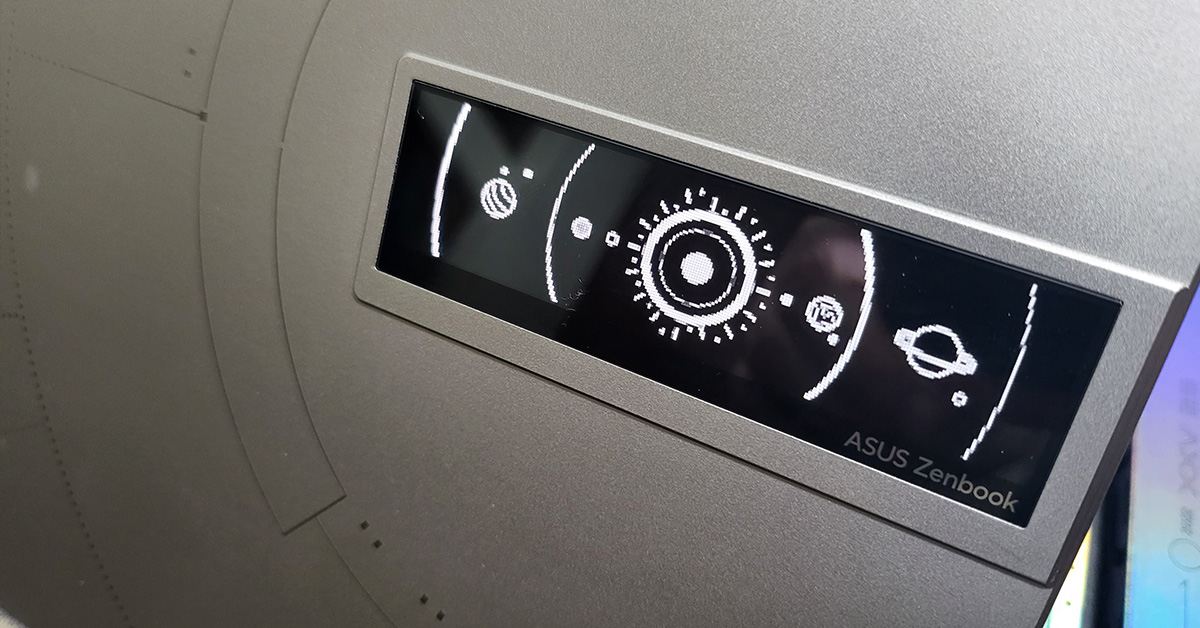
Everything from the packaging to the laptop itself spells out unique and fresh. Packed inside a dark black box you get a silver hard box containing this marvel of a laptop, we had a lot of fun unboxing it and going over its exclusive features. As soon as you unbox the device you are greeted by a titanium silver laptop in the form of Asus Zenbook 14X Space Edition. On its lid you will find a lot of things including a fresh space derived design, Morse Code: Ad Astra Per Aspera and the unique to its class – a 3.5-inch single colour OLED display. Asus-Zenbook-14X-Space-Edition-2nd-screen This display can be managed via the MyAsus App that comes pre-loaded on the laptop and can play many pre-put apps, or one can load their own identity as well in the form of text or animation. Yes, in case any of you are wondering, you can turn off this screen also to save battery. We liked the idea of having a second screen on the LID as that can run advertisements we want the people on the other side to see. Think of it this way, it is a free billboard advertisement for people to see when you are sitting at the airport waiting for your plane. Also, the brightness of this second display can be controlled to up to 3 levels. Asus-Zenbook-14X-Space-Edition-animation Moving on, inside you get a 14-inch OLED touchscreen that has a resolution of FHD+ (2,880×1,800 pixels) with a 16:10 aspect ratio. The display is excellent and you get to see vivid colours and super deep blacks on it. We loved our experience with the touch display of the Asus Zenbook 14X Space Edition laptop. It responds well to the lightest of taps and one can watch and enjoy just about anything on it. The only thing that we were not in awe of was the glossiness, but since it is a touchscreen it has to be glossy. Moreover, the screen is not a fingerprint magnet, it does get a few smudges here and there, but a quick wipe gets rid of them easily. We played a lot of YouTube videos, Netflix Shows and Prime Movies on this laptop and it kept impressing us. Asus-Zenbook-14X-Space-Edition-keyboard Talking more about the design, the Asus Zenbook 14X Space Edition laptop comes with a fairly large dish-type backlit keyboard. This has a fully functional multimedia setup on top and the power button is dressed in space red. The power button also doubles up as the fingerprint reader, which works well on most counts. A hint of the same red can be found on the space key too, after all, it is the “Space Edition”. Read Also: Asus Vivobook Pro 14x review: The new workhorse in town for num-pad Under the keyboard is a large touchpad that also doubles up as the Numpad, similar to as seen on many other Zenbooks before this laptop. The same space design can be seen on the inside panels too. There is an HD webcam embedded within the Asus Zenbook 14X Space Edition laptop. A feature that is attached to this webcam is that is an advanced privacy shield that comes in electronically. Press the F10 button on the laptop and the orange shield will hide the web camera. web-cam-hide The Asus Zenbook 14X Space Edition laptop comes with a few ports, too. You get USB, Audio ports along with a microSD card reader on the right. And on the left, you will find the HDMI and twin thunderbolt USB/Type-C ports. The overall weight of the Asus Zenbook 14X Space Edition laptop is under 1.4Kg and is 15.9mm slim. All in all, Asus get up and take a bow, you have designed a marvel. ports-left

Asus Zenbook 14X Space Edition laptop review: Performance

Stepping into the arena of performance, the Asus Zenbook 14X Space Edition laptop has a lot to offer. Some of its great features we have already spoken about in the Design section, now let’s further take a look at its configuration. The one we tinkered with had an Intel Core i9 (12th gen, 12900H) CPU that has a clock speed of 2.5GHz normal and 5GHz (boosted) and has a whopping 14 cores. With it, 32GB of LPDDR5 4,800MHz RAM is available. For storage, a 1TB of PCIe SSD has been put in that has a read speed of 6,500+ MB/sec. The only thing missing in the configuration is the kitchen sync. Asus does end up giving you the absolute best in this notebook. Asus-Zenbook-14X-Space-Edition-tech-specs Oh wait, we forgot about the GPU. What you get are integrated Intel Graphics in the form of Iris X. Why Asus, Why? If only a dedicated graphic card was put in, this would have been the perfect laptop of 2022. Nonetheless, the graphics by Intel are not too shabby. For most users these are sufficient and the list includes graphic designers and video editors. Games like DOTA 2 and CS: Go can be played at the highest settings. But games like PUBG can only cope up at medium settings with few frame drops here and there. But, this laptop is not made for gaming. It is made for entertainment and professional use. For that, users also get a very loud set of speakers that are tuned by Harman Kardon. The OS on board is Windows 11 Home edition, which is ok, but we would have preferred the Pro version. Also, another good thing is that you do not get a lot of bloatware software on the Asus Zenbook 14X Space Edition laptop. Just a few packaged apps owned by Asus, which are essential for the daily working or updation and support requirements of the notebook. Read Also: Asus ZenBook 13, ZenBook 14, ZenBook 15 ultra-books launche The ergonomic hinge also comes in the Asus Zenbook 14X Space Edition laptop, which raises the machine a few centimetres for a more ergonomical typing experience. This also dissipates heat. Other feature of the laptop includes WiFi 6E, ambient noise cancelling MIC (which works well) and a charging cable/charger box that can be used as a laptop stand too. Yes, do not throw that box away, instead, you can use it as a laptop stand. Finally, let’s talk about its battery life. The Asus Zenbook 14X Space Edition laptop sports a 63Whrs 3-cell Li-ion battery that can be charged using the supplied 100W charger. For us, under nominal use, the laptop lasted for a little under 6 hours (with the second screen turned off) and the backlit keyboard at mid brightness. With the rear screen turned on, we lost half an hour of work time.
Verdict

Overall, the Asus Zenbook 14X Space Edition laptop impressed us on many counts. The design, the superb screen, the addition of a second display, safety features (that included military standard toughness) and excellent sound. Over that, The box also holds a space silver carry case for the device. The system we reviewed can be picked up for Rs 1,69,990, which gives you an exceptional bang for the buck. In case you want to game also on your laptop, then we would suggest the ROG range by Asus. Else if you want to spend a little less, there are inexpensive versions available too, that have less RAM, lower Intel CPU and lesser storage. In case money is no bar, this is one fine laptop to own.

Asus Zenbook 14X Space Edition Pros

Excellent Touch Display Second Screen Extreme Performance

Asus Zenbook 14X Space Edition cons

Windows Home Edition No dedicated graphics card For the latest gadget and tech news, and gadget reviews, follow us on TwitterFacebook and Instagram. For newest tech & gadget videos subscribe to our YouTube Channel. You can also stay up to date using the Gadget Bridge Android App. You can find the latest car and bike news here.

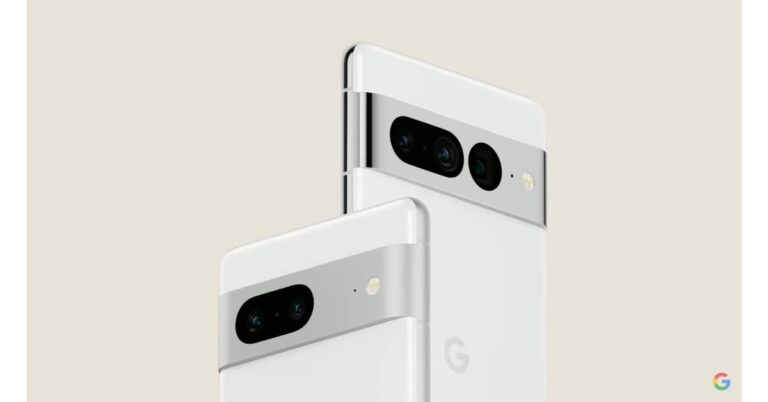
This is how much Google Pixel 6a may cost in India, pricing for other regions announced

Last week, Google announced the Pixel 6a at Google I/O 2022. The Google Pixel 6a features a 6.1-inch display with always-on capability. It will also receive security updates for at least five years. The new Pixel phone is said to have a battery life of 24 hours. Let’s take a look at the Google Pixel 6a pricing for different regions that the company has announced.

Google Pixel 6a India pricing and other regions

Google announced the Pixel 6a at its annual developers’ conference, Google I/O 2022. According to tipster Yogesh Brar the device will cost around Rs 40,0000 in India and will be available soon through Flipkart. Confirming that the smartphone is on its way to India the company in its tweet said, “We’re so thrilled to announce that the Pixel 6a is coming to India later this year.” Google Pixel 6a price and availability In the United States, the Google Pixel 6a will cost $449 (roughly Rs 34,887). In Japan one has to pay JPY 53,900 (approx. Rs 53,900). In Australia and Ireland, the Google Pixel 6a is priced at AUD 749 (roughly Rs 40,092) and EUR 459 (roughly Rs 37,107), respectively. It will cost CAD 599 (roughly Rs 35,922) and GBP 399 (roughly Rs 37,979) in Canada and the United Kingdom, respectively. In Singapore and Taiwan, the device will cost SGD 749 (roughly Rs 41,709) and NTD 13,990 (roughly Rs 36,467), respectively. The handset will cost EUR 459 in other European countries such as Germany, France, Italy, and Spain (approx. Rs 37,107). The smartphone will be available for pre-order in the United States on July 21. It will come in three colour options of Chalk, Charcoal, and Sage.

Google Pixel 6a specifications

The Google Pixel 6a has a 6.1-inch full-HD+ OLED display with a resolution of 1,080 x 2,400 pixels. Corning Gorilla Glass 3 protects the screen, which has a 20:9 aspect ratio and a 60Hz refresh rate. The smartphone comes preloaded with Android 12 and is expected to receive five years of security updates from the time it is released. The Pixel 6a, like other Pixel devices, will be one of the first Android devices to receive the Android 13 update. It has a Google Tensor SoC, a Titan M2 security coprocessor, 6GB of LPDDR5 RAM, and 128GB of internal storage. The Google Pixel 6a has a dual-camera setup on the back, with a 12.2-megapixel primary sensor with an f/1.7 aperture and a 12-megapixel ultra-wide-angle camera with an f/2.2 aperture. At 30 frames per second, the rear camera can record 4K video. For selfies and video calls, the device also has an 8-megapixel front-facing camera with an f/2.0 aperture. At 30 frames per second, the front camera can record 1080p video. Google has included a 4,410mAh battery with fast charging capabilities in the Pixel 6a. When used in the Extreme Battery Saver mode, the all-day battery can last up to 72 hours. Connectivity options include 5G, 4G LTE, Wi-Fi 6E, Bluetooth 5.2, and a USB Type-C port. The sensors onboard include an accelerometer, ambient light, barometer, gyroscope, magnetometer, and proximity sensor, as well as an in-display fingerprint sensor for biometric authentication. The Pixel 6a has the same excellent speech recognition as the Pixel 6 Pro. Recorder, Live Caption, and Live Translate are among the features available. For the latest gadget and tech news, and gadget reviews, follow us on TwitterFacebook and Instagram. For newest tech & gadget videos subscribe to our YouTube Channel. You can also stay up to date using the Gadget Bridge Android App. You can find the latest car and bike news here.

15 Best Scary Roblox Games You Should Play in 2022

Is horror your favourite genre? If creepy hallways, spooky manors and scary ghosts are elements that excite you the most, then you’ve arrived at the right destination. It doesn’t matter whether you’re a newbie and don’t have professional gaming skills. If you have a thing for adventure, murder mystery and horror, Roblox will without a doubt make your day. Amongst the plethora of games that the platform offers for the gaming community lie some of the scariest ones as well. Here are the 15 best scary Roblox games that you should play in 2022 Friendly tip: You might want to leave the lights of your room on and have a company along while playing. 

The Mimic

The Mimic- 15 best scary Roblox games of 2022 The first in our list of the 15 best scary Roblox games of 2022 comes The Mimic. This horror adventure has been churned out from 4 different stories which are based on Japanese history and urban legends, but with a twist. In each book, you’ll find yourself as different characters navigating your way through mysterious worlds. You would have to pull yourself together through the flashing lights, loud noises and jump scare that comes with each chapter. You have the option to go in solo or take your friends along with you for support.  Visit the website

Insane Elevator

Insane Elevator This horror game challenges you to climb into the insane elevator and survive all the floors. You have to fight the scare against a range of killers like Piggy, Baldi, Jeff the killer, Pennywise the killer clown and many more during your elevator journey. The game can be played by players of all ages.  Visit the website. 

Breaking Point

Breaking Point Avid gamers on Roblox would already be aware of Breaking Point’s popularity on the platform. This one, which at one point was banned due to being too scary, returns with full might. It is a multiplayer murder mystery game with each player having an aim to eliminate all others while identifying the Murderer amongst them.  Visit the website.

Alone In A Dark House

Alone in a dark house - 15 best scary Roblox games of 2022 Next on our list of the 15 best scary Roblox games of 2022 is this one. Alone In A Dark House had been nominated as the best single-player horror game in the Bloxy Awards 2020. The game is based on a storyline set in August 1996 and combines horror with the murder mystery genre. You find yourself as a private investigator who travels to a small town to investigate a brutal vehicle murder. Dark secrets about the family might uncover along your way. And beware, the house may seem empty from the looks of it but you may also find unwanted company. Visit the website. Read also: 12 Best New Minecraft Seeds For Players To Explore (2022)

The Mirror

The mirror This twisted horror game is based on a real-life psychological phenomenon. You’ll find yourself in some sort of an underground facility full of mirrors. You have to navigate your way through this mirror maze. However, staring in the mirror for too long in the dark may yield terrifying results. The game warns you with the twist that it’s not the mirrors but your mind that may become distorted along the way. Feels like a dare you could take?  Visit the website.

Dead Silence

Dead Silence- 15 best scary Roblox games of 2022 Considered one of the scariest games on Roblox, Dead Silence makes you investigate the legend of Mary S. Based on the horror movie with the same name, the game can be played with up to 4 players. It makes sure to send chills down your spine while you are navigating your way through the haunted town solving the mystery at hand. Visit the website.

Geisha

Geisha Reportedly based on the urban legend “Teke-Take”, Geisha takes you back to your childhood home where nothing is the same anymore. The air feels cold while you wonder where your family is. Moreover, you feel a strange presence around, the moment you step into the house. If you’re looking for a solo eerie experience, this one’s a good option. Visit the website.

The Maze

The Maze- 15 best scary Roblox games of 2022 Next up on our list of 15 best scary Roblox games of 2022 is The Maze. The game is pretty open, but once you step into the maze, it starts getting enclosed. For people with claustrophobia, you might want to think twice before pressing the play button. Up to 12 players can play this game at a time.  Visit the website. 

Finders Keepers

finders keepers The game Finders Keepers traps you in a house with an unknown entity. Your goal as a paranormal investigator is to find the disks and unleash the entity behind them.  Visit the website.  Read also: Top 10 Best Free Apple Watch Games Of 2022

The Black Death

The Black Death You would have to be ready for flashing lights and jump scares if you want to play The Black Death. Your focus amidst all the spookiness is to get out of the place in one piece while you are being hunted by supernatural forces. You can play the game by yourself or with friends. Visit the website.

The Rake: Remastered

The Rake Remastered-15 best scary Roblox games of 2022 The villain in this popular horror game series on Roblox is The Rake, which lurks through the forest at night in search of victims to stalk, hunt and slay. The game challenges you to survive the night. Will you take up the challenge? Visit the website. 

The Asylum

The Asylum While on the subject of the horror genre, how can haunted asylums be missed out from the discussion? The game presents you with two chapters. In the first one, you have to explore an abandoned asylum, while in the second one, you move on to the building next to the asylum. Do you wish to lift the curtains up to uncover what lies beyond? Visit the website.

Poppy Playtime Story

Poppy Playtime Story- 15 best scary Roblox games of 2022 Next on our list of the 15 best scary Roblox games that you can play in 2022 is Poppy Playtime Story. This one is another horror adventure game in which you have to survive fighting with the vengeful toys that wait for you in an abandoned toy factory. Some horror movie toy characters do come to mind, don’t they?  Visit the website.

Nanny

Nanny Another scary Roblox game with a maze runner theme, in which you have to avoid the nanny and find the exit to come out in one piece. You might have to crawl your way and face a lot of jump scares while tackling your fear.  Visit the website. 

Judy

Judy- 15 best scary Roblox games of 2022 The final one on our list of the best horror games on Roblox is Judy. You are presented with three chapters in the game. In chapter one, you and your friends are required to investigate an old and abandoned Theme Park from the 70s to uncover Judy’s past and the events that led to her disappearance. Chapter two then takes you to the Judy Manor where you have to save Judy from evil, while chapter three teleports you to an ocean to save Judy from Linda. A perfect plot for a trilogy horror series, isn’t it?  Visit the website. So those were our top picks for the 15 best scary Roblox games that you can play in 2022. If we missed out on your favourites, do let us know in the comments section below and share it with the rest of us.  For the latest gadget and tech news, and gadget reviews, follow us on Twitter, Facebook and Instagram. For newest tech & gadget videos subscribe to our YouTube Channel. You can also stay up to date using the Gadget Bridge Android App. You can find the latest car and bike news here.

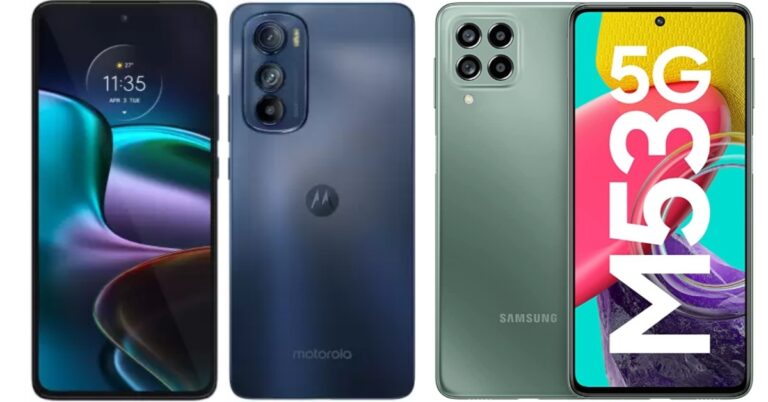
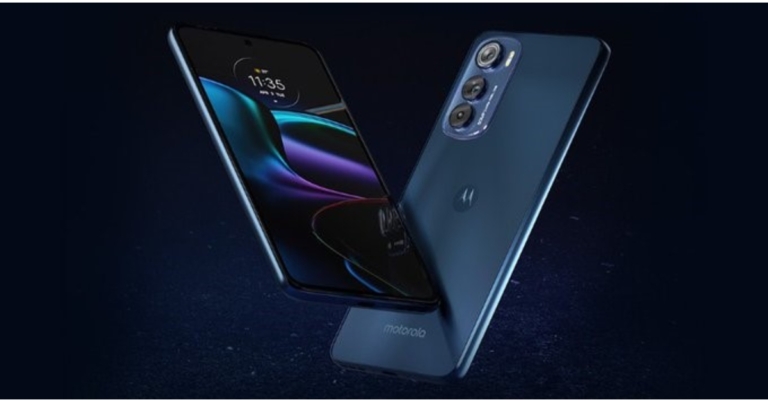
Smartphone Comparison: Motorola Edge 30 Vs Samsung Galaxy M53

With so many options available, finding the best smartphone in the 30K price segment can be difficult. Motorola just released the Motorola Edge 30 in the 30K price range, directly competing with the Samsung Galaxy M53 5G. Because both smartphones are available for the same price, it’s easy to get confused about which to buy. Motorola Edge 30 Vs Samsung Galaxy M53 comparison will provide more information on how these two smartphones compare.

Display

Motorola Edge 30: 6.7-inch full-HD+ pOLED display (144Hz) Samsung Galaxy M53: 6.7-inch Infinity-O Super AMOLED+ display (120Hz)

Processor

Motorola Edge 30: Snapdragon 778G+ processor Samsung Galaxy M53: MediaTek Dimensity 900 SoC

Rear camera(s)

Motorola Edge 30: The triple camera setup includes a 50-megapixel primary camera with an f/1.8 aperture, a 50-megapixel ultra-wide-angle camera with an f/2.2 aperture, and a 2-megapixel depth camera with an f/2.4 aperture. Samsung Galaxy M53: A quad-camera system with a 108-megapixel primary sensor, an 8-megapixel ultra-wide sensor, a 2-megapixel depth sensor, and a 2-megapixel macro sensor

Selfie camera

Motorola Edge 30: 32-megapixel front-facing camera with an f/2.4 aperture Samsung Galaxy M53: 32-megapixel front-facing camera

RAM and storage

Motorola Edge 30: 6GB RAM with 128GB storage and 8GB RAM with 128GB storage option Samsung Galaxy M53: 6GB RAM with a 128GB storage/ 8GB RAM with 128GB storage option

Battery

Motorola Edge 30: 4,020mAh Samsung Galaxy M53: 5,000mAh battery

Operating system

Motorola Edge 30: Android 12 based MyUX Samsung Galaxy M53: Android 12 and One UI 4.1

Starting Price

Motorola Edge 30: Rs 27,999 Samsung Galaxy M53: Rs 26,499

Our Take

Both devices have similar configurations and display sizes, but the Motorola Edge 30’s display supports 144Hz whereas the M53’s display supports 120Hz. The Motorola Edge 30 5G has an OLED display, whereas the Samsung Galaxy M53 5G has a Super AMOLED Plus display. The 108MP Quad Rear Camera setup on the Samsung Galaxy M53 5G outperforms the 50MP triple camera setup on the Motorola Edge 30 5G, but both phones have the same 32MP Front Camera. Both phones are powered by Android 12. The Motorola Edge 30 is powered by a new Snapdragon 778G+ SoC with Adreno 642L GPU. The MediaTek Dimensity 900 SoC is featured in the Samsung Galaxy. Both smartphones, however, will be equally quick thanks to best-in-class mid-range processors. Also Read: Comparison: Samsung Galaxy M53 5G Vs OnePlus Nord 2 When it comes to battery life, the Motorola Edge 30 has a 4,020mAh battery, which is less than the Galaxy M53’s 5,000mAh battery. For biometrics, the M53 has a side-mounted fingerprint sensor, whereas the Motorola Edge 30 has an in-display fingerprint scanner. The Motorola Edge 30 will be available at Rs 27,999 for those who want an in-display fingerprint scanner and a slightly faster processor. Those looking for a more economical option can opt for the Samsung Galaxy M53 5G, which costs Rs 26,499. For the latest gadget and tech news, and gadget reviews, follow us on TwitterFacebook and Instagram. For newest tech & gadget videos subscribe to our YouTube Channel. You can also stay up to date using the Gadget Bridge Android App. You can find the latest car and bike news here.

Garena Free Fire Redeem Codes Today 16 May 2022: Here is how to claim them

Garena Free Fire is a battle royale game with regular awards and tournaments to keep players interested. If you play Garena Free Fire, you should be aware of the redeem codes that are released on a daily basis. However, because the battle royale game is banned in India, players from other countries can use the Free Fire Redeem codes daily. If you’re unfamiliar with the Garena Free Fire redeem codes or don’t know how to get them, we’ve put together a step-by-step guide to help you redeem them. Check out Garena Free Fire Redeem Codes for May 16. The Free Fire redeem codes are a great way to get free stuff. These are 12-digit codes that contain alphabets and numbers, as well as an expiration date and time. Because the Garena FF redeem codes cannot be used more than once, you should hurry to the redemption page to claim your free reward before someone else does. To get a free reward, all you have to do is go to reward.ff.garena.com/en, which is the official redemption page. Also, keep an eye on this space for daily updates on Garena Free Fire redemption codes and rewards.

Garena Free Fire Redeem Codes Today 16 May 2022

  • FQ8C VH2U 736E
  • TR9D FG2C BX8H
  • JSI0 WE4U 5H6N
  • 7YMU LPJ0 9H8U
  • F7YF TD9G FS4W
  • F2BN 3JK4 I5TG
  • F76V T5CR SFD5
  • FQV2 B3K4 LO5R
  • FGI8 U7Y6 VTHJ
  • UI87 65TS RFW3
  • GB45 6KYO H9B8
  • 7VYF TG45 H6J4
  • F6FD 5SRW F3G4
  • H5J6 TYKU JO98
  • V7D6 YT4H 456K
  • 7YUJ O5FD RSFD

How to Get Free Fire Redeem Codes for Garena on May 16?

  • Visit the Garena Free Fire game’s official website at reward.ff.garena.com.
  • Use your Facebook, Google, VK, Apple ID, Huawei ID, or Twitter account to log in.
  • You’ll be taken to a valid redemption code (s)
  • Copy and paste the 12-digit redemption code into the text box.
  • On the screen, a dialogue box will appear.
  • ‘Ok’ should be selected.
For the latest gadget and tech news, and gadget reviews, follow us on TwitterFacebook and Instagram. For newest tech & gadget videos subscribe to our YouTube Channel. You can also stay up to date using the Gadget Bridge Android App. You can find the latest car and bike news here.

Amazon Quiz Answers Today 16 May 2022: Participate to win Rs 20,000

16 May 2022 Amazon Quiz has gone live. Customers from different parts of the country are participating in the daily quiz. The quiz begins from 12 AM to 11:59 PM. Those participating in the quiz can win exciting prizes by answering all the questions correctly. Today participants have a chance to win a Rs 20,000 Amazon Pay Balance. Amazon quiz brings an opportunity for its customers to win Amazon Pay Balance ranging from Rs 1,000 to Rs 50,000. The Quiz can be played from 12 AM to 11:59 PM. The e-commerce platform brings a fresh quiz on a daily basis which consists of five questions related to general knowledge and current affairs. The participants need to answer all the questions correctly and their names will be selected for a lucky draw. The winner will be announced at the end of the month. One wrong answer could eliminate you from the quiz. If you manage to answer all the questions correctly you can stand a chance to win a Rs 20,000 Amazon Pay Balance today. Only app users are eligible to participate in the Quiz. Check Out 16 May 2022 Amazon Quiz Answers. Amazon Quiz Today Prize – Rs 20,000 Amazon Pay Balance Quiz Date – 16 May 2022 Daily Timing – 12 AM to 11:59 PM Winner Announcement – Today 12 PM

Amazon Quiz Answers Today 16 May 2022

Question 1: How do we better know the proposed semi-high speed K-Rail project of the Kerala government? Answer: SilverLine Question 2: In 2022, Kerala’s popular Nehru Trophy boat race was held in which country? Answer: UAE Question 3: NASA’s Parker Solar Probe has taken its first visible-light images of the surface of which planet from space? Answer: Venus Question 4: Which of these companies was founded in this country? Answer: IKEA Question 5: Which of these brands famous for its food products specialized for this animal was the most viewed pet brand on YouTube in UK in 2021? Answer: Whiskas

How To Play Amazon Quiz

Only app users are eligible to play the Amazon quiz every morning from 12 AM to 11:59 PM. The quiz is not available on the desktop. For those who are unaware of how to play the Amazon quiz below are the steps, you can follow to take the quiz.
  • Firstly download the Amazon app from Google Play Store or App Store
  • Now fill in the required information through the Sign Up option.
  • You need to log in to the Amazon app and scroll down on the home screen to find the Amazon Quiz banner.
  • Tap on the Amazon Quiz banner and tap on the Start button to start the Quiz.
  • Now you will get 5 questions and you need to answer them correctly. One wrong answer will eliminate you from the Quiz.
  • After answering all the questions correctly you are now eligible for a Lucky Draw.
  • The winner’s name will be announced today at 12 PM.
For the latest gadget and tech news, and gadget reviews, follow us on TwitterFacebook and Instagram. For newest tech & gadget videos subscribe to our YouTube Channel. You can also stay up to date using the Gadget Bridge Android App. You can find the latest car and bike news here.

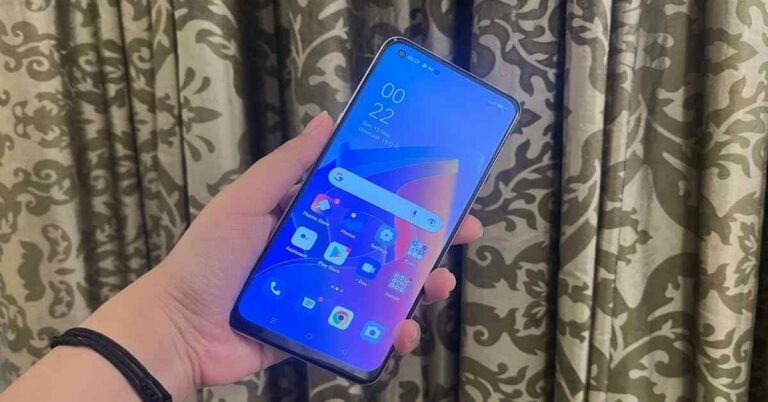
Oppo F21 Pro review: Full marks for style, but can the performance catch up?

The Oppo F21 Pro is the latest smartphone by the company in the Indian smartphone market and it comes in two versions – one supporting 5G and the other a regular 4G model. The device is priced at Rs 22,999 and comes with an impressive set of specifications. Read the rest of our Oppo F21 Pro review to find out more about its pros and cons:

Oppo F21 Pro review: Design and Display

It’s a good thing that we are talking about the design of the Oppo F21 Pro first, because it is so very different from other phones available in the market. The smartphone sports a leatherback design on its back panel and is available in Rainbow Spectrum, Cosmic Black and Sunset Orange colours. The handset that we got for review was dressed in Orange. The colours, as well as the texture of the back panel, make the Oppo F21 Pro stand out of the crowd. The surface of the smartphone does not only look premium and unique, but it also doesn’t catch fingerprint marks or smudges unlike phones with glossy or glass finish. The back of the device also houses its rectangular camera module and the Oppo branding. Oppo F21 Pro 2 While the right edge of Oppo F21 Pro houses the Power button, the left one has the Volume Rocker keys and the SIM tray sandwiched on it. The Type-C port, speaker grill, 3.5mm headphone jack, and the microphone are placed on the bottom, and the top edge has the secondary microphone. Flip over and you will see the front panel of the device dominated by the 6.4-inch screen outlined by thin bezels and a rather thick chin. The screen has the fingerprint scanner embedded in it and also houses a punch-hole selfie camera on the top left. The earpiece is placed discreetly on the top of the screen. In a nutshell, we would say that the design of the Oppo F21 Pro is very unique and we are really impressed by it. Oppo F21 Pro 4 Moving on, the smartphone sports a 6.4-inch FHD+ AMOLED display that has a refresh rate of 90Hz. It also has WideVine L1 certification and can support HDR10 content. The colours showcased on the screen were vibrant and they stayed consistent at different viewing angles. Even the brightness was apt and the sunlight readability was decent. The images projected were also sharp and clear at all times and we really enjoyed watching video content on YouTube and Netflix. During our time with the device, we didn’t encounter any issues with the display of Oppo F21 Pro. It is definitely among the good aspects of the smartphone.


Oppo F21 Pro review: Performance and Cameras

Before we talk about the performance of Oppo F21 Pro, let’s take a minute to discuss the rest of its specifications. The 4G model of the smartphone is powered by Snapdragon 680 SoC coupled with 8GB of LPDDR4x RAM and 128GB of built-in UFS 2,2 storage. The device houses a 4,500mAh battery and has support for SuperVOOC charging. It runs Android 12 with ColorOS baked on top and sports a triple rear camera setup with a 64MP primary sensor, a 2MP micro lens surrounded by Orbit Light, and a 2MP depth lens. The Orbit Light indicates to the user about notifications and also acts as a fill light for low-light shots. The 5G model on the other hand comes with a 6.4-inch full-HD+ AMOLED display with a 60Hz refresh rate and is powered by an octa-core Qualcomm Snapdragon 695 processor. It also comes with a triple rear camera setup but has a 2MP macro lens instead of the microsensor on the 4G model. For selfies and video calls, there is a 32MP front snapper. Oppo F21 Pro 3 Oppo F21 Pro runs Android 12 skinned with ColorOS 12, and the software comes with a number of useful customizations like Air Gestures and an in-built Screen Translator. But then, there is bloatware too. You’ll find quite a few preloaded apps including Amazon, Snapchat, Dailyhunt, Josh, and Hot Apps which sends suggestions for other app downloads, Share Chat, Facebook, etc. Coming to the performance, it was decent. The smartphone can perform most day-to-day functions with ease, and it took some multitasking well. Just don’t overdo it. And sometimes, apps took a while to load, which we found to be strange considering the kind of RAM and storage the device has. Gaming was decent too. Playing most of the lighter games like Alto’s Odyssey on the handset was no problem at all. It was with the high-graphic ones like Asphalt 9: Legends that the gaming performance suffered a bit. The fingerprint sensor of Oppo F21 Pro mostly worked well, but there were times when it didn’t unlock with our moist fingers. Oppo F21 Pro 1 The battery of the handset was among its best features and whatever we did with our device, we easily got more than a day with the 4,500mAh cell. What makes it even better is that the battery goes from 0 to full while charging in just 90mins. Oppo F21 Pro comes with a triple rear camera setup, as we had mentioned earlier. The primary 64MP lens gave us some good shots during the day and in well-lit settings. There was sharpness in the images, but there were times when the colours appeared to be a little too saturated. If you like your photos to be very vibrant, you may not mind it. You can also try clicking pictures with the ExtraHD mode enabled, which would basically scale the image to 108MP resolution, according to the company. Oppo F21 Pro 5 With the microlens, you can zoom in to the smallest of objects around you and click some amazing shots of them, provided you can keep your hands stable. Using the ring light does make the picture better, but not phenomenally. There is also a monochrome sensor on the device, in case you are fond of B&W pictures.

An image taken from the microlens (right)
But all of these weren’t as big an issue as low-light photography was. With some amount of light, the images turned out decent. They had some details and sharpness, but the colours weren’t that accurate. But with no light, the quality of the image really drops and even the Night Mode doesn’t solve the problem. The selfie camera, on the other hand, did not disappoint us. We got some really nice-looking self-shots with the colours and sharpness just right.

Verdict

The design, display and battery of the Oppo F21 Pro are definitely its pros, but the performance and cameras could have been better. We are hoping in the next software update they become better. It can be the right buy for you if you want a very unique looking smartphone and are not that heavy on usage. Starting at 22,999 the Oppo F21 Pro seems to be a very decent buy in the mid-segment, especially for people who want to flaunt their smartphones. Oppo F21 Pro Pros
  • Unique design
  • Vibrant display
  • Lasting battery
Oppo F21 Pro Cons
  • Average cameras
  • Inconsistent performance
For the latest gadget and tech news, and gadget reviews, follow us on TwitterFacebook and Instagram. For newest tech & gadget videos subscribe to our YouTube Channel. You can also stay up to date using the Gadget Bridge Android App.

Amazon Quiz Answers Today 15 May 2022: Participate to win Rs 30,000

Amazon is back with another quiz on its mobile platform. The Amazon Quiz is conducted every day for its customers. Customers from different parts of the country are participating in the daily quiz. Today’s Amazon quiz is now live on the Amazon App. The customers who participate in the 15 May 2022 Amazon Quiz will get a chance to win Rs 30,000 Amazon pay Balance. The Amazon Quiz can be played from 12 AM to 11:59 PM. For those who are unaware of the quiz, the e-commerce platform brings a fresh quiz on a daily basis which consists of five questions related to general knowledge and current affairs. The participants need to answer all the questions correctly and their names will be selected for a lucky draw. The winner will be announced at the end of the month. One wrong answer could eliminate you from the quiz. Only app users are eligible to participate in the Quiz. Check Out 15 May 2022 Amazon Quiz Answers. Amazon Quiz Today Prize – Rs 30,000 Amazon Pay Balance Quiz Date – 15 May 2022 Daily Timing – 12 AM to 11:59 PM Winner Announcement – Today 12 PM

Amazon Quiz Answers Today 15 May 2022

Question 1: Which is the first Hindi book translated into English that has been longlisted for the International Booker Prize 2022? Answer: Tomb of Sand Question 2: CPEC under China’s Belt and Road Initiative links Xinjiang province with Gwadar port in which country? Answer: Pakistan Question 3: The hack of which Hong-Kong based crypto-exchange has been described as the “heist of the century”? Answer: Bitfinex Question 4: On what commodity was the first bitcoin transaction done? Answer: Pizza Question 5: What is the actual skin colour of this animal? Answer: black

How To Play Amazon Quiz

Only app users are eligible to play the Amazon quiz every morning from 12 AM to 11:59 PM. The quiz is not available on the desktop. For those who are unaware of how to play the Amazon quiz below are the steps, you can follow to take the quiz.
  • Firstly download the Amazon app from Google Play Store or App Store
  • Now fill in the required information through the Sign Up option.
  • You need to log in to the Amazon app and scroll down on the home screen to find the Amazon Quiz banner.
  • Tap on the Amazon Quiz banner and tap on the Start button to start the Quiz.
  • Now you will get 5 questions and you need to answer them correctly. One wrong answer will eliminate you from the Quiz.
  • After answering all the questions correctly you are now eligible for a Lucky Draw.
  • The winner’s name will be announced today at 12 PM.
For the latest gadget and tech news, and gadget reviews, follow us on TwitterFacebook and Instagram. For newest tech & gadget videos subscribe to our YouTube Channel. You can also stay up to date using the Gadget Bridge Android App. You can find the latest car and bike news here.

How To Highlight, Draw And Write On Android Smartphone Screenshots

For those who haven’t tried it yet, annotating on screenshots is a total cakewalk. Android smartphones provide you with a range of inbuilt editing tools which you can utilise to highlight, draw and write on screenshots and images taken from them. You don’t even need to download any additional third-party app or be a pro at editing. All you need to do is just click a screenshot and get started with it right away. Here is a step-by-step guide on how to highlight, draw and write on Android smartphone screenshots. You can highlight the important part from the overall gist and write your points next to them. You can even get creative, play around with the tools and master your drawing skills within no time. 

How To Highlight On A Screenshot

Step 1: Go to the Gallery app on your Android smartphone, open the screenshot you want to edit and click on the Edit (pencil) icon among the options given at the bottom.  How to highlight text on Android smartphone screenshots- Step 1 Step 2: In the Edit window that appears next, tap again on the pencil icon at the bottom of the interface and then tap on the pencil tool provided in the toolbar given in the middle.  How to highlight text on Android smartphone screenshots- Step 2 Step 3: A small pop-up appears on the screen providing you with different types of writing tools to select from. You can select the pencil tool again to highlight the text by underlining it. You can also adjust the thickness of the tool and its colour from the provided options.  Step 3 Step 4: Another way of highlighting the text is by directly selecting the highlighter tool instead of the pencil tool. Once you are done highlighting the text the way you want, you can click on the Save button on top. That’s it! Step 4 Read also: How To Trim A Video On Android (2022)?

How To Draw On A Screenshot

Drawing on any image or a screenshot is the easiest to do and a lot more fun too! Step 1: Just go to the Gallery app, open the screenshot you want to edit and click on the Edit (pencil) icon given at the bottom.  How to draw on Android smartphone screenshots- Step 1 Step 2: Click on the pencil icon at the bottom of the editing interface and then click on the pencil tool given in the toolbar in the middle of the screen. You can again, select different types of drawing tools, adjust their thickness and colour according to your preferences and start showing off your drawing skills!  How to draw on Android smartphone screenshots- Step 2 Of course, do not forget to click on the Save button on top to save your masterpiece.  Read also: How To Find The Song Name Without Knowing The Lyrics (2022)?

How To Write On A Screenshot 

Step 1: Go to the Gallery app on your Android device, open the screenshot you want to edit and click on the Edit (pencil) icon given at the bottom.  How to write on Android smartphone screenshots- Step 1 Step 2: Click on the Text (T) icon given at the bottom of the editing interface and tap on the Add text button. You might have to scroll left or right to find the Text icon in the options.  How to write on Android smartphone screenshots- Step 2 Step 3: Type the text you want to add to your screenshot. You can adjust the alignment, font type and colour of your text as well as its highlighting style.  Step 3 Step 4: When you’re done typing and formatting the text you want to add, you can click on the Done button on top. Now all you have to do is drag the text on the screenshot where you want to position it and click on the Save button on top to save the final results.  Step 4 Alternatively, you can also use the pencil tool to directly scribble on the screenshot. However, writing manually with a pencil tool may not be as efficient as utilising the text tool.   In this way, you can highlight, draw and write on screenshots taken via Android smartphones. Once you get the hang of it, it will indeed seem like a no brainer to you.  If there is any other way how to highlight, draw and write on Android smartphone screenshots, we would be delighted to hear about it. Do share with us in the comments section below.   For the latest gadget and tech news, and gadget reviews, follow us on Twitter, Facebook and Instagram. For newest tech & gadget videos subscribe to our YouTube Channel. You can also stay up to date using the Gadget Bridge Android App. You can find the latest car and bike news here.

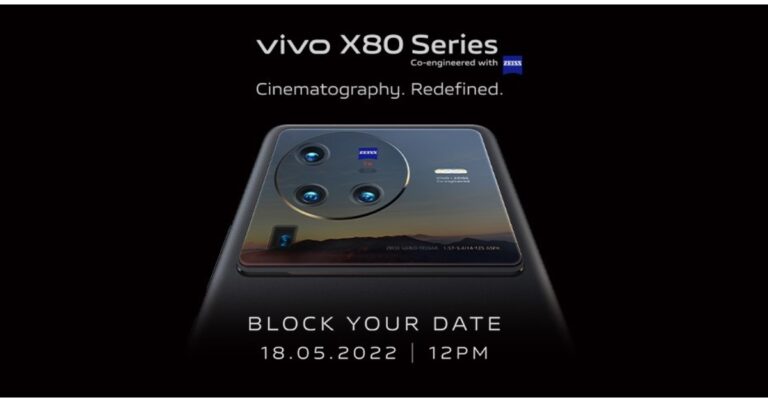
Vivo X80 Series coming to India on May 18: Expected price and specifications

Soon Vivo X80 Series will be making its way to the Indian market soon. The company has set the India launch for May 18. Prior to launching in the country, the device was first released in China last month that included two devices Vivo X80 and Vivo X80 Pro. As a result in India as well the company is likely to bring both models. The Vivo X80 series will be launched in India on May 18 at 12 p.m. Flipkart has also set up a special page on its website to promote the launch. The Vivo X80 and Vivo X80 Pro smartphones were first released in China last month. The Vivo X80 Pro was available in two variants, one with a MediaTek Dimensity 9000 SoC and the other with a Qualcomm Snapdragon 8 Gen 1 SoC, and the company has confirmed that the latter will be available in India. The MediaTek Dimensity 9000 SoC was used in the Vivo X80, on the other hand.

Vivo X80, Vivo X80 Pro expected pricing

The price of the Vivo X80 and Vivo X80 Pro in India has yet to be announced, but the pricing is likely to be similar to China. The Vivo X80 was released in China for CNY 3,699 (approx Rs 42,600) for the base 8GB RAM with 128GB storage configuration, and CNY 5,499 (approx Rs 63,300) for the 8GB RAM with 256GB storage model.

Vivo X80 specifications

The Vivo X80 comes with a 6.78-inch full-HD+AMOLED display with a refresh rate of up to 120Hz. The device runs on Android 12 and the MediaTek Dimensity 9000 SoC is in charge, with up to 12GB of RAM and supports UFS 3.1 storage up to 512GB. The phone has a triple rear camera setup with a 50-megapixel Sony IMX866 RGBW primary sensor, a 12-megapixel ultra-wide sensor, and a 12-megapixel portrait sensor. On the front, there’s a 32-megapixel selfie camera sensor. The phone also has an in-display fingerprint sensor and a 4,500mAh battery with 80W Flash Charge fast charging capabilities.

Vivo X80 Pro specifications

The Vivo X80 Pro has a 6.78-inch 2K AMOLED display with a refresh rate of up to 120Hz. In China, the Snapdragon 8 Gen 1 and Dimensity 9000 are available. The Snapdragon model has 8GB and 12GB LPDDR5 RAM options, while the Dimensity model comes standard with 12GB LPDDR5 RAM. The Vivo X80 Pro supports UFS 3.1 storage up to 512GB. A 50-megapixel primary Samsung ISOCELL GNV sensor, a 48-megapixel ultra-wide Sony IMX598 sensor, and a 12-megapixel Sony IMX663 sensor with a portrait lens, and an 8-megapixel periscope-shaped ultra-telephoto lens are included in the phone’s quad rear camera setup. It also has a 32-megapixel selfie camera sensor on the front. The phone also has an in-display fingerprint sensor and a 4,700mAh battery with 80W Flash Charge fast wired charging and 50W wireless charging capabilities. For the latest gadget and tech news, and gadget reviews, follow us on TwitterFacebook and Instagram. For newest tech & gadget videos subscribe to our YouTube Channel. You can also stay up to date using the Gadget Bridge Android App. You can find the latest car and bike news here.

Age of Empires III – Knights of the Mediterranean DLC will be released on May 26: Details

Xbox Game Studios has announced that the new Age of Empires III: Definitive Edition DLC will be available on May 26th. Knight of the Mediterranean is the name of the DLC, which includes two new civilizations, the Italians and the Maltese, as well as new maps and game modes. Knights of the Mediterranean, the latest Age of Empires III: Definitive Edition DLC, is now available! It’s currently available for pre-order on the Microsoft Store and Steam, with a May 26 release date. As per the company in the Knights of the Mediterranean, players will explore the Mediterranean with two exciting civilizations: the Italians and the Maltese as well as enjoy new maps and fun game modes in Knights of the Mediterranean. There are two new civilizations, nine minor civilizations, a new game mode, historical maps, and more in this expansion. This DLC includes the following features:
  • 2 new Civilizations (the Italians and the Maltese)
  • 30 new Random Maps
  • 9 new Minor Civilizations
  • 8 Historical Maps
  • Diplomacy Game mode
  • Tycoon Game mode
Each of the civilisation has its own gameplay modes and character traits for players to explore. The new Tycoon mode is a new Game Mode to accompany Supremacy, Deathmatch and Empire Wars. This new Game Mode, which focuses on the economy-building aspects of Age of Empires III: Definitive Edition, allows players to focus on building the strongest economies for their empires without having to worry about armies or defending against full-scale sieges. There will be eight new maps that include The Italian Wars Eighty Years’ War, The Deluge, Great Turkish War, Great Northern War, Napoleonic Wars, Russo-Turkish Wars and The Thirty Years’ War (multiplayer only). A useful diplomacy screen has also been implemented by the developer, allowing players to temporarily team up and collaborate with others. For the latest gadget and tech news, and gadget reviews, follow us on TwitterFacebook and Instagram. For newest tech & gadget videos subscribe to our YouTube Channel. You can also stay up to date using the Gadget Bridge Android App. You can find the latest car and bike news here.

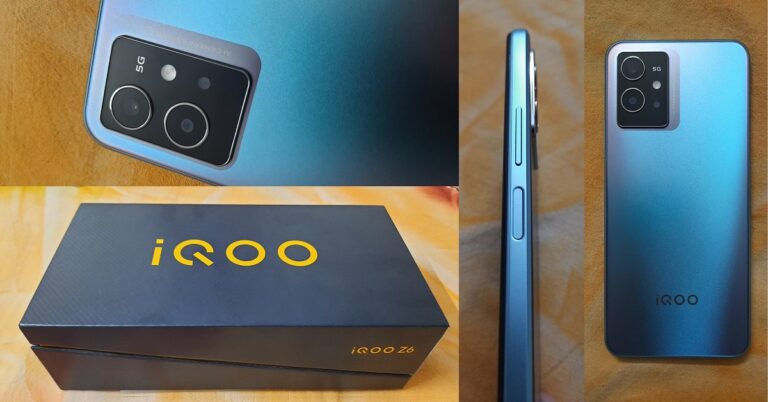
iQOO Z6 Review: Great Design And Camera Quality At This Price

Launched a few weeks ago is the all-new iQOO Z6 5G presented as Vivo’s sub-brand to the Indian markets. The brand-new smartphone comes in 4GB, 6GB and 8GB RAM options with 128GB internal memory. Supporting the model is a Qualcomm Snapdragon 695 5G (6nm) Octa-core processor with a 5,000mAh battery. The model also offers an AI triple camera system with a 50MP main camera. As we got our hands on the brand-new smartphone, we tried to dig deeper and test all its features thoroughly to verify whether it holds true to its name or not. Here is a complete inside out review of the iQOO Z6 smartphone, covering in detail everything from its packaging and design to its camera and CPU performance. 

iQOO Z6 Review: Design and Display

iQOO Z6 Review To start with, the design of the packaging that the new iQOO Z6 5G smartphone model comes riding in impresses you quite a lot. Removing its unconventional yet fancy diagonal-slit lid fills you with childish excitement. The box is compact but heavy, considering the number of contents it carries. The new iQOO Z6 package comes with a USB-A to Type-C charging cable, a Vivo adapter, a transparent silicone cellphone case, a SIM ejector tool, a quick start guide and a warranty card. The smartphone is offered in two colours, Dynamo Black and Chromatic Blue, out of which we were able to get our hands on the latter.  iQOO Z6 Review: Package iQOO Z6 Back Picking up the phone in your hand, you’ll feel its weight to be not too heavy but not too light either. Of course, you are greeted by your reflection visible in its shiny black display. Flip it over and you’ll meet its lustrous and elegant Chromatic Blue plastic back with a seemingly matte touch, whose colourful sparkle will reflect from your eyes. The triple-camera system along with the flashlight sits gracefully on a smooth black glass raised platform with a silver metallic frame in the top left corner, adding a sophisticated character to the smartphone. The silver iQOO brand engraving in the centre at the bottom completes the look of its back. In short, you’ll be as impressed with its body design as by its packaging.  Top and bottom The smartphone comes wrapped in a body-coloured plastic frame with a metallic finish to it. On the right side come fitted its volume button and a fingerprint sensor integrated power button. The SIM card tray lies on its top while at the bottom comes a 3.5mm jack, a Type-C port and the loudspeaker.   Smartphone Frame Upon bringing the iQOO Z6 smartphone to life, you’ll find the look and style of the display home screen to be quite sober. Its display is 6.58-inches in size with an 83.9% screen-to-body ratio. The 120Hz IPS LCD screen has a resolution of 1,080 x 2,408 pixels with a 20:9 aspect ratio and 401ppi density. You will be provided with button or gesture control options to choose from while setting up your device. The touch is feather-like and buttery smooth. However, some may find it difficult to get used to, due to its senseless touch experience.  iQOO Z6 home screen Brightness has to be set to more than 60% for the display to be legible under direct sunlight. Colours appearing on the smartphone display have a perfect balance of contrast, saturation and vibrance. Watching TV series and movies on Netflix was decent in terms of display and sound quality. The experience of streaming videos on Youtube was also good. However, the maximum streaming quality offered in the Youtube app was up to 1080p at a 60fps rate only. Despite that, the vividness, clarity and colour range of the playback does a great job of appealing to the eyes. iQOO Z6 5G Gaming Experience The gaming experience on iQOO Z6 was also great. As observed while playing high-end games like Asphalt 9 Legends, the response to touch stimulus was quite smooth and swift while the graphics quality was commendable. Complementing the vivid video streaming and life-like gaming experience of the smartphone was its sound quality, which although seemed quite fair but could have been next-level if the phone supported stereo audio output.  Overall, the design of the iQOO Z6 is quite well thought out and mesmerising. It is perfect to take for a night out and will easily catch the attention of the crowd at a party. The display quality of the smartphone is also appreciable.  Read also: iQoo Neo 6 SE with 120Hz AMOLED display and triple rear cameras launched

iQOO Z6 Review: Performance and Cameras

Elaborating further on the review of the iQOO Z6 specs, the hybrid dual-SIM smartphone comes with a Qualcomm SM6375 Snapdragon 695 5G (6 nm) chipset, an Octa-core processing unit and an Adreno 619 GPU. It is offered with 4GB/6GB/8GB RAM options in combination with 128GB internal storage. The device comes with Android 12 OS and a battery of capacity 5,000mAh. It supports 18W fast charging and gets fully charged in about 1.5 hours. Heavy usage of the phone can make its battery last for about a day while mild and moderate usage can make it run for more than that. The device also supports 5G connectivity, Wi-Fi and Bluetooth 5.1.  app drawer The fact that you get to enjoy Android 12 OS in a smartphone of its range is a big plus. The interface offered is quite decent and simple to use. Applications within the app drawer, however, could have been arranged better. Many unnecessary apps were found to be preinstalled on the smartphone. At the same time, popular OTT platforms like Netflix and Amazon Prime were found missing and had to be manually installed. There was no lag or app crash observed while using multiple applications simultaneously on the device. Switching between apps was also not a problem. The device also didn’t seem to get heated up easily upon usage for prolonged periods.  iQOO Z6 Camera Coming to the iQOO Z6 camera review, its 50MP+2MP+2MP rear triple camera system coupled with the 16MP front camera does quite a splendid job for a smartphone of its range. Although the number of zoom modes supported is limited (a 1x and a 2x zoom), the capture quality remains consistent throughout. Moreover, both the zoom modes are supported with the video mode and even with the night mode. The selfie camera, Portrait mode and the 50MP mode do, however, miss out on it. Videos can be recorded in up to 1080p at a 60fps frame rate from the rear camera and in up to 1080p at 30fps from the front.  Photo Mode Vs Portrait Mode iQOO Z6 5G: Rear Camera Photo Mode Vs Portrait Mode
Portrait Mode
iQOO Z6 5G: Portrait Mode
The normal ‘Photo’ mode from the rear camera works well. The shots appear close to reality in terms of the colour range and the details captured are amazing. The weight of blacks and whites increases in captures taken using the Portrait mode, reducing room for the mid-tones. Although this enhances the contrast element sharply in the images, they end up looking slightly unrealistic. But on the plus side, the Portrait mode is supported with a range of additional features like Bokeh, Beauty and Style. You can adjust each of your facial features in real-time via tools provided under the Beauty section whereas you get a range of pre-embedded filters to select from under the Style section. The range of choices provided for adjustment is quite impressive. 
Night Mode
iQOO Z6 5G: Photo Mode Vs Night Mode
The selfie camera enhances your skin tone and slightly softens up details, hence resulting in taking great selfies. Speaking of the rear camera’s night mode, it does an amazing job at brightening up the shots taken in even extreme low light conditions. However, it misses out on details and the results may appear slightly blurry. On the plus slide, the selfie camera also supports night mode and even has an auto screen light feature that works just like a ring light and evenly distributes light and brightness across your face, unlike the regular flash feature in other smartphone cameras.
50MP Mode
iQOO Z6 5G: 50MP Mode
The 50MP mode for the rear camera clicks vivid pictures with great colour quality and well-captured details, whereas switching on the AI enhancement mode in the camera helps in optimising images according to frame scene. Overall, the camera package offered with the smartphone is quite admirable in this price range.  Read also: iQoo Z6 Pro 5G and iQoo Z6 4G with AMOLED display launched in India

Verdict

iQOO Z6 5G: Geekbench 5 scores Summing up, the all-new iQOO Z6 5G is a great choice as an upgrade over the regular feature phones. It not only offers a prominent body design with a pinch of glamour to it but also a good display and a quite appreciable camera quality. On the performance front as well, the smartphone works decently. Geekbench 5 gives it a single-core score of 647 and a multi-core score of 1859. Moreover, the model proves to be great for gaming, with the graphics quality provided. One may feel the battery life could be slightly improved. The device also does miss out on aspects like a stereo audio output. But weighing the pros that the smartphone offers as compared to its cons, these can surely be overlooked. We would definitely recommend you to go for the iQOO Z6 smartphone in the price range that it is offered.  The iQOO Z6 5G price in India starts from Rs 13,999. 

iQOO Z6 Pros

  • Stylish Design
  • Good Display
  • Great Camera Quality

iQOO Z6 Cons

  • No Stereo Audio Output
  • Battery Life Could Be Improved
For the latest gadget and tech news, and gadget reviews, follow us on Twitter, Facebook and Instagram. For newest tech & gadget videos subscribe to our YouTube Channel. You can also stay up to date using the Gadget Bridge Android App. You can find the latest car and bike news here.

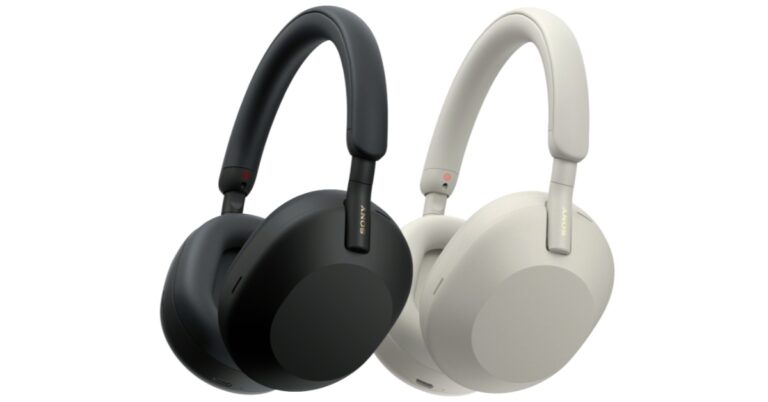
Sony WH-1000XM5 wireless noise-cancelling headphones with 30mm drivers announced

Popular audio brand Sony has announced the launch of WH-1000XM5 wireless noise-cancelling headphones. The flagship headphones are the successor to Sony WH-1000XM4 which were launched in India in September 2020. The headphones come with industry-leading noise cancelling with eight microphones and Auto NC Optimiser. It promises up to 30 hours of battery life. Sony has expanded its 1000X series with the launch of Sony WH-1000XM5 wireless noise-cancelling headphones. The WH-1000XM5 features Sony’s most advanced noise cancellation technology yet, with two processors controlling eight microphones that dramatically reduce noise, particularly in the mid-high frequency range. An Auto NC Optimiser that optimises noise cancellation automatically based on the environment. Sony WH-1000XM5 price The WH-1000XM5 utilises the Integrated Processor V1 to fully utilise Sony’s HD Noise Cancelling Processor QN1, while the specially designed 30mm driver unit improves noise cancellation. As per the company, the carbon fibre composite material used in the specially designed 30mm driver unit with a light and rigid dome improves high-frequency sensitivity for more natural sound quality. A new noiseless design with a stepless slider is beautifully finished in a newly developed soft fit leather. The new synthetic soft fit leather material fits snugly around the head, relieving pressure on your ears and blocking out outside noise, allowing you to listen comfortably all day. Thanks to Sony’s industry-adopted audio coding technology, LDAC, provides premium, high-resolution audio both with and without wires. With the use of DSEE Extreme, which upscales digital music files in real-time, all of your music will be restored to high-resolution sound. These new headphones are 360 Reality Audio Certified, allowing you to enjoy a personalised immersive music experience. The Sony WH-1000XM5 wireless noise-cancelling headphones allow you to take calls from anywhere. Sony’s precise Voice Pickup technology isolates your voice with perfect precision using four beamforming microphones and an AI-based noise reduction structure, while a newly developed wind noise reduction structure reduces wind noise during calls. The WH-1000XM5 uses Adaptive Sound Control to make the transition seamless. This adapts sound to your surroundings automatically, recognising your favourite spots and adjusting the ambient sound settings accordingly. Quick Access is built into the WH-1000XM5, allowing you to configure these headphones to resume Spotify playback with two or three taps without having to touch your smartphone. According to the company, the Sony Headphones Connect app also helps you listen to music safely by comparing sound pressure data recorded by your headphones with World Health Organization guidelines (WHO). When listening levels are too high, you will receive immediate OS notifications. Furthermore, the headphones have smart features that will help you sail through each day with ease. You can stop for a quick conversation and your headphones will automatically turn off the music and let in ambient sound thanks to Speak-to-Chat. When your conversation is finished, the music continues to play, and thanks to an instant pause, your personal soundtrack will stop playing as soon as you remove the headphones. Sony WH-1000XM5 price The WH-1000XM5 is also Google Assistant and Alexa compatible, so you can get hands-free assistance on the go. The audio device can be paired with two devices at the same time. With the touch of a button, you can quickly switch between devices. The WH-1000XM5 supports Google’s new Fast Pair feature, which makes it simple to pair your Android devices. You can also find out where your headphones were last left. Swift Pair makes pairing your headphones with your Windows 11 or Windows 10 laptop, desktop PC, or tablet simple and quick. The Sony headphones have a 30-hour battery life with a quick charge of just 3minuted it can provide 3 hours’ worth of charge.

Pricing and availability

The Sony WH-1000XM5 wireless noise-cancelling headphones are priced at $399 (converts to Rs 30,850) in the United States and £379 (converts to Rs 35,800) in the United Kingdom. They can be pre-ordered in both countries and will begin shipping on May 20. For the latest gadget and tech news, and gadget reviews, follow us on TwitterFacebook and Instagram. For newest tech & gadget videos subscribe to our YouTube Channel. You can also stay up to date using the Gadget Bridge Android App. You can find the latest car and bike news here.

Philips Sonicare 4300 review: For digital toothcare

Philips is a well-known brand in the Indian market and recently they (finally) launched the Philips Sonicare 4300 here. Though this is a slightly dated model, as it has been in the international markets since 2018-2019, it has finally been officially launched in India. So, today we take a look at the neat device and this is Philips Sonicare 4300 toothbrush review you should not miss.

Philips Sonicare 4300 review: Design

The Philips Sonicare 4300 resides in the Protective Clean range of Philips electric toothbrushes. This is the most basic model available, while the elder sibling, Philips Sonicare 5100 and Philips Sonicare 6100 have more features but those models are not available in India yet. Out of the box, the Philips Sonicare 4300 looks like the rest of the pack with a long white thick stem that houses the battery pack and the double mode power button. Philips-Sonicare-4300-power An LED indicator is also there on the stem with a charging port. A mettle connector attaches the brush to the stem. There is only one brush attachment given in the box and for more, you would need to pay extra. A charging dock is also given in the box and the battery life is said to be 14 days and we got just about that. The device is dressed in white with a hint of blue as the power button.

Philips Sonicare 4300 review: Performance

Moving to the performance, the Philips Sonicare 4300 does not have any rotating bristles, but static ones that are pressure sensitive and vibrate when brushing. At first, the experience was quite alien as we are not used to it, but after a few days, we got used to it. The brush also indicates if you have spent enough time brushing as there is a quad-pacer in it. Philips-Sonicare-4300-tooth-brish The company claims that the Philips Sonicare 4300 will not just clean your teeth but make them whiter too. In our short period with it, we did not see a drastic change, but our teeth and gums did feel refreshed and better than before. The brush is able to reach hard to reach areas of the mouth easily and clean it with decent to good precision. Over that, there is a smart brush replacement indicator on it too, which will tell the users when they need to replace the brush head. Read Also: Xiaomi prepping up to unveil its next electric ‘Pro’ toothbrush in There are two intensities of vibrations in the Philips Sonicare 4300. Low and high, according to your preference you can set it. We used it on low as that was very gentle on the teeth.
Verdict

Overall, even though it is dated, we quite liked the Philips Sonicare 4300. It is certainly a good apparatus to own if you want to get rid of dental problems in the long run. We found it to be better than the regular toothbrush. At Rs 4,299 it is not a very expensive option to go for, but yes, we would have appreciated an additional toothbrush attachment in the box.

Philips Sonicare 4300 Pros

Good dental care Easy to use Not very expensive

Philips Sonicare 4300 Cons

Only one brush attachment Newer models available globally For the latest gadget and tech news, and gadget reviews, follow us on TwitterFacebook and Instagram. For newest tech & gadget videos subscribe to our YouTube Channel. You can also stay up to date using the Gadget Bridge Android App. You can find the latest car and bike news here.

Is It Worth Investing In Cheap Camera Alternatives?

Over the past two decades, we have watched as ‘camera phones’ have become more and more adept at capturing high-quality images. Even those of us who knew nothing of photography learned to speak in megapixels and types of lenses. The past few years in particular have seen advancements in smartphone cameras. Apple introduced Portrait Mode, which takes professional-looking photographs of close-up subjects. Smartphones now have wide lenses and night modes that capture incredible quality. However, the best smartphone camera does not come close to a professional camera. Cameras used by professional photographers offer quality on a whole other level. They are also expensive and not nearly as portable. Investing in an expensive professional camera comes with extra costs, such as protective bags. It also may require you to get specific insurance for camera equipment added to your renters or homeowners policy. It is not just a one-off investment. But what if you want a camera that is better than your smartphone without spending big? Is it worth getting a cheap alternative? Here is what you need to consider.

Compare the specs and features with your phone

No matter how great a cheap camera looks, you should compare the specs and features with the camera on your phone. Chances are that even a relatively cheap camera is better than your phone camera, but by how much? There may be no point paying for a whole new camera when it only produces slightly higher quality photos. The features of your phone’s camera also may take it beyond the capabilities of a cheap camera. Your phone’s software may be able to optimize the image in a way the camera cannot. You end up with a better quality photo despite being inferior in terms of hardware. Your phone’s features may also make it easier to store and edit photos than the camera would.

Dedicated equipment

However, you may decide to get a camera even if the improvement on your phone will not be particularly big. It may be that you want to go out on hikes or trips with a camera but without your phone as a distraction. In this case, a dedicated camera can be extremely useful. In some cases, you may need to use your phone for something else while taking pictures with your camera. Your phone can multitask, but it becomes difficult once you get the camera involved. It is also simply possible that you see photography as a pursuit in itself and want to give it its own space. In the same way that some people write using a pen and paper rather than on a computer – despite a computer having far more features – some people would rather have specific equipment for photos. In this case, it is not the quality that matters so much but rather the experience.

Functionality

We’ve mentioned that smartphones have features that some cameras do not, but the opposite also applies. There are some cheap cameras that don’t take particularly high-quality photos but have far more functionality than your smartphone does. They may have greater zoom capabilities, different types of photo settings, and more. Camera functionality may also be easier to use than the functions on a phone. Smartphones want to provide something for everyone, and therefore features become confusing. They are supposed to do a number of things but end up doing an amalgamation instead. It is therefore harder to get your specific requirements provided to you by your phone.

Cheap phone and expensive camera?

If you really want a good camera, you may want to consider getting a cheap phone and using your savings on the camera. The processing power of an iPhone X, for example, is not as good as that of the most recent iPhone, but it is still better than most people need. The big difference between the two phones is, essentially, camera quality. By getting a second-hand phone for hundreds of dollars left, you have some extra money to spend on a good camera. Along with the funds you would have spent on a cheap camera, you can find something that best suits your needs. For the latest gadget and tech news, and gadget reviews, follow us on TwitterFacebook and Instagram. For newest tech & gadget videos subscribe to our YouTube Channel. You can also stay up to date using the Gadget Bridge Android App. You can find the latest car and bike news here.

Garena Free Fire Redeem Codes Today 13 May 2022: Here is how to claim them

Garena Free Fire is a battle royale game with regular awards and tournaments to keep players interested. If you play Garena Free Fire, you should be aware of the redeem codes that are released on a daily basis. However, because the battle royale game is banned in India, players from other countries can use the Free Fire Redeem codes daily. If you’re unfamiliar with the Garena Free Fire redeem codes or don’t know how to get them, we’ve put together a step-by-step guide to help you redeem them. Check out Garena Free Fire Redeem Codes for May 13. The Free Fire redeem codes are a great way to get free stuff. These are 12-digit codes that contain alphabets and numbers, as well as an expiration date and time. Because the Garena FF redeem codes cannot be used more than once, you should hurry to the redemption page to claim your free reward before someone else does. To get a free reward, all you have to do is go to reward.ff.garena.com/en, which is the official redemption page. Also, keep an eye on this space for daily updates on Garena Free Fire redemption codes and rewards.

Garena Free Fire Redeem Codes Today 13 May 2022

  • J3ZK Q57Z 2P2P
  • WEYV GQC3 CT8Q
  • B3G7 A22T WDR7X
  • FF7M UY4M E6SC
  • FV4B XH7J U7I6
  • FRF8 GB3T JY5H
  • F8BV U7YC TX8F
  • FD9A Q1FG H2Y3
  • FBI8 YT8G VB7N
  • K2OG IUY5 T7EA
  • DQC2 VBJ3 IER8
  • FR6F 5R4C EX4D
  • FF7V EB1N JRK5
  • F6OY 9H8I B2V7
  • FFN3 RM9T KY2L
  • F76T 5RDF SV8N
  • 7KEL R6K8 M9P9
  • 87FD YSTG AFQV
  • B1JI 82J7 635E
  • FUJ9 8NB7 U3YT
  • DGE4 BNR5 T6KY
  • OUJ8 N7B6 VC5R
  • 4SEA DQFV Q1B4
  • FS8D FZ7G HJSE

How to Get Free Fire Redeem Codes for Garena on May 13?

  • Visit the Garena Free Fire game’s official website at reward.ff.garena.com.
  • Use your Facebook, Google, VK, Apple ID, Huawei ID, or Twitter account to log in.
  • You’ll be taken to a valid redemption code (s)
  • Copy and paste the 12-digit redemption code into the text box.
  • On the screen, a dialogue box will appear.
  • ‘Ok’ should be selected.
For the latest gadget and tech news, and gadget reviews, follow us on TwitterFacebook and Instagram. For newest tech & gadget videos subscribe to our YouTube Channel. You can also stay up to date using the Gadget Bridge Android App. You can find the latest car and bike news here.

Pixel 7 and Pixel 7 Pro teased at Google I/O 2022, arriving this fall

Google announced the launch of its most affordable Pixel 6A at its I/O 2022 tech event. Alongside the new device, the company also revealed the form factor of its next generation of Pixel smartphones. Yes, the company has teased the design of both Pixel 7 and Pixel 7 Pro which are scheduled to release later this year. As per the tech giant, the forthcoming smartphone will feature the company’s next-generation Tensor SoC. Moreover, there will be an aluminium camera module, and Android 13. Meanwhile, the company also confirmed that Pixel-branded tablets are under work and will use Google’s processor. The Google tablet is said to be released in 2023.

Pixel 7 and Pixel 7 Pro

The Pixel 7 and Pixel 7 Pro, Google’s upcoming flagship smartphones were also teased at the Google I/O keynote event. As per the company, the smartphones will be powered by Google’s Tensor SoC and will come preloaded with Android 13. Pixel 7 and Pixel 7 Pro Google also demonstrated the smartphone’s design. The upcoming Pixel phones will have a bar-shaped rear camera module made of aluminium rather than glass, as seen on the current Google Pixel 6 and Pixel 6 Pro models. As per the company, the Pixel 7 will have a dual-camera setup for photography, while the Pixel 7 Pro will have a triple rear camera setup. Pixel 7 and Pixel 7 Pro

Pixel Tablet

Apart from that Google also revealed that it is developing an Android-powered tablet that will be released in 2023. The Pixel tablet will be powered by a Tensor SoC, according to Google’s Senior Vice President of Devices and Services. Other aspects of the tablet should be revealed in the coming months.

Google Pixel 6a specifications

A 6.1-inch full-HD+ OLED display with a resolution of 1,080 x 2,400 pixels is featured on the Google Pixel 6a. Corning Gorilla Glass 3 protects the screen, which has a 20:9 aspect ratio and a refresh rate of 60Hz. The smartphone comes preloaded with Android 12 and is expected to receive five years of security updates after its initial release. The Pixel 6a, like other Pixel devices, will be one of the first Android devices to get the Android 13 update. It features a Google Tensor SoC, a Titan M2 security coprocessor, 6GB of LPDDR5 RAM, and 128GB of internal storage. The Google Pixel 6a has a dual-camera setup on the back, with a 12.2-megapixel primary sensor with an f/1.7 aperture and a 12-megapixel ultra-wide-angle camera with an f/2.2 aperture. At 30 frames per second, the rear camera can record 4K video. For selfies and video calls, the device also has an 8-megapixel front-facing camera with an f/2.0 aperture. At 30 frames per second, the front camera can record 1080p video. Google has included a 4,410mAh battery with fast charging capabilities in the Pixel 6a. When used in the Extreme Battery Saver mode, the all-day battery can last up to 72 hours. Connectivity options include 5G, 4G LTE, Wi-Fi 6E, Bluetooth 5.2, and a USB Type-C port. The sensors onboard include an accelerometer, ambient light, barometer, gyroscope, magnetometer, and proximity sensor, as well as an in-display fingerprint sensor for biometric authentication. The Pixel 6a has the same excellent speech recognition as the Pixel 6 Pro. Recorder, Live Caption, and Live Translate are among the features available. For the latest gadget and tech news, and gadget reviews, follow us on TwitterFacebook and Instagram. For newest tech & gadget videos subscribe to our YouTube Channel. You can also stay up to date using the Gadget Bridge Android App. You can find the latest car and bike news here.

Amazon Quiz Answers Today 13 May 2022: Participate to win Rs 40,000

0
Have you participated in the Amazon Quiz today? If not then participate in the 13 May 2022 Amazon Quiz as it has already gone live on the app. The daily quiz can be played from 12 AM to 11:59 every day on the mobile app platform. Today e-commerce is giving the chance to win Rs 40,000 Amazon Pay Balance. Every day Amazon brings a fresh quiz for its customers. By participating in the quiz the participants can win an Amazon Pay Balance of up to Rs 50,000. The quiz can only be played on the mobile app as it is not available for the desktop platform. The quiz contains five easy questions and you have to answer all the questions correctly. The participants will then be shortlisted for a lucky draw to select a winner. Whereas the results are declared at the end of the month. Check out today’s Amazon quiz answers to win Rs 40,000. Amazon Quiz Today Prize – Rs 40,000 Amazon Pay Balance Quiz Date – 13 May 2022 Daily Timing – 12 AM to 11:59 PM Winner Announcement – Today 12 PM

Amazon Quiz Answers Today 13 May 2022

Question 1: Joshua Da Silva was the Man of the Match as West Indies recently beat which team in a Test match at Grenada? Answer: England Question 2: In 2022, Sergio Mattarella was re-elected as the president of which country? Answer: Italy Question 3: Giant Magellan Telescope is a project led by which country? Answer: USA Question 4: Which of these Disney movies that stars Emma Watson in the live version is associated with this flower? Answer: Beauty and the Beast Question 5: What is the name of the extensions of the animal skull found on this animal’s head? Answer: Antlers

How To Play Amazon Quiz

Only app users are eligible to play the Amazon quiz every morning from 12 AM to 11:59 PM. The quiz is not available on the desktop. For those who are unaware of how to play the Amazon quiz below are the steps, you can follow to take the quiz.
  • Firstly download the Amazon app from Google Play Store or App Store
  • Now fill in the required information through the Sign Up option.
  • You need to log in to the Amazon app and scroll down on the home screen to find the Amazon Quiz banner.
  • Tap on the Amazon Quiz banner and tap on the Start button to start the Quiz.
  • Now you will get 5 questions and you need to answer them correctly. One wrong answer will eliminate you from the Quiz.
  • After answering all the questions correctly you are now eligible for a Lucky Draw.
  • The winner’s name will be announced today at 12 PM.
For the latest gadget and tech news, and gadget reviews, follow us on TwitterFacebook and Instagram. For newest tech & gadget videos subscribe to our YouTube Channel. You can also stay up to date using the Gadget Bridge Android App. You can find the latest car and bike news here.

‘Immersive view’ is coming to Google Maps, more features also announced

Google Maps is getting a brand-new feature called ‘immersive view,’ which gives you a whole new way to explore. You’ll be able to see and feel a place before you go, thanks to advances in artificial intelligence which will provide a more detailed Street View and aerial images. Google announced the new mode at its I/O 2022 consumer keynote. ‘Immersive view’ makes use of Google Cloud to provide users with a digital view. Google Maps Immersive view Google at I/O 2022 introduced a whole new way to explore with Maps today, thanks to advances in computer vision and AI that allow us to combine billions of Street View and aerial images to create a rich, digital model of the world. With the new immersive view, users will be able to get a feel for a neighbourhood, landmark, restaurant, or popular venue before ever setting foot inside. If you are planning a trip to a place and want to know the best places to visit and eat. You can virtually fly over the place with a quick search to see the neighbourhood and stunning architecture of places. You can use the time slider to see what the area looks like at different times of day and in different weather conditions, as well as see where the busy spots are, thanks to Google Maps‘ helpful information layered on top. Looking for a place to eat lunch? Glide down to street level to check out nearby restaurants and see useful information such as live traffic and busyness. You can even look inside to get a quick sense of the atmosphere before making your reservation. Google Maps Immersive view Google Maps Immersive view is compatible with almost any phone or device. Later this year, it will be available in Los Angeles, London, New York, San Francisco, and Tokyo, with more cities to follow. Google Maps is also bringing eco-friendly routing to more locations, including Europe. It was recently launched in the United States and Canada, and Google claims that it has been used to travel 86 billion miles, saving over half a million metric tonnes of carbon emissions. Moreover, Live View is also being expanded to developers through the new ARCore Geospatial API. Live View uses augmented reality to display helpful arrows and directions right on top of your surroundings. It’s especially useful in congested indoor areas like airports, shopping malls, and train stations. Google Maps can direct you to your destination in a matter of seconds thanks to our AI-based global localization technology. For the latest gadget and tech news, and gadget reviews, follow us on TwitterFacebook and Instagram. For newest tech & gadget videos subscribe to our YouTube Channel. You can also stay up to date using the Gadget Bridge Android App. You can find the latest car and bike news here.

Motorola Edge 30 with 144Hz pOLED display launched in India

Motorola Edge 30 has officially debuted in India today. The mid-ranger comes with a pOLED display offering a refresh rate of 144Hz and is dust and water-resistant to IP52 standards. The device is powered by Snapdragon 778G+ SoC. It also features a triple rear camera set-up that includes a 50MP primary sensor. Moreover, the handset houses a 4,020mAh battery.

Motorola Edge 30 price in India and sale details

The Motorola Edge 30 costs Rs 27,999 in India for the 6GB RAM with 128GB storage option whereas the 8GB RAM with 128GB storage option costs Rs 29,999. The device will come in two colour options –  Aurora Green and Meteor Grey. Motorola Edge 30 with 144Hz pOLED display launched in India Starting on May 19, the smartphone will be available for purchase on Flipkart, Reliance Digital, and retail stores. On HDFC Bank credit cards and EMI transactions, customers can get a Rs 2,000 instant discount.

Motorola Edge 30 specifications

The Motorola Edge 30 highlights a 6.7-inch full-HD+ pOLED display with 1,080×2,400 pixels of resolution. The screen comes with a 144Hz refresh rate and support for HDR10+ content. The device operates on Android 12 based MyUX. The Snapdragon 778G+ processor and Adreno 642L GPU in the smartphone are paired with up to 8GB of LPDDR5 RAM. The phone comes with 128GB of internal storage. The Motorola Edge 30 comes with a 4,020mAh battery that supports 33W TurboPower charging. The Motorola Edge 30 has a triple camera setup for photos and videos, which includes a 50-megapixel primary camera with an f/1.8 aperture, a 50-megapixel ultra-wide-angle camera with an f/2.2 aperture, and a 2-megapixel depth camera with an f/2.4 aperture. For selfies and video chats, it also has a 32-megapixel front-facing camera with an f/2.4 aperture. The handset has 5G, 4G LTE, WiFi 6E, Bluetooth 5.2, GPS, NFC, and a USB Type-C port for connectivity. A proximity sensor, ambient light sensor, accelerometer, gyroscope, and compass are among the smartphone’s sensors. For biometric authentication, the phone also has an in-display fingerprint sensor. The device is dust and water-resistant to IP52 standards. For the latest gadget and tech news, and gadget reviews, follow us on TwitterFacebook and Instagram. For newest tech & gadget videos subscribe to our YouTube Channel. You can also stay up to date using the Gadget Bridge Android App. You can find the latest car and bike news here.

Google Pixel Watch, Pixel Buds Pro launched at Google I/O 2022

After months of speculations, Google Pixel Watch made its debut as the company’s first smartwatch during the I/O 2022. The wearable comes with rounded edges and a circular domed design. It also comes with a variety of health and fitness tracking features. Alongside the smartwatch, the tech giant has also introduced Pixel Buds Pro truly wireless stereo (TWS) earbuds.

Google Pixel Watch, Pixel Buds Pro price and availability

The price of the Google Pixel Watch has yet to be revealed. The smartwatch, however, will be available in the United States starting this fall, according to Google. Whereas Google Pixel Buds Pro will set you back $199 which translates to Rs 15,400. The earbuds are available in four colours: charcoal, coral, fog, and lemongrass. The pre-orders will begin on July 21 in the United States. The Pixel Watch and Pixel Buds Pro are yet to be announced in India.

Google Pixel Watch specifications

The Google Pixel Watch features a circular display with curved glass protection that gives it a domed design. It has a stainless steel build and a tactile crown. The Pixel Watch also comes with interchangeable wrist bands that can be customised. On the software front, Google claims that the Pixel Watch features a new Wear OS UI with improved navigation and smart notifications. To provide an enhanced experience, the Google Pixel Watch is also compatible with Google Assistant, Google Maps, and Google Wallet. Users can also use the Find My Device app to locate their lost Pixel phone, earbuds, or any other supported device on a map displayed on their wrist. Fitbit has also been integrated into the Pixel Watch. Additionally, using the Home app for Wear OS, the Google Pixel Watch can be used as a remote. You can turn lights on and off and adjust your thermostat with the flick of a wrist. The Pixel Watch will also provide continuous heart rate and sleep tracking. When working out, users can see their active zone minutes and track their statistics and progress toward various fitness goals.

Google Pixel Buds Pro specifications

The Google Pixel Buds Pro features active noise cancellation (ANC), which uses a new silent seal technology. The new earbuds support ANC. A transparency mode on the Pixel Buds Pro allows users to hear ambient sound. The earbuds have beamforming microphones that use machine learning-trained noise restrict algorithms to suppress wind, traffic and other background noise. Users can also use Find My Device to track down their Pixel Buds Pro if they misplace them. Google Pixel Watch, Pixel Buds Pro launched at Google I/O 2022 To compete with Apple’s AirPods Pro, Google has promised to update the Pixel Buds Pro later this year with spatial audio support. A custom audio chip has been integrated that is said to deliver power efficiency, allowing the hardware to last up to 11 hours of listening time or seven hours with ANC enabled. The Pixel Buds Pro offers a hands-free Google Assistant experience. It can also be used to translate in 40 languages or ask the Assistant for walking directions. The charging case supports both wired and wireless charging via USB Type-C. The buds also have multipoint connectivity, which allows users to connect them to compatible devices like tabs, laptops, smartphones and TV. For the latest gadget and tech news, and gadget reviews, follow us on TwitterFacebook and Instagram. For newest tech & gadget videos subscribe to our YouTube Channel. You can also stay up to date using the Gadget Bridge Android App. You can find the latest car and bike news here.

Motorola Edge 30 India launch today: Expected price and specifications

Motorola Edge 30 will make its debut in India today. The smartphone made its global debut last month and it features a 144Hz refresh rate pOLED display and a triple rear camera system. The upcoming Motorola smartphone is expected to be India’s first Snapdragon 778G+ smartphone. The company has not disclosed the pricing and full specs but just days before the official launch the handset’s India pricing and launch offer were leaked.

Motorola Edge 30 India launch details, expected to price

The Motorola Edge 30 was released globally last week, and it is now on its way to India. The device will be released today in India. The phone has been listed on Flipkart and will be available for purchase there. The phone will also be sold through other online platforms, including Reliance Digital and other major retailers. In a Twitter post, tipster Abhishek Yadav (@yabhishekhd) revealed the Motorola Edge 30 India price and launch offer. According to the leak, the Motorola Edge 30 will be priced at Rs 27,999 in India. Customers are also expected to receive a launch offer of Rs 2,000 from a bank, bringing the price down to Rs 25,999. As previously stated, the phone was launched globally last week for EUR 449.99 (roughly Rs 36,300). In India, the device is expected to cost around the same as in Europe. The colour options are Aurora Green, Meteor Gray, and Supermoon Silver.

Motorola Edge 30 specifications

The Indian version of the Motorola Edge 30 is expected to have the same features as the global version. It will have a 144Hz refresh rate pOLED display and 5G support, according to the Flipkart listing. The Motorola Edge 30 comes with a 6.7-inch full-HD+ OLED display with a resolution of 1,0802,400 pixels and a 144Hz refresh rate. My UX, which is based on Android 12, runs on the phone. An octa-core Qualcomm Snapdragon 778G+ processor and 8GB of RAM will power it. The smartphone supports up to 256GB of storage. The Motorola Edge 30 has three cameras on the back, the primary of which is 50 megapixels. The camera unit also includes a 50-megapixel ultra-wide-angle camera and a 2-megapixel depth sensor. It has a 32-megapixel front-facing camera for selfies and video chats. It has an in-display fingerprint sensor and a 4,020mAh battery with 33W TurboPower charging support for biometrics. For the latest gadget and tech news, and gadget reviews, follow us on TwitterFacebook and Instagram. For newest tech & gadget videos subscribe to our YouTube Channel. You can also stay up to date using the Gadget Bridge Android App. You can find the latest car and bike news here.