Any seasoned content creator will tell you that good lighting is what separates a good video from great professional-grade content. If you are just starting out with content creation, you may be glossing over the lighting conditions without taking into account the effect it has on your videos. Investing in a good ring light is the best choice you can make, as it will easily take the production quality of your content to the next level. With tons of options to choose from, buying the right ring light can be a confusing task. To make your job easier, here is our list of the best LED ring lights for content creators.
Neewer’s 18-inch LED ring light is the complete package. It comes with an 18 inches (48cm) 55W 5500K LED ring light, 61 inches (155cm) light stand, one soft tube, one white and orange colour filter set, a tripod head hot shoe adapter, a Bluetooth receiver, a universal adapter, and a smartphone holder. The LED light has a dimmable range from 1-100% and can be filtered into white and orange light. The hot shoe adapter is compatible with most DSLR cameras, Go Pros, and smartphones. This ring light is ideal for use in varying lighting conditions with a bunch of different recording devices.
Razer’s right light comes with an LED light piece with an attached cable and controller, a tripod stand, a smartphone holder and a ball header. The ring light offers three colour temperatures: warm white (3000K), balanced white (4500K), and cool white (6500K). The 192 LEDs bring out a powerful intensity and ensure studio-like lighting. The brightness can be controlled from 10-100% to adjust to the lighting conditions. USB charging ensures you can take the ring light wherever you go and use a power bank to power it along the way.
This is for creators that want something extra from their ring light. The DOLED RGB ring light offers 15 single RGB colours, 9 RGBIC modes, and 3 natural lighting options. There are 10 dimmable levels of brightness offered with every mode. On top of that, this ring light also features several lighting effects (strobe, circling, colour changing etc). There are 2 smartphone holders on board, so you can stream on two platforms at once. A remote control and Bluetooth shutter have also been made available with this ring light.
The 10-inch Ubeesize LED ring light comes with 3 lighting modes – White, Warm White, and Yellow. There are 11 brightness levels that can be adjusted to suit the external lighting conditions. The compact tripod stand has a 2kg load-bearing capacity and can also serve as a tabletop stand. The 360-degree phone clamp lets you record in different angles and modes, making it ideal for different platforms. You can also use it as a stand to place your phone on while you watch content on it. The portable and compact nature also allows this ring light to double up as a reading light. The Ubeesize ring light comes with a wireless remote control and can be powered by any USB power supply.
If you’re looking for a ring light on a budget, the Tygot 10” ring light is the one you should be going for. Priced at just Rs 749, this ring light comes with all the essential features like adjustable colour temperature from 3400K to 5600K, 3 lighting modes, 9 brightness levels, and a 360-degree rotating smartphone holder. It misses out on a wireless remote control and a Bluetooth shutter, but those features aren’t expected from a ring light at this price. If you’re looking for a ring light to carry out the basic illumination tasks for online meetings and content creation (TikTok, Instagram, YouTube), the Tygot ring light is worth every buck.
This is our list of the best LED ring lights for content creators. We’ve picked the top 5 ring lights across different categories. While looking for a ring light, you should decide what features are non-negotiable for you. For some creators, it may be colour temperatures and dimming options, while for others it may be RGB lighting and Bluetooth shutters. If you’ve just started with content creation, we’d suggest going for a basic ring light with a sturdy build and multiple dimming options to adjust to external lighting conditions.
Tecno Phantom X2 Pro 5G has been introduced in India. The smartphone is an improved version of the Phantom X2 5G that debuted earlier this month. The device is the first to feature a retractable portrait lens and includes a 50-megapixel triple back camera arrangement. In addition to this the smartphone includes a 120Hz AMOLED screen and is powered by MediaTek Dimensity 9000 SoC. Eleven 5G bands are compatible with the dual-SIM 5G smartphone.
In This Article
Tecno Phantom X2 Pro 5G price in India and availability details
Tecno Phantom X2 Pro 5G is being introduced at INR 49,999 for the single 12GB RAM with 256GB storage variant. The device comes in two colour options of Mars Orange and Stardust Grey. Pre-orders for the smartphone has opened, and its first sales will start on January 24, 2023. Customers can purchase the X2 Pro 5G on Amazon and at retail locations.
Tecno Phantom X2 Pro 5G features a 6.8-inch full-HD+ curved AMOLED display. Buttery smooth experience is provided by the 360Hz touch sampling rate and 120Hz refresh rate. Assurance from TUV SUD a rating for 36-month display fluency that will keep things running smoothly for three years.
Additionally, Corning Gorilla Glass Victus is used to protect the screen. The MediaTek Dimensity 9000 SoC and Mali-G710 MC10 GPU are found within the Phantom X2 Pro 5G. In addition to the 12GB of LPDDR5 RAM, users have the choice of adding up to 5GB of Memory Fusion virtual RAM. The device also comes with 256GB of UFS 3.1 storage.
Tecno Phantom X2 Pro 5G features a triple back camera configuration headlined with a 50-megapixel retractable portrait lens. A 50-megapixel secondary and 13-megapixel tertiary lens are part of the setup. The device provides a purely Optical Bokeh with F1.49 ultra-large aperture of a retractable telescopic lens. An Imagiq 790 image signal processor is also included with this smartphone. A 32-megapixel camera with HDR capability is available on the front. With features like Super Hybrid Image Stabilization, Dual Video, Video Filters, Video HDR, Video Bokeh, 4K Time-lapse, 960FPS Slow Motion, and More, you may further develop your video shooting skills.
Wireless connectivity options on the Tecno Phantom X2 Pro 5G include Bluetooth 5.3 and Wi-Fi 6. For the best heat dissipation, it also has a Vapor Chamber Cooling System. A 5,160mAh battery that supports 45W rapid charging is included in this smartphone. According to the manufacturer, it has a power backup of 25 days in standby mode and 23 hours of video playing. With the Phantom X2 Pro’s included 45W charger, charge quickly—it takes only 20 minutes to reach 50% battery capacity.
Garena Free Fire is a battle royale game with regular awards and tournaments to keep players interested. If you play Garena Free Fire, you should be aware of the redeem codes that are released on a daily basis. However, because the battle royale game is banned in India, players from other countries can use the Free Fire Redeem codes daily. If you’re unfamiliar with the Garena Free Fire redeem codes or don’t know how to get them, we’ve put together a step-by-step guide to help you redeem them. Check out Garena Free Fire Redeem Codes for 18 January 2023.
The Free Fire redeem codes are a great way to get free stuff. These are 12-digit codes that contain alphabets and numbers, as well as an expiration date and time. Because the Garena FF redeem codes cannot be used more than once, you should hurry to the redemption page to claim your free reward before someone else does. To get a free reward, all you have to do is go to reward.ff.garena.com/en, which is the official redemption page. Also, keep an eye on this space for daily updates on Garena Free Fire redemption codes and rewards.
In This Article
Garena Free Fire Redeem Codes Today 18 January 2023
FYGVBWHUJ7HYG6
BHNJJYT5R4EDQFG
HJ458TU7GYHJDIU
HNJTNBVXCAVQGH
6T5R2FD3CV4BRNJ
FKICUYDEH4J56TYL
HGOFIUTYFHY78SA
2TH56TJK79OIYJX7
Y6T5RSFEVBRHUFY
T5XR4AEQDC2VG3
FGTFRDGYRUJIHY
FFE2RGRFYGHJRT
UJGIPH0POKJADQ
F12T3RFTDGFRHT
TFAQSD1F2G34UY
TGFHJ6KYHO9I8UY
DTGRBJKIUYTAREQ
D12TYHFHR67HJY
UJK98T23SA23NY7
UYNUIK9345TGUY
FIUJKOIUJHRDH56
How to Get Free Fire Redeem Codes for Garena on 18 January 2023?
Daily Amazon brings a fresh quiz for its customers with exciting rewards on its platform. The Amazon quiz can be played every day from 12 AM to 11:59. 18 January 2023 Amazon Quiz has gone live on its platform and the e-commerce platform Amazon is today giving you a chance to win Rs 1,000 Amazon Pay Balance.
To participate all you need to do is log in to your Amazon app on your device and give answers. Daily a new set of questions are presented to the participants which gives them a chance to win exciting prizes. The questionnaire consists of five easy questions that are usually based on general knowledge and current affairs. You can submit the correct answers and can win an Amazon Pay Balance of up to Rs 50,000. It should be noted that the quiz is not accessible on the web platform instead you have to participate only through the dedicated app.
Question 1: In December 2022, Tim Southee became the Test captain of which country’s cricket team?
Answer: New Zealand
Question 2: Stan Lee was the Chairman Emeritus of which of these companies?
Answer: Marvel
Question 3: Which of these monuments was built by Emperor Shahjahan?
Answer: All of these
Question 4: This is a photograph taken in which city?
Answer: Kolkata
Question 5: What does this animal’s tears signify in the English language?
Answer: Fake Tears
How To Play Amazon Quiz
Only app users are eligible to play the Amazon quiz every morning from 12 AM to 11:59 PM. The quiz is not available on the desktop. For those who are unaware of how to play the Amazon quiz below are the steps, you can follow to take the quiz.
Firstly download the Amazon app from Google Play Store or App Store
Now fill in the required information through the Sign Up option.
You need to log in to the Amazon app and scroll down on the home screen to find the Amazon Quiz banner.
Tap on the Amazon Quiz banner and tap on the Start button to start the Quiz.
Now you will get 5 questions and you need to answer them correctly. One wrong answer will eliminate you from the Quiz.
After answering all the questions correctly you are now eligible for a Lucky Draw.
The winner’s name will be announced today at 12 PM.
Last week, iQOO, a sub-brand of Vivo, officially launched its flagship smartphone, the iQOO 11, in India. It now has the best hardware and features available. This is the first device to be equipped with the Snapdragon 8 Gen 2 chip coming to India. Additionally, it has an E6 AMOLED screen with 144Hz refresh rate capability. It is also a fantastic gaming gadget.
There are a few features on this gadget right now, one of which is a V2 chip, which is useful for extremely low-light photography among other things. Therefore, the iQOO 11’s V2 chip is something to which one should truly look forward. Additionally, we will also test whether the gadget is able to give a flagship-calibre experience to justify its pricing. In this iQOO 11 review, we’ll go into greater detail.
In This Article
iQOO 11 Review: Design and Display
The iQOO 11’s design appears to be one-of-a-kind, and the overall construction feels classy. The phone has a distinctive leather back with a strip from the BMW M Motorsport series. The gadget is not slippery thanks to the leather finish. But for us with little hands, holding this phone in one hand is a task due to its tall and broad design.
A small kink in this situation is that, despite its price, iQOO 11 still lacks any kind of IP rating, which we were hoping it will sport. The screen is still flat, and the bezels around it are relatively thin. Also, a layer of Corning Gorilla Glass Victus shields the display from unintentional drops and dings.
On the right side of the metal frame are the power and volume controls, and on the bottom edge, there is the SIM tray, main speaker grille and the USB Type-C connector.
The smartphone is defined by a 6.78-inch Samsung 2K AMOLED screen with a resolution of 1,440 x 3,200 pixels. The smartphone’s screen has a 144 Hz refresh rate and a maximum brightness of 1,800 nits. Additionally, an optical fingerprint sensor is integrated into the screen, which works well.
The default colour calibration of the 2K display is extremely striking with pretty natural colours and contrast, providing a wonderful viewing experience.
The 1,800 nits of peak brightness makes outdoor visibility very very good. Watching HDR movies and shows on the OTT platform is enjoyable because of its vivid highlights.
A rich multimedia experience is provided by the stereo speakers on the iQOO 11 as well as by the overall audio quality, which is rather powerful and well-detailed.
iQOO 11 Review: Performance and Cameras
The iQOO 11 sports an octa-core Qualcomm Snapdragon 8 Gen 2 CPU and up to 16GB of UFS 4.0 RAM. Users of the series can increase RAM by up to 8GB thanks to the Extended RAM 3.0 capability. The phone has 256GB of UFS 4.0 storage space available.
When it comes to memory management or the responsiveness of the user interface, the iQOO 11 performs admirably on a daily basis. Unfortunately, there is no way to remove or even disable some of the pre-installed bloatware apps that come with it. With the Funtouch OS 13, there is little reason to be concerned because the business has committed to three years of OS updates and four years of security updates.
The iQOO 11 is a powerful performer even in real-world situations. The device is able to give steady performance with little frame lag even when GPU-intensive games are running at the highest settings. When playing Asphalt 9 at its top visual settings, the smartphone was able to sustain a steady 60 frames per second. The fact that the phone does not become uncomfortably warm is also fantastic.
The dual-axis haptics motor from iQOO keeps you engrossed in the game and adds to the overall enjoyment. Additionally, you have the choice of setting motion control or virtual pressure-sensitive buttons for a rapid in-game response.
A 50-megapixel ISOCELL GN5 primary sensor with OIS is the focal point of the triple-rear camera system’s photography capabilities. The aperture on it is f/1.88.
A 13-megapixel telephoto sensor, similar to a 50mm portrait sensor, an f/2.5 aperture, and a 2x optical zoom is also included in its features list. The remainder is a digital zoom. The third camera you receive has an 8-megapixel ultra-wide angle lens and an f/2.2 aperture. It has a 116-degree field of view. A 16-megapixel front-facing selfie camera with an f/2.5 aperture is included with the smartphone.
The images taken in daylight come out excellent, and the camera also captures fine details, vivid colours, and acceptable sharpness levels. Additionally, very well done are the dynamic range and shadows. However, the sky’s colours, particularly the greens, look a little overexposed and saturated, but this is in no way objectionable.
When you pixel peep, it’s easy to see how great the details and sharpness levels are in the natural colour option. Except if you want highly realistic images or don’t like saturated photos, the daylight shots have turned out fantastic overall, and there isn’t anything to complain about here.
Nevertheless, there is a specific natural colour mode in the settings. If you like muted colours, you can toggle it. More lifelike colours can be seen while using the natural colour mode.
Due to the phone’s 8-megapixel sensor, the ultra-wide-angle camera also captures excellent detail equivalent to the primary camera. Although there is a loss of sharpness at the borders and sides, the photographs are still good. However, that is not a severe issue. We still believe that, given that it’s a flagship device, the manufacturer ought to have chosen a 13-megapixel ultra-wide lens akin the iQOO 9T. Additionally, the dynamic range is excellent while the overall clarity is ideal. The primary sensor’s colours are somewhat comparable to these.
A 13-megapixel telephoto lens with a 2x optical zoom is available. The zoom lens appears to be of good quality and keeps the primary sensor’s sharpness and degree of detail. Additionally, the dynamic range is good.
As we move on to close-up photographs, we notice that the sharpness levels are impressive and that there are many fine details. The colours are slightly enhanced and saturated once more. It’s unfortunate that this smartphone doesn’t have a macro mode, which is surprising given how expensive it is.
Portraits
When it comes to portraits, in this case, a 2x telephoto 50mm lens is used. They are of good quality, have lovely skin tones, and are really crisp. Even with intricate backgrounds, the subject separation remains flawless. By using the setup choices, portraits can also be taken at 1x.
Great details can be seen in low-light indoor pictures under artificial lighting. The photographs turned out nicely because the colours are also good and the noise is kept to a minimum. There is a Night Mode that provides good clarity and detail levels. The noise is very tightly controlled, and the highlights are beautifully kept.
Daylight/Lowlight
What you don’t see is the over-binning of nighttime photographs for shadows; yet, here, you can feel true light rather than brightening the images. The V2 chip, which performs well in extremely low light circumstances, makes the night mode available for all three cameras, and it once again works pretty well.
The 16-megapixel camera on the iQOO 11 is in charge of taking selfies. The skin tones are done fairly well, and the selfies seem good. Given that selfies are more of a personal preference, the colours are good and the dynamic range is nice and wide. Additionally, portrait selfie edge detection is handled fairly well.
The phone also supports 4K at 60 frames per second when utilising the primary and telephoto lenses, in addition to 8K at 30 frames per second. The colours are decent, but not as good as a primary camera, and the ultra-wide is only capable of 1080p. The video looks good in 4K@60fps/30fps in terms of quality, and they are also stable. EIS is also available for 1080p at 60/30fps, and overall quality is good. The telephoto lens performs well with a 2x zoom in videos, and you can digitally zoom up to 10x with the video while maintaining decent image quality.
Over that, there is also Ultra Stable mode, which has a 1080p at 60 frames per second cap. The V2 processor in the phone also offers night mode for video recording at up to 4K at 30 frames per second. Even though there is noise, it is tolerable given the extremely low lighting conditions. The details are excellent.
Although you can adjust the aperture parameters in portrait mode, no stabilisation is available. iQOO 11’s front camera can only capture videos in 1080p at 30 frames per second; 60 frames per second is not supported.
Regarding the backup battery, iQOO 11 has been updated to a sizable 5,000 mAh battery. However, the device’s endurance is just slightly over average when subjected to a moderate usage pattern that includes occasional internet surfing, some gaming, and camera use. It does support 120W charging, and it takes roughly 30 minutes to fully charge the phone from empty to full. And yes, the fast charger is part of the package.
Verdict
There you have it, a detailed iQOO 11 review. The phone boasts an excellent camera setup, so consumers won’t feel let down. However, we would have valued it more had the company offered a better ultra-wide camera; the absence of a macro lens/mode is also not great.
For a starting price of Rs 60,000, it offers a tonne of fantastic premium specifications. This is the first gadget with a Snapdragon 8 Gen 2 chip to reach India, as said. This time, iQOO also made use of the most recent memory technologies, including UFS 4.0 storage and LPDDR5X RAM. The gameplay and performance elements of the device are flawless. If you are looking for top of the line gaming or entertainment mobile device, your search end here.
In honour of the 74th Republic year of the nation, Xiaomi has announced the “Republic Day Sale.” From January 16 to January 20, 2023, the sale will be accessible on Mi.com. The five-day shopping extravaganza features discounts and offers on the top Xiaomi and Redmi products across the portfolio of smartphones, smart televisions, smart homes, and internet of things ecosystems.
Customers will be able to purchase Xiaomi and Redmi items at never-before-seen prices and with the greatest exchange rates during this shopping extravaganza. Customers will be able to purchase recently released smartphones like the Redmi A1 and Redmi 11 Prime 5G starting at a discount of up to Rs 3,000 during the five-day Republic Day Sale on Mi.com. The Xiaomi Pad 5 and Redmi Pad, two of the company’s best-selling tablets, are starting discounts at Rs 13,500 and Rs 8,500, respectively.
The most popular Xiaomi and Redmi smart televisions from the firm will be discounted up to Rs 5,150. Additionally, the business is providing laptops and other ecosystem products at attractive costs.
Xiaomi India will be hosting a number of events that are only available on the Mi Store App to reward its supporters and customers even more during the Republic Day Sale. Consumers will only be able to take advantage of offers on specific devices for one hour during the daily 12 PM Parade. Additionally, every day at 3 PM, app users will have the ability to take advantage of discounts on all products with the Flash Deal.
Users have the opportunity to win free goods through Play & Win, including the brand-new Redmi Note 12 Pro and Redmi Smart TV 32, among others. Exchange Hour gives an additional discount on smartphones with Mi Exchange for a short period of time in exchange for a product and is only available to owners of Xiaomi and Redmi devices.
The following will also be part of the Xiaomi Republic Day Sale deal on Mi.com.
MediaTek and Qualcomm announced their flagship processors for 5G smartphones around the same time, towards the end of last year. With the turn of the new year, flagship smartphones across the board have started rolling out with either of the two SoCs. However, this is only the beginning as we will be seeing more smartphones with these chipsets as the year progresses. In this article, we compare the Snapdragon 8 Gen 2 and MediaTek Dimensity 9200 and see how the two fare against each other.
The ultimate question boils down to which SoC is better. While Snapdragon 8 Gen 2 may have the MediaTek Dimensity 9200 in benchmark tests, they may not always be reflective of the chipset’s performance. Apart from the specs listed above, both SoCs are bringing AI innovations to their hardware. Qualcomm introduced the Hexagon Digital Signal Processor on the S8G2, which will be crucial in increasing the power efficiency of the SoC. With INT4 machine learning support, MediaTek will also be clocking faster speeds and increasing efficiency on the Dimensity 9200.
When it comes to camera support, Snapdragon 8 Gen 2 is the clear winner here. With 8K HDR support for video recording, there is no match for this processor. The SoC is also equipped to recognise objects in real-time, which leads to better composition in the results.
Another big factor in the popularity of these two SoCs will be their availability in flagship devices. So far, manufacturers have favoured Snapdragon to power their flagship products, but that may change in the future. We would even have better stats related to battery performance as more smartphones start rolling out with these SoCs.
Twitter has been seeing a lot of activity over the last few months. Ever since Elon Musk took over the platform for a reported $44bn, Twitter has seen tweaks and changes every other week. This means the inclusion of new functions, with some older features being replaced or redesigned. If you have any questions regarding the new layout, here is a list of all the icons and symbols on Twitter along with their associated meanings.
These are all the symbols and icons that you will find on Twitter’s homepage.
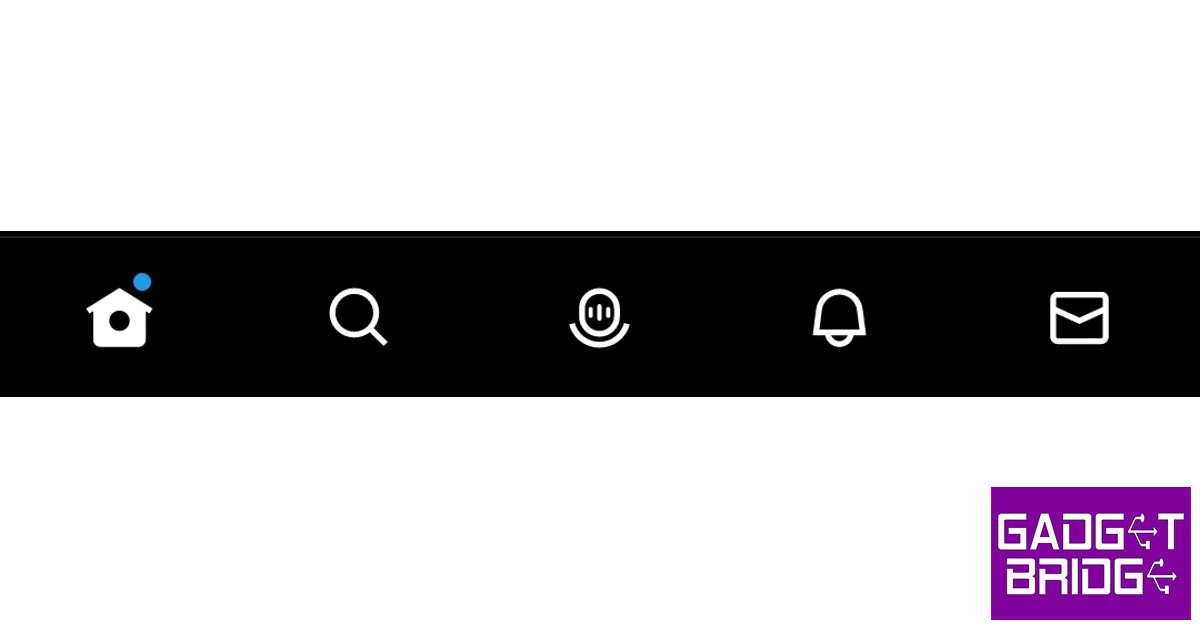
Home, Search, Spaces, Notifications, and Messages
These are all the icons you will find these icons at the bottom of your screen. Here’s what they do.
The birdhouse icon represents the ‘home’, and tapping on it will take you to your home feed. No matter which page you’re on, tap on this icon to go back to your newsfeed.
Tapping on the magnifying glass icon will take you to the search and explore page. This is where you can enter any Twitter handle, hashtag, text, or topic to find accurate results. This is also where you will find the trending topics on Twitter in your country and worldwide. You can also browse trending topics by different categories like Entertainment, Sports, News, etc.
The microphone icon in the bottom menu represents Twitter Spaces. This is a relatively new feature on Twitter that was inspired by the Clubhouse app. Tapping this icon will show you all the current Spaces being hosted on Twitter. You can drop in and listen to any Space you find interesting.
The bell icon represents your notifications. This is where you will find all your mentions, follow requests, likes, retweets and more. The envelope icon next to the notifications shows your direct messages. While anyone on Twitter can send you a DM, it will automatically be sent to the spam folder unless you follow them. Messages by people you follow will show up directly in your inbox.
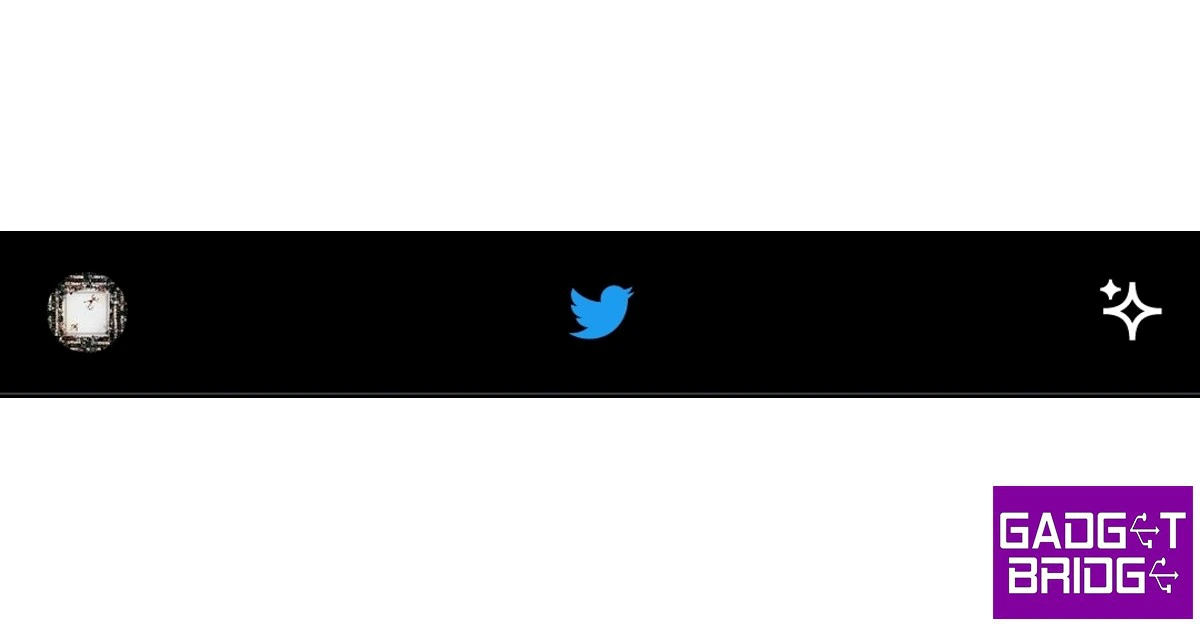
Profile and sparkle
Tapping on the profile icon at the top left corner of the screen will open up the side menu that contains different options like ‘Profile’, ‘Topics’, ‘Bookmarks’, ‘Lists’ and ‘Twitter Circle’. You can also find professional tools and profile settings in this menu.
The sparkle icon at the top right corner of the screen gives you the option to switch between recommended tweets and chronological tweets. By default, Twitter shows you recommend tweets on your homepage going by the kind of content you interact with and the engagement those tweets get. Switching to a chronological feed will get rid of this algorithm and show you the most recent tweets posted by the people you follow first.
Tweet icons and symbols
These are all the icons and symbols you will find on a tweet or a post.
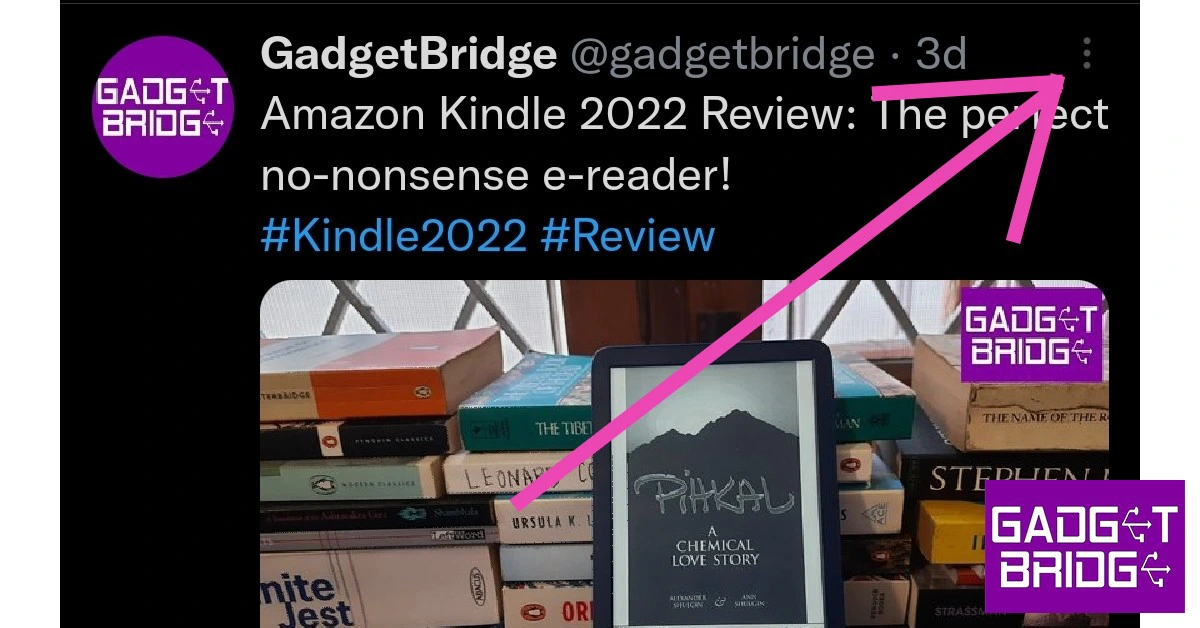
Ellipses
The ellipses or three dots at the top right corner of every tweet can be used to access a variety of options. You can follow the tweet poster, add/remove them from a list, mute them, block them, report the tweet, add them to a Twitter circle, or mute the replies to the post.
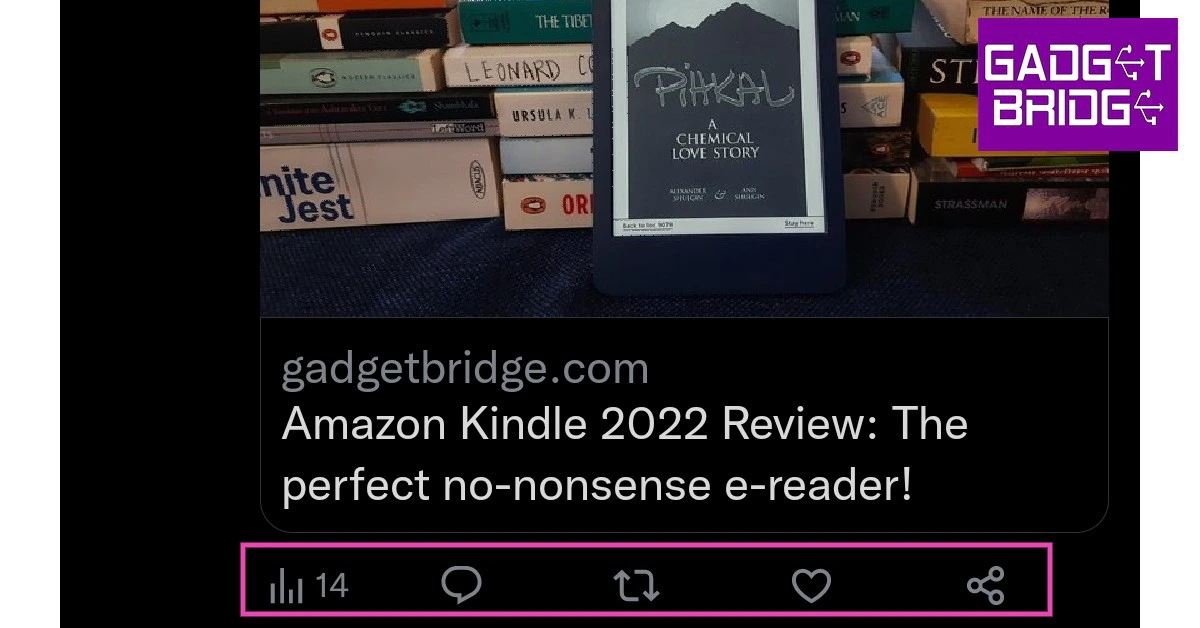
Bars, chat bubble, two arrows, heart, and share
The bars symbol is a recent addition to Twitter and shows the number of times a tweet has been viewed. This is a bit different from engagements, which shows how many times people have interacted with the tweet.
The chat bubble next to the view count can be used to reply to a tweet. It also shows how many comments that particular tweet has received.
The two arrows can be used to retweet a post. This is a quick way of sharing a tweet with your followers by reposting it on your profile. You can either repost the tweet as is or ‘quote retweet’ it by adding a message of your own. The tweet icon also reflects how many times the post has been retweeted.
The heart icon can be used to like a tweet. It also shows how many times a tweet has been liked. The share icon next to the heart icon can be used to share the tweet via DMs or share the link to the tweet on any other app. You can also use this icon to add the tweet to your bookmarks.
Profile icons and symbols
These are all the symbols you will find on a Twitter profile
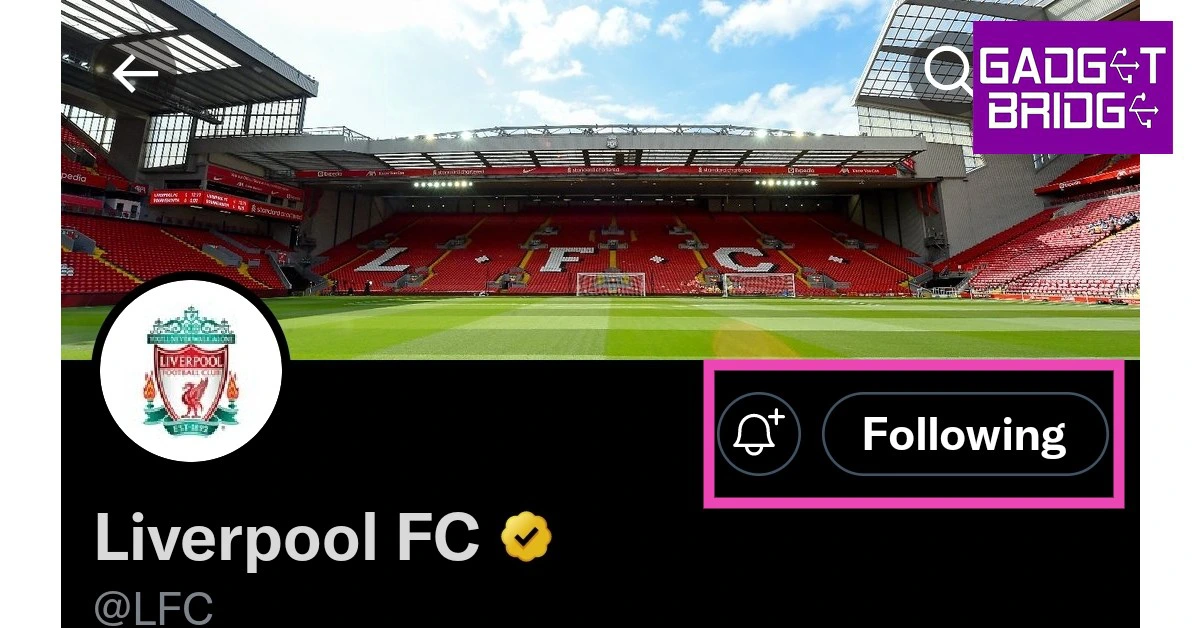
Follow and Bell+ icons
If you want to see someone’s posts and updates on your feed, tap on the ‘follow’ button on their profile. Once you follow someone, a bell icon will appear next to the ‘following’ icon. Tap this icon if you want to receive notifications whenever the person posts a tweet.
Types of checkmarks
Initially, Twitter only had a blue checkmark next to the profile names of celebrities, politicians, sportspeople, reporters, and famous users. Since Elon Musk’s takeover, the blue checkmark can be bought by any Twitter user for $8. This led to the creation of new checkmarks to distinguish important accounts from everyone else. Here are all the checkmarks you will find on Twitter.
Blue checkmark
The ‘Blue’ checkmark means that the Twitter user is either a Twitter Blue subscriber or a legacy verified account. You can find out the details by tapping on the checkmark. A ‘legacy’ verified account is one that was given the checkmark before Musk took over Twitter. This covers most celebrities, reporters, and other famous personalities.
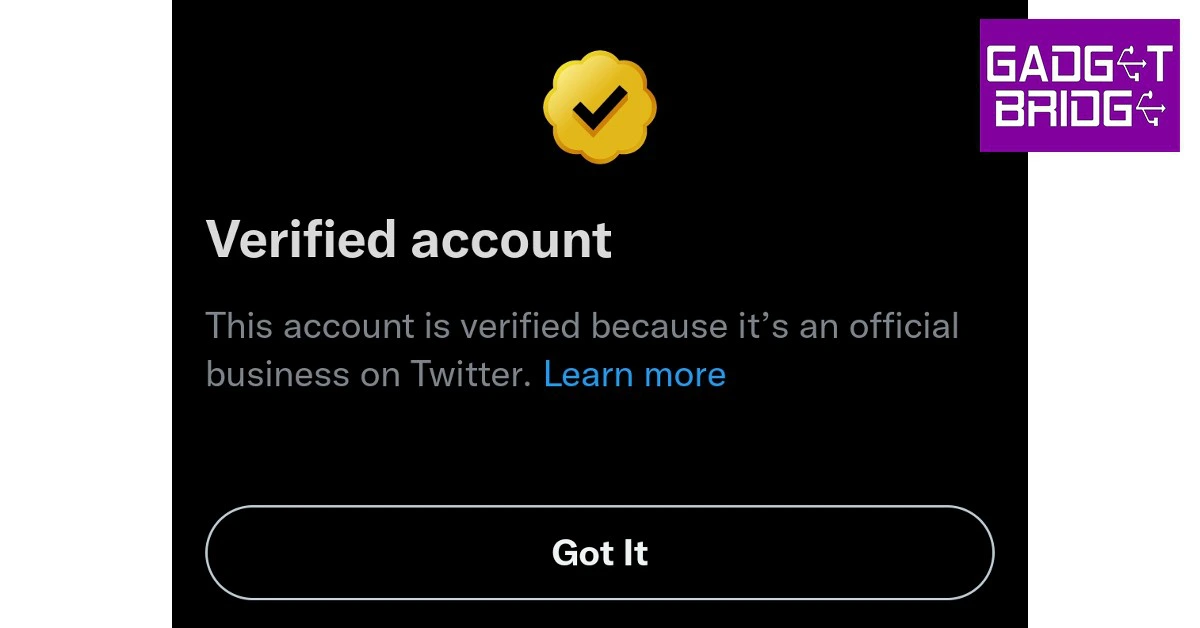
Gold checkmark
Twitter rolled out a Gold checkmark exclusively for companies, organisations, and businesses to distinguish themselves from other users. Previously, these accounts were also covered under the blue checkmark, but Twitter had to create a different verifying label when users started using their Twitter Blue assigned checkmarks to parody businesses on the platform. A gold checkmark profile also gets a square-shaped profile icon.
Grey checkmark
The Grey checkmark is typically given to official public figures working in the government or multilateral organisation accounts. Twitter’s grounds for issuing this checkmark are pretty abstract as it says this checkmark can also be issued to some other public figures. So far only government officials and multilateral organisations have been assigned the grey checkmark.
These are all the symbols and icons (along with their associated meanings) you will find on Twitter. Ever since the Musk takeover, new functions are being rolled out on the platform which means you may see new icons and symbols on Twitter. If you come across something new that you haven’t seen before, let us know in the comments!
Samsung has expanded its A-series portfolio with the addition of Samsung Galaxy A14 5G and Galaxy A23 5G in India. Both devices come with some similar specifications. Both have the same 5,000mAh battery. In addition to this, the device features a 50 MP rear camera and a 6.6-inch display.
In This Article
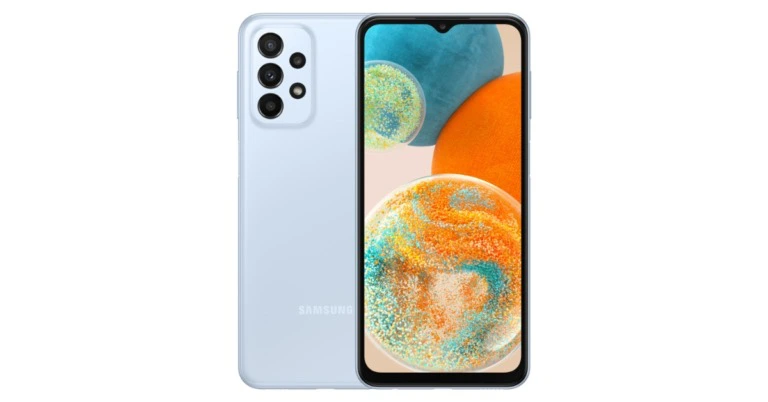
Samsung Galaxy A23 5G, Galaxy A14 5G price and availability
The price of the Samsung Galaxy A23 5G for the 6GB RAM with 128GB storage model is set at Rs 22,999. The 8GB RAM with 128GB model of the smartphone is Rs 24,999. On the other hand, Samsung Galaxy A14 5G with 4GB of RAM and 64GB of storage costs Rs 16,499. Whereas the 6GB of RAM and 128GB and 8GB of RAM and 128GB cost Rs 18,999 and Rs 20,999, respectively.
Silver, Light Blue, and Orange will be the possible colour options for the A23 5G while the A14 5G comes in Dark Red, Light Green and Black colour options. The Galaxy A14 5G and Galaxy A23 5G, both are offered at monthly EMIs starting at INR 1382 and INR 1576, respectively. Starting on January 20, 2023, both devices will be sold through Samsung’s own stores, those of its partners, on Samsung.com, and through other online retailers. On January 18, 2023, starting at noon, customers will be able to purchase the two smartphones through Live Commerce on Samsung.com.
Samsung Galaxy A23 5G specifications
A 6.6-inch full-HD+ TFT display with a 1,080×2,408-pixel resolution is featured on the Samsung Galaxy A23 5G. The screen has a refresh rate of 120Hz. It has up to 8GB of RAM and is powered by an octa-core Snapdragon 695 CPU. It has an inbuilt storage capacity of up to 128GB, which can be increased to 1TB via a microSD card.
Additionally, a 5,000mAh battery with 25W rapid charging capabilities is included. The Galaxy A23 5G has 5G, 4G, Bluetooth 5.1, NFC, a 3.5mm audio connector, and a USB Type-C connection for connectivity. It has a gyroscope, geomagnetic sensor, fingerprint sensor, accelerometer, virtual light sensor, and virtual proximity sensor.
The device includes a 50-megapixel sensor in addition to a 5-megapixel ultra-wide-angle camera, a 2-megapixel macro camera, and a 2-megapixel depth sensor. The front of the device has an 8-megapixel sensor for selfies and video calls.
With 3.5 years of security patch updates, the chip-level Knox Security suite of the Galaxy A23 5G guarantees the safety of your data. For a quick glance at the status of various security features, such as apps with access to camera, microphone, and location settings, the suite provides Privacy Dashboard. Users can create an encrypted storage location for files, programmes, images, videos, and other confidential information with Secure Folder.
Galaxy A14 5G
Samsung Galaxy A14 5G specifications
The 6.6-inch full-HD+ PLS LCD screen on the Samsung Galaxy A14 5G has a resolution of 1,080×2,408 pixels. A 90Hz refresh rate is supported by the display. An Exynos 1330 SoC with an octa-core configuration and up to 8GB of RAM powers the phone. The phone has 64GB of internal storage that can be expanded to 1TB using a microSD card slot. According to the firm, it has a battery capacity of 5,000mAh.
The Galaxy A14 5G comes equipped with three cameras on the back: a 50-megapixel primary camera, a 2-megapixel macro camera, and a 2-megapixel depth sensor. A 13-megapixel front-facing selfie camera is also included.
With the help of blockchain technology, users of the Galaxy A14 5G may safely share pictures and videos with other Galaxy users thanks to the Private Share function. It includes two OS upgrades and four years’ worth of security patches, making it a smartphone that is prepared for the future.
The phone has 64GB of internal storage that can be expanded to 1TB using a microSD card slot. Wi-Fi, Bluetooth 5.2, GPS, NFC, a USB Type-C connection, and a 3.5mm headphone jack are just a few of the connectivity choices available.
One of the better parts of owning an Amazon Alexa device is that you can incorporate its usage into your daily routines. If you keep an Amazon Echo device on your nightstand, you will be pleased to know that there are several Alexa skills that will help you get a good night’s rest. If you find it hard to fall asleep in a completely silent room, these skills will be of tremendous help. You can even use them for relaxation, stress relief, and meditation. So, without further ado, here are our picks for the top 7 Alexa sleep and relaxation sounds and skills for everyday use.
The Indian Flute skill is one of the highly rated sounds on the ‘Alexa Skills’ page. This sound fills the room with an elevating vibration, helped by the deeply relaxing flute melody that creates the perfect ambience for meditation and relaxation. This calming sound can also be used as white noise to gently fall asleep.
Sleep Sounds: Ocean Sounds
“Alexa, open Ocean Sounds”
Deep soothing ocean sounds make some of the best samples for white noise. If you find it hard to fall asleep in a completely silent room, this Alexa skill will help you relax and have a cradling effect on your ears. To end the sound, all you need to say is “Alexa, stop”. You can even set a timer by saying “Alexa, set a sleep timer for 2 hours”. You can extend this duration to suit your sleeping period.
Rainforest Sounds by Sleep Jar
“Alexa, start Rainforest Sounds”
Rainforest Sounds by Sleep Jar creates the perfect environment to tune out any unwanted noises from your surroundings and simulate the pleasant and uplifting mood of a rainforest. The rainforest sounds will help you relax, meditate, and relieve stress. Once you enable this skill and ask Alexa to play it, it will go on for 1 hour by default. To loop the sound, say “Alexa, ask Rainforest Sounds to loop”.
White Noise
“Alexa, open White Noise”
If you find yourself getting distracted by other ambient sounds, the generic White Noise skill will help in filling the room with enough sound to block out the outside noise and create an atmosphere to easily fall asleep. You can also use this noise to study and meditate. Oftentimes, users prefer having something non-dynamic in the background. This Alexa skill does the most basic of tasks without the bells and whistles.
Sleep Sounds: Wind Chimes
“Alexa, open Wind Chimes”
Fewer sounds are more relaxing than windchimes crashing together. The Wind Chimes skill on Alexa is guaranteed to relax your senses and drift you to sleep. The sounds are mixed together very well, with the low end given enough attention along with the sharp noise of the chimes crashing into themselves. You can also use these sounds for your meditation sessions.
Bedtime Stories
“Alexa, open Bedtime Stories”
If you have a kid at home, you will love this Alexa skill. Bedtime Stories does exactly what it says. Once you enable this skill, you can use it to read out a bedtime story to your kid. Currently, this skill offers these 11 bedtime stories.
Tyler meets Santa
Joy teaches kindness
Danny’s ocean adventure
Jessica bakes cake
Dental heroes
Alfi blows bubbles
Goldilocks and three bears
Little Pirate Joe
Cinderella
My Travelling Adventures (kids decide how the story develops)
Halloween Treasure Hunt
You can skip to a random story or repeat the same story again.
Play a sleep playlist on Spotify
If you don’t like what Alexa Skills have to offer, you can get Alexa to play a random sleep playlist from Spotify or Amazon Music. You can even create a playlist of your own and play it on Alexa before going to bed. The official Spotify Sleep Playlist has over 4 million likes and contains 292 songs that will last up to 13 hours.
These are our pics for the top 7 Alexa sleep and relaxation sounds and skills for everyday use. In order to use a skill you must go to its Amazon page and hit ‘Enable’. Make sure your Alexa device is connected to your Amazon account. If you found this article helpful, let us know in the comments!
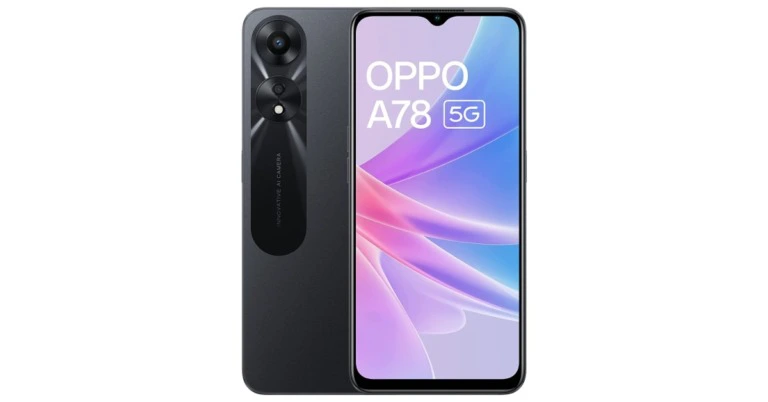
Oppo has expanded its A-series portfolio with the launch of Oppo A78 5G in India. The smartphone is powered by MediaTek Helio 700 SoC. The device features a dual rear camera setup. In addition to this, there is a 5,000mAh battery on board which supports 33W SuperVOOC fast charging.
In This Article
Oppo A78 5G price in India and availability details
The new Oppo A78 5G is available in single 8GB RAM with 128GB storage option and costs Rs 18,999 in India. The device comes in two colour options of Glowing Black and Glowing Blue. It will be available for purchase beginning January 18 through Oppo’s online store, Amazon, and other significant retail locations.
From ICICI, SBI, BOB, IDFC, ONECARD, and AU FINANCE banks, customers can receive up to 10% Cashback and six months of NCEMI. The sale incentives can be availed via Amazon. Options for no-cost EMIs begin at Rs 3,167. According to Oppo, exchange discounts are also available but are restricted at Rs 18,049.
A 6.56-inch HD+ IPS LCD screen with a resolution of 720×1,1612 pixels is featured on the Oppo A78 5G. The screen also offers a 269ppi pixel density, a 90Hz refresh rate, and an 89.8 screen-to-body ratio. The phone is equipped with a 7nm MediaTek Dimensity 700 SoC, 8GB of LPDDR4X RAM, and runs ColorOS 13 on top of Android 13. Utilising unused storage, the available memory can be stretched up to 12GB. The device has a dedicated microSD card slot and 128GB of UFS 2.2 storage that can be upgraded to 1 TB.
A 50-megapixel primary camera with an f/1.8 aperture and a 2-megapixel sensor with an f/2.4 aperture make up the Oppo A78 5G’s dual rear camera system on the back. It also has a front-facing 8-megapixel camera with an f/2.0 aperture.
The smartphone’s Super Night Standby algorithm assesses users’ sleeping habits to reduce power usage to just 2% at night. Additionally, a user can switch on its Superpower Saving mode when the battery is running low to save energy for emergencies.
The phone has features like Flex Drop, which allows for effective multitasking, Three-Finger Translation with Google Lens, and Photo Information Protection, which enables users to remove photo and video metadata to stop the leak of sensitive information.
Along with a face unlock function, it has an in-display fingerprint sensor for biometrics. There are several sensors onboard, including an accelerometer, a pedometer, an ambient light sensor, a gravity sensor, a geomagnetic sensor, and a proximity sensor. Wi-Fi 5, Bluetooth 5.3, a 3.5mm audio connector, a USB Type-C port, GPS, A-GPS, BeiDou, GLONASS, Galileo, QZSS, and OTG are among the Oppo A78 5G’s connectivity choices.
A 5,000mAh battery that is fully charged in around 60 minutes that supports 33W SuperVOOC fast charging powers the Oppo A78 5G. According to the company, the battery lasts for up to 23 hours. All Indian service providers, including Jio, Vodafone, and Airtel, are compatible with the new handset.
If you’re looking to elevate your WhatsApp Status game to the next level, you should know how to attach background music to the videos you capture. When done correctly, adding music can make your videos more immersive and fun to watch. Don’t know how to edit music in your videos? Here are two quick ways you can add background audio to your WhatsApp Status.
Play music on your phone while recording the status
One of the better features of WhatsApp is that it doesn’t stop any background music from playing on your phone while recording a status. This way you can record a status while playing any audio or song on your phone. Here’s how.
Step 1: Play the song or audio on your phone.
Step 2: Launch WhatsApp and go to the ‘Status’ tab.
Step 3: Tap ‘My Status’ and start recording a video.
Step 4: The background audio will be recorded along with the video.
Use a video editing app
Using a third-party video editing app can help you add background music to pre-recorded videos. If you want better audio quality in your video, use this method. While there are loads of video editors out there, we would suggest using InShot Video Editor for this task. Once you’ve finished recording a video, open it in the InShot video editor, and select ‘Music’ from the toolbar. Select the music you want to add to the background of the video. You can even choose to add different audio transitions and effects. Hit save once you’re done. You will be able to upload this video on WhatsApp as a status.
Bonus Tip
How to create a WhatsApp group call link?
Step 1: Open WhatsApp on your smartphone and go to the ‘Calls’ tab.
Step 2: Tap on ‘Create call link.’
Step 3: Choose whether you want to make an audio or video call.
Step 4: You can share the call link with your contacts on WhatsApp or social media and chat platforms. You can also copy the link and post it anywhere you want the people to see.
These are two quick ways to add background audio or music to a WhatsApp status. If you want the audio quality of the background audio to be crystal clear, we would suggest editing it using a video editing app. If you found this article helpful, let us know in the comments!
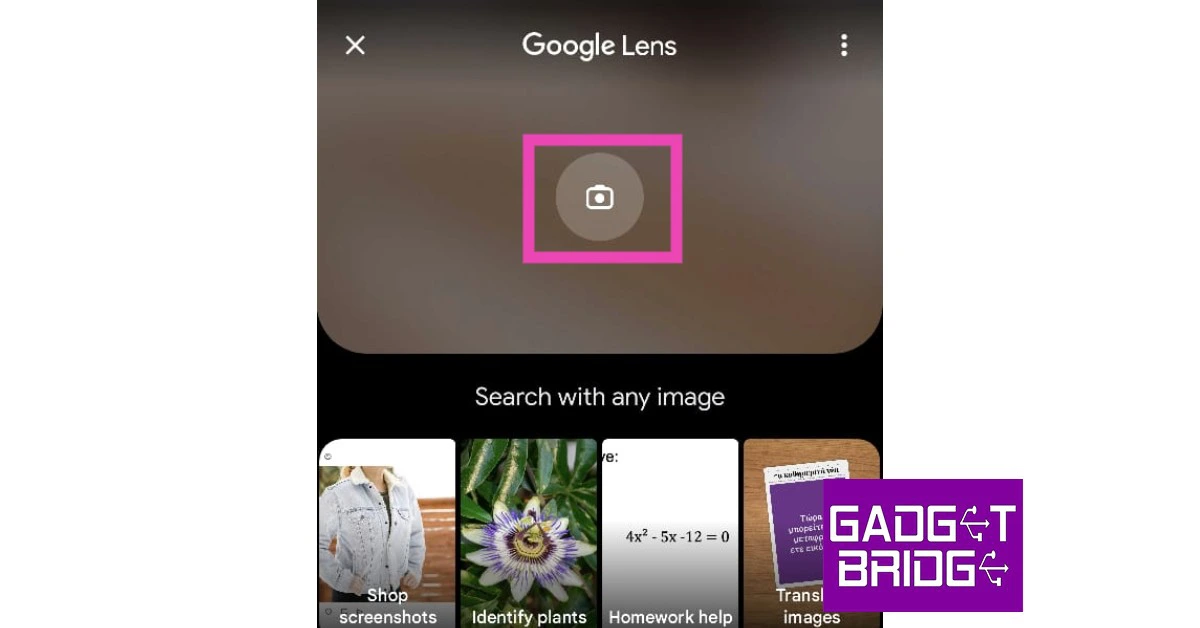
From UPI payments to product packaging, QR codes are everywhere. It doesn’t take a long time to scan a QR code, making it one of the most popular forms of exchanging information. Even though they are commonplace, some people may have some difficulty scanning a QR code. In this article, we bring you the 5 simplest ways to scan a QR code on a Google Pixel smartphone.
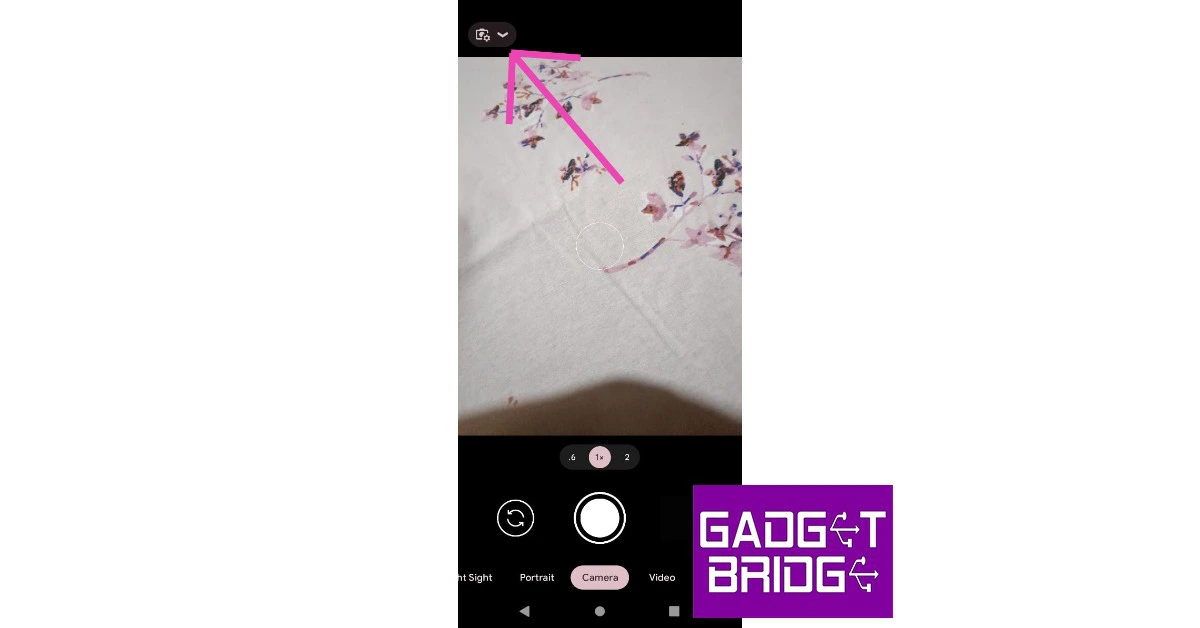
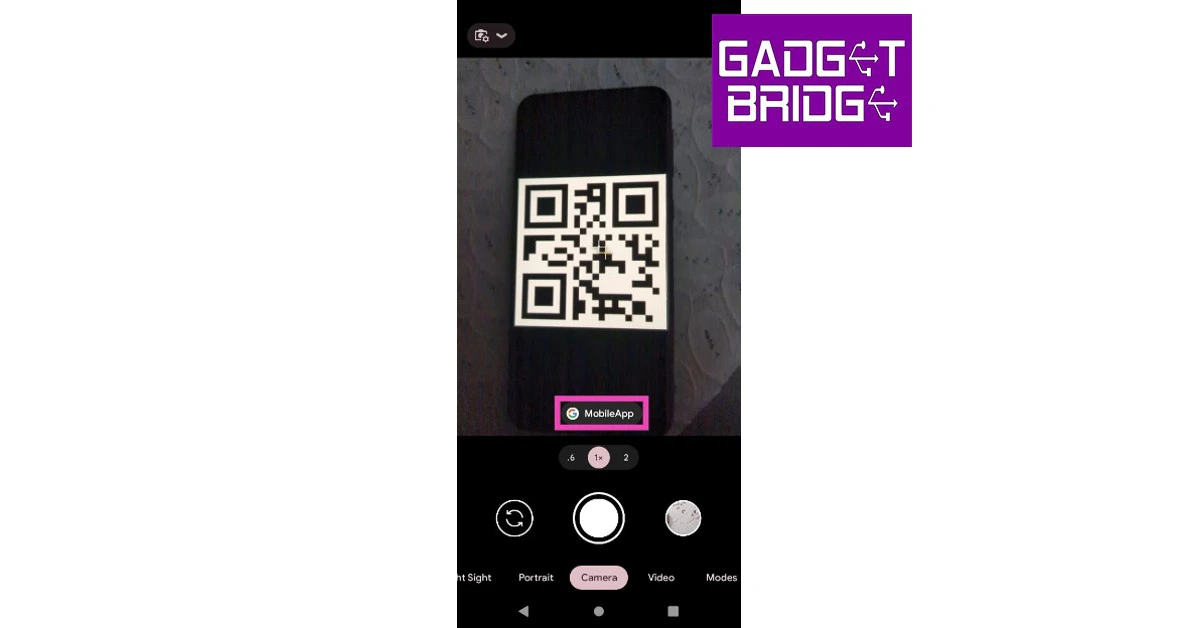
Your Pixel’s camera app can easily scan any QR code using Google Lens. All you need to do is enable Google Lens suggestions on the camera app. Here’s how.
Step 1: Launch the camera app on your Google Pixel.
Step 2: Tap the gear icon to access the camera settings.
Step 3: Select ‘More Settings’ and turn the toggle bar on for ‘Google Lens suggestions’.
Step 4: Go back to the camera app and point your camera at the QR code you wish to scan. The resulting link will pop up on the screen and you can access it by simply tapping on it.
Use the QR Code tile from the drop-down menu
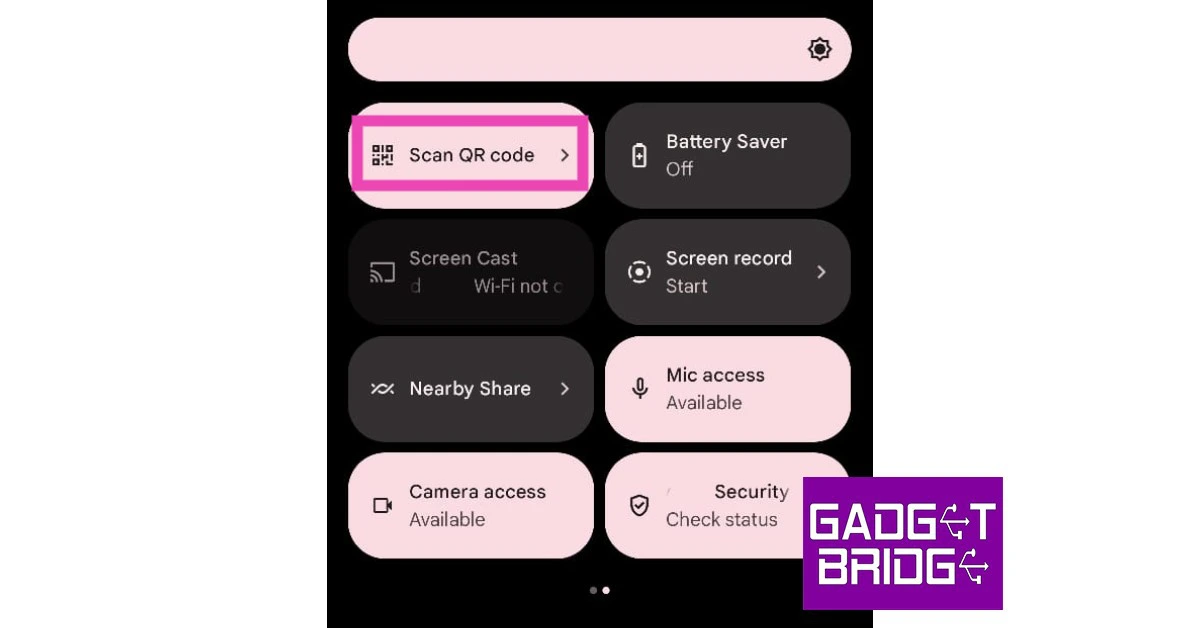
Another quick way of scanning a QR Code on your Google Pixel is by accessing the ‘Scan QR Code’ tile from the drop-down menu. Simply swipe down from the top of the screen and look for the QR tile. If you don’t find it, tap on the pencil icon and add it to the drop-down menu. Upon pressing the tile, point the camera at the QR code and it will be scanned quickly.
Scan the QR code from an image
This feature comes in handy when someone sends you a QR code to their UPI ID. Since you cannot point the camera at the images in your phone, scanning a QR can get tricky if an image is the only place you can access it from. Luckily, your Google Pixel can handle this task with ease. Just follow these steps.
Step 1: Open the Google Photos app on your smartphone and tap on the picture containing the QR code.
Step 2: Tap on the screen to reveal the toolbar and then select the Google Lens icon.
Step 3: Google Lens will scan the QR code in the picture and present a clickable link for you to access the information.
Use the Google Lens app
The Google Lens app is well-equipped to read any QR Code. Here’s how you can use it.
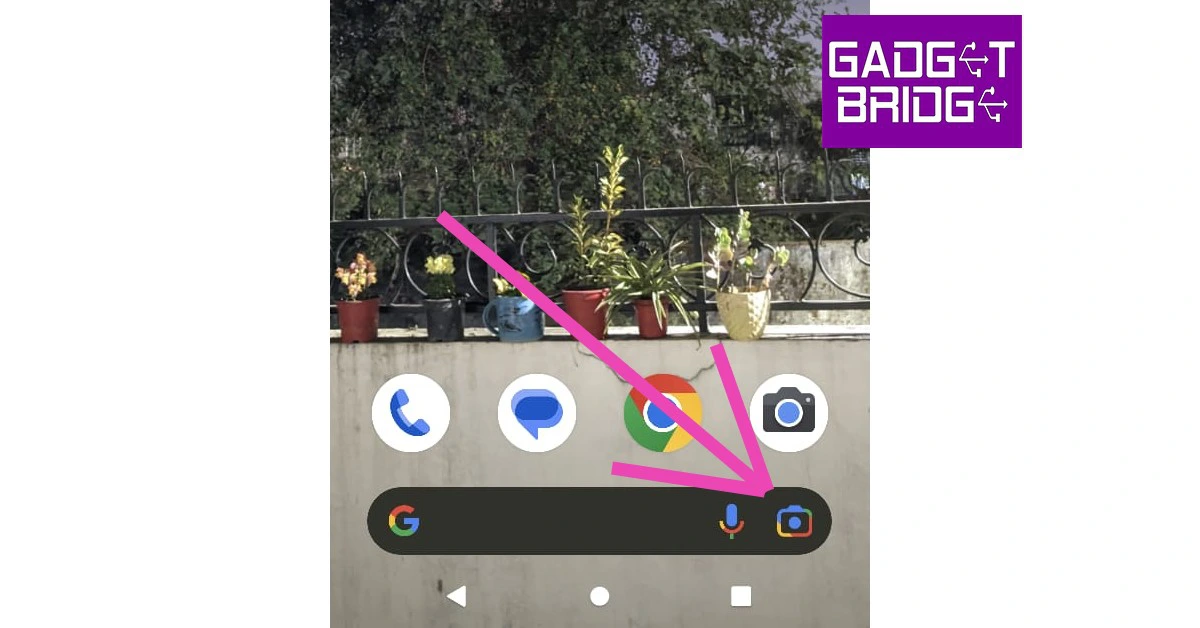
Step 1: Tap the Google Lens icon on the Google Search bar on your Pixel’s home screen.
Step 2: In the following window, select ‘Search with your camera’.
Step 3: Point the camera at the QR code and tap on the resulting link to access it.
You can also scan a QR code from an image in your phone’s gallery using Google Lens.
Use a third-party app
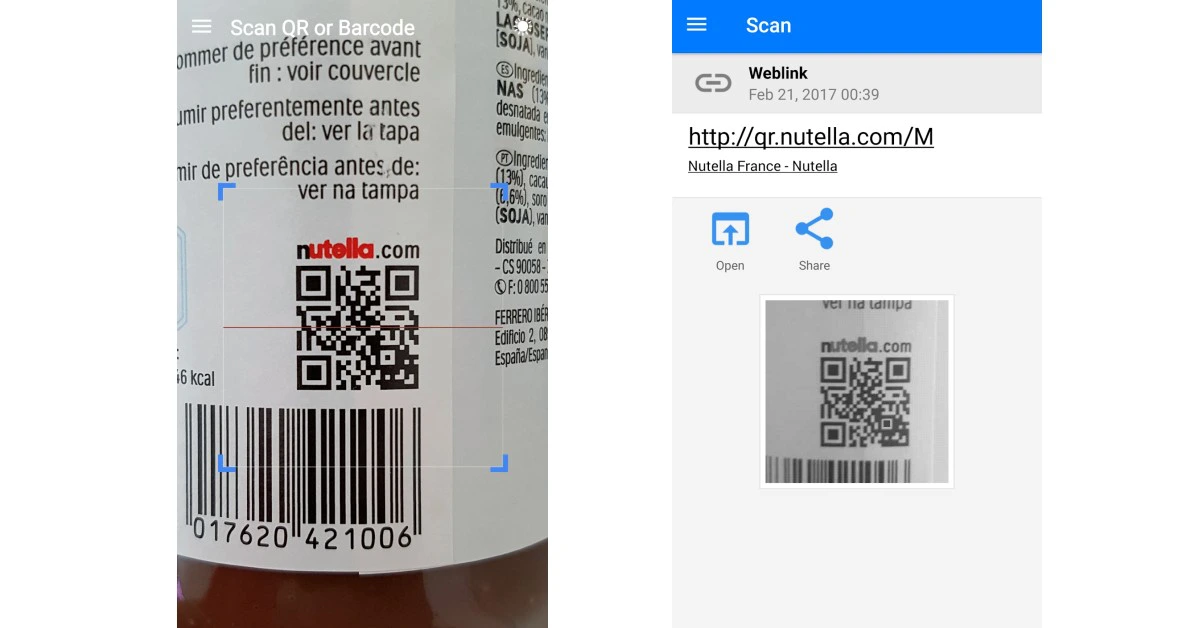
If you don’t want to use the native QR Code scanning features on your Pixel smartphone, there are plenty of QR code scanners available on the Google Play Store. The ‘QR and Barcode scanner’ is one of the best and most popular scanning apps around. Once you install the app, all you need to do is launch it and use the viewfinder to locate the QR code. Apart from scanning QR codes, this app can also scan product barcodes.
These are the 5 simple ways to scan a QR code on your Google Pixel smartphone. If the default camera app on your Pixel is unable to scan the QR code, clear the cache and try again. Oftentimes corrupted temporary files in your phone’s memory can prevent some essential features from working correctly. If you found this article helpful, let us know in the comments!
Garena Free Fire is a battle royale game with regular awards and tournaments to keep players interested. If you play Garena Free Fire, you should be aware of the redeem codes that are released on a daily basis. However, because the battle royale game is banned in India, players from other countries can use the Free Fire Redeem codes daily. If you’re unfamiliar with the Garena Free Fire redeem codes or don’t know how to get them, we’ve put together a step-by-step guide to help you redeem them. Check out Garena Free Fire Redeem Codes for 17 January 2023.
The Free Fire redeem codes are a great way to get free stuff. These are 12-digit codes that contain alphabets and numbers, as well as an expiration date and time. Because the Garena FF redeem codes cannot be used more than once, you should hurry to the redemption page to claim your free reward before someone else does. To get a free reward, all you have to do is go to reward.ff.garena.com/en, which is the official redemption page. Also, keep an eye on this space for daily updates on Garena Free Fire redemption codes and rewards.
In This Article
Garena Free Fire Redeem Codes Today 17 January 2023
Updating soon
How to Get Free Fire Redeem Codes for Garena on 17 January 2023?
17 January 2023 Amazon Quiz has gone live on its platform. The quiz timings are 12 AM to 11:59 PM. The Amazon App users can participate in the quiz daily and all they have to do is submit correct answers to the questions asked on the e-commerce platform. Today’s participants can get a chance to win Rs 500 Amazon Pay Balance.
Amazon brings a fresh questionnaire that contains 5 questions daily. These questions are based on current affairs and general knowledge. The quiz can be played from 8 AM to 11:59 PM and the contestants need to answer correctly to enter into a lucky draw.
Only one person is declared as a winner and the results will be announced at the end of every month. And to make sure that you give correct answers to all the 5 questions Gadget Bridge everyday updates all the answers to the Amazon Quiz. Do check out 17 January 2023 Amazon Quiz Answers to win a Rs 500 Amazon pay Balance.
Question 1: Gamosa, which received the Geographical Indication (GI) tag, is a traditional scarf from which Indian state?
Answer: Assam
Question 2: The Rashid Rover is the first-ever Arab-Built lunar spacecraft made by which country?
Answer: UAE
Question 3: Who portrayed this character in the movie ‘The Amazing Spider-Man’?
Answer: Andrew Garfield
Question 4: This is the flag of which country in the Caribbean region?
Answer: Jamaica
Question 5: This is the famous ______ Garden of Chandigarh. Fill in the blanks
Answer: Rock
How To Play Amazon Quiz
Only app users are eligible to play the Amazon quiz every morning from 12 AM to 11:59 PM. The quiz is not available on the desktop. For those who are unaware of how to play the Amazon quiz below are the steps, you can follow to take the quiz.
Firstly download the Amazon app from Google Play Store or App Store
Now fill in the required information through the Sign Up option.
You need to log in to the Amazon app and scroll down on the home screen to find the Amazon Quiz banner.
Tap on the Amazon Quiz banner and tap on the Start button to start the Quiz.
Now you will get 5 questions and you need to answer them correctly. One wrong answer will eliminate you from the Quiz.
After answering all the questions correctly you are now eligible for a Lucky Draw.
The winner’s name will be announced today at 12 PM.
This time of year, it’s common to want to curl up on the sofa at home and shelter from the cold outside. With so many Christmas gatherings going on and activities on offer, it can often feel like there is a lot of pressure to go out and socialise or spend lots of money. However, if you’re looking to have a few hours of quiet to yourself and want to save some money, there’s a number of things you can do to stay entertained at home too.
Thanks to the world wide web, there are now so many things you can do online, from shopping to entertainment, socialising and so much more. Below, we’ll take a look at some of the things you can do to find some extra excitement online.
In This Article
Watch videos on YouTube
YouTube has a huge amount of content available from collaborators across the globe, meaning you’ll never get bored of exploring. In fact, you’ll probably get lost down a rabbit hole and end up watching videos for hours. Whether it’s cooking channels, home renovation videos or gaming channels, there’s something available to suit every taste.
Try out online casino games
The popularity of online gaming has exploded in recent years. As smartphones have improved, so has the quality and quantity of games available. Recently strategy games are particularly in demand. While online casinos are attracting new players each day. The convenience of heading online rather than to a brick-and-mortar alternative is proving to be a hit. From blackjack to poker, slot games, roulette, baccarat and so much more, online casinos enable you to play from the comfort of your own home, without judgement from other players.
What’s more, there are many sign-up deals and bonuses for new players that mean you can choose a site that suits you, without having to commit and deposit any cash in the meantime. You’ll also have a great deal of chances to win compared to in a brick-and-mortar casino as online casinos not only have larger jackpots but also offer more free spins and bonus games.
Listen to a podcast
Want to do something productive with your time? Listening to a podcast is a great way to pick up on a new skill, indulge in a passion or get mental clarity on an issue you were having. Podcast downloads have risen at a staggering rate over the past few years, every topic you can think of is covered, from sports games to self-education. You can use self-education to get tips on money management, self-meditation, language learning, parenting and many other topics where you can listen to subject matter experts.
You could also download some podcasts for offline listening later and then pick back up on it when it’s convenient. Podcasts are a great thing to listen to when travelling or working out so you could use your time online to research some great podcasts you’re interested in and download them to your phone.
Track local wildlife
Ever wondered where a great white shark is swimming right now? Or want to track down a pod of dolphins out of curiosity? OSEARCH is an online tool that allows you to keep track of ocean animals around the world by showing you where they are currently and where they have been recent.
For the real animal fans out there, you can even find out their name, weight and length. Additionally, if you’re a surfer or enjoy other watersports then it’s also ideal to know where certain wildlife is for peace of mind and to ensure you don’t cross paths.
Explore live cams around the world
Feeling the travel bug but can’t travel at the moment? We’ve all been there, but that doesn’t mean you can’t explore some far off destinations. If you need a change of scenery, sites like YouTube and Explore have live cams that you can watch from around the world.
Some of the best live cams include:
The live puppy playroom
The kitten rescue sanctuary
The Giglie bridge in Venice
The Gorilla Forest Corridor in the Congo
Research new recipes to try
The great thing about the internet is that it’s full of resources on just about everything, but especially cooking recipes. Christmas is all about indulging in heart-warming food and drink without feeling guilty about it and where better to find the latest Gordon Ramsay recipe than on the internet.
You could also look up Christmas cocktails and mocktails to make and then easily order the ingredients you need online. Sites like Ocado even allow you to automatically add a recipe’s ingredients to your basket for added convenience.
Listen to a Ted talk
Look for another productive activity? Ted talks cover just about every topic you could think of and can teach you some interesting things that make you question the way you think and perceive the world. Ted talks are always incredibly motivational and could give you the extra energy you need to start a new project or business venture that you’ve been thinking about for a long time.
Overall, there are so many fun things to do on the internet that it’s not really possible to get bored with it. With access to the whole world, there’s no need to be glum about staying at home this winter as with the above tools, you can go wherever you want, find out about anything you like and find new levels of motivation to enhance your life.
Fire-Boltt has introduced its latest smartwatch Supernova in India. The device comes with an always-on AMOLED display. The fitness watch also comes with 123 sports modes and a Bluetooth calling feature. In addition to this, there is voice assistant support on the device.
In This Article
Fire-Boltt Supernova smartwatch price and availability
Fire-Boltt Supernova smartwatch has been launched in India with a price tag of Rs 3,499. The device will be available in vibrant colours like yellow, orange, and blue and classic colours like black, light gold, and gold black. The smart wearable will be available for purchase via Flipkart and Fireboltt.com.
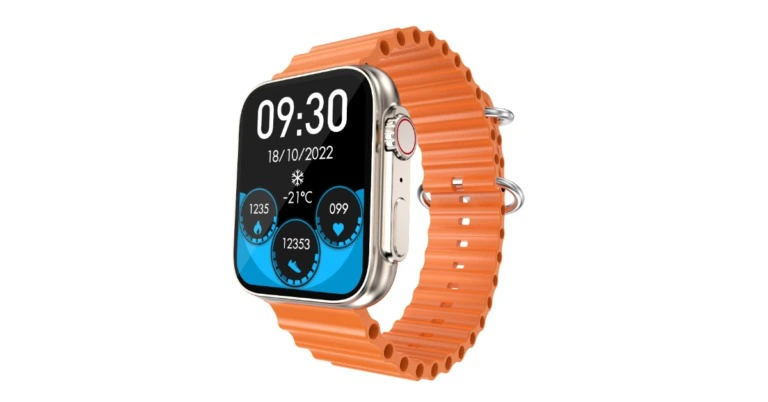
Fire-Boltt Supernova smartwatch features a 1.78-inch always-on AMOLED display with 368 x 448 pixels resolution and 500 nits peak brightness. This smartwatch offers a selection of watch faces and 8 UI styles, allowing you to switch up the watch face and menu design each day to go with your mood and wardrobe.
The Fire-Boltt Supernova smartwatch offers 123 various sports modes to keep track of your every activity and help you achieve your fitness objectives. The smartwatch’s Bluetooth 5.0 capability enables swift and seamless connectivity with all external devices. The smartwatch’s robust built-in speaker and microphone provide a clear call experience without any background noise. The Supernova’s built-in voice assistant is another intriguing feature that lets users send voice instructions to the watch and complete tasks while on the go. Additionally, the smartwatch has built-in games to keep users occupied and guarantee there is never a dull time in their day.
A modernized health suite that tracks vitals including SPO2, dynamic heart rate, sleep, and more is included with the wristwatch. The smartwatch is readily able to survive both hard gym workouts and accidental water splashes thanks to its IP67 water-resistant rating. The watch is made with sturdy construction and is crack- and dust-resistant, making it the ideal option for fitness and outdoor enthusiasts. Smooth surfing is made possible by the smartwatch’s affixed spinning crown, which is completely functional. The Fire-Boltt Supernova smartwatch has been created with extreme accuracy and cutting-edge technology, and its battery life is up to 5 days. The watch is compatible with both IOS and Android systems, providing customers with the delight of uninterrupted performance.
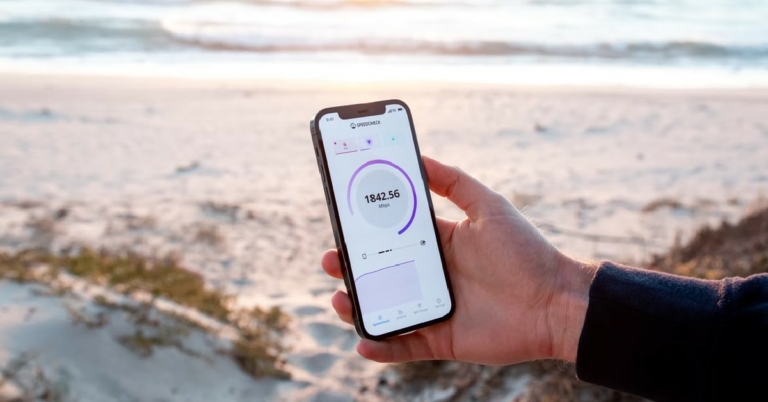
The basic iOS mobile hotspot feature is adequate for handling simple internet tethering-related tasks. However, sometimes users may want more out of the personal hotspot function. This is even more applicable for users in the US since mobile carriers there charge an extra fee if you share your mobile data using a personal hotspot. There are a few apps that will let your work around this issue. So, without further ado, here are the top 6 WiFi hotspot apps for iOS (iPhone and iPad).
PDA Net is one of the most popular WiFi hotspot apps for iOS. One of the major reasons behind its popularity is that it masks mobile tethering from your network operator, so you don’t need to pay extra for sharing your mobile data. PDA Net allows mobile tethering through a WiFi or USB connection. The connections are fast and secure. The only downside is that this app only works on jailbroken iPhones and iPads.
TetherMe
TetherMe is another app like PDA Net that lets you tether your mobile internet network without notifying your network provider. Similar to PDA Net, this app will only work after performing a jailbreak on your iPhone. Once you’ve downloaded TetherMe using Cydia, you will be able to share as much mobile data as you want. Tethering can be carried out over WiFi or a stable USB connection.
WiFi Map
If you don’t want to root your iPhone, you can try using apps that locate public WiFi hotspots and give you access to them. WiFi Map is one of the most popular apps in this category. This app comes with a large directory of public WiFi hotspots in over 50 countries. WiFi Map also provides passwords for secure WiFi networks. While connecting to a public WiFi it is essential you use a VPN to protect your privacy and safeguard yourself again online scams. WiFi Maps takes care of this situation and lets you choose from dozens of VPN servers before connecting to a public WiFi hotspot.
WiFi Finder
WiFi Finder gets its data from the SpeedSpots crowdsourced database. With this database, WiFi Finder is able to provide information on hundreds of thousands of public WiFi hotspots across the world. You can also perform a speed test on this app and see which hotspots are rated highly for their speed and connection strength. If you’re travelling to some location, you can download the map of public Wi-Fi offered in that location using this app. You can also filter hotspots by venue type: Hotel, Cafe, Store, Restaurant, Bar etc.
WiFi Connect
WiFi Connect is a popular app among travellers who want to save up on mobile roaming costs by relying as much as they can on public WiFi for internet usage. WiFi Connect lets you find free WiFi hotspots in over 50,000 cities worldwide. You can also save locations in the app for future use. WiFi Connect lets you search for public WiFi hotspots by city, country, or locality. The app keeps updating the passwords in its directory and adds new hotspots to the list.
WiFi Master
WiFi Master has one of the biggest WiFi-sharing communities in the world, with its presence in almost 200 regions across the world. WiFi Master also lets you access certain password-protected WiFi networks. Since the passwords are encrypted for user privacy, you will not be able to see them but the app will let you connect to the network. This app has a simple interface that is easy to use. With just a few taps, you will be able to connect to your desired public WiFi.
These are the top 6 WiFi hotspot apps for iOS (iPhone and iPad). We highly suggest using a VPN to connect to public WiFi in order to protect your privacy and avoid any phishing attempts. Here is our list of the 5 best VPN apps you can download right now. If you found this article helpful, let us know in the comments!
For Republic Day, Sony India has announced special promotional deals on a variety of televisions, personal audio devices, and home audio goods. Various audio products, including headphones, the Truly Wireless Earbuds Series, portable Bluetooth Speakers, soundbars, and Bravia televisions will all be marked down significantly by Sony India during the sale. These incredible offers, along with enticing financing options like instant rebates, simple EMIs, and one free EMI, will encourage people to buy a Sony device.
For audiophiles to take advantage of these irresistible offers, these exciting promotions are available starting on January 14 and running through January 26 or while supplies last at Sony retail locations (Sony Center and Sony Exclusive), the www.ShopatSC.com portal, major electronics retailers, and exclusively on Amazon and Flipkart’s e-commerce platforms.
These amazing deals will persuade individuals to purchase a Sony product combined with alluring financing options including instant cashback, easy EMIs, and one free EMI. Additionally, Sony is offering instant discounts of up to Rs 20,000 as well as up to 30% off discounts on Bravia televisions during the event. A simple monthly payment plan beginning at Rs 2,995 is also being offered by the company on select Bravia televisions.
Even though the last decade saw a tremendous rise in music streaming apps with Spotify, Apple Music, and Pandora becoming pivotal players in the music industry, most people still use YouTube to consume music. One of the better aspects of using YouTube to stream music is the massive catalogue of artists on the platform, as anyone can upload their music without facing any gatekeeping. While uploading to YouTube is a pretty straightforward process, the platform only allows video uploads. If you’re looking to upload an audio file to YouTube, you will need to convert it to an appropriate video format first. In this article, we bring you 4 easy ways to upload audio to YouTube.
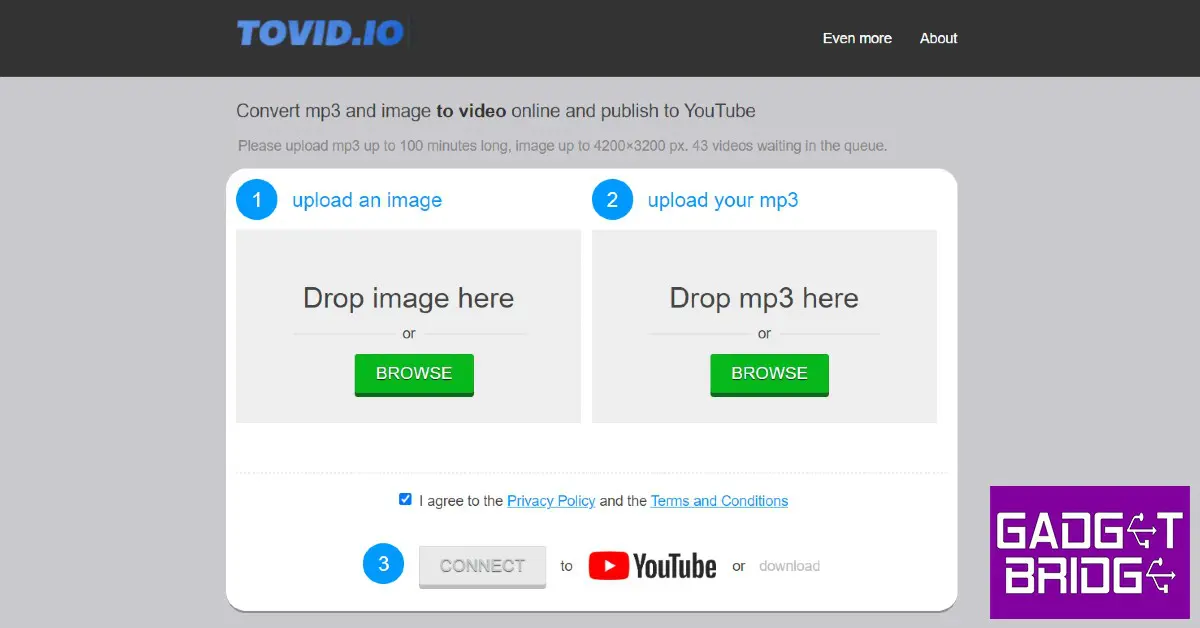
There are several audio converters available online that will convert your mp3 file to mp4 format. A file in mp4 format can then be uploaded to YouTube the regular way. Tovid is one of the easiest online converters to control your audio file to an mp4 format. All you need to do is upload the audio in mp3 format and add an image you want to be displayed on top of it. The conversion process will take a few minutes, after which you can download the file to your desktop. This mp4 file can easily be uploaded to YouTube. You can read about how to upload a video to YouTube here. TunesToTube is another excellent online converter that can be used for this task.
Use a video editor
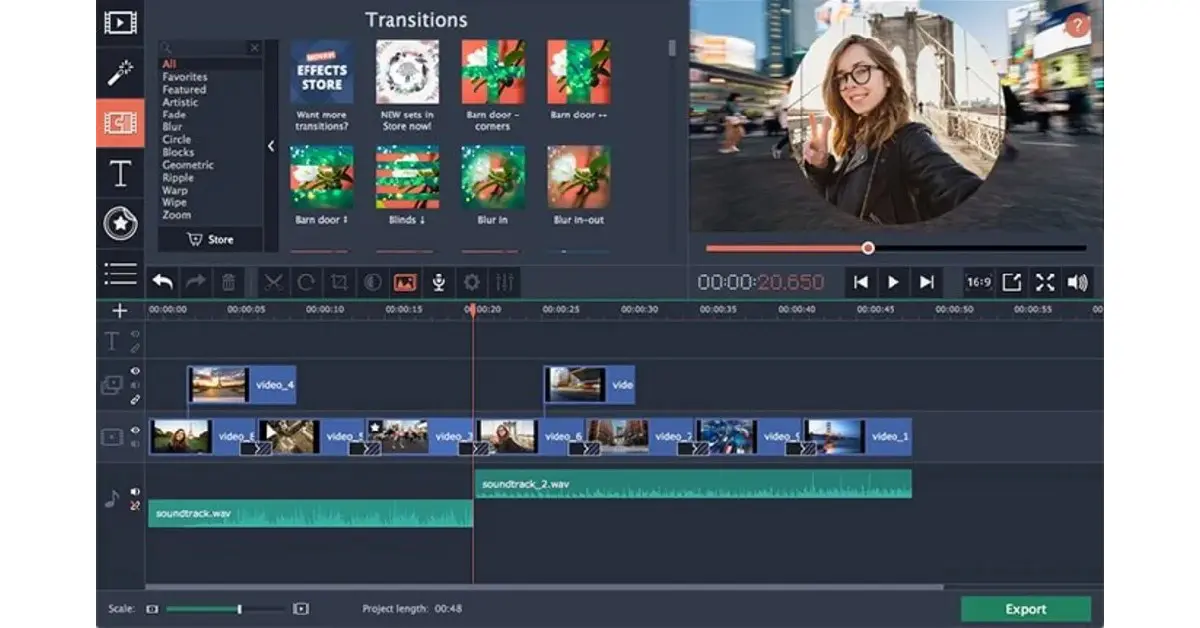
If you aren’t too keen on using an online file converter, any basic video editor for your desktop will convert an mp3 audio to an mp4 file. One of the better editors equipped for this task is the Movavi video editor. Once you launch the Movavi Video Editor, click on ‘Add media files’ to upload the images you want to overlay on the music. Click on the ‘Import’ tab to open the desired audio file in the editor. Apart from converting your audio file to video, Movavi also lets you create transitions for the images and add captions for the video. Don’t like Movavi? Here is our list of the top 10 video editors for Windows.
Use an Android app
If you’re looking to upload on the go, you will need an editing app to convert your audio file to mp4 format. Avee Music Player is the ideal app for this job. Launch the app once you’ve downloaded it from the Google Play Store. Since it is primarily a music player, you can select any audio file from your smartphone to play on it. Tap on the hamburger menu at the top left corner of the screen and ‘visualiser’. Here you can select from multiple visualizer options to overlay on top of the audio file. Once you’re satisfied with the result, tap the download icon to export it to your device.
Use VLC media player
The VLC media player is one of the most versatile software around. Not only can it support a wide spectrum of media formats, but it can even carry out basic conversion tasks. In order to convert an audio file to video using VLC, click on ‘Media’ and select ‘Convert/Save’. Import the mp3 by clicking on ‘Add’ and specify the format you want to convert the file to (mp4). Click on Start to begin the conversion process.
These are the top 4 easy ways to upload an audio file to YouTube. You can also directly upload an mp3 file to YouTube by visiting music.youtube.com and selecting ‘upload’ after clicking on your profile icon. Once the music is uploaded, you can play it using the YouTube Music app. If you found this article helpful, let us know in the comments!
The top-of-the-line, high-end 2023 Side-by-Side Refrigerator range was introduced by Samsung. This new line is entirely made in India and has various features designed specifically for India based on customer insights. The lineup includes Samsung’s proprietary technologies such as Convertible 5-in-1, FamilyHub and Curd Maestro+. These refrigerators include Family Hub 7.0, which enables users to control their smart devices using the SmartThings app, to provide a connected living experience.
In This Article
Price & Availability
The new 2023 Side-by-Side Refrigerator Range, with a 653L net capacity, is currently offered for sale through offline and online shops for a price starting at Rs 113,000. Four BESPOKE Glass Finish colour variations are available. Clean White, Clean Navy, Clean Pink, and Glam Deep Charcoal. The entire range of this new, premium line-up is said to be locally manufactured in India.
All versions of the Side-by-Side Refrigerator Range will be Wi-Fi enabled and come with SmartThings app capabilities in 2023. Convertible 5-in-1 mode, Samsung’s Twin Cooling Plus technology, and Curd Maestro, which enables customers to manufacture curd at home in a healthy and hygienic way, are all included in this device. Customers may now disconnect the curd-making compartment while it’s not in use, allowing for improved space usage.
Customers can select from five modes—Normal, Seasonal, Extra Fridge, Vacation, and Home Alone—by using the Convertible 5-in-1 mode function, which gives them more storage space and convenience. In both the Home Alone and Vacation modes, the refrigerator only has the freezer functioning while the fridge is off, in contrast to the usual mode, which has both the fridge and freezer operating. The feature enables users to change their freezer into a fridge, providing greater storage space on days when needed.
To reduce temperature fluctuation, the Twin Cooling Plus technology in this feature uses two independent evaporators for the fridge and freezer. This invention offers a new level of convenience by enabling the control of the ideal humidity and temperature, which keeps odours from combining and keeps food fresh for a longer period of time.
In this new line, Samsung has combined its cutting-edge patented technology for the first time to set a new standard in refrigeration, BESPOKE Glass Finish to increase the glam factor, and FamilyHub 7.0 with IoT capabilities to provide limitless entertainment and a connected living experience.
The Family Hub 7.0 function offers effective food management by giving its users suggestions for meals and a peek inside the refrigerator, among other things. Customers can use Spotify, TuneIn, and other web services to listen to their favourite music without the need for additional equipment. The feature also includes an analogue bulletin-board that collects priceless family memories through video, images, and memoranda to ensure that family pleasure never stops. This feature enables customers to manage their smart appliances and IoT-enabled devices via the SmartThings App.
The AI Energy Saving Mode in the new line-up uses Wi-Fi-based machine learning to regulate the temperatures in the refrigerator and freezer to achieve energy savings of up to 10%.
Auto Open Door, a first for the industry, opens the door with a light touch thanks to its “touch sensor.” So, even if one has dirty hands, they may still open the door by merely keeping their hand on the door sensor.
Additionally, the Samsung 2023 Side-by-Side Refrigerator line offers customers peace of mind with its recently announced 20-year compressor warranty on Digital Inverter Motors, an industry first.
Garena Free Fire is a battle royale game with regular awards and tournaments to keep players interested. If you play Garena Free Fire, you should be aware of the redeem codes that are released on a daily basis. However, because the battle royale game is banned in India, players from other countries can use the Free Fire Redeem codes daily. If you’re unfamiliar with the Garena Free Fire redeem codes or don’t know how to get them, we’ve put together a step-by-step guide to help you redeem them. Check out Garena Free Fire Redeem Codes for 16 January 2023.
The Free Fire redeem codes are a great way to get free stuff. These are 12-digit codes that contain alphabets and numbers, as well as an expiration date and time. Because the Garena FF redeem codes cannot be used more than once, you should hurry to the redemption page to claim your free reward before someone else does. To get a free reward, all you have to do is go to reward.ff.garena.com/en, which is the official redemption page. Also, keep an eye on this space for daily updates on Garena Free Fire redemption codes and rewards.
In This Article
Garena Free Fire Redeem Codes Today 16 January 2023
X99TK56XDJ4X
FF7MUY4ME6SC
WEYVGQC3CT8Q
3IBBMSL7AK8G
J3ZKQ57Z2P2P
FFDBGQWPNHJX
TDK4JWN6RD6
4TPQRDQJHVP4
GCNVA2PDRGRZ
XFW4Z6Q882WY
HFNSJ6W74Z48
HHNAT6VKQ9R7
2FG94YCW9VMV
4ST1ZTBE2RP9
8F3QZKNTLWBZ
V44ZZ5YY7CBS
WD2ATK3ZEA55
E2F86ZREMK49
B3G7A22TWDR7X
MCPW3D28VZD6
FFCMCPSGC9XZ
FFCMCPSEN5MX
ZZZ76NT3PDSH
EYH2W3XK8UPG
FFCMCPSUYUY7E
NPYFATT3HGSQ
MCPW2D2WKWF2
V427K98RUCHZ
MCPW2D1U3XA3
FFCMCPSJ99S3
6KWMFJVMQQYG
BR43FMAPYEZZ
UVX9PYZV54AC
XZJZE25WEFJJ
HNC95435FAGJ
How to Get Free Fire Redeem Codes for Garena on 16 January 2023?
The popular Amazon Quiz is now live on the Amazon app. The 16 January 2023 Amazon Quiz gives you a chance to win Rs 2,500 Amazon Pay Balance by answering all the questions correctly. The quiz can be played every day from 12 AM to 11:59. Only app users are eligible to participate in the Quiz as it is not accessible on the web platform.
The Amazon Quiz brings a fresh set of questions for its customers that contains five easy questions. The questionnaire consists of five questions related to general knowledge and current affairs. The participants need to answer all the questions correctly and their names will be selected for a lucky draw. The daily quiz brings an opportunity for the customers to win exciting prizes. They can win Amazon Pay Balance ranging from Rs 1,000 to Rs 50,000. The participants need to answer all the questions correctly and their names will be selected for a lucky draw. The winner will be announced at the end of the month. Check Out 16 January 2023 Amazon Quiz Answers.
Question 1: 82°E is a modern Indian self-care brand co-founded by which Bollywood actress?
Answer: Deepika Padukone
Question 2: For the first time in its history, the Oxford Word of the Year 2022 was chosen by which of the following?
Answer: The public
Question 3: Who among these scored his 30th Test century at the SCG in 2023?
Answer: Steve Smith
Question 4: This is a photograph taken at which of the ‘New Seven Wonders of the World’?
Answer: Machu Picchu
Question 5: This is a view of which famous mountain in Africa?
Answer: Mount Kilimanjaro
How To Play Amazon Quiz
Only app users are eligible to play the Amazon quiz every morning from 12 AM to 11:59 PM. The quiz is not available on the desktop. For those who are unaware of how to play the Amazon quiz below are the steps, you can follow to take the quiz.
Firstly download the Amazon app from Google Play Store or App Store
Now fill in the required information through the Sign Up option.
You need to log in to the Amazon app and scroll down on the home screen to find the Amazon Quiz banner.
Tap on the Amazon Quiz banner and tap on the Start button to start the Quiz.
Now you will get 5 questions and you need to answer them correctly. One wrong answer will eliminate you from the Quiz.
After answering all the questions correctly you are now eligible for a Lucky Draw.
The winner’s name will be announced today at 12 PM.
We have been playing around with the Samsung Galaxy Watch 5 Pro for a few weeks and this is our in-depth Samsung Galaxy Watch 5 Pro review. If you recall, the new Google Wear OS is the main reason why the Galaxy Watch was such a huge success last year. The greatest and most expensive smartwatches on the market right now are being offered by Apple and Samsung. Samsung Watch works with all Android devices, unlike the Apple Watch, which exclusively supports the iPhone. So, after using the Watch 5 Pro for more than a month, here is our comprehensive assessment.
In This Article
Samsung Galaxy Watch 5 Pro review: Design
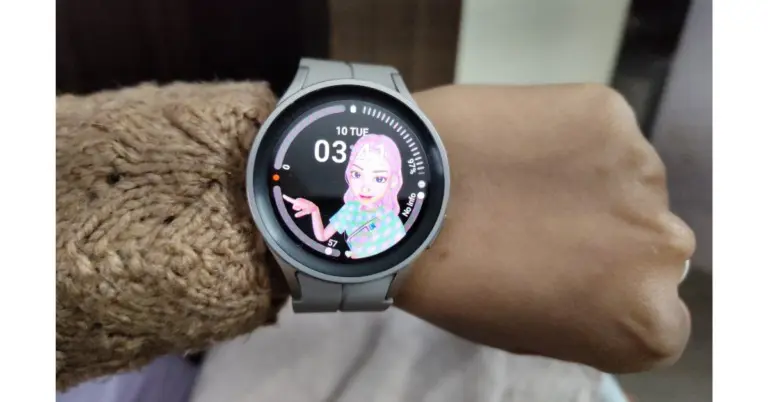
Let’s start with the design portion of the Samsung Galaxy Watch 5 Pro first. Since the firm replaced the rotating bezel on the Pro with a digital one, the Galaxy Watch 5 and Pro look identical this time around and even offer some haptic feedback to simulate the sensation of physical rotation it feels the same. The Watch 5 Pro, which features a raised bezel and a recessed display for a sportier appearance, is more like a thicker version of the original edition. Since the smartwatch is only available in a 45mm model, it also ended up seeming large because we have a small wrist.
With a larger contact area and a flatter construction for more precise measurements, the business has also upgraded the sensor architecture on the watch’s base. With the new 20mm silicone strap mechanism, we no longer need to frequently, physically, reposition the item to suit our needs. The Watch 5 Pro is highly praised for its comfort and fit.
The speaker grille is located near the bottom of the left side, while the right side has two physical buttons and microphones.
In any case, we adored the watch’s thick clasp sport band. However, as a result, the device does not lie totally flat on the ground.
Instead of the Gorilla Glass DX that was on the previous model, the front now has Sapphire crystal glass. A 1.4-inch circular Super AMOLED display with 450 x 450 pixel resolution is included. We have no complaints regarding the screen’s actual quality, which is fantastic regardless of the screen’s brightness level, sharpness, viewing angle, or colours.
In addition to meeting military standard 810H durability against a variety of hard weather conditions, the smartwatch is 5ATM and IP68 certified against dust and water damage. And for further durability, it includes a titanium case. Even when we dropped the Samsung Watch 5 Pro unintentionally, it held up beautifully during our whole usage without any significant scratches or dents.
Samsung Galaxy Watch 5 Pro review: Performance
The performance of the Exynos W920 chipset within the Samsung Galaxy Watch 5 Pro is unchanged as its is the same chipset, which was available on last year’s Galaxy Watch.
Furthermore, due to the absence of any other brands releasing watches running Google’s most recent wear OS, Samsung has virtually held a stonghold in the WearOS market for more than a year. However, that is no longer the case as the widely awaited Google Pixel Watch has now been made available to consumers.
The Watch 5 Pro comes with built-in Google Assistant support, and it functions admirably. This experience will only improve over time because of Samsung’s promise to offer users of the Samsung Galaxy Watch 5 Pro series four years of software updates.
You may create Tiles for supported apps like Google Keep and Microsoft Outlook as well as for a variety of wristwatch features and functions, including numerous health and fitness-related tiles from Samsung Health, using the Galaxy Wearable app.
The only significant hardware improvement in terms of tracking health and fitness is the addition of an IR temperature sensor, which works in conjunction with a 3-in-1 BioActive Sensor to give consumers a comprehensive insight of their wellness. Even when the ambient temperature varies, the temperature sensor uses infrared technology for more precise measurements. Sadly, it has not yet been activated in India. Additionally, India still lacks access to ECG and blood pressure data. In addition, you can download the Google Fit app instead of the Samsung Health app.
The Samsung Galaxy Watch 5 Pro is also capable of measuring your heart rate, stress level, oxygen levels, and more. Additionally, you can automatically keep track of a tonne of different workouts—far more than we would ever utilise.
Despite the absence of a temperature sensor, the Galaxy Watch 5 Pro’s sleep tracking is far superior to that of its predecessor. It correctly records the times when we go to sleep and wake up. Additionally, by analysing the sleep habits, it can provide other unique features including the ability to import a GPX (GPS Exchange Format) file of your workout path, which will automatically provide turn-by-turn directions. For those who don’t know, GPX holds information about GPS locations, such as maps and routes.
There are other things you can do with this watch, such as going into settings and scrolling down to sound and vibration. In this section, if you scroll down once more to the bottom, you will see system sounds. If you toggle it on, it will produce a gentle ticking sound that is similar to a Rolex watch, which is something we have not seen on another wearable.
Everyone appreciates a good customizable watch face that matches their personal style, and the Watch 5 Pro has professional styling. Therefore, the customization section will appear if you tap and hold the watch face, or you can put in a new watch face. You can modify the style of the hands, the colours, and a few other options in the Pro analogue watch face in addition to adding a compass to the outer ring.
Another option that will assist you in telling the time is available within accessibility under advanced settings, just below there, you can toggle on hourly time so that on every hour it makes a small ping sound. Another incredibly unique feature is that by tapping the screen with two fingers, it will vibrate. You can instruct your watch to read out your notifications by selecting it in the advanced setting.
With the help of gestures, you can quickly access your workouts and various exercises by simply flicking your wrist. To achieve this, go to advanced features, scroll to the bottom, and tap on Quick launch. Make sure this is toggled on because when you do, you can choose what this gesture opens. So your workout type list will instantly open if you flip your wrist twice. From the watch, you may also operate it remotely. Your buttons can be customised in advanced settings.
If you scroll down to the bottom of the Sleep Section of the health application, you will find an option to enable Snore Detection, which is one of the most fascinating features of this watch. When it asks you to turn it on, do so, then position your phone next to your bed with the microphone facing you (make sure you wear the watch). You will be able to view your snoring statistics and playback recordings the following morning.
Your body composition can be viewed in the same section. The Body Composition Analysis, which calculates your body’s water, muscle fat, and skeletal weight, is claimed to be more accurate in the most recent series. The option to measure will be at the bottom of the page if you scroll all the way down. To use it, simply confirm your weight, press both of the buttons with these two fingers, and remain as steady as you can. You’ll actually get a reading of your full body composition in a few seconds.
The Samsung Health app’s Route Workout allows you to go for a hike, record it, and share it with other trail enthusiasts. Additionally, if you want to vary your routine or train for a future race, you can download hiking and cycling routes. With clear Turn-by-Turn directions, you can hike or bike while keeping your eyes on the trail and not the map. With the Trackback feature, which sends you back the way you came, the Galaxy Watch5 Pro will make it easy for you to return home when the time comes. In the Samsung Health settings, this feature needs to be turned on for cycling or hiking from the settings menu.
Additionally, you may connect your fitness and health statistics with the Samsung Health app. It is very cleverly constructed to provide you with a rapid overview of all the facts at a glance and is yet sufficiently complex to provide you with a wealth of additional information for a deeper understanding.
Here, the phone call quality is likewise fairly good, and we especially like the Watch 5 Pro’s tactile feedback. The Galaxy Watch 5 Pro’s battery life meets our standards. The smartwatch has regularly lasted us about 5 days on a single charge with continuous heart rate and stress tracking turned on, which is excellent. It has a 590mAh battery, which is even bigger than its predecessor.
This time around, Samsung has increased the charging speed from 5W to 10W. So it took roughly 30 minutes to charge to 50%, and it takes approximately 2 hours to fully charge.
Verdict
Thus, Samsung Galaxy Watches are quite amazing gadgets that add quite a few little significant advancements over their predecessors to further Samsung’s hegemony in the Premium Android smartwatch market. With these, you may obtain the ideal mix of a high-end design, a comprehensive selection of health and fitness monitoring capabilities, and also a respectable battery life.
With its bolder look and improved durability, the Watch 5 Pro pushes things even further. It also adds a few new features that go with the watch’s outdoor-adventurous vibe. Although we continue to doubt that owners of the Watch 4 series will benefit from the upgrade, it offers the ideal package to persuade a casual smartwatch enthusiast to switch, therefore a chipset upgrade could have been a game changer.
While Snapchat started out as an ephemeral messenger, it quickly incorporated several other trendy aspects of social media to become one of the biggest social media platforms in the world today. Users can broadcast their stories to the world and get access to all kinds of bite-sized content on Snapchat. The app has even spawned its own influencers that have a following of millions. Having a public profile on Snapchat broadcasts your stories to a wider audience. Even users that aren’t on your friendslist will be able to see the content you post on your public profile. If some story goes viral, it may even end up on the ‘Discover’ page. In this article, we bring you simple ways to create, edit, and delete a public profile on Snapchat.
This is how you can create, edit, and delete a public profile on Snapchat. Once you make a public profile on Snapchat make sure you add stories to it periodically in order to get new followers. Tagging your stories on the map will also give your profile some amount of exposure. If you found this article helpful, let us know in the comments!



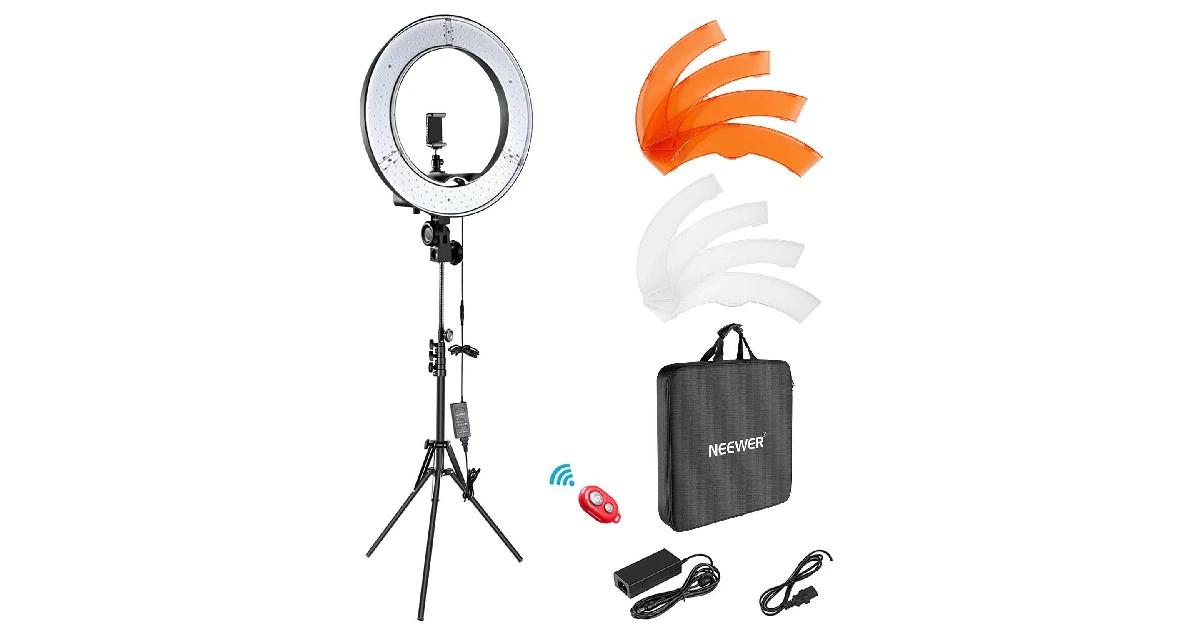
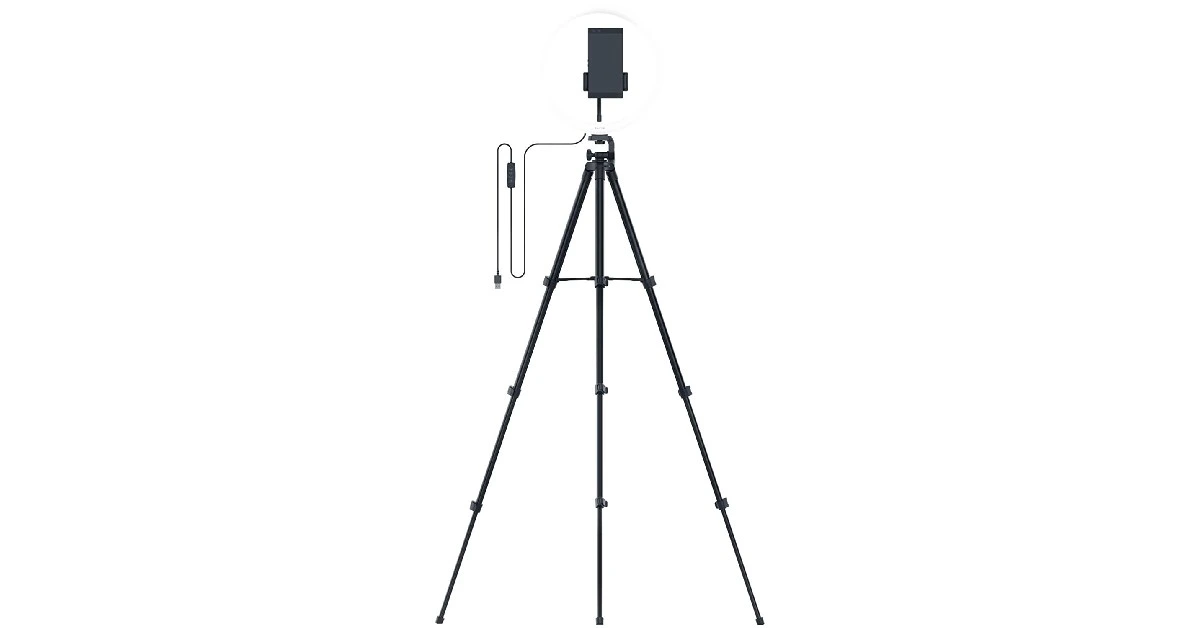
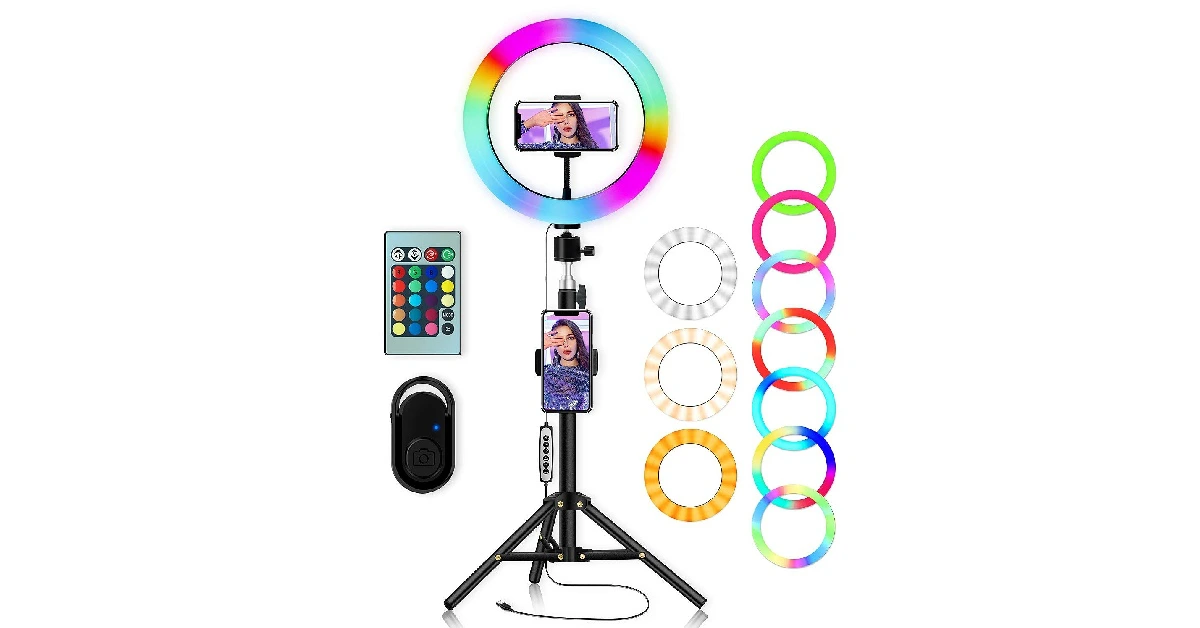
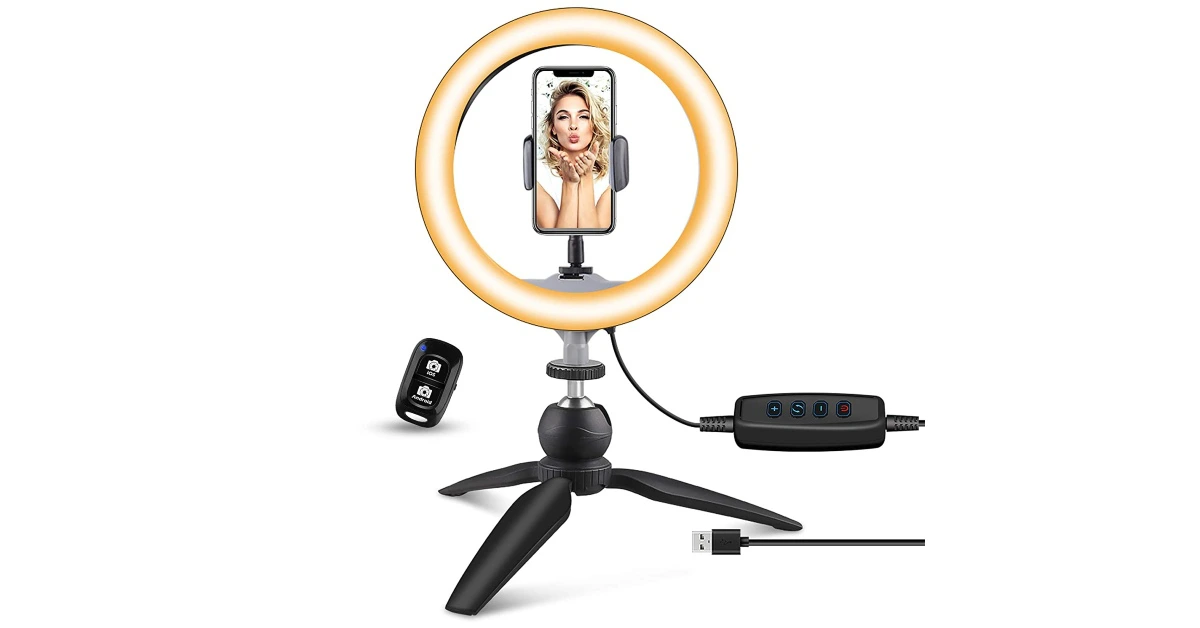

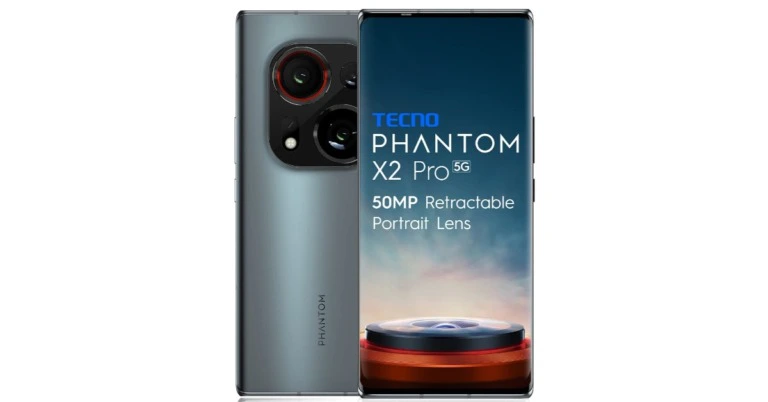



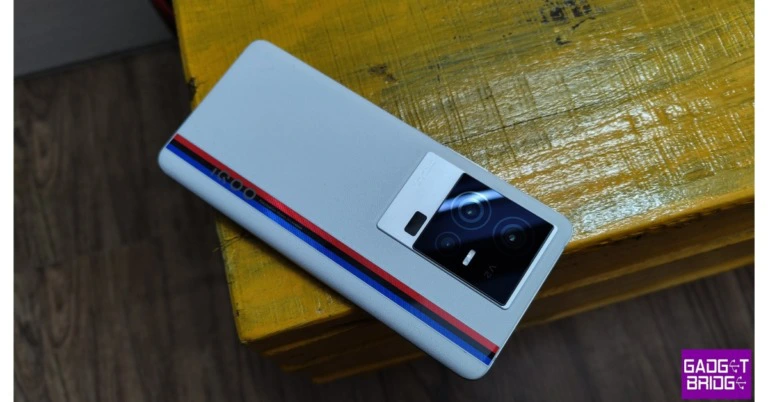

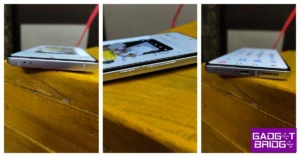

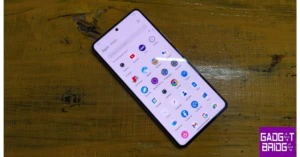







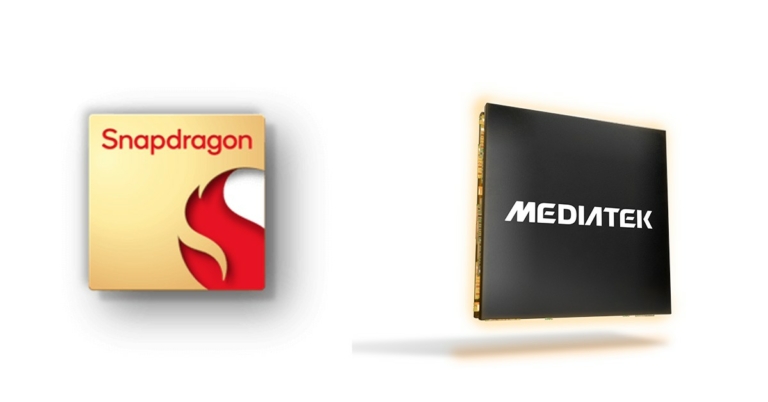
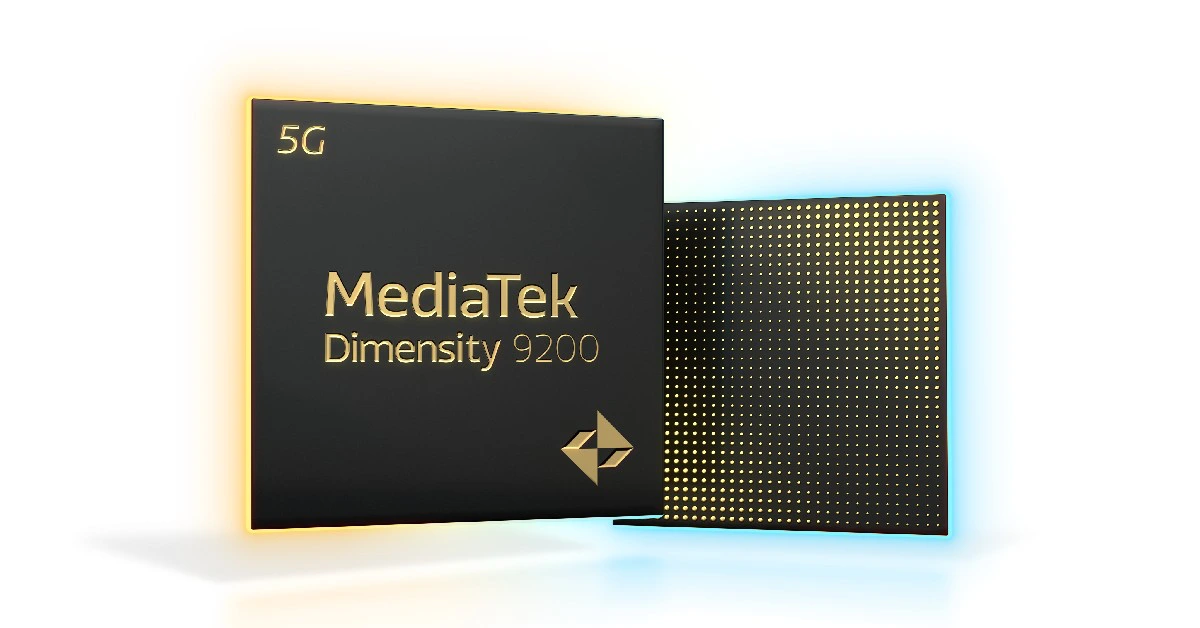 CPU
CPU