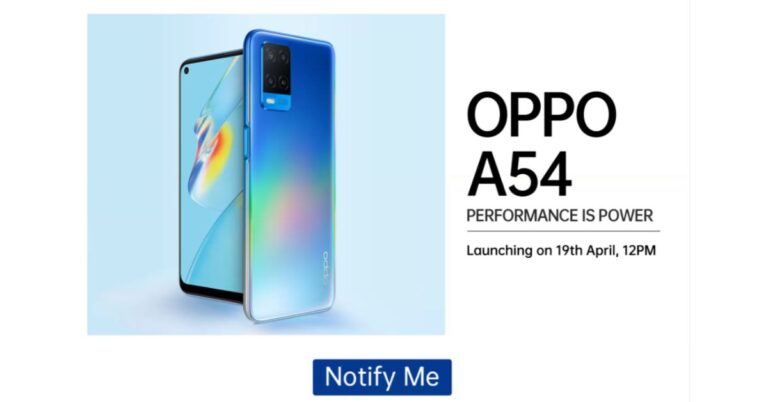
Oppo A54 is all set to launch in India on April 19. Teasing its availability, Flipkart has created a microsite for the device that not only reveals its launch date but also highlights the key specifications also. However, the pricing has not been revealed yet. Just ahead of the launch, a popular tipster has tipped the pricing of Oppo A54. It should be noted that the very next day of the launch the company is also launching Oppo A74 in the country. Unlike the expected pricing of Oppo A74 5G, the company has not yet given any hints related to the pricing of Oppo A54. But according to a report citing information from popular tipster Ishan Agarwal the price of the Oppo A54 in India will start at Rs 13,490. This pricing is expected to be tipped for the base 4GB RAM with 64GB storage. While the 4GB RAM with 128GB storage variant will come at Rs 14,490 and the top-end model, which is 6GB RAM with 128GB storage model will be priced at Rs 15,990.The upcoming Oppo A54 is the same device that was launched in Indonesia last month so we are well aware of the specs. In India, the smartphone will feature a 6.51-inch HD+ display having 720×1,600 pixels of resolution, 89.2 percent screen to body ratio, and 269ppi pixel density. It will run ColorOS 7.2 on top of Android 10. Under the hood, there isMediaTek Helio P35 (MT6765) SoC Oppo A54 offers 4GB of LPDDR4x RAM and 128GB of storage. The internal memory can be expanded up to 256GB via a microSD card.For photos and videos, there will be a triple rear camera setup that includes a 13-megapixel primary sensor. In addition to this, it also includes a 2-megapixel macro lens and another 2-megapixel depth sensor for portraits. On the front, it is going to sport a 16-megapixel sensor for taking selfies and video calling.Oppo A54 will be backed by a5,000mAh battery, which is supported by 18W fast charging tech. In terms of connectivity, it will support 4G, Wi-Fi, Bluetooth, GPS, and a USB Type-C port.
For the latest gadget and tech news, and gadget reviews, follow us on Twitter, Facebook and Instagram. For newest tech & gadget videos subscribe to our YouTube Channel. You can also stay up to date using the Gadget Bridge Android App.
The Chinese smartphone manufacturer, Motorola, is going to launch two G-Series phones in India. The company has been teasing to launch Moto G60 and Moto G40 Fusion very soon. In a new development, the tech firm has now officially confirmed to launch both the devices in the country on April 20. The company will be hosting an online event to introduce both devices to the market. Ahead of the launch, both the Moto G-series phones have been listed on Flipkart to tease their availability including their key details.According to a fresh announcement made by Motorola on Twitter, it is going to launch Moto G60 and Moto G40 Fusion in India on April 20. The launch is scheduled to take place from 12 noon onwards. Ahead of the official launch both the devices have also been listed on Flipkart. The dedicated microsite reveals the key details and availability of the smartphone. As per the listing, both Moto G60 and Moto G40 Fusion are going to be powered by the Qualcomm Snapdragon 732G chipset and will run Android 11 out of the box. These upcoming mobile phones will be backed by a 6,000mAh battery. In addition to this, there will be a 6.8-inch LCD screen with a punch-hole design. The display will support a 120Hz refresh rate and HDR10.The dedicated microsite on Flipkart further reveals that Moto G60 and Moto G40 Fusion are confirmed to feature a triple rear camera unit. The only difference here is that only the primary sensor is different. The former will come with a 108 Megapixel primary sensor while the latter one will include a 64-megapixel main sensor. The other two sensors on the G60 include an 8-megapixel ultra-wide lens and an 8-megapixel macro lens. While on the front it will boast a 32-megapixel selfie sensor.The volume rocker, Google Assistant and the power key is given on the left frame of the smartphones while the sim card tray is positioned on the other side of the frame.Prior to the announcement, both the phones were spotted on Geekbench. As per the listing both the phones will run Android 11 out of the box. The listing also reveals that the Moto G60 will come with 6GB of RAM while the Moto G40 Fusion indicates 4GB of RAM. While the benchmarking results are: G40 is listed to have achieved a single-core score of 515 and a multi-core score of 1,375. Moto G40 Fusion has received 519 single-core scores and 1,425 multi-core scores.
For the latest gadget and tech news, and gadget reviews, follow us on Twitter, Facebook and Instagram. For newest tech & gadget videos subscribe to our YouTube Channel. You can also stay up to date using the Gadget Bridge Android App.
Xiaomi has scheduled to launch its much-awaited Mi 11X series and Mi 11 Series in India on the same day that is April 23. The company is going to launch Mi 11, Mi 11 Pro and Mi 11i beside Mi 11 Ultra. However, the company has not yet confirmed which smartphones are going to launch under the Mi 11X series. But in a new development, the storage variant of three devices have now been tipped for India by a popular tipster.According to popular tipster Mukul Sharma, when Mi 11X and Mi 11X Pro smartphones will launch they will be made available in 8GB RAM with 128GB storage as well as 8GB RAM with 256GB storage configurations. While the Mi 11 series is going to include Mi 11, Mi 11 Pro and Mi 11i and Mi 11 Ultra. The tipster has not talked bout the formed two devices but he did mention that the latter one will be offered in a 12GB RAM with 256GB storage variant. His tweet reads “Xiaomi Mi 11X and Mi 11X Pro will be available in 8+128GB and 8+256GB variants as per my source. Mi 11 Ultra will be 12+256GB.”Xiaomi is all set to launch its Mi 11 series in India on April 23. At the same time, the company has also scheduled to bring Mi 11X series to the Indian market. So both the upcoming lineup will make their debut in India on April 23.Reports suggest that Mi 11X series will be a rebranded version of the Redmi K40 series which was launched in China a few months back that includes Redmi K40 and Redmi K40 Pro+. The former one is said to come as Mi 11X while the latter one to debut as Mi 11X Pro.The device is said to include a 6.67-inch full-HD+ AMOLED display with 1,080×2,400 pixels of resolution and a120Hz of refresh rate along with an in-display fingerprint sensor. The phone will be powered by an octa-core Qualcomm Snapdragon 870 SoC. The device could offer up to 256GB of UFS 3.1 storage.For the photos and videos, it is expedited to come with a 48-megapixel primary sensor, an 8-megapixel ultra-wide-angle lens, and a 5-megapixel macro lens. On the front, it could feature a 20-megapixel camera sensor. The Mi 11X Pro is most likely to have a similar display and will be powered byQualcomm Snapdragon 888 SoC. The camera set up will see a 108-megapixel Samsung HM2 primary sensor with the other two sensors remaining the same as above.Both the phones might also carry a similar battery with a capacity of 4,520mAh with 33W fast charging support.On the other hand Mi 11 Ultra will feature a quad-curved 6.81-inch 2K WQHD+ E4 AMOLED display with a 120Hz refresh rate panel with a 240Hz touch sampling rate support. Furthermore, there is a secondary 1.1-inch AMOLED touch screen with 126×294 pixels of resolution. The phone runs MIUI 12 on top of Android 11 out of the box. The phone will be powered by Qualcomm Snapdragon 888 SoC paired with Adreno 660 GPU.There will be a triple rear camera setup with a multi-functional secondary display for notifications, battery level, and weather alerts. The set up will include a 50-megapixel Samsung GN2 primary wide-angle sensor with f/1.95 aperture and OIS support. Also, there are two 48-megapixel Sony IMX586 ultra-wide-angle and tele-macro sensors (5x optical and 120x digital zoom) onboard. All three sensors support 8K video recording at 24fps. Upfront, there is a 20-megapixel sensor for taking selfies and video calling.It will pack a5,000mAh battery, which has support for 67W wired and wireless fast charging tech along with a 10W reverse wireless charging tech.
For the latest gadget and tech news, and gadget reviews, follow us on Twitter, Facebook and Instagram. For newest tech & gadget videos subscribe to our YouTube Channel. You can also stay up to date using the Gadget Bridge Android App.
Samsung Days sale is already live on its platform. The South Korean company is offering exciting deals and discounts on various smartphones including the latest Samsung Galaxy S21 series. The ongoing sale will last till April 19 so if you have plans to get any of the S21 smartphones and waiting for such offers and discounts now is the right time. Apart from this, you can also get discounts on other devices including the Galaxy A, M and F series of smartphones. Samsung Days Sale has already kicked off and is live till April 19. Apart from Samsung’s online store, the sale is being held across various other online portals such as Amazon and Flipkart. In addition to this, it is accessible through the offline platform as well. During the Samsung Days Sale, the customers can get discounts, deals and offers on the recently launched Samsung Galaxy S21 series, In addition to this, the mid-range smartphones from the Galaxy A, Galaxy M and Galaxy F series have also been put up on sale. We have listed below a few offers that you can easily avail of as the sale is going to end soon.Samsung Galaxy S21 which retails at Rs 64,990 will be giving away a cashback of Rs 5,000, while Galaxy S21+ is offering a cashback of up to Rs 7,000. On the purchase of the Samsung Galaxy S21 Ultra, buyers can avail of up Rs 10,000 cashback. Noticeably the cashback is only available on the transactions made using HDFC Bank credit and debit cards as well as EMI transactions only. In addition to this, the company is also offering no-cost EMIs options starting at Rs 5,654.92 per month and on the exchange of old devices. Those customers who are purchasing the Ultra variant can get either Galaxy Watch Active 2 (Aluminium variant) or Galaxy Buds Pro at Rs 990 only. Similarly, the same offers are being offered on other online and offline retailers including Amazon and Flipkart.Apart from this Samsung is also offering 10 per cent bank cashback or up to Rs 1,000 on the smartphones from Galaxy A, Galaxy M and Galaxy F series. The devices from the A series which are on sale include Galaxy A71, Galaxy A51, Galaxy A31, Galaxy 21s and Galaxy A21. While the phone’s list from the M series includes Galaxy M51, Galaxy M31s, Galaxy M31, Galaxy M11, Galaxy M12, Galaxy M02s, Galaxy M02, Galaxy M01, Galaxy M01s. Lastly Galaxy F41 and Galaxy F02s.
For the latest gadget and tech news, and gadget reviews, follow us on Twitter, Facebook and Instagram. For newest tech & gadget videos subscribe to our YouTube Channel. You can also stay up to date using the Gadget Bridge Android App.
The e-commerce website Flipkart is hosting Daily Trivia Quiz. Every day it brings a bunch of new questions for its users. By answering them correctly you can win exciting prizes. The questionnaire is based on questions related to general knowledge. Also, the users can win free vouchers and super coins, among other offers via the daily quiz. April 17 Flipkart Daily Trivia Quiz Answers has already gone live on its platform.
The participant should be at least 18 years old and should have a valid login ID. The Quiz is available on the mobile platform and not the web version. E-commerce conducts the quiz on daily basis and goes live at 12:00 AM IST and runs till 11:59 PM IST. The winners are announced within 15 days from the date of participation that can be viewed under the Gems/Rewards section in the app.
In This Article
How to participate in the Flipkart Daily Trivia Quiz
To participate download the Flipkart app on your phone. Then open the Flipkart app then head to Game Zone. Now click on the Daily Trivia Banner or search for Daily Trivia. Enter the game and answer all 5 questions with correct answers.
April 17 Flipkart Daily Trivia Quiz Answers
Question 1: Sourav Ganguly was the first-ever captain of which IPL team?
Answer: Kolkata Knight Riders
Question 2: Which team is being captained by the player shown in the picture?
Answer: Sunrisers Hyderabad
Question 3: Myntra’ is the shirt sponsor of which IPL team this season?
Answer: Chennai Super Kings
Question 4: Who among these has taken more no. of hat tricks in the IPL?
Answer: Yuvraj Singh
Question 5: Current RCB player Glenn Maxwell was a part of which IPL team in the 2020 season?
Answer: Kings XI Punjab
Amazon Quiz has gone live on its platform. The quiz timings are daily 12 AM to 11:59 PM. By submitting correct answers, millions of Amazon customers can win free gadgets as well as Amazon Pay Balance. By participating in the Amazon Quiz today you can stand a chance to win Rs 15,000 Amazon Pay Balance.
Daily the e-commerce platform brings a fresh questionnaire to which the contestants have to answer correctly to enter into a lucky draw. The quiz can be played daily from 8 AM to 12 noon. The Amazon Quiz contains five easy questions that are based on current affairs and general knowledge. Only one person is declared as a winner and the results are announced at the end of every month. Answering all the questions correctly might let you win something and a wrong answer will get you eliminated from the quiz. To make sure you answer all the questions correctly Gadget Bridge everyday updates all the correct answers to all 5 questions. check out today’s answers for the Quiz to win a Rs 15,000 Amazon Pay Balance.
April 15 Amazon Quiz Answers
Question 1: Kadapala Rithvika Sri, a 9-year-old girl from Andhra Pradesh, became Asia’s youngest girl to climb which African peak in March 2021?
The answer is- Mount Kilimanjaro
Question 2: Iron-rich ‘Bao-Dhan’ is grown without the use of chemical fertilizers in which Indian state?
The answer is- Assam
Question 3: As per the Guinness Book of World Records, Acqua di Cristallo Tributo a Modigliani occupies what distinction?
The answer is- A most expensive bottle of water in the world
Question 4: In the logo of which company do you see this object come to life and replace the ‘I’ in its name?
The answer is- Pixar
Question 5:The young males of this species are known as?
The answer is- Colt
For the latest gadget and tech news, and gadget reviews, follow us on Twitter, Facebook and Instagram. For newest tech & gadget videos subscribe to our YouTube Channel. You can also stay up to date using the Gadget Bridge Android App.
As per the Delhi Disaster Management Authority (DDMA), to contain the COVID-19 infection, a Movement Pass shall be required for moving out during the weekend curfew. The weekend curfew will start from Friday at 10:00 PM till Monday at 06:00 AM. Throughout the weekend curfew hours, only essential services shall be permitted.
As per the regulations of the Government of Delhi, you may move under the following restrictions.
Cinema Halls will function only at 30 per cent of their total capacity.
The weekly market will open per day per zone.
Only takeaway services will be allowed at restaurants and hotels.
Curfew passes will be needed for those involved in wedding functions scheduled during the curfew hours.
In This Article
What are the types of Movement Passes?
There are two kinds of Movement Passes issued during the Delhi weekend curfew.
Type 1: For individuals who need the pass to visit a hospital or to buy an essential commodity.
Type 2. For individuals who deliver essential commodities within or outside Delhi.
How to apply for the Delhi weekend curfew pass online?
To apply for the movement pass for the Delhi weekend curfew, follow these steps.
Click on the tab named ‘Movement Pass’. You will need to create an account.
Click on the tab named ‘Movement Pass’.
Enter the details in the form like Name, Mobile Number, and Address.
Enter the details in the form like Name, Mobile Number, and Address.
Upload your recent photograph
Upload a valid identity proof like Aadhar card, PAN Card, Driving Licence, Passport, or Voter ID.
Click the Submit button to complete the registration process.
You will soon receive an SMS regarding the approval of your Movement Pass for the Delhi weekend curfew.
To download your Movement Pass for the Delhi weekend curfew, follow these steps.
You must note that you may use one account to make multiple Movement Pass applications. Throughout the application process, you will receive two messages, first, on acceptance of the application and second, at the time of validation of the Movement Pass.
For the latest gadget and tech news, and gadget reviews, follow us on Twitter, Facebook and Instagram. For newest tech & gadget videos subscribe to our YouTube Channel. You can also stay up to date with the Gadget Bridge Android App.
Facebook-owned Instagram is one of the most widely used social media platforms to post pictures and videos. It offers handy options to enhance the looks of your pictures and videos like cropping and cool filters. Instagram allows you to share or like an image but does not provide an option to download it.
In This Article
How to download an Instagram picture using a website?
DownloadGram is a website using which you can download a variety of Instagram uploads. These include images, videos, reels, and IDTV. The website works on desktop as well as mobile devices. To download Instagram photos using the DownloadGram website, follow these steps.
Launch the Instagram app on your desktop or mobile device.
Open the image post that you wish to download.
Open the image post that you wish to download.
Click the three dots located on the top right of the post.
Paste the copied URL and click the Download button.
Paste the copied URL and click the Download button.
The picture will be saved in your Download folder on your PC or your smartphone library.
How to download an Instagram picture using an application?
FastSave is a mobile application that enables you to browse and save Instagram pictures and videos. Once saved, you can view them offline and repost them. The app downloads high-quality images without performing merely copy-paste action. The features of the app include the following.
Simple-to-use user interface
Secure platform
Save multiple photos and videos.
Fast download speed
Ability to repost, share, and delete pictures from the app
To download Instagram photos using the FastSave application, follow these steps.
Indian electronics accessories maker, boAt, introduced its new smartwatch in the Indian market. The company has launched the boAt Xplorer smartwatch in the country, which features built-in GPS to track your daily fitness activities. In addition to this, it also includes a real-time heart rate monitor as a health fitness feature. The wearable offers a 33mm full touch screen display along with customisable watch faces and more.boAt Xplore Smartwatch price and availabilityThe boAt Xplore Smartwatch has been launched in India with a price tag of Rs 5,999. However, the company is offering it at an introductory price of Rs 2,999. The fitness device can be purchased via the company’s official website. boAt Xplore Smartwatch specificationsThe boAt Xplore Smartwatch features a 33mm (1.29-inch) screen size with a rectangular framing. The coloured display offers personalised cloud watch faces. While the sweat-resistant, switchable silicone strap allows you to flaunt a new look every day.Watch Xplorer comes with support for 5ATM water resistance making it perfect for outdoor use. The GPS enabled wearable allows you to monitor health, notifications, weather and keeps you active. It can track your routes and distances while running, walking or cycling. While the built-in smart activity tracker records daily calorie burns as well as the steps and distance covered. There are 8 Active Sports Modes on the boAt Xplore Smartwatch that includes Outdoor Run, Indoor Run, Outdoor Walk, Outdoor Cycle, Indoor Cycle, Pool Swim, Open Water Swim and Fitness. Moreover, it also sends you real-time weather updates and weather forecasts using built-in live weather forecasts. Aside from this the smartwatch also offers health-related features such as a 24×7 heart rate monitor, Breathe mode and track menstrual cycles. The Breathe mode on the watch guides you to mindfulness with breath awareness and helps lower your heart rate and decrease stress levels. Whereas the features of the menstrual cycle is a very helpful feature for women that predicts accurate dates, ovulation patterns and more.Apart from health and fitness features the boAT Xplorer also offers other features such as music playback controls, notifications alerts, curated controls such as Find My Phone, alarms and timers.
For the latest gadget and tech news, and gadget reviews, follow us on Twitter, Facebook and Instagram. For newest tech & gadget videos subscribe to our YouTube Channel. You can also stay up to date using the Gadget Bridge Android App.
Spotify is one of the most popular music streaming apps. The app offers a mammoth library of around 70 million songs across different languages and genres. The app gets frequently updated to offer you an intuitive interface to search new songs. You can save your favourite songs in playlists and follow your favourite artists.
The desktop version of Spotify offers you almost as much flexibility as the mobile version of the app. You can download our playlist to listen to it whenever you wish to. Here we’ll discuss the ways to download your Spotify songs using the mobile as well as the app.
In This Article
How to download music using the Spotify desktop application?
Downloading a playlist allows you to play songs even when you’re not connected to the internet. To save your music using the Spotify desktop app, follow these steps.
Launch the Spotify desktop app.
Create a playlist by clicking Create Playlist option in the left menu and give a name to it.
Now go to the song that you wish to add to your playlist.
Now go to the song that you wish to add to your playlist.
Click the three dots located in front of your chosen song.
Click Add to playlist and click the name of the playlist where you want to save the song.
Open the desired playlist by clicking it in the left menu.
Click the download button located next to the circular play button.
Click the download button located next to the circular play button.
Once the download is complete, you will find a green arrow right next to the playlist that you just downloaded. You can access your downloaded playlist even when offline. To undo the downloading of your playlist, go to your playlist and toggle the download button off.
How to download music using the Spotify mobile app?
After downloading your favourite songs, you can listen to them even when offline. To save your music using the Spotify mobile app, follow these steps.
Launch the Spotify app on your mobile device.
Tap the Your Library button located at the bottom of the screen
Tap Create Playlist and give a name to it.
Now go to the song that you wish to add to your playlist.
Now go to the song that you wish to add to your playlist.
Tap the three dots located in front of your chosen song.
Tap Add to playlist and click the name of the playlist where you want to save the song.
Open the desired playlist from the Your Library tab.
Toggle the Download button on.
Once the download is complete, you will find a green arrow right next to the playlist that you just downloaded. You can access your downloaded playlist even when offline. To undo the downloading of your playlist, simply go to your playlist and toggle the download button off.
For the latest gadget and tech news, and gadget reviews, follow us on Twitter, Facebook and Instagram. For newest tech & gadget videos subscribe to our YouTube Channel. You can also stay up to date with the Gadget Bridge Android App.
YouTube is one of the most prominent mediums to express your talent and skills. In fact, several people around the world have opted for creating YouTube videos as their career. The YouTube community has drastically grown in the past decade with the increased availability of the internet in different parts of the world.
For growing a YouTube channel, you must focus on your content as well as marketing it. At the end of the day, your content will indeed take your channel ahead. However, you cannot underrate the importance of the associated promotional tags and tactics.
The following tips shall help your videos reach a wider audience and give a boost to your channel.
In This Article
1) Write a catchy video description
The video description not only tells YouTube users about the genre of your channel but also increases its SEO reach of your video. Almost all famous YouTubers including Unbox Therapy, Logan Paul, and Markiplier use attractive words to describe their content. A description containing keywords and catchy phrases have an immediate impact on the viewer that makes him/her want to explore the channel. Famous YouTubers frequently use keywords like ‘original’, ‘hilarious’, ‘parodies’, ‘coolest’, and ‘surprising’.
2) Create Subtitles for your videos
Subtitles are captions that usually appear at the bottom part as you play the video. Subtitles are often ignored and underrated by YouTuber who just started their channel. However, they play an important role to attract a diverse community. Not all viewers of a video belong to a particular linguistic community. Video captions serve as the main window for them to figure out your channel’s content. Thus, try to include subtitles in as many languages as possible.
3) Go Live frequently
Going live has become a popular trend among the YouTube community. This helps them interact with their fans and talks more about their thoughts and what new content they wish to bring forth in the future. Meanwhile, they also get suggestions and recommendations in real-time regarding the likings of the audience. Regular interaction through Q&A shows with viewers helps the YouTubers keep a track of the demands of the viewers from them. When they know about the preferences of their viewer base, their videos are bound to hit more views with each upload.
Go Live frequently
4) Choose your video tags/keywords wisely
For YouTube, your video is just an accumulation of graphics and text. No matter how hard you try on your content, YouTube won’t recommend it on the searches unless you add tags that clearly talk about the content of your video. To reach out to a wider audience, avoid redundancy in your tag selection. For instance, while uploading a music video, avoid using ‘singing’, and ‘music’ together because ‘singing’ is a subclass of ‘music’. Instead, use ‘music’ and ‘art’ together to invite people interesting in music as well as other art forms.
5) Use Video Cards
YouTube Video cards help a YouTuber increase engagement in his/her channel. By using them, you can attract an audience from other YouTubers to give a boost to your channel. There are several methods to use YouTuber cards. These are as follows.
Asking the viewers for funding future video
Asking for donations for a non-profit cause
Conducting a poll to know about the demand of the viewers
The American multinational technology company, Google has unveiled a new update to smartphones and devices enabled with Google assistant. The new update will offer five new features to Google Assistant. One of the new features will enable the users to find the lost iPhone. The new feature will work like Apple’s Find My app that allows the users to track their Apple devices.
In This Article
How will the new feature of Google Assistant work?
The new update will see an improvement in the Google Duplex technology that enables the Google AI to make a call for ordering food online. Here are the new features that we will see in the new update of Google Assistant.
Locate your Apple devices
By using the new feature, users can find their misplaced Apple device. They just need to say, “Hey Google, find my iPhone”. The Google Hope app will send a notification alert on the iPhone. You can easily locate the device by following the audible ringing sound even the Apple device is silent or in Do Not Disturb mode.
According to Lilian Rincon, Senior Director of Product Management for Google Assistant, “You can tell your Nest smart speaker or smart display, “Hey Google, find my phone,” for all devices, now including iPhone models. For iPhone devices, once you opt in to receiving notifications and critical alerts from the Google Home app, you’ll get a notification and hear a custom ringing sound (even when the phone is on silent or if Do Not Disturb is enabled)”.
Locate your Apple devices
Conveniently order food online
A new feature of the Google Assistant will enable to order online food with much ease. You just need to search the desired restaurant on Google and select “Order Online” or “Order Pickup”. The Google Assistant will automatically go to the website of the restaurant to place the order. It will use the Chrome Autofill feature to fetch the synced details regarding your contact and address. The payment will automatically be done using your Google Pay account.
Fascinating routine features
Besides major features, the new update will bring new features to upgrade your day-to-day lifestyle. Now, you can make the Google Assistant perform multiple tasks simultaneously. Moreover, you can get your lights automatically turned on in the evening.
Are there any limitations of the new feature of Google Assistant?
Although the new feature of the Google Assistant will work like Apple’s Find My application, it will not show the location of the lost iPhone on a map. It will be primarily useful for users who misplace their Apple device in their personal space. Also, the feature will work only when the user has the Google Home app installed on his/her Apple device. Once the user has signed in using his/her Google account on the Apple device, the lost iPhone can be found using an Android device like Tablet or Chromecast.
For the latest gadget and tech news, and gadget reviews, follow us on Twitter, Facebook and Instagram. For newest tech & gadget videos subscribe to our YouTube Channel. You can also stay up to date with the Gadget Bridge Android App.
The Chinese smartphone company Oppo today announced the launch of its new smartphone in India. The company has confirmed to launch Oppo A74 5G in India via Amazon. To recall, the smartphone has already made its way into the Cambodian and Thailand market, however, the specification of the Indian variant is supposed to differ from what is being offered in the other two regions. Oppo A74 5G is all set to launch in India on April 20. The company has also listed the device on Amazon.com to tease its availability. According to the company, the phone will make its debut on the e-commerce websites at 12 noon on April 20. It should be noted that the smartphone is the company’s first 5G ready mobile phone to be priced under Rs 20,000. Also (as said), this handset is going to be Oppo’s first A series phone with 5G capabilities.The company stated, “In line with the distinguished OPPO A series legacy of offering all superior features at a competitive price point, OPPO, the leading global smart device brand, is all set to introduce the all-new OPPO A74 5G, its first 5G ready phone under INR 20,000. The brand has been consistently working to bring in customer-centric meaningful innovations and advanced technologies across its portfolio and this new A-series smartphone bears testimony towards OPPO’s continuous endeavour in democratising cutting-edge technology for one and all. This is OPPO’s first phone with 5G compatibility in the pocket-friendly segment.”Oppo chooses to not say much about its smartphone, but it mentions that the phone will feature a 90Hz Hyper-color Screen offering vibrant and clear photos and videos, whether of portraits, landscapes, food or even night shots with higher colour saturation and accuracy than the previous generation of A Series. The Hyper-color will enable you to perceive a wider spectrum of colours that are more realistic and accurate.According to industry insiders, the upcoming device will feature a 6.5-inch full-HD+ LCD display offering 1,080×2,400 pixels of resolution and a 90Hz refresh rate support. In addition to this, Oppo A74 5G is tipped to be powered by Qualcomm Snapdragon 480 SoC with 6GB of RAM and 128GB of storage.In terms of cameras, the phone will be armed with a triple rear camera setup that includes a 48-megapixel primary sensor in addition to two 2-megapixel lenses. Upfront, it is said to feature a 16-megapixel selfie sensor. Apart from this, the mobile phone is likely to be backed by a 5,000mAh battery with 18W fast charging support.
For the latest gadget and tech news, and gadget reviews, follow us on Twitter, Facebook and Instagram. For newest tech & gadget videos subscribe to our YouTube Channel. You can also stay up to date using the Gadget Bridge Android App.
Today the South Korean giant has officially launched the Samsung Galaxy M42 5G in India. Till now there was no confirmation from the company if the device even existed however lots of rumours and fresh leaks have been doing the rounds on the web with regards to the smartphone’s pricing and key specs. Recently, the pricing of the much anticipated Samsung Galaxy M42 5G was also tipped in addition to the leak of video teasers. It should be noted that this smartphone is going to be the first 5G smartphone to make its entry into the popular Galaxy M range. Read all the details here.Samsung has confirmed the arrival of the Samsung Galaxy M42 5G in India by listing it on Amazon.com. Through the listing, the company has confirmed its launch day along with some key details. As per the Amazon listing, the device is scheduled to launch in India on April 28. In addition to this the Notify Me button has gone live and e-commerce has also started taking the registration of the 5G smartphone.Alongside revealing the launch date of the Samsung Galaxy M42 5G for India the company has also revealed few key details of the upcoming mobile phone. As per the e-commerce site listing, M42 will be featuring a waterdrop-style notch display. While on the back of the phone it will sport quad cameras stacked inside a square-shaped module.Moreover, the multicoloured striped finish on the rear panel adds freshness to the design aesthetics of the Samsung Galaxy M42 5G. Most importantly the 5G smartphone will be powered by the Qualcomm Snapdragon 750G SoC. Alongside, the phone will also include Samsung Knox security as well as Samsung Pay. Noticeably the tech firm is promoting Galaxy M42 5G as “Fastest Monster”. In the past, the company has advertised most of its devices bearing a massive capacity battery as Monster smartphone. As of now, the company has now revealed the capacity of the battery but previous video teasers, which were leaked online suggest the phone will pack a 6,000mAh battery. Moreover, it might also run Android 11 OS and features a 64-megapixel main rear camera.Some reports also claim that the Samsung Galaxy M42 5G is likely to be a rebranded variant of Galaxy A42 5G, which debuted last year. Also many times the phone appeared on various certification websites such as NFC, Wi-Fi Alliance, and BIS.
For the latest gadget and tech news, and gadget reviews, follow us on Twitter, Facebook and Instagram. For newest tech & gadget videos subscribe to our YouTube Channel. You can also stay up to date using the Gadget Bridge Android App.
GoodWorker, founded by Temasek, is a mobile application that helps migrant workers find jobs who had to go back to their native place amidst the COVID-19 pandemic. GoodWroker later joined hands with Pravasirojgar, an initiative launched in July 2020 by the Indian actor, Sonu Sood and Schoolnet.
Schoolnet India Limited (formerly IL&FS Education and Technology Services Ltd) is one of the leading EdTech and skilling companies in India. The company works in the direction to elevate the demographic dividend using the concept of 3Es: Education, Employability and Employment.
According to Sonu Sood, “This partnership will help in realising my dream of providing a better life and securing a livelihood for millions of youths. With this, we aim to give the migratory workers an opportunity to upskill and improve their job prospects”.
In This Article
What are the features of the GoodWorker application?
The GoodWorker app helps the migrant right from making a profile till they get a reliable job in various cities. It allows job seekers to create a profile consisting of their skills. The app engine recommends the most suitable job openings based on their skills. The best part is, the app is totally free to use. The features of the GoodWorker app are as follows.
Job-matching tool: The algorithm of the app is designed such that it matches the skills, experience, and preferences entered by the users to the best-fit jobs for them.
Located-bases jobs: Since the migrant workers have moved back to their native places, the app recommends jobs based on proximity. This saves the extra cost of conveyance on the part of workers.
Reliable jobs: The GoodWorker app has collaborated with renowned firms so that job-seekers get stable and sustainable jobs. Every job profile is thoroughly tested to provide genuine job offers.
Interview scheduling: The app automatically notifies about the interviews the user gets shortlisted for. The users get information regarding the dates, location and the mode via WhatsApp or text messages.
Experience Letter: Good worker ensures that the user gets the best from his/her job. Thus, the app offers an experience once the user leaves the current job. This experience letter shall help him/her traverse an increasing curve in his/her career.
The COVID-19 pandemic has impacted almost all aspects of life. According to the Ministry of Statistics, the Indian GDP (Gross Domestic Product) for Q1 FY21 contracted by 24% as compared to the preceding year. The lockdown had resulted in a slowdown of businesses like textiles, construction, and tourism the aftermath of which persist to date. The Pravasirojgar initiative by Sonu Sood was a silver light to the migrant workers who were the worst sufferers of the lockdown.
According to Pradyumna Agrawal, GoodWorker Board Member, “We were already building and had plans of a certain amount of investment in India. When we came across Sood’s Pravasi Rojgar and Schoolnet and saw how they have reached 400 districts, we decided to combine forces with them bringing in out cutting edge technology to effectively expand their operations by finding the right talent”.
How can GoodWorker app help the migrant workers in the ongoing wave of the COVID-19 pandemic?
Contrary to expectations, the country has observed a sudden rise in the number of COVID-19 patients in April 2021. As a result, migrant workers in industrial areas are moving back to their home cities/towns. Thus, the app has again emerged as a supporter of job seekers. The actor Sonu Sood has been proactively raising awareness through social media and newspapers so that as many migrant workers may get benefitted as possible.
For the latest gadget and tech news, and gadget reviews, follow us on Twitter, Facebook and Instagram. For newest tech & gadget videos subscribe to our YouTube Channel. You can also stay up to date with the Gadget Bridge Android App.
Motorola is all set to expand its Moto G series with the launch of not one but two new devices in India. Recently the company has begun teasing the arrival of two smartphones that would come to India. At the time, it did not confirm the name of the handsets. Soon after that reports started pouring in expecting it to be Moto G Stylus (2021), Moto G Power (2021), or Moto G Play (2021). Clearing the air, the company has now officially revealed the names of the handsets. So soon Moto G60 and Moto G40 Fusion will make their way to the Indian market.Motorola took to Twitter to reveal that Moto G60 and Moto G40 Fusion will soon launch in India. Besides the names of the handset, the company did not reveal the possible launch date but we expect the company to announce an official launch date soon though. It should be noted that the availability of both smartphones will be made through the e-commerce website Flipkart. The tweet reads, “Hey @Flipkart, we are thrilled to #GoBeyond the ordinary because it’s time to #BlazeOn to infinite possibilities with our latest launches #motog60 & #motog40fusion! Cannot wait to reveal their features exclusively on your platform. Are you ready to #GetSetG?”As of now, the company has not revealed any other details or features of the smartphone. But if we go by the leaks or reports both the devices recently appeared on the Geekbench website. As per the listing, both the devices would come with the same internals the only difference is the selfie camera. Both the phones are said to run Android 11 out of the box. The listing also reveals that the Moto G60 will come with 6GB of RAM while the Moto G40 Fusion indicates 4GB of RAM.In terms of benchmarking performance, the G40 is listed to have achieved a single-core score of 515 and a multi-core score of 1,375. While Moto G40 Fusion has received 519 single-core scores and 1,425 multi-core scores. The past reports suggest that Moto G60 will be featuring a 6.78-inch full-HD+ display with a 120Hz refresh rate. It will be powered by a Qualcomm Snapdragon 732G SoC with 6GB RAM, 128GB storage options. It is likely to feature a triple rear camera set up with a 108-megapixel Samsung HM2 sensor, 16-megapixel wide-angle lens, and 2-megapixel tertiary lens. For selfies, it is expected to come with a 32-megapixel front-facing camera.
For the latest gadget and tech news, and gadget reviews, follow us on Twitter, Facebook and Instagram. For newest tech & gadget videos subscribe to our YouTube Channel. You can also stay up to date using the Gadget Bridge Android App.
The e-commerce website Flipkart is hosting Daily Trivia Quiz. Every day it brings a bunch of new questions for its users. By answering them correctly you can win exciting prizes. The questionnaire is based on questions related to general knowledge. Also, the users can win free vouchers and super coins, among other offers via the daily quiz. April 16 Flipkart Daily Trivia Quiz Answers has already gone live on its platform.
The participant should be at least 18 years old and should have a valid login ID. The Quiz is available on the mobile platform and not the web version. E-commerce conducts the quiz on daily basis and goes live at 12:00 AM IST and runs till 11:59 PM IST. The winners are announced within 15 days from the date of participation that can be viewed under the Gems/Rewards section in the app.
In This Article
How to participate in the Flipkart Daily Trivia Quiz
To participate download the Flipkart app on your phone. Then open the Flipkart app then head to Game Zone. Now click on the Daily Trivia Banner or search for Daily Trivia. Enter the game and answer all 5 questions with correct answers.
April 16 Flipkart Daily Trivia Quiz Answers
Question 1: This Indian player is the captain of which IPL team?
Answer: Punjab Kings
Question 2: Who is the current chairman of the IPL Governing Council?
Answer: Brijesh Patel
Question 3: Out of 8 participating teams in IPL 2021, how many teams have never won the IPL trophy?
Answer: Three
Question 4: Who among these has never scored a century in the IPL?
Answer: M S Dhoni
Question 5: Businessman Sanjiv Goenka owned which former IPL team?
Answer: Rising Pune Supergiant
Amazon India is back with another lucrative quiz on its platform. Amazon Quiz has already gone live and today you can stand a chance to win Emporio Armani Valente Analog Black Dial Men’s Watch. Every day the e-commerce platform brings an opportunity for its customers to win amazing prizes by answering five questions. The questionnaire is based on general knowledge and current affairs. If you managed to answer all the questions correctly you will be eligible to win gifts such as iPhone X, iPhone Xs, Seagate HDD, GoPro Hero 8 Camera, LG Smartphones, Air Purifier, Oppo smartphones, Amazon Pay Balance among others.
The Amazon Quiz is hosted for the app users only which means desktops users cannot participate in the quiz. So before participating just make sure you have downloaded the App. The lucky users might win something by answering all the questions correctly. The Amazon Quiz can be played daily from 8 AM to 12 noon. Daily the e-commerce platform gives a chance to millions of people across the country to win exciting prizes. To participate and win Emporio Armani Valente Analog Black Dial Men’s Watch check out today’s answers.
April 16 Amazon Quiz Answers
Question 1: In which country is a massive public protest, referred to as the “five twos revolution”, taking place?
The answer is- Myanmar
Question 2: Aryabhatta Research Institute of Observational Sciences, who recently built an indigenous spectrograph, is located in which hill station?
The answer is- Nainital
Question 3: During the recent T20I series between the Indian Women’s Team and the South African Women’s Team, who won Player of the Series?
The answer is- Shafali Verma
Question 4: What is the name of this difficult to prepare exotic vegetable?
The answer is- Artichoke
Question 5: What do you call the person who is obsessed with collecting this item?
The answer is- Sneakerhead
For the latest gadget and tech news, and gadget reviews, follow us on Twitter, Facebook and Instagram. For newest tech & gadget videos subscribe to our YouTube Channel. You can also stay up to date with the Gadget Bridge Android App.
The Japanese consumer electronics brand, AIWA, has re-entered India with the launch of five audio devices. The company has introduced wireless audio products ranging from Rs 699 to Rs 7,999. AIWA has released AIWA AT-X80E True Wireless Stereo Earphones, AT-80XFANC True Wireless Active Noise Cancellation Earphones, ESBT 460 Quad Driver Neckband, ESBT 401 Ultralight Neckband Wireless in-Earphone and ESTM-101 Wired Premium Stereo in-Earphones.Pricing and AvailabilityThe price of the AIWA AT-X80E True Wireless Stereo Earphones and AT-80XFANC True Wireless Active Noise Cancellation Earphones has been set at Rs 1,999 and Rs 7,999 respectively. Both the devices will be available in two colour variants – Black and White. Whereas the AIWA Quad Driver Neckband, AIWA Ultralight Neckband Wireless in-Earphone and AIWA Wired Premium Stereo in-Earphones with gold-plated connectors will come with a price tag of Rs 2999, Rs 1499 and Rs 699 respectively.AIWA AT-80XFANC True Wireless Active Noise Cancellation earphonesSpecifications and featuresThe AIWA AT-80XFANC True Wireless Active Noise Cancellation earphones come with an active noise-cancelling technology that cancels out all the unnecessary sound in the environment to offer clear audio quality. The device is Bluetooth 5.0 supported which comes with a transmission range of 10m. The TWS is said to deliver intelligent noise reduction up to 23-25dB and comes with a playback time of up to 16 hours along with the charging case.AIWA ESBT 460 Quad Driver NeckbandWhereas AIWA ESBT 460 Quad Driver Neckband features an 8mm quad-speaker driver technology. The device lets you store music as it has been provided with a separate Micro SD slot. The Bluetooth has a Bluetooth streaming range of 10M. The earphones also include hyper bass and haptic vibration for incoming phone call notifications which are supported by soft multifunction buttons and independent keys for navigation. The earphones come with a battery life of 15 hours and 180 hours of standby time. It takes 2 hours to charge completely.AIWA AT-X80E True Wireless Stereo EarphonesThe AIWA AT-X80E True Wireless Stereo Earphones sports an in-built Mic and LED display. The earphones come with Bluetooth 5.1 providing a transmission range of 10m. The device can last up to 6 hours of continuous playback and 70 days of standby time.AIWA ESBT 401 Ultralight Neckband Wireless in-EarphonesAIWA ESBT 401 Ultralight Neckband Wireless in-Earphones has a built-in condenser microphone for hands-free calling. The earphones are IPX5 rated for water and dust resistance. The audio device takes two hours to fully charge and delivers up to 8 hrs of continuous music playback and 180 hrs standby time. Lastly, the AIWA ESTM-101 Wired Premium Stereo in-Earphones are the most affordable offering by the company which comes integrated with a 3.5mm Metal CNC Housing and 10mm Neodymium Speaker drivers. The device has a frequency response of 20Hz – 20KHz and is compatible with both iOS and Android devices.
For the latest gadget and tech news, and gadget reviews, follow us on Twitter, Facebook and Instagram. For newest tech & gadget videos subscribe to our YouTube Channel. You can also stay up to date using the Gadget Bridge Android App.
The tech giant, Facebook, has partnered with CleanMax, India’s leading renewable energy company to accomplish Facebook’s projects on sustainable development and renewable energy.
According to Urvi Parekh, Head of renewable energy at Facebook, “We’re excited to announce this important step that is helping us support our operations in the region, including our offices in India, with 100% renewable energy. This partnership with CleanMax will enable new solar and wind power to be generated in the near future, contributing to the decarbonization of the Indian electrical grid. Facebook is committed to upholding the highest standards in environmental sustainability across all aspects of our operations.”
In This Article
What are the features of the Facebook-CleanMax partnership?
India’s electrical grid is one of the largest and densest power grids in the world. However, a major portion of this is fueled by coal which is a non-renewable source of energy. Moreover, the uncontrolled burning of coal causes excessive pollution that leads to climate change.
In the agreement, Facebook and Cleanmax have affirmed to design a chain of renewable sources of energy like solar and wind to power the country’s electricity grid. The projects will be established in Indian states where Facebook has established its facilities.
According to Andrew Hines, Co-Founder & Chief Commercial Officer, CleanMax, “We’re honoured to be working with Facebook in their journey towards sustainability in India. We have always strived to develop innovative solutions to help our clients achieve their 100% renewable ambitions. Given the constraints in sourcing power to many facilities, we are working with forward-thinking corporations like Facebook to find creative solutions to these problems”.
The first project that will be carried out in the series will consist of a 32MW wind project in the Indian state of Karnataka. The project will be owned ad handled by CleanMax. However, financial support will be offered by Facebook by buying 100% of the environmental attribute certificates (EACs) from the projects in future.
What are the features of the Facebook-CleanMax partnership?
What is the significance of the Facebook-CleanMax partnership?
CleanMax has been the sustainability partner for several renowned companies across the continent. The company has professionals and skilled labours in India, Middle East and South-East Asia. The company has managed over 550 projects with an operational capacity of about 650MW in India, UAE and Thailand. By collaborating with Clean, Facebook to continue its global operations with net-zero emissions.
During the COVID-19 pandemic, the Indian government has taken several initiatives to achieve renewable energy targets. These include the following.
Making solar plant O&M an essential service,
Removing tariff caps for solar tends,
PLU scheme
India is endeavouring to achieve the goal of 175 GW of installed renewable capacity by 2022. With the efforts of the government and companies like Facebook and CleanMax, the country will surely achieve the renewable energy target of 450 GW by 2030.
For the latest gadget and tech news, and gadget reviews, follow us on Twitter, Facebook and Instagram. For newest tech & gadget videos subscribe to our YouTube Channel. You can also stay up to date with the Gadget Bridge Android App
Gmail is an application that enabled you to access your emails anytime securely and conveniently across all your devices. It provides you instant notifications, spam protection and 15Gb of free storage.
Besides several features to keep your emails organised and secure, the Gmail app offers multiple account support. As a result, you may add addresses of various email services including iCloud, Outlook, and Yahoo.
In This Article
How can you add another email account to your Gmail app?
Using an Android device
To add another email account to your Gmail app on an Android device, follow these steps.
Launch the Gmail application on your Android device.
Tap your profile picture located at the top right corner of the screen.
Tap Add another account.
Choose the account type that you wish to add i.e., iCloud, Outlook, Yahoo. You may choose other if you do not find your email service in the ‘Set up email’ list.
Follow the on-screen instructions to set up add your email account.
Using as iOS device
To add another email account to your Gmail app on an iOS device, follow these steps.
Launch the Gmail application on your iOS device.
Tap your profile picture located at the top right corner of the screen.
Tap Add another account.
Tap Add another account.
Choose the account type that you wish to add i.e. iCloud, Outlook, Yahoo. You may choose other if you don’t find your email service in the ‘Set up email’ list.
Choose the account type that you wish to add
Follow the on-screen instructions to set up add your email account.
You may also tap Try Gmailify to get additional features to your added email account. These include email categories and spam protection.
How can you remove an email account from your Gmail app?
Using an Android device
To remove an email account from your Gmail app on an Android device, follow these steps.
Launch the Gmail application on your Android device.
Tap your profile picture located at the top right corner of the screen.
Tap Manage accounts on this device.
Choose the email account you want to remove from your Gmail app.
Tap Remove account.
Using an iOS device
To remove an email account from your Gmail app on an iOS device, follow these steps.
Launch the Gmail application on your iOS device.
Tap your profile picture located at the top right corner of the screen.
Tap Manage accounts on this device.
Tap Manage accounts on this device.
Choose the email account you want to remove from your Gmail app.
Gigabyte, the Taiwanese manufacturer and distributor of computer hardware, has released its first 4K gaming monitor series. These monitors come with sophisticated technology to support high-end gaming.
In This Article
What are the different variants of the Gigabyte Aorus 4K gaming monitors?
Gigabyte has released three monitors in the Aorus 4K gaming motor series. They are named FI32U, FV43U & FO48U. Currently, the company has given specific details about the FV43U 4K gaming monitor. The official specifications about FI32U and FO48U 4K gaming monitors are yet to be announced.
The Gigabyte Aorus gaming monitor comes in the following three size variants.
32-inch: This size will be perfect for your gaming desk.
43-inch: This size will suit your gaming room.
48-inch: This size will be perfect for your living room or gaming space.
What are the features of the Gigabyte Aorus Gaming Monitors?
The Gigabyte 4K gaming monitors come equipped with the latest features to offer an immersive gameplay experience. The gaming monitor will perfectly complement a high-end gaming CPU or a gaming console. The detailed features of the gaming monitor are as follows.
Sharper image at 4K resolution
The gaming monitor offers a screen resolution of 4K (3840 x 2160 pixels). As a result, the picture quality delivered by the monitor is highly detailed. The OLED panel gives you an edge over others while gaming. You can catch the minutest details without aliasing.
Ultra gaming experience
The Aorus 4K gaming monitors are designed using the Supr Speed IPS technology that delivers a screen refresh rate of 120Hz. This monitor will improve your performance in competitive gaming. The 1ms response time ensures smooth gameplay and cancels ghosting of the images.
Futuristic design
The gaming monitor comes with the latest connectivity features and supports a wider bandwidth. You get an HDMI 2.1 port that is capable of delivering bandwidth of up to 48Gbps. The wider bandwidth allows faster fetching of the pixel data and rendering. Thus, you can connect your gaming PC or the console to enjoy the 4K gaming.
More vivid colours
The Aorus 4K gaming monitor is designed using Adobe RGB technology to offer rich realistic colours with up to 10-bit colour depth. As a result, you cat an optimum contrast to enable you to spot the slightest details in gameplay. Moreover, you will get an immersive video streaming experience.
Unique tactical features
Besides providing an outstanding viewing experience, the Aorus 4K gaming monitor offers several features that will improve your gaming performance. These include game assist functions like Black Equalizer, Aim Stabilizer, and ANC 2.0. These features will ensure that you get a fresh gaming experience.
What are the features of the Gigabyte Aorus Gaming Monitors?
What is the significance of the Gigabyte Aorus 4K gaming monitors?
Gigabyte is renowned for its gaming motherboards and graphics card. The company is one of the leading manufactures of the NVIDIA graphics card including the latest Geforce RTX 30 series. The introduction of 4K gaming monitors will further extend the company’s reach among gamers. The 4K gaming monitors will also offer tough competition to those from other gaming brands like Asus ROG, LG Ultragear, and Acer.
For the latest gadget and tech news, and gadget reviews, follow us on Twitter, Facebook and Instagram. For newest tech & gadget videos subscribe to our YouTube Channel. You can also stay up to date with the Gadget Bridge Android App.
The Japanese tech company, Sony, today announced the launch of its latest LED Television in India. The company has expanded its smart TV range with the introduction of the Sony 32W830 Smart Android LED TV. This Television comes with a 32-inch display and is powered by Android TV. The box also includes HDR10 and HLG formats for HDR support. In addition to this, it can also be controlled with your voice command since it is Google Assistant-enabled too.Sony 32W830 Smart Android LED TV price in India has been set at Rs 31,900. It will be available via the Sony India website and across major online and offline retailers as well as exclusive stores at Sony Center starting today onwards.Sony 32W830 Smart Android LED TV specificationsSony has not specified which Android TV version the Sony 32W830 Smart Android LED TV runs on, but lets you enjoy movies and shows from apps or broadcast in an instant. However, it features a 32-inch HD display with 1,366×768 pixels of resolution. For HDR compatibility it has support for HDR 10 and Hybrid Log-Gamma (HLG) formats. The TV comes with Live Colour Tech for colour enhancement along with a Dynamic contrast enhancer. While the X-Reality PRO picture processing upscales every pixel for exceptional clarity. It supports six picture modes such as Vivid, Standard, Cinema, Game, Graphic, Photo and Custom.As it is an Android Smart TV the Sony 32W830 has support for Google Assistant for hands-free control, which lets you search for your favourite content using the power of your voice. You can find movies, stream apps, play music and control the TV. Ask Google to find a specific title, search by genre or get personalised recommendations by saying, “what should I watch?” Even get answers like sports scores, control smart-home devices, and more. With built-in Chromecast, you can also cast videos, games and apps from your mobile device, in full quality, with just one tap of the Cast button from your Android or iOS screen. In terms of connectivity, there is Bluetooth 4.2, Wi-Fi, HDMI ARC, three HDMI ports, two USB ports and a 3.5mm audio output. The Television also includes 16GB of internal storage and two 10W speakers with a total power output of 20W. In addition to this, the voice remote control also comes along with the device.
For the latest gadget and tech news, and gadget reviews, follow us on Twitter, Facebook and Instagram. For newest tech & gadget videos subscribe to our YouTube Channel. You can also stay up to date using the Gadget Bridge Android App.
Google has released its latest Chrome version 90 with interesting features that will not only enhance the user experience but also the security. Users can go to the settings of the web browser to check for updates.
In This Article
What are the enhancements offered by the Chrome version 90?
In every update, Chrome offers improvements in the interface to make it handier and more intuitive. To tackle the ever-evolving security concerns, new firewall features are added with stricter URL protocols. There are also visual changes to make the user experience appealing. The key features of the Chrome version 90 update are as follows.
Enhanced Encoder
In the Chrome update, Google has implemented the Chrome 90 AV1 Encoder and Tab Encoder for smooth video conferencing. With optimised compression, the users will experience better visual quality. The browser will also consume much less bandwidth so that the user can work even at low speeds. The Chrome 90 AV1 Encoder will also make the screen sharing seamless and lag-free.
Optimised Tab Search
The Chrome version 90 will make the tab navigation more swift as the users as the Tab Search feature will display the list of all open tabs corresponding to the searched keyword. Now you can easily select the webpage that relates to your search. Users will also be able to peek at all the open tabs in all the windows while searching for a particular page.
Enhanced Security and Privacy
Chrome is renowned as one of the most secure browsers. It provides users with the flexibility to block cookies and Google Trackers. The Chrome version 90 will further add security to web browsing. Besides using the HTTPS extension, Chrome will offer cover zero-day vulnerabilities.
Improvements for Developers
The Chrome version 90 also provides improvements for developers like new values to CSS Overflow for better visuals. The Feature Policy API has been renamed as Permissions Policy. The update has also brought convenience for coders as they can now cast Shadow DOM within the HTML. Google has also introduced new rules for URL protocol setter for network security. Other features that come with the Chrome version 90 include WebXR Depth API, WebXR AR Lighting Estimation, and WebAssembly Exception Handling.
How can you download the new Chrome version 90 update?
How can you download the new Chrome version 90 update?
Chrome comes with an auto-update feature. As a result, you don’t need to manually carry out installation every time a new update arrives. However, if you face issues with the auto-update feature, you can choose the manual download process. To check for Chrome update, follow these steps.
Tap the three vertical dots located at the top-right.
Sennheiser is a company that is renowned to produce some interesting pieces of audio equipment for daily users as well as premium end audiophile. This time they have taken a very bold stance, and in all likelihood, it will pay well for them, in the form of Sennheiser IE300 high-fidelity earphones. We have been playing some of our favourite tunes on them for some time and this is our review of the very first-rate Sennheiser IE300.
Design
Out of the box, the Sennheiser IE300’s scream for your attention. The design of these pair of earphones is something we have not seen before. The form factor is very different from others. Starting from the V-shaped earphones to the detachable cable to the finish of the earpieces. Though it is plastic, the finish is very high-end somewhat inspired by granite stone and the night sky. Here you will get the Sennheiser branding as well on the outside and inside you will find IE300 written.
Simply put, these look really really good!
The Sennheiser IE300 have to be worn in a different manner, while the pointy V end of earphones goes towards the back of the ear cavity, the flexible wires come out from the top of the ears going down behind the ear to the smartphone or any audio device. This way they stay in place and do not fall off, even when you are running on a treadmill or out on a cycle run. Also, so that users do not get confused the left and right indication is placed on each earpiece’s stem.
The rest of the wire is also made of silverish plastic and not the usual braided string mesh. At the end of it, you find the L-shaped 3.5mm gold plated audio port. In the box, you will also get 3 additional silicon ear tips, choose which fits you the best and is most comfortable. Over that, a premium (squarish) hard carry case is also part of the package. All in all, the Sennheiser IE300 are a very well-built pair of premium earphones.
Sennheiser IE300 Performance
Coming to its audio resonance, the Sennheiser IE300 have been made for people who want nothing short of pure audio excellence. The 7mm audio drivers in these earphones supply excellent highs, mids and bass. Built for comfort listening, the IE300 provided us with a superb audio experience. But the gamer in us kept shouting, try them out while gaming. To our amazement, in many ways, these were better than the professional Razer headphones we have been using for gaming.
Impressed, we further put it to the test, testing it with multiple devices such as a laptop, smartphone, tablet, and a Sony audio system. To our amazement, the Sennheiser IE300 never gave us a chance to bicker. They kept performing consistently and we remained falling in love with them. Yes, due to the new way they are built, getting used to them does take some time. As at first these not as comfy to wear, but after some time the ear got used to it and changing the silicon tip in accordance with our ear cavity size, made the experience better.
Verdict
Overall, Sennheiser IE300 are for people who want something premium from their earphones. The price might seem steep for some at Rs 29,990. But if you can afford it and like the in-ear audio phone experience then these are definitely for you. They also passively cancel outside interference/ambience noise as well, you can pick them up if you want a superb audio experience, no matter where you are.
For the latest gadget and tech news, and gadget reviews, follow us on Twitter, Facebook and Instagram. For newest tech & gadget videos subscribe to our YouTube Channel. You can also stay up to date with the Gadget Bridge Android App.


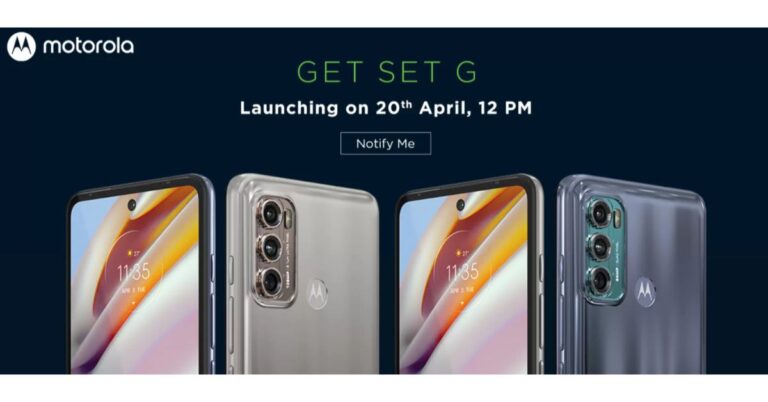
 The dedicated microsite reveals the key details and availability of the smartphone. As per the listing, both Moto G60 and Moto G40 Fusion are going to be powered by the Qualcomm Snapdragon 732G chipset and will run Android 11 out of the box. These upcoming mobile phones will be backed by a 6,000mAh battery. In addition to this, there will be a 6.8-inch LCD screen with a punch-hole design. The display will support a 120Hz refresh rate and HDR10.
The dedicated microsite on Flipkart further reveals that Moto G60 and Moto G40 Fusion are confirmed to feature a triple rear camera unit. The only difference here is that only the primary sensor is different. The former will come with a 108 Megapixel primary sensor while the latter one will include a 64-megapixel main sensor. The other two sensors on the G60 include an 8-megapixel ultra-wide lens and an 8-megapixel macro lens. While on the front it will boast a 32-megapixel selfie sensor.
The volume rocker, Google Assistant and the power key is given on the left frame of the smartphones while the sim card tray is positioned on the other side of the frame.
Prior to the announcement, both the phones were spotted on Geekbench. As per the listing both the phones will run Android 11 out of the box. The listing also reveals that the Moto G60 will come with 6GB of RAM while the Moto G40 Fusion indicates 4GB of RAM. While the benchmarking results are: G40 is listed to have achieved a single-core score of 515 and a multi-core score of 1,375. Moto G40 Fusion has received 519 single-core scores and 1,425 multi-core scores.
For the latest gadget and tech news, and gadget reviews, follow us on Twitter, Facebook and Instagram. For newest tech & gadget videos subscribe to our YouTube Channel. You can also stay up to date using the Gadget Bridge Android App.
The dedicated microsite reveals the key details and availability of the smartphone. As per the listing, both Moto G60 and Moto G40 Fusion are going to be powered by the Qualcomm Snapdragon 732G chipset and will run Android 11 out of the box. These upcoming mobile phones will be backed by a 6,000mAh battery. In addition to this, there will be a 6.8-inch LCD screen with a punch-hole design. The display will support a 120Hz refresh rate and HDR10.
The dedicated microsite on Flipkart further reveals that Moto G60 and Moto G40 Fusion are confirmed to feature a triple rear camera unit. The only difference here is that only the primary sensor is different. The former will come with a 108 Megapixel primary sensor while the latter one will include a 64-megapixel main sensor. The other two sensors on the G60 include an 8-megapixel ultra-wide lens and an 8-megapixel macro lens. While on the front it will boast a 32-megapixel selfie sensor.
The volume rocker, Google Assistant and the power key is given on the left frame of the smartphones while the sim card tray is positioned on the other side of the frame.
Prior to the announcement, both the phones were spotted on Geekbench. As per the listing both the phones will run Android 11 out of the box. The listing also reveals that the Moto G60 will come with 6GB of RAM while the Moto G40 Fusion indicates 4GB of RAM. While the benchmarking results are: G40 is listed to have achieved a single-core score of 515 and a multi-core score of 1,375. Moto G40 Fusion has received 519 single-core scores and 1,425 multi-core scores.
For the latest gadget and tech news, and gadget reviews, follow us on Twitter, Facebook and Instagram. For newest tech & gadget videos subscribe to our YouTube Channel. You can also stay up to date using the Gadget Bridge Android App.  The dedicated microsite reveals the key details and availability of the smartphone. As per the listing, both Moto G60 and Moto G40 Fusion are going to be powered by the Qualcomm Snapdragon 732G chipset and will run Android 11 out of the box. These upcoming mobile phones will be backed by a 6,000mAh battery. In addition to this, there will be a 6.8-inch LCD screen with a punch-hole design. The display will support a 120Hz refresh rate and HDR10.
The dedicated microsite on Flipkart further reveals that Moto G60 and Moto G40 Fusion are confirmed to feature a triple rear camera unit. The only difference here is that only the primary sensor is different. The former will come with a 108 Megapixel primary sensor while the latter one will include a 64-megapixel main sensor. The other two sensors on the G60 include an 8-megapixel ultra-wide lens and an 8-megapixel macro lens. While on the front it will boast a 32-megapixel selfie sensor.
The volume rocker, Google Assistant and the power key is given on the left frame of the smartphones while the sim card tray is positioned on the other side of the frame.
Prior to the announcement, both the phones were spotted on Geekbench. As per the listing both the phones will run Android 11 out of the box. The listing also reveals that the Moto G60 will come with 6GB of RAM while the Moto G40 Fusion indicates 4GB of RAM. While the benchmarking results are: G40 is listed to have achieved a single-core score of 515 and a multi-core score of 1,375. Moto G40 Fusion has received 519 single-core scores and 1,425 multi-core scores.
For the latest gadget and tech news, and gadget reviews, follow us on Twitter, Facebook and Instagram. For newest tech & gadget videos subscribe to our YouTube Channel. You can also stay up to date using the Gadget Bridge Android App.
The dedicated microsite reveals the key details and availability of the smartphone. As per the listing, both Moto G60 and Moto G40 Fusion are going to be powered by the Qualcomm Snapdragon 732G chipset and will run Android 11 out of the box. These upcoming mobile phones will be backed by a 6,000mAh battery. In addition to this, there will be a 6.8-inch LCD screen with a punch-hole design. The display will support a 120Hz refresh rate and HDR10.
The dedicated microsite on Flipkart further reveals that Moto G60 and Moto G40 Fusion are confirmed to feature a triple rear camera unit. The only difference here is that only the primary sensor is different. The former will come with a 108 Megapixel primary sensor while the latter one will include a 64-megapixel main sensor. The other two sensors on the G60 include an 8-megapixel ultra-wide lens and an 8-megapixel macro lens. While on the front it will boast a 32-megapixel selfie sensor.
The volume rocker, Google Assistant and the power key is given on the left frame of the smartphones while the sim card tray is positioned on the other side of the frame.
Prior to the announcement, both the phones were spotted on Geekbench. As per the listing both the phones will run Android 11 out of the box. The listing also reveals that the Moto G60 will come with 6GB of RAM while the Moto G40 Fusion indicates 4GB of RAM. While the benchmarking results are: G40 is listed to have achieved a single-core score of 515 and a multi-core score of 1,375. Moto G40 Fusion has received 519 single-core scores and 1,425 multi-core scores.
For the latest gadget and tech news, and gadget reviews, follow us on Twitter, Facebook and Instagram. For newest tech & gadget videos subscribe to our YouTube Channel. You can also stay up to date using the Gadget Bridge Android App. 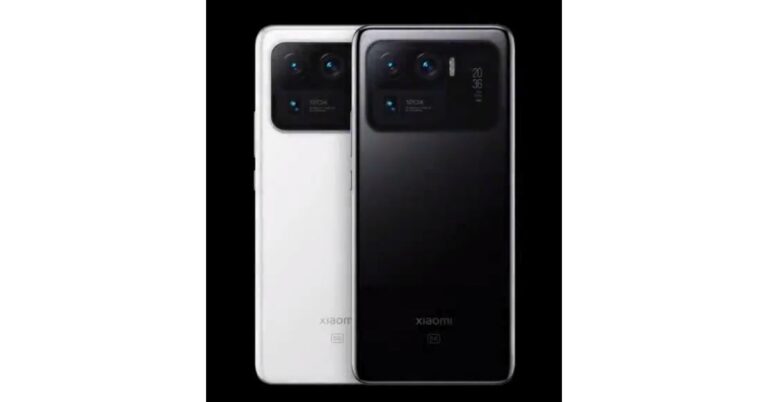
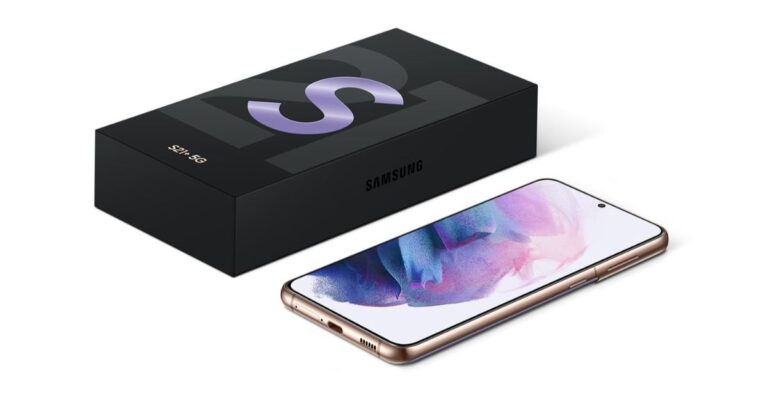
 Samsung Galaxy S21 which retails at Rs 64,990 will be giving away a cashback of Rs 5,000, while Galaxy S21+ is offering a cashback of up to Rs 7,000. On the purchase of the Samsung Galaxy S21 Ultra, buyers can avail of up Rs 10,000 cashback. Noticeably the cashback is only available on the transactions made using HDFC Bank credit and debit cards as well as EMI transactions only. In addition to this, the company is also offering no-cost EMIs options starting at Rs 5,654.92 per month and on the exchange of old devices.
Those customers who are purchasing the Ultra variant can get either Galaxy Watch Active 2 (Aluminium variant) or Galaxy Buds Pro at Rs 990 only. Similarly, the same offers are being offered on other online and offline retailers including Amazon and Flipkart.
Apart from this Samsung is also offering 10 per cent bank cashback or up to Rs 1,000 on the smartphones from Galaxy A, Galaxy M and Galaxy F series. The devices from the A series which are on sale include Galaxy A71, Galaxy A51, Galaxy A31, Galaxy 21s and Galaxy A21. While the phone’s list from the M series includes Galaxy M51, Galaxy M31s, Galaxy M31, Galaxy M11, Galaxy M12, Galaxy M02s, Galaxy M02, Galaxy M01, Galaxy M01s. Lastly Galaxy F41 and Galaxy F02s.
For the latest gadget and tech news, and gadget reviews, follow us on Twitter, Facebook and Instagram. For newest tech & gadget videos subscribe to our YouTube Channel. You can also stay up to date using the Gadget Bridge Android App.
Samsung Galaxy S21 which retails at Rs 64,990 will be giving away a cashback of Rs 5,000, while Galaxy S21+ is offering a cashback of up to Rs 7,000. On the purchase of the Samsung Galaxy S21 Ultra, buyers can avail of up Rs 10,000 cashback. Noticeably the cashback is only available on the transactions made using HDFC Bank credit and debit cards as well as EMI transactions only. In addition to this, the company is also offering no-cost EMIs options starting at Rs 5,654.92 per month and on the exchange of old devices.
Those customers who are purchasing the Ultra variant can get either Galaxy Watch Active 2 (Aluminium variant) or Galaxy Buds Pro at Rs 990 only. Similarly, the same offers are being offered on other online and offline retailers including Amazon and Flipkart.
Apart from this Samsung is also offering 10 per cent bank cashback or up to Rs 1,000 on the smartphones from Galaxy A, Galaxy M and Galaxy F series. The devices from the A series which are on sale include Galaxy A71, Galaxy A51, Galaxy A31, Galaxy 21s and Galaxy A21. While the phone’s list from the M series includes Galaxy M51, Galaxy M31s, Galaxy M31, Galaxy M11, Galaxy M12, Galaxy M02s, Galaxy M02, Galaxy M01, Galaxy M01s. Lastly Galaxy F41 and Galaxy F02s.
For the latest gadget and tech news, and gadget reviews, follow us on Twitter, Facebook and Instagram. For newest tech & gadget videos subscribe to our YouTube Channel. You can also stay up to date using the Gadget Bridge Android App.  Samsung Galaxy S21 which retails at Rs 64,990 will be giving away a cashback of Rs 5,000, while Galaxy S21+ is offering a cashback of up to Rs 7,000. On the purchase of the Samsung Galaxy S21 Ultra, buyers can avail of up Rs 10,000 cashback. Noticeably the cashback is only available on the transactions made using HDFC Bank credit and debit cards as well as EMI transactions only. In addition to this, the company is also offering no-cost EMIs options starting at Rs 5,654.92 per month and on the exchange of old devices.
Those customers who are purchasing the Ultra variant can get either Galaxy Watch Active 2 (Aluminium variant) or Galaxy Buds Pro at Rs 990 only. Similarly, the same offers are being offered on other online and offline retailers including Amazon and Flipkart.
Apart from this Samsung is also offering 10 per cent bank cashback or up to Rs 1,000 on the smartphones from Galaxy A, Galaxy M and Galaxy F series. The devices from the A series which are on sale include Galaxy A71, Galaxy A51, Galaxy A31, Galaxy 21s and Galaxy A21. While the phone’s list from the M series includes Galaxy M51, Galaxy M31s, Galaxy M31, Galaxy M11, Galaxy M12, Galaxy M02s, Galaxy M02, Galaxy M01, Galaxy M01s. Lastly Galaxy F41 and Galaxy F02s.
For the latest gadget and tech news, and gadget reviews, follow us on Twitter, Facebook and Instagram. For newest tech & gadget videos subscribe to our YouTube Channel. You can also stay up to date using the Gadget Bridge Android App.
Samsung Galaxy S21 which retails at Rs 64,990 will be giving away a cashback of Rs 5,000, while Galaxy S21+ is offering a cashback of up to Rs 7,000. On the purchase of the Samsung Galaxy S21 Ultra, buyers can avail of up Rs 10,000 cashback. Noticeably the cashback is only available on the transactions made using HDFC Bank credit and debit cards as well as EMI transactions only. In addition to this, the company is also offering no-cost EMIs options starting at Rs 5,654.92 per month and on the exchange of old devices.
Those customers who are purchasing the Ultra variant can get either Galaxy Watch Active 2 (Aluminium variant) or Galaxy Buds Pro at Rs 990 only. Similarly, the same offers are being offered on other online and offline retailers including Amazon and Flipkart.
Apart from this Samsung is also offering 10 per cent bank cashback or up to Rs 1,000 on the smartphones from Galaxy A, Galaxy M and Galaxy F series. The devices from the A series which are on sale include Galaxy A71, Galaxy A51, Galaxy A31, Galaxy 21s and Galaxy A21. While the phone’s list from the M series includes Galaxy M51, Galaxy M31s, Galaxy M31, Galaxy M11, Galaxy M12, Galaxy M02s, Galaxy M02, Galaxy M01, Galaxy M01s. Lastly Galaxy F41 and Galaxy F02s.
For the latest gadget and tech news, and gadget reviews, follow us on Twitter, Facebook and Instagram. For newest tech & gadget videos subscribe to our YouTube Channel. You can also stay up to date using the Gadget Bridge Android App. 







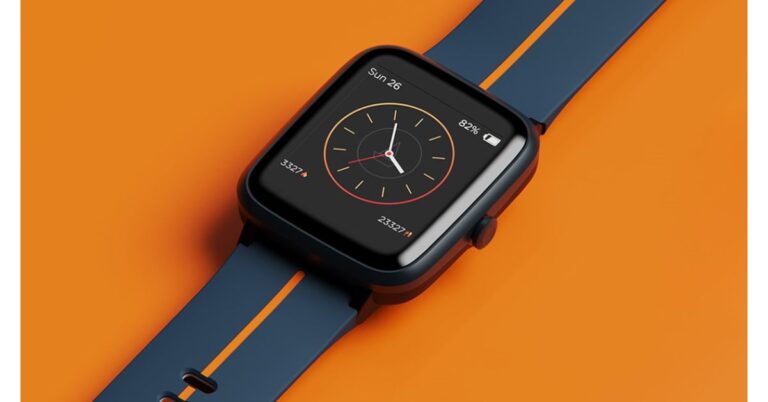
 Watch Xplorer comes with support for 5ATM water resistance making it perfect for outdoor use. The GPS enabled wearable allows you to monitor health, notifications, weather and keeps you active. It can track your routes and distances while running, walking or cycling. While the built-in smart activity tracker records daily calorie burns as well as the steps and distance covered.
There are 8 Active Sports Modes on the boAt Xplore Smartwatch that includes Outdoor Run, Indoor Run, Outdoor Walk, Outdoor Cycle, Indoor Cycle, Pool Swim, Open Water Swim and Fitness. Moreover, it also sends you real-time weather updates and weather forecasts using built-in live weather forecasts. Aside from this the smartwatch also offers health-related features such as a 24×7 heart rate monitor, Breathe mode and track menstrual cycles.
The Breathe mode on the watch guides you to mindfulness with breath awareness and helps lower your heart rate and decrease stress levels. Whereas the features of the menstrual cycle is a very helpful feature for women that predicts accurate dates, ovulation patterns and more.
Apart from health and fitness features the boAT Xplorer also offers other features such as music playback controls, notifications alerts, curated controls such as Find My Phone, alarms and timers.
For the latest gadget and tech news, and gadget reviews, follow us on Twitter, Facebook and Instagram. For newest tech & gadget videos subscribe to our YouTube Channel. You can also stay up to date using the Gadget Bridge Android App.
Watch Xplorer comes with support for 5ATM water resistance making it perfect for outdoor use. The GPS enabled wearable allows you to monitor health, notifications, weather and keeps you active. It can track your routes and distances while running, walking or cycling. While the built-in smart activity tracker records daily calorie burns as well as the steps and distance covered.
There are 8 Active Sports Modes on the boAt Xplore Smartwatch that includes Outdoor Run, Indoor Run, Outdoor Walk, Outdoor Cycle, Indoor Cycle, Pool Swim, Open Water Swim and Fitness. Moreover, it also sends you real-time weather updates and weather forecasts using built-in live weather forecasts. Aside from this the smartwatch also offers health-related features such as a 24×7 heart rate monitor, Breathe mode and track menstrual cycles.
The Breathe mode on the watch guides you to mindfulness with breath awareness and helps lower your heart rate and decrease stress levels. Whereas the features of the menstrual cycle is a very helpful feature for women that predicts accurate dates, ovulation patterns and more.
Apart from health and fitness features the boAT Xplorer also offers other features such as music playback controls, notifications alerts, curated controls such as Find My Phone, alarms and timers.
For the latest gadget and tech news, and gadget reviews, follow us on Twitter, Facebook and Instagram. For newest tech & gadget videos subscribe to our YouTube Channel. You can also stay up to date using the Gadget Bridge Android App.  Watch Xplorer comes with support for 5ATM water resistance making it perfect for outdoor use. The GPS enabled wearable allows you to monitor health, notifications, weather and keeps you active. It can track your routes and distances while running, walking or cycling. While the built-in smart activity tracker records daily calorie burns as well as the steps and distance covered.
There are 8 Active Sports Modes on the boAt Xplore Smartwatch that includes Outdoor Run, Indoor Run, Outdoor Walk, Outdoor Cycle, Indoor Cycle, Pool Swim, Open Water Swim and Fitness. Moreover, it also sends you real-time weather updates and weather forecasts using built-in live weather forecasts. Aside from this the smartwatch also offers health-related features such as a 24×7 heart rate monitor, Breathe mode and track menstrual cycles.
The Breathe mode on the watch guides you to mindfulness with breath awareness and helps lower your heart rate and decrease stress levels. Whereas the features of the menstrual cycle is a very helpful feature for women that predicts accurate dates, ovulation patterns and more.
Apart from health and fitness features the boAT Xplorer also offers other features such as music playback controls, notifications alerts, curated controls such as Find My Phone, alarms and timers.
For the latest gadget and tech news, and gadget reviews, follow us on Twitter, Facebook and Instagram. For newest tech & gadget videos subscribe to our YouTube Channel. You can also stay up to date using the Gadget Bridge Android App.
Watch Xplorer comes with support for 5ATM water resistance making it perfect for outdoor use. The GPS enabled wearable allows you to monitor health, notifications, weather and keeps you active. It can track your routes and distances while running, walking or cycling. While the built-in smart activity tracker records daily calorie burns as well as the steps and distance covered.
There are 8 Active Sports Modes on the boAt Xplore Smartwatch that includes Outdoor Run, Indoor Run, Outdoor Walk, Outdoor Cycle, Indoor Cycle, Pool Swim, Open Water Swim and Fitness. Moreover, it also sends you real-time weather updates and weather forecasts using built-in live weather forecasts. Aside from this the smartwatch also offers health-related features such as a 24×7 heart rate monitor, Breathe mode and track menstrual cycles.
The Breathe mode on the watch guides you to mindfulness with breath awareness and helps lower your heart rate and decrease stress levels. Whereas the features of the menstrual cycle is a very helpful feature for women that predicts accurate dates, ovulation patterns and more.
Apart from health and fitness features the boAT Xplorer also offers other features such as music playback controls, notifications alerts, curated controls such as Find My Phone, alarms and timers.
For the latest gadget and tech news, and gadget reviews, follow us on Twitter, Facebook and Instagram. For newest tech & gadget videos subscribe to our YouTube Channel. You can also stay up to date using the Gadget Bridge Android App. 




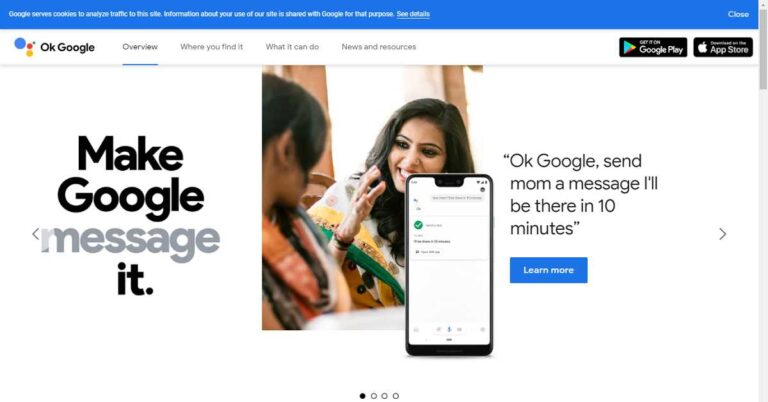

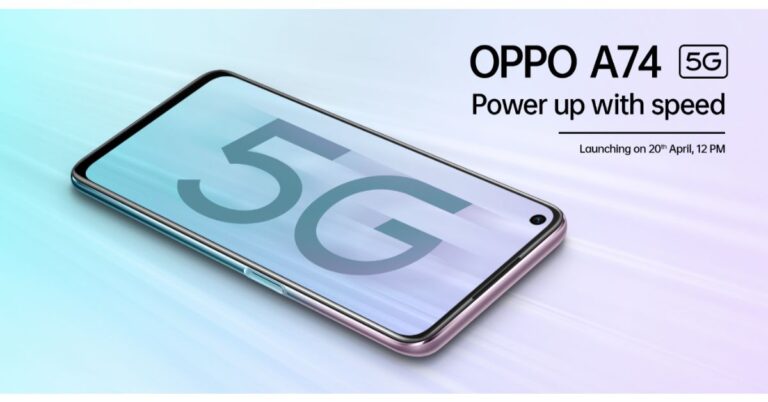
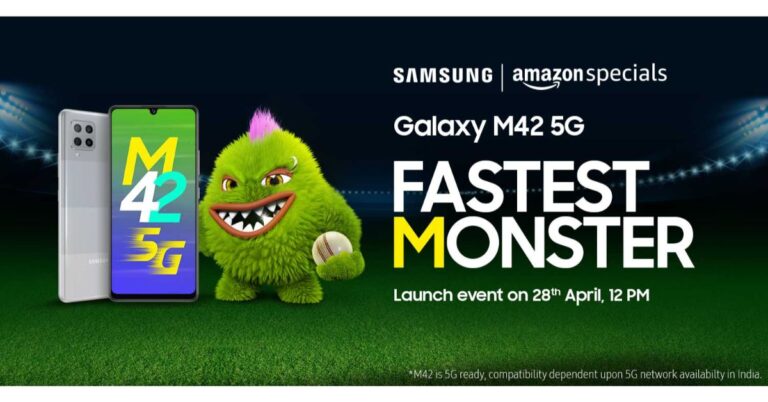


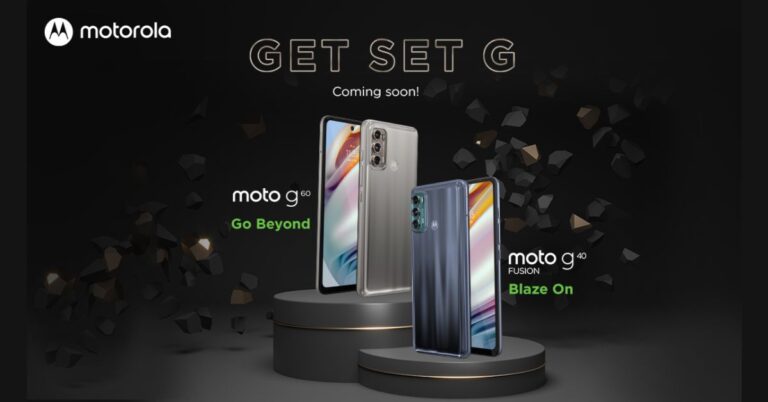


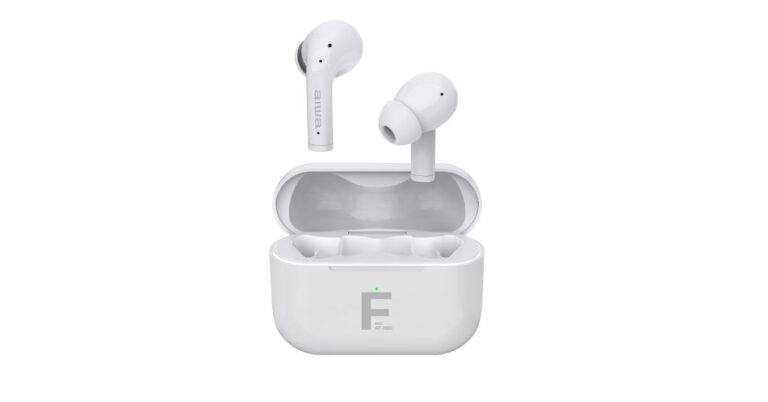


 Lastly, the AIWA ESTM-101 Wired Premium Stereo in-Earphones are the most affordable offering by the company which comes integrated with a 3.5mm Metal CNC Housing and 10mm Neodymium Speaker drivers. The device has a frequency response of 20Hz – 20KHz and is compatible with both iOS and Android devices.
For the latest gadget and tech news, and gadget reviews, follow us on Twitter, Facebook and Instagram. For newest tech & gadget videos subscribe to our YouTube Channel. You can also stay up to date using the Gadget Bridge Android App.
Lastly, the AIWA ESTM-101 Wired Premium Stereo in-Earphones are the most affordable offering by the company which comes integrated with a 3.5mm Metal CNC Housing and 10mm Neodymium Speaker drivers. The device has a frequency response of 20Hz – 20KHz and is compatible with both iOS and Android devices.
For the latest gadget and tech news, and gadget reviews, follow us on Twitter, Facebook and Instagram. For newest tech & gadget videos subscribe to our YouTube Channel. You can also stay up to date using the Gadget Bridge Android App. 


 Lastly, the AIWA ESTM-101 Wired Premium Stereo in-Earphones are the most affordable offering by the company which comes integrated with a 3.5mm Metal CNC Housing and 10mm Neodymium Speaker drivers. The device has a frequency response of 20Hz – 20KHz and is compatible with both iOS and Android devices.
For the latest gadget and tech news, and gadget reviews, follow us on Twitter, Facebook and Instagram. For newest tech & gadget videos subscribe to our YouTube Channel. You can also stay up to date using the Gadget Bridge Android App.
Lastly, the AIWA ESTM-101 Wired Premium Stereo in-Earphones are the most affordable offering by the company which comes integrated with a 3.5mm Metal CNC Housing and 10mm Neodymium Speaker drivers. The device has a frequency response of 20Hz – 20KHz and is compatible with both iOS and Android devices.
For the latest gadget and tech news, and gadget reviews, follow us on Twitter, Facebook and Instagram. For newest tech & gadget videos subscribe to our YouTube Channel. You can also stay up to date using the Gadget Bridge Android App. 

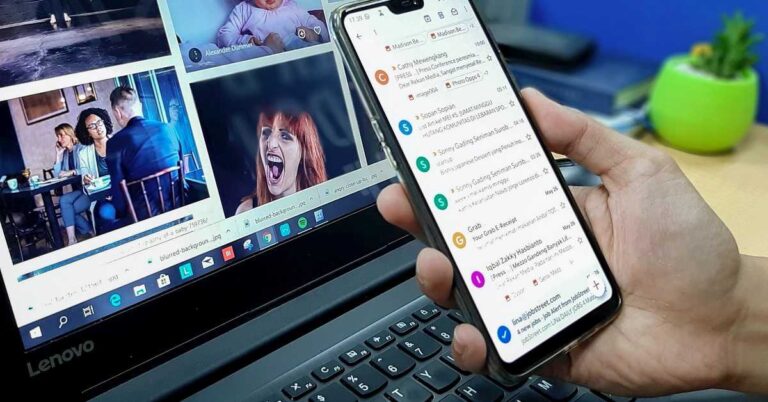


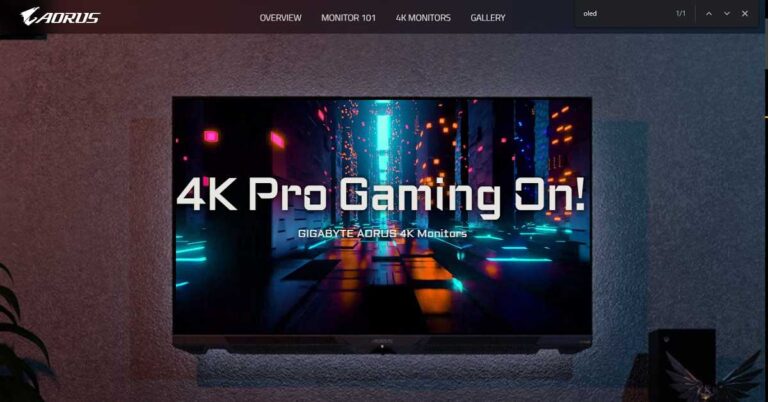

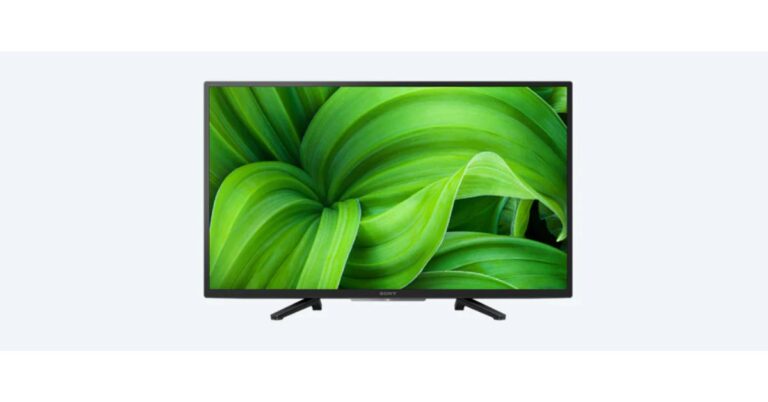
 Sony 32W830 Smart Android LED TV specifications
Sony has not specified which Android TV version the Sony 32W830 Smart Android LED TV runs on, but lets you enjoy movies and shows from apps or broadcast in an instant. However, it features a 32-inch HD display with 1,366×768 pixels of resolution. For HDR compatibility it has support for HDR 10 and Hybrid Log-Gamma (HLG) formats. The TV comes with Live Colour Tech for colour enhancement along with a Dynamic contrast enhancer. While the X-Reality PRO picture processing upscales every pixel for exceptional clarity. It supports six picture modes such as Vivid, Standard, Cinema, Game, Graphic, Photo and Custom.
As it is an Android Smart TV the Sony 32W830 has support for Google Assistant for hands-free control, which lets you search for your favourite content using the power of your voice. You can find movies, stream apps, play music and control the TV. Ask Google to find a specific title, search by genre or get personalised recommendations by saying, “what should I watch?” Even get answers like sports scores, control smart-home devices, and more.
With built-in Chromecast, you can also cast videos, games and apps from your mobile device, in full quality, with just one tap of the Cast button from your Android or iOS screen. In terms of connectivity, there is Bluetooth 4.2, Wi-Fi, HDMI ARC, three HDMI ports, two USB ports and a 3.5mm audio output. The Television also includes 16GB of internal storage and two 10W speakers with a total power output of 20W. In addition to this, the voice remote control also comes along with the device.
For the latest gadget and tech news, and gadget reviews, follow us on Twitter, Facebook and Instagram. For newest tech & gadget videos subscribe to our YouTube Channel. You can also stay up to date using the Gadget Bridge Android App.
Sony 32W830 Smart Android LED TV specifications
Sony has not specified which Android TV version the Sony 32W830 Smart Android LED TV runs on, but lets you enjoy movies and shows from apps or broadcast in an instant. However, it features a 32-inch HD display with 1,366×768 pixels of resolution. For HDR compatibility it has support for HDR 10 and Hybrid Log-Gamma (HLG) formats. The TV comes with Live Colour Tech for colour enhancement along with a Dynamic contrast enhancer. While the X-Reality PRO picture processing upscales every pixel for exceptional clarity. It supports six picture modes such as Vivid, Standard, Cinema, Game, Graphic, Photo and Custom.
As it is an Android Smart TV the Sony 32W830 has support for Google Assistant for hands-free control, which lets you search for your favourite content using the power of your voice. You can find movies, stream apps, play music and control the TV. Ask Google to find a specific title, search by genre or get personalised recommendations by saying, “what should I watch?” Even get answers like sports scores, control smart-home devices, and more.
With built-in Chromecast, you can also cast videos, games and apps from your mobile device, in full quality, with just one tap of the Cast button from your Android or iOS screen. In terms of connectivity, there is Bluetooth 4.2, Wi-Fi, HDMI ARC, three HDMI ports, two USB ports and a 3.5mm audio output. The Television also includes 16GB of internal storage and two 10W speakers with a total power output of 20W. In addition to this, the voice remote control also comes along with the device.
For the latest gadget and tech news, and gadget reviews, follow us on Twitter, Facebook and Instagram. For newest tech & gadget videos subscribe to our YouTube Channel. You can also stay up to date using the Gadget Bridge Android App.  Sony 32W830 Smart Android LED TV specifications
Sony has not specified which Android TV version the Sony 32W830 Smart Android LED TV runs on, but lets you enjoy movies and shows from apps or broadcast in an instant. However, it features a 32-inch HD display with 1,366×768 pixels of resolution. For HDR compatibility it has support for HDR 10 and Hybrid Log-Gamma (HLG) formats. The TV comes with Live Colour Tech for colour enhancement along with a Dynamic contrast enhancer. While the X-Reality PRO picture processing upscales every pixel for exceptional clarity. It supports six picture modes such as Vivid, Standard, Cinema, Game, Graphic, Photo and Custom.
As it is an Android Smart TV the Sony 32W830 has support for Google Assistant for hands-free control, which lets you search for your favourite content using the power of your voice. You can find movies, stream apps, play music and control the TV. Ask Google to find a specific title, search by genre or get personalised recommendations by saying, “what should I watch?” Even get answers like sports scores, control smart-home devices, and more.
With built-in Chromecast, you can also cast videos, games and apps from your mobile device, in full quality, with just one tap of the Cast button from your Android or iOS screen. In terms of connectivity, there is Bluetooth 4.2, Wi-Fi, HDMI ARC, three HDMI ports, two USB ports and a 3.5mm audio output. The Television also includes 16GB of internal storage and two 10W speakers with a total power output of 20W. In addition to this, the voice remote control also comes along with the device.
For the latest gadget and tech news, and gadget reviews, follow us on Twitter, Facebook and Instagram. For newest tech & gadget videos subscribe to our YouTube Channel. You can also stay up to date using the Gadget Bridge Android App.
Sony 32W830 Smart Android LED TV specifications
Sony has not specified which Android TV version the Sony 32W830 Smart Android LED TV runs on, but lets you enjoy movies and shows from apps or broadcast in an instant. However, it features a 32-inch HD display with 1,366×768 pixels of resolution. For HDR compatibility it has support for HDR 10 and Hybrid Log-Gamma (HLG) formats. The TV comes with Live Colour Tech for colour enhancement along with a Dynamic contrast enhancer. While the X-Reality PRO picture processing upscales every pixel for exceptional clarity. It supports six picture modes such as Vivid, Standard, Cinema, Game, Graphic, Photo and Custom.
As it is an Android Smart TV the Sony 32W830 has support for Google Assistant for hands-free control, which lets you search for your favourite content using the power of your voice. You can find movies, stream apps, play music and control the TV. Ask Google to find a specific title, search by genre or get personalised recommendations by saying, “what should I watch?” Even get answers like sports scores, control smart-home devices, and more.
With built-in Chromecast, you can also cast videos, games and apps from your mobile device, in full quality, with just one tap of the Cast button from your Android or iOS screen. In terms of connectivity, there is Bluetooth 4.2, Wi-Fi, HDMI ARC, three HDMI ports, two USB ports and a 3.5mm audio output. The Television also includes 16GB of internal storage and two 10W speakers with a total power output of 20W. In addition to this, the voice remote control also comes along with the device.
For the latest gadget and tech news, and gadget reviews, follow us on Twitter, Facebook and Instagram. For newest tech & gadget videos subscribe to our YouTube Channel. You can also stay up to date using the Gadget Bridge Android App. 

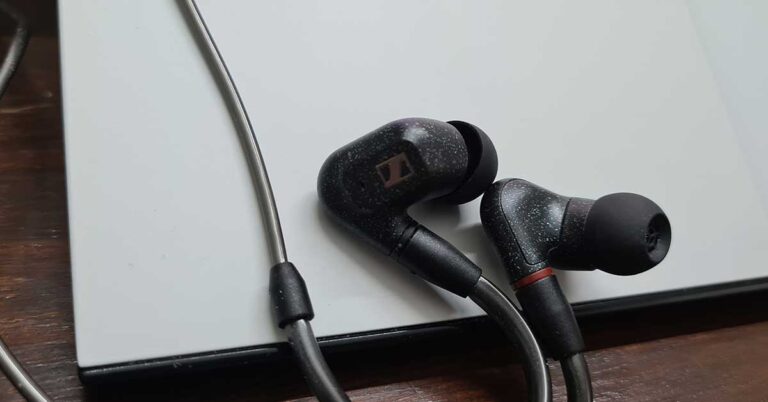
 The rest of the wire is also made of silverish plastic and not the usual braided string mesh. At the end of it, you find the L-shaped 3.5mm gold plated audio port. In the box, you will also get 3 additional silicon ear tips, choose which fits you the best and is most comfortable. Over that, a premium (squarish) hard carry case is also part of the package. All in all, the Sennheiser IE300 are a very well-built pair of premium earphones.
 Sennheiser IE300 Performance
Coming to its audio resonance, the Sennheiser IE300 have been made for people who want nothing short of pure audio excellence. The 7mm audio drivers in these earphones supply excellent highs, mids and bass. Built for comfort listening, the IE300 provided us with a superb audio experience. But the gamer in us kept shouting, try them out while gaming. To our amazement, in many ways, these were better than the professional Razer headphones we have been using for gaming.
Impressed, we further put it to the test, testing it with multiple devices such as a laptop, smartphone, tablet, and a Sony audio system. To our amazement, the Sennheiser IE300 never gave us a chance to bicker. They kept performing consistently and we remained falling in love with them. Yes, due to the new way they are built, getting used to them does take some time. As at first these not as comfy to wear, but after some time the ear got used to it and changing the silicon tip in accordance with our ear cavity size, made the experience better.
Verdict
Overall, Sennheiser IE300 are for people who want something premium from their earphones. The price might seem steep for some at Rs 29,990. But if you can afford it and like the in-ear audio phone experience then these are definitely for you. They also passively cancel outside interference/ambience noise as well, you can pick them up if you want a superb audio experience, no matter where you are.
For the latest gadget and tech news, and gadget reviews, follow us on Twitter, Facebook and Instagram. For newest tech & gadget videos subscribe to our YouTube Channel. You can also stay up to date with the Gadget Bridge Android App.
Sennheiser IE300 Performance
Coming to its audio resonance, the Sennheiser IE300 have been made for people who want nothing short of pure audio excellence. The 7mm audio drivers in these earphones supply excellent highs, mids and bass. Built for comfort listening, the IE300 provided us with a superb audio experience. But the gamer in us kept shouting, try them out while gaming. To our amazement, in many ways, these were better than the professional Razer headphones we have been using for gaming.
Impressed, we further put it to the test, testing it with multiple devices such as a laptop, smartphone, tablet, and a Sony audio system. To our amazement, the Sennheiser IE300 never gave us a chance to bicker. They kept performing consistently and we remained falling in love with them. Yes, due to the new way they are built, getting used to them does take some time. As at first these not as comfy to wear, but after some time the ear got used to it and changing the silicon tip in accordance with our ear cavity size, made the experience better.
Verdict
Overall, Sennheiser IE300 are for people who want something premium from their earphones. The price might seem steep for some at Rs 29,990. But if you can afford it and like the in-ear audio phone experience then these are definitely for you. They also passively cancel outside interference/ambience noise as well, you can pick them up if you want a superb audio experience, no matter where you are.
For the latest gadget and tech news, and gadget reviews, follow us on Twitter, Facebook and Instagram. For newest tech & gadget videos subscribe to our YouTube Channel. You can also stay up to date with the Gadget Bridge Android App.