boAt Storm Pro smartwatch has been released by the company. With over 700 fitness modes, this professional wristwatch features a brilliant AMOLED Display with a 60Hz refresh rate. Moreover, the fitness tracker comes with a 24-Hour Heart Rate Sensor, SPO2 Monitor, Sleep Tracker and Step-counter. The Watch is IP68 dust, water, and sweat-resistant.
In This Article
boAt Storm Pro smartwatch price in India
boAt Storm Pro smartwatch will be offered for Rs 2,999 as an introductory price. The device will be available in three colour options of Active Black, Cool Grey, and Deep Blue. The smartwatch is available for purchase via Flipkart and the company’s official website in the country.
boAt Storm Pro smartwatch specifications
The square dial display on the boAt Storm Pro features a 1.78-inch AMOLED screen that is bright and vibrant and has a 60Hz refresh rate for a responsive and fluid touch experience. The screen offers a 325ppi pixel density and 70 percent screen-to-body ratio, there are very few bezels. The brand-new boAt Storm Pro display now includes an Always on Display to provide consumers with constant updates. boAt Storm Pro has a high-end metal finish that really sets it apart. The watch has a skin-friendly silicone band that is ideal for prolonged use, and its IP68 dust, water, and sweat resistance rating ensures durability.The boAt Watch Storm Pro has more than 700 active fitness modes, including dance, cricket, ballet, running, boxing, and many more strength and cardiovascular activities. It is also possible to track low- and moderate-intensity activities like cooking, skateboarding, meditating, playing musical instruments, and gardening, among others. The 24-Hour Heart Rate Sensor, SPO2 Monitor, Sleep Tracker, and Step-Counter are built-in track activities throughout the day and continuously check fitness levels. Users can also access breathing, guided meditation mode, and sedentary reminders.To track and map health data, the watch wirelessly connects to any smartphone using the boAt Crest App. Through Fitness Buddies, users can compete with their friends and family in addition to tracking their fitness regimen. This function is further improved by the Gamification Mode, which offers prizes to users who successfully complete various fitness tasks. Users can monitor their loved ones’ vital signs with the help of wellness team guards. Other than these. Additionally, boAt Storm Pro includes more than 100 watch faces, Calls, Texts, and Notifications, Curated Controls, Menstrual Cycle Alerts, Weather updates, and Live Cricket Scores.On a single charge, the smartwatch can operate for up to 10 days and for up to 2 days with Always on Display. Storm Pro includes boAt ASAP Charge, which can charge the smartwatch to 100% in just 30 minutes, helping to further eliminate charging issues.
For the latest gadget and tech news, and gadget reviews, follow us on Twitter, Facebook and Instagram. For newest tech & gadget videos subscribe to our YouTube Channel. You can also stay up to date using the Gadget Bridge Android App. You can find the latest car and bike news here.
Garena Free Fire is a battle royale game with regular awards and tournaments to keep players interested. If you play Garena Free Fire, you should be aware of the redeem codes that are released on a daily basis. However, because the battle royale game is banned in India, players from other countries can use the Free Fire Redeem codes daily. If you’re unfamiliar with the Garena Free Fire redeem codes or don’t know how to get them, we’ve put together a step-by-step guide to help you redeem them. Check out Garena Free Fire Redeem Codes for July 13.The Free Fire redeem codes are a great way to get free stuff. These are 12-digit codes that contain alphabets and numbers, as well as an expiration date and time. Because the Garena FF redeem codes cannot be used more than once, you should hurry to the redemption page to claim your free reward before someone else does. To get a free reward, all you have to do is go to reward.ff.garena.com/en, which is the official redemption page. Also, keep an eye on this space for daily updates on Garena Free Fire redemption codes and rewards.
In This Article
Garena Free Fire Redeem Codes Today 13 July 2022
B6IYCTNH4PV3
ZRJAPH294KV5
FF11HHGCGK3B
FF11NJN5YS3E
Y6ACLK7KUD1N
FF10GCGXRNHY
WLSGJXS5KFYR
ZZATXB24QES8
FFIC33NTEUKA
VNY3MQWNKEGU
MCPTFNXZF4TA
YXY3EGTLHGJX
FF119MB3PFA5
FF10617KGUF9
FF11DAKX4WHV
8F3QZKNYLEBZ
FF11WFNPP956
U8S47JGJH5MG
FF1164XNJZ2V
WOJJAFV3TU5E
How to Get Free Fire Redeem Codes for Garena on July 13?
Blurring your background during a Zoom call is a handy feature when you’re taking meetings at a public location, or when you don’t want the participants to see your background. It is also very convenient to use when you’re walking around while using a phone to make a Zoom call, and don’t want the constantly changing background to be a distraction. Today, we’ll show you how to blur your background in a Zoom meeting.Read Also: How to Blur Your Background in Google Meet 2022? 2 Easy Ways
In This Article
How to blur your Zoom background before you join a meeting
Step 1: Launch Zoom on your desktop.Step 2: Click on the Settings icon at the top right corner of the screen.Step 3: Select ‘Backgrounds and Effects’.Step 4: Select ‘Blur’.Your background will be blurred instantly.
How to blur your Zoom background during a call
Step 1: Click on the upwards arrow next to the ‘Stop Video’ icon at the bottom menu.Step 2: Click on ‘Choose Virtual Background’.Step 3: Select ‘Blur’.Your background will be blurred instantly. Read Also:How to blur your background in Microsoft Teams video chat?Bonus Tip: How to blur your Zoom background on your smartphoneStep 1: Download and install Zoom to your phone.Step 2: Once you’ve joined a meeting, select the ‘More’ option from the menu at the bottom.Step 3: Select ‘Backgrounds and Filters’.Step 4: Select ‘Blur’.Your background will be blurred instantly.Using these simple methods you will be able to blur your background on a Zoom call with ease. Zoom also offers various templates to use as your background during a call. These templates do a good job of concealing your background without being as dull as a regular blur effect.
For the latest gadget and tech news, and gadget reviews, follow us on Twitter, Facebook and Instagram. For newest tech & gadget videos subscribe to our YouTube Channel. You can also stay up to date using the Gadget Bridge Android App. You can find the latest car and bike news here.
Syska Group has announced the launch of its latest smartwatch Syska SW300 Polar in India. The fitness tracker comes with 37 different sports modes including jogging, cycling, trekking, climbing, and more. According to the manufacturer, users can instantly attach their TWS headphones to the watch and store and play up to 100 songs. Moreover, the device has dual Bluetooth compatibility.
In This Article
Syska SW300 Polar price in India
The Syska SW300 Polar smartwatch is available for purchase on the company’s official website for Rs 3,299. It may also be purchased for Rs 3,499 via the online retailer Flipkart. The device will be available in four colour options of Black, Blue, Green, or Grey.
Syska SW300 Polar specifications
The 1.32-inch Ultraview IPS Display on the Syska SW300 Polar smartwatch has a 360×360 pixel resolution and 500 nits of brightness. The watch has 7 sports modes, including running, cycling, hiking, climbing, and more. These modes connect to GPS so you can correctly track your favourite sport while staying active and in shape.The Syska SW300 Polar wristwatch has several fitness-related features, including a heart rate monitor, a female health tracker, a blood oxygen level sensor, a sleep monitor, a stress monitor, a step counter, and more.The smartwatch includes both a TWS connection option and Bluetooth calling functionality. The smartwatch sports features include 200+ interchangeable cloud watch faces, water-drinking reminders, step and calorie counters, and a crown key to smoothly scroll the watch display.According to the manufacturer, Bluetooth v5.0 is used for reminders, camera control, and music. The IP67 waterproof watch has a battery life of ten days without BT calling and three days with BT calling, depending on usage.The smartwatch also has built-in offline music storage, message alerts, weather updates, hand sanitization reminders, anti-lost reminders, find phone, stopwatch, and a few other features.
For the latest gadget and tech news, and gadget reviews, follow us on Twitter, Facebook and Instagram. For newest tech & gadget videos subscribe to our YouTube Channel. You can also stay up to date using the Gadget Bridge Android App. You can find the latest car and bike news here.
The popular Amazon Quiz is now live on the Amazon app. The 13 July 2022 Amazon Quiz gives a chance to win Rs 30,000 Amazon Pay Balance by answering all the questions correctly. The quiz can be played every day from 12 AM to 11:59. Only app users are eligible to participate in the Quiz as it is not accessible on the web platform.The Amazon Quiz brings a fresh set of questions for its customers that contains five easy questions. The questionnaire consists of five questions related to general knowledge and current affairs. The participants need to answer all the questions correctly and their names will be selected for a lucky draw. The daily quiz brings an opportunity for the customers to win exciting prizes. They can win Amazon Pay Balance ranging from Rs 1,000 to Rs 50,000. The participants need to answer all the questions correctly and their names will be selected for a lucky draw. The winner will be announced at the end of the month. Check Out 13 July 2022 Amazon Quiz Answers.Amazon Quiz Today Prize – Rs 30,000 Amazon Pay BalanceQuiz Date – 13 July 2022Daily Timing – 12 AM to 11:59 PMWinner Announcement – Today 12 PM
In This Article
Amazon Quiz Answers Today 13 July 2022
Question 1: Who is the first Black woman to appear on the US quarter?Answer: Maya AngelouQuestion 2: Joumou soup is a traditional pumpkin soup from which country that recently got the UNESCO cultural heritage status?
Answer: HaitiQuestion 3: Yutu-2 is the robotic lunar rover of which country’s mission to the Moon?Answer: China
Question 4: A species of which fish, referred to earlier as ‘trash fish’ is named after this animal?Answer: Alligator GarQuestion 5: This visual shows which city?Answer: Varanasi
How To Play Amazon Quiz
Only app users are eligible to play the Amazon quiz every morning from 12 AM to 11:59 PM. The quiz is not available on the desktop. For those who are unaware of how to play the Amazon quiz below are the steps, you can follow to take the quiz.
Firstly download the Amazon app from Google Play Store or App Store
Now fill in the required information through the Sign Up option.
You need to log in to the Amazon app and scroll down on the home screen to find the Amazon Quiz banner.
Tap on the Amazon Quiz banner and tap on the Start button to start the Quiz.
Now you will get 5 questions and you need to answer them correctly. One wrong answer will eliminate you from the Quiz.
After answering all the questions correctly you are now eligible for a Lucky Draw.
The winner’s name will be announced today at 12 PM.
The Nothing Phone 1 is finally here. In India and globally, it has indeed been formally introduced. The company has released multiple sneak glimpses at its newest technology in the lead-up to the launch, and these have generated a lot of talk in the industry. The Snapdragon 778G SOC from Qualcomm powers the phone. It stands out for having a dual 50MP rear camera configuration and a 120Hz AMOLED display. The LED notification system of the Nothing Phone 1, which is controlled by the company’s Glyph interface, is its most notable feature. An LED installed on the smartphone’s back will turn on when the user receives a call or notice alert.
In This Article
Nothing Phone 1 Price in India and availability
Nothing Phone 1 has been launched in India in three variants; the 8GB RAM/128GB storage option is priced at Rs 32,999 but will cost you Rs 31,999 as an introductory offer. Whereas the 8GB RAM/256GB and 12GB RAM/256GB is made available at Rs 35,999 and Rs 38,999 respectively. Both configurations will be offered at an introductory price of Rs 34,999 and Rs 37,999. The Rs 1,000 discount is only available for customers who have preordered the device.Pre-order customers who use HDFC bank cards to buy the Nothing Phone (1) will immediately receive a Rs 2,000 discount. The smartphone will come in two colour options of Black and White. The handset will be available for purchase via Flipkart in the country starting July 21 at 7 PM onwards.A Nothing Power 45W charger costs Rs 2,500 for end-users, and Rs 1,500 for pre-order consumers. The Nothing Ear (1) will cost Rs 6,999, with pre-order customers paying Rs 5,999.
Nothing Phone 1 specifications
There is a 6.55-inch 10-bit OLED display on the Nothing Phone 1 featuring 2400×1080 pixels of resolution. The screen boasts HDR10+, 402PPI, and a maximum brightness of 1200 nits. The chin, which is typically thicker, has equal-sized bezels on the Nothing phone (1)’s four sides. Pei claims that this is made possible by the phone’s flexible OLED panel, a technology found only in a few high-end flagship models. The Nothing phone (1) is primarily constructed of recycled materials, but Pei points out that the aluminium frame is layered between layers of Gorilla Glass 5, so when you handle the phone, you can’t feel any plastic.Nothing OS, which is based on Android 12, comes preinstalled on the Nothing Phone (1). For the Nothing Phone, Nothing guarantees three years of Android upgrades and four years of security patches every two months (1). The phone (1) also has a few small, nearly stock Android modifications, like a quick setting toggle specifically for the Nothing ear (1), which Pei claims will appear on handsets from other companies as well. Tesla is one of these manufacturers, and phone (1) enables you to control several features of your Tesla vehicle remotely.Under the hood, there is a Snapdragon 778G CPU that has been fine-tuned by Qualcomm for the product. The original chipset lacks wireless charging support but here it brings the compatibility for 33W wired charging, 15W wireless charging, and 5W reverse wireless charging. While an Adreno 642L GPU handles graphic requirements. Additionally, it has 256GB of UFS 3.1 storage and up to 12GB of LPDDR5 RAM.
Meet Phone (1).
It's pure instinct. Formed as a machine. Told through beautiful symbols. Deeper interactions. And brave simplicity.
Two cameras are located on the back of the phone (1) that includes a 50MP primary Sony IMX766 sensor (ƒ/1.88) with OIS and EIS as well as a second 50MP Samsung JN1 ultrawide sensor (ƒ/2.2) with 140 degrees of FoV. A red LED on the phone’s rear illuminates to indicate when video recording is active. The device can record videos up to 4K video. For selfies and video calls, the front camera’s 16MP Sony IMX471 sensor has a ƒ/2.45 aperture.The phone has a 4,500mAh battery that supports both 15W Qi wireless charging and 33W rapid charging. According to the manufacturer, the rapid charger can recharge the Phone completely in just about an hour.Moreover, the device IP53 is rated for dust and water resistance. It comes with an in-display fingerprint reader, facial recognition and dual stereo speakers.
For the latest gadget and tech news, and gadget reviews, follow us on Twitter, Facebook and Instagram. For newest tech & gadget videos subscribe to our YouTube Channel. You can also stay up to date using the Gadget Bridge Android App. You can find the latest car and bike news here.
HMD Global has today announced the launch of Nokia C21 Plus smartphone in the Indian market. The new budget offering is priced under 10K. It features an HD+ display and a dual rear camera set-up. The smartphone is powered by a 5,050mAh battery. The phone runs on Android 11 Go Edition and is promised to get quarterly security updates for two years.
In This Article
Nokia C21 Plus price in India and availability
Nokia C21 Plus will be available in two variants. The 3GB RAM with 32GB storage option will cost Rs 10,299 while the 4GB RAM with 64GB storage option will be available with a price tag of Rs 11,299. The phone will come in two colour options of Warm Grey and Dark Cyan. The device can be ordered via the official Nokia website and will be accessible through traditional retail outlets and online retailers in India. For the launch offers Nokia Wired Buds are presently free with this smartphone.
Nokia C21 Plus specifications
The 6.5-inch HD+ display of the Nokia C21 Plus has a 20:9 aspect ratio. The business has pledged two years of continuous security upgrades for the Android 11 Go Edition-powered smartphone. It is powered by an octa-core Unisoc SC9863A SoC with up to 4GB of RAM and 64GB of internal storage that can be further expanded up to 256GB using a microSD card.For the photos and videos, there is a dual rear camera set up which consists of a 13-megapixel main camera and a 2-megapixel depth sensor. A 5-megapixel selfie camera is also included. LED flash is a characteristic of both the front and back camera systems.A fingerprint sensor and AI facial unlock technologies are also included.With a 5,050 mAh battery, this smartphone is said to have a battery life of up to three days. As well, 10W charging is supported. Along with having a Micro-USB connector and a 3.5mm headphone jack, the Nokia C21 Plus supports Bluetooth v4.2 wireless networking.Sanmeet Singh Kochhar, Vice President, HMD Global: “Expanding our C-Series portfolio which is known to provide quality smartphones to our consumers, we are introducing Nokia C21 Plus. HMD Global is dynamically recognizing consumer wants and needs while filling gaps in the smartphone market. Our consumers consistently seek a marquee combination of features like battery life, storage capacity, design, durability and good camera quality. Nokia C21 Plus brings together these features and offers them as a bundle of experiential advantages at a cost friendly budget. The new edition is tailored to our customer’s needs and has been built to last, giving more to our fans to rejoice.”
For the latest gadget and tech news, and gadget reviews, follow us on Twitter, Facebook and Instagram. For newest tech & gadget videos subscribe to our YouTube Channel. You can also stay up to date using the Gadget Bridge Android App. You can find the latest car and bike news here.
After the acquisition of Instagram, Facebook started integrating the two platforms in phases. Users can now access their Instagram DMs on Facebook along with a bunch of other features. This also includes having the option to view Instagram Reels on your Facebook feed. While this is a handy feature for some, many Facebook users find it annoying. In this article, we bring you 5 easy ways you can remove or disable Reels in the Facebook app.Read also:How Can I Share Instagram Posts to My Story? Known issues and their fixes
In This Article
Disable Reels on the Facebook smartphone App
While there is no option to permanently remove Reels from your Facebook app, you can still hide them as they appear on your feed. Once you hide them you can select the option to ‘See fewer posts like this’ to reduce the frequency of Reels appearing on your feed.To hide Reels on the Facebook app, click on the three dots at the top right corner of the post and select ‘Hide’.
Use Facebook on a web browser
Facebook hasn’t launched Reels for its website yet. As of now, Reels are exclusive to the Facebook app. If you want to browse Facebook without coming across Reels, log in to Facebook on the web browser on your mobile or PC.
Disable AutoPlay on the Facebook App
To stop Reels from autoplaying on the Facebook app, follow these steps:Step 1: Open the Facebook app.Step 2: Tap the hamburger icon (three bars) on the top right corner to reveal the menu.Step 3: Select Settings.Step 4: Scroll down and select ‘Media’.Step 5: Enable ‘Never Autoplay Videos’.
Switch to an older version of the Facebook app
If you want to totally disable Reels from appearing on your Facebook feed, switch to an older version of the app. Since Reels is fairly new to Facebook, older versions of the app will not have this feature. You can download previous versions of Facebook from third-party marketplaces like APKMirror and F-droid. After downloading an older version, disable the auto-update option from the Play Store.
Use the Facebook Lite app
Facebook Lite is a stripped-down version of the Facebook app that is relatively faster and uses a lesser amount of data. Facebook Lite does not have the extensive features found in the regular app. This includes Reels. You will still be able to use the classic Facebook features such as sharing to a Timeline, liking posts, and searching for people.Read Also:How To Download Instagram Reels On Android (2022)?Bonus Tip: Use third-party Facebook appsThere are a bunch of third-party Facebook clients you can use to avoid seeing Reels on your feed. These third-party apps are able to access your Facebook data and login credentials, so user caution is advised.Using these easy methods you will be able to remove Reels from your Facebook app. If you want to remove your own Reels for Facebook, select ‘Reels’ in Privacy Options in Settings and disable the toggle for ‘Recommend on Facebook’.
For the latest gadget and tech news, and gadget reviews, follow us on Twitter, Facebook and Instagram. For newest tech & gadget videos subscribe to our YouTube Channel. You can also stay up to date using the Gadget Bridge Android App. You can find the latest car and bike news here.
Logitech has been a household name in India and abroad for decades now. They have made home in some form or the other in almost all the houses. Whether it is a keyboard or a mouse you want to buy, you will definitely look at options from Logitech. Recently, the company launched the Logitech MX Mechanical wireless keyboards in India in full-size (with NUM pad) and mini options. We got our hands on the full-size version of the keyboard for review. This is our Logitech MX Mechanical wireless keyboard review and is it worth your shiny penny.
As always let’s first start with the design of the device. The Logitech MX Mechanical keyboard is a superbly well-built keyboard that exudes brilliance. Premium-ness is written all over it and it looks very futuristic. Since it is a full-size keyboard, it has the full function NUM pad also on it.
Read also:Logitech MX Mechanical, MX Mechanical Mini Keyboards andMouse launched
Dressed in shades of grey and silver, Logitech has used 40% recycled plastic and low carbon aluminium, based on the carbon-neutral policy they have. Talking a little bit more about it, the packaging that Logitech has used is also made of recyclable materials. There is hardly any plastic used in the packaging and you will find cardboard or paper used to package and ship the device. This is great for eco-sustainability and they also provide distributor service, in case you want to recycle your old devices.
Coming back to its looks, users get a USB Type-C charging port on the top right part of the Logitech MX Mechanical wireless keyboard. All the multimedia keys and more can be found on the top of the keyboard that double up as the function keys. These include search, calculator, media playback and volume buttons, a special emoji button and our favourite the computer lock button, which is located on the top right corner of the NUM pad is also there.
The keys can be pulled out and set apart, which makes up for easy cleaning. The Logitech MX Mechanical wireless keyboard is also 7-level backlit with 5 illumination modes, which include breathing and random key illumination as well. In case you are wondering is it an RGB backlit keyboard? Then no, this has a single white colour lighting. The best part is, as soon as you bring your hand close to the keyboard the lights turn on their own.
Lastly, you will see the Logi branding on the top of the keyboard on a nicely laid black bar with a low battery light indicator to its right. Yes, the ergonomics have been kept in mind and the user gets twin pull-out feet underneath it, which raise the keyboard a few millimetres for a better ergonomic feel.
Let’s talk about the performance of the Logitech MX Mechanical wireless keyboard now. We have written this review on the Logitech MX Mechanical wireless keyboard and were very happy with it. The keys on this keyboard are super smooth and are a treat to work with. When you switch keyboards, there is a subconscious learning curve of a device. But it did not happen to us, as soon as we laid our palms and fingers on this keyboard, we felt right at home.
The Logitech MX Mechanical wireless keyboard is a mechanical keyboard as the name suggests. However, there is not a lot of travel space between the key presses. That is a good thing as the tactile feel is very good and with leaner, flatter keys you end up typing much faster.
Another bright point of the Logitech MX Mechanical wireless keyboard is its multi-device support. Users can connect it to up to 3 devices at the same time and switch between them in real-time by pressing the 1, 2 or 3 keys placed above the home and page up keys. As per the company, you can switch between Windows and MAC as well. Though we could not try this, between Windows to Windows it worked fine.
The keyboard can be connected to any device using the supplied USB dongle or Bluetooth. A power button is also given next to the USB charging port to turn off the device completely. As for the battery, the company suggests that the Logitech MX Mechanical wireless keyboard can stay alive for 15 days after full charge (backlighting turned on), or up to 10 months when the backlight is turned off. We have been using it for the last 8-9 days with the backlight at 50% and it is working well without the need for a recharge.
Read Also:Logitech MX Anywhere 3 review: For the professional in you
To stress-test it further, we did play a few games with it like DOTA 2 and CS: Go. To our amazement, it performed rather well. Almost as good as full-time gaming keyboards by the company. Overall, we were very satisfied with this luggable keyboard.
Verdict
Overall, the keyboard is very robust with aluminium added to the show. We were able to type with extreme ease with the Logitech MX Mechanical wireless keyboard and interestingly there was less fatigue.
The keyboard registers the lightest touch and the not-too-loud mechanical sound is just right. This keyboard is aimed at creators, makers etc. So, at Rs 19,999 is it worth buying? That is a firm yes. With its multi-device support, ergonomics, and beautiful looks, you will not feel that you overpaid. If you can afford it, buy it.
Logitech MX Mechanical wireless keyboard Pros
Good look
Great ergonomics
Loog battery life and brilliant multimedia keys
iQoo Z6 Pro 5G was recently launched in India at a starting price of Rs 23,999 and it looks good on paper with the kind of specifications it boasts of. We put it to use for a few days to see its pros and cons and here’s our iQoo Z6 Pro 5G review detailing them.
In This Article
iQoo Z6 Pro 5G review: Design and Display
As far as the design of iQoo Z6 Pro 5G goes, we have a bag of mixed feelings. The back panel and the frame of the smartphone are made from polycarbonate – which is not entirely a bad thing, but the real problem is that the look and feel of the device isn’t premium. We have seen better at this price point from the company. The matte finish means that the handset doesn’t get smudged easily, but then, it’s not enough to keep dust off the phone.
The rear panel houses the camera module of iQoo Z6 Pro 5G, which comes with three lenses. Besides this, there is only an iQoo branding on the back. The power and volume rocker keys are sandwiched on the right while the top and bottom house the speaker grill, Type-C port, SIM tray, microphone and secondary microphone.
Flip over and you will see the 6.44-inch display of the device that comes with a waterdrop notch on the top to house the selfie camera. It is outlined by thin bezels but the chin is obviously relatively bigger in size. There is also an in-display fingerprint scanner.
Speaking in more detail about the iQoo Z6 Pro 5G display, it is an FHD+ AMOLED HDR 10+ screen which comes with a peak brightness of 1,300 nits and a 90Hz refresh rate. The colours projected on the screen were vibrant and accurate and they remained consistent at different viewing angles. The text and images appeared sharp and clear and the sunlight readability could be better. Watching videos and playing games on the device was overall a good experience.
To sum it up, we would say that while the design of iQoo Z6 Pro 5G could have been better, the display makes up for it and can be counted among its pros.
iQoo Z6 Pro 5G review: Performance and Cameras
Before we speak about the performance of iQoo Z6 Pro 5G, let’s take a minute to talk about its specifications. The handset is powered by the Qualcomm Snapdragon 778G processor clubbed with up to 12GB of RAM and 256GB of onboard storage. It houses a 4,700mAh battery that comes with support for 66W fast charging.
The device runs Android 12 skinned with Funtouch OS 12. While the custom software means that there are some interesting gestures on the device, it also gets some bloatware along and not all of the pre-installed apps can be uninstalled. You might also get an annoying number of notifications on the device, but luckily, most of them can be disabled.
Coming to the performance of the smartphone, iQoo Z6 Pro 5G did impress us, especially for its price. We threw a variety of tasks at the device, and most of them were handled well. Even when we tried to multitask and used navigation while watching videos on YouTube (no, it wasn’t us who was driving!) the handset could take it.
Gaming on the device was another plus. Even when we tried playing heavy games like Asphalt 9: Legends, they ran smoothly. Credit for this can also be given to the display’s 180Hz touch sampling rate. You can also enable the ‘Monster’ gaming mode on the device to get an enhanced gaming performance. The phone did warm up a bit while gaming, but it wasn’t enough to label it as a ‘heating issue’.
The battery of iQoo Z6 Pro 5G was another definite plus and the phone lasts a day and a half with usage involving gaming, watching videos and clicking pictures. The in-display fingerprint scanner worked well at all times while we had the phone with us.
Finally, let’s talk about the cameras of iQoo Z6 Pro 5G. The handset comes with a 64MP primary camera, an 8MP ultra-wide sensor and a 2MP depth sensor. For selfies, there is a 16MP lens on the front panel.
Pictures taken with the primary camera during the day had a good number of details and the colours appeared vibrant. But the images lacked a certain clarity and sharpness that one expects from a phone at this price. The Portrait Camera of the phone could also be better.
When we tried using the ultra-wide camera, it did manage to get in a lot more space, the details in the picture went down too and we noticed some distortion. Even the colours of the images taken were affected, which is not the best thing to happen.
The macro camera could also only do an average job. We weren’t too elated about the results of the selfie camera either. They could have been a lot better and more consistent and the colours could be more accurate too. The low-light photography of the device was definitely not among its pros. At best, we can call the shots taken as average and we highly recommend enabling the Night Mode to get better low-lit shots.
Verdict
At the given price, iQoo Z6 Pro 5G left us with a bag of mixed feelings. While the display, performance and battery are its pros, the cameras and the design could be much better. The device also misses a few features like stereo speakers. The phone doesn’t tick all the boxes but if its pros are important to you while the cons don’t matter that much, you may be happy with it. However, there are quite a few options available in this price range that offer all that the iQoo Z6 Pro 5G does along with a much better camera performance – an aspect that’s important to most people in today’s age when sharing on Instagram is the new normal.
iQoo Z6 Pro 5G Pros
Garena Free Fire is a battle royale game with regular awards and tournaments to keep players interested. If you play Garena Free Fire, you should be aware of the redeem codes that are released on a daily basis. However, because the battle royale game is banned in India, players from other countries can use the Free Fire Redeem codes daily. If you’re unfamiliar with the Garena Free Fire redeem codes or don’t know how to get them, we’ve put together a step-by-step guide to help you redeem them. Check out Garena Free Fire Redeem Codes for July 12.The Free Fire redeem codes are a great way to get free stuff. These are 12-digit codes that contain alphabets and numbers, as well as an expiration date and time. Because the Garena FF redeem codes cannot be used more than once, you should hurry to the redemption page to claim your free reward before someone else does. To get a free reward, all you have to do is go to reward.ff.garena.com/en, which is the official redemption page. Also, keep an eye on this space for daily updates on Garena Free Fire redemption codes and rewards.
In This Article
Garena Free Fire Redeem Codes Today 12 July 2022
O987-X6Z5-AR4Q
FGE5-9S4X-32ZA
Q9ZQ-XVBJ-TY7U
HY9H-V8XX-3S1K
IRF8-GZ27-Y2CR
F6ZV-D4FN-TGMY
KI2H-7BY6-VTG9
FT5D-BJU0-W2RY
3G4B-R7NV-987D
Y6TE-G89E-B56K
7L8U-IJ9N-8B7V
B7JI-KJ8H-E9DC
P5XI-U8YT-AGF9
VEB0-R5TM-GHLB
How to Get Free Fire Redeem Codes for Garena on July 12?
The highly awaited Nothing Phone (1) is all set to launch in the Indian and international markets on July 12. In order to create a buzz around the phone, the London-based tech company announced the smartphone will be sold through an exclusive invite-based system. Which meant signing up on the Nothing Phone 1 website and getting an invite code. As the launch date got closer, the invite-based system was scrapped and pre-order passes were made available on Flipkart.Read Also:iQoo 9 Review: Is this an excellent gaming smartphone for the money?
In This Article
Nothing Phone (1): Specs and Launch Date
The Nothing Phone (1) is set to globally launch today. The launch event will be live-streamed on YouTube at 8:30 pm IST. Users can sign up on the Nothing Phone website to get regular updates about the launch.What sets the Nothing Phone apart from its peers is the LED notification system powered by the company’s Glyph interface. The smooth LED channels running along the back panel of the smartphone light up on receiving a notification.The Nothing Phone is powered by the Qualcomm Snapdragon 778G+ SoC processor and comes with a 6.55-inch OLED screen. The smartphone gets a dual 50+16MP camera at the rear along with a 16MP front selfie camera.
Nothing Phone (1): Get your Pre-order Pass on Flipkart
Earlier, users had to register to the Nothing Phone 1 website to receive an invite code, which could be redeemed for a Rs 2,000 pass on the Flipkart website. But now users can directly avail the pre-order pass from Flipkart at a price of Rs 2,000. There is no need for an invite code to avail the pass.Once you’ve purchased the pass, you can buy the phone starting July 12 at 9:00 pm IST till July 18 at 6:00 pm IST. The pass can be refunded for the full amount if you do not decide to buy the phone. Read Also:Redmi K50i 5G India launch confirmed to take place on July 20While the price of the Nothing Phone hasn’t been officially announced yet, reports suggest that it could cost anywhere between Rs 30,000-40,000. According to a previous leak on the Amazon Germany website, the 8GB RAM/128GB storage model costs €469.99 (approx. $491) and the 12Gb RAM/256GB storage model costs €549.99 (approx. $575).
For the latest gadget and tech news, and gadget reviews, follow us on Twitter, Facebook and Instagram. For newest tech & gadget videos subscribe to our YouTube Channel. You can also stay up to date using the Gadget Bridge Android App. You can find the latest car and bike news here.
In order to keep up with competitors like Telegram, WhatsApp had to catch up. Two months after it first started to trickle out, WhatsApp Reactions is receiving an update. Users can now use any emoji when reacting to a message. Earlier users were restricted to using just six reactions like, love, laugh, surprise, sad, and thanks.Mark Zuckerberg, CEO of Meta revealed the start of the deployment in an Instagram post. Mark Zuckerberg listed some of his favourite Reactions emojis in his post introducing the upgrade. His Instagram post includes robot face, french fries, 100% mark, fist bump, a guy surfing and sunglasses smiley. When you long-press a message and pick “+” from the emoji pop-up, you may choose any emoji to use as a reaction.It was recently learned that WhatsApp is getting ready to launch a function that would let users hide their online status. Yes, the upcoming greatest upgrade is reportedly masking your WhatsApp online status. With the help of this function, users could choose who on the app may see when they are online.After announcing that it is developing certain important features, such as the ability to edit text messages, WhatsApp is currently working on the option to hide the online status for a future update of the software. The instant messaging app is allegedly working on a feature that will let users hide their online status from specific contacts, according to a report made by WABetaInfo.The report includes a screenshot of the improved privacy setting functionality. The screenshot was taken using the iOS beta for WhatsApp. This snapshot shows how the new “Everyone” and “Same as Last Seen” choices in our last seen settings let us choose who can see when we are online. For example, choosing “My contacts” for “Last Seen” and “Same as Last Seen” for “online” denotes that those who aren’t on your contact list won’t be able to see when you’re online.When implemented, this feature will let users manage who can see their online status from within WhatsApp Privacy Settings, preventing online stalking.
For the latest gadget and tech news, and gadget reviews, follow us on Twitter, Facebook and Instagram. For newest tech & gadget videos subscribe to our YouTube Channel. You can also stay up to date using the Gadget Bridge Android App. You can find the latest car and bike news here.
Usually, the camera app works seamlessly on all Android devices. However, if you’ve got an old phone you may notice some issues with the camera from time to time. There may be a bunch of reasons why your camera app randomly crashes down or does not start at all. In this article, we bring you 13 simple ways how to fix the ‘Camera app crashing or not working’ issue on an Android smartphone.Read Also:How to reset your Android smartphone
In This Article
Reboot your device
Restarting your phone can fix hidden glitches and bugs. It is an easy way of fixing minor issues that you’ve never faced before on your phone. In order to restart your phone, hard press the screen lock key and select ‘Restart’ from the power menu. Check the camera to see if it’s working. If it isn’t, proceed to the solutions listed below.
Check the permissions for the Camera app
It is possible you may have removed certain permissions for the camera app. The camera app on your phone requires certain permissions to function properly. This includes microphone access, files and media access, and phone access. In order to check all the permissions are granted, go to Settings>Apps>Camera>Permissions.
Force Stop Camera
Using ‘force stop’ terminates all activity of your camera app, be it active or background. When you open the camera app, it will boot again, thereby fixing any issues that may have been preventing it from working. In order to force stop go to Settings>Apps>Camera>Force Stop.
Enable Camera Access
Some Android smartphones have the option to disable the camera access for every app directly from the Quick Settings Menu. This action is applied system-wide simply by tapping on a tile. Once you deny your smartphone access to the camera, even the native camera app will not work. In some cases, it can lead to the app crashing as soon as you try to launch it. Swipe down from the status bar and tap the Camera Access tile.
Clear Camera Cache and App Data
Clearing the camera cache will get rid of any temporary files that the app may be using to speed up its functioning. If the cache hasn’t been cleared in a while it can accumulate some corrupted files, leading to the camera app crashing randomly. In order to clear the cache and app data go to Settings>Apps>Camera>Storage>Clear cache/app data.
Check if another app is using the Camera
Your phone camera doesn’t work for two applications at once. You may have noticed this while trying to use the camera in the middle of a video call on WhatsApp or Google Meet. If your camera is being used by another app, you won’t be able to use the main camera app on your phone. Turn off the app using the camera and try again.
Restart your phone in Safe Mode
Restarting your phone in Safe Mode limits the activity of third-party apps on your smartphone and only runs the essential system apps on the device. If your camera doesn’t work in Safe Mode either, you can safely conclude that it isn’t because of any of the installed apps on your device. Your next step should be to check the camera hardware.
To enter Safe Mode, press and hold the power button and volume down button. Once the power menu pops up on the screen, press and hold the power icon until the Safe Mode option shows up.
Check camera hardware
The problem with your phone’s camera may not be rooted in any software malfunctions. It is possible that there is some issue with the camera hardware. Luckily, your phone is well-equipped to perform a quick diagnostic check. Samsung users can use the dial code*#0*# to check the hardware of the front and rear cameras. To update camera firmware, dial *#34971539#.
Check for Software Updates
If there are any pending updates to your phone that you’ve been putting off, you may want to install them. Smartphone manufacturers often push patches for known issues with these updates, which may fix your camera app. To check for software updates go to Settings>Software Update.
Let your phone cool down
Overheating can cause your phone to suspend several important tasks. This may range from the LED flash not working to the camera app crashing altogether. Crashes due to internal temperature are more common when you’re using your phone under direct sunlight, which results in the device warming up. The best thing to do in this scenario is to put your phone down and wait until its temperature drops down to the optimum level.
Check your phone’s storage
If the camera app on your phone crashes as soon as you take a picture, it is likely because your device is running out of storage. The camera app needs access to storage to store the pictures you take. If there is not enough storage available, the app will crash and you will lose the photograph. Go to Settings>Storage and clear some large files on your device to make space.
Use a third-party app
If you can’t get the native camera app to behave properly, there are plenty of third-party apps you can replace it with. Apps like HD Camera, Open Camera, Pro CamX, and others can do everything the native camera app does and more. If these apps can’t get the camera to work, you are dealing with a hardware issue.
Perform Factory Reset
If none of the above techniques are able to fix your camera app, you may want to perform a factory reset. Performing a factory reset will clear all the data from your phone and reset the settings to default. This method is advised only when you’ve tried everything else. In order to perform a factory reset go to Settings>General Management>Reset>Factory Data Reset.Read Also:Apps Not Updating on Android 11? Here’s How to Fix The Issue
Frequently Asked Questions
Why is my camera app not working on Android?
From overheating to software malfunction, there could be several reasons why your camera app isn’t working. To fix this issue, start by force-stopping the camera app from settings and restarting your device.
How can I reset my camera app on Android?
Resetting the camera settings will only restore any customisations to the default preferences. You can reset camera settings by going to camera settings and selecting ‘Reset Settings’.
Why has my back camera stopped working on my Android phone?
If your camera’s cache has not been cleared in a while, it could result in the camera app crashing from time to time. The back or front camera may also stop working if your phone crosses a certain temperature limit.
Conclusion
These are 13 easy fixes to the ‘Why is my camera not working on Android‘ issue. If you’ve tried all the above-mentioned fixes and the issue still persists, there may be a problem with the camera hardware. In this case, take your phone to the repair centre for further diagnosis.
Today will see the global introduction of the Nothing Phone 1. The London-based tech company’s first smartphone has already been drawing attention and gaining popularity due to its distinctive features and style. The Qualcomm Snapdragon 778G+ SoC will be the device’s power source. Additionally, a 6.55-inch OLED screen with a 120Hz refresh rate has been said to be included.
In This Article
Nothing Phone 1 Livestream details
The introduction of the Nothing Phone 1 is scheduled for today. The company will be hosting the Return to Instinct launch event at 8.30 pm Indian Standard Time (IST), the event will be live webcast on the company’s official YouTube page. Else on the firm’s website, users can select to sign up to get updates about the launch.Additionally, the video featured below allows you to see the Phone 1 launch live.
Nothing Phone 1 price in India expected
The Phone 1 is expected to cost between Rs. 30,000 and Rs. 40,000 in India. It would be a mid-range model. The phone’s pricing was previously leaked through the Amazon Germany website. The smartphone was spotted listed on the e-commerce platform that comes with Ear 1 headphones. According to the website, an 8GB RAM with 128GB storage model costs €469.99 (about $491), while a 12GB RAM with 256GB storage variant costs €549.99 (about $575). In addition to this, a screenshot of the Amazon listing has also been shared.
Nothing Phone 1 specifications
The Nothing Phone 1’s LED notification system, which is run by the company’s Glyph interface, is its most significant feature. When a user receives a notice alert or call, an LED set up on the smartphone’s back will light up.The upcoming smartphone is said to include a 6.55-inch OLED screen with a refresh rate of 120Hz. Gorilla glass is touted to safeguard the Phone 1’s front and rear panels. It has already been confirmed that the Qualcomm Snapdragon 778G+ SoC will power Phone 1. But recently the company also disclosed that a 50-megapixel dual back camera arrangement is apparently another feature of the smartphone. It could potentially come pre-installed with Android 12.Nothing in the recent past has suggested that the Phone 1 will include an integrated fingerprint reader. However, new information has emerged via a YouTube video that claimed the retail packaging was thin and was made from recycled bamboo. According to the video, the Phone 1’s frame will be entirely constructed of recycled aluminium.
For the latest gadget and tech news, and gadget reviews, follow us on Twitter, Facebook and Instagram. For newest tech & gadget videos subscribe to our YouTube Channel. You can also stay up to date using the Gadget Bridge Android App. You can find the latest car and bike news here.
Hey readers, here is another review from us. This time, we have the iQoo 9, a brand-new gaming smartphone that was recently introduced in India. In the semi-flagship and premium mid-range segments, it competes with devices like the Oneplus 9RT and the Xiaomi 11T Pro. So, let’s get into it, this is our review of the new iQoo 9 smartphone.
In This Article
iQoo 9 review: Design and Display
Consequently, we were able to obtain the iQoo 9 Motorsports edition, which features a relationship with BMW. We have the Legend model, which is adorned with a tricolour stripe that is intended to evoke the sensation of a racetrack or something similar. In addition, the iQoo 9 is also offered in a black alpha colour variant with a textured pattern.Having a premium glass laminated shell and metal framing, this phone exudes class. It has an IMT matte back throughout, and its soft-matte surface feels wonderful in the palm. The BMW tri-coloured stripe also adds a distinctive aesthetic flair and an iQoo branding.Additionally, the sides of the phone are curved for a more comfortable grip. Due to its evenly distributed weight, the device, even though it’s heavy, doesn’t actually feel that hefty. We believe that for seamless ergonomics, the frames should have remained somewhat smooth on both sides.On the right side of the frame, all the buttons are conveniently located and offer excellent tactile feedback. Additionally, to add some extra character, the power button has a recognisable blue hue and a textured finish. Certification for an IP address is the only thing iQoo 9 is missing. But the SIM tray is shielded from moisture accumulation by a rubber gasket.The iQoo 9 boasts a stunning display in addition to a gorgeous design. With a refresh rate of 120Hz and a touch sampling rate of 300Hz, it sports a 6.56-inch full-HD+ 10-bit AMOLED display. The peak brightness is 1200 nits. All of this results in brilliant colours that maintain high contrast levels. The screen has an exceptional natural white balance, which produces natural colours and prevents colour shifts when viewed from the sides. Under the worst circumstances, the screen becomes more than bright enough to remain visible. One can binge-watch OTT video with Widevine L1 certification and HDR playback capability.The phone can be unlocked quickly with the in-display fingerprint sensor, and you receive light haptic feedback while doing so. While the stereo speakers produce great music quality and can be rather loud. Although a more evenly distributed output from the top and bottom speaker units would have been preferable.You are looking at one of the best displays for the money when you factor in the 120Hz refresh rate. Although the lack of an LTPO 2.0 panel means that this screen can only switch between 60Hz and 120Hz, we feel that iQoo is being overly rigid with the adaptive refresh rate here. However, this is not the problem. Some of the most popular apps with the Smart Switch default to turning on the phone at 60Hz.
iQoo 9 Review: Performance and Camera
Let’s now discuss the performance aspect of the smartphone. The iQoo 9 has an octa-core Qualcomm Snapdragon 888+ SoC, up to 12GB of LPDDR5 RAM, and up to 256GB of UFS 3.1 storage capacity. iQoo boasts a sizable Vapor Chamber liquid cooling system for gaming, however even with that, the phone quickly becomes significantly warm and becomes uncomfortably hot when playing for extended periods of time. We have been using this phone as our primary phone and it seems high-end, quick, and fast. Gaming is also enjoyable on this phone. In the few sessions we played, BGMI has excellent gameplay, maximum graphics, ultra HD, and ultra frame rates. Other than that, the gadget has a few other gameplay gimmicks in store. A pressure-sensitive button included in the iQoo 9’s display can be designated as a control in certain games. For an immersive gaming experience, there is also a dual X-axis linear motor.We appreciate that the iQoo 9 includes the most recent Android 12 upgrade and will eventually receive Android 14 since the business has promised two significant Android updates and three years’ worth of security updates. FuntouchOS and all of its features are present, without a doubt, but the phone also comes with a lot of bloatware that is simple to remove. Aside from this, the UI and UX experience is generally good.The triple-back camera array has a 48-megapixel Sony IMX598 primary sensor and “Gimbal” technology. A 13-megapixel wide-angle or macro sensor and a 13-megapixel portrait sensor are also included. A 16-megapixel selfie camera sensor with an f/2.45 lens is also included for taking selfies and making video calls.In daytime images, iQoo 9 enhances the white levels, yet the colours look realistic and have a lot of detail. The same is true of ultrawide shots, which effectively capture highlights and shadows but lack fine detail. On the iQoo 9, portrait photos appear sharper and have better contrast and black levels. The phone’s Gimbal OIS feature technology ensured that photographs remained clear and brilliant at all times. Selfies also express a similar tale and look great doing it. The skin tone seems to be normal.Portrait ImageWe also enjoyed the iQoo 9’s regular nighttime photographs because it is able to allow in more light, which results in a decent dynamic range at the expense of a little less contrast.In terms of videography, the iQoo 9 is capable of shooting at up to 4K@60fps. In our limited time with the device so far, we haven’t had a chance to shoot many videos, but the sample footage shows that it has good video stabilisation. However, in resolutions like 4K@30fps and 1080p@60fps, it drastically crops the frame. It is frustrating that the front camera can only record videos in 1080p and does not support 4K at this price point.With regards to the battery life, the iQoo 9 sports a 4,350mAh battery that includes a 120W fast charge. The charging speed is quite quick; it charges the phone from zero to fifty percent in around five minutes and from zero to full in twenty.
Verdict
Considering the device’s specifications and characteristics, we can conclude that it directly competes with the OnePlus 9RT. Its specs complement the 9RT perfectly. Therefore, it is a mid-range phone that is fairly fascinating and aimed at both mobile gamers and photography fans. The variant launched in China is completely different from the one in India. So, as opposed to the Snapdragon 888+ in the Indian edition, the Chinese iQoo 9 has the most recent Snapdragon 8 Gen 1. In addition, both phones have different screens, cameras, and designs, among other things.The fact that it ships with Android 12 out of the box and can be upgraded to Android 14 and that the manufacturer has included a 120W fast charger inside the box helps it create a positive impression on us overall. If you are looking for a good gaming smartphone in the mid-segment you can definitely take a look at this one. iQoo 9 Pros
Beautiful display with 120Hz refresh rate support
good video stabilization
IP52 rating
great for gaming
Fast charging
iQoo 9 Cons
Heats up really fast
Weak audio quality
For the latest gadget and tech news, and gadget reviews, follow us on Twitter, Facebook and Instagram. For newest tech & gadget videos subscribe to our YouTube Channel. You can also stay up to date using the Gadget Bridge Android App. You can find the latest car and bike news here
If you don’t want the call participants in a meeting to see the rest of your surroundings, Google Meet allows you to blur your background. You can blur your call background while you’re in a call or even before you join it. Blurring the background can come in quite handy when you’re outside and there’s a lot of activity in your background. You can even blur your background if you want to get on an urgent call and don’t have the time to tidy up your room. Today, we show you how to blur your background in Google Meet.Read Also:How To Mute Or Unmute WhatsApp Desktop App?
In This Article
Blur your background in Google Meet using PC
Step 1: Click on the three dots at the bottom menu on your screen.Step 2: Select ‘Apply visual effects’.Step 3: Select slight blur or total blur from the menu on the right.Your background will be blurred.
Blur your background in Google Meet using your smartphone
Step 1: Open the Google Meet app on your phone and enter the meeting code.Step 2: Click on the ‘Effects’ icon on the preview screen.Step 3: Select slight blur or total blur from the options that follow.Your background will be blurred.Read Also:Xiaomi Smart Standing Fan 2 launched in IndiaThese were the 2 easy ways to blur your background on Google Meet. Instead of blurring, you can also choose from a bunch of pre-made backgrounds for your meeting. While a blur may seem distracting, a background is more aesthetically pleasing and does a great job of concealing your actual surroundings.
For the latest gadget and tech news, and gadget reviews, follow us on Twitter, Facebook and Instagram. For newest tech & gadget videos subscribe to our YouTube Channel. You can also stay up to date using the Gadget Bridge Android App. You can find the latest car and bike news here.
12 July 2022 Amazon Quiz has gone live on its platform. The quiz timings are 12 AM to 11:59 PM. Interested users can participate in the Amazon daily quiz to win exciting prizes. The company puts up 5 questions based on general awareness. You can submit the correct answers from the four options. Today the participants have the chance to win a Rs 5,000 Amazon Pay Balance.Daily the e-commerce platform Amazon brings a new set of questionnaires that includes five easy questions. The Amazon Quiz can be played from 12 AM to 11:59. The users have to answer all the questions correctly to enter into a lucky draw. The result of today’s quiz will be announced at the end of the month and only one person is declared a winner. We at Gadget Bridge update all the answers to the Amazon Quiz on our website for the convenience of our readers. Here are the answers of the 12 July 2022 Amazon Quiz that will make you win Rs 5,000 Amazon Pay Balance.Amazon Quiz Today Prize – Rs 5,000 Amazon Pay BalanceQuiz Date –12 July 2022Daily Timing – 12 AM to 11:59 PMWinner Announcement – Today 12 PM
In This Article
Amazon Quiz Answers Today12 July 2022
Question 1: The Simorgh is a two-stage, liquid fueled space launch vehicle developed by which country?Answer: IranQuestion 2: Which is the “first festival in Asia” to be added to the ‘Representative List of Intangible Cultural Heritage of Humanity’ by UNESCO?Answer: Durga PujaQuestion 3: The Minsk Protocol is an agreement which sought to end war in which country?
Answer: UkraineQuestion 4: In which country is the tree of this fruit the national tree?Answer: BangladeshQuestion 5: Which University of India has this animal in its symbol?Answer: Delhi University
How To Play Amazon Quiz
Only app users are eligible to play the Amazon quiz every morning from 12 AM to 11:59 PM. The quiz is not available on the desktop. For those who are unaware of how to play the Amazon quiz below are the steps, you can follow to take the quiz.
Firstly download the Amazon app from Google Play Store or App Store
Now fill in the required information through the Sign Up option.
You need to log in to the Amazon app and scroll down on the home screen to find the Amazon Quiz banner.
Tap on the Amazon Quiz banner and tap on the Start button to start the Quiz.
Now you will get 5 questions and you need to answer them correctly. One wrong answer will eliminate you from the Quiz.
After answering all the questions correctly you are now eligible for a Lucky Draw.
The winner’s name will be announced today at 12 PM.
Today, Xiaomi India announced the availability of the Xiaomi Standing Fan 2. With its 7+5 wing-shaped blades, 100-speed settings, and voice control capabilities, the smart fan offers customers all-around cooling from a natural wind.
In This Article
Xiaomi Standing Fan 2 specifications
In order to improve the microclimate of the home, Xiaomi India unveiled a new product. The seven and five wing-shaped blades revolve at the same time, enhancing airflow for more potent cooling. Customers can use the Mi Home App to control the fan speed between 1 and 100 to get the desired airflow. Customers may adjust the fan speed and choose between the direct blow and natural breeze using Alexa and Google Assistant instructions, adding to its high-performance characteristics.Dual fan blades and a Silent BLDC Copper-Wire Motor are features of the Xiaomi Smart Standing Fan 2 that have been designed to produce a softer natural breeze. The smart fan can chill the room for the entire family at a maximum range of 14 metres, with an ultra-wide angle, 140-degree horizontal and 39-degree vertical rotation. The 3-kilogramme smart fan has a 6-step, simple installation process, adjustable height, and a simple design that fits in any space. The product can be used as a standing or table fan depending on the user’s needs thanks to the adaptable stand.
Xiaomi Standing Fan 2 price in India
The cost of the Xiaomi Smart Standing Fan 2 in India is Rs 6,999. From July 11 to July 18, customers can get a preorder discount of INR 1,000 just on mi.com, bringing the final price down to Rs 5,999.Separately, Xiaomi showcased CyberDog, a quadruped robot with a bio-inspired design, taking a giant step towards the future of technology. The four-legged robot is powered by the Jetson Xavier NX AI Supercomputer for Embedded Edge Systems from Nvidia and 128GB of SSD storage.The CyberDog is swift and does well in challenging terrain. Since it includes 11 high-precision sensors that can provide speedy input to control its motions, it is the perfect companion for assisted living.
For the latest gadget and tech news, and gadget reviews, follow us on Twitter, Facebook and Instagram. For newest tech & gadget videos subscribe to our YouTube Channel. You can also stay up to date using the Gadget Bridge Android App. You can find the latest car and bike news here.
WhatsApp offers its services across various platforms, including Windows. You can easily link your account to the desktop app or WhatsApp Web by scanning the QR presented on your PC screen. While you may know how to mute WhatsApp notifications on your smartphone, doing the same on the desktop app or WhatsApp can be tricky. In this article, we show you how to mute WhatsApp desktop app notifications.Read Also: How to mute videos before sending them on WhatsApp?
Here’s how you can mute WhatsApp desktop app notifications
Step 1: Click on the three dots at the top of your chat window.Step 2: Click on Settings.Step 3: Select Notifications.Step 4: Click on ‘Mute all notifications’ if you do not want to receive any notifications. If you want to receive selected notifications, select them from the list given below.Step 5: Select the length of time you want to mute the notifications, then click ‘mute notifications’.Read Also:How to Block, Unblock or Mute Someone on Twitter?Bonus tip: How to mute an individual chat on WhatsApp Desktop AppStep 1: Move the cursor to the chat you want to mute and click on the downward arrow () at the bottom of the chat.Step 2: Click on ‘Mute Notifications’.Step 3: Select the duration for the chat to remain muted.Step 4: Click on ‘Mute Notifications’.To unmute the WhatsAppdesktop app simply go to Settings>Notifications and untick the ‘Mute all notifications’ box. If you mute a chat on your phone, it will get muted on your desktop and vice-versa.
For the latest gadget and tech news, and gadget reviews, follow us on Twitter, Facebook and Instagram. For newest tech & gadget videos subscribe to our YouTube Channel. You can also stay up to date using the Gadget Bridge Android App. You can find the latest car and bike news here.
Portronics has announced the launch of a new set of wireless headphones called Muffs A in the Indian market. The wireless headphones can operate for 30 hours on a single charge. The over-ear headphones have 40mm drivers, for deeper bass and come with sweat and dust-resistant IPX5 body.
In This Article
Portronics Muffs A price in India and availability
Portronics Muffs A wireless headphones have been introduced at Rs 1,999 in India. The Portronics Muffs A are supported by a 12-month warranty and are sold at Amazon.in, the company’s official website, and other top online and offline retailers.
Portronics Muffs A specifications
The Portronics Muffs A are over-ear headphones that are made with memory foam and include (removed) ear cushions that are incredibly soft and skin-friendly. They are also designed with an ergonomic fluid design that provides superior comfort even when used for extended periods of time. The ergonomic design also improves sound isolation, allowing you to block out background noise, watch movies or listen to music in peace, or take voice and video chats without being distracted.The wireless headphone’s IPX5 body is water, sweat, and dust resistant, so you can use it worry-free during sweaty workouts or if it unexpectedly rains while you’re commuting.According to the company the large 40mm drivers inside the headphones allow for distortion-free, precise highs and mids as well as deep, powerful bass. They are built around the most recent Bluetooth V5.2 chip with 10m range. The internal 520mAh Lithium-ion battery can be fully charged in about 55 minutes and provides up to 30 hours of playback time. You may also easily use the charger for your current smartphone thanks to the USB-C charging port.The Portronics Muffs A can also be used with an audio cable that can be linked directly to your smartphone, tablet, or laptop so you can continue your enjoyment continuously if your battery runs out and there isn’t a charger nearby. The audio cable might also be useful for gamers because it provides zero latency for enhanced audio synchronisation.
For the latest gadget and tech news, and gadget reviews, follow us on Twitter, Facebook and Instagram. For newest tech & gadget videos subscribe to our YouTube Channel. You can also stay up to date using the Gadget Bridge Android App. You can find the latest car and bike news here.
Ever since making its way to the market, Amazon Echo has evolved into a very versatile product that has found its way into most modern homes. With its increasing functionality and easy access, there is an Amazon Echo device suited for every room of your house. While putting an Amazon Echo in every room of the house may seem overboard to some, there is an entire range of Echo-compatible devices for your household that you can easily control with Alexa. In this article, we bring you the best Alexa and Amazon Echo devices for each room of your house.Read Also:Amazon Echo Show 10 review: Follow me everywhere
In This Article
Living Room
Amazon Echo Studio
While the Amazon Echo Dot is the perfect device for small rooms, it may not suffice for a larger living room. What you’re looking for is a larger device that will fill every corner of the room with surround sound. Amazon Echo Studio is the perfect device for this. The Echo Studio is the tallest and the most advanced Alexa speaker you can get your hands on. With 5 speakers built into it, the Amazon Echo Studio is bound to give you a dynamic, immersive sound.Price: $199 / Rs 22,999.Buy on Amazon.
Fire TV Cube
The Amazon Fire TV Cube is a successor to the Fire TV Stick. While the latter turns your TV into a Smart TV that can stream media from various sources, the Fire TV Cube adds Alexa to your device and makes it voice-controlled. You won’t need a physical remote to control your TV, even though the Fire TV Cube comes with one. Not only that, you can control any other smart device or appliance with the Fire TV Cube, making multiple remote controls a thing of the past.Price: $120 / Rs 12,999.Buy on Amazon.
Bedroom
Echo Dot with Clock
The Echo Dot with Clock is a great addition to your nightstand. This Echo Device comes with a minimal digital clock LED display and the standard LED lighting at the bottom. With the Echo Dot, you can play ambient sounds and white noise while you go to sleep, set up an alarm using Alexa, or even update your to-do list for the day. You can snooze the alarm by gently tapping at the top of the device.Price: $49 / Rs 4,999.Buy on Amazon.
Philips Hue White and Colour Ambiance LED Smart Bulbs
With these smart LED bulbs from Philips, you can use Alexa to control the brightness, lighting colour, and overall ambience of your bedroom. You can also set up the timer to dim the lights, and use voice control to control the lighting in your room. If you accidentally forgot to turn off the lights, you can use the app on your phone to turn them off from anywhere.Price: $89 / Rs 2,499.Buy on Amazon.
Kitchen
Echo Show 10
The Echo Show 10 is a great addition to your kitchen. You can use it to update your grocery list and even play recipes while you cook. The Echo Show 10 also comes with a rotating screen display that is designed to follow you as you move across the kitchen. This way you won’t lose sight of the recipe, no matter which part of the kitchen you’re in.Price: $249 / Rs 24,999Buy on Amazon.
Amazon Smart Plug
Turn the appliances in your kitchen into smart devices using the Amazon Smart Plug. Compatible with Alexa, the Amazon Smart Plug lets you turn off the appliances connected to it using voice control. You can even control the appliances while you’re away using the Alexa app on your phone. However, Amazon Smart Plug supports a maximum load of 6A so it should not be used with heavy appliances such as AC, Geyser, or Water Heater.Price: $24 / Rs 1,999Buy on Amazon.
LG ThinQ Refrigerator
Equipped with Amazon Alexa, the LG ThinQ refrigerator lets you have total control of your fridge. You can use Alexa to set up the power settings, switch modes, update the to-do list, and even freeze ice in your refrigerator. The ThinQ refrigerator can also be controlled when you’re outside your home using the LG ThinQ app on your phone.Price: $3,509.Buy on LG Website.
Kids’ Room
Echo Dot Kids Edition
The Amazon Echo Dot Kids Edition comes with fun and vibrant designs that will liven up the kids’ room. With an included 1 year subscription to Amazon Kids+, the Echo Dot can provide thousands of ad-free books, games, videos, apps, and Alexa skills, along with additional interactive content for kids. You can also set up parental controls that filter explicit content on the Echo device.Price: $59Buy on Amazon.
Amazon Echo Glow
The Amazon Echo Glow is a fun addition to the kids’ room. With multiple shades and colours, the Amazon Echo Glow can effectively function as a night bulb.Price: $29 / Rs 4,081Buy on Amazon.
Office
Amazon Echo Show 15
The Amazon Echo Show 15 is a great device to centrally control all smart devices in your home. With an intuitive design and easy setup, you can control the devices in every corner of your house with ease. You can also set up the security cam to directly feed the footage to the Amazon Echo Show 15.Price: $249 / Rs 25,529Buy on Amazon.Read Also:Amazon Echo Show 8 review: Good sight and soundBonus: Alexa-compatible security devices for your homeThe Ring Video Doorbell 4 is an essential device if you’re looking to boost the security in your home. With an integrated camera, you can use the Ring Video Doorbell 4 to see who’s at the door. You can even link it with Alexa to make an announcement whenever someone is at the door. The camera footage can be displayed on the Echo Show device we mentioned earlier.If you’re looking to upgrade the lock on your door, the August WiFi smart lock is just the device for you. With the option to attach it to the existing lock, the August WiFi smart lock can be linked to Alexa if you want to use voice controls to guide it. After installation, you can control the smart lock from anywhere inside or outside your home. If you don’t remember locking the door, you can use the app on your phone to lock it remotely.With the wide range of versatile products, there is an Alexa and Echo device for every room of the house. While this list covers most of the devices that you may need in the house, it is always a good idea to go through all the devices on offer and make an informed choice based on the needs of your house.
For the latest gadget and tech news, and gadget reviews, follow us on Twitter, Facebook and Instagram. For newest tech & gadget videos subscribe to our YouTube Channel. You can also stay up to date using the Gadget Bridge Android App. You can find the latest car and bike news here.
Tomorrow is the formal debut of the Nothing Phone 1 in India and across the globe, and we have learned that it might not include a charger. A YouTube video that shows the packing for the smartphone that does not include the charger also projected the upcoming smartphone’s pricing. The phone is confirmed to be armed with Qualcomm Snapdragon 778G+ SoC.Nothing recent has indicated that the Phone 1 will have a fingerprint scanner embedded in the display. The firm also confirmed that it will be powered by Qualcomm Snapdragon 778G+ SoC, and the device will have a 50-megapixel dual-back camera configuration. But fresh information has surfaced via YouTube video which indicated the retail packaging to be slender and is reported to be built from repurposed bamboo. The Phone 1 will have a frame made entirely out of recycled aluminium, according to the video.Prior to its unveiling on July 12, the Nothing Phone 1 camera’s specifications and samples have only been unofficially hinted at. New, excellent renderings of the phone have also appeared online. The business provided the official details and sample images of the Nothing Phone 1 camera configuration in a blog post.Dual cameras with a 50-megapixel Sony IMX766 main sensor in addition to an ultra-wide-angle camera with a 114° field of view will be included with the Phone 1. Both optical image stabilisation (OIS) and electrical image stabilisation are supported by the phone (EIS).According to the source, the smartphone will be made available in two colour options of Black and White. The smartphone from Nothing will have a metal chassis, according to the renderings. The Nothing Phone 1 is rumoured to have a power button on the right edge and volume rockers on the left edge.The phone is anticipated to be a mid-range model with a price tag of between Rs. 30,000 and Rs. 40,000.According to a report the price of the Nothing Phone 1 is likely to be EUR 469.99 which translates to Rs 37,900 for the 8GB of RAM and 128GB of internal storage, EUR 549.99 which converts to Rs 40,300 for the 8GB of RAM and 256GB of internal storage model. The price of the 12GB of RAM and 256GB of storage is said to come at EUR 499.99 which is approximately Rs 44,300
For the latest gadget and tech news, and gadget reviews, follow us on Twitter, Facebook and Instagram. For newest tech & gadget videos subscribe to our YouTube Channel. You can also stay up to date using the Gadget Bridge Android App. You can find the latest car and bike news here.
Google Play Store is the biggest and the most used app market for Android smartphones. With its airtight security features, it is impossible for any malware to make its way to your phone. However, sometimes users face an issue or bugs where they aren’t able to download any apps from the Play Store. Today, we show you the best ways to fix the ‘apps not downloading from Google Play Store’ issue on your Android smartphone.Read Also: What’s the Easiest Way to Learn Poker?
In This Article
Check your Internet Connection
It is possible that Google Play Store may not be working on your phone due to a faulty internet connection. To check your internet connection open any webpage on the web browser, or use any other app that requires the internet. If they both work fine, there’s nothing wrong with your internet connection. This step is essential in figuring out whether the issue lies with the Play Store or your internet connection. Use a different router or ISP (internet service provider) and see if that works.
Check your Storage Space
Google Play Store will not download apps on your phone if there is insufficient storage space. To check the storage space on your phone go to Settings>Battery and Device care>Storage. You will be presented with a breakdown of used space and available space. If your device storage is full, delete some files to create space for the app you’re trying to download.
Force Stop the Play Store app
If you’re trying to download a new update for an app but its Play Store page isn’t displaying it, try force-stopping the Play Store app. If you’re in the middle of downloading an app from the store, it will get cancelled when the system force stops the app. Make sure there are no pending downloads while you’re doing this. Go to Settings>Apps>Google Play Store>Force Stop.
Update the Play Store app
It is common for the Play Store app to glitch and present some bugs over time. Usually, these issues are fixed with every update, but if you haven’t updated the app in a while you may have a tough time downloading new apps to your phone. In order to update the Play Store app, go to Settings>About>Update Play Store.
Clear Google Play Store and Google Play Services Cache and app data
Clearing the cache and app data of Google Play Store and Google Play Services may get rid of any faulty temporary files stored in the cache or data, returning the Play Store to normalcy. To clear cache go to Settings>Apps>Play Store>Storage. Delete app cache and app data.
Uninstall updates for Google Play Store
If you’ve recently installed a new update for Play Store, it may be incompatible with your device, resulting in apps not downloading on your phone. You can uninstall the updates and wait until Google publishes a patched update. To uninstall updates go to Settings>Apps>Google Play Store. Click the three dots on the top right corner of your screen and select ‘Uninstall Updates’.
Clear cache for Google Play Services
While Google Play Store is the marketplace for all Android apps, Google Play Services links the downloaded apps to your Google Account. It also takes care of tasks like location tracking, ad integration, security checks, and more. If Google Play Services malfunctions, it may stop you from downloading any new apps from the Play Store. To fix this, clear Play Services cache by going to Settings>Apps>Google Play Services>Storage>Clear Cache.
Reset Download Manager
Force-stoping and restarting your device’s download manager can fix this issue as well. Download Manager is a system app on your device. To find it in the app manager, you will first need to go to the filter options and enable system apps. Once that is done, go to Download Manager>Force Stop.
Check for System Updates
If you haven’t updated your Android OS for a while, it could be the reason why new apps aren’t downloading on your phone. To install any new updates go to Settings>Software Update and check for any new updates.
Check the Date and Time on your phone
Google Play Store may not work on your device if the date and time are incorrect. In order to fix this, go to Settings>General Management>Date and Time and enable Automatic Date and Time.
Restart your Device
A simple restart may fix any background issues that you aren’t able to diagnose. To restart your device, long-press the screen lock key and select Restart. Closing and opening the Play Store again may also help.Read Also: Best Ways to Make a Collage on Android
Bonus Tip
If you’re trying to download the paid app to your phone, make sure you’ve entered the correct account info in the payment gateway. Furthermore, check your account balance to see if you’ve got sufficient funds to download the app.
Frequently Asked Questions
Why is Google Play Store not downloading apps?
If Google Play Store is not downloading any apps despite your phone having enough internal storage and a stable internet connection, try clearing the cache for Play Store and restarting the app.
Why does Google Play Store show my downloads as pending and not installing?
If you get the ‘pending’ message while downloading new apps from the Play Store, it may be because other apps are currently in the queue to be downloaded. It may also display this message when your phone doesn’t have enough storage for the download to take place.
Why are downloads failing on my phone?
If the downloads from Google Play Store keep cutting off before completion, it means your internet connection is not stable.
Garena Free Fire is a battle royale game with regular awards and tournaments to keep players interested. If you play Garena Free Fire, you should be aware of the redeem codes that are released on a daily basis. However, because the battle royale game is banned in India, players from other countries can use the Free Fire Redeem codes daily. If you’re unfamiliar with the Garena Free Fire redeem codes or don’t know how to get them, we’ve put together a step-by-step guide to help you redeem them. Check out Garena Free Fire Redeem Codes for July 11.The Free Fire redeem codes are a great way to get free stuff. These are 12-digit codes that contain alphabets and numbers, as well as an expiration date and time. Because the Garena FF redeem codes cannot be used more than once, you should hurry to the redemption page to claim your free reward before someone else does. To get a free reward, all you have to do is go to reward.ff.garena.com/en, which is the official redemption page. Also, keep an eye on this space for daily updates on Garena Free Fire redemption codes and rewards.
In This Article
Garena Free Fire Redeem Codes Today 11 July 2022
FV24-7BSH-JWI8
ER42-YF86-GH23
KD95-RO5J-6YN4
MU54-NL89-B2V7
FY6S-TA43-QF98
FV23-BE4N-R5JR
F9YH-IB87-V6UC
FD64-XR6F-6VB3
N4JR-5TIG-YH8A
76VT-5C3D-FSE7
FVB3-N4K5-O6TY
H9ZI-B7JG-O9F8
FX6S-A5Q2-F12G
FHEJ-4R3X-O9BQ
F76C-5BRS-FE8H
How to Get Free Fire Redeem Codes for Garena on July 11?


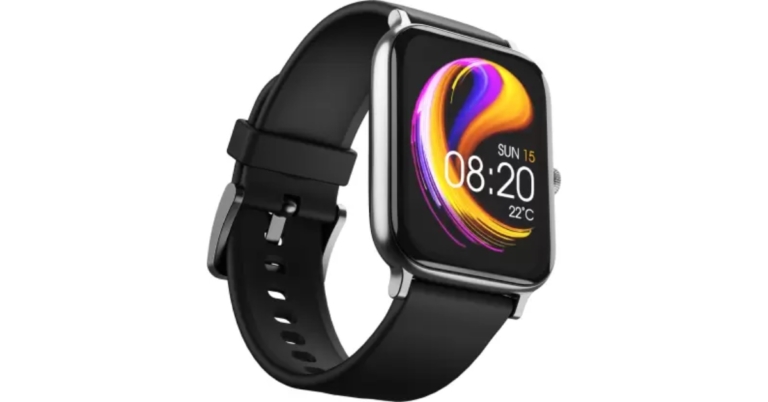



 Step 3:
 Step 4:
 Step 3:
 Step 3:
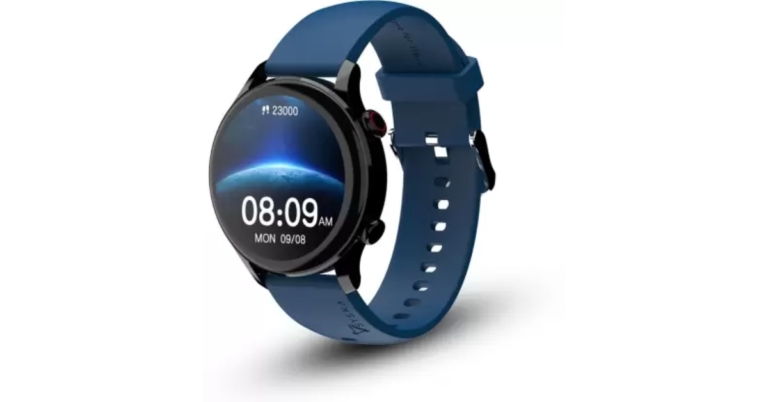


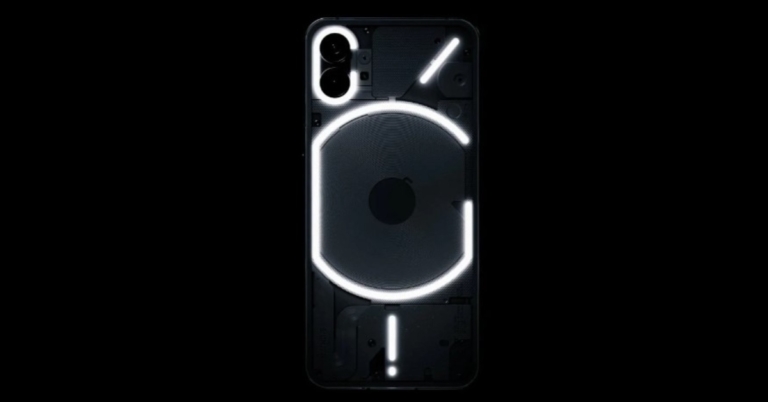


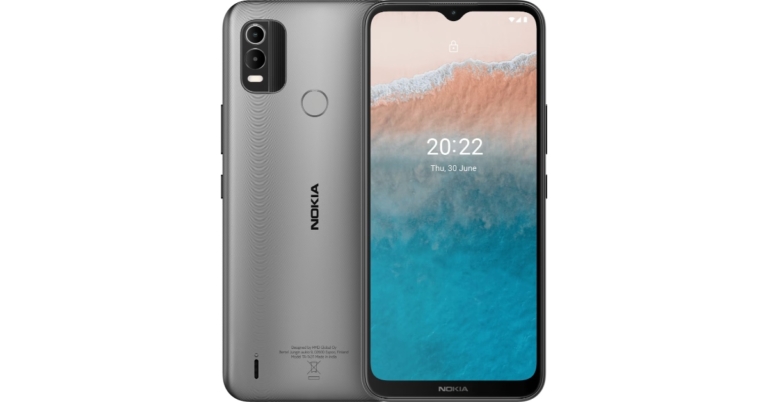




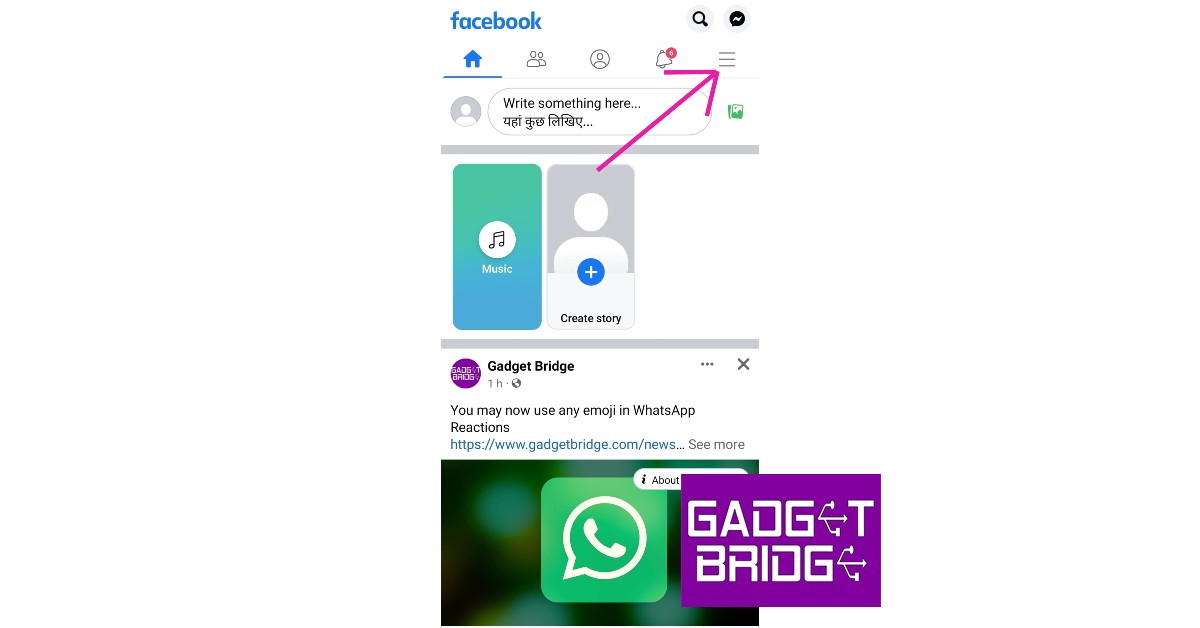 Step 3:
 Step 4:
 Step 5:
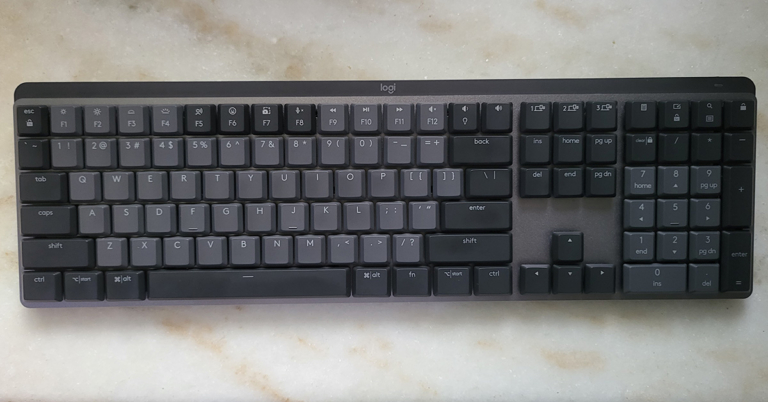
 Coming back to its looks, users get a USB Type-C charging port on the top right part of the Logitech MX Mechanical wireless keyboard. All the multimedia keys and more can be found on the top of the keyboard that double up as the function keys. These include search, calculator, media playback and volume buttons, a special emoji button and our favourite the computer lock button, which is located on the top right corner of the NUM pad is also there.
 The keys can be pulled out and set apart, which makes up for easy cleaning. The Logitech MX Mechanical wireless keyboard is also 7-level backlit with 5 illumination modes, which include breathing and random key illumination as well. In case you are wondering is it an RGB backlit keyboard? Then no, this has a single white colour lighting. The best part is, as soon as you bring your hand close to the keyboard the lights turn on their own.
 Lastly, you will see the Logi branding on the top of the keyboard on a nicely laid black bar with a low battery light indicator to its right. Yes, the ergonomics have been kept in mind and the user gets twin pull-out feet underneath it, which raise the keyboard a few millimetres for a better ergonomic feel.
 The Logitech MX Mechanical wireless keyboard is a mechanical keyboard as the name suggests. However, there is not a lot of travel space between the key presses. That is a good thing as the tactile feel is very good and with leaner, flatter keys you end up typing much faster.
 Another bright point of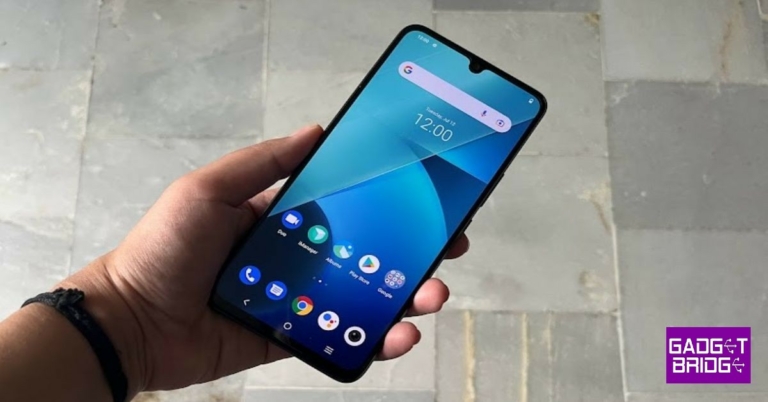
 Flip over and you will see the 6.44-inch display of the device that comes with a waterdrop notch on the top to house the selfie camera. It is outlined by thin bezels but the chin is obviously relatively bigger in size. There is also an in-display fingerprint scanner.
Speaking in more detail about the iQoo Z6 Pro 5G display, it is an FHD+ AMOLED HDR 10+ screen which comes with a peak brightness of 1,300 nits and a 90Hz refresh rate. The colours projected on the screen were vibrant and accurate and they remained consistent at different viewing angles. The text and images appeared sharp and clear and the sunlight readability could be better. Watching videos and playing
Flip over and you will see the 6.44-inch display of the device that comes with a waterdrop notch on the top to house the selfie camera. It is outlined by thin bezels but the chin is obviously relatively bigger in size. There is also an in-display fingerprint scanner.
Speaking in more detail about the iQoo Z6 Pro 5G display, it is an FHD+ AMOLED HDR 10+ screen which comes with a peak brightness of 1,300 nits and a 90Hz refresh rate. The colours projected on the screen were vibrant and accurate and they remained consistent at different viewing angles. The text and images appeared sharp and clear and the sunlight readability could be better. Watching videos and playing  Coming to the performance of the smartphone, iQoo Z6 Pro 5G did impress us, especially for its price. We threw a variety of tasks at the device, and most of them were handled well. Even when we tried to multitask and used navigation while watching videos on
  The battery of iQoo Z6 Pro 5G was another definite plus and the phone lasts a day and a half with usage involving gaming, watching videos and clicking pictures. The in-display fingerprint scanner worked well at all times while we had the phone with us.
Finally, let’s talk about the cameras of iQoo Z6 Pro 5G. The
The battery of iQoo Z6 Pro 5G was another definite plus and the phone lasts a day and a half with usage involving gaming, watching videos and clicking pictures. The in-display fingerprint scanner worked well at all times while we had the phone with us.
Finally, let’s talk about the cameras of iQoo Z6 Pro 5G. The  Pictures taken with the primary camera during the day had a good number of details and the colours appeared vibrant. But the images lacked a certain clarity and sharpness that one expects from a phone at this price. The Portrait Camera of the phone could also be better.
 When we tried using the ultra-wide camera, it did manage to get in a lot more space, the details in the picture went down too and we noticed some distortion. Even the colours of the images taken were affected, which is not the best thing to happen.
 The macro camera could also only do an average job. We weren’t too elated about the results of the selfie camera either. They could have been a lot better and more consistent and the colours could be more accurate too. The low-light photography of the device was definitely not among its pros. At best, we can call the shots taken as average and we highly recommend enabling the Night Mode to get better low-lit shots.

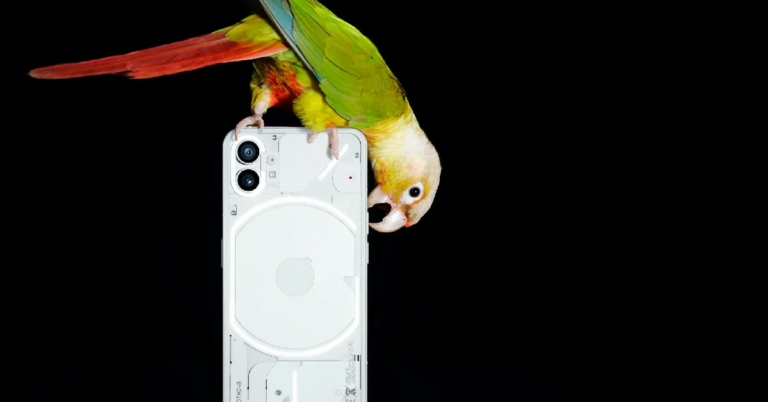





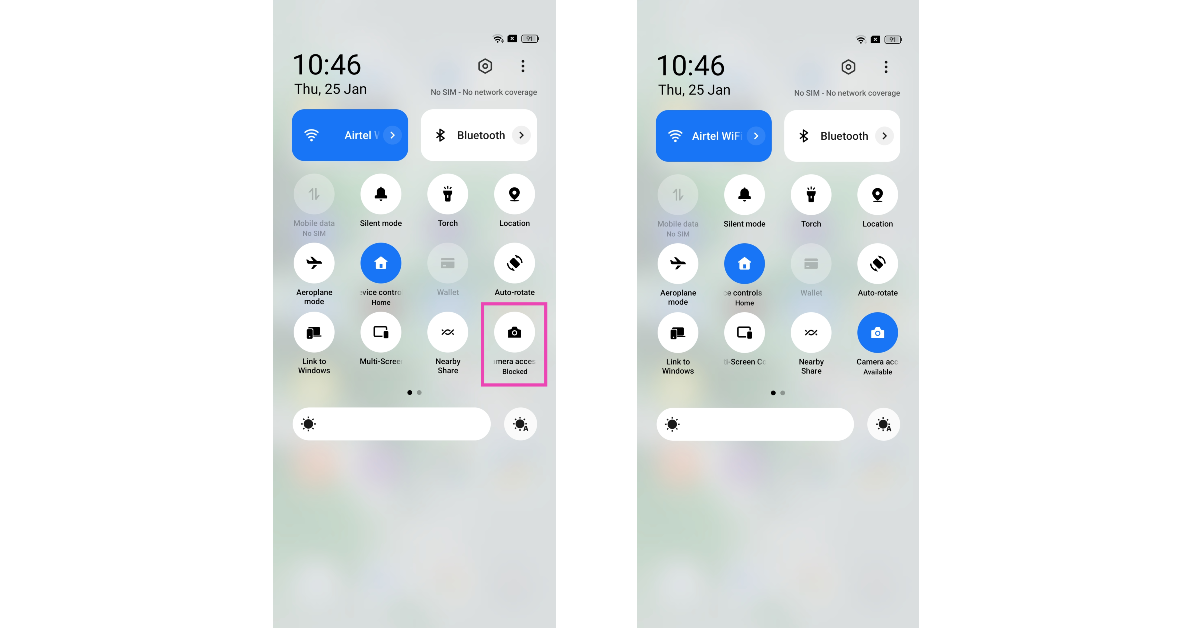 Some Android smartphones have the option to disable the camera access for every app directly from the Quick Settings Menu. This action is applied system-wide simply by tapping on a tile. Once you deny your smartphone access to the camera, even the native camera app will not work. In some cases, it can lead to the app crashing as soon as you try to launch it. Swipe down from the status bar and tap the Camera Access tile.

 Restarting your phone in Safe Mode limits the activity of third-party apps on your smartphone and only runs the essential system apps on the device. If your camera doesn’t work in Safe Mode either, you can safely conclude that it isn’t because of any of the installed apps on your device. Your next step should be to check the camera hardware.
To enter Safe Mode, press and hold the power button and volume down button. Once the power menu pops up on the screen, press and hold the power icon until the Safe Mode option shows up.
Restarting your phone in Safe Mode limits the activity of third-party apps on your smartphone and only runs the essential system apps on the device. If your camera doesn’t work in Safe Mode either, you can safely conclude that it isn’t because of any of the installed apps on your device. Your next step should be to check the camera hardware.
To enter Safe Mode, press and hold the power button and volume down button. Once the power menu pops up on the screen, press and hold the power icon until the Safe Mode option shows up.

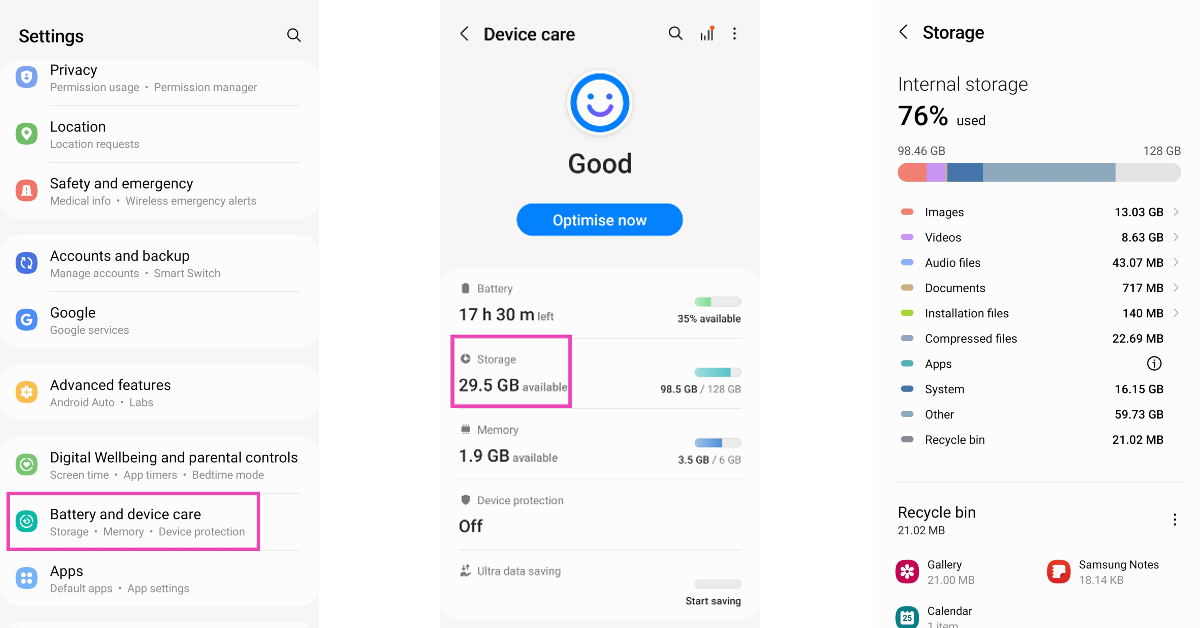 If the camera app on your phone crashes as soon as you take a picture, it is likely because your device is running out of storage. The camera app needs access to storage to store the pictures you take. If there is not enough storage available, the app will crash and you will lose the photograph. Go to Settings>Storage and clear some large files on your device to make space.
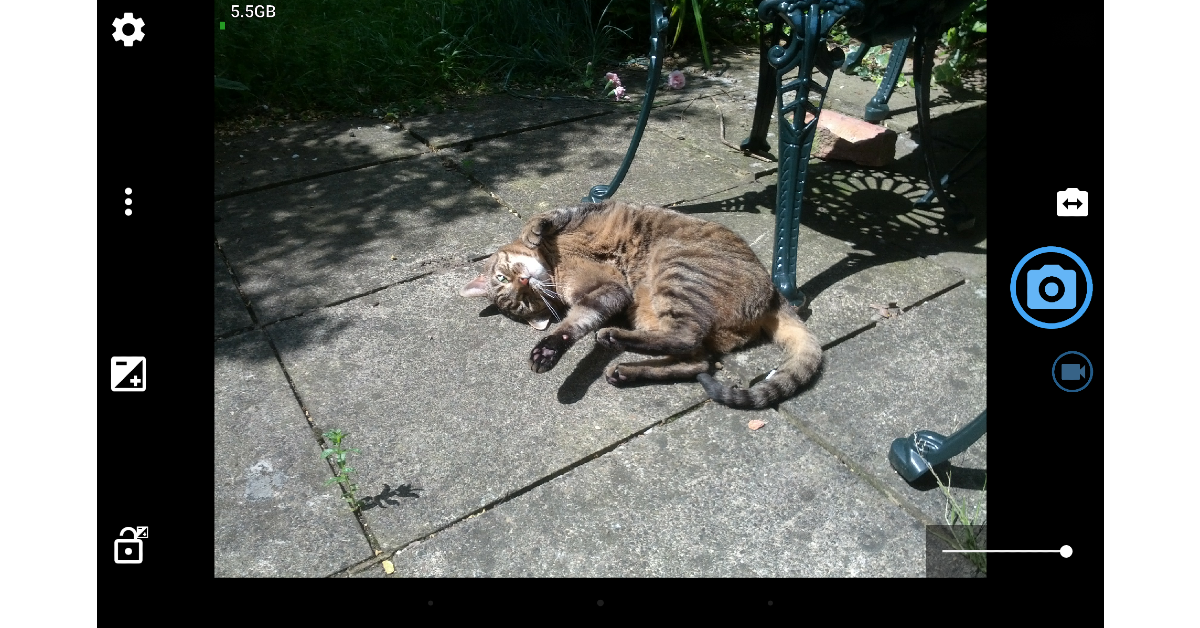 If you can’t get the native camera app to behave properly, there are plenty of third-party apps you can replace it with. Apps like HD Camera, Open Camera, Pro CamX, and others can do everything the native camera app does and more. If these apps can’t get the camera to work, you are dealing with a hardware issue.

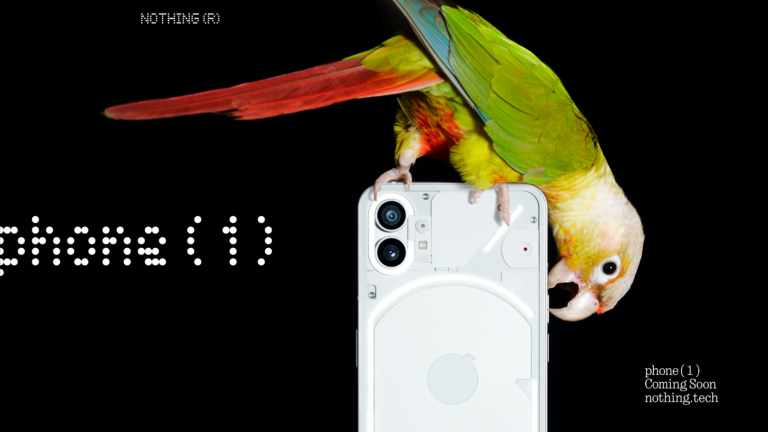

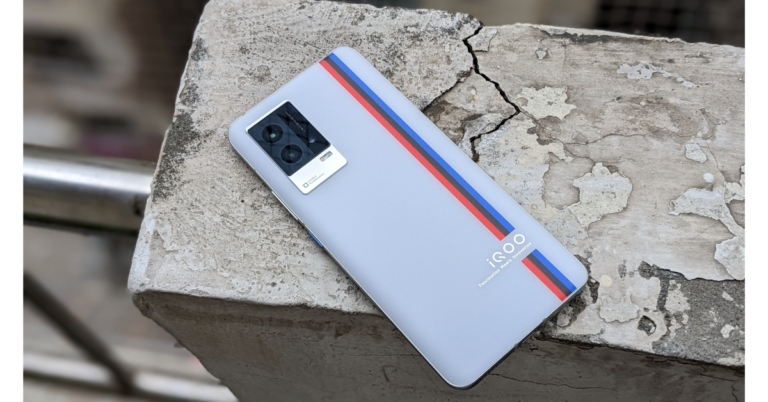



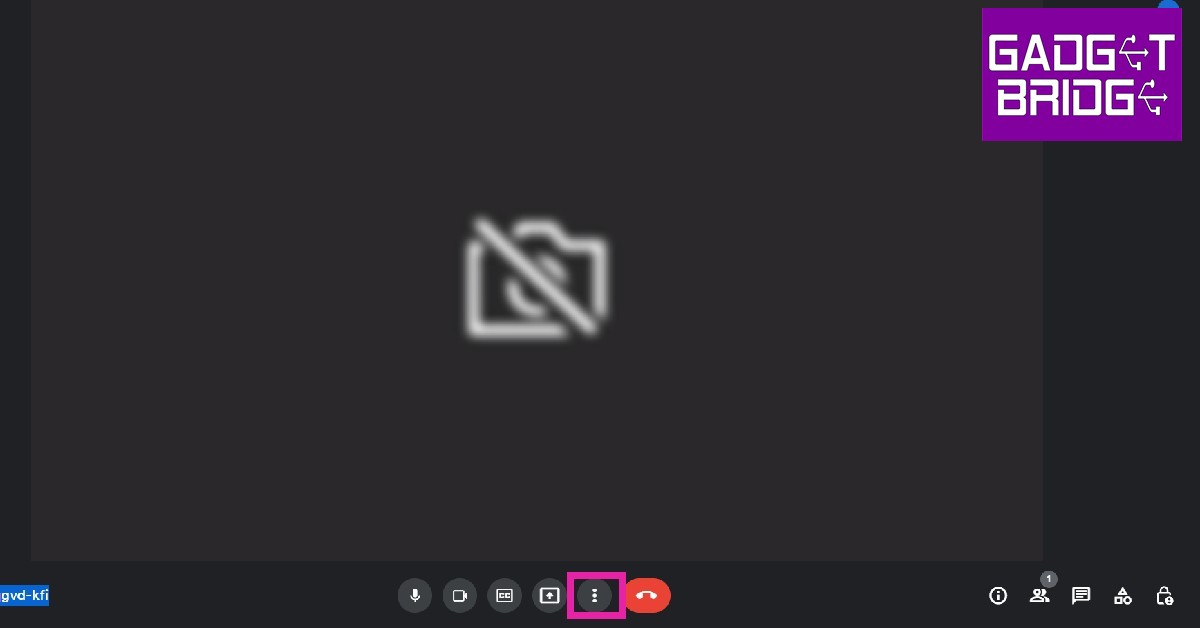 Step 2:
  Step 3:
 Step 3:

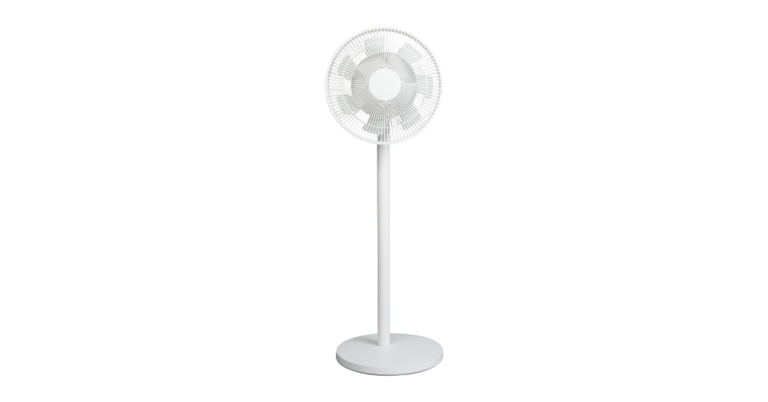


 Step 2:
 Step 3:
 Step 4:
 Step 5:
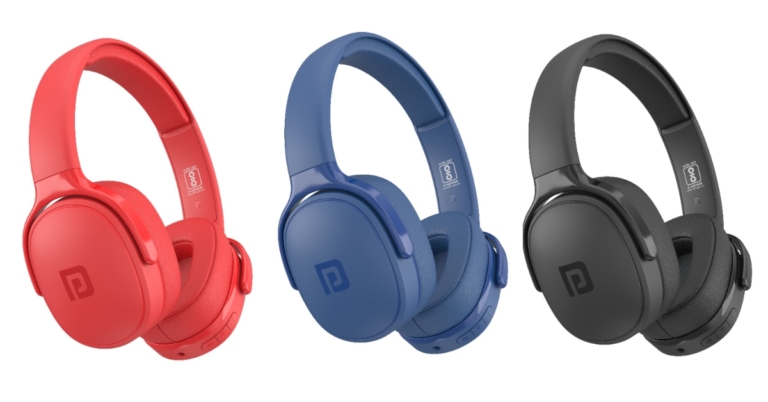

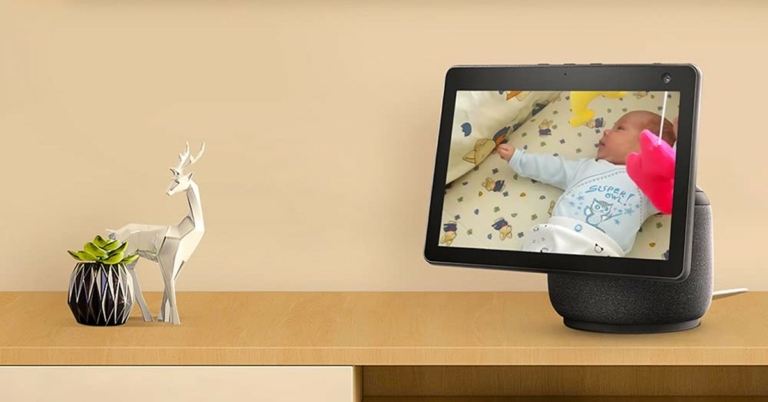


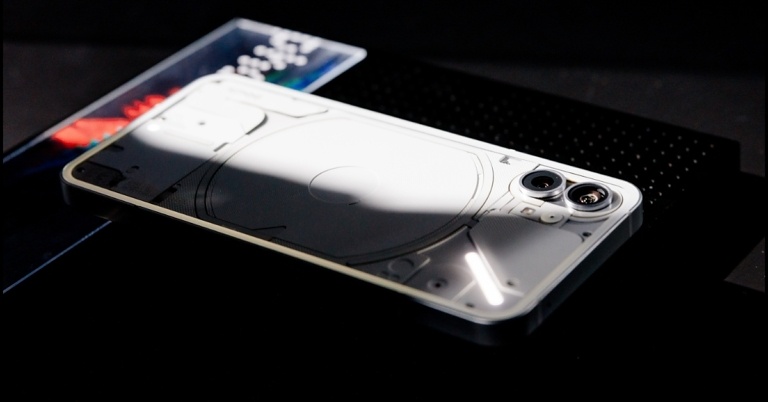
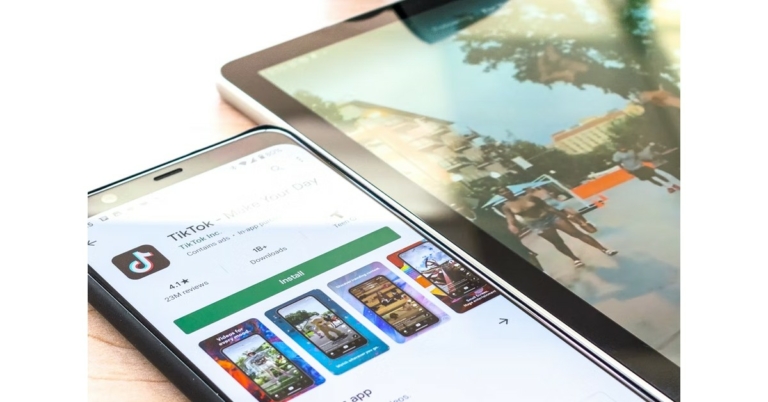

 If you’re trying to download a new update for an app but its Play Store page isn’t displaying it, try force-stopping the Play Store app. If you’re in the middle of downloading an app from the store, it will get cancelled when the system force stops the app. Make sure there are no pending downloads while you’re doing this. Go to Settings>Apps>Google Play Store>Force Stop.


 While Google Play Store is the marketplace for all Android apps, Google Play Services links the downloaded apps to your Google Account. It also takes care of tasks like location tracking, ad integration, security checks, and more. If Google Play Services malfunctions, it may stop you from downloading any new apps from the Play Store. To fix this, clear Play Services cache by going to Settings>Apps>Google Play Services>Storage>Clear Cache.
 Force-stoping and restarting your device’s download manager can fix this issue as well. Download Manager is a system app on your device. To find it in the app manager, you will first need to go to the filter options and enable system apps. Once that is done, go to Download Manager>Force Stop.

