In This Article
Samsung Galaxy Watch 4 series update Availability
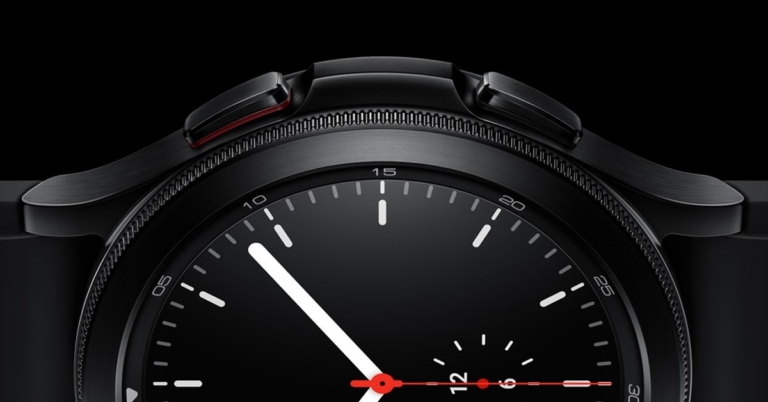
As per the company, the Samsung Galaxy Watch 4 and Galaxy Watch 4 Classic update will be available on the day of the Galaxy Unpacked event on February 10 KST that is on February 9 at 8.30 pm IST. It can be accessed through the Galaxy Wearable app. While the smartwatch bands will be available for purchase in late February.
Samsung Galaxy Watch 4 series update details
The most recent body composition upgrade provides customers with even more information about their health status. To assist customers to alter their health, fitness, and mentality, Samsung Health will also include body composition insights powered by Centr, a digital exercise programme created by Chris Hemsworth. In addition, Galaxy Watch4 customers will receive a 30-day trial to Centr, which will provide them complete and unrestricted access. Samsung’s new interval target function for runners and cyclists allows you to pre-set the time, distance, and a number of sets for your exercise. The Galaxy Watch 4 then takes them through a unique intensity training session that includes a sequence of high-intensity exercises interspersed with low-intensity workouts, resulting in an impactful and focused workout every time. While the new sleep coaching software on the Galaxy Watch 4 will assist users in developing healthier sleep patterns. The application allocates one of eight sleep symbol animals indicating the user’s sleep type after recording sleep habits for seven days and completing two associated sleep surveys. Then, it will walk users through a four to a five-week coaching programme that includes missions, checklists, sleep-related publications, meditation instruction, and frequent reports to help users improve their sleep quality. When users fall asleep, the Galaxy Watch 4 detects it and immediately shuts off Samsung SmartThings-enabled lighting to help provide a better sleeping environment.
When used in conjunction with the sophisticated BioActive Sensor technology and the Samsung Health Monitor app which has also been announced, the Galaxy Watch 4 monitors both blood pressure (BP) and electrocardiogram (ECG), allowing users to monitor their heart health at any time and from any location. Although this is already available to 43 regions worldwide, with 11 new markets added in March, including Canada, Vietnam, and South Africa.
The latest Galaxy Watch 4 update would also enable users to further personalise their watch faces by adding more colours and digital clock typefaces to fully make the watch their own. For a more customised style, new strap colours such as burgundy and cream, as well as the new fabric band and link bracelet, will be offered.
After the upgrades, the Samsung watch users will get access to more apps via Google Play, such as Google Maps, Google Pay, and YouTube Music. Users will be able to stream music from the YouTube Music app on their Galaxy Watch 4 over Wi-Fi or LTE in the near future. This implies that consumers may leave their phones at home and still listen to their favourite music while working out on the road.
In addition to this Google Assistant will also be accessible on the Galaxy Watch 4 series in the coming months. Consumers will be supplied with advanced voice assistant capabilities to satisfy their diverse demands if they have access to both Bixby and Google Assistant. While users can install their favourite smartphone apps on their Galaxy Watch4 with a single swipe during initial setup
For the latest gadget and tech news, and gadget reviews, follow us on Twitter, Facebook and Instagram. For newest tech & gadget videos subscribe to our YouTube Channel. You can also stay up to date using the Gadget Bridge Android App. You can find the latest car and bike news here.
While the new sleep coaching software on the Galaxy Watch 4 will assist users in developing healthier sleep patterns. The application allocates one of eight sleep symbol animals indicating the user’s sleep type after recording sleep habits for seven days and completing two associated sleep surveys. Then, it will walk users through a four to a five-week coaching programme that includes missions, checklists, sleep-related publications, meditation instruction, and frequent reports to help users improve their sleep quality. When users fall asleep, the Galaxy Watch 4 detects it and immediately shuts off Samsung SmartThings-enabled lighting to help provide a better sleeping environment.
When used in conjunction with the sophisticated BioActive Sensor technology and the Samsung Health Monitor app which has also been announced, the Galaxy Watch 4 monitors both blood pressure (BP) and electrocardiogram (ECG), allowing users to monitor their heart health at any time and from any location. Although this is already available to 43 regions worldwide, with 11 new markets added in March, including Canada, Vietnam, and South Africa.
The latest Galaxy Watch 4 update would also enable users to further personalise their watch faces by adding more colours and digital clock typefaces to fully make the watch their own. For a more customised style, new strap colours such as burgundy and cream, as well as the new fabric band and link bracelet, will be offered.
After the upgrades, the Samsung watch users will get access to more apps via Google Play, such as Google Maps, Google Pay, and YouTube Music. Users will be able to stream music from the YouTube Music app on their Galaxy Watch 4 over Wi-Fi or LTE in the near future. This implies that consumers may leave their phones at home and still listen to their favourite music while working out on the road.
In addition to this Google Assistant will also be accessible on the Galaxy Watch 4 series in the coming months. Consumers will be supplied with advanced voice assistant capabilities to satisfy their diverse demands if they have access to both Bixby and Google Assistant. While users can install their favourite smartphone apps on their Galaxy Watch4 with a single swipe during initial setup
For the latest gadget and tech news, and gadget reviews, follow us on Twitter, Facebook and Instagram. For newest tech & gadget videos subscribe to our YouTube Channel. You can also stay up to date using the Gadget Bridge Android App. You can find the latest car and bike news here. 


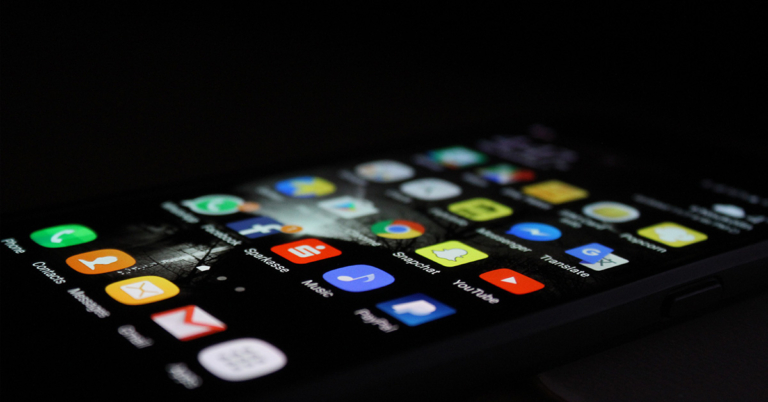
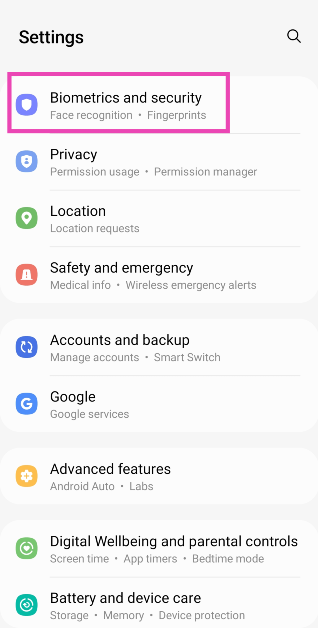 Step 3: Tap on Install Unknown Apps.
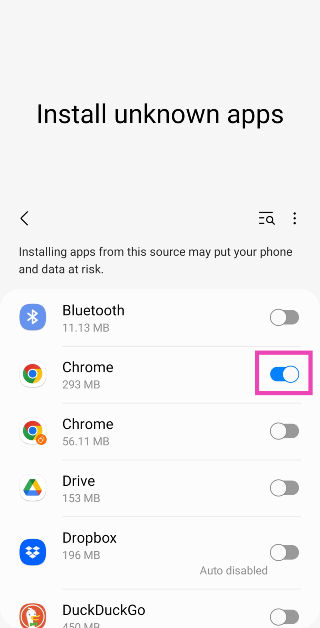
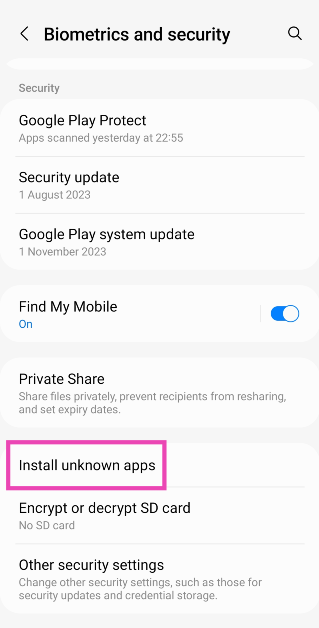 Step 4: Turn on the toggle switch for the application you will use to download the APK file (for example, Google Chrome or Firefox).
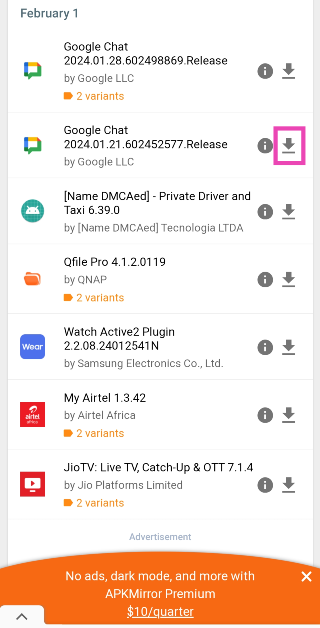 Step 4: Go through the different versions of the app and hit the green arrow next to the one want to download.
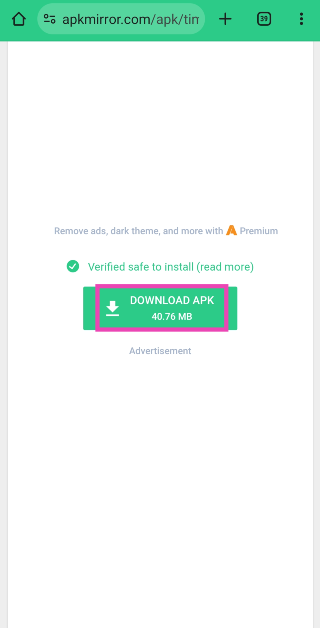
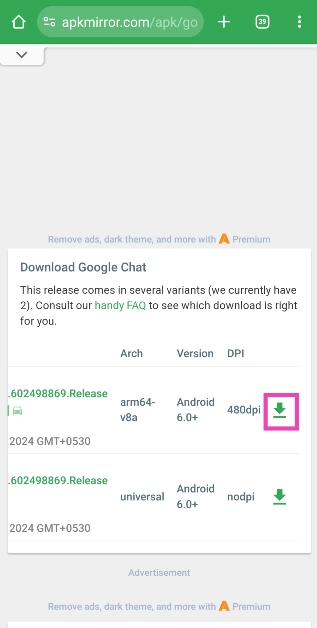 Step 5: On the following page, tap on Download APK/APK Bundle. The APK file will be downloaded to your device soon.
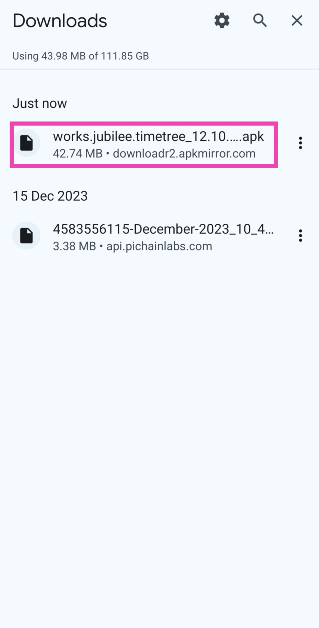
 Step 6: Go to the downloads folder and tap on the APK file.
 Step 7: Follow the onscreen instructions to install the app.

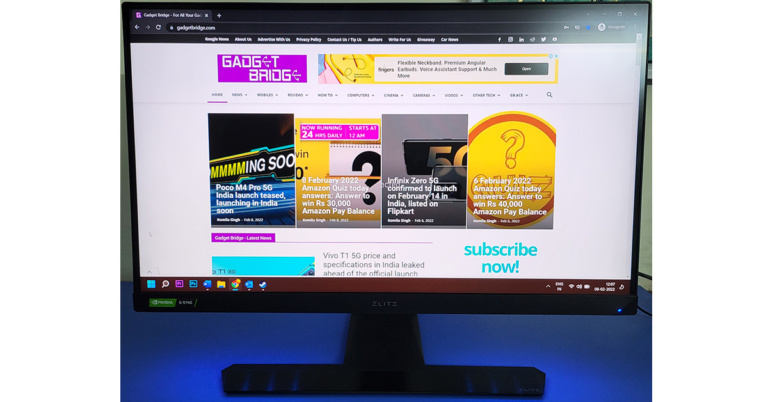
 Spin it around you get to see RGB lighting that can be controlled with ViewSonic Elite display controller software. Here you can control the visual settings including the RGB lighting modes/colours. Also, you get a special hook located on the left of the monitor to place your headphone and 2 bungees to manage your mouse wire. The neck of the ViewSonic Elite XG270Q also has a hole in the middle through which you can put in all the wires, basically good cable management. You can find the power button at the bottom of the display.
 The monitor can tilt forward and backwards from -5 to 20 degrees. Users can also adjust the height up to 11.5 CM. Over that, it swivels up to 60 degrees (30 degrees on either side) and one can also pivot it to 90 degrees, in case you like the portrait mode better. The overall weight of the monitor is 7.9Kg, which considering it has a lot of metal components, is not too bad. The ViewSonic branding can also be seen on the back of the ViewSonic Elite XG270Q gaming monitor.

 So, what this essentially means is you can play games up to 165 FPS with the best vivid colours and deep blacks. So, we put it to the test and it wooed us. We were not expecting this kind of colour reproduction and ghosting/lag-free imagery. We played some of our regular games like DOTA 2 and CS:GO. We got 120-145 FPS on both and the large display helped us clutch some hard games with ease. On the other side, the latest games like Battlefield 2042 also looked much better on this gaming monitor.
We spent some time watching Netflix and FHD videos on YouTube. Here too, the ViewSonic Elite XG270Q did not dissatisfy us. Since we tested with an NVIDIA GFX card the technology works flawlessly. The power consumption, even though it uses a fairly large power brick, is just 46W (max). Overall, we found this monitor to be quite cool. You can easily move it up and down, swivel it around and the no glossy screen works for us. Viewing angles are also great and colour reproduction is perfect from every angle. Yes, they do not wash off if you are looking at it from weird angles.
So, what this essentially means is you can play games up to 165 FPS with the best vivid colours and deep blacks. So, we put it to the test and it wooed us. We were not expecting this kind of colour reproduction and ghosting/lag-free imagery. We played some of our regular games like DOTA 2 and CS:GO. We got 120-145 FPS on both and the large display helped us clutch some hard games with ease. On the other side, the latest games like Battlefield 2042 also looked much better on this gaming monitor.
We spent some time watching Netflix and FHD videos on YouTube. Here too, the ViewSonic Elite XG270Q did not dissatisfy us. Since we tested with an NVIDIA GFX card the technology works flawlessly. The power consumption, even though it uses a fairly large power brick, is just 46W (max). Overall, we found this monitor to be quite cool. You can easily move it up and down, swivel it around and the no glossy screen works for us. Viewing angles are also great and colour reproduction is perfect from every angle. Yes, they do not wash off if you are looking at it from weird angles.