Recently Snapchat was seen working on a membership service named Snapchat+. According to the new development, the paid subscription by the photo-sharing app is now live giving users early access to features and other capabilities that are disclosed on the app. Snap isn’t the only social media platform to launch a premium layer recently; Discord has been making money with its optional Nitro subscription for years.It is now possible to purchase a subscription to Snapchat+, a set of premium, early access, and exclusive features, for $3.99 a month. Some of the most dedicated users in our community will be able to access new Snapchat features thanks to this subscription, and Snapchat will be able to give them priority assistance.According to a report, the initial exclusive features are basic and include the option to alter the app icon, see who re-watched a story, and pin a buddy to the top of your conversation history as a “BFF.” BFF is one of those features that will only be accessible to subscribers; however, other features may also make their way into the main Snapchat app.The firm has said that at launch, Snapchat+ would be accessible in the US, Canada, the UK, France, Germany, Australia, New Zealand, Saudi Arabia, and the United Arab Emirates. We’ll eventually reach other nations. To get started simply hit Snapchat+ on your Snapchat profile.Snap intends to charge users to turn off advertisements in the app after adding a paid tier and is Snap’s first serious effort to generate income other than through advertising. As we said earlier the Snapchat+ was recently found in the coding of the app and was referred to by the firm as an “early” internal test.According to earlier reports, a month of Snapchat+ subscription was anticipated to cost EUR 4.59 (approximately Rs 370), and customers can purchase a six-month subscription for EUR 24.99. (approx. Rs 2,000). The cost of the one-year subscription plan is reportedly EUR 45.99. (approx. Rs 3,700).
Snap isn’t the only app to launch a premium layer recently; Discord has been making money with its optional Nitro subscription for years. Twitter and Telegram have also launched paid tiers targeted toward pro users.
For the latest gadget and tech news, and gadget reviews, follow us on Twitter, Facebook and Instagram. For newest tech & gadget videos subscribe to our YouTube Channel. You can also stay up to date using the Gadget Bridge Android App. You can find the latest car and bike news here.
Smartphone users are advised to reset network settings when they experience an issue with their WiFi, Bluetooth, or cellular network. Instead of intensively diagnosing the specific issue, performing a network reset restores the network setting on your smartphone back to their factory settings. It is a quick and easy way of regaining network functionality without wasting too much time patching the issue. Users often wonder what parts of their phone are affected by network settings reset, and if their data is at risk of deletion. So, in this article, we’ll explain what exactly happens when you reset network settings on an Android smartphone.Read Also:How to turn your smartphone into a Smart TV remote
In This Article
Here’s what happens when you reset network settings on an Android Smartphone
Once you reset network settings on your Android smartphone, your WiFi, Bluetooth, and cellular settings will be reset to factory settings.
WiFi
All the saved WiFi networks and passwords will be removed from your phone. You will have to manually connect to previously saved WiFi networks and re-enter the passwords.
Bluetooth
All your Bluetooth connections will be removed as well. This includes all Bluetooth-paired devices such as speakers, headphones, Android Auto etc. Once the reset is performed, you will have to re-pair these devices to your smartphone.
VPN
Your VPN settings will be reset as well. This includes the server name, password, local history, and preferences.
Cellular Services
Your cellular network settings will be reset to default. You will have to select your preferred network type (2G, 3G, 4G) again. Cellular services like phone calls and SMS will not be affected.Read Also:How to reset your Android smartphone before you sell itYou will not lose any personal data (photos, videos, contacts, files) from your smartphone on performing a network settings reset. Even your hotspot settings will remain unaffected. You can choose to reset network settings when you face any issue with the WiFi or cellular network. If you do not want to reset network settings, you can reboot your phone or turn the Airplane mode on and off.
For the latest gadget and tech news, and gadget reviews, follow us on Twitter, Facebook and Instagram. For newest tech & gadget videos subscribe to our YouTube Channel. You can also stay up to date using the Gadget Bridge Android App. You can find the latest car and bike news here.
Nikon has expanded its product portfolio with the launch of a new vlogging camera in India. The Nikon Z30 features a 20MP APS-C mirrorless sensor. The vlogger-focused camera has a dedicated focus mode, lengthy video recording times, microphone, movie-record indicator light, the REC lamp, auto-switch to self-portrait mode when the monitor faces front, and an angle of vision that is around 100% even in 4K UHD/30p.The Z30 is a camera made specifically for recording videos. The camera provides unparalleled consistency and gives a focused shot in any situation with up to 125 minutes of filming time, an Eye-Detection Autofocus, and Full-time Autofocus (AF-F). It is ideal for those who enjoy making vlogs. There are more focus modes to choose from in Auto mode, including Single Autofocus (AF-S), Continuous Autofocus (AF-C), and Manual Focus, for greater flexibility in focusing based on subject type (MF).An Animal-Detection AF that detects a pet’s eyes for a focused framing is also available for both video and stills for the furry companions that are ready for the trending hashtags. The camera has a 20MP APS-C sensor and supports Full-time Autofocus and Eye-Detection Autofocus (AF-F).With an ISO sensitivity of up to 25600 for films and up to 51200 for still photographs, you can capture clarity and textures even in low-light situations, such as night market excursions or evening cookouts, giving each photograph personality and vitality. Users of the Z 30 can obtain up to 125 minutes of shooting time.The camera’s capability to record minute details in 4K UHD footage with an almost 100% angle of view provides a wider viewpoint in tight locations or scenarios, such as filming beauty lessons or food flat lays. With Full HD/120p for slow-motion filming and 20 different filter effects from Creative Picture Controls.The Z30 features a 3-inch vari-angle touch-sensitive monitor for individuals who like to vlog on the go or capture memories while travelling. The camera is housed in a portable housing that weighs about 350g and is ideal for prolonged shooting or transporting. Additionally, Full HD films up to 120 frames per second can be recorded by users for slow-motion recordings.The Z30 is further improved by a wide selection of compatible accessories and a suite of Nikon ecosystem products, including Webcam Utility for live streaming and NX Studio for quick and simple video editing. Not to mention, SnapBridge offers customers the chance to shoot remotely while also providing a hassle-free and seamless experience by allowing instant camera-to-smart device sharing.Exposure compensation in Auto mode allows users to more easily adjust the balance of an image’s light and shadows. Picture Control’s three parameters of modifications are helpful for creators who are particular about being able to portray every subtlety of an intended portrait photo.The camera also produces up to approximately 11 frames per second in high-speed continuous shooting (extended) or around 5 frames per second in the usual mode thanks to Nikon’s very own CMOS sensor and the same image-processing engine used in the Nikon Z 7 camera. Silent mode, which prevents the shutter from making any sound when it is released, enables shooting in locations or situations that demand minimal disruptions.The Nikon Z30 delivers an efficient set of operational controls inherited from expensive Z series camera models, giving customers an even more stress-free experience. The camera will likely be improved with a mode dial that can save up to three original settings, custom buttons for assigning to commonly used settings, and a photo/video picker that enables quick and simple switching. Get cosy with a functional yet stylish design that features a front right shoulder that is ergonomically contoured with a deep embossed leather grip.
For the latest gadget and tech news, and gadget reviews, follow us on Twitter, Facebook and Instagram. For newest tech & gadget videos subscribe to our YouTube Channel. You can also stay up to date using the Gadget Bridge Android App. You can find the latest car and bike news here.
You may have come across a Google Form to take a survey or fill out a questionnaire. Apart from creating a basic form, you can also use Google Forms to make an RSVP invitation for an event or a party. The preset template for an RSVP form does most of the work, leaving you to just fill out the necessary information along with any relevant questions. Today, we show you how you can create an RSVP form on Google Forms.Read Also:How to change Google Meet and Google Chats notification setting on PC?
Here’s how you can create an RSVP form on Google Forms.
Step 1: Open Google Forms in your web browser.Step 2: Select the RSVP template under ‘Start a new form’.Step 3: Click on each section to fill out the info related to your event.
Click on the first box to name your event and fill out the basic details like the address where the event is taking place and the contact information.
Use the following box to confirm the reservation of the attendee.
You can add other boxes if you need to gather some more information or have additional questions to ask.
Step 4: Click on the dotted lines at the middle of a panel and drag it to change its position in the form.Step 5: Use the menu on the top right section of the page to add a header image, and change the colour theme, background colour, and text font.Step 6: Use the side menu along every panel to add a title, image, video, extra panel, or import questions from another font.Step 7: Use the Settings window to manage the presentation of the form, and control how responses are collected. You can select whether filling the form should require signing in from a Google account.Step 8: Once you’re done, click on Send at the top right corner of the page to send the form to your email contacts. You can also generate the link to the form and share it on social media.Read Also:Google is rolling out a new Sleep Profile for Fitbit devicesOnce you’ve shared the form with your contacts, you can monitor the responses on the ‘Responses’ window in your form. You can view the summary of responses in order to get a quick idea of how many people will be attending the event. You can also look up individual responses to get a detailed view of user responses.
For the latest gadget and tech news, and gadget reviews, follow us on Twitter, Facebook and Instagram. For newest tech & gadget videos subscribe to our YouTube Channel. You can also stay up to date using the Gadget Bridge Android App. You can find the latest car and bike news here.
Both film and video games have their own relative strengths and weaknesses. For example, even the most bombastic thrill ride of a movie must grapple with the fact its audience is consigned to the role of a passive observer.
This is quite different from games, where the viewer becomes a player that is intimately bound up in the experience, influencing events and making decisions that impact the way its story unfolds.
Certain styles generally work better in this format for this reason, such as the adventure genre. While nobody can deny that the Indiana Jones films are a sensational experience that still keeps audiences at the edge of their seat some 40 years on from their initial release, this is one genre that significantly benefits from an interactive element.
There are many games that take inspiration from the likes of Indiana Jones, and below we’re going to be taking a look at some of the finest examples out there. Each serves up a unique and compelling experience that anyone seeking the thrill of adventure will be glad to experience — let’s dive in!
In This Article
Tomb Raider
Lara Croft is one of the most instantly recognizable video game characters in history. Her appearance in the Tomb Raider games dates back to the earliest days of 3D gaming on the original PlayStation.
Tomb Raiders 1 to 3 are classics of the adventure game genre, and still hold up remarkably well today. Though one needn’t go sifting through the bargain bin to access all the excitement and adventure of the Tomb Raider series as it has benefited from numerous reboots and fresh iterations over the years.
The most recent mainline entry for the franchise was 2018’s Shadow of the Tomb Raider, which was initially released on the Xbox One, PS4 and PC and continued the narrative reboot started in 2013’s Tomb Raider.
This new trilogy has been praised for its sophisticated storytelling, innovative gameplay mechanics and stunning visuals. It’s worth investigating for anyone seeking a Triple AAA adventure, irrespective of whether you’re already familiar with Lara Croft and the classic Tomb Raider games or otherwise.
Aztec Explorer
Slots games have been developing in novel and intriguing ways over the past 2 decades or so, as their online variants, liberated from the limitations of their physical counterparts, have had carte blanche to innovate on their core gameplay in entertaining and engaging ways.
One of the best examples of this new wave of titles is Aztec Explorer, and as its name suggests it serves up a no-holds-barred adventure for one-armed bandit aficionados. Featuring a captivating 20 payline, 5 reel grid populated with stylized, Meso-American symbols depicting eagles, suns, warriors and jaguars this title nails the aesthetic we’ve come to love from treasure hunting fiction.
What’s more, an innovative cascading free spins feature means that if you manage to score 3 free spins, you’re immediately rewarded 10 more. Aztec Explorer serves up all the excitement of an Indiana Jones-esque adventure in a neat package that can be accessed through any web-browser and on mobile, meaning you can uncover the mysteries of its forgotten temples even while on the go.
Uncharted
Unquestionably one of the biggest game series of the 2010s and, in many people’s eyes, the true successor to the classic Tomb Raider titles, Uncharted delivers Hollywood cinematics and storytelling in a way that was genuinely novel when the original game launched back in 2007.
Since then, the original Uncharted gave rise to 4 further sequels, each building on its familiar cast of characters lead by protagonist Nathan Drake, and thrusting players into ever more compelling and exotic adventures.
Uncharted’s fusion of intuitive climbing mechanics, head-scratching puzzles and stunning vistas ensure there’s plenty to keep you occupied. Furthermore, with hidden collectable treasures on every level, completionists will sink many hours into exploring all the mysteries these titles have to offer on their way to that prized 100% bragging right.
For the latest gadget and tech news, and gadget reviews, follow us on Twitter, Facebook and Instagram. For newest tech & gadget videos subscribe to our YouTube Channel. You can also stay up to date using the Gadget Bridge Android App. You can find the latest car and bike news here.
The Chinese electronics brand, EZVIZ, today announced the launch of its new wireless camera in the Indian market. The company has expanded its smart home security portfolio with the introduction of EZVIZ C1C-B Wi-Fi Camera.The EZVIZ C1C-B is a small indoor WiFi camera with the flagship model’s 12-meter (40-foot) full-HD night vision range, users can take stunning low-light pictures without adding to light pollution. Because of its small size, EZVIZ C1C-B can be installed anywhere in the house. The cctv camera comes with H.265 video compression technology, which achieves greater video quality with only half the bandwidth and half the storage space of the previous video compression standard (H.264).Customers may easily adjust the camera and make the most of it thanks to the DIY installation design. Installation is made simple by the mounting kit’s easy-to-use mounting kit and magnetic base. Customers can obtain the optimum viewing angle thanks to the improved positioning stem on the base of the product.Additionally, the product provides user-friendly audio warnings, including motion detection, private mode, and three audio alarm modes (silent, brief beep, and siren) when motion is detected. Customers can converse with their family members while they are gone via two-way audio, much like when they are on the phone. Voice commands for Alexa, Google, Assistance, and IFTTT are also built into the cameras. It gives users a customizable way to manage how the footage is recorded and gives them access to manually turn on sleep mode on their phones.Speaking on the launch of the new product, Mr. Bipin Gupta, Product Manager, EZVIZ said, – “In this day and age smart home security devices are not a luxury, but a necessity. We are pleased to launch EZVIZ C1C-B, a one-of-a-kind smart home security indoor Wi-Fi camera that is simple to use yet technologically advanced. Having observed that customers are prioritising the safety of their homes and families over all else as things have returned to normalcy with return to work, and travel across borders. We understand this sentiment and are stepping forward to cater to the demand with our newly launched product and only aim to ensure on delivering quality products in the future.”
For the latest gadget and tech news, and gadget reviews, follow us on Twitter, Facebook and Instagram. For newest tech & gadget videos subscribe to our YouTube Channel. You can also stay up to date using the Gadget Bridge Android App. You can find the latest car and bike news here.
For those who are not aware yet or are new to the platform, Snapchat has more than 50 games in its kitty to keep you entertained. Apart from keeping your friends and close ones updated by sending snaps, stickers or Bitmoji reactions, you can also have fun by playing cool games on the application. You can either go solo or team up with your squad. And whether you like puzzles and trivia or be it strategy or shooting games, you have a wide variety of options to choose from. While some may be simple yet super addictive, others may challenge you hard for scoring a win. Here are the top 10 Snapchat games of 2022 that you can play right now.
In This Article
Bitmoji Tennis
The first one on our list of the top 10 Snapchat games to play in 2022 is Bitmoji Tennis. It is a bit different from the way tennis games are usually played online. Instead of trying to perfectly time your hit to the ball, you just have to get close to the ball and your racket swings automatically. You aim your shots by tilting your phone. To serve the ball, you just have to tap the screen. And then, all that’s left to do is run left or right to make your hit. It can be played in both single-player and multiplayer modes.Read also: 15 Best Scary Roblox Games You Should Play in 2022
Color Galaxy
Image courtesy: SnapchatIf you are someone who likes to have colours around, then Color Galaxy is for you. It is a highly competitive multiplayer game which allows you to use your Bitmoji and choose a vehicle or an animal as your drive. You can easily spot your Snapchat buddies, travel across planets and conquer unknown lands. You drive around to take over new territories using the on-screen controls and then come circling back to your own territory to expand your region.
Color Together
Another recommendation which is full of colours is the Color Together game on Snapchat. This is for you especially if you like colouring, painting or digital art. To give wings to the artist hidden inside you, the game provides you with some colours which you have to fill into different sketches. It is best to refresh your mood after a long tiring day at work. And guess what, it even has soothing melodies playing in the background, giving chill vibes!
Island Jump
Image courtesy: Funday FactoryNext on our list of the top 10 Snapchat games to play in 2022 is Island Jump. This one requires you to time your actions and movements in the game in order to make it to the other end of the shore. You have to jump on the stepping stones to reach from one island to another. Simultaneously, you have to collect coins during the journey while navigating your way through hungry sharks, ferocious eagles, angry octopuses and whatnots. Try to get as far as possible without getting drowned in the water.
Snake Squad
Image courtesy: SnapchatOne of the super addicting games on Snapchat that you can play right now is Snake Squad. You take a snake’s avatar in the game and slither around in a room to earn points (appearing as dots) and grow. You also have to make sure you don’t run into other snakes (players) that are larger than you, to survive. Once you get the hang of it, you’ll find it tough to part from the game.
Stack Jump
Image courtesy: Snap Games (Youtube)Stack Jump is the latest game that has arrived on Snapchat only recently. It is by far one of the most satisfying games you’ll play on the application. You have to make your Bitmoji avatar jump on each of the blocks that are getting stacked up to form a building structure all the way up. But you have to time your jumps carefully so that the upcoming block gets placed in exact alignment with the one below it. Jumping too early or too late might risk the whole structure getting demolished.
Aquapark
If you love racing games, try playing Aquapark. The twist is that you are in a water park, and it is a water slide race. Aquapark is a multiplayer game that you can play with your peers on Snapchat. You race with your friends to be the first one to reach the end of the water slide. For making it even more thrilling, try sliding off your path and see where it leads you. It’s either a shortcut to your goal or to the exit gates. You can even give others a tough time by bumping into each other. But remember, what goes around comes around.Read also: How To Make Potion Of Weakness In Minecraft (2022)?
Tiny Royale
The next best Snapchat game to play in 2022 is Tiny Royale, which gives you a pocket-sized battle royale experience on the Snapchat app. It is a top-down multiplayer shooting game in which you get to choose custom characters and squad up with your buddies for looting and shooting your way till the end. You collect weapons along the way and unlock health packs and supplements while the map shrinks up to a single player or a team that emerges victorious (yes, just like PUBG).
Hex FRVR
Hex FRVR is a Tetris-like puzzle game based on a hexagonal grid. It is a fun strategy game in which you are provided with three shapes of a single colour. You choose a block out of the three to place it onto the hexagonal grid in order to complete rows of same-coloured hexagons to make them disappear and score points. You get more points for making combos of hexagonal rows.
Let’s Go Hoops!
The final one to make it to our list of the top 10 games on Snapchat is this one. It is a multiplayer basketball game in which you compete with your friends or other players to be the first to score 5 goals in a round. You have to aim your shots at the hoop carefully, as there are moving obstacles which you may encounter. The crystals that you earn as rewards let you purchase in-game accessories and even some cool dance moves for your Bitmoji. So those were our top picks for the 10 best Snapchat games of 2022, that you can play right now on the app. If we missed out on your favourites, do let us know in the comments section below. For the latest gadget and tech news and gadget reviews, follow us on Twitter, Facebook and Instagram. For newest tech & gadget videos subscribe to our YouTube Channel. You can also stay up to date using the Gadget Bridge Android App. You can find the latestcar and bike news here.
Meta, previously Facebook, has introduced its own wallet service called Meta Pay which is essentially an advancement of Facebook Pay. It is a general payment method that could be utilised in both the real world and the metaverse’s virtual environment. Facebook’s payment service is said to increase access to a wider variety of digital goods that come with ownership evidence.Mark Zukerberg in its announcement said, “Introducing Meta Pay and a digital wallet for the metaverse. Today we’re taking the first step by changing Facebook Pay to become Meta Pay. It’ll stay the same easy way to shop, send money, and donate to causes you care about on Facebook, Instagram, WhatsApp, Messenger, and anywhere else you could use Facebook Pay. But beyond the current features, we’re working on something new: a wallet for the metaverse that lets you securely manage your identity, what you own, and how you pay.”Meta has rebranded Facebook Pay to Meta Pay to better align its payment service with its rebranding. You can shop, send money, and donate to causes you care about using Meta Pay in all of our platforms, including Facebook, Messenger, Instagram, and WhatsApp, as well as wherever else you might have previously seen the Facebook Pay button while making purchases online. The functionalities and general user interface of Meta Pay will not change from Facebook Pay. This modification is starting in the US and will eventually spread throughout the entire world.Similar to Facebook Pay, Meta Pay will allow users to add their preferred payment method just once, then use it to make payments and purchases across our technologies and while buying online elsewhere, where it is supported.In one location, you can manage payment options, view payment history, and modify settings. Get online chat or email support around-the-clock.Like Facebook Pay, Meta Pay protects your credit card information by encrypting it and securely storing it. It also runs anti-fraud checks on our systems to look for suspicious behaviour and tells you if it is found. To further safeguard every transaction, you may also set up a Meta Pay PIN or use the face or fingerprint recognition features on your device.There is no action necessary to begin utilising Meta Pay if you have previously configured Facebook Pay. Your existing Facebook Pay account data, payment method, and settings will all carry over to Meta Pay. It’s simple to set up if you’re new to Meta Pay.Click on the Payments settings. Then enter the details of your account and payment method. Along with PayPal and Shop Pay, Meta Pay accepts the majority of popular credit and debit cards.
For the latest gadget and tech news, and gadget reviews, follow us on Twitter, Facebook and Instagram. For newest tech & gadget videos subscribe to our YouTube Channel. You can also stay up to date using the Gadget Bridge Android App. You can find the latest car and bike news here.
If you’ve ever missed the simplicity of your old Game Boy but can’t find any device to revisit old memories, we have just the solution for you. With an emulator, you can recreate your Game Boy experience on your iPhone. Not only do these emulators run Game Boy and Bame Boy Colour, but they can also recreate other previous generation consoles like Atari, N64, and PS. In this article, we bring you the top 7 emulators for iPhone.Read Also:How to play old arcade games like Mario, Contra, Road Runner on a PC?
Often touted as the best Gameboy emulator for iOS devices, GBA4iOS gives you the complete Gameboy experience on your iPhone. Once you’ve installed GBA4iOS on your iPhone, you get access to all games compatible with GBA and GBC. It allows multiplayer mode and controller support. GBA4iOS also creates a backup of your game data on Dropbox so you can sync it across devices.On top of that, GBA4iOS comes with other features like, event distribution, sustain button, controller vibration, and cheat code support. The higher versions of the emulator also let you download custom controller skins.
Made by the same team as GBA4iOS, Delta Emulator supports Nintendo Entertainment System (NES), Nintendo 64 (N64), GBA, and GBC. It is considered to be an all-in-one emulator for iPhone. Delta Emulator’s friendly and seamless UI make the gaming experience immersive across formats. You can even PlayStation or Xbox controller to play games on the Delta Emulator.Like GBA4iOS, Delta also offers Dropbox synchronization. You can also use cheat codes and download custom skins.
One of the more popular Gameboy emulators around, Happy Chick can run games across 18 formats. It supports DC, WS, FAB/MAME/MAME+, PS, GBA, GBC, MD, NDS, FC(NES), SFC(SNEC).Street Fighter 97, Super Mario, Monster Hunter, and Pokemon are some of the games you can play on Happy Chick. By using Happy Chick you can probably get the most out of your device without jailbreaking it. Like other emulators on the list, Happy Chick also synchronizes your data across devices and supports external controllers.
One of the oldest emulators around, Provenance supports up to 30 consoles including Nintendo, Sega, Atari, and Sony. Provenance lets you record your gameplay and save the footage in iCloud. You can even back up your game data online. The controller can be customised according to your liking as well. It also allows you to auto-save your progress, which gives it a big advantage over its peers.
RetroArch is an open-source Gameboy emulator for iPhone. It is also available for Windows, macOS, Linux, and Android. RetroArch supports a large number of consoles including Atari, DOS, MSX, Neo Geo Pocket, PC Engine, Sega Genesis, and more. What sets RetroArch apart from other emulators on this list is that it uses one controller for all the platforms it emulates. You can even remap controls if you cant get comfortable with the presets.RetroArch also lets you play with other users online, using Netplay. Since the emulator is available for all major platforms, you can play with Windows, Android, and Linux users as well.
Eclipse is a lightweight emulator that is very easy to install. Its neat and minimal interface makes it easy to navigate and reduces any lags or processing time.Eclipse lets you import ROMs from Files or Google Drive to get started with your gaming experience. Currently, it only supports NES, SNES, Game Boy and Game Boy Colour, Sega Master System, and Sega Game Gear.
PPSSPP is an emulator that’s built solely for the purpose of playing PlayStation Portable (PSP) games on iPhone. It lets you save your gameplay on your device but it doesn’t back your data up in iCloud, so you won’t be able to resume your progress on another device.However, you can transfer existing current saves from your PSP to your iPhone using PPSSPP. This means you’ll be able to resume your game on your iPhone exactly where you left off in PSP.Read Also:How to run PUBG Mobile on your PC or laptop?With these emulators, you will be able to run most of the old console games seamlessly on your iPhone. You will not find any major bugs or experience any significant lag in any of these emulators. If you use an Android or a Windows device you will be able to find different versions of these emulators for your device on their website. If there are any other emulators you like to use, let us know in the comments!
For the latest gadget and tech news, and gadget reviews, follow us on Twitter, Facebook and Instagram. For newest tech & gadget videos subscribe to our YouTube Channel. You can also stay up to date using the Gadget Bridge Android App.
TCL has expanded its Mini LED portfolio with the launch of 3 new smart TVs- C835, C635 and P735 Mini LED 4K Google TV in India. The new Gaming QLED 4K TV comes with 4K resolution and 144Hz refresh rate. TCL C835 Mini LED 4K Google TV has 144Hz VRR screen. The TCL C635 Gaming QLED 4K TV comes with 120Hz DLG and Game Master technology.
In This Article
TCL C835 Mini LED 4K TV
The TCL C835 Mini LED 4K TV features 144Hz VRR, ONKYO, IMAX Enhanced, Dolby Vision IQ, Dolby Atmos, HDR 10+, MEMC, HDMI 2.1. It shows fine details, and displays over one billion colours thanks to QLED technology. The TV’s built-in speakers, while Dolby Vision IQ on the TCL Mini LED 4K extends the benefits of Dolby Vision beyond HDR by intelligently optimising your TV for a perfect picture in your room at all times.More games are expected to support 120 frames per second, so C835 went one step further by implementing 144Hz VRR, resulting in quicker response, clearer visuals, and smoother gaming. The 144Hz VRR screens can be very helpful, offering users a noticeable advantage, especially in multiplayer games, whether users are competitive gamers looking to experience demanding high FPS games or casual gamers.Users may browse through hundreds of content options aggregated across streaming channels thanks to Google TV, which is also included with the TV.Available in three sizes the 55-inch, 65-inch, and 75-inch TCL C835 have price tags of INR 119,990, INR 159,990, and INR 229,990, respectively.
TCL C635 Gaming QLED 4K TV
The TCL P735 boasts fluid graphics that make even the fastest-paced action movies or sports broadcasts precise and clear thanks to Wide Colour Gamut, 4K HDR, and MEMC (Motion Estimation, Motion Compensation). Additionally, it has Dolby Vision and Dolby Atmos, which provide a high-quality entertainment experience.The new HDR 10+ technology in the TCL C635 enhances picture quality for a 4K display by using dynamic tone mapping to depict changes in brightness, colour saturation, and contrast from frame to frame. The device integrates Dolby Atmos and the ONKYO sound system to produce audio that is significantly more fascinating. The Television also includes game master technology, which enhances the immersion, fluidity, and realism of gameplay. Additionally, the TCL C635 has a potent processor that guarantees the flawless operation of even the highest-definition and most advanced games.Additionally, the TCL C635 comes with an optional video call camera that supports Google Duo, allowing users to easily communicate with friends and family. Additionally, it has Google Assistant support for hands-free control.The price for the TCL C635 is INR 44,990, INR 54,990, INR 64,990, INR 85,990, and INR 149,990 for 43-inch, 50-inch, 55-inch, 65-inch, and 75-inch models, respectively.
TCL P735 4K HDR Google TV
The TCL P735 boasts fluid graphics that make even the fastest-paced action movies or sports broadcasts precise and clear thanks to Wide Color Gamut, 4K HDR, and MEMC (Motion Estimation, Motion Compensation). The inclusion of Dolby Vision and Dolby Atmos further enhances the quality of the entertainment.The TCL P735 features MEMC motion picture processing, which provides smooth imaging for sports and fast-action sequences. It also delivers 4K, Wide Color Gamut, and HDR 10 professional audiovisuals. Similar to how Dolby Vision and Dolby Atmos provide an engaging and immersive experience for both TV and cinema viewers.With more astonishing transmission speed and capacity, HDMI 2.1 on the TCL P735 provides better video resolutions and quicker refresh rates, elevating TV and gaming to a new level. The TCL P735 uses ALLM optimization, a patented technology that switches to low-lag presets automatically to provide lag-free gameplay.The TCL P735 also includes Google TV, giving you access to thousands of streaming services’ worth of content. TCL P735 is priced at INR 35,990, INR 41,990, INR 49,990, and INR 69,990 for 43-inch, 50-inch, 55-inch, and 65-inch sizes, respectively.
For the latest gadget and tech news, and gadget reviews, follow us on Twitter, Facebook and Instagram. For newest tech & gadget videos subscribe to our YouTube Channel. You can also stay up to date using the Gadget Bridge Android App. You can find the latest car and bike news here.
Garena Free Fire is a battle royale game with regular awards and tournaments to keep players interested. If you play Garena Free Fire, you should be aware of the redeem codes that are released on a daily basis. However, because the battle royale game is banned in India, players from other countries can use the Free Fire Redeem codes daily. If you’re unfamiliar with the Garena Free Fire redeem codes or don’t know how to get them, we’ve put together a step-by-step guide to help you redeem them. Check out Garena Free Fire Redeem Codes for June 29.The Free Fire redeem codes are a great way to get free stuff. These are 12-digit codes that contain alphabets and numbers, as well as an expiration date and time. Because the Garena FF redeem codes cannot be used more than once, you should hurry to the redemption page to claim your free reward before someone else does. To get a free reward, all you have to do is go to reward.ff.garena.com/en, which is the official redemption page. Also, keep an eye on this space for daily updates on Garena Free Fire redemption codes and rewards.
LINE is, arguably, one of the most practical communication applications we have today. It is easy to use and is available on both major smartphone operating systems, Android and iOS. Since LINE helps manage our personal and work life like a pro, it is crucial for one to know how to transfer LINE chat history to a new phone, especially when you are switching from Android to iPhone. Indeed, it is quite challenging as more and more people try finding the solution on the internet. In this post, we will share the one-stop solution for all your LINE transfer needs — Tenorshare iCareFone for LINE. So, let’s cut to the chase and discuss how Tenorshare helps transfer LINE chat history from Android to iPhone, shall we?
In This Article
Can I transfer LINE from Android to iPhone directly?
iOS is a complicated smartphone operating system that comes with several limitations. This makes it difficult for applications like LINE to move over from Android to iOS. Indeed, we can transfer LINE from Android to iOS. But, doing it directly is quite impossible given that both operating systems work differently. The other reason is that the iPhone keeps its users from downloading random files. Most importantly, the application itself comes with a limitation — LINE is only compatible for Android to Android or iPhone to iPhone transfer. This is why you need a third-party tool that can help transfer LINE from Android to iOS. Let’s find out more about this third-party tool called Tenorshare iCareFone for LINE.
Transfer LINE chats from Android to iPhone via iCareFone for LINE
But before we start sharing the steps and procedure to use Tenorshare iCareFone for LINE, you should get acquainted with the application. The application makes it possible for users to transfer LINE from Android to iOS. Not just that, it supports transfers from Android to Android, iPhone to Android, and iPhone to iPhone too! Here are the key features of Tenorshare iCareFone for LINE:
● Transfer LINE between Android and iPhone
Tenorshare iCareFone for LINE does an excellent job of transferring LINE messages across iOS and Android devices without any hassle. The most important thing to note here is that, unlike other third-party applications, Tenorshare iCareFone for LINE delivers a high success rate — ensuring zero data loss during the transfer.
● Back up and restore LINE chat history on iPhone
Adding to the last feature, Tenorshare iCareFone for LINE allows iPhone users to backup and restore their LINE data, especially their chat history. The best thing here is that the app enables easy backup and restoration on your computer — all this for free!
● Preview and selectively export LINE backup to the computer
Indeed, you want to ensure the backup of your LINE data before switching to the iPhone. But, you might not require all the data on your phone. In this case, you can use the Tenorshare iCareFone for LINE software and select the files that you wish to export to your computer.
Now that we are well acquainted with how Tenorshare iCareFone for LINE helps users to transfer LINE data from Android to iPhone, it’s time we discuss the complete procedure to make the transfer. Let’s get started!
Steps to Transfer LINE from Android to iPhone
Here are the quick steps to move or transfer LINE from Android to iPhone. Follow them as mentioned below:
Download and install iCareFone for LINE on your computer. Once installed, connect your iPhone or Android device with USB debugging switched on.
Make sure you backup your LINE data to Google Drive. Once backed up, click the ‘Already Backed Up’ option and move forward.
Scan the QR code on the screen with your smartphone. Once verified, you will be asked to enter the Google Drive account’s credentials. Click on ‘Sign In’ and the application will download the LINE backup.
Upon successful backup download, the iCareFone for LINE application will find the backup file and convert it into a file that can be easily restored to an iPhone.
5. Now unlock your iPhone and use it to sign in to your LINE account. Remember, you need to ensure that you use the same number used on your Android device.
6. Voila! Tenorshare iCareFone for LINE will transfer all the data to your iPhone device in just a few minutes. Make sure you check if the data is successfully transferred to your iPhone before plugging the USB out.
Move LINE chat history from Android to iPhone via email or Google Drive
Maybe you don’t want to use a third-party tool to transfer LINE data from Android to iPhone. In this case, you can use the following two methods and ensure a successful LINE data transfer.
Copy Line chat history from Android to iPhone with email
Open LINE and the conversation you wish to transfer.
Now click ‘V’ and hit ‘Settings.’ Find and click ‘Export Chat History’.’
Enter your email address to share the chat history over your email account.
Install the LINE app on your iOS device and use your email to sign in.
Now look for the messages you want to restore. Voila!
Migrate LINE chat history from Android to iPhone with Google Drive
Use the Android device to open LINE.
Search for the ‘Friends’ option and hit ‘Settings.’
Now, look for the ‘Chats’ option.
In ‘Chats,’ you can search for the ‘Backup and Restore Chat History’ option.
Find the ‘Backup to Google Drive’ option to make a backup.
Now connect your Android device to your computer to copy the LINE data.
Use your iPhone to launch LINE and backup the data from Google Drive.
Like the email method, the LINE chats you access from Google Drive can’t be restored to your LINE app on iPhone. Therefore, When you want to check LINE chats, you need to open the Google Drive app and check the LINE chats from there.
Final remarks!
There you have it. We have shared all the successful ways of transferring LINE data from Android to iOS. Although we have shared the alternate ways of making the transfer happen, we highly recommend you use Tenorshare iCareFone for LINE to make the process simple and easier. So, what are you waiting for? Download the iCareFone for LINE software and ensure a successful LINE transfer to your new phone.
For the latest gadget and tech news, and gadget reviews, follow us on Twitter, Facebook and Instagram. For newest tech & gadget videos subscribe to our YouTube Channel. You can also stay up to date using the Gadget Bridge Android App. You can find the latest car and bike news here.
Amazon is back with another quiz on its mobile platform. The daily quiz is now live on the Amazon App and today’s Amazon Quiz will give you a chance to win Rs 10,000 Amazon pay Balance. The participants can play the 29 June 2022 Amazon Quiz from 12 AM to 11:59 PM. For those who are unaware of the quiz, the e-commerce platform brings a fresh quiz on a daily basis which consists of five questions related to general knowledge and current affairs.The participants need to answer all the questions correctly and their names will be selected for a lucky draw. The winner will be announced at the end of the month. One wrong answer could eliminate you from the quiz. Only app users are eligible to participate in the Quiz. In today’s Amazon Quiz the participants will get a chance to win Rs 10,000 Amazon Pay Balance. Check Out 29 June 2022 Amazon Quiz Answers.Amazon Quiz Today Prize – Rs 10,000 Amazon Pay BalanceQuiz Date – 29 June 2022Daily Timing – 12 AM to 11:59 PMWinner Announcement – Today 12 PM
In This Article
Amazon Quiz Answers Today 29 June 2022
Question 1: The NBA Finals MVP in 2022, was won by which famous player from the Golden State Warriors?Answer: Stephen CurryQuestion 2: In the movie ‘Top Gun: Maverick’, what is the nickname or call sign of Captain Pete Mitchell played by Tom Cruise?
Answer: MaverickQuestion 3: Which of these companies has recently invested INR 375 crore in its Indian logistics arm?Answer: AmazonQuestion 4: What is the preferred food of this bear?Answer: SealsQuestion 5: What was the nationality of the artist of this painting?Answer: Italian
How To Play Amazon Quiz
Only app users are eligible to play the Amazon quiz every morning from 12 AM to 11:59 PM. The quiz is not available on the desktop. For those who are unaware of how to play the Amazon quiz below are the steps, you can follow to take the quiz.
Firstly download the Amazon app from Google Play Store or App Store
Now fill in the required information through the Sign Up option.
You need to log in to the Amazon app and scroll down on the home screen to find the Amazon Quiz banner.
Tap on the Amazon Quiz banner and tap on the Start button to start the Quiz.
Now you will get 5 questions and you need to answer them correctly. One wrong answer will eliminate you from the Quiz.
After answering all the questions correctly you are now eligible for a Lucky Draw.
The winner’s name will be announced today at 12 PM.
Infinix has been growing steadily in India. The company has been launching some good to great smartphones in the budget segment. The second 5G smartphone series, the Note 12 5G, is anticipated to go on sale next month from Infinix. One of the smartphones in the series will, in accordance with the leaked photographs, have a 108 MP primary camera, as indicated by the label on the back of the phone, which is a significant boost at the anticipated cost.The new Infinix Note 5G series is reportedly expected to support 12 5G bands and may have somewhat improved specifications compared to its forebears. The series’ additional specifics are now unknown, but they will all become clear when it premieres, which may happen in the next few weeks.On the other hand, the smartphone manufacturer, Infinix, tweeted that it would soon be releasing a new Note 12 series model powered by the MediaTek Helio G99 SoC. According to the business, the next smartphone will be the first to use the new SoC. Unfortunately, Infinix only gave this much information about the future smartphone.According to Infinix, this smartphone would be the first device to receive the new chip. As an improvement to the MediaTek Helio G96, the MediaTek Dimensity 1050 and Dimensity 930 were introduced at the same time. The MediaTek Helio G99 was introduced as the Helio G96’s replacement in order to improve the gaming experience on 4G smartphones.MediaTek introduced three new SoCs: the Dimensity 1050, Dimensity 930, and Helio G99. The SoC will be made accessible to customers in the second quarter of 2022, according to the company’s statement at the time of the announcement.Infinix Note 12 went on sale in India, where it had its world premiere earlier in the month. A MediaTek Helio G88 SoC with up to 6GB of RAM and 128GB of internal storage powered the smartphone.Infinix Note 12 comes pre-installed with Android 12. It features a 6.7-inch, 20:9 full-HD+ AMOLED display. The smartphone has a triple back camera configuration that includes a 50-megapixel primary camera with an f/1.6 aperture, a 2-megapixel depth camera, and an unidentified AI lens for pictures and videos. For selfies and video calls, the smartphone has a 16-megapixel front-facing camera with an f/2.0 aperture.
For the latest gadget and tech news, and gadget reviews, follow us on Twitter, Facebook and Instagram. For newest tech & gadget videos subscribe to our YouTube Channel. You can also stay up to date using the Gadget Bridge Android App. You can find the latest car and bike news here.
Samsung’s latest affordable smartphone, the Samsung Galaxy F13 has been released in India recently. The company has announced Samsung Galaxy F13 featuring a 6,000mAh battery and triple rear cameras. The handset is powered by an octa-core Exynos 850 SoC. The gadget competes with the Redmi 10 Prime in a similar pricing range. To check how the Samsung Galaxy F13 compares to Redmi’s affordable smartphone, we compared it to the Redmi 10 Prime. Here is a specs-by-specs comparison of Samsung Galaxy F13 Vs Redmi 10 Prime.
Samsung Galaxy F13: A triple rear camera with a 50-megapixel primary sensor, a 5-megapixel ultra-wide camera, and a 2-megapixel depth sensor.Redmi 10 Prime: A triple rear camera setup consisting of a 50-megapixel primary sensor, an 8-megapixel ultra-wide angle sensor, 2-megapixel depth sensor, and a 2-megapixel macro lens
Both the phones come with similar specifications. In terms of software, both Samsung and Redmi come with the latest Android 12 operating system. Also, there is a 6,000mAh battery. The Redmi 10 Prime is a solid competitor to the Samsung Galaxy F13 in the competitive 11,499 to 11,999 price band. Both have respectable specifications, but strictly in terms of features, the Redmi 10 Prime edges out the competition.
For the latest gadget and tech news, and gadget reviews, follow us on Twitter, Facebook and Instagram. For newest tech & gadget videos subscribe to our YouTube Channel. You can also stay up to date using the Gadget Bridge Android App. You can find the latest car and bike news here.
Do you know? It has long been believed that your taste in music can tell a lot about your personality. Music not only soothes the ears and lights up your mood, but has the power to communicate the emotions of your soul. Has it ever happened to you that a song reminded you of a person, a place or stirred up a memory? It has, hasn’t it? Moreover, researchers have found that one can make accurate judgements about an individual’s levels of extraversion, creativity and open-mindedness by listening to their favourite songs. And we’re sure everyone would agree on the fact that music is a great predictor of your mood. So if you are eager to learn more about yourself (or be it someone else), try observing your music preferences and statistics. Here is how to see your stats on Spotify in 2022.
In This Article
How To See Stats On Spotify Desktop And Web Player
Step 1: Open the Spotify Web Player or the Spotify Desktop application and click on your username at the top right corner of its interface.Step 2: Click on Profile from the drop-down list.Step 3: Scroll down in your Profile window to see a total of 10 of your ‘Top artists this month’ and 50 of your ‘Top tracks this month’.Read also: Spotify web player not working? Here are the top 5 fixes
How To See Stats On Spotify Android And iOS
The Spotify Android and iOS applications, although do not have Top artists or Top tracks section, allow you to see your ‘Recently played artists’ when toggled on from Settings.Step 1: Open the Spotify mobile app from your Android or iOS device and click on the Settings (gear) icon in the top-right corner.Step 2: Scroll down till you arrive at the ‘Social’ section and ensure that the ‘Recently played artists’ toggle is switched on. Step 3: After switching the toggle on, go to your Profile by tapping on your username on top. You will now find your recently played artists under its dedicated section. You can view the entire list by clicking See all.Note that switching the ‘Recently played artists’ toggle on will make that list public. So, in case you don’t want others to know the list of artists you have listened to, you may want to switch the setting back off later. Read also: How To Log Out Of Spotify From Android And Windows PC
Using Spotify Wrapped
Finally comes the popular method for checking your application music stats on Spotify. Spotify Wrapped is a summary of your annual listening activity and preferences on the application, which Spotify releases at the end of every year. It provides statistics on a detailed level to both Spotify subscribers and artists. If you’re a subscriber, you will be able to check the top song you played the most, the number of minutes you listened, a list of your top 100 favourite songs of the year, top genres, top podcasts, and top artists. You can save the playlist to your library to listen to it anytime you want. In this way, you can see your stats on Spotify in 2022. Apart from the above-mentioned methods, there are other third-party apps as well, like Stats for Spotify and Volt.fm, which you can use to check your Spotify stats and get detailed insights. We would be absolutely delighted to hear about your favourite artists and the top songs that you like to listen to. Do share with us in the comments section below. For the latest gadget and tech news and gadget reviews, follow us on Twitter, Facebook and Instagram. For newest tech & gadget videos subscribe to our YouTube Channel. You can also stay up to date using the Gadget Bridge Android App. You can find the latestcar and bike news here.
Garena Free Fire is a battle royale game with regular awards and tournaments to keep players interested. If you play Garena Free Fire, you should be aware of the redeem codes that are released on a daily basis. However, because the battle royale game is banned in India, players from other countries can use the Free Fire Redeem codes daily. If you’re unfamiliar with the Garena Free Fire redeem codes or don’t know how to get them, we’ve put together a step-by-step guide to help you redeem them. Check out Garena Free Fire Redeem Codes for June 28.The Free Fire redeem codes are a great way to get free stuff. These are 12-digit codes that contain alphabets and numbers, as well as an expiration date and time. Because the Garena FF redeem codes cannot be used more than once, you should hurry to the redemption page to claim your free reward before someone else does. To get a free reward, all you have to do is go to reward.ff.garena.com/en, which is the official redemption page. Also, keep an eye on this space for daily updates on Garena Free Fire redemption codes and rewards.
Samsung Galaxy M52 5G arrived in India last year. The 5G smartphone then was introduced at Rs 29,999. But the handset is seeing a price drop of 28 percent therefore it is now Rs 8,000 economical. So if you were planning to upgrade from a 4G to 5G phone now is the right time. The phone features a 120Hz SAMOLED+ display. It is powered by a Snapdragon 778G SoC.The price of the Samsung Galaxy M52 5G with discounted pricing is listed on the Reliance Digital website. On the website, the 6GB of RAM and 128GB of storage is priced at Rs 21,499. The price displayed is Rs 9,000 less than the initial launch price of Rs 29,999.Under the limited-time deal, the discounted rate is exclusively available through Reliance Digital. Moreover, Reliance Digital is giving customers who use Citibank cards to purchase the Samsung Galaxy M52 5G a 10% immediate discount. Additionally, IndusInd Bank credit card EMI purchases qualify for a Rs 1,500 reward.However, the phone is being offered at Rs 24,999 on both the Amazon and Samsung India websites. The Samsung Galaxy M52 5G is distinguished by its 6.7-inch full HD super AMOLED+ display, which has a resolution of 1,080 by 2,400 pixels. The screen has a 20: 9 aspect ratio, 120Hz refresh rate support, and Gorilla Glass 5 protection.Also Read:Samsung Galaxy M52 5G long-term review: A futuristic 5G smartphoneThe Samsung Galaxy M52 5G, which is 5G ready, runs OneUI 3.1 on top of Android 11. A Qualcomm Snapdragon 778G SoC is housed inside, along with up to 8GB of RAM and 128GB of internal storage. Memory extension is possible, and utilising a microSD card, it can be expanded up to 1TB.The triple-back camera system of the Galaxy M52 5G has a 64-MP main sensor. A 12MP ultra-wide-angle lens with an f/2.2 aperture and a 5MP macro sensor round out the combination. The phone will have a 32MP front-facing camera with an f/2.2 aperture for selfies and video calls.While the phone’s sensors include a magnetometer, proximity sensor, gyroscope, ambient light sensor, and accelerometer.The side-mounted fingerprint sensor on the Samsung Galaxy M52 5G also serves as the power button. The integrated 5,000mAh battery is supported by 25W fast charging technology.
For the latest gadget and tech news, and gadget reviews, follow us on Twitter, Facebook and Instagram. For newest tech & gadget videos subscribe to our YouTube Channel. You can also stay up to date using the Gadget Bridge Android App. You can find the latest car and bike news here.
If you’ve ever lost your TV remote you would know that the analogue button on your TV set can be quite tedious to operate. Luckily, you can use your smartphone as a Smart TV remote and never feel the need to use a regular remote again. Even if you do not have a Smart TV, your smartphone can control any appliance that is controlled by an infrared remote. Today, we show you how to turn your smartphone into a Smart TV remote.Read Also: How to block YouTube channels from appearing on your Smart TV?
Here’s how you can turn your smartphone into a Smart TV remote.
Step 1: Download the Universal TV remote app for your smartphone.Step 2: Make sure your TV and smartphone are connected to the same WiFi network, then click on the WiFi option in the app.Step 3: Select your TV model from the following list.Step 4: Once the TV and the smartphone are paired, you will be able to use the controls from your smartphone app.If your smartphone has an IR blaster, you can use an IR blaster app to control your TV. This works on regular TVs as well, which may not come with WiFi-connect functionality. You can even use the IR blaster to control other appliances that make use of an infrared remote.If you use an Android Smart TV, follow these simple steps:Step 1: Install and open the Google TV app on your smartphone.Step 2: Tap ‘Remote’ at the bottom right of your screen.Step 3: Select ‘Scanning for Devices’.Step 4: Choose your device.Step 5: You can use your smartphone as your Android Smart TV remote once the devices have paired.Read Also: How to remotely access your PC from anywhere in the worldSome manufacturers like Sony, LG, and Samsung have their own smartphone apps that give you remote access from your smartphone. The only requirement is that the TV and the smartphone need to be connected to the same WiFI network. For every device by a different manufacturer, you will need to download a different app. This is why a universal TV remote app mentioned earlier is more convenient to use.
For the latest gadget and tech news, and gadget reviews, follow us on Twitter, Facebook and Instagram. For newest tech & gadget videos subscribe to our YouTube Channel. You can also stay up to date using the Gadget Bridge Android App. You can find the latest car and bike news here.
According to Meta, Reels APIs will be made accessible to a number of endpoints on the Instagram Platform for developers. The company asserts that it is offering the new Reels APIs because it has learned from its developer community that Reels is a major priority.Meta will begin adding Reels to a number of endpoints on the Instagram Platform from today June 28, 2022. While making the announcement the company stated, “We are always looking to improve our content publishing and consumption experiences, whether people use Instagram natively, or via a third party. After consistently hearing from our developer community that Reels is a top priority, we are excited to introduce Reels to a number of the endpoints that you may already be familiar with.”As per Meta, it will be expanding the scope of support of reels to Content Publishing, Insights, Comment Moderation, Hashtag Search, Business Discovery, Mentions, Promote API and Instagram Basic Display API.Developers will be able to schedule Reels and access Reels’ social interaction statistics thanks to the APIs. Reels can now be published on Instagram Business accounts by developers using the new APIs.Using the APIs, developers will also be able to leave comments on Reels, answer to them, delete them, make them visible or invisible, and enable or disable comments. Additionally, Reels designated with specific hashtags will be easy for developers to find when searching for publicly accessible Reels.For both the current and all earlier iterations of the Graph API, API enhancement feature will be available. Reels will instantly become accessible to developers who already have access to the relevant APIs. If your app has previously been given the go-ahead for the necessary permission access levels, there is no need to submit it for further App Review.The company will be updating all the relevant developer documentation with the applicable information for each capability. From today the Reel APIs will begin rolling out to over 25 percent of Instagram users’ accounts and is expected to complete to 100 percent of users by July 6. As per Meta, some users may have access to all Reels APIs as early as June 28, this rollout will occur gradually at the account level through July 6.“We will be unable to indicate which users have access between June 28 and July 6,” the company noted.
For the latest gadget and tech news, and gadget reviews, follow us on Twitter, Facebook and Instagram. For newest tech & gadget videos subscribe to our YouTube Channel. You can also stay up to date using the Gadget Bridge Android App. You can find the latest car and bike news here.
Amazon is back with another quiz on its mobile platform. The 28 June 2022 Amazon Quiz is now live on its platform and today’s Amazon Quiz will give you a chance to win Rs 40,000 Amazon pay Balance.Every day Amazon brings a fresh questionnaire that comprises 5 questions. These questions are based on current affairs and general knowledge. The quiz can be played from 8 AM to 11:59 PM and the contestants need to answer correctly to enter into a lucky draw. In today’s Amazon Quiz the participants will get a chance to win Rs 40,000 Amazon Pay Balance.Today’s Amazon Quiz Prize – Rs 40,000 Amazon Pay BalanceQuiz Date – 28 June 2022Daily Timing – 12 AM to 11:59 PMWinner Announcement – Today at 12 PM
In This Article
Amazon Quiz Answers Today 28 June 2022
Question 1: Neeraj Chopra recently set a new National Record of 89.3 in the javelin at which athletics event?Answer: Paavo Nurmi GamesQuestion 2: Shabaash Mithu, based on the life of famous cricketer, Mithali Raj is directed by whom?
Answer: Srijit MukherjiQuestion 3: Renaissance’, is an upcoming album by which famous singer?Answer: BeyonceQuestion 4: One of the largest and busiest railway stations in the world, this famous station is located in which European city?Answer: ParisQuestion 5: Which of these is a traditional dress of this country?Answer: Kimono
How To Play Amazon Quiz
Only app users are eligible to play the Amazon quiz every morning from 12 AM to 11:59 PM. The quiz is not available on the desktop. For those who are unaware of how to play the Amazon quiz below are the steps, you can follow to take the quiz.
Firstly download the Amazon app from Google Play Store or App Store
Now fill in the required information through the Sign Up option.
You need to log in to the Amazon app and scroll down on the home screen to find the Amazon Quiz banner.
Tap on the Amazon Quiz banner and tap on the Start button to start the Quiz.
Now you will get 5 questions and you need to answer them correctly. One wrong answer will eliminate you from the Quiz.
After answering all the questions correctly you are now eligible for a Lucky Draw.
The winner’s name will be announced today at 12 PM.
You can use your Amazon Prime account to access Amazon Music without any extra charges. Amazon Music offers over 75 million songs on its platform along with a wide range of podcasts. Amazon Music also offers pre-made playlists for different themes and occasions, be it a workout session or just ambient sounds to fall asleep to. It also offers you to create your playlists, which you can make public and share with other people as well. In this article, we will show you how you can create a playlist on Amazon music.Read Also: Spotify Web Player: How To Best Access And Use All Its Features
Here’s how you can create a playlist on Amazon music.
Step 1: Open the Amazon Music app.Step 2: Tap on ‘Library’ at the bottom menu.Step 3: Tap on ‘Playlists’.Step 4: Tap on ‘New Playlist’.Step 5: Give your playlist a name and hit ‘Save’.Step 6: Search any song you want to add to your playlist.Step 7: Tap the three dots next to the song title.Step 8: Select ‘Add to Playlist’.Step 9: Select the Playlist you want to add the song to.The song will be added to your chosen playlist.Read Also:Amazon Music acquires a customer base of more than 55 million monthly usersTo make things simpler you can directly go to a song, tap the three dots and select Add to playlist>Create new playlist. A window will pop up asking you to name the playlist. After you press Save, the song you selected will automatically be added to your new playlist.If you want to delete a playlist, go to Library>Playlists, and tap the three dots next to the playlist you want to delete. Select ‘Delete from Library’ then press ‘Delete’ on the pop-up window. Your playlist will be removed from your device and your Amazon music profile.
For the latest gadget and tech news, and gadget reviews, follow us on Twitter, Facebook and Instagram. For newest tech & gadget videos subscribe to our YouTube Channel. You can also stay up to date using the Gadget Bridge Android App.
If you’ve accidentally dropped your smartphone in the water, don’t panic. It can still be rescued if you act fast. Smartphones are prone to be dropped down a lot, but they can turn dysfunctional if they stay underwater too long. Even if it’s a small spill, your smartphone can still die if you do not take the necessary measures. Most smartphones come with an IP label which makes them water-resistant to some degree. This gives you time to get the water out from all the places it may have gotten stuck in. Today, we bring you a comprehensive guide on how to remove water from your Android smartphone.Read Also: Get Monsoon Ready – How To Keep Your Gadgets Safe From Water
In This Article
Here are all the necessary steps you need to take in order to remove water from your Android smartphone
Before you begin removing water from your smartphone, make sure it’s switched off and unplugged from the charger. Using your phone while it’s still wet can cause it to short-circuit. Once that happens, your phone will be rendered completely useless. Once you’ve turned it off, remove any accessories like the phone case, skin, stylus, and screen protection. Disassemble your phone by removing the battery pack, SIM card, and memory card. Place these items on a clean paper towel and give them a proper wipe down. Give your a proper shake to physically remove any large drops of water that may have gotten stuck within it.
Cover your phone with a Desiccant.
You may have heard that covering your phone with rice may help absorb any water trapped inside it. While that may be partially true, covering your phone in rice has an added risk of starch and dust particles from the rice entering your phone and causing further damage. Using a desiccator like silica gel packets is a much more effective way of absorbing the water out of your phone. You may have leftover silica gel packets in shoe boxes and electronic packaging. Grab as many as you can and put them in a bowl, then place your phone in the middle, making sure the gel packets cover every surface. Let your phone stay in the bowl for 48-72 hours, letting the silica gel packets absorb all the moisture.
Leave your phone in front of a fan
If you don’t have any desiccant at hand, do not waste time searching for it. Timing is crucial when it comes to saving your phone from water damage. Simply place your phone on a clean paper towel and turn on a table fan with the airflow focussed on your phone. Let it stay like that for 48-72 hours.
How to remove water from your phone speaker
Turn your phone on after 2-4 days. Check to see if it is still functional. If it starts overheating quickly, disassemble it again and repeat the last two steps. If it works fine but the audio quality seems affected, there might be some water stuck on the loudspeaker.Luckily, your phone is designed to take some water damage. It also comes with an in-built tool to remove water from the speaker. Just go to Settings>Additional Settings>Clear Speaker and follow the instructions. Make sure your volume is at the highest possible level. Your phone will blast a high-pitched sound that will force any traces of water out of the speaker.If your phone does not have an option of clearing out the speaker, there are several apps built for the same purpose. You can either download Super Speaker Cleaner from the Play Store or visit fixmyspeakers.com. The process will be similar, a high-pitched sound will eject any remaining traces of water from your phone speakers.Read Also:How To Highlight, Draw And Write On Android Smartphone ScreenshotsIf you follow these steps in a timely manner, chances are your phone will not face any significant damage. Modern smartphones are designed to be water-resistant to some degree, which gives you a window within which you can take the necessary steps to save it. Do not expose your phone to any heat, this includes blowing it with a hairdryer or placing it under a table lamp for a few days. Exposure to heat can permanently damage your smartphone. You may use a vacuum cleaner to gently remove water particles from your phone, using the appropriate attachment. If your phone still isn’t fixed after carrying out the steps mentioned above, take it to a professional for further repair.
For the latest gadget and tech news, and gadget reviews, follow us on Twitter, Facebook and Instagram. For newest tech & gadget videos subscribe to our YouTube Channel. You can also stay up to date using the Gadget Bridge Android App. You can find the latest car and bike news here.
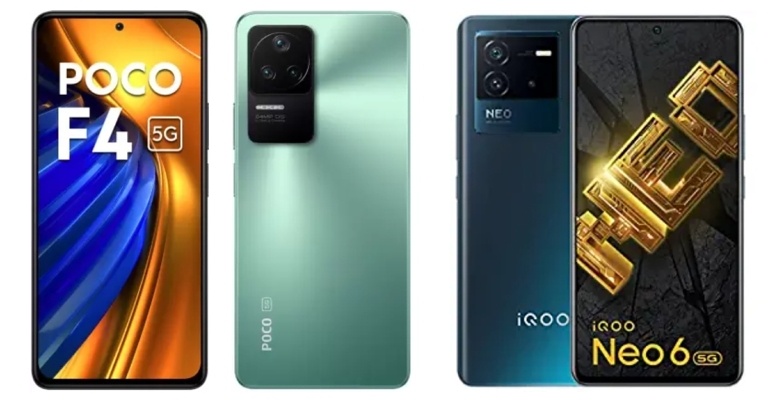
Recently, Xiaomi’s spinoff Poco unveiled the Poco F4 5G in India. The smartphone has a vibrant screen, an effective camera, and a strong battery. The 870 SoC powers the smartphone. The phone has a 120Hz AMOLED screen, three rear cameras, and other features. Here, the iQoo Neo 6 Vs Poco F4 5G are compared. See how the Poco F4 compares to the iQoo Neo 6 to determine which one is the better investment for you.
Poco F4 5G: A triple-back camera arrangement with a 64-megapixel primary sensor and an optical image stabilisation (OIS) with an f/1.8 lens. A 2-megapixel macro camera and an 8-megapixel ultra-wide camera are also part of the camera arrangement.iQoo Neo 6: A triple-back camera arrangement for images and videos, which includes a 64-megapixel Samsung ISOCELL GW1P primary sensor with an f/1.89 aperture and optical image stabilisation. There is a 2-megapixel macro camera with an f/2.4 aperture and an 8-megapixel wide-angle camera with an f/2,2 aperture
Selfie camera
Poco F4 5G: 20-megapixel front camera sensoriQoo Neo 6: 16-megapixel sensor
RAM and storage
Poco F4 5G: 6GB RAM with 128GB storage / 8GB RAM with 128GB storage/ 12GB RAM with 256GB storage modeliQoo Neo 6: 8GB RAM with 128GB storage/ 12GB RAM with 256GB storage
Battery
Poco F4 5G: 4,500mAh batteryiQoo Neo 6: 4,700mAh battery
Operating system
Poco F4 5G: Android 12 with MIUI 13iQoo Neo 6: Android 12-based Funtouch OS 12
The Poco smartphone has a slightly bigger screen than the iQoo handset. Although the screen’s resolution, type and refresh rate is the same on both phones. In terms of performance both the devices are powered by Snapdragon 870 SoC and operate on Android 12 out of the box. Apart from that, Neo 6 houses a bigger 4,700 mAh battery with 80W fast charging whereas Poco F4 5G supports 67W fast charging with 4,500mAh under its hood.Speaking of the cameras, both have a similar triple rear camera set up but Poco features a 20MP selfie camera whereas there is a 16MP front-facing camera on the iQoo smartphone. Most of the specifications of both the handsets are similar even the pricing is the same, however, Poco has more storage and RAM options than iQoo. So if you are looking for a 5G phone with a bigger battery and fast charging then you can go for the iQoo Neo 6, else the iQoo Neo 6
For the latest gadget and tech news, and gadget reviews, follow us on Twitter, Facebook and Instagram. For newest tech & gadget videos subscribe to our YouTube Channel. You can also stay up to date using the Gadget Bridge Android App. You can find the latest car and bike news here.
Chinese electronics giant TCL is all set to announce the launch of its new Mini LED 4K Google TV in the Indian market soon. The upcoming 4K television will have HDR10+ with 144 Hz VRR. It is also said to support Dolby Vision and Dolby Atmos.The company via press release said, “Cementing its position as a leader in the TV electronics industry, TCL, the global number-1 android smart TV brand 2021, is all set to introduce a new Mini LED 4K Google TV. Working strenuously towards reaching its ultimate goal to provide high-powered TV sets that fit perfectly with modern-age customers, TCL has integrated several unparalleled TV technologies in its latest innovation.”The forthcoming LED Mini LED 4K Google TV is said to have a number of important features. The list also contains IMAX Enhanced, QLED, HDR10+, AiPQ Engine with AISR, Dolby Vision & Dolby Atmos, and a lot more. 144 Hz VRR (for reduced screen tearing and better visual output) is also included.The newest innovation in the TCL TV world, according to the manufacturer, will set the bar for future TV advancements. The sources further asserted that the TV is the pinnacle of clever, stylish, and futuristic technology that gives people comfort and amusement. By June 28, this ground-breaking invention will be made public. TCL is now finishing up preparations to introduce this excellent but very affordable TV technology.The first Mini LED TVs (C825) were released in India last year by the Chinese electronics manufacturer TCL. Quantum Dot Technology, a 120Hz MEMC, and compatibility for Dolby Vision and Dolby Vision IQ are all included in the TCL Mini LED QLED 4K C825 TV. Along with other cutting-edge technologies, the range supports voice control. The TCL Mini LED QLED 4K C825 comes in two different sizes 55-inches and 65-inches.The 120Hz MEMC and TCL’s proprietary algorithm in the TCL Mini LED QLED 4K C825 enable Dolby Vision IQ and ensure smooth playback of action-packed content.
For the latest gadget and tech news, and gadget reviews, follow us on Twitter, Facebook and Instagram. For newest tech & gadget videos subscribe to our YouTube Channel. You can also stay up to date using the Gadget Bridge Android App. You can find the latest car and bike news here.


 All the saved WiFi networks and passwords will be removed from your phone. You will have to manually connect to previously saved WiFi networks and re-enter the passwords.
 All the saved WiFi networks and passwords will be removed from your phone. You will have to manually connect to previously saved WiFi networks and re-enter the passwords.
 All your Bluetooth connections will be removed as well. This includes all Bluetooth-paired devices such as speakers, headphones, Android Auto etc. Once the reset is performed, you will have to re-pair these devices to your smartphone.
 Your VPN settings will be reset as well. This includes the server name, password, local history, and preferences.
 Your cellular network settings will be reset to default. You will have to select your preferred network type (2G, 3G, 4G) again. Cellular services like phone calls and SMS will not be affected.
Read Also: How to reset your Android smartphone before you sell it
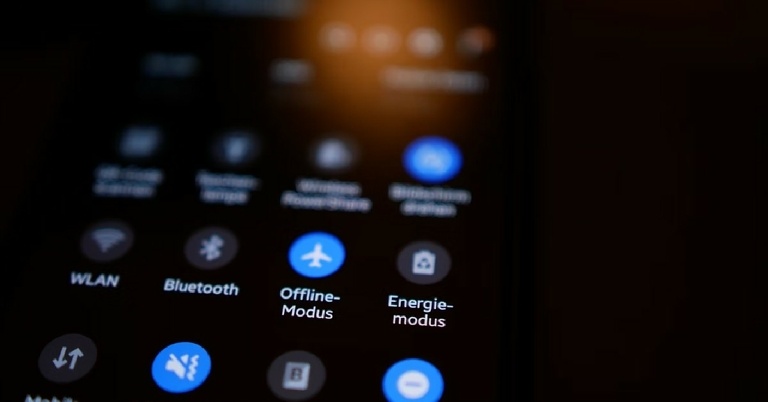
You will not lose any personal data (photos, videos, contacts, files) from your smartphone on performing a network settings reset. Even your hotspot settings will remain unaffected. You can choose to reset network settings when you face any issue with the WiFi or cellular network. If you do not want to reset network settings, you can reboot your phone or turn the Airplane mode on and off.
For the latest gadget and tech news, and gadget reviews, follow us on Twitter, Facebook and Instagram. For newest tech & gadget videos subscribe to our YouTube Channel. You can also stay up to date using the Gadget Bridge Android App. You can find the latest car and bike news here.
Your cellular network settings will be reset to default. You will have to select your preferred network type (2G, 3G, 4G) again. Cellular services like phone calls and SMS will not be affected.
Read Also: How to reset your Android smartphone before you sell it
You will not lose any personal data (photos, videos, contacts, files) from your smartphone on performing a network settings reset. Even your hotspot settings will remain unaffected. You can choose to reset network settings when you face any issue with the WiFi or cellular network. If you do not want to reset network settings, you can reboot your phone or turn the Airplane mode on and off.
For the latest gadget and tech news, and gadget reviews, follow us on Twitter, Facebook and Instagram. For newest tech & gadget videos subscribe to our YouTube Channel. You can also stay up to date using the Gadget Bridge Android App. You can find the latest car and bike news here. 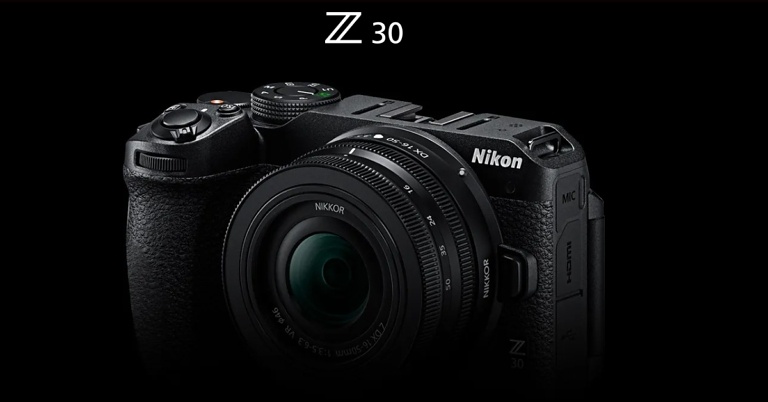
 An Animal-Detection AF that detects a pet’s eyes for a focused framing is also available for both video and stills for the furry companions that are ready for the trending hashtags. The camera has a 20MP APS-C sensor and supports Full-time Autofocus and Eye-Detection Autofocus (AF-F).
With an ISO sensitivity of up to 25600 for films and up to 51200 for still photographs, you can capture clarity and textures even in low-light situations, such as night market excursions or evening cookouts, giving each photograph personality and vitality. Users of the Z 30 can obtain up to 125 minutes of shooting time.
An Animal-Detection AF that detects a pet’s eyes for a focused framing is also available for both video and stills for the furry companions that are ready for the trending hashtags. The camera has a 20MP APS-C sensor and supports Full-time Autofocus and Eye-Detection Autofocus (AF-F).
With an ISO sensitivity of up to 25600 for films and up to 51200 for still photographs, you can capture clarity and textures even in low-light situations, such as night market excursions or evening cookouts, giving each photograph personality and vitality. Users of the Z 30 can obtain up to 125 minutes of shooting time.
 The camera’s capability to record minute details in 4K UHD footage with an almost 100% angle of view provides a wider viewpoint in tight locations or scenarios, such as filming beauty lessons or food flat lays. With Full HD/120p for slow-motion filming and 20 different filter effects from Creative Picture Controls.
The Z30 features a 3-inch vari-angle touch-sensitive monitor for individuals who like to vlog on the go or capture memories while travelling. The camera is housed in a portable housing that weighs about 350g and is ideal for prolonged shooting or transporting. Additionally, Full HD films up to 120 frames per second can be recorded by users for slow-motion recordings.
The Z30 is further improved by a wide selection of compatible accessories and a suite of Nikon ecosystem products, including Webcam Utility for live streaming and NX Studio for quick and simple video editing. Not to mention, SnapBridge offers customers the chance to shoot remotely while also providing a hassle-free and seamless experience by allowing instant camera-to-smart device sharing.
The camera’s capability to record minute details in 4K UHD footage with an almost 100% angle of view provides a wider viewpoint in tight locations or scenarios, such as filming beauty lessons or food flat lays. With Full HD/120p for slow-motion filming and 20 different filter effects from Creative Picture Controls.
The Z30 features a 3-inch vari-angle touch-sensitive monitor for individuals who like to vlog on the go or capture memories while travelling. The camera is housed in a portable housing that weighs about 350g and is ideal for prolonged shooting or transporting. Additionally, Full HD films up to 120 frames per second can be recorded by users for slow-motion recordings.
The Z30 is further improved by a wide selection of compatible accessories and a suite of Nikon ecosystem products, including Webcam Utility for live streaming and NX Studio for quick and simple video editing. Not to mention, SnapBridge offers customers the chance to shoot remotely while also providing a hassle-free and seamless experience by allowing instant camera-to-smart device sharing.
 Exposure compensation in Auto mode allows users to more easily adjust the balance of an image’s light and shadows. Picture Control’s three parameters of modifications are helpful for creators who are particular about being able to portray every subtlety of an intended portrait photo.
The camera also produces up to approximately 11 frames per second in high-speed continuous shooting (extended) or around 5 frames per second in the usual mode thanks to Nikon’s very own CMOS sensor and the same image-processing engine used in the Nikon Z 7 camera. Silent mode, which prevents the shutter from making any sound when it is released, enables shooting in locations or situations that demand minimal disruptions.
The Nikon Z30 delivers an efficient set of operational controls inherited from expensive Z series camera models, giving customers an even more stress-free experience. The camera will likely be improved with a mode dial that can save up to three original settings, custom buttons for assigning to commonly used settings, and a photo/video picker that enables quick and simple switching. Get cosy with a functional yet stylish design that features a front right shoulder that is ergonomically contoured with a deep embossed leather grip.
For the latest gadget and tech news, and gadget reviews, follow us on Twitter, Facebook and Instagram. For newest tech & gadget videos subscribe to our YouTube Channel. You can also stay up to date using the Gadget Bridge Android App. You can find the latest car and bike news here.
Exposure compensation in Auto mode allows users to more easily adjust the balance of an image’s light and shadows. Picture Control’s three parameters of modifications are helpful for creators who are particular about being able to portray every subtlety of an intended portrait photo.
The camera also produces up to approximately 11 frames per second in high-speed continuous shooting (extended) or around 5 frames per second in the usual mode thanks to Nikon’s very own CMOS sensor and the same image-processing engine used in the Nikon Z 7 camera. Silent mode, which prevents the shutter from making any sound when it is released, enables shooting in locations or situations that demand minimal disruptions.
The Nikon Z30 delivers an efficient set of operational controls inherited from expensive Z series camera models, giving customers an even more stress-free experience. The camera will likely be improved with a mode dial that can save up to three original settings, custom buttons for assigning to commonly used settings, and a photo/video picker that enables quick and simple switching. Get cosy with a functional yet stylish design that features a front right shoulder that is ergonomically contoured with a deep embossed leather grip.
For the latest gadget and tech news, and gadget reviews, follow us on Twitter, Facebook and Instagram. For newest tech & gadget videos subscribe to our YouTube Channel. You can also stay up to date using the Gadget Bridge Android App. You can find the latest car and bike news here.  An Animal-Detection AF that detects a pet’s eyes for a focused framing is also available for both video and stills for the furry companions that are ready for the trending hashtags. The camera has a 20MP APS-C sensor and supports Full-time Autofocus and Eye-Detection Autofocus (AF-F).
With an ISO sensitivity of up to 25600 for films and up to 51200 for still photographs, you can capture clarity and textures even in low-light situations, such as night market excursions or evening cookouts, giving each photograph personality and vitality. Users of the Z 30 can obtain up to 125 minutes of shooting time.
An Animal-Detection AF that detects a pet’s eyes for a focused framing is also available for both video and stills for the furry companions that are ready for the trending hashtags. The camera has a 20MP APS-C sensor and supports Full-time Autofocus and Eye-Detection Autofocus (AF-F).
With an ISO sensitivity of up to 25600 for films and up to 51200 for still photographs, you can capture clarity and textures even in low-light situations, such as night market excursions or evening cookouts, giving each photograph personality and vitality. Users of the Z 30 can obtain up to 125 minutes of shooting time.
 The camera’s capability to record minute details in 4K UHD footage with an almost 100% angle of view provides a wider viewpoint in tight locations or scenarios, such as filming beauty lessons or food flat lays. With Full HD/120p for slow-motion filming and 20 different filter effects from Creative Picture Controls.
The Z30 features a 3-inch vari-angle touch-sensitive monitor for individuals who like to vlog on the go or capture memories while travelling. The camera is housed in a portable housing that weighs about 350g and is ideal for prolonged shooting or transporting. Additionally, Full HD films up to 120 frames per second can be recorded by users for slow-motion recordings.
The Z30 is further improved by a wide selection of compatible accessories and a suite of Nikon ecosystem products, including Webcam Utility for live streaming and NX Studio for quick and simple video editing. Not to mention, SnapBridge offers customers the chance to shoot remotely while also providing a hassle-free and seamless experience by allowing instant camera-to-smart device sharing.
The camera’s capability to record minute details in 4K UHD footage with an almost 100% angle of view provides a wider viewpoint in tight locations or scenarios, such as filming beauty lessons or food flat lays. With Full HD/120p for slow-motion filming and 20 different filter effects from Creative Picture Controls.
The Z30 features a 3-inch vari-angle touch-sensitive monitor for individuals who like to vlog on the go or capture memories while travelling. The camera is housed in a portable housing that weighs about 350g and is ideal for prolonged shooting or transporting. Additionally, Full HD films up to 120 frames per second can be recorded by users for slow-motion recordings.
The Z30 is further improved by a wide selection of compatible accessories and a suite of Nikon ecosystem products, including Webcam Utility for live streaming and NX Studio for quick and simple video editing. Not to mention, SnapBridge offers customers the chance to shoot remotely while also providing a hassle-free and seamless experience by allowing instant camera-to-smart device sharing.
 Exposure compensation in Auto mode allows users to more easily adjust the balance of an image’s light and shadows. Picture Control’s three parameters of modifications are helpful for creators who are particular about being able to portray every subtlety of an intended portrait photo.
The camera also produces up to approximately 11 frames per second in high-speed continuous shooting (extended) or around 5 frames per second in the usual mode thanks to Nikon’s very own CMOS sensor and the same image-processing engine used in the Nikon Z 7 camera. Silent mode, which prevents the shutter from making any sound when it is released, enables shooting in locations or situations that demand minimal disruptions.
The Nikon Z30 delivers an efficient set of operational controls inherited from expensive Z series camera models, giving customers an even more stress-free experience. The camera will likely be improved with a mode dial that can save up to three original settings, custom buttons for assigning to commonly used settings, and a photo/video picker that enables quick and simple switching. Get cosy with a functional yet stylish design that features a front right shoulder that is ergonomically contoured with a deep embossed leather grip.
For the latest gadget and tech news, and gadget reviews, follow us on Twitter, Facebook and Instagram. For newest tech & gadget videos subscribe to our YouTube Channel. You can also stay up to date using the Gadget Bridge Android App. You can find the latest car and bike news here.
Exposure compensation in Auto mode allows users to more easily adjust the balance of an image’s light and shadows. Picture Control’s three parameters of modifications are helpful for creators who are particular about being able to portray every subtlety of an intended portrait photo.
The camera also produces up to approximately 11 frames per second in high-speed continuous shooting (extended) or around 5 frames per second in the usual mode thanks to Nikon’s very own CMOS sensor and the same image-processing engine used in the Nikon Z 7 camera. Silent mode, which prevents the shutter from making any sound when it is released, enables shooting in locations or situations that demand minimal disruptions.
The Nikon Z30 delivers an efficient set of operational controls inherited from expensive Z series camera models, giving customers an even more stress-free experience. The camera will likely be improved with a mode dial that can save up to three original settings, custom buttons for assigning to commonly used settings, and a photo/video picker that enables quick and simple switching. Get cosy with a functional yet stylish design that features a front right shoulder that is ergonomically contoured with a deep embossed leather grip.
For the latest gadget and tech news, and gadget reviews, follow us on Twitter, Facebook and Instagram. For newest tech & gadget videos subscribe to our YouTube Channel. You can also stay up to date using the Gadget Bridge Android App. You can find the latest car and bike news here. 
 Step 3: Click on each section to fill out the info related to your event.


 Step 5: Use the menu on the top right section of the page to add a header image, and change the colour theme, background colour, and text font.
 Step 6: Use the side menu along every panel to add a title, image, video, extra panel, or import questions from another font.
 Step 7: Use the Settings window to manage the presentation of the form, and control how responses are collected. You can select whether filling the form should require signing in from a Google account.
 Step 8: Once you’re done, click on Send at the top right corner of the page to send the form to your email contacts. You can also generate the link to the form and share it on social media.
 Read Also: Google is rolling out a new Sleep Profile for Fitbit devices
Once you’ve shared the form with your contacts, you can monitor the responses on the ‘Responses’ window in your form. You can view the summary of responses in order to get a quick idea of how many people will be attending the event. You can also look up individual responses to get a detailed view of user responses.
For the latest gadget and tech news, and gadget reviews, follow us on Twitter, Facebook and Instagram. For newest tech & gadget videos subscribe to our YouTube Channel. You can also stay up to date using the Gadget Bridge Android App. You can find the latest car and bike news here.
Read Also: Google is rolling out a new Sleep Profile for Fitbit devices
Once you’ve shared the form with your contacts, you can monitor the responses on the ‘Responses’ window in your form. You can view the summary of responses in order to get a quick idea of how many people will be attending the event. You can also look up individual responses to get a detailed view of user responses.
For the latest gadget and tech news, and gadget reviews, follow us on Twitter, Facebook and Instagram. For newest tech & gadget videos subscribe to our YouTube Channel. You can also stay up to date using the Gadget Bridge Android App. You can find the latest car and bike news here.


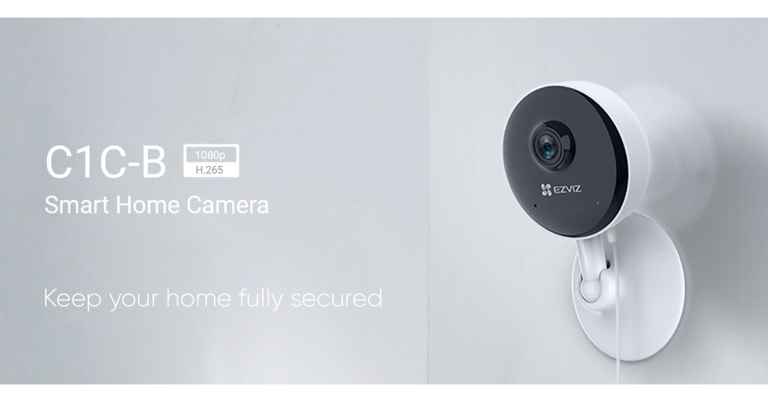

 The first one on our list of the top 10 Snapchat games to play in 2022 is Bitmoji Tennis. It is a bit different from the way tennis games are usually played online. Instead of trying to perfectly time your hit to the ball, you just have to get close to the ball and your racket swings automatically. You aim your shots by tilting your phone. To serve the ball, you just have to tap the screen. And then, all that’s left to do is run left or right to make your hit. It can be played in both single-player and multiplayer modes.
Read also: 15 Best Scary Roblox Games You Should Play in 2022
The first one on our list of the top 10 Snapchat games to play in 2022 is Bitmoji Tennis. It is a bit different from the way tennis games are usually played online. Instead of trying to perfectly time your hit to the ball, you just have to get close to the ball and your racket swings automatically. You aim your shots by tilting your phone. To serve the ball, you just have to tap the screen. And then, all that’s left to do is run left or right to make your hit. It can be played in both single-player and multiplayer modes.
Read also: 15 Best Scary Roblox Games You Should Play in 2022

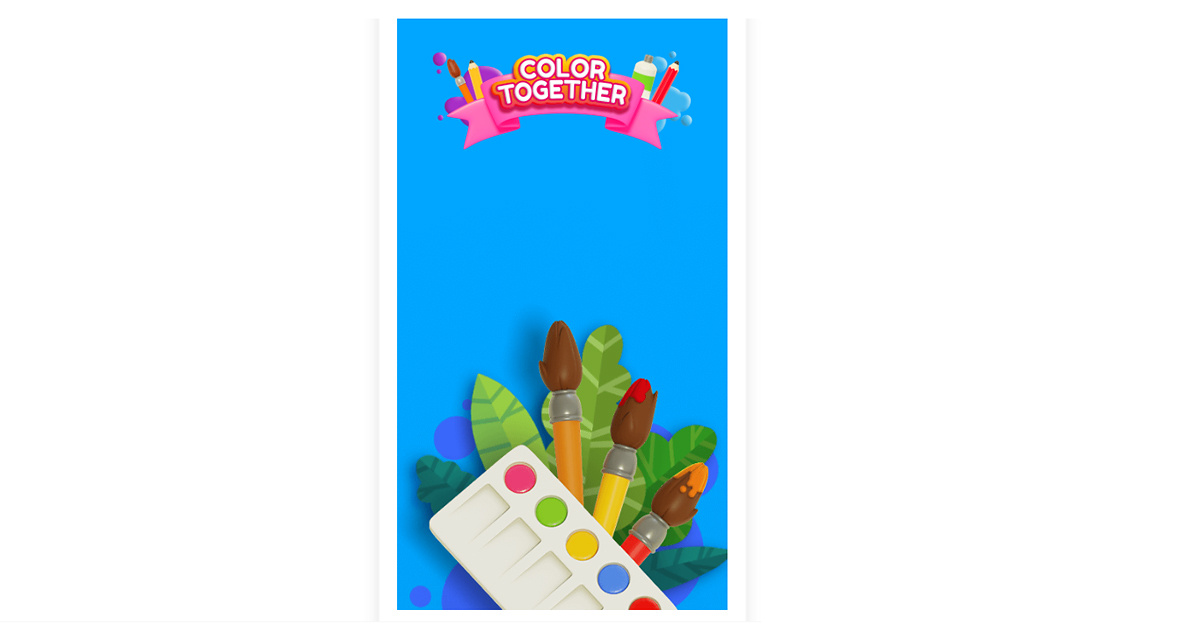 Another recommendation which is full of colours is the Color Together game on Snapchat. This is for you especially if you like colouring, painting or digital art. To give wings to the artist hidden inside you, the game provides you with some colours which you have to fill into different sketches. It is best to refresh your mood after a long tiring day at work. And guess what, it even has soothing melodies playing in the background, giving chill vibes!


 If you love racing games, try playing Aquapark. The twist is that you are in a water park, and it is a water slide race. Aquapark is a multiplayer game that you can play with your peers on Snapchat. You race with your friends to be the first one to reach the end of the water slide. For making it even more thrilling, try sliding off your path and see where it leads you. It’s either a shortcut to your goal or to the exit gates. You can even give others a tough time by bumping into each other. But remember, what goes around comes around.
Read also: How To Make Potion Of Weakness In Minecraft (2022)?
If you love racing games, try playing Aquapark. The twist is that you are in a water park, and it is a water slide race. Aquapark is a multiplayer game that you can play with your peers on Snapchat. You race with your friends to be the first one to reach the end of the water slide. For making it even more thrilling, try sliding off your path and see where it leads you. It’s either a shortcut to your goal or to the exit gates. You can even give others a tough time by bumping into each other. But remember, what goes around comes around.
Read also: How To Make Potion Of Weakness In Minecraft (2022)?
 The next best Snapchat game to play in 2022 is Tiny Royale, which gives you a pocket-sized battle royale experience on the Snapchat app. It is a top-down multiplayer shooting game in which you get to choose custom characters and squad up with your buddies for looting and shooting your way till the end. You collect weapons along the way and unlock health packs and supplements while the map shrinks up to a single player or a team that emerges victorious (yes, just like PUBG).
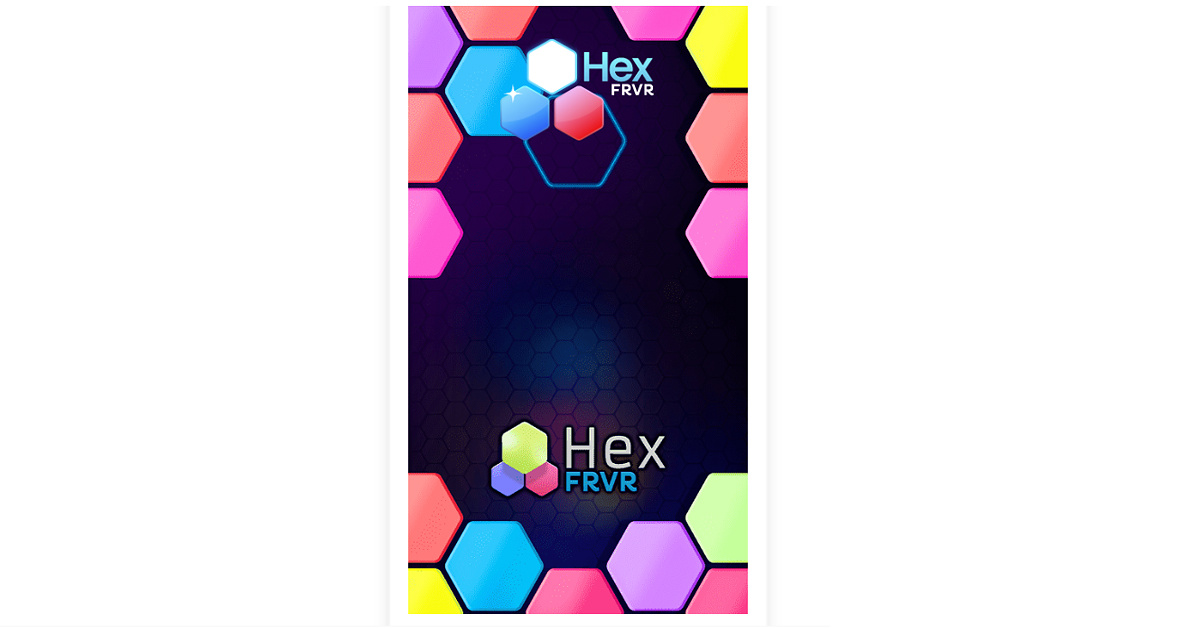 Hex FRVR is a Tetris-like puzzle game based on a hexagonal grid. It is a fun strategy game in which you are provided with three shapes of a single colour. You choose a block out of the three to place it onto the hexagonal grid in order to complete rows of same-coloured hexagons to make them disappear and score points. You get more points for making combos of hexagonal rows.
 The final one to make it to our list of the top 10 games on Snapchat is this one. It is a multiplayer basketball game in which you compete with your friends or other players to be the first to score 5 goals in a round. You have to aim your shots at the hoop carefully, as there are moving obstacles which you may encounter. The crystals that you earn as rewards let you purchase in-game accessories and even some cool dance moves for your Bitmoji.
So those were our top picks for the 10 best Snapchat games of 2022, that you can play right now on the app. If we missed out on your favourites, do let us know in the comments section below.
For the latest gadget and tech news and gadget reviews, follow us on Twitter, Facebook and Instagram. For newest tech & gadget videos subscribe to our YouTube Channel. You can also stay up to date using the Gadget Bridge Android App. You can find the latest car and bike news here.
The final one to make it to our list of the top 10 games on Snapchat is this one. It is a multiplayer basketball game in which you compete with your friends or other players to be the first to score 5 goals in a round. You have to aim your shots at the hoop carefully, as there are moving obstacles which you may encounter. The crystals that you earn as rewards let you purchase in-game accessories and even some cool dance moves for your Bitmoji.
So those were our top picks for the 10 best Snapchat games of 2022, that you can play right now on the app. If we missed out on your favourites, do let us know in the comments section below.
For the latest gadget and tech news and gadget reviews, follow us on Twitter, Facebook and Instagram. For newest tech & gadget videos subscribe to our YouTube Channel. You can also stay up to date using the Gadget Bridge Android App. You can find the latest car and bike news here. 
 Mark Zukerberg in its announcement said, “Introducing Meta Pay and a digital wallet for the metaverse. Today we’re taking the first step by changing Facebook Pay to become Meta Pay. It’ll stay the same easy way to shop, send money, and donate to causes you care about on Facebook, Instagram, WhatsApp, Messenger, and anywhere else you could use Facebook Pay. But beyond the current features, we’re working on something new: a wallet for the metaverse that lets you securely manage your identity, what you own, and how you pay.”
Meta has rebranded Facebook Pay to Meta Pay to better align its payment service with its rebranding. You can shop, send money, and donate to causes you care about using Meta Pay in all of our platforms, including Facebook, Messenger, Instagram, and WhatsApp, as well as wherever else you might have previously seen the Facebook Pay button while making purchases online. The functionalities and general user interface of Meta Pay will not change from Facebook Pay. This modification is starting in the US and will eventually spread throughout the entire world.
Similar to Facebook Pay, Meta Pay will allow users to add their preferred payment method just once, then use it to make payments and purchases across our technologies and while buying online elsewhere, where it is supported.
Mark Zukerberg in its announcement said, “Introducing Meta Pay and a digital wallet for the metaverse. Today we’re taking the first step by changing Facebook Pay to become Meta Pay. It’ll stay the same easy way to shop, send money, and donate to causes you care about on Facebook, Instagram, WhatsApp, Messenger, and anywhere else you could use Facebook Pay. But beyond the current features, we’re working on something new: a wallet for the metaverse that lets you securely manage your identity, what you own, and how you pay.”
Meta has rebranded Facebook Pay to Meta Pay to better align its payment service with its rebranding. You can shop, send money, and donate to causes you care about using Meta Pay in all of our platforms, including Facebook, Messenger, Instagram, and WhatsApp, as well as wherever else you might have previously seen the Facebook Pay button while making purchases online. The functionalities and general user interface of Meta Pay will not change from Facebook Pay. This modification is starting in the US and will eventually spread throughout the entire world.
Similar to Facebook Pay, Meta Pay will allow users to add their preferred payment method just once, then use it to make payments and purchases across our technologies and while buying online elsewhere, where it is supported.
 In one location, you can manage payment options, view payment history, and modify settings. Get online chat or email support around-the-clock.
Like Facebook Pay, Meta Pay protects your credit card information by encrypting it and securely storing it. It also runs anti-fraud checks on our systems to look for suspicious behaviour and tells you if it is found. To further safeguard every transaction, you may also set up a Meta Pay PIN or use the face or fingerprint recognition features on your device.
There is no action necessary to begin utilising Meta Pay if you have previously configured Facebook Pay. Your existing Facebook Pay account data, payment method, and settings will all carry over to Meta Pay. It’s simple to set up if you’re new to Meta Pay.
Click on the Payments settings. Then enter the details of your account and payment method. Along with PayPal and Shop Pay, Meta Pay accepts the majority of popular credit and debit cards.
For the latest gadget and tech news, and gadget reviews, follow us on Twitter, Facebook and Instagram. For newest tech & gadget videos subscribe to our YouTube Channel. You can also stay up to date using the Gadget Bridge Android App. You can find the latest car and bike news here.
In one location, you can manage payment options, view payment history, and modify settings. Get online chat or email support around-the-clock.
Like Facebook Pay, Meta Pay protects your credit card information by encrypting it and securely storing it. It also runs anti-fraud checks on our systems to look for suspicious behaviour and tells you if it is found. To further safeguard every transaction, you may also set up a Meta Pay PIN or use the face or fingerprint recognition features on your device.
There is no action necessary to begin utilising Meta Pay if you have previously configured Facebook Pay. Your existing Facebook Pay account data, payment method, and settings will all carry over to Meta Pay. It’s simple to set up if you’re new to Meta Pay.
Click on the Payments settings. Then enter the details of your account and payment method. Along with PayPal and Shop Pay, Meta Pay accepts the majority of popular credit and debit cards.
For the latest gadget and tech news, and gadget reviews, follow us on Twitter, Facebook and Instagram. For newest tech & gadget videos subscribe to our YouTube Channel. You can also stay up to date using the Gadget Bridge Android App. You can find the latest car and bike news here.  Mark Zukerberg in its announcement said, “Introducing Meta Pay and a digital wallet for the metaverse. Today we’re taking the first step by changing Facebook Pay to become Meta Pay. It’ll stay the same easy way to shop, send money, and donate to causes you care about on Facebook, Instagram, WhatsApp, Messenger, and anywhere else you could use Facebook Pay. But beyond the current features, we’re working on something new: a wallet for the metaverse that lets you securely manage your identity, what you own, and how you pay.”
Meta has rebranded Facebook Pay to Meta Pay to better align its payment service with its rebranding. You can shop, send money, and donate to causes you care about using Meta Pay in all of our platforms, including Facebook, Messenger, Instagram, and WhatsApp, as well as wherever else you might have previously seen the Facebook Pay button while making purchases online. The functionalities and general user interface of Meta Pay will not change from Facebook Pay. This modification is starting in the US and will eventually spread throughout the entire world.
Similar to Facebook Pay, Meta Pay will allow users to add their preferred payment method just once, then use it to make payments and purchases across our technologies and while buying online elsewhere, where it is supported.
Mark Zukerberg in its announcement said, “Introducing Meta Pay and a digital wallet for the metaverse. Today we’re taking the first step by changing Facebook Pay to become Meta Pay. It’ll stay the same easy way to shop, send money, and donate to causes you care about on Facebook, Instagram, WhatsApp, Messenger, and anywhere else you could use Facebook Pay. But beyond the current features, we’re working on something new: a wallet for the metaverse that lets you securely manage your identity, what you own, and how you pay.”
Meta has rebranded Facebook Pay to Meta Pay to better align its payment service with its rebranding. You can shop, send money, and donate to causes you care about using Meta Pay in all of our platforms, including Facebook, Messenger, Instagram, and WhatsApp, as well as wherever else you might have previously seen the Facebook Pay button while making purchases online. The functionalities and general user interface of Meta Pay will not change from Facebook Pay. This modification is starting in the US and will eventually spread throughout the entire world.
Similar to Facebook Pay, Meta Pay will allow users to add their preferred payment method just once, then use it to make payments and purchases across our technologies and while buying online elsewhere, where it is supported.
 In one location, you can manage payment options, view payment history, and modify settings. Get online chat or email support around-the-clock.
Like Facebook Pay, Meta Pay protects your credit card information by encrypting it and securely storing it. It also runs anti-fraud checks on our systems to look for suspicious behaviour and tells you if it is found. To further safeguard every transaction, you may also set up a Meta Pay PIN or use the face or fingerprint recognition features on your device.
There is no action necessary to begin utilising Meta Pay if you have previously configured Facebook Pay. Your existing Facebook Pay account data, payment method, and settings will all carry over to Meta Pay. It’s simple to set up if you’re new to Meta Pay.
Click on the Payments settings. Then enter the details of your account and payment method. Along with PayPal and Shop Pay, Meta Pay accepts the majority of popular credit and debit cards.
For the latest gadget and tech news, and gadget reviews, follow us on Twitter, Facebook and Instagram. For newest tech & gadget videos subscribe to our YouTube Channel. You can also stay up to date using the Gadget Bridge Android App. You can find the latest car and bike news here.
In one location, you can manage payment options, view payment history, and modify settings. Get online chat or email support around-the-clock.
Like Facebook Pay, Meta Pay protects your credit card information by encrypting it and securely storing it. It also runs anti-fraud checks on our systems to look for suspicious behaviour and tells you if it is found. To further safeguard every transaction, you may also set up a Meta Pay PIN or use the face or fingerprint recognition features on your device.
There is no action necessary to begin utilising Meta Pay if you have previously configured Facebook Pay. Your existing Facebook Pay account data, payment method, and settings will all carry over to Meta Pay. It’s simple to set up if you’re new to Meta Pay.
Click on the Payments settings. Then enter the details of your account and payment method. Along with PayPal and Shop Pay, Meta Pay accepts the majority of popular credit and debit cards.
For the latest gadget and tech news, and gadget reviews, follow us on Twitter, Facebook and Instagram. For newest tech & gadget videos subscribe to our YouTube Channel. You can also stay up to date using the Gadget Bridge Android App. You can find the latest car and bike news here. 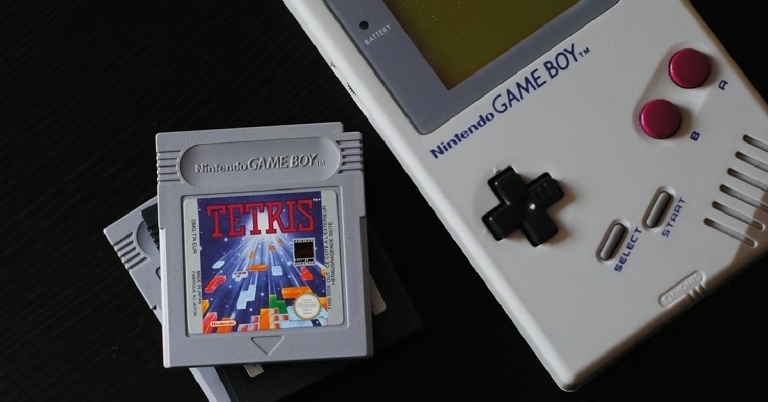
 Often touted as the best Gameboy emulator for iOS devices, GBA4iOS gives you the complete Gameboy experience on your iPhone. Once you’ve installed GBA4iOS on your iPhone, you get access to all games compatible with GBA and GBC. It allows multiplayer mode and controller support. GBA4iOS also creates a backup of your game data on Dropbox so you can sync it across devices.
On top of that, GBA4iOS comes with other features like, event distribution, sustain button, controller vibration, and cheat code support. The higher versions of the emulator also let you download custom controller skins.
Often touted as the best Gameboy emulator for iOS devices, GBA4iOS gives you the complete Gameboy experience on your iPhone. Once you’ve installed GBA4iOS on your iPhone, you get access to all games compatible with GBA and GBC. It allows multiplayer mode and controller support. GBA4iOS also creates a backup of your game data on Dropbox so you can sync it across devices.
On top of that, GBA4iOS comes with other features like, event distribution, sustain button, controller vibration, and cheat code support. The higher versions of the emulator also let you download custom controller skins.
 Made by the same team as GBA4iOS, Delta Emulator supports Nintendo Entertainment System (NES), Nintendo 64 (N64), GBA, and GBC. It is considered to be an all-in-one emulator for iPhone. Delta Emulator’s friendly and seamless UI make the gaming experience immersive across formats. You can even PlayStation or Xbox controller to play games on the Delta Emulator.
Like GBA4iOS, Delta also offers Dropbox synchronization. You can also use cheat codes and download custom skins.
Made by the same team as GBA4iOS, Delta Emulator supports Nintendo Entertainment System (NES), Nintendo 64 (N64), GBA, and GBC. It is considered to be an all-in-one emulator for iPhone. Delta Emulator’s friendly and seamless UI make the gaming experience immersive across formats. You can even PlayStation or Xbox controller to play games on the Delta Emulator.
Like GBA4iOS, Delta also offers Dropbox synchronization. You can also use cheat codes and download custom skins.
 One of the more popular Gameboy emulators around, Happy Chick can run games across 18 formats. It supports DC, WS, FAB/MAME/MAME+, PS, GBA, GBC, MD, NDS, FC(NES), SFC(SNEC).
Street Fighter 97, Super Mario, Monster Hunter, and Pokemon are some of the games you can play on Happy Chick. By using Happy Chick you can probably get the most out of your device without jailbreaking it. Like other emulators on the list, Happy Chick also synchronizes your data across devices and supports external controllers.
One of the more popular Gameboy emulators around, Happy Chick can run games across 18 formats. It supports DC, WS, FAB/MAME/MAME+, PS, GBA, GBC, MD, NDS, FC(NES), SFC(SNEC).
Street Fighter 97, Super Mario, Monster Hunter, and Pokemon are some of the games you can play on Happy Chick. By using Happy Chick you can probably get the most out of your device without jailbreaking it. Like other emulators on the list, Happy Chick also synchronizes your data across devices and supports external controllers.
 One of the oldest emulators around, Provenance supports up to 30 consoles including Nintendo, Sega, Atari, and Sony. Provenance lets you record your gameplay and save the footage in iCloud. You can even back up your game data online. The controller can be customised according to your liking as well. It also allows you to auto-save your progress, which gives it a big advantage over its peers.
 RetroArch is an open-source Gameboy emulator for iPhone. It is also available for Windows, macOS, Linux, and Android. RetroArch supports a large number of consoles including Atari, DOS, MSX, Neo Geo Pocket, PC Engine, Sega Genesis, and more. What sets RetroArch apart from other emulators on this list is that it uses one controller for all the platforms it emulates. You can even remap controls if you cant get comfortable with the presets.
RetroArch also lets you play with other users online, using Netplay. Since the emulator is available for all major platforms, you can play with Windows, Android, and Linux users as well.
RetroArch is an open-source Gameboy emulator for iPhone. It is also available for Windows, macOS, Linux, and Android. RetroArch supports a large number of consoles including Atari, DOS, MSX, Neo Geo Pocket, PC Engine, Sega Genesis, and more. What sets RetroArch apart from other emulators on this list is that it uses one controller for all the platforms it emulates. You can even remap controls if you cant get comfortable with the presets.
RetroArch also lets you play with other users online, using Netplay. Since the emulator is available for all major platforms, you can play with Windows, Android, and Linux users as well.
 Eclipse is a lightweight emulator that is very easy to install. Its neat and minimal interface makes it easy to navigate and reduces any lags or processing time.
Eclipse lets you import ROMs from Files or Google Drive to get started with your gaming experience. Currently, it only supports NES, SNES, Game Boy and Game Boy Colour, Sega Master System, and Sega Game Gear.
Eclipse is a lightweight emulator that is very easy to install. Its neat and minimal interface makes it easy to navigate and reduces any lags or processing time.
Eclipse lets you import ROMs from Files or Google Drive to get started with your gaming experience. Currently, it only supports NES, SNES, Game Boy and Game Boy Colour, Sega Master System, and Sega Game Gear.
 PPSSPP is an emulator that’s built solely for the purpose of playing PlayStation Portable (PSP) games on iPhone. It lets you save your gameplay on your device but it doesn’t back your data up in iCloud, so you won’t be able to resume your progress on another device.
However, you can transfer existing current saves from your PSP to your iPhone using PPSSPP. This means you’ll be able to resume your game on your iPhone exactly where you left off in PSP.
Read Also: How to run PUBG Mobile on your PC or laptop?
With these emulators, you will be able to run most of the old console games seamlessly on your iPhone. You will not find any major bugs or experience any significant lag in any of these emulators. If you use an Android or a Windows device you will be able to find different versions of these emulators for your device on their website. If there are any other emulators you like to use, let us know in the comments!
For the latest gadget and tech news, and gadget reviews, follow us on Twitter, Facebook and Instagram. For newest tech & gadget videos subscribe to our YouTube Channel. You can also stay up to date using the Gadget Bridge Android App.
PPSSPP is an emulator that’s built solely for the purpose of playing PlayStation Portable (PSP) games on iPhone. It lets you save your gameplay on your device but it doesn’t back your data up in iCloud, so you won’t be able to resume your progress on another device.
However, you can transfer existing current saves from your PSP to your iPhone using PPSSPP. This means you’ll be able to resume your game on your iPhone exactly where you left off in PSP.
Read Also: How to run PUBG Mobile on your PC or laptop?
With these emulators, you will be able to run most of the old console games seamlessly on your iPhone. You will not find any major bugs or experience any significant lag in any of these emulators. If you use an Android or a Windows device you will be able to find different versions of these emulators for your device on their website. If there are any other emulators you like to use, let us know in the comments!
For the latest gadget and tech news, and gadget reviews, follow us on Twitter, Facebook and Instagram. For newest tech & gadget videos subscribe to our YouTube Channel. You can also stay up to date using the Gadget Bridge Android App. 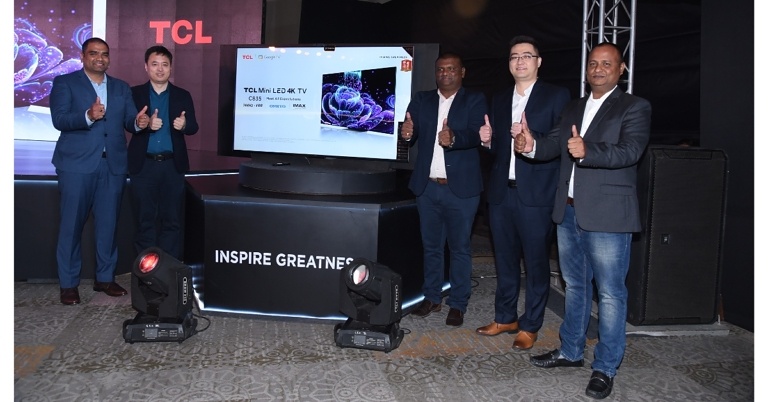
 More games are expected to support 120 frames per second, so C835 went one step further by implementing 144Hz VRR, resulting in quicker response, clearer visuals, and smoother gaming. The 144Hz VRR screens can be very helpful, offering users a noticeable advantage, especially in multiplayer games, whether users are competitive gamers looking to experience demanding high FPS games or casual gamers.
Users may browse through hundreds of content options aggregated across streaming channels thanks to Google TV, which is also included with the TV.
Available in three sizes the 55-inch, 65-inch, and 75-inch TCL C835 have price tags of INR 119,990, INR 159,990, and INR 229,990, respectively.
More games are expected to support 120 frames per second, so C835 went one step further by implementing 144Hz VRR, resulting in quicker response, clearer visuals, and smoother gaming. The 144Hz VRR screens can be very helpful, offering users a noticeable advantage, especially in multiplayer games, whether users are competitive gamers looking to experience demanding high FPS games or casual gamers.
Users may browse through hundreds of content options aggregated across streaming channels thanks to Google TV, which is also included with the TV.
Available in three sizes the 55-inch, 65-inch, and 75-inch TCL C835 have price tags of INR 119,990, INR 159,990, and INR 229,990, respectively.
 More games are expected to support 120 frames per second, so C835 went one step further by implementing 144Hz VRR, resulting in quicker response, clearer visuals, and smoother gaming. The 144Hz VRR screens can be very helpful, offering users a noticeable advantage, especially in multiplayer games, whether users are competitive gamers looking to experience demanding high FPS games or casual gamers.
Users may browse through hundreds of content options aggregated across streaming channels thanks to Google TV, which is also included with the TV.
Available in three sizes the 55-inch, 65-inch, and 75-inch TCL C835 have price tags of INR 119,990, INR 159,990, and INR 229,990, respectively.
More games are expected to support 120 frames per second, so C835 went one step further by implementing 144Hz VRR, resulting in quicker response, clearer visuals, and smoother gaming. The 144Hz VRR screens can be very helpful, offering users a noticeable advantage, especially in multiplayer games, whether users are competitive gamers looking to experience demanding high FPS games or casual gamers.
Users may browse through hundreds of content options aggregated across streaming channels thanks to Google TV, which is also included with the TV.
Available in three sizes the 55-inch, 65-inch, and 75-inch TCL C835 have price tags of INR 119,990, INR 159,990, and INR 229,990, respectively.

![How To Transfer LINE from Android to iPhone [2022]](https://www.gadgetbridge.com/wp-content/uploads/2022/06/how-to-transfer-line-from-android-to-iphone-768x402.jpg "How To Transfer LINE from Android to iPhone [2022]")

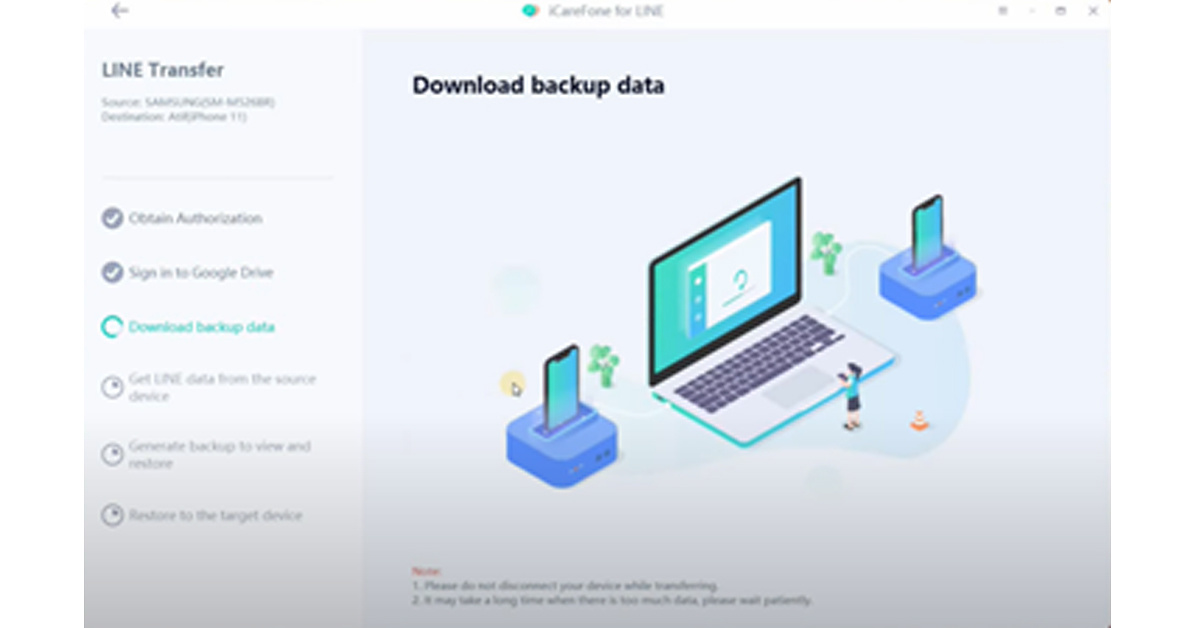
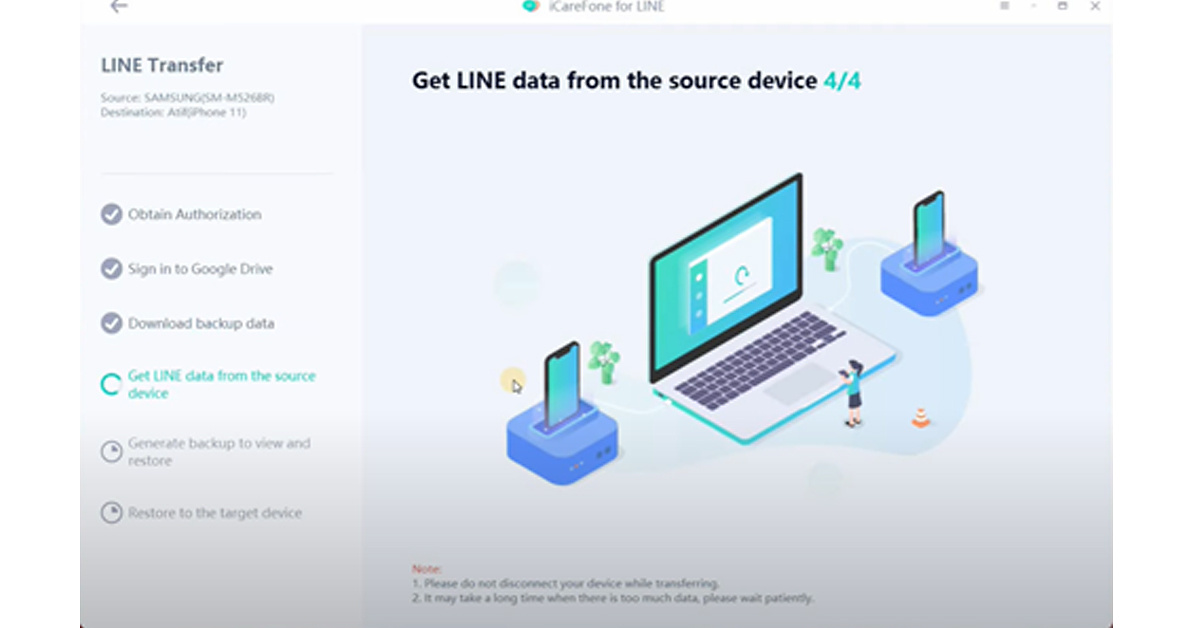 5. Now unlock your iPhone and use it to sign in to your LINE account. Remember, you need to ensure that you use the same number used on your Android device.
6. Voila! Tenorshare iCareFone for LINE will transfer all the data to your iPhone device in just a few minutes. Make sure you check if the data is successfully transferred to your iPhone before plugging the USB out.
5. Now unlock your iPhone and use it to sign in to your LINE account. Remember, you need to ensure that you use the same number used on your Android device.
6. Voila! Tenorshare iCareFone for LINE will transfer all the data to your iPhone device in just a few minutes. Make sure you check if the data is successfully transferred to your iPhone before plugging the USB out.


 Like the email method, the LINE chats you access from Google Drive can’t be restored to your LINE app on iPhone. Therefore, When you want to check LINE chats, you need to open the Google Drive app and check the LINE chats from there.

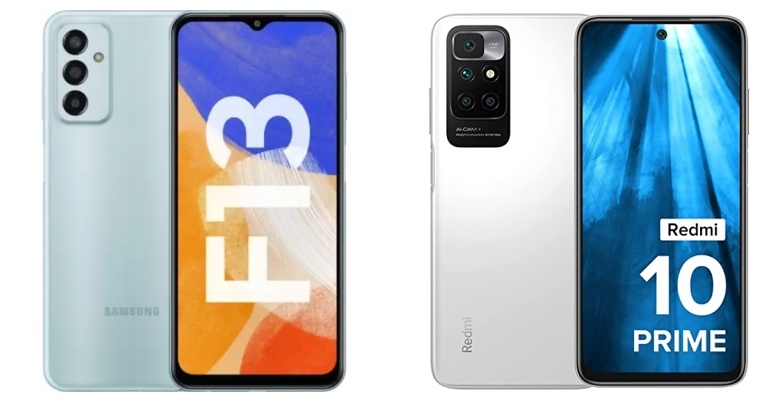
 Step 2: Click on Profile from the drop-down list.
Step 3: Scroll down in your Profile window to see a total of 10 of your ‘Top artists this month’ and 50 of your ‘Top tracks this month’.
Step 2: Click on Profile from the drop-down list.
Step 3: Scroll down in your Profile window to see a total of 10 of your ‘Top artists this month’ and 50 of your ‘Top tracks this month’.
 Read also: Spotify web player not working? Here are the top 5 fixes
 Step 2: Scroll down till you arrive at the ‘Social’ section and ensure that the ‘Recently played artists’ toggle is switched on.
 Step 3: After switching the toggle on, go to your Profile by tapping on your username on top. You will now find your recently played artists under its dedicated section. You can view the entire list by clicking See all.
 Note that switching the ‘Recently played artists’ toggle on will make that list public. So, in case you don’t want others to know the list of artists you have listened to, you may want to switch the setting back off later.
Read also: How To Log Out Of Spotify From Android And Windows PC
Note that switching the ‘Recently played artists’ toggle on will make that list public. So, in case you don’t want others to know the list of artists you have listened to, you may want to switch the setting back off later.
Read also: How To Log Out Of Spotify From Android And Windows PC
 Finally comes the popular method for checking your application music stats on Spotify. Spotify Wrapped is a summary of your annual listening activity and preferences on the application, which Spotify releases at the end of every year. It provides statistics on a detailed level to both Spotify subscribers and artists. If you’re a subscriber, you will be able to check the top song you played the most, the number of minutes you listened, a list of your top 100 favourite songs of the year, top genres, top podcasts, and top artists. You can save the playlist to your library to listen to it anytime you want.
In this way, you can see your stats on Spotify in 2022. Apart from the above-mentioned methods, there are other third-party apps as well, like Stats for Spotify and Volt.fm, which you can use to check your Spotify stats and get detailed insights. We would be absolutely delighted to hear about your favourite artists and the top songs that you like to listen to. Do share with us in the comments section below.
For the latest gadget and tech news and gadget reviews, follow us on Twitter, Facebook and Instagram. For newest tech & gadget videos subscribe to our YouTube Channel. You can also stay up to date using the Gadget Bridge Android App. You can find the latest car and bike news here.
Finally comes the popular method for checking your application music stats on Spotify. Spotify Wrapped is a summary of your annual listening activity and preferences on the application, which Spotify releases at the end of every year. It provides statistics on a detailed level to both Spotify subscribers and artists. If you’re a subscriber, you will be able to check the top song you played the most, the number of minutes you listened, a list of your top 100 favourite songs of the year, top genres, top podcasts, and top artists. You can save the playlist to your library to listen to it anytime you want.
In this way, you can see your stats on Spotify in 2022. Apart from the above-mentioned methods, there are other third-party apps as well, like Stats for Spotify and Volt.fm, which you can use to check your Spotify stats and get detailed insights. We would be absolutely delighted to hear about your favourite artists and the top songs that you like to listen to. Do share with us in the comments section below.
For the latest gadget and tech news and gadget reviews, follow us on Twitter, Facebook and Instagram. For newest tech & gadget videos subscribe to our YouTube Channel. You can also stay up to date using the Gadget Bridge Android App. You can find the latest car and bike news here. 
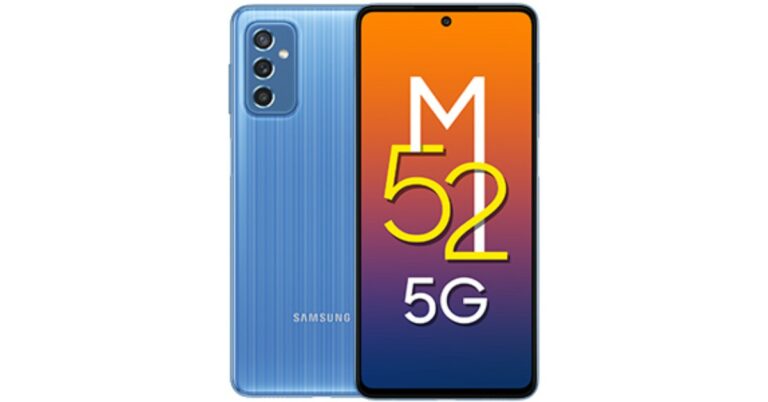
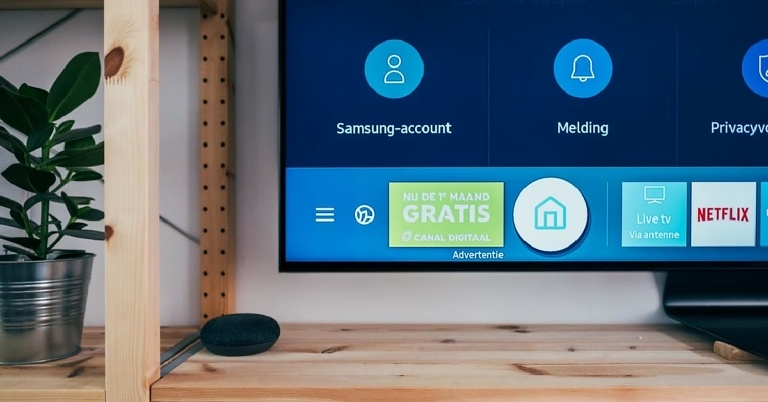
 Step 3: Select your TV model from the following list.
 Step 4: Once the TV and the smartphone are paired, you will be able to use the controls from your smartphone app.
 If your smartphone has an IR blaster, you can use an IR blaster app to control your TV. This works on regular TVs as well, which may not come with WiFi-connect functionality. You can even use the IR blaster to control other appliances that make use of an infrared remote.
If you use an Android Smart TV, follow these simple steps:
Step 1: Install and open the Google TV app on your smartphone.
Step 2: Tap ‘Remote’ at the bottom right of your screen.
Step 3: Select ‘Scanning for Devices’.
Step 4: Choose your device.
Step 5: You can use your smartphone as your Android Smart TV remote once the devices have paired.
Read Also: How to remotely access your PC from anywhere in the world
Some manufacturers like Sony, LG, and Samsung have their own smartphone apps that give you remote access from your smartphone. The only requirement is that the TV and the smartphone need to be connected to the same WiFI network. For every device by a different manufacturer, you will need to download a different app. This is why a universal TV remote app mentioned earlier is more convenient to use.
For the latest gadget and tech news, and gadget reviews, follow us on Twitter, Facebook and Instagram. For newest tech & gadget videos subscribe to our YouTube Channel. You can also stay up to date using the Gadget Bridge Android App. You can find the latest car and bike news here.
If your smartphone has an IR blaster, you can use an IR blaster app to control your TV. This works on regular TVs as well, which may not come with WiFi-connect functionality. You can even use the IR blaster to control other appliances that make use of an infrared remote.
If you use an Android Smart TV, follow these simple steps:
Step 1: Install and open the Google TV app on your smartphone.
Step 2: Tap ‘Remote’ at the bottom right of your screen.
Step 3: Select ‘Scanning for Devices’.
Step 4: Choose your device.
Step 5: You can use your smartphone as your Android Smart TV remote once the devices have paired.
Read Also: How to remotely access your PC from anywhere in the world
Some manufacturers like Sony, LG, and Samsung have their own smartphone apps that give you remote access from your smartphone. The only requirement is that the TV and the smartphone need to be connected to the same WiFI network. For every device by a different manufacturer, you will need to download a different app. This is why a universal TV remote app mentioned earlier is more convenient to use.
For the latest gadget and tech news, and gadget reviews, follow us on Twitter, Facebook and Instagram. For newest tech & gadget videos subscribe to our YouTube Channel. You can also stay up to date using the Gadget Bridge Android App. You can find the latest car and bike news here. 

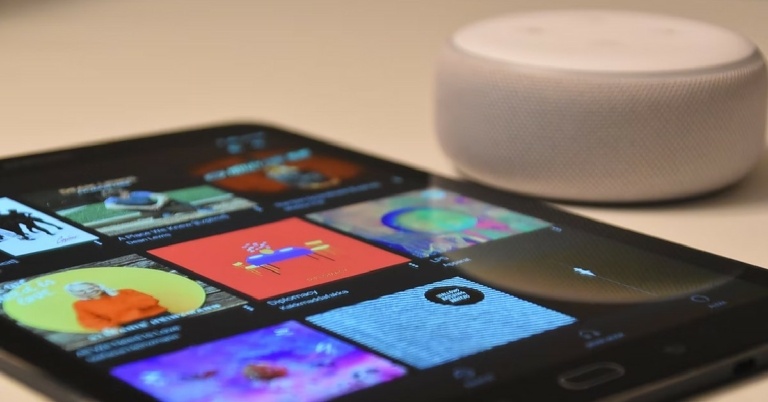
 Step 3: Tap on ‘Playlists’.
 Step 4: Tap on ‘New Playlist’.
 Step 5: Give your playlist a name and hit ‘Save’.
 Step 6: Search any song you want to add to your playlist.
 Step 7: Tap the three dots next to the song title.
 Step 8: Select ‘Add to Playlist’.
 Step 9: Select the Playlist you want to add the song to.
 The song will be added to your chosen playlist.
Read Also: Amazon Music acquires a customer base of more than 55 million monthly users
To make things simpler you can directly go to a song, tap the three dots and select Add to playlist>Create new playlist. A window will pop up asking you to name the playlist. After you press Save, the song you selected will automatically be added to your new playlist.
If you want to delete a playlist, go to Library>Playlists, and tap the three dots next to the playlist you want to delete. Select ‘Delete from Library’ then press ‘Delete’ on the pop-up window. Your playlist will be removed from your device and your Amazon music profile.
For the latest gadget and tech news, and gadget reviews, follow us on Twitter, Facebook and Instagram. For newest tech & gadget videos subscribe to our YouTube Channel. You can also stay up to date using the Gadget Bridge Android App.
The song will be added to your chosen playlist.
Read Also: Amazon Music acquires a customer base of more than 55 million monthly users
To make things simpler you can directly go to a song, tap the three dots and select Add to playlist>Create new playlist. A window will pop up asking you to name the playlist. After you press Save, the song you selected will automatically be added to your new playlist.
If you want to delete a playlist, go to Library>Playlists, and tap the three dots next to the playlist you want to delete. Select ‘Delete from Library’ then press ‘Delete’ on the pop-up window. Your playlist will be removed from your device and your Amazon music profile.
For the latest gadget and tech news, and gadget reviews, follow us on Twitter, Facebook and Instagram. For newest tech & gadget videos subscribe to our YouTube Channel. You can also stay up to date using the Gadget Bridge Android App. 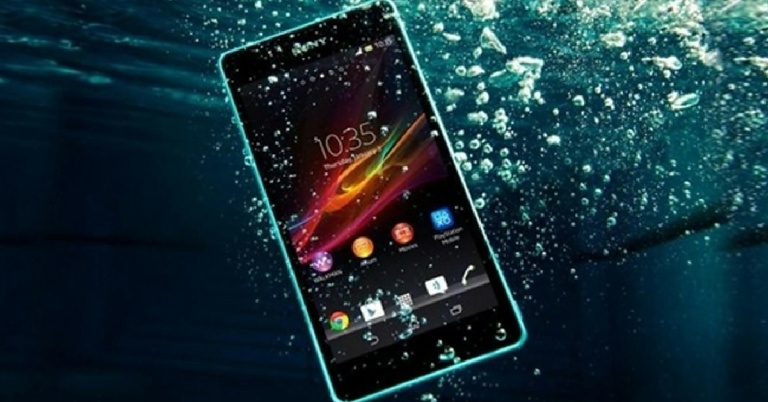
 You may have heard that covering your phone with rice may help absorb any water trapped inside it. While that may be partially true, covering your phone in rice has an added risk of starch and dust particles from the rice entering your phone and causing further damage. Using a desiccator like silica gel packets is a much more effective way of absorbing the water out of your phone. You may have leftover silica gel packets in shoe boxes and electronic packaging. Grab as many as you can and put them in a bowl, then place your phone in the middle, making sure the gel packets cover every surface. Let your phone stay in the bowl for 48-72 hours, letting the silica gel packets absorb all the moisture.
 If you don’t have any desiccant at hand, do not waste time searching for it. Timing is crucial when it comes to saving your phone from water damage. Simply place your phone on a clean paper towel and turn on a table fan with the airflow focussed on your phone. Let it stay like that for 48-72 hours.
 Luckily, your phone is designed to take some water damage. It also comes with an in-built tool to remove water from the speaker. Just go to Settings>Additional Settings>Clear Speaker and follow the instructions. Make sure your volume is at the highest possible level. Your phone will blast a high-pitched sound that will force any traces of water out of the speaker.
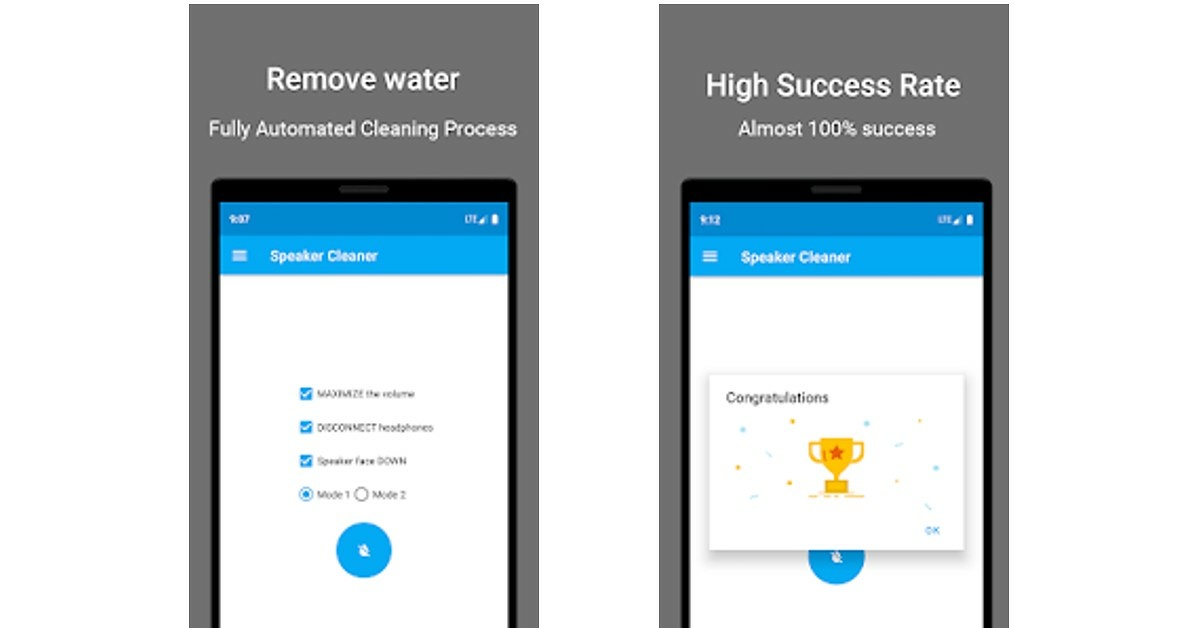 If your phone does not have an option of clearing out the speaker, there are several apps built for the same purpose. You can either download Super Speaker Cleaner from the Play Store or visit fixmyspeakers.com. The process will be similar, a high-pitched sound will eject any remaining traces of water from your phone speakers.
Read Also: How To Highlight, Draw And Write On Android Smartphone Screenshots
If you follow these steps in a timely manner, chances are your phone will not face any significant damage. Modern smartphones are designed to be water-resistant to some degree, which gives you a window within which you can take the necessary steps to save it.
Do not expose your phone to any heat, this includes blowing it with a hairdryer or placing it under a table lamp for a few days. Exposure to heat can permanently damage your smartphone. You may use a vacuum cleaner to gently remove water particles from your phone, using the appropriate attachment.
If your phone still isn’t fixed after carrying out the steps mentioned above, take it to a professional for further repair.
For the latest gadget and tech news, and gadget reviews, follow us on Twitter, Facebook and Instagram. For newest tech & gadget videos subscribe to our YouTube Channel. You can also stay up to date using the Gadget Bridge Android App. You can find the latest car and bike news here.
If your phone does not have an option of clearing out the speaker, there are several apps built for the same purpose. You can either download Super Speaker Cleaner from the Play Store or visit fixmyspeakers.com. The process will be similar, a high-pitched sound will eject any remaining traces of water from your phone speakers.
Read Also: How To Highlight, Draw And Write On Android Smartphone Screenshots
If you follow these steps in a timely manner, chances are your phone will not face any significant damage. Modern smartphones are designed to be water-resistant to some degree, which gives you a window within which you can take the necessary steps to save it.
Do not expose your phone to any heat, this includes blowing it with a hairdryer or placing it under a table lamp for a few days. Exposure to heat can permanently damage your smartphone. You may use a vacuum cleaner to gently remove water particles from your phone, using the appropriate attachment.
If your phone still isn’t fixed after carrying out the steps mentioned above, take it to a professional for further repair.
For the latest gadget and tech news, and gadget reviews, follow us on Twitter, Facebook and Instagram. For newest tech & gadget videos subscribe to our YouTube Channel. You can also stay up to date using the Gadget Bridge Android App. You can find the latest car and bike news here.