Your Android Smart TV comes with a collection of pre-installed apps that are frequently used by most of its users. You can also download a wide variety of apps and games on your Android Smart TV using the Google Play Store. While basic apps like YouTube and Netflix may come pre-installed on your Smart TV, there are a whole bunch of other apps which will enhance your Smart TV experience. Today, we’ll show you how to install new apps on your Android Smart TV.Read Also:How to block YouTube channels from appearing on your Smart TV?
Here’s how you can install new apps on your Android Smart TV
Firstly, you need to make sure your TV is connected to the WiFi and has a stable internet connection. Secondly, you need a Google Account in order to download apps from the Google Play Store.Step 1: Go to the Android TV home screen and scroll to Apps.Step 2: Open the Google Play Store app.Step 3: Click on the Search bar.Step 4: Search for the App you want to download using the onscreen keyboard or the microphone.Step 5: Select the App you want to download and press Install.Read Also:The best 4K smart TVs under Rs 50,000 to watch Netflix, Prime Video and other OTT platformsFollowing these easy steps, you’ll be able to download any app you want on your Android Smart TV. App availability may depend on the manufacturer and the Smart TV model. If you wish to uninstall a certain app from your Smart TV, go to Settings>Apps. Select the app you wish to delete, then press Uninstall.
For the latest gadget and tech news, and gadget reviews, follow us on Twitter, Facebook and Instagram. For newest tech & gadget videos subscribe to our YouTube Channel.
The speed of your mouse pointer is set at a standard setting by default. Most users rarely ever need to change this speed. However, you may need to speed up the mouse pointer when your mouse slows down or when you attach another monitor to your system and need to customise the mouse accordingly. Today, we show you how to change your mouse pointer speed in Windows 11.Read Also:5 wireless mice under Rs 5,000 for work from home.
In This Article
How to change mouse pointer speed using Settings
Step 1: Open Settings.Step 2: Select Bluetooth & Devices.Step 3: Select the Mouse option in the window that opens.Step 4: Use the slider next to ‘Mouse Pointer Speed’ to change the speed of your mouse pointer according to your liking.
How to change mouse pointer speed using the Control Panel
Step 1: Open Control Panel.Step 2: Select the Mouse option.Step 3: In the small window that opens up, click on the ‘Pointer Options’ tab.Step 4: Use the slider in the ‘Motions’ sections to change the mouse pointer speed according to your liking.Read Also:5 best Ergonomic mice for working from homeFollowing the steps above you will be able to change the mouse pointer speed in Windows 11. You can also change your mouse pointer speed through the Registry Editor, but this can be a risky process and isn’t ideally advised when there are much easier ways to carry out your task. Once you enter Mouse settings, you can also customise your mouse icon and add other functionalities to your mouse. You can also change the visibility of the pointer by adding a trail to its movement or by choosing to hide it while you’re typing.
For the latest gadget and tech news, and gadget reviews, follow us on Twitter, Facebook and Instagram. For newest tech & gadget videos subscribe to our YouTube Channel. You can also stay up to date using the Gadget Bridge Android App. You can find the latest car and bike news here.
WhatsApp now allows you to link up to four devices to your account, excluding your phone. WhatsApp Web and the WhatApp desktop app can come in quite handy if you want to use the instant messenger on your PC or laptop. While using WhatsApp for their desktop, users sometimes report an issue where they aren’t able to receive any notifications from the app or the web page. Today, we’ll show you how to enable desktop notifications for WhatsApp Web and the WhatsApp desktop app. Read Also:How to migrate your WhatsApp data from Android to iPhone?
How to enable desktop notifications for Whatsapp
Step 1: Turn on the Whatsapp desktop app or Whatsapp Web.Step 2: Tap the three dots on the top left part of the screen, next to your display name.Step 3: Click on Settings.Step 4: Click on Notifications.Step 5: Select which notifications you want to mute and which ones you want to turn on.Step 6: Close the Settings. Read Also:How To Set Up And Use WhatsApp On iPad (2022)?Using these easy steps you can enable desktop notifications for WhatsApp web and the WhatsApp app. If you’re still not receiving any notifications from Whatsapp, it might be because your browser is blocking the notifications. In order to resolve this go to the Chrome menu and then select Settings>Privacy and Security>Site Settings>Notifications. Search for web.whatsapp.com in the web bar and allow notifications. Sometimes Google Chrome blocks notifications from websites by default so you may want to allow Whatsapp Web notifications before you continue.
For the latest gadget and tech news, and gadget reviews, follow us on Twitter, Facebook and Instagram. For newest tech & gadget videos subscribe to our YouTube Channel. You can also stay up to date using the Gadget Bridge Android App. You can find the latest car and bike news here.
25 June 2022 Amazon Quiz has gone live on its platform. The quiz timings are 12 AM to 11:59 PM. The Amazon App users can participate in the quiz daily and all they have to do is submit correct answers to the questions asked on the e-commerce platform. Today’s participants can get a chance to win Rs 25,000 Amazon Pay Balance.By participating in the Amazon Quiz the participants can win Amazon Pay Balance ranging from Rs 1,000 to Rs 50,000 every day while sitting at home. To win the participants must answer five questions correctly that are based on current events and general knowledge. One wrong answer can eliminate you from the quiz. The results will be announced at the end of the month. Today’s question will let you win Rs 25,000 Amazon Pay Balance. Check below for today’s Amazon quiz answers.Amazon Quiz Today Prize – Rs 25,000 Amazon Pay BalanceQuiz Date – 25 June 2022Daily Timing – 12 AM to 11:59 PMWinner Announcement – Today 12 PM
Amazon Quiz Answers Today 25 June 2022
Question 1: Hardik Pandya recently got named the Indian captain for a T20I series to be held in which country?
Answer: IrelandQuestion 2: The Prime Minister will lead a mass yoga event from which historical place on the occasion of International Day of Yoga?Answer: Mysuru PalaceQuestion 3: Javicia Leslie is known for playing which of these superhero characters in a series?Answer: BatwomanQuestion 4: In which country would you find this famous bridge, that ‘breathes fire’ on special occasions?Answer: VietnamQuestion 5: This is a skeleton of which dinosaur?
Answer: Tyrannosaurus RexHow To Play Amazon QuizOnly app users are eligible to play the Amazon quiz every morning from 12 AM to 11:59 PM. The quiz is not available on the desktop. For those who are unaware of how to play the Amazon quiz below are the steps, you can follow to take the quiz.
Firstly download the Amazon app from Google Play Store or App Store
Now fill in the required information through the Sign Up option.
You need to log in to the Amazon app and scroll down on the home screen to find the Amazon Quiz banner.
Tap on the Amazon Quiz banner and tap on the Start button to start the Quiz.
Now you will get 5 questions and you need to answer them correctly. One wrong answer will eliminate you from the Quiz.
After answering all the questions correctly you are now eligible for a Lucky Draw.
The winner’s name will be announced today at 12 PM.
If you use your PC for gaming or video editing, chances are you may have encountered an overheated CPU on several occasions. While CPUs are bound to get heated up while carrying out heavy tasks, constant high temperatures can diminish the performance of your PC. It is highly advisable to constantly monitor the temperature of your CPU, especially while carrying out heavy tasks. In this article, we will show you how to check the CPU temperature in Windows 11.Read Also:Best ways to free up hard disk space in Windows10
In This Article
Top 3 Ways to check the CPU Temperature in Windows 11
Windows 11 does not have any built-in tool to monitor the CPU temperature. However, you can check the temperature of your CPU by entering BIOS. While this may be the only way to check the CPU temperature without using third-party software, it has its drawbacks. Firstly, BIOS is not suited to monitor the CPU temperature while you’re carrying out tasks in real-time. Secondly, entering BIOS every time you want to monitor your CPU can be quite the hassle and is not generally advised.There are a large number of tools present online that will help you monitor your CPU performance and temperature. We’ve selected two of the best and easy-to-use tools: Core Temp and NZXT CAM.
Check CPU Temperature using BIOS
Step 1: Open the Start menu and click on Restart.Step 2: As soon as your system reboots and the display turns on, press the BIOS key for your motherboard. Depending on the manufacturer, the BIOS key of your system could be either F10, F12, F2, F1, or DEL. Press the BIOS key multiple times to make sure it works.Step 3: Your system will enter BIOS. Scan the interface to see the CPU Performance tab. This may be located in different places for different manufacturers. Within this tab, you will be able to see your CPU temperature.
Use Core Temp to check CPU Temperature
It is not ideal to enter BIOS every time you want to check the CPU temperature. If you want to keep regular checks on your CPU temperature it is advisable to install third-party software. One such tool is Core Temp. With Core Temp, you can monitor the fluctuations in your CPU temperature, and also keep tabs on the temperature of individual components within your CPU. Follow these steps to install and use Core Temp.Step 1: Visit the Core Temp website and click on the Download button.Step 2: Open the downloaded file and install Core Temp on your system.Step 3: Once installation is complete, launch the Core Temp tool. You will be able to view the CPU temperature along with additional information in the main window.
Use NZXT Cam to check CPU Temperature
NZXT Cam is another easy-to-use third-party software that helps you check the temperature of your CPU. Follow these steps to install and use NZXT Cam on your system.Step 1: Visit the NZXT website and download the CAM software.Step 2: Open the downloaded file and install it on your system.Step 3: Launch NZXT CAM.Step 4: The software will prompt you to sign up, but you can continue in guest mode as well.Step 5: After accepting the Terms of Use, you will be able to see the PC Monitoring window. Find the CPU window. The CPU temperature will be listed on it, along with additional information.Read Also:7 reasons why you are getting the blue screen of death (BSOD) in Windows 10 and its fixesThe ideal CPU temperature depends on a lot of factors, such as system configuration, quality of CPU cooling fans, the position of the CPU and ventilation around it. The ideal CPU temperature could be anywhere between 30-60°C. This can increase up to 65-70°C when your CPU is carrying a heavy load. Anything in the range of 80-90°C is considered dangerous for your PC.If you keep facing overheating issues with your CPU, you should consider upgrading the fans, cleaning any traces of dust, and ensuring no external object is restricting the airflow towards the CPU. If the issue still persists, you should take your CPU to a professional for further diagnosis.
For the latest gadget and tech news, and gadget reviews, follow us on Twitter, Facebook and Instagram. For newest tech & gadget videos subscribe to our YouTube Channel. You can also stay up to date with the Gadget Bridge Android App.
Apple announced iOS 16 at its Worldwide Developer’s Conference on June 6th 2022. Since then there has been a buzz around the new operating system and Apple users are highly anticipating its arrival. If you can’t wait to use it, you can download the iOS 16 Developer Beta software on your iPhone. Since the software is still under development, Apple has launched the beta profile for members registered in the Apple Developer Program to try out on their devices and report any bugs they come across. This helps in strengthening the software and creating a well-rounded finished product. Today, we’ll show you how you can download and install the iOS 16 developer beta on your iPhone.Read Also:How to Change Your Apple ID Email Address?
Follow these steps to download and install the iOS 16 Developer Beta profile on your iPhone
Step 1: Download the iOS 16 configuration profile from this page.Step 2: Connect your iPhone to a power chord and make sure it’s charging.Step 3: Connect your iPhone to the WiFi.Step 4: Go to Settings>General>Software update.Step 5: Tap on ‘Download and Install’.Step 6: If you want to install the right away, tap on Install. If you want to schedule the update for later, select Install Tonight or Remind me Later. Make sure your iPhone is connected to the power chord whenever the installation begins.Your iOS 16 Developer Beta software will be installed on your iPhone.Read Also:How to Pay Someone With Apple Pay on Your iPhone?Only devices that have been registered under the Apple Developer Program have access to beta software. If you download an unauthorised copy of the software, it carries the risk of posing a serious threat to your device and is in direct violation of Apple policy. Before you download beta software, make sure you’ve created a backup of the data on your device.You can report any bugs your encounter or even suggest improvements with the built-in Feedback Assistant app.
For the latest gadget and tech news, and gadget reviews, follow us on Twitter, Facebook and Instagram. For newest tech & gadget videos subscribe to our YouTube Channel. You can also stay up to date using the Gadget Bridge Android App. You can find the latest car and bike news here.
Through the decades, Craiglist has become a household name when it comes to buying and selling goods online. The local listing website makes it easy for a user to put up a listing for either selling a product or requesting a service. From used cars to job opportunities, you can find almost anything on Craiglist. However, with its massive popularity, Craiglist is also a hunting ground for scammers and corrupt sellers. It can become quite annoying trying to navigate a sea of listings and frequently coming across something suspicious. Luckily, there are some equally good alternatives to Craiglist out there. Today, we bring you the top 7 websites like Craigslist to find used items for sale in the USA.Read Also:7 best alternatives to Omegle
OfferUp is one of the best services to sell or buy goods locally. Currently operating only within the US, OfferUp focuses more on local sellers and buyers. OfferUp also allows its users to communicate with the sellers directly on the app so they don’t have to risk sharing their personal contact information.The website is well designed and easy to use. OfferUp also allows users to rate the sellers, so you know well in advance what kind of a person you’re dealing with.
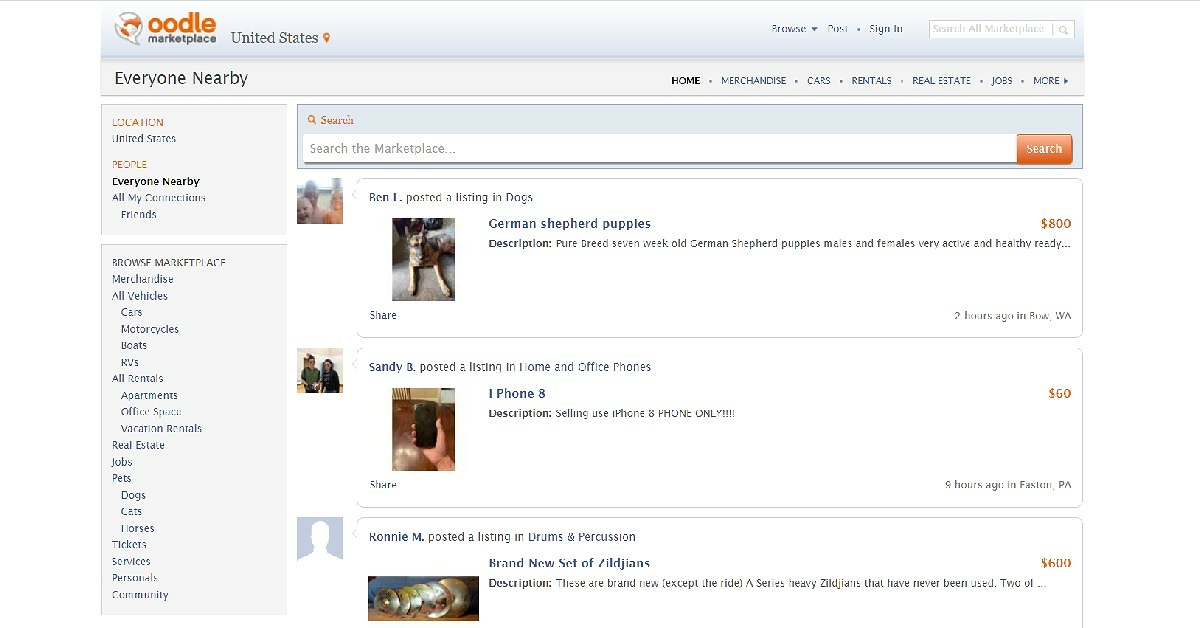
One of the better alternatives to Craigslist, Oodle has an old-school interface, quite similar to Craigslist itself. Oodle allows you to make listings in order to sell goods and services. It also lets you add other people to your network. You can Oodle for anything, ranging from looking for employers to selling pets online.
Facebook Marketplace may be one of the newer entries on this list but it is already used by millions of people worldwide. You can browse the website for used items for sale, go through listings of new products, or even create a classified-like posting yourself. If you’re looking for something specific, there are several groups that might offer products suited to your needs or at least guide you in the right direction. It is advised to make sure the seller is verified. If they aren’t, it might be a good idea to browse their Facebook profile for any suspicious activity. You can even send them a message if you want a better price for the product. Conversely, selling an item on Facebook Marketplace is quite easy as well. All you need to do is snap a picture of the item you want to sell and make a post mentioning the price and additional details about the product.
Locanto operates across 60 countries worldwide and is one of the more popular alternatives to Craigslist. Apart from selling items, you can also use Locanto to look up tutoring classes, local events, jobs, real estate, vehicles, household help, rideshare opportunities, music artists, and even pet sitters.Similar to Craiglist, Locanto also allows you to post personal ads. You need to manually enter your location on the website in order to browse used items for sale around your area. Locanto also accepts money to boost your listing, so you might see paid ads on the website.
eBay is probably the biggest website in the world for browsing used items for sale. You can find just about anything from eBay, with products ranging from cellphones to automobile parts. Since eBay is a popular website and gets a lot of traffic, it can attract a lot of scammers and corrupt sellers. Therefore, one must proceed with caution and only buy from verified sellers or the ones with favourable ratings.
Decluttr is a buying and selling website designed specifically for electronic goods. Instead of linking you with a buyer, Decluttr buys the item from you. Decluttr also provides a free instant valuation for the product you’re trying to sell. On top of that, it also provides free shipping.You can use Decluttr not only for electronic devices, but also for CDs, DVDs, books, and games. You can even sell tech items in bulk.
Poshmark is a marketplace designed for buying and selling clothes. Once you’ve signed up, you’ll be able to browse several categories of clothing products and even look up sellers that offer something you like. If you’re a seller, Poshmark offers you free shipping, making it easier for you to ship your products. Buyers, however, have to incur the cost of shipping on top of Poshmark’s 20% commission. Read Also:Best websites to shop and get international gadgets to India from?These 7 websites will cover everything you want when it comes to looking for used items for sale. Although these websites are generally safe and have created helpful communities, it is always better to be on the side of caution when dealing with sellers online. Always avoid giving out your personal information, and always select a public place when arranging for a spot to pick up an item.
For the latest gadget and tech news, and gadget reviews, follow us on Twitter, Facebook and Instagram. For newest tech & gadget videos subscribe to our YouTube Channel. You can also stay up to date using the Gadget Bridge Android App. You can find the latest car and bike news here.
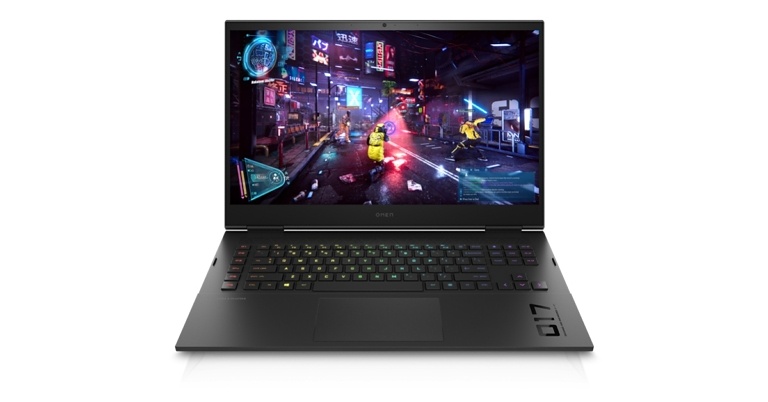
HP has announced the launch of 2022 models of Omen 16, Omen 17, Victus 15, Victus 16 Gaming Laptops in the Indian market. The laptops are powered by AMD Ryzen 6000 series and Intel Core 12th generation CPUs. Additionally, the company has also introduced the Omen 45L, 40L, 25L, and Victus 15L desktops with Intel and AMD Ryzen processors.HP OMEN 16
In This Article
HP Omen 16 price in India and specifications
The 16.1-inch IPS QHD display on the HP Omen 16 has a 16:9 aspect ratio with a refresh rate of 165 Hz. It is equipped with an Intel Core i7-12700H or AMD Ryzen RX 6650M processor that supports up to 12th generation, Nvidia GeForce RTX 3080 Ti graphics, 32GB of DDR5 RAM, and up to 2TB of PCIe SSD storage. Additionally, the laptop has a keyboard with up to RGB lighting. In terms of pricing the HP Omen 16 comes with a starting price of Rs 1,09,999. It will be available in a single Shadow black colour option.
HP Omen 17 price in India and specifications
While the 17.3-inch screen on the OMEN 17’s micro-edge bezel display provides edge-to-edge immersion for a higher screen-to-chassis ratio. The OMEN family of products offers exceptional cooling and power together with an additional thermal outlet and heat pipe that boosts GPU and CPU performance. Its specs are comparable to those of the Omen 16.Starting in August, the HP Omen 17 will be available for purchase for Rs. 1,99,999.HP VICTUS 15
HP Victus 15 price in India and specifications
The 15.6-inch HP Victus 15 has a 15.5-inch display and is equipped with Nvidia RTX 3050Ti graphics and up to a 12th-generation Intel Core i7 processor. A Temporal Noise Reduction (TNR) technology is also built into the laptop, which is said to assist reduce background noise in videos with Super Resolution Auto Scene Setting. Beginning in July, the HP Victus 15 will be sold for a starting price of Rs. 67,999.HP VICTUS 16
HP Victus 16 price in India and specifications
For convenient everyday carrying, the 16.1-inch display on the HP Victus 16 offers settings up to FHD 144 Hz and Eyesafe low-blue light. With graphics driven by an AMD RyzenTM 7 6800H processor and up to an NVIDIA GeForce RTXTM 3050Ti laptop GPU. Up to 32 GB of DDR5-4800 MHz memory with choices for lightning-fast speed and responsive gameplay. A backlit keyboard printed in the recognisable font used on OMEN devices, and built-in fast keys for the OCC, power button, and calculator.Wide back vents improve thermal efficiency while also adding visual flair. Four-way airflow and a two-heat pipe design help to keep things running cool when the action heats up. Gaming and other tasks can be completed quickly and easily with a single SSD up to 512 GB PCIe NVMeTM TLC storage.Victus 16 is currently offered at a starting price of Rs. 84,999.
HP OMEN 45L, 40L and 25L desktops price in India and Specifications
The OMEN 45L, 40L, and 25L desktops are powered by Intel processors with up to 12 cores and up to 10GB of memory, as well as HyperX 32GB (2x16GB) DDR4 3733 XMP RGB for the 40L model and up to 10GB of memory for the 45L model. This guarantees fluid gaming.Omen 45L desktops use cutting-edge, patent-protected cooling technology that uses outside air to maintain the perfect temperature within the machine. Even when your games get hot, overheating is minimised by the careful arrangement of the fans.HP Omen 45LThe machine is aesthetically beautiful because of its tempered glass panels, full metal body, tool-free entrance, and full RGB control. Users may adjust every aspect thanks to the straightforward technology, including RAM frequency, intelligent overclocking, SW-based fan control, BIOS access, and RBG with OMEN gaming hub.The starting price for the HP Omen 45L, Omen 40L, and Omen 25L PCs is Rs. 1,49,999.
HP Victus 15L desktops price in India and Specifications
The Victus 15L’s Intel i7- 12700F 12 CORES processor and either an AMD Ryzen 7 5700G 8 CORES or an NVIDIA GeForce RTX 3060 Ti 8GB graphics card guarantee fluid gameplay and more. It has a small overall footprint and an interchangeable RBG logo for a unique lifestyle expression.The new desktop PC line’s considerable customization capabilities improve consumers’ gaming experiences. The Victus 15L desktop is being offered for a starting price of Rs. 93,999.
For the latest gadget and tech news, and gadget reviews, follow us on Twitter, Facebook and Instagram. For newest tech & gadget videos subscribe to our YouTube Channel. You can also stay up to date using the Gadget Bridge Android App. You can find the latest car and bike news here.
Garena Free Fire is a battle royale game with regular awards and tournaments to keep players interested. If you play Garena Free Fire, you should be aware of the redeem codes that are released on a daily basis. However, because the battle royale game is banned in India, players from other countries can use the Free Fire Redeem codes daily. If you’re unfamiliar with the Garena Free Fire redeem codes or don’t know how to get them, we’ve put together a step-by-step guide to help you redeem them. Check out Garena Free Fire Redeem Codes for June 24.The Free Fire redeem codes are a great way to get free stuff. These are 12-digit codes that contain alphabets and numbers, as well as an expiration date and time. Because the Garena FF redeem codes cannot be used more than once, you should hurry to the redemption page to claim your free reward before someone else does. To get a free reward, all you have to do is go to reward.ff.garena.com/en, which is the official redemption page. Also, keep an eye on this space for daily updates on Garena Free Fire redemption codes and rewards.
In This Article
Garena Free Fire Redeem Codes Today 24 June 2022
FF9MJ31CXKRG
FFCO8BS5JW2D
PCNF5CQBAJLK
FFAC2YXE6RF2
FFICJGW9NKYT
WEYVGQC3CT8Q
3IBBMSL7AK8G
FV5BNJ45IT8U
F4N5K6LYOU9I
FH2GYFDHE34G
F7YGT1BE456Y
FJBHVFS4TY23
F87GYF3DGE6B
How to Get Free Fire Redeem Codes for Garena on June 24?
Logitech G has expanded its gaming product portfolio with the introduction of two new gaming keyboards in the Indian market. The company has announced Logitech G413 SE and Logitech G413 TKL SE Mechanical Gaming Keyboards. The keyboards feature a basic design and support LED lighting. These devices incorporate PBT keycaps which are believed to be long-lasting due to their design.The G413 SE Mechanical Gaming Keyboard and the G413 TKL (Tenkeyless) SE Mechanical Gaming Keyboard have been released in India. These new, inexpensive keyboards, which are designed for accuracy and performance, feature gaming-grade mechanical switches and incredibly hard PBT keycaps that are resistant to wear, fading, and shining.The Tactile Mechanical Switches included on the G413 SE Mechanical Gaming Keyboards provide gamers who desire immediate feedback with uncompromised performance. The keyboards also include PBT keycaps, which are among the most resilient PBT keycaps on the market thanks to their superior construction, durability over time, heat resistance, and wear resistance. The keyboard has a minimalist appearance combined with features that make it a must-have for gamers, like white LED lighting and a top case made of an aluminium-magnesium alloy with a black-brushed finish.With the addition of the six-key rollover anti-ghosting performance, which enables multiple keys to be pressed simultaneously and all register at the same time to initiate a specific game move, the keyboards were also created to deliver reliable key input in comparison to other non-gaming mechanical keyboards.The retail price of the Logitech G413 SE is INR 6,995, and the price of the Logitech G413 TKL SE Mechanical Gaming Keyboards is INR 5,995.Mr. Roopak Krishnan, Head of Marketing and Category, Logitech India said, “We spent a lot of time carefully designing keyboards that deliver advanced performance with just the right feature set. Made with strong, durable materials and high-performance features, these keyboards are an excellent option for gamers who want a mechanical keyboard at a great price.”
For the latest gadget and tech news, and gadget reviews, follow us on Twitter, Facebook and Instagram. For newest tech & gadget videos subscribe to our YouTube Channel. You can also stay up to date using the Gadget Bridge Android App. You can find the latest car and bike news here.
A cookie is a piece of data that a site puts on your device so that the website can remember you the next time you make a visit. Cookies play a vital role in personalising your browsing experience, as they keep a track of your web activity and preferences. For example, a shopping website would store cookies on your system which would help it to save your cart information so that you don’t have to start afresh the next time. However, cookies also pose privacy risks, as they might store your sensitive information which can get into the wrong hands if targeted by hackers or people with malicious intent. Moreover, if they pile up over time, they may take up space and slow the performance of your device. Here are the various ways how to clear cookies on your iPhone (iOS 16) in 2022.
In This Article
To Clear Both Your History And Cookies
If you want to clear all your browser history, cookies and cache, all you need to do is go to Settings > Safari and tap on Clear History and Website Data. In case you’re worried that this would remove or change all your AutoFill information from Safari, then let us assure you that it does not. Read also: How to Change Your Apple ID Email Address?
To Clear Your Cookies But Keep Your History
If you don’t wish to clear your history but only want to remove cookies, go to Settings > Safari > Advanced > Website Data and then tap on Remove All Website Data.
Block Cookies
If you want to block cookies for websites you visit in the future, go to Settings > Safari and toggle on Block All Cookies. Blocking cookies might hinder the performance efficiency of certain websites. For example, some features on a website might not work properly. You might not be able to sign in even with your correct username and password. Read also: How To Turn On AirDrop On iPhone (2022)?
Use Third-Party Content Blockers
Content blockers are third-party apps that let Safari block cookies, pop-ups and other such content. There are numerous content blocker apps available on the App Store, such as AdBlock Pro for Safari, BlockBear, Roadblock, and more. These help block ads, trackers, and unnecessary resources to speed up your browsing in Safari. To set up a content blocker:Step 1: Download a content blocker from the App Store.Step 2: Go to Settings > Safari > Extensions.Step 3: Tap to turn on a listed content blocker application. That’s it!You can even use more than one content blocker if you wish to. In this way, you can clear cookies on your iPhone (iOS 16). In case you know of any other methods for the same, do share with us in the comments section below. For the latest gadget and tech news and gadget reviews, follow us on Twitter, Facebook and Instagram. For newest tech & gadget videos subscribe to our YouTube Channel. You can also stay up to date using the Gadget Bridge Android App. You can find the latestcar and bike news here.
If you’re an avid gamer you must be familiar with Discord. Starting as a voice server and instant messenger for gamers, Discord now hosts a diverse range of communities, from book clubs to movie fandoms. Its fast servers, ability to provide multiple channels, and smooth video and audio calling platform make it one of the better messengers today. Discord also offers a premium service called Discord Nitro. In this article, we’ll tell you what Discord Nitro is and whether you should buy it.Read also: Top 20 social media apps and sites of 2022
In This Article
What is Discord Nitro?
Discord Nitro is Discord’s paid membership that unlocks a bunch of different features for you to use within the app. Once you upgrade to Nitro, you also get a diamond symbol next to your username in the server member list. Currently, Discord Nitro is priced at $9.99 monthly and $99.99 yearly. Let us dive into the features that Discord Nitro will unlock for you.
Multiple Profiles: Upgrading to Discord Nitro allows you to create different avatars, bio, and profile banners for the different servers you’re in. Users without Discord Nitro can only change their profile name across different servers, but buying Nitro will let you change a bunch of other profile features. You can change your profile according to the theme of the server you’re in.
More Backgrounds: With Discord Nitro, you can customise video calls with your own background.
Custom Tag: Your discord username consists of a text string along with a random number tag. While you can set the text to whatever you want, the number tag is randomly generated by Discord and is a permanent fixture on your username. With Discord Nitro you can customise your tag to whatever number you want.
Server Boost: You can boost up to 2 servers with Discord Nitro. Boosting a server increases new emoji slots, gives the option to add a server banner, and upgrades the quality of audio calls on the server.
More Emoji Power: As you may be aware, you cannot use custom emojis specific to a server on other servers. With Discord Nitro you can use custom emojis across all servers. You can also create animated emojis.
Custom Profile Badge: Once you’ve upgraded to Discord Nitro, your profile will get a custom Nitro badge exclusive to Nitro users. Your username in the server member list will also get a diamond badge next to it, signifying that you boost the server.
Bigger uploads and HD video streaming: With Discord Nitro you can send up to 100 Mb-sized files. This is a significant upgrade over the 8 Mb limit for regular users. Nitro also lets you stream in HD, which may be helpful for users who stream games on Discord.
Longer Messages and More Servers: You can send messages with an increased character count with Discord Nitro. You can also join up to 200 servers when you pay for the premium membership.
Discord Nitro: Should you buy it?
If you use Discord solely to keep in touch with the communities you’re a part of and do not use more than the basic primary features, Discord Nitro is not for you. You can send texts and images, be a part of audio and video calls, and join a bunch of servers with your regular Discord service without having to ever upgrade to Nitro. $9.99 per month is a steep price to pay if you do not intend on using more than the basic features.However, if you use Discord to frequently stream your gameplay, or if you run a large server, you may be interested in a few features that Discord Nitro has to offer. With increased power to host large video calls, and the ability to stream in a higher resolution, Discord Nitro becomes a necessity if you’re looking to stream to your audience.Nitro is also beneficial for users who want better aesthetics for their profiles. A lot of users use Nitro solely for getting access to custom emojis across servers and having more control over the look of their profile.Read Also: A complete guide to gameplay streaming using YouTube or Twitch on PlayStation 5If you want to subscribe to Discord Nitro, simply click on Settings>Nitro if you’re using a web browser, or go to your profile and click on ‘Subscribe Today’ if you’re using the smartphone app. If you think the monthly cost of $9.99 is a bit too expensive, you can wait for promotional offers, or take part in Nitro giveaways.
For the latest gadget and tech news, and gadget reviews, follow us on Twitter, Facebook and Instagram. For newest tech & gadget videos subscribe to our YouTube Channel. You can also stay up to date using the Gadget Bridge Android App. You can find the latest car and bike news here.
The “Notes” feature on Twitter is extending beyond 280 characters. For writers who wish to create longer content, Twitter is testing the Notes feature.Twitter Notes, a tool that enables users to publish long-form content on the network is now live on the microblogging platform. It would enable users to share in-depth thoughts and elaborate on their ideas on the site.As of now a select number of writers are participating in a test of Twitter’s Notes function. As with retweeting or quoting a tweet, notes let you share longer content with your followers. The best thing is that readers won’t be taken to a new platform when they open your notes because you can compose and publish them without ever leaving Twitter.
To produce longer content on the site and to exceed the tweet length restriction, Twitter already provides capabilities like the ability to establish threads.This is an important feature considering writers and opinion makers use Twitter every day to offer their knowledge and suggestions on subjects that interest their audiences.Because they will have a specific location where their followers can locate it, notes will help them do this more effectively and arrange their content better.For those who are unaware, Twitter Write is used by writers to make notes. It shows up as a Note Card to preview the Note. Writers can change their Notes after they are published, unlike tweets. You can view the Note’s illustration, the author’s handle, and the Note’s title on the card.In order to read the Note, one must click on the card. As we said earlier this feature is available to a few users on Twitter so if Twitter Notes is being tested in your region then you may see a writer’s Notes by clicking the Notes button on their Twitter profile on the web platform.The 140-character tweet restriction on Twitter’s platform was raised to 280 characters previously. When the platform’s character limit was set at 280, the company also added threads to allow users to post longer messages. However, those tools haven’t yet aided users who want to publish in-depth content on the network.
For the latest gadget and tech news, and gadget reviews, follow us on Twitter, Facebook and Instagram. For newest tech & gadget videos subscribe to our YouTube Channel. You can also stay up to date using the Gadget Bridge Android App. You can find the latest car and bike news here.
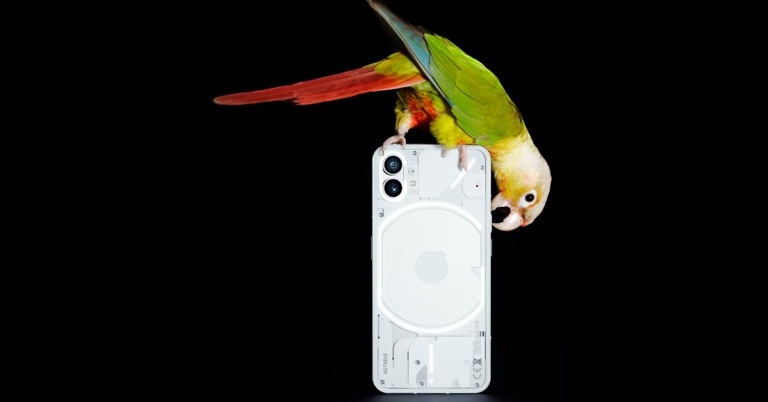
Ahead of the official announcement Nothing Phone 1’s specifications have leaked on the web. Speculations suggest that the upcoming Nothing phone will be powered by an octa-core Qualcomm Snapdragon 778G+ SoC which will include at least 128GB of internal storage. Moreover, the smartphone is said to feature a Samsung E4 AMOLED display with a 120Hz refresh rate.Nothing Phone 1 is going to launch in India including some other regions on July 12th. Beyond revealing the design, the business is remaining mum on the details and functionality of its very first smartphone. But a fresh leak has surfaced online suggesting key specs of the upcoming handset. The supposed details of the Nothing Phone 1 were tweeted by tipper Mukul Sharma. He also provided a few screenshots displaying the future phone’s listing on the benchmarking website Geekbench. Another well-known tipper, Yogesh Brar, has provided some additional information regarding the Nothing Phone 1 in a different tweet.According to the information Sharma provided, the Nothing Phone 1 would utilise Android 12 and have a 120Hz OLED display. The Samsung E4 AMOLED panel, which has TUV Rheinland certification and supports HDR10+, has been separately mentioned by Yogesh Brar as a feature of the phone.The Nothing Phone 1 is also reported to contain a 4,500mAh or 5,000mAh battery, 45W rapid charging, and dual back cameras with optical image stabilisation (OIS). Wireless charging and reverse wireless charging would also be included. The phone is also rumoured to feature NFC.According to Yogesh Brar, the Nothing Phone 1 would support both reverse wireless charging at 5W and 15W, both based on the Qi standard. For wired charging, there would also be USB PD3.0/PPS.Sharma stated that the Snapdragon 778G+ SoC, combined with 8GB of RAM and 128GB of internal storage, will run the Nothing Phone 1 in addition to the display. The Geekbench website, which Sharma quoted in a different tweet, also lists the chipset and RAM specifications.
For the latest gadget and tech news, and gadget reviews, follow us on Twitter, Facebook and Instagram. For newest tech & gadget videos subscribe to our YouTube Channel. You can also stay up to date using the Gadget Bridge Android App. You can find the latest car and bike news here.
From funny cats to topical memes, internet humour has come a long way. And while humour may be subjective, the Internet always has something for everyone. While new websites are constantly popping up, only the funniest have stood the test of time. Among all the funny websites to visit, today, we bring you the 12 funny websites for the best humour and daily giggles.Read Also: 7 apps that help you create memes on iOS and Android
Founded in 2008, 9GAG is one of the most popular humour-based websites in the world. 9GAG allows users to post their own content, which can then be voted on by other users. The highest-voted posts make their way to the top of the front page. 9GAG also has several categories that let you filter content according to your liking. Once you start voting on posts, 9GAG will design your feed around your likes.
Though originally not a website, The Onion is one of the most viewed and the funniest source of satirical news on the Internet. Founded in 1988 as a weekly publication, The Onion began publishing online in 1996. While there are a lot of similar websites, The Onion practically wrote the book on news satire. The Onion covers both fictional and real-world events and mimics the tone of regular print news.
Published on explosm.net, Cyanide and Happiness is one of the most popular comics on the Internet. The webcomic explores controversial, absurd, and often dark subjects, but it will always make you chuckle. The comic uses stick figure animations and, upon gaining popularity on the internet, has also come out with its animated shorts.
While not solely a funny website, Reddit is home to some of the funniest content on the internet. Subreddits like r/jokes and r/funny are visited by millions of people. If you do not like what’s posted there, there are an endless number of niche subreddits that might be suited to your liking. Reddit allows users to post content, which is then voted on by other users. The most popular posts make it to the front page.
Simple and straightforward, yet one of the funniest websites to visit and show to your friends. This website tells you whether it is Christmas or not. Not only that, it’ll tell you whether it’s Christmas or not in your language.
This website will use images of people pointing fingers to show you where your cursor is. No matter where you place your cursor, it’ll come up with an image of a person pointing directly at it. It is as bizarre as it is funny.
As the name suggests, We Want Plates is a website for pictures of food served on anything but plates. The images posted on this website can range from straight-up funny to rage-inducing. While WWP’s Twitter and Reddit pages may be more popular, it is still one of the funniest sites to visit.
Follow the audio cues to locate the invisible cow on your screen. The game gets funnier as you approach the cow and the voice becomes more frantic. It’s the perfect game to kill some time and laugh at something silly.
Another wildly popular webcomic, xkcd explores science, philosophy, mathematics, computers and general pop culture to bring you funny, witty, and often insightful comics. xkcd was created in 2005 by American author Randall Munroe. Since then it has become one of the most-read webcomics on the Internet.
Let Me Google That For You is a website for a funny practical joke you can play whenever someone asks you something irrelevant or inane that they can easily google. LMGTFY asks you for the search item and creates a short animation of googling that query which you can then forward to your friend as a link.
Crass, pointless, but fun nevertheless, That’s The Finger (Deal With It) simply flips you the middle finger slowly as you move towards the close tab option. The farther you are from closing the tab, the less prominent the finger is.
Probably the most niche website on the list, Eel Slap is for people who enjoy watching other people get slapped by an eel. One of the funniest websites to visit, this website allows you to slap someone in the face by an eel simply by moving your cursor around.Read Also: 5 Best Meme Websites: These Will Make You Go Rolling On Floor Laughing
When it comes to humour, new websites are always popping up on the internet. With the sheer vastness of the internet, there are rapidly developing niches and subcultures. If you ever fail to get the joke or want to know more about some popular image on the internet, visit knowyourmeme.com.
Is there any website that you love to visit for your daily dose of humour? Let us know in the comments!
For the latest gadget and tech news, and gadget reviews, follow us on Twitter, Facebook and Instagram. For newest tech & gadget videos subscribe to our YouTube Channel. You can also stay up to date using the Gadget Bridge Android App. You can find the latest car and bike news here.
24 June 2022 Amazon Quiz has gone live on its platform. The quiz timings are 12 AM to 11:59 PM. The Amazon App users can participate in the quiz daily and all they have to do is submit correct answers to the questions asked on the e-commerce platform. Today’s participants can get a chance to win Rs 1,000 Amazon Pay Balance.By participating in the Amazon Quiz the participants can win Amazon Pay Balance ranging from Rs 1,000 to Rs 50,000 every day while sitting at home. To win the participants must answer five questions correctly that are based on current events and general knowledge. One wrong answer can eliminate you from the quiz. The results will be announced at the end of the month. Today’s question will let you win Rs 1,000 Amazon Pay Balance. Check below for today’s Amazon quiz answers.Amazon Quiz Today Prize – Rs 25,000 Amazon Pay BalanceQuiz Date – 24 June 2022Daily Timing – 12 AM to 11:59 PMWinner Announcement – Today 12 PM
In This Article
Amazon Quiz Answers Today 24 June 2022
Question 1: Who recently became the oldest Indian to hit a half-century in T20 internationals?
Answer: Dinesh KarthikQuestion 2: Forensic’ is an upcoming crime thriller, starring which of these actors?Answer: Vikrant MasseyQuestion 3: Mawsynram and Cherrapunji, the two wettest places on earth, recently received record-breaking rains. They are located in which state?Answer: MeghalayaQuestion 4: This animal is ____ vegetarian, which mostly includes bamboo roots, stems, shoots and leaves. Fill in the blanksAnswer: 99%Question 5: This famous bridge is located in which US state?
Answer: California
How To Play Amazon Quiz
Only app users are eligible to play the Amazon quiz every morning from 12 AM to 11:59 PM. The quiz is not available on the desktop. For those who are unaware of how to play the Amazon quiz below are the steps, you can follow to take the quiz.
Firstly download the Amazon app from Google Play Store or App Store
Now fill in the required information through the Sign Up option.
You need to log in to the Amazon app and scroll down on the home screen to find the Amazon Quiz banner.
Tap on the Amazon Quiz banner and tap on the Start button to start the Quiz.
Now you will get 5 questions and you need to answer them correctly. One wrong answer will eliminate you from the Quiz.
After answering all the questions correctly you are now eligible for a Lucky Draw.
The winner’s name will be announced today at 12 PM.
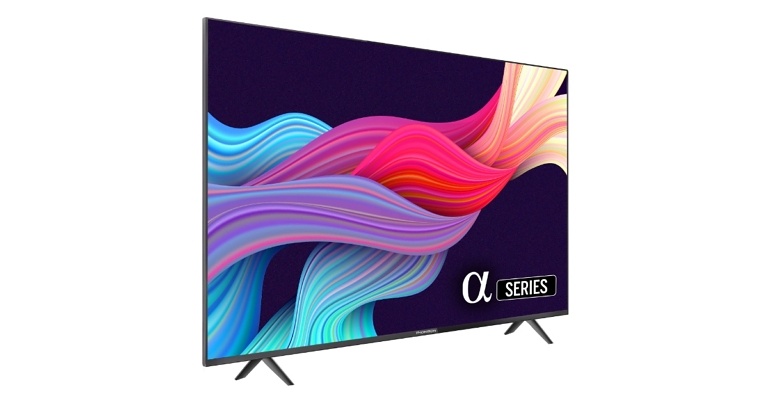
French consumer electronics company Thomson on Wednesday unveiled a new 32-inch smart TV as part of its Alpha series in an effort to draw in Indian customers. The recently released smart TV will be available for purchase through Flipkart. It includes a bezel-less design, 30W speakers and more.
In This Article
Thomson’s 32-inch Alpha Series Smart TV price in India and launch offers
Thomson’s 32-inch Alpha Series Smart TV is priced at Rs 9,999. The new smart TV will be offered for purchase on Flipkart starting on June 26. Customers will be able to take advantage of a number of incentives, including a 10% discount on SBI Bank credit cards, free Gaana Plus membership, and T&C.
Thomson’s 32-inch Alpha Series Smart TV specifications
The new Alpha series TVs have powerful surround sound, are HD-ready, bezel-free, and pre-loaded with YouTube, Prime Video, Sony Liv, Zee5, Eros Now, and other services. It comes with 30W speakers. Other features include Miracast, WI-Fi, HDMI, USB connectivity, 512 MB RAM, 4 GB ROM, and many more.Enthralled about the launch, Mr. Avneet Singh Marwah, CEO, SPPL, an exclusive brand licensee of THOMSON in India comments “We are excited to launch the all-new Thomson Alpha 32 smart TV, we want consumers to be part of digital India. Therefore, we are offering a price of non-smart, this will be one of the most affordable official smart TVs. This is Thomson’s 3rd new product launch in 2022 and we are all geared up to offer many new products this entire year.”To recall, Thomson announced the Oath Pro Max 55-inch Ultra-HD LED Android TV in February this year. The Thomson 55OPMAX9055, which costs Rs. 36,999 on Flipkart, boasts an Ultra-HD screen with 60Hz refresh rate, HDR capability, and runs the Android TV operating system. However, it lacks Dolby Vision format.The bottom-firing speakers have a 40W rated output. Three HDMI ports one of which supports eARC, two USB connections, an Ethernet connector, an optical audio output, an antenna socket, and a composite AV input.
For the latest gadget and tech news, and gadget reviews, follow us on Twitter, Facebook and Instagram. For newest tech & gadget videos subscribe to our YouTube Channel. You can also stay up to date using the Gadget Bridge Android App. You can find the latest car and bike news here.
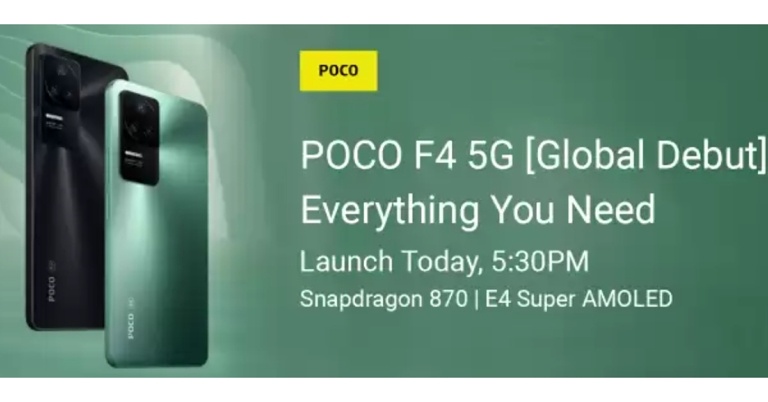
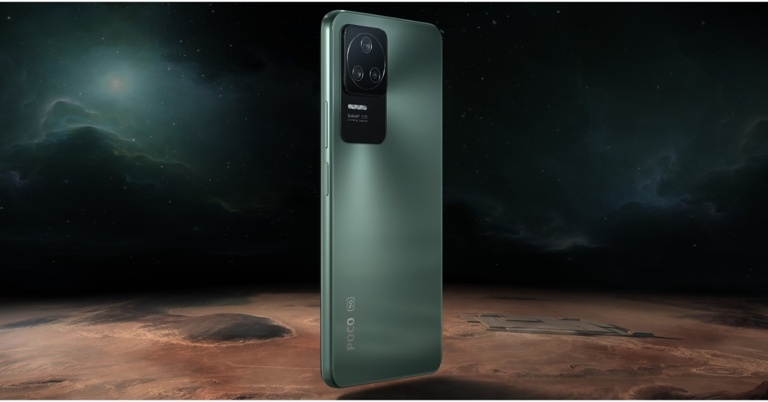
Poco F4 5G has officially launched globally and in the Indian market today. The smartphone is powered by 870 SoC. The handset features a 120Hz AMOLED display, three back cameras and more. The phone is a rebadged variant of Redmi K40S, which made its debut in March in China.
In This Article
Poco F4 5G price in India and availability
For the base 6GB RAM with 128GB storage option, the Poco F4 5G costs Rs 27,999 in India. The 12GB RAM with 256GB storage model costs Rs. 33,999, and the 8GB RAM with 128GB storage variant costs Rs. 29,999. Nebula Green and Night Black are the colours of the newly launched 5G smartphone.The Poco F4 5G will be offered for purchase through Flipkart starting on June 27. An initial discount of Rs. 1,000 is included in launch offerings. Additionally, SBI cardholders are eligible for a Rs 3,000 reduction. In addition, Poco vowed to extend the warranty on the Poco F4 5G in India from the customary one year to two years.
Poco F4 5G specifications
The Poco F4 5G is highlighted with a 6.67-inch full-HD+ E4 AMOLED display with 1,080×2,400 pixels of resolution. The screen also sports a refresh rate of 120Hz and a 360Hz touch sampling rate for lower response latency. With screen peak brightness of 1,300 nits, & 5,000,000:1 contrast ratio. Additionally, the display features the DCI-P3 colour gamut, HDR10+ on Amazon Prime Video, Dolby Vision support on Netflix, and Corning Gorilla Glass 5 to protect it.The smartphone runs on Android 12 with MIUI 13 on top. The Snapdragon 870 SoC and up to 12GB of LPDDR5 RAM power the Poco F4 5G. Up to 256GB of UFS 3.1 storage is available on the Poco F4 5G. However, a microSD card cannot be used to expand internal storage.The smartphone includes a triple-back camera arrangement with a 64-megapixel primary sensor and an optical image stabilisation (OIS) with an f/1.8 lens. A 2-megapixel macro camera and an 8-megapixel ultra-wide camera are also part of the camera arrangement. It also has a 20-megapixel front camera sensor with an f/2.4 lens up front for taking selfies and video calls.Poco has provided a 4,500mAh Li-Polymer battery with 67W fast charging. The Poco phone has 5G, 4G LTE, Wi-Fi 802.11ac, Bluetooth v5.2, GPS/ A-GPS/ NavIC, NFC, and a USB Type-C connector as connectivity options. An accelerometer, ambient light sensor, gyroscope, magnetometer, and proximity sensor are among the sensors on board. A side-mounted fingerprint sensor is also included. Along with dual speakers, the device comes with noise-cancelling microphones.
For the latest gadget and tech news, and gadget reviews, follow us on Twitter, Facebook and Instagram. For newest tech & gadget videos subscribe to our YouTube Channel. You can also stay up to date using the Gadget Bridge Android App. You can find the latest car and bike news here.
While physical photographs have a unique charm, digitizing them is your best shot at preserving them forever. No matter how well you preserve your photographs, they are always at risk of damage. If you keep them stashed away in a box there’s always a risk of moulding. If you regularly take them out to share with your friends or family, they may be at risk of fading or accidental tears. Digitizing your old photographs not only preserves them forever, but also helps you correct faulty images digitally, and makes it easier for you to share them with friends and family. Today, we bring you 3 simple ways you can scan and digitize old photos.Read Also:How to colourise your old black and white images
In This Article
Scan photos at home
If you’ve accumulated a lot of photos over the years and plan on continuing to do so, you might want to invest in a small photo scanner. Digitizing photos using a scanner at home may take time, but it’s the best way to go about a task that is personal to you. There is a wide range of scanners available specifically for use at home. It is advisable to pick one depending on the frequency of your usage. Not to mention, you can use a scanner not just for digitizing pictures but also for scanning other documents like your driver’s license, ID card, etc.Before you begin scanning at home, there are a few helpful tips that you need to keep in mind before you scan and digitize old photos.
Organisation is key: While at first scanning pictures may seem a straightforward task, it can become pretty daunting if you go into it without a strategy. If you are an avid photographer and have collected physical copies of images over the years, it is probable that you’ve amassed several boxes of old photographs by now. If you randomly start digitizing them, you will soon lose track of your task. It is advised to have a sorting criterion before you begin scanning.
Curate your collection: You do not need to scan every photograph you have. Go through the photographs you’ve set aside to digitize and select the ones that are worth preserving. Weed out any duplicates, irrelevant, or faulty photographs.
Be thorough: Your digital photograph will stay with you forever. Make sure you can render the best possible digital scan. The two things you need to keep in mind are the quality of the physical photograph and the quality of the scanner. The quality of your digital photo depends on both of those factors. So, before you begin to scan a photograph, wipe the dust off its surface and check it for any blemishes. Make sure it’s in the best condition possible. Similarly, make sure the scanning surface is dust-free as well.
Know your device: Before you begin digitizing your photographs it is a good idea to familiarise yourself with the scanner you’re using. Carry out a few test scans and explore the different modes that the device offers. See what works best for your pictures and then embark on the task in front of you.
Manage your time: If you’ve got a big collection of photographs, it is unlikely you’ll be able to scan them in one sitting. Do not bite more than you can chew. Take out time in advance and select the number of photographs accordingly. It is better to go about your task in small well planned sessions.
Use an app for your phone
Sometimes you just need to take a quick scan instead of digitizing an entire volume of photographs. Maybe you do not have access to a scanner or do not wish to invest in one. Luckily, there is still a way to preserve your photographs. There are a bunch of apps available for your smartphone which will help you scan your old photos in quick, easy steps. While the quality of the scan may not be on par with that of an actual scanning device, the difference may not be that apparent to the untrained eye. A scanning app may also come in handy when you want to share a single photograph with someone and do not want to part ways with the physical copy.You can use your camera for this task as well, but the difference in quality between an app designed to scan images and your phone camera is enormous. While scanning, make sure that your photograph is placed against a monotone background and is surrounded by ample lighting. Minimize the glare and light reflection by adjusting your camera angle before scanning. Crop the image you’ve taken to edit the background.There is a diverse range of scanning apps available online. PhotoScan by Google is one of the best ones available. Not only does it capture high-quality scans, but it also comes integrated with Google photo tools. You can also use Microsoft Office Lens and Photo Scan App by Photomyne.
Digitization Services
If you do not have the time or will to scan and digitize old photos yourself, you can always make use of a digitization service to do it for you. Facilities like Scan Corner and Scan Junction help you cut out the labour of scanning your images and do it for you at a reasonable price. All you need to do is package your photographs and ship them to their location. Not only do they digitize your photo collection, but they also offer the option of restoring old damaged photos at a particular price.If you do not wish to ship your photographs, you can also seek the services of a photo studio local to you. Most photo studios these days provide digitization services. The only drawback of this option is that a third party gets access to your photographs, and while most services operate in a professional manner, it still might deter people who value their privacy over anything else.Read Also: 5 Things Your Business Needs To Go PaperlessOnce you’ve digitized your pictures there are a lot of things you can do with them. Firstly, it is important to note that you will still have to sort your digital copies and keep them organized, especially when you’re dealing with a large number of photographs. Chronologically sorting them in different folders on your computer is a nice starting point. You can also add captions to your images and edit them to your liking. Having digital copies also makes it easy to share them with friends and family.Another thing to keep in mind is that there is always a risk of losing your photos even after you’ve digitized them. You may lose all data on your device once it becomes dysfunctional. Therefore, it is advised to create a backup for your digital images. You can use services like Dropbox or iCloud to back them up online, or simply create an offline backup on an external hard drive or a USB drive.
For the latest gadget and tech news, and gadget reviews, follow us on Twitter, Facebook and Instagram. For newest tech & gadget videos subscribe to our YouTube Channel. You can also stay up to date using the Gadget Bridge Android App. You can find the latest car and bike news here.
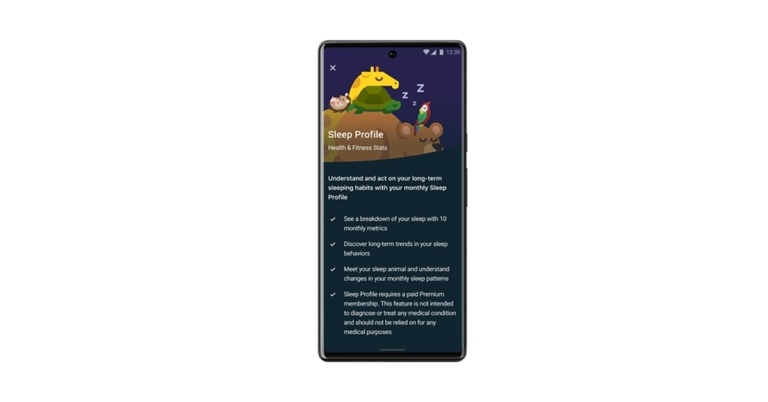
Google has announced the release of Sleep Profile for Fitbit devices. It will be available for its Premium users. The brand-new Premium Sleep Profile function from Fitbit uses an evaluation of 10 different sleep indicators, including fresh information on things like regular bedtimes, the interval before decent sleep, and interrupted sleep.Fitbit’s new Premium Sleep Profile feature offers a more in-depth look at a user’s sleeping patterns and tailored advice on how to fall into the appropriate ranges for their particular body type, helping them to enhance their sleep and general health.While announcing the new health monitoring feature, Google said, “We know our users are motivated to gather even more insight into their sleep, which is why today we’re introducing Sleep Profile. This new Fitbit Premium feature offers a new longitudinal analysis of your sleep patterns. It also makes your sleep data even easier to interpret with fun animal characters, so you can take steps to improve your sleep quality and, in turn, your overall health.”Sleep Profile, which is backed by sleep science, evaluates your sleep every month across 10 key variables, calculates trends, and compares them to what’s average for your age and gender. This allows you to see where you can make improvements.According to Fitbit, its research team studied 1,000 different sleep features during its analysis before distilling it down to the key metrics included in the profile. These data points show a comprehensive month-long snapshot of your sleep habits and quality. They range from new measures like sleep schedule variability, time before sound sleep, and interrupted sleep to previously monitored metrics like sleep length, restfulness, and REM sleep. In order to help you decide where to concentrate your efforts for improvement, you will also be given the optimal ranges for each statistic and where you lie within each range. For the first time, these metrics are shown in a monthly aggregate perspective (something that is nearly impossible to duplicate in a sleep lab).Users of the Fitbit Sleep Profile will receive a monthly sleep analysis in which they can see where they sit within reach of the recommended ranges for someone of a similar age and gender and where they should aim to improve.
In This Article
How does it work
For an evaluation, you must wear your Fitbit gadget to bed at least 14 nights out of every month. The evaluation becomes more accurate the more you wear the device while you sleep. Since sleep can vary greatly from one night to the next, it can be useful to evaluate your sleep data over a longer time period from your personal sleep environment to gain a better understanding of your habits and how you can improve.You will have access to your Sleep Profile as a Premium member on the first day of every month, along with information about your sleep animal and monthly sleep analysis. Since animals can change from month to month, the animal you receive the following month will be based on the data gathered during the previous month. There is no “perfect” animal because each one may be utilised to learn more about your sleeping habits and how to enhance the quality of your sleep.According to Fitbit, you can use this information to establish a more regular sleep schedule or establish a nighttime ritual, such as using the mindfulness exercises in the Fitbit app to help you fall asleep more quickly, based on how other people with similar sleeper types behave. Your general health and well-being can be greatly impacted by how well you sleep since inadequate sleep has been linked to an increased risk of conditions such as diabetes, cardiovascular disease, obesity, poor cognitive performance, and more. With additional assistance and insights to support you in achieving your health, fitness, and wellness objectives, Premium elevates your Fitbit experience by assisting you in better understanding your sleep patterns, your physical preparedness for activity, and how your body reacts to stress.
Eligible Devices
With the debut of the Fitbit app, Sleep Profile will be available to Premium users with Sense, Versa 3, Versa 2, Charge 5, Luxe, or Inspire 2 devices. The first profile for users will arrive during the week of July 4; thereafter, users will receive monthly profiles on the Fitbit app on the first of every month. Users should speak with their doctors if they have any concerns regarding their health because Sleep Profiles aren’t meant for medical use.
For the latest gadget and tech news, and gadget reviews, follow us on Twitter, Facebook and Instagram. For newest tech & gadget videos subscribe to our YouTube Channel. You can also stay up to date using the Gadget Bridge Android App. You can find the latest car and bike news here.
If you’re considering upgrading your PlayStation to PS5, you might want to check if you’ll still be able to play your existing game titles on your new console. Even Sony advises you to make sure your games from previous consoles run on the PS5 before you purchase any add-ons for them. If you’re an avid gamer, there must be certain games that you do not want to part ways with. This is why it is a good idea to check if they would run on the new console. Since its launch in 2020, PS5 has garnered questions about its backwards compatibility. Today, we show you how you can play PS3 or PS4 games on a PS5.Read Also:How to Connect and Sync a PS5 Controller?
In This Article
Can you play PS4 games on PS5?
According to Sony, the ‘overwhelming majority’ of the 4000+ PS4 titles are playable on PS5. The PS4 game discs will work on the PS5 as well. Your PS4 games will not only run on the PS5 but will also benefit from the new console’s Game Boost, making your games run with a higher or smoother frame rate.However, some games that rely on exclusive functionalities of the PS4 may not run entirely on the PS5. You are bound to encounter some differences or errors while playing them on the PS5. Sony recommends trying your PS4 games on the PS5 console before purchasing any add-ons.There are a few PS4 games that are unplayable on the PS5. Sony’s website mentions these games that are ‘PS4 only’ and cannot be played on the PS5:
Afro Samurai 2 Revenge of Kuma Volume One
We Sing
Just Deal With It!
Hitman Go: Definitive Edition
Robinson: The Journey
Shadwen
Can you play PS3 games on PS5?
When it comes to physical game discs, you will not be able to play your PS4 games on the PS5. The PS4 game discs are incompatible with the PS5 and Sony advises against inserting them into your new console. If you try to use external pressure to ram the disc into the PS5 you are at a high risk of damaging your console.Fortunately, you may still be able able to play some of the PS3 games on the PS5. While you cannot run your physical PS3 game disc on the PS5, you can still access PS3 gaming titles from PS Now. PS Now is Sony’s online gaming library, which offers hundreds of games that can be played across all PlayStation consoles. This means you will be able to play some PS3 games on the PS5.It must be noted that PS Now is a subscription service and while some games are a permanent fixture in the catalogue, some may get expired after a certain time.Read Also:How to delete your PS5 user account?It goes without saying that the PS5 is not backwards compatible with the PS2, PS1, or the PSP. However, some games that were ported to PS4 can be played on the PS5. Some games are constantly updated and remastered for newer consoles. If they were remastered for PS4 there is a very high possibility that they will run on the PS5. You can transfer all saved data on your PS4 to PS5 through a shared local WiFi connection or a tethered LAN cable.
For the latest gadget and tech news, and gadget reviews, follow us on Twitter, Facebook and Instagram. For newest tech & gadget videos subscribe to our YouTube Channel. You can also stay up to date using the Gadget Bridge Android App. You can find the latest car and bike news here.
Amongst the various potions and artefacts in Minecraft lies the Potion of Weakness. When you drink the Potion of Weakness, it gives you a weakening effect and reduces your attack damage by 0.5 for up to 1 minute and 30 seconds. It is supported by the Minecraft Java Edition (for PC/Mac), Pocket Edition (PE), Xbox 360, Xbox One, PS3, PS4, Wii U, Nintendo Switch, Windows 10 Edition as well as Education Edition. While a Potion of Weakness may not have many uses, its Splash Potion variant is said to turn a downside into an upside. Apart from that, a Potion of Weakness can also be used to cure zombie villagers. Below is a stepwise guide on how to make the Potion of Weakness in Minecraft in 2022.For making the Potion of Weakness (1:30), you would require a Brewing Stand, a Crafting Table, a Fermented Spider Eye, a Water Bottle and Blaze Powder. The Fermented Spider Eye is said to be its main ingredient and might be difficult to make, as it requires brown mushrooms. Having said that, the recipe for the Potion of Weakness is still an easier one as compared to most other potions. Step 1: Open the Brewing Stand. Image courtesy: DigMinecraftRead also: How To Make A Crossbow In Minecraft (2022)?Step 2: Add the Blaze Powder in the left-most box to activate the Brewing Stand.Step 3: Place the Water Bottle in one of the bottom boxes in the Brewing Stand menu. You can make up to 3 potions at a time by adding 3 Water Bottles to the Stand.Step 4: Put the Fermented Spider Eye on the top box in the Brewing Stand menu.Read also: 12 Best New Minecraft Seeds For Players To Explore (2022)Step 5: When the brewing process is complete, the Fermented Spider Eye will disappear and your Potion of Weakness (1:30) will be ready. The Potion of Weakness can be further turned into the Splash Potion of Weakness for using it as a weapon against your opponent in the game. It reduces the attack damage of your opponent by 0.5, thereby giving you an edge over them. We would be delighted to hear about your winning gameplay strategy with the Potion of Weakness in Minecraft. Do write to us in the comments section below. For the latest gadget and tech news and gadget reviews, follow us on Twitter, Facebook and Instagram. For newest tech & gadget videos subscribe to our YouTube Channel. You can also stay up to date using the Gadget Bridge Android App. You can find the latestcar and bike news here.
Garena Free Fire is a battle royale game with regular awards and tournaments to keep players interested. If you play Garena Free Fire, you should be aware of the redeem codes that are released on a daily basis. However, because the battle royale game is banned in India, players from other countries can use the Free Fire Redeem codes daily. If you’re unfamiliar with the Garena Free Fire redeem codes or don’t know how to get them, we’ve put together a step-by-step guide to help you redeem them. Check out Garena Free Fire Redeem Codes for June 23.The Free Fire redeem codes are a great way to get free stuff. These are 12-digit codes that contain alphabets and numbers, as well as an expiration date and time. Because the Garena FF redeem codes cannot be used more than once, you should hurry to the redemption page to claim your free reward before someone else does. To get a free reward, all you have to do is go to reward.ff.garena.com/en, which is the official redemption page. Also, keep an eye on this space for daily updates on Garena Free Fire redemption codes and rewards.
In This Article
Garena Free Fire Redeem Codes Today 23 June 2022
FV5S-GW7T-5TR4
FV9B-F8HJ-V9UI
87YD-G2TE-B4RJ
5TYO-1H9J-I8NU
F3U4-756T-GB8C
NE4I-5I6Y-KH7M
B7LV-O6DS-I876
5QRE-2DC3-V4BR
HTJG-IHB8-7V6C
X5SA-4QER-2D3F
4VRB-5TJK-GY6H
OB98-7FD6-E5TR
G5B6-NY3M-KU8H
JON9-8B7V-FY6D
ET5W-G345-T6YH
JHGR-KIU7-HG45
How to Get Free Fire Redeem Codes for Garena on June 23?
Amazon hosts a Quiz session for its customers daily. Its app platform brings a quiz on a daily basis, which begins at 12 AM and ends at 11:59 PM daily. The participants stand a chance to win cash prizes on a daily basis. Today’s 23 June 2022 Amazon Quiz will let you win Rs 1,000 Amazon Pay Balance.By participating in the Amazon Quiz the participants can win Amazon Pay Balance ranging from Rs 1,000 to Rs 50,000 every day while sitting at home. To win the participants must answer five questions correctly that are based on current events and general knowledge. One wrong answer can eliminate you from the quiz. The results will be announced at the end of the month. Today’s question will let you win Rs 1,000 Amazon Pay Balance. Check below for today’s Amazon quiz answers.Amazon Quiz Today Prize – Rs 1,000 Amazon Pay BalanceQuiz Date – 23 June 2022Daily Timing – 12 AM to 11:59 PMWinner Announcement – Today 12 PM
In This Article
Amazon Quiz Answers Today 23 June 2022
Question 1: Recently, England set a new world record for the highest ODI score against which country?Answer: NetherlandsQuestion 2: Anik Datta’s movie ‘Aparajito’ is based on the making of which iconic Indian film?Answer: Pather PanchaliQuestion 3: Which of these space exploration companies is in the eye of a storm after reportedly violating US labour laws in recent layoffs?Answer: SpaceXQuestion 4: What is this iconic sculpture called?Answer: The ThinkerQuestion 5: What animal lived at this location until their forceful removal, leading to protests and a movement for their protection?Answer: Pigeons
How To Play Amazon Quiz
Only app users are eligible to play the Amazon quiz every morning from 12 AM to 11:59 PM. The quiz is not available on the desktop. For those who are unaware of how to play the Amazon quiz below are the steps, you can follow to take the quiz.
Firstly download the Amazon app from Google Play Store or App Store
Now fill in the required information through the Sign Up option.
You need to log in to the Amazon app and scroll down on the home screen to find the Amazon Quiz banner.
Tap on the Amazon Quiz banner and tap on the Start button to start the Quiz.
Now you will get 5 questions and you need to answer them correctly. One wrong answer will eliminate you from the Quiz.
After answering all the questions correctly you are now eligible for a Lucky Draw.
The winner’s name will be announced today at 12 PM.
Poco is all set to launch a new smartphone in the Indian market today. The company will be announcing Poco F4 5G in the country via an online launch event. The company has already stated that the upcoming phone will be powered by the Snapdragon 870 chipset. It is rumoured to be a rebranded variant Redmi K40S that was launched in China. Moreover, the handset is speculated to come in two colour options as well as in two different configurations.Poco will formally introduce the Poco F4 5G in India today. Starting at 5:30, there will be a Livestream and an online launch event. The online event will be broadcast live on Facebook, Twitter, and Poco’s official YouTube channel, among other social media sites. Although the company has not provided pricing or specification information, however, the phone has leaked several times ahead of its official announcement. The Chinese smartphone brand also confirmed that the smartphone will go on sale in India on June 23 at 5:30 p.m via Flipkart.
In This Article
Poco F4 5G price in India expected
Ahead of the official announcement the prices and details for the Poco F4 5G have appeared on the Mi Home website in Poland. According to the Poco F4 5G’s pricing info, the 8GB RAM with 256GB storage variant will cost PLN 2,400 (approximately Rs 39,000), while the base model with 6GB RAM with 128GB storage is priced at PLN 2,200 (roughly Rs 42,650). Moonlight Silver and Night Black will be the colour options offered.
Poco F4 5G specifications expected
The Poco F4 5G, according to the description, has a 6.67-inch full-HD+ AMOLED DotDisplay with 1,080×2,400 pixels of resolution. The screen will support a 120Hz refresh rate and 300Hz touch sampling rate. Dolby Vision and Corning Gorilla Glass 5 protection will be there as well. The phone will run Android 12 and will be powered by Snapdragon 870 SoC and up to 8GB of LPDDR5 RAM. According to reports, the phone has LiquidCool 2.0 Technology with vapour chamber cooling. According to the description, the Poco F4 5G would have up to 256GB of UFS 3.1 storage.The Poco F4 5G has a triple rear camera arrangement for taking pictures. It features a 64-megapixel primary sensor with an f/1.79 aperture as well as an 8-megapixel sensor with an f/2.2 aperture and all of which have 119-degree fields of view as well as a 2-megapixel macro sensor with an f/1.75 aperture. A 20-megapixel sensor with an f/2.5 aperture will be on the front.Dual-band Wi-Fi 6, 5G, Bluetooth v5.2, and a USB Type-C connector are listed as connectivity possibilities. According to the listing, the phone would include a 4,500mAh battery with 67W cable charging compatibility. A side-mounted fingerprint sensor, Dolby Audio stereo speakers, and AI face unlock are also expected to come.
For the latest gadget and tech news, and gadget reviews, follow us on Twitter, Facebook and Instagram. For newest tech & gadget videos subscribe to our YouTube Channel. You can also stay up to date using the Gadget Bridge Android App. You can find the latest car and bike news here.


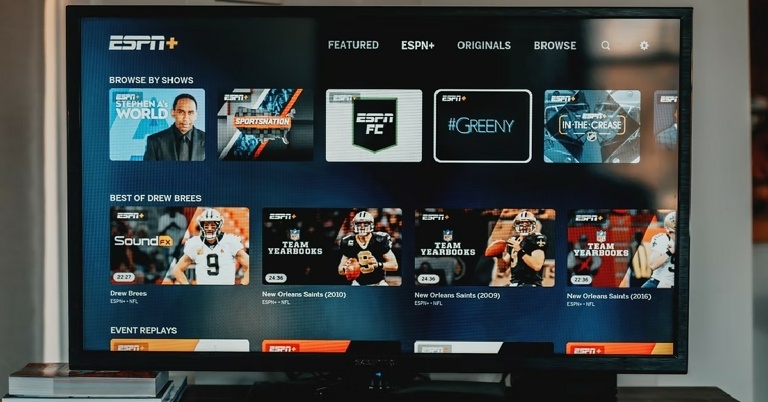
 Step 3: Click on the Search bar.
 Step 4: Search for the App you want to download using the onscreen keyboard or the microphone.
 Step 5: Select the App you want to download and press Install.
 Read Also: The best 4K smart TVs under Rs 50,000 to watch Netflix, Prime Video and other OTT platforms
Following these easy steps, you’ll be able to download any app you want on your Android Smart TV. App availability may depend on the manufacturer and the Smart TV model. If you wish to uninstall a certain app from your Smart TV, go to Settings>Apps. Select the app you wish to delete, then press Uninstall.
For the latest gadget and tech news, and gadget reviews, follow us on Twitter, Facebook and Instagram. For newest tech & gadget videos subscribe to our YouTube Channel.
Read Also: The best 4K smart TVs under Rs 50,000 to watch Netflix, Prime Video and other OTT platforms
Following these easy steps, you’ll be able to download any app you want on your Android Smart TV. App availability may depend on the manufacturer and the Smart TV model. If you wish to uninstall a certain app from your Smart TV, go to Settings>Apps. Select the app you wish to delete, then press Uninstall.
For the latest gadget and tech news, and gadget reviews, follow us on Twitter, Facebook and Instagram. For newest tech & gadget videos subscribe to our YouTube Channel. 
 Step 3:
 Step 4:
 Step 2:
 Step 3:
 Step 4: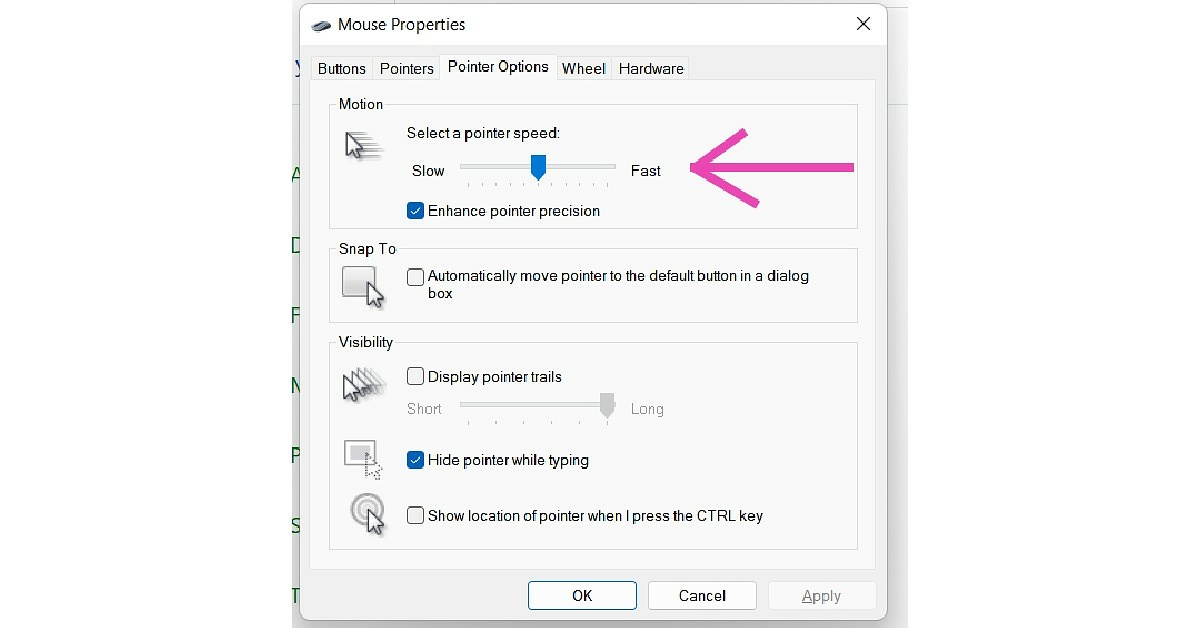
 Step 3:
 Step 4:
 Step 5:
 Step 6:

 Step 2:
 Step 2:

 Step 2:
 Step 5:






























 Step 3:
 Step 4:
 Read also: