In This Article
Moto E32s Review: Design and Display
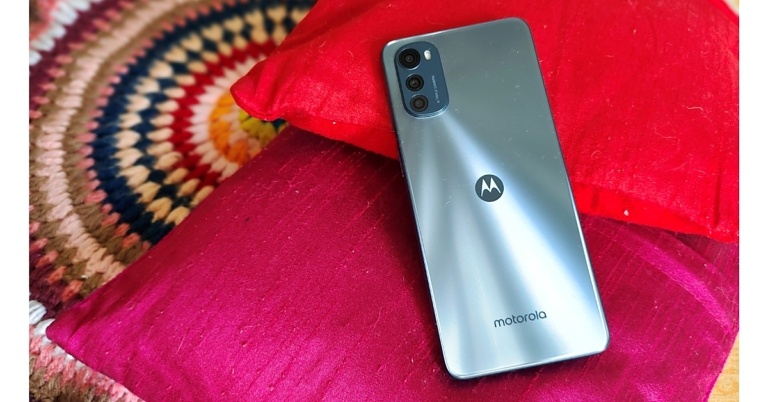
It starts at Rs 8,999, which puts it in the same price range as the Redmi 10. Apart from the pricing, these phones have a pretty comparable set of specifications, but the E32s has a design that strikes outright immediately. It has a boxy appearance with flat sides that prevents it from falling into line as a sub-ten thousand smartphone. It looks absolutely amazing. Don’t get us wrong, it’s still made of plastic, but the business has employed a PMMA finish to produce this premium visual appearance. PMMA is a shatter-resistant, lighter alternative to glass, and we can see how it will affect the phone. It is, without a doubt, a fingerprint magnet. This is why you should use it in conjunction with a case. It has a good build quality, and it also has a 5,000mAh battery within. And, while being a small phone, it has just the appropriate amount of weight.
 The elevated triple rear camera module, which incorporates the lenses in the shape of a teardrop, now completes this matte satin-textured back panel. The famous batwing logo appears in the centre, with Motorola branding directly beneath it. Despite being composed of plastic, it has a matte finish that gives it substance, and it feels strong and sturdy in your hands while you hold the phone.
 The volume rockers and power buttons are located on the right side of the device and provide excellent tactile feedback. The power button also functions as a capacitive fingerprint scanner, which is extremely accurate.
 A microphone, a type-c port, and a single speaker grille are all located along the bottom of the device. The triple slots on the left include two nano-SIM slots and a separate microSD card slot for up to 1TB of storage expansion. The 3.5mm headphone jack can be found at the very top.
The Moto E32s is clearly a stunner, in the sense that the business has done an excellent job with the design and build, and for a budget phone, you also get IP52 dust and water protection, so we’re not sure what else you could ask for in a budget smartphone.
With a narrow bezel and a visible chin, Motorola has ensured that the device’s face appears just as premium. It features a screen-to-body ratio of 89.3%. It has a punch hole that houses a selfie camera and looks modern. The Moto E32s has a 6.5-inch IPS LCD display with a punch-hole design and a resolution of 720×1,600 pixels.
A microphone, a type-c port, and a single speaker grille are all located along the bottom of the device. The triple slots on the left include two nano-SIM slots and a separate microSD card slot for up to 1TB of storage expansion. The 3.5mm headphone jack can be found at the very top.
The Moto E32s is clearly a stunner, in the sense that the business has done an excellent job with the design and build, and for a budget phone, you also get IP52 dust and water protection, so we’re not sure what else you could ask for in a budget smartphone.
With a narrow bezel and a visible chin, Motorola has ensured that the device’s face appears just as premium. It features a screen-to-body ratio of 89.3%. It has a punch hole that houses a selfie camera and looks modern. The Moto E32s has a 6.5-inch IPS LCD display with a punch-hole design and a resolution of 720×1,600 pixels.
 With Panda Glass protection, the screen features a refresh rate of 90Hz and a 20:9 aspect ratio. Furthermore, the brightness peaks at 500 nits, which is suitable for use both indoors and outdoors. We’re talking about the fact that it’s not the brightest day outside. This huge screen is unheard of in the under Rs 10,000 price range.
As a result, this display offered vibrant colours with a high contrast ratio. Widevine L1 certificates are also included, indicating that the Moto E32s can playback HD movies on YouTube and other OTT services. In a nutshell, if you’re looking to consume content, this phone performs admirably.
The bottom-firing speaker works nicely with the top-firing speaker and can get rather loud. Overall, it’s a good panel for the money. Similarly, we had no problems with call quality on this phone.
With Panda Glass protection, the screen features a refresh rate of 90Hz and a 20:9 aspect ratio. Furthermore, the brightness peaks at 500 nits, which is suitable for use both indoors and outdoors. We’re talking about the fact that it’s not the brightest day outside. This huge screen is unheard of in the under Rs 10,000 price range.
As a result, this display offered vibrant colours with a high contrast ratio. Widevine L1 certificates are also included, indicating that the Moto E32s can playback HD movies on YouTube and other OTT services. In a nutshell, if you’re looking to consume content, this phone performs admirably.
The bottom-firing speaker works nicely with the top-firing speaker and can get rather loud. Overall, it’s a good panel for the money. Similarly, we had no problems with call quality on this phone.
Moto E32s review: Performance and Cameras
The phone is powered by a MediaTek Helio G37 SoC with a 680MHz IMG PowerVR GE8320 GPU and up to 4GB of LPDDR4X RAM. The phone has an internal storage capacity of up to 64GB and a dedicated slot for microSD card expansion up to 1TB. While the software is handled by pure Android 12, which is a welcome bonus at this pricing point. We believe Motorola has nailed it here in terms of hardware and specs, and this is by no means a smartphone capable of handling high-performance games. However, if you’re searching for a phone under Rs 10,000 for leisure use, such as browsing the web, checking social media, making video calls, or even playing casual games like Subway Surfers and such adventures, this smartphone is ideal. The chipset performs wonderfully in everyday work; it can easily handle light multitasking, and scrolling across the UI is relatively smooth thanks to the native 90Hz refresh rate. However, as said this is not a particularly strong processor, especially in terms of gaming. As previously stated, games such as Candy Crush, Subway Surfers, and Temple Run are available. BGMI, on the other hand, can be played on low settings, and the 90HZ screen helps, but it feels a touch sluggish. And the software, which is clean and basic, is largely to blame for the phone’s decent performance. Of course, some stutters and lags are to be expected from an entry-level smartphone, but for the most part, Android 12 at this price is a jackpot for the user. Overall, the Moto E32s’ performance has been rather satisfactory, with no serious issues.
The Moto E32s has a triple-back camera system with a 16-megapixel primary sensor with an f/2.2 lens, a 2-megapixel macro sensor, and a 2-megapixel depth sensor for shooting. For selfies and video chats, the smartphone sports an 8-megapixel selfie camera sensor with an f/2.0 lens on the front. Both the rear and front cameras support Portrait, Panorama, Pro, and Night Vision modes. The back camera features an LED light and can record full-HD video at 30 frames per second.
And the software, which is clean and basic, is largely to blame for the phone’s decent performance. Of course, some stutters and lags are to be expected from an entry-level smartphone, but for the most part, Android 12 at this price is a jackpot for the user. Overall, the Moto E32s’ performance has been rather satisfactory, with no serious issues.
The Moto E32s has a triple-back camera system with a 16-megapixel primary sensor with an f/2.2 lens, a 2-megapixel macro sensor, and a 2-megapixel depth sensor for shooting. For selfies and video chats, the smartphone sports an 8-megapixel selfie camera sensor with an f/2.0 lens on the front. Both the rear and front cameras support Portrait, Panorama, Pro, and Night Vision modes. The back camera features an LED light and can record full-HD video at 30 frames per second.


Verdict
The Moto E32s is an all-rounder product for those on a tight budget seeking a smartphone. It faces severe competition from the Redmi 10A, for example. The Moto E32s, on the other hand, is definitely superior in terms of design, build, appearance, camera, endurance, and, most significantly, the stock Android 12 experience. So, if you prefer a pure stock Android experience, we recommend the Moto E32s.Moto E32s Pros
- Excellent Design
- Sturdy
- Android 12
- IP rated
Moto E32s Cons
- Slow charging
 Step 2:
 Step 3:
 Step 2:
 Step 5:
 Step 2:
 Step 3:
 Step 6:
 Step 3:
 Step 5:
 Step 2:
 Step 4:
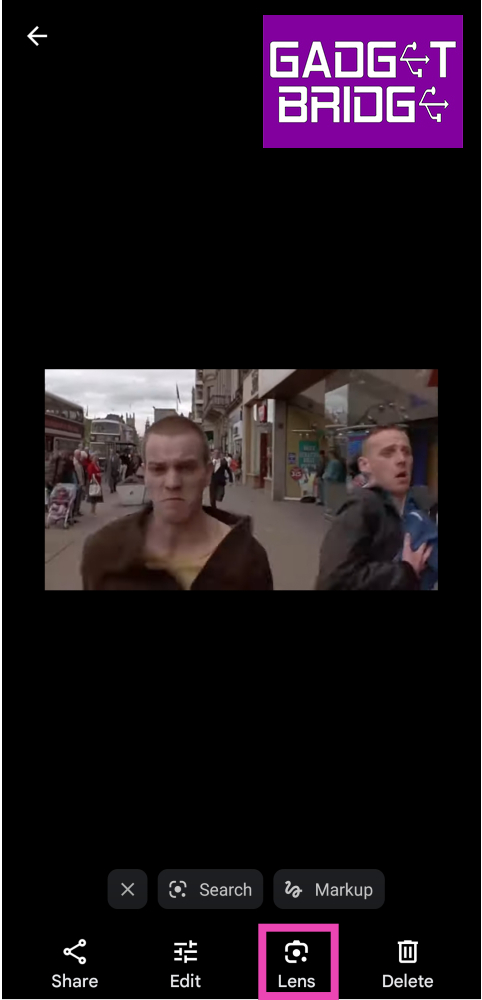 Step 4: Use the cropping tool to cover the entire image.
Step 5: Switch to the Search tab at the bottom.
Step 4: Use the cropping tool to cover the entire image.
Step 5: Switch to the Search tab at the bottom.
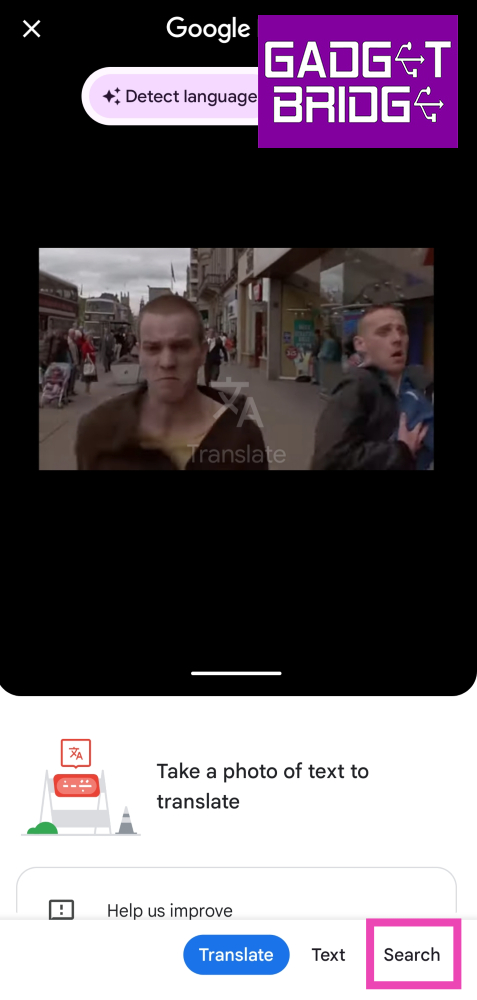 Step 6: Pull up the tab to view all the results. You will be able to determine the source of the video from the results.
 Step 7: If this process doesn’t work, try it again on another still from the video.
 Step 3: Select the video frame.
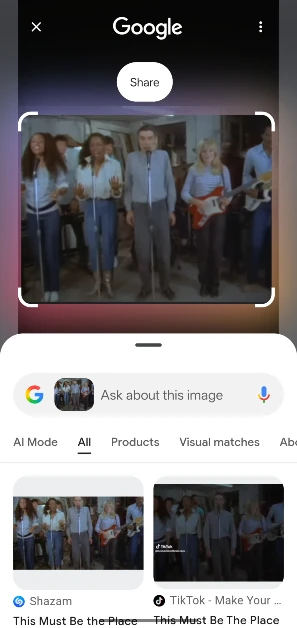 Step 4: Pull up the search results.

 Step 2:
 Step 2:
 Step 2:
 Step 3:
 Step 3:












 Step 2:
 Step 3:
 Step 4:
 Step 5:

 Step 2:
 Step 4:
 Step 5:
 Step 4:
 Step 5:
 Step 6:



 Step 2:
 Step 3:
 Step 4:
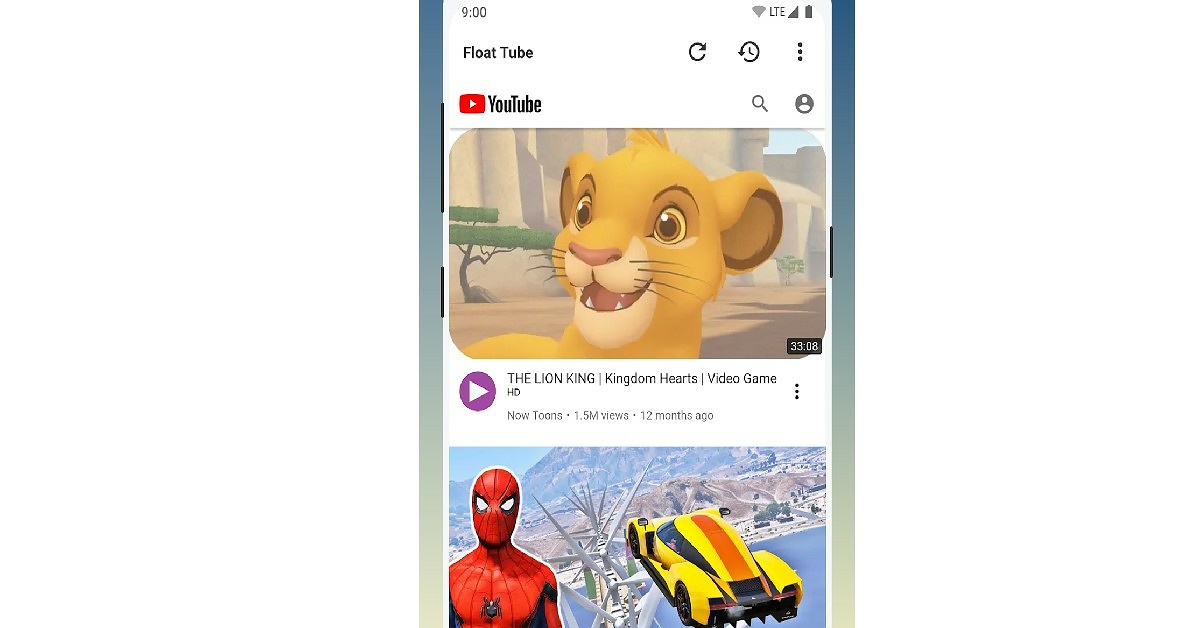
 Step 3: Tap on the ear icon named ‘Play sound with screen off’.
 The YouTube video will continue playing with the screen locked. If you don’t see the sidebar on the screen go to Settings>Additional Settings>Floating Windows>Sidebar and enable the toggle bar for ‘Show while playing videos’.
 Step 3:
 Step 4:
 Step 5:
 Step 7:
 Step 3:
 Step 4:
 Step 3:
 Step 2:
 Step 3:
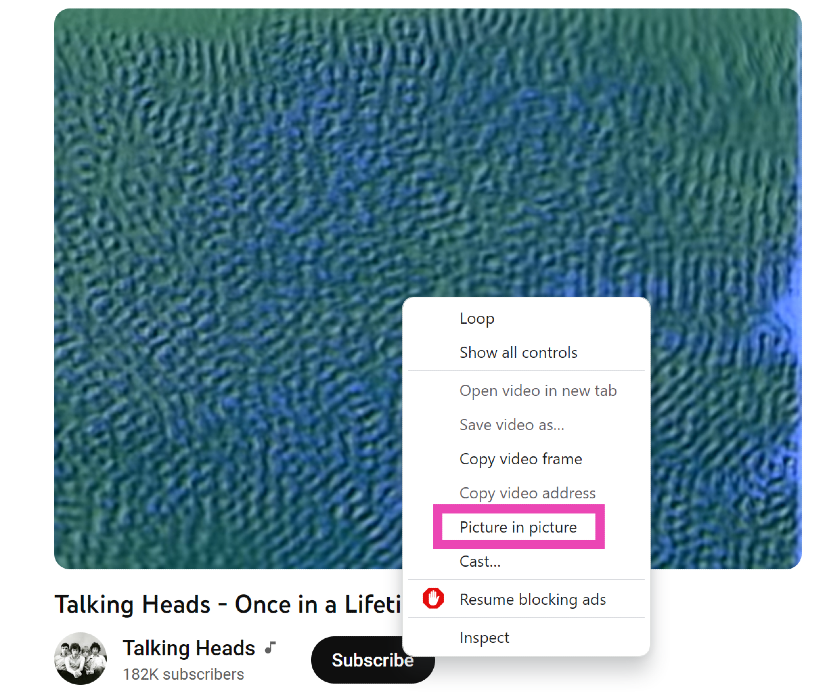 If you ever need to watch a quick YouTube video on your PC while also handling another task, you should know how to play it in Picture-in-Picture mode. For those who don’t know, P-i-P mode allows you to watch a YouTube video in a small window when you switch to other tabs. To achieve this, simply open the video, right-click on it, right-click again, and select ‘Picture in Picture’.
 Step 2:
 Step 2:
 Step 3:
 Step 4: