

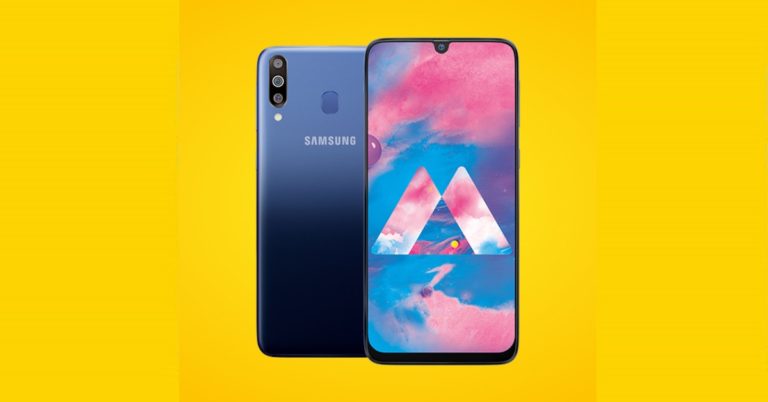
Samsung Galaxy M30 price and launch offers
The Samsung Galaxy M30 is priced at Rs 14,990 for the 4GB RAM/ 64GB storage variant while the 6GB RAM/ 128GB storage variant costs Rs 17,990. Samsung Galaxy M30 will be sold on Amazon India’s website and as part of the launch offers the customers can get total dame protection at Rs 1,199 along with double data benefits from Reliance Jio and no cost EMIs.Samsung Galaxy M30 specifications
Samsung Galaxy M30 sports a 6.4-inch (2340 x 1080 pixels) Full HD+ Super AMOLED Infinity-U display with an aspect ratio of 19.5:9. It is powered by an octa-core Exynos 7904 14nm processor coupled with Mali G71GPU. Samsung Galaxy M30 comes in two RAM and storage variants – one with 4GB RAM coupled with 64GB storage and the other comes with 6GB RAM and 128GB storage. Both the variants of the smartphone support a microSD card of up to 512GB. The handset runs Android 8.1 Oreo skinned with Samsung Experience 9.5. Samsung Galaxy M30 packs a triple-rear camera setup which comprises of a 13MP primary sensor with an f/1.9 aperture coupled with a 5MP secondary sensor with an f/2.2 aperture with another 5MP ultra-wide-angle sensor with 123-degree wide-angle lens. On the front, there is a 16MP camera with an f/2.0 aperture. For security, Samsung Galaxy M30 comes with a rear-mounted fingerprint scanner and it also has a face unlock fetaure. The smartphone comes with Dual-SIM card slot along with a dedicated microSD card slot.Other features of the Samsung Galaxy M30 includes a 3.5mm audio jack, Dolby Atmos, Dual 4G VoLTE, Bluetooth 5, GPS + GLONASS, Wi-Fi 802.11 b/g/n and a 5000mAh battery with fast charging support.“The Samsung Galaxy M30 has near flagship features”, said Rajiv Makhni in his praiseful review. Next sale on 19th March, 12 noon. Click here https://t.co/57ny7G2uk3 & https://t.co/ApWs8OavHH to get notified. #SamsungM30 #IM3XPOWERD pic.twitter.com/yQpCTWvkY0
— Samsung India (@SamsungIndia) March 17, 2019
For the latest gadget and tech news, and gadget reviews, follow us on Twitter, Facebook and Instagram. For newest tech & gadget videos subscribe to our YouTube Channel.
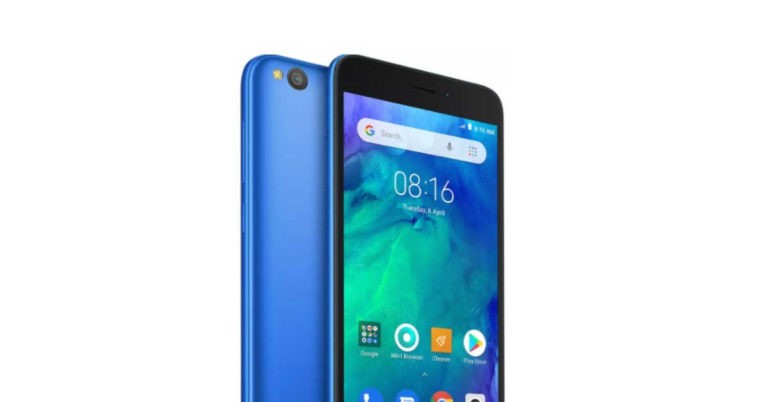


 The new
  The newly launched iPads by
  Both the tablets have identical
  We should point out that the upgraded
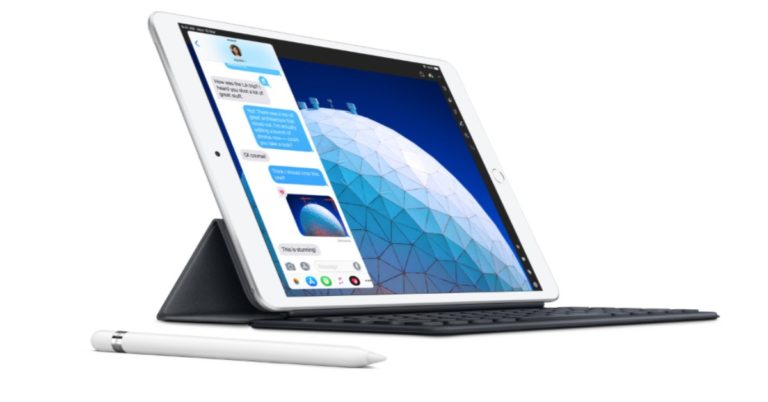
  iPad Air (2019) and iPad Mini (2019) have support for the first generation Apple Pencil and this, according to the company, opens up new creativity and productivity possibilities for users. iPad Air (2019) and iPad Mini (2019) users can do an array of things with the Apple Pencil ranging from drawing and writing down thoughts to marking up documents and retouching photos.
 Besides having different storage configurations, the
  While the Wi-Fi only version of the new iPad Air is priced at $499 (Indian pricing – Rs 44,900), the Wi-Fi + Cellular variants costs $629 (Indian pricing – Rs 55,900). On the other hand, the new iPad Mini’s Wi-Fi only version bears a price tag of $399 (Indian pricing – Rs 34,900), and the Wi-Fi + Cellular model costs $529 (Indian pricing – Rs 45,900).
 As of now, the new iPads are available for purchase in Australia, Austria, Belgium, Canada, Czech Republic, Denmark, Finland, France, Germany, Hong Kong, Hungary, Ireland, Italy, Japan, Luxembourg, Netherlands, New Zealand, Norway, Poland, Portugal, Singapore, Spain, Sweden, Switzerland, the UAE, UK and US. The new tablets would be made available in India “soon”.
 Apple is selling the new iPad Air and iPad Mini in three colour options. Both the tablets are available Silver, Space Grey and Gold colours options.
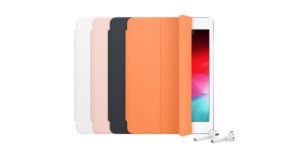 We should mention that the accessories of the new iPads have to be bought separately. While Apple Pencil will be sold for $99 (INR 8500), the Smart Keyboard can be picked up at $159 (INR 13900). Apple will also be selling Polyurethane Smart Covers for both the tablets.
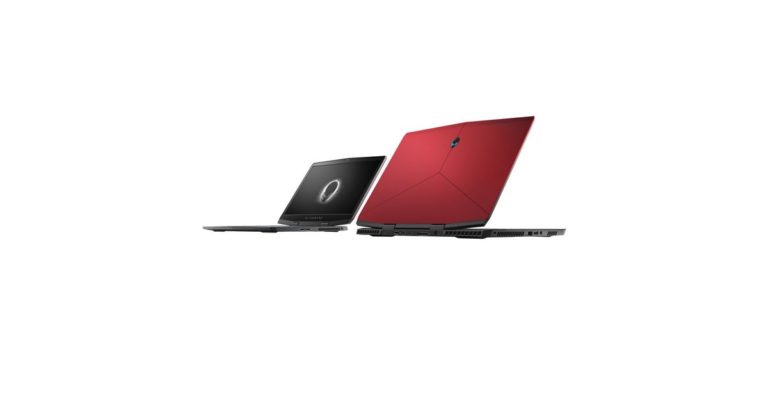
 On the other hand, Dell’s Alienware m15 is powered by an 8th generation Intel Core i7 processor. There is an
  Last on the list is the Dell G7 which is the affordable gaming laptop from Dell. It is powered by an 8th generation Intel Core processor with NVIDIA GeForce RTX 20 series GPU, and comes with 6GB GDDR6 video memory. The G7 has a 15-inch Full HD anti-glare display panel with 3-sided narrow borders, wide-viewing angle and in-plane switching. The display of the laptop has 144GHz refresh rate, and the device comes with Killer Gigabit Ethernet Controller which reduces the lagging and jittering the user faces when gaming. Dell G7 has two-front facing speakers which come tuned with Waves MaxxAudio Pro. There are dual drives with SSD options including the NVMe PCIe which ensures a faster performance. Dell G7 gaming laptop is 19.9mm tall which enhances its portability. Its body is built on the three-piece metal construction braces with brushed metal finish which gives it a rugged and premium feel. The Dell G7 is available in Abyss Grey with blue accents.
For the latest
Last on the list is the Dell G7 which is the affordable gaming laptop from Dell. It is powered by an 8th generation Intel Core processor with NVIDIA GeForce RTX 20 series GPU, and comes with 6GB GDDR6 video memory. The G7 has a 15-inch Full HD anti-glare display panel with 3-sided narrow borders, wide-viewing angle and in-plane switching. The display of the laptop has 144GHz refresh rate, and the device comes with Killer Gigabit Ethernet Controller which reduces the lagging and jittering the user faces when gaming. Dell G7 has two-front facing speakers which come tuned with Waves MaxxAudio Pro. There are dual drives with SSD options including the NVMe PCIe which ensures a faster performance. Dell G7 gaming laptop is 19.9mm tall which enhances its portability. Its body is built on the three-piece metal construction braces with brushed metal finish which gives it a rugged and premium feel. The Dell G7 is available in Abyss Grey with blue accents.
For the latest 

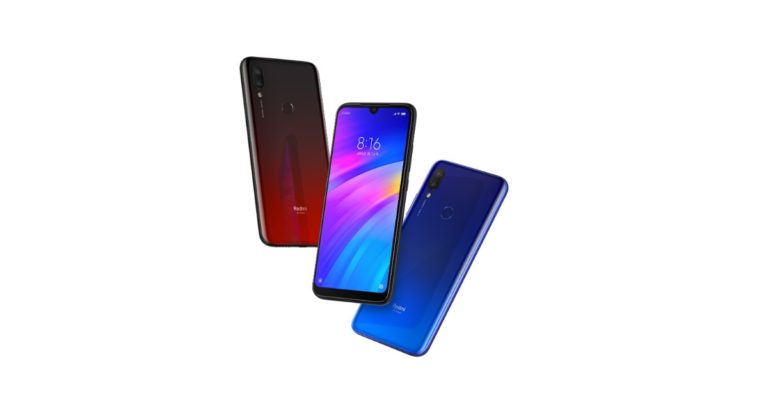
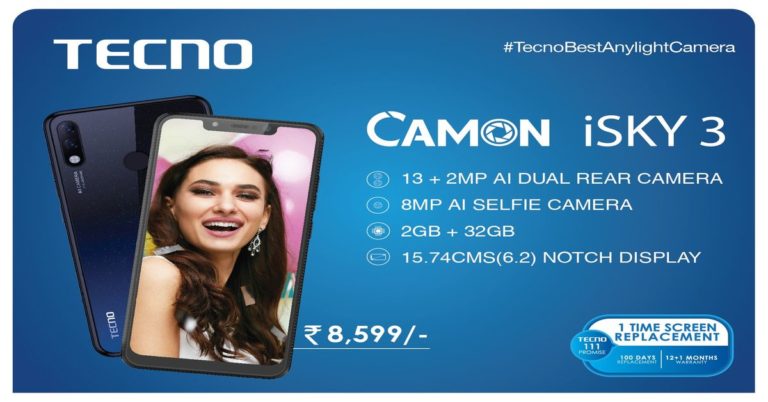
 Arijeet Talapatra, CEO of TRANSSION India said, “Our latest offering CAMON iSKY 3 is powered by latest intuitive software Android 9 Pie operating system, which will substantially change the consumer smartphone experience. The device harnesses the power of
 Other features include Samsung Anti Corrosion Durafin Condensers which the company has said are best suited for Indian climate conditions. The Multi Jet+ technology used in the AC is capable of giving faster cooling and reduces condenser leakage. The condenser is capable of giving up to 5 times larger heat exchange area as compared to other conventional models of ACs.
“Besides cooling comfort with optimum energy efficiency, the consumers will also enjoy offers like unlimited gas recharge free of cost for five years; 2-year warranty on PCB and reduced cost of installation among others,” Kapoor added.
Samsung’s 2019 series of ACs comes with Convertible Mode which once activated allows users to save more energy when they are sitting alone in the room. With this mode, ACs adjusts the cooling capacity as per the number of users inside the room.
With the launch of the new AC series with new features, the South-Korean technology giant is planning to take over the Indian AC market before the summer arrives.
For the latest
Other features include Samsung Anti Corrosion Durafin Condensers which the company has said are best suited for Indian climate conditions. The Multi Jet+ technology used in the AC is capable of giving faster cooling and reduces condenser leakage. The condenser is capable of giving up to 5 times larger heat exchange area as compared to other conventional models of ACs.
“Besides cooling comfort with optimum energy efficiency, the consumers will also enjoy offers like unlimited gas recharge free of cost for five years; 2-year warranty on PCB and reduced cost of installation among others,” Kapoor added.
Samsung’s 2019 series of ACs comes with Convertible Mode which once activated allows users to save more energy when they are sitting alone in the room. With this mode, ACs adjusts the cooling capacity as per the number of users inside the room.
With the launch of the new AC series with new features, the South-Korean technology giant is planning to take over the Indian AC market before the summer arrives.
For the latest 


![[Video] Skullcand Push Wireless Earbuds Unboxing and everything you need to know](https://www.gadgetbridge.com/wp-content/uploads/2019/03/maxresdefault-1-768x432.jpg "[Video] Skullcand Push Wireless Earbuds Unboxing and everything you need to know")



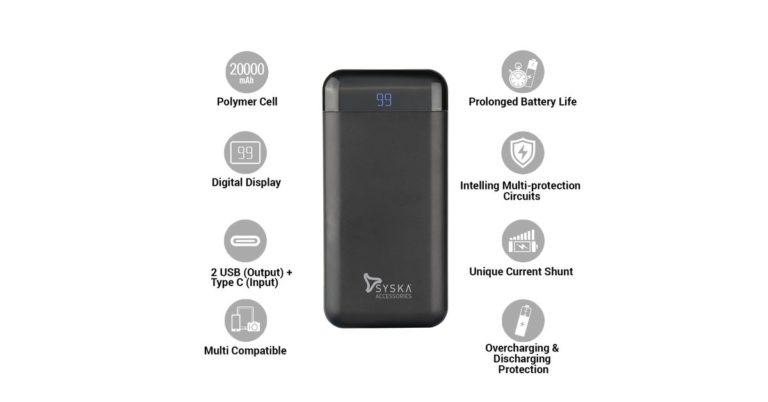
 Syska Power Vault 200 also comes with overcharging and discharge protection which prevents the product from overcharging. Along with that, the power bank comes with an Intelligent Multi-Protection Circuits which protects it when charging and also when the charge is being discharged to other devices. The Syska Power Vault 200 offers a prolonged battery life which is capable of offering the users up to 500 times of charge/discharge cycle. To prolong the power bank’s battery life there is a modulation of pulse width which reduces the energy consumption.
The company has promised that the power bank is compatible with a wide range of devices like laptops, digital cameras, gaming consoles, iPods, Mp3/Mp4 players, tablets, PDAs, Bluetooth speakers, headphones, Android smartphones or iPhones.
Other features of the newly launched power bank includes a battery level indicator which is displayed on the digital display provided on top of the Power Vault 200. The display gives the power percentage the power bank has left. The Power Vault 200 comes with multiple connectors — 2 USB connector, 1 micro USB connector and a
Syska Power Vault 200 also comes with overcharging and discharge protection which prevents the product from overcharging. Along with that, the power bank comes with an Intelligent Multi-Protection Circuits which protects it when charging and also when the charge is being discharged to other devices. The Syska Power Vault 200 offers a prolonged battery life which is capable of offering the users up to 500 times of charge/discharge cycle. To prolong the power bank’s battery life there is a modulation of pulse width which reduces the energy consumption.
The company has promised that the power bank is compatible with a wide range of devices like laptops, digital cameras, gaming consoles, iPods, Mp3/Mp4 players, tablets, PDAs, Bluetooth speakers, headphones, Android smartphones or iPhones.
Other features of the newly launched power bank includes a battery level indicator which is displayed on the digital display provided on top of the Power Vault 200. The display gives the power percentage the power bank has left. The Power Vault 200 comes with multiple connectors — 2 USB connector, 1 micro USB connector and a 

 If you want to get all the new WhatsApp features before anyone else does, you can
  It is very simple to switch between voice and video calls on WhatsApp. Suppose you are currently on a video call with a friend, and you wish to switch it to a voice call instead, just click on the ‘Video Off’ icon on the screen. Similarly, if you have made a voice call on WhatsApp to a friend, but want to get on a video call, press on the ‘Video On’ icon to make the switch.
 You can actually send messages on WhatsApp without even typing them out. Just say ‘Ok Google’ and ask your digital assistant to ‘Send a message on WhatsApp’. Google Assistant will then ask you who you wish to message and what your message is. You can say the name of the contact and the message that you wish to send and then confirm it. Once confirmed, the message will be sent.
 If your friend says something on the group and you want to say something back but would rather do it on personal chat, you don’t have to scroll to find his chat to do this. You can just select the message sent by your friend, click on the three-dot icon on top right and then press on ‘Reply Privately.’
 Go to WhatsApp and press on the three-dot icon to open Settings. Here, select ‘Data and storage usage’ and then press ‘Low data usage’. It will be the last option on the page.
 To make your own GIFS and send them on WhatsApp, you first go to the conversation where you wish to send the GIF and then select on the Attach icon. Select the video you wish to make a GIF from your smartphone’s Gallery and when you come to the edit page, reduce the duration of the video to 6 seconds or less. You will see that the option of converting it into a GIF will pop up on the right of the screen.
 This isn’t exactly a WhatsApp feature as you need a third-party app for it, but it definitely makes sending Stickers more fun on the instant messenger. Download
  Open a WhatsApp conversation and tap on the video camera icon on the top. Once the video call begins and the recipient answers tap on the add user icon on the top right of the screen and choose the second recipient you wish to call. You can add more people to the call in the same way. Alternatively, you can also go to a WhatsApp group and tap on the Group Call icon and select the contacts you wish to call.
 Open WhatsApp and click on the three-dot icon to go to ‘Settings’. Here, select ‘Chats’ and then choose the option of ‘App Language’. Here, you can select the language that you wish to use WhatsApp in.
 If you wish a particular WhatsApp chat of yours to appear on your Home Screen, just select it on WhatsApp and then press on the three-dot icon. Once you do this, you need to select ‘Add chat shortcut’. You will be asked if you wish to add the chat to your home screen. Press ‘Add’ to confirm.
 To enable two-step verification, open WhatsApp and click on the three-dot icon on top right. Press on ‘Settings’ and then select ‘Account’. Here, you will see the option of Two Step Verification. Select it and press on ‘Enable’. You can then add the six-digit pin that you will be asked for registering your phone number with WhatsApp again.
 If you make a group on WhatsApp, you now also have the option of adding a description for it so that the people who are a part of it know its exact purpose. For doing this, go to the Group for which you wish to add a description and click on the top bar where the name of the group and participants is written. This will open the page where you will be able to see all the participants and media of the group. On this page, right below the Name of the group, you will see an option of ‘Add Description.’ Select it and write a short description to let all the participants know the purpose of the WhatsApp group.