Garena Free Fire is a battle royale game with regular awards and tournaments to keep players interested. If you play Garena Free Fire, you should be aware of the redeem codes that are released on a daily basis. However, because the battle royale game is banned in India, players from other countries can use the Free Fire Redeem codes daily. If you’re unfamiliar with the Garena Free Fire redeem codes or don’t know how to get them, we’ve put together a step-by-step guide to help you redeem them. Check out Garena Free Fire Redeem Codes for August 1.The Free Fire redeem codes are a great way to get free stuff. These are 12-digit codes that contain alphabets and numbers, as well as an expiration date and time. Because the Garena FF redeem codes cannot be used more than once, you should hurry to the redemption page to claim your free reward before someone else does. To get a free reward, all you have to do is go to reward.ff.garena.com/en, which is the official redemption page. Also, keep an eye on this space for daily updates on Garena Free Fire redemption codes and rewards.
In an era where SSDs are being ushered in with every computing device, most users are faced with one conflicting question: Which partition table to select for your SSD? Is there one right answer or does it eventually boil down to which operating system you’re using and what you want out of your device? In this article, we take a close look at the MBR vs GPT comparison and answer which partition should you use for your SSD.Read Also: How to install Windows 10 using a pen drive
In This Article
What are MBR and GPT?
Simply put, Master Boot Record (MBR) and GUID Partition Table (GPT) are methods of drive partitioning. Once you install an Operating System, it will require you to partition your hard drive. Partitioning your drive allows your system to store and access the Operating System files in one section. MBR and GPT are two schemes of drive partitioning.While MBR is the older method of drive partitioning, GPT is a new technique that is used on most modern devices. Both schemes have features unique to themselves, and your choice of drive partitioning method should be based on the system you’re using.
MBR vs GPT: Key differences and which method should you choose
The key difference between MBR and GPT is the number of partitions each method lets you create. MBR lets you create four primary partitions. You can create further logical partitions as well, but these logical partitions cannot be used as boot volumes. Meaning you cannot store the OS files on a logical partition. GPT, on the other hand, lets you create up to 128 disk partitions, not including the logical partitions. If you plan on running multiple operating systems on your device, then clearly GPT should be your choice.MBR can only handle disks with up to 2TB of storage space. If you’re trying to partition a disk using MBR, any additional space over 2TB will be rendered unusable. GPT, being a newer method, has a storage limit of 9.4ZB. In case you’re wondering, 1ZB (zettabyte) is equivalent to a billion terabytes. So, it is safe to say that GPT can handle the partition of any amount of storage space.One of the key reasons why disk partitioning is important is being able to recover your data when your operating system gets corrupted and needs to be reinstalled. Since your disk is already partitioned into different sections for system and storage, you only need to rewrite the section allocated to the operating system, leaving your data unharmed. However, if your data get corrupted, recovering it can get tricky. GPT lets you know when your data is at the risk of getting corrupted and creates duplicates for recovery. MBR lacks this option, as it can create a maximum of 4 partitions, and does not come equipped with recovery tools.While GPT is clearly a better partition technique, your choice could ultimately boil down to the OS and boot interfaces you’re using. BIOS and UEFI are the two major boot interfaces employed by most operating systems. BIOS is an older interface and is used by older operating systems, while newer systems are handled by UEFI. The operating systems from Windows 7 and onward require a UEFI environment to boot, and can only work with GPT. Operating systems older than Windows 7 rely on BIOS and hence require MBR.Read Also: Best Solid State Drives (SSDs) that you can buy at price above ₹10,000These are the major differences between MBR and GPT. While GPT is clearly a better partition method, if you’re using an older operating system, MBR would be the correct choice for you. Disk space will not be an issue for most users, since most SSDs rarely ever exceed the 2TB capacity. However, the option to create more disk partitions makes GPT more favourable. While the details can often get confusing, all you need to remember is to check your drive capacity and the OS you’re using before making a choice.
For the latest gadget and tech news, and gadget reviews, follow us on Twitter, Facebook and Instagram. For newest tech & gadget videos subscribe to our YouTube Channel. You can also stay up to date using the Gadget Bridge Android App. You can find the latest car and bike news here.
A security flaw has been discovered in the Google Pixel 6a. Users have discovered a fairly alarming security flaw by Google: any fingerprint can unlock their new phones.As per a report, two complaints from India over the weekend claimed that the Pixel 6a’s under-display fingerprint sensor (UDFPS) allowed for universal unlocking. This covers individuals whose fingerprints were not previously registered. There have been six more reports of this happening.It is alarming that this is happening to actual machines that are being shipped to customers. This Pixel 6a problem does not seem to affect the majority of buyers. They include the ability to unlock someone else’s 6A and unlock with a different finger that wasn’t registered. After deleting all previously saved fingerprints and adding them again, one user claimed the problem never happened again. According to the report four Pixel 6a units have undergone extensive testing, but we were unable to duplicate the issue. This indicates a hardware issue as Google changed the sensor for the 6a, indicating that only some phones are affected.Google did provide an update on Thursday that upgrades the Pixel 6a’s security patch from April’s to June’s.If that update fixes the problem, or if the affected phones are experiencing a more serious hardware issue, is unknown. The fingerprint sensor in question might have been part of a faulty batch.People who have this problem can disable fingerprint unlock. You can do it by opening the Settings app > Security > Fingerprint Unlock > delete. Till then only use PIN or password unlock as a temporary fix.
Google Pixel 6a specifications
The Google Pixel 6a’s 6.1-inch full-HD+ OLED display has a 1,080 x 2,400-pixel resolution. Corning Gorilla Glass 3 protects the screen, which features a 20:9 aspect ratio and a refresh rate of 60Hz. The smartphone comes with Android 12 preinstalled, and after it is released, it will supposedly receive security updates for the following five years. Along with other Pixel devices, the Pixel 6a will be among the first Android devices to get the Android 13 update. It contains 6GB of LPDDR5 RAM, a Titan M2 security coprocessor, a Google Tensor SoC, 128GB of internal storage, and more.The Google Pixel 6a’s dual-camera setup on the rear has a 12.2-megapixel primary sensor with an f/1.7 aperture and a 12-megapixel ultra-wide-angle camera with an f/2.2 aperture. The rear camera has a 30 fps 4K video recording capability. A front-facing 8-megapixel camera with an f/2.0 aperture for selfies and video calls is another feature of the device. 30 frames per second of 1080p video may be recorded with the front camera.Fast charging is supported by the 4,410mAh Google battery that powers the Pixel 6a. In addition to an in-display fingerprint sensor for biometric authentication.
For the latest gadget and tech news, and gadget reviews, follow us on Twitter, Facebook and Instagram. For newest tech & gadget videos subscribe to our YouTube Channel. You can also stay up to date using the Gadget Bridge Android App. You can find the latest car and bike news here.
On August 10, Samsung will introduce the next iteration of its Galaxy foldable smartphone line. At the upcoming Galaxy Unpacked 2022 event the Samsung Galaxy Z Fold 4 and Z Flip 4 are anticipated to debut with the Galaxy Watch 5 series and Galaxy Buds Pro. Ahead of the launch in India pre-orders for the Samsung Galaxy Z Fold 4 and Galaxy Z Flip 4 are now being taken.Customers in India can pre-reserve the new Galaxy smartphones. Customers who want early access to smartphones can also take advantage of special deals when placing a pre-reserve order.The Next Galaxy smartphones will be available for pre-order from users on Samsung.com and Samsung Exclusive Stores for a nominal fee of INR 1999. Following the delivery of the handsets, customers who pre-reserve Next Galaxy smartphones will receive an additional incentive of INR 5000.The Galaxy Unpacked event will start at 9 AM ET/ 6:30 PM IST on August 10.Samsung is anticipated to introduce its forthcoming foldable smartphones, the Galaxy Z Fold 4 and Galaxy Z Flip 4, along with the Galaxy Watch 5 series and Galaxy Buds Pro 2 TWS earphones.While Samsung continues to withhold the details for the time being, there have been many rumours regarding the features and design of these phones. Samsung may have revealed the Galaxy Z Flip 4’s colour and storage possibilities, though.Reddit user u/AlexQuakeZ first noticed the many colour selections and storage setting possibilities on the Samsung Care+ insurance.
According to the specs, the Galaxy Z Flip 4 has onboard storage options of 128GB and 256GB. According to recent rumours, this foldable Samsung smartphone may also come with a 512GB storage option. However, the insurance website does not yet have this option available.Blue, Bora Purple, Graphite, and Pink Gold are listed as the available colours for the Galaxy Z Flip 4. The newly released design renderings of the phone also included images of these choices.Additionally, the frame colour options—Black, Silver, and Gold—that may be available for the Bespoke Edition variation are noted. With over 70 possible colour combinations, Samsung will reportedly provide Green, Navy, Red, Yellow, and White for this model.
For the latest gadget and tech news, and gadget reviews, follow us on Twitter, Facebook and Instagram. For newest tech & gadget videos subscribe to our YouTube Channel. You can also stay up to date using the Gadget Bridge Android App. You can find the latest car and bike news here.
1 August 2022 Amazon Quiz has gone live. Customers from different parts of the country are participating in the daily quiz. The quiz begins from 12 AM to 11:59 PM. Those participating in the quiz can win exciting prizes by answering all the questions correctly. Today participants have a chance to win a Rs 5,000 Amazon Pay Balance.Amazon quiz brings an opportunity for its customers to win Amazon Pay Balance ranging from Rs 1,000 to Rs 50,000. The Quiz can be played from 12 AM to 11:59 PM. The e-commerce platform brings a fresh quiz on a daily basis which consists of five questions related to general knowledge and current affairs. The participants need to answer all the questions correctly and their names will be selected for a lucky draw. The winner will be announced at the end of the month.One wrong answer could eliminate you from the quiz. If you manage to answer all the questions correctly you can stand a chance to win a Rs 5,000 Amazon Pay Balance today. Only app users are eligible to participate in the Quiz. Check Out 1 August 2022 Amazon Quiz Answers.Amazon Quiz Today Prize – Rs 5,000 Amazon Pay BalanceQuiz Date – 1 August 2022Daily Timing – 12 AM to 11:59 PMWinner Announcement – Today 12 PM
In This Article
Amazon Quiz Answers Today 1 August 2022
Question 1: Which of these is an upcoming movie starring Vijay Deverakonda?Answer: LigerQuestion 2: Sadio Mane, who recently won his second African player of the year award, plays international football for which country?Answer: SenegalQuestion 3: On July 22, 2022 Dinesh Gunawardena took oath as the new Prime Minister of which country?
Answer: Sri LankaQuestion 4: Who are the nephews of this famous Disney character?Answer: Huey, Dewey and LouieQuestion 5: This is the flag of which country?Answer: North Macedonia
How To Play Amazon Quiz
Only app users are eligible to play the Amazon quiz every morning from 12 AM to 11:59 PM. The quiz is not available on the desktop. For those who are unaware of how to play the Amazon quiz below are the steps, you can follow to take the quiz.
Firstly download the Amazon app from Google Play Store or App Store
Now fill in the required information through the Sign Up option.
You need to log in to the Amazon app and scroll down on the home screen to find the Amazon Quiz banner.
Tap on the Amazon Quiz banner and tap on the Start button to start the Quiz.
Now you will get 5 questions and you need to answer them correctly. One wrong answer will eliminate you from the Quiz.
After answering all the questions correctly you are now eligible for a Lucky Draw.
The winner’s name will be announced today at 12 PM.
Acer partnered with Indkal technologies in India as the official licensee to sell Acer TVs in the country last year. The TVs are being built in India. Now in the second year running the brand has introduced a new set of smart TVs in the I-series. Available in sizes upwards of 32-inch, we got our hands on the largest brother, which is the 55-inch variant. This is Acer I-series smart TV review (55-inch) of ours and is this new smart TV worth buying? Let’s find out.
In This Article
Acer I-series smart TV review: Design
Out of the box, the Acer I-series smart TV looks like most other TVs in the market, but with very delicate differences. To begin with, the bezels of the smart TV are thinner than most, the bottom chin bezel area is also smaller when compared to others. The Acer branding can be found up front at the bottom with the LED indicator as well as the IR receiver under it. The power button is also placed here, which doubles up as the function key too.
The Acer I-series smart TV can be stood up on the table or can be wall mounted. The wall mount is supplied in the box, which is an excellent thing as then you need not spend anything extra. Most of its front is taken up by the 55-inch grade-A LED panel. The back is where all the ports are located. These are side mounted for easy access. The ports include twin USB 2.0, Ethernet, Antenna, three HDMI and AV-in as well as a 3.5mm headphone port. The power port is placed on the other side of the panel.
The twin 15W x 2 speakers are neatly hidden under the panel. These are downward-firing, so if you keep the Acer I-series smart TV on a table, you will get an extra sound boost. When it comes to slimness this TV is not the slimmest on the market. At its slimmest point, it is about 2-inches thick and goes up to 3.25-inch at the thickest point. This is not bad, for a flat panel, but yes there are slimmer TVs out there, but those are much more expensive.
A full-function remote is also supplied with the Acer I-series smart TV. It has a lot of keys that care of almost all the functions of the TV. Since it is a Bluetooth-enabled remote, when you first turn on the TV, you can easily pair them together. Just hold and press the home and OK buttons together on the remote, within 1 meter of the TV and it will pair. The remote also has dedicated buttons for Netflix, YouTube, and Prime Video and Hotstar. There is a Google assistant button too in case you want to use voice commands.
Read Also:Blaupunkt QLED smart TV with 55-inch 4K display launched in India
Overall, there is nothing exceptional about the design of the TV. But the minimal look works for us, as then you will focus on the picture screen and nothing else.
Acer I-series smart TV review: Performance
Let’s move to the viewing experience of the Acer I-series smart TV. Acer has done a fabulous job at creating this TV. You fall in love with the display with each passing day. There are plenty of audio and visual functions available on this TV for the best viewing experience, which is missing from many other TVs in the price bracket.
There is a special sound equaliser option available on the Acer I-series smart TV that is missing in other smart TVs of this size. Over that, this TV has Dolby Audio and surround sound support, which actually puts a lot of life in the speakers. At full volume they do create a virtual sound experience for small to medium size rooms, however, for large halls, you might want to put in a couple of extra speakers or a sound bar with it.
The viewing experience on the Acer I-series smart TV is superb. We tested it out for more than a week and we loved everything it played. Since 4K is supported the colours and details a UHD video on this TV provides are brilliant. The blacks are not super deep but are not bad. The colours do pop out when playing HD and above videos on this smart screen. HDR10+ and HLG are supported, which makes imagery more vivid.
Watching shows and movies on Netflix and Disney+ Hotstar was a treat. But before that, let us talk about the setup. Setting up the TV is very easy, just follow the on-screen instructions and if you have an Android smartphone (which most of us have) you can connect to your local Wi-Fi router and finish the setup in 3-4 steps. Now coming back to the OTT experience, we loved every bit of it. Our favourite movies and shows looked much better on this TV. The Acer I-series smart TV also reduces noise to quite an extent. This we tested out when we played upscaled shows like friends. The noise is reduced and you get to see a smoother picture. Also, we did not find any ghosting in high-paced action scenes or car chases in movies and shows.
The TV comes with dual-band Wi-Fi as well, which means you can connect to 5GHz or 2.4GHz routers. This is great for people who watch a lot of shows on OTT platforms like Netflix or others. As then you get buffer-free moving pictures. The Acer I-series smart TV is built on Android 11 for TVs and the OS is quite intuitive. Once you start watching, the OS is great at recommending the shows you would want to watch or are not done watching. Navigating through the OS is easy and the supplied remote mostly does a good job. For the rest, there are always voice commands, which work well 9 out of 10 times.
Over that, you can also connect an external webcam to it and have meetings or talk to family using Google Duo. There are a lot of pre-loaded apps available on the Acer I-series smart TV, for more you can always head over to the Play Store app in the TVs OS. This flat screen supports up to 178 degrees of viewing angles, so no matter where you are sitting in the room, you will see accurate colours and videos.
Read Also:Acer P Series Android TV (42-inches) review: Quite good for the price
For RAM and storage, the Acer I-series smart TV comes with 2GB RAM and 16GB onboard space. This is coupled with a 64-bit quad-core CPU and a MALI GPU. Together they do make the TV run fast. But 1 more GB or RAM would have made everything including multi-tasking support smoother.
Verdict
Also, the Acer I-series smart TV consumes 145W of power, which is slightly lower than the competition. So is it worth buying at Rs 37,999? That is a worthy yes. When compared to the rivalry, it is Rs 5,000-7,000 cheaper in the Indian market. There is a lot going on for this smart 4K flat panel. You get good colours, a bezel-less design, and very decent sound with Dolby support. Yes, blacks could have been deeper, and we would have one more GB of RAM, but we guess the company has to leave something out for the next iteration as well. Overall, if you are in the market to buy a large-screen TV, Acer I-series smart TV can serve you well.
With smartphones being able to shoot professional-grade videos, the market for high-end video editing tools has also grown tremendously. Even if you don’t shoot videos in a professional capacity, there are a diverse range of editing tools for your videos that you may want to use before posting them on social media. In this article, we bring you the 10 easy-to-use free video editing apps for iPhone and iPad.Read Also: 5 Funny and Entertaining Weather Apps for Everyday Use
In This Article
iMovie
iMovie is Apple’s own video editor. It is designed keeping in mind the needs of people who want to edit videos for fun or for personal use, and for people who want to edit in a professional or semi-professional capacity. If you’re an amateur editor that is still honing their craft, iMovie is the perfect video editor for you. There are a variety of themes and filters on offer. On top of that, you can even select sound effects or a backing soundtrack from iMovies own audio library.
InShot
InShot is one of the most popular video editors for iOS and Android. Its smooth UI and easy-to-use features make it one of the most accessible video editors around. With its features like video trimming, picture-in-picture mode, and adding transitions, emojis, and stickers, InShot is primarily designed for people who are looking to edit videos for posting on social media. You can even make collages on InShot with hundreds of frames, effects, and animations to choose from. You can either add your own background music or choose one from InShot’s library.
KineMaster
KineMaster makes editing fun on your iPhone with lots of powerful tools, downloadable assets, and much more. Perhaps, one of the most significant features of KineMaster is that it can edit videos in 4k. Another useful thing about KineMaster is that it supports videos in Landscape, Portrait, and Square formats, making it easy to edit videos for different social media platforms. KineMaster also offers more than 2500 downloadable transitions, effects, images and videos, stickers, fonts, and animations from the KineMaster Asset Store.
Quik
Quik is a video editing app from Go Pro. It s designed for users who do not want to get into the finer details of editing and just want to use pre-made tools to get the desired results. So, while you may not have greater control over what you edit, you will be able to edit at a quicker pace. One unique feature that Quik offers is the ability to import videos directly from your Facebook and Instagram accounts. Once you’re done with editing, you can publish the video directly to your social media profiles as well.
Magisto
Magisto is a video editing app meant for beginners who are only interested in using the most basic functions of an editing app. With Magisto you can turn your images into a musical slideshow or even an eye-catching collage. Its AI editor quickly creates the ideal video using the images you’ve entered. Magisto also offers to trim, cut, merge, and reorder your videos, and customise them by adding text, animations, and choosing different colours.
FilmoraGo
FilmoraGo comes with a host of advanced features that push the creativity of the user. You can edit multiple videos in multi-timeline mode, and trim, split, duplicate or merge video clips with just a few taps. FilmoraGo also offers advanced options like playing parts of your video in reverse, changing the tempo of different portions of your video, and even rotating the video to any degree.
Videoshop
Videoshop is a great tool to edit and personalise your videos. On top of offering all the basic editing functions, Videoshop also lets you record a voiceover for your videos within the app itself. Another unique feature that makes Videoshop stand out is the ability to create claymation videos with stop motion recording. Videoshop also offers special effects to add movement to your pictures and videos.
Filmmaker Pro
Filmmaker Pro is an app for users who want more control over the editing process and are looking for greater customisation options. Filmmaker Pro comes with a vast array of tools, including Chroma Key, keyframe animation, motion tracking, audio ducking, photo motion and more. Filmmaker Pro offers the option of multiple video timelines and its colour-coded timeline view makes it easy to distinguish the assets and manage the timeline. Filmmaker Pro also comes with 110 royalty-free music tracks that you can use in your videos without having to worry about any copy strikes. There aren’t many apps for smartphones that are as professional as Filmmaker Pro.
Adobe Premiere Rush
Adobe is probably the biggest name when it comes to video editing tools. Adobe is known for creating the most cutting-edge video editing tools for PCs, and its smartphone app is no different. With Adobe Premiere Rush you can arrange videos, audio, graphics, and photos with drag and drop. You can also add graphics and other animations on top of the videos. The built-in camera functionality also lets you record high-quality videos from the editing app itself. On top of that, Adobe Premiere Rush provides thousands of royalty-free soundtracks to go along with your video.
PowerDirector
PowerDirector offers a large collection of tools to edit your videos and its clean UI makes those tools very easy to use. One of the unique features offered by PowerDirector is the ability to fix shaky cam footage. Not many editing tools offer a better video stabilizer than PowerDirector. You can also use Chrome Key to edit green screen footage and add quirky sound effects using the voice-changing filter. PowerDirector is considered by many to be one of the best free editing apps.Read Also: 10 Best Sites and Apps for Free Tattoo Designs and IdeasThese were the 10 best easy-to-use free video editing apps for your iPhone and iPad. We’ve picked apps from across the spectrum, some that will appeal to beginners who are looking to editvideos solely for posting on social media, and others that will appeal to more advanced users who are looking to create semi-professional movies. If there’s a video editing app that you love to use, let us know in the comments.
For the latest gadget and tech news, and gadget reviews, follow us on Twitter, Facebook and Instagram. For newest tech & gadget videos subscribe to our YouTube Channel. You can also stay up to date using the Gadget Bridge Android App. You can find the latest car and bike news here.
Most people don’t usually associate humour with weather forecast apps. But once you use an app that delivers you accurate weather forecasts with hilarious comments related to the weather, you will never go back to plain old weather reports. In this article, we bring you the top 5 funny and entertaining weather apps for everyday use.Read Also: 10 Best Sites and Apps for Free Tattoo Designs and Ideas
In This Article
CARROT Weather
CARROT brings you the weather forecast in its own unique, hilarious way. With quips for every minute change in weather, CARROT will keep you entertained with its wit. You can even choose from several personality modes and select the one that matches your kind of humour. CARROT Weather also offers fun features like the ‘Time Machine’ for viewing weather from previous years. Apart from its humour, CARROT is also very reliable for accurate weather forecasts, drawing data from AccuWeather, Tomorrow.io, and MeteoGroup.
Grumpy Cat’s Funny Weather
Internet meme sensation Grumpy Cat has a weather forecast app of its own and it’s everything you expect it to be. With meme overlays for every weather forecast, Grumpy Cat’s Funny Weather carries forward the same ‘dry’ tonality that the cat is famous for. You can even share the hilarious weather-related quips on your social media.
LOL – HumourCast Weather
From thousands of hilarious phrases to match any forecast to stunning background photographs for every weather, HumourCast has something in it for everyone. You can even adjust the profanity meter according to your liking. HumourCast always keeps the user experience fresh without repeating any of its jokes. On top of that, HumourCast keeps you updated with constant weather alerts and lets you view multiple weather locations.
What the Forecast
What the Forecast pulls no punches in dealing you blunt and brutally honest weather forecasts. The dry nature of its humour is bound to get a chuckle out of you. With over 9 thousand phrases, you will never get bored of this weather forecast app. What the Forecast gets its weather reports from AerisWeather and weather alerts from NOAA, making it pretty reliable when it comes to weather forecasts.
FuWeather
With its passive-aggressive, sarcastic, and often profanity-laden remarks, FuWeather finds just the right words to express your feelings towards the weather. If you’re someone that constantly complains about the weather, you’ve found your match with FuWeather. The app offers hour-by-hour updates along with a detailed two-week forecast. You can even pin the widget to your phone’s home screen so you never miss an update.Read Also: Top 7 Free Calling Apps for Making Free Phone Calls anywhereThese were the top 5 funny and entertaining weather apps for everyday use. Not only are these apps hilarious, but they also provide credible weather reports, drawing data from reputable sources. If there are any other weather apps you love to use, let us know in the comments!
For the latest gadget and tech news and gadget reviews, follow us on Twitter, Facebook and Instagram. For newest tech & gadget videos subscribe to our YouTube Channel. You can also stay up to date using the Gadget Bridge Android App. You can find the latest car and bike news here.
Asus officially launched Zenfone 9 in the market recently. According to a tip the device is anticipated to be released in India by next month. In the Indian market, the phone is anticipated to cost marginally less, with a starting price of Rs 60,557. However, the launch day and prices for India have not yet been officially announced by Asus. The device is powered by a Snapdragon 8+ Gen 1 SoC and features a 5.92-inch AMOLED display with a 120Hz refresh rate. The biggest UPS of the phone is its 50-megapixel dual rear camera arrangement that comes with a 6-axis hybrid gimbal OIS/EIS stabiliser.
In This Article
Asus Zenfone 9 Price in India and launch date expected
According to speculations the Asus Zenfone 9 should be available in India by August 31, 2022. At a basic price of Rs 60,557, the phone is anticipated to cost a little bit less in the Indian market. The launch time and prices for India have not yet been confirmed by Asus.There are three different memory configurations: 16GB RAM with 256GB storage, 8GB RAM with 256GB storage, and 8GB RAM with 128GB storage. The Asus Zenfone 9 has a starting price of €800. The company claims that it will first be made available in Europe, Hong Kong, and Taiwan before moving on to North America, Japan, Indonesia, and some of South America.
Asus Zenfone 9 specifications
The Asus Zenfone 9 has a 5.92-inch AMOLED display with 1,080 x 2,400 resolution, a 120Hz refresh rate, and Gorilla Glass Victus protection. The screen also includes a 240Hz touch sampling rate and a brilliant display that offers 800 nits at 100% APL and peaks at 1,100 nits. Both a DC dimming at low brightness levels and an Always On mode are supported. The Asus Zenfone 9 has an internal storage capacity of up to 256GB and is powered by a Snapdragon 8+ Gen 1 SoC with up to 16GB of RAM. The phone will receive two key OS updates and at least two years’ worth of security fixes in addition to practically stock Android 12 out of the box.A 50-megapixel Sony IMX766 primary sensor and a 12-megapixel ultra-wide camera with an IMX368 sensor are both included on the back of the Asus Zenfone 9. For taking selfies and taking part in video discussions, it sports a 12-megapixel Sony IMX663 sensor with dual PDAF. 8K recording is also supported by the camera setup. A 6-axis hybrid gimbal OIS/EIS stabiliser is referred to as the primary sensor. Along with correcting for movement on the x- and y-axes, the primary camera’s stabiliser also uses the data from the gyro sensor to adapt for abrupt z-axis forward and backward motions. While the secondary ultrawide lens doubles as a macro camera.The gadget has a 4,300mAh battery inside. A 30W USB-C charger is also included in the bundle with the smartphone. The Zenfone 9’s fingerprint reader is now on the side of the device rather than directly below the screen.
For the latest gadget and tech news, and gadget reviews, follow us on Twitter, Facebook and Instagram. For newest tech & gadget videos subscribe to our YouTube Channel. You can also stay up to date using the Gadget Bridge Android App. You can find the latest car and bike news here.
Garena Free Fire is a battle royale game with regular awards and tournaments to keep players interested. If you play Garena Free Fire, you should be aware of the redeem codes that are released on a daily basis. However, because the battle royale game is banned in India, players from other countries can use the Free Fire Redeem codes daily. If you’re unfamiliar with the Garena Free Fire redeem codes or don’t know how to get them, we’ve put together a step-by-step guide to help you redeem them. Check out Garena Free Fire Redeem Codes for July 30.The Free Fire redeem codes are a great way to get free stuff. These are 12-digit codes that contain alphabets and numbers, as well as an expiration date and time. Because the Garena FF redeem codes cannot be used more than once, you should hurry to the redemption page to claim your free reward before someone else does. To get a free reward, all you have to do is go to reward.ff.garena.com/en, which is the official redemption page. Also, keep an eye on this space for daily updates on Garena Free Fire redemption codes and rewards.
In This Article
Garena Free Fire Redeem Codes Today 30 July 2022
Z2FB-HASU-3VXS
4UBY-XPTW-ERES
FXDS-TSWY-QTJ9
BKSK-ECCM-JZEB
L8LN-F5WK-2YPN
TPNA-MS84-ZE8E
26JT-3G6R-QVAV
A46N-U6UF-Q2JP
6LU6-9JJZ-J7S8
FAG4-LHKD-92GZ
RHUV-SWWV-N9G4
FBJ9-MTXB-9XAP
5R8S-AGS5-MCK5
2K5A-WHD3-FKWB
XKVJ-M65A-NPUQ
AMCT-7DU2-K2U2
LQ6Q-2A95-G29F
HDQK-XDFJ-7D4H
QA97-CXS2-J0F0
W73D-61AW-NGL2
UK2P-Z3NF-GV5U
NLCB-6S92-K2DE
How to Get Free Fire Redeem Codes for Garena on July 30?
Amazon is back with another quiz on its mobile platform. The Amazon Quiz is conducted every day for its customers. Customers from different parts of the country are participating in the daily quiz. Today’s Amazon quiz is now live on the Amazon App. The customers who participate in the 30 July 2022 Amazon Quiz will get a chance to win Rs 20,000 Amazon pay Balance.The Amazon Quiz can be played from 12 AM to 11:59 PM. For those who are unaware of the quiz, the e-commerce platform brings a fresh quiz on a daily basis which consists of five questions related to general knowledge and current affairs. The participants need to answer all the questions correctly and their names will be selected for a lucky draw. The winner will be announced at the end of the month. One wrong answer could eliminate you from the quiz. Only app users are eligible to participate in the Quiz. Check Out 30 July 2022 Amazon Quiz Answers.Amazon Quiz Today Prize – Rs 20,000 Amazon Pay BalanceQuiz Date – 30 July 2022Daily Timing – 12 AM to 11:59 PMWinner Announcement – Today 12 PM
In This Article
Amazon Quiz Answers Today 30 July 2022
Question 1: Thambi’ is the official mascot of the 44th edition of which of these events?Answer: Chess OlympiadQuestion 2: Complete the name of this recent movie starring Aditya Roy Kapur. ‘Rashtra Kavach ____.’Answer: OmQuestion 3: Name this country home to universities such as the University of Waterloo, that recently reported student visa rejection rates of above 50%Answer: CanadaQuestion 4: A group of three or more of these animals is called what?Answer: ClowderQuestion 5: This fruit was named after which country’s national bird?Answer: New Zealand
How To Play Amazon Quiz
Only app users are eligible to play the Amazon quiz every morning from 12 AM to 11:59 PM. The quiz is not available on the desktop. For those who are unaware of how to play the Amazon quiz below are the steps, you can follow to take the quiz.
Firstly download the Amazon app from Google Play Store or App Store
Now fill in the required information through the Sign Up option.
You need to log in to the Amazon app and scroll down on the home screen to find the Amazon Quiz banner.
Tap on the Amazon Quiz banner and tap on the Start button to start the Quiz.
Now you will get 5 questions and you need to answer them correctly. One wrong answer will eliminate you from the Quiz.
After answering all the questions correctly you are now eligible for a Lucky Draw.
The winner’s name will be announced today at 12 PM.
Over the decades, tattoos have moved from the fringes to become a part of the mainstream culture. It has also led to a steady evolution in tattooing as an art form, with a vast diversity in tattoo designs. If you’re looking to get your first tattoo, picking the right design can get confusing. In this article, we bring you the 10 best sites and apps for free tattoo designs and ideas.Read Also: How Will Smartphone Design Evolve Over the Next Decade?
In This Article
Tattoo Designs
Tattoo Designs is a great entry point into exploring tattoo ideas. You can browse through a number of categories for tattoo designs and save the ones you find interesting. The app is simple and easy to use, making it the ideal app to get a taste of what the world of tattoos has to offer before you dive in further.
Tattoo.com
Tattoo.com is one of the oldest and most popular tattoo websites in the world. Launched in 1998, tattoo.com is the hub for all tattoo-related stuff. You can find tattoo designs, ink artists, and news articles relevant to the community. Tattoo.com caters to the subculture around tattoos while also providing quality content for people who are looking to get their first tattoo but don’t know where to start. Tattoo.com is considered by many as one of the best sites for free tattoo designs.
Tattoo Fonts
If you’re looking to get a word or phrase tattooed on your body, Tattoo Fonts is the app you’re looking for. With over 125 customizable fonts, you will find something unique for yourself. All you need to do is enter the text you’re planning to get inked and browse through the fonts until you come across the right one for yourself. Using Tattoo Fonts, you will have an exact idea of the design you want on your body before you even step into the tattoo studio.
Instagram
With millions of daily active users, Instagram is always brimming with content. Using selected hashtags, you can find the content you’re looking for. All you need to do is look for hashtags like #tattoos #tattooideas #tattoodesigns and you will be presented with content from across the spectrum. A lot of tattoo artists post their designs directly to Instagram, making it easier to contact them and get further details. Instagram is perfect for people who are still on the fence about getting a tattoo and want to explore more designs before getting inked.
Custom Tattoo Design
If you want to avoid any cliched or generic tattoos, you should look into hiring a designer to make a custom tattoo for you. You can find a plethora of tattoo artists on Custom Tattoo Design and browse their work until you find something you like. You can either pick a custom design from the artist’s portfolio or communicate your own idea to the artist. The price of the design depends on how complex the tattoo is.
Inkhunter
If you’re worried about how a tattoo will look on your body after it’s done, Inkhunter is the perfect app for you. Using Augmented Reality, Inkhunter gives a visual of how a tattoo will look on you. All you need to do is input the tattoo design and point the camera at the part of your body where you’re getting inked. Inkhunter will project the design on your body and present an accurate image of how it will look on you.
Tattoodo
Co-founded by Ami James of Miami Ink, Tattoodo is one of the biggest tattoo-oriented social media websites in the world. Users can upload their tattoos on Tattoodo and browse pictures posted by other users. It is also an excellent platform for up-and-coming tattoo artists to post their work. Users can also browse tattoo studios near them and book appointments using Tattoodo.
Reddit : r/tattoos
With over 5 million subscribers, r/tattoos is one of the biggest tattoo communities on the Internet. Reddit is a great place to browse tattoo designs, with user-generated content which is upvoted by members of the community. It is also a great place to have discussions around tattoos. Reddit also has other tattoo communities like r/DrawMyTattoo and r/TattooDesigns if you want to explore further.
Inkbox
If the permanence of tattoos is keeping you from getting inked, you should try Inkbox. Inkbox offers temporary tattoos that last on your skin for 8-18 days. They are not your traditional stickers, as they typically last longer. You can browse Inkbox for designs until you come across one you like.
Inksquad
Inksquad is an app for reaching out to tattoo artists to communicate your design ideas. You can book an appointment and brief the artist on the style and design elements you want in your tattoo. If you’re designing your tattoo yourself, you can ask for advice from professionals. You can even browse tattoo ideas and look for appointments in studios near you.Read Also: Top 7 Free Calling Apps for Making Free Phone Calls anywhereThese are the 10 best sites and apps for free tattoo designs and ideas. Once you’ve selected a design, always ask your tattoo artist for more input to make the design better and unique to you. If there are other websites or apps you like to browse for tattoo designs, let us know in the comments!
For the latest gadget and tech news, and gadget reviews, follow us on Twitter, Facebook and Instagram. For newest tech & gadget videos subscribe to our YouTube Channel. You can also stay up to date using the Gadget Bridge Android App. You can find the latest car and bike news here.
The most recent model in the Infinix Smart 6 series, the Infinix Smart 6 Plus, was unveiled in India today. The budget smartphone is powered by MediaTek Helio G25 SoC and has an extended RAM capability that allows for smooth performance by using up to 3GB of storage as RAM. The device features an HD+ display, a dual rear camera and 5,000mAh battery powers it.
In This Article
Infinix Smart 6 Plus price in India and sale details
The cost of the Infinix Smart 6 Plus in India is Rs. 7,999 which is an introductory price. The budget phone will be sold in the nation beginning on August 3 on Flipkart. The smartphone will be available in three colour options of Miracle Black, Tranquil Sea Blue, and Crystal Violet.
Infinix Smart 6 Plus specifications
Infinix Smart 6 Plus has a 6.82-inch Drop notch HD+ display. The display comes with 440 nits of brightness and a screen-to-body ratio of 90.6 percent. The device is powered by XOS 10 and runs Android 12 (Go edition). The smartphone is driven by MediaTek Helio G25 SoC paired with 3GB of RAM. Additionally, for stutter-free performance, the Extended RAM function allows you to borrow up to 3GB of storage and utilise it as 6GB RAM. The 64GB of internal storage on the device can be increased by up to 512GB via a microSD card slot.The Infinix Smart 6 Plus has a dual back camera system with an 8-megapixel primary sensor, an AI depth sensor for pictures and movies. Additionally, the phone has a 5-megapixel front-facing camera for selfies and video calls. A dedicated dual LED flash is also present on the front as well as on the back.The smartphone has 4G LTE, Wi-Fi, Bluetooth, and a Micro-USB connector for connectivity. The proximity sensor, ambient light sensor, and G-sensor are among the sensors built inside the Smart 6 Plus. The device has a 5,000mAh battery. For further protection, both a dedicated fingerprint sensor and a face unlock capability.
For the latest gadget and tech news, and gadget reviews, follow us on Twitter, Facebook and Instagram. For newest tech & gadget videos subscribe to our YouTube Channel. You can also stay up to date using the Gadget Bridge Android App. You can find the latest car and bike news here.
The new Philips OneBlade Pro Face & Body trimmer has been launched in India. The men’s grooming device comes with cutting-edge OneBlade technology by the company and has been designed for precision, power, and control. The OneBlade Pro is a high-end beard trimmer featuring features that enable users to shave, trim, and style their beards as desired. It was designed for precision, power, and control.The Philips OneBlade Pro gives users the control they desire and offers a simple, efficient method for at-home male grooming with an improved trimming experience.The ground-breaking OneBlade technology provides a comfortable and simple shave with glide coating and rounded tips while trimming, edging, and shaving any length of hair.Philips OneBlade Pro Face & Body trimmer also has a tonne of cutting-edge technological features, like contour-following technology and a click-on skin guard that protects the skin from nicks and cuts while allowing for close shaves.The revolutionary trimmer offers 14 distinct settings from 0.4mm to 10mm that allow customers to trim as per their preferred hair length, redefining the landscape with rapid and comfortable hair removal sessions while meeting all kinds of trimming requirements.In addition to the features listed above, OneBlade Pro provides a strong run time of 120 minutes on a full charge and a battery indicator that tracks the remaining charge.The wet and dry Philips trimmer is convenient because it can be used for either a rapid dry shave or a revitalising wet shave depending on how much time is available. The Philips OneBlade Pro Face & Body trimmer features a tough blade that lasts for up to 4 months, however, it is advised to change the blade as soon as the indicator goes green to indicate that it is worn out.The Philips OneBlade Pro Face & Body trimmer would cost Rs 7,495 and be offered at D2C retailers and online.Commenting on the launch, Vidyut Kaul Head, Personal Health, Philips Indian Subcontinent said, “Grooming is a concept that has always been gender-inclusive and we at Philips are constantly building meaningful innovations catering to the growing demand. We have introduced the Philips OneBlade Pro, a premium category product, with the goal to provide edgy and technologically advanced grooming solutions. This new trimmer is the successor of the previous OneBlade with upgraded technological innovations catering to the day-to-day needs and preferences of people. We are confident that this product will provide a comfortable trimming experience protecting the skin of the users from nicks and cuts at the same time.”
For the latest gadget and tech news, and gadget reviews, follow us on Twitter, Facebook and Instagram. For newest tech & gadget videos subscribe to our YouTube Channel. You can also stay up to date using the Gadget Bridge Android App. You can find the latest car and bike news here.
For a lot of users, savefrom.net used to be the one-stop for downloading videos across the internet. All you needed to do was paste the source link and savefrom.net would download the video on your device. Unfortunately, the website was shut down in April 2020, leaving the users looking for worthy alternatives. In this article, we bring you 7 free alternatives to savefrom.net for downloading online videos in 2023.Read Also: BGMI Banned In India: Here are 6 great alternative battle royale games to play on your smartphone
PasteDownload is one of the most online video download tools, allowing downloads from more than 500 video platforms across the internet. These include major websites like YouTube, Dailymotion, Instagram, Facebook, TikTok, Vimeo and a lot more. Most users consider PasteDownload to be savefrom.net’s successor as a universal video downloader.
Launched by Tech Learn, Free Video Downloader lets you download HD videos from multiple sources like YouTube, Instagram, Facebook, Dailymotion, Reddit and other major websites. You can also paste a link from Soundcloud and download the mp3 file. One drawback of Free Video Downloader is that it does not download videos with a resolution higher than 1080p even if the source video allows it.
Video Grabber is one of the better alternatives to savefrom.net available on the internet out now. The process is fairly simple – copy the link to the video you want to download, paste it into the download box and click on Download. The video will be saved in your desired format and resolution. Video Grabber supports downloads from most major social media websites and video platforms. On top of downloading videos, you can also browse Video Grabber’s website to find interesting and popular videos across the internet.
KeepVid lets users download from all the major social networking sites. The maximum resolution allowed by KeepVid for video downloads is 1080p. You do not need to register to KeepVid to use its services. The smooth design and UI make it easy to use the website.
YTGram is a great website to download videos from the major video platforms on the internet like Facebook, Youtube, Instagram, and Vimeo. While it isn’t considered a universal video downloader, users prefer YTGram because of its easy-to-use UI and the option to download videos in 8k resolution. YTGram is ad-free and you do not need to create an account to download videos.
If you want to download a video specifically from Instagram, igram.io is a great option. With iGram you can download everything Instagram-related, from Stories to Reels and IGTV videos. iGram has a mobile website too, so you can download Instagram videos as you’re browsing the feed on your phone.
Clipconverter
Clipconverter is one of the coolest websites we have used to download videos on our devices. This online tool is a great alternative to savefrom.net, allowing you to download a video and convert it to your preferred format at the same time. Need to download a song from YouTube in MP3 format? Simply paste its URL on Clipconverter and select the MP3 format. The website will do the rest.
Read More: How to download Youtube videos to your iPhone camera roll in 2022?
Numerous new features are being added to Google Maps with the new update. These updates have you covered whether you’re planning to ride your bike, see famous landmarks in a new city, or just hang out with pals in the neighbourhood. Google Maps will now show bikers precise routes that include information about any stairwells or steep hills that may be in their path. In addition to this, the platform’s location-sharing capability is also being improved.Google Maps is adding photorealistic aerial views of almost 100 of the most well-known locations in cities like Barcelona, London, New York, San Francisco, and Tokyo right to Google Maps to assist users with the trip-planning process. This is the first step toward the debut of immersive view, an application that combines artificial intelligence with millions of high-quality images from Street View, satellites, and aircraft.This update will give you a better idea of what the Empire State Building looks like up close so you can decide if you want to include it in your travel plans. Anywhere they are available, search for a landmark on Google Maps and go to the Photos area to see an aerial perspective.You will soon be able to compare bike routes with ease and view even more specific information (when this data is available) to get ready for the upcoming ride thanks to our updated cycling route information.Get bike directions to any location by clicking here. You can examine the elevation along your route and see if there will be steep hills, a lot of traffic, or stairs. Also available will be a thorough explanation of the route itself, allowing you to quickly determine if you’ll be pedalling on a neighbourhood street or a major thoroughfare. The days of unwittingly cycling up a challenging climb or down a road with more traffic than you are comfortable with are long gone.You can simply organise schedules and feel at ease with the help of the new location-sharing notifications, which let you know when a loved one has arrived or departed a location. Let’s imagine that you and your buddies are going to a concert. You can set a notification for the musical venue’s address if they’ve previously agreed to share their location with you so you can know when they arrive and meet up right away. In case you get separated, you might also create a notice to know when they’ve left the location.With privacy as its top priority, only people whose location has already been shared with you can have notifications set for them. Multiple reminders will be sent to the individual who shared their location with you, including a push notification in the Maps app, an email, and repeating monthly emails. You decide whether to stop sharing your location or to completely prevent someone from setting notifications; as usual, you are in charge.
Availability
On Google Maps for Android, iOS, and desktop, aerial views of landmarks and location-sharing notifications are currently rolling out internationally. Cycling route information will follow in the following weeks in the hundreds of locations where cycling instructions are available.
For the latest gadget and tech news, and gadget reviews, follow us on Twitter, Facebook and Instagram. For newest tech & gadget videos subscribe to our YouTube Channel. You can also stay up to date using the Gadget Bridge Android App. You can find the latest car and bike news here.
Following a government directive, Battlegrounds Mobile India, also known as BGMI has been removed from both Google Play Store and Apple App Store. Seems like it has been banned similar to how PUBG was banned and vanished from India. Many Battlegrounds Mobile India users were shocked when the removal abruptly occurred late on Thursday night. The Indian government has barred access to Krafton’s battle-royale game BGMI using the same clause of its IT law that it has used to ban Chinese apps since 2020 on the grounds of national security. Google has already acknowledged that it was given a government order instructing it to permanently remove the well-known online game.The government of India is given the authority to obstruct public access to content, among other justifications, under section 69A of the country’s IT law. Orders made in accordance with this clause are often of a confidential nature.Speculations and conjecture about potential justifications for a ban included links to recent suspicions that violent video games were involved, as well as fresh worries about data privacy and online security.The Ministry of Electronics and Information Technology (MeitY) had received a variety of reports and complaints alleging that blocked apps are reappearing in new avatars with similar sounding names or rebranded with the same functionality.Moreover, according to Prahar, a non-profit organisation, Tencent has misled the Indian authorities by claiming that PlayerUnknown’s Battlegrounds and Battlegrounds Mobile India are the same game. A leading NGO executive claimed that there is no firm called Krafton India while calling for a ban on BGMI/PUBG. After PUBG Mobile was outlawed in India, an Indian version of the game called BGMI was released just for Indian players.The government may obstruct public access to content under Section 69A of India’s IT law for a variety of reasons, including those related to national security. For the time being, those who already have it set up on their devices can still use it. To recall, Garena Free Fire, a similar game, was also blocked in February of this year. It’s still possible to download New State Mobile, a different app that Krafton publishes.
For the latest gadget and tech news, and gadget reviews, follow us on Twitter, Facebook and Instagram. For newest tech & gadget videos subscribe to our YouTube Channel. You can also stay up to date using the Gadget Bridge Android App. You can find the latest car and bike news here.
If you spend a lot of time making calls from your cell phone, you may want to cut down on the cost and use an app that lets you make calls for free. All you need is a WiFi or data connection and you’ll be able to make calls to any cell phone or landline for free. If you’re a small business owner and want to reach out to your clientele using a secondary phone number, you may want to look into these apps as well or take advantage of the best VoIP apps according to techreport and revolutionize the way you communicate within your business. Upgrade to these cutting-edge solutions today for improved efficiency and productivity.In this article, we bring you the top 13 free calling apps for making free phone calls anywhere. (2024)Read Also:How to remotely access your PC from anywhere in the world
In This Article
Dingtone
Dingtone is one of the best free calling apps available on the Play Store right now. Using Dingtone, you can make free phone calls and send texts locally. International calls require payment, but the calling rates are much cheaper than that of any regular service provider. You can also earn credits by watching videos and use them to make calls. Once you download Dingtone, you will be assigned a phone number which you can use to make calls.
TextMeUp
On signing up, TextMeUp provides a free number that you can use to make phone calls and send text messages. A new phone number comes in handy if you own a business and want to reach your clientele on a business line. TextMeUp also lets you add your own phone number to the app, for better management. You can add multiple numbers and seamlessly switch between them to make calls and manage them all in one place.
FreeTone
FreeTone offers free calling to any cell phone or landline without any hidden costs. Unlike other apps, you don’t even need to earn or pay credits to use FreeTone. You can sign up using email, Facebook, or Google, and receive a free private phone number which you can use to make calls. FreeTone also offers easy access to your account across all devices. You can also use FreeTone for group messaging, free HD calls, and video chat.
Nextplus
With Nextplus you can call or text any phone number free of cost. This free calling app makes its revenue through banner and video ads. If you want to have an ad-free experience you can buy a pro membership. You can also get rid of the ads by referring the app to your friends. Nextplus also offers some fun social features like customising your avatar and sending voice notes, emojis, stickers and gifs.
Doosra
As the name implies, Doosra offers you a secondary virtual phone number without needing to purchase a SIM card. You can give out this number to people you don’t want to share your personal phone number with. You can also use this number to sign up for services and cut down on spam. Apart from letting you make free calls to any number, Doosra also offers the option of a call filter, where only the numbers you select are allowed to go through. Doosra also has a pro membership which offers additional features like multi-user login and using the virtual number to sign up for instant messaging apps like WhatsApp and Telegram. Doosra is one of the best free calling apps you can use in India.
TextNow: Call + Text Unlimited
With over 50 million downloads on Google Play Store alone, TextNow is one of the most popular free calling apps for making unlimited free phone calls and sending free texts to any number. You can use a virtual number provided by TextNow or bring your own phone number to the app in order to enjoy free calling. Apart from free calling and texting, you can also avail affordable high-speed data plans and international calling options.
textPlus
textPlus allows you to call and send unlimited free messages to other numbers, regardless of whether they are on the app. You can even text and call international numbers at a nominal charge. textPlus is the perfect app for tablets that do not come with a SIM slot. Simply download this app on your tablet to make and receive calls. You can also access your text and call history across all the devices with textPlus. As of now, textPlus is free to use in USA and Canada only.
Google Voice
Google Voice is currently only available in US and Canada, with plans of launching in India soon. We include Google Voice in this list because of its airtight security and smooth UI. Unlike other apps on this list, Google Voice does not place pesky ads in its interface. On top of that, Google Voice also offers the unique feature of transcribing your voicemails to text.
WhatsApp
WhatsApp only offers app-2-app calling, meaning you can only call other users on WhatsApp, but we have to include it on this list due to its massive popularity. In some ways, WhatsApp has totally replaced texting, and with its VoIP calling, it may replace regular phone calls as well. With over a billion users, almost everyone with a smartphone can be reached on WhatsApp. On top of that, WhatsApp also allows voice and video calls for group chats too.
Skype
Like WhatsApp, Skype offers app-2-app calling as well. However, it also lets you purchase credits at an affordable price to call real numbers. Skype was one of the first VoIP apps to get popular on the Internet. Starting as a desktop client, Skype initially allowed users to make free video calls to other Skype users across the Internet. Now, Skype lets you add a virtual number to call other real numbers. Click here to download Skype from the Google Play Store.
Fast Call
This VoIP app makes it easy to call any mobile phone or landline locally or internationally. Upon signing up, you get 2,000 credits which can be used to make calls. Inviting a friend gives you 5,000 more credits. The better part of usingFast Call is that you can ring a phone that isn’t connected to the internet. The calls are clear and stable. Every call you make requires a certain amount of credits. Fast Call allows you to earn more credits by completing some tasks within the app. On top of that, you get some free credits every day.
Talkatone
Talkatone is a great app to make calls and send texts if you’re all out of talk time on your phone. Once you sign up for the app, you get a free virtual phone number that you can use to communicate with your friends and family. This number can also be used to sign up for instant messengers like WhatsApp and Telegram. If you’re located in USA/Canada, you can make local calls for free using Talkatone. MMS and texting are also free on this app. However, you will need to pay for international calling.
TextNow
With over 100 million users, TextNow is one of the biggest calling apps in the world. Once you install the app on your device, you can pick up a free virtual number belonging to any area code in the US. You can make free calls over WiFi or use the TextNow SIM to get the same nationwide coverage as all the big network providers. Instead of subscribing to an expensive data plan, using TextNow you can pay for data only when you need it. The app also offers cheap international calling to 230 countries, with prices starting as low as $0.01 per minute.Read Also: Mid-year: Best TVs seen so far in 2022
Conclusion
These are the top 13 free calling apps for making free phone calls anywhere (2024). Not only do these apps provide a virtual phone number and free calling, but they can also be used to cut down on spam on your personal phone number. If you already have multiple phone numbers, you can use these apps to manage them all in one place seamlessly.
Krafton’s Battle Ground Mobile India (BGMI) has been taken down from Google Play Store and App Store following a government order. While Apple did not provide any reason for taking down the game, a Google spokesperson confirmed that BGMI was taken down from the Play Store following a government order. The reason for the takedown remains a mystery as Krafton is yet to make a statement explaining the ban. Earlier in 2020, the Indian government had banned PUBG Mobile along with 40 other Chinese apps citing a ‘threat to national security’. With BGMI banned in India, here are 6 great alternative battle royale games you can play on your smartphone. Read Also: Top 10 gaming smartphones for the gamer in you
In This Article
Apex Legends Mobile
Apex Legends Mobile was launched for Android in May 2022, but its reputation as one of the best battle royale games had been firmly cemented owing to its popularity among PC and console gamers. Some users consider it superior to BGMI, with its immersive gameplay and high-end graphics. Set in the Apex Legends universe, the players get to join one of three groups on an island full of weapons. Up to 60 players can play in one session, and the last group standing wins. You can play as different characters that come with their own unique abilities. Apex Legends allows players to strategize and engage in tactical squad play.
Call of Duty Mobile
The Call of Duty franchise needs no introduction. Over the years, Call of Duty has produced excellent games across different consoles, and their mobile iteration is no different. CoD allows you to play in different modes such as Team Deathmatch, Domination, and Kill-Confirmed on iconic maps like Shipment, Raid, and Standoff. You can even play 100-player Battle Royale. The voicechat over gameplay is seamless and presents no lag. All in all, Call of Duty Mobile is a great alternative to BGMI, and an excellent battle royale game to play with your friends on your smartphone.
Garena Free Fire Max
Like BGMI, Garena Free Fire Max rose to popularity after the PUBG ban in India. Also known as Free Fire, the battle royale game was developed by 111dots Studio, a game company based in Vietnam. Published to Android and iOS by Garena, the game’s name is an amalgamation of the publisher and developer’s title. In 2019, Garena Free Fire Max became the most downloaded game for smartphones globally. Currently, Free Fire boasts more than 100 million daily active players. With BGMI banned in India, Garena is an excellent alternative.
New State Mobile
If you’re looking for a battle royale game in the same vein as PUBG and with similar graphics, New State Mobile is the game for you. Developed by PUBG studios, it carries forward the same gameplay and graphic design employed in PUBG Battlegrounds. Published by Krafton on Android and iOS, New State Mobile is the second instalment in the PUBG gaming universe, following PUBG Battlegrounds.
Modern Combat 5
Developed by Gameloft, Modern Combat was first launched in 2014 for all gaming platforms. Modern Combat 5 is the fifth instalment in the series. The fictional plot of the game follows the player as the protagonist as they take on the World Liberation Army, a terrorist organisation that plans on attacking several locations across the world. Apart from the story mode, Modern Combat 5 also offers battle royale mode, making it one of the better alternatives to BGMI.
ScarFall: The Royale Combat
If your smartphone is not designed to handle the bulky games mentioned above, you may want to try ScarFall: The Royale Combat. With its low-spec configuration, ScarFall can run on almost any smartphone. The immersive gameplay and cutting-edge graphics make ScarFall just as fun to play as any other game on this list.Read Also: The 10 best free online FPS browser games we love to play to kill timeThese are the 6 battle royale alternatives to BGMI that you can play on your smartphone. It remains to be seen whether the BGMI ban will be a lasting one, or if it is just a temporary suspension. Krafton has clarified that it is in contact with Indian authorities and will notify its users when the details of the ban are made available to them.
For the latest gadget and tech news, and gadget reviews, follow us on Twitter, Facebook and Instagram. For newest tech & gadget videos subscribe to our YouTube Channel. You can also stay up to date using the Gadget Bridge Android App. You can find the latest car and bike news here.
Garena Free Fire is a battle royale game with regular awards and tournaments to keep players interested. If you play Garena Free Fire, you should be aware of the redeem codes that are released on a daily basis. However, because the battle royale game is banned in India, players from other countries can use the Free Fire Redeem codes daily. If you’re unfamiliar with the Garena Free Fire redeem codes or don’t know how to get them, we’ve put together a step-by-step guide to help you redeem them. Check out Garena Free Fire Redeem Codes for July 29.The Free Fire redeem codes are a great way to get free stuff. These are 12-digit codes that contain alphabets and numbers, as well as an expiration date and time. Because the Garena FF redeem codes cannot be used more than once, you should hurry to the redemption page to claim your free reward before someone else does. To get a free reward, all you have to do is go to reward.ff.garena.com/en, which is the official redemption page. Also, keep an eye on this space for daily updates on Garena Free Fire redemption codes and rewards.
Tecno Spark 9T has officially launched in India today. The device is powered by MediaTek Helio G35 SoC. It features a 5,000mAh battery and comes with a 50-megapixel AI triple rear camera. The budget smartphone has an IPX2 splash-resistant rating. The device will be available for purchase via Amazon in the country.
In This Article
Tecno Spark 9T price in India and availability
The cost of the Tecno Spark 9T model with 4GB RAM and 64GB storage in India is Rs 9,299. It is introductory pricing, according to Tecno. The device will be available in two colour options of Atlantic Blue and Turquoise Cyan. It is scheduled to go on sale in the country on August 6 via Amazon.
Tecno Spark 9T specifications
Tecno Spark 9T comes with a 6.6-inch full-HD+ Dot-Notch Display with 1,080×2,408 pixels of resolution. The screen also has a 90.1 percent screen-to-body ratio and 401ppi pixel density. The device runs on HiOS 7.6 based on Android 11. The MediaTek Helio G35 SoC with HyperEngine technology included within the smartphone is said to deliver intelligent resource management with 4GB of LPDDR4x RAM used. With Memory Fusion technology, the Tecno Spark 9T can utilise up to 3GB of storage as RAM. The 64GB of built-in storage on the Tecno Spark 9T may be increased via a specific microSD card slot to up to 512GB.The Tecno Spark 9T boasts a triple back camera arrangement for pictures and movies, with the main 50-megapixel sensor combined with an f/1.6 aperture and phase-detection autofocus. Alongside an AI sensor, there is a 2-megapixel sensor. The smartphone includes an 8-megapixel selfie camera with a dual front flashlight for taking selfies and making video calls. Additionally, it has a Super Night Mode for taking well-lit pictures in dim lighting. The phone also features pro-level shooting modes like 1080p Time-lapse, Slow Motion, and Video BokehIt has a smart anti-oil side fingerprint sensor and the Face Unlock biometric feature. Wi-Fi, Bluetooth v5.0, GPS, GNSS, Galileo, Beidou, and QZSS are among the available connectivity choices. A 5,000mAh battery within the smartphone supports 18W rapid charging. According to the company it provides 39 days of standby time and 147 hours of music playback time to the users. The device is IPX2 splash-resistant and has speakers that support DTS surround sound.
For the latest gadget and tech news, and gadget reviews, follow us on Twitter, Facebook and Instagram. For newest tech & gadget videos subscribe to our YouTube Channel. You can also stay up to date using the Gadget Bridge Android App. You can find the latest car and bike news here.
Have you participated in the Amazon Quiz today? If not then participate in the 29 July 2022 Amazon Quiz as it has already gone live on the app. The daily quiz can be played from 12 AM to 11:59 every day on the mobile app platform. Today e-commerce is giving the chance to win Rs 15,000 Amazon Pay Balance.Every day Amazon brings a fresh quiz for its customers. By participating in the quiz the participants can win an Amazon Pay Balance of up to Rs 50,000. The quiz can only be played on the mobile app as it is not available for the desktop platform. The quiz contains five easy questions and you have to answer all the questions correctly. The participants will then be shortlisted for a lucky draw to select a winner. Whereas the results are declared at the end of the month. Check out today’s Amazon quiz answers to win Rs 15,000.Amazon Quiz Today Prize – Rs 15,000 Amazon Pay BalanceQuiz Date – 29 July 2022Daily Timing – 12 AM to 11:59 PMWinner Announcement – Today 12 PM
In This Article
Amazon Quiz Answers Today 29 July 2022
Question 1: The famous striker Robert Lewandowski recently joined which football club?Answer: BarcelonaQuestion 2: The movie ‘Shamshera’ stars which actress in the female lead role?Answer: Vaani Kapoor
Question 3: The central bank of which continent recently raised its interest rates for the first time in over a decade?
Answer: EuropeQuestion 4: Which country is the highest producer of this beverage in the world?
Answer: ChinaQuestion 5: In which country is the global headquarters of this famous company located?Answer: USA
How To Play Amazon Quiz
Only app users are eligible to play the Amazon quiz every morning from 12 AM to 11:59 PM. The quiz is not available on the desktop. For those who are unaware of how to play the Amazon quiz below are the steps, you can follow to take the quiz.
Firstly download the Amazon app from Google Play Store or App Store
Now fill in the required information through the Sign Up option.
You need to log in to the Amazon app and scroll down on the home screen to find the Amazon Quiz banner.
Tap on the Amazon Quiz banner and tap on the Start button to start the Quiz.
Now you will get 5 questions and you need to answer them correctly. One wrong answer will eliminate you from the Quiz.
After answering all the questions correctly you are now eligible for a Lucky Draw.
The winner’s name will be announced today at 12 PM.
With AirPods, Apple has created one of the finest wireless headphones on the market right now. AirPods blend the experience of listening to audio and having hands-free conversations seamlessly with their receptive microphone. The microphone on your AirPods is located at the end of the stems. In this article, we show you the easiest ways to fix AirPods microphones that aren’t working.Read Also: Mid-year: Best TVs seen so far in 2022
In This Article
Ensure your AirPods are charged
The AirPods microphone may not be working simply because it has run out of charge. Check the charge left on your AirPods by placing them in the case and holding it close to your iPhone. Sometimes the AirPods may work on a low charge but the microphone may stop working. Charge your AirPods to get the microphone working again.
Put the AirPods back in the case for 30 seconds
Putting your AirPods back in their case resets the Bluetooth connection with your iPhone and fixes any minor issue that may be keeping the microphone from working. Simply place the AirPods back in the case for roughly 30 seconds and take them out again. Once they are connected to your iPhone, check if the microphone is working. This is the easiest way to fix any minor issue with your AirPods.
Check the Microphone settings on your iPhone
If you’re experiencing the microphone issue with just one AirPod, the problem may lie with the microphone settings. You can specify which AirPod microphone should be in use. Usually, your iPhone switches the microphone by default, depending on the AirPod you’re using, but you may have changed this setting and forgotten about it. Follow the steps listed below to set it back to default.Step 1: Go to Settings and select Bluetooth. Step 2: Select the ‘i’ icon next to your AirPods in connected devices.Step 3: Select ‘Microphone’ and tap ‘Automatically Switch AirPods’.
Clean the Microphone
It is quite common for the microphone on your AirPods to get clogged by dirt. The microphones are located at the end of the stems on your AirPods. You can use a cotton swab to clean the dirt or wipe it with a microfiber cloth. Blow on the microphone to remove any small dust particles and check if they’re working again.
Turn off Noise Cancellation
Active Noise Cancellation is a great feature to have on your wireless earbuds but sometimes it can mess with the functioning of the microphone. Turn off noise cancellation and check if the mic functions have been restored to normalcy. To disable noise cancellation for your AirPods, go to the Control Center and long-press the volume slider icon. Tap on ‘Noise Control‘ and select ‘Off‘.
Did you accidentally drop your AirPods in the water recently?
AirPods are rated IPX4 for water resistance, which means they are resistant to sweat and minor water splashes but not entirely waterproof. It is advised that you don’t wear your AirPods while swimming or taking a shower. If your AirPods were subjected to water recently, check them for water damage. Wipe the AirPods with a clean, dry cloth and place them in a bowl full of silicate packets.
Forget and Re-pair your AirPods
If you’ve tried all of the methods mentioned above and the microphone of your AirPods still isn’t working, it may be due to a corrupted connection to your iPhone. You can try ‘forgetting’ the AirPods and pairing them again. Just follow these easy steps.Step 1: Go to Settings and select Bluetooth.Step 2: Select the ‘i’ icon next to the AirPods under ‘My Devices’.Step 3: Select ‘Forget this Device’.Scan for new Bluetooth devices and re-pair your AirPods with your iPhone.
Update the firmware of your AirPods
An older firmware version can often lead to certain malfunctions on your AirPods. While there is no way to manually update the firmware of your AirPods, it will update automatically once your iPhone is paired with the earbuds and has a stable internet connection. To check the firmware version of your AirPods, connect them to your iPhone and go to Settings>Airpods and scroll to the About section. Tap on ‘Version’ to check the firmware version of the buds and the case.
Reset your AirPods
Resetting your AirPods takes care of any temporary issues that may be keeping the earbuds or the microphone from working. To reset your AirPods, press and hold the Setup button at the back of the charging case until the notification light turns amber. Make sure the earbuds are inside the case throughout this process. Now, turn on Bluetooth on your iPhone and pair your AirPods again.
Reset Network Settings
Restoring the network settings to factory default can fix any connection issues springing from customised settings. You will need to re-pair all your Bluetooth and WiFi connections after performing network settings reset. Here’s how you can go about it.
Step 1: Go to Settings and select General.
Step 2: Scroll down and select ‘Transfer or reset iPhone’.
Step 3: Select ‘Reset’ followed by ‘Reset Network Settings’.
Frequently Asked Questions
Is there a microphone on AirPods?
Yes, each earbud on your AirPods carries a microphone that is turned on by default as soon as the AirPods are connected to your iPhone. You can use this microphone to make phone calls and control Siri.
Where is the microphone on AirPods?
The microphone is located on the stem of the AirPods. You can find it below the control panel.
Why can’t callers hear me on my AirPods?
If your voice isn’t able to get through on a call while your AirPods are connected to your iPhone, there is something wrong with the microphone. Clean the microphone on either AirPod and try again.
Read Also:Google Pixel 6a now available in India, goes on its first sale
While Gmail is the most popular email service in the world, it is not without flaws. Sometimes emails get stuck in the outbox and refuse to send entirely. Users also experience certain issues with uploading certain files as attachments. In this article, we show you how to fix the ‘Can’t send Emails with attachments from Gmail account’ issue.Read Also: Google announces local collaborations to improve India’s Maps user experience
In This Article
Check attachment size
Gmail does not allow email attachments more than 25MB in size. Check your attachment size, and if they exceed the limit, try sending them in two separate emails. You can also upload the attachment to Google Drive and email the link to the recipient. You can also use a file compressor to decrease the file size.
Switch off the Firewall
It is possible that the firewall on your PC is blocking the email you’re trying to send. In order to disable the firewall, go to Control Panel>Network and Internet>System and Security and select Windows Defender Firewall. On the left-hand side panel, select Turn Windows Defender Firewall on or off and select the Turn off Windows Defender Firewall option.
Clear Browser Cache and Cookies
Some temporary files stored in the Cache may be keeping your email from getting sent. Simply go to Settings>Privacy and Security and clear the cache and cookies. This is one of the best ways to fix the ‘Can’t Send Emails With Attachments From Gmail Account’ issue.
Go Incognito
If your use a lot of extensions on your browser, they may be getting in the way of sending your email. Instead of turning off all the extensions, you can quickly send the mail through an incognito window. If you’re using Google Chrome, simply press Ctrl+Shift+N to launch the incognito tab.
Use another browser
If you’re certain your email isn’t getting sent due to a browser-related issue, you can try sending it through another browser. Google Chrome, Mozilla Firefox, Opera, and Microsoft Edge are all credible web browsers you can use for this task. You should also check if your current browser has an update due before moving on to another browser. Oftentimes, a pending update contains the fix to any glitches or bugs, so it is a good idea to keep your browser updated.Read Also:Online Privacy is Possible if You Follow These TipsThese were the best ways to fix the ‘Can’t Send Emails With Attachments From Gmail Account’ issue. If your emails keep getting stuck in the Gmail Outbox, read our comprehensive guide to fixing that issue here.
For the latest gadget and tech news, and gadget reviews, follow us on Twitter, Facebook and Instagram. For newest tech & gadget videos subscribe to our YouTube Channel. You can also stay up to date using the Gadget Bridge Android App. You can find the latest car and bike news here.
Converting a file to a different format isn’t as challenging as it sounds. If you’re looking to convert a video file from MOV to MP4 format, it can be easily done using VLC Media Player. If you do not have VLC Media Player installed on your PC, we have another option for you. In this article, you will find the two best ways to convert MOV to MP4 on a Windows PC. Read Also:How to download YouTube videos on your PC?
In This Article
Convert MOV to MP4 using VLC Media Player
VLC Media Player comes pre-installed on most PCs but if you can’t find it on your device, you can download it from VLC’s official website.Step 1: Open the VLC Media Player on your PC.Step 2: Click on the ‘Media’ menu and select ‘Convert/Save’.Step 3: Import the MOV file your want to convert using the ‘Add’ button.Step 4: Click on the ‘Convert’ button and select the format you want to convert the file in (Video – H.264 + MP3 (MP4)).Step 5: Specify the location where you want to save the converted file in the ‘Destination file’ bar. Click ‘Start’.VLC Media Player will convert the MOV file to MP4 and save it in the specified location.
Convert MOV to MP4 using an online converter
If you do not want to download VLC Media Player to your PC, you can use any online tool to convert a MOV file to MP4. One of the best websites for this task is www.cloudconvert.com.Step 1: Open www.cloudconvert.com on your web browser.Step 2: From the ‘File Converter’ section select ‘Convert MOV to MP4’.Step 3: Click on ‘Select File’ and select ‘From my computer’.Step 4: Click on ‘Convert’.Cloud Convert will convert the MOV file to MP4 and give you the option to download it. After downloading, the file can be found in the Downloads folder on your PC.Read Also:Top 5 speech to text apps for your Android smartphoneThese were the two easiest ways to convert a MOV file to MP4 format on a Windows PC. MOV is the QuickTime format created by Apple, so some Windows devices may experience issues playing those files. Even though VLC is equipped to handle most formats, sometimes users report that MOV files do not run with the background audio in place. In such cases, it is much easier to simply convert those files before playing them. You can also download QuickTime for Windows to play those files.
For the latest gadget and tech news, and gadget reviews, follow us on Twitter, Facebook and Instagram. For newest tech & gadget videos subscribe to our YouTube Channel. You can also stay up to date using the Gadget Bridge Android App. You can find the latest car and bike news here.



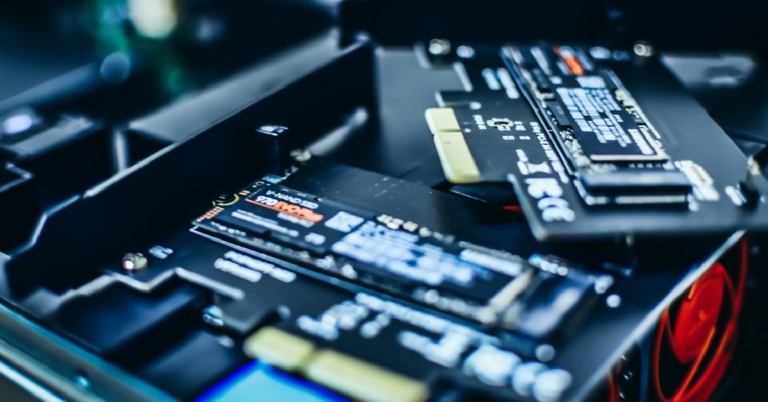

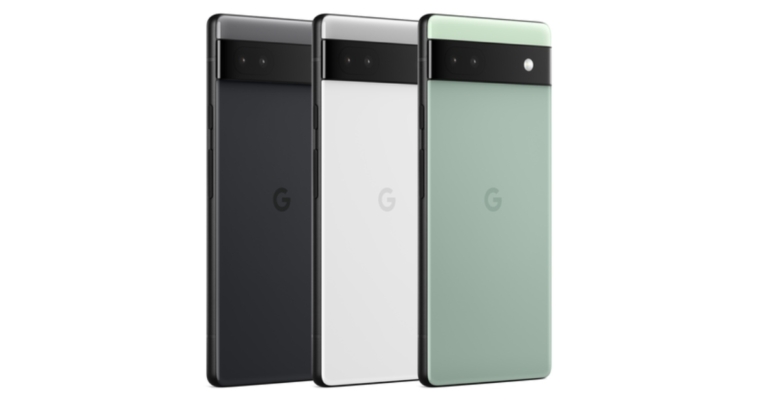
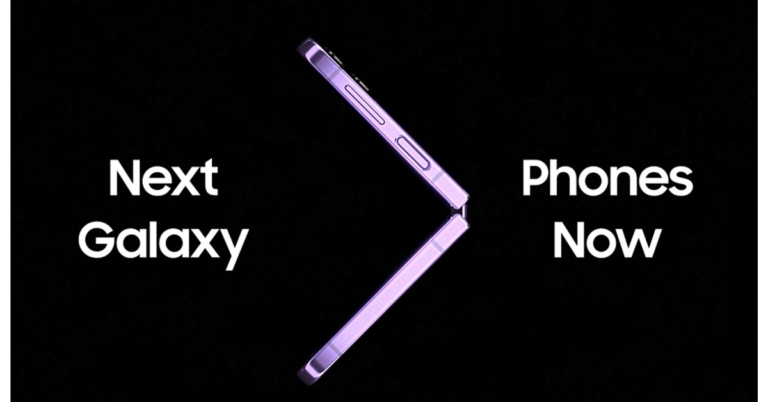


 The Acer I-series smart TV can be stood up on the table or can be wall mounted. The wall mount is supplied in the box, which is an excellent thing as then you need not spend anything extra. Most of its front is taken up by the 55-inch grade-A LED panel. The back is where all the ports are located. These are side mounted for easy access. The ports include twin USB 2.0, Ethernet, Antenna, three HDMI and AV-in as well as a 3.5mm headphone port. The power port is placed on the other side of the panel.
 The twin 15W x 2 speakers are neatly hidden under the panel. These are downward-firing, so if you keep the Acer I-series smart TV on a table, you will get an extra sound boost. When it comes to slimness this TV is not the slimmest on the market. At its slimmest point, it is about 2-inches thick and goes up to 3.25-inch at the thickest point. This is not bad, for a flat panel, but yes there are slimmer TVs out there, but those are much more expensive.
 A full-function remote is also supplied with the Acer I-series smart TV. It has a lot of keys that care of almost all the functions of the TV. Since it is a Bluetooth-enabled remote, when you first turn on the TV, you can easily pair them together. Just hold and press the home and OK buttons together on the remote, within 1 meter of the TV and it will pair. The remote also has dedicated buttons for Netflix, YouTube, and Prime Video and Hotstar. There is a Google assistant button too in case you want to use voice commands.
Read Also:
A full-function remote is also supplied with the Acer I-series smart TV. It has a lot of keys that care of almost all the functions of the TV. Since it is a Bluetooth-enabled remote, when you first turn on the TV, you can easily pair them together. Just hold and press the home and OK buttons together on the remote, within 1 meter of the TV and it will pair. The remote also has dedicated buttons for Netflix, YouTube, and Prime Video and Hotstar. There is a Google assistant button too in case you want to use voice commands.
Read Also: 


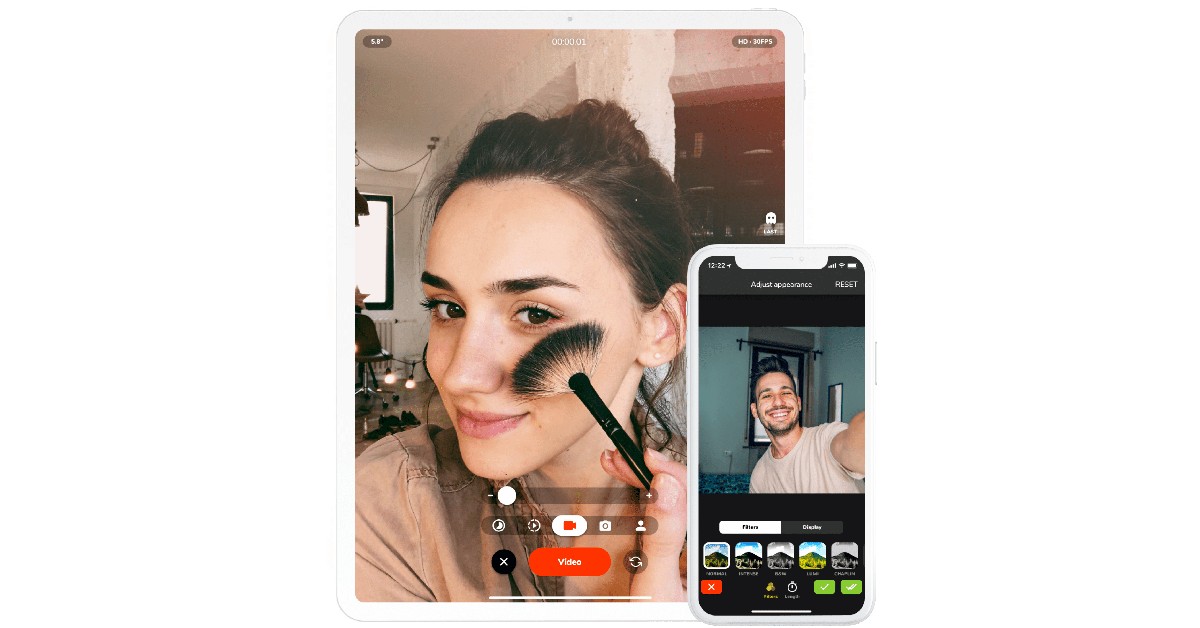


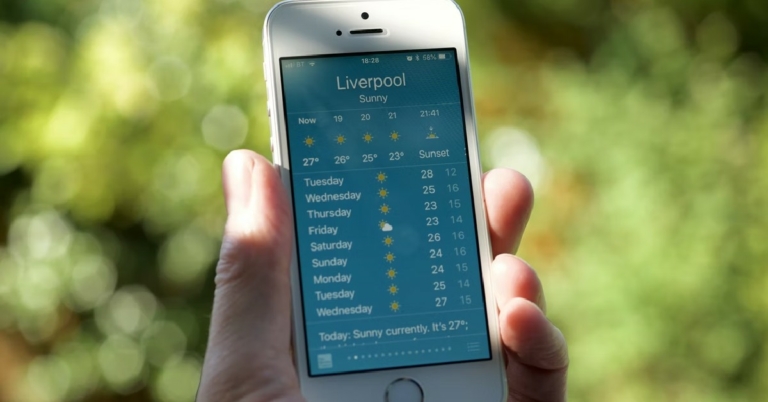


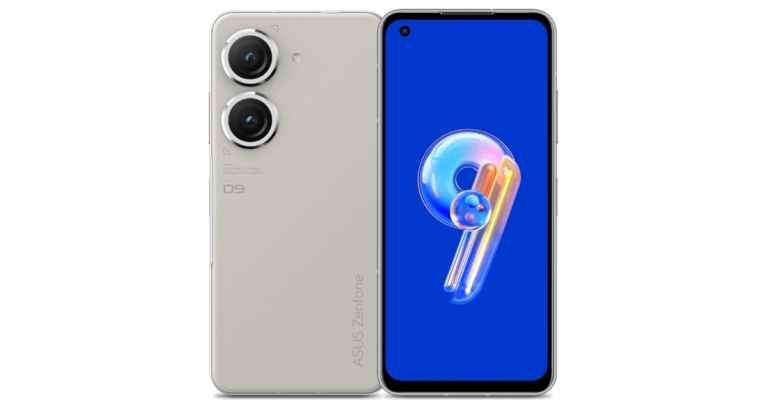






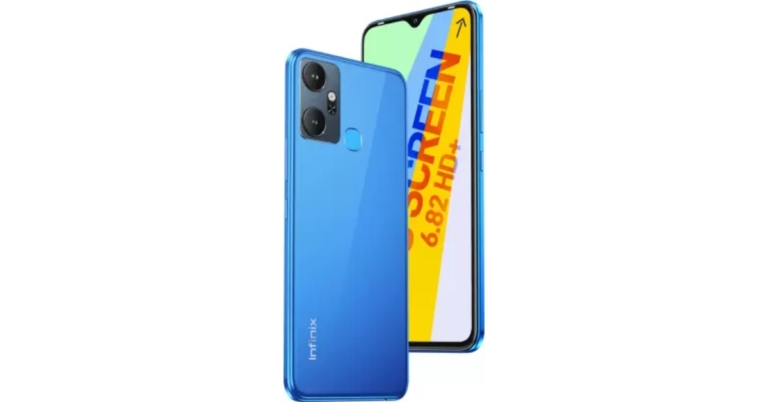

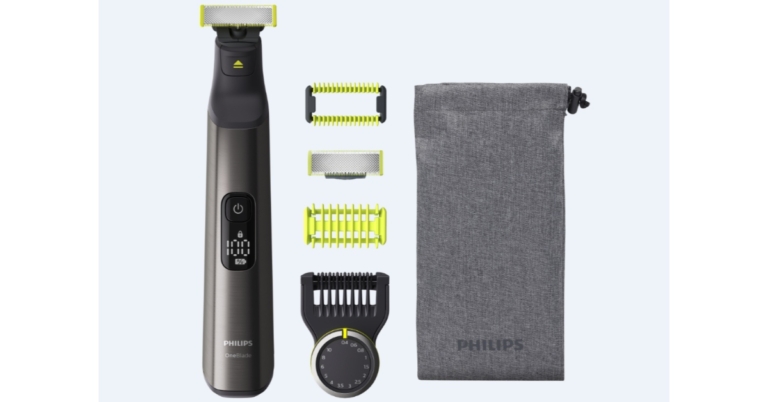
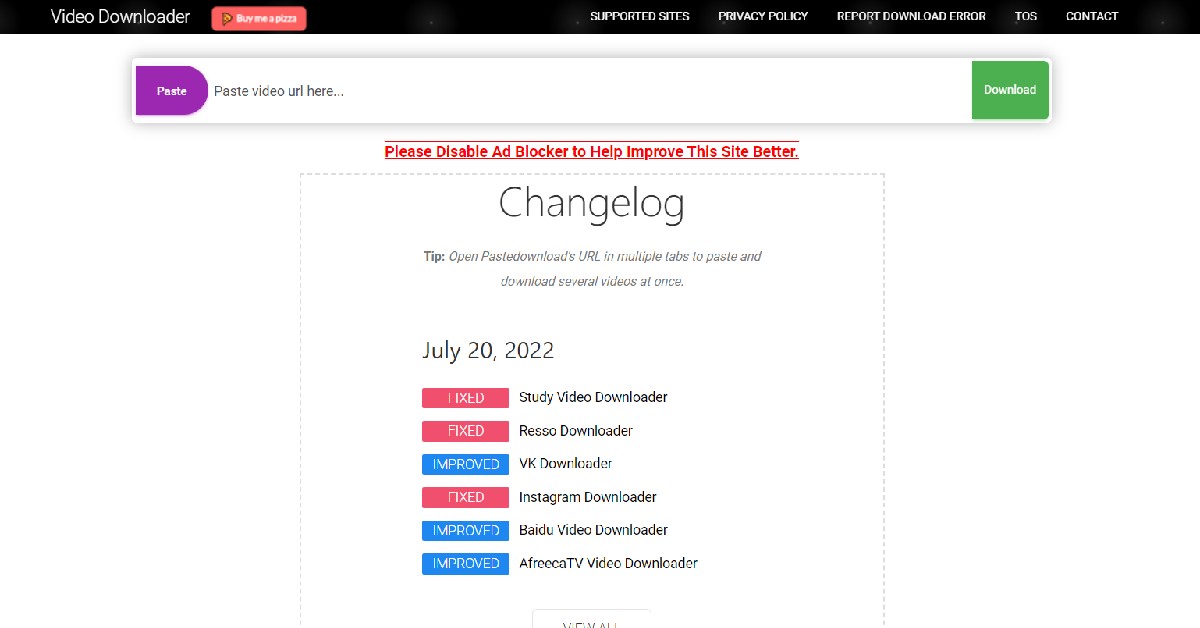


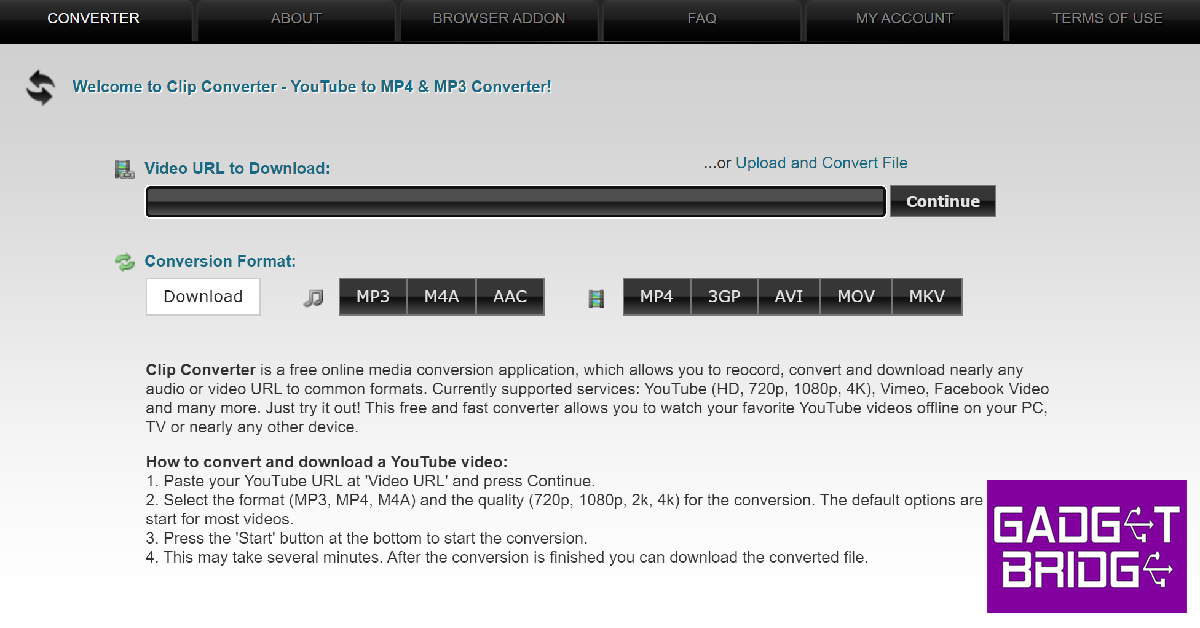





 With over 50 million downloads on Google Play Store alone,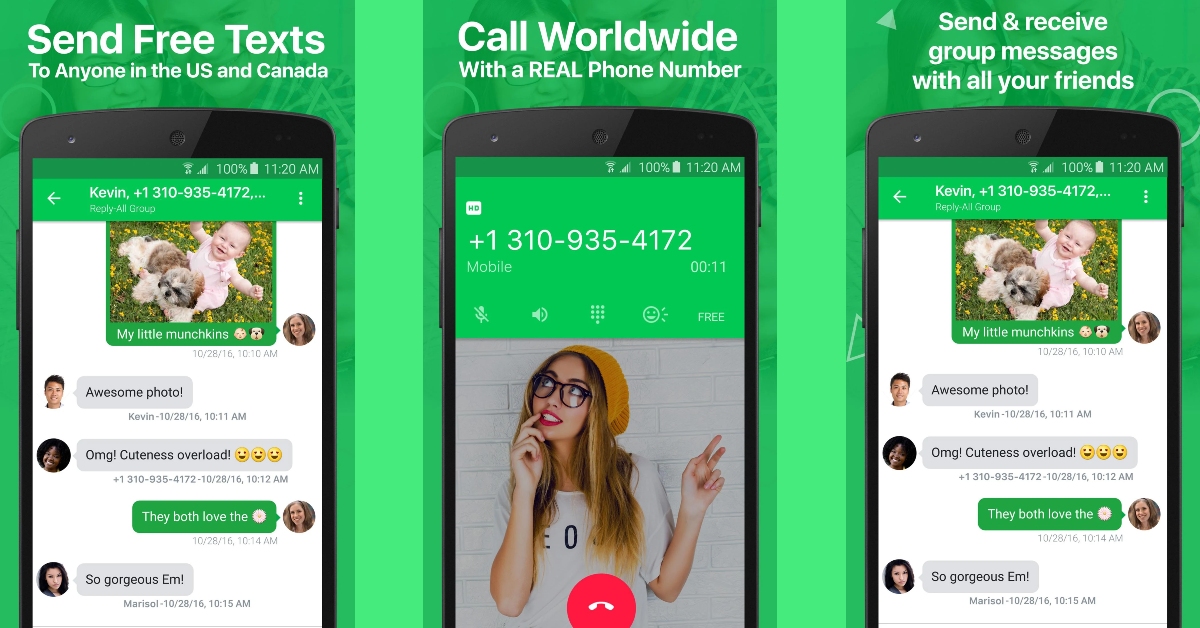


 Like WhatsApp, Skype offers app-2-app calling as well. However, it also lets you purchase credits at an affordable price to call real numbers. Skype was one of the first VoIP apps to get popular on the Internet. Starting as a desktop client, Skype initially allowed users to make free video calls to other Skype users across the Internet. Now, Skype lets you add a virtual number to call other real numbers. Click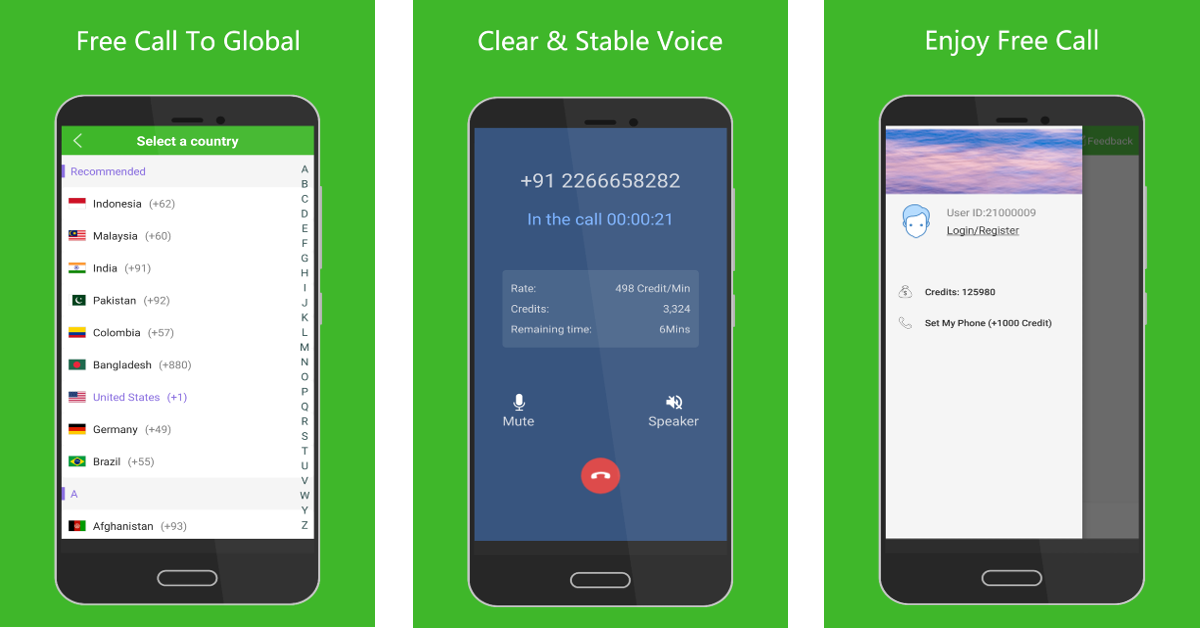

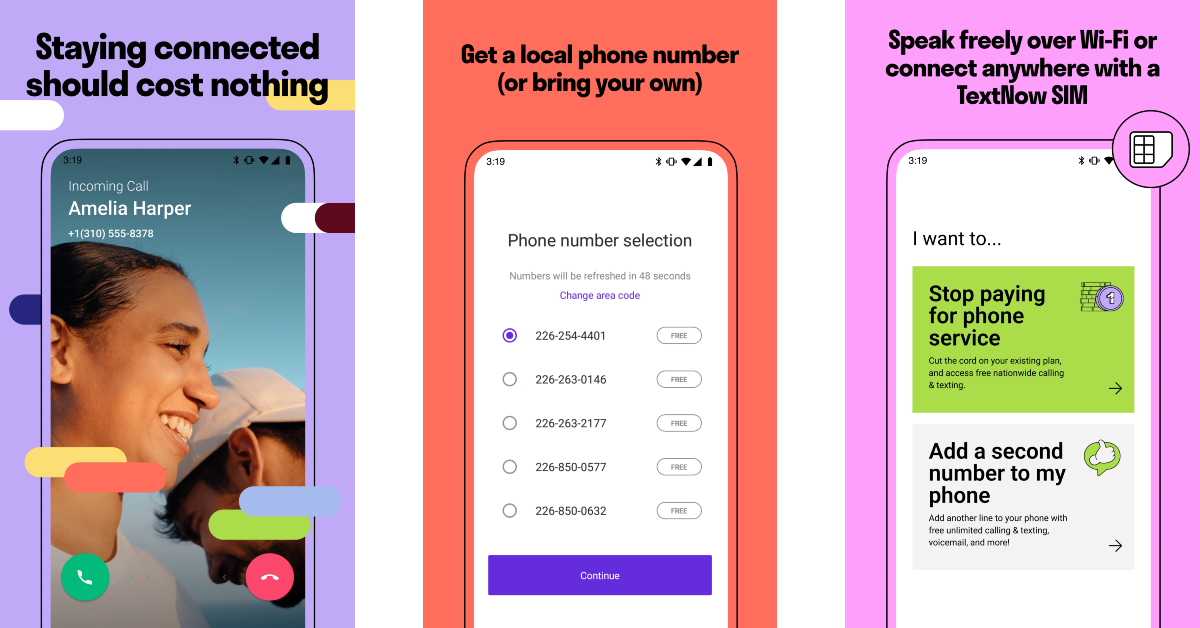




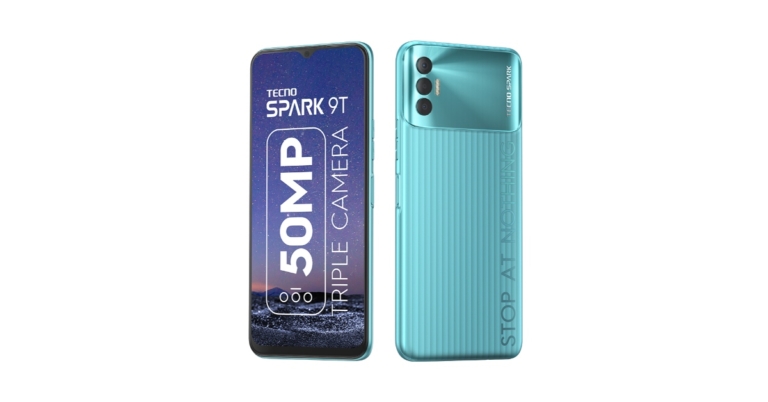





 Step 2:
 Step 3:
  Active Noise Cancellation is a great feature to have on your wireless earbuds but sometimes it can mess with the functioning of the microphone. Turn off noise cancellation and check if the mic functions have been restored to normalcy. To disable noise cancellation for your AirPods, go to the Control Center and long-press the volume slider icon. Tap on ‘Noise Control‘ and select ‘Off‘.

 Resetting your AirPods takes care of any temporary issues that may be keeping the earbuds or the microphone from working. To reset your AirPods, press and hold the Setup button at the back of the charging case until the notification light turns amber. Make sure the earbuds are inside the case throughout this process. Now, turn on Bluetooth on your iPhone and pair your AirPods again.
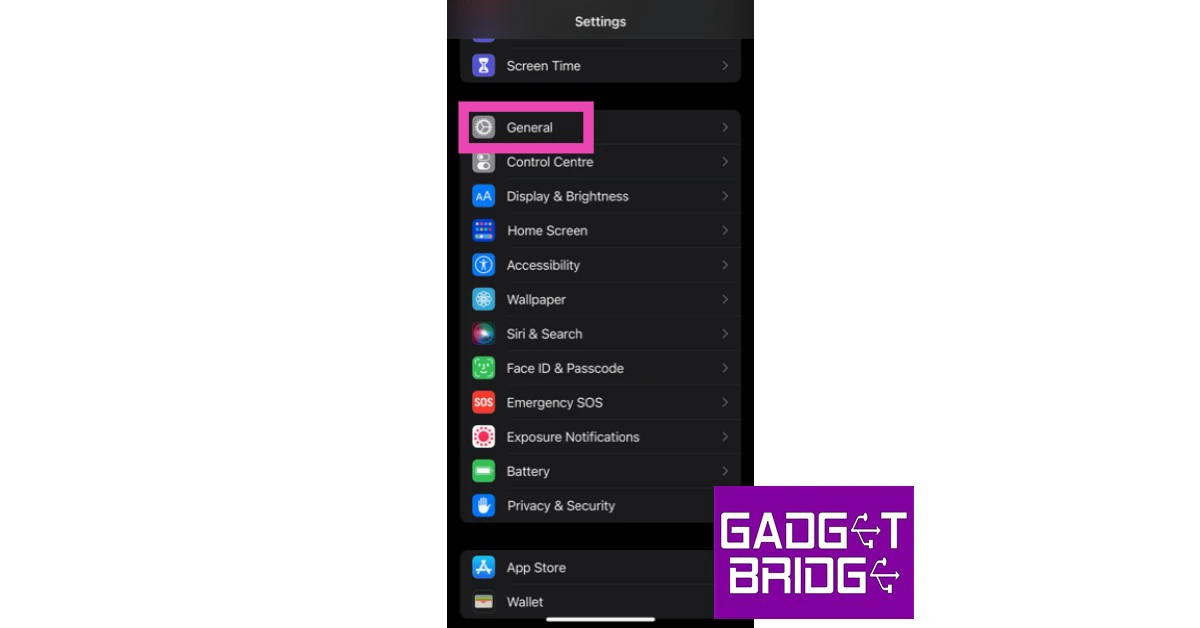 Step 2: Scroll down and select ‘Transfer or reset iPhone’.
 Step 3: Select ‘Reset’ followed by ‘Reset Network Settings’.




 Step 3:
 Step 4:
 Step 2:
 Step 3:
  Step 4: