

In This Article
Poco X4 Pro 5G India Launch today: Here is how to watch the launch event live
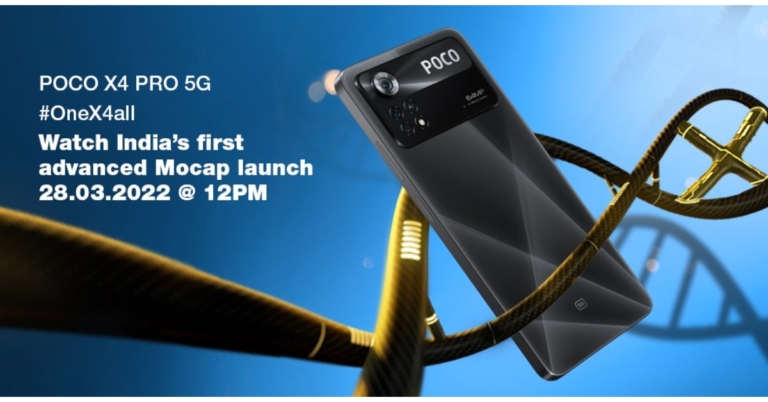
Poco X4 Pro 5G India launch is set to take place today. The new smartphone debuted globally at MWC 2022 last month. The company is going to host a virtual launch event and has also listed the phone on Flipkart to tease the availability. The upcoming handset will feature a 64MP triple camera set up in India whereas the global version has a 108MP camera lens while the majority of the specifications remain unchanged.
Amazon Quiz Answers Today 28 March 2022: Participate to win Rs 30,000

28 March 2022 Amazon Quiz has gone live on its platform. The quiz timings are 12 AM to 11:59 PM. The interested users can participate in the Amazon daily quiz to win exciting prizes. The company puts up 5 questions based on general awareness. You can submit the correct answers from the four options. Today the participants have the chance to win a Rs 30,000 Amazon Pay Balance.
Daily the e-commerce platform Amazon brings a new set of questionnaires that includes five easy questions. The Amazon Quiz can be played from 12 AM to 11:59. The users have to answer all the questions correctly to enter into a lucky draw. The result of today’s quiz will be announced at the end of the month and only one person is declared a winner. We at Gadget Bridge update all the answers to the Amazon Quiz on our website for the convenience of our readers. Here are the answers of the 28 March 2022 Amazon Quiz that will make you win Rs 30,000 Amazon Pay Balance.
Amazon Quiz Today Prize – Rs 30,000 Amazon Pay Balance
Quiz Date – 28 March 2022
Daily Timing – 12 AM to 11:59 PM
Winner Announcement – Today 12 PM
In This Article
Amazon Quiz Answers Today 28 March 2022
Question 1: Appointed in January 2022, Alikhan Smailov is the new Prime Minister of which country?
Answer: KazakhstanQuestion 2: Which recently became the first Union Territory to introduce a District Good Governance Index in India?
Answer: Jammu & KashmirQuestion 3: Who won the Rachael Heyhoe-Flint Trophy for being the ICC’s Women’s Cricketer of the Year 2021?
Answer: Smriti MandhanaQuestion 4: Why did this statue turn gree in colour?
Answer: OxidisationQuestion 5: This man was the husband of which British monarch?
Answer: Elizabeth IIHow To Play Amazon Quiz
Only app users are eligible to play the Amazon quiz every morning from 12 AM to 11:59 PM. The quiz is not available on the desktop. For those who are unaware of how to play the Amazon quiz below are the steps, you can follow to take the quiz.- Firstly download the Amazon app from Google Play Store or App Store
- Now fill in the required information through the Sign Up option.
- You need to log in to the Amazon app and scroll down on the home screen to find the Amazon Quiz banner.
- Tap on the Amazon Quiz banner and tap on the Start button to start the Quiz.
- Now you will get 5 questions and you need to answer them correctly. One wrong answer will eliminate you from the Quiz.
- After answering all the questions correctly you are now eligible for a Lucky Draw.
- The winner’s name will be announced today at 12 PM.
How to Pay Someone With Apple Pay on Your iPhone?
If you’re a newbie into the world of iOS and are still in the process of exploring the far ends of the utility of your brand new Apple device, it’ll definitely take you a while to get along with it. However, as always, we are and will always be here for your assistance. In case you’re wondering how to pay someone with Apple Pay, you can directly send money to them through the Messages app.
There is no separate app for Apple Pay that needs to be downloaded since it is built into your iPhone, Apple Watch or Mac already. Below are the steps on how to use Apple Pay through your iPhone. You can also use it to pay someone through your Apple Watch or Mac, as mentioned before.
Read also: How to reset Apple ID password?
Step 1: Open the Messages app and start a new conversation or continue with an existing one.
 Step 2: Tap the Apple Pay button and enter the amount that you want to send.
Step 3: Tap on Pay, then tap on the Send button. By default, Apple Cash comes as your first payment method, that is if you’ve not turned it off as your default option. You would also have the option to pay with your debit card, in case the balance in your Apple Cash wallet is low.
Step 4: Choose the required option and confirm the payment by authenticating with your Face ID, Touch ID or your passcode. That’s it!
Read also: How To Start Or Stop Screen Recording On A Mac?
Wasn’t it easy? In just 4 simple steps, you can quickly pay anyone with Apple Pay on iPhone.
If you know of any other method for paying someone via iPhone, we would be delighted to hear about it in the comments section below.
For the latest gadget and tech news, and gadget reviews, follow us on Twitter, Facebook and Instagram. For newest tech & gadget videos subscribe to our YouTube Channel. You can also stay up to date using the Gadget Bridge Android App. You can find the latest car and bike news here.
Step 2: Tap the Apple Pay button and enter the amount that you want to send.
Step 3: Tap on Pay, then tap on the Send button. By default, Apple Cash comes as your first payment method, that is if you’ve not turned it off as your default option. You would also have the option to pay with your debit card, in case the balance in your Apple Cash wallet is low.
Step 4: Choose the required option and confirm the payment by authenticating with your Face ID, Touch ID or your passcode. That’s it!
Read also: How To Start Or Stop Screen Recording On A Mac?
Wasn’t it easy? In just 4 simple steps, you can quickly pay anyone with Apple Pay on iPhone.
If you know of any other method for paying someone via iPhone, we would be delighted to hear about it in the comments section below.
For the latest gadget and tech news, and gadget reviews, follow us on Twitter, Facebook and Instagram. For newest tech & gadget videos subscribe to our YouTube Channel. You can also stay up to date using the Gadget Bridge Android App. You can find the latest car and bike news here.
 Step 2: Tap the Apple Pay button and enter the amount that you want to send.
Step 3: Tap on Pay, then tap on the Send button. By default, Apple Cash comes as your first payment method, that is if you’ve not turned it off as your default option. You would also have the option to pay with your debit card, in case the balance in your Apple Cash wallet is low.
Step 2: Tap the Apple Pay button and enter the amount that you want to send.
Step 3: Tap on Pay, then tap on the Send button. By default, Apple Cash comes as your first payment method, that is if you’ve not turned it off as your default option. You would also have the option to pay with your debit card, in case the balance in your Apple Cash wallet is low.
 Step 4: Choose the required option and confirm the payment by authenticating with your Face ID, Touch ID or your passcode. That’s it!
Read also: How To Start Or Stop Screen Recording On A Mac?
Wasn’t it easy? In just 4 simple steps, you can quickly pay anyone with Apple Pay on iPhone.
If you know of any other method for paying someone via iPhone, we would be delighted to hear about it in the comments section below.
For the latest gadget and tech news, and gadget reviews, follow us on Twitter, Facebook and Instagram. For newest tech & gadget videos subscribe to our YouTube Channel. You can also stay up to date using the Gadget Bridge Android App. You can find the latest car and bike news here.
Step 4: Choose the required option and confirm the payment by authenticating with your Face ID, Touch ID or your passcode. That’s it!
Read also: How To Start Or Stop Screen Recording On A Mac?
Wasn’t it easy? In just 4 simple steps, you can quickly pay anyone with Apple Pay on iPhone.
If you know of any other method for paying someone via iPhone, we would be delighted to hear about it in the comments section below.
For the latest gadget and tech news, and gadget reviews, follow us on Twitter, Facebook and Instagram. For newest tech & gadget videos subscribe to our YouTube Channel. You can also stay up to date using the Gadget Bridge Android App. You can find the latest car and bike news here. Top 6 Sites To Identify The Owner Of A Phone Number

It’s not necessary that you’d face a need to check the caller ID of a person only if it’s spam or a fraudulent call. Sometimes we may already know the person but might not recall them or have their number saved. At other times, it may be a fellow colleague or a classmate at the other end calling you for the first time, regarding an important matter. Wouldn’t it be beneficial for you to check their identity and save their contact number in such a situation? And what about when you yourself need to find a person of whom you do not have the contact info? Well, that’s where we enter. There are many websites that offer reverse phone number lookup services for caller identification and spam reporting purposes. We have provided below the top 6 sites for you to identify the owner of a phone number online, anytime, anywhere, quick and for absolutely free.
The one to make it to the numero uno position in our list of the top 5 phone number identifying sites had to be Truecaller. Being one of the most efficient and widely popular caller identification, spam and fraud reporting applications, it surely doesn’t require any introduction. Truecaller today is so advanced that it reports the identity of the caller a couple of seconds before you receive the call!
Visit the Truecaller website.
Read also: How To Remove Your Name and Number From Truecaller on Android?
If you are someone located in the US, the best site for you to identify the owner of a phone number is Whitepages. Whether it is a landline or a mobile number, Whitepages is at your service in locating who’s who at the other end of the line. And not just with reverse phone number lookup, but Whitepages also helps you with reverse address, business search, neighbour details and much more. It is an all-rounder assistant in your pocket.
Visit Whitepages website.
CocoFinder is another one of the best free reverse phone number lookup tools available on the internet. You type in the phone number, and it immediately pulls out the record associated with the same number. One can get an array of data from the phone number of another person, including their identity, alternate phone numbers, area code, state, country and the type of phone used by them.
Visit the CocoFinder website.
The fourth in our list of the top 5 sites to identify the owner of a phone number comes Spy Dialer. However, unlike the others, this one finds the details associated with a phone number and a name separately.
Visit Spy Dialer website.
Read also: How To Clear Cache Of Any App On Android And When Should You Do It?
Our final list item in the top 5 sites for phone number identification is Numlooker. Being another free reverse phone number lookup tool, however, it doesn’t disclose any personal information of the person who’s making the call, other than their name and a few more details, if publicly available. Also, if you’re a business owner, it’ll help you keep a track of any employee who may be misusing their business cell phone.
Visit Numlooker website.
Information.com makes it incredibly easy to get all the details you need on someone with minimal information, since their powerful reverse lookup tool allows you to search someone by name, address, phone number, or email. They collect data from multiple places at once, including public records and social media accounts. This makes it a breeze to find out anything from who sent you a spam email to if you’re being catfished on a dating site.
Visit the Information.com website.
So those were our top picks for the 5 best sites to identify the owner of a phone number online. In case you already use another reverse phone number lookup website that is not in our list above, we would be delighted to know more about it. Do write to us in the comments section below.
For the latest gadget and tech news, and gadget reviews, follow us on Twitter, Facebook and Instagram. For newest tech & gadget videos subscribe to our YouTube Channel. You can also stay up to date using the Gadget Bridge Android App. You can find the latest car and bike news here.
In This Article
Truecaller
 The one to make it to the numero uno position in our list of the top 5 phone number identifying sites had to be Truecaller. Being one of the most efficient and widely popular caller identification, spam and fraud reporting applications, it surely doesn’t require any introduction. Truecaller today is so advanced that it reports the identity of the caller a couple of seconds before you receive the call!
Visit the Truecaller website.
Read also: How To Remove Your Name and Number From Truecaller on Android?
The one to make it to the numero uno position in our list of the top 5 phone number identifying sites had to be Truecaller. Being one of the most efficient and widely popular caller identification, spam and fraud reporting applications, it surely doesn’t require any introduction. Truecaller today is so advanced that it reports the identity of the caller a couple of seconds before you receive the call!
Visit the Truecaller website.
Read also: How To Remove Your Name and Number From Truecaller on Android?
Whitepages
 If you are someone located in the US, the best site for you to identify the owner of a phone number is Whitepages. Whether it is a landline or a mobile number, Whitepages is at your service in locating who’s who at the other end of the line. And not just with reverse phone number lookup, but Whitepages also helps you with reverse address, business search, neighbour details and much more. It is an all-rounder assistant in your pocket.
Visit Whitepages website.
If you are someone located in the US, the best site for you to identify the owner of a phone number is Whitepages. Whether it is a landline or a mobile number, Whitepages is at your service in locating who’s who at the other end of the line. And not just with reverse phone number lookup, but Whitepages also helps you with reverse address, business search, neighbour details and much more. It is an all-rounder assistant in your pocket.
Visit Whitepages website.
CocoFinder
 CocoFinder is another one of the best free reverse phone number lookup tools available on the internet. You type in the phone number, and it immediately pulls out the record associated with the same number. One can get an array of data from the phone number of another person, including their identity, alternate phone numbers, area code, state, country and the type of phone used by them.
Visit the CocoFinder website.
CocoFinder is another one of the best free reverse phone number lookup tools available on the internet. You type in the phone number, and it immediately pulls out the record associated with the same number. One can get an array of data from the phone number of another person, including their identity, alternate phone numbers, area code, state, country and the type of phone used by them.
Visit the CocoFinder website.
Spy Dialer
 The fourth in our list of the top 5 sites to identify the owner of a phone number comes Spy Dialer. However, unlike the others, this one finds the details associated with a phone number and a name separately.
Visit Spy Dialer website.
Read also: How To Clear Cache Of Any App On Android And When Should You Do It?
The fourth in our list of the top 5 sites to identify the owner of a phone number comes Spy Dialer. However, unlike the others, this one finds the details associated with a phone number and a name separately.
Visit Spy Dialer website.
Read also: How To Clear Cache Of Any App On Android And When Should You Do It?
Numlooker
 Our final list item in the top 5 sites for phone number identification is Numlooker. Being another free reverse phone number lookup tool, however, it doesn’t disclose any personal information of the person who’s making the call, other than their name and a few more details, if publicly available. Also, if you’re a business owner, it’ll help you keep a track of any employee who may be misusing their business cell phone.
Visit Numlooker website.
Our final list item in the top 5 sites for phone number identification is Numlooker. Being another free reverse phone number lookup tool, however, it doesn’t disclose any personal information of the person who’s making the call, other than their name and a few more details, if publicly available. Also, if you’re a business owner, it’ll help you keep a track of any employee who may be misusing their business cell phone.
Visit Numlooker website.
Information.com
 Information.com makes it incredibly easy to get all the details you need on someone with minimal information, since their powerful reverse lookup tool allows you to search someone by name, address, phone number, or email. They collect data from multiple places at once, including public records and social media accounts. This makes it a breeze to find out anything from who sent you a spam email to if you’re being catfished on a dating site.
Visit the Information.com website.
So those were our top picks for the 5 best sites to identify the owner of a phone number online. In case you already use another reverse phone number lookup website that is not in our list above, we would be delighted to know more about it. Do write to us in the comments section below.
For the latest gadget and tech news, and gadget reviews, follow us on Twitter, Facebook and Instagram. For newest tech & gadget videos subscribe to our YouTube Channel. You can also stay up to date using the Gadget Bridge Android App. You can find the latest car and bike news here.
Information.com makes it incredibly easy to get all the details you need on someone with minimal information, since their powerful reverse lookup tool allows you to search someone by name, address, phone number, or email. They collect data from multiple places at once, including public records and social media accounts. This makes it a breeze to find out anything from who sent you a spam email to if you’re being catfished on a dating site.
Visit the Information.com website.
So those were our top picks for the 5 best sites to identify the owner of a phone number online. In case you already use another reverse phone number lookup website that is not in our list above, we would be delighted to know more about it. Do write to us in the comments section below.
For the latest gadget and tech news, and gadget reviews, follow us on Twitter, Facebook and Instagram. For newest tech & gadget videos subscribe to our YouTube Channel. You can also stay up to date using the Gadget Bridge Android App. You can find the latest car and bike news here. Noise ColorFit Pro 3 Alpha smartwatch with Bluetooth calling and TWS compatibility launched in India
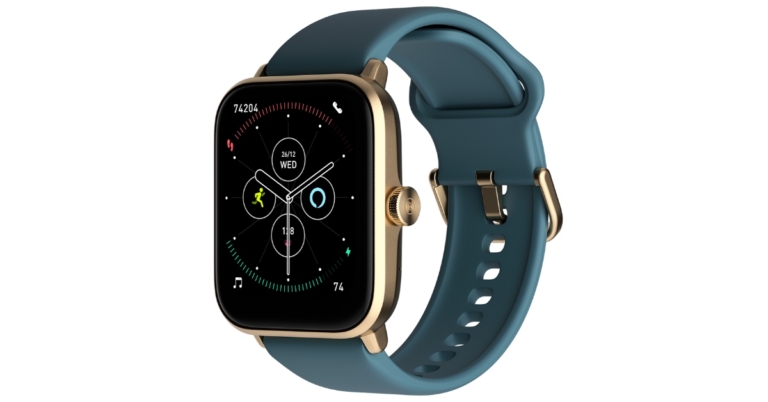
Noise, an Indian connected lifestyle brand, has released the ColorFit Pro 3 Alpha smartwatch. It is Noise’s first smartwatch to include TWS compatibility as well as music storage. In addition to this, the device supports Bluetooth voice-calling function, 100 sports modes and supports a variety of health and activity trackers.

 Noise ColorFit Pro 3 Alpha also includes a blood oxygen monitor, a stress monitor, a sleep monitor, a heart rate monitor that works around the clock, calories burned, distance and a female cycle tracker. Noise has added two new features to the suite: a temperature sensor and 24-hour noise detection. Furthermore, there are over 100 sports modes on the watch and 5ATM water resistance.
Talking about the launch, Amit Khatri, Co-founder at Noise, said “Smartwatch is more than a lifestyle accessory, especially for fitness enthusiasts. With the unlocking of the cities, people are hopping back on the active lifestyle of the pre-COVID era. ColorFit Pro 3 Alpha is a perfect match for the people with these synergies. This smartwatch brings a plethora of features including built-in Alexa, music storage feature, and Bluetooth voice calling in one device which will keep Noisemakers ahead. True to its best-selling portfolio at Noise, we believe ColorFit Pro 3 Alpha is going to be the next choice of a smartwatch for customers.”
For the latest gadget and tech news, and gadget reviews, follow us on Twitter, Facebook and Instagram. For newest tech & gadget videos subscribe to our YouTube Channel. You can also stay up to date using the Gadget Bridge Android App. You can find the latest car and bike news here.
Noise ColorFit Pro 3 Alpha also includes a blood oxygen monitor, a stress monitor, a sleep monitor, a heart rate monitor that works around the clock, calories burned, distance and a female cycle tracker. Noise has added two new features to the suite: a temperature sensor and 24-hour noise detection. Furthermore, there are over 100 sports modes on the watch and 5ATM water resistance.
Talking about the launch, Amit Khatri, Co-founder at Noise, said “Smartwatch is more than a lifestyle accessory, especially for fitness enthusiasts. With the unlocking of the cities, people are hopping back on the active lifestyle of the pre-COVID era. ColorFit Pro 3 Alpha is a perfect match for the people with these synergies. This smartwatch brings a plethora of features including built-in Alexa, music storage feature, and Bluetooth voice calling in one device which will keep Noisemakers ahead. True to its best-selling portfolio at Noise, we believe ColorFit Pro 3 Alpha is going to be the next choice of a smartwatch for customers.”
For the latest gadget and tech news, and gadget reviews, follow us on Twitter, Facebook and Instagram. For newest tech & gadget videos subscribe to our YouTube Channel. You can also stay up to date using the Gadget Bridge Android App. You can find the latest car and bike news here.
In This Article
Noise ColorFit Pro 3 Alpha price in India and availability
Noise ColorFit Pro 3 Alpha smartwatch is available at an introductory price of INR 5499/- on Noise’s website, Amazon, Flipkart, and other online and offline retailers. It is also available in five different strap colours of Black, Green, Grey, Pink, and Teal. The original cost of the low-cost smartwatch is priced at Rs 8,999.
Noise ColorFit Pro 3 specifications
The Noise ColorFit Pro 3 Alpha has a 43mm rectangular dial in Golden colour and silicone straps featuring a 1.69-inch TFT LCD display. The screen comes with 240×280 pixels of resolution and a peak brightness of 500 nits. The wearable comes with 100+ cloud-based and customizable watch functions. Users can use the built-in Alexa feature to ask anything and get voice responses to their questions. Along with Alexa support the device also supports music storage, Bluetooth voice calling and TWS compatibility, which connects the earbuds to the watch directly. This feature allows users to listen to music hands-free and store up to 80 songs. The Noise ColorFit Pro 3 Alpha works with both iPhone and Android devices. The smartwatch also has smart notifications, an alarm clock, and calendar alerts. Noise ColorFit Pro 3 Alpha also includes a blood oxygen monitor, a stress monitor, a sleep monitor, a heart rate monitor that works around the clock, calories burned, distance and a female cycle tracker. Noise has added two new features to the suite: a temperature sensor and 24-hour noise detection. Furthermore, there are over 100 sports modes on the watch and 5ATM water resistance.
Talking about the launch, Amit Khatri, Co-founder at Noise, said “Smartwatch is more than a lifestyle accessory, especially for fitness enthusiasts. With the unlocking of the cities, people are hopping back on the active lifestyle of the pre-COVID era. ColorFit Pro 3 Alpha is a perfect match for the people with these synergies. This smartwatch brings a plethora of features including built-in Alexa, music storage feature, and Bluetooth voice calling in one device which will keep Noisemakers ahead. True to its best-selling portfolio at Noise, we believe ColorFit Pro 3 Alpha is going to be the next choice of a smartwatch for customers.”
For the latest gadget and tech news, and gadget reviews, follow us on Twitter, Facebook and Instagram. For newest tech & gadget videos subscribe to our YouTube Channel. You can also stay up to date using the Gadget Bridge Android App. You can find the latest car and bike news here.
Noise ColorFit Pro 3 Alpha also includes a blood oxygen monitor, a stress monitor, a sleep monitor, a heart rate monitor that works around the clock, calories burned, distance and a female cycle tracker. Noise has added two new features to the suite: a temperature sensor and 24-hour noise detection. Furthermore, there are over 100 sports modes on the watch and 5ATM water resistance.
Talking about the launch, Amit Khatri, Co-founder at Noise, said “Smartwatch is more than a lifestyle accessory, especially for fitness enthusiasts. With the unlocking of the cities, people are hopping back on the active lifestyle of the pre-COVID era. ColorFit Pro 3 Alpha is a perfect match for the people with these synergies. This smartwatch brings a plethora of features including built-in Alexa, music storage feature, and Bluetooth voice calling in one device which will keep Noisemakers ahead. True to its best-selling portfolio at Noise, we believe ColorFit Pro 3 Alpha is going to be the next choice of a smartwatch for customers.”
For the latest gadget and tech news, and gadget reviews, follow us on Twitter, Facebook and Instagram. For newest tech & gadget videos subscribe to our YouTube Channel. You can also stay up to date using the Gadget Bridge Android App. You can find the latest car and bike news here. Comparison: Samsung Galaxy A53 5G Vs OnePlus Nord 2 5G
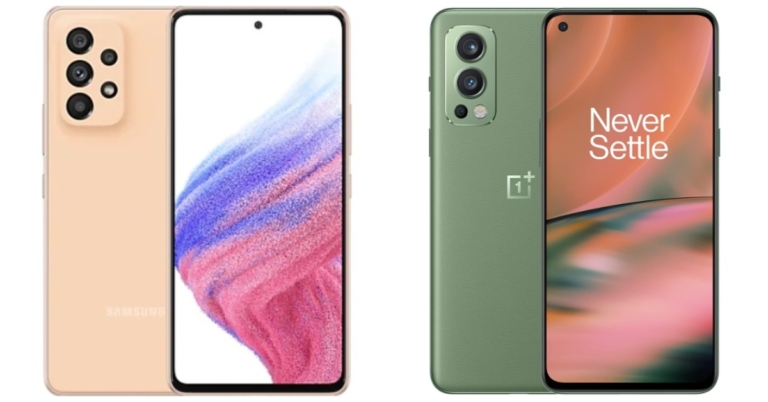
A lot of mid-range smartphones have been launching in India these days. Samsung also refreshed its A-Series portfolio with the launch of the Samsung Galaxy A53 5G in the Indian market. The Exynos 1280 SoC powers the device, which has a quad rear camera setup. In addition, the handset has an IP67 rating and a 120Hz refresh rate display. with these high-end specs, the device directly competes with the OnePlus Nord 2 5G which was launched last year. A detailed comparison of the Samsung Galaxy A53 5G Vs OnePlus Nord 2 5G is provided below to help you understand the differences and decide which to purchase.
In This Article
Display
Samsung Galaxy A53 5G: 6.5-inch Full HD+ Super AMOLED Infinity O display OnePlus Nord 2 5G: 6.43-inch full-HD+ Fluid AMOLED displayProcessor
Samsung Galaxy A53 5G: Exynos 1280 SoC OnePlus Nord 2 5G: MediaTek Dimensity 1200-AI SoCRear camera(s)
Samsung Galaxy A53 5G:A quad rear camera setup that includes a 64MP main sensor with OIS, a 12MP ultra-wide sensor, a 5MP depth sensor, and a 5MP macro lens. OnePlus Nord 2 5G: Triple rear camera set-up that includes a 50-megapixel IMX766 primary sensor with OIS. In addition, there is an 8-megapixel secondary sensor and a 2-megapixel tertiary sensorSelfie camera
Samsung Galaxy A53 5G: 32MP front-facing camera OnePlus Nord 2 5G: 32-megapixel selfie cameraRAM and storage
Samsung Galaxy A53 5G: 6GB/8GB of RAM and 128GB of internal storage OnePlus Nord 2 5G: 6GB RAM with 128GB/ 8GB RAM with 128GB/ 12GB RAM with 256GBBattery
Samsung Galaxy A53 5G: 5,000mAh battery OnePlus Nord 2 5G: 4,500mAh batteryOperating system
Samsung Galaxy A53 5G: OneUI 4.1 on top of Android 12 OnePlus Nord 2 5G: OxygenOS 11.3 based on top of Android 11Starting Price
Samsung Galaxy A53 5G: Rs 34,499 OnePlus Nord 2 5G: Rs 27,999Our verdict
The Samsung Galaxy A53 5G appears similar to its predecessor, the A52, but the camera bump appears more refined this time, making it appear more modern, which we preferred. For the price, the A53 offers high-end features that elevate it to the status of a premium device, such as a bezel-less Super AMOLED edge-to-edge display with 120Hz refresh rate support. Nord, on the other hand, has a smaller AMOLED screen with a refresh rate of 90Hz. In terms of predecessors, the Samsung Galaxy A53 5G is powered by the Exynos 1280 SoC, which makes it faster than the Nord 2, which is equipped with the MediaTek Dimensity 900 5G. In terms of optics, the Galaxy A53 has an advantage over the Nord 2 thanks to a 64MP quad-camera setup with an additional depth sensor for portrait capture, which the competitor lacks. In terms of software, we prefer cutter free Samsung’s OneUI because it is more user friendly and the best Android skin available. The phone also runs the most recent Android 12 operating system. Similarly, OxygenOS for OnePlus phones is comparable, but Samsung once again takes the lead by providing four years of major Android update support and five years of security updates, whereas OnePlus only includes two years of core Android updates. On the battery front, the A53 has a 5,000mAh battery that supports 25W fast charging, whereas the Nord 2 has a 4500mAh battery that supports 65W fast charging. The Samsung Galaxy A53 5G is undeniably a feature-rich device, but it is also quite pricey, whereas OnePlus has a pricing advantage over the Galaxy A53. As a result, the outcome is a tie. For the latest gadget and tech news, and gadget reviews, follow us on Twitter, Facebook and Instagram. For newest tech & gadget videos subscribe to our YouTube Channel. You can also stay up to date using the Gadget Bridge Android App. You can find the latest car and bike news here.How To Clear Cache Of Any App On Android And When Should You Do It?
Ever wondered what exactly does this term ‘cache’ mean after all? Let us elaborate. The various applications or even the web browser that you use on your smartphone, tablet or desktop take up some storage of your device for storing temporary data in it in the form of files. These files are known as cache files. These cache files are used by their respective applications for their own smooth functioning so that you are provided with a more seamless experience. For example, music apps may keep as cache the list of your most frequently played songs or albums, so that every time you open the app, it doesn’t have to load the entire song or album list again and again, and instead can directly pull up the list of your favourite songs, thus saving time and data. But the catch here is that cache files tend to constantly keep piling up and end up taking more space on your device. Hence, to help you regain some of your storage space back, we bring to you a step-by-step guide on how to clear the cache of any app on Android and when should you do it.
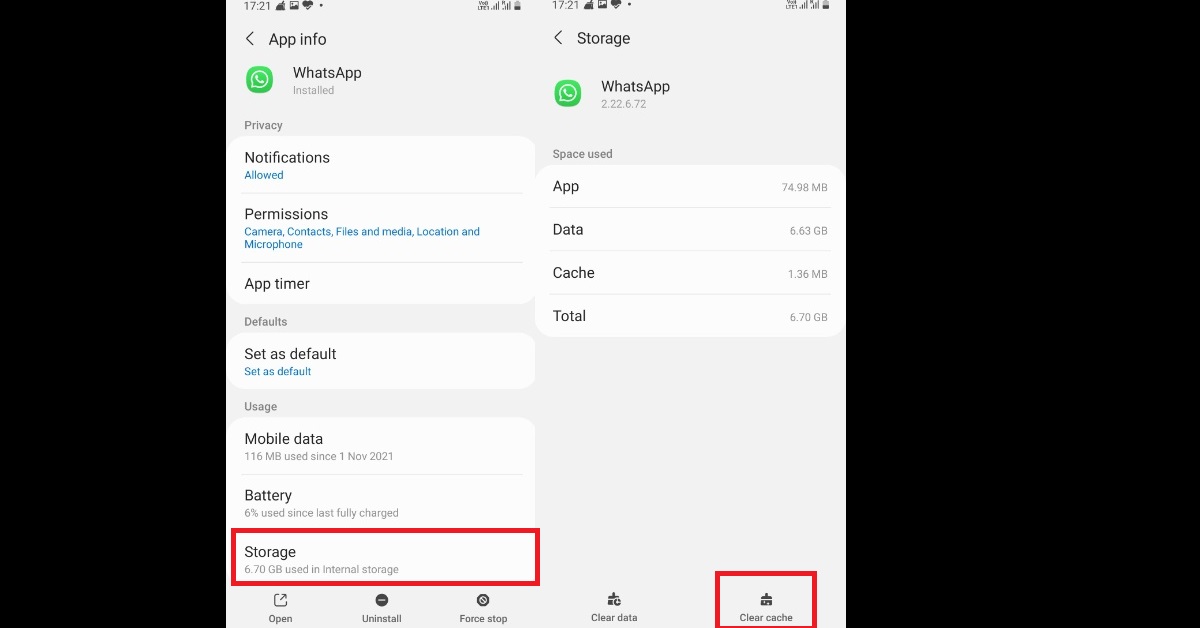
Step 2: If you want, you can click on the sort icon as highlighted below, and order the apps based on the size they take up on your system so that you can start with the one taking up maximum space. Click on the app whose cache you want to delete.
Step 3: Click on the Storage option and tap on the Clear cache button at the bottom right corner of the interface. That’s it!
Therefore, in just a couple of clicks, you can clear the cache of any app on your Android device. But to remind you, cache files are there for enhancing your user experience of the applications that you use, as well as saving time and data. Moreover, even after clearing the cache once, it will still keep on piling up starting afresh, although you’ll regain some storage space for a while. So now the big question that comes up is when should you actually clear your cache?
Read also: How to Back Up and Reset an Android Phone Before Selling It
In This Article
How To Clear Cache Of Any App On Android
Step 1: From your Android smartphone, go to Settings > Apps. The list of apps on your device gets displayed within the Apps window. Read also: Instagram Block Vs Restrict: What Does Each One Do And When To Use It? Step 2: If you want, you can click on the sort icon as highlighted below, and order the apps based on the size they take up on your system so that you can start with the one taking up maximum space. Click on the app whose cache you want to delete.
 Step 3: Click on the Storage option and tap on the Clear cache button at the bottom right corner of the interface. That’s it!
 Therefore, in just a couple of clicks, you can clear the cache of any app on your Android device. But to remind you, cache files are there for enhancing your user experience of the applications that you use, as well as saving time and data. Moreover, even after clearing the cache once, it will still keep on piling up starting afresh, although you’ll regain some storage space for a while. So now the big question that comes up is when should you actually clear your cache?
Read also: How to Back Up and Reset an Android Phone Before Selling It
Therefore, in just a couple of clicks, you can clear the cache of any app on your Android device. But to remind you, cache files are there for enhancing your user experience of the applications that you use, as well as saving time and data. Moreover, even after clearing the cache once, it will still keep on piling up starting afresh, although you’ll regain some storage space for a while. So now the big question that comes up is when should you actually clear your cache?
Read also: How to Back Up and Reset an Android Phone Before Selling It
When To Clear Cache
You should clear your cache in case you face any of the following instances:- When your app’s cache files get corrupted and the app starts acting up.
- When you want to delete files that contain your private information since cache files sometimes tend to store them.
- When you want some immediate storage space on your device, but also do not want to delete other storage data like photos, videos, etc.
Samsung Galaxy M33 5G arriving in India soon, listed on Amazon

The Samsung Galaxy M33 5G will make its debut in India soon. The company has created a new microsite for the upcoming handset to tease the arrival. The device got listed on Amazon ahead of the official launch, therefore, confirming the availability of the upcoming M-Series smartphone.
To recollect, the smartphone was released alongside other A-Series smartphones earlier this month, so we are familiar with its specifications and features. The phone has a 6,000mAh battery and a quad-camera setup on the back. The phone also comes pre-installed with Android 12.
In This Article
Samsung Galaxy M33 5G India launch details
The launch date of the Samsung Galaxy M33 5G India has yet to be confirmed by the company. However, the Amazon listing includes a video teaser, which also does not specify which phone will be released but confirms that a new Galaxy M-Series smartphone will be available in the country. Furthermore, the teaser indicates that the handset will be available in two colours: blue and green. The phone will also have a USB Type-C port and a 3.5mm headphone jack. On the right side of the frame, a fingerprint scanner is also visible.Samsung Galaxy M33 5G: Tech specifications
The Samsung Galaxy M33 5G features a 6.6-inch TFT Infinity-V full-HD+ display with 1,080×2,408 pixels of resolution. The screen has a refresh rate of 120Hz. In addition to this, the phone will be powered by OneUI 4.1, which is based on Android 12. Under the hood, there is an unknown octa-core SoC with up to 8GB of RAM and 128GB of storage. The Galaxy M33 5G comes with a quad rear camera setup that includes a 50-megapixel primary sensor with an f/1.8 aperture. In addition to this, there is a 5-megapixel ultra-wide angle lens with an f/2.2 aperture, a dual 2-megapixel macro and depth sensors with f/2.4 aperture. The phone has an 8-megapixel front-facing camera with an f/2.2 aperture.Samsung Galaxy M33 5G: Battery and Sensors
The Galaxy M33 5G houses a 6,000mAh battery and a side-mounted fingerprint sensor. Onboard sensors include an accelerometer, gyroscope, ambient light sensor, and proximity sensor. For the latest gadget and tech news, and gadget reviews, follow us on Twitter, Facebook and Instagram. For newest tech & gadget videos subscribe to our YouTube Channel. You can also stay up to date using the Gadget Bridge Android App. You can find the latest car and bike news here.HP LaserJet Tank series with duplex printing launched in India
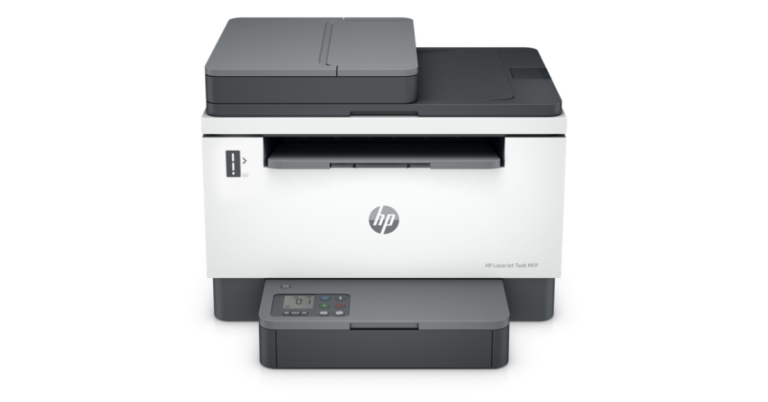
HP has expanded its products portfolio with the launch of the industry’s first LaserJet Tank Printers in the Indian market. The HP LaserJet Tank series is compact and is suited for small and medium businesses for affordable high-quality printing. It is capable of printing up to 5,000 pages. These HP printers do not require cartridges and provide a hassle-free toner refill. Furthermore, the printers will be wirelessly connected for seamless operation.

In This Article
HP LaserJet Tank series price in India
The company has introduced three models; the HP LaserJet Tank 1005 is now available for Rs 23,695. While the LaserJet Tank 1020 and LaserJet Tank 2606 printers come with a price tag of Rs 15,963 and Rs 29,558.
HP LaserJet Tank printers specifications
Many similarities exist between the HP LaserJet Tank 1005 and Tank 1020 series. The printer can print at a rate of up to 22 pages per minute. Both printers can print up to 5,000 pages and can be refilled with the HP Toner Reload Kit, which comes in two sizes: 2500 and 5,000 pages. These also help you speed through multipage documents with automatic two-sided printing and have a long life. Additionally, it can print, scan, and share from anywhere at any time using the HP Smart app. While the most expensive printer, the LaserJet Tank 2606, supports Duplex Hi-Speed Printing (Speed through multipage documents with automatic two-sided printing). On the SDW variant, it has a 40-page ADF (Automatic Document Feeder) and a 250-page input tray. With the HP Smart App and Smart Advance scanning features app, you can print, scan, and share from anywhere at any time. All of the other features are identical to those of its siblings, the HP LaserJet Tank 1005 and Tank 1020 printers. Sunish Raghavan, Senior Director, Printing Systems, HP India said “At HP, we are committed to assisting the small and medium-sized companies in unlocking innovation and overcoming challenges, especially those accentuated by the Covid-19 pandemic. We have always been at the forefront of innovations that benefit SMBs and SOHOs with business continuity. Our new LaserJet tank technology has been designed for a seamless user experience, offering innovative capabilities such as advanced scanning features via the HP Smart App, a 15-second toner refill, and an ultra-high-yield Original HP Toner Kit – all of which contribute to an efficient print experience.” For the latest gadget and tech news, and gadget reviews, follow us on Twitter, Facebook and Instagram. For newest tech & gadget videos subscribe to our YouTube Channel. You can also stay up to date using the Gadget Bridge Android App. You can find the latest car and bike news here.How to reset Apple ID password?
How can we not forget passwords? Every single application that we use digitally, be it online on the web or locally on our devices, requires us to construct an ID to access their services. And with so many applications that we may or may not live without, remembering passwords for each of our IDs becomes quite an exercise for the mind. If you are a person who keeps a record of all your IDs and passwords safely to access later in the hour of need, then we guess you’re already sitting tension free. But in case you don’t, we are here for your help. Provided below are the 3 best ways how to reset Apple ID password in no time.
Step 1: Go to Settings > [Tap your name] > Password & Security > Change Password.
Step 2: If you’re signed in to iCloud and have a passcode enabled, you’ll get a prompt to enter the passcode for your device. You then just have to follow the onscreen steps to update your password. That’s it!
Read also: How To Start Or Stop Screen Recording On A Mac?
Step 1: Go to Apple menu > System Preferences > Apple ID.
Step 2: Click Password & Security. If you’re asked to enter your password, you can directly click on the “Forgot Apple ID or password” option, follow the on-screen procedure and skip the final step.
Step 3: If you’re not asked for a password, click on Change Password and enter the password you use to unlock your Mac. That’s it!
Step 1: Download the Apple Support app if not already, then open and tap on Passwords & Security.
Step 2: Tap on Reset Apple ID Password.
Step 3: Click on Get Started > “A different Apple ID”.
Step 4: Enter the Apple ID that you need to reset your password for, click on Next and then follow the on-screen instructions until your password change has been confirmed. That’s it!
Read also: 5 Best Ways To Quickly Recover Deleted Contacts On iPhone
If your friend or family member uses an Apple device with iOS 9 through 12, then the Apple Support app cannot be downloaded upon it. Instead, you can use the Find My iPhone app for this purpose. Open the Find My iPhone app and tap on Forgot Apple ID or Password once the Sign In screen appears. Just make sure that the Apple ID field is empty when you click on the option. Next, just keep on following the on-screen steps and your Apple ID password would get reset.
Step 1: Navigate to iforgot.apple.com from your web browser.
Step 2: Enter your Apple ID, select the option to reset your password and then click on Continue. In case you forgot your Apple ID, visit the Apple Support website to learn what to do next.
Step 3: Choose to answer your security questions and get an email or enter your recovery key.
Step 4: Follow the on-screen steps to reset your password. That’s it!
After you reset your password, you’ll be asked to sign in again with your new password. You also might need to update your password in Settings on your device.
So those were the 3 ways how to reset your Apple ID password. In case you know of any other means or ways to achieve the same, let us know in the comments section below.
For the latest gadget and tech news, and gadget reviews, follow us on Twitter, Facebook and Instagram. For newest tech & gadget videos subscribe to our YouTube Channel. You can also stay up to date using the Gadget Bridge Android App. You can find the latest car and bike news here.
In This Article
Use Your Own Device To Reset Your Apple ID Password
First, if you have your own Apple device, you can try resetting your password from any trusted iPhone, iPad, iPod touch, Apple Watch, or Mac. Just follow the following steps for your respective case.From Your iPhone, iPod, iPad or Apple Watch
 Step 1: Go to Settings > [Tap your name] > Password & Security > Change Password.
Step 2: If you’re signed in to iCloud and have a passcode enabled, you’ll get a prompt to enter the passcode for your device. You then just have to follow the onscreen steps to update your password. That’s it!
Read also: How To Start Or Stop Screen Recording On A Mac?
Step 1: Go to Settings > [Tap your name] > Password & Security > Change Password.
Step 2: If you’re signed in to iCloud and have a passcode enabled, you’ll get a prompt to enter the passcode for your device. You then just have to follow the onscreen steps to update your password. That’s it!
Read also: How To Start Or Stop Screen Recording On A Mac?
From Your Mac
You can reset your Apple ID password from your Mac with macOS Catalina or later. Step 1: Go to Apple menu > System Preferences > Apple ID.
Step 2: Click Password & Security. If you’re asked to enter your password, you can directly click on the “Forgot Apple ID or password” option, follow the on-screen procedure and skip the final step.
Step 3: If you’re not asked for a password, click on Change Password and enter the password you use to unlock your Mac. That’s it!
Step 1: Go to Apple menu > System Preferences > Apple ID.
Step 2: Click Password & Security. If you’re asked to enter your password, you can directly click on the “Forgot Apple ID or password” option, follow the on-screen procedure and skip the final step.
Step 3: If you’re not asked for a password, click on Change Password and enter the password you use to unlock your Mac. That’s it!
Use Another Device To Reset Your Apple ID Password
You can also use a friend or a family member’s Apple device to reset your Apple ID password. There are two ways to do so:Using The Apple Support App
 Step 1: Download the Apple Support app if not already, then open and tap on Passwords & Security.
Step 2: Tap on Reset Apple ID Password.
Step 3: Click on Get Started > “A different Apple ID”.
Step 4: Enter the Apple ID that you need to reset your password for, click on Next and then follow the on-screen instructions until your password change has been confirmed. That’s it!
Read also: 5 Best Ways To Quickly Recover Deleted Contacts On iPhone
Step 1: Download the Apple Support app if not already, then open and tap on Passwords & Security.
Step 2: Tap on Reset Apple ID Password.
Step 3: Click on Get Started > “A different Apple ID”.
Step 4: Enter the Apple ID that you need to reset your password for, click on Next and then follow the on-screen instructions until your password change has been confirmed. That’s it!
Read also: 5 Best Ways To Quickly Recover Deleted Contacts On iPhone
Using Find My iPhone App
 If your friend or family member uses an Apple device with iOS 9 through 12, then the Apple Support app cannot be downloaded upon it. Instead, you can use the Find My iPhone app for this purpose. Open the Find My iPhone app and tap on Forgot Apple ID or Password once the Sign In screen appears. Just make sure that the Apple ID field is empty when you click on the option. Next, just keep on following the on-screen steps and your Apple ID password would get reset.
Use iforgot To Reset Your Apple ID Password
Finally, if you’ve tried all the methods above and still are unable to reset your Apple ID password, try using the iforgot website for the same. Step 1: Navigate to iforgot.apple.com from your web browser.
Step 2: Enter your Apple ID, select the option to reset your password and then click on Continue. In case you forgot your Apple ID, visit the Apple Support website to learn what to do next.
Step 3: Choose to answer your security questions and get an email or enter your recovery key.
Step 4: Follow the on-screen steps to reset your password. That’s it!
After you reset your password, you’ll be asked to sign in again with your new password. You also might need to update your password in Settings on your device.
So those were the 3 ways how to reset your Apple ID password. In case you know of any other means or ways to achieve the same, let us know in the comments section below.
For the latest gadget and tech news, and gadget reviews, follow us on Twitter, Facebook and Instagram. For newest tech & gadget videos subscribe to our YouTube Channel. You can also stay up to date using the Gadget Bridge Android App. You can find the latest car and bike news here.
Step 1: Navigate to iforgot.apple.com from your web browser.
Step 2: Enter your Apple ID, select the option to reset your password and then click on Continue. In case you forgot your Apple ID, visit the Apple Support website to learn what to do next.
Step 3: Choose to answer your security questions and get an email or enter your recovery key.
Step 4: Follow the on-screen steps to reset your password. That’s it!
After you reset your password, you’ll be asked to sign in again with your new password. You also might need to update your password in Settings on your device.
So those were the 3 ways how to reset your Apple ID password. In case you know of any other means or ways to achieve the same, let us know in the comments section below.
For the latest gadget and tech news, and gadget reviews, follow us on Twitter, Facebook and Instagram. For newest tech & gadget videos subscribe to our YouTube Channel. You can also stay up to date using the Gadget Bridge Android App. You can find the latest car and bike news here. You may now book a Doctor’s appointment using Google Search
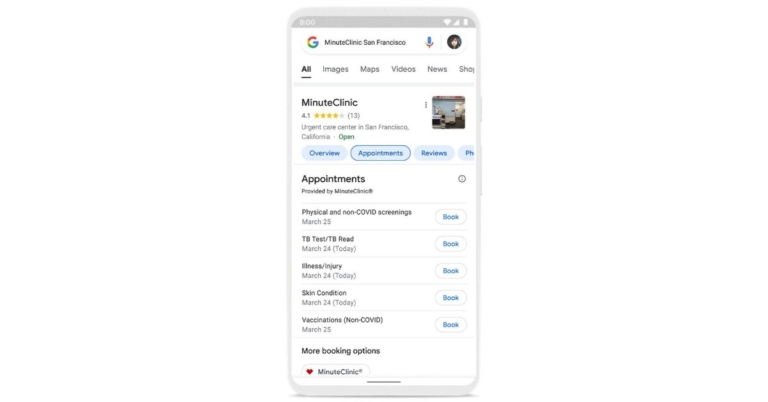
The new Google Search feature will display appointment availability for select providers, making it easier to book doctor’s appointments. However, the feature is currently being tested and will be available soon across the United States, albeit for a limited number of providers at first.
When people have health-related questions, they frequently turn to the internet for answers. In an attempt to make booking a doctor’s appointment convenient, Google has collaborated with CVS’ MinuteClinic and other scheduling providers. So when the feature becomes fully operational the users can simply book a doctor’s appointment by conducting a quick search. The feature was introduced at the tech giant’s second annual Google Health event, The Check-Up.
Google Search has released a feature that will show appointment availability for healthcare providers, allowing you to easily book an appointment. Whether you put off your annual check-up, recently moved and need a new doctor, or need a same-day visit to a CVS MinuteClinic, you may find available appointment dates and times for doctors in your area.
Please keep in mind that the feature to book a doctor’s appointment through Google Search is still in the works and is being rolled out to limited users. Through the search results, users will be able to see the available appointment dates and times for doctors in the area.
So when you search for a specific practitioner or facility on Google Search, appointment availability will appear. If a suitable appointment date appears, click the Book button next to the available schedule. It will direct you to a third-party booking website.
Google Search team recently released features to assist people in navigating the complex healthcare system and making more informed decisions, such as locating healthcare providers who accept their insurance.
Aside from that, Google has announced that Fitbit is developing an AFib algorithm that will work in conjunction with the PPG (Photoplethysmography) AFib algorithm, which passively examines heart rate data to detect signs of an irregular heart rhythm.
The study findings were presented by Google at the most recent American Heart Association meeting, demonstrating that the algorithm correctly identified undiagnosed AFib 98 percent of the time. However, it has submitted the algorithm for FDA approval.
For the latest gadget and tech news, and gadget reviews, follow us on Twitter, Facebook and Instagram. For newest tech & gadget videos subscribe to our YouTube Channel. You can also stay up to date using the Gadget Bridge Android App. You can find the latest car and bike news here.
EA’s FIFA Game Is Supposedly Being Renamed, New Soccer Game Coming?

If you look at a close-up of the Nike match ball, FIFA EA Sports, and No Room For Racism logos on referee Anthony Taylor’s shirt during the Premier League match between Burnley and Newcastle United on April 11, 2021, at Turf Moor in Burnley, England, you will find differences. Sporting stadiums in the United Kingdom are still subject to stringent restrictions because of the Coronavirus Pandemic, as government social distancing rules forbid supporters from entering grounds, resulting in games being played behind closed doors. Now a new development has happened.
As per a report, a new name might be given to the ever-popular soccer franchise by EA. It appears to coincide with FIFA’s request for a stunning $2.5 billion for name rights that would span for the next ten years.
Read also: Microsoft released EA Play on Xbox Game Pass for PC and Auto
FIFA recognises the success of EA’s game and desires a larger slice of that gigantic pie. But, of course, EA doesn’t want to eat into its profit margin any further than it already has. In terms of licence payments and all the negotiating and legal labour that entails, a large, global soccer video game is already a giant. That is the greater point – EA oversees that work. FIFA does not include official team branding or player names from the real world. That is handled individually and at a cost to the publisher.
However, according to a recent Comicbook.com source, EA CEO Andrew Wilson has stated that he already wishes to cancel the partnership with FIFA.
Read Also: FIFA 21 to launch on PS5 on December 4: Here’s what you must know
It is interesting to see how the new title will work out. It has been decades since EA and FIFA have partnered for one of the most popular games on the planet. There are rumours that FIFA will succumb to the pressure and lower its rates so that EA can make some profit and not end up spending all of it in giving to FIFA. If the deal stays put, it will be a good move for football lovers, however, like the popular PES, there are many who swear by EA as well. They just might buy the new names version of the game. However, it is yet to be seen if EA will be able to use the names of any or all of the footballers in the new game.
For the latest gadget and tech news, and gadget reviews, follow us on Twitter, Facebook and Instagram. For newest tech & gadget videos subscribe to our YouTube Channel. You can also stay up to date using the Gadget Bridge Android App. You can find the latest car and bike news here.
YouTube released new health features in India to allow users identify authoritative information about health
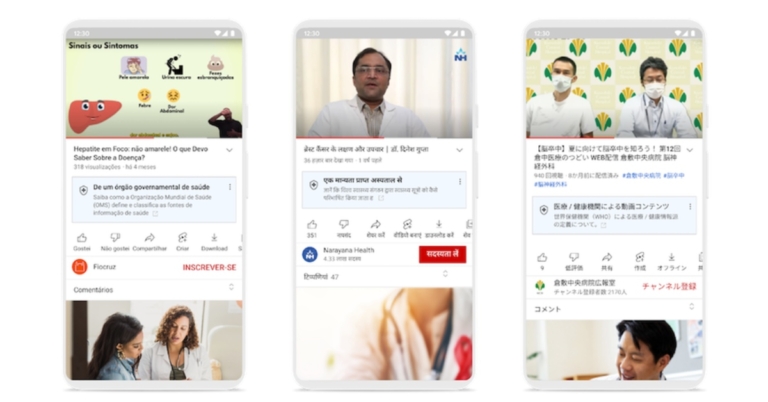
YouTube is rolling out new health features on its platform in India. The video streaming platform has introduced fresh health source information panels, which will label videos from credible health organisations and government institutions. This can be used to identify data from trusted sources. Additionally, the Google Owned video platform has also brought health content shelves in search results that highlight videos from authoritative sources.
Users in Brazil, India, and Japan will notice new features alongside health-related searches and videos beginning this week. Note that both the new wellness features will be accessible in Hindi as well as English. YouTube has also partnered with leading health organisations around the world to create video content and make it easier for users to find authoritative information related to health.
Health source information panels on YouTube videos have also been added to assist viewers in identifying videos from authoritative sources, as well as health content shelves that more effectively highlight videos from these sources when searching for specific health topics. These contextual cues are intended to assist people in more easily navigating and evaluating credible health information. In their search results, people will still be able to find relevant videos from a variety of channels.
 A set of principles developed by a panel of experts convened by the National Academy of Medicine (NAM) in the United States have been included to determine which sources to include in health features. As per YouTube, the World Health Organization and NAM recently convened a meeting of international interdisciplinary experts to review and validate principles for global application.
“We’re also expanding the use of product features to surface credible and relevant health information that was first launched in the U.S. last year. Starting this week, users in Brazil, India, and Japan will also see new features next to some health-related searches and videos. In the coming months, we’ll continue to expand these features to other countries” YouTube via its blog post noted.
For the latest gadget and tech news, and gadget reviews, follow us on Twitter, Facebook and Instagram. For newest tech & gadget videos subscribe to our YouTube Channel. You can also stay up to date using the Gadget Bridge Android App. You can find the latest car and bike news here.
A set of principles developed by a panel of experts convened by the National Academy of Medicine (NAM) in the United States have been included to determine which sources to include in health features. As per YouTube, the World Health Organization and NAM recently convened a meeting of international interdisciplinary experts to review and validate principles for global application.
“We’re also expanding the use of product features to surface credible and relevant health information that was first launched in the U.S. last year. Starting this week, users in Brazil, India, and Japan will also see new features next to some health-related searches and videos. In the coming months, we’ll continue to expand these features to other countries” YouTube via its blog post noted.
For the latest gadget and tech news, and gadget reviews, follow us on Twitter, Facebook and Instagram. For newest tech & gadget videos subscribe to our YouTube Channel. You can also stay up to date using the Gadget Bridge Android App. You can find the latest car and bike news here.
 A set of principles developed by a panel of experts convened by the National Academy of Medicine (NAM) in the United States have been included to determine which sources to include in health features. As per YouTube, the World Health Organization and NAM recently convened a meeting of international interdisciplinary experts to review and validate principles for global application.
“We’re also expanding the use of product features to surface credible and relevant health information that was first launched in the U.S. last year. Starting this week, users in Brazil, India, and Japan will also see new features next to some health-related searches and videos. In the coming months, we’ll continue to expand these features to other countries” YouTube via its blog post noted.
For the latest gadget and tech news, and gadget reviews, follow us on Twitter, Facebook and Instagram. For newest tech & gadget videos subscribe to our YouTube Channel. You can also stay up to date using the Gadget Bridge Android App. You can find the latest car and bike news here.
A set of principles developed by a panel of experts convened by the National Academy of Medicine (NAM) in the United States have been included to determine which sources to include in health features. As per YouTube, the World Health Organization and NAM recently convened a meeting of international interdisciplinary experts to review and validate principles for global application.
“We’re also expanding the use of product features to surface credible and relevant health information that was first launched in the U.S. last year. Starting this week, users in Brazil, India, and Japan will also see new features next to some health-related searches and videos. In the coming months, we’ll continue to expand these features to other countries” YouTube via its blog post noted.
For the latest gadget and tech news, and gadget reviews, follow us on Twitter, Facebook and Instagram. For newest tech & gadget videos subscribe to our YouTube Channel. You can also stay up to date using the Gadget Bridge Android App. You can find the latest car and bike news here. Amazon Quiz Answers Today 25 March 2022: Participate to win Rs 15,000

25 March 2022 Amazon Quiz has gone live on its platform. The quiz timings are 12 AM to 11:59 PM. The Amazon App users can participate in the quiz daily and all they have to do is submit correct answers to the questions asked on the e-commerce platform. Today’s participants can get a chance to win Rs 15,000 Amazon Pay Balance.
Amazon brings a fresh questionnaire that contains 5 questions daily. These questions are based on current affairs and general knowledge. The quiz can be played from 8 AM to 11:59 PM and the contestants need to answer correctly to enter into a lucky draw.
Only one person is declared as a winner and the results will be announced at the end of every month. And to make sure that you give correct answers to all the 5 questions Gadget Bridge everyday updates all the answers to the Amazon Quiz. Do check out 25 March 2022 Amazon Quiz Answers to win Rs 15,000 Amazon pay Balance.
- Amazon Quiz Today Prize – Rs 15,000 Amazon Pay Balance
- Quiz Date – 25 March 2022
- Daily Timing – 12 AM to 11:59 PM
- Winner Announcement – Today 12 PM
In This Article
Amazon Quiz Answers Today 25 March 2022
Question 1: Atharva – Which country hosted the 4th Asia Ministerial Conference on Tiger Conservation?
Answer: MalaysiaQuestion 2: Which Indian state celebrates Netaji Subhas Chandra Bose’s birthday as Desh Nayak Diwas?
Answer: West BengalQuestion 3: Who is Germany’s current chancellor?
Answer: Olaf ScholzQuestion 4: In which country did this car manufacturing company originate?
Answer: SwedenQuestion 5: Name the architect who originally started the construction of this iconic building.
Answer: Jorn UtzonHow To Play Amazon Quiz
Only app users are eligible to play the Amazon quiz every morning from 12 AM to 11:59 PM. The quiz is not available on the desktop. For those who are unaware of how to play the Amazon quiz below are the steps, you can follow to take the quiz.- Firstly download the Amazon app from Google Play Store or App Store
- Now fill in the required information through the Sign Up option.
- You need to log in to the Amazon app and scroll down on the home screen to find the Amazon Quiz banner.
- Tap on the Amazon Quiz banner and tap on the Start button to start the Quiz.
- Now you will get 5 questions and you need to answer them correctly. One wrong answer will eliminate you from the Quiz.
- After answering all the questions correctly you are now eligible for a Lucky Draw.
- The winner’s name will be announced today at 12 PM.
How To Start Or Stop Screen Recording On A Mac?

If you’ve been using Mac religiously almost all your life, then you might already be aware of this one. But in case you’re a newbie and have just stepped into the world of iOS, you don’t need to spend another minute gathering resources or asking your fellow Apple users how to start or stop screen recording on a Mac. And even if you’re not as new to the Mac iOS, we totally understand in case you missed how to do so. That’s precisely why we’re here for.
Sometimes you’re officially required to record a video conference while working from home. Sometimes you may need to record a tutorial as a student. And when the whole world is shifting towards the work from home and digital working culture, skills like recording one’s laptop screen become very essential to have the knowledge of. And to tell you, it is quite easy to achieve. All you need to do is just follow our quick step-by-step guide provided below on how to start or stop screen recording on a Mac.
To view the screenshot toolbar on your Mac screen, press Shift+Command+5 keys together. Once the toolbar appears on your screen, you’ll be able to see controls for recording your entire screen, recording a portion of your screen or capturing a still image of your screen. Select the required option, and that’s it!
Read also: How to connect AirPods Pro to MacBook
Read also: How to reset a MacBook Pro: A Step by step guide
Step 3: To stop the recording, click the Stop button in the menu bar, or press Command+Control+Esc shortcut keys for the same. That’s it! Plus, after you stop recording, QuickTime Player automatically opens the recording for you, which you can then choose to play, edit or share as per your choice.
So those were the two fast ways how to start or stop screen recording on a Mac. Just a matter of a couple of clicks, easy no? In case you find an even easier and faster way to start or stop recording your Mac screen, we would love to hear it in the comments section below.
For the latest gadget and tech news, and gadget reviews, follow us on Twitter, Facebook and Instagram. For newest tech & gadget videos subscribe to our YouTube Channel. You can also stay up to date using the Gadget Bridge Android App. You can find the latest car and bike news here.
In This Article
Using The Screenshot Toolbar
 To view the screenshot toolbar on your Mac screen, press Shift+Command+5 keys together. Once the toolbar appears on your screen, you’ll be able to see controls for recording your entire screen, recording a portion of your screen or capturing a still image of your screen. Select the required option, and that’s it!
Read also: How to connect AirPods Pro to MacBook
To view the screenshot toolbar on your Mac screen, press Shift+Command+5 keys together. Once the toolbar appears on your screen, you’ll be able to see controls for recording your entire screen, recording a portion of your screen or capturing a still image of your screen. Select the required option, and that’s it!
Read also: How to connect AirPods Pro to MacBook
Using QuickTime Player
Step 1: Open QuickTime Player from your Applications folder and go to File > New Screen Recording. Next on your screen will appear either a control bar just like the Screenshot Toolbar as described above or a screen recording window as shown below on your Mac. Step 2: To start the recording, click the Record button as highlighted below. Now you have two ways to proceed forward with.- If you want to record the entire screen, click anywhere on the screen.
- If you want to record only a portion of your entire screen, click and drag your mouse to select the area to record, and then click start recording within that area.
 Read also: How to reset a MacBook Pro: A Step by step guide
Step 3: To stop the recording, click the Stop button in the menu bar, or press Command+Control+Esc shortcut keys for the same. That’s it! Plus, after you stop recording, QuickTime Player automatically opens the recording for you, which you can then choose to play, edit or share as per your choice.
So those were the two fast ways how to start or stop screen recording on a Mac. Just a matter of a couple of clicks, easy no? In case you find an even easier and faster way to start or stop recording your Mac screen, we would love to hear it in the comments section below.
For the latest gadget and tech news, and gadget reviews, follow us on Twitter, Facebook and Instagram. For newest tech & gadget videos subscribe to our YouTube Channel. You can also stay up to date using the Gadget Bridge Android App. You can find the latest car and bike news here.
Read also: How to reset a MacBook Pro: A Step by step guide
Step 3: To stop the recording, click the Stop button in the menu bar, or press Command+Control+Esc shortcut keys for the same. That’s it! Plus, after you stop recording, QuickTime Player automatically opens the recording for you, which you can then choose to play, edit or share as per your choice.
So those were the two fast ways how to start or stop screen recording on a Mac. Just a matter of a couple of clicks, easy no? In case you find an even easier and faster way to start or stop recording your Mac screen, we would love to hear it in the comments section below.
For the latest gadget and tech news, and gadget reviews, follow us on Twitter, Facebook and Instagram. For newest tech & gadget videos subscribe to our YouTube Channel. You can also stay up to date using the Gadget Bridge Android App. You can find the latest car and bike news here. 5 Best Ways To Quickly Recover Deleted Contacts On iPhone
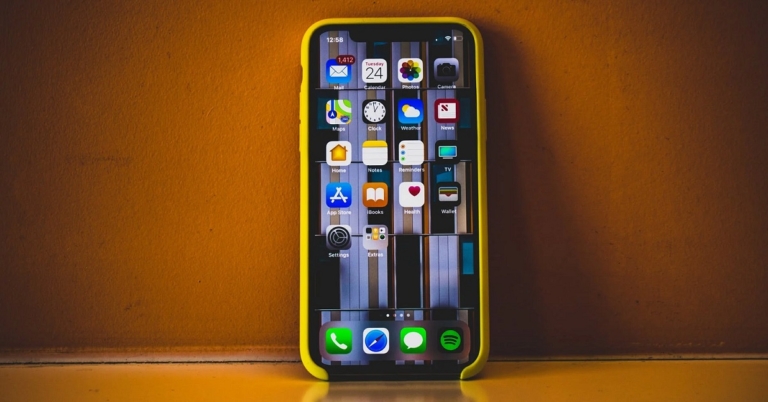
If you ever deleted a phone number by mistake from your iPhone contacts, there is absolutely no need to feel silly about it. Such sort of stuff may happen with anyone at any given point in time. Sometimes contacts or other crucial data may get lost without even your interference, owing to a bug or an internal glitch. And if you do not know how to retrieve back your lost contact, there’s no need to worry. We have brought to you the 5 best and easiest ways for you to quickly recover deleted contacts on your iPhone with or without a backup.
Hey, you never know when you might be in need of that one lost contact. Let us help you preserve it.
Step 1: Navigate to iCloud.com from your web browser and sign in with your Apple ID.
Step 2: Go to Account Settings > Advanced > Restore Contacts
Step 3: Chose the contacts you would like to restore and click on the Restore button.
Read also: Top 5 Ways To Recover Deleted Phone Numbers On Android Smartphone
Step 1: Go to Settings > Profile > iCloud
Step 2: Find the Contacts option from the menu and toggle it off.
Step 3: Choose “Keep on My iPhone” in the pop-up.
Step 4: Now, Toggle the Contacts option on and then select the Merge option in the pop-up that comes next.
Step 1: Connect your iPhone to your computer via a USB cable and open iTunes software.
Step 2: Select your device from the iTunes software and click on Summary from the left panel menu.
Step 3: Within the Summary window, under the Backups area, select the Restore Backup option.
Step 4: Select the desired backup and click on the Restore button to complete the process. The corresponding backup will get restored on your iPhone, hence restoring the contacts you lost.
Read also: How to create a backup of your WhatsApp chats on Android and iOS?
Step 1: Go to Settings > General > Reset and click on Erase All Content and Settings.
Step 2: Follow the on-screen instructions and then go to “Apps & Data” > “Restore from iCloud Backup”.
Step 3: Sign in to iCloud with your Apple ID, choose a backup that you want to restore and wait for the process to complete. That’s it!
Step 1: Go to Settings > Passwords & Accounts.
Step 2: Click on the Add Account option and select Google.
Step 3: Sign in with your Google ID and click on the Allow button.
Step 4: Turn on the Contacts switch and tap on Save in the top right corner of the interface.
Finally, if you are someone who doesn’t keep your contacts synced or backed up anywhere, there’s an option for you too! If nothing works, there are 3rd party applications and iOS data recovery softwares that are specially built for recovering lost data, including contacts or phone numbers. You can use apps like iFindit and Gihosoft iPhone Data Recovery to retrieve back photos, videos, text messages, contacts, Whatsapp and more data on your iOS device.
So those were the 5 best ways how to recover deleted contacts on an iPhone quickly and with or without a backup. If you know of any other means or ways to do the same, do let us know in the comments section below.
For the latest gadget and tech news, and gadget reviews, follow us on Twitter, Facebook and Instagram. For newest tech & gadget videos subscribe to our YouTube Channel. You can also stay up to date using the Gadget Bridge Android App. You can find the latest car and bike news here.
In This Article
Restore Contacts from iCloud Website
 Step 1: Navigate to iCloud.com from your web browser and sign in with your Apple ID.
Step 2: Go to Account Settings > Advanced > Restore Contacts
Step 3: Chose the contacts you would like to restore and click on the Restore button.
Read also: Top 5 Ways To Recover Deleted Phone Numbers On Android Smartphone
Step 1: Navigate to iCloud.com from your web browser and sign in with your Apple ID.
Step 2: Go to Account Settings > Advanced > Restore Contacts
Step 3: Chose the contacts you would like to restore and click on the Restore button.
Read also: Top 5 Ways To Recover Deleted Phone Numbers On Android Smartphone
Merge Contacts from iCloud
If you enabled Contacts sync to iCloud previously, then you can merge the contacts on your iCloud to your iPhone, thus bringing back the deleted phone numbers as well. Step 1: Go to Settings > Profile > iCloud
Step 2: Find the Contacts option from the menu and toggle it off.
Step 3: Choose “Keep on My iPhone” in the pop-up.
Step 4: Now, Toggle the Contacts option on and then select the Merge option in the pop-up that comes next.
Step 1: Go to Settings > Profile > iCloud
Step 2: Find the Contacts option from the menu and toggle it off.
Step 3: Choose “Keep on My iPhone” in the pop-up.
Step 4: Now, Toggle the Contacts option on and then select the Merge option in the pop-up that comes next.
Recover Deleted Contacts from iTunes or iCloud Backup
If you keep your contacts backed up on iCloud or even on iTunes, then this would be another efficient method to retrieve lost contacts on your iPhone. But before proceeding with this method, we suggest you keep a backup of all the existing data on your device since the one you’ll download from iTunes or iCloud will override all existing files.Restore from iTunes Backup
 Step 1: Connect your iPhone to your computer via a USB cable and open iTunes software.
Step 2: Select your device from the iTunes software and click on Summary from the left panel menu.
Step 3: Within the Summary window, under the Backups area, select the Restore Backup option.
Step 4: Select the desired backup and click on the Restore button to complete the process. The corresponding backup will get restored on your iPhone, hence restoring the contacts you lost.
Read also: How to create a backup of your WhatsApp chats on Android and iOS?
Step 1: Connect your iPhone to your computer via a USB cable and open iTunes software.
Step 2: Select your device from the iTunes software and click on Summary from the left panel menu.
Step 3: Within the Summary window, under the Backups area, select the Restore Backup option.
Step 4: Select the desired backup and click on the Restore button to complete the process. The corresponding backup will get restored on your iPhone, hence restoring the contacts you lost.
Read also: How to create a backup of your WhatsApp chats on Android and iOS?
Restore from iCloud Backup
 Step 1: Go to Settings > General > Reset and click on Erase All Content and Settings.
Step 2: Follow the on-screen instructions and then go to “Apps & Data” > “Restore from iCloud Backup”.
Step 3: Sign in to iCloud with your Apple ID, choose a backup that you want to restore and wait for the process to complete. That’s it!
Step 1: Go to Settings > General > Reset and click on Erase All Content and Settings.
Step 2: Follow the on-screen instructions and then go to “Apps & Data” > “Restore from iCloud Backup”.
Step 3: Sign in to iCloud with your Apple ID, choose a backup that you want to restore and wait for the process to complete. That’s it!
Recover Deleted Contacts from Google Contacts
For those of you who keep your contacts synced with your Google account, this method is for you. Step 1: Go to Settings > Passwords & Accounts.
Step 2: Click on the Add Account option and select Google.
Step 3: Sign in with your Google ID and click on the Allow button.
Step 4: Turn on the Contacts switch and tap on Save in the top right corner of the interface.
Step 1: Go to Settings > Passwords & Accounts.
Step 2: Click on the Add Account option and select Google.
Step 3: Sign in with your Google ID and click on the Allow button.
Step 4: Turn on the Contacts switch and tap on Save in the top right corner of the interface.
Retrieve Deleted Contacts from Data Recovery Softwares
 Finally, if you are someone who doesn’t keep your contacts synced or backed up anywhere, there’s an option for you too! If nothing works, there are 3rd party applications and iOS data recovery softwares that are specially built for recovering lost data, including contacts or phone numbers. You can use apps like iFindit and Gihosoft iPhone Data Recovery to retrieve back photos, videos, text messages, contacts, Whatsapp and more data on your iOS device.
So those were the 5 best ways how to recover deleted contacts on an iPhone quickly and with or without a backup. If you know of any other means or ways to do the same, do let us know in the comments section below.
For the latest gadget and tech news, and gadget reviews, follow us on Twitter, Facebook and Instagram. For newest tech & gadget videos subscribe to our YouTube Channel. You can also stay up to date using the Gadget Bridge Android App. You can find the latest car and bike news here.
Finally, if you are someone who doesn’t keep your contacts synced or backed up anywhere, there’s an option for you too! If nothing works, there are 3rd party applications and iOS data recovery softwares that are specially built for recovering lost data, including contacts or phone numbers. You can use apps like iFindit and Gihosoft iPhone Data Recovery to retrieve back photos, videos, text messages, contacts, Whatsapp and more data on your iOS device.
So those were the 5 best ways how to recover deleted contacts on an iPhone quickly and with or without a backup. If you know of any other means or ways to do the same, do let us know in the comments section below.
For the latest gadget and tech news, and gadget reviews, follow us on Twitter, Facebook and Instagram. For newest tech & gadget videos subscribe to our YouTube Channel. You can also stay up to date using the Gadget Bridge Android App. You can find the latest car and bike news here. Confirmed: OnePlus 10 Pro India launch to take place on March 31
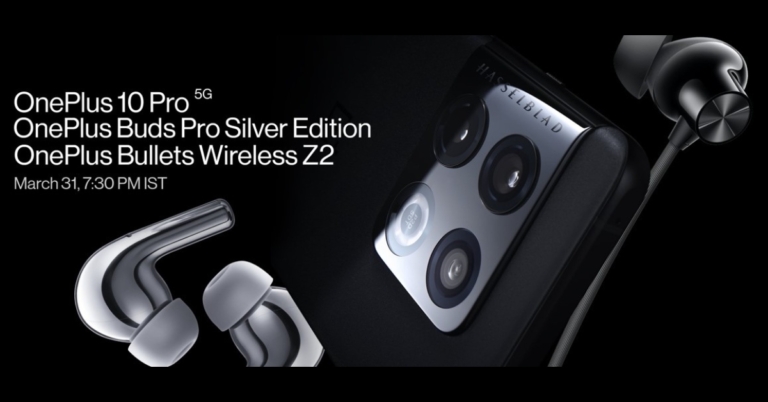
Finally, the OnePlus 10 Pro India launch date has been announced. The device will be available in the country on March 31st. The Chinese smartphone firm has been teasing its flagship device through its social media channels. To recall, the smartphone debuted in China earlier this year. While confirming the smartphone’s arrival the firm is also teasing the key specs of the upcoming phone that too matches with the Chinese variant. So Indian variant specifications will be similar to that of the Chinese model.
OnePlus took to Twitter to announce the launch date for the OnePlus 10 Pro in India. As per the company, the OnePlus 10 Pro launch event will take place on March 31 at 7:30 pm IST and 2 pm GMT/10 am EDT. Last month the company also confirmed at MWC 2022 that the OnePlus 10 Pro will be available in worldwide markets, including India, by the end of March 2022.
OnePlus 10 Pro specifications
The OnePlus 10 Pro has a 20.1:9 aspect ratio and a 6.7-inch QHD+ curved display with a resolution of 1,4403,216 pixels. The screen also has a dynamic refresh rate that ranges from 1Hz to 120Hz. The display has a maximum brightness of 1,300 nits and can be set to always-on. It is shielded by a Corning Gorilla Glass Victus panel. ColorOS 12.1 runs on top of Android 12 on the OnePlus 10 Pro. It also includes the Snapdragon 8 Gen 1 SoC, up to 12GB of LPDDR5 RAM, and 256GB of UFS 3.1 storage. The camera on the OnePlus phone benefits from Hasselblad’s colour enhancements. The OnePlus 10 Pro features a triple rear camera array for photos and videos, including a 48-megapixel Sony IMX789 main sensor with an f/1.8 aperture and optical image stabilisation (OIS). The camera is completed by a 50-megapixel Samsung ISOCELL JN1 ultra-wide sensor with an f/2.2 aperture and an 8-megapixel telephoto lens with OIS. On the front, the device has a 32-megapixel Sony IMX615 camera sensor with an f/2.4 aperture for selfies and video calls. The OnePlus 10 Pro is powered by a 5,000mAh dual-cell battery that supports cable charging at 80W and wireless charging at 50W. The phone has two speakers and supports Dolby Atmos. For the latest gadget and tech news, and gadget reviews, follow us on Twitter, Facebook and Instagram. For newest tech & gadget videos subscribe to our YouTube Channel. You can also stay up to date using the Gadget Bridge Android App. You can find the latest car and bike news here.You may now buy iPhone SE 2022 for as low as Rs 28,900, Here is how
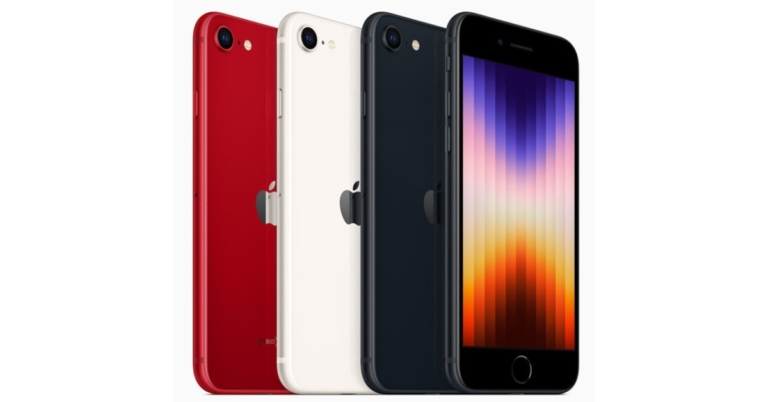
You read that correctly, and we’re not joking. iPhone SE 2022 aka iPhone SE 3 is the most affordable iPhone that was launched a few weeks back. But now it has become more affordable as you can now purchase it for as low as Rs 28,900.
The 64GB GB variant of iPhone SE 2022 is getting a huge discount and up for Rs 28,900 after a 2,000 instant discount is combined with cashback and exchange offers. The original cost of the smartphone is Rs 43,900 for the 64GB storage, Rs 48,900 for the 128GB storage and Rs 58,900 for the 256GB memory option.
Apple’s India iStore is offering a cashback of Rs 2,000 if you pay with an ICICI Bank Debit or Credit Card, a Kotak Bank Debit or Credit Card, or an SBI Credit Card. This reduces the price of the smartphone to Rs 41,900.
To further bring down the price of the iPhone SE 2022 you can take advantage of the exchange offer, which allows buyers to sell their old smartphone through Cashify or Servify. You may get a maximum exchange benefit of Rs 13,000 by selling your old iPhone and the price may fall even further to Rs 28,900.
iPhone SE 2022 specifications
The new iPhone SE is powered by the A15 Bionic chipset, which includes a four-core GPU and is the same processor found in the iPhone 13 series and the iPad mini. Live Text is one of the features supported by the device. According to the company, the phone is 5G compatible and has long battery life. The new iPhone has a 4.7-inch screen. It is made of the same aluminium glass as the iPhone 13. According to the tech behemoth, the device is built to last, and the aluminium glass design will provide superior protection. Furthermore, IP67 certification has been added to the iPhone SE 2022. It will run the most recent iOS 15, and Apple promises that it will be supported for many years. Furthermore, the new iPhone SE 2022 includes Touch ID. It keeps the single 12-megapixel /1.8 aperture Wide camera on the back. For selfies and video conferencing, the iPhone SE has a FaceTime HD camera on the front. It has the same camera capabilities as the iPhone 13, including new Photo moods, Smart HDR 4, Photographic Styles, Deep Fusion, and Portrait mode, according to the company. 4 and so forth. The iPhone SE is wireless charging compatible with Qi-certified chargers and allows rapid charging. With a 20W adaptor or higher, you can charge your phone up to 50% in 30 minutes (sold separately). For the latest gadget and tech news, and gadget reviews, follow us on Twitter, Facebook and Instagram. For newest tech & gadget videos subscribe to our YouTube Channel. You can also stay up to date using the Gadget Bridge Android App. You can find the latest car and bike news here.Nothing Phone 1 will be released in India in the Q3 of 2022: Design and Specs
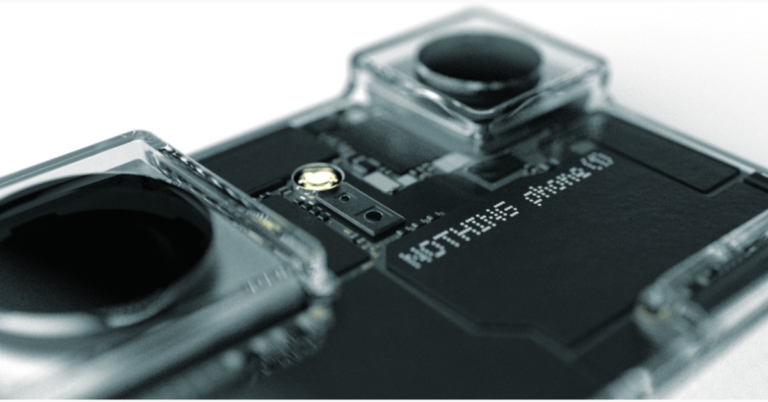
Nothing hosted a virtual event where the company’s founder Carl Pei revealed that in his keynote it upcoming phone’s launch plans. According to the company’s Chief Nothing Phone 1 will be launching in India in the third quarter of 2022. The Qualcomm Snapdragon SoC will power Nothing smartphone.
Nothing, a London based tech firm owned by OnePlus Co-Founder Carl Pei confirmed plans to launch phone (1), its first and much-anticipated smartphone product. Nothing phone (1) is the second device in the company’s product ecosystem, powered by Qualcomm’s Snapdragon mobile platform. At the Nothing event, Pei revealed additional details, including the summer launch of the phone (1) and the operating system Nothing OS.
 Carl Pei commented, “Having raised $144M, built a team of over 300 people and secured support from trusted partners like Qualcomm Technologies, Inc, we are ready for phone (1) to mark the start of change for the sleepy smartphone market,” He further added, “We are also doing a new $10M round of community investment so that our supporters get the chance to be part of our journey going head to head against the giants of the industry.”
Nothing also announced a separate allocation of $10 million (approx Rs 76.23 crore) for an upcoming equity-based community investment round at the same valuation as its Series B fundraise, which was co-led by EQT Ventures and C Ventures. This is going to be the company’s second community-based funding round, following a $1.5 million (approx Rs. 11.43 crore) round last year. As per the tech firm, Nothing’s private community is open to investors, who will receive exclusive benefits and insights into the company. Pre-registration for early access is now open, and the investment round will open on April 5th.
Carl Pei commented, “Having raised $144M, built a team of over 300 people and secured support from trusted partners like Qualcomm Technologies, Inc, we are ready for phone (1) to mark the start of change for the sleepy smartphone market,” He further added, “We are also doing a new $10M round of community investment so that our supporters get the chance to be part of our journey going head to head against the giants of the industry.”
Nothing also announced a separate allocation of $10 million (approx Rs 76.23 crore) for an upcoming equity-based community investment round at the same valuation as its Series B fundraise, which was co-led by EQT Ventures and C Ventures. This is going to be the company’s second community-based funding round, following a $1.5 million (approx Rs. 11.43 crore) round last year. As per the tech firm, Nothing’s private community is open to investors, who will receive exclusive benefits and insights into the company. Pre-registration for early access is now open, and the investment round will open on April 5th.
 Notably, the design language is more similar to that of Ear 1 TWS, which has a transparent design. Yes, the majority of the smartphone’s components will be visible through the transparent back. Inside, multicolour LED strips have been used that will light up differently depending on who calls or messages you, allowing you to see what’s going on without having to look at the screen and whenever you play music.
 Speaking about the software Nothing OS, a custom Android version developed by the company will be included with the smartphone. Pei has also revealed that Nothing OS will provide third party support to AirPods and Tesla users. The Snapdragon SoC in the Nothing Phone 1 will power the device.
For the latest gadget and tech news, and gadget reviews, follow us on Twitter, Facebook and Instagram. For newest tech & gadget videos subscribe to our YouTube Channel. You can also stay up to date using the Gadget Bridge Android App. You can find the latest car and bike news here.
Speaking about the software Nothing OS, a custom Android version developed by the company will be included with the smartphone. Pei has also revealed that Nothing OS will provide third party support to AirPods and Tesla users. The Snapdragon SoC in the Nothing Phone 1 will power the device.
For the latest gadget and tech news, and gadget reviews, follow us on Twitter, Facebook and Instagram. For newest tech & gadget videos subscribe to our YouTube Channel. You can also stay up to date using the Gadget Bridge Android App. You can find the latest car and bike news here.
 Carl Pei commented, “Having raised $144M, built a team of over 300 people and secured support from trusted partners like Qualcomm Technologies, Inc, we are ready for phone (1) to mark the start of change for the sleepy smartphone market,” He further added, “We are also doing a new $10M round of community investment so that our supporters get the chance to be part of our journey going head to head against the giants of the industry.”
Nothing also announced a separate allocation of $10 million (approx Rs 76.23 crore) for an upcoming equity-based community investment round at the same valuation as its Series B fundraise, which was co-led by EQT Ventures and C Ventures. This is going to be the company’s second community-based funding round, following a $1.5 million (approx Rs. 11.43 crore) round last year. As per the tech firm, Nothing’s private community is open to investors, who will receive exclusive benefits and insights into the company. Pre-registration for early access is now open, and the investment round will open on April 5th.
Carl Pei commented, “Having raised $144M, built a team of over 300 people and secured support from trusted partners like Qualcomm Technologies, Inc, we are ready for phone (1) to mark the start of change for the sleepy smartphone market,” He further added, “We are also doing a new $10M round of community investment so that our supporters get the chance to be part of our journey going head to head against the giants of the industry.”
Nothing also announced a separate allocation of $10 million (approx Rs 76.23 crore) for an upcoming equity-based community investment round at the same valuation as its Series B fundraise, which was co-led by EQT Ventures and C Ventures. This is going to be the company’s second community-based funding round, following a $1.5 million (approx Rs. 11.43 crore) round last year. As per the tech firm, Nothing’s private community is open to investors, who will receive exclusive benefits and insights into the company. Pre-registration for early access is now open, and the investment round will open on April 5th.
Nothing Phone 1 design, specifications explained
The Nothing Phone 1 is designed by Povilas Grigas and will have a different design philosophy. The form factor is inspired by old pacemakers, ice cubes, and jewellery, and Phone (1) offers a new sleek design. It will also come with a new type of charger- Gallium nitride. While the always-on display confirmed the OLED screen. Notably, the design language is more similar to that of Ear 1 TWS, which has a transparent design. Yes, the majority of the smartphone’s components will be visible through the transparent back. Inside, multicolour LED strips have been used that will light up differently depending on who calls or messages you, allowing you to see what’s going on without having to look at the screen and whenever you play music.
 Speaking about the software Nothing OS, a custom Android version developed by the company will be included with the smartphone. Pei has also revealed that Nothing OS will provide third party support to AirPods and Tesla users. The Snapdragon SoC in the Nothing Phone 1 will power the device.
For the latest gadget and tech news, and gadget reviews, follow us on Twitter, Facebook and Instagram. For newest tech & gadget videos subscribe to our YouTube Channel. You can also stay up to date using the Gadget Bridge Android App. You can find the latest car and bike news here.
Speaking about the software Nothing OS, a custom Android version developed by the company will be included with the smartphone. Pei has also revealed that Nothing OS will provide third party support to AirPods and Tesla users. The Snapdragon SoC in the Nothing Phone 1 will power the device.
For the latest gadget and tech news, and gadget reviews, follow us on Twitter, Facebook and Instagram. For newest tech & gadget videos subscribe to our YouTube Channel. You can also stay up to date using the Gadget Bridge Android App. You can find the latest car and bike news here. 1TB storage variant of Samsung Galaxy S22 Ultra launched in India
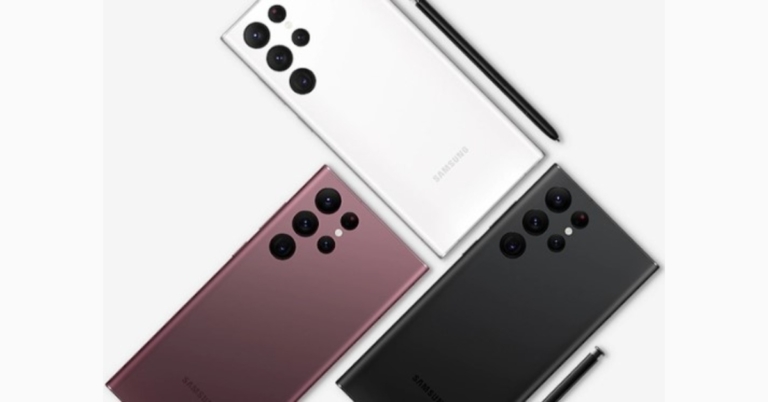
Samsung announced its most up to date Samsung Galaxy S22 Series last month The new flagship lineup consists of three devices: the Samsung Galaxy S22, Galaxy S22+, and Galaxy S22 Ultra. The company has introduced a new 1TB storage variant of Galaxy S22 Ultra in India. However, the phone is already available in two variants. The Snapdragon 8 Gen 1 SoC powers all three smartphones, and the Ultra variant includes S Pen compatibility for a Galaxy Note-like experience.
 Galaxy S22 Ultra is also available in a 12GB RAM with 256GB storage configuration priced at Rs 1,09,999 whereas the 12GB RAM with 512GB storage model comes at Rs 1,18,999. The device can be purchased in Burgundy, Phantom Black, and Phantom White for the 12GB RAM with 256GB model and Burgundy and Phantom Black for the 12GB RAM with 512GB variant.
In This Article
Samsung Galaxy S22 Ultra 1TB storage variant price in India
Samsung Galaxy S22 Ultra 1TB storage variant price in India has been set at Rs 1,34,999. The device will be available exclusively on Samsung Live, the company’s own live commerce platform. Customers can purchase the new model on Samsung.com during the live event on March 28 at 6 p.m. One can also purchase it through Samsung E-store. According to the company customers who buy the latest Galaxy S22 1TB during the live sale event will receive a Galaxy Watch4 for Rs 2,999. Additionally, customers of the Galaxy S and Galaxy Note series will receive an upgrade bonus of INR 8000, while other device owners will receive an upgrade bonus of Rs 5,000 when purchasing the Galaxy S22 Ultra 1TB edition. Galaxy S22 Ultra is also available in a 12GB RAM with 256GB storage configuration priced at Rs 1,09,999 whereas the 12GB RAM with 512GB storage model comes at Rs 1,18,999. The device can be purchased in Burgundy, Phantom Black, and Phantom White for the 12GB RAM with 256GB model and Burgundy and Phantom Black for the 12GB RAM with 512GB variant.
Samsung Galaxy S22 Ultra specifications
The Samsung Galaxy S22 Ultra features a 6.8-inch Edge QHD+ Dynamic AMOLED 2X display with a 120Hz adaptive refresh rate that can be reduced to 1Hz and a peak brightness of 1,750 nits. The display screen has upgraded Wacom technology, allowing for S Pen enhancements such as lower latency. Despite the inclusion of an S Pen, the phone is said to have 70% less latency than its predecessor. An octa-core Snapdragon 8 Gen 1 SoC with up to 12 GB of RAM and up to 1TB of internal storage powers the device. The Galaxy S22 Ultra has four cameras, one of which is a 108-megapixel wide-angle sensor with an f/1.8 aperture. The smartphone’s features are rounded out by a 12-megapixel ultra-wide-angle camera, a 10-megapixel telephoto camera (3x optical zoom), and a 10-megapixel telephoto camera (10x optical zoom). A 40-megapixel camera sensor with an f/2.2 aperture lens is located on the front of the Samsung Galaxy S22 Ultra. The S22 Ultra’s 5,000mAh battery supports 45W fast charging, 15W wireless charging, and Wireless PowerShare for reverse wireless charging. The phone’s connections and sensors are comparable to those of the previously mentioned smartphone. For the latest gadget and tech news, and gadget reviews, follow us on Twitter, Facebook and Instagram. For newest tech & gadget videos subscribe to our YouTube Channel. You can also stay up to date using the Gadget Bridge Android App. You can find the latest car and bike news here.Top 5 Cheapest Cool New Gadgets On Amazon That You Can Buy Under Rs 1500 In 2022
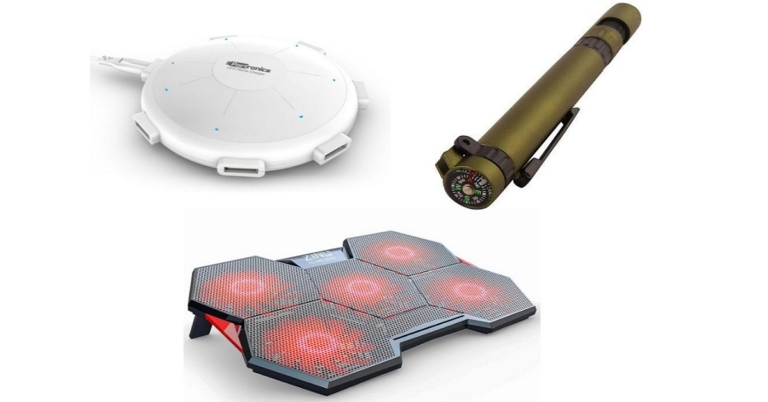
Imagining your life without any gadgets is not a question we’re going to ask. Even the thought of it would be totally absurd today, no? From the tiniest Bluetooth in-ear earphones to the large electrical vehicles we drive, we are so heavily surrounded by and dependent upon gadgets and gizmos that 21st-century technology and human beings seem to be slowly merging into a single entity. Provided below is our list of the top 5 cheapest cool new gadgets available on Amazon India that you can buy under Rs 1500 in 2022.
New tech gadgets and inventions are being brought to life at such a rapid rate that it is becoming increasingly difficult to keep your pace up with the piling innovations. And you can’t even say no, because if you fail to keep up with the times, you will become irrelevant within the blink of an eye. But no need to panic! As long as we walk hand-in-hand and keep supporting one another, you won’t even notice how fast time will fly, and that too, comfortably.
Read also: Samsung Galaxy S22 Review: The Ultimate Quality Smartphone of 2022
For those of you who are fascinated by aliens and UFOs, although there may still be time for their actual discovery, you can meanwhile get yourself this 6-port UFO-shaped charging station. Say goodbye to those traditional four-socket power extension strips when you have at your service a full 6-port charging station with each producing an 8A output. Plus, isn’t it entertaining to watch a mini UFO residing at your place? And you know what, you can get this UFO assistant for yourself just at Rs 624!
Buy from here.
The next cool gadget we found on Amazon to include in our top 5 list was this one. The Auto 12 in-car Bluetooth receiver, again from Portronics, is for those of you who drive a car with a non-Bluetooth stereo system. With this handy gizmo at your service, you can stream music and make or receive phone calls even with a non-Bluetooth car dashboard, and in no time. Moreover, it also comes with an in-built bass enhancer and voice assistant technology that helps in easily conveying your on-road problems to Siri or your Google Assistant with a simple voice command. And you get all of these amazing features just at Rs 529!
Buy from here.
We know what you’re wondering, that mobile/tablet stands are pretty common these days, right? But let us tell you, this one is no ordinary mobile or tablet holder. It is also angle and height-adjustable and fully foldable. For those of you who aren’t very much inclined to invest in an expensive tripod stand, this may be your go-to item. Moreover, it has a non-slip design, has a sturdy base, and is portable as well. And you get this at a price as low as Rs 285. Can you believe it?
Buy from here.
Read also: Xiaomi Redmi Watch 2 Lite Review: Elegant Design With A Thorough Health Check System
Straightaway coming to point, the 6 tools or functions it comes with include a torch, compass, a small two-sided screwdriver, a phone stand, a stylus and of course, a pen. If you’re fascinated by the Samsung Note number smartphone series but don’t have the budget for it, all you have to do is just invest Rs 199 in this brilliant multi-function pen whose stylus can at least give you similar feels.
Buy from here.
All the work from home students and professionals, do answer this one honestly. Do you work on your study table the entire day, or ultimately end up taking your laptop to the bed in the end? If you dare to admit being a person of the latter type, then we’d like to inform you that keeping your laptop on any surface other than a smooth plain tabletop might result in it getting heated up quickly, thereby affecting its performance and longevity.
This is where the final item on our list of the top 5 cheapest cool new gadgets on Amazon comes in. This 5 fan cooling pad not just helps keep your laptop’s temperature regulated, but also is height and angle adjustable for correct posture and viewing. It also has dual USB port extensions and comes at a price of Rs 1,499.
Buy from here.
So those were our top pics for the 5 cheapest cool new gadgets on Amazon India that you can buy under Rs 1500 in 2022. We would love to hear your experience with any such latest cool new tools and technologies that you find in the market. Do write to us about it in the comments section below. Remember? We are in this together! As long as we keep supporting one another, the word obsolete should become obsolete.
For the latest gadget and tech news, and gadget reviews, follow us on Twitter, Facebook and Instagram. For newest tech & gadget videos subscribe to our YouTube Channel. You can also stay up to date using the Gadget Bridge Android App. You can find the latest car and bike news here.
In This Article
Portronics 6 Port UFO Charging Station
 Read also: Samsung Galaxy S22 Review: The Ultimate Quality Smartphone of 2022
For those of you who are fascinated by aliens and UFOs, although there may still be time for their actual discovery, you can meanwhile get yourself this 6-port UFO-shaped charging station. Say goodbye to those traditional four-socket power extension strips when you have at your service a full 6-port charging station with each producing an 8A output. Plus, isn’t it entertaining to watch a mini UFO residing at your place? And you know what, you can get this UFO assistant for yourself just at Rs 624!
Buy from here.
Read also: Samsung Galaxy S22 Review: The Ultimate Quality Smartphone of 2022
For those of you who are fascinated by aliens and UFOs, although there may still be time for their actual discovery, you can meanwhile get yourself this 6-port UFO-shaped charging station. Say goodbye to those traditional four-socket power extension strips when you have at your service a full 6-port charging station with each producing an 8A output. Plus, isn’t it entertaining to watch a mini UFO residing at your place? And you know what, you can get this UFO assistant for yourself just at Rs 624!
Buy from here.
Portronics Auto 12 In-Car Bluetooth Receiver
 The next cool gadget we found on Amazon to include in our top 5 list was this one. The Auto 12 in-car Bluetooth receiver, again from Portronics, is for those of you who drive a car with a non-Bluetooth stereo system. With this handy gizmo at your service, you can stream music and make or receive phone calls even with a non-Bluetooth car dashboard, and in no time. Moreover, it also comes with an in-built bass enhancer and voice assistant technology that helps in easily conveying your on-road problems to Siri or your Google Assistant with a simple voice command. And you get all of these amazing features just at Rs 529!
Buy from here.
The next cool gadget we found on Amazon to include in our top 5 list was this one. The Auto 12 in-car Bluetooth receiver, again from Portronics, is for those of you who drive a car with a non-Bluetooth stereo system. With this handy gizmo at your service, you can stream music and make or receive phone calls even with a non-Bluetooth car dashboard, and in no time. Moreover, it also comes with an in-built bass enhancer and voice assistant technology that helps in easily conveying your on-road problems to Siri or your Google Assistant with a simple voice command. And you get all of these amazing features just at Rs 529!
Buy from here.
Tukzer Fully Foldable Mobile And Tablet Stand
 We know what you’re wondering, that mobile/tablet stands are pretty common these days, right? But let us tell you, this one is no ordinary mobile or tablet holder. It is also angle and height-adjustable and fully foldable. For those of you who aren’t very much inclined to invest in an expensive tripod stand, this may be your go-to item. Moreover, it has a non-slip design, has a sturdy base, and is portable as well. And you get this at a price as low as Rs 285. Can you believe it?
Buy from here.
We know what you’re wondering, that mobile/tablet stands are pretty common these days, right? But let us tell you, this one is no ordinary mobile or tablet holder. It is also angle and height-adjustable and fully foldable. For those of you who aren’t very much inclined to invest in an expensive tripod stand, this may be your go-to item. Moreover, it has a non-slip design, has a sturdy base, and is portable as well. And you get this at a price as low as Rs 285. Can you believe it?
Buy from here.
Vagmi 6-in-1 Plastic Military Pen
 Read also: Xiaomi Redmi Watch 2 Lite Review: Elegant Design With A Thorough Health Check System
Straightaway coming to point, the 6 tools or functions it comes with include a torch, compass, a small two-sided screwdriver, a phone stand, a stylus and of course, a pen. If you’re fascinated by the Samsung Note number smartphone series but don’t have the budget for it, all you have to do is just invest Rs 199 in this brilliant multi-function pen whose stylus can at least give you similar feels.
Buy from here.
Read also: Xiaomi Redmi Watch 2 Lite Review: Elegant Design With A Thorough Health Check System
Straightaway coming to point, the 6 tools or functions it comes with include a torch, compass, a small two-sided screwdriver, a phone stand, a stylus and of course, a pen. If you’re fascinated by the Samsung Note number smartphone series but don’t have the budget for it, all you have to do is just invest Rs 199 in this brilliant multi-function pen whose stylus can at least give you similar feels.
Buy from here.
Zinq Technologies 5 Fan Cooling Pad
 All the work from home students and professionals, do answer this one honestly. Do you work on your study table the entire day, or ultimately end up taking your laptop to the bed in the end? If you dare to admit being a person of the latter type, then we’d like to inform you that keeping your laptop on any surface other than a smooth plain tabletop might result in it getting heated up quickly, thereby affecting its performance and longevity.
This is where the final item on our list of the top 5 cheapest cool new gadgets on Amazon comes in. This 5 fan cooling pad not just helps keep your laptop’s temperature regulated, but also is height and angle adjustable for correct posture and viewing. It also has dual USB port extensions and comes at a price of Rs 1,499.
Buy from here.
So those were our top pics for the 5 cheapest cool new gadgets on Amazon India that you can buy under Rs 1500 in 2022. We would love to hear your experience with any such latest cool new tools and technologies that you find in the market. Do write to us about it in the comments section below. Remember? We are in this together! As long as we keep supporting one another, the word obsolete should become obsolete.
For the latest gadget and tech news, and gadget reviews, follow us on Twitter, Facebook and Instagram. For newest tech & gadget videos subscribe to our YouTube Channel. You can also stay up to date using the Gadget Bridge Android App. You can find the latest car and bike news here.
All the work from home students and professionals, do answer this one honestly. Do you work on your study table the entire day, or ultimately end up taking your laptop to the bed in the end? If you dare to admit being a person of the latter type, then we’d like to inform you that keeping your laptop on any surface other than a smooth plain tabletop might result in it getting heated up quickly, thereby affecting its performance and longevity.
This is where the final item on our list of the top 5 cheapest cool new gadgets on Amazon comes in. This 5 fan cooling pad not just helps keep your laptop’s temperature regulated, but also is height and angle adjustable for correct posture and viewing. It also has dual USB port extensions and comes at a price of Rs 1,499.
Buy from here.
So those were our top pics for the 5 cheapest cool new gadgets on Amazon India that you can buy under Rs 1500 in 2022. We would love to hear your experience with any such latest cool new tools and technologies that you find in the market. Do write to us about it in the comments section below. Remember? We are in this together! As long as we keep supporting one another, the word obsolete should become obsolete.
For the latest gadget and tech news, and gadget reviews, follow us on Twitter, Facebook and Instagram. For newest tech & gadget videos subscribe to our YouTube Channel. You can also stay up to date using the Gadget Bridge Android App. You can find the latest car and bike news here. 24 March 2022 Amazon Quiz today answers: Answer to win Rs 10,000 Amazon Pay Balance

Get ready to participate in the 24 March 2022 Amazon Quiz, as it is live on its mobile platform. In today’s quiz participants have a chance to win Rs 10,000 Amazon Pay Balance by answering all the questions correctly. The quiz can be played every day from 12 AM to 11:59. Check Out Amazon Quiz Answers Today 24 March 2022.
The daily quiz conducted by the company brings an opportunity for the customers to win exciting prizes. Every day Amazon brings a fresh set of questions for its customers that contains five easy questions. The questionnaire consists of five questions related to general knowledge and current affairs.
The participants need to answer all the questions correctly and their names will be selected for a lucky draw. The winner will be announced at the end of the month. Amazon quiz brings an opportunity for its customers to win Amazon Pay Balance ranging from Rs 1,000 to Rs 50,000. Only app users are eligible to participate in the Quiz as it is not accessible on the web platform.
Amazon Quiz Today Prize – Rs 10,000 Amazon Pay Balance
Quiz Date – 24 March 2022
Daily Timing – 12 AM to 11:59 PM
Winner Announcement – Today 12 PM
In This Article
Amazon Quiz Answers Today 24 March 2022
Question 1: What species of animal was Collarwali, who recently died of old age in the Pench National Park?
Answer: TigerQuestion 2: Which Indian state will host the next Khelo India Games in 2023?
Answer: KarnatakaQuestion 3: Geoff Allardice has been appointed as which organisation’s permanent CEO?
Answer: ICCQuestion 4: In which year was this company founded?
Answer: 1971Question 5: For which iconic compact car is this company known for?
Answer: BeetleHow To Play Amazon Quiz
Only app users are eligible to play the Amazon quiz every morning from 12 AM to 11:59 PM. The quiz is not available on the desktop. For those who are unaware of how to play the Amazon quiz below are the steps, you can follow to take the quiz.- Firstly download the Amazon app from Google Play Store or App Store
- Now fill in the required information through the Sign Up option.
- You need to log in to the Amazon app and scroll down on the home screen to find the Amazon Quiz banner.
- Tap on the Amazon Quiz banner and tap on the Start button to start the Quiz.
- Now you will get 5 questions and you need to answer them correctly. One wrong answer will eliminate you from the Quiz.
- After answering all the questions correctly you are now eligible for a Lucky Draw.
- The winner’s name will be announced today at 12 PM.
Oppo Enco Air 2 TWS with 24 hours of battery life launched in India
Today, Oppo officially launched two new products in the Indian market. The Chinese tech behemoth has unveiled Oppo Enco Air 2 TWS, which has 13.4mm drivers and a battery life of 24 hours. Additionally, the TWS earphones are IPX4 rated and come with Bluetooth v5.2 connectivity. Along with the true wireless earphones the company has also released Oppo K10 smartphone. The device features a 90Hz refresh rate display. The phone is powered by a Snapdragon 680 SoC and has a 5,000mAh battery with 33W fast charging support.
 Oppo K10 was also released in India today in two variants. The 6GB RAM with 128GB storage option is priced at Rs 14,990 while the 8GB RAM with 128GB option comes at Rs 16,990. The device will come in two colour options of Black Carbon and Blue Flame.
The new smartphone is scheduled to go on sale in the country on March 29 and can be purchased via Flipkart and the company’s official online store.
Oppo K10 was also released in India today in two variants. The 6GB RAM with 128GB storage option is priced at Rs 14,990 while the 8GB RAM with 128GB option comes at Rs 16,990. The device will come in two colour options of Black Carbon and Blue Flame.
The new smartphone is scheduled to go on sale in the country on March 29 and can be purchased via Flipkart and the company’s official online store.
In This Article
Oppo Enco Air 2 TWS price in India and availability details
The Oppo Enco Air 2 TWS is priced at Rs 2,499 in India. The TWS earbuds will be available in White and Blue colour options. The True wireless earphone will go on sale via Flipkart and Oppo store. Oppo K10 was also released in India today in two variants. The 6GB RAM with 128GB storage option is priced at Rs 14,990 while the 8GB RAM with 128GB option comes at Rs 16,990. The device will come in two colour options of Black Carbon and Blue Flame.
The new smartphone is scheduled to go on sale in the country on March 29 and can be purchased via Flipkart and the company’s official online store.
Oppo K10 was also released in India today in two variants. The 6GB RAM with 128GB storage option is priced at Rs 14,990 while the 8GB RAM with 128GB option comes at Rs 16,990. The device will come in two colour options of Black Carbon and Blue Flame.
The new smartphone is scheduled to go on sale in the country on March 29 and can be purchased via Flipkart and the company’s official online store.
Oppo Enco Air 2 TWS specifications and features
Coming to the specs, Oppo TWS have a translucent lid design. The device comes with an IPX4 water resistance rating. The earbuds have 13.4mm composite titanised diaphragm drivers. The frequency response range of the TWS earphones is 20Hz to 20KHz. There is Bluetooth v5.2 support for connectivity and is said to be controlled via the HeyMelody app on Android. The dedicated app supports Enco Live sound effects, firmware updates, and adjusting earbuds controls. SBC and AAC codecs are supported by the Oppo Enco Air 2 TWS earphones. The Oppo Enco Air 2 TWS comes with a charging case that has a 440mAh battery. While each earbud equips a 27mAh battery. The audio devices are touted to last up to four hours on a single charge. Oppo’s Flash Connect feature allows for quick connection, and an AI noise cancellation feature filters out environmental noise during calls. For the latest gadget and tech news, and gadget reviews, follow us on Twitter, Facebook and Instagram. For newest tech & gadget videos subscribe to our YouTube Channel. You can also stay up to date using the Gadget Bridge Android App. You can find the latest car and bike news here.Oppo K10 with 90Hz display and 33W fast charging launched in India
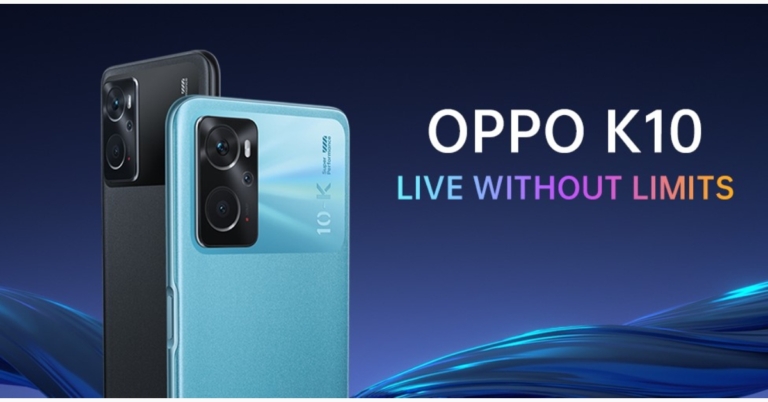
Oppo has officially unveiled its new smartphone in the Indian market today. The Chinese tech giant has unveiled the Oppo K10 featuring a 90Hz refresh rate display. The smartphone is powered by Snapdragon 680 SoC and houses a 5,000mAh battery which comes with 33W fast charging support. The handset also includes a triple rear camera set-up that includes a 50MP sensor.
 The company is providing first-day exclusive launch offers such as a Rs 2,000 flat discount for buyers using SBI Bank debit card, credit card, and credit card EMI transactions. Additionally Customers of Standard Chartered Bank and Bank of Baroda can also get a Rs 1,000 discount when they pay with a credit card or credit card EMI.
In This Article
Oppo K10 price in India, availability, launch offers
Oppo K10 was released in India today in two variants. The 6GB RAM with 128GB storage option is priced at Rs 14,990 while the 8GB RAM with 128GB option comes at Rs 16,990. The device will come in two colour options Black Carbon and Blue Flame. The new smartphone is scheduled to go on sale in the country on March 29 and can be purchased via Flipkart and the company’s official online store. The company is providing first-day exclusive launch offers such as a Rs 2,000 flat discount for buyers using SBI Bank debit card, credit card, and credit card EMI transactions. Additionally Customers of Standard Chartered Bank and Bank of Baroda can also get a Rs 1,000 discount when they pay with a credit card or credit card EMI.
Oppo K10 specifications
Speaking about the specifications, Oppo K10 features a 6.59-inch full-HD+ display with 1,080×2,412 pixels of resolution. The screen offers 90Hz of refresh rate support. The device operates on Android 11 with ColorOS 11.1 on top. Under the hood, there is a Qualcomm Snapdragon 680 SoC with up to 8GB of RAM and 28GB of internal storage that can be expanded with a dedicated microSD card. The handset also supports dynamic RAM expansion by an additional 5G using unutilized storage. The phone has a triple camera setup that includes a 50-megapixel primary camera, a 2-megapixel bokeh camera, and a 2-megapixel macro camera. The Oppo K10 also has a 16-megapixel front-facing camera. It is dust and water-resistant, with an IP54 rating. Wi-Fi, 4G LTE, Bluetooth v5, GPS/ A-GPS, a 3.5mm audio jack and USB Type-C for charging are among the connectivity options. The Oppo K10 has a 5,000mAh battery and supports 33W SuperVOOC charging. For the latest gadget and tech news, and gadget reviews, follow us on Twitter, Facebook and Instagram. For newest tech & gadget videos subscribe to our YouTube Channel. You can also stay up to date using the Gadget Bridge Android App. You can find the latest car and bike news here.Nothing event “The Truth” to take place today, Nothing Phone expected

Nothing, a tech firm owned by OnePlus Co-Founder Carl Pei is planning to launch a new product in the market and this is probably going to be about the speculated Nothing phone. The UK-based electronics company has set up a virtual event later today that will be live-streamed via the company’s official channels. The Nothing smartphone could have a transparent design, similar to Nothing Ear (1) earbuds, which were released last year. Nothing’s upcoming smartphone will most likely be powered by a Qualcomm Snapdragon SoC.
In This Article