In This Article
Recover deleted messages by requesting Snapchat data
Did you know you can use an app to get their Snapchat data and recover their messages? It’s called eyeZy and it’ll bring you the type of peace of mind you never knew existed. Just install eyeZy on their phone and you’ll have access to an impressive tool called Social Spotlight. It’s just one of a dozen tools at your disposal in eyeZy, and it’ll change your perception of their Snapchat use for the better.
There is a way to recover messages from the Snapchat app too, here is how:
Step 1: Open the Snapchat app on your phone and select ‘My Data’ in Settings. Step 2: Log in using your Snapchat username or email and password.
 Step 3: Tap on ‘Submit Request’ at the end of the page.
Step 4: Snapchat will now prepare a file containing your account data and send it to you on your registered email account.
Step 5: Go to your email inbox and open the link sent to you by Snapchat.
Step 6: You will be redirected to the My Data page on Snapchat which will present you with a zip file containing all your account data.
Step 7: Extract the zip file on your smartphone.
Step 8: After the file has been extracted open the ‘mydata’ folder.
Step 9: Open the index.html file to view deleted messages.
You will be able to view the entire message history on your Snapchat account.
Read Also: How to recover your Snapchat account securely and safely
Bonus tip:
If you want to recover recently deleted messages, all you need to do is access Snapchat’s cache data. Simply go to Files>Internal Storage>Android>Data>com.snapchat.android. Look for the messages file and rename it to remove the .nomedia extension. If your phone doesn’t identify the file, add a .txt extension and try again. If you do not see any messages, it means Snapchat has already dumped the cache data. In this case, you will have to follow the process mentioned above and request your account data from Snapchat to retrieve deleted messages.
For the latest gadget and tech news, and gadget reviews, follow us on Twitter, Facebook and Instagram. For newest tech & gadget videos subscribe to our YouTube Channel. You can also stay up to date using the Gadget Bridge Android App. You can find the latest car and bike news here.
Step 3: Tap on ‘Submit Request’ at the end of the page.
Step 4: Snapchat will now prepare a file containing your account data and send it to you on your registered email account.
Step 5: Go to your email inbox and open the link sent to you by Snapchat.
Step 6: You will be redirected to the My Data page on Snapchat which will present you with a zip file containing all your account data.
Step 7: Extract the zip file on your smartphone.
Step 8: After the file has been extracted open the ‘mydata’ folder.
Step 9: Open the index.html file to view deleted messages.
You will be able to view the entire message history on your Snapchat account.
Read Also: How to recover your Snapchat account securely and safely
Bonus tip:
If you want to recover recently deleted messages, all you need to do is access Snapchat’s cache data. Simply go to Files>Internal Storage>Android>Data>com.snapchat.android. Look for the messages file and rename it to remove the .nomedia extension. If your phone doesn’t identify the file, add a .txt extension and try again. If you do not see any messages, it means Snapchat has already dumped the cache data. In this case, you will have to follow the process mentioned above and request your account data from Snapchat to retrieve deleted messages.
For the latest gadget and tech news, and gadget reviews, follow us on Twitter, Facebook and Instagram. For newest tech & gadget videos subscribe to our YouTube Channel. You can also stay up to date using the Gadget Bridge Android App. You can find the latest car and bike news here. 





 Step 3:
 Step 4:
 Step 5:
 Step 6:
 Step 7:
 Step 2:
 Step 3:
 Step 4:
 Step 5:
 Step 2:
 Step 3:
 Step 4:






 There are a bunch of IMEI tracker apps on Google Play Store that can help you locate your stolen phone. Fair warning, these apps may not work all the time. If you’re looking for an efficient way to track your phone using its IMEI number, consulting the police is your safest bet. However, if you want to take matters into your own hands then there are a few apps that may help you.
  You can also track your phone by entering its IMEI number on an online tracking tool. There are a few websites that specialise in tracking your mobile phone using its IMEI code.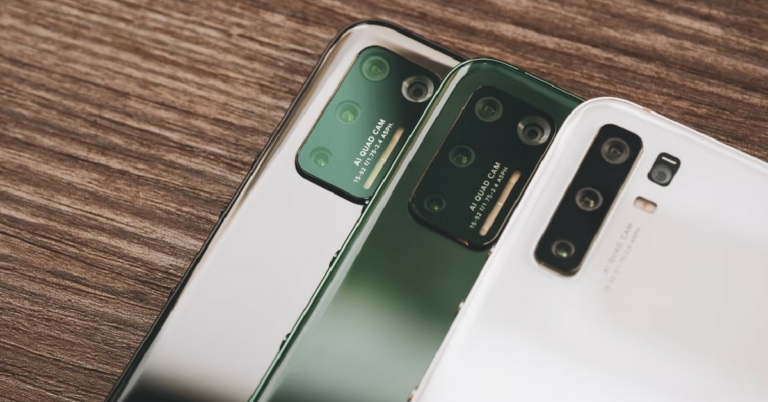
 Specifications
Display:
Specifications
Display: Specification
Display:
Specification
Display: Specifications
Display:
Specifications
Display: Specifications
Display:
Specifications
Display: Specifications
Display:
Specifications
Display: Specifications
Display:
Specifications
Display: Specifications
Display:
Specifications
Display: Specifications
Display:
Specifications
Display: Specifications
Display:
Specifications
Display:  Specifications
Display:
Specifications
Display: 








 Step 2:
 Step 3:
 Step 3:
 Step 5: