
In This Article
1. Use a Virtual Private Network (VPN)
 A virtual private network covers your tracks online. It hides your IP address, which is a number that uniquely identifies your device when you go online.
Once associated only with criminals, many people now use VPNs routinely to shield themselves from fraudsters, scammers, data-hungry internet service providers (ISPs) and search providers, and marketers.
While a VPN hides your device name, it also hides your location, which can make it easier to access websites and services overseas – such as some movie and radio streaming services – that are normally location-specific.
A virtual private network covers your tracks online. It hides your IP address, which is a number that uniquely identifies your device when you go online.
Once associated only with criminals, many people now use VPNs routinely to shield themselves from fraudsters, scammers, data-hungry internet service providers (ISPs) and search providers, and marketers.
While a VPN hides your device name, it also hides your location, which can make it easier to access websites and services overseas – such as some movie and radio streaming services – that are normally location-specific.
2. Activate Your Firewall and Virus Checker
A firewall monitors data going toward your device and any data attempting to leave your device. This is an essential part of internet safety. Without a firewall, you are prone to fake attachments in emails (trojans) that could damage your device, restrict access, or threaten your security and privacy. If you use Windows, it comes with a firewall as standard. Make sure it’s turned on. If you’re still concerned about your device’s safety and security, it may be well worth investing in a firewall beyond the free versions to enhance your protection. A virus checker monitors and routinely checks all the files on your device to identify potential threats. It will then prompt you to reject them, delete them, or quarantine them to keep your data safe and protect other devices on your network. Along with a firewall, a virus checker is essential to keep your device running safely.3. Notice Identify Scammers
Despite firewalls and virus checkers, malicious files may still get through from time to time. And sometimes criminals aren’t trying to infiltrate your data through software and files but through you. In these cases, you can protect yourself by learning to identify fraudulent and suspicious activity and knowing what to do about it. Spam refers to unsolicited marketing sent indiscriminately, far and wide. It is often a gateway to fraudulent activity, unwanted marketing, and scams, including bogus products and services. You can identify spam and scams by:- a) their typically terrible spelling and grammar,
- b) the use of variations on real business names (such as TheFacebook, instead of Facebook), and
- c) pressure tactics that demand recipients act urgently.
4. Look for HTTPS or a Padlock Symbol for Transactions
If you are performing a financial transaction online, look for at least one of two signs that your session is secure. The web address should have an S after the http. Https signifies that the page is secure. Any information you send via that page will be encrypted. Without a secure connection, third parties may be able to see and intercept your data. For ease, secure websites also display a padlock in the address bar. If you see a padlock, you know that any data sent from that page, such as your contact details or card details, will be sent encrypted. This makes it much more difficult for anyone to steal that data.5. Log Out and Use Passwords
 This is a simple tip that will help you keep yourself safe online. Log out whenever you have finished with a service online. Then log out of your device before leaving it. This is particularly important if other people use your device.
If you don’t log out of a web service, the next person to use your device could enter that service – for example, Amazon or your online banking – as you. Logging out of your machine can prevent unauthorized access to your online activity, as long as a password is required to log back in.
Use a strong password to protect access to your device. The best password is a complete sentence or a long, seemingly nonsensical string of characters. Include at least one number, one symbol, and one capital letter. Avoid something that people will identify with you, such as the names of your children, a memorable birthday, or a favorite sports team.
This is a simple tip that will help you keep yourself safe online. Log out whenever you have finished with a service online. Then log out of your device before leaving it. This is particularly important if other people use your device.
If you don’t log out of a web service, the next person to use your device could enter that service – for example, Amazon or your online banking – as you. Logging out of your machine can prevent unauthorized access to your online activity, as long as a password is required to log back in.
Use a strong password to protect access to your device. The best password is a complete sentence or a long, seemingly nonsensical string of characters. Include at least one number, one symbol, and one capital letter. Avoid something that people will identify with you, such as the names of your children, a memorable birthday, or a favorite sports team.



 Step 1:
 Step 2:
  Read also:
  Step 4:
  Step 5:
  Step 6:
  Step 7:




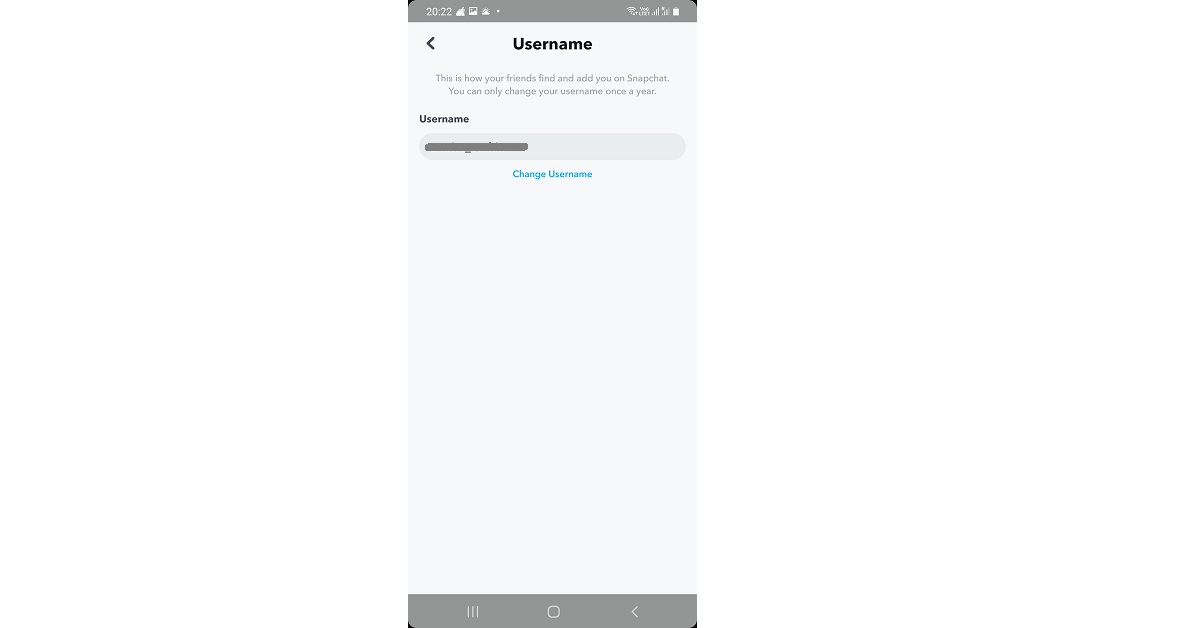
 Step 3:
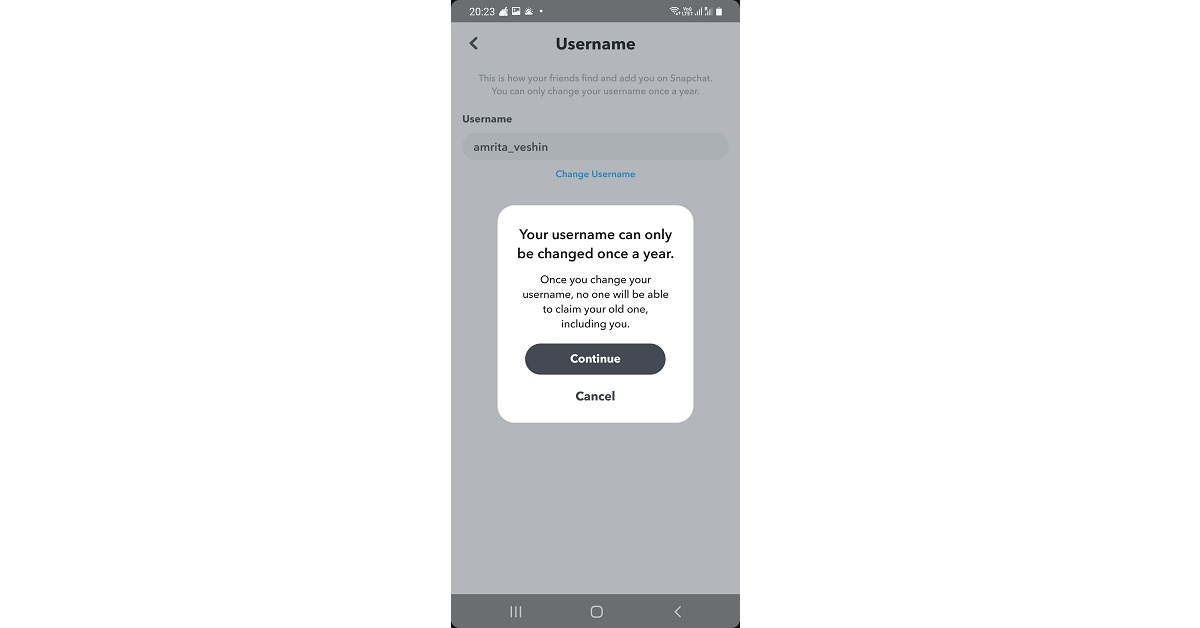
 Step 4:
 Step 5:
 Step 4: Hit the text field and type in a new name.
 Step 5: Hit Save.






 For the latest













 Step 2:
 Step 3:
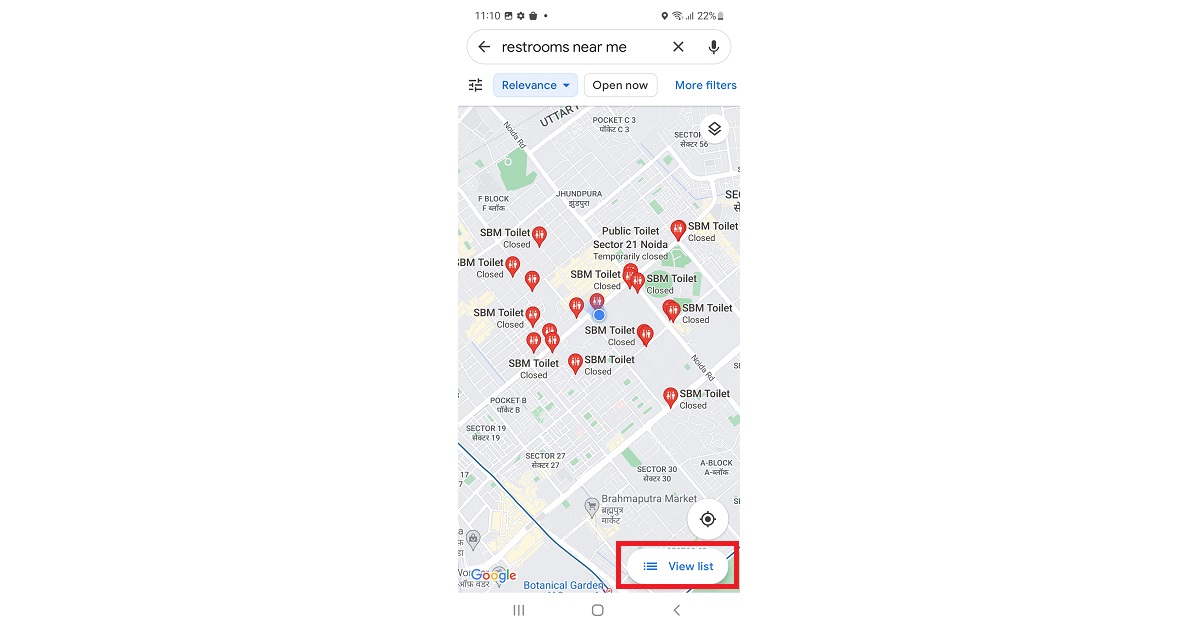 Step 4:
 Step 5: