Top 5 Printers That Scan And Colour Print Under Rs 5,000: For Home Use

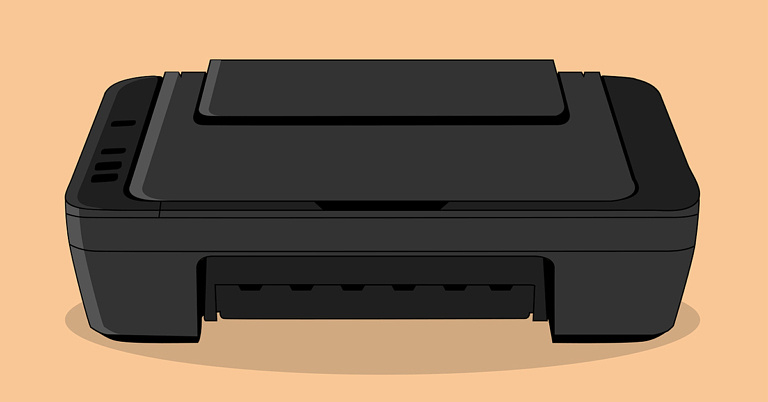
The point is pretty straightforward. Walking up to the nearest cyber cafe every time you need to get a printout or a document scanned is not feasible. Moreover, printers come at easily affordable rates these days. Needless to say, working from home has globally become the new normal after the Covid-19 pandemic. And working from home automatically implies printing from home, whether you are a student, a freelancer, or a corporate professional. In fact, scanning and printing needs arise even if you’re not working from home. Hence, we bring to you the top 5 printers under Rs 5000 for home usage, that scan and produce coloured prints.  So why not pick one for yourself and do away with all the scanning and printing hassles once and for all? 

HP DeskJet 2331 

HP DeskJet 2331: Top 5 Printers That Scan And Colour Print Under Rs 5,000: For Home Use The first one on our list of the top 5 printers under Rs 5000 for scanning and colour printing is the HP DeskJet 2331 model. It is the highest-rated bestselling printer on Amazon under Rs 5k, which offers coloured printing, scanning, and copying services. It uses the HP thermal inkjet technology for printing. It supports high-speed printing for home use and is perfect for professionals and students who are working from home. It prints with up to 7.5ppm (ISO) in black and up to 5.5ppm (ISO) in colour. The page sizes supported by it include A4, B5, A6, and DL envelopes. It is priced at Rs 4,099.  Buy from here Read also: Cheapest Wireless Colour Laser Printers in India (2022)

Canon PIXMA MG2577S

Canon PIXMA MG2577S: Top 5 Printers That Scan And Colour Print Under Rs 5000: For Home Use The next colour printer scanner on our list is from Canon. The Canon PIXMA MG2577S is a compact all-in-one low-cost printer and is the second-highest rated on Amazon. It is an inkjet printer that offers coloured printing, scanning, and copying services.  The printer allows you to select the resolution from a range of 25 to 19,200dpi. It supports USB connectivity and is compatible with PCs with OS Windows XP, Windows Vista, and above. It is also compatible with Mac OS X v10.6.8. The page sizes supported on it are A4, A5, B5, LTR, LGL, 4 x 6 inches, 5 x 7 inches, envelopes (DL, COM10), and more. It is ideal for occasional home printing needs, where the requirement is less than 50 pages per month. It is priced at Rs 3,149. Buy from here

HP DeskJet 2332

HP DeskJet 2332 The HP DeskJet 2332 coloured printer cum scanner is compact in size and can also be used for your copying needs. This one also is a thermal inkjet printer from HP. It has high-speed USB 2.0 connectivity and can print with up to 7.5ppm in black and up to 5.5ppm in colour. The page sizes supported on it include A4, B5, A6, and DL envelope size while its paper tray holding capacity is 60 sheets for the input tray and 25 for the output tray. It is compatible with Windows 10 and above and is ideal for home use. It is priced at Rs 3,799.  Buy from here Read also: HP Deskjet Ink Advantage Ultra 4826 AIO review: Modern printer, good for home and basic office use

Canon PIXMA MG3070S

Canon PIXMA MG3070S The next best printer under Rs 5000 on our list, that scans and produces colour prints, is Canon’s PIXMA MG3070S model. It is an inkjet printer with print, scan, and copy functions and is able to produce coloured printouts. This one also supports Wi-Fi along with USB connectivity. It is compatible with Windows Vista and upward models and Mac OS X v10.8.5 and upward models. It prints up to 4 pages per minute in colour and 8 pages per minute in black-and-white. The page sizes supported on it are A4, A5, B5, letters, legal, envelope sizes, and more. It is ideal for home usage, for printing about 50 to 100 pages per month. It is priced at Rs 4,699.  Buy from here 

Canon PIXMA TS3370S

Canon PIXMA TS3370S: best colour printers for home use Finally comes Canon’s PIXMA TS3370S model on our list. It is also a multi-function wireless inkjet printer offering coloured printing, scanning, and copying services to its users. It supports, Wi-Fi, Wi-Fi Direct, and USB connectivity along with AirPrint, Windows 10 mobile, Mopria as well as Google Cloud Print. It is compatible with Windows 7 SP1 and above, Mac OS v10.12 and above, and Mac OS X v10.11.6. It has a 3.8cm mono-LCD display and prints at the rate of 7.7ppm in black and 4ppm in colour. It is perfect for your home printing requirements where the need is less than 50 pages per month. It is priced at Rs 4,449.  Buy from here  So those were our top picks for the 5 best printers that scan and colour print under Rs 5000 for home use. You can pick any one of them for your scanning or printing needs, and you will not feel unhappy. We will soon be out with another list of affordable printers for professionals and advanced users, so stay tuned.  For the latest gadget and tech news, and gadget reviews, follow us on Twitter, Facebook and Instagram. For newest tech & gadget videos subscribe to our YouTube Channel. You can also stay up to date using the Gadget Bridge Android App. You can find the latest car and bike news here.
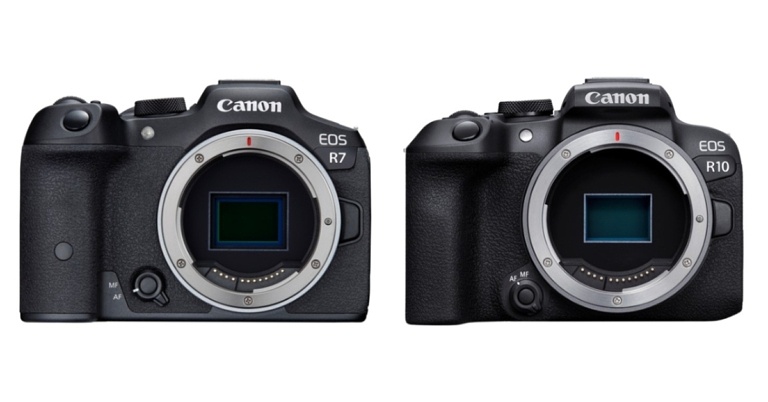
Canon has released the EOS R7 and EOS R10 mirrorless cameras featuring APS-C image sensors launched in India

Canon has announced the release of the EOS R7 and EOS R10, the first cameras in its EOS R mirrorless system to feature APS-C image sensors. The 32.5-megapixel Canon EOS R7 features In-Body Image Stabilisation (In-Body IS), weather-sealing, and dual SD card slots. Whereas the 24.2-megapixel EOS R10, which has a built-in flash and a smaller form factor, is intended for more common day-to-day photography. Alongside, the company has also announced RF-S18-45MM F4.5-6.3 IS STM and RF-S18-150MM F3.5-6.3 IS STM, two new lenses. The EOS R7 and EOS R10 are the first cameras to receive the new autofocusing (AF) technology that debuted on the EOS R3, thanks to the powerful DIGIC X image processing engine. This technology takes advantage of the EOS iTR AF X system’s deep learning-based subject detection capabilities to track subjects more diligently throughout the entire image area, irrespective of the AF area mode. Even in dynamic scenes, this results in highly responsive and reliable autofocusing. In mechanical and electronic first-curtain shutter modes (with AF/AE tracking), both the EOS R7 and EOS R10 can shoot at up to 15 frames per second, which is the fastest speed not only among all APS-C EOS cameras but also in the EOS R series. The EOS R7 can shoot 32.5-megapixel images at up to 30 frames per second in electronic shutter mode, whereas the EOS R10 can shoot 24.2-megapixel images at up to 23 frames per second. Both cameras have a RAW burst mode that allows them to shoot full-resolution RAW images at up to 30 frames per second. Pre-shooting is supported, which starts recording the scene up to 0.5 seconds before the shutter is released, making it easier to capture unexpected opportunities. Both the Canon EOS R7 and EOS R10 use newly developed 32.5 and 24.2 megapixel APS-C CMOS image sensors. Despite having the same megapixel resolution, the EOS R7’s visual resolution exceeds that of the EOS 90D and the EOS M6 Mark II, whereas the EOS R10’s is equivalent to the same two cameras. Which makes it capture fine details like silky hair, fabric textures, and other fine details that can be captured with pinpoint accuracy. As per the company, the Canon EOS R7 is the first APS-C EOS camera to include a sensor-shift type 5-axis In-Body IS (Image Stabiliser) mechanism, which can provide up to 8 stops of equivalent image stabilisation during the video and still image shooting. The EOS R7 and EOS R10 both have Movie Digital IS, which performs 5-axis image stabilisation for smoother videos even when the lens does not have an Optical Image Stabiliser (Optical IS). In the new 4K UHD Fine mode, the EOS R7 can use 7K oversampling to record high-quality 4K UHD video at up to 30p for content creators. In 4K UHD Standard mode, uncropped 4K 60p recording is possible. It’s also the first APS-C EOS camera to support Canon Log 3 gamma, which is useful for colour grading and HDR video production. On the other hand thanks to 6K oversampling, the Canon EOS R10 can shoot high-quality 4K UHD Fine 30p video. Both cameras are capable of recording 4K HDR PQ video. The inherent telephoto effect of APS-C sensor cameras, which is similar to having a built-in extender, is one of their strengths. Users who frequently photograph wildlife and other subjects that require longer focal lengths will benefit greatly from this. The field of view is automatically “zoomed in” by about 1.6 times the lens’s focal length. Recording, on the other hand, uses the full resolution of the image sensor, unlike the 1.6x crop mode on full-frame EOS R cameras. According to Canon The EOS R7’s built-in 1.6x APS-C crop can be combined with the 4K UHD crop mode for an even stronger telephoto effect of around 1.8 times the focal length when shooting video. APS-C image sensors are roughly 40% smaller than 35mm full-frame image sensors.

Pricing and Availability

The Canon EOS R7 body only costs Rs 1,27,995, while the RF-S18-150mm F3.5-6.3 IS STM lens costs Rs 1,64,995. On the other hand, the Canon EOS R10 body alone costs Rs 80,995, while the RF-S18-45mm F4.5-6.3 IS STM lens costs Rs. 90,995. For Rs 1,17,995, the Canon EOS R10 can be combined with the RF-S18-150mm F3.5-6.3 IS STM lens. The RF-S18-45mm F4.5-6.3 IS STM lens retails for Rs 28,995, while the RF-S18-150mm F3.5-6.3 IS STM lens retails for Rs 45,995. In terms of availability, the devices will begin selling in July. For the latest gadget and tech news, and gadget reviews, follow us on TwitterFacebook and Instagram. For newest tech & gadget videos subscribe to our YouTube Channel. You can also stay up to date using the Gadget Bridge Android App. You can find the latest car and bike news here.

How To Take A Screenshot On Your iPad (2023)? Top 5 Ways

Use a third-party appThere are multiple occasions on which one might need to take a screenshot. You may be a professor who is explaining a procedure to their students digitally, or you may be a friend helping another friend or a family member navigate through their brand-new iPad and understand its functions, that too sitting at your home. Whatever the situation is, in case you’re not sure how to take a screenshot on an iPad, we’ve got your back. To tell you, taking a screenshot on an iPad is a cakewalk, irrespective of the model that you’re using. Here are the top 5 ways how to take a screenshot on your iPad in 2023.

Take A Screenshot By Pressing Buttons On iPad

On iPad With A Home Button

How to take a screenshot on iPad with home button assistive touch ipad If you own an iPad model with a home button, all you need to do is press and release the top button and the home button simultaneously. That’s it!

On Other iPad Models

How to take a screenshot on iPad without a home button assistive touch ipad apple pencil screenshot If you own an iPad model that doesn’t have a home button, you have to press and release the top button and the volume button (either one) simultaneously. Read also: How To Set Up And Use WhatsApp On iPad (2022)?

Using Apple Pencil

Taking a screenshot on iPad with Apple Pencil assistive touch ipad If you own an Apple Pencil and are a frequent user of the same, then this one may seem an even easier method to you. All you have to do is load the page you want to take a screenshot of, keep your pencil positioned at your iPad’s bottom left or right corner, and drag the corner towards the center. That’s it! But remember to keep your Apple Pencil fully charged and connected with your iPad before taking the screenshot.  Read also: Here is how to disable live text on your iPhone, iPad or Mac

Using Assistive Touch

Our final method of taking a screenshot on an iPad is for those who are not good with hand movements. Sometimes pressing buttons simultaneously or using the Apple Pencil can be tricky, and we totally understand. Fortunately, Apple also identified the issue and provided another way out of the situation. Through Assistive Touch, an option available within the Accessibility settings of your iPad, the gesture required to take a screenshot becomes quite easy.  Step 1: Go to Settings > Accessibility > Assistive Touch or simply Touch (depending on your iPad model) > Assistive Touch.  Step 2: Toggle on the Assistive Touch option. Step 3: A button appears on the bottom right corner of the screen. Click on Double-Tap under the Custom Actions area.  Step 4: Scroll and find the screenshot option that appears next on the screen.  Step 5: Now, all you have to do is just open the page of which you have to take a screenshot, find the Assistive Touch button, and just double-tap it.

Use Siri

If you want to go hands-free, you can always use Siri to take a screenshot on your iPad. You may be wondering why you would ever need Siri to take a screenshot, but this method will come in handy when you’re driving or if the physical buttons are not working. To take a screenshot on your iPad, simply say “Hey Siri, take a screenshot” and Apple’s voice assistant will do the next.

Use a third-party app

Use a third-party app apple pencil screenshot If you want to take a screenshot of an entire article that spans multiple pages, there are several third-party apps that can do it for you. Apps like WebCapture, Awesome Screenshot, and WebShot seamlessly integrate with Safari and are able to take legible full-page screenshots. These apps also have basic tools for cropping, annotations, and more.

Frequently Asked Questions (FAQs)

How do I take a screenshot on my iPad?

To take a screenshot on your iPad, simply press the side key and the volume key together. Older iPad versions allow a screenshot to be taken when the side key and home button are pressed simultaneously.

How do I take a screenshot on my iPad if its physical buttons are not working?

There are a couple of ways you can go about taking a screenshot on your iPad without relying on the physical buttons. You can ask Siri to take a screenshot for you, or go to settings and enable Assistive Touch. Once Assistive Touch has been enabled on your iPad, tap on it and select the screenshot option. If you have an Apple Pencil, drag it from the bottom left corner of the iPad to the centre to take a screenshot.

How do I capture an entire article or a long message in one screenshot?

Want to take a long screenshot that captures multiple pages? Tap the screenshot preview and select Full Page. You can also use third-party apps like WebShot, WebCapture, and Awesome Screenshot for this task.

Conclusion

So these are the top 5 ways using which you can easily take a screenshot on your iPad in 2023, irrespective of the model that you’re using. In case you know of any other way, do let us know in the comments section below.  For the latest gadget and tech news, and gadget reviews, follow us on Twitter, Facebook and Instagram. For newest tech & gadget videos subscribe to our YouTube Channel. You can also stay up to date using the Gadget Bridge Android App. You can find the latest car and bike news here.
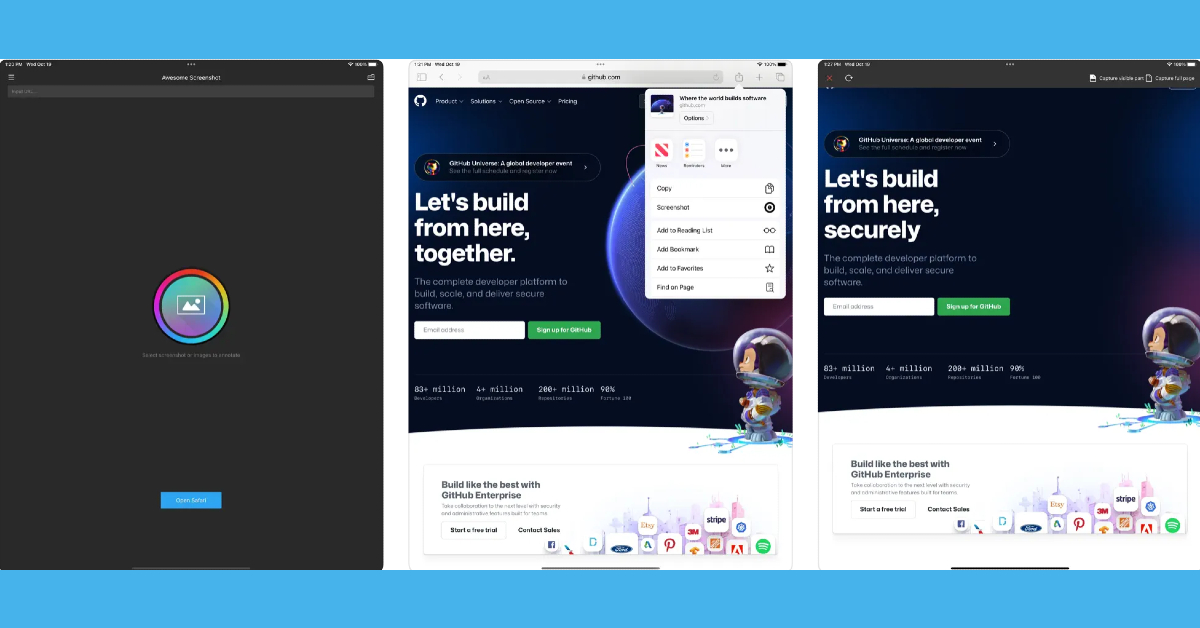
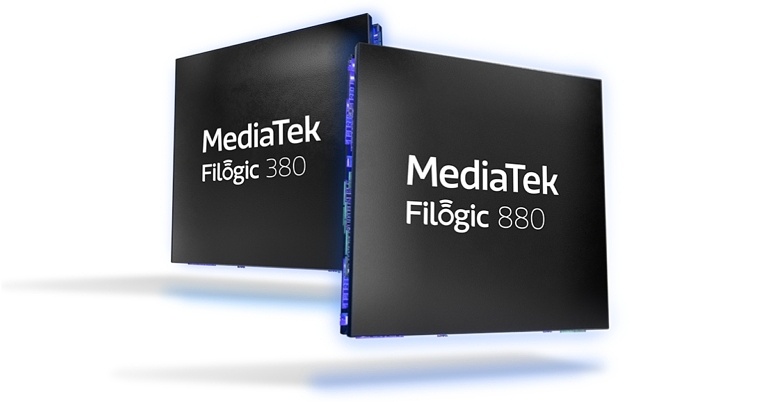
MediaTek announced World’s First Complete Wi-Fi 7 Platforms Filogic 880 and Filogic 380 for Access Points and Clients

0
The Filogic 880 and Filogic 380 Wi-Fi 7 platform solutions from MediaTek were announced recently by MediaTek. Both chipsets are meant for high-bandwidth applications in the operator, retail, enterprise, and consumer electronics markets. This pair of chips will be among the first Wi-Fi 7 solutions available, allowing device makers to deliver cutting-edge products with the most up-to-date connectivity technology. According to MediaTek, Filogic 880 is a complete platform that combines a Wi-Fi 7 access point with a new advanced host processor solution to deliver the industry’s best router and gateway solution for operators, retailers, and enterprises. It has a scalable architecture that can support up to penta-band 4×4 at 36 Gbps. All client devices, including smartphones, tablets, TVs, notebooks, set-top boxes, and OTT streaming devices, will benefit from the Filogic 380’s Wi-Fi 7 connectivity. The chip’s dual concurrent 2×2 capability will be optimised “out of the box” for these devices. This streamlines the design process, improves performance, and reduces time to market. The Filogic 880 platform features a 6nm Wi-Fi 7 access point that supports key Wi-Fi 7 technologies like 4096-QAM, 320MHz, MRU, and MLO. It has the ability to scale up to 36Gbps penta-band speeds. Furthermore, the chipset can support up to 10Gbps per channel. OFDMA RU, MU-MIMO, and MBSSID are also supported. The Filogic 880 platform includes a powerful host processor with a quad-core Arm Cortex-A73 application processor and an advanced NPU, in addition to Wi-Fi 7 capabilities. An advanced hardware network full off-load engine on both Wi-Fi and Ethernet interfaces is one of the key features. IPSec, SSL/TLS, DTLS (CAPWAP), SRTP, and MACsec are all accelerated by a built-in networking crypto engine (EIP-197). High-speed interfaces (5Gbps USB and 10Gbps PCI-Express), UART, SD, SPI, PWM, GPIO, and OTP are all supported, allowing for extensive platform customization. Filogic 380, on the other hand, is a stand-alone, single-chip 6nm Wi-Fi 7 and Bluetooth 5.3 combo solution designed by MediaTek to deliver best-in-class connectivity. It works with MediaTek SoCs in smartphones, TVs, notebooks, set-top boxes, OTT streaming devices, and many other consumer electronics devices. Support for key Wi-Fi 7 technologies such as 4096-QAM, 320MHz, MRU, and MLO are among the Filogic 380’s highlights. Furthermore, MLO is supported, with speeds of up to 6.5 Gbps. It can also handle up to 5Gbps per channel. It supports the 2.4GHz, 5GHz, and 6GHz frequency bands. Dual 2×2 radios for dual-band simultaneous operation are supported, as is Bluetooth 5.3 with LE Audio. For the latest gadget and tech news, and gadget reviews, follow us on TwitterFacebook and Instagram. For newest tech & gadget videos subscribe to our YouTube Channel. You can also stay up to date using the Gadget Bridge Android App. You can find the latest car and bike news here.

OnePlus Nord CE 2 Lite 5G Review: Should You Buy It At This Price?

One of the latest OnePlus models released in the country is the all-new Nord CE 2 Lite 5G. Offering 6GB and 8GB RAM options coupled with 128GB storage capacity, the smartphone comes with a Qualcomm SM6375 Snapdragon 695 5G (6 nm) Octa-core processor. Along with a 120 Hz refresh rate IPS LCD display. Over that, you get a triple rear camera system with a 64MP main camera and a 16MP front selfie camera. As we finally got our hands on the brand-new smartphone, we dug deeper into each of its aspects, ranging from its design and display to its cameras, OS and CPU, to test its performance thoroughly. And we are super excited to share our findings with all of you. So here is the inside-out review of the all-new OnePlus Nord CE 2 Lite 5G. 

OnePlus Nord CE 2 Lite 5G Review: Design and Display

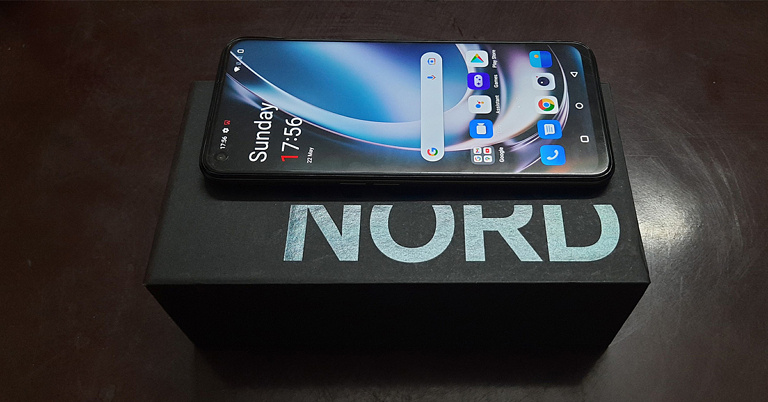
Package: OnePlus Nord CE 2 Lite 5G The Nord CE 2 Lite 5G comes sitting in the classic Nord lineup packaging. In support of the smartphone are offered a range of goodies, including a 33W SuperVOOC fast charger, a red coloured USB to Type-C cable, a silicone case, a SIM ejector tool, a quick start guide, some OnePlus Nord stickers, et al.  Back: OnePlus Nord CE 2 Lite 5G Opening up the package, you’ll meet the smartphone’s 6.59-inches IPS LCD 120Hz display with a screen-to-body ratio of 84.1%. On picking up the phone in hand, you might feel it to be a little chunky. Flip it over and you’ll be face-to-face with its black-coloured plastic back with the triple camera system along with the flashlight quietly sitting on a black glass mount placed on its top left corner. The OnePlus Nord CE 2 Lite 5G is offered in two colours, Black Dusk and Blue Tide, out of which we were able to get our hand on the former. Overall, the back has a plain and relatively unembellished look.  Frame The frame also comes in body-coloured plastic. On its left side is the SIM card tray along with separated upper and lower volume buttons while on the right side lies the fingerprint sensor integrated power button. On the bottom can be seen a 3.5 mm jack, a Type-C port along with the single-speaker of the smartphone’s mono-audio system.  Bringing the phone to life, its 1,080 x 2,412 pixels resolution display lights up, which has a 401ppi density and an aspect ratio of 20:9. The brightness of the screen has to be set to at least 70% for it to be legible when brought under direct sunlight. For its use indoors, the brightness has to be set to about 50% for the display to be viewed comfortably. Some may, however, still find the overall brightness range to be a little dull.  The experience of streaming videos on Youtube was decent on the OnePlus Nord CE 2 Lite 5G. The highest quality offered for streaming videos is up to 1080p at a 60fps frame rate. Watching movies and TV series on OTT platforms like Netflix on the smartphone turned out to be surprisingly good. The colour quality as well as the picture clarity appeared to be quite decent. The mono-speaker sound quality is also commendable. However, one does miss the essence of a stereo audio system, which would have taken the experience to the next level.  Gaming: OnePlus Nord CE 2 Lite 5G The gaming features on the Nord CE 2 Lite 5G were tested by playing both simple and high-end games including Subway Surfer. The graphics quality is appreciable, and so is the on-screen colour quality. The touch experience is smooth and the response to touch commands is on point. Sound quality is also decent while gaming on the OnePlus Nord CE 2 Lite 5G. The smartphone strides in with a Game focus mode, which offers the user an immersive and distraction-free gaming experience, by blocking gesture navigation, quick settings, notifications, and calls. Overall, the design of the OnePlus Nord CE 2 Lite 5G appears simple. For some people, it might appear a bit bland. Sprinkling a little glamour into it might make it more captivating. The display of the smartphone, on the other hand, is decent. There might be a slight need to tune up the display brightness range a little bit.  Read also: Smartphone comparison: OnePlus Nord CE 2 Lite 5G Vs OnePlus Nord CE 2 5G

OnePlus Nord CE 2 Lite 5G Review: Performance and Cameras

Elaborating further on the Oneplus Nord CE 2 Lite 5G specs, the smartphone is a nano dual-SIM supporting model. It is offered with 6GB/8GB RAM options coupled with 128GB internal storage. The microSD card does not have a dedicated slot but shares space with the 2nd SIM slot (so yes, a hybrid SIM card slot). As said, the smartphone comes with a Qualcomm SM6375 Snapdragon 695 5G (6 nm) chipset, an Octa-core processor, and Adreno 619 GPU. A plus point of the all-new smartphone is that it comes pre-installed with the latest Android 12 OS.  The battery offered with it is of 5,000mAh capacity and supports 33W fast charging. Upon moderate usage, the battery lasts up to one day. The smartphone supports 5G connectivity, Wi-Fi 802.11, and Bluetooth 5.2. The interface of the device is pretty easy to use, too. You are offered both gesture and screen buttons navigation options during the initial setup. The home screen and the app drawer are separate, with square-shaped icons having round corners. The app drawer comes pre-organized with alphabetical ordering and no extra apps can be seen pre-loaded onto the system.  Home Screen and App Drawer There was no app crash observed while using multiple apps simultaneously on the device. Switching between apps was also hassle-free. Another point noted was that the device doesn’t get easily heated up. Upon heavy usage for prolonged periods, the back may feel warm ever so slightly, but never too hot for the fingers. The touch experience is also favourable on the OnePlus Nord CE 2 Lite 5G.  Camera: OnePlus Nord CE 2 Lite 5G Coming to the Nord CE 2 Lite 5G cameras, it comes with a 64MP+2MP+2MP rear triple camera system and a 16MP front camera. The smartphone has a unique radial zoom scale, which has a range from 1x to 6x. However, the zoom adjustment is only available for the rear camera and not for the front one. When capturing in daylight, as we move up the zoom scale, the quality of the images surprisingly appears consistent. Captures in 1x zoom may appear to slightly lack details but still are of above-average quality. Upon increasing the zoom to 5x, you might have to give the phone a couple of seconds to focus, after which it starts capturing details better than the lower zoom modes, although slightly blurred.
Macro and Portrait Mode
OnePlus Nord CE 2 Lite 5G: Macro Mode and Portrait Mode
Night Mode
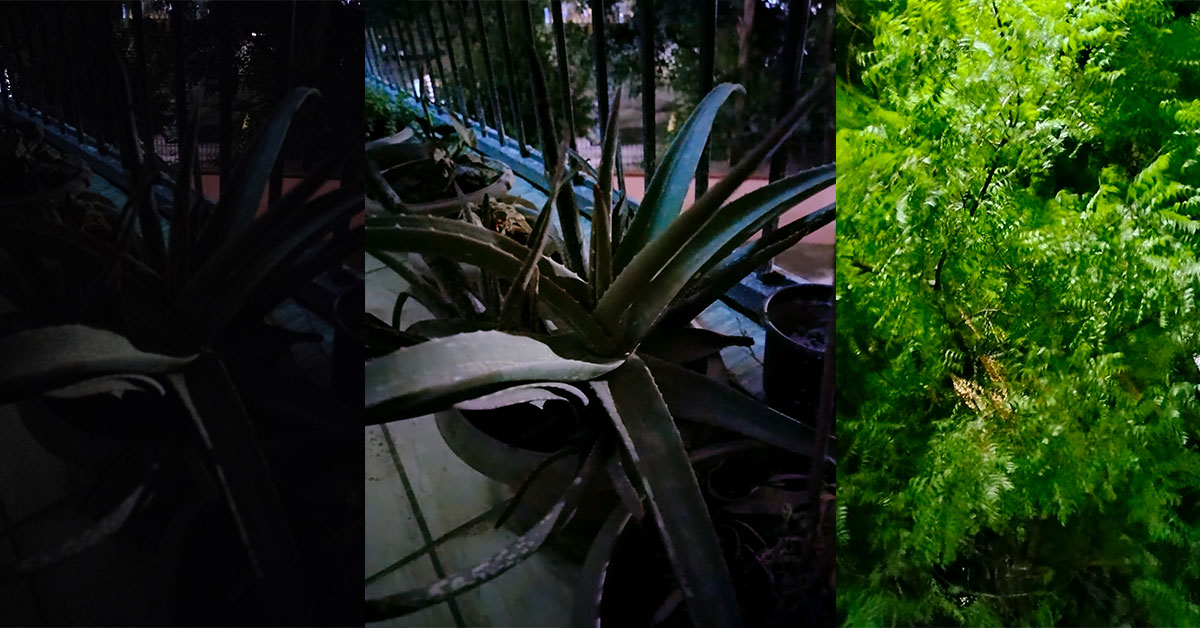
OnePlus Nord CE 2 Lite 5G: Photo Mode Vs Night Mode, Foliage captured in Night Mode
Both the normal rear camera Photo Mode and Portrait Mode work great under well-lit conditions. There is also a 64MP mode provided. However, the difference between it and the standard Photo mode was found minimal. The night mode from the rear camera does a fantastic job to light up even a completely dark image and turn it into a pretty decent capture, although the results appear a little hazy. Coming to video captures, recordings can be made from the rear camera in up to 1080p at a 30fps frame rate. The picture quality is quite good and the camera is able to capture good details even in close-ups. 
AI mode
OnePlus Nord CE 2 Lite 5G: AI Mode
Speaking of the front camera, the details of the facial features are captured decently while the skin tone and the colour scheme are pretty close to reality. This holds for both the photo and the video captures. Another positive note is that the front camera also supports the night mode, and offers a face light tool, which lights up the subject’s face evenly like a ring light in the dark. The Macro mode on the OnePlus Nord CE 2 Lite 5G, although produces vivid images, needs slight improvement in its saturation balance and clarity. Apart from that, the AI mode of the rear camera recognizes the scene in the frame and adjusts the images accordingly, such as increasing the greens and adding a slight pop element if the foliage is being captured.  Overall, the camera package offered with the OnePlus Nord CE 2 Lite is commendable, but with slight tweaks, can be taken even further, to the next level.   Read also: OnePlus Nord CE 2 Review: Super Stylish Design With Excellent Performance

Verdict

Geekbench-5 To sum up, the OnePlus Nord CE 2 Lite 5G offers a decent package of features to the customers. Although the smartphone does not stand out on any specific front, judging it too strictly also won’t be fair, since it is an entry-level phone and in fact, one of the cheapest ones from the OnePlus brand. However, considering its cost and the value offered by its competitors within the same price range, there is a definite scope for improvement. Geekbench 5 gives it a single-core score of 687 and a multi-core score of 1,941. Hence, whether its pros weigh heavier than its cons is something that will vary according to the personal requirements of every individual.  The OnePlus Nord CE 2 Lite 5G price in India starts from Rs 19,999. So does it seem worth the buy to you, at this price? We certainly feel it is a very good buy. Let us know your thoughts in the comments section below. 

OnePlus Nord CE 2 Lite 5G Pros

  • Good Battery Life
  • Does Not Heats Up Easily
  • Decent Camera Quality

OnePlus Nord CE 2 Lite 5G Cons

  • Design Can Be Improved
  • No Stereo Audio Output
For the latest gadget and tech news, and gadget reviews, follow us on Twitter, Facebook and Instagram. For newest tech & gadget videos subscribe to our YouTube Channel. You can also stay up to date using the Gadget Bridge Android App. You can find the latest car and bike news here.

Garena Free Fire Redeem Codes Today 24 May 2022: Here is how to claim them

Garena Free Fire is a battle royale game with regular awards and tournaments to keep players interested. If you play Garena Free Fire, you should be aware of the redeem codes that are released on a daily basis. However, because the battle royale game is banned in India, players from other countries can use the Free Fire Redeem codes daily. If you’re unfamiliar with the Garena Free Fire redeem codes or don’t know how to get them, we’ve put together a step-by-step guide to help you redeem them. Check out Garena Free Fire Redeem Codes for May 24. The Free Fire redeem codes are a great way to get free stuff. These are 12-digit codes that contain alphabets and numbers, as well as an expiration date and time. Because the Garena FF redeem codes cannot be used more than once, you should hurry to the redemption page to claim your free reward before someone else does. To get a free reward, all you have to do is go to reward.ff.garena.com/en, which is the official redemption page. Also, keep an eye on this space for daily updates on Garena Free Fire redemption codes and rewards.

Garena Free Fire Redeem Codes Today 24 May 2022

  • MKOP-FGYI-BFAW
  • HHQW-RTYU-BGJK
  • FFCV-BNMK-HGFD
  • FFPO MNBB VCGF
  • FFCV BNMK JHGF
  • FF66 UYHG DFCB
  • GJSK SBHS 6HSH
  • GSKS BHAJ 68HE
  • WHSK O96G EA25
  • NSCS UOBF SY7J
  • HSKS BBEH 3773
  • 8G2Y JS3T WKUB
  • ZH6C DBXF DSPN
  • FFBC LQ6S 7W25
  • 6XMN G242 VMKV
  • WTZ3 LM8W 3SWC
  • G3MK NDD2 4G9D
  • FFES PORT SJLC

How to Get Free Fire Redeem Codes for Garena on May 24?

  • Visit the Garena Free Fire game’s official website at reward.ff.garena.com.
  • Use your Facebook, Google, VK, Apple ID, Huawei ID, or Twitter account to log in.
  • You’ll be taken to a valid redemption code (s)
  • Copy and paste the 12-digit redemption code into the text box.
  • On the screen, a dialogue box will appear.
  • ‘Ok’ should be selected.
For the latest gadget and tech news, and gadget reviews, follow us on TwitterFacebook and Instagram. For newest tech & gadget videos subscribe to our YouTube Channel. You can also stay up to date using the Gadget Bridge Android App. You can find the latest car and bike news here.

Amazon Quiz Answers Today 24 May 2022: Participate to win Rs 20,000

0
The popular Amazon Quiz is now live on the Amazon app. The 24 May 2022 Amazon Quiz gives a chance to win Rs 20,000 Amazon Pay Balance by answering all the questions correctly. The quiz can be played every day from 12 AM to 11:59. Only app users are eligible to participate in the Quiz as it is not accessible on the web platform. The Amazon Quiz brings a fresh set of questions for its customers that contains five easy questions. The questionnaire consists of five questions related to general knowledge and current affairs. The participants need to answer all the questions correctly and their names will be selected for a lucky draw. The daily quiz brings an opportunity for the customers to win exciting prizes. They can win Amazon Pay Balance ranging from Rs 1,000 to Rs 50,000. The participants need to answer all the questions correctly and their names will be selected for a lucky draw. The winner will be announced at the end of the month. Check Out 24 May 2022 Amazon Quiz Answers. Amazon Quiz Today Prize – Rs 20,000 Amazon Pay Balance Quiz Date – 29 April 2022 Daily Timing – 12 AM to 11:59 PM Winner Announcement – Today 12 PM

Amazon Quiz Answers Today 24 May 2022

Question 1: President Ram Nath Kovind in March 2022 awarded the prestigious President’s Colour 2022 to which among these? Answer: INS Valsura Question 2: ICMR gives Dr Subhas Mukherjee Award in recognition of outstanding contribution to which field? Answer: In-vitro fertilization Question 3: In February 2022, which of these countries unveiled its first hydrogen-powered train? Answer: Japan Question 4: Which documentary based on this animal has won an Academy Award? Answer: March of the Penguins Question 5: Which country has the longest network for this means of transport? Answer: USA
How To Play Amazon Quiz

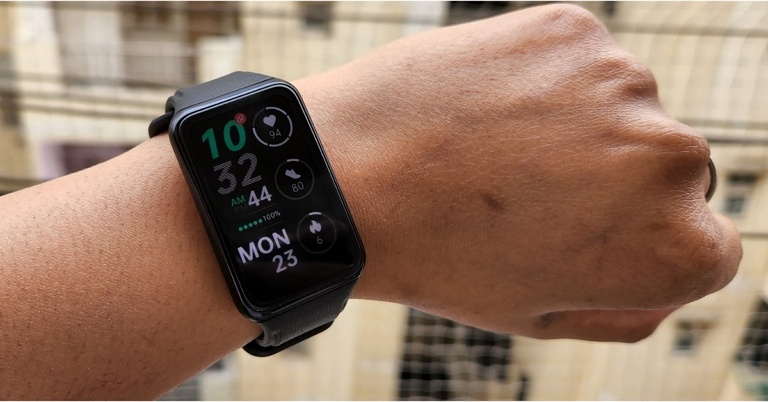
Only app users are eligible to play the Amazon quiz every morning from 12 AM to 11:59 PM. The quiz is not available on the desktop. For those who are unaware of how to play the Amazon quiz below are the steps, you can follow to take the quiz.
  • Firstly download the Amazon app from Google Play Store or App Store
  • Now fill in the required information through the Sign Up option.
  • You need to log in to the Amazon app and scroll down on the home screen to find the Amazon Quiz banner.
  • Tap on the Amazon Quiz banner and tap on the Start button to start the Quiz.
  • Now you will get 5 questions and you need to answer them correctly. One wrong answer will eliminate you from the Quiz.
  • After answering all the questions correctly you are now eligible for a Lucky Draw.
  • The winner’s name will be announced today at 12 PM.
For the latest gadget and tech news, and gadget reviews, follow us on TwitterFacebook and Instagram. For newest tech & gadget videos subscribe to our YouTube Channel. You can also stay up to date using the Gadget Bridge Android App. You can find the latest car and bike news here.

Xiaomi has announced a collaboration with Leica Camera, Xiaomi 12 Ultra will probably benefit

Xiaomi announced its partnership with Leica, a German camera manufacturer. As per the company, the first imaging flagship smartphone developed in collaboration between the two companies will be unveiled in July of this year. Through extreme technological breakthroughs and aesthetic pursuits, both companies are eager to continue exploring the optical performance and photographic experience in the mobile imaging era. “Xiaomi focuses on creating the ultimate user experience and has always hoped to explore the capabilities of smartphone photography to the extreme. Xiaomi and Leica agree with each other’s pursuits and ideas and appreciate each other’s advantages and industry. This cooperation will provide a strong boost to Xiaomi’s imaging strategy. During the cooperation, from optical design to tuning aesthetic orientations, the innovative technologies, product philosophies and imaging preferences of both parties have experienced unprecedented in-depth collision and fusion.” says Lei Jun, founder, chairman and CEO of Xiaomi Group. This isn’t the first time a smartphone manufacturer has teamed up with a photography firm. OnePlus and Oppo previously partnered with Hasselblad to include the brand’s imaging capabilities in their flagship smartphones. Not to mention, the Xiaomi 12 Ultras is said to have Leica optics. Last year, Xiaomi released the Mi 11 Ultra, its most premium smartphone to date, which featured the most up-to-date camera capabilities, setting it apart from Samsung, Apple, and OnePlus, which are known for offering pro cameras in their S22 Series, iPhone 13, and OnePlus 10 devices, respectively. Leica Camera has been making lightweight cameras favoured by street photographer pioneers and world-class optical lenses. Moreover, Leica cameras, recognisable by their ‘red dot’ branding, are German engineering at their best. With the partnership, Xiaomi’s imaging strategy will benefit significantly from this partnership. Leica promises to offer incredible image quality, classic Leica aesthetics, and unrestricted creativity to mobile photography consumers, ushering in a new era of mobile imaging. “It is an honour to announce the long-term strategic cooperation with Xiaomi today. Leica and Xiaomi are both global premium brands and during this unprecedented deep cooperation process, both parties have successively worked on the goal of providing customers a new era of mobile photography. We are convinced that the first jointly developed imaging flagship smartphone makes the pioneering progress of both companies visible. We will provide consumers in the field of mobile photography exceptional image quality, classic Leica aesthetics, unrestricted creativity, and will open a new era of mobile imaging.” adds Matthias Harsch, CEO of Leica Camera AG. For the latest gadget and tech news, and gadget reviews, follow us on TwitterFacebook and Instagram. For newest tech & gadget videos subscribe to our YouTube Channel. You can also stay up to date using the Gadget Bridge Android App. You can find the latest car and bike news here.

iPhone SE 2022 Review: A good mix of old and new 

The iPhone SE 2022 is the most cost-effective new iPhone available, and it includes all of the latest features found on the flagship iPhone 13. Yes, it has Apple’s latest A15 processor, as well as 5G connectivity and longer battery life than the previous SE model. Its retro design and 4.7-inch display, on the other hand, make it feel like a blast from the past. The new iPhone SE is aimed at first-time iPhone users and those who prefer an iPhone 8 or older design. Here is our detailed review of iPhone SE 2022.

iPhone SE 2022 review: Design and Display

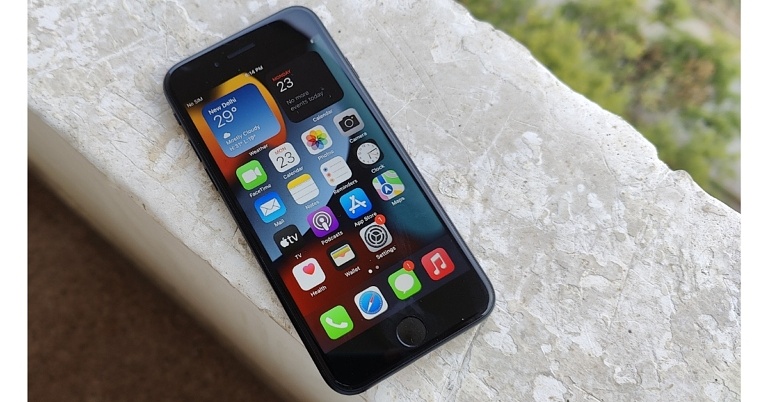
The iPhone SE 2022 is aimed at people who are new to the iPhone. This new phone is designed in the same manner as previous iPhone SEs. In terms of design and build, this phone is nearly identical to an iPhone 6th or 8th generation. It has the same body as an iPhone 8, but the front glass is more durable because it is the same glass as found on the iPhone 13. In different lighting, the midnight colour appears black or blue.   iPhone SE 2022 review: Design and Display The phone’s glossy back and curved sides make it feel a little slick, and it dropped over and fell off a couple of times, but no scratches or damage were visible. The power and volume buttons are conveniently located. A mute switch is on the left, and a SIM tray is on the right, with space for two eSIMs but only one Nano-SIM can be inserted. A Lightning port is located at the bottom, with two speaker grills on either side. A 3.5mm audio jack is not present. It has a smaller display than any latest iPhone. iPhone SE 2022 review: Design and Display True tone adjusts the colour temperature of the screen based on ambient lighting. However, for this price, you get an LCD display, which we’ve seen on the 2020 SE model and even on the iPhone 8. AMOLED displays are available on Samsung, OnePlus, Vivo, and even Xiaomi phones for comparable prices. We say this because, after switching from an OLED to an LCD display, we wish the iPhone SE 2022 had a slightly larger screen with narrower side bezels and a brighter display. The device’s design and feel in the hand are identical to the previous generation, or iPhone 8 in 2022. Yes, it is an extremely tiny phone, which we prefer because it is easy to handle and fits comfortably in your pocket. All of this is fantastic, but in 2022, this design or display will be outdated, as many would feel. However, there is still a market for the special edition. iPhone SE 2022 review: Design and Display A 4.7-inch LCD display is featured on the new iPhone. It has thick bezels above and below the screen, which we assume you’ve seen before 2017, and phone screens have grown in size since then. The most recent flagship devices now offer a larger display with smaller bezels at a significantly lower price. However, the SE is currently one of the smallest phones available. Instead of FaceID, the screen has a home button, which also is the fingerprint reader. The screen is good and in most cases better than the competition. Sunlight legibility is also good. However, the screen is cluttered with small icons, and the text is small by default, but one can enlarge it easily via the settings menu.

iPhone SE 2022 review: Performance and cameras

The single most important thing about the iPhone SE 2022 is that Apple offers free software updates for five years or more after the phone is released. But the point is that if the design is cramped and is dated now, it will feel even more dated in five years when a new update is released, thus removing some of the appeals. So, if you are a light user who takes fewer pictures and uses fewer apps, we recommend getting a 128GB model if you want to keep it for a few years. In terms of performance, this smartphone is a rocket. Apple’s latest A15 Bionic chipset is used in the iPhone SE in 2022. FYI, that’s the same one found in the iPhone 13 series, making the phone snappy and providing an experience comparable to the more expensive iPhone 13 series. In terms of apps and features, it’s able to compete with the latest iPhones, which cost nearly twice as much, but you’ll get everything in a body that a lot of people are already familiar with. Play games, record 4K videos, and use iOS 15 features like live text capture and translations, as well as live photos. review of iPhone SE 2022 in India The iPhone SE 2022 has an IP67 rating and can withstand being submerged in water for 30 minutes. Wireless charging is supported, but MagSafe charging is not. The device also lacks the required power brick, despite the fact that it is aimed at first-time iPhone users. In this pandemic where wearing a mask is compulsory, however, the inclusion of touch ID is such a relief for a few or most of us. Let’s talk about cameras. These days, many smartphone manufacturers offer multiple camera sensors rather than a single excellent camera. And a single sensor is always preferable to a slew of ineffective sensors. This smartphone keeps the 12-megapixel /1.8 aperture Wide camera on the back and the same 7-megapixel selfie camera as the previous SE model and iPhone 8.  review of iPhone SE 2022 in India However, the new processor provides enhanced imaging capabilities. It has the same camera features as the iPhone 13, including new Photo moods, Smart HDR 4, Photographic Styles, Deep Fusion, and Portrait mode, among others. While photographic styles, similar to filters, allow you to alter the way a scene is captured. review of iPhone SE 2022 in India The dedicated night mode is missing, so images taken in low-light conditions appear a bit dark. It’s strange that Apple didn’t include it in the SE, given that most budget smartphones these days include some kind of low-light image enhancer or dedicated night mode. iPhone SE 3 review     iPhone SE 3 review Nonetheless, overall the new iPhone SE provided excellent image quality. The primary camera is adequate for everyday use. We also anticipated better shots of moving subjects such as pets. Users can even record 4K videos at 60 frames per second, and the videos appear steady, with low-light videos appearing less noisy. In terms of selfies, the dynamic range is decent but not the best. Being an iPhone we were expecting it to be the best. But for a first time iPhone user, it will be a good jump.
iPhone SE 2022 camera
Standard/Portrait
The voice calling experience on the iPhone SE was great. We could hear the other person clearly and they could hear us very well too. The battery will last a full day under moderate use with plenty of juice left. We were able to get through a full day of heavy usage, including gaming, photography, videography, and video watching, without needing to recharge.

Verdict

The best thing about the iPhone SE 2022 is its construction quality, fantastic hardware, many years of software upgrades, and 5G support in under Rs 45,000, despite its seen design. However, the screen is a critical consideration, particularly if you plan to keep this phone for more than four years, but if you are planning to upgrade in two years after using this, it can be a great first iPhone for you. In case you want a large screen from the word go, you can easily find an iPhone with a larger screen you can look at the iPhone 13 series with multiple screen options. Buy Here

Pros

  • Excellent chipset
  • IP67 rating
  • Retro design
  • iOS 15

Cons

  • Lacks MagSafe Charging
  • Average front camera
For the latest gadget and tech news, and gadget reviews, follow us on TwitterFacebook and Instagram. For newest tech & gadget videos subscribe to our YouTube Channel. You can also stay up to date using the Gadget Bridge Android App. You can find the latest car and bike news here.

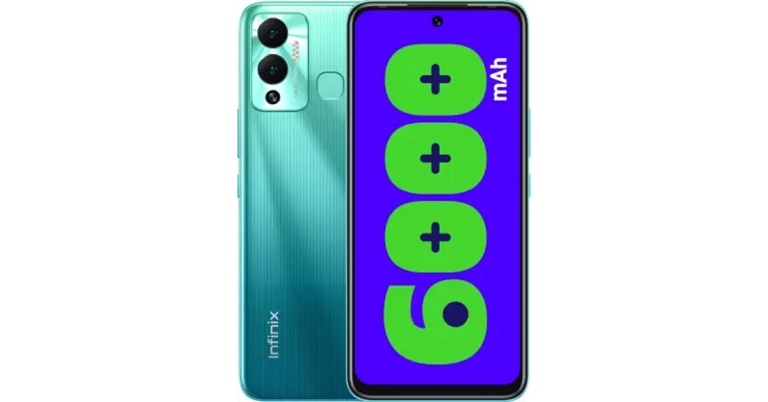
Infinix Hot 12 Play with 6,000mAh battery announced in India

Transsion Group has announced the launch of its new smartphone- Infinix Hot 12 Play in the Indian market. The new budget smartphone features a dual rear camera set-up and a massive 6,000mAh battery. The device is powered by Unisoc T610 processor and also features a hole-punch display.

Infinix Hot 12 Play price in India and sale details

Infinix Hot 12 Play is priced at Rs 8,499 (the current price is an introductory offer) in India for the single 4GB + 64GB storage variant. Champagne Gold, Daylight Green, Horizon Blue, and Racing Black are the colour options for the smartphone. Starting May 30 the handset will be available for purchase on Flipkart. Infinix Hot 12 Play price in India and sale details

Infinix Hot 12 Play specifications

The Infinix Hot 12 Play has a 6.82-inch full-HD+ display with 1,640×720 pixels of resolution. The device comes with a refresh rate of 90Hz and a touch sampling rate of 180Hz. It has a peak brightness of 480 nits and a screen-to-body ratio of 90.66 percent. The smartphone runs Android 11 with XOS 10 on top. The phone is powered by an octa-core UniSoc T610 SoC and 4GB of RAM. Using the additional inbuilt storage, the RAM can be increased to 3GB. The handset has 64GB of internal storage and can be expanded with a microSD card up to 256GB. Infinix Hot 12 Play price in India and sale details The Infinix Hot 12 Play has a dual rear camera setup with a quad-LED flash for optics. A 13-megapixel primary sensor with an f/1.8 lens and a depth sensor is included in the camera setup. A front-facing 8-megapixel selfie camera with an f/2.0 lens and dual-LED flash is available for selfies and video chat. The budget smartphone houses a 6,000mAh battery and supports 10W charging. The Hot 12 Play has 4G LTE, WCDMA, GSM, Wi-Fi 02.11 a/b/g/n, Bluetooth v5, and GPS/ A-GPS as connectivity options. An ambient light sensor, g-sensor, e-compass, gyroscope, and proximity sensor are among the onboard sensors. A fingerprint sensor is also included in the phone. For the latest gadget and tech news, and gadget reviews, follow us on TwitterFacebook and Instagram. For newest tech & gadget videos subscribe to our YouTube Channel. You can also stay up to date using the Gadget Bridge Android App. You can find the latest car and bike news here.

These iPhone models will no longer be supported by WhatsApp

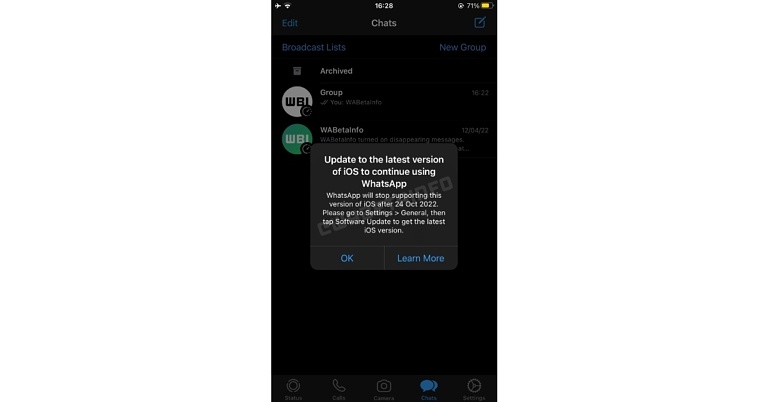
WhatsApp has quietly removed support for iPhones running iOS 10 and 11, therefore, making iOS 12 the minimum software requirement. So the Meta-owned instant messaging app has discontinued support for the iPhone 5 and iPhone 5c models. WhatsApp has begun notifying iOS 10 and iOS 11 users about the update. WhatsApp has a history of ending support for certain Android and iOS versions in order to introduce new features. In this case, WhatsApp has announced that it will cease to support iOS 10, iOS 11, iPhone 5, and iPhone 5C in the coming months. Dropping support for older iOS versions implies that WhatsApp users will be unable to receive new updates or security fixes until they upgrade to a newer iOS version — or newer hardware running iOS 12 or later. According to a WAbetaInfo report, Many users claimed that WhatsApp was planning to stop supporting iOS 10 at the end of last year, but this was false information. Unfortunately, WhatsApp is planning to discontinue support for certain iOS versions in the coming months due to internal reasons. According to this screenshot, WhatsApp will no longer support iOS 10 and iOS 11 after October 24, 2022. This is also supported by an article on the official WhatsApp Help Center, which lists iOS 12 and later versions as supported and recommended operating systems. If you’re running iOS 10 or 11, you’ll need to upgrade to iOS 12 to keep using WhatsApp. This means you can still use WhatsApp on the iPhone 5S, iPhone 6, and iPhone 6S, but you’ll need to update your iOS version. Because iOS 12 is not yet available for the iPhone 5 and iPhone 5C, WhatsApp will no longer be compatible with these devices. To support WhatsApp’s most recent features, it’s necessary to remove support for certain iOS versions. It is always recommended to update iOS because it includes the most recent security patches. For the latest gadget and tech news, and gadget reviews, follow us on TwitterFacebook and Instagram. For newest tech & gadget videos subscribe to our YouTube Channel. You can also stay up to date using the Gadget Bridge Android App. You can find the latest car and bike news here.

Garena Free Fire Redeem Codes Today 23 May 2022: Here is how to claim them

Garena Free Fire is a battle royale game with regular awards and tournaments to keep players interested. If you play Garena Free Fire, you should be aware of the redeem codes that are released on a daily basis. However, because the battle royale game is banned in India, players from other countries can use the Free Fire Redeem codes daily. If you’re unfamiliar with the Garena Free Fire redeem codes or don’t know how to get them, we’ve put together a step-by-step guide to help you redeem them. Check out Garena Free Fire Redeem Codes for May 23. The Free Fire redeem codes are a great way to get free stuff. These are 12-digit codes that contain alphabets and numbers, as well as an expiration date and time. Because the Garena FF redeem codes cannot be used more than once, you should hurry to the redemption page to claim your free reward before someone else does. To get a free reward, all you have to do is go to reward.ff.garena.com/en, which is the official redemption page. Also, keep an eye on this space for daily updates on Garena Free Fire redemption codes and rewards.

Garena Free Fire Redeem Codes Today 23 May 2022

  • FF10 GCGX RNHY
  • FF11 NJN5 YS3E
  • FF11 HHGC GK3B
  • FFIC DCTS L5FT
  • FFPL UED9 3XRT
  • TJ57 OSSD N5AP
  • W4GP FVK2 MR2C
  • FFES P5M1 MVBN
  • Q4QU 4GQG E5KD
  • FF11 64XN JZ2V
  • FF11 WFNP P956
  • MSJX 8VM2 5B95
  • MQJW NBVH YAQM
  • RRQ3 SSJT N9UK
  • WCME RVCM USZ9
  • 9BYD PUM5 WK6Z
  • 2BEM BE4T XU4P
  • XLMM VSBN V6YC
  • PK95 JK8Q WK4X
  • FFBC JVGJ J6VP
  • FFBC AC83 6MAC
  • FFBC LAK9 KYGM
  • FFBC T7P7 N2P2
  • FFBC LP5S 98AW
  • RRQ3 SSJT N9UK

How to Get Free Fire Redeem Codes for Garena on May 23?

  • Visit the Garena Free Fire game’s official website at reward.ff.garena.com.
  • Use your Facebook, Google, VK, Apple ID, Huawei ID, or Twitter account to log in.
  • You’ll be taken to a valid redemption code (s)
  • Copy and paste the 12-digit redemption code into the text box.
  • On the screen, a dialogue box will appear.
  • ‘Ok’ should be selected.
For the latest gadget and tech news, and gadget reviews, follow us on TwitterFacebook and Instagram. For newest tech & gadget videos subscribe to our YouTube Channel. You can also stay up to date using the Gadget Bridge Android App. You can find the latest car and bike news here.

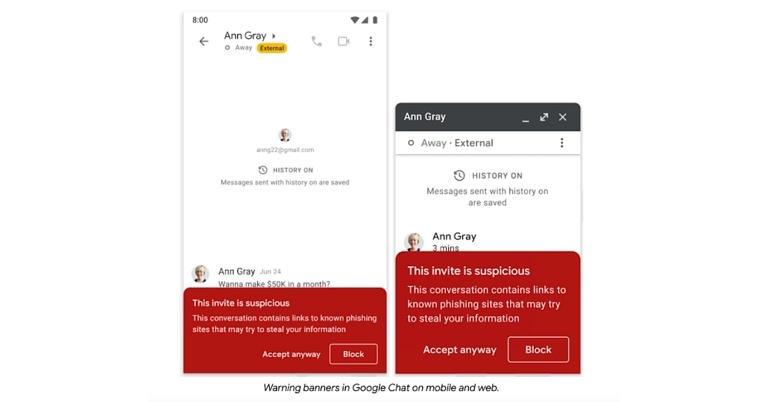
To protect against phishing attacks, Google Chat has added warning banners

To prevent users from hacker attacks and phishing attacks, Google announced that warning notifications will be displayed in its Chat application. Several security measures were announced by the tech giant during its recent 2022 I/O developer conference, including warnings about vulnerabilities and recommendations for how to fix them. In its most recent update, Google added these features to Google Chat to help prevent phishing. The new feature will be available to all Google Workspace customers, as well as legacy G Suite Basic and Business customers and users with personal Google accounts, over the next few weeks. Google implemented new privacy controls to give people more control over how their information is used by its apps. The company also launched its second Beta of its Android 13 operating system, which includes a number of new features and user controls as well as privacy and security updates. You’ll see banners in Google Chat warning you about phishing and malware messages sent by users with personal Google Accounts. These warning banners, which are already available in Gmail and Google Drive, assist users in protecting their data from malicious actors. As per the blog post when responding to emails sent from outside your organisation, warning banners appear in Gmail. As you add new external recipients, Android warning banners are now displayed as well. Admins can enable or disable these specific warning labels for their organisation. For those who are unaware, Google’s new warning banner initially showed up in the workspace account of Gmail to demonstrate attempts to lure those with links and use it for malware, phishing, or ransomware. Google updated the Google Docs banner in late April to warn users that malignant files were believed in some Google Workspace apps that include documents, sheets, slides, and drawings, irrespective of where all the link has been opened. According to Google, the new security feature of warning banners will be rolling out over a couple of weeks to all users. For the latest gadget and tech news, and gadget reviews, follow us on TwitterFacebook and Instagram. For newest tech & gadget videos subscribe to our YouTube Channel. You can also stay up to date using the Gadget Bridge Android App. You can find the latest car and bike news here.

Oppo Watch Free Review: One of the best smartwatches under Rs 5,000

Because the competition in the budget smartwatch segment is fierce this year, Oppo has been gradually expanding its offering. Last year, we reviewed the Oppo Watch, which was a great smartwatch for its price ( even if it was similar to the Apple Watch while not being an Apple Watch). For a little over a month, we have been using its lite variant, the Oppo Watch Free, and here is a detailed review of the new Oppo watch.

Oppo Watch Free Review: Design and Performance

The Oppo Watch Free has the appearance of a classic fitness tracker. It has a rectangular display and a black silicone strap. It has a 1.64-inch AMOLED touch display with 2.5D curved glass for added protection. The screen also has a DCI-P3 colour gamut and a resolution of 280456 pixels. The Oppo Watch Free is 5ATM water-resistant (50 metres). The wristwatch also has an ambient light sensor. Oppo Watch Free Review: One of the best smartwatches under Rs 5,000 The strap’s material finish is good, comes with a matte finish that provides a good grip and can be easily removed. The smartwatch now has all of the sensors for heart rate monitoring on the back, as well as a charging port. Overall, the display quality is excellent. The touch response is very smooth, and the display is vibrant and crisp.  Oppo Watch Free review in india Oppo Watch Free Review: One of the best smartwatches under Rs 5,000 Oppo Watch Free Review: One of the best smartwatches under Rs 5,000 The colours are vibrant, and the blacks are deep, thanks to the AMOLED display. Even when walking or running, the watch is very comfortable to wear. We also had no skin irritation or allergic reactions while wearing it, which is fantastic. review of Oppo Watch Free There is no pixelation, and the content on the screen appears to be sharp. The colours and contrast are also outstanding. Even in direct sunlight, the Oppo Watch Free had no issues with visibility. The wristwatch also has an ambient light sensor. It comes with a limited number of watch faces by default, but it can be expanded to a maximum of seven. As a result, in order to add new, you must first remove some. review of Oppo Watch Free review of Oppo Watch Free To pair the Oppo Watch Free with your phone via Bluetooth, you’ll need the Oppo HeyTap Health app. The smartwatch’s user interface is standard. To see notifications, swipe down and up to go to settings. Swiping left brings up the main features such as health, fitness, alarms, camera control, and more while swiping right brings up sleep, activities, and SpO2. It’s worth noting that the sleep monitor only works if you sleep with your phone by your side. Using the phone’s microphone, the device will be able to detect snoring. Additionally, a SpO2 monitor is included to keep track of your blood oxygen level. Furthermore, the fitness tracker includes over 100 workout modes, ranging from badminton to dog walking. However, the device automatically detects common modes such as running, walking, and rowing machines. The smartwatch is also great at keeping track of sleep. Oppo Watch Free review in india Aside from that, the fitness band provides message notifications such as call notifications, call rejection, timers, and find my phone, among other things. The best part is that even after a full day of use, the battery only dropped by a few percentage points. According to the manufacturer, the 230mAh battery can last up to 14 days depending on usage. The battery life on this watch is around 14 days, so it will last you two weeks.  While casual users can get 12 to 14 days of battery life, moderate users can get about 10 days, and heavy users who do a lot of workouts and notifications can get around five days of battery life, which is pretty good. The battery will last for about four weeks when not in use. The snore monitoring feature will quickly drain the battery of your smartphone, so make sure it’s fully charged before using it. Using the magnetic adapter, the device takes 2 hours to fully charge. Oppo Watch Free review in india Steps counting is accurate and one of the most important things that most of us keep track of. We actually counted steps while doing this and discovered that it was extremely accurate. This is one of the best smartwatches on the market, with extremely accurate step tracking. So, if you’re looking for a smartwatch with fairly accurate tracking, this is one of the options in this price range. Another feature is the availability of drinking water. This is especially important for people who forget to drink water, as it is one of the most important things they should do. So this is an important feature, and you can set a goal for how many litres you want to drink per day, as well as for each time it reminds you to drink water.  This is an important feature for me because I frequently forget to drink water, and after I started wearing this watch, it kept reminding me to do so. This feature is not available in many smartwatches, and the Oppo Watch Free has it, so it’s very useful. You can now control the camera and use the flashlight. There is a screen display option in settings as well; if you want to raise it to lit up, double-tap the auto screen option; auto-brightness is also available. Other options, such as do not disturb mode, are also available. This watch also comes with an app called HeyTap Health, which, once connected to your device, allows you to see your heart rate monitoring data over the course of a week, month, or even year, providing you with all the necessary details.  Oppo Watch Free review in india Sleep tracking is another important feature that allows you to see the overall assessment quality. So the watch measures your sleep and assigns a score based on your sleep patterns and tracking. Based on your sleep pattern, you can also set sleep schedules and check for breathing problems. You can also track your SpO2 levels and workouts. Then you can set notifications for WhatsApp, Facebook, and other services.

Verdict

The Oppo Watch Free fits perfectly on the wrist, and the watch’s overall quality is excellent. The finish, as well as the comfort factor, are excellent. The battery life on this device is superior, too. Over that, the display quality is one of the best in this price range. If you want a watch that doesn’t skimp on features and offers extremely accurate measurements, the Oppo Watch Free is a great choice. The only drawback we found was the lack of GPS; otherwise, it’s a good smartwatch overall. For the latest gadget and tech news, and gadget reviews, follow us on TwitterFacebook and Instagram. For newest tech & gadget videos subscribe to our YouTube Channel. You can also stay up to date using the Gadget Bridge Android App. You can find the latest car and bike news here.

Amazon Quiz Answers Today 23 May 2022: Participate to win Rs 30,000

23 May 2022 Amazon Quiz has gone live on its platform. The quiz timings are 12 AM to 11:59 PM. The interested users can participate in the Amazon daily quiz to win exciting prizes. The company puts up 5 questions based on general awareness. You can submit the correct answers from the four options. Today the participants have the chance to win a Rs 30,000 Amazon Pay Balance. Daily the e-commerce platform Amazon brings a new set of questionnaires that includes five easy questions. The Amazon Quiz can be played from 12 AM to 11:59. The users have to answer all the questions correctly to enter into a lucky draw. The result of today’s quiz will be announced at the end of the month and only one person is declared a winner. We at Gadget Bridge update all the answers to the Amazon Quiz on our website for the convenience of our readers. Here are the answers of the 23 May 2022 Amazon Quiz that will make you win Rs 30,000 Amazon Pay Balance. Amazon Quiz Today Prize – Rs 30,000 Amazon Pay Balance Quiz Date – 23 May 2022 Daily Timing – 12 AM to 11:59 PM Winner Announcement – Today 12 PM

Amazon Quiz Answers Today 23 May 2022

Question 1: Which packaged coffee products maker has recently secured funding from former Indian cricket team captain Virat Kohli? Answer: Rage Coffee Question 2: Who among these has been conferred with Hilal-e-Pakistan in 2022? Answer: Bill Gates Question 3: Which country recently became the champion of the 2022 AFC Women’s Asian Cup? Answer: China Question 4: Which actor plays the role of Lord Voldemort in the famous movie adaptation of this book? Answer: Ralph Fiennes Question 5: Where is this famous heritage site located? Answer: England

How To Play Amazon Quiz

Only app users are eligible to play the Amazon quiz every morning from 12 AM to 11:59 PM. The quiz is not available on the desktop. For those who are unaware of how to play the Amazon quiz below are the steps, you can follow to take the quiz.
  • Firstly download the Amazon app from Google Play Store or App Store
  • Now fill in the required information through the Sign Up option.
  • You need to log in to the Amazon app and scroll down on the home screen to find the Amazon Quiz banner.
  • Tap on the Amazon Quiz banner and tap on the Start button to start the Quiz.
  • Now you will get 5 questions and you need to answer them correctly. One wrong answer will eliminate you from the Quiz.
  • After answering all the questions correctly you are now eligible for a Lucky Draw.
  • The winner’s name will be announced today at 12 PM.
For the latest gadget and tech news, and gadget reviews, follow us on TwitterFacebook and Instagram. For newest tech & gadget videos subscribe to our YouTube Channel. You can also stay up to date using the Gadget Bridge Android App. You can find the latest car and bike news here.

Amazon Quiz Answers Today 22 May 2022: Participate to win Rs 40,000

22 May 2022 Amazon Quiz has gone live on its platform. The quiz timings are 12 AM to 11:59 PM. The Amazon App users can participate in the quiz daily and all they have to do is submit correct answers to the questions asked on the e-commerce platform. Today’s participants can get a chance to win Rs 1,000 Amazon Pay Balance. Amazon brings a fresh questionnaire that contains 5 questions daily. These questions are based on current affairs and general knowledge. The quiz can be played from 8 AM to 11:59 PM and the contestants need to answer correctly to enter into a lucky draw. Only one person is declared as a winner and the results will be announced at the end of every month. And to make sure that you give correct answers to all the 5 questions Gadget Bridge everyday updates all the answers to the Amazon Quiz. Do check out 22 May 2022 Amazon Quiz Answers to win Rs 1,000 Amazon pay Balance. Amazon Quiz Today Prize – Rs 1,000 Amazon Pay Balance Quiz Date – 22 May 2022 Daily Timing – 12 AM to 11:59 PM Winner Announcement – Today 12 PM

Amazon Quiz Answers Today 22 May 2022

Question 1: As per the Indian Organised Biryani Market Industry report published by Technopak, which is the largest biryani brand of India?

Answer: Dindigul Thalappakatti

Question 2: In ICC’s most valuable team of the tournament in the recently concluded Women’s World Cup, who among these was included?

Answer: Salma Khatun

Question 3: Which country claims the Falkland Islands were stolen from it unjustly in 1833?

Answer: Argentina

Question 4: Who among these served as the CEO of this company till 2011?

Answer: Eric Schmidt

Question 5: This is considered the most important natural source of which vitamin?

Answer: Vitamin D

How To Play Amazon Quiz

Only app users are eligible to play the Amazon quiz every morning from 12 AM to 11:59 PM. The quiz is not available on the desktop. For those who are unaware of how to play the Amazon quiz below are the steps, you can follow to take the quiz.
  • Firstly download the Amazon app from Google Play Store or App Store
  • Now fill in the required information through the Sign Up option.
  • You need to log in to the Amazon app and scroll down on the home screen to find the Amazon Quiz banner.
  • Tap on the Amazon Quiz banner and tap on the Start button to start the Quiz.
  • Now you will get 5 questions and you need to answer them correctly. One wrong answer will eliminate you from the Quiz.
  • After answering all the questions correctly you are now eligible for a Lucky Draw.
  • The winner’s name will be announced today at 12 PM.
For the latest gadget and tech news, and gadget reviews, follow us on TwitterFacebook and Instagram. For newest tech & gadget videos subscribe to our YouTube Channel. You can also stay up to date using the Gadget Bridge Android App. You can find the latest car and bike news here.

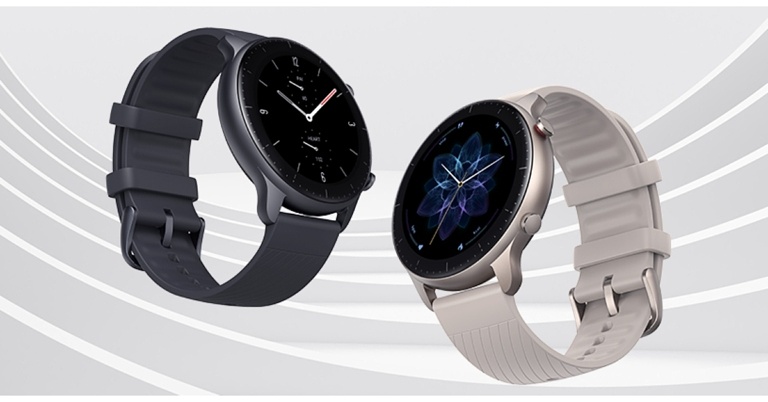
Amazfit GTR 2 New Version smartwatch with over 90 sports modes launched in India

The Amazfit GTR 2 New Version smartwatch has been released in India. It is a redesigned variant of the original Amazfit GTR 2 smartwatch. The new smartwatch promises a battery life of up to 11 days, HD AMOLED touch screen display and supports Bluetooth calling. Moreover, the wearable has physical buttons and 90 sports modes.

Amazfit GTR 2 New Version smartwatch price in India and availability

Amazfit GTR 2 New Version smartwatch is priced at Rs 11,999 The open sale will begin on May 23rd in Black and Grey, and will be available exclusively on Flipkart and Amazfit’s official website. The brand is also announcing a special launch price of Rs 10,999 that will be available only on May 23rd. Amazfit GTR 2 New Version smartwatch price in India and availability

Amazfit GTR 2 New Version specifications

The Amazfit GTR 2 new version comes with a 1.39-inch AMOLED touchscreen display. The screen is guarded by 3D Corning Gorilla curved glass with optical Diamond-like Carbon (oDLC) and anti-fingerprint coatings to prevent scratches. It is available in either stainless steel or black aluminium alloy case. The watch is equally comfortable whether you are left-handed or right-handed thanks to its fully rotatable screen. The always-on display is primed for ultimate personalization with a choice of more than 50 watch faces. You can customize the Quick Access App too, then simply swipe left or right to access your favourite apps and health and fitness tracking features. Heart rate monitoring is available with the Amazfit GTR 2 (new version). The BioTracker 2 PPG optical sensor monitors your resting heart rate and heart rate zones, as well as provides you with abnormal heart rate warnings, to help you better understand your heart health. OxygenBeats can be used with the BioTracker 2 PPG to measure blood oxygen saturation. You can measure your current blood-oxygen-level while engaged in long-term strenuous mental or physical activity. The Amazfit smartwatch monitors your sleep and makes it easier to understand your sleep patterns and improve sleep quality, ensuring optimal performance. Stress monitoring is also supported by the GT 2 series smartwatches, which help you monitor and balance your stress levels. PAI Health Assessment System in this smartwatch converts your heart rate data, tracked activities, and other health data into a simple PAI score that allows you to understand your physical well-being at a glance. PAI stands for Personal Activity Intelligence, and your PAI score is personalised for you based on your profile. Amazfit GTR 2 (new version) has more than 90 built-in sports modes. The smartwatch is waterproof up to 5 ATMs, allowing you to track your progress while swimming or working out in difficult conditions. The smart wearable has about 3GB of local music storage, allowing you to listen to music without having to use your phone. When you remove your watch from your wrist, a wear detection function locks it to protect your privacy, and you can add a password for added security. For the latest gadget and tech news, and gadget reviews, follow us on TwitterFacebook and Instagram. For newest tech & gadget videos subscribe to our YouTube Channel. You can also stay up to date using the Gadget Bridge Android App. You can find the latest car and bike news here.

Department of Telecommunications (DoT) to soon bring a caller ID feature that will show the caller’s name as per KYC

The department of telecommunications (DoT) is planning to introduce a caller identification system to protect customers from rising spam and fraud incidents. Soon devices in the country will display the caller’s name on the screen. The name would be based on the subscriber’s know-your-customer (KYC) record with the telecom operators. According to the PTI Telecom regulator will immediately begin sessions on framing a mechanism for the caller’s KYC-based title to flash on telephone screens when someone calls. According to the Telecom Regulatory Authority of India (Trai) chairman, PD Vaghela a consultation paper on the subject will be released soon to seek stakeholders’ input. He said, “We have just received a reference, and we will start work on this soon. Name as per KYC will appear when someone calls. The mechanism will enable name-appearing on a phone screen, in accordance with KYC done by telecom companies, as per DoT norms.” According to DoT regulations, the mechanism will allow the caller’s name to appear on the screen based on KYC information collected by telecom companies. The DoT will make the final decision, not Trai, which will only be required to make recommendations after extensive consultation with stakeholders. Before finalising its recommendations, the regulator will hold open house sessions in major cities. Trai has not been able to effectively stop unwanted commercial calls despite taking several steps. The mechanism’s additional benefit is that recipients will be able to avoid spam and unwanted calls or report them to the appropriate authority for action. Even if a caller’s name is not saved in their phone book, subscribers will be able to recognise it. Using apps like Truecaller, some users can now find out who these callers are. A spokesperson for Truecaller, a caller identification app, said in an email statement, “We welcome any and all actions in the mission to make communication safe and efficient. Number identification is crucial to ending the menace of spam and scam calls and we, at Truecaller, have been working tirelessly towards this important mission for the past 13 years. We appreciate this move by TRAI and would like to reiterate that we remain very supportive for this and any future initiatives they have.” The disadvantage of these apps is that the data is crowdsourced, which means it may not be 100% genuine, which KYC data ensures. For the latest gadget and tech news, and gadget reviews, follow us on TwitterFacebook and Instagram. For newest tech & gadget videos subscribe to our YouTube Channel. You can also stay up to date using the Gadget Bridge Android App. You can find the latest car and bike news here.

Garena Free Fire Redeem Codes Today 21 May 2022: Here is how to claim them

Garena Free Fire is a battle royale game with regular awards and tournaments to keep players interested. If you play Garena Free Fire, you should be aware of the redeem codes that are released on a daily basis. However, because the battle royale game is banned in India, players from other countries can use the Free Fire Redeem codes daily. If you’re unfamiliar with the Garena Free Fire redeem codes or don’t know how to get them, we’ve put together a step-by-step guide to help you redeem them. Check out Garena Free Fire Redeem Codes for May 21. The Free Fire redeem codes are a great way to get free stuff. These are 12-digit codes that contain alphabets and numbers, as well as an expiration date and time. Because the Garena FF redeem codes cannot be used more than once, you should hurry to the redemption page to claim your free reward before someone else does. To get a free reward, all you have to do is go to reward.ff.garena.com/en, which is the official redemption page. Also, keep an eye on this space for daily updates on Garena Free Fire redemption codes and rewards.

Garena Free Fire Redeem Codes Today 21 May 2022

  • FV4B HU76 T5RF
  • G4B5 TJGS RE8D
  • SXQ2 DR3T 4G5H
  • J6I8 YHG5 JKI6
  • FI87 6TGW 34HY
  • 587Y 6TWF 3HJ4
  • K5TY OH98 7Y6D
  • EH5N 6M78 OU98
  • F78K M9L8 LP0O
  • LKM9 87K6 5I48
  • 372T RED9 SXC1
  • FRQ4 I3SE IDQC
  • FF65 TRF2 V35Y
  • 76HY 87UJ NU8J
  • KIO0 C8S7 A4Q3
  • 1ESD 23FE 3FT5
  • C2XF SW76 G8EJ
  • FV2G 3Y4H 5B6J
  • 5POE NDS7 X8Y7
  • T6FT AY3V BQ9U
  • NIJ2 K34I U5R4

How to Get Free Fire Redeem Codes for Garena on May 21?

  • Visit the Garena Free Fire game’s official website at reward.ff.garena.com.
  • Use your Facebook, Google, VK, Apple ID, Huawei ID, or Twitter account to log in.
  • You’ll be taken to a valid redemption code (s)
  • Copy and paste the 12-digit redemption code into the text box.
  • On the screen, a dialogue box will appear.
  • ‘Ok’ should be selected.
For the latest gadget and tech news, and gadget reviews, follow us on TwitterFacebook and Instagram. For newest tech & gadget videos subscribe to our YouTube Channel. You can also stay up to date using the Gadget Bridge Android App. You can find the latest car and bike news here.

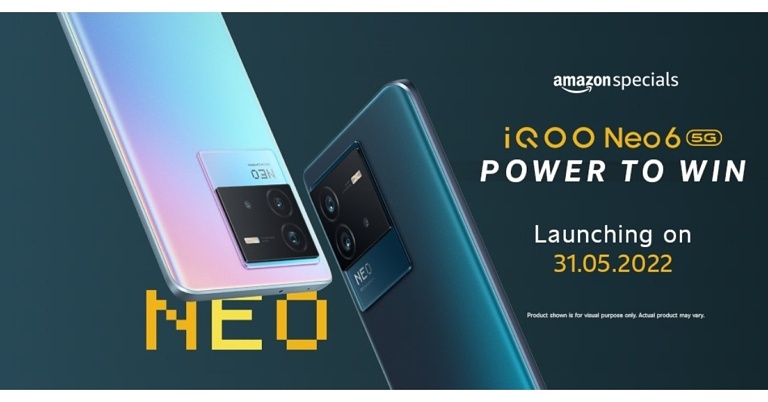
iQoo Neo 6 India launch set for May 31, listed on Amazon

iQoo Neo 6 is going to arrive in India soon, becoming the first smartphone in the Neo series to do so. The handset has been listed on Amazon, therefore, revealing the May 31 launch date. The device will be powered by Snapdragon 870 SoC and will house a 4700mAh battery with 80W fast charging support.

iQoo Neo 6 India launch details

As per Amazon listing iQoo Neo 6 will launch in India on May 31. Not much has been revealed about the upcoming smartphone but the Amazon listing reveals a Snapdragon 870 5G processor to power the phone. Moreover, the smartphone will pack a 4,700mAh battery that will have 80W FlashCharge support. As per the listing, the 80W FlashCharg Technology can charge 50 percent battery in just 12 minutes.

iQoo Neo 6 price in India expected

Past leaks suggest that the Indian variant of the Neo 6 could cost more than Rs. 29,000 for the base model and more than Rs 31,000 for the highest variant. The Interstellar and Dark Nova colour options for the phone are expected to be available.

iQoo Neo 6 specifications expected

According to a tipster, the Indian version of the iQoo Neo 6 will have a 6.62-inch E4 AMOLED display. The screen will have up to a 120Hz refresh rate support. The phone is said to be powered by Android 12. The tipster also mentioned that the Neo 6 would come in two models in India, with Snapdragon 870 and Snapdragon 870+ SoC. To recall iQoo Neo 6 was first released in mid-April and comes with a Snapdragon 8 Gen 1 processor. According to the source, the Neo 6 in India will have up to 8GB of RAM and 128GB of internal storage. Moreover, the device is likely to have a triple camera setup with 64-megapixel (OIS), 8-megapixel, and 2-megapixel sensors. It may also feature a 16-megapixel front camera. According to the leak, the Indian version of the Neo 6 will have a 4,700mAh battery that supports 80W fast charging. For the latest gadget and tech news, and gadget reviews, follow us on TwitterFacebook and Instagram. For newest tech & gadget videos subscribe to our YouTube Channel. You can also stay up to date using the Gadget Bridge Android App. You can find the latest car and bike news here.

How To Install Google Chrome on Android TV (2022)?

The one weakness that has to be dealt with while using an Android TV is the lack of availability or support of a pre-installed browser on the system. You may find multiple other third-party web browsers listed on the Google Play Store that are compatible with Android TV. But sadly, Google Chrome is not on the list. And when you are a person who has never used any other web browser than Chrome ever before in your life, then shifting onto a new one may seem like a significant sacrifice. However, we are glad to inform you that there is a workaround for that too! Even though it cannot be directly downloaded from the Play Store onto your device, one can still sideload Chrome on their Android TV to access its services. Here are the two best ways how to install Google Chrome on Android TV in 2022. 

Sideloading Chrome APK On Android TV

Google Chrome APK: How to install Google Chrome on Android TV Read also: Ways to make your Android TV run faster For installing Google Chrome on your Android TV, the first method is to get a copy of the Google Chrome APK and sideload it onto your system. There are multiple sources available on the web from where you can download the APK file of Google Chrome. You can either download the APK file directly via a third-party browser such as Puffin TV installed on your Android TV or you download it on your PC and then transfer the file through a USB onto the box. Then, all that’s left to be done is to locate the Chrome APK file through a file explorer and click to start the installation process.  Download Google Chrome APK.

Using A Third-Party App Store

Aptoide App Store The second method is to use another app store in place of the Google Play Store to get Chrome onto your Android TV. Why should we give up if the Play Store does not have Google Chrome on it? There are several alternatives that you can use to download apps. One such noteworthy example is Aptoide, an independent app store for Android devices with more than 2,500 apps available.  Read also: Top 15 Best Android TV Apps You Should be Using In 2022 Installing Aptoide on your Android TV can be done either via downloading it from another browser like Puffin TV or by transferring it from your PC through a USB device. Once Aptoide has been successfully installed on your system, all you would need to do then is search for Google Chrome in Aptoide on your Android TV and click on Install. That’s it! Download Aptoide. Note that any apps that you sideload onto your Android TV won’t be directly visible on its home screen. To access them, you would have to take help from an app like Sideload Launcher which launches all the sideloaded apps on your Android TV.  Download Sideload Launcher.  In this way, you can install Google Chrome on your Android TV and access its services. In case you know of any other methods how for doing the same, we would be delighted to hear about it. Do let the rest of us know in the comments section below.  For the latest gadget and tech news, and gadget reviews, follow us on Twitter, Facebook and Instagram. For newest tech & gadget videos subscribe to our YouTube Channel. You can also stay up to date using the Gadget Bridge Android App. You can find the latest car and bike news here.

Top 3 Tune Up Utilities for Windows

However, like everything else, they can get less efficient and slower over time. And, if you’re not the “patient”-type, the whole situation might seem pretty annoying to you. I mean, I’ve seen people breaking their PC over this issue. So, yes, it’s that bad. However, when such an issue occurs, you’ll have three choices to choose from –
  • Buy a brand new computer.
  • Accept the slower speed and get more patient, or
  • Use a tune-up utility tool.
So, which one do you think would be better for you? If you ask me, I’ll choose the third option, as I’m not a really patient person. And, I definitely refuse to change my beastly gaming rig. It was too expensive!

Tune-Up Utilities – What’s The Catch?

A PC tune-up utility, in essence, is a software program that can analyze your system files, locate the problematic area, and correct them. This, in turn, can improve the performance of your PC and decrease the start-up time too. Usually, with a PC tune-up utility, you can start with defragmenting your HDD and free up some space by eliminating duplicate and temporary files. Besides, it also focuses on cleaning up the registry. It can lower the prominence of crashes and slow down your computer.

Three Tune-Up Utilities To Look Forward To

If I’m being honest, Windows 10, itself, does an excellent job of keeping your computer in proper shape. Nonetheless, if you use your computer regularly or work on it for a prolonged period, the amount of clutter can increase massively. And, if you don’t delete them, the speed of your PC will slow down imminently. Hence, to help you out, I have enlisted a plethora of utility tools and offered some valuable insights into them. Hopefully, I can help you out with it.

Iolo System Mechanic

When it comes to clearing up the clutter of your PC, Iolo can be the best possible option from almost every front. For starters, it can delete your files securely without making any mistakes. Besides, you’ll get several additional valuable tools that can help you take care of other system-related tasks and improve your system’s speed. The only problem with this software is that it can only be used in Windows. Hence, if you are using a MAC, I’ll ask you to move on to the next alternative.

Piriform CCleaner

If Iolo sits in the first position in the list of “the best tune-up utility tool,” CCleaner can be considered as a close second. To begin with, it can clean the junk available in both your PC’s system and browser. Also, it can fix app- or system-related errors pretty efficiently. Another quirky feature of this tool is that it can auto-update your device’s driver and utility quickly. This, in turn, can improve your system’s speed and performance notably. Just one thing, though. CCleaner has a free version, which can only be used if you can cope with advertisements. Or, you can try upgrading to the premium variant.

Advanced PC Cleanup

Advanced PC Cleanup, in essence, is the most beginner-friendly application you’ll find out there on the internet. It’s a one-stop solution to clear up the clutter of junk files, optimize your registry folders, and uninstall unwanted apps. With Advanced PC Cleanup, you can also clean almost each and every redundant file situated on your computer. Finally, there’s also an identity protector available in the system. You can use the same for hiding your identity traces on the web.

Final Thoughts

The core job of a tune-up utility software program will be to improve your PC’s performance and make it better than before. Hence, if you think that your system has become a little slow, be sure to use the tool I’ve mentioned before. As I’ve said, each of them is tried and tested by us. Hence, you can definitely trust them. But, before you opt for anything, I’ll ask you to go for a free trial of the software. This way, you can understand if the tool is right for you or not. For the latest gadget and tech news, and gadget reviews, follow us on TwitterFacebook and Instagram. For newest tech & gadget videos subscribe to our YouTube Channel. You can also stay up to date using the Gadget Bridge Android App. You can find the latest car and bike news here.

Vivo Y75 with 44MP AF Selfie Camera and Eye Autofocus launched in India

With the launch of the Vivo Y75, Vivo has expanded its Y Series portfolio in India. The new smartphone comes with a sleek design and is powered by MediaTek Helio G96 Chipset. It features a 44MP AF Selfie Camera with Eye Autofocus and a 50 MP Super Night Camera. Additionally, the phone houses a 4,050mAh battery that supports 44W FlashCharge.

Vivo Y75 price in India, sale details

The Vivo Y75 is priced at Rs 20,999 in India for the single 8GB RAM with 128GB storage variant. The device will be available in two colour options of Moonlight Shadow and Dancing Waves. The device can be purchased via Flipkart.com, Vivo India E-store, and all partner retail stores in the country. Consumers can get up to INR 1500 in extra benefits by using (ICICI/SBI/IDFC First Bank/OneCard) until May 31. Vivo Y75 price in India

Vivo Y75 tech specifications

The Vivo Y75 is powered by Funtouch OS 12, which is based on Android 11. Under the hood, the Vivo Y-series phone is powered by a MediaTek Helio G96 4G SoC with 8GB of RAM. The RAM can be increased to 4GB by using built-in storage. The smartphone has a 6.44-inch AMOLED display with a resolution of 1,080×2,400 pixels. There is a triple rear camera setup that includes a 50-megapixel primary sensor with an f/1.8 aperture. Moreover, an 8-megapixel wide-angle depth sensor with an f/2.2 aperture, and a 2-megapixel macro sensor with an f/2.4 aperture are all contained within the camera system. The Vivo Y75 features a 44-megapixel autofocus sensor on the front for selfies. The AI Face Beauty algorithm, Steadiface Selfie Video, Video Face Beauty, Picture-in-Picture or Dual View mode will add up to the vlogging experience. Eye Autofocus, Ultra-Wide Night, Super Macro, Bokeh Flare Portrait, AI Extreme Night, Steadiface Selfie Video, Multi-Style Portrait, Double Exposure, and Video face beauty are among the camera modes and features available. Dual View mode allows users to record with both the front and rear cameras at the same time for the ultimate vlogging experience. The vivo Y75 also comes with a 4050mAh battery and a powerful 44W FlashCharge that can charge the phone from 1% to 65 percent in 30 minutes, giving it enough juice to get through the day. The smartphone has Wi-Fi, Bluetooth v5.2, GPS, BEIDOU, GLONASS, GALILEO, a 3.5mm headphone jack, and a USB Type-C port for connectivity. An accelerometer, ambient light sensor, gyroscope, proximity sensor, and e-compass are among the sensors onboard. A fingerprint sensor is also included for authentication. For the latest gadget and tech news, and gadget reviews, follow us on TwitterFacebook and Instagram. For newest tech & gadget videos subscribe to our YouTube Channel. You can also stay up to date using the Gadget Bridge Android App. You can find the latest car and bike news here.

21 May 2022 Amazon Quiz today answers: Answer to win Rs 40,000 Amazon Pay Balance

Get ready to participate in the 26 April 2022 Amazon Quiz, as it is live on its mobile platform. In today’s quiz participants have a chance to win Rs 40,000 Amazon Pay Balance by answering all the questions correctly. The quiz can be played every day from 12 AM to 11:59. Check Out Amazon Quiz Answers Today 21 May 2022. The daily quiz conducted by the company brings an opportunity for the customers to win exciting prizes. Every day Amazon brings a fresh set of questions for its customers that contains five easy questions. The questionnaire consists of five questions related to general knowledge and current affairs. The participants need to answer all the questions correctly and their names will be selected for a lucky draw. The winner will be announced at the end of the month. Amazon quiz brings an opportunity for its customers to win Amazon Pay Balance ranging from Rs 1,000 to Rs 50,000. Only app users are eligible to participate in the Quiz as it is not accessible on the web platform. Amazon Quiz Today Prize – Rs 40,000 Amazon Pay Balance Quiz Date – 21 May 2022 Daily Timing – 12 AM to 11:59 PM Winner Announcement – Today 12 PM

Amazon Quiz Answers Today 21 May 2022

Question 1: Which home textiles major has forayed into the mattress category under its home linen brand SPACES?

Answer: Welspun India

Question 2: Who among these scored a brilliant 148 in a losing cause in the ICC Women’s World Cup final in 2022?

Answer: Natalie Sciver

Question 3: The United States has officially designated which of these countries as a major non-NATO ally?

Answer: Qatar

Question 4: In which country is this famous movie set located?

Answer: New Zealand

Question 5: What is this famous building called?

Answer: Chrysler Building

How To Play Amazon Quiz

Only app users are eligible to play the Amazon quiz every morning from 12 AM to 11:59 PM. The quiz is not available on the desktop. For those who are unaware of how to play the Amazon quiz below are the steps, you can follow to take the quiz.
  • Firstly download the Amazon app from Google Play Store or App Store
  • Now fill in the required information through the Sign Up option.
  • You need to log in to the Amazon app and scroll down on the home screen to find the Amazon Quiz banner.
  • Tap on the Amazon Quiz banner and tap on the Start button to start the Quiz.
  • Now you will get 5 questions and you need to answer them correctly. One wrong answer will eliminate you from the Quiz.
  • After answering all the questions correctly you are now eligible for a Lucky Draw.
  • The winner’s name will be announced today at 12 PM.
For the latest gadget and tech news, and gadget reviews, follow us on TwitterFacebook and Instagram. For newest tech & gadget videos subscribe to our YouTube Channel. You can also stay up to date using the Gadget Bridge Android App. You can find the latest car and bike news here.

Smartphone Comparison: Vivo X80 Pro Vs OnePlus 10 Pro

Vivo recently released its most premium X80 smartphone series in India. The Vivo X80 and Vivo X80 Pro are the two flagship devices it consists. The Vivo X80 Pro is the most expensive, and it competes directly with Xiaomi 12 Pro and OnePlus 10 Pro. We’ve already compared its specifications to those of the Xiaomi 12 Pro. However, in this article, we will compare the specifications of the Vivo X80 Pro Vs OnePlus 10 Pro to help you decide which to purchase.

Display

Vivo X80 Pro: 6.78-inch AMOLED 2K display OnePlus 10 Pro: 6.7-inch QHD+ curved LTPO display

Processor

Vivo X80 Pro: Snapdragon 8 Gen 1 processor OnePlus 10 Pro: Snapdragon 8 Gen 1 processor

Rear camera(s)

Vivo X80 Pro: The quad rear camera setup includes a 50-megapixel Samsung ISOCELL GNV primary sensor, a 48-megapixel ultra-wide Sony IMX598 sensor, a 12-megapixel Sony IMX663 sensor with a portrait lens, and an 8-megapixel sensor with a periscope-shaped ultra-telephoto lens. OnePlus 10 Pro: Triple rear camera array for photos and videos, which includes a 48-megapixel Sony IMX789 main sensor with f/1.8 aperture and optical image stabilisation (OIS). The camera configuration also includes a 50-megapixel Samsung ISOCELL JN1 ultra-wide sensor with an f/2.2 aperture and an 8-megapixel telephoto lens with OIS.

Selfie camera

Vivo X80 Pro: 32-megapixel selfie camera OnePlus 10 Pro:32-megapixel Sony IMX615 camera sensor

RAM and storage

Vivo X80 Pro: 12GB RAM with 256GB storage OnePlus 10 Pro: 8GB RAM with 128GB storage and 12GB RAM with 256GB storage

Battery

Vivo X80 Pro: 4,700mAh battery OnePlus 10 Pro: 5,000mAh dual-cell battery

Operating system

Vivo X80 Pro: OriginOS based on Android 12 OnePlus 10 Pro: ColorOS 12.1 runs on top of Android 12

Starting Price

Vivo X80 Pro: Rs 79,999 OnePlus 10 Pro: Rs 66,999

Our Take

Let’s start with the appearance. The design of both smartphones is modern. The Vivo X80 has a four-sensor circular camera module, whereas the OnePlus 10 Pro has a square-shaped camera module with triple cameras. A 120Hz AMOLED curved display is present on both of them. Qualcomm Snapdragon 8 Gen 1 SoC is used in both Vivo and OnePlus smartphones. Vivo is available in a single storage configuration, whereas OnePlus offers two. The OnePlus 10 Pro has a larger 5000 mAh battery than the X80 Pro, which only has 4700 mAh. Both phones support fast charging at 80 watts and wireless charging at 50 watts. Also Read: Smartphone comparison: Vivo X80 Pro Vs Xiaomi 12 Pro Both devices come pre-installed with Android 12. On top of Android, the OnePlus 10 Pro runs Oxygen OS 12, while the Vivo X80 Pro runs Funtouch OS 12. The X80 Pro features a quad-camera setup tuned by Zeiss. The OnePlus 10 Pro, on the other hand, has a triple-camera setup tuned by Hasselblad. However, OnePlus takes the lead with 10-bit colour photography and 12-bit RAW photography in Pro Mode. Which one should you buy? If you like to take a lot of photos, the OnePlus 10 Pro is our top pick when it comes to pricing, which is priced at Rs 71,999 for the same configurations as Vivo. For the latest gadget and tech news, and gadget reviews, follow us on TwitterFacebook and Instagram. For newest tech & gadget videos subscribe to our YouTube Channel. You can also stay up to date using the Gadget Bridge Android App. You can find the latest car and bike news here.