Can I recover deleted Snapchat messages?

0
Known for its ephemeral messaging, Snapchat deletes your texts and media right after the receiver views them. While many people use Snapchat for this feature alone, sometimes you may need to recover a deleted text. You can always save your messages by simply tapping on them, or setting a 24-hour timer for the texts to auto-delete. But if you want to retrieve a deleted text, the process can be quite confusing. In this article, we show you how you can recover deleted Snapchat messages.  Read Also: How To Recover Deleted Photos From iPhone (2022)? Best 4 Ways

Recover deleted messages by requesting Snapchat data

Did you know you can use an app to get their Snapchat data and recover their messages? It’s called eyeZy and it’ll bring you the type of peace of mind you never knew existed. Just install eyeZy on their phone and you’ll have access to an impressive tool called Social Spotlight. It’s just one of a dozen tools at your disposal in eyeZy, and it’ll change your perception of their Snapchat use for the better.

There is a way to recover messages from the Snapchat app too, here is how:

Step 1: Open the Snapchat app on your phone and select ‘My Data’ in Settings. Step 1: Open the Snapchat app on your phone and select ‘My Data’ in Settings. Step 2: Log in using your Snapchat username or email and password. Step 2: Log in using your Snapchat username or email and password. Step 3: Tap on ‘Submit Request’ at the end of the page. Step 4: Snapchat will now prepare a file containing your account data and send it to you on your registered email account. Step 5: Go to your email inbox and open the link sent to you by Snapchat. Step 6: You will be redirected to the My Data page on Snapchat which will present you with a zip file containing all your account data. Step 7: Extract the zip file on your smartphone. Step 8: After the file has been extracted open the ‘mydata’ folder. Step 9: Open the index.html file to view deleted messages. You will be able to view the entire message history on your Snapchat account. Read Also: How to recover your Snapchat account securely and safely Bonus tip: If you want to recover recently deleted messages, all you need to do is access Snapchat’s cache data. Simply go to Files>Internal Storage>Android>Data>com.snapchat.android. Look for the messages file and rename it to remove the .nomedia extension. If your phone doesn’t identify the file, add a .txt extension and try again. If you do not see any messages, it means Snapchat has already dumped the cache data. In this case, you will have to follow the process mentioned above and request your account data from Snapchat to retrieve deleted messages. For the latest gadget and tech news, and gadget reviews, follow us on TwitterFacebook and Instagram. For newest tech & gadget videos subscribe to our YouTube Channel. You can also stay up to date using the Gadget Bridge Android App. You can find the latest car and bike news here.
Redmi brings back the K Series with the launch of Redmi K50i 5G

0
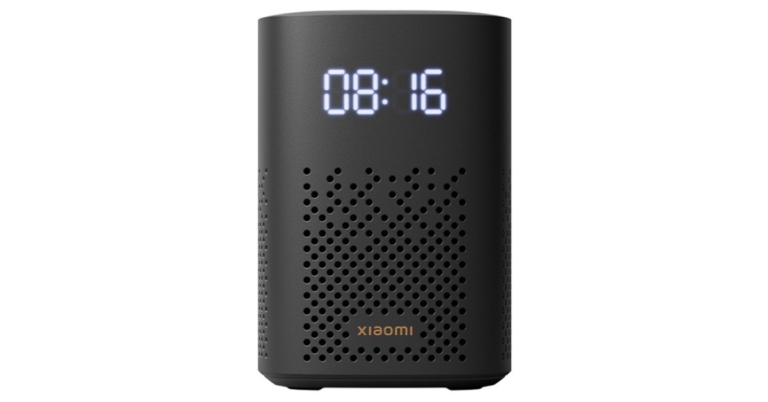
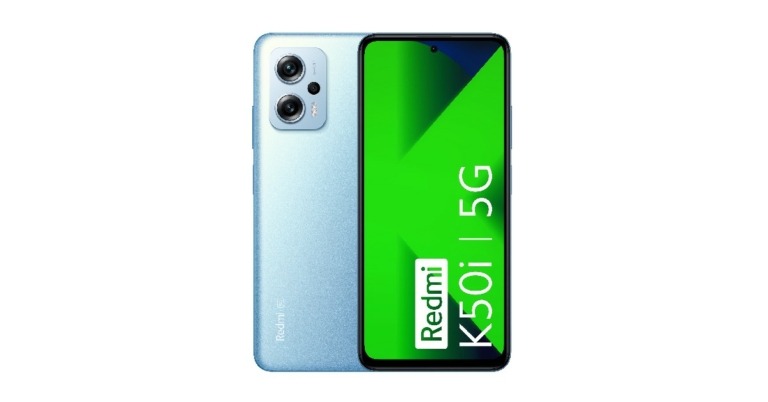
Xiaomi India has brought back the Redmi K Series with the launch of the new Redmi K50i 5G smartphone. The first K series smartphone in three years, the K50i is powered by the flagship MediaTek Dimensity 8100 processor. Xiaomi also announced the launch of Redmi Buds 3 Lite alongside the K50i. Starting at Rs 25,999, the Redmi K50i will compete in the mid-premium smartphone segment along with the likes of OnePlus Nord 2T, Vivo V23, Samsung Galaxy M53, and more. Read Also: Xiaomi Smart Speaker (IR Control) now available in India for Rs 4,999

Redmi K50i 5G: Full Specs, Highlights, and more

Redmi K50i 5G: Full Specs, Highlights, and more What makes Redmi K50i stand out is the flagship processor that drives it. The MediaTek Dimensity 8100 processor is built using the TSMC N5 and comes with four ARM Cortex A78 super cores, and four ARM Cortex A55 efficiency cores. The Redmi K50i 5G balances the power-packed performance with efficient power management. The MediaTek processor paired with LPDDR5 RAM and UFS 3.1 storage delivers a speedy performance while taking care of the user’s multitasking needs. The smartphone comes with Liquid 2.0 and a 7-layer graphite sheet for efficient cooling during heavy tasks, making it an attractive buy for gamers and streamers. The Redmi K50i comes with a 6.6-inch full HD+ liquid FFS (Field Fringe Switching) Display. It is also the first Redmi smartphone to support Dolby Vision. An adaptive refresh rate of 144Hz ensures a seamless experience for the consumer. In order to optimise the battery life, K50i’s display can switch the refresh rate depending on the content being shown on it. On top of that, the K50i also provides better colour reproduction and wider viewing angles. Audiophiles may also want to look into Redmi’s latest offering, as the K50i comes with Dolby Atmos support as well as Hi-Res wired and wireless audio. The phone comes with dual stereo speakers and a 3.5mm audio jack. With an output capacity of 500mv at 32ohms, the 3.5mm audio jack can also support powerful headphones. When it comes to camera specs, the Redmi K50i 5G features a triple camera arrangement at the rear, with a flagship 64-megapixel sensor backed by an 8MP and 2MP ultrawide lens. This camera unit can work under extreme conditions to produce high-quality images. The 16MP front camera is on par for the mid-premium segment. The 5080mAh battery pack can provide a day’s worth of backup, according to Xiaomi. It takes up to 40 minutes to be fully charged using the 67W Turbo Charger (included in the box). The Redmi K50i is available in three colours, Quick Silver, Stealth Black, and Phantom Blue. Read Also: Mid-year: Best smartphones seen so far in 2022 Prices for the Redmi K50i 5G start at Rs 25,999 for the 6GB RAM 128GB storage model, going up to Rs 28,999 for the 8GB RAM 256GB storage model. Both devices are currently available at a discounted price of Rs 20,999 and 23,999 respectively. Redmi also launched their new wireless headphones, Redmi Buds 3 Lite. Weighing only 35 grams, these are Redmi’s first double-tiered silicone earbuds that blend into your ear, providing a comfortable, snug fit. At full charge, these earbuds can deliver up to 5 hours of listening time. Currently listed at Rs 1,999, the Redmi Buds 3 Lite can be purchased at mi.com, Mi Home, and Amazon.in starting 31st July. For the latest gadget and tech news, and gadget reviews, follow us on TwitterFacebook and Instagram. For newest tech & gadget videos subscribe to our YouTube Channel.

 HP introduces two new Pavilion laptops: Specs, Price, and more details inside

0
HP has introduced two new 14-inch laptops, HP Pavilion Plus 14 and Pavilion x360 14. The two new Pavilion laptops will be the slimmest ones yet and have been designed keeping the diverse needs of Gen Z and millennial consumers in mind. Both laptops are powered by the 12th Gen Intel H Core processor to keep up with the consumers’ fast-paced lifestyle. The Pavilion Plus 14 comes in Natural Silver and Warm Gold colours and is priced at Rs 78,999. Meanwhile, the Pavilion x360 14 is available in Space Blue, Pale Rose Gold, and Natural Silver, at a starting price of Rs 76,999. Read Also: HP refreshed Omen 16, Omen 17, Victus 15, Victus 16 Gaming Laptops in India

HP Pavilion Plus 14

HP Pavilion Plus 14 At 16.5mm, the Pavilion Plus 14 is HP’s thinnest laptop yet. It comes in an all-metal chassis, enabling portability and productivity for consumers. Equipped with 12th Gen Intel Core H-series processors, this device is designed with the consumers’ gaming needs in mind. It also comes with two cooling fans and heat pipes to manage the temperature of the device while gaming, streaming, or multi-tasking. With a screen resolution of 2.2k and a 16:10 aspect ratio, the Pavilion Plus 14 provides a prime viewing experience. The HP Command Center gives the option to run the laptop in Performance Mode, Balanced Mode, and Power Saver Mode. On top of that, the HP Pavilion Plus 14 comes equipped with HP Palette and a 5MP camera with HP Presence technology and AI Noise Removal.

HP Pavilion x360 14

HP Pavilion x360 14 Powered by the 12th Gen Intel Core U-Series processors, the HP Pavilion x360 14 is equipped to handle smoother live streaming, multi-player online gaming, and faster movie downloads. The Pavilion x360 14 is designed keeping your privacy in mind, being HP’s first laptop with a manual camera shutter door. The Pavilion x360 14 also comes with HP Command Center with the option to run your laptop in Performance Mode, Balanced Mode, and Power Saving Mode. Quite similar to the Pavilion Plus, the x360 also packs a 5MP camera with HP Palette, HP Presence technology and AI Noise Removal. Read Also: Microsoft Surface Laptop Go 2 goes on sale in India Prices for the HP Pavilion Plus 14 and Pavilion x360 14 start at Rs 78,999 and Rs 76,999 respectively. Both laptops have a blue light filter built right into the display with no need to adjust the settings. The filter is easy on the eyes and is a useful tool for when you spend long hours in front of the laptop screen. It also redistributes light energy to provide beautiful colours and maintains a smoother colour performance. For the latest gadget and tech news, and gadget reviews, follow us on TwitterFacebook and Instagram. For newest tech & gadget videos subscribe to our YouTube Channel.

How to schedule WhatsApp messages on Android?

0
WhatsApp is one of the most widely used instant messaging apps across the globe. Even though it’s hugely popular, it lacks a few features that we hope will be incorporated in the coming updates. Earlier we discussed the upload size limit on WhatsApp and how to get around it. Another feature that is highly requested by WhatsApp users is the ability to schedule messages. Sending a scheduled message can come in handy when you want to send your loved ones greetings on special occasions like birthdays and anniversaries. It is also quite useful if you run a business account on WhatsApp and need to send out promotional messages to your clients. Luckily, there is a workaround to this issue. In this article, we show you how to schedule WhatsApp messages on Android. Read Also: How to schedule an email in Gmail

Here’s how you can schedule WhatsApp messages on your Android smartphone

While WhatsApp does not have a scheduled message built into it, there are a few third-party apps you can use to carry out your task. ScheduleUp, SKEDIt, and Do It Later are some of the apps you can use to schedule your WhatsApp messages. Step 1: Download and install the ScheduleUp App from the Play Store.   Step 2: Press the ‘+’ icon at the bottom right corner of the screen. Step 2: Press the ‘+’ icon at the bottom right corner of the screen. how to schedule whatsapp messages on android. best whatsapp scheduler app Step 3: Fill out the details on the following screen. This includes the contact you want the text to, the body of the text, and the time and date you want to send it. Step 3: Fill out the details on the following screen. how to schedule whatsapp messages on android. best whatsapp scheduler app Step 4: Tap on the tick icon at the top right corner of your screen once you’re done. Your message will be scheduled for the time you’ve selected. Read Also: Twitter found testing scheduling feature for web browser This is how you can schedule a message on WhatsApp. If you run a business account on WhatsApp you can use ScheduleUp and other third-party apps to set the frequency of promotional messages you want to send to your client list. If you want to send large files over WhatsApp, read our instructional article here. For the latest gadget and tech news, and gadget reviews, follow us on TwitterFacebook and Instagram. For newest tech & gadget videos subscribe to our YouTube Channel.

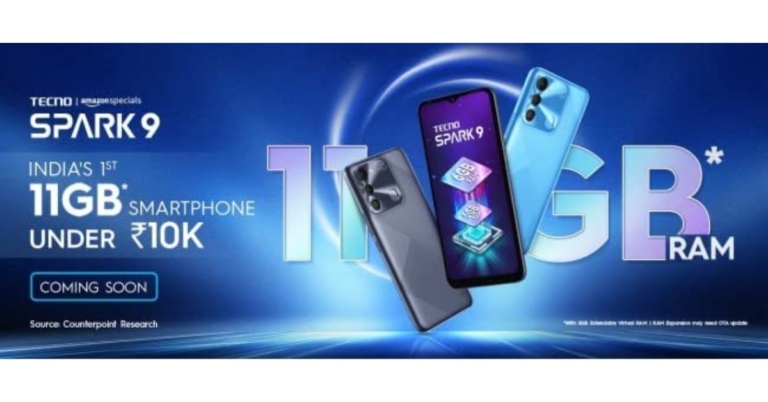
Tecno Spark 9 with extended RAM feature launched in India

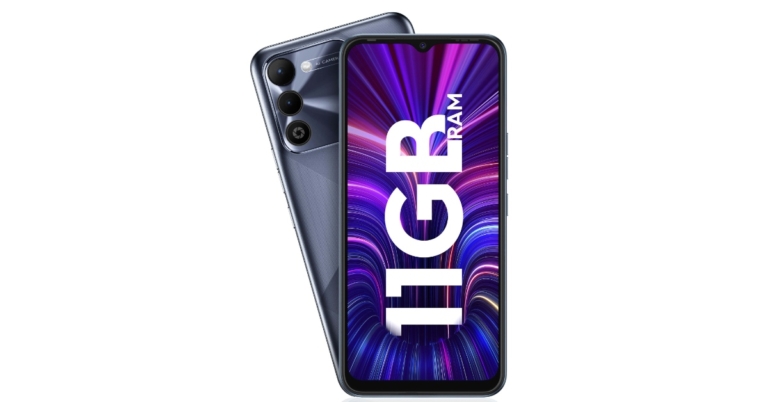
Tecno has officially announced the launch of a new smartphone in the Indian market. The company has introduced Tecno Spark 9 with 11GB of expanded RAM. The device features a 13-megapixel AI dual rear camera system and comes pre-installed with Android 12. An octa-core MediaTek Helio G37 SoC powers the phone.

Tecno Spark 9 price in India and availability details

The 4GB RAM with 64GB storage edition of the Tecno Spark 9 costs Rs 8,499. Whereas the 6GB RAM with 128GB storage option will be available for Rs 9,499. There will be two colour choices for the smartphone: Infinity Black and Sky Mirror. On July 23, as part of the Amazon Prime Day Sale 2022, the smartphone will be made available for purchase throughout the nation. Tecno Spark 9 price in India and availability details

Tecno Spark 9 specifications

The 6.6-inch screen on the Tecno Spark 9 has a 90Hz refresh rate, HD+ resolution and 89.3% screen-to-body ratio. The front of the smartphone has a water-drop notch that will house the selfie camera. The MediaTek Helio G37 SoC drives the smartphone and comes with 11GB of extended RAM, it receives 6GB of RAM and 5GB of extendable virtual RAM. Additionally, the phone has 128GB of internal storage. The smartphone comes with Android 12 for operation. The rectangular camera module’s optics consist of a 13-megapixel AI dual back camera and an LED flash. It comes with various modes like HDR Mode for Vivid Photography, AI Scene Detection, Portrait, Dual Flashlight, Video Bokeh, Time-lapse and many other modes to outperform your photography expectations. You will also get selfies with its 8MP Selfie camera with Smile Shot, Wide Selfie, AI Beauty, and other attractive modes. A fingerprint scanner may also be seen in the camera module. A 5,000mAh battery powers the Spark 9. Additionally, it has a set of DTS-powered speakers. Connectivity options include Dual-band Wi-Fi with 2.4G & 5G, Bluetooth, 3.5mm Earphone Jack, OTG, GPS and more. The smartphone comes with Soplay V2.0 for customising music where a user can customise and produce the music without the need for Internet connectivity. For the latest gadget and tech news, and gadget reviews, follow us on TwitterFacebook and Instagram. For newest tech & gadget videos subscribe to our YouTube Channel. You can also stay up to date using the Gadget Bridge Android App. You can find the latest car and bike news here.

New Android 11 Smart TVs from Acer launched in India

Acer televisions today introduced new, I-series TVs in India today The new Acer I TV Series is powered by Android 11 offering access to a vast library of content for countless entertainment possibilities. There will be four sizes of the newest Acer television generation.

Acer TV I-Series price in India and availability

The Acer TV I-Series have a starting price of Rs 14,999 and there will be four sizes of the I-series. The 43-inch, 50-inch and 55-inch models have been launched. Starting today, the new line of Acer televisions will be sold in both online and offline retail outlets on all major e-commerce platforms. Acer I TV Series price in India and availability

Acer TV I-Series specifications

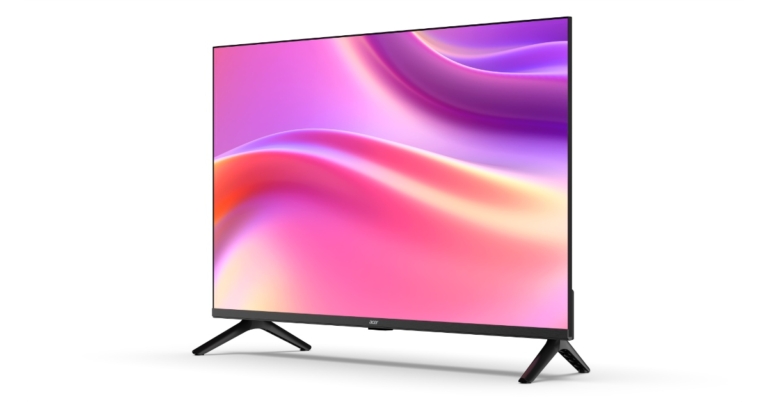
The I-Series, the newest generation of Acer televisions, will come in four sizes- 43-inch, 50-inch, and 55-inch models. All the variants debuted with Ultra High Definition display resolution, in contrast to the 32-inch model’s High Definition display resolution. Additionally, it has a strong 30-watt speaker system and supports Dolby Audio in all models. All models include Dual Band WiFi and 2-way Bluetooth. The Acer TV has an edge-to-edge display with a frameless design. A considerable improvement in picture quality is also provided by the I-Series with its increased Wide Colour Gamut+, which produces over a billion colours on the screen, HDR 10+, Super Brightness, Black Level Augmentation, and 4K Upscaling, among other features. The I-Series also has built-in Smart Blue Light Reduction technology to lessen the exposure of the viewer’s eyes to blue light during extended durations of content consumption. This results in a safer and more relaxing viewing experience. The Acer Televisions come with a Voice-enabled smart remote and a Chromecast built-in. Speaking on the launch, Anand Dubey, CEO, Indkal Technologies Pvt Ltd, said, “Following a phenomenal response on the first generation of Acer televisions in India, we are excited to launch the I-Series. This new launch reinforces our commitment to offering premium quality televisions with advanced technologies and specifications, which are loaded with many segment-leading features. We’re excited to see the Acer-branded television line grow in India, providing consumers with more choice for premium entertainment,” said Jade Zhou, VP, Global Strategic Alliances, Acer Inc. “Our collaboration with Indkal Technologies will continue to bring quality viewing experiences to the Indian market.” For the latest gadget and tech news, and gadget reviews, follow us on TwitterFacebook and Instagram. For newest tech & gadget videos subscribe to our YouTube Channel. You can also stay up to date using the Gadget Bridge Android App. You can find the latest car and bike news here.

How can I find my lost mobile using IMEI number?

0
If your phone gets lost or stolen, there is still something you can do to recover it. As long as you have the IMEI number of your device, you can still track it or at the very least render it unusable for anyone else. In this article, we explain what an IMEI number is and how you can find your lost mobile using the IMEI number. Read Also: What is the difference between Apple iCloud and iCloud Drive?

What is an IMEI number?

What is an IMEI number? An IMEI number is a 15-digit that is unique to your mobile device. You can find this code in the box that your phone came in, or you can simply look for it in the ‘Phone Details’ section of your phone settings. If your phone comes with a detachable battery, it may have the IMEI number printed on the panel below the battery pack. If your phone ever gets lost or stolen, you can use the IMEI code to block all functionality of the device. You can even use the IMEI code to track your lost device.

How to block a mobile phone using an IMEI number

How to block a mobile phone using an IMEI number If your phone gets stolen, and you’re worried it may be used for any malicious activities, you can get it blocked using the IMEI number. The Govt. of India has launched a CEIR (Central Equipment Identity Register) Portal, using which you can block your lost or stolen device. Just follow these simple steps: Step 1: File a report of the missing device with the police and keep a copy of the report. Step 2: Get a duplicate SIM card for the lost number from your telecom service provider. A duplicate SIM card is necessary since CEIR requires it to send an OTP while accepting the IMEI blocking request. Step 3: Keep the police report ready, along with proof of identity. The mobile purchase invoice is also a valid document. Step 4: Go to the CEIR Portal and fill out the request form to block the IMEI number. Step 5: After submission of the request form, you will be given a Request ID. This ID can be used to track the status of the request form and unblock the IMEI if your device gets recovered in future.

How to track your device using the IMEI number

Seek the help of the police to track your phone

After you’ve filed the police report for your missing phone, the police will use the IMEI number to track the location of your device. The police can track the mobile phone even when you’ve blocked the IMEI number on the CEIR Portal. Once someone changes the SIM card on your device or uses the existing SIM card to make a call, the location of the device is triangulated to the nearest cell tower. If your device is recovered, you can fill out a form on the CEIR portal to unblock the IMEI number.

Use an IMEI Tracker app

track phone using imei online free There are a bunch of IMEI tracker apps on Google Play Store that can help you locate your stolen phone. Fair warning, these apps may not work all the time. If you’re looking for an efficient way to track your phone using its IMEI number, consulting the police is your safest bet. However, if you want to take matters into your own hands then there are a few apps that may help you. Find My Device (IMEI Tracker) is one such app. Upon signing up on the app, it will ask you for a couple of phone numbers to send updates to. Once someone changes the SIM card on your stolen device and makes a call, you will receive the location information of your device on the phone numbers you have entered. The location will keep updating as the device moves. You can view the location on Google Maps.

Use an online IMEI tracker

track phone using imei online free You can also track your phone by entering its IMEI number on an online tracking tool. There are a few websites that specialise in tracking your mobile phone using its IMEI code. IMEI tracker is one of the best around. The efficiency of these websites is about the same as the tracker apps, but it’s still better than having nothing. Once you’ve entered the IMEI code, you need to specify the country in which the phone is registered. After that, you can begin to track your stolen phone.

Frequently Asked Questions

How can I check my IMEI number?

You can find your phone’s IMEI number by checking its packaging or by simply dialling *#06#. You can also go to Settings>About Phone to view your IMEI number.

Can you track a phone with an IMEI number?

If your phone’s location services are turned off, you can still track it using its IMEI number. After blocking your phone’s IMEI number on the CEIR portal, head over to your nearest police station and request them to track your phone for you. You can also use an IMEI tracker app or a web portal to find your phone by yourself.

Can the IMEI number be tracked without SIM?

Yes, you can still track your phone using its IMEI number even when your SIM card as been removed or replaced. If someone uses another SIM card on the device, its location will show up as soon as the device makes contact with the nearest cell tower. Read Also: 10 things to check when buying a second-hand Apple iPhone

Conclusion

This is how you can find your lost mobile using the IMEI number. It goes without saying that you should preserve your IMEI number as it is necessary to recover your device once it has been lost or stolen. At the very least you can block your mobile phone so it won’t be used for any inappropriate activities. You can also use the IMEI number to know more details about your phone by logging on to imei.info. If you’re buying a used mobile phone, you can use the IMEI number to check if the phone has a history of insurance claims, or if it has been stolen in the past. For the latest gadget and tech news, and gadget reviews, follow us on TwitterFacebook and Instagram. For newest tech & gadget videos subscribe to our YouTube Channel.

Mid-year: Best smartphones seen so far in 2022

2022 has already seen the release of some of the most exciting smartphones that will certainly make it to the year-end lists. And this is when Apple hasn’t come out with its flagship iPhone 14 yet. With so many excellent products already released this year, we thought it would be a good idea to recap some of the best phones that have stood out across categories. So without further ado, we present the best smartphones seen so far in 2022. Read Also: Best smartphones with Android 12

Samsung Galaxy S22 Ultra

Samsung Galaxy S22 Ultra specifications Specifications Display: 6.8-inch OLED CPU: Snapdragon 8 Gen 1 RAM: 8GB, 12GB Storage: 128 GB, 256GB, 512GB, 1TB Camera: Rear – 108MP + 10MP + 10MP + 12MP Front – 40MP Samsung Galaxy S22 Ultra is hands down the best premium Android smartphone you can buy right now. Released in February 2022, this smartphone has dominated the premium smartphone category since. While it still remains to be seen how it will fare against the upcoming iPhone, the Samsung Galaxy S22 Ultra reigns the Android market. With 5 cameras and a 6.8-inch OLED screen with up to 120Hz refresh rate, the Samsung Galaxy S22 ‘Ultra’ really lives up to its name. The Snapdragon 8 Gen 1 processor along with 8GB RAM ensures excellent performance, comfortably leaving behind its peers. The Samsung Galaxy S22 Ultra also comes with an embedded S Pen, reminiscent of the Note series. But quite unlike the stylus in the Note series, the S Pen is seamlessly integrated into the working of the S22 Ultra. It offers a range of functions as well, from editing pictures to taking a quick note or even acting as a remote control for your S22 Ultra. The rear 108MP camera thrives in low lighting, producing outstanding pictures even without turning on the Night Mode. There is not much to separate the S22 Ultra from the iPhone 13 when it comes to camera quality. Overall, Samsung S22 Ultra is the best smartphone we’ve seen so far in 2022. But with the launch of iPhone 14 Max on the horizon, the title could easily move the other way.

Apple iPhone SE (2022)

iPhone SE 2022 Review: A good mix of old and new  Specification Display: 4.7-inch LCD CPU: A15 Bionic RAM: 4GB Storage: 64 GB, 128GB, 256GB Camera: Rear – 12MP Front – 7MP Launched in March 2022, the iPhone SE was the first iPhone to launch this year, with Apple planning the release of its flagship iPhones for the latter part of the year. At Rs 45,099, the iPhone SE is the most affordable iPhone on the market. For the price and category, the iPhone SE is a largely overperforming smartphone. Powered by the same A15 Bionic processor found in iPhone 13, the iPhone SE delivers a performance unmatched in its category. Perhaps, the only downside is the lack of Night Mode, but if you can look past that, the iPhone SE is a powerful device with a huge bang for your buck. With the flagship iPhones yet to be released, the iPhone SE is already one of the best smartphones of 2022.

OnePlus 10 Pro

OnePlus 10 Pro Review: Design and Display Specifications Display: 6.7-inch AMOLED CPU: Snapdragon 8 Gen 1 RAM: 8GB, 12GB Storage: 128GB, 256GB Camera: Rear – 48MP + 50MP + 8MP Front – 32MP For a phone with a price of Rs 66,999, the OnePlus 10 Pro does surprisingly well to hang with the likes of the iPhone 13 Pro Max and Samsung S22 Ultra. One aspect where OnePlus clearly dominates is the battery performance. The near 12-hour battery life outperforms the iPhone 13 and the S22 Ultra. The OnePlus 10 Pro is powered by the same Snapdragon 8 Gen 1 processor as the S22 Ultra and works just as seamlessly as the latter. The camera unit has a smart design and coupled with the back panel, it stands out among its competitors, making it one of the best smartphone releases of 2022. When it comes to the camera, the OnePlus 10 Pro can do slightly better. Both the iPhone 13 and S22 Ultra come packed with exceptional cameras, and the OnePlus 10 Pro is visibly a step behind them. But if you’re looking for a powerful gaming phone with a unique design and an attractive price point, the OnePlus 10 Pro is just the device for you.

ASUS ROG Phone 6 Pro

Asus ROG Phone 6 and ROG Phone 6 Pro with 165Hz AMOLED display and Snapdragon 8+ Gen 1 SoC launched in India Specifications Display: 6.8-inch AMOLED CPU: Snapdragon 8 Plus Gen 1 RAM: 18GB Storage: 512GB Camera: Rear – 50MP + 13MP + 5MP Front – 12MP The ASUS ROG Phone 6 Pro is possibly the best gaming smartphone you can buy right now. With a Snapdragon 8 Plus Gen 1 processor coupled with 18GB RAM, the ROG Phone 6 Pro delivers one of the best performances by an Android smartphone. The smartphone has been designed in the mould of a proper gaming device, with aesthetics that will surely catch the eye of gamers. The back panel is studded with sharp graphics, and also comes with a mini display screen that can be customised to put any animation you want. The 6000mAh battery on the ROG Phone 6 is impressive, to say the least. Offering a battery life of 15 hours, there aren’t many gaming devices that can rival the ROG Phone 6 Pro. The camera leaves a lot more to be desired, but given the purpose the phone is designed for, there’s not a lot we can complain about.

Xiaomi 12 Pro 5G

Xiaomi 12, Xiaomi 12 Pro, Xiaomi 12X price (global) and availability details Specifications Display: 6.7-inch AMOLED CPU: Snapdragon 8 Gen 1 RAM: 8GB, 12GB Storage: 128GB, 256GB Camera: Rear – 50MP + 50MP + 50MP Front – 32MP Xiaomi continues to deliver with its range of premium smartphones, and the Xiaomi 12 Pro 5G is another substantial addition to that. Launched in April 2022 worldwide, the 12 Pro is Xiaomi’s most premium flagship offering yet. The three 50MP rear cameras deliver consistent image quality, with possibly the best camera performance we’ve seen from a Xiaomi device yet. The 12 Pro can also record 4k Ultra HD videos at 30fps. One handy feature is the ability to record videos with the screen off in order to save power. Powered by the high-end Snapdragon 8 Gen 1, along with 12 GB RAM, the Xiaomi 12 Pro leaves no stone unturned in its performance. Priced at Rs 62,999, the Xiaomi 12 Pro 5GB holds its own among the other premium smartphones on this list.

Nothing Phone 1

Nothing Phone 1 Price in India and availability Specifications Display: 6.5-inch OLED CPU: Snapdragon 778G+ RAM: 8GB, 12GB Storage: 128 GB, 256GB Camera: Rear – 50MP + 50MP Front – 16MP Launched in July 2022, the Nothing Phone 1 is the most recently released phone on this list. Ever since its announcement, the Nothing Phone managed to create a buzz around it, with the hype only growing even after its release. And now that it is finally here, you can expect it to be on several year-end lists. Priced attractively at Rs 31,999 for the lowest variant, the Nothing Phone may not be in the segment as the other smartphones on this list, but its groundbreaking design and display will certainly attract a lot of premium smartphone buyers towards it. What sets the Nothing Phone apart from every smartphone on this list is the LED notification system powered by the company’s Glyph interface. The smooth LED channels running across the transparent back panel light up on receiving a notification. You can also customise the LED channels to respond differently to different notifications. While there’s still some time to go until we can appropriately judge how the Nothing Phone performs in the market, its unique design elements will certainly make it one of the most talked about phones this year.

Vivo V23 Pro

Vivo V23 Pro 5G Specifications Display: 6.5-inch AMOLED CPU: MediaTek Dimensity 920 RAM: 8GB, 12GB Storage: 128GB, 256GB Camera: Rear – 108MP + 8MP + 2MP Front – 50MP + 8MP The Vivo V23 Pro offers an attractive design, keeping up with the theme of the V series. The colour-changing rear panel will make it appealing to buyers that hold the aesthetics of a smartphone to a higher standard than the performance. The soft-touch matte finish gives the Vivo V23 a more premium feel. While Vivo has pushed the boundary on looks and design, the V23 comes with a medium-sized notch at the centre of the screen which can’t help but make it look a bit dated. The camera performance is impressive, especially in low light. The powerful 50MP + 8MP dual front camera produces excellent images, that match those of its competitors. The Vivo V23 lacks a second stereo speaker, which is a bit of a letdown, but if you’re willing to look beyond that, the V23 is an attractive buy at Rs 38,990.

Oppo F21 Pro

Oppo F21 Pro 2 best smartphones 2022 Specifications Display: 6.4-inch AMOLED CPU: Snapdragon 680 RAM: 8GB Storage: 128GB Camera: Rear – 64MP + 2MP + 2MP Front – 32MP At Rs 22,999, the Oppo F21 Pro is one of the lowest-priced smartphones on this list. It is also one of the best phones you can buy for under Rs 25k. The Oppo F21 Pro outperforms most of the smartphones in its price category, making it feature on this list. The minimal back panel design along with the smartly packed camera unit give it a look that is quite unique from the other smartphones in this category. The Snapdragon 680 processor provides decent performance with a 90Hz refresh rate. The most exciting feature on the F21 Pro that makes it stand out on this list is the microscope feature. Embedded in the camera app, turning on this feature will turn your smartphone into a microscope. Placing the camera a few millimetres away from the subject will give you microscopic visuals that are undetected by the naked eye. This is one feature that Oppo can market around, as it is definitely unique and quite addictive.

iQOO Z6

best smartphones 2022 Specifications Display: 6.5-inch LCD CPU: Snapdragon 695 5G RAM: 4GB, 6GB, 8GB Storage: 128GB Camera: 50MP + 2MP +2MP Front – 16MP iQOO continues to gain a foothold in the Indian market, and its newest offering, the Z6, will certainly add to that. Priced at Rs 15,499, the iQOO Z6 provides one of the best performances in the budget smartphones segment. The Snapdragon 695 processor with a refresh rate of 120Hz, along with a 5000mAh battery pack are unheard of in a phone competing in this segment. Needles to say, the iQOO Z6 beats every phone in its category when it comes to processing power and battery life. The camera could be slightly better, but it’s something we’re hoping iQOO improves upon with later products in this range. That being said, the iQOO Z6 is still one of the best smartphones released in 2022 in the mid-tier category.

Motorola Moto E32S

Moto E32s Review: A really good budget smartphone for less than 10K. best smartphones 2022 Specifications Display: 6.5-inch LCD CPU: MediaTek Helio G37 RAM: 3GB, 4GB Storage: 32GB, 64GB Camera: Rear – 16MP + 2MP + 2MP Front – 8MP Finally, seeing this list out is a budget smartphone under Rs 10k, the Moto E32S. The E32S looks way more premium for a phone priced at Rs 8,999. Powered by the MediaTek Helio G37 processors with a refresh rate of 90Hz, the Moto E32S is one of the best-performing smartphones under the Rs 10k range. The plastic body of the E32S feels quite sturdy when you hold the device, but the acrylic back panel is prone to collecting some smudges. The rear 16MP main camera paired with two 2MP cameras deliver a great performance for a smartphone on this budget. There arent not a lot of smartphones under 10k that can offer this design and back it up with the performance as well.  Read Also: The best Alexa and Amazon Echo devices for each room of the house These were our picks for the best smartphones released in 2022 so far. If you think we missed a smartphone, let us know in the comments! For the latest gadget and tech news, and gadget reviews, follow us on TwitterFacebook and Instagram. For newest tech & gadget videos subscribe to our YouTube Channel. You can also stay up to date using the Gadget Bridge Android App. You can find the latest car and bike news here.

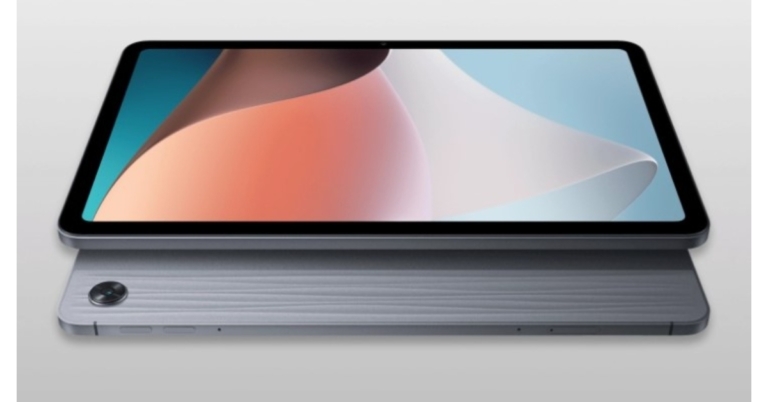
Oppo Pad Air and Oppo Enco X2 TWS earbuds launched in India

The Chinese tech company has also unveiled new tablets and true wireless stereo (TWS) headphones in India in addition to the new Oppo Reno 8 Series. The Oppo Pad Air and Oppo Enco X2 TWS earbuds were formally introduced. The Oppo Pad Air is the company’s first tablet to be sold in the country and it is equipped with a Snapdragon 680 SoC. The Oppo Enco X earbuds are replaced by the new TWS earphones, which have ANC and 11mm dual dynamic drivers.

Oppo Pad Air price in India and specifications

The entry-level Oppo Pad Air variant with 4GB RAM with 64GB of storage costs Rs 16,999. There is also a 4GB RAM with 128GB storage option of the tablet available for Rs. 19,999. There is only one colour available for it: Grey. From July 23 through Flipkart, the tablet will be sold in the nation. Oppo Pad Air price in India and specifications The new Oppo Pad Air has a 10.36-inch display with 2,000×1,200 pixels of resolution. The tablet has TUV Rheinland certification as well, a 60Hz refresh rate, an 225ppi pixel density and a maximum brightness of 360 nits. The device runs on Android 12 with ColorOS 12.1 for Pad on top. An octa-core 6nm Snapdragon 680 SoC, an Adreno 610 GPU, and up to 6GB of LPDDR4x RAM power the new tablet. Additionally, the tablet provides a microSD card slot for additional storage of up to 128GB of UFS 2.2 capacity (up to 512GB). On-the-go (OTG) data transfer is also supported. The Oppo Pad Air has a single 8-megapixel camera sensor with an f/2.0 lens on the back. It has a 5-megapixel front-facing camera sensor with an f/2.2 lens for selfies and video calls. A 7,100mAh battery inside the Oppo Pad Air enables 18W quick charging. According to claims, the battery can power up to 15 hours of video calling. The Oppo Pad Air has Wi-Fi 5, Bluetooth v5.1, and a USB Type-C port for connectivity. The onboard sensors include a magnetometer, gyroscope, accelerometer, and ambient light sensor. The tablet also features a facial recognition function. For a surround sound experience, Dolby Atmos is supported by four speakers.

Oppo Enco X2 price in India and specifications

The price of the Oppo Enco X2 earphones is Rs. 10,999. They come in Black and White as colour choices. Beginning on July 25, The TWS will be offered for sale via Flipkart across the nation. The new Oppo Enco X2 earbuds incorporate 11 mm dynamic drivers and have a frequency response range of 20-40,000Hz. Three microphones are included in the in-ear TWS earbuds, which have an in-ear configuration. Oppo Enco X2 price in India and specifications The TWS include active noise cancellation (ANC) technology, which may suppress outside noise by up to 45dB. The sound tuning is done by Danish speaker manufacturer Dynaudio. The Oppo Enco X2 earphones have wireless Hi-Res Audio certification. The Dolby binaural recording capability on the earphones is meant to aid vloggers and video producers in capturing crystal-clear audio. The earbuds have Bluetooth v5.2 connectivity with LHDC 4.0, AAC, and SBC audio codec support and a 10-metre maximum operating range. The Oppo Enco X2 earphones also feature an IPX5 splash resistance rating. Each earbud has a 57mAh battery within, while the charging case has a 566mAh battery. It is claimed to play music for up to 5 hours straight on a single charge. The oval-shaped charging case and the earbuds together are touted to provide up to 20 hours of music playback when ANC is enabled. For the latest gadget and tech news, and gadget reviews, follow us on TwitterFacebook and Instagram. For newest tech & gadget videos subscribe to our YouTube Channel. You can also stay up to date using the Gadget Bridge Android App. You can find the latest car and bike news here.

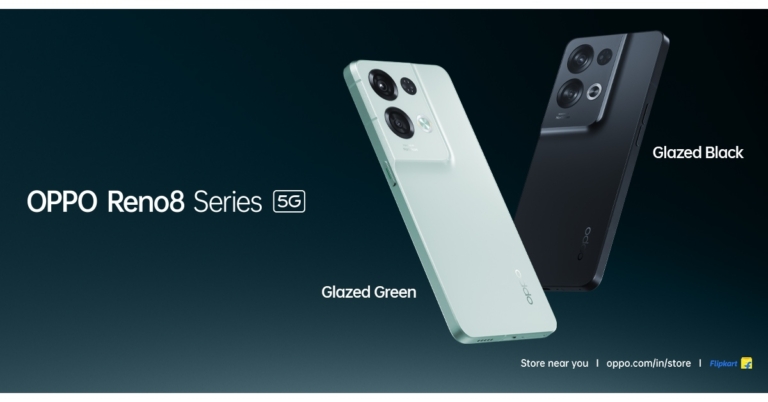
Oppo Reno 8 Pro and Reno 8 with triple cameras launched in India

Oppo Reno 8 Pro and Reno 8 were unveiled in India as the newest smartphones in the Reno series. Both smartphones share many similarities powered by MediaTek Dimensity SoCs. Moreover, both phones come with a 50-megapixel camera. The Oppo Pad Air and Oppo Enco X2 true wireless stereo (TWS) headphones were also introduced alongside the smartphones.

Oppo Reno 8 Pro specifications

The Oppo Reno 8 Pro has a 6.7-inch full-HD+ AMOLED display with 1,080×2,412 pixels of resolution. The screen supports up to 120Hz refresh rate and HDR10+ with Corning Gorilla Glass 5 protection. It runs ColorOS 12.1 based on Android 12. MediaTek Dimensity 8100-Max SoC, which has eight cores, and up to 12GB of LPDDR5 RAM powers the device. Storage on the Oppo Reno 8 Pro is UFS 3.1 capable of up to 256GB. Oppo Reno 8 Pro specifications The Oppo Reno 8 Pro has three rear cameras, each with a 50-megapixel Sony IMX766 sensor with an f/1.8 aperture. There is a 2-megapixel macro camera with an f/2.4 lens, an 8-megapixel sensor paired with an f/2.2 ultra-wide aperture with a 112-degree field of view. Oppo has additionally integrated the MariSilicon X NPU with the camera to enhance overall performance in both bright and dim light. For selfies and video calls, the Oppo Reno 8 Pro has a 32-megapixel camera sensor with an f/2.4 aperture. The phone has 5G, 4G LTE, Wi-Fi 6, Bluetooth v5.3, GPS/A-GPS, NFC, and a USB Type-C port as connectivity options. A fingerprint sensor for biometric authentication is built inside the phone. The smartphone has a 4,500mAh battery that supports fast charging at 80W Super Flash Charge.

Oppo Reno 8 specifications

Oppo Reno 8 comes with a 6.43-inch full-HD+ AMOLED screen with 1,080×2,400 pixels of resolution. The display has a 90Hz refresh rate, 800 nits peak brightness and a 20:09 aspect ratio. The screen is protected with Corning Gorilla Glass 5 layering. The smartphone is powered by an octa-core MediaTek Dimensity 1300 SoC and can support up to 8GB of LPDDR4x RAM and offers UFS 3.1 storage with a maximum capacity of 256GB. Oppo Reno 8 specifications The Oppo Reno 8 has a triple-back camera configuration with a 50-megapixel primary sensor and an f/1.8 aperture. Additionally, there is a 2-megapixel macro camera with an f/2.4 lens and an 8-megapixel ultra-wide angle lens with an f/2.2 aperture and a 112-degree field of view. The phone has a 32-megapixel front camera sensor with an f/2.4 aperture for selfies and video calls. The phone has 5G, 4G LTE, Wi-Fi 6, Bluetooth v5.3, GPS/A-GPS, NFC, and a USB Type-C port as connectivity options. The phone also has a fingerprint sensor hidden beneath the display to unlock the handset. It has a 4,500mAh battery that supports fast charging @ 80W Super Flash Charge.

Oppo Reno 8 Pro, Reno 8 price in India

The Oppo Reno 8 Pro’s price is Rs 45,999 for the 12GB RAM with 256GB storage model. Glazed Black and Glazed Green colour choices will be offered. On purchases made using ICICI Bank, SBI Cards, Kotak Bank, and Bank of Baroda credit cards and debit cards, the company is providing a 10% cashback incentive up to Rs 4,000. Moreover, users can receive a rebate of Rs 1,500 on non-EMI transactions made through ICICI Bank, SBI cards, and Kotak Bank. In terms of availability, the device will go on sale starting on July 25. On the other hand, the Oppo Reno 8 costs Rs 29,999 in India for the 8GB RAM with 128GB storage model. It will be sold in the colour options of Black and Gold. On purchases made using ICICI Bank, SBI Cards, Kotak Bank, and Bank of Baroda credit cards and debit cards, customers may receive a 10% cashback. A cashback offer of Rs. 1,200 has also been made available by the company on non-EMI transactions made through ICICI Bank, SBI cards, and Kotak Bank. The smartphone will be offered on July 19 via Flipkart, OPPO Store, and traditional retail locations. For the latest gadget and tech news, and gadget reviews, follow us on TwitterFacebook and Instagram. For newest tech & gadget videos subscribe to our YouTube Channel. You can also stay up to date using the Gadget Bridge Android App. You can find the latest car and bike news here.

Consumer Advice: Why You Must Use Custom Flyers for Your Business

When running a business, it’s important to get the word out as much as possible. You want to make sure that as many people as possible know about your products or services to increase your customer base. One way to do this is by using custom flyers. Flyers are a great way to reach many people quickly and easily. This blog post will discuss how you can expand your reach with custom flyers. Let’s take a look at these reasons.

Cost-Effective

Printing in small quantities is always more expensive per piece than printing in larger quantities. When you print custom flyers, you can print exactly the number you need, saving you money. In addition, custom flyers are usually printed on both sides and it’s not much more extra to do so. Another cost-saving tip is to use online printing services. Online printers often have lower prices than brick-and-mortar shops because they have lower overhead costs. Plus, they offer discounts for bulk orders and frequently run sales and promotions. Investing in custom flyers is affordable to get your business noticed without breaking the bank.

Leaves a Great Impact on Public

Custom flyers are a great way to promote your business. They significantly impact the public and can be an effective marketing tool. Custom flyers can promote your products or services or raise awareness about your business. When used correctly, custom flyers can be a very powerful marketing tool. Your customers will always expect your new, innovative flyer design to be printed as soon as possible. If you want to get the most out of your custom flyers, you should use them to promote your products or services. You can use them to raise awareness about your business or promote your products or services. If used correctly, custom flyers can be a very powerful marketing tool. Your customers will always appreciate new, innovative flyer designs printed quickly and efficiently.

Get Personalized With Flyers

Custom flyers are the best way to get personal with your marketing. You can include a message or offer that is specific to your target audience, making them more likely to notice. Using unique designs and colours, you can also use custom flyers to stand out from the competition. Flyers are also a great way to promote sales and special events. By including a coupon or discount code on your flyer, you can entice potential customers to come into your store or visit your website. And if you’re hosting an event, you can use flyers to spread the word and attract people to attend.

Flyers are Spacious

Custom flyers are a great way to get your message across without cramming everything into a small space. You can use them to list all of your products or services and provide detailed information about each. This allows potential customers to quickly and easily see what you have to offer without having to search through many small prints. Custom flyers also allow you to include QR codes or other forms of interactive content. This makes it easy for people to learn more about your business on their own time and terms. And since they’re so easy to share, custom flyers are a great way to reach out to new potential customers who might not have heard of you otherwise.

Flyers may Include Incentives

One great way to get people to read your flyer is to include some incentives. This could be a coupon, a discount, or even a chance to win something. If people see that they stand to gain something by reading your flyer, they’ll be likelier to give it a look. Including an incentive on your custom flyers is a great way to grab attention and get people interested in what you have to say! So if you’re looking for a way to make your flyers more effective, this is one method you should consider.

The Bottom Line

Custom flyers are a potent marketing tool that every business should take advantage of. Not only do they leave a significant impact on the public, but they’re also highly effective in driving sales and boosting brand awareness. If you’re not already using custom flyers to promote your business, now is the time to start! For the latest gadget and tech news, and gadget reviews, follow us on TwitterFacebook and Instagram. For newest tech & gadget videos subscribe to our YouTube Channel. You can also stay up to date using the Gadget Bridge Android App. You can find the latest car and bike news here.

Amazon Quiz Answers Today 19 July 2022: Participate to win Rs 25,000

19 July 2022 Amazon Quiz has gone live on its mobile app platform. The quiz can be played from 12 AM to 11:59. All you need to do is just answer five easy questions that the e-commerce website puts before you. Today you can stand a chance to win Rs 25,000 Amazon Pay Balance. Every day Amazon posts a new questionnaire that consists of five simple questions about general knowledge and current events. To enter a lucky draw, participants must correctly answer the questions. One incorrect answer will result in your elimination from the quiz. Each month, only one person will be declared the winner and the results will be announced at the end of the month. Amazon customers who submit correct answers can win an Amazon Pay Balance worth up to Rs 50,000. To ensure that you answer all five questions correctly, Gadget Bridge updates all of the correct answers on a daily basis. Take a look at today’s answers: Amazon Quiz Today Prize – Rs 25,000 Amazon Pay Balance Quiz Date – 19 July 2022 Daily Timing – 12 AM to 11:59 PM Winner Announcement – Today 12 PM

Amazon Quiz Answers Today 19 July 2022

Question 1: Which Indian cooperative has been ranked ‘number one Cooperative’ among the top 300 cooperatives in the world?

Answer: IFFCO

Question 2: Which country recently ordered 80 Rafale fighter jets from France, the largest order ever for the warplane?

Answer: UAE

Question 3: Beyond EPICA project started with the aim of drilling for and recovering what from up to 1.5 Million years ago in Antarctica?

Answer: Ice

Question 4: Who among these is one of the co-founders of this app?

Answer: Kevin Systrom

Question 5: Kano Jigoro Shihan was the founder of which Japanese martial art, that was the first martial art to become an official sport here?

Answer: Judo

How To Play Amazon Quiz

Only app users are eligible to play the Amazon quiz every morning from 12 AM to 11:59 PM. The quiz is not available on the desktop. For those who are unaware of how to play the Amazon quiz below are the steps, you can follow to take the quiz.
  • Firstly download the Amazon app from Google Play Store or App Store
  • Now fill in the required information through the Sign Up option.
  • You need to log in to the Amazon app and scroll down on the home screen to find the Amazon Quiz banner.
  • Tap on the Amazon Quiz banner and tap on the Start button to start the Quiz.
  • Now you will get 5 questions and you need to answer them correctly. One wrong answer will eliminate you from the Quiz.
  • After answering all the questions correctly you are now eligible for a Lucky Draw.
  • The winner’s name will be announced today at 12 PM.
For the latest gadget and tech news, and gadget reviews, follow us on TwitterFacebook and Instagram. For newest tech & gadget videos subscribe to our YouTube Channel. You can also stay up to date using the Gadget Bridge Android App. You can find the latest car and bike news here.

Best methods to fix Windows 10 Not Detecting HDMI TV or Monitor

An HDMI connection is the best way to project your PC screen on another display unit. The display transition is seamless and you can work on a secondary screen without experiencing any lag. Sometimes, an issue may arise when your PC does not recognise a secondary display unit. Today, we bring you the best methods to fix Windows 10 not detecting HDMI TV or monitor. Read Also: The Top 5 Gadgets to Use in 2022

Detect Display Manually

If you’re using an older TV or monitor to connect to your PC, it is possible that Windows 10 may not automatically detect it. Windows provides you with the option to manually detect any hardware externally connected to your PC. Just follow the steps mentioned below and you’ll be able to connect your TV or monitor. Step 1: Open Windows Settings Menu and select ‘System’. Step 1: Open Windows Settings Menu and select ‘System’. Step 2: Select ‘Display’ from the panel on the left. Step 2: Select ‘Display’ from the panel on the left. Step 3: Scroll down to ‘Multiple Displays’ and select ‘Detect’. Step 3: Scroll down to ‘Multiple Displays’ and select ‘Detect’. Your PC will scan for a display unit. If it does not detect the TV or monitor you’re trying to connect, move on to the next method.

Check the Projection Setting

Windows 10 offers you several projection settings like PC screen only, Extend, Duplicate, and the Second screen only. If your secondary monitor/TV isn’t displaying anything, it is possible that your projection settings are set to ‘PC Screen only’. Switching to a different projection setting will fix the issue. Simply press ‘Windows Key + P’ to launch the Projection Setting menu, or search for ‘Projection Settings’ in the Windows search bar. Once the settings come up, select your preferred projection mode.
  • PC Screen Only: This setting will only display your screen on your PC and no other secondary display unit. If your TV/monitor isn’t displaying anything, it may be because you’ve selected this option.
  • Duplicate: Choosing this option will project your PC screen on the secondary display unit.
  • Extend: If you want your display to be stretched across two monitors, select Extend. Your display will be split into two equal portions and displayed across the two monitors.
  • Second Screen Only: Selecting this option will project your display on the secondary TV/monitor only. 

Update Display Driver

An outdated driver may be keeping your PC from detecting a secondary display unit connected over HDMI. Follow these steps to update the relevant drivers. Step 1: Press ‘Windows Key + X’ to launch the Windows Quick Access Menu. Step 2: Select Device Manager. Step 2: Select Device Manager. hdmi monitor not detected windows 10 Step 3: Click on the downward arrow next to ‘Display Adapters’. Step 4: Right-click on the graphics driver and select ‘Update Driver’. Step 4: Right-click on the graphics driver and select ‘Update Driver’. hdmi monitor not detected windows 10 Step 5: If you want to download an updated driver from the internet, select ‘Search automatically for updated driver software’. If you do not have access to the internet, select ‘Browse my computer for display software’ and select Microsoft’s Basic Display Adapter. select ‘Search automatically for updated driver software’. hdmi monitor not detected windows 10

Change Multiple Display Operating Mode

Step 1: Right-click anywhere on your desktop and select ‘Graphic Properties’. Step 2: Select ‘Basic Mode’ and click on ‘OK’. Step 3: Select ‘Multiple Displays’ under the display section.  Step 4: Click on Operating Mode and see if the external display unit is listed on it. If it is, select the option to duplicate or extend your screen. If it isn’t, update your display driver. Read Also: How to connect your iPhone to your TV? These are the common fixes you can try if Windows 10 does not detect an external monitor or TV connected through an HDMI cable. You can also try restarting your PC while your system is connected to the TV. Additionally, you can try turning off the external monitor/TV and then turning it back on. For the latest gadget and tech news, and gadget reviews, follow us on TwitterFacebook and Instagram. For newest tech & gadget videos subscribe to our YouTube Channel. You can also stay up to date using the Gadget Bridge Android App. You can find the latest car and bike news here.

What is the difference between Apple iCloud and iCloud Drive?

If you’re a casual Apple user, you may not see any difference between Apple iCloud and the iCloud drive. And to be fair, on the surface, the two services may look the same to an average user. However, they couldn’t be more different from each other. While both are backup services, they serve entirely different purposes. In this article, we explain what the Apple iCloud and iCloud Drive actually do and how the two services are different from each other. Read Also: How to Fix Emails Stuck in Outbox of Microsoft Outlook?

In This Article

Apple iCloud

iCloud The Apple iCloud has been around for more than a decade. Launched in 2011, the cloud backup service is used by millions of Apple users to backup their iPhone and iPad data, and sync it across multiple devices. If you ever needed to transfer your contacts from your old Apple device to your new iPhone, you probably used iCloud. When the iCloud is turned on, it automatically syncs your phone data like contacts, messages, calendar, notes, photos, reminders, documents, and more. If you use multiple Apple devices, iCloud makes things a lot more convenient by syncing your data across devices and reflecting whatever changes you make to it. For example, if you update a contact on your iPhone, it will also get updated on your iPad and vice versa.

iCloud Drive

iCloud Drive So what is iCloud Drive? Simply put, iCloud Drive is Apple’s file-sharing and storage service, much like Dropbox, Google Drive, and Microsoft One Drive. It is an extension of the services offered by Apple iCloud. Much like Dropbox, you can upload all kinds of files to iCloud Drive to share with your friends, or even maintain a personal backup. A frequently asked question is why would a user need iCloud Drive when iCloud already backs up their phone data? Firstly, iCloud may store your phone data, but it does not allow you to share it with anyone else. It is not a file-sharing platform. Secondly, iCloud does not sync all the data on your device. For example, any audiobooks, mp3s, or pdfs that you transferred to your iPhone from your PC will not be backed up to the iCloud. iCloud only syncs music, audiobooks, and media that were purchased through Apple services. But with iCloud Drive, you can backup and share any data on your device, including ripped mp3s and third-party apps. Read Also: 5 Best Ways To Quickly Recover Deleted Contacts On iPhone These are the major differences between iCloud and iCloud Drive. Apple offers its users 5GB of free storage space for both services. After you’ve surpassed the 5GB cap, you’ll need to purchase further storage space. Currently, Apple offers an additional 50GB of storage for the price of $0.99 (Rs 75 for Indian users). For the latest gadget and tech news, and gadget reviews, follow us on TwitterFacebook and Instagram. For newest tech & gadget videos subscribe to our YouTube Channel. You can also stay up to date using the Gadget Bridge Android App. You can find the latest car and bike news here.

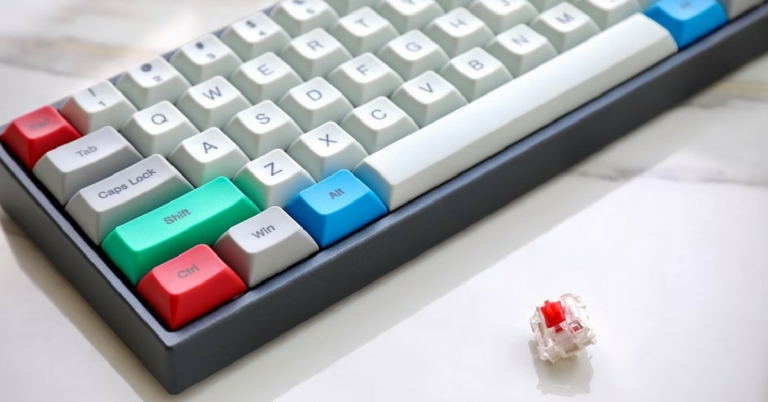
Best ways to clean your mechanical keyboard and how to fix a broken key?

Mechanical keyboards, if maintained in the right manner, can last for decades. A quick clean-up doesn’t take a long time, and when done regularly can prevent a lot of issues with your keyboard. One of the most common reasons for a key breaking down is the accumulation of dirt under it. In this article, we bring you the best ways to clean your mechanical keyboard and show you how to fix a broken key. Read Also: Simplest guide to clean your headphones or earphones

Light Clean-up

It is very common for dust to settle in your mechanical keyboard within days after cleaning. Dirt notoriously finds its way between the keys, and it becomes necessary to lightly clean your keyboard regularly to prevent the dirt from accumulating. You can perform a light surface clean once every two weeks, or whenever you see the dirt building up. Here’s how you can do that.
  • Invest in a keyboard vacuum cleaner. It may seem excessive initially, but it is the easiest and most efficient way to extract dirt from your mechanical keyboard. It can even reach all those corners that are otherwise inaccessible. Most vacuums come with different attachments that will cover all bases when it comes to removing dirt from all areas of the keyboard.
Invest in a keyboard vacuum cleaner.
  • If you do not have a keyboard vacuum cleaner, using a brush also gets the work done. While it may not be as efficient as a vacuum, it still comes in very handy when doing regular light clean-ups on your keyboard. Some people do not feel the need to buy a vacuum when they use a brush on their keyboard once a week. A good brush has long bristles that can reach between the keys to wipe out the dirt. After brushing your keyboard, turn it upside down and gently tap the back to get all the small particles out.
If you do not have a keyboard vacuum cleaner, using a brush also gets the work done.
  • After you’ve got the dirt out from between the keys, use a clean, damp microfiber cloth to wipe the keyboard down. Once you’ve wiped it with a damp cloth, wipe it again with a dry one to make sure no moisture gets stuck to the keys.

Deep Clean

If you want to increase the longevity of your mechanical keyboard, you need to give it a proper deep clean once every few months. Even though a gentle surface clean takes care of the dust, it does not entirely prevent it from getting under the keys. A deep clean removes all traces of dirt and dust, and also leaves your keyboard looking like new.
  • Use a keycap puller to disassemble all keys from your keyboard. You can find good keycap pullers on Amazon. Make sure you take a picture of your keyboard before you pull out the keys, so you know which key goes where.
Use a keycap puller to disassemble all keys from your keyboard.
  • Put the keys in a bowl of soap water to soak. Leave them there for a few hours, undisturbed. Once they’ve been thoroughly soaked, rinse them with clean water and wipe them with a clean cloth. After wiping, lay them out upside down to air dry. Let them air dry for at least a day, so there’s no moisture left in them. Do not air dry in a humid place, like a bathroom.
  • Use a clean brush to unsettle all the dirt from your keyboard. Now that all the keys have been pulled out, it will be easy to spot the clumps of dirt that have accumulated over time. Once the dirt is loose, turn your keyboard upside down and tap it gently on the back to remove all the dirt particles. Use the vacuum on the keyboard to remove the finer dust particles. Wipe the case with a clean microfiber cloth once all the dirt is removed.
  • Plug the keycaps back in, following the picture you took before disassembling them. Once everything is in place, give everything another wipe with a microfiber cloth.
Bonus tip: How to deal with spills Spilling your drink on your keyboard can render it unusable if the drink corrupts the electric circuits. You need to act quickly once you’ve spilled a drink on your keyboard. Firstly, unplug the keyboard from your desktop to prevent any circuit damage to the keyboard. If you’ve spilled water on your keyboard, pat the surface with a dry cloth and let everything dry out. After that, you need to remove all the keycaps and wipe everything down with a clean microfiber cloth. Let the keycaps and the case air dry for a day before you plug the keyboard in again. If you’ve spilled a beverage or a sugary drink, you will need to perform a deep clean to get all the stickiness out of your keyboard.

How to fix a broken key?

A key may stop working due to several reasons like a faulty connection, collection of dirt, stuck switch, and circuit failure. Before you think about discarding your keyboard, they may be something you can do to rescue a broken key. Here are some ways you can fix a broken key.
  • There may be an issue with the cable connecting your keyboard to the desktop. Try using a different USB cable to connect your keyboard to the PC. You can also try plugging the current cable into a different port.
  • Sometimes a key may become unresponsive due to excessive dirt collecting under it. Pull the keycap out and remove any dirt from under it. Blow on the switch and plug it back in.
  • If your keyboard comes with a swappable switch, you can try replacing it. There are different tools that you can use to remove a switch under a key. Pop the new switch in and see if it works.
Read Also: How to remove or clean water from your smartphone’s speaker? Cleaning your mechanical keyboard increases its longevity and keeps the keys from malfunctioning. It is recommended you light clean your keyboard once a week. A thorough deep clean should be performed once every two months. You can also reduce the dirt that gets in your keyboard by not consuming any snacks while you’re working on your computer, and not placing your keyboard near an open window or anywhere within close proximity to dust. For the latest gadget and tech news, and gadget reviews, follow us on TwitterFacebook and Instagram. For newest tech & gadget videos subscribe to our YouTube Channel. You can also stay up to date using the Gadget Bridge Android App. You can find the latest car and bike news here.

Heardle and the Big Impact of Simple Gaming Experiences

We are not short of gaming options on smartphones and other devices these days. The incredible technology included in such systems allows us to access some top-quality graphics and gameplay at the touch of a button, with this creating a whole host of opportunities for the industry. However, that does not necessarily mean that immersive, action-packed experiences are the only games thriving on mobile devices. In fact, some recent developments have really put an emphasis on the power of simplicity.

Major deal

Earlier this month, Spotify announced that it is to acquire the daily music game Heardle. In the announcement, the streaming service described the title as a “simple but endlessly challenging game”. For those who are yet to give the game a go, essentially, players have to guess a song based on its opening few seconds. They have six guesses in total, with each part of the game revealing a few more seconds of the tune. Whether they win or lose, players can then listen to the entire song at the end. Spotify added that the game would remain free to play. News of the acquisition has of course come after a similar development involving the daily word game Wordle. At the end of January, it was confirmed that the title would be joining The New York Times Games for an undisclosed price.

Keep it simple

However, while such deals are undoubtedly intriguing, they also highlight how many of us still love more simple forms of entertainment in the modern age. The likes of Wordle and Heardle are just the latest examples of straightforward games having a major impact on the online space. For instance, bingo has been a much-loved pastime for years, with its rules being very easy to understand. That activity now has a major presence in the online domain, thanks to sites like Buzz Bingo. People who play bingo online with the brand have a range of versions of the game to choose from, including Deal or No Deal Bingo and The Voice Bingo. The site adds that the titles also tend to automatically mark any matching numbers on a ticket, so players simply have to choose a room and purchase a ticket. Another simple game that has enjoyed plenty of success online is Candy Crush Saga. As the App Store listing for the title explains, it is simply a ‘match three’ puzzle game where players have to switch and match candies. However, it has proven to be one of the most popular mobile titles of all time.

A big impact

A wide range of gaming options are now possible on mobile, but recent trends seem to clearly show once again how simplicity can still have a big impact. The rise of titles like Heardle and Wordle has been fascinating to watch and it will be interesting to see how all of this develops in the months and years to come. Could another simple gaming experience also emerge to take the world by storm? We cannot wait to find out. For the latest gadget and tech news, and gadget reviews, follow us on TwitterFacebook and Instagram. For newest tech & gadget videos subscribe to our YouTube Channel. You can also stay up to date using the Gadget Bridge Android App. You can find the latest car and bike news here.

Reliance Digital launched new HP Smart SIM laptop 100GB of free bandwidth: How to avail the offer

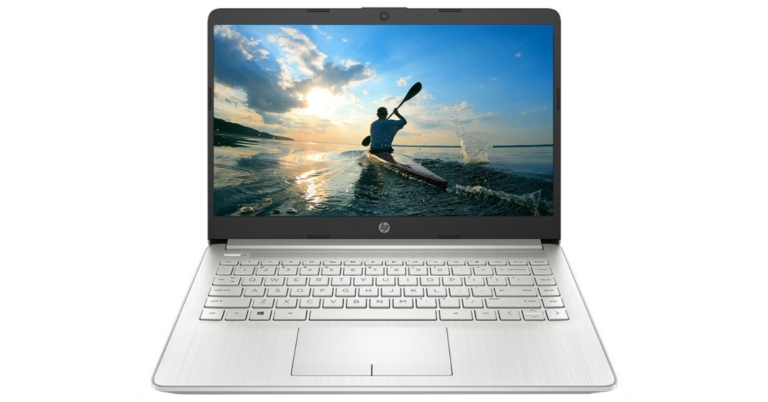
A new HP Smart SIM laptop with 100GB of free data has been unveiled by Reliance Digital. It is a smart LTE laptop offer, the HP Smart SIM Life allows consumers to benefit from Jio Digital Life with 100GB of free data when using an appropriate HP Smart SIM. A new HP Smart SIM laptop with 100GB of free data has been unveiled by Reliance Digital. New purchasers of specific HP laptops are eligible for the free 100GB data promotion. If you buy a Smart LTE laptop from HP, you’ll be eligible to receive 100GB of free data. Noteworthy, consumers will need a Jio HP Smart SIM to take advantage of this promotion. Consequently, you cannot just choose any laptop if you want to receive 100 GB for free. To receive 100 GB of data for 365 days valued at Rs 1000 with a new eligible HP LTE laptop and a new Jio SIM, you must choose only HP-eligible laptops.  Moreover, the customers can receive a new Jio SIM with 100 GB of free data for a year, valued Rs 1500, at no additional cost when they buy a qualifying device. However, internet speed is reduced to 64 Kbps once the 100 GB of data has been used up, and stays that way for the remainder of the validity term.

How to avail the offer online and offline?

To buy a brand-new HP Smart Sim Laptop, visit the nearby Reliance Digital location. Request to activate a fresh Jio SIM on the 100 GB of HP Smart LTE data deal. Note that FRC 505 is the offer name. Then provide information for documentation. After the HP Smart Sim Laptop has been successfully activated, insert the SIM card. One can also buy a new Smart Sim laptop at JioMart.com or Reliance Digital. Within seven days of purchasing the laptop, go to the nearby Reliance Digital store with the invoice and laptop. Following that, you can request that the store representative activate a fresh Jio connection on an HP Smart Sim Laptop with a 100 GB data offer. Provide information for documentation. Put the SIM into the HP Smart Sim Laptop once it has been activated. Users can continue to enjoy fast speeds by recharging with available data packs or plans from MyJio or Jio.com for more high-speed 4G data. Users can currently purchase HP 14ef1003tu and HP 14ef1002tu, which are two qualifying models. For the latest gadget and tech news, and gadget reviews, follow us on TwitterFacebook and Instagram. For newest tech & gadget videos subscribe to our YouTube Channel. You can also stay up to date using the Gadget Bridge Android App. You can find the latest car and bike news here.

Tecno Spark 9 set to release in India on July 18

The Chinese smartphone company Transsion Holdings brand Tecno is all set to announce a new smartphone in the Indian market soon. The company officially announced to release Tecno Spark 9 in the country on July 18. Ahead of the official launch, the smartphone has been listed on Amazon providing information about its appearance, features and its availability. Tecno took to Twitter to announce that it will be launching Tecno Spark 9 in India on July 18. Both Amazon and the company’s official website will offer the Tecno Spark 9 to interested customers. A special microsite has been created on Amazon revealing the key highlights of the smartphone. The listing also states that the Tecno Spark 9 will be the first smartphone to be priced under Rs 10,000 and to feature 11GB of RAM. However, the precise price has not yet been disclosed. Front-facing waterdrop notch display is found in the Tecno Spark 9. It has a square camera module at the back with a dual camera configuration, a prop camera, and an LED flash to create the appearance of three cameras. There are two colour choices for the phone: Sky Mirror and Infinity Black. The Tecno Spark 9’s specifications are available on Amazon. The smartphone will sport a 6.6-inch HD+ display with a 90Hz refresh rate and run Android 12. It has 6GB of RAM and an octa-core MediaTek Helio G37 SoC as its power source. The phone also permits the increase of the virtual RAM by 5GB utilising internal storage. It has a dual-camera system on the back. Additionally, the Tecno Spark 9 has a fingerprint reader on the back. It also has a 5,000mAh battery. Apart from this, the Chinese retailer has hinted that the Tecno Spark 9 will be released in the nation alongside the Tecno Camon 19 and Camon 19 Neo. Last month, both of the new phones were launched in Bangladesh. The Tecno Camon 19 has a 6.8-inch full-HD+ display. It operates on Android 12 with HiOS 8.6 on top. The phone sports an octa-core MediaTek Helio G85 SoC and comes with 4GB or 6GB of RAM. There is a triple-back camera array with a 64-megapixel RGBW main sensor. The front of the Tecno Camon 19 has a 16-megapixel selfie camera sensor. For the latest gadget and tech news, and gadget reviews, follow us on TwitterFacebook and Instagram. For newest tech & gadget videos subscribe to our YouTube Channel. You can also stay up to date using the Gadget Bridge Android App. You can find the latest car and bike news here.

Garena Free Fire Redeem Codes Today 16 July 2022: Here is how to claim them

Garena Free Fire is a battle royale game with regular awards and tournaments to keep players interested. If you play Garena Free Fire, you should be aware of the redeem codes that are released on a daily basis. However, because the battle royale game is banned in India, players from other countries can use the Free Fire Redeem codes daily. If you’re unfamiliar with the Garena Free Fire redeem codes or don’t know how to get them, we’ve put together a step-by-step guide to help you redeem them. Check out Garena Free Fire Redeem Codes for July 16. The Free Fire redeem codes are a great way to get free stuff. These are 12-digit codes that contain alphabets and numbers, as well as an expiration date and time. Because the Garena FF redeem codes cannot be used more than once, you should hurry to the redemption page to claim your free reward before someone else does. To get a free reward, all you have to do is go to reward.ff.garena.com/en, which is the official redemption page. Also, keep an eye on this space for daily updates on Garena Free Fire redemption codes and rewards.

Garena Free Fire Redeem Codes Today 16 July 2022

Z2FB-HASU-3VXS 4UBY-XPTW-ERES FXDS-TSWY-QTJ9 BKSK-ECCM-JZEB L8LN-F5WK-2YPN TPNA-MS84-ZE8E 26JT-3G6R-QVAV A46N-U6UF-Q2JP 6LU6-9JJZ-J7S8 FAG4-LHKD-92GZ RHUV-SWWV-N9G4 FBJ9-MTXB-9XAP 5R8S-AGS5-MCK5 2K5A-WHD3-FKWB XKVJ-M65A-NPUQ AMCT-7DU2-K2U2 LQ6Q-2A95-G29F HDQK-XDFJ-7D4H QA97-CXS2-J0F0 W73D-61AW-NGL2 UK2P-Z3NF-GV5U NLCB-6S92-K2DE

How to Get Free Fire Redeem Codes for Garena on July 16?

  • Visit the Garena Free Fire game’s official website at reward.ff.garena.com.
  • Use your Facebook, Google, VK, Apple ID, Huawei ID, or Twitter account to log in.
  • You’ll be taken to a valid redemption code (s)
  • Copy and paste the 12-digit redemption code into the text box.
  • On the screen, a dialogue box will appear.
  • ‘Ok’ should be selected.
For the latest gadget and tech news, and gadget reviews, follow us on TwitterFacebook and Instagram. For newest tech & gadget videos subscribe to our YouTube Channel. You can also stay up to date using the Gadget Bridge Android App. You can find the latest car and bike news here.

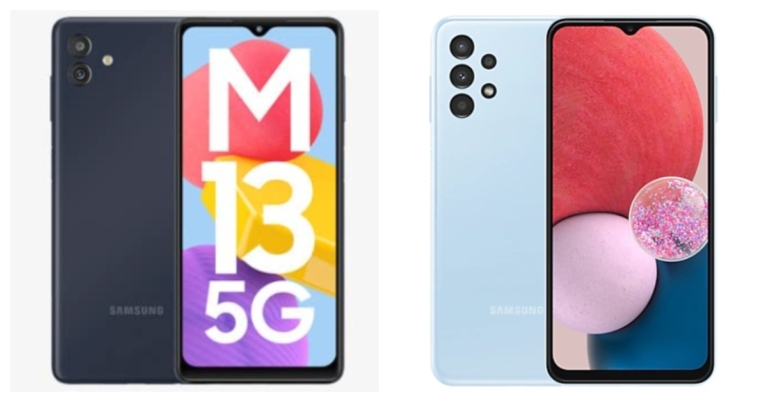
Smartphone comparison: Samsung Galaxy M13 5G Vs Samsung Galaxy A13 5G

Samsung recently updated its M-Series in India with the launch of the new 5G smartphone Samsung Galaxy M13 5G. The smartphone is a budget 5G handset available in the market. The new Galaxy M13 5G is ready to fight with Galaxy A13 in the Indian market thanks to comparable pricing and specifications. Here, we compare the Samsung Galaxy M13 5G with Samsung Galaxy A13 5G so that you can decide which among the two is worth your money. Take a look:

Display

Samsung Galaxy M13 5G: 6.5-inch HD+ display Samsung Galaxy A13: 6.6-inch full-HD+ LCD display

Processor

Samsung Galaxy M13 5G: MediaTek Dimensity 700 SoC Samsung Galaxy A13: Exynos 850 SoC

Rear camera(s)

Samsung Galaxy M13 5G: dual rear camera arrangement with a 50-megapixel primary sensor and a 2-megapixel secondary sensor Samsung Galaxy A13: A quad-camera set-up consisting of a 50-megapixel primary camera with an f/1.8 aperture. There is a 5-megapixel ultra-wide-angle camera with an f/2.2 aperture and two 2-megapixel macro and depth cameras.

Selfie camera

Samsung Galaxy M13 5G: 5-megapixel front camera Samsung Galaxy A13: An 8-megapixel front-facing camera

RAM and storage

Samsung Galaxy M13 5G: 4GB of RAM and 64GB of storage and 6GB of RAM and 128GB of storage Samsung Galaxy A13: 4Gb RAM with 64GB storage model and the 6GB RAM with 128GB storage

Battery

Samsung Galaxy M13 5G: 5,000mAh battery Samsung Galaxy A13: 5,000mAh battery

Operating system

Samsung Galaxy M13 5G: One UI 4, which is based on Android 12.0 Samsung Galaxy A13: Android 12-based One UI 4.1

Starting Price

Samsung Galaxy M13 5G: Rs 13,999 Samsung Galaxy A13: Rs 14,999

Our Take

The Galaxy A13 has a higher resolution display than the M13 5G in terms of visuals. Additionally, the A13’s screen is larger than the Samsung Galaxy M13 5G’s screen. For memory expansion, both smartphones offer microSD card slots. In contrast to the quad back camera setup on the Samsung Galaxy A13, the Samsung Galaxy M13 5G sports a twin rear camera setup.  However, the primary sensors on both smartphones are 50 megapixels. If you take plenty of selfies, the Galaxy A13 has a superior selfie sensor over its competitor. The Samsung RAM Plus function on the M13 5G allows the RAM to be expanded to up to 12GB, and it has an internal storage capacity of up to 128GB. There is also an Auto Data Switching option. This feature is absent from the Galaxy A13, though. Both devices use Android 12. The Samsung Galaxy A13 is a feature-rich smartphone with a low price, but the Galaxy M13 5G has a 5G connection, expanded RAM, and automatic data switching. Consequently, if you want to switch from 4G to 5G, Despite being a 5G phone, M13 5G is a fantastic choice because it is less expensive than A13. For the latest gadget and tech news, and gadget reviews, follow us on TwitterFacebook and Instagram. For newest tech & gadget videos subscribe to our YouTube Channel. You can also stay up to date using the Gadget Bridge Android App. You can find the latest car and bike news here.

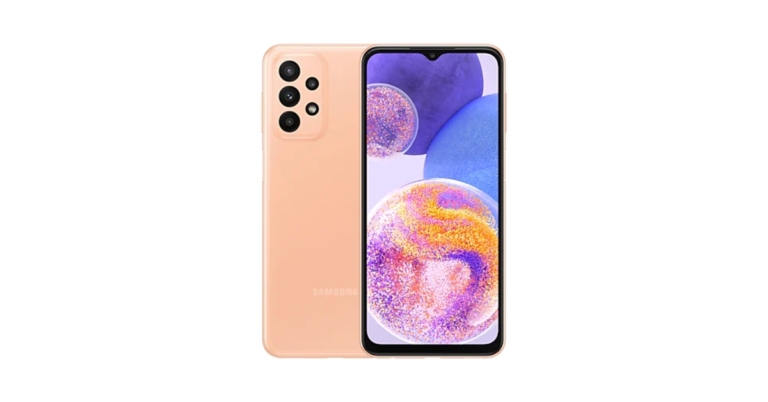
Samsung Galaxy A23 gets a price cut of Rs 1,000

Samsung has decreased the Galaxy A23 pricing in India. The price of the smartphone has decreased by Rs 1,000. The updated Samsung smartphone price is now available from offline retailers throughout the nation. For the first time, the price of the smartphone was reduced. In March of this year, Samsung introduced the mid-range smartphone in India. The device comes with a 5,000mAh battery FHD+ LCD display and triple rear camera set up. In India, the Samsung Galaxy A23 was offered in two configurations: 6GB of RAM and 128GB of storage for Rs 19,990 and 8GB of RAM with 128GB storage priced at Rs 20,999. Both the variant are now offered for Rs 18,499 and Rs 19,999 after the price reduction of Rs 1,000. There are 4 colour choices for the smartphone: Black, Light Blue, Orange, and White.

Samsung Galaxy A23 specifications

A 6.6-inch full-HD+ LCD screen with a resolution of 1,0802,408 pixels is available on the Samsung Galaxy A23. The screen has support for 90Hz refresh rates. The device uses One UI 4.1, which is based on Android 12. Under the hood, there is a Snapdragon 680 SoC with up to 8GB of RAM and up to 128GB of internal storage that can be increased to 1TB with a microSD card. A 50-megapixel primary camera with an f/1.8 aperture and optical image stabilisation (OIS), a 5-megapixel ultra-wide-angle camera with an f/2.2 aperture lens, and two 2-megapixel macro and depth cameras are all included in the Samsung Galaxy A23’s quad rear camera setup. On the front, there’s a selfie camera with 8 megapixels as well. Samsung’s 25W fast charger can quickly recharge the phone’s 5,000mAh battery. For connectivity, the smartphone offers a 3.5mm headphone socket, Wi-Fi, Bluetooth v5.0, GPS, 4G, and a USB Type-C connector. The sensors on board include an accelerometer, gyro sensor, geomagnetic sensor, virtual light sensor, virtual proximity sensor, and a side-mounted fingerprint scanner. For the latest gadget and tech news, and gadget reviews, follow us on TwitterFacebook and Instagram. For newest tech & gadget videos subscribe to our YouTube Channel. You can also stay up to date using the Gadget Bridge Android App. You can find the latest car and bike news here.

Amazon Quiz Answers Today 16 July 2022: Participate to win Rs 20,000

Have you participated in the Amazon Quiz today? If not then participate in the 16 July 2022 Amazon Quiz as it has already gone live on the app. The daily quiz can be played from 12 AM to 11:59 every day on the mobile app platform. Today e-commerce is giving the chance to win Rs 20,000 Amazon Pay Balance. Every day Amazon brings a fresh quiz for its customers. By participating in the quiz the participants can win an Amazon Pay Balance of up to Rs 50,000. The quiz can only be played on the mobile app as it is not available for the desktop platform. The quiz contains five easy questions and you have to answer all the questions correctly. The participants will then be shortlisted for a lucky draw to select a winner. Whereas the results are declared at the end of the month. Check out today’s Amazon quiz answers to win Rs 20,000. Amazon Quiz Today Prize – Rs 20,000 Amazon Pay Balance Quiz Date – 16 July 2022 Daily Timing – 12 AM to 11:59 PM Winner Announcement – Today 12 PM

Amazon Quiz Answers Today 16 July 2022

Question 1: Shaheen 1-A medium-range ballistic missile made with the help of China, belongs to which country? Answer: Pakistan Question 2: Who has recently been appointed as the Chairman of India Tourism Development Corporation (ITDC)? Answer: Sambit Patra Question 3: Assam government has decided to confer the ‘Asom Baibhav Award’ 2021, the state’s highest civilian award, to whom? Answer: Ratan Tata Question 4: In which administrative region of Italy is this tower located? Answer: Tuscany Question 5: What water body is this island lighthouse located in? Answer: Bosphorus Strait

How To Play Amazon Quiz

Only app users are eligible to play the Amazon quiz every morning from 12 AM to 11:59 PM. The quiz is not available on the desktop. For those who are unaware of how to play the Amazon quiz below are the steps, you can follow to take the quiz.
  • Firstly download the Amazon app from Google Play Store or App Store
  • Now fill in the required information through the Sign Up option.
  • You need to log in to the Amazon app and scroll down on the home screen to find the Amazon Quiz banner.
  • Tap on the Amazon Quiz banner and tap on the Start button to start the Quiz.
  • Now you will get 5 questions and you need to answer them correctly. One wrong answer will eliminate you from the Quiz.
  • After answering all the questions correctly you are now eligible for a Lucky Draw.
  • The winner’s name will be announced today at 12 PM.
For the latest gadget and tech news, and gadget reviews, follow us on TwitterFacebook and Instagram. For newest tech & gadget videos subscribe to our YouTube Channel. You can also stay up to date using the Gadget Bridge Android App. You can find the latest car and bike news here.

Xiaomi Smart Speaker (IR Control) now available in India for Rs 4,999

The debut of the Xiaomi Smart Speaker (IR Control) in India was recently announced by Xiaomi. The new Xiaomi Smart Speaker (IR control) comes with new and improved features including IR Control, Smart home control centre, Balanced sound field, LED clock display, and much more. The Xiaomi Smart Speaker comes equipped with a 1.5-inch mono speaker, a built-in smart voice assistant (Google assistant), and Bluetooth 5.0. The speaker makes advantage of IR control, a voice remote for household appliances that give outdated, non-smart gadgets new life. To build a smart home experience, customers can connect the device to the Google Home app first, then the Xiaomi Home app. The Xiaomi Smart Speaker (IR Control) has a beautiful, small form, and soothing colour scheme. Additionally, it has an LED display with adaptive brightness that can change its brightness based on the ambient light. Customers can set alarms on the smart speaker by selecting their preferred songs, artists, genres, and scenes. The all-side speaker has an innovative cavity design. Customers can connect two Xiaomi Smart Speakers and experience thunderous stereo sound, which helps to provide a completely immersive experience. Customers can enjoy playing music, podcasts, or news through Bluetooth with a smooth transmission because these devices come with Chromecast built-in, which allows you to wirelessly cast audio with just one click.

Xiaomi Smart Speaker (IR Control) price in India, availability

Xiaomi Smart Speaker (IR Control) comes with a price tag of Rs 5,999 but it is presently being offered at Rs 4,999. Only Black is offered as a colour choice for the Xiaomi smart speaker. It is available for purchase via Flipkart, Xiaomi’s official website, and other retailers in the country. Commenting on the launch, Raghu Reddy, Chief Business Officer, Xiaomi India said, “Being one of the top three smart speaker brands in the country[1], we have a deep understanding of our consumer’s needs and preferences. In line with that, we are extremely happy to announce the launch of the Xiaomi Smart Speaker (IR Control) from the house of Xiaomi that truly captures the brand’s vision of innovation. The smart speaker is the perfect amalgamation of unique features and the latest technological offerings, making it the smart centre for your home. It is a great package that offers convenience and quality, simultaneously enabling customers to enjoy diverse multimedia options. Our endeavour is to deliver the best and Xiaomi Smart Speaker (IR Control) is the validation of the same.” For the latest gadget and tech news, and gadget reviews, follow us on TwitterFacebook and Instagram. For newest tech & gadget videos subscribe to our YouTube Channel. You can also stay up to date using the Gadget Bridge Android App. You can find the latest car and bike news here.

How to Fix Emails Stuck in Outbox of Microsoft Outlook?

0
Microsoft Outlook is one of the most popular email clients used by businesses to handle and organise their email. One of the most common complaints by Outlook users is that their mails take too long to send, or they get stuck in the Outbox. Today, we show you how to fix emails stuck in the outbox of Microsoft Outlook. Read Also: How to Fix Emails Stuck in Outbox of Gmail?

Make sure the attachment size isn’t too large

emails stuck in outbox outlook 365 The primary cause of emails getting stuck in Microsoft Outlook Outbox is the large attachment size. Most email service providers do not allow attachment size of over a few MBs. For example, Gmail has an attachment size limit of 15MB. To make sure your email gets sent, trim the attachment size or send the attachments in multiple emails. You can also remove the attachment by moving the email to the Drafts folder, then clicking the attachment and selecting ‘Remove’.

Make sure that Microsoft Outlook is connected to the internet

outlook connected to internet All emails you send get transferred to the Outbox when Microsoft Outlook is offline. You can check whether Outlook is connected to the internet, by looking at the status bar at the bottom of your screen. If it says ‘Connected to: Microsoft Exchange’ there is nothing wrong with your Outlook account. If it says ‘Disconnected’ or ‘Trying to Connect’, you need to check your internet connection.

Change your password

emails stuck in outbox outlook 365 If you’ve recently changed your email password, you need to change the password for that email account on Outlook as well. The passwords need to match for Microsoft Outlook to work. In order to change your Outlook password go to File>Account Settings and select the email address your want to change the password for and enter the new password. Click on ‘Finish’, and your password will be changed.

Check delay settings

If you scheduled your emails to go out at a certain time, they will move to Outbox as soon as you hit send. They will only get sent at the scheduled time. If you want to send the email right away, go to your email account and check for delay settings. Read Also: How to block emails in Gmail and Outlook These are some of the common fixes for emails getting stuck in the Outbox of Microsoft Outlook. If you’ve tried all of these techniques and the problem still persists, try using another email client to send your emails. It is possible that Microsoft Outlook servers may be down. For the latest gadget and tech news, and gadget reviews, follow us on TwitterFacebook and Instagram. For newest tech & gadget videos subscribe to our YouTube Channel. You can also stay up to date using the Gadget Bridge Android App. You can find the latest car and bike news here.