In This Article
Apex Legends Mobile
 Apex Legends Mobile was launched for Android in May 2022, but its reputation as one of the best battle royale games had been firmly cemented owing to its popularity among PC and console gamers. Some users consider it superior to BGMI, with its immersive gameplay and high-end graphics. Set in the Apex Legends universe, the players get to join one of three groups on an island full of weapons. Up to 60 players can play in one session, and the last group standing wins. You can play as different characters that come with their own unique abilities. Apex Legends allows players to strategize and engage in tactical squad play.
Call of Duty Mobile
 The Call of Duty franchise needs no introduction. Over the years, Call of Duty has produced excellent games across different consoles, and their mobile iteration is no different. CoD allows you to play in different modes such as Team Deathmatch, Domination, and Kill-Confirmed on iconic maps like Shipment, Raid, and Standoff. You can even play 100-player Battle Royale. The voicechat over gameplay is seamless and presents no lag. All in all, Call of Duty Mobile is a great alternative to BGMI, and an excellent battle royale game to play with your friends on your smartphone.
Garena Free Fire Max
 Like BGMI, Garena Free Fire Max rose to popularity after the PUBG ban in India. Also known as Free Fire, the battle royale game was developed by 111dots Studio, a game company based in Vietnam. Published to Android and iOS by Garena, the game’s name is an amalgamation of the publisher and developer’s title. In 2019, Garena Free Fire Max became the most downloaded game for smartphones globally. Currently, Free Fire boasts more than 100 million daily active players. With BGMI banned in India, Garena is an excellent alternative.
New State Mobile
 If you’re looking for a battle royale game in the same vein as PUBG and with similar graphics, New State Mobile is the game for you. Developed by PUBG studios, it carries forward the same gameplay and graphic design employed in PUBG Battlegrounds. Published by Krafton on Android and iOS, New State Mobile is the second instalment in the PUBG gaming universe, following PUBG Battlegrounds.
Modern Combat 5
 Developed by Gameloft, Modern Combat was first launched in 2014 for all gaming platforms. Modern Combat 5 is the fifth instalment in the series. The fictional plot of the game follows the player as the protagonist as they take on the World Liberation Army, a terrorist organisation that plans on attacking several locations across the world. Apart from the story mode, Modern Combat 5 also offers battle royale mode, making it one of the better alternatives to BGMI.
ScarFall: The Royale Combat
 If your smartphone is not designed to handle the bulky games mentioned above, you may want to try ScarFall: The Royale Combat. With its low-spec configuration, ScarFall can run on almost any smartphone. The immersive gameplay and cutting-edge graphics make ScarFall just as fun to play as any other game on this list.
Read Also: The 10 best free online FPS browser games we love to play to kill time
These are the 6 battle royale alternatives to BGMI that you can play on your smartphone. It remains to be seen whether the BGMI ban will be a lasting one, or if it is just a temporary suspension. Krafton has clarified that it is in contact with Indian authorities and will notify its users when the details of the ban are made available to them.
For the latest gadget and tech news, and gadget reviews, follow us on Twitter, Facebook and Instagram. For newest tech & gadget videos subscribe to our YouTube Channel. You can also stay up to date using the Gadget Bridge Android App. You can find the latest car and bike news here.
If your smartphone is not designed to handle the bulky games mentioned above, you may want to try ScarFall: The Royale Combat. With its low-spec configuration, ScarFall can run on almost any smartphone. The immersive gameplay and cutting-edge graphics make ScarFall just as fun to play as any other game on this list.
Read Also: The 10 best free online FPS browser games we love to play to kill time
These are the 6 battle royale alternatives to BGMI that you can play on your smartphone. It remains to be seen whether the BGMI ban will be a lasting one, or if it is just a temporary suspension. Krafton has clarified that it is in contact with Indian authorities and will notify its users when the details of the ban are made available to them.
For the latest gadget and tech news, and gadget reviews, follow us on Twitter, Facebook and Instagram. For newest tech & gadget videos subscribe to our YouTube Channel. You can also stay up to date using the Gadget Bridge Android App. You can find the latest car and bike news here. 






 Step 2:
 Step 3:
  Active Noise Cancellation is a great feature to have on your wireless earbuds but sometimes it can mess with the functioning of the microphone. Turn off noise cancellation and check if the mic functions have been restored to normalcy. To disable noise cancellation for your AirPods, go to the Control Center and long-press the volume slider icon. Tap on ‘Noise Control‘ and select ‘Off‘.

 Resetting your AirPods takes care of any temporary issues that may be keeping the earbuds or the microphone from working. To reset your AirPods, press and hold the Setup button at the back of the charging case until the notification light turns amber. Make sure the earbuds are inside the case throughout this process. Now, turn on Bluetooth on your iPhone and pair your AirPods again.
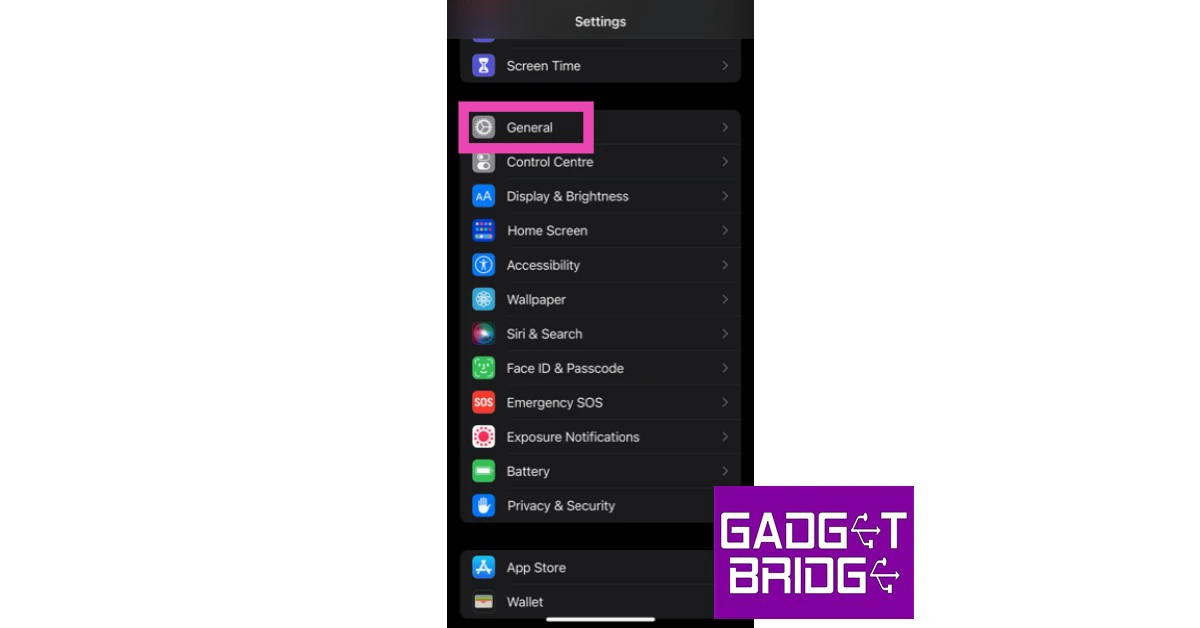 Step 2: Scroll down and select ‘Transfer or reset iPhone’.
 Step 3: Select ‘Reset’ followed by ‘Reset Network Settings’.




 Step 3:
 Step 4:
 Step 2:
 Step 3:
  Step 4:



 Specifications
Screen Size:
Specifications
Screen Size: Specifications
Screen Size:
Specifications
Screen Size: Specifications
Screen Size:
Specifications
Screen Size: Specifications
Screen Size:
Specifications
Screen Size: Specifications
Screen Size:
Specifications
Screen Size: Specifications
Screen Size:
Specifications
Screen Size:





 Step 3:
 Step 3:
 Step 3:
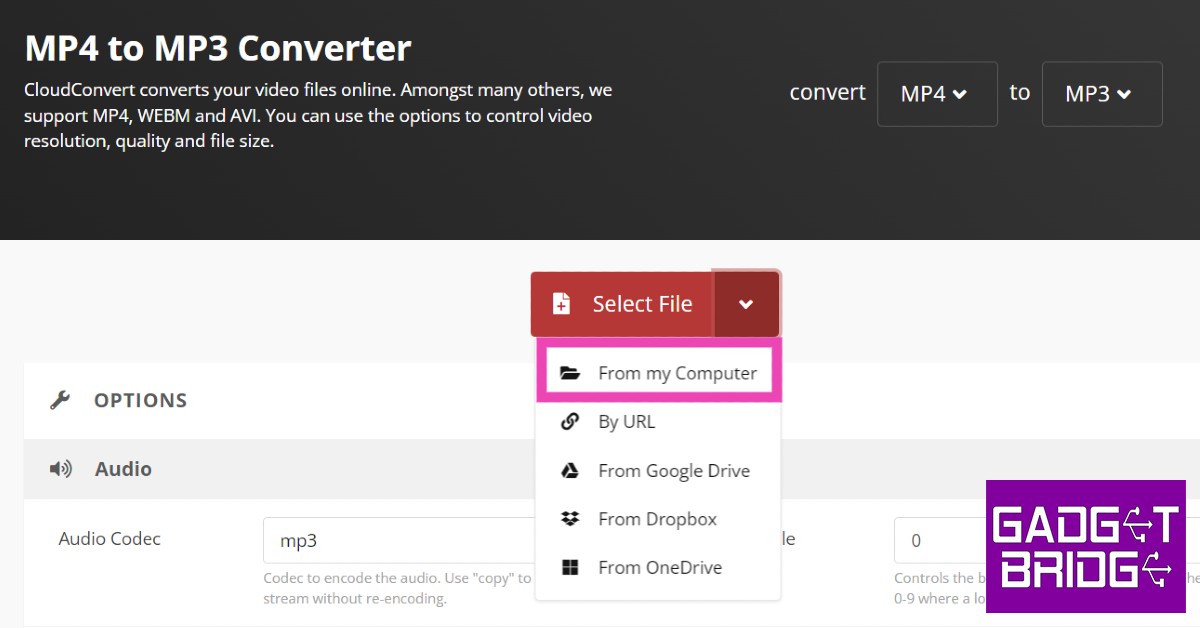 Step 4:

 Step 2:
 Step 3:
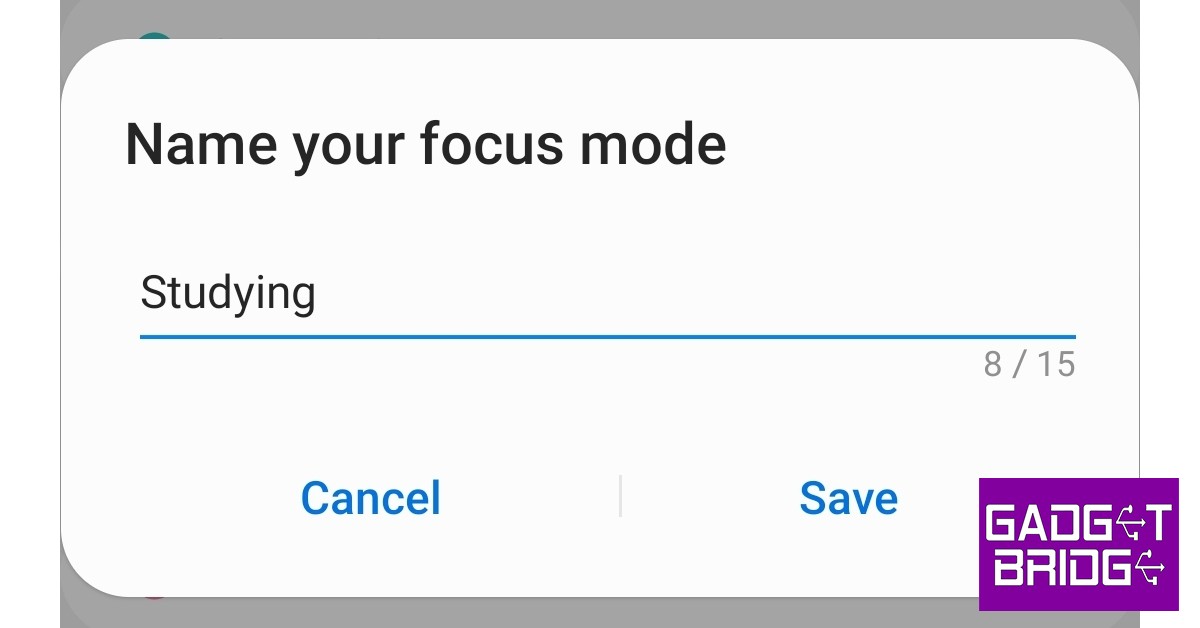 Step 4:
 Step 5:
 Step 6:
 Step 7:
 Read Also:


 Step 3:
 Step 2:
 Step 4:
 Step 5: