Last month Bharti Airtel announced that it will soon roll out a 5G network pan India in a matter of months. Also, it demonstrated LIVE 5G service over a commercial network in Hyderabad city. Airtel did this over its existing liberalised spectrum in the 1,800 MHz bands through the NSA (Non-Stand Alone) network technology. In a new development the telecom company today announced its collaboration with Qualcomm Technologies for accelerating 5G in India. Randeep Sekhon, CTO, Bharti Airtel said, “Airtel has been a pioneer of new technologies and our networks are fully ready for 5G. We are delighted to have Qualcomm Technologies as a key technology provider in our journey to roll-out world-class 5G in India. With Airtel’s integrated service portfolio and Qualcomm Technologies’ 5G leadership, we will be well placed to usher India into the next era of hyper-fast and ultra-low latency digital connectivity.” With the announcement of its partnership with the American Chipset company Qualcomm, Airtel aims to utilize the Qualcomm 5G RAN Platforms to roll-out virtualized and Open RAN-based 5G networks. The company as a board member of the O-RAN Alliance is also working with Qualcomm Technologies to explore and implement the O-RAN approach for India. According to the company, the flexible and scalable architecture of O-RAN will create new opportunities for small and medium-sized businesses to become viable players in the deployment of 5G networks. Additionally, their collaboration will also enable a wide array of use cases, including 5G Fixed Wireless Access (FWA) that is designed to deliver broadband connectivity at Gigabit speeds to homes and businesses. Therefore this will help Airtel to allow the rollout of broadband services in a cost-effective and expeditious manner across India.Rajen Vagadia, Vice President, QUALCOMM India Private Limited and President, Qualcomm India said, “There is a compelling case to accelerate the roll-out of 5G networks in India, as it will help fast-track the country’s socio-economic growth and development. We are pleased to be working with Airtel, and we are excited by the opportunity ahead. This collaboration is expected to play a critical role in Airtel’s plans to add 5G network coverage and capacity where and when it is needed the most.”Airtel 5G solutions together with Qualcomm 5G Fixed Wireless Access Platform support to be able to provide multi-gigabit internet speeds wirelessly to customers. As per the telecom operator for the customers the ultra-fast and low latency of 5G will unlock a digital world of limitless possibilities – gigabit size file downloads in seconds and 4K video streaming on the go across smartphones and computing devices, Immersive Technologies such as Virtual Reality and SMART Homes with connected things. Also, the FWA Platform will virtually support a combination of 5G spectrum bands and modes, from extended-range high power sub-6 to extended-range mmWave. The Airtel 5G solutions including FWA services will deliver cutting-edge technology for virtualized, flexible and interoperable 5G infrastructure. The company explains that its network vendors and device partners will utilize the capabilities of these platforms for accelerating the development of 5G applications for Industry 4.0 use cases and for driving innovations for Airtel’s global operations.
For the latest gadget and tech news, and gadget reviews, follow us on Twitter, Facebook and Instagram. For newest tech & gadget videos subscribe to our YouTube Channel. You can also stay up to date using the Gadget Bridge Android App.
Google Maps has made significant progress over the years changing the way we navigate the world. In our day-to-day life, it helps us reach our destination on time evading traffic delays and blockages. This has made Google Maps one of the most regarded apps in our Android smartphones. But you need to know some tricks to enhance the utlisation of Google Maps. Here are some lesser-known tricks of Google Maps that we love to use, almost regularly.
In This Article
1) Save your parking location
Sometimes we tend to forget where we have parked our vehicle particularly in large parking areas like malls, and new places. Google Maps can obtain your parked vehicles. To save your vehicle parking location, just tap the blue dot followed by clicking ‘Save your parking’. This would generate a label on the map recognizing where the vehicle is parked. To activate the parking reminder, swipe on the label once you save your parking location to begin the parking card and attach the details regarding your parking. You can even share your parking location with your friends and family.
Save your parking location
2) Navigate for multiple destinations
Google Maps allows navigation to multiple destinations. This feature is useful when you have to visit places successively. For instance, you might first want to go back home and then visit a grocery store. You can add multiple stops in the Maps and drive efficiently. You just need to search for your final destination and select the three dots and then ‘Add stop’ to add the desired place as your destination. Google Maps allows you to add up to 9 stops and rearrange them according to the route.
3) Save Your Home and Work addresses
Traversing from your home to your workplace is a daily task. There are several advantages of setting up your home and work addresses on Google Maps. You don’t need to find and set the destination every time you begin your journey. You just have to say, “OK Google, navigate to home”. To set your home and workplace, follow these steps.
Open Google Maps
Select the hamburger icon located at the top left corner of the screen.
Select Your Places. You’ll see two entries, ‘Home and ‘Work’.
Fill in the respective addresses in two fields.
Save Your Home and Work addresses
4) Use voice commands while driving
Using your smartphone while driving is risky. It is way easier to speak than to type while traveling. Google Maps accepts voice commands via speech. Here are a few voice commands that you can try.
Mute: Mutes voice guide
Show traffic: Displays the traffic on the route
Navigate Home: Navigates to your Home address
Show my ETA – Displays the estimated time left to reach your destination.
Use voice commands while driving
5) Make Maps Available Offline
Google Maps allows you to download an area from Google maps for offline use. Once saved in your smartphone, you can use the map like using online, including seeking locations and navigation. This is exceptionally handy when you are going to the mountains or places where the mobile network connectivity is low or not there. Just see the route first in a good network zone and download the map for future use. You can follow these steps.
Open the Google Maps
Long press the region you want to download.
When a red pin appears with a pull-up menu below, Swipe up and select Download’.
You can resize and move the area to be downloaded. Once sure, press Download’.
Microsoft is intending to include the text prediction feature in Word starting March 2021. The new functionality, just like the existing predictions feature in Google Docs’ Smart Compose, will utilise Machine Learning to predict what the user can type as next words. This innovation will accelerate the document typing process for the user.
According to Microsoft, the new feature in Word will help “users write more efficiently by predicting text quickly, timely and accurately.”
In This Article
How will Microsoft Word’s Predictive Text Feature work?
As in Google Docs, the predictions feature on Word will highlight the predicted text in grey so that the user can include it in his file by pressing the ‘Tab’ key. He can even reject the predictive text by pressing ‘Esc’. The company says that the predictions will gradually become better as the Machine Learning algorithms recognise the writing pattern of the user. You will be able to turn off the predictive text feature on the whole if you don’t want to take the predictive words. The company claims that the data collected to implement the Machine Learning algorithm will not “leave the tenant boundary” and no other users will be able to fetch it. However, Microsoft Word users are free to file any complaints or give suggestions to the company regarding the new and old features by navigating to Help > Feedback.How will Microsoft Word’s Predictive Text Feature work?
When will Microsoft roll out Word’s Predictive Text Feature?
The text-prediction feature is expected to arrive in Microsoft Word in March. In September 2020, Microsoft presented the details about the text prediction feature in Word and revealed that what you type doesn’t leave the “tenant boundary” of your system. In other words, Whatever you type, is not captured by the software. According to Neowin, the feature has been included in the Microsoft 365 public roadmap and is expected to arrive next month. Microsoft had already released the text predictions feature for Outlook for the web in November 2020. This new feature appears to be associated with Microsoft 365. However, it’s not clear if the feature will be a part of the new Microsoft Office 2021. According to an official blog post, this new feature is available only for 50 percent of users of Windows Beta Channel running Version 2010 Build 13301.20004 or succeeding and to all Microsoft 365 SKUs on Word online leaving out the Microsoft 365 Business Basic, Microsoft 365 F3, Microsoft 365 A1.
When will Microsoft roll out Word’s Predictive Text Feature?
What can be the implications ofMicrosoft Word’s Predictive Text Feature?
Predictive typing does not predict the entire sentence as it is trained to figure out only how you’re going to start or end a sentence though it’s not always accurate at the middle bits. The accuracy of the Machine Learning algorithm decreases as it’s required to make tougher guesses on fewer data. In 2020, OpenAI released a machine-learning-based text generator known as GPT-3 that is exceptionally accurate at producing texts that are tough to distinguish from human writing. But, it’s important to note that although algorithms like GPT-3 are excellent at constructing coherent sentences, they still falter at producing prose that’s logical. Thus the predictive typing feature in Word could be utilised to complete writing that obeys a template formula but can’t replace human effort in the real work of research and rhetoric.
What can be the implications of Microsoft Word’s Predictive Text Feature?
Google had released its text predictions feature for its suite of applications in 2019. This made Google Docs the first choice for many people as it enhanced their typing speed and standard. The new prediction functionality could help Microsoft Word regain the market as it used to before Google dominated. Microsoft expects to release the predictions feature in Windows Outlook for enabling users to write refined mails at a faster pace.
For the latest gadget and tech news, and gadget reviews, follow us on Twitter, Facebook and Instagram. For newest tech & gadget videos subscribe to our YouTube Channel. You can also stay up to date with the Gadget Bridge Android App.
The Mi Portable Bluetooth Speaker (16W) and Neckband Bluetooth Earphones Pro have made their debut in the country. The wireless device comes with a compact design and is claimed to deliver high-quality sound, deeper bass, clear and rich vocals. The Mi neckband features active noise cancellation (ANC), while the Bluetooth Speaker comes with a two-driver setup and IPX7 rating for water resistance.Mi Portable Bluetooth Speaker (16W) and Neckband Bluetooth Earphones Pro: Price and AvailabilityMi Portable Bluetooth Speaker (16W) and Neckband Bluetooth Earphones Pro have been launched in India with a price tag of Rs 2,499 and Rs 1,799, respectively. Both the devices will be available via Mi.com and Mi Home starting February 22 and through Amazon starting March 1st in the country.Mi Portable Bluetooth Speaker (16W) will be available in Black and Blue colour variants. Similarly, Mi Neckband Bluetooth Earphones Pro will also be available in Black and Blue colour options.Mi Portable Bluetooth Speaker (16W): SpecificationsMi Portable Bluetooth Speaker (16W) features twin8W full-range drivers for a better sound experience. The device comes with a stylish vibrant mesh and trendy design in addition to anti-slip paddings that make the device handy and provides a strong grip that reduces the risk of any accidental slips. There are dual sound modes on the portable speaker and one can easily switch between normal and deep bass modes, as per mood and occasion. The Mi Bluetooth speaker can be paired with other speakers using TWS mode for enhanced sound quality. The device has an IPX7 waterproof rating and can be immersed underwater for 30 minutes, at a maximum depth of 1 meter. It is backed by a 2,600mAh battery. It is touted to last for up to 13 hours on a single charge. In addition to this, there is a built-in microphone for taking calls and voice assistants’ support.Mi Neckband Bluetooth Earphones Pro: SpecificationMi Neckband Bluetooth Earphones Pro is the latest addition to the company’s Bluetooth earphone range. The device features a 10 mm dynamic driver and comes with a new anti-cerumen design & anti-blockage speaker net. This design will help keep the buds clean and wax-free. Whereas the anti-blockage speaker net helps to block small particles that seep inside the device via the speaker net. The Mi earphones have a one-click Active Noise Cancellation (ANC), the earphone puts an end to various surrounding noises by counteracting the noise waves and bringing down the surrounding noise spectrum by 25dB. On the other hand, the Environmental noise cancellation cancels out the ambient noise during a call. The microphone on the audio device detects the direction of the speech and suppresses the environmental noise up to 90% to deliver a crystal clear voice call experience. It also features 125ms low Latency audio for a delay-free audio experience with better and faster gaming too. The Mi Neckband Bluetooth Earphones Pro is IPX5 rated as well for splash and sweat resistance. It can also provide up to 20 hours of battery life.
For the latest gadget and tech news, and gadget reviews, follow us on Twitter, Facebook and Instagram. For newest tech & gadget videos subscribe to our YouTube Channel. You can also stay up to date using the Gadget Bridge Android App.
When you are required to write a document in Microsoft Word, using a template can be useful. Not only does it save time, but also lets you know the right format for writing all kinds of documents like resume, report, or proposal. Templates give you a head start with built-in formatting features. Most of the business tools and software are quite expensive. Here are the top five free websites that offer the best selections of Microsoft Word templates.
In This Article
1) Microsoft Office Online
To find free Microsoft Word templates, there can’t be a better place to start than with Microsoft Office Online. The benefit of using this website is that your templates come straightaway from Microsoft.
The resource manages its templates carefully so that you can scan by using keywords or category, event, and occasion. Here, you can find hundreds of free templates for MS-Word like resumes, cover letters, brochures, and cards. When you see the desired template, select it to see a short description of it. Click the ‘Download’ button to save it on your computer or click ‘Edit in Browser’ to open the template right in the Microsoft Word Online interface.
Microsoft Office Online
2) Template.net
This is another great resource for getting free Microsoft Word templates. The website is easy to navigate as you can simply use the ‘Templates’ button located at the top and then choose a category from the ‘Free Templates’. Template.net offers you free Word templates on a variety of subjects like agreements, invoices, planners, and vouchers. As soon as you select a category, you will view an organized array of results. Each template contains icons for purposes that are compatible. To download the templates, you will need to sign up for a free account. Once you are logged in, just click ‘Free Download’ and continue through the on-screen instructions to get the templates.
Template.net
3) Vertex42
Vertex42 is one of the most preferred websites for free Microsoft Office templates. At the top of the website view, you will find a navigation button named Word Templates that will take you to a gallery of hundreds of free Microsoft Word designs. Here you can find sample letters, checklists, logs, resumes, agendas, and flyers. As soon as you choose a template to view or download, you will find associated templates located at the super helpful bottom. When you see the template of your choice, just select it to get a description bout it like compatible applications and versions. Now, choose your version of Word followed by clicking the ‘Download’ button.
Vertex42
4) WordTemplates.org
WordTemplates.org is a website that offers hundreds of free Microsoft Word templates for your work, business, or home. As soon as you visit the website, you will find a simple way to explore common categories including certificate, contract, business, brochure, and flyer. You can even go through the ‘recent’ and ‘popular’ options apart from searching on specific subjects. Each template offers provides a relevant description and image. When you see the desired template, just select it and click the ‘Download Now’ button. The best thing is that you don’t need to sign up for an account to get free templates.
WordTemplates.org
5) Hloom
Hloom is a website that offers free templates for all Microsoft Office applications including Word. When you land on the website, you will find the ‘Free Templates’ option located at the top. Here you can find free templates on diverse subjects including invoices, flyers, certificates, and invitations. In the ‘Template Collections’ section, you can see the templates arranged into categories ranging from agreements to surveys. When you find the desired template, select it to get the description and samples. To save a template on your computer, just click the ‘Download’.
Hloom
For the latest gadget and tech news, and gadget reviews, follow us on Twitter, Facebook and Instagram. For newest tech & gadget videos subscribe to our YouTube Channel. You can also stay up to date with the Gadget Bridge Android App.
The South Korean Electronics brand LG has announced the launch of its new W smartphone series in India. The lineup includes LG W41, W41+ and W41 Pro. All three budget smartphones come with 48-megapixel quad rear cameras, a hole punch design display and are backed by a 5,000mAh battery. In addition to this LG W41 series also features a dedicated button for Google Assistant.LG W41, W41+ and W41 Pro smartphones: Price and availabilityW41, W41+ and W41 Pro will be available in a single configuration. The price of the regular variant is set at Rs 13,490 for the 4GB RAM with 64GB storage while the W41+ comes with a price tag of Rs 14,490 for the sole 4GB RAM with 128GB storage. The S41 Pro variant is priced at Rs 6GB RAM with 128GB storage. All the devices will be available in Laser Blue and Magic Blue colour options.LG W41, W41+ and W41 Pro: SpecificationsAll three smartphones come with similar specifications; the only difference is their RAM and storage options. The W41 smartphone series features a 6.5-inch HD+ HID Full Vision display offering 720×1,600 pixels of resolution with 20:9 aspect ratio and 400 brightness level. The devices are powered by an octa-core MediaTek Helio G35 SoC clocked at 2.3GHz paired with up to 6GB of RAM and 128GB of storage.LG W41+In terms of photography, there is a quad rear camera setup on the LG W41, W41+ and W41 Pro smartphones that includes a 48-megapixel primary sensor. Furthermore, there is an 8-megapixel ultra-wide-angle lens, a 2-megapixel depth sensor and a 5-megapixel macro lens. All the smartphones sport an 8-megapixel selfie camera.The LG W41 series smartphones are backed by a 5,000mAh battery and a rear-mounted fingerprint sensor. In terms of connectivity, there are 4G LTE, Wi-Fi, Bluetooth 5.0, GPS/ A-GPS, and a USB Type-C port for charging.LG W41 ProCommenting on the occasion, Mr. Advait Vaidya, Business Head- Mobiles, LG India, said, “As a consumer-centric brand, LG understands the needs of its consumers. Keeping up with the latest trends our W41 range of smartphones tick all the right boxes. The latest smartphone range is an embodiment of LG’s commitment towards meaningful innovation to provide consumers with a stylish and powerful smartphone that caters to today’s audience. Our Make in India efforts has resulted in producing innovative smartphones, compelling enough to be truly yours.”
For the latest gadget and tech news, and gadget reviews, follow us on Twitter, Facebook and Instagram. For newest tech & gadget videos subscribe to our YouTube Channel. You can also stay up to date using the Gadget Bridge Android App.
Making a PowerPoint presentation can be a time-consuming task. You not only have to manage the content, but also take care of the overall appearance. The beautifying task can take a lot of time and effort on your part. Nowadays, you can find several websites where you can give PowerPoint templates free download on a variety of subjects. So, you don’t create everything from scratch. Here are the top websites offering free templates to make your presentations stand out and text files.
In This Article
1) Presentation Magazine
This website gives more than 67,000 productive, free PowerPoint templates. It has more than a dozen sections to skim from including medical, educational, wedding, business, and nature. You can explore for them by popularity or tag. The templates are both natural and animated that are updated regularly. They’re also straightforward to download as you get the file instantly on your computer. Moreover, you can also view a screenshot of how will look on your slide. Although the website has no rating system, you get a plethora of variety to pick from.
Presentation Magazine
2) Behance Slide Template Collection
Behance is a showcase website where you can find some professionally designed attractive slide templates. The best part is that you can download for free and use them in your PowerPoint presentations. You can even utilise the search filter to obtain some of the finest templates using variables like user ratings, most appreciated, infographic, or business presentation. To see what your deck will look like, you take a look at the preview of the slide design.
However, if you want to get templates from Behance, you will require access to Adobe Illustrator or Photoshop.
Behance Slide Template Collectio
3) PowerPoint Styles
PowerPoint Styles is a website where you can get free PowerPoint templates that fit your requirement by classifying the list according to the most viewed, recent, or top downloaded. You get categories and tags to assist you to find general templates including textures, abstract, cartoon, and social. Each template you get has a screenshot enabling you to envisage what the actual design will look like.
All the templates can be downloaded as PowerPoint files making them easy to include in your presentation. The website gives you the flexibility to choose any colour as the primary colour. However, the disadvantage of this website is the advertisements that make it tedious to seek the proper download button and other features for the desired template. There are a lot of PowerPoint templates free downloads here.
PowerPoint Styles
4) Showeet
Showeet presents its free PowerPoint templates with a lot of data about each one. Here you can scan the popular templates by tags including pattern, fun, and business. The download pages you open come with preview images, and instructions on how to use your template and make them look attractive. The template gallery is updated from time to time. To know about the latest designs, you can follow them on social media. Each template you download is stored in a ZIP file, so you need to extract the files before adopting them in your presentation.
Showeet
5) fppt.com
fppt.com is a popular website to get free PowerPoint templates. It has a huge collection of professional templates of different categories like business, wedding, nature, abstract. You can readily find a template that suits your needs by refining your searches by keyword, category, tags, or themes. The website offers user comments and the number of downloads to help you decide whether you want to keep a specific template.
Moreover, you don’t need to register or wait for an advertisement to download the desired template. However, the website does not provide enough screenshots while some templates are large in size and may take some time to download. There are a lot of PowerPoint templates free downloads here, too.
fppt.com
6) SlideUplift
Another great website from where you can download Microsoft PowerPoint templates is SlideUplift. They provide you with a huge library of PowerPoint templates designed on the principles of visual science and storytelling. No matter what your profession is, a project manager or marketing manager, you will find a PowerPoint template suited to every business need. There is a huge library of frequently used PowerPoint templates like Executive Summary, Project Management, Strategy, Timelines, and many more. Their PowerPoint templates are sure to lift your slide deck. Give them a try by subscribing to their free PowerPoint template library.
7) Template.net microsoft PowerPoint (PPT) templates
Employees and students can use presentations to demonstrate their abilities. There are a variety of ways to present a topic, but using Microsoft PowerPoint at Template.net is always the best choice. With Microsoft PowerPoint Templates, you can start making stunning presentations right away! You can customise the text, photographs, and graphics in each design to fit the type of content you’ll be presenting. Their templates are available in 4:3 or 16:9 HD sizes, making it easier to see each slide. Don’t get too worked up over it. Subscribing to their website now will give you access to even more incredible bargains!
8) Sketchbubble
Another website where you can get good templates is Sketchbubble. There are hundreds of templates to choose from for professional as well as day-to-day use. No matter what type of presentation you are thinking of, you will definitely find a PPT template in the repository of this website.
For the latest gadget and tech news, and gadget reviews, follow us on Twitter, Facebook and Instagram. For newest tech & gadget videos subscribe to our YouTube Channel. You can also stay up to date with the Gadget Bridge Android App.
The Japanese laptops manufacturer VAIO Corporation has launched its latest flagship laptop in the market. The company has unveiled the VAIO Z (2021) laptop powered by an 11th-generation Intel Core i7 processor and Intel Iris Xe graphics. The device features a 14-inch display with a 4K resolution. The laptop comes with a contoured carbon fibre build for toughness.Kaoru Hayashi, Director, Vice President and Head of PC Business at VAIO Corporation proudly states, “It is with great pleasure that we introduce VAIO Z to the world. With over a decade of relentless carbon fiber research, VAIO has succeeded in creating and mass-producing the world’s first 3D molded full carbon chassis for laptop PCs. VAIO Z (2021) laptop: Price and AvailabilityThe price of the VAIO Z (2021) laptop in India has been set at $3,579 for the 16GB RAM and 512GB storage that translates to Rs 2,59,900. The 16GB RAM and 1TB storage variant will cost $3,779 that is roughly around Rs 2,74,400 while the price of the 16GB RAM and 2TB storage variant is $3,979 that comes around Rs 2,88,900. Lastly, the 32GB RAM and 2TB storage variant will be available with a price tag of $4,179 that translates to RS 3,03,400.At the moment the VAIO laptop is available in the US market and the details of the Indian availability and pricing is yet to be revealed by the company.Vaio Z (2021): Technical SpecificationsThe Vaio Z (2021) laptop comes with a 14-inch Ultra-HD 4K display having 3,840×2,160 pixels of resolution with HDR support and a lid that can open up to 180 degrees. The device comes integrated with Dolby Audio speakers for crystal clear sound. Under the chassis there is an 11th-generation Intel Core i7 processor and Intel Iris Xe graphics and is claimed to comes with the company’s proprietary Vaio TruePerformance technology to boost CPU power limits and to control heat emission.The Vaio Z (2021) laptop will be available with up to 32GB of LPDDR4 RAM and up to 2TB of PCIe SSD storage. The users can easily log into the laptop using the fingerprint sensor and with the Windows Hello facial recognition technology. The Vaio laptop runs on Windows 10 Pro and comes with an inclined backlit keyboard with a 1.5mm key pitch stroke including a multi-touch supporting touchpad. In addition to this there is a built-in webcam with a physical camera shutter on the device For connectivity there are two USB Type-C Thunderbolt 4 ports, an HDMI port, and a 3.5mm audio jack. In addition to this, there is Wi-Fi and Bluetooth as wireless connectivity options.According to the company, VAIO Z can last for 10 hours on a single charge with the support of 65W fast charging tech
For the latest gadget and tech news, and gadget reviews, follow us on Twitter, Facebook and Instagram. For newest tech & gadget videos subscribe to our YouTube Channel. You can also stay up to date using the Gadget Bridge Android App.
With the advancement of the gaming culture in India, gaming chairs have become quite popular. Unlike a standard chair, a gaming chair provides extensive comfort and comes with easy-to-use functions to adjust to the needs of a gamer. During long hours of online video game streaming, gaming chairs help avoid back pain due to their reclining and height-adjustment ability. The best part is they are available in many colors and styles. Here is the list of the best gaming chairs you can buy under Rs 10,000.
In This Article
1) Bantia Quad Ergonomic Gaming Chair
This gaming chair comes with a bossy look, fiery design, and a perfect 5-star rating. You get the headrest with a lumbar pillow and the crimson red and black colours perfectly complement each other. complementing black color dominates the chair. The chair has an ergonomic design with a spine support system. Bantia Quad comes with spacious dimensions and adjustable heights. Bantia Quad offers a class 4 gas lift and hence it is safe to adjust the height at all levels. Since you get a full 360 degreeswivel, the chair is ideal for anyone who wishes best functionality at the lowest price. The newly engineered frog mechanism is the best one can get in this price range allowing you to adjust the mode of the chair in the way you want.
Bantia Quad Ergonomic Gaming ChairBuy Here
2) Ant E Sports Gaming Chair
The Ant E Sports is made with accuracy and has an all-metal design that gives extensive support and makes the chair strong. It comes with a Neck Rest Pillow that helps you to sustain your posture while gaming and decreases discomfort medical issues and the butterfly mechanism makes the feature smoother. The chair cover comes with a diamond-cut design in dual-tone colour and has windows on the backrest to maintain airflow. The soft padded armrests are also made up of a thick metal frame and adjust directions when you are leaning back. This gaming chair is available in two colours and is very easy to assemble. You get a silver-painted metal base that can withstand more weight than the standard plastic base.
Ant E Sports Gaming Chair
Price: ₹9,990
Buy Here
3) Circle Gaming Chair CH50 Black
This Circle gaming chair offers a breathtaking design and exceptional premium quality. The firm padding of the chair brings it durability. The chair has a decent combination of seamless stitches and fashionable prominent stitches. The circle gaming chair is motivated by the style that flawlessly complements your gaming setup. The chair ideally goes with the internal configuration of your studio. What is fascinating about this gaming chair is the molded foam that is particularly designed to resist pressure. The chair is preferred by many gamers due to its enchanting matt black color that renders a magnificent color to the chair. Circle CH50 can move to 15 degrees and is easy to assemble.
Circle Gaming Chair CH50 Black
Price: ₹ 9,990
Buy Here
4) Savya Home Apex Apollo Gaming Chair
With a standard Robotic design, Apollo Chrome by Savya comes in a powerfully engaging white and black robotic touch. The chair is the ideal fit for your gaming setup. Apollo is designed by keeping in mind the unique requirements of a gamer. As a result, the dimensions are accurate for an average height individual. The Apollo Gaming chair is lightweight and tough. It can comfortably withstand a weight of 120kgs and has a meshed back to improve the breathability of the chair while gaming. The spring-actuated backrest can move up and down making it ideally comfortable during gaming marathons. You get 50mm super smooth caster wheels made of premium nylon material. The pneumatic gas lift enables you to adjust the height of the chair to 5 inches. Furthermore, the chair has a rust-free smooth nylon base that is sturdy to provide extra strength.
Price: ₹ 6,490
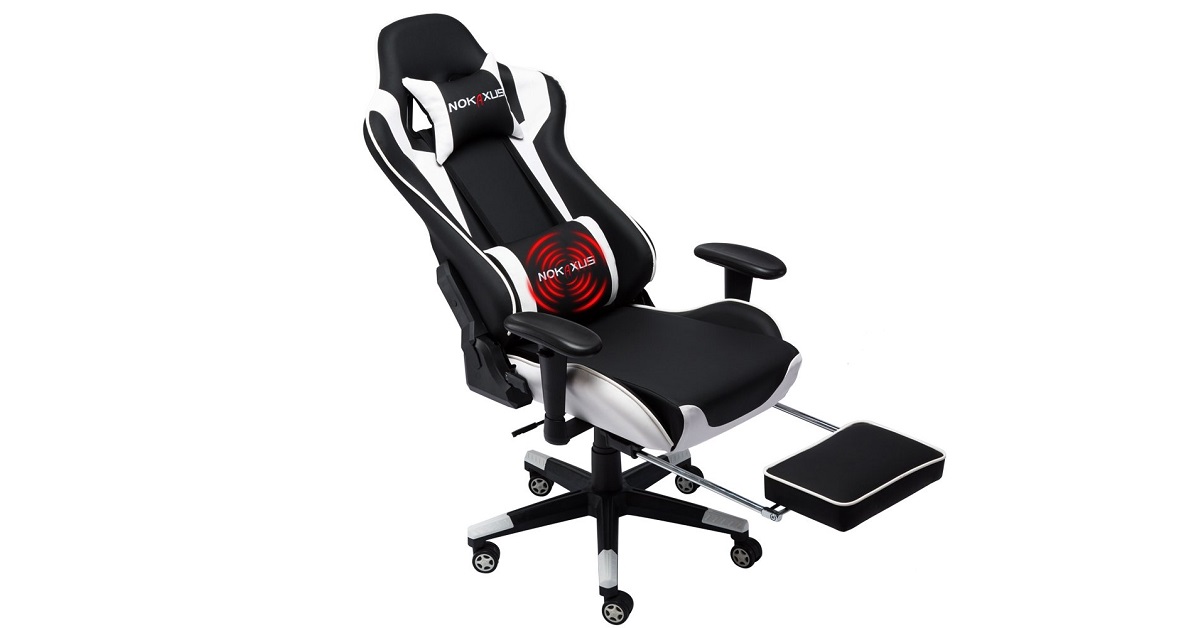
5) Nokaxus Gaming Chair
This gaming chair comes with an ergonomic design and is made of high-quality PU leather that is water-resistant. The high-density foam recovers its shapes quickly and maintains the style of the chair even during marathon gaming sessions. The backrest can recline from 90 to 180 degrees and has two pillows at the neck that are adjustable making it usable by all kinds of gamers. This gaming chair is available in 5 dual-tone colors and has a footrest that is very helpful while gaming. The backrest offers windows to keep airflow, which minimizes sweat problems and the wing design supplies a large space for resting. Moreover, the SGS Class 3 barometer presents safe and smooth seat lifting features. The thick steel frames guarantee sturdiness and dual caster wheels guard the floors against being scratched.
Nokaxus Gaming ChairBuy Here
For the latest gadget and tech news, and gadget reviews, follow us on Twitter, Facebook and Instagram. For newest tech & gadget videos subscribe to our YouTube Channel. You can also stay up to date with the Gadget Bridge Android App.
The e-commerce website Flipkart is hosting Daily Trivia Quiz. Every day it brings a bunch of new questions for its users. By answering them correctly you can win exciting prizes. The questionnaire is based on questions related to general knowledge. Also, the users can win free vouchers and super coins, among other offers via the daily quiz. February 23 Flipkart Daily Trivia Quiz Answers has already gone live on its platform.
The participant should be at least 18 years old and should have a valid login ID. The Quiz is available on the mobile platform and not the web version. E-commerce conducts the quiz on daily basis and goes live at 12:00 AM IST and runs till 11:59 PM IST. The winners are announced within 15 days from the date of participation that can be viewed under the Gems/Rewards section in the app.
In This Article
How to participate in the Flipkart Daily Trivia Quiz
To participate download the Flipkart app on your phone. Then open the Flipkart app then head to Game Zone. Now click on the Daily Trivia Banner or search for Daily Trivia. Enter the game and answer all 5 questions with correct answers.
February 23 Flipkart Daily Trivia Quiz Answers
Question 1: In Which Language Did Tulsidas Write The Epic Poem Ramcharitmanas?
Answer: Awadhi
Question 2: The Death Of The Last Exponent Ishwari Prasad In 1950 Led To The Decline Of
Answer: Company Paintings
Question 3: Which Town Was Created By Sir Frederick Lawley, A Fictional British Officer?
Answer: Malgudi
Question 4: American Archaeologist Hiram Bingham Discovered Which Wonder Of The World?
Answer: Machu Picchu
Question 5: Which Country Abolished Jus Soli, Or Birthright Citizenship, In December 2004?
Answer: India
Amazon Quiz has gone live on its platform. The quiz timings are daily 12 AM to 11:59 PM. By submitting correct answers, millions of Amazon customers can win free gadgets as well as Amazon Pay Balance. By participating in the Amazon Quiz today you can stand a chance to win Echo Studio.
Daily the e-commerce platform brings a fresh questionnaire to which the contestants have to answer correctly to enter into a lucky draw. The quiz can be played daily from 8 AM to 12 noon. The Amazon Quiz contains five easy questions that are based on current affairs and general knowledge. Only one person is declared as a winner and the results are announced at the end of every month. Answering all the questions correctly might let you win something and a wrong answer will get you eliminated from the quiz. To make sure you answer all the questions correctly Gadget Bridge everyday updates all the correct answers to all 5 questions. check out today’s answers for the Quiz to win Echo Studio.
February 23 Amazon Quiz Answers
Question 1: Which country recently connected its Hualong One nuclear reactor to the power grid?
The answer is- China
Question 2: Amrut Mahotsav’ is the name given to what upcoming celebration?
The answer is- 75th Anniversary of Indian Independence
Question 3: Paul J. Crutzen, a Dutch atmospheric chemist who recently passed away, won the Nobel Prize in Chemistry for predicting what?
The answer is- Ozone Holes
Question 4: The original classic version of this world’s best-selling toy does not feature which of the following colours?
The answer is- Black
Question 5: Often made of plastic or metal, what is the tiny piece at the end of this cord called?
The answer is- An Aglet
The gaming mousepad is an essential gear not only to prevent the gaming mouse from slipping but also to enhance the glide. There are a variety of mousepads available in the market for different gamers. In competitive gaming, you can’t underestimate the importance of accuracy and reaction time. Thus, your mousepad should be one with high sensitivity, Dots per Inch (DPI), and firm good palm glide. Here is the list of high-quality mousepads to enhance your mouse performance.
In This Article
1) QcK Prism Mouse Pad
QcK Prism is an attractive mouse pad with a surface that illuminates full range RGB across 12 independent zones. It is a dual-surface textured pad that allows you to select between a premium Hard polymer surface and a micro-textured cloth surface based on your needs and preferences. The cable positioned on the side of the mousepad ensures that it doesn’t hinder gameplay.QcK Prism Mouse PadPrice: Rs. 4,499Buy Here:Amazon
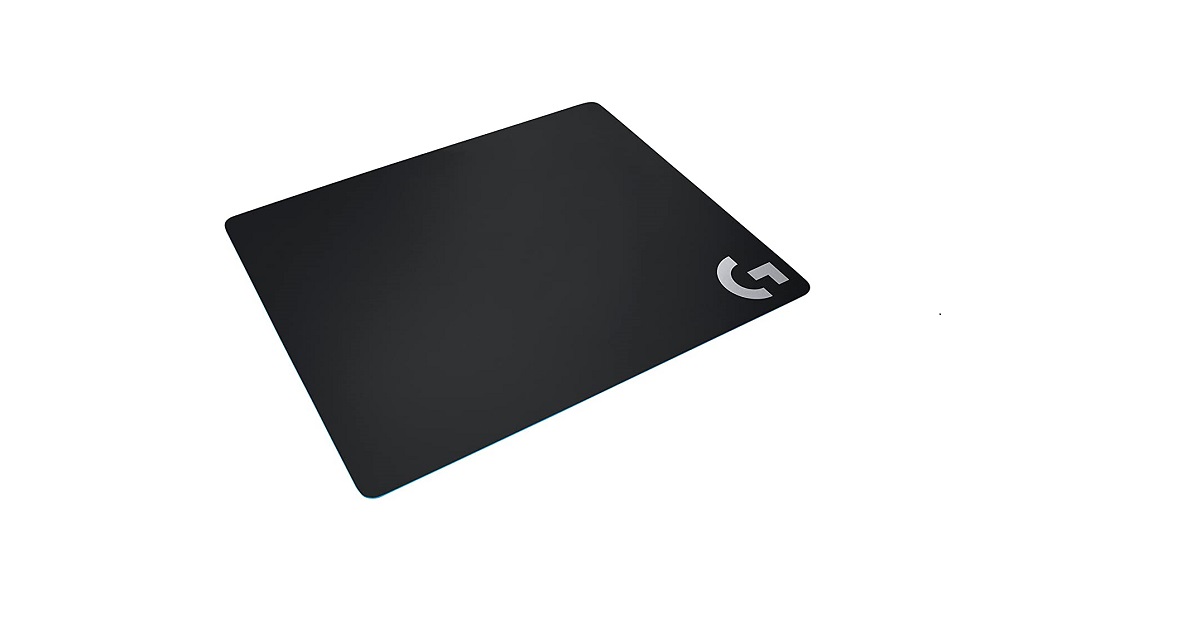
2) Logitech G240
Logitech G240 is a comfortable gaming mousepad that comes in moderate surface friction for low-DPI gameplay. The soft surface offers wrist comfort and enhanced mouse control. The pad has a rubber base that prevents sliding while you are using a mouse over it. The mouse pad is made of a durable material that can last for 2-3 years easily.Logitech G240Price: Rs. 1995Buy Here:Amazon
3) ROCCAT TAITO Control Mouse Pad
This is one of the most affordable gaming mouse pads on this list. It offers a steady and smooth mouse action while gaming. The pad measures 400 x 320mm with a thickness of 3.5mm. The rubberized backing renders excellent grip and no-slip surety. The pad is made of a durable material giving it a long life and stress resistance.ROCCAT TAITO Control Mouse PadPrice: Rs. 1,485Buy Here:Amazon
4) SteelSeries QcK
SteelSeries QcK is an affordable yet good gaming mousepad that has been designed after considering the needs of the gamers. The pad is available in different sizes and thicknesses to suit different gamers. You get a high-quality cloth for accurate and consistent movement. The rubber base checks the pad from sliding.SteelSeries QcKPrice: Rs. 899Buy Here: Amazon
5) ASUS ROG GM50 Plus
This gaming mousepad offers a combination of excellent gaming experience and comfort. It has a 3.5mm thickness and is made of premium cloth providing low-friction. The non-slip rubber stops the mousepad from slipping. You also get ROG colours and a sewn polygonal corner pattern. The mousepad has an anti-bacterial coating to eliminate up to 99.9 percent of germs.ASUS ROG GM50 PlusPrice: Rs. 2199Buy Here:Amazon
For the latest gadget and tech news, and gadget reviews, follow us on Twitter, Facebook and Instagram. For newest tech & gadget videos subscribe to our YouTube Channel. You can also stay up to date with the Gadget Bridge Android App.
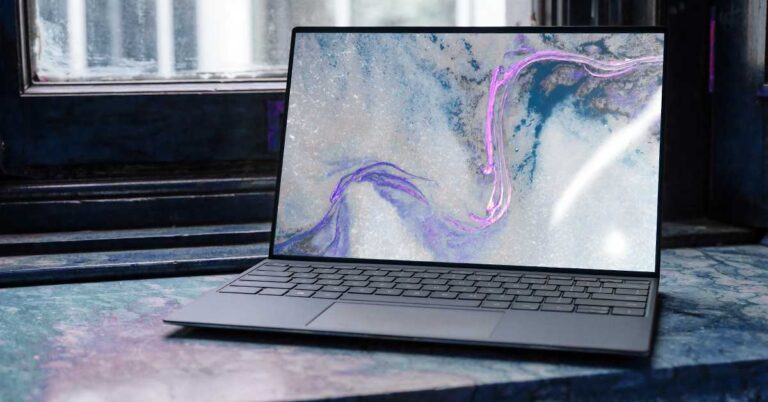
The laptop is an integral part of our lives. Its versatility and portability make it one of the widely used gadgets. No matter you are an engineer, a doctor, a teacher, or a student, a laptop makes your tasks much easier. However, a laptop is after all a machine and is subject to degradation. As a result, your laptop might not be performing the way it used to. Here are the symptoms that will tell you to think about upgrading your laptop.
In This Article
1) Over-heating
When a laptop gets older, it develops heat-related issues like the chassis getting abnormally hot. This symptom happens simply due to the aging of the internal parts, and the strain they’ve been under over the years of usage. In budget laptops, the cooling system is not optimal forcing more than the required stress on the components. Many laptops don’t have a design that can be opened easily. Heating also impacts the functioning of the device. Thus, upgrading your laptop is the most certain solution.
Over-heating
2) Flat battery
With time, the capacity of the battery declines. As a result, the longevity of the battery may not be as much as when you buy your laptop. You may hardly run your laptop for ten minutes before it needs to be plugged in. Replacing the battery may appear as an easy way out. But, nowadays, most laptops don’t have a battery that can be easily replaced. The overall cost over the long-term will not be beneficial. Thus, buying a new laptop of desired specs is the right choice.
Flat battery
3) Portability issue
Generally, old laptops are heavier and ergonomically less-favourable. The contemporary notebooks are much thinner, lighter, and more portable. So, if you are a person who has to travel or make frequent trips, buying a new laptop will surely ease out your lifestyle. Moreover, you will get a bonus of enhanced battery life that will last longer. The heavier the laptop, the more effort you have to make while taking it to your workplace or upstairs. Thus, a new laptop will also enhance your productivity.
Portability issue
4) Hard drive hang-ups
This is the most common issue faced by people with old laptops. The hard-drive is an electro-mechanical device that is not only slow but also wears out. As a result, after a few years, it starts freezing leading to unexpected shutdowns. The errors like Blue Screen of Death (DSOD) obstruct your work and kills the task without saving it. Contrary to this, the contemporary laptops come with Solid-State Drives (SSD) that are much faster and have a longer life. So, if you are tired of waiting for your system to resume, this is the right time to grab a new laptop for yourself.
Hard drive hang-ups
For the latest gadget and tech news, and gadget reviews, follow us on Twitter, Facebook and Instagram. For newest tech & gadget videos subscribe to our YouTube Channel. You can also stay up to date with the Gadget Bridge Android App.
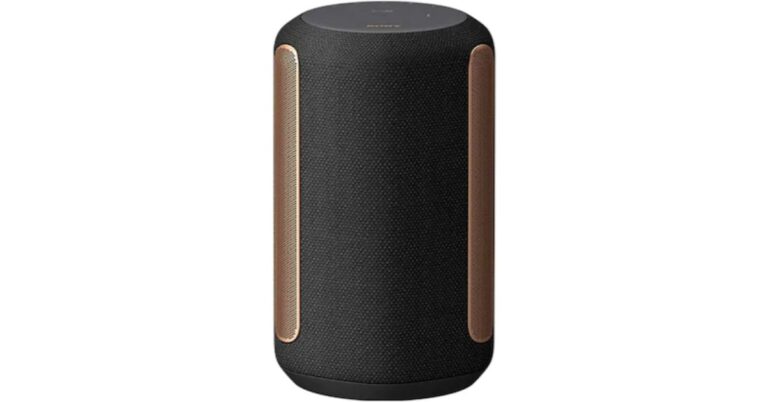
Sony India today announced the launch of its latest premium wireless speaker SRS-RA3000 in India. To recall, the Sony SRS-RA3000 was first introduced at the CES 2021. The new speakers come with the company’s own 360 Reality Audio and Immersive Audio Enhancement technologies. The company claims that the speakers will fill your room with your favourite background music and is a perfect companion to create a calm and unobtrusive atmosphere. Read on to know more about its pricing and features.Sony SRS-RA3000 price and availabilityThe Sony premium wireless speaker SRS-RA3000 has been launched in India with a price tag of Rs 19,990. The Sony speakers are scheduled to go on sale in the country starting February 24 via Sony retail stores (Sony Center and Sony Exclusive),www.ShopatSC.com portal, major electronic stores and exclusively on the Amazon e-commerce portal. As said, the wireless speaker was launched during CES 2021 held in January with a price tag of EUR 359 and were first made available in the UK and European markets.Sony SRS-RA3000 specificationsThe Sony SRS-RA5000 come with an 80mm full-range driver along with two 17mm tweeters and two 103x37mm passive radiators. These wireless speakers come integrated with 360 Reality Audio and Immersive Audio Enhancement technologies. The 360 Reality Audio tracks provide the best ambient room-filling experience as they incorporate three-dimensional sound location data. This allows the device to analyze the location data within and optimally allocate the sound to the speaker’s structure effectively.The RA3000 is compatible with Spotify connect for added convenience and flexibility. You can play Spotify directly through your speaker using the Spotify Connect app on your device for full remote control. The wireless speaker can be paired with a smartphone, laptop or tablet using Bluetooth and is compatible with BRAVIA televisions. It can also be connected to compatible devices via multi-room playback using the Google Home app or Amazon Alexa app. This allows the users to choose between playing different songs in different rooms or playing the same music in all rooms at the same time. Also, it can be accessed through the Sony Music Center app to control your playlist, adjust EQ settings or even turn on/off the Immersive Audio Enhancement and Auto Volume features.
For the latest gadget and tech news, and gadget reviews, follow us on Twitter, Facebook and Instagram. For newest tech & gadget videos subscribe to our YouTube Channel. You can also stay up to date using the Gadget Bridge Android App.
A fully-featured video editing software is essential for a variety of purposes like creating professional promos, YouTube videos, advertisements, and films. You don’t compulsorily require expensive editing tools to create professional-looking videos. You can get wonderful outcomes with free video-editing software. Here is the list of the top 10 free video-editing tools for Windows 10 to make your films stand out.
In This Article
1) Blender
Blender is an open-source video-editor that comes with many advanced features including modifier-based modeling tools, character animation tools, and node-based material. The software is free to use and distribute. It supports almost all the latest audio and video formats including MOV, MPEG4, MP4, AVI, WMV, MPEGPS, FLV, 3GPP, and WebM. The software is perfect for even advanced users.
Blender
Download from: https://www.blender.org/download/
2) Lightworks
Lightworks is a handy video editor featuring several video effects and can edit up to 256 videos, audio, and image clips together. You can even use the software to edit YouTube videos and 4K movies. It supports all the latest audio and video formats like MP4, MXF, QuickTime, AVI, MTS, MPG, M2T. Lightworks comes with a well-designed interface giving it a professional look.
Lightworks
Download from: https://www.lwks.com/index.php?option=com_lwks&view=download&Itemid=206
3) Shotcut
Shotcut is one of the most preferred free video editing software supporting a wide range of video formats and offering a huge collection of tutorial videos. Shotcut supports even the 4K and HD resolutions with its timeline editing. Moreover, it doesn’t need you to import your video into the editor, thereby, saving you much time if you are dealing with large projects.
Shotcut
Download from: https://shotcut.org/download/
4) Openshot
Openshot is an open-source free video editor that provides all the basic video editing features such as trimming and slicing. You also get several transitions and audio effects to create simple videos. This free video editor gives you infinite video tracks in the timeline so you can add many videos and audio clips. Openshot also comes with tile templates and video effects allowing you to have more touches on your video.
Openshot
Download from: https://www.openshot.org/download/
5) HitFilm Express
HitFilm Express is one of the best all-in-one free video editors available. Offering animation tools to create and edit audio, and video transitions without making composite shots, thereby, saving you a lot of time. The software has features like Professional-grade video editing Composite shot enhancements that enable you to animate two separate clips together. You also get an adaptive trimmer to re-trim your shots after attaching them to the timeline.
HitFilm Express
Download from: https://fxhome.com/hitfilm-express
6) VSDC Free Video Editor
VSDC is a non-linear video editing software offering a lot of useful video editing functions like animations, sprites, transitions, watermarking, blending, overlaying, and masking. You get a free video stabilization tool to improve the quality of videos captured on smartphones. The software provides a wide range of filters, overlays, transition effects, and color correction abilities. It comes with broad format support that helps you handle all popular media files without hassle.
VSDC Free Video Editor
Download from: http://www.videosoftdev.com/free-video-editor/download
7) Movie Maker 10
Movie Maker 10 is one of the best software providing a wide range of basic and advanced features including video joining, adding background music, text caption, image filter, transition effects, and pan-tilt-zoom effects. The software supports almost all popular media formats including mp4, WMV, mkv, mov, AVI, mpeg, mpg, mts, jpg, png, gif, mp3, m4a, and wav.
Movie Maker 10
Download from: https://www.microsoft.com/en-us/p/movie-maker-10-free/9mvfq4lmz6c9?activetab=pivot:overviewtab
8) Videopad
VideoPad is a cross-platform video-editing software that doesn’t take much time and effort to get used to the needs of beginners as well as professionals. The software features an intuitive and feature-rich video editing platform with more than 50 transition effects. You can even adjust video speed to create a slow-motion or time-lapse video effect. Videopad enables you to record narrations to make your shot more detailed, which is a reward for video game enthusiasts.
Videopad
Download from: https://www.nchsoftware.com/videopad/download-now.html
9) Avidemux
Avidemux is one of the best free video editing software for beginners as it offers an easy-to-navigate interface. This software helps you handle tasks like cutting, encoding, and filtering. It supports a variety of file formats including AVI, DVD, MPEG, MP4, and ASF. The best thing about Avidemux is that you can learn to use it smoothly and quickly even if you are a beginner in the video editing industry.
Avidemux (Image Courtesy: Wikipedia)
Download from: https://sourceforge.net/projects/avidemux/
10) Davinci Resolve
DaVinci Resolve is the most advanced video editing software on the list offering several professional video tools like video slicing, trimming, master audio, and correct color. The software also enables you to add 2D and 3D titles to your clips. DaVinci is functional for both offline and online editing, and its optimised playback engine saves you a lot of time, which most video editors want.
Davinci Resolve
Download from: https://www.blackmagicdesign.com/in/products/davinciresolve/
For the latest gadget and tech news, and gadget reviews, follow us on Twitter, Facebook and Instagram. For newest tech & gadget videos subscribe to our YouTube Channel. You can also stay up to date with the Gadget Bridge Android App.
The Chinese smartphone company, Xiaomi, has launched another variant of Redmi 9 Power in India. The company has introduced a new 6GB RAM with a 128GB storage variant in the country. However, the device is already available in two different configurations when launched in December last year. The specification of the device remains the same as the other two variants, which include a massive 6,000mAh battery. In addition to this, the phone also includes a quad rear camera setup and an FHD+ display.Redmi 9 Power 6GB RAM price and availability in IndiaThe price of the Redmi 9 Power 6GB RAM with 128GB storage has been set at Rs 12,999. The device will be available in Blazing Blue, Electric Green, Fiery Red, and Mighty Black colour options. The smartphone is now available for purchase via Mi.com, Amazon India, Mi Homes and Mi Studios starting 12:00 noon onwards. It will also be soon available across all 10,000+ retail stores. The device is already available in two variants of 4GB RAM with 64GB storage and 4GB RAM with 128GB storage model. The 64GB version is priced at Rs 10,999 while the 128GB model comes at Rs 11,999.Redmi 9 Power 6GB RAM specifications The specs of the Redmi 9 Power 6GB RAM remain the same as the original one. The smartphone comes with a 6.53-inch full-HD+ Dot Drop display with 1,080×2,340 pixels of resolution with TÜV Rheinland Low Blue Light certification. The phone runs on MIUI 12 on top of Android 10. Under the hood, there is an octa-core Qualcomm Snapdragon 662 SoC coupled with Adreno 610 GPU. The device will be available with up to 6GB of LPDDR4X RAM and 128GB of UFS 2.2 storage that can be expanded up to 512GB using a microSD card.In terms of imaging, the mobile phone features a quad-camera set up on the back of the phone that includes a 48-megapixel primary sensor. Moreover, there is an 8-megapixel ultra-wide-angle lens, a 2-megapixel macro lens and a 2-megapixel depth sensor. While on the front there is an 8-megapixel selfie camera that also supports AI Face Unlock.Redmi 9 Power boasts a massive 6,000mAh battery with an 18W fast charger which is claimed to deliver 2 days of battery life, up to 695 hours of standby on 4G on a single charge. For connectivity, there is 4G VoLTE, dual-band Wi-Fi, Bluetooth v5.0, GPS/ A-GPS, Infrared (IR) blaster, USB Type-C, and a 3.5mm audio jack.
For the latest gadget and tech news, and gadget reviews, follow us on Twitter, Facebook and Instagram. For newest tech & gadget videos subscribe to our YouTube Channel. You can also stay up to date using the Gadget Bridge Android App.
Although Android 12 is still about four-six months away from its stable release, the Developer Preview is offering a majority of the new features. There are many new tweaks for the developers including fresh APIs that have been added to make the Android experience more user-friendly. For common Android users, the latest Android version comes with privacy enhancements and UI changes. Here is the list of the prominent features you can expect from the new Android 12 OS.
In This Article
1) New User-interface
Google first introduced its Material Design in 2014 based on the concept of Shadow and Depth. Google launched it across a vast spectrum of services. Later, Material Design 2.0 was released, and now Android 12 will come with the Material NEXT design that seems to have significant changes.
New User-interface
2) New Notification UI
The notification panel is an important feature of a smartphone OS. The Android 12 will have significant visual changes along with smoother transitions across the notifications panel. Google has also included a translucent background in the Notification area. Although the icons will be the same, some color changes have been made.
3) WiFi Sharing with Nearby Button
Android 12 now offers Wi-Fi sharing ability to all nearby contacts merely by pressing the ‘Nearby’ button. Instead of sharing the barcode scanner with each of the known contacts, you can simply share it with all of them using the ‘Nearby’ button.
WiFi Sharing with Nearby Button
4) Better Screenshots
Android 12 will come packed with enhanced editing options for screenshots. The latest extensions in editing tools will include the feature to add text, emojis, and stickers. It is expected to reduce the dependence on third-party applications for the same purpose.
5) Improved Audio
Android 12 will come with multichannel audio with support for MPEG-H and the audio mixers can now get 24 channels. You also get an enhanced media player allowing you to turn it off in quick settings for YouTube, Spotify, and other apps and vice versa.
6) One-Handed Mode
As the size of smartphones is getting bigger, using them with a single hand is a challenge for many people. Android 12 has come up with a solution as it offers One-Handed mode as you get in Samsung’s OneUI and OnePlus OxygenOS. A much-needed feature, if you ask us.
Android 12 will come with One-Handed Mode
7) Android Updates via Google Play
Android 12 will finally integrate the Android Runtime (ART) with the Play system updates program known as Project Mainline. It will allow third-party application developers and companies to offer key updates through Google Play.
Android Updates via Google Play
8) Enhanced Media transcoding
Android 12 will offer application developers to utilise a native transcoding layer so that they can make full use of video compression. This feature is considered as a backup solution since Google still recommends the developers to create their apps compatible with the latest compression standards like HEVC.
9) Redirect Vibration to Gaming Controllers
Android 12 is expected to come with a native Game Mode although it does provide the ability to redirect haptic feedback from the smartphone to a gaming controller. This step seems to be an attempt to push Stadia on Android. However, you will be able to use the feature with third-party controllers that offer a vibration motor.
Redirect Vibration to Gaming Controllers
10) Permissions Dialog
Google now introduced a much more stringent permissions management feature. That is a significant step if you want to remain vigilant about how apps utilise smartphone sensors and data. In Android 12, the permissions dialog box has been slightly modified. Now, you will have a shortcut to give ‘Always Access’ in Settings for an application that needs to access the microphone or location.
For the latest gadget and tech news, and gadget reviews, follow us on Twitter, Facebook and Instagram. For newest tech & gadget videos subscribe to our YouTube Channel. You can also stay up to date with the Gadget Bridge Android App.
There are several reasons for disk boot failure such as issues in the operating system, issues with the power supply, error in the drive, and a faulty motherboard. If you didn’t create a backup, the recovery of data becomes a challenging task. But you don’t need to worry. the following are the ways by which you can recover your data on a Windows PC.
In This Article
1) Booting your PC in Safe Mode
This is one of the most reliable ways of data recovery. Booting your PC in Safe mode recovers your data in most cases. While your PC boots, press F8 or Shift+F8 repeatedly to boot in Safe Mode. Once your PC is running in Safe Mode, you can use Windows Explorer to find the files and save them into an external drive.
Booting your PC in Safe Mode
2) Booting from an external flash drive
Sometimes, booting in a safe mode does not work. You may go for booting a Windows operating system from an external flash drive. You should always keep a USB drive to reuse these. You will need to restart your PC and boot into your BIOS to change the boot order.
Booting from an external flash drive
3) Removing the HDD and using it with another PC
In most cases when you swap drive from one PC to the other, the new PC will recongnise the drive and you can recover and transfer data. In case it does not use the following.
This method can be implemented in the following steps.
a) Remove the HDD from the Trayless Rack to use it as an external drive with another system. You can also utilise a compatible SATA-USB adapter to switch this drive into an external drive.
b) Open your Disk Management tool. Just press Windows+R to begin the ‘Run’ option. Search ‘diskmgmt.msc’ to launch the Disk Management utility.
Search ‘diskmgmt.msc’ in the ‘Run’ option.
c) You may need to set a new drive letter to the disk volume if your PC detects an inaccessible hard drive. Just right-click on the drive and then choose ‘Change Drive Letters and Paths.’ Select ‘Add’ /’Change’ and set the letter from the drop-down.
Change Drive Letters and Paths
d) Now copy data from the drive to external storage as soon as the drive becomes accessible.
4) Boot PC with Windows installation disc
You should always try this option as there is a chance that your Windows installation is damaged.
Enter the Windows installation disk into your computer. You will get a ‘Press any key to boot from CD or DVD’ message.
Select ‘Next’ followed by ‘Repair Your Computer’ on the pop-up screen.
If you are using Windows 8 or 10 installation disks, you have to follow: Troubleshoot -> Advanced Options -> Command Prompt.
A Command Prompt window will open where you have to type ‘notepad’ and press Enter to start the Notepad dialog box. Click ‘File’ and select ‘Open’ in the Notepad window.
Now, click the ‘All Files’ option followed by clicking the ‘Computer’ option. This will enable you to use the ‘Open’ dialog box as a Windows Explorer window.
Finally, copy all the files that you want to recover and store them in an external drive.
Boot PC with Windows installation disc
5) Using a Data Recovery tool
Using a professional Data Recovery tool is the last resort when all the above methods fail to work. Data Recovery Tools like Kernel for Windows Data Recovery can repair, recover, and restore data from corrupt Windows partitions and thus can obtain your deleted files, documents, emails, and media records. To recover data using a recovery tool, follow these steps.
On the recovery tool webpage, select the appropriate scan mode. In the tree view structure, choose the drive from which you want to recover your data.
The tool will automatically look for all the lost data from the selected drive. Once complete, it will give the list of recovered items.
Choose the items you want to recover and press ‘Recover’. You can provide the location where you would like to save your recovered files and folders.
You may use WhatsApp for chatting, Voice calls, video calls, sharing pictures, documents, locations, GIFs and more but not everyone is aware or hasn’t explored many of its features yet. It allows you to archive your chats, mute groups, and even start important messages but you can also use it to chat with yourself for taking notes, making to-do lists, saving important links and much more. Messaging yourself on WhatsApp not only sounds interesting but is useful in many ways and use it as a diary or as a note-taking tool without having the need to install a dedicated mobile app for doing so. At whatever point you need to message yourself to save something significant or anything. So here is our step to step guide on how to chat with yourself on WhatsApp so that no one other than you can see the messages.
How to Send WhatsApp Messages to Yourself?
Earlier it was possible to go to your phone book and open your phone number where you would find an option of sending WhatsApp messages to yourself. But unfortunately, this functionality has been removed but still, you can do it by our trick. Here it goes.
Firstly open your mobile web browser, for instance, Google Chrome.
Now type wa.me// in the address bar, Followed by your phone number with your country code.
Make sure the country code should be added before the mobile number. Eg. wa.me//91xxxxxxxxxx.
Now a WhatsApp page will appear with your phone number displayed on top along with your profile picture asking you to open WhatsApp
Now tap on it and you will be headed to your chats and on the top of the chat list, your own number will be displayed.
Now you can start chatting with yourself, add notes, or save photos, videos and share files like any other regular chats.
For the web app users a new window prompt with an option to “ Continue to chat”
Click on it and WhatsApp Web or the WhatsApp desktop app will either open up and your number will be shown in your chat list. And now you can begin chatting with yourself, add notes, or save photos and videos.
You can also do it by using the WhatsApp groups feature too. All you need to do is to follow the steps below:
Open WhatsApp on your phone
Head to menu
Now select a new group
Give it a name and tap next
Now add any of your close friends or family members to the group and tap on creating a group to finish.
The next step is to remove your friend from the newly created group now that you being as the admin and the only left member in the group you can begin sending messages in this group and it will be simply saved for your future.
Facing slow Wi-Fi speed can be irritating, if you are working or studying from home. Even if you have a high-speed internet connection, you might still be facing problems downloading files or streaming videos. The cause for slow speed is not always related to the server or backend. There may be issues related to your Wi-Fi router as well. Here are the most common router-related reasons for slow internet and their respective solutions.
In This Article
1) Wrong positioning of Wi-Fi router
Even with a high-speed internet connection and a decent Wi-Fi router, you may still face slow internet speeds. The problem may be the wrong positioning of your router. SOLUTION: You should always place the router at a higher point like above your wardrobe. You can also experiment while placing the Wi-Fi router at various spots in your house to see where you get the best signal strength. Wi-Fi signals normally pass through walls but get obstructed by metal objects like ovens or refrigerators. Thus you should keep the router away from them for optimal speed.
Positioning of Wi-Fi router
2) Your Wi-Fi password may be too weak
An easy Wi-Fi password may allow your neighbors to gain access to your Wi-Fi. When some else will steal your Wi-Fi connection, you will automatically face slow internet speed issues.
SOLUTION: You should always WPA2 security protocol on your router. This can be set in your router’s settings by entering the router’s IP address in a web browser. The router’s IP address is printed at the back of the router. If you don’t find it there, you can get it by accessing your Wi-Fi network settings on your PC or smartphone. Refer to the router manual as well.
Your Wi-Fi password may be too weak
3) Improper distribution among multiple users
Your high-speed internet may be shared by multiple users in your family. Certain tasks like downloading video games on the PlayStation Network or Netflix streaming hog up a lot of the internet speed. When the internet speed is not properly distributed, you may face slow speeds.
SOLUTION: Nowadays, routers support technology by which you can distribute equal bandwidth across all devices ensuring your speed does not get bottlenecked when other devices are absorbing the speed. You can also reduce the load on the internet by pausing the video game download or Netflix streaming. You can also set limits on the amount of speed a particular device can use. So that other devices do not face slow internet problems.
Improper distribution among multiple users
4) Your router’s firmware might be obsolete
Updating the router’s software is important for improving its stability, performance, and security.
SOLUTION: Nowadays, routers come with the feature to update automatically. If your router does not have that ability, you will need to install the software updates manually. Every router has a different method to update the software that you can search on a browser. You just need to enter your router’s IP address to access Wi-Fi settings.
Your router’s firmware might be obsolete
5) Changing the DNS server
All Internet Service Providers (ISPs) use a Domain Name System (DNS) regardless of their internet plans. The DNS translates the complex IP address of servers into easy domain names such as google.com or instagram.com. Usually, the default DNS server provided by ISPs is slow.
SOLUTION: Changing your DNS server can give a significant gain in your internet speed and performance. To change the DNS, open the Wi-Fi settings on your phone and search the Private DNS option. You can set it on ‘Automatic’ or manually by hitting Private DNS provider hostname.
Changing the DNS serverBonus Tip: You can put a metal foil behind the Wi-Fi router antenas like a wall, the signal will be boosted to the other side and its reach will improve. You can also use Wi-Fi repeater with your router to improve speed around the house.
For the latest gadget and tech news, and gadget reviews, follow us on Twitter, Facebook and Instagram. For newest tech & gadget videos subscribe to our YouTube Channel. You can also stay up to date with the Gadget Bridge Android App.
WhatsApp recently provided its latest update on its recent privacy policy update and stated that the latest change will be coming soon. The company notes that it will once again begin the rollout of privacy policy changes that will now come with more information banners and allow users to review its planned privacy update and accept its new privacy policy in order to continue using the app. Earlier when the company updated its privacy policy it had no option but to accept the policy to continue using the app and with the latest list of details soon to be rolling out what will happen if again users ignore its terms by the May 15 deadline?As per the latest report by TechCrunch, the instant messaging app owned by Facebook says they will now have access to some key features of the app it will “slowly ask” such users to comply with the new terms “in order to have full functionality of WhatsApp” starting May 15. When the user still doesn’t accept their terms WhatsApp will not delete your account. However, you won’t have the full functionality of WhatsApp until you accept. For a short time, you’ll be able to receive calls and notifications, but won’t be able to read or send messages from the appIn the note, WhatsApp linked to a newlycreated FAQ page that says its policy related to inactive users will apply after May 15. So basically if you choose to ignore the WhatsApp terms and conditions you would lose some key functionality. So either you give in or get your chats back up and simply migrate to another messaging app. And to get back to using the full features of the app you only have the option to accept its new privacy policies after May 15. And once the deadline is over your WhatApp account will no longer show the ‘ACCEPT’ button hence it will be inactive and the company will automatically delete it after 120 days.“To maintain security, limit data retention, and protect the privacy of our users, WhatsApp accounts are generally deleted after 120 days of inactivity. Content stored locally on a user’s device prior to account deletion will remain until WhatsApp is deleted from the device. When a user reregisters for WhatsApp on the same device, their locally stored content will reappear.” WhatsApp wrote in an email to its merchant partners.In its latest blog, WhatsApp said it will again start reminding users to review and accept its new privacy policy in order to continue using the app. The new banner will be displayed to the user’s app in the coming weeks which will now include more information and transparency around the new terms and conditions. The company said, “we’re sharing updated plans for how we’ll ask WhatsApp users to review our terms of service and privacy policy. We previously encountered a great deal of misinformation about this update and we continue to work hard toclear up any confusion.”Furthermore, “In the coming weeks, we’ll display a banner in WhatsApp providing more information that people can read at their own pace. We’ve alsoincluded more information to try and address concerns we’re hearing. Eventually, we’ll start reminding people to review and accept these updates to keep using WhatsApp.”However, the company still emphasizes that the personal messages will always be end-to-end encrypted by default and limited data might be captured by WhatsApp during business conversations but will be used only for development purposes.The company also said, “We’ve seen some of our competitors try to get away with claiming they can’t see people’s messages — if an app doesn’t offer end-to-end encryption by default that means they can read your messages.”
For the latest gadget and tech news, and gadget reviews, follow us on Twitter, Facebook and Instagram. For newest tech & gadget videos subscribe to our YouTube Channel. You can also stay up to date using the Gadget Bridge Android App.
Redmi 9 Power was launched in India later last year. Then the device was introduced in two different configurations. Today the Chinese company has announced that the phone will be available in a new RAM and storage variant. However, the price of the new configuration of the phone is confirmed but the device availability of the new variant is now being teased via Amazon. While the rest of the specs remain the same as the original one.Redmi 9 Power 6GB RAM with 128GB variant has been listed on Amazon and said to be available in India soon. The price and the launch date of the 6GB variant is yet to be revealed but according to tipster Ishan Agarwal, the device is likely to be priced at Rs 12,999. At the moment the phone is available in two variants of 4GB RAM with 64GB storage and 4GB RAM with 128GB storage model. The 64GB version is priced at Rs 10,999 while the 128GB model comes at Rs 11,999. Redmi 9 Power will be available in Mighty Black, Blazing Blue, Fiery Red and Electric Green colour options.Redmi 9 Power: SpecificationsAs we said earlier the specs and the features of the Redmi 9 Power will remain the same and it will be featuring a 6.53-inch full-HD+ Dot Drop display with 1,080×2,340 pixels of resolution with TÜV Rheinland Low Blue Light certification. The display offers 400 nits of peak brightness and a 19.5:9 aspect ratio. It runs MIUI 12 on top of Android 10 and is powered by octa-core Qualcomm Snapdragon 662 SoC coupled with Adreno 610 GPU.In terms of optics, Redmi 9 Power includes a quad-rear camera set up comprising a 48-megapixel primary sensor. Moreover, there is an 8-megapixel ultra-wide-angle lens, a 2-megapixel macro lens and a 2-megapixel depth sensor. While on the front there is an 8-megapixel selfie camera that also supports AI Face Unlock. The device is backed by a 6,000mAh battery with 18W fast charging support. It is claimed to deliver 2 days of battery life, up to 695 hours of standby on 4G on a single charge. For connectivity, there is 4G VoLTE, dual-band Wi-Fi, Bluetooth v5.0, GPS/ A-GPS, Infrared (IR) blaster, USB Type-C, and a 3.5mm audio jack.
For the latest gadget and tech news, and gadget reviews, follow us on Twitter, Facebook and Instagram. For newest tech & gadget videos subscribe to our YouTube Channel. You can also stay up to date using the Gadget Bridge Android App.
The e-commerce website Flipkart is hosting Daily Trivia Quiz. Every day it brings a bunch of new questions for its users. By answering them correctly you can win exciting prizes. The questionnaire is based on questions related to general knowledge. Also, the users can win free vouchers and super coins, among other offers via the daily quiz. February 22 Flipkart Daily Trivia Quiz Answers has already gone live on its platform.
The participant should be at least 18 years old and should have a valid login ID. The Quiz is available on the mobile platform and not the web version. E-commerce conducts the quiz on daily basis and goes live at 12:00 AM IST and runs till 11:59 PM IST. The winners are announced within 15 days from the date of participation that can be viewed under the Gems/Rewards section in the app.
In This Article
How to participate in the Flipkart Daily Trivia Quiz
To participate download the Flipkart app on your phone. Then open the Flipkart app then head to Game Zone. Now click on the Daily Trivia Banner or search for Daily Trivia. Enter the game and answer all 5 questions with correct answers.
February 22 Flipkart Daily Trivia Quiz Answers
Question 1: The IAAF recently officially changed its name to what among these?
Answer: World Athletics
Question 2: In which country did the sport of sumo wrestling originate?
Answer: Japan
Question 3: A cricket stadium in which of these cities is named after a former Indian hockey player?
Answer: Gwalior
Question 4: Who recently set the record for the highest score in T10 League history?
Answer: Chris Lynn
Question 5: For which team is Yuvraj Singh playing in the 2019 T10 League?
Answer: Maratha Arabians
Amazon India is back with another lucrative quiz on its platform. Amazon Quiz has already gone live and today you can stand a chance to win Rs 20,000 Amazon Pay Balance. Every day the e-commerce platform brings an opportunity for its customers to win amazing prizes by answering five questions. The questionnaire is based on general knowledge and current affairs. If you managed to answer all the questions correctly you will be eligible to win gifts such as iPhone X, iPhone Xs, Seagate HDD, GoPro Hero 8 Camera, LG Smartphones, Air Purifier, Oppo smartphones, Amazon Pay Balance among others.
The Amazon Quiz is hosted for the app users only which means desktops users cannot participate in the quiz. So before participating just make sure you have downloaded the App. The lucky users might win something by answering all the questions correctly. The Amazon Quiz can be played daily from 8 AM to 12 noon. Daily the e-commerce platform gives a chance to millions of people across the country to win exciting prizes. To participate and win Rs 20,000 Amazon Pay Balance check out today’s answers.
January 22 Amazon Quiz Answers
Question 1: Which company has become the country’s first telecom company to successfully demonstrate and orchestrate live 5G service?
The answer is- Airtel
Question 2: In which country is the Mount Merapi volcano located?
The answer is- Indonesia
Question 3: Black Ops Cold War’ is the latest release from which iconic game franchise?
The answer is- Call of Duty
Question 4: What children’s nursery rhyme with this object in its title is thought to be, by one interpretation, about the Black Death in Europe?
The answer is- Ring a Ring o’ Roses
Question 5: Which country consumes this food the most per capita?
The answer is- Switzerland
For the latest gadget and tech news, and gadget reviews, follow us on Twitter, Facebook and Instagram. For newest tech & gadget videos subscribe to our YouTube Channel. You can also stay up to date using the Gadget Bridge Android App.
Windows Latest reports that PartitionAlloc-everywhere will be merged with Chrome allowing the browser to start faster, load internal pages faster, and offer improved resources management (reduced RAM usage) therefore making it become less sluggish.The tech giant has been working on this feature since last year and will soon roll out in Chrome’s next update but before this, it will be available via the beta channel of Chrome for Android and Windows. According to the report PartitionAlloc will be released for Linux too but has encountered some issues and it’s still unclear when it will be enabled in the stable channel.However, Google’s engineer in a Chromium bug post wrote, “Switch to PartitionAlloc on Linux. This is already the default on Windows and Android and has been shipping to the beta on both platforms. Nevertheless, issues may remain on Linux,”Also, Google is also experimenting so as to reduce memory usage and contribute to better performance by merging the regular and aligned partitions.The company says, “Having two separate partitions is required when the regular one doesn’t provide the desired alignment. Without that, it’s beneficial performance and memory-wise to have a single partition. Performance is better since aligned allocations (which are actually plentiful in Chromium) can leverage the thread cache. Memory footprint improves from lower fragmentation, and not paying the fixed cost of partition metadata,” Moreover, Google is also working on PartitionAlloc-Everywhere for Android in addition to Windows 10 and Linux this is either neutral or a win for memory, performance andstability, with the exception of median GPU process footprint, which regresses by a small amount, but is being addressed.Similar to Google, Microsoft is also working on new ideas to reduce memory usage of Edge.
For the latest gadget and tech news, and gadget reviews, follow us on Twitter, Facebook and Instagram. For newest tech & gadget videos subscribe to our YouTube Channel. You can also stay up to date using the Gadget Bridge Android App.









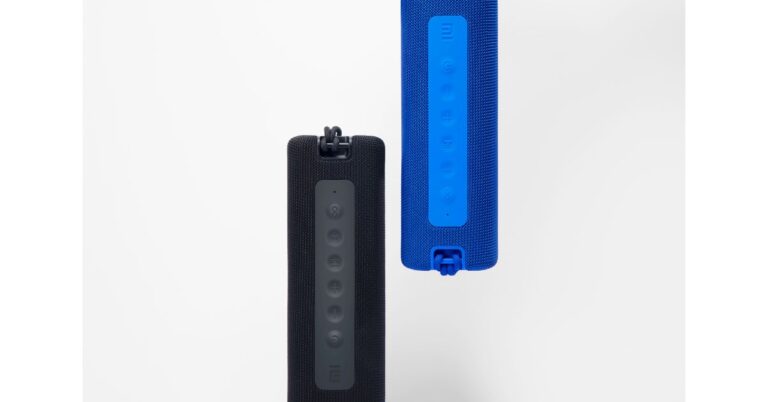
 The Mi Bluetooth speaker can be paired with other speakers using TWS mode for enhanced sound quality. The device has an IPX7 waterproof rating and can be immersed underwater for 30 minutes, at a maximum depth of 1 meter. It is backed by a 2,600mAh battery. It is touted to last for up to 13 hours on a single charge. In addition to this, there is a built-in microphone for taking calls and voice assistants’ support.
Mi Neckband Bluetooth Earphones Pro: Specification
Mi Neckband Bluetooth Earphones Pro is the latest addition to the company’s Bluetooth earphone range. The device features a 10 mm dynamic driver and comes with a new anti-cerumen design & anti-blockage speaker net. This design will help keep the buds clean and wax-free. Whereas the anti-blockage speaker net helps to block small particles that seep inside the device via the speaker net.
The Mi Bluetooth speaker can be paired with other speakers using TWS mode for enhanced sound quality. The device has an IPX7 waterproof rating and can be immersed underwater for 30 minutes, at a maximum depth of 1 meter. It is backed by a 2,600mAh battery. It is touted to last for up to 13 hours on a single charge. In addition to this, there is a built-in microphone for taking calls and voice assistants’ support.
Mi Neckband Bluetooth Earphones Pro: Specification
Mi Neckband Bluetooth Earphones Pro is the latest addition to the company’s Bluetooth earphone range. The device features a 10 mm dynamic driver and comes with a new anti-cerumen design & anti-blockage speaker net. This design will help keep the buds clean and wax-free. Whereas the anti-blockage speaker net helps to block small particles that seep inside the device via the speaker net.
 The Mi earphones have a one-click Active Noise Cancellation (ANC), the earphone puts an end to various surrounding noises by counteracting the noise waves and bringing down the surrounding noise spectrum by 25dB. On the other hand, the Environmental noise cancellation cancels out the ambient noise during a call.
The microphone on the audio device detects the direction of the speech and suppresses the environmental noise up to 90% to deliver a crystal clear voice call experience. It also features 125ms low Latency audio for a delay-free audio experience with better and faster gaming too. The Mi Neckband Bluetooth Earphones Pro is IPX5 rated as well for splash and sweat resistance. It can also provide up to 20 hours of battery life.
For the latest gadget and tech news, and gadget reviews, follow us on Twitter, Facebook and Instagram. For newest tech & gadget videos subscribe to our YouTube Channel. You can also stay up to date using the Gadget Bridge Android App.
The Mi earphones have a one-click Active Noise Cancellation (ANC), the earphone puts an end to various surrounding noises by counteracting the noise waves and bringing down the surrounding noise spectrum by 25dB. On the other hand, the Environmental noise cancellation cancels out the ambient noise during a call.
The microphone on the audio device detects the direction of the speech and suppresses the environmental noise up to 90% to deliver a crystal clear voice call experience. It also features 125ms low Latency audio for a delay-free audio experience with better and faster gaming too. The Mi Neckband Bluetooth Earphones Pro is IPX5 rated as well for splash and sweat resistance. It can also provide up to 20 hours of battery life.
For the latest gadget and tech news, and gadget reviews, follow us on Twitter, Facebook and Instagram. For newest tech & gadget videos subscribe to our YouTube Channel. You can also stay up to date using the Gadget Bridge Android App.  The Mi Bluetooth speaker can be paired with other speakers using TWS mode for enhanced sound quality. The device has an IPX7 waterproof rating and can be immersed underwater for 30 minutes, at a maximum depth of 1 meter. It is backed by a 2,600mAh battery. It is touted to last for up to 13 hours on a single charge. In addition to this, there is a built-in microphone for taking calls and voice assistants’ support.
Mi Neckband Bluetooth Earphones Pro: Specification
Mi Neckband Bluetooth Earphones Pro is the latest addition to the company’s Bluetooth earphone range. The device features a 10 mm dynamic driver and comes with a new anti-cerumen design & anti-blockage speaker net. This design will help keep the buds clean and wax-free. Whereas the anti-blockage speaker net helps to block small particles that seep inside the device via the speaker net.
The Mi Bluetooth speaker can be paired with other speakers using TWS mode for enhanced sound quality. The device has an IPX7 waterproof rating and can be immersed underwater for 30 minutes, at a maximum depth of 1 meter. It is backed by a 2,600mAh battery. It is touted to last for up to 13 hours on a single charge. In addition to this, there is a built-in microphone for taking calls and voice assistants’ support.
Mi Neckband Bluetooth Earphones Pro: Specification
Mi Neckband Bluetooth Earphones Pro is the latest addition to the company’s Bluetooth earphone range. The device features a 10 mm dynamic driver and comes with a new anti-cerumen design & anti-blockage speaker net. This design will help keep the buds clean and wax-free. Whereas the anti-blockage speaker net helps to block small particles that seep inside the device via the speaker net.
 The Mi earphones have a one-click Active Noise Cancellation (ANC), the earphone puts an end to various surrounding noises by counteracting the noise waves and bringing down the surrounding noise spectrum by 25dB. On the other hand, the Environmental noise cancellation cancels out the ambient noise during a call.
The microphone on the audio device detects the direction of the speech and suppresses the environmental noise up to 90% to deliver a crystal clear voice call experience. It also features 125ms low Latency audio for a delay-free audio experience with better and faster gaming too. The Mi Neckband Bluetooth Earphones Pro is IPX5 rated as well for splash and sweat resistance. It can also provide up to 20 hours of battery life.
For the latest gadget and tech news, and gadget reviews, follow us on Twitter, Facebook and Instagram. For newest tech & gadget videos subscribe to our YouTube Channel. You can also stay up to date using the Gadget Bridge Android App.
The Mi earphones have a one-click Active Noise Cancellation (ANC), the earphone puts an end to various surrounding noises by counteracting the noise waves and bringing down the surrounding noise spectrum by 25dB. On the other hand, the Environmental noise cancellation cancels out the ambient noise during a call.
The microphone on the audio device detects the direction of the speech and suppresses the environmental noise up to 90% to deliver a crystal clear voice call experience. It also features 125ms low Latency audio for a delay-free audio experience with better and faster gaming too. The Mi Neckband Bluetooth Earphones Pro is IPX5 rated as well for splash and sweat resistance. It can also provide up to 20 hours of battery life.
For the latest gadget and tech news, and gadget reviews, follow us on Twitter, Facebook and Instagram. For newest tech & gadget videos subscribe to our YouTube Channel. You can also stay up to date using the Gadget Bridge Android App. 


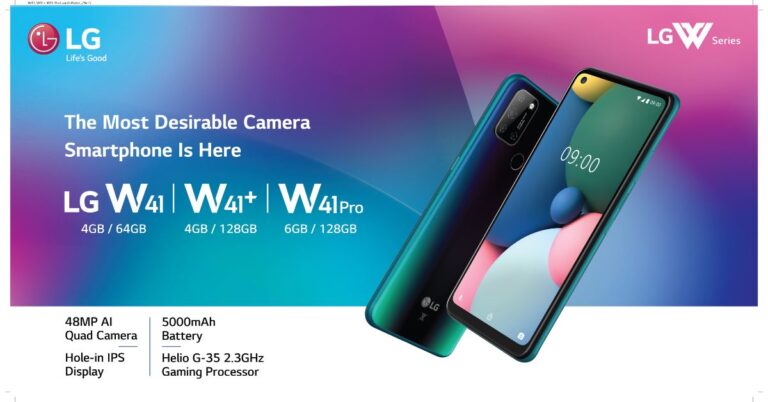
 LG W41, W41+ and W41 Pro: Specifications
All three smartphones come with similar specifications; the only difference is their RAM and storage options. The W41 smartphone series features a 6.5-inch HD+ HID Full Vision display offering 720×1,600 pixels of resolution with 20:9 aspect ratio and 400 brightness level. The devices are powered by an octa-core MediaTek Helio G35 SoC clocked at 2.3GHz paired with up to 6GB of RAM and 128GB of storage.
LG W41, W41+ and W41 Pro: Specifications
All three smartphones come with similar specifications; the only difference is their RAM and storage options. The W41 smartphone series features a 6.5-inch HD+ HID Full Vision display offering 720×1,600 pixels of resolution with 20:9 aspect ratio and 400 brightness level. The devices are powered by an octa-core MediaTek Helio G35 SoC clocked at 2.3GHz paired with up to 6GB of RAM and 128GB of storage.


 LG W41, W41+ and W41 Pro: Specifications
All three smartphones come with similar specifications; the only difference is their RAM and storage options. The W41 smartphone series features a 6.5-inch HD+ HID Full Vision display offering 720×1,600 pixels of resolution with 20:9 aspect ratio and 400 brightness level. The devices are powered by an octa-core MediaTek Helio G35 SoC clocked at 2.3GHz paired with up to 6GB of RAM and 128GB of storage.
LG W41, W41+ and W41 Pro: Specifications
All three smartphones come with similar specifications; the only difference is their RAM and storage options. The W41 smartphone series features a 6.5-inch HD+ HID Full Vision display offering 720×1,600 pixels of resolution with 20:9 aspect ratio and 400 brightness level. The devices are powered by an octa-core MediaTek Helio G35 SoC clocked at 2.3GHz paired with up to 6GB of RAM and 128GB of storage.





 For the latest gadget and tech news, and gadget reviews, follow us on Twitter, Facebook and Instagram. For newest tech & gadget videos subscribe to our YouTube Channel. You can also stay up to date with the Gadget Bridge Android App.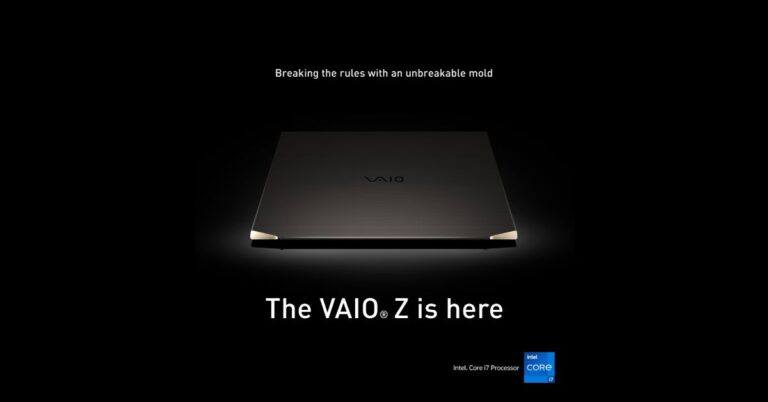
 VAIO Z (2021) laptop: Price and Availability
The price of the VAIO Z (2021) laptop in India has been set at $3,579 for the 16GB RAM and 512GB storage that translates to Rs 2,59,900. The 16GB RAM and 1TB storage variant will cost $3,779 that is roughly around Rs 2,74,400 while the price of the 16GB RAM and 2TB storage variant is $3,979 that comes around Rs 2,88,900. Lastly, the 32GB RAM and 2TB storage variant will be available with a price tag of $4,179 that translates to RS 3,03,400.
At the moment the VAIO laptop is available in the US market and the details of the Indian availability and pricing is yet to be revealed by the company.
VAIO Z (2021) laptop: Price and Availability
The price of the VAIO Z (2021) laptop in India has been set at $3,579 for the 16GB RAM and 512GB storage that translates to Rs 2,59,900. The 16GB RAM and 1TB storage variant will cost $3,779 that is roughly around Rs 2,74,400 while the price of the 16GB RAM and 2TB storage variant is $3,979 that comes around Rs 2,88,900. Lastly, the 32GB RAM and 2TB storage variant will be available with a price tag of $4,179 that translates to RS 3,03,400.
At the moment the VAIO laptop is available in the US market and the details of the Indian availability and pricing is yet to be revealed by the company.
 Vaio Z (2021): Technical Specifications
The Vaio Z (2021) laptop comes with a 14-inch Ultra-HD 4K display having 3,840×2,160 pixels of resolution with HDR support and a lid that can open up to 180 degrees. The device comes integrated with Dolby Audio speakers for crystal clear sound. Under the chassis there is an 11th-generation Intel Core i7 processor and Intel Iris Xe graphics and is claimed to comes with the company’s proprietary Vaio TruePerformance technology to boost CPU power limits and to control heat emission.
The Vaio Z (2021) laptop will be available with up to 32GB of LPDDR4 RAM and up to 2TB of PCIe SSD storage. The users can easily log into the laptop using the fingerprint sensor and with the Windows Hello facial recognition technology. The Vaio laptop runs on Windows 10 Pro and comes with an inclined backlit keyboard with a 1.5mm key pitch stroke including a multi-touch supporting touchpad. In addition to this there is a built-in webcam with a physical camera shutter on the device For connectivity there are two USB Type-C Thunderbolt 4 ports, an HDMI port, and a 3.5mm audio jack. In addition to this, there is Wi-Fi and Bluetooth as wireless connectivity options.
According to the company, VAIO Z can last for 10 hours on a single charge with the support of 65W fast charging tech
For the latest gadget and tech news, and gadget reviews, follow us on Twitter, Facebook and Instagram. For newest tech & gadget videos subscribe to our YouTube Channel. You can also stay up to date using the Gadget Bridge Android App.
Vaio Z (2021): Technical Specifications
The Vaio Z (2021) laptop comes with a 14-inch Ultra-HD 4K display having 3,840×2,160 pixels of resolution with HDR support and a lid that can open up to 180 degrees. The device comes integrated with Dolby Audio speakers for crystal clear sound. Under the chassis there is an 11th-generation Intel Core i7 processor and Intel Iris Xe graphics and is claimed to comes with the company’s proprietary Vaio TruePerformance technology to boost CPU power limits and to control heat emission.
The Vaio Z (2021) laptop will be available with up to 32GB of LPDDR4 RAM and up to 2TB of PCIe SSD storage. The users can easily log into the laptop using the fingerprint sensor and with the Windows Hello facial recognition technology. The Vaio laptop runs on Windows 10 Pro and comes with an inclined backlit keyboard with a 1.5mm key pitch stroke including a multi-touch supporting touchpad. In addition to this there is a built-in webcam with a physical camera shutter on the device For connectivity there are two USB Type-C Thunderbolt 4 ports, an HDMI port, and a 3.5mm audio jack. In addition to this, there is Wi-Fi and Bluetooth as wireless connectivity options.
According to the company, VAIO Z can last for 10 hours on a single charge with the support of 65W fast charging tech
For the latest gadget and tech news, and gadget reviews, follow us on Twitter, Facebook and Instagram. For newest tech & gadget videos subscribe to our YouTube Channel. You can also stay up to date using the Gadget Bridge Android App.  VAIO Z (2021) laptop: Price and Availability
The price of the VAIO Z (2021) laptop in India has been set at $3,579 for the 16GB RAM and 512GB storage that translates to Rs 2,59,900. The 16GB RAM and 1TB storage variant will cost $3,779 that is roughly around Rs 2,74,400 while the price of the 16GB RAM and 2TB storage variant is $3,979 that comes around Rs 2,88,900. Lastly, the 32GB RAM and 2TB storage variant will be available with a price tag of $4,179 that translates to RS 3,03,400.
At the moment the VAIO laptop is available in the US market and the details of the Indian availability and pricing is yet to be revealed by the company.
VAIO Z (2021) laptop: Price and Availability
The price of the VAIO Z (2021) laptop in India has been set at $3,579 for the 16GB RAM and 512GB storage that translates to Rs 2,59,900. The 16GB RAM and 1TB storage variant will cost $3,779 that is roughly around Rs 2,74,400 while the price of the 16GB RAM and 2TB storage variant is $3,979 that comes around Rs 2,88,900. Lastly, the 32GB RAM and 2TB storage variant will be available with a price tag of $4,179 that translates to RS 3,03,400.
At the moment the VAIO laptop is available in the US market and the details of the Indian availability and pricing is yet to be revealed by the company.
 Vaio Z (2021): Technical Specifications
The Vaio Z (2021) laptop comes with a 14-inch Ultra-HD 4K display having 3,840×2,160 pixels of resolution with HDR support and a lid that can open up to 180 degrees. The device comes integrated with Dolby Audio speakers for crystal clear sound. Under the chassis there is an 11th-generation Intel Core i7 processor and Intel Iris Xe graphics and is claimed to comes with the company’s proprietary Vaio TruePerformance technology to boost CPU power limits and to control heat emission.
The Vaio Z (2021) laptop will be available with up to 32GB of LPDDR4 RAM and up to 2TB of PCIe SSD storage. The users can easily log into the laptop using the fingerprint sensor and with the Windows Hello facial recognition technology. The Vaio laptop runs on Windows 10 Pro and comes with an inclined backlit keyboard with a 1.5mm key pitch stroke including a multi-touch supporting touchpad. In addition to this there is a built-in webcam with a physical camera shutter on the device For connectivity there are two USB Type-C Thunderbolt 4 ports, an HDMI port, and a 3.5mm audio jack. In addition to this, there is Wi-Fi and Bluetooth as wireless connectivity options.
According to the company, VAIO Z can last for 10 hours on a single charge with the support of 65W fast charging tech
For the latest gadget and tech news, and gadget reviews, follow us on Twitter, Facebook and Instagram. For newest tech & gadget videos subscribe to our YouTube Channel. You can also stay up to date using the Gadget Bridge Android App.
Vaio Z (2021): Technical Specifications
The Vaio Z (2021) laptop comes with a 14-inch Ultra-HD 4K display having 3,840×2,160 pixels of resolution with HDR support and a lid that can open up to 180 degrees. The device comes integrated with Dolby Audio speakers for crystal clear sound. Under the chassis there is an 11th-generation Intel Core i7 processor and Intel Iris Xe graphics and is claimed to comes with the company’s proprietary Vaio TruePerformance technology to boost CPU power limits and to control heat emission.
The Vaio Z (2021) laptop will be available with up to 32GB of LPDDR4 RAM and up to 2TB of PCIe SSD storage. The users can easily log into the laptop using the fingerprint sensor and with the Windows Hello facial recognition technology. The Vaio laptop runs on Windows 10 Pro and comes with an inclined backlit keyboard with a 1.5mm key pitch stroke including a multi-touch supporting touchpad. In addition to this there is a built-in webcam with a physical camera shutter on the device For connectivity there are two USB Type-C Thunderbolt 4 ports, an HDMI port, and a 3.5mm audio jack. In addition to this, there is Wi-Fi and Bluetooth as wireless connectivity options.
According to the company, VAIO Z can last for 10 hours on a single charge with the support of 65W fast charging tech
For the latest gadget and tech news, and gadget reviews, follow us on Twitter, Facebook and Instagram. For newest tech & gadget videos subscribe to our YouTube Channel. You can also stay up to date using the Gadget Bridge Android App.