In This Article
Xiaomi 11T Pro review: Design and Display
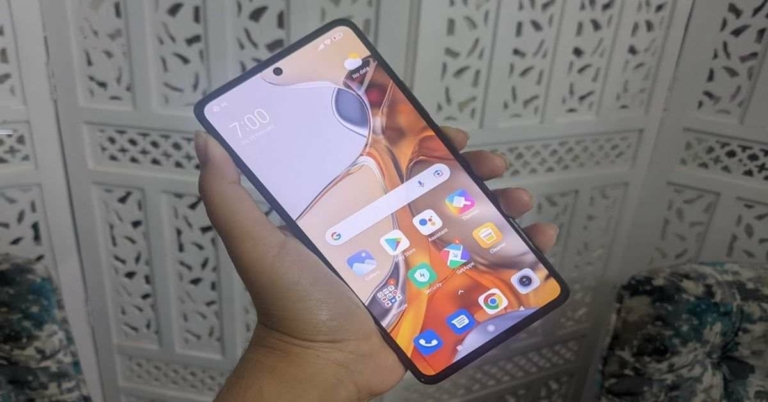
The handset’s glass back panel with matte-finish does look amazing, some of the other factors like its bulkiness and the polycarbonate frame, could have been better. Also, unlike most other smartphones that fall in the same range, Xiaomi 11T Pro does not sport a curved display, which one can live with. The rear panel houses the camera module and has the ‘Xiaomi 5G’ branding on it. In spite of the fact that it is one of the best looking aspects of the phone, the back panel is a fingerprint magnet, which most smartphones with shiney rear are. So if you do plan to buy the Xiaomi 11T Pro, we highly recommend keeping a micro-fibre cloth with you to clean the smudges off. The upsides of the smartphone’s design are aplenty. Its one-hand usage in spite of its big size, the good grip and the fingerprint sensor are some to begin with. The sensor is aptly placed in the Power button, that falls below the volume rocker keys on the right edge, and it worked perfectly each time we tried to unlock the device. Besides this, the top and the bottom edges of the handset have the speaker grilles by Harman/Kardon, the Type-C port and the SIM tray can be found at the bottom too.
Flip over to see the front panel dominated by the 6.67-inch full-HD+ Super AMOLED display protected with Corning Gorilla Gorilla Victus that makes it absolutely scratch-resistant. The screen comes with a hole-punch cutout to house the selfie camera of the device and is outlined by a thick bezel on all four sides. The display of Xiaomi 11T Pro is one among its pros. It comes with a refresh rate of 120Hz and a touch sampling rate of 480Hz. The colours displayed on the screen were bright and vibrant, although that may be because the phone had ‘Vivid Colour’ profile turned on by default and some users may prefer colours that are not so saturated. But then, one can obviously switch the profile mode off the phone’s display at any given point of time, so we can’t really stereotype the colours the device showcased as saturated. In fact, we found them to be attractive.
The upsides of the smartphone’s design are aplenty. Its one-hand usage in spite of its big size, the good grip and the fingerprint sensor are some to begin with. The sensor is aptly placed in the Power button, that falls below the volume rocker keys on the right edge, and it worked perfectly each time we tried to unlock the device. Besides this, the top and the bottom edges of the handset have the speaker grilles by Harman/Kardon, the Type-C port and the SIM tray can be found at the bottom too.
Flip over to see the front panel dominated by the 6.67-inch full-HD+ Super AMOLED display protected with Corning Gorilla Gorilla Victus that makes it absolutely scratch-resistant. The screen comes with a hole-punch cutout to house the selfie camera of the device and is outlined by a thick bezel on all four sides. The display of Xiaomi 11T Pro is one among its pros. It comes with a refresh rate of 120Hz and a touch sampling rate of 480Hz. The colours displayed on the screen were bright and vibrant, although that may be because the phone had ‘Vivid Colour’ profile turned on by default and some users may prefer colours that are not so saturated. But then, one can obviously switch the profile mode off the phone’s display at any given point of time, so we can’t really stereotype the colours the device showcased as saturated. In fact, we found them to be attractive.
 The screen is also certified by Dolby Vision. When we watched videos on Netflix and YouTube, the experience turned out to be amazing. We binged watched the entire Season 2 of The Witcher on the device because the video quality was so crisp, and the Dolby Atmos supported speakers only made the experience more captivating.
In a nutshell, we would say that the design of Xiaomi 11T Pro could be better given the price. A fingerprint proof back would have been a boon. On the other hand, the display of the smartphone is simply a treat.
The screen is also certified by Dolby Vision. When we watched videos on Netflix and YouTube, the experience turned out to be amazing. We binged watched the entire Season 2 of The Witcher on the device because the video quality was so crisp, and the Dolby Atmos supported speakers only made the experience more captivating.
In a nutshell, we would say that the design of Xiaomi 11T Pro could be better given the price. A fingerprint proof back would have been a boon. On the other hand, the display of the smartphone is simply a treat.
Xiaomi 11T Pro review: Performance and Cameras
Before we begin speaking about the performance of Xiaomi 11T Pro, let’s take a minute to discuss the rest of its specifications. The device is powered by Qualcomm’s Snapdragon 888 processor and is available in three storage variants in India – 8GB RAM/128GB storage, 8GB RAM/256GB storage and 12GB RAM/256GB storage which can be bought at Rs 39,999, Rs 41,999 and Rs 43,999 respectively. The smartphone is available in three colours – Moonlight White, Meteorite Black, and Celestial Blue. Xiaomi 11T Pro comes with support for 5G, Wi-Fi 6, Bluetooth, NFC, and other usual connectivity options. It houses a 5,000mAh battery and runs Android 11 skinned with MIUI 12. Given the software of Xiaomi 11T Pro, the smartphone comes with a number of pre-installed apps and some of these, basically the ones from Mi, cannot be uninstalled. GetApps is one app on the device that kept sending us notifications as well. Considering the price range of the smartphone, we expected Xiaomi to not add bloatware to it. However, looking at the cheaper budget smartphones, this one had much less of it.
 Coming to the performance, it was obviously as smooth as it could be. It lives up to the standards set by other premium smartphones. The device handles multi-tasking like a cakewalk and even when we were watching shows while using navigation, we didn’t encounter any hiccups. Gaming was a smooth experience too. We played a barrage of games on the handset ranging from Alto’s Odyssey to Asphalt 9 and they all ran impeccably on it. Not once did the smartphone heat up while we multitasked or played games on it, and we count this as a huge plus.
The battery of the device is also a definite pro. With one single charge, we could easily get more than two days of uninterrupted usage with gaming, social media, and watching videos included. Moreover, with the 120W charger that accompanies the handset, the battery gets fully charged in a jiffy.
Now, let’s talk about the show-stopper – The cameras of Xiaomi 11T Pro. The smartphone comes with a 108MP primary sensor, an 8MP ultra-wide lens and a 5MP macro lens. The front panel houses a 16MP sensor for selfies. Furthermore, the handset also has support for 8K video recording and has the ability to record up to 4K in HDR.
Coming to the performance, it was obviously as smooth as it could be. It lives up to the standards set by other premium smartphones. The device handles multi-tasking like a cakewalk and even when we were watching shows while using navigation, we didn’t encounter any hiccups. Gaming was a smooth experience too. We played a barrage of games on the handset ranging from Alto’s Odyssey to Asphalt 9 and they all ran impeccably on it. Not once did the smartphone heat up while we multitasked or played games on it, and we count this as a huge plus.
The battery of the device is also a definite pro. With one single charge, we could easily get more than two days of uninterrupted usage with gaming, social media, and watching videos included. Moreover, with the 120W charger that accompanies the handset, the battery gets fully charged in a jiffy.
Now, let’s talk about the show-stopper – The cameras of Xiaomi 11T Pro. The smartphone comes with a 108MP primary sensor, an 8MP ultra-wide lens and a 5MP macro lens. The front panel houses a 16MP sensor for selfies. Furthermore, the handset also has support for 8K video recording and has the ability to record up to 4K in HDR.

 Coming to the quality of the images, the pictures taken in daylight with the primary camera turned out to be great and had good details, just as we expected. The colours, sharpness, brightness – everything seemed apt. By default, the primary camera clicks images in 12MP resolution, but you can change that manually in the settings. In low-light settings too, the quality of the images did remain good, however, we recommend turning the Night Mode on for increasing the details of the images taken.
 The ‘Portrait Mode’ of the phone did not live up to the standard set by the primary camera and we mostly had to adjust the depth of field manually before clicking a picture with the lens to get the best results. Without doing that, there barely seemed to be much difference in the images taken.
 The utlra-wide sensor did capture a lot more area than the primary sensor, but there was a considerable drop in the image quality too. But the macro-lens, on the other hand, did manage to do a good job when focussed on objects just a few centimeters away. The selfies taken by the smartphone – whether indoors or outdoors – turned out to be great too. But in lowly-lit areas, the results were affected.
Verdict
At a starting price of Rs 39,999, Xiaomi 11T Pro offers a lot. It has an excellent display, very good cameras, and an extremely smooth performance. The battery life, the sound quality and the fingerprint sensor are definitely other pros to look out for. The design of the smartphone could be better for sure, and it certainly shouldn’t have any bloatware, but we think that in spite of these, the pros outweigh the cons. You wouldn’t be disappointed if you buy the offering from Xiaomi. Pros- Excellent cameras
- Super smooth performance
- Lasting battery
- Design could be better
- Bloatware
- No IP rating












 This ingenious bottle tripod will help take stable photos and videos without any blurring effect. It’s a versatile mount that’ll work with any compact camera. It simply attaches to the cap of a bottle and you have a tripod to take steady pictures.
Keep in mind that the bottle you attach the mount to should not be empty because it won’t be able to handle the weight of the camera. It is simple to install and remove the tripod from any type of bottle.
Various kinds of pictures function better on different platforms, according to
This ingenious bottle tripod will help take stable photos and videos without any blurring effect. It’s a versatile mount that’ll work with any compact camera. It simply attaches to the cap of a bottle and you have a tripod to take steady pictures.
Keep in mind that the bottle you attach the mount to should not be empty because it won’t be able to handle the weight of the camera. It is simple to install and remove the tripod from any type of bottle.
Various kinds of pictures function better on different platforms, according to 












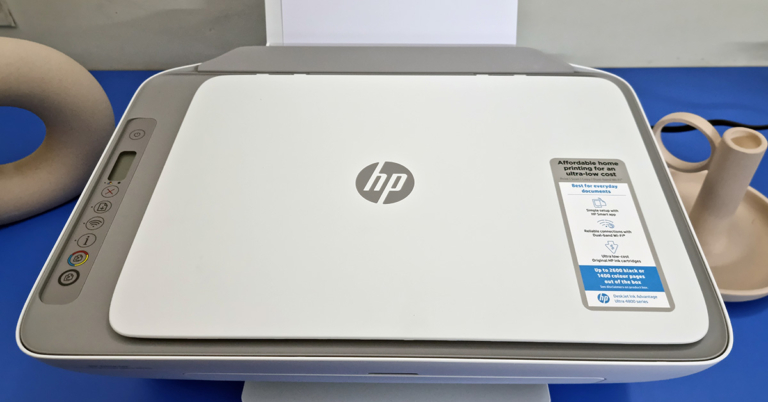
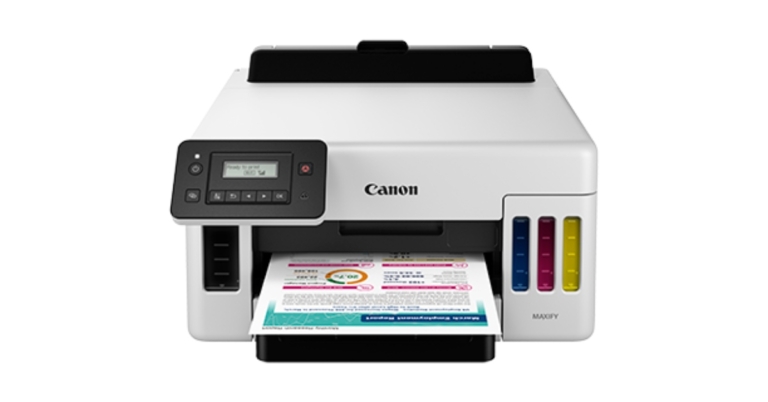
 Since it is an all-in-one machine, you get a scanner on top that can scan pages up to A4 in size. On the left of which users get to see a few buttons, that can scan, scan and print in colour or black, the power button and the Wi-Fi key. Here there is a mono colour LED screen that shows you the ink levels of the cartridges as well.
 At the back, you get to see the USB port as well as the power input port. All in all, the HP Deskjet Ink Advantage Ultra 4826 AIO is a well built, sturdy and good looking machine.
 At the max setting, which is 1200PPi you get the best results and blacks look deep, and colours look vibrant. But printing at that level is painfully slow, even if you are just printing a black excel sheet it will take over 5 minutes to spurt out a single paper. Colour? Even more. We ended up getting a fabulous looking page but after 7 minutes of wait time. We gave the print command, made ourselves a cup of coffee and the page was still printing. But as said, the wait is worth it. In case you are ok with decent (not the best) looking colour pages, you can always print at the mid setting of 600PPi.
Over that, we did not find the colours to be bleeding, no white lines in between and at the best settings the colours came very close to what we were seeing on the laptop’s screen.
At the max setting, which is 1200PPi you get the best results and blacks look deep, and colours look vibrant. But printing at that level is painfully slow, even if you are just printing a black excel sheet it will take over 5 minutes to spurt out a single paper. Colour? Even more. We ended up getting a fabulous looking page but after 7 minutes of wait time. We gave the print command, made ourselves a cup of coffee and the page was still printing. But as said, the wait is worth it. In case you are ok with decent (not the best) looking colour pages, you can always print at the mid setting of 600PPi.
Over that, we did not find the colours to be bleeding, no white lines in between and at the best settings the colours came very close to what we were seeing on the laptop’s screen.
 Scan times are very decent and in under 35 seconds, you get a fabulous, scanned copy on your computer screen. You can even scan and print in colour without the need for any computer or mobile. Over that, printing through an Android mobile (with Bluetooth V4.2 or higher) using the HP Smart app is also child’s play. Again, no need to send the file to a computer, simply connect to the HP Deskjet Ink Advantage Ultra 4826 AIO using your smartphone and print away. Remember you need to be less than 5 feet from the AIO to print using your mobile phone.





 Read also:

 Read also:

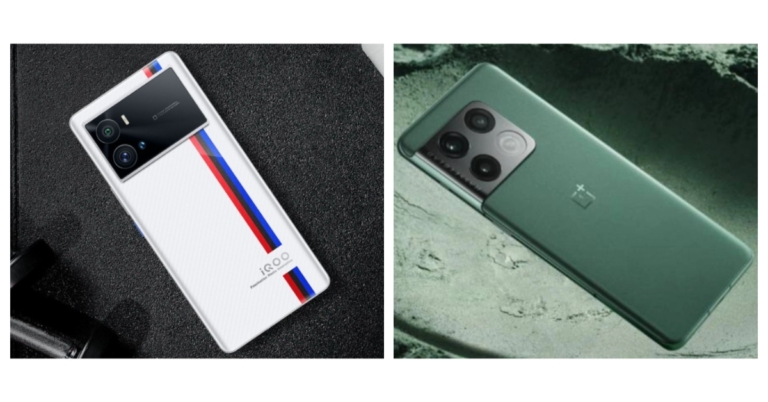

 Step 2:
  Step 3:
  Step 4:
 Read also:
  Step 3:
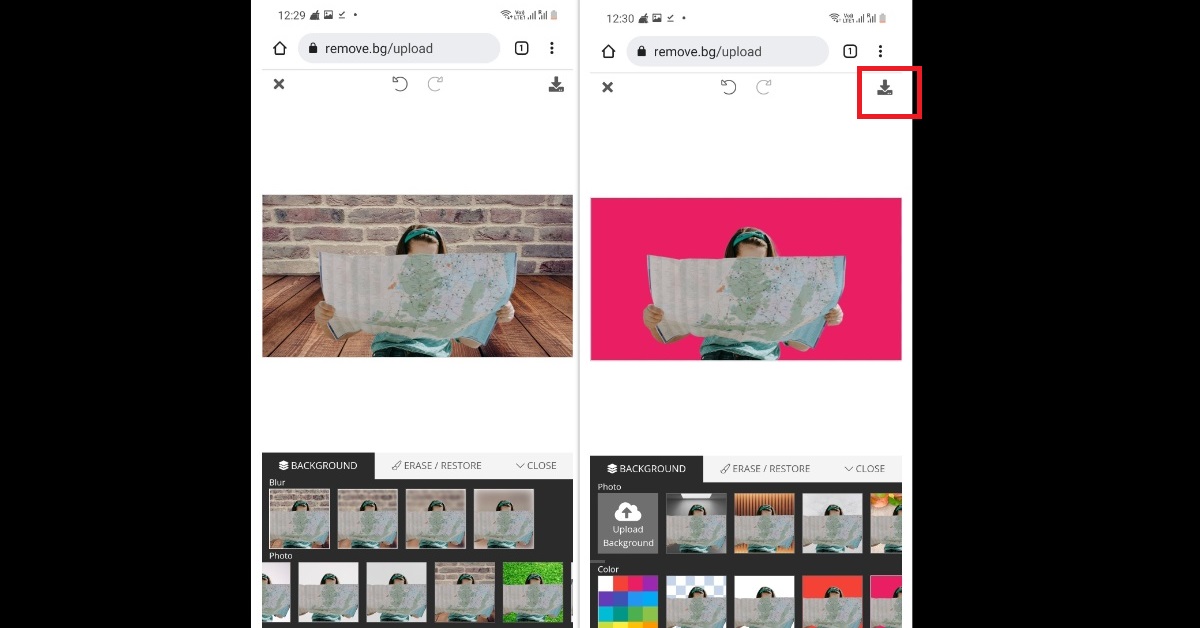 Step 4:
 Step 2:
 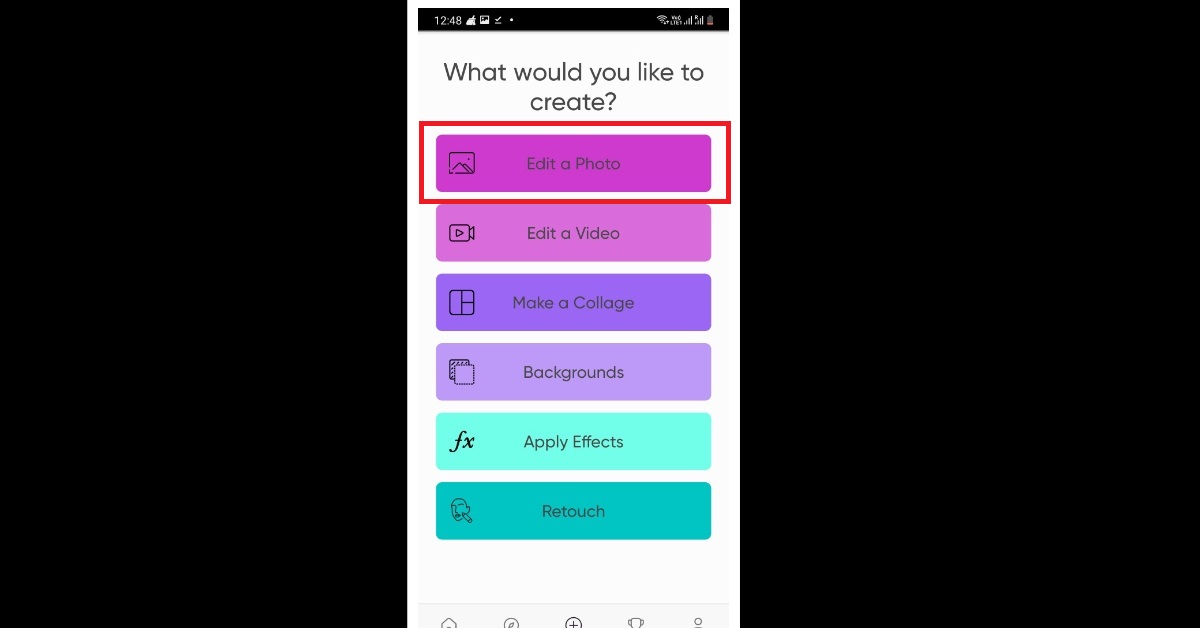 Step 3:
  Step 4:
 Step 3: Hit Copy.
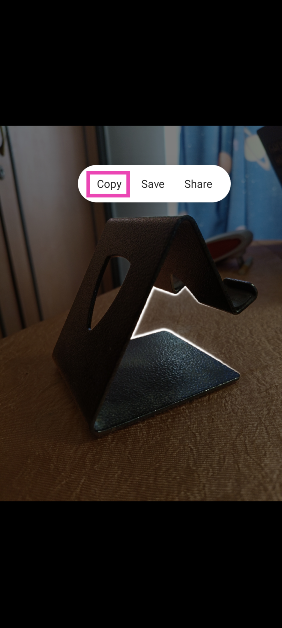 Step 4: The subject will be copied to the clipboard. You can use any of the above-mentioned editing apps to fill its background.