Generally, Samsung smartphones automatically inform you about a software update available. The pop-out asks for scheduling the update at 2 am in the morning, to which you press the OK button and forget about it. Right? Your Samsung device takes care of the rest, and you don’t have to worry about it at all. I’m sure only a Samsung user could relate to this. But sometimes due to a glitch, it may so happen that your device was not able to cover up this part for you. As a result, instead of your Samsung device being the first one to inform you, you hear from a 3rd party that the Android 11 software update is now available in the market. You then have to wonder how to download the Android 11 update on your Samsung smartphone manually.
We know that you and your smartphone share a very close bond with each other. We also know how it crushes you to hear about important updates from others instead of hearing from your Samsung device first. What comes next is taking out time from your and your smartphone’s busy schedule for scratching your head on how to download the Android 11 update on your Samsung device.
But let us tell you, it can be achieved in just 3 simple steps. Yes, that’s right! Below are mentioned the 3 steps demonstrated pictorially on how to update your Samsung smartphone’s software with the brand new Android 11 launched via Google.
Read also: How to Hide and Unhide Apps in Samsung Smartphones?
Step 1: Open the Settings app on your Samsung device and click on the Software update option as shown below. It appears as the 4th last option within the Settings window, so you may have to do a couple of scroll ups (just so you don’t get lost, you know).

Step 2: Click on the Download and install option within the Software update window. In case you haven’t switched on the Auto-download over Wi-Fi option (as shown below), we recommend you do it.

Step 3: Whether your software is up-to-date or not will appear here. You can update it from this window shown below, and you’re all set!

Read also: Samsung Galaxy S22, Galaxy S22+, Galaxy S22 Ultra goes official in India
Samsung’s Android 11 update has enhanced features like notification improvements, bubbles for messages and many more. It is available for most Samsung models like the Samsung Galaxy S series, Galaxy Note series, Galaxy A series, Galaxy Tab series, Galaxy M series and more. If there is any other way to install Android 11 on a Samsung device, let us know in the comments section below.
For the latest gadget and tech news, and gadget reviews, follow us on Twitter, Facebook and Instagram. For newest tech & gadget videos subscribe to our YouTube Channel. You can also stay up to date using the Gadget Bridge Android App. You can find the latest car and bike news here.



































 Now, whether you are a backpacker or not, travel booking applications are still a must-have in your pocket. From booking a stay at a hotel for your off-site official travels to booking a cottage for a family vacation in the hills, these come in very handy. Being one of the most popular travel booking applications, Airbnb and Booking.com help you land on the perfect stay options at your favourite destinations within a couple of clicks, so you can shop for your family vacation tension free.
 Answering calls from an unknown number can be very risky. Sometimes, without being aware of it, you may have picked up a fraudulent call, putting your personal information at risk. Truecaller notifies you of whether the upcoming call is spam or a fraudulent call, hence ensuring your safety and security. Today, Truecaller provides you with the identity of the caller even before you receive the call.
 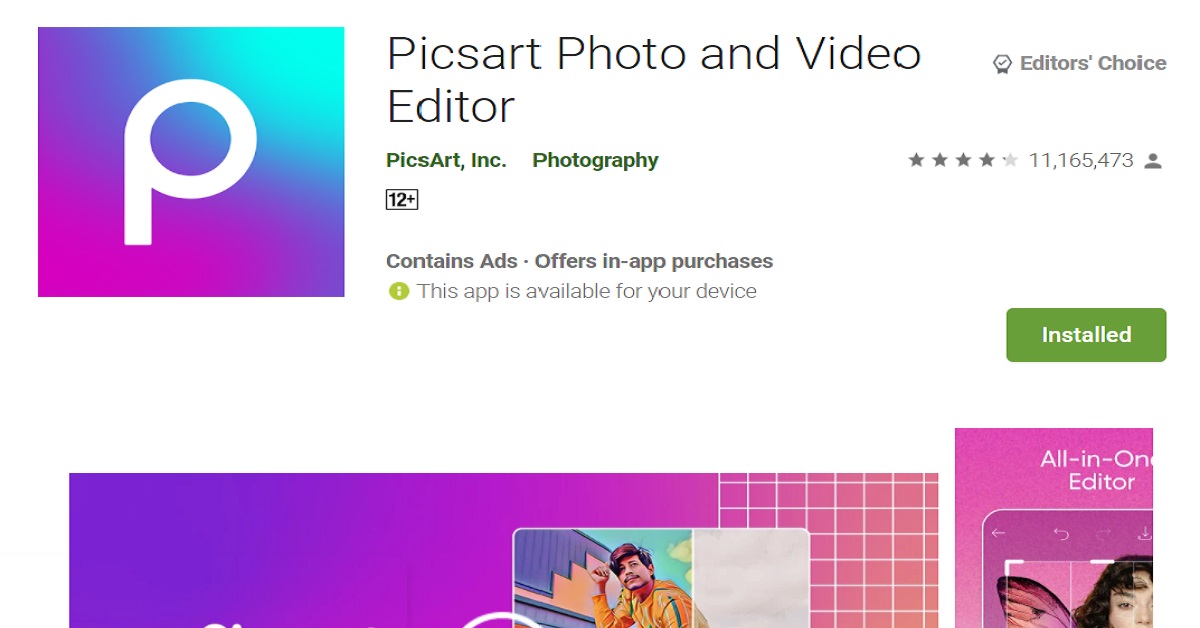 For all those of you who love to stay connected on social media apps like Instagram or Facebook, Picsart is a brilliant photo editing app. It provides a range of photo editing services like masking, blurring, adjusting brightness, contrast, saturation, hue etc. for your images. Not only that, but it also provides image crop sizes customized for various kinds of Instagram, Facebook, Pinterest, Twitter and Youtube posts. With Picsart at hand, you are a pro!
 Inshot is one of the most recommended mobile video editing applications available for free. Whether you want to make a collage or a reel of photos, or be it videos, add some filters, colour grading or motion effects to the same, Inshot is your go-to app. It even allows you to download videos in 1080p & 4k up to 60fps, so you don’t have to compromise on the quality of the content you upload on your social page.
 Next in our list of top 10 apps for Samsung Galaxy S22 Utlra is GoogleDuo. It is known for providing a seamless face-time experience in terms of video and audio quality. Moreover, you can add up to 12 people in a GoogleDuo video chat, which are more than the number of people allowed for one group call on Whatsapp (8).
 Those who go out for lunch or dining frequently would know this fact that even restaurant menus are becoming digital. You have to scan the bar code on a menu through your device in order to place your order these days. And with each passing day, more and more cafes & restaurants are switching to this norm. So why waste your time at the restaurant downloading the app first, when you can order right away with Google Lens in your pocket?
 Sometimes you may not be within a scanner’s reach when you want to scan your documents at hand immediately. Adobe Scan is the best app for scanning your documents through your smartphone on the go, anywhere and everywhere. It allows you to scan whiteboards, books, documents, ID cards and business cards, and turns them into a shareable pdf document, providing a swift, hassle-free and easy experience.
  Since the dawn of the UPI payment system in India, applications like Paytm and Phonepe have become one of the most necessary necessities of life. Be it for paying your autorickshaw driver, your grocery store or the brand showrooms you shop your clothes from, payments everywhere are made digitally today. Hence, UPI payment apps like these should be the first ones that you download on your smartphone.
 You need not be a fitness freak in order to download a health and fitness application on your smartphone. Now when you’re at it, the Samsung Health app can prove to be an amazing lifestyle companion of yours. To monitor your actual wealth, which is your health, it tracks your fitness, weight, diet, food and sleep.
  Although it is said that privacy is a myth these days, you still would want to take steps from your own end to ensure the privacy of your data stored in different apps on your device. This is where the App Lock application by Inshot Inc. comes in, which provides you with password, pattern and fingerprint locking options that you can put on individual apps you want to secure with a lock. Now, don’t you want to avoid those nosy people peeking into your smartphone?