You may use WhatsApp for chatting, Voice calls, video calls, sharing pictures, documents, locations, GIFs and more but not everyone is aware or hasn’t explored many of its features yet. It allows you to archive your chats, mute groups, and even start important messages but you can also use it to chat with yourself for taking notes, making to-do lists, saving important links and much more. Messaging yourself on WhatsApp not only sounds interesting but is useful in many ways and use it as a diary or as a note-taking tool without having the need to install a dedicated mobile app for doing so. At whatever point you need to message yourself to save something significant or anything. So here is our step to step guide on how to chat with yourself on WhatsApp so that no one other than you can see the messages.
How to Send WhatsApp Messages to Yourself?
Earlier it was possible to go to your phone book and open your phone number where you would find an option of sending WhatsApp messages to yourself. But unfortunately, this functionality has been removed but still, you can do it by our trick. Here it goes.
Firstly open your mobile web browser, for instance, Google Chrome.
Now type wa.me// in the address bar, Followed by your phone number with your country code.
Make sure the country code should be added before the mobile number. Eg. wa.me//91xxxxxxxxxx.
Now a WhatsApp page will appear with your phone number displayed on top along with your profile picture asking you to open WhatsApp
Now tap on it and you will be headed to your chats and on the top of the chat list, your own number will be displayed.
Now you can start chatting with yourself, add notes, or save photos, videos and share files like any other regular chats.
For the web app users a new window prompt with an option to “ Continue to chat”
Click on it and WhatsApp Web or the WhatsApp desktop app will either open up and your number will be shown in your chat list. And now you can begin chatting with yourself, add notes, or save photos and videos.
You can also do it by using the WhatsApp groups feature too. All you need to do is to follow the steps below:
Open WhatsApp on your phone
Head to menu
Now select a new group
Give it a name and tap next
Now add any of your close friends or family members to the group and tap on creating a group to finish.
The next step is to remove your friend from the newly created group now that you being as the admin and the only left member in the group you can begin sending messages in this group and it will be simply saved for your future.
Facing slow Wi-Fi speed can be irritating, if you are working or studying from home. Even if you have a high-speed internet connection, you might still be facing problems downloading files or streaming videos. The cause for slow speed is not always related to the server or backend. There may be issues related to your Wi-Fi router as well. Here are the most common router-related reasons for slow internet and their respective solutions.
In This Article
1) Wrong positioning of Wi-Fi router
Even with a high-speed internet connection and a decent Wi-Fi router, you may still face slow internet speeds. The problem may be the wrong positioning of your router. SOLUTION: You should always place the router at a higher point like above your wardrobe. You can also experiment while placing the Wi-Fi router at various spots in your house to see where you get the best signal strength. Wi-Fi signals normally pass through walls but get obstructed by metal objects like ovens or refrigerators. Thus you should keep the router away from them for optimal speed.
Positioning of Wi-Fi router
2) Your Wi-Fi password may be too weak
An easy Wi-Fi password may allow your neighbors to gain access to your Wi-Fi. When some else will steal your Wi-Fi connection, you will automatically face slow internet speed issues.
SOLUTION: You should always WPA2 security protocol on your router. This can be set in your router’s settings by entering the router’s IP address in a web browser. The router’s IP address is printed at the back of the router. If you don’t find it there, you can get it by accessing your Wi-Fi network settings on your PC or smartphone. Refer to the router manual as well.
Your Wi-Fi password may be too weak
3) Improper distribution among multiple users
Your high-speed internet may be shared by multiple users in your family. Certain tasks like downloading video games on the PlayStation Network or Netflix streaming hog up a lot of the internet speed. When the internet speed is not properly distributed, you may face slow speeds.
SOLUTION: Nowadays, routers support technology by which you can distribute equal bandwidth across all devices ensuring your speed does not get bottlenecked when other devices are absorbing the speed. You can also reduce the load on the internet by pausing the video game download or Netflix streaming. You can also set limits on the amount of speed a particular device can use. So that other devices do not face slow internet problems.
Improper distribution among multiple users
4) Your router’s firmware might be obsolete
Updating the router’s software is important for improving its stability, performance, and security.
SOLUTION: Nowadays, routers come with the feature to update automatically. If your router does not have that ability, you will need to install the software updates manually. Every router has a different method to update the software that you can search on a browser. You just need to enter your router’s IP address to access Wi-Fi settings.
Your router’s firmware might be obsolete
5) Changing the DNS server
All Internet Service Providers (ISPs) use a Domain Name System (DNS) regardless of their internet plans. The DNS translates the complex IP address of servers into easy domain names such as google.com or instagram.com. Usually, the default DNS server provided by ISPs is slow.
SOLUTION: Changing your DNS server can give a significant gain in your internet speed and performance. To change the DNS, open the Wi-Fi settings on your phone and search the Private DNS option. You can set it on ‘Automatic’ or manually by hitting Private DNS provider hostname.
Changing the DNS serverBonus Tip: You can put a metal foil behind the Wi-Fi router antenas like a wall, the signal will be boosted to the other side and its reach will improve. You can also use Wi-Fi repeater with your router to improve speed around the house.
For the latest gadget and tech news, and gadget reviews, follow us on Twitter, Facebook and Instagram. For newest tech & gadget videos subscribe to our YouTube Channel. You can also stay up to date with the Gadget Bridge Android App.
WhatsApp recently provided its latest update on its recent privacy policy update and stated that the latest change will be coming soon. The company notes that it will once again begin the rollout of privacy policy changes that will now come with more information banners and allow users to review its planned privacy update and accept its new privacy policy in order to continue using the app. Earlier when the company updated its privacy policy it had no option but to accept the policy to continue using the app and with the latest list of details soon to be rolling out what will happen if again users ignore its terms by the May 15 deadline?As per the latest report by TechCrunch, the instant messaging app owned by Facebook says they will now have access to some key features of the app it will “slowly ask” such users to comply with the new terms “in order to have full functionality of WhatsApp” starting May 15. When the user still doesn’t accept their terms WhatsApp will not delete your account. However, you won’t have the full functionality of WhatsApp until you accept. For a short time, you’ll be able to receive calls and notifications, but won’t be able to read or send messages from the appIn the note, WhatsApp linked to a newlycreated FAQ page that says its policy related to inactive users will apply after May 15. So basically if you choose to ignore the WhatsApp terms and conditions you would lose some key functionality. So either you give in or get your chats back up and simply migrate to another messaging app. And to get back to using the full features of the app you only have the option to accept its new privacy policies after May 15. And once the deadline is over your WhatApp account will no longer show the ‘ACCEPT’ button hence it will be inactive and the company will automatically delete it after 120 days.“To maintain security, limit data retention, and protect the privacy of our users, WhatsApp accounts are generally deleted after 120 days of inactivity. Content stored locally on a user’s device prior to account deletion will remain until WhatsApp is deleted from the device. When a user reregisters for WhatsApp on the same device, their locally stored content will reappear.” WhatsApp wrote in an email to its merchant partners.In its latest blog, WhatsApp said it will again start reminding users to review and accept its new privacy policy in order to continue using the app. The new banner will be displayed to the user’s app in the coming weeks which will now include more information and transparency around the new terms and conditions. The company said, “we’re sharing updated plans for how we’ll ask WhatsApp users to review our terms of service and privacy policy. We previously encountered a great deal of misinformation about this update and we continue to work hard toclear up any confusion.”Furthermore, “In the coming weeks, we’ll display a banner in WhatsApp providing more information that people can read at their own pace. We’ve alsoincluded more information to try and address concerns we’re hearing. Eventually, we’ll start reminding people to review and accept these updates to keep using WhatsApp.”However, the company still emphasizes that the personal messages will always be end-to-end encrypted by default and limited data might be captured by WhatsApp during business conversations but will be used only for development purposes.The company also said, “We’ve seen some of our competitors try to get away with claiming they can’t see people’s messages — if an app doesn’t offer end-to-end encryption by default that means they can read your messages.”
For the latest gadget and tech news, and gadget reviews, follow us on Twitter, Facebook and Instagram. For newest tech & gadget videos subscribe to our YouTube Channel. You can also stay up to date using the Gadget Bridge Android App.
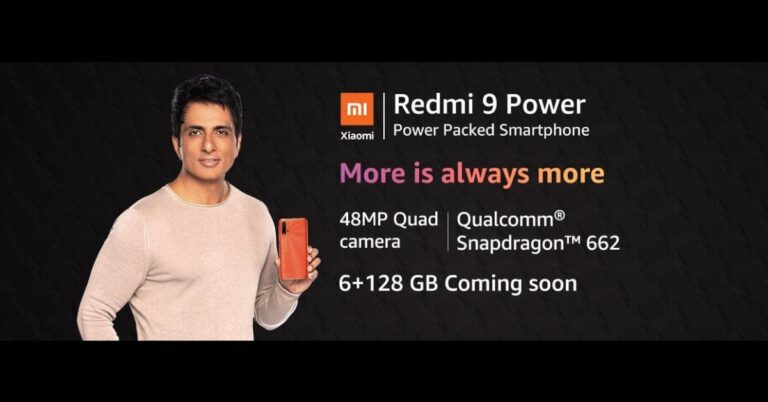
Redmi 9 Power was launched in India later last year. Then the device was introduced in two different configurations. Today the Chinese company has announced that the phone will be available in a new RAM and storage variant. However, the price of the new configuration of the phone is confirmed but the device availability of the new variant is now being teased via Amazon. While the rest of the specs remain the same as the original one.Redmi 9 Power 6GB RAM with 128GB variant has been listed on Amazon and said to be available in India soon. The price and the launch date of the 6GB variant is yet to be revealed but according to tipster Ishan Agarwal, the device is likely to be priced at Rs 12,999. At the moment the phone is available in two variants of 4GB RAM with 64GB storage and 4GB RAM with 128GB storage model. The 64GB version is priced at Rs 10,999 while the 128GB model comes at Rs 11,999. Redmi 9 Power will be available in Mighty Black, Blazing Blue, Fiery Red and Electric Green colour options.Redmi 9 Power: SpecificationsAs we said earlier the specs and the features of the Redmi 9 Power will remain the same and it will be featuring a 6.53-inch full-HD+ Dot Drop display with 1,080×2,340 pixels of resolution with TÜV Rheinland Low Blue Light certification. The display offers 400 nits of peak brightness and a 19.5:9 aspect ratio. It runs MIUI 12 on top of Android 10 and is powered by octa-core Qualcomm Snapdragon 662 SoC coupled with Adreno 610 GPU.In terms of optics, Redmi 9 Power includes a quad-rear camera set up comprising a 48-megapixel primary sensor. Moreover, there is an 8-megapixel ultra-wide-angle lens, a 2-megapixel macro lens and a 2-megapixel depth sensor. While on the front there is an 8-megapixel selfie camera that also supports AI Face Unlock. The device is backed by a 6,000mAh battery with 18W fast charging support. It is claimed to deliver 2 days of battery life, up to 695 hours of standby on 4G on a single charge. For connectivity, there is 4G VoLTE, dual-band Wi-Fi, Bluetooth v5.0, GPS/ A-GPS, Infrared (IR) blaster, USB Type-C, and a 3.5mm audio jack.
For the latest gadget and tech news, and gadget reviews, follow us on Twitter, Facebook and Instagram. For newest tech & gadget videos subscribe to our YouTube Channel. You can also stay up to date using the Gadget Bridge Android App.
The e-commerce website Flipkart is hosting Daily Trivia Quiz. Every day it brings a bunch of new questions for its users. By answering them correctly you can win exciting prizes. The questionnaire is based on questions related to general knowledge. Also, the users can win free vouchers and super coins, among other offers via the daily quiz. February 22 Flipkart Daily Trivia Quiz Answers has already gone live on its platform.
The participant should be at least 18 years old and should have a valid login ID. The Quiz is available on the mobile platform and not the web version. E-commerce conducts the quiz on daily basis and goes live at 12:00 AM IST and runs till 11:59 PM IST. The winners are announced within 15 days from the date of participation that can be viewed under the Gems/Rewards section in the app.
In This Article
How to participate in the Flipkart Daily Trivia Quiz
To participate download the Flipkart app on your phone. Then open the Flipkart app then head to Game Zone. Now click on the Daily Trivia Banner or search for Daily Trivia. Enter the game and answer all 5 questions with correct answers.
February 22 Flipkart Daily Trivia Quiz Answers
Question 1: The IAAF recently officially changed its name to what among these?
Answer: World Athletics
Question 2: In which country did the sport of sumo wrestling originate?
Answer: Japan
Question 3: A cricket stadium in which of these cities is named after a former Indian hockey player?
Answer: Gwalior
Question 4: Who recently set the record for the highest score in T10 League history?
Answer: Chris Lynn
Question 5: For which team is Yuvraj Singh playing in the 2019 T10 League?
Answer: Maratha Arabians
Amazon India is back with another lucrative quiz on its platform. Amazon Quiz has already gone live and today you can stand a chance to win Rs 20,000 Amazon Pay Balance. Every day the e-commerce platform brings an opportunity for its customers to win amazing prizes by answering five questions. The questionnaire is based on general knowledge and current affairs. If you managed to answer all the questions correctly you will be eligible to win gifts such as iPhone X, iPhone Xs, Seagate HDD, GoPro Hero 8 Camera, LG Smartphones, Air Purifier, Oppo smartphones, Amazon Pay Balance among others.
The Amazon Quiz is hosted for the app users only which means desktops users cannot participate in the quiz. So before participating just make sure you have downloaded the App. The lucky users might win something by answering all the questions correctly. The Amazon Quiz can be played daily from 8 AM to 12 noon. Daily the e-commerce platform gives a chance to millions of people across the country to win exciting prizes. To participate and win Rs 20,000 Amazon Pay Balance check out today’s answers.
January 22 Amazon Quiz Answers
Question 1: Which company has become the country’s first telecom company to successfully demonstrate and orchestrate live 5G service?
The answer is- Airtel
Question 2: In which country is the Mount Merapi volcano located?
The answer is- Indonesia
Question 3: Black Ops Cold War’ is the latest release from which iconic game franchise?
The answer is- Call of Duty
Question 4: What children’s nursery rhyme with this object in its title is thought to be, by one interpretation, about the Black Death in Europe?
The answer is- Ring a Ring o’ Roses
Question 5: Which country consumes this food the most per capita?
The answer is- Switzerland
For the latest gadget and tech news, and gadget reviews, follow us on Twitter, Facebook and Instagram. For newest tech & gadget videos subscribe to our YouTube Channel. You can also stay up to date using the Gadget Bridge Android App.
Windows Latest reports that PartitionAlloc-everywhere will be merged with Chrome allowing the browser to start faster, load internal pages faster, and offer improved resources management (reduced RAM usage) therefore making it become less sluggish.The tech giant has been working on this feature since last year and will soon roll out in Chrome’s next update but before this, it will be available via the beta channel of Chrome for Android and Windows. According to the report PartitionAlloc will be released for Linux too but has encountered some issues and it’s still unclear when it will be enabled in the stable channel.However, Google’s engineer in a Chromium bug post wrote, “Switch to PartitionAlloc on Linux. This is already the default on Windows and Android and has been shipping to the beta on both platforms. Nevertheless, issues may remain on Linux,”Also, Google is also experimenting so as to reduce memory usage and contribute to better performance by merging the regular and aligned partitions.The company says, “Having two separate partitions is required when the regular one doesn’t provide the desired alignment. Without that, it’s beneficial performance and memory-wise to have a single partition. Performance is better since aligned allocations (which are actually plentiful in Chromium) can leverage the thread cache. Memory footprint improves from lower fragmentation, and not paying the fixed cost of partition metadata,” Moreover, Google is also working on PartitionAlloc-Everywhere for Android in addition to Windows 10 and Linux this is either neutral or a win for memory, performance andstability, with the exception of median GPU process footprint, which regresses by a small amount, but is being addressed.Similar to Google, Microsoft is also working on new ideas to reduce memory usage of Edge.
For the latest gadget and tech news, and gadget reviews, follow us on Twitter, Facebook and Instagram. For newest tech & gadget videos subscribe to our YouTube Channel. You can also stay up to date using the Gadget Bridge Android App.
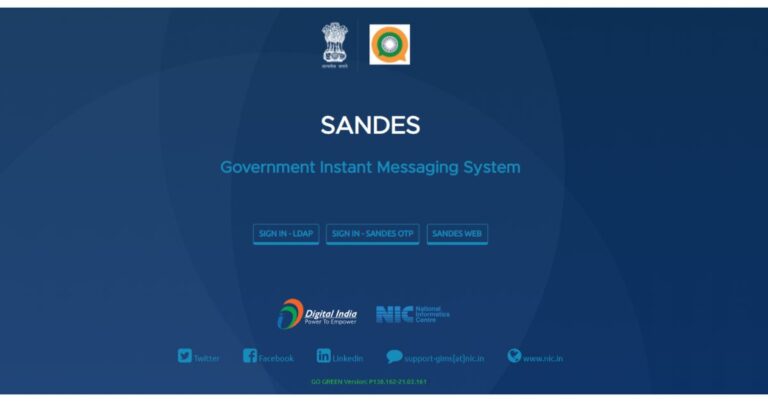
After launching Koo, an alternative to Twitter the Indian government has now launched Sandes which is an instant messaging platform. The app is also an Indian government alternative to WhatsApp developed by NIC (National Informatics Center).While users are happy with the latest WhatsApp policy change and have been trying out various alternatives to the messaging app the government of India has developed and launched Sandes messaging app. The all is now ready for download and is accessible to everyone however earlier it was only available for government officials. With the launch of Sandes the PM Narendra Modi’s Digital India and Aatmanirbhar Bharat initiative is expected to get a boost while many WhatsApp users in India are still trying out different messaging apps. The Sandes messaging app is free to download and use with add-free experience. It should be noted that when the messaging app is downloaded on your device the app’s name is displayed as GIMS (Government Instant Messaging System) because the new platform is an upgrade to the existing GIMS that was developed NIC (National Informatics Center), which is part of the Ministry of Electronics and Information Technology (MeitY) aimed as an alternative to WhatsApp.The app is available for download in an APK file and is compatible with Android 5.0 and later. The app is not live on the Google Play Store but through the government’s GIMS portal. However, iOS users can simply download it through the Apps Store for devices running on iOS 12.0 and above.Once you have downloaded the app akin to other similar apps you need to sign up on the Sandes app using your mobile number or email ID. You will be receiving a six-digit OTP for authentication. It is worth noting that now Email IDs including Gmail, Hotmail, or other email accounts are allowed to register with the app. The only official @gov.in emails are allowed to register for the app while regular users are restricted to phone numbers only.After signing up you can edit your profile and can also update your status too similar to WhatsApp. Although most of its features work similar to how you operate WhatsApp but there are some differences in both the instant messaging apps. The first major difference we have already explained is that one can also choose to register using a mobile number and now E-Mail IDs for the Sandes app however Signing up with emails is restricted to government officials using @gov.in email IDs to sign in. The Indian messaging app also supports verified accounts for government employees that WhatsApp doesn’t offer. In addition to this Sandes also gives you an option to send chat backups to your emails which is not possible in the case of WhatsApp where the chats are backed up to Google Drive or iCloud only.But sadly using Sandes you are not allowed to switch to another mobile number or email ID once signed up whereas WhatsApp comes with a dedicated Change Number feature to change from an old phone number to a new one.Apart from this, the former one s allows users to share videos or photos with up to 500MB on the other hand the latter one gives an option to send videos with 16MB and regular files up to 100MB. Sandes also lacks key security features such as fingerprint lock feature and screen lock feature which we hope to be offered at a later stage. But it lets you check the weather details of your city in the app itself. Meanwhile, it includes all the other features akin to WhatsApp such as status, disappearing messages, forward messages, delete messages, archive chats and more.
For the latest gadget and tech news, and gadget reviews, follow us on Twitter, Facebook and Instagram. For newest tech & gadget videos subscribe to our YouTube Channel. You can also stay up to date using the Gadget Bridge Android App.
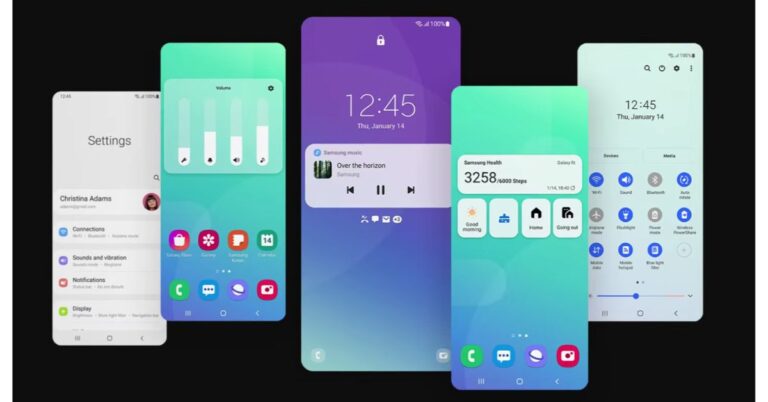
Samsung has officially announced the rollout of its One UI 3.1 update for its flagship devices. The latest OS update is coming to the Samsung Galaxy S20 series and Galaxy Note20 series, in addition to the Galaxy Z Fold2 and Galaxy Z Flip series. While the latest Galaxy S21 series has already made its debut earlier this year with the One UI 3.1 based on Android 11. The features that the update includes are new camera capabilities for capturing, editing photos and videos and smart new features.Samsung released the One UI 3.1 to Galaxy S20 series (Galaxy S20, Galaxy S20+, and Galaxy S20 Ultra, Galaxy S20 FE) and Galaxy Note20 series (Galaxy Note20, Galaxy Note20 Ultra, Z Flip, the S10, Note10, Fold, A71, A51, A90, A80, A70, and A50 devices. According to the company, the availability may vary by region and carrier.
In This Article
New camera capabilities
With the rollout of One UI 3.1 based on Android 11, now all the Samsung Galaxy flagship devices including the mid-rangers get improved camera features to shoot stunning and professional-looking photos and videos. The update will bring an improved Single Take feature, which captures a variety of still and video formats simultaneously, with just a tap and captures images and video up to 15 seconds.Single TakeOther features to include are the new object eraser tool, improved touch autofocus and auto-exposure, and multi-mic recording.new object eraser toolThe object eraser tool is basically an intelligent photo editing tool to cut out unwanted parts of your photos effortlessly, without time-consuming manual editing. If you want to edit out distracting objects, simply tap the area you wish to remove and it will be automatically selected and deleted.Whereas the improved touch autofocus and auto exposure controller will make adjusting the focus and brightness of your photos easier. All you need to do is swipe left or right anywhere on the screen, you can now edit the brightness of your image before you’ve taken the shot.The new Multi Mic Recording feature is available only in Galaxy S20 series, S20 FE, Note20 series, Z Fold2, Z Flip 5G. The feature is available on Galaxy smartphones or tablets with One UI 3.1 or above, which can be turned on and off in the Bluetooth setting. When in Pro Video mode this functionality allows you to simultaneously record audio through both your phone and a connected Bluetooth device such as Galaxy Buds Pro, Buds Live and Buds+. So it will make vlogging or narrating a shot or want to record the sound of your voice and instrument separately. This feature will let you be creative and make videos that look and sound incredible.With an updated Gallery your videos and photos are now grouped and arranged properly.
Smart New Features
Furthermore, the One UI 3.1 also brings a new Eye Comfort Shield mode which auto night and you can set your device to automatically adjust your screen’s colors throughout the day or personalize the schedule yourself. Eye Comfort Shield is ‘off’ by default, and must be turned on in Settings.Eye Comfort Shield modeAll the above-mentioned devices will get improved privacy with the Private Share feature. This functionality will make it easier to control what you share by controlling who is allowed access to the content you send, and how long it is available and automatically adjusts the blue light based on the time of day. This will help you to fall asleep easier ate. The Private Share works between Galaxy smartphones with Android P or later. App download required to send/receive Private Share link.Private ShareThe latest OS update for the Samsung devices will make switching between your phone and tablet hassle-free. Galaxy Buds Pro, Buds Live and Buds+ to also get an Auto Switch feature which will make sure that your audio follows you when you switch between Galaxy devices while you are watching videos on your phone or listening to your favorite song or podcast.
For the latest gadget and tech news, and gadget reviews, follow us on Twitter, Facebook and Instagram. For newest tech & gadget videos subscribe to our YouTube Channel. You can also stay up to date using the Gadget Bridge Android App.
The e-commerce website Flipkart is hosting Daily Trivia Quiz. Every day it brings a bunch of new questions for its users. By answering them correctly you can win exciting prizes. The questionnaire is based on questions related to general knowledge. Also, the users can win free vouchers and super coins, among other offers via the daily quiz. February 20 Flipkart Daily Trivia Quiz Answers has already gone live on its platform.
The participant should be at least 18 years old and should have a valid login ID. The Quiz is available on the mobile platform and not the web version. E-commerce conducts the quiz on daily basis and goes live at 12:00 AM IST and runs till 11:59 PM IST. The winners are announced within 15 days from the date of participation that can be viewed under the Gems/Rewards section in the app.
In This Article
How to participate in the Flipkart Daily Trivia Quiz
To participate download the Flipkart app on your phone. Then open the Flipkart app then head to Game Zone. Now click on the Daily Trivia Banner or search for Daily Trivia. Enter the game and answer all 5 questions with correct answers.
February 20 Flipkart Daily Trivia Quiz Answers
Question 1:Who is the current chief justice of India?
Answer: Sharad Bobde
Question 2:What is the hemispherical pan used in southeast Asian cooking called?
Answer: Wok
Question 3: Vimana, Jaganmohan, Nata Mandira and Bhoga- mandapa are the four components of
Answer: Lingaraj Temple
Question 4:Also known as the Yumthang valley, where is the valley of flowers sanctuary?
Answer: Sikkim
Question 5:Which chief minister of West Bengal helped Satyajit ray in making pather Panchali?
Answer: B. C. Roy
Amazon India is back with another lucrative quiz on its platform. Amazon Quiz has already gone live and today you can stand a chance to win Huami SmartWatch. Every day the e-commerce platform brings an opportunity for its customers to win amazing prizes by answering five questions. The questionnaire is based on general knowledge and current affairs. If you managed to answer all the questions correctly you will be eligible to win gifts such as iPhone X, iPhone Xs, Seagate HDD, GoPro Hero 8 Camera, LG Smartphones, Air Purifier, Oppo smartphones, Amazon Pay Balance among others.
The Amazon Quiz is hosted for the app users only which means desktops users cannot participate in the quiz. So before participating just make sure you have downloaded the App. The lucky users might win something by answering all the questions correctly. The Amazon Quiz can be played daily from 12 AM to 11:59 PM. Daily the e-commerce platform gives a chance to millions of people across the country to win exciting prizes. To participate and win Huami Smartwatch check out today’s answers.
February 20 Amazon Quiz Answers
Question 1: Which premier first-class domestic tournament got cancelled for the first time in 87 years?
The answer is- Ranji Trophy
Question 2: Gold Demand Trends’ is a report released by which organisation?
The answer is- World Gold Council
Question 3: Which country has recently developed a futuristic ‘floating’ train that can hit the speeds of 620 km per hour?
The answer is- China
Question 4: This candy bar was named “The Most Influential Candy Bar” by which magazine?
The answer is- TIME
Question 5: This fruit does not occur naturally, but is rather a hybrid of the mandarin and which other fruit, also known as the ‘Chinese Grapefruit’?
The answer is- Pomelo
Replacing your PC can be more expensive than upgrading the existing one. However, it’s may become necessary and a better idea to upgrade your system. If you have a device that you are thinking of upgrading, the following points will help you decide if now is the right time to do it. So when is the right time to upgrade your PC?
In This Article
1) Recurrent issues
Your PC may now and then have some ongoing problems like graphics issues, screen-freezing, CPU over-usage, or too much heating. Fixing these issues over the long term may prove more costly than upgrading to a new one. In this situation, buying a new PC will solve all the above-listed problems.
2) Operating system
If your system is compatible with older versions of Windows, say Windows 7 or earlier, you should consider buying a new PC. Merely upgrading the Windows version to the latest, say Windows 10, would create new problems. The hardware of your device won’t be able to run Windows 10 smoothly. You need the latest version of Windows for the sake of the security of your data against the latest threats. The act of buying a new PC would take care that you get the latest operating system. Blue Screen of Death (BSOD) error (Image courtesy: Wikipedia)
3) Futureproofing
Older parts of PC are more prone to failure. The hardware of your system is nothing but a composition of electronic circuits. The degradation in performance of a device is indicative of the fact that it needs an upgrade. If you neglect it keep dragging it, one day it may suffer hardware failure putting your data at risk. Thus, it’s wise to change your PC as soon as one or two symptoms of deterioration surface.A new PC for a better performance
4) Cost
You ought to take care of the economic factor in your mind. At times, the cost of replacing the hardware is not the best solution to go for. Sometimes, the entire system becomes so dysfunctional that replacing one or two hardware won’t help. Connecting new hardware to a five-year-old PC can raise compatibility issues. You must always consider what a new PC of the desired specs would cost you in contrast to replacement.Compare the cost of replacement vs. buying a new PCDeciding whether to buy a new PC or not is not too tough a question to answer. You just need to figure out the investment in an old PC versus buying a new one and the probable output.
For the latest gadget and tech news, and gadget reviews, follow us on Twitter, Facebook and Instagram. For newest tech & gadget videos subscribe to our YouTube Channel. You can also stay up to date with the Gadget Bridge Android App.
Alexa is Amazon’s AI-enabled voice assistant that assists you in handling small et subtle tasks in your home and car. Apart from giving answers to your queries, Alexa can do much more. It can solve calculations for you, set timers, do the shopping, and much more. Here are the ways by which you can make Alexa learn tricks.
In This Article
1) Make profiles for every family member
You can add multiple people to your Alexa household profile. To know which profile is currently being used, say, “Alexa, which profile is this?” To switch profiles, just say, “Alexa, switch profiles.”
2) Change the wake word
If someone in your room has the name Alexa, you can set another name for the device by choosing among Alexa, Amazon, Computer, or Echo.
Open the Settings in the Alexa Alexa app,
Choose your Echo device,
Click Wake Word,
Choose one of the 4 names and click Save.
3) Solve quick conversions and math problems
Alexa can do calculations for you and convert currencies or measurements. You just need to say, “Alexa, 25 times 48” or “Alexa, 20 Dollars to Euros.”
Solve quick conversions and math problems
4) Create a sports update
When you speak, “Alexa sports update,” you’ll get news regarding teams you have chosen. Go to the Alexa app > Settings > Sports update. Here you’ll get the option to search and add the desired teams.
5) Add Alexa skills with your voice
You can add Skills to Alexa by your voice. However, you need to know the name of the Skill you want to inculcate in Alexa. When you say, “Alexa, enable Lifx”, the skill will be activated.
6) Make calls and send messages
You can send messages to your contacts by saying, “Alexa, send [Person’s name] a message,” or call them by saying, “Alexa, call [Person’s name].” The message or call will ring the person’s Echo devices as well as the Alexa app.
Make calls and send messages
7) Use Alexa as an intercom
The intercom feature offers you direct communication to the Echo devices located around your house. Say, “Alexa, drop in on the living area” and whatever you say will be audible in the living room via the Echo speaker.
8) Order anything from Amazon Prime
You can even order anything that comes with Amazon’s Prime membership. If you want a pizza, just say, “Alexa, order a Dominos pizza”.
9) Settle an argument
If your friends are quarreling among themselves, Alexa can serve as the perfect decision-maker. Say, “Alexa, flip a coin” to choose between the possibilities of the argument.
Create reminders
10) Create reminders
Alexa can create reminders for your daily small tasks like going to the grocery store at a certain time. You just need to say “Alexa, remind me to stop by the grocery store tomorrow at 3 p.m.” You can recall your reminders by saying, “Alexa, what are my reminders this Thursday?”
For the latest gadget and tech news, and gadget reviews, follow us on Twitter, Facebook and Instagram. For newest tech & gadget videos subscribe to our YouTube Channel. You can also stay up to date with the Gadget Bridge Android App.
Data is considered as the modern currency. It’s not only about information but your identity as a whole. When your information gets compromised, your social and financial base gets eroded. Thus, protecting your data is of the utmost importance. Your PC stores several files and documents related to your projects, business, and lifestyle. You must protect them against leakage and accidental deletion. Your PC is also one of the most obvious targets of cyber-attacks and malware. The following list contains security software that you must have to keep your data safe.
In This Article
1) VeraCrypt
Based on TrueCrypt, one of the most trusted encryption programs, VeraCrypt offers top-grade encryption for your data. It typically works by generating password-protected encrypted data. The software is capable of encrypting a disk partition, the system partition, and even the entire hard drive. The latest release allows you to encrypt files and directories by attaching the encrypted data to a disk volume. You just need to specify the details related to the encrypted volume to be built including volume size, target location, and encryption algorithms to be used. For further security, you may also define a password or a key file. VeraCrypt ensures that the data you copy or move to an encrypted volume automatically gets encrypted. VeraCrypt maintains industry-standard encryption algorithms including AES, Serpent, Twofish, and SHA-2.
VeraCrypt (Image Courtesy: Wikipedia)
2) Dashlane
Dashlane is one of the most preferred and versatile password managers. While using Dashlane, you have to establish a master password that is not transferred across the web by Dashlane. According to the company, it neither peak the data you store nor sells it to anyone. the software supports two-factor authentication and provides easy methods to manage and change multiple passwords. Apart from carrying your passwords, Dashlane enables you to save notes securely in a digital wallet. The service also comes with a feature by which you can share encrypted passwords with emergency contacts. This is essentially useful in cases when someone forgets their complex passwords. Dashlane comes in both free and paid versions. The free version allows you to store up to 50 passwords with autofill functionality on the web. However, with the free version, you can only work on one device. The paid version offers no restriction in terms of the number of passwords and devices.
Dashlane
3) Norton 360 With LifeLock
Norton launched its first antivirus software back in 1991 under the Symantec umbrella. Norton 360 with LifeLock won the best antivirus award for its robust performance in protecting PCs. The anti-virus comes with a multi-layered and advanced security feature to provide real-time threat protection to your Device. It gets automatically updated to protect your PC, private and financial information against existing and emerging malware threats. the LifeLock Identity Alert System alerts you if your Social Security Number, name, address, or date of birth are used in applications for credit or services. The secure VPN enables you to browse anonymously and securely with a no-log VPN. You can also add bank-grade encryption to help keep your information like passwords and bank details secure and private. Moreover, it gives effective parental control to manage your kids’ activities online.
Norton 360 With LifeLock
4) Acronis True Image
Acronis True Image is a full-featured backup software that simultaneously sends your data to both a local drive and cloud storage. It is also capable of cloning and mirror imaging duties for the system drive in a few clicks. Acronis protect the data on your Windows PCs from emerging threats including hardware and software failures, accidental deletions, and cyber-attacks. The software also has an anti-ransomware functionality that detects and reverses the illegal encryption of storage to keep your data safe from this prevalent cyber attack. It offers full support for smartphone backup. With a one-year subscription, you get in-built ransomware protection. However, for cloud-backups, you’ll require to upgrade to the Advanced plan offering 5TB of storage with electronic signatures.
Acronis True Image
5) Restoro
Restoro is software that assists you to clean your registry without any hassle. This software prevents your PC from freezing and crashing. It cannot only repair your computer to an optimized state but also removes the malware itself. Restoro works by effectively scanning your PC for any inconsistencies by matching it to a database, and instantly fixes the issues. You can also set the program to observe your system constantly, thereby ensuring real-time security against potential threats and fixing faulty registries and records as soon as they appear. Besides being a registry fixer, Restoro works as an effective PC optimization tool. As a result, it prevents your PC from freezing suddenly or facing errors like Blue Screens of Death.
Restoro
For the latest gadget and tech news, and gadget reviews, follow us on Twitter, Facebook and Instagram. For newest tech & gadget videos subscribe to our YouTube Channel. You can also stay up to date with the Gadget Bridge Android App.
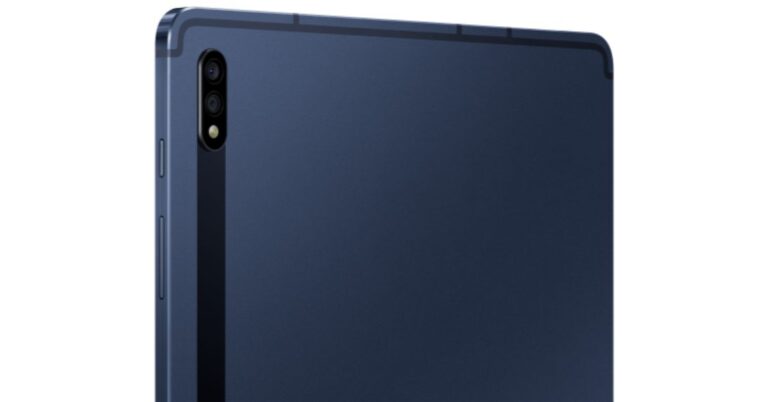
The South Korean smartphone company today announced the addition of Mystic Navy colour to Samsung Galaxy Tab S7 and Galaxy Tab S7+. The new colour option will be available in India that was launched in the country in August last year. The tablet is the latest edition to the Samsung Tab series which were earlier introduced in three colour options and now the fourth colour option has joined the family. Price and AviabilityThe price of the Samsung Galaxy Tab S7 and Galaxy Tab S7+ Mystic Navy colour option remains the same as the previous pricing. The new Mystic Navy colour along with Mystic Bronze, Mystic Black and Mystic Silver colours via Samsung.com and leading retail stores with exciting offers. The launch offers include an instant HDFC bank cashback of Rs 9000 and Rs 10000, respectively. Additionally, they will be eligible for INR 10000 discount on keyboard cover and Rs 7000 discount on Galaxy Buds+. This brings the overall ownership price for S7 to Rs 54999 and S7+ to Rs 69999.To recall, Samsung Galaxy Tab S7 was launched in India with a starting price of Rs 55,999 for the Wi-Fi variant for the 128GB of storage. While the LTE variant with the same storage is available at Rs 63,999. The Samsung Galaxy Tab S7+ LTE variant comes with a price tag of Rs 79,999.Samsung Galaxy Tab S7: SpecificationsSamsung Galaxy Tab S7 comes with an 11-inch WQXGA LTPS TFT display with 2,560×1,600 pixels and 120Hz refresh rate. The tab runs on Android 10 and is powered by an octa-core Qualcomm Snapdragon 865+ CPU. For optics, there is a dual rear camera setup that includes a 13-megapixel primary sensor with f/2.0 aperture and a 5-megapixel ultra-wide-angle lens with f/2.2 aperture. The S7 packs an 8,000mAh battery that can deliver up to three hours of video playback on a single charge.Samsung Galaxy Tab S7+: SpecificationsSamsung Galaxy Tab S7+ comes with a bigger 12.4-inch WQXGA+ Super AMOLED display offering 2,800×1,752 pixels of resolution with 120Hz refresh rate and 287ppi pixel density. Under the hood, there is Snapdragon 865+ SoC with 6GB LPDDR5X RAM and 128GB storage. The camera details on the phone are the same as the standard variant. The S7+ packs a 10,090mAh battery with 45W fast charging support.
For the latest gadget and tech news, and gadget reviews, follow us on Twitter, Facebook and Instagram. For newest tech & gadget videos subscribe to our YouTube Channel. You can also stay up to date using the Gadget Bridge Android App.
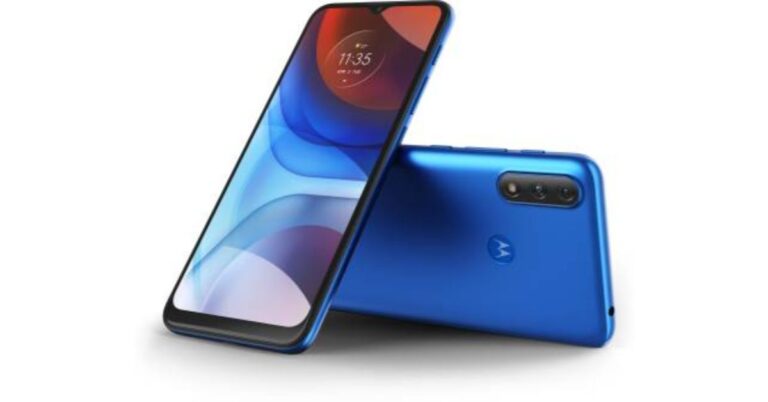
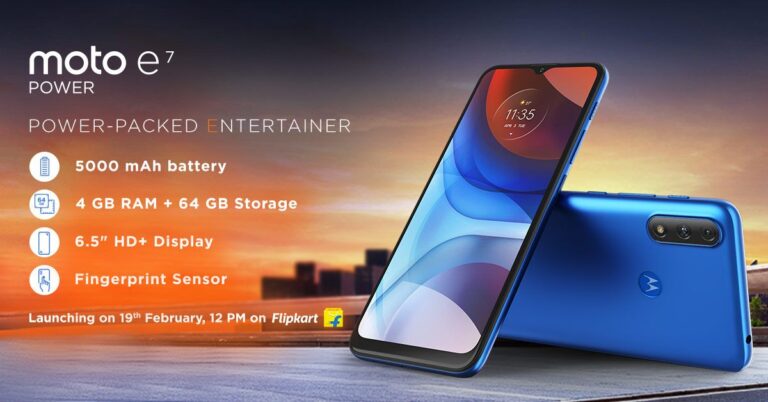
The Chinese smartphone company Motorola today announced the launch of its latest budget smartphone in India. Motorola Moto E7 Power is the latest addition to its E7 series which already includes Moto E7 and E7 Plus. The mobile comes with a 6.5-inch HD+ Max Vision display with a water drop-style notch. Powered by an octa-core SoC the phone comes loaded with a 5000mAh battery and an IP52 rated water repellant design.Motorola Moto E7 Power: Price and availability detailsMotorola Moto E7 Power has been launched in India in two different variants. The device will be available in 2GB RAM with 32GB storage priced at Rs 7,499 while the 4GB RAM with 64GB storage comes with a price tag of Rs 8,299. The Motorola smartphone will be available for purchase via Flipkart and leading retail stores starting February 26 at 12 noon onwards. The mobile phone will be available in two colour options of Tahiti Blue and Coral Red.Motorola Moto E7 Power: SpecificationsMotorola Moto E7 Power features a 6.5-inch HD+ Max Vision display with 720×1,600 pixels of resolution and a 20:9 aspect ratio. The device runs on Android 10 out of the box. The smartphone is powered by an octa-core MediaTek Helio G25 SoC paired with up to 4GB of LPDDR4X RAM and 64GB of onboard storage. The internal storage can be expanded up to 1TB using a microSD card. For photos and videos, Moto E7 Power comes with a dual rear camera setup that includes a 13-megapixel primary sensor with f/2.0 aperture and a secondary 2-megapixel macro lens with f/2.4 aperture. While on the front there is a 5-megapixel selfie camera with an f/2.2 aperture. With a massive 5000mAh battery with 10W fast charging support is claimed to last up to two days on just a single charge. It offers 76 hours of music playback, 14 hours of video streaming and 12 hours of internet browsing. There is a rear-mounted fingerprint sensor located inside the batwing logo. While other sensors on the phone include an accelerometer, ambient light, and a proximity sensor.In addition to this, there is a dedicated Google Assistant button located on the side of the phone. For connectivity there is 4G VoLTE, Wi-Fi 802.11 b/g/n, Bluetooth 5.0, GPS/ A-GPS, FM radio, USB Type-C, and a 3.5mm headphone jack.
For the latest gadget and tech news, and gadget reviews, follow us on Twitter, Facebook and Instagram. For newest tech & gadget videos subscribe to our YouTube Channel. You can also stay up to date using the Gadget Bridge Android App.
Facebook has blocked Australian users from sharing or viewing news content over proposed legislation called ‘Media Code’. Australian government demands tech giants like Facebook and Google to compensate for the content reposted from news terminals. This decision by Facebook is being called “a bombshell decision” as the company affirmed to forbid Australian people from reading and sharing news with a “heavy heart”.
Why Facebook banned news content in Australia?
The argument in favour of the ban is that the digital world has resulted in advertising revenues getting concentrated in the hands of two players, namely, Google and Facebook.
William Easton, Managing Director, Facebook Australia & New Zealand believes that the proposed legislation “fundamentally misunderstands the relationship between our platform and publishers who use it to share news content.” According to him, the stance taken by Facebook was very different from that of Google.
As a reaction, the tech giant, Google has also threatened to withdraw its search engine from Australia, but it had appeared to yield on the threats. It is reported that Google has struck deals with numerous Australian news terminals and is determined to pay them for using their content.
Why Facebook banned news content in Australia?
Is this an unprecedented event?
The lower house of the Australian parliament has passed the media bargaining code legislation. The Senate is expected to approve it by the next week making Australia the first country to compel big tech companies to pay for news content. The social media laws of Australia have inspired other countries including Canada and the European Union.
According to Paul Fletcher, Minister for Communications, “Facebook needs to think very carefully about what this means for its reputation and standing. They are effectively saying on our platform there will not be any information from organizations that employ paid journalists. They are effectively saying any information that is available on our site does not come from these reliable sources.”
What will be the impacts of banning Facebook news in Australia?
In This Article
1) On the tech giants
Big technology companies like Google and Amazon have asserted that they use Facebook stories to increase internet traffic and revenue for the websites operated by conventional media outlets. They criticise the step for losing the social media platforms that had benefited from their quality journalism. As a result, their advertising revenues will collapse.
2) On Australian news publishers
The Australian news publishers will have the worst of their times. Their Facebook pages will abruptly lose all the value. They will not be able to share or post any news content on Facebook pages.
According to Facebook, “Admins will still be able to access other features from their Facebook Page, including Page insights and Creator Studio.”
What will be the impacts of banning Facebook news in Australia?
3) On the newsreaders
The Australian news readers will no longer be able to read or share Australian or global news content via Facebook or news from Australian and international news Facebook pages. The international users will also not be able to read or share Australian news content via Facebook or content from Australian news pages.
Reactions from Australian news media
Australian news media editors have given firm reactions to the situation. Lisa Davies, the editor of the Sydney Morning Herald, tweeted that Facebook’s move would give way to misinformation. She wrote, “Well, that’s a tantrum. Facebook has exponentially increased the opportunity for misinformation, dangerous radicalism, and conspiracy theories to abound on its platform. Even more important to subscribe to a news outlet you respect”.
What will be the future course?
According to Campbell Brown, Facebook’s vice president of global news partnerships, “What the proposed law introduced in Australia fails to recognize is the fundamental nature of the relationship between our platform and publishers. Contrary to what some have suggested, Facebook does not steal news content. Publishers choose to share their stories on Facebook. I hope in the future, we can include news for people in Australia once again”.
For the latest gadget and tech news, and gadget reviews, follow us on Twitter, Facebook and Instagram. For newest tech & gadget videos subscribe to our YouTube Channel. You can also stay up to date with the Gadget Bridge Android App.
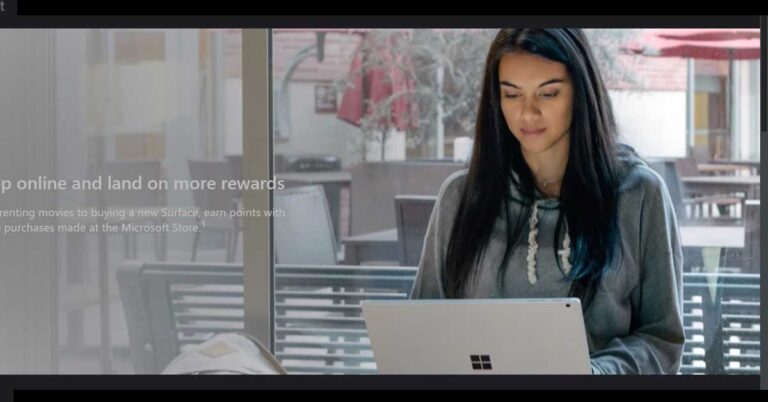
Microsoft Rewards is a free initiative that offers you points based on things you do every day such as searching on Bing and buying from the Microsoft Store online. Here is everything you need to know about it and how you can earn some great rewards.
How does Microsoft Rewards work?
Microsoft Rewards pays you for browsing the web on Bing.com or any browser that uses the Bing search engine like Microsoft Edge. You get rewarded in terms of points where each point is worth about $0.001. For every search you make on Bing or an associated browser, you will earn 5 points.
How does Microsoft Rewards work?
How do you progress with the rewards?
There are two levels you can achieve in the process.
Level 1: The level at which you begin
Level 2: You achieve this level by earning 500 points per month. You’ll remain in Level 2 if you keep earning not less than 500 points per month.
The above two levels differ in the number of points you are awarded for searching. Level 1 offers only 50 points per day whereas Level two limits you to 250 per day. In general terms, at Level 1, you get paid for 10 searches per day and 25 searches per day at Level 2.
To make money with Microsoft Rewards, follow these steps.
In This Article
1) Actively browse using Microsoft Edge
You can get as much as 150 points per month, 5 points per hour, for actively browsing the web with Bing or Microsoft Edge.
2) Complete Fun Offers
Unlike other websites running similar initiatives, Microsoft Rewards grants you rewards without posing any risk or demanding any personal information from you such as your email and phone number. Thus, you simply need to try a couple of fun quizzes, do quick searches, and take an MS Rewards tour. You may earn about 100 points just for setting a goal.
3) Get Points for Shopping at the Microsoft and Windows Stores
For every $1 you spend buying anything from the Microsoft Store, you can earn 1 point. This amount may seem insignificant but it’s better than not getting at all for leisure activity.
How do you progress with the rewards?
Is There a Minimum Payout Threshold?
There is a minimum payout threshold depending upon what you wish to redeem your points for.
Most sweepstakes entries will cost 200 points, but some of them are free of cost.
You’ll require at least 1,600 points to cash out a Windows Store gift card worth $1.25.
You will need to save up to 24,500 points to avail of Microsoft Store discounts.
How Does Microsoft Rewards Pay?
There are several ways to choose the method of redeeming your points. You can do that for Xbox and Windows gift cards, Microsoft Store gift cards, and sweepstakes entries. You can also donate them to a charity or non-profit organisation. Microsoft Rewards also come as gift cards from third parties including Amazon, Domino’s Pizza, and Starbucks. However, there is no provision for you to cash out your points to your PayPal account as the points don’t have any cash value.
How Does Microsoft Rewards Pay?
Microsoft Rewards does not demand a commitment or fees from you. It comes attached with your Microsoft account. You just need to sign in to avail yourself of the feature. As you collect more points, you increase the chances of being rewarded. However, it must be noted that rewarding features after buying from the Microsoft Store or searching on Bing may not be applicable in every country.
For the latest gadget and tech news, and gadget reviews, follow us on Twitter, Facebook and Instagram. For newest tech & gadget videos subscribe to our YouTube Channel. You can also stay up to date with the Gadget Bridge Android App.
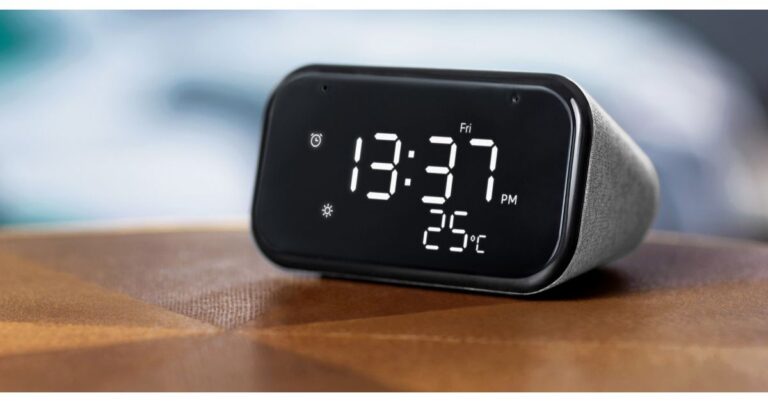
The Chinese electronics major Lenovo today announced the launch of its latest smart device in India. The company has expanded its smart home solutions portfolio with the introduction of Lenovo Smart Clock Essential in the country. As the name suggests the smart clock comes with full voice support and allows the users to keep in check other smart home devices and is compatible with over 40,000 smart home devices from over 5,000 brands. There is a 3W speaker but to amplify the sound the users can team it up with other Bluetooth speakers or smart speakers. Read on to know its price and specifications.Pankaj Harjai, Director – Tablets and Smart Devices, Lenovo India while announcing the Lenovo Smart Clock Essential commented, “With an intent to bring comfort and ease in the busy lifestyles of our millennial consumers and families, we strive to design the most innovative and advanced smart home devices. Today, as remote working becomes the new normal and homes turn into office spaces, we are confident that the new Lenovo Smart Clock Essential will be a smart addition to any room in the house. This is a big design upgrade when compared to our previous smart clock which was specifically styled for bedrooms. With a new look and a wide range of smart features like voice-controlled built-in Night Light and Google Home Assistant support even in Hindi, the Smart Clock Essential is a mainstream and affordable device, specifically for owners of smart home assistants who are looking to upgrade their clocks to a smarter and more compact clock.”
Lenovo Smart Clock Essential: Price and availabilityLenovo Smart Clock Essential has been launched in India with a price tag of Rs 4,499. The device will be available in a single soft-touch grey colour variant. It is scheduled to go on sale in India today via Lenovo.com, Flipkart, and will be later available in Lenovo offline retail channels.Lenovo Smart Clock Essential: SpecificationsLenovo Smart Clock Essential features a 4″ easy-to-read LED display. There is an ambient light sensor that gives a better viewing angle as well as brightness to the clock. There are buttons on the smart clock to set up alarms but one can also set using their voice command as the clock is voice-enabled. There is a built-in light on the Lenovo smart clock that is helpful during the night to avoid accidents. In addition to this, the device comes integrated with a USB port to charge the devices overnight.The screen on the Lenovo Smart Clock Essential features smart alarm suggestions based on the next day’s calendar events, as well as sunrise alarms that gently wake people by gradually increasing color and brightness before ringing the alarm. Like we said before, this clock is fully supported by Google assistants that can also hold sway over your entire smart home, with more than 40,000 compatible smart home devices from over 5,000 brands. Equipped with far-field microphones the smart device picks up questions from nearly anywhere in the room or plays tunes with its 3W speaker that can be grouped with other compatible smart speakers to amplify the music. To wake up all you need to command is “Hey Google, play my morning playlist.” The device works similarly to how we control Amazon Alexa Devices or Google Smart devices. Therefore it will provide parity with other Google Assistant-enabled smart speakers and supports voice match for up to six users at a time. The device also supports Hindi language commands. This software feature is specific to India, and the Smart Clock Essential will be Lenovo’s first device to support Hindi language. In terms of connectivity, the Lenovo Smart Clock Essential includes Bluetooth 5.0, WLAN: 2.4G/5G Dual Band, IEEE 802.11 a/b/g/n/ac. For storing content the device offers 4 GB of RAM and 512GB of storage. The dimensions are 121mm (W) x 64mm (H) x 83mm (L).
For the latest gadget and tech news, and gadget reviews, follow us on Twitter, Facebook and Instagram. For newest tech & gadget videos subscribe to our YouTube Channel. You can also stay up to date using the Gadget Bridge Android App.
To keep the next iteration of Android update on schedule the tech giant Google has officially announced its first developer preview of Android 12. The next version of Android is now available with system images and tools updated for Google’s own Pixel devices, starting with the Pixel 3. However, it is being tested The Android 12 platform includes behavior changes, new features and APIs for developers.As of now the Android 12 updates are available for installation over the air but will be available sometime later. Like always the first developer preview is now meant for the general users but for testing, development, and feedback. An early look at the next version of Android will be available for Google Pixel 3, 3a, 4, 4a, 4a (5G), or 5 devices. If you don’t have a Pixel device, you can use the 64-bit system images with the Android Emulator in Android Studio. As per the company during the Developer Preview 1, the goal is to try the new APIs and test with platform changes, the developer then let the company know of any issues or requests so that it can be incorporated into the final product.The first developer preview has been released however the remaining second and third is scheduled for March and then April respectively. After that Google will then rollout beta release till August and then the final release is likely to take place in September or October.The program is free, and you can get started right away by downloading the Developer Preview SDK and tools. The company aims to make the OS smarter with each version with easier to use, and better performing, with privacy and security at the core. The company says with the next version of the operating system it is working on new tools for building great experiences for users. Starting with things like compatible media transcoding, which helps your app to work with the latest video formats if you don’t already support them, and easier copy/paste of rich content into your apps, like images and videos.The company is also focusing on privacy protections giving users more transparency and control while keeping their devices and data secure and optimizing performance to keep your apps responsive. The Android 12 first developer preview includes new controls over identifiers that can be used for tracking, safer defaults for app components, and more. These changes may affect your apps, so Google recommends testing as soon as possible. The upcoming previews include more privacy and security features coming at a later stage.There will be changes to the Chrome and other browsers WebView to include new SameSite cookie behaviors to provide additional security and privacy and give users more transparency and control over how cookies can be used across sites. In order to stop apps from inadvertently exporting activities, services, and receivers the default handling of the android: exported attribute to also be changed. As per Google the components that declare one or more intent filters must now explicitly declare an android:exported attribute. You should inspect your components in the manifest in order to avoid installation errors related to this change. Also, Android 12 requires apps to explicitly declare a mutability flag to make handling PendingIntents more secure.In terms of user experience tools, it is noted that most apps should support HEVC, but for apps that can’t, so compatible media transcoding has been introduced. If an app doesn’t support HEVC then the platform automatically transcodes the file into AVC, a format that is widely compatible. “As an example, a one-minute 1080p video at 30fps takes around 9 seconds to transcode on a Pixel 4. You can opt-in to use the transcoding service by just declaring the media formats that your apps don’t support. For developers, we strongly recommend that your apps support HEVC, and if that’s not possible, enable compatible media transcoding. The feature will be active on all devices using HEVC format for video capture. We’d love to hear your feedback on this feature,” said Dave Burke, VP of Engineering.Android 12 introduces platform support for AV1 Image File Format (AVIF) to offer higher image quality with more efficient compression. AVIF takes advantage of the intra-frame encoded content from video compression. This dramatically improves image quality for the same file size when compared to older image formats, such as JPEG.To ensure a better experience for users the company will be blocking foreground service starts from the background for apps that are targeting the new platform. To make inserting and moving images, videos and other expressive content in apps easier a new unified API that lets you accept content from any source: clipboard, keyboard, or drag and drop. You can attach a new interface, OnReceiveContentListener, to UI components and get a callback when content is inserted through any mechanism. In Android 12 apps can provide audio-coupled haptic feedback through the phone’s vibrator. The vibration strength and frequency are derived from an audio session, allowing you to create a more immersive game and audio experience. Moreover to make updates faster and smoother Android 12 will be focusing on prioritizing app compatibility. New functionality to Google Play system updates has been added to give a better environment on Android 12 devices. More details are available here.
For the latest gadget and tech news, and gadget reviews, follow us on Twitter, Facebook and Instagram. For newest tech & gadget videos subscribe to our YouTube Channel. You can also stay up to date using the Gadget Bridge Android App.
There are several ways on Android by which you can share apps with other smartphones. The Nearby Share feature of Android makes app sharing possible without a dedicated app. It also allows you to share all types of files including PDF, image, and other application-related files with nearby users too.
How to share apps using Nearby Share?
Follow these steps to send or receive apps to a nearby smartphone.
Open the Play Store app.
Go to the ‘My Apps & Games’ section.
Open the ‘Share’ menu. You’ll be asked if you want to send or receive apps.
If you want to send apps, you are directed to a screen that lists all your installed apps.
Choose the apps you want to share and tap the green button located at the top right.
Wait for your friend nearby to accept the incoming applications.
If you chose to receive, you would get a similar interface. However, in this case, you need to accept the incoming apps.
How to share using Nearby Share?
The feature of Nearby Share is a convenient way to send and receive Android apps without requiring a Wi-Fi or cellular connection. Sharing to a nearby device is a benefit to those having capped data plans or slow speeds. The Nearby Share feature also allows you to share apps to multiple contacts at once.
Nearby Share also works seamlessly with Chromebooks so you can effortlessly share files between an Android phone and a Chromebook or vice versa. Chromebooks already have the ‘Instant Tethering’ that works well with Android. However, Nearby Share would do that even faster and more conveniently.
For the latest gadget and tech news, and gadget reviews, follow us on Twitter, Facebook and Instagram. For newest tech & gadget videos subscribe to our YouTube Channel. You can also stay up to date with the Gadget Bridge Android App.
Earlier this week Motorola was supposed to launch its new Moto Evariant in India but the company rescheduled the launch to February 19. So today Moto E7 Power is confirmed to make its debut in the country. Prior to the launch the smartphone has been subject to several leaks and rumours and has also appeared in a Geekbench listing. Apart from this the Lenovo-based company also created a dedicated microsite that lists most of the key specifications via Flipkart. It is confirmed to come with a waterdrop-style notch HD+ display and will be offered in a minimum 64GB storage option. Moto E7 Power is set to launch in India and is going to launch in India today. The launch will take place at 12 noon via Flipkart. The company is not going to hold any special event to launch its latest product but ahead of the launch, the dedicated microsite on the e-commerce platform has listed out most of the details about the new Motorola phone.
As per the listing, Moto E7 Power will be featuring a 6.5-inch HD+ Max Vision display with a water drop-style notch. The processor is not confirmed but the device is going to be powered by an octa-core SoC. However, the Geekbench listing confirms that it is likely to include a MediaTek Helio P22 SoC. Besides this, the dedicated microsite by Flipkart shows that Moto E7 Power will be available in 4GB of LPDDR4X RAM paired with at least 64GB of internal storage. The memory can also be expanded up to 1TB using a microSD card. In terms of cameras, it is slated to include a dual rear camera setup consisting of a 13-megapixel primary sensor along with an LED flash. Other camera sensor details remain uncovered. But Moto E7 Power is most likely to feature a 2-megapixel secondary sensor while on the front there could be a 5-megapixel selfie camera sensor.In addition to this, there will be a rear-mounted fingerprint sensor on Moto E7 Power to unlock the device and shall also have 2×2 MIMO Wi-Fi network support. The is confirmed to include a USB Type-C port for charging and a 3.5mm audio jack as a connectivity option on the phone. The device will also be backed by a 5,000mAh battery. While the video teaser confirms the phone to be offered in two colour options.The Geekbench listing suggests that the Motorola smartphone will have Android 10 support and it has scored a single-core score of 152 and a multi-core score of 879.
For the latest gadget and tech news, and gadget reviews, follow us on Twitter, Facebook and Instagram. For newest tech & gadget videos subscribe to our YouTube Channel. You can also stay up to date using the Gadget Bridge Android App.
Microsoft Windows 10 offers you the choice to set the default language when run it the first time. However, you can change the already configured language in a few steps. You can also change the country and region format in Windows 10 to match your location. The best part is that you don’t require to make any installations in Windows. Here are the easiest ways to change language and country in Windows 10.
In This Article
How to change your country in Windows 10?
To change the country in Windows 10, follow these steps:
Open ‘Settings’.
Click on ‘Time & Language’.
Click on ‘Region’.
In the Country or region’ drop-down menu, choose the desired country.
In the drop-down menu under the ‘Regional format’, select the appropriate formats for your current country.
Once you change the country, Windows 10 will configure time, date, and other units as per your new country and region.
The e-commerce website Flipkart is hosting Daily Trivia Quiz. Every day it brings a bunch of new questions for its users. By answering them correctly you can win exciting prizes. The questionnaire is based on questions related to general knowledge. Also, the users can win free vouchers and super coins, among other offers via the daily quiz. February 19 Flipkart Daily Trivia Quiz Answers has already gone live on its platform.
The participant should be at least 18 years old and should have a valid login ID. The Quiz is available on the mobile platform and not the web version. E-commerce conducts the quiz on daily basis and goes live at 12:00 AM IST and runs till 11:59 PM IST. The winners are announced within 15 days from the date of participation that can be viewed under the Gems/Rewards section in the app.
In This Article
How to participate in the Flipkart Daily Trivia Quiz
To participate download the Flipkart app on your phone. Then open the Flipkart app then head to Game Zone. Now click on the Daily Trivia Banner or search for Daily Trivia. Enter the game and answer all 5 questions with correct answers.
February 19 Flipkart Daily Trivia Quiz Answers
Question 1: A ball of what colour is used in a day/ night Test match?
Answer: Pink
Question 2: In which country is the ten-over cricket league T10 League held?
Answer: UAE
Question 3: State-owned companies from which country sponsor the professional cycling team ‘Astana’?
Answer: Kazakhstan
Question 4: Which country hosted the first-ever FIFA World Cup held in the year 1930?
Answer: Uruguay
Question 5: Which is the only country to play in every FIFA World Cup?
Answer: Brazil
Every day Amazon India brings a daily quiz for its customers to win exciting new prizes every day on its platform. The Amazon Quiz can be played daily from 12 AM to 11:59 PM. Today you can win Rs 15,000 Amazon Pay Balance if you managed to answer all the questions correctly. Daily a new set of questions is presented in front of the participants that gives millions of people across the country to win exciting prizes.
The Amazon Quiz has gone live on its mobile platform. The participants have to answer 5 questions that are based on general knowledge and current affairs. After clearing the daily quiz their name will be shortlisted for a lucky draw to select a winner. Amazon announces the results of the lucky draw at the end of the month. So today’s Quiz will let you win AmazonBasics Smart LED TV.
February 19 Amazon Quiz Answers
Question 1: What is the name of the initiative launched by India to gift COVID-19 vaccines to neighbouring countries?
The answer is- Vaccine Maitri
Question 2: Which Indian Air Force jet performed the spectacular Charlie manoeuvre at the 2021 Republic Day Parade?
The answer is- Rafale
Question 3: According to this app’s website, whistleblower and privacy advocate Edward Snowden uses it everyday. Which messaging app?
The answer is- Signal
Question 4: Which French queen is associated with a quote about this food, though it is not proven to be true?
The answer is- Marie-Antoinette
Question 5: What is this flower that is still offered to fallen soldiers because it symbolizes eternal sleep and resurrection?
The answer is- Poppy



















 Motorola Moto E7 Power: Specifications










 To change the country in Windows 10, follow these steps:

 To
To  Once you complete all the steps, the display