

Huawei Mate X launch confirmed for September 2019

Chinese technology brand Huawei unveiled its Mate X foldable smartphone earlier this year. The company had announced that Huawei Mate X will be launched in June 2019 for the masses. However, after Samsung Galaxy Fold’s issues were discovered, the company took a lesson out of the incident and postponed the release of the 5G-enabled foldable device.
Vincent Pang, President of Huawei’s Western European Region told TechRadar about the delayed launch on Friday last week. He said, “The company has used the last few months to improve the P-OLED screen on the device to prevent it from getting caught up with the same problems that Samsung had with its foldable smartphone. The device is coming in September.”
According to Pang, the company was testing the device to see that the Huawei Mate X doesn’t run into the same problem as its competitor Samsung Galaxy Fold. That’s why, they were testing the smartphone’s screen and folding mechanism that were the major cause of problems for the Galaxy Fold. Huawei said that it is being “cautious” with the release of its Huawei Mate X and its shipments after the Samsung’s offering was found to have more than one issues.
To recall, Samsung’s Galaxy Fold was unveiled in February this year and was supposed to be made available to the masses in April. Prior to the release date, the company distributed the smartphone to YouTubers and popular technology reviewers, and that is when problems with the display of the device came to light. The handset stopped working once the protective covering that looked like a plastic film was removed. The folding hinge on the foldable smartphone also did not work properly in some units. This was the reason that the South Korean technology giant had to postpone the launch of the Galaxy Fold indefinitely.
Coming back to Huawei Mate X, it has gone through extensive testing and it also has received the mandatory Chinese 3C product certification system under model number TAH-AN00.
Microsoft bans slack use for its employees: Here’s why

Software giant Microsoft has prohibited its 100,000+ employees from using the free version of Slack due to security concerns. In fact, the technology giant has an entire list of prohibited apps and services and it has even discouraged the use of Amazon web service and Google Docs in the company. We should mention that Amazon competes with Microsoft’s Azure cloud platform and Google Docs competes with Microsofts’s Office 365 service.
In addition to this, the company has also added the popular grammar checking tool – Grammarly – to its list. Microsoft has said that these services need to be banned for employees in order to safeguard its own Intellectual Property (IP). The company has stated, “Slack Free, Slack Standard, and Slack Plus versions do not provide required controls to properly protect Microsoft Intellectual Property (IP). Existing users of these solutions should migrate chat history and files related to Microsoft business to Microsoft Teams, which offers the same features and integrated Office 365 apps, calling and meeting functionality. Learn more about the additional features that Teams can provide your workgroup. Slack Enterprise Grid version complies with Microsoft security requirements; however, we encourage the use of Microsoft Teams rather than competitive software.”
While there is no restriction on employees from using Slack Enterprise Grid, we should mention that because it is a paid service, most would opt for Microsoft Teams.
Speaking about Grammarly, the company said, “The Grammarly Office add-in and browser extensions should not be used on the Microsoft network because they are able to access Information Rights Management (IRM) protected content within emails and documents.” This is the biggest security concerns which led to the ban of Slack, Amazon Web Service, and Grammarly. It is not very surprising that the company has also banned the use of GitHub. The company has warned it, employees, not to use the cloud version of GitHub to share any confidential information, specification and codes via the service.
Slack has been among the biggest competitors of the company so it does not want any of its sensitive data to be exposed. According to an IPO document Slack recorded Microsoft as its primary competitor. That’s not all. Microsoft also launched a free version of its Teams in order to rival Slack better,
While the list of services that Microsoft has banned and the reasons behind the ban make complete sense, the employees will have to use them to make sure that their own services offer better features and upgrades.
For the latest gadget and tech news, and gadget reviews, follow us on Twitter, Facebook and Instagram. For newest tech & gadget videos subscribe to our YouTube Channel. You can also stay up to date using the Gadget Bridge Android App
Samsung Galaxy A90 may be launched in the new Galaxy R-series: Report
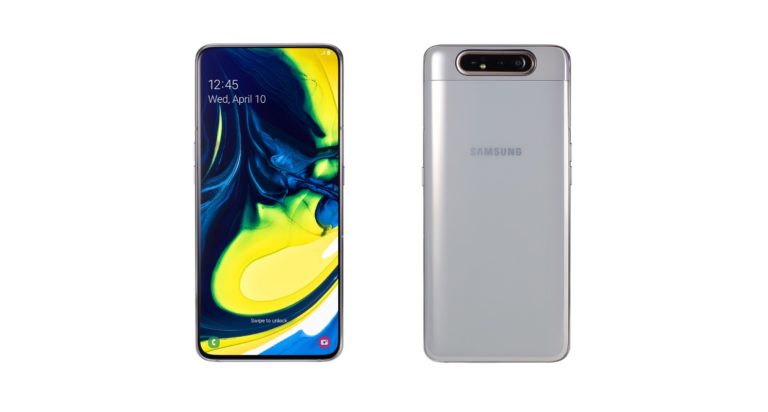
Samsung has launched a number of smartphones in its Galaxy A series this year and the most high-end one among them is Galaxy A80. The device is the first ever in the world to sport a rotating camera. Although the smartphone still has not made its way to India, reports about Samsung working on the Galaxy A90 smartphone have started surfacing online. It has been reported that Samsung Galaxy A90 will come with specifications that are even more advanced than Galaxy A80’s.
According to a new leak, the upcoming smartphone may come with the model number SM-A908N and will be released in the new Galaxy R-series. In addition to this, reports also claim that Samsung will be testing the 5G variant of Galaxy A90 smartphone in the South Korean market and this model will pack dual rear cameras.
The report about the Galaxy A90 comes from popular tipster OnLeaks. As we mentioned, according to OnLeaks, Samsung Galaxy A90 will be launched in Galaxy R series. It has also been said that the company plans to launch two handsets in the Galaxy R-series and both the devices will come with a big screen and triple rear cameras.
Out of the two smartphones in the Galaxy R-series, one will come with support for 5G connectivity. On the other hand, the other is expected to come with a new and unique camera feature. But considering that we have already seen pop-up selfie camera modules and rotating sensors in 2019 smartphones, Samsung is expected to do something that’s never been seen earlier.
Another report from GalaxyClub claims that the Samsung smartphone with the model number SM-A908N will be tested in the company’s home market. The device is expected to come with 5G connectivity and will have the Galaxy A90 5G name tag. However, there is a possibility that the company might launch the device without the 5G connectivity with the name tag other than Galaxy A90. But then, tentatively, it is only being called Samsung Galaxy A90.
There is not much known about the Galaxy A90 5G till now and there is no news about the internal specifications, the camera setup and other features of the device. But reports do mention that the Galaxy A90 will come with a 32MP rear sensor on its main camera and it will be paired with an 8MP secondary lens.
Samsung has planned to launch the new Galaxy A80 in the Indian market in the coming weeks. The specifications of the device along with its features have officially been put on the Samsung’s India website ahead of the launch. The company has also put a “Notify Me” button on its page which the users can click to get notified about the more details about the Galaxy A80. Although Samsung hasn’t given an official launch date of teh device, it is expected to be launched in June 2019 itself.
For the latest gadget and tech news, and gadget reviews, follow us on Twitter, Facebook and Instagram. For newest tech & gadget videos subscribe to our YouTube Channel. You can also stay up to date using the Gadget Bridge Android App.
This is how slow iPhone sales may change Apple’s laptops and tablets

Cupertino-based technology giant Apple has taken a number of steps to combat slowing iPhone sales. While it is looking for ways to revive it, at the same time, the company reportedly also has to alter its strategy for its products because of it. A report that has surfaced online recently claims that more devices by Apple will now come with high-end OLED displays. However, it is also being speculated that the company is taking this step in order to satisfy a penalty that it owes to Samsung Display, its OLED supplier.
According to reports, Apple failed to buy enough number of iPhone screens from Samsung Display to fulfil its contract. The report first surfaced on ETnews and said that because of the repayment, Samsung’s OLED screens may make their way to Apple products that never sport them earlier. A report in AppleInsider further said that these products may include tablets and notebooks.
Various industry sources have said that this may be a way for the two technology giants to settle the dispute. While it may be a little too early to say if this will actually happen, it could perfectly make sense if it does.
The Cupertino-based technology giant touted the iPhone XS and iPhone XS Max to come with high-end OLED displays, however, the sales of the two smartphones have been slowing down and now, Apple required other devices to put these screen in order to fulfil its contract. We should mention that other companies have used OLED screens on their notebooks and tablets in the past, Apple has not taken this step yet.
It is worth noticing that Samsung Galaxy Tab S tablet garnered a lot of appreciation for its OLED display, and so did Lenovo ThinkPad X1 Yoga.
Speaking of Apple, we don’t know as of now when exactly we will get to see OLED screens in the company devices even if the technology giant does have plans of using them in their notebooks and tablets. We should point out that according to analyst Ming-Chi Kuo, future revisions of the MacBook Pro, that is rumoured to launch in 2021, and iPad will be using mini-LED screens. So, we may have to wait longer than that to see OLED displays on Apple’s laptops and tablets.
On the other hand, some reports are also speculating the possibility of Apple using OLED displays on iPhone XR‘s successor. These reports also originated after Kuo first talked this iPhone being released in 2020, along with the 5G smartphone from Apple. For those unaware, Kuo has a very good track record of accurately predicting Apple’s moves.
It should make perfect sense for Apple to go ahead with the plan of using OLED displays on the iPhone XR successor because as of now, the device is one among its best-selling smartphones. So, customers would be happy to get OLED screens on a relatively affordable iPhone and Apple will also be able to make peace with Samsung at the same time by doing this.
For the latest gadget and tech news, and gadget reviews, follow us on Twitter, Facebook and Instagram. For newest tech & gadget videos subscribe to our YouTube Channel. You can also stay up to date using the Gadget Bridge Android App.
Microsoft co-founder Bill Gates has admitted his ‘greatest mistake’

Microsoft co-founder Bill Gates is one among the most successful entrepreneurs that the world has seen and he held the position of being the richest man for many years. However, this doesn’t mean that he has not made mistakes in his career.
Speaking at an event that was hosted by Village Global, the Microsoft co-founder admitted that there is a mistake that he still regrets – and it is letting technology giant Google take the opportunity to launch Android operating system.
Gates also spoke about how “the software world, in particular for platforms, are winner-take-all markets.” He spoke particularly about Google‘s operating system saying, “The greatest mistake ever is the… whatever mismanagement I engaged in that caused Microsoft not to be what Android is.”
He further added, “That is, Android is the standard phone platform – non-Apple form – phone platform. That was a natural thing for Microsoft to win.”
Elaborating it further, Gates said, “It really is winner take all. There’s room for exactly one non-Apple operating system, and what’s that worth? $400bn that would be transferred from company G to company M.”
However, the tech entrepreneur also said that while Microsoft is “very strong” in spite of the error, had the mistake not been made, the firm would have been “the leading company” instead of “a leading company.”
At the same event, Gates also talked about the sacrifices that he had to make regarding his work/life balance when he was just starting out. He revealed that back then, he did not even believe in the concept of weekends and vacations.
He said that he later relaxed his mind-set a bit. He said that once he reached his 30s, he could “hardly even imagine how I had done that. Because by then, some natural behaviour kicked in, and I loved weekends.”
We should mention that it was in 2005 that Google acquired Android for $50 million. It was one of the acquisitions of the technology giant that turned out to be immensely successful. As of now, Bill Gates is the second-richest person in the world, according to the Forbes. His net worth is $102.9 billion and he was succeeded by Amazon CEO Jeff Bezos after holding the title of the richest man in the world for multiple years.
It has also been speculated that Gates only slipped to the second position on the world’s richest list because he is very actively involved in charity and even has his own philanthropy organisation.
For the latest gadget and tech news, and gadget reviews, follow us on Twitter, Facebook and Instagram. For newest tech & gadget videos subscribe to our YouTube Channel. You can also stay up to date using the Gadget Bridge Android App.
An upgraded variant of the Samsung Galaxy M30 spotted on Geekbench, is powered by a stronger CPU
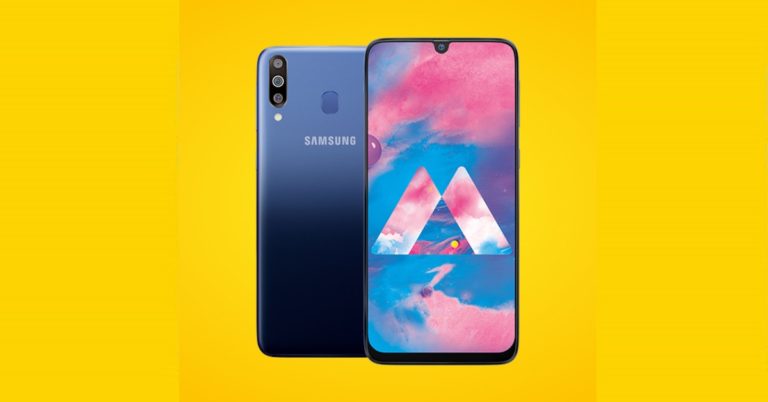
Samsung recently launched its new smartphone in the Galaxy M-series named Galaxy M40. The Galaxy M40 was the first smartphone in its series to be powered by a Snapdragon CPU and come with a punch hole display camera. Other than that, the Samsung Galaxy M40 was also the successor to the Samsung Galaxy M30 released earlier this year in February.
Now, according to a recent report, the South Korean tech giant is working on a new variant of its Samsung Galaxy M30 smartphone. And there are hearsays that the Samsung Galaxy M30’s new variants might be launched in the coming weeks as it was spotted earlier on a benchmarking platform. The device will be called the Samsung Galaxy M30s and according to the sightings from Geekbench benchmarking platform, it will pack 4GB of RAM.
The benchmarking platform also revealed that the device will run on Android 9 Pie. This is definitely an upgrade from the Samsung Galaxy M30 that was launched with Android 8.1 Oreo.
The new Samsung Galaxy M30s comes with a model number SM-M307F, and it was spotted on Geekbench. The spotting reveals that the device will be powered by the Exynos 9610 SoC rather than Snapdragon CPU. Comparing it to the original Samsung Galaxy M30 which ran on Exynos 7904 SoC the new Samsung Galaxy M30s CPU is definitely an improvement. The Galaxy M30s’s Exynos 9610 CPU reportedly clocks at 2.3GHz on its highest rate and it comes paired with a fairly powerful GPU – the Mali G72 MP3.
Talking about the benchmarking performance of the Samsung Galaxy M30s, it scored 1,680 on the single core and 5,211 on the multi-core tests on Geekbench 4. Comparing it with the scores of the original Samsung Galaxy M30, these are definitely higher. And there is no doubt that the upcoming Samsung Galaxy M30s will offer a better performance than the regular Samsung Galaxy M30.
 There is a possibility that the device will be called the Samsung Galaxy M30s and it will come in multiple RAM and storage variants similar to the regular Galaxy M30. The benchmarking shows that the device packs 4GB of RAM, but it might also come in a 6GB RAM variant. What upgrades it packs over the original Samsung Galaxy M30 and what improvements and changes it brings will be seen once it launches in the market. But considering that the 4GB RAM variant of the Samsung Galaxy M30 costs Rs 14,990 and the 6GB RAM variant costs Rs 17,990, it will be interesting to see what price the upgraded Samsung Galaxy M30s will have.
For the latest gadget and tech news, and gadget reviews, follow us on Twitter, Facebook and Instagram. For newest tech & gadget videos subscribe to our YouTube Channel. You can also stay up to date using the Gadget Bridge Android App.
There is a possibility that the device will be called the Samsung Galaxy M30s and it will come in multiple RAM and storage variants similar to the regular Galaxy M30. The benchmarking shows that the device packs 4GB of RAM, but it might also come in a 6GB RAM variant. What upgrades it packs over the original Samsung Galaxy M30 and what improvements and changes it brings will be seen once it launches in the market. But considering that the 4GB RAM variant of the Samsung Galaxy M30 costs Rs 14,990 and the 6GB RAM variant costs Rs 17,990, it will be interesting to see what price the upgraded Samsung Galaxy M30s will have.
For the latest gadget and tech news, and gadget reviews, follow us on Twitter, Facebook and Instagram. For newest tech & gadget videos subscribe to our YouTube Channel. You can also stay up to date using the Gadget Bridge Android App.
 There is a possibility that the device will be called the Samsung Galaxy M30s and it will come in multiple RAM and storage variants similar to the regular Galaxy M30. The benchmarking shows that the device packs 4GB of RAM, but it might also come in a 6GB RAM variant. What upgrades it packs over the original Samsung Galaxy M30 and what improvements and changes it brings will be seen once it launches in the market. But considering that the 4GB RAM variant of the Samsung Galaxy M30 costs Rs 14,990 and the 6GB RAM variant costs Rs 17,990, it will be interesting to see what price the upgraded Samsung Galaxy M30s will have.
For the latest gadget and tech news, and gadget reviews, follow us on Twitter, Facebook and Instagram. For newest tech & gadget videos subscribe to our YouTube Channel. You can also stay up to date using the Gadget Bridge Android App.
There is a possibility that the device will be called the Samsung Galaxy M30s and it will come in multiple RAM and storage variants similar to the regular Galaxy M30. The benchmarking shows that the device packs 4GB of RAM, but it might also come in a 6GB RAM variant. What upgrades it packs over the original Samsung Galaxy M30 and what improvements and changes it brings will be seen once it launches in the market. But considering that the 4GB RAM variant of the Samsung Galaxy M30 costs Rs 14,990 and the 6GB RAM variant costs Rs 17,990, it will be interesting to see what price the upgraded Samsung Galaxy M30s will have.
For the latest gadget and tech news, and gadget reviews, follow us on Twitter, Facebook and Instagram. For newest tech & gadget videos subscribe to our YouTube Channel. You can also stay up to date using the Gadget Bridge Android App.
OnePlus TV launch “might be soon”: Report

Chinese technology brand OnePlus has already created a huge fan base in markets across the world by offering premium and flagship features in the mid-range segment with its offerings. While till now the company has majorly focussed on smartphones and earphones, reports suggest that OnePlus will be launching a smart TV way sooner than we expected it to.
To recall, OnePlus CEO Pete Lau had announced last year that the company does have plans to enter the smart TV segment. In May this year, when OnePlus 7 Pro and OnePlus 7 were launched, the company was expected to give more information about it, however, it maintained silence on the matter.
Now, a leak has surfaced online by renowned tipster Ishan Agarwal and it suggests that the launch of the OnePlus TV “might be soon.” In his tweet, Agarwal said, “Have some good news for you all: The OnePlus TV is not very far away, at least according to one source. The launch might be soon, so stay tuned. I have very high expectations from it, what about you?”
We should mention that according to Agarwal, unlike other premium TVs, the television from OnePlus would not sport an OLED screen.
With the launch of a new television, the Chinese technology brand says that it is aiming to build a connected future. Speaking about the upcoming offering, Lau had said, “I dream about a time when technology is truly seamless, an effortless part of your life without being the focus. As other consumer electronics have evolved and improved our lives, televisions have remained conventional and cumbersome.”Have some good news for you all: The OnePlus TV is not very far away, at least according to one source. The launch might be soon, so stay tuned. I have very high expectations from it, what about you? #OnePlus #OnePlusTV 😀 pic.twitter.com/qzCJnfozi4
— Ishan Agarwal (@ishanagarwal24) June 21, 2019
Lau also hinted that OnePlus will be developing an AI-based digital assistant for its upcoming smart TV. The new offering by the company is said to come with premium and high-quality hardware, a smooth user experience and much like other products from OnePlus it is expected to sport a minimalistic design. As of now, there is no word on the specifications of the OnePlus TV. Speculations suggest that the new television will sport a 4k display with support for HDR and come with an in-house AI based assistant that will be a lot like Amazon Alexa and Google Assistant. Some reports also suggest that the digital assistant on the OnePlus TV will come with a more visual element. Considering that the technology brand already has scores of fans across the globe, it wouldn’t take much to get people interested in the upcoming TV. However, only time will tell whether or not it manages to create a mark. For the latest gadget and tech news, and gadget reviews, follow us on Twitter, Facebook and Instagram. For newest tech & gadget videos subscribe to our YouTube Channel. You can also stay up to date using the Gadget Bridge Android App.But since I don’t think it will be OLED, I would personally not buy it. I just love how good my LG C8 OLED is and the next TV coming to my home has to be OLED. I still think that in case you are looking for Premium TVs- Sony and LG are the best ones.
— Ishan Agarwal (@ishanagarwal24) June 21, 2019
Google Pixel 4 spotted in a transparent case, will reportedly come in black, white and mint colour variants
We see smartphone leaks all the time, but it is rare for a company to leak its own upcoming smartphone months before its launch. Google did just that as it leaked the rear design of its upcoming flagship smartphone – the Pixel 4 that is scheduled to launch later this year. Before Google’s leak, several other leaks had surfaced online about the Pixel 4’s design and camera placement. The California-based tech giant confirmed some of those leaks – like the camera placement.
But the leaks about Google’s upcoming flagship, Pixel 4 just keeps on coming instead of slowing down, which is a surprise nonetheless. The most recent leaks of the Pixel 4 reveal the three colour variants the smartphone might come in. Reportedly, there will be a black and a white colour option of the Pixel 4. Some reports also claimed that there might be a mint coloured variant of the Pixel 4 as well. Other than that, there was also a live photo of the Pixel 4 leaked where a person was holding the smartphone’s prototype unit. But now, another emergence showcases the Pixel 4 placed inside a clear and transparent casing.
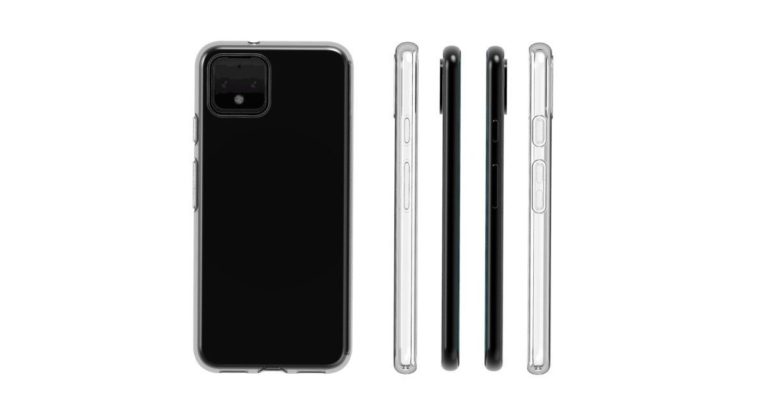
The new leak of Pixel 4 inside a transparent case just shows the outline of the original device but one is not sure if it will be the final product or not. At the back, the square camera placement is visible on the top-left corner of the smartphone and it is similar to Google’s leaked image. While on the right side one can see the power button and the volume rockers of the Pixel 4.
By the cuttings of the transparent case, there might be two speaker grille along with a USB port at the bottom of the Pixel 4. But the most important thing is that the smartphone case also has a 3.5mm headphone jack at the top. This means the Pixel 4 might be keeping the headphone jack. But unlike the previous Google Pixel devices, the Pixel 4 won’t be coming with the coloured power buttons it was known for.
Before this, the leaked dimensions of the Pixel 4 stated that the device will have a thickness of 8.2mm and with the camera bump it will be of 9.3mm, adding a hump of 1.1mm. Since the design, renders and the case of the Pixel 4 has already been leaked it isn’t far when the feature details, specifications and other camera details of the smartphone come to light. But since the launch of the Pixel 4 is still months away, nothing is certain if Google will maintain the same design concept or will it change.
For the latest gadget and tech news, and gadget reviews, follow us on Twitter, Facebook and Instagram. For newest tech & gadget videos subscribe to our YouTube Channel. You can also stay up to date using the Gadget Bridge Android App.
How to mute and customize notifications on WhatsApp

Instant messaging platform WhatsApp has billions of users across the globe. The app has literally replaced the messages that we used to send earlier. Most of us would find our communications completely paralysed if we had to uninstall WhatsApp for a day. However, because there are so many people on WhatsApp, it naturally means that the app sends too many notifications.
The number of notifications that WhatsApp sends can be very annoying at times. But then, on the upside, you don’t have to live with this. There ways to get only those notifications from WhatsApp that truly matter.
As we all know, the most number of notifications that we get on WhatsApp are from Groups. If you are a part of a WhatsApp Group that you are not interested in but cannot leave, here’s how you can mute them:
- Open WhatsApp and tap on the group you wish to mute notifications of.
- Tap on the name of the group on the top bar.
- This will open the Group information page where you will be able to see the description, media and participants.
- Below Media, there is an option of ‘Mute notifications’.
- Enable the toggle next to it to stop all notifications from that WhatsApp group.
- Open your WhatsApp app and go to the group for which you want to customize notifications.
- Tap on the top bar that has the name of the group.
- You will be taken to the Group information page.
- Here, you would have to scroll down a little to see the option of ‘Custom Notifications’. It falls right below the option of ‘Mute Notifications.’
- Click on it and then press tick on ‘Use Custom Notifications.’
- This will give you four option of customizing notifications – Notification tone, Vibrate, Popup notification and Light.
- You can go on these options separately to customize them according to your preference.
- You can also enable the option of ‘Use high priority notifications’ in this menu.
After 10 years, Chandrayaan-2 is scheduled to lift off to the Moon

Chandrayaan-1, India’s first planetary probe to the Moon was launched by the Indian Space Research Organization (ISRO) 10 years ago on October 22, 2008. It was India’s first ever planetary mission to the moon and it carried a range of experiments, both national and international. The experiments were successful as it collected a significant amount of important data during its mission about the study of Moon, its chemistry, its geology and the mineral make-up. And now, ISRO has scheduled the launch of its successor– the Chandrayaan-2 in the coming weeks. The launch of Chandrayaan-2 comes much-awaited as it was delayed number of times in the past due to unforeseen events.
As mentioned above, Chandrayaan-1 made a number of discoveries and findings on its trip to the moon. One of the most important findings of the Chandrayaan-1 was the direct evidence of water on the surface of moon. The evidence was found as water-ice concentrate near the polar regions of the Moon and it was found by the Moon Mineralogy Mapper on the Chandrayaan-1.
There were a number of instruments placed on the Chandrayaan-1, the second was the Mini-Synthetic Aperture Radar (Mini-SAR) that also found water-ice deposits in the craters on the far side of the Moon. The third instrument was the Indian Moon Impact Probe (MIP) which identified the signature of water in the lunar exosphere.
No doubt, Chandrayaan-1’s mission was successful and its successor, the Chandrayaan-2 is hoping to find more than the first probe. Chandrayaan-2 will be unmanned mission and it cost Rs 603-crore, the probe is expected to launch on July 15 if everything went according to plan. Chandrayaan-2 carries a lander along with a rover more than Chandrayaan-1 and weighs 3,890 kg. It will be launched with the Geosynchronous Satellite Launch Vehicle (GSLV) MkIII.
The lander on top of the Chandrayaan-2 will land on the lunar surface and unload the Rover to the Moon. The Rover will then take measurements from the surface of the Moon while the Orbiter will continue to orbit around the Moon.
It should be noted that the mission life of orbiter is 1 year and it is capable of communicating with the Indian Deep Space Network (IDSN) at Byalalu, Karnataka as well as the Vikram Lander. The lander and the rover are expected to touch down at a site 600km from the lunar South Pole. The rover, 25 kgs of weight carries two instruments, a Laser-Induced Breakdown Spectroscope (LIBS) and an Alpha Particle X-Ray Spectrometer (APXS). This mission is expected to provide us with a map of the topology of the Moon.
For the latest gadget and tech news, and gadget reviews, follow us on Twitter, Facebook and Instagram. For newest tech & gadget videos subscribe to our YouTube Channel. You can also stay up to date using the Gadget Bridge Android App.
Samsung is planning to launch three new tablets in India next week: Reports
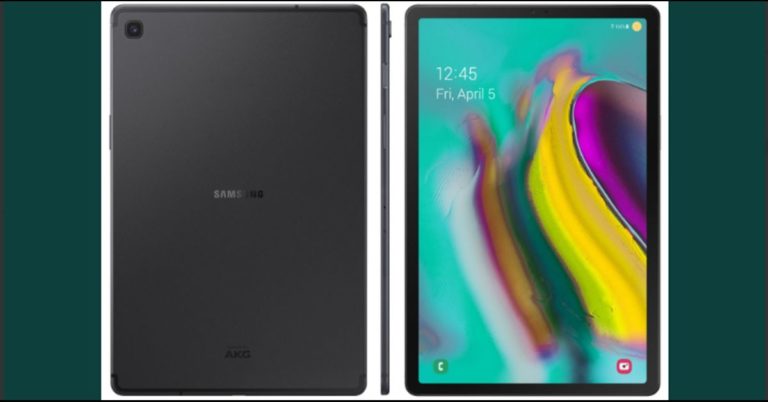
Google might have shelved its plans on making tablets, but Samsung on the other hand is doing just the opposite. The South Korean tech giant is reportedly planning to launch three new tablets in India in the coming week. According to a German research firm GFK, Samsung has gained 51% market share (by value) and 50% market share (by volume) in the first quarter of 2019 in the Indian tablet market. Comparing that to 2018, we see Samsung had 50% market share hold (by value) while by volume it had around 49% market share. So, in one year, the company had grown in the Indian tablet market by value as well as by volume.
Now, the company has planned to launch three new tablets in the India early next week. Those tablets will be the Samsung Galaxy Tab S5e, Samsung Galaxy Tab A10.1 and the Samsung Galaxy A8. Looking at the pricing of these new tablets, we can expect the Samsung Galaxy Tab S5e to be priced somewhere around Rs 40,000, while the Samsung Galaxy Tab A10.1 will reportedly hold a price tag of around Rs 20,000. The cheapest of the lot will be the Samsung Galaxy Tab A8, which is expected to be priced around Rs 10,000.
Aditya Babbar, Director, Mobile Business of Samsung India, told a new agency, “We received double-digit growth last year in India and this year, we are aiming for 20 percent growth in the otherwise stagnant tablet space in the country this year. Tablets are now being used more for browsing, shopping and entertainment experiences. The three new tablets that we are launching with bigger screens and top-of-the-line features will take those experiences to a brand-new level.”
According to CyberMedia Research (CMR), the shipment of 4G tablets grew 62 percent in India in the first quarter of 2019. In the tablet market in India, Lenovo led with 26% market share while Samsung had 17% market share. iBall sat at 17% as well and Apple placed fourth with 9% market share in the Indian tablet sector. Comparing 2019 Q1’s tablet market in India with 2018’s we see a decline of 11%.
Kanika Jain, manager, New Initiatives, CMR has said, “Tablets fits somewhere in between the ultrabooks and smartphones. While increased size of screen and affordability of smartphone are primarily the main reasons behind the decline of tablet market, Ultrabooks with better processors and RAM, are also posing stiff competition to tablets.”
For the latest gadget and tech news, and gadget reviews, follow us on Twitter, Facebook and Instagram. For newest tech & gadget videos subscribe to our YouTube Channel. You can also stay up to date using the Gadget Bridge Android App.
Jio GigaFiber broadband service plans leaked online before its official launch
Jio has been planning to bring its GigaFiber broadband service in India for quite some time now. The upcoming broadband service from Jio was earlier launched under the public beta mode where it had performed well, but the stable version for general public hasn’t been launched yet. Jio GigaFiber has made a name for itself even before its launch as it uses the fiber optic network that is unlike its rivals.
The fiber optic network ensures a faster and more stable internet speed for Jio GigaFiber. Although it hasn’t been launched,t it is expected that Jio GigaFiber will offer a more affordable plans compared to the other broadband providers in the market right now. And since it is a Jio product, it is expected to have aggressive pricing. A new leak suggests the pricing details that the upcoming broadband network from Jio will have.
According to the new revalation, Jio GigaFiber will reportedly come with a base plan of Rs 600 per month and will offer speeds of up to 50Mbps. While the plan with 100Mbps speed which is already available to the preview subscribers is expected to hold a price tag of Rs 1,000 per month. Looking at the early set of leaks, we can say that Jio GigaFiber’s aggressive pricing will have a wide impact in the broadband market and it will more likely attract customers from other broadband services as well.
But it should be noted that these are the unofficial plans and prices and Jio itself hasn’t revealed anything about the pricing of its Jio GigaFiber yet, so they should be taken with a pinch of salt. It is expected that the company will most likely announce Jio GigaFiber plans and offerings at the Reliance’s Annual General Meeting, which is scheduled to be held few weeks from now.
Earlier in 2019, a new leak by an industry insider about the Jio GigaFiber revealed details about the subscription plans of the broadband network. The plan is called the Triple Play Plan and it would offer 100GB of data per month at 100Mbps speed for a price of Rs 600. Other than that, Jio would also offer access to Jio HomeTV service to the user along with a landline connection. The users will be provided free calls through the landline connection.
Currently, the prices and the deals of Jio GigaFiber are not officially confirmed but the broadband service is expected to be announced a few weeks from now.
For the latest gadget and tech news, and gadget reviews, follow us on Twitter, Facebook and Instagram. For newest tech & gadget videos subscribe to our YouTube Channel. You can also stay up to date using the Gadget Bridge Android App.
Harry Potter: Wizards Unite game is live now, can be downloaded from Google Play and Apple App Store

Pokemon Go was one of the first AR game which let the players move around and find the game items, other Pokemon using their smartphone’s camera. The game was developed by a company called Niantic. Now, the same company has come up with another similar game called Harry Potter: Wizards Unite. Parallel to Pokemon Go, Harry Potter: Wizards Unite uses the Augmented Reality to place different digital objects like monsters, buildings, items, characters from the Harry Potter universe into the real world.
When launched, Pokemon Go became one of the most played mobile games out there with over a million players globally. And similarly, Harry Potter: Wizards Unite too will be a popular game as it already has a popular franchise name behind it.
Harry Potter: Wizards Unite can be played on iOS and Android platforms as well. Currently it is a free to play game. Nevertheless, there are in-game items which can be purchased using real money like many games. Although it is still in its early days as it hasn’t even been a week since its release, it already has over 500 positive reviews with an average score of more than four stars on the Apple App Store.
Before playing, the players would need to log in using their Facebook or Google accounts. Then they will be given a tutorial to complete and make them understand how the game works. Once logged in, the players will be able to choose their characters and dress them up using the clothes present in the game or they can purchase it using real money. The game also gives the players options to choose different house cloaks and wardrobes like Slytherin, Gryffindor etc.
As mentioned above, the game introduces several characters from the book and the movies like Hagrid, Buckbeak, Dumbledore to name a few. The characters can be seen on the screen in a real time as it uses the AR technology. The players can also cast spell to fight other players or monsters. The game also uses a real map, but it transforms the places to in-game points of interests like “green house”.
The players would need to free other characters from Harry Potter universe from danger. They could be trapped, possessed by a monster and the players would need to free them and collect them. In other words, it uses similar principles as Pokemon Go. Harry Potter: Wizards Unite is not the game which can be played by sitting idle, to play the game the players will need to move around and see what they can find using the smartphone’s camera.
Although Harry Potter: Wizards Unite is still in its early stage, it remains to be seen how it fares up against Pokemon Go. For the latest gadget and tech news, and gadget reviews, follow us on Twitter, Facebook and Instagram. For newest tech & gadget videos subscribe to our YouTube Channel. You can also stay up to date using the Gadget Bridge Android App.The worldwide rollout of Harry Potter: Wizards Unite has officially begun! Download today in the US, the UK, Australia and New Zealand, and stay tuned for more details as the rollout continues in the coming weeks! #WizardsUnite https://t.co/hG1DOFoQUT pic.twitter.com/Dhk677TaRp
— Harry Potter: Wizards Unite (@HPWizardsUnite) June 21, 2019
Poco F1 with 6GB RAM and 64GB internal storage receives yet another price cut of Rs 2,000
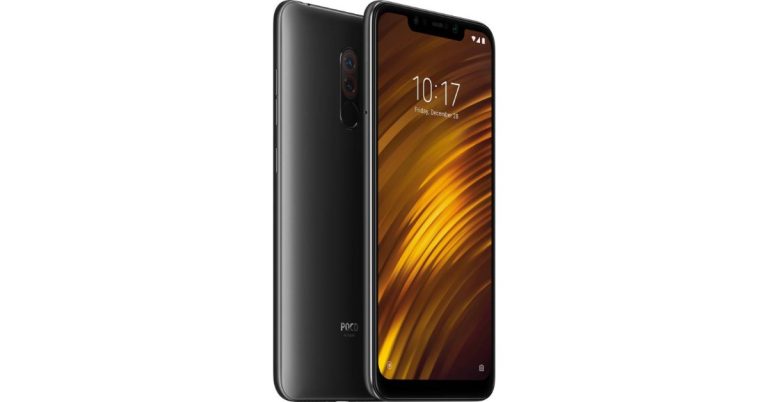
Seems like Xiaomi’s trouble with its Poco series have not stopped, the demand is not there and the stock is still there. Xiaomi had launched the first smartphone – the Poco F1 in its new sub-brand Poco last year. The Poco F1 was a mid-range smartphone that was brought to compete with the OnePlus 6-series and it packed some serious specifications. When launched, the smartphone held a starting price of above the 25K, but a year later the price of Poco F1 has been reduced so that it comes under the 20K price range. This was done because the stocks can sell. However that has not happened.
Now again, Poco F1 has received another price cut in India. The 6GB RAM/ 64GB storage variant of the Poco F1 is selling for a starting price of Rs 17,999. The new price is currently live on Flipkart as well as Mi.com but it is not known if it’s a permanent price cut or is it just for a limited time to get rid of the ailing brand.
Earlier, the 6GB RAM/ 128GB storage variant of the Poco F1 had received a permanent price cut from Rs 22,999, after which it sold for Rs 20,999. Also, the price of the 6GB RAM/ 64GB storage variant of the Poco F1 was Rs 19,999 and now after the indefinite price cut, it is selling for Rs 17,999.
Other than that, Flipkart is also offering a no-cost EMI option for the Poco F1 along with an additional discount of up to Rs 3,000 on the purchase of the smartphone. There is also a 10% instant discount if the purchase is made using an Axis Bank Debit and Credit cards. These sale offers are currently available on both, Flipkart as well as Mi.com. The customers of the Poco F1 will also get a Reliance Jio offer where the users can get up to Rs 2,400 instant cashback and up to 6TB of 4G data for free.
Poco F1 specifications and features
The Poco F1 sports a 6.18-inch Full-HD+ display with 500 nits brightness. It runs Android 9 Pie skinned with MIUI for Poco, which is a custom launcher made especially for the Poco F1. The device is powered by the octa-core Qualcomm Snapdragon 845 SoC paired with up to 8GB of RAM. It comes with up to 256GB of internal storage and support for microSD card of up to 256GB. The Poco F1 packs a large 4,000mAh battery with Quick Charge 3.0 support. In the imaging department, the Poco F1 features a dual-rear camera setup which comprises of a 12MP Sony IMX363 main camera paired with a 5MP secondary camera. While at the front, there is a 20MP selfie camera with HDR. With the price cut, some of you might want to pick the device up. However, in the same price segment there are better phones to the likes of Asus 5Z. For the latest gadget and tech news, and gadget reviews, follow us on Twitter, Facebook and Instagram. For newest tech & gadget videos subscribe to our YouTube Channel. You can also stay up to date using the Gadget Bridge Android App.Huawei Nova 5-series smartphones launched: Get all the details
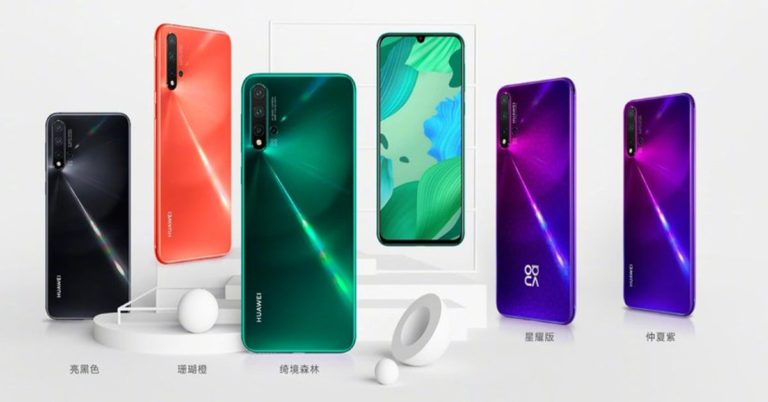
Huawei’s new smartphone segment, the Nova 5-series earlier had leaked online more than once. But now, the Huawei Nova 5-series smartphones are official as the Chinese tech giant unveiled the new series of smartphones at a press event in China. The Nova 5-series includes three smartphones – the Huawei Nova 5, Huawei Nova 5 Pro and the Huawei Nova 5i. Also, the company unveiled its new HiSilicon Kirin 810 SoC chipset at the event. The new Kirin 810 SoC packs two Cortex-A76 cores clocked at 2.27Ghz and six Cortex-A55 cores clocked at 1.88Ghz. It also comes paired with Mali-G52 GPU.
In This Article
Huawei Nova 5, Huawei Nova 5 Pro and Huawei Nova 5i price and availability
The Huawei Nova 5 Pro is the high-end smartphone of the new series launched by the company. It costs CNY 2,999 (approximately Rs 30,100) for the base 8GB RAM/128GB storage variant. While the 8GB RAM/256GB storage variant costs CNY 3,399 (approximately Rs 34,100). There is also a limited-edition variant of the Huawei Nova 5 Pro with 8GB RAM/256GB internal storage and it costs CNY 3,799 (approximately Rs 38,100). The smartphone will be available in various colour options – Bright Black, Midsummer Purple, Coral Orange, and Forest Green. On the other hand, Huawei Nova 5 is the mid-range smartphone in the new series. But it comes in only one variant with 8GB RAM/128GB storage and is available at a price of CNY 2,799 (approximately Rs 28,100). The Huawei Nova 5 comes in multiple colour variants as well – Bright Black, Midsummer Purple and Forest Green. The lowest price holding smartphone of the newly launched series is the Huawei Nova 5i and its base variant with 6GB RAM/128GB storage costs CNY 1,999 (approximately Rs 20,100). While the 8GB RAM/ 128GB storage variant costs 2,199 (approximately Rs 22,100). It will come in the following colour options – Magic Night Black, Honey Red, and Blue. All the newly launched smartphones in the Huawei Nova 5-series (excluding Huawei Nova 5) will go on their first sale on June 28, 2019 in China itself. While Huawei Nova 5 will go on sale from July 20 onwards. Other than China, the availability of the Huawei Nova 5-series smartphones in other countries is currently unknown.Huawei Nova 5 and Huawei Nova 5 Pro specifications and features
It should be noted that both the Huawei Nova 5 and the Huawei Nova 5 Pro come with similar specifications and features. The only difference between them is the CPU and the storage capacity. They both sport a 6.39-inch Full-HD+ (1,080 x 2,340 pixels) OLED display panel with an aspect ratio of 19.5:9. They run Android 9 Pie skinned with EMUI 9.1.1 and support dual-SIM (Nano). The smartphones come with in-display fingerprint scanner along with DC dimming support as well. The Huawei Nova 5 is powered by the new octa-core Kirin 810 SoC while the Huawei Nova 5 Pro is powered by the Kirin 980 SoC. Both the smartphones come with 8GB of RAM and up to 256GB of internal storage with Huawei’s EROFS filesystem with support of microSD card of up to 256GB. Both these newly launched smartphones pack 3,500mAh battery with 40W fast charging support. On the imaging front, both the smartphones feature a quad-camera setup at the back, which comprises of a 48MP main camera with an f/1.8 aperture paired with a 16MP ultra-wide-angle lens with an f/2.2 aperture. There is also a 2MP 4cm macro lens with an f/2.4 aperture along with a 2MP depth sensor with an f/2.4 aperture. While on the front, both the Huawei Nova 5 and the Huawei Nova 5 Pro comes with a 32MP selfie camera with an f/2.0 aperture and AI HDR+ support. Other features of the Nova 5 and the Nova 5 Pro include Wi-Fi 802.11ac, Bluetooth 5.0, USB Type-C and 4G LTE.Huawei Nova 5i specifications and features
The Huawei Nova 5i on the other hand sports a 6.4-inch Full-HD+ (1,080 x 2,310 pixels) display and supports dual-SIMs (Nano). The smartphone is powered by an octa-core Kirin 710F SoC paired with up to 8GB of RAM. The Huawei Nova 5i runs Android 9 Pie skinned with EMUI 9.1. The smartphone packs a large 4,000mAh battery and has 128GB of internal storage with support of microSD card of up to 512GB. On the imaging front, the Huawei Nova 5i features a quad-camera setup, which comprises of a 24MP main camera with an f/1.8 aperture paired with an 8MP ultra-wide-angle lens. There is also a 2MP 4cm macro lens along with a 2MP depth sensor. While at the front, there is a 24MP selfie camera with an f/2.0 aperture. Other features of the Huawei Nova 5i include Wi-Fi 802.11ac, Bluetooth 4.2, USB Type-C, 4G LTE and a rear-mounted fingerprint scanner. For the latest gadget and tech news, and gadget reviews, follow us on Twitter, Facebook and Instagram. For newest tech & gadget videos subscribe to our YouTube Channel. You can also stay up to date using the Gadget Bridge Android App.Xiaomi is putting an end to Mi Max and the Mi Note-series of smartphones
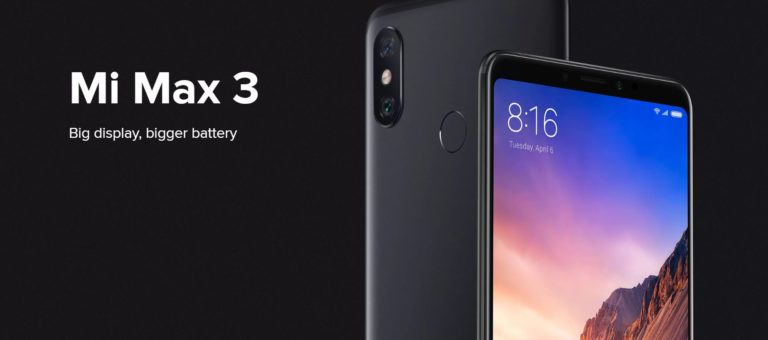
Xiaomi releases quite a number of smartphones each year and these smartphones come with varying price tags, from budget to mid-end smartphone segment. One of the Xiaomi smartphone series is the Mi Max, which sits at the mid-end smartphone department while the Mi Note which is also at the same end from Xiaomi. Till now the company has released the successor to both these smartphones each year after they were first introduced. But now, in a surprising move, Xiaomi’s CEO Lei Jun stated that the company had no plans to release the Mi Max and the Mi Note smartphones this year.
The CEO took to Weibo, the Chinese social networking platform to reveal this news along with other news related to the brand’s product line strategy between the Mi and the Redmi smartphone series. But other than that, he also said that the company didn’t had any plans for the new Max and Note series this year. It means that there won’t be any smartphones succeeding these two series of phones from Xiaomi in 2019.
Jun explained that the Xiaomi/ Mi branded smartphones explores the black technology and it will continue to focus on the high-performance models incorporating the latest tech innovations. The Mi branded smartphones were focused on the high-end retail market like the Mi 9, Mi 9SE, Mi MIX series and the upcoming Mi CC series of smartphones.
However, on the other hand, the Redmi branded smartphones will deliver the high-quality and cost-effective smartphones with the focus on e-commerce market. In other words, the Redmi branded smartphones offered essential features and come at an affordable price point. According to the Xiaomi CEO, the Redmi brand currently has six smartphones– the Redmi 7A, Redmi 7, Redmi Note 7, Redmi Note 7 Pro, Redmi K20 and the Redmi K20 Pro. All these smartphones are the newly launched smartphones in 2019.
Xiaomi’s Mi Max branded smartphones are known for their big and bright displays with a large battery while the Mi Note series of smartphones were the mid-range phones in the brand. And there is a possibility that the Redmi K20 and the Redmi K20 Pro could take the place of the Mi Note-series this year but there is no alternative released by Xiaomi for its Mi Max-series smartphones.
But it should also be noted that the company hasn’t officially discontinued both the smartphone series as they are just discontinued for 2019. There is a possibility that the company has something else in mind for these two smartphone series. And there is a chance that the company might release some new alternatives for the Mi Max and the Mi Note series of smartphones next year.
For the latest gadget and tech news, and gadget reviews, follow us on Twitter, Facebook and Instagram. For newest tech & gadget videos subscribe to our YouTube Channel. You can also stay up to date using the Gadget Bridge Android App.
Moto E6 press renders leaked online, shows a textured back and single rear camera with LED flash
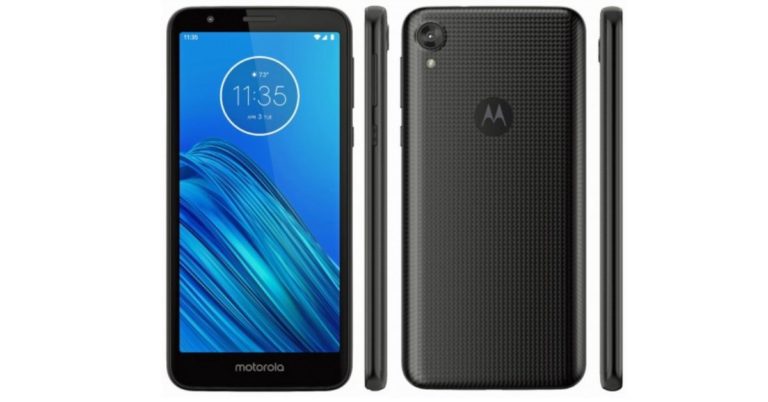
Motorola’s most affordable smartphone range is the Moto E-series. Till now it has released five smartphones in this series of smartphones. A month ago, a new smartphone in the Moto E-series had been leaked online, which showcases the design of the upcoming Motorola phone. The impending smartphone is named the Moto E6 and last month the leaked images showcased its design. But now, another leak has surfaced online which shows the press renders of the Moto E6.The renders showcase the textured back along with the front display of the smartphone.
The image comes from the popular leakster Evan Blass and the recent images of the Moto E6 sits comfortably with the earlier leaks. According to the image, Moto E6 will come with a tall display with thick bezels on the side. There will be a single rear camera at the back placed on the upper left corner of the smartphone with an LED flash underneath it. While the front camera will be placed in a regular position. The Moto E6 doesn’t come with a notch and its design seems pretty old-fashioned.
There is also the Moto logo placed at the centre back of the smartphone, but till now it hasn’t been confirmed if the smartphone will have a fingerprint scanner or not. Nonetheless there is a possibility that the Moto logo itself might serve as the fingerprint scanner on the device. Last year’s Moto E5, the predecessor of the Moto E6 had a fingerprint scanner at its back so the upcoming smartphone too might come with the scanner as well.
The images further reveal that the power and the volume rocker will be placed at the right side of the device while the 3.5mm headphone jack will be placed on the top. The micro-USB charging port, speaker grille and the primary microphone might be placed at the bottom of the device, but the image didn’t reveal this. Similar to some of the other Moto smartphones, the Moto E6 too comes with a textured back panel which most probably is made up of poly-carbonate or plastic instead of glass. The textured back of the smartphone will give an extra grip to the smartphone so that it sits comfortably in hands of the user.
Since the Moto E brand has always been a budget segment smartphone, the Moto E6 too will hold similar price as its predecessor did. Although there is no official word from the company about the upcoming Moto E6, but we might hear about the device soon in the coming weeks.
For the latest gadget and tech news, and gadget reviews, follow us on Twitter, Facebook and Instagram. For newest tech & gadget videos subscribe to our YouTube Channel. You can also stay up to date using the Gadget Bridge Android App.
Microsoft will come with only a single Xbox variant
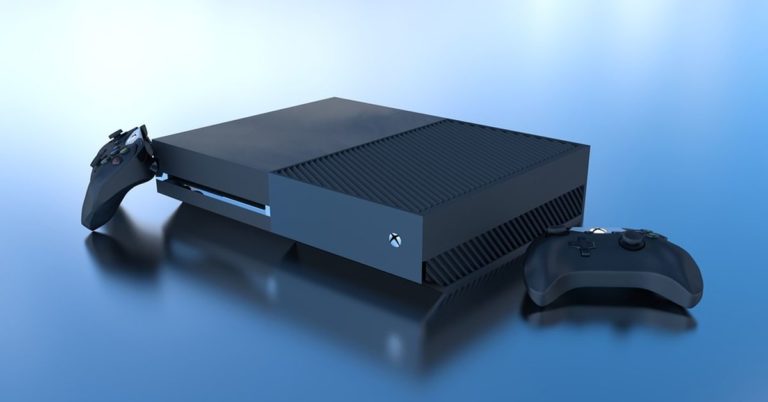
At E3 2019 Microsoft made so many announcements for its upcoming Xbox games. The company revealed very few details about its next gaming console, which has been codenamed, Project Scarlett.
The tech giant also revealed that the highly anticipated Project Scarlett Xbox gaming console will have support for 8K gaming, 120fps framerates in games and ray tracing.
It was speculated that the company will launch two consoles codenamed Anaconda and the other Lockhart. But now according to reports currently Microsoft is only focusing on Anaconda under the Project Scarlett.
Last year at E3 Phil Spenser announced that for the next generation of gaming Microsoft has been working on new consoles. According to a report Phil revealed that currently, the company is working on only one console.
Also, According to Brad Sams at Thurrott Microsoft has now lessened its scope and it is going to focus on Anaconda. “First, developers were having a harder than expected time creating next-generation games that spanned across two systems with various specs. As you might expect, developers were putting a focus on making games that would run well on the lower-end device first and then scaling them up to the higher-speed, Anaconda. Keep in mind, it’s easier to scale up than it is to scale down. Because of this, next-gen Xbox games would be at performance and visual disadvantage which is not what Microsoft would like to see as it starts to go head-to-head with the next generation PlayStation.”
Xbox scarlet is due for launch in 2020. Till now Microsoft has not revealed the price and the specifications of the console. But according to some rumors Project Scarlett will be featuring a tradition AMD Zen 2 processor that will come up with four times the power of the Xbox One. Apart from this, it will include ray tracing support, up to 120fps gameplay, 8K resolution, GGDR6 memory, and adjustable refresh rate support. The system will also have a custom SSD that potentials a 40x performance increase and almost no loading time.
Some of the games that were announced at E3 for Xbox are as follows:
- Halo Infinite (release window, coming to XboxProject Scarlett)
- Gears 5.
- Blair Witch.
- Lego Star Wars: The Skywalker Saga (XboxOne and PC)
- Bleeding Edge.
- Age of Empire II: Definitive Edition (PC)
- Wasteland 3.
Indian Government is ready to set up an IMEI database to curb mobile theft and its misuse
In order to stop mobile theft and mobile cloning, the Telecom Ministry of India is planning to introduce a Central Equipment Identity Register (CEIR). This will be a database of IMEIs (International Mobile Equipment Identity) numbers that are unique to each smartphone and mobile devices. The IMEI number is the 15-digit number of mobile phones, which makes it possible to identify each mobile phone. The main objective of the CEIR will not be to stop the mobile theft, but to identify, find and bring down the mobile theft cases in India.
According to the Indian Express, it will be implemented in the coming weeks, and once implemented it will help the consumers whose smartphones are lost and stolen. They can contact the Department of Telecom (DoT) through a helpline number after filing a police report about the stolen or lost mobile phone.
After a mobile phone is reported as being lost or stolen, the DoT will then proceed to blacklist the IMEI number of the smartphone which will make it impossible for the mobile to have any access to a cellular network. In other words, after the IMEI is put into a blacklist, then the smartphone can’t be used by any other person even if they put another SIM card into it and use it as a regular phone. It will be a useless. Other than controlling the growing smartphone and mobile theft in India, the CEIR will also make the “IMEI-based lawful interception” too.
The idea about the plan of national registry of IMEI numbers was first pitched in the National Telecom Policy back in 2012. At that time, a pilot project was developed and conducted by BSNL’s IT Project Service unit in Pune. Then in July 2017, the DoT announced the implementation of the idea and a pilot project was conducted in the state of Maharashtra.
The DoT’ identity register will have a database of the IMEI numbers which will comprise of three lists – White, Grey and Black. The mobile phones with IMEI numbers kept in White list will be allowed to use the network while that in the Grey list will be one that will have access to connection but will be under supervision. And lastly, the mobile phones with IMEI on the Black list will be the mobile devices which are reported as missing, stolen or lost. They will not be allowed to access the network.
It should be noted that India is not the first country to do so, as similar equipment identity register has been used by other countries as well. Countries like Australia, Azerbaijan, Egypt, Turkey, and the UK too use their own version of equipment identity register to keep an eye on the equipment. In that light, India’s CEIR will have access to the GSM Association (GSMA) global IMEI database as well which will help and compare the IMEI numbers to identify the counterfeit devices.
For the latest gadget and tech news, and gadget reviews, follow us on Twitter, Facebook and Instagram. For newest tech & gadget videos subscribe to our YouTube Channel. You can also stay up to date using the Gadget Bridge Android App.
How to use GIFs in Instagram Stories?

Instagram is one among the most popular social media platforms today and a majority of us are completely hooked to it. The app encourages people to share their moments with others via the medium of pictures and that’s why it’s literally a treat for the eyes to use it. There is a lot that you can do on the platform – share photos, add Stories that disappear after an hour and send Direct Messages to your contacts. While Instagram Stories is a feature that was initially inspired by Snapchat, it has gained a lot of traction on the social media app. The company has introduced a number of ways in which one can embellish their Stories. We can use filters, stickers, emojis and even GIFs on our Instagram Stories in order to make them look more interactive and interesting.
If you have always wanted to try out the GIF feature but somehow never figured out how to do it, we should tell you that the process to use it is very simple. Here, we are listing down the steps that you can follow to add GIFs to you Instagram Stories. Take a look:
- Open your Instagram app.
- Click on your Profile Picture icon on the top left of the home page/profile.
- This will take you to the camera of the app. You can either click a live image to add it to your Story or swipe up to select the image/video from your gallery to choose one.
- Once the image/video is selected, it will start appearing on your screen. However, at this point, it is not posted yet.
- You can tap on the image to add text on it if you want to and swipe right to change the filters on the image. Both are optional, of course.
- Now, Swipe up.
- You will see a number of Stickers that you can apply to your image in the Story.
- Among these, there will be a search bar icon that says ‘GIFs’.
- Press on the icon to open the GIF library on Instagram.
- Here, there are a number of GIFs that you can choose from to add to your story. If you want, you can also search for specific ones using words like ‘Happy’, ‘Sad’, ‘Beyonce’ or ‘Bollywood’.
- Just tap on the GIF of your choice to add it to your Story.
- You would also have the option of resizing it or placing it as you like on your Story.
How to download YouTube videos for free?
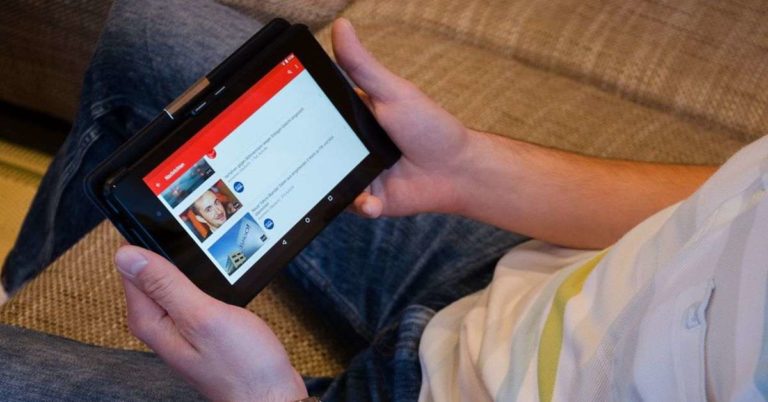
YouTube is world’s largest video streaming platform and millions of minutes of videos are uploaded on it everyday. It is also one of the biggest medium of social media out there, millions of people stream videos on YouTube almost every day. It would be not wrong to say that videos related to any topic can be found on YouTube. And with the growth of internet, YouTube too is growing at an astounding rate. You can find any type of video you are looking for on YouTube and you can even watch it for free. You would just need an internet connection, a PC or a laptop or a smartphone and you can just go to YouTube viaweb or application, search for the video and watch it.
There might come a time when you would want a video to download and save it on your device so that you can show it to your friends or watch it later without the internet. But it should be noted that although the smartphone’s app version of YouTube comes with a feature to download the video, the website doesn’t. But you can still download the YouTube videos even if there is no download button available on the platform.
In This Article
How to download YouTube videos on your smartphone:
- To download any video from YouTube you would need a smartphone and the application installed in it. Once you have the application, you need to open it and log in to it.
- After logging in, you will be taken to YouTube’s homepage. From there you can search for the video by typing the video’s name on the search bar. Click on Search.
- Once the search results are given you can click on the video you want to download.
- After the video starts playing, you will see options below the video. You need to find the Download button with a downward arrow icon above it. Click on it.
- After clicking, you will be given an option to choose the video quality you want the video to be downloaded in – High (720p), Medium (360p) or Low (144p). Choose the resolution and click on OK.
- The video will start downloading. Once it is downloaded, you can watch it even without the internet.
How to download YouTube videos on your PC:
- Downloading YouTube videos on PC is a bit different than smartphones but some of the steps are the same. First you need to go to the main YouTube website and then type in the name of the video you want to download.
- Once you see the video in the search result, click on it to play it.
- After that, you will be taken to a different webpage. Once there, you need to copy the full link of the video.
- Then you need to go to any online YouTube video downloader. You can search for it using Google.
- After that, you need to enter the link you copied to the area which says – Paste Link here.
- Once it is done, you can change the format and quality of the video with the controls given there.
- Then you can choose the quality of the video you want to download and then click on Download. The video will start downloading.
- The downloaded video will be saved in your Downloads folder as default.
Xiaomi announced a new range of CC smartphones in China designed by Meitu to target the younger generation

Xiaomi has announced its new series of colourful and creative smartphones in partnership with Meitu in China. Last year Xiaomi acquired MeituPic a Photo editing App. Now in collaboration with Meitu engineers, Xiaomi has designed a new series of handsets keeping in mind its young customers. The company says that CC9 will be the first device by them, which will be launched under the CC series of smartphone. CC9 symbolises the age of the company that is 9 years. The company changed the smartphone series name to celebrate its birthday. This has not happened for the first time, last year also the company changed the mobiles series name to Mi 8 flagship.
This cc series is touted to be designed by art student and their prime focus will be the young generation. They will implement even more beauty filters and AI engines to enhance the photos to lure the younger crowd towards this smartphone.
In a post on Weibo Le Jun stated “The young fashion look defined by art students wants to make a mobile phone that young people like, they need to define themselves. Therefore, Xiaomi CC’s product team is a group of Chic & Cool 90, as the youngest product team inside Xiaomi, they have a natural brain hole gene and a personality of jumping. Not only Colourful but also Creative. The trend of mobile phones should be able to follow the popular colour trends of the year, and use the best appearance technology to achieve designs that others can’t think of”.
Jun also added that the CC series is going to be a flagship for young people.
It is being expected that the CC9 will be powered by Qualcomm’s Snapdragon 730 processor. The smartphone will sport a 32MP front camera and a 48MP rear camera that will be a motorized flip camera. It will also include an ultra-wide-angle camera and telephoto camera in the flip panel. As far as its battery is concerned the device will run the 4,000mAh battery that supports 20W fast charging.
According to the rumours and leaks it is being speculated that Mi CC9 will finally launch in three storage variants – 6GB + 128GB that will be priced at CNY 2,499 (roughly Rs. 25,100), 8GB + 128GB that will cost CNY 2,799 (roughly Rs. 28,100), and 8GB + 256GB that will be available for CNY 3,099 (roughly Rs. 31,100).
For the latest gadget and tech news, and gadget reviews, follow us on Twitter, Facebook and Instagram. For newest tech & gadget videos subscribe to our YouTube Channel. You can also stay up to date using the Gadget Bridge Android App.
PUBG Lite has finally made its way to India, registrations open now

PUBG Lite, the lighter version of PUBG PC version which can be played without the need of a high-end gaming PC will now be available in India. Earlier, Tencent had released the watered-down version of the game in many countries including some Asian counties. The game was first introduced in 2018 under the beta form in few countries.
Up till now the game was not available in India so the Indian players had to settle with PUBG Mobile and Emulators. PUBG has a massive player base in India and the players have been asking for an Indian release of the popular game’s lite version as well but it wasn’t available here. From today onwards, PUBG Lite has opened up its registration to all the SAARC countries. Those countries include – India, Pakistan, Bangladesh, Bhutan, Afghanistan, Maldives, Nepal and Sri Lanka.
The registration of PUBG Lite will go on for 13 days from today onwards. The last date of the registration is July 3. And during these 13 days, the interested players can log into PUBG Lite website (https://lite.pubg.com/)and they can create an account for free. But if you already have an account then you can just click on log in after which you need to click on the Participate in Event button. The website will then ask the users with existing accounts on Steam, Xbox and PS4 to link their account.
The players who register during the ongoing event will get in-game prizes once they open the game. And all the players will get the Tiger M46 and the Cheetah parachute as standard. During the 13 days registration event, if the registration count crosses 100,000 then PUBG will give Black Scarf, Punk Glasses and Bloody Combat Pants to the players.
And if it crosses 200,000 registration mark then the players will get Gold PUBG scarf, Striped Long-Sleeved Shirt and Red Sports Top. it should be noted that all the awards will be given to the players who pre-register during the 13-day time limit, the gift codes will be mailed to the registered players.
It should be noted that although the registration is still going on, the players can download and play the game during this time too. Over that,only the registered players can play the beta version of PUBG Lite for now. The registered members can download the game by going on the link given above.
Unlike PUBG PC which costs money to purchase and then play, PUBG Lite on the other hand is free-for-all. Similar to PUBG Mobile, anyone can download and play it on their Windows PC.
Here are the official minimum and recommended system requirements to play PUBG Lite:
Minimum System Requirements: OS: Windows 7,8,10, 64bit CPU: Core i3 2.4GHz RAM: 4GB GPU: DirectX11 Intel HD Graphics 4000 HDD: 4GB Recommended System Requirements: OS: Windows 7,8,10, 64bit CPU: Core i5 2.8GHz RAM: 8GB GPU: DirectX11 NVIDIA Geforce GTX 660 or AMD Radeon HD 7870 HDD: 4GB For the latest gadget and tech news, and gadget reviews, follow us on Twitter, Facebook and Instagram. For newest tech & gadget videos subscribe to our YouTube Channel. You can also stay up to date using the Gadget Bridge Android App.Sony’s C310 and WI-C200 wireless neckband headphones launched in India

Sony India is all set to launch a new wireless neckband style headphones WI-C310 and WI-C200. The in-ear headphones by Sony promises to deliver dynamic audio with deep bass and outstanding clarity. The all-new headphones come with a battery life of up to 15 hours of playback with an upgraded quick charge function. This means if you charge the headphones for 10 minutes it lets you enjoy 60 minutes of playback. The handsfree headphones also allow you to make calls and comes with a built-in microphone that is compatible with Google Assistant and Siri. The company said that WI-C310 and WI-C200 let you set reminders, listen to music, check the weather, connect with friends, etc. just using your voice. By pressing the multi-function twice, you can instantly connect to Siri or Google Assistant.
According to the company, the headphones ensure comfort and style and weighs 15g that offers comfort to carry around all day long. The WI-C310 and WI-C200 come with 9mm driver units that deliver clear and effective sound. The magnetic housing keeps the earbuds in place and makes them compact so that they can be stored easily. The headphones can be charged easily by connecting with Type C cable, too.
Price and availability:
WI-C310 comes in three colour variants Black, Blue and Gold with a metallic finish that is priced at Rs 2,990 and the other WI-C200 comes with a matte finish in two colour options Black and White that is priced Rs 2,490 respectively. Both the headphones are available for sale across all the Sony Centers and the Major Electronic Stores in India from June 22, 2019.
Recently Sony launched two Bluetooth speakers SRS-XB22 and the SBS-XB32. Both the products are compact high powered portable speakers. The Bluetooth speakers are dustproof, Waterproof and shockproof in nature. The dual passive radiators in both the Bluetooth speakers work well together. They also support Google’s assistant and Siri. Both the speakers can be connected with additional speakers wirelessly that forms a chain of up to 100 wireless party speaker chain.
The new Sony Bluetooth speaker comes with S-Master Amplifier type and it has a frequency range of 2.4GHz/ 20Hz to 20,000Hz/ 20KHz that supports voice assistance and weighs 540 grams
Sony SRS-XB22 is priced at Rs 7,490 while the SBS- XB32 holds a price tag of Rs 10,990. The Sony SRS-XB32 comes in three colour options– Black, Blue, and Red. The other one SRS-XB22 is available in four colour options Black, Blue, Red and Green colour options.
For the latest gadget and tech news, and gadget reviews, follow us on Twitter, Facebook and Instagram. For newest tech & gadget videos subscribe to our YouTube Channel. You can also stay up to date using the Gadget Bridge Android App.
Xiaomi has announced Mi Explorers 2019, and is looking for 48 Mi Explorers

Xiaomi India has announced that it is in a search of 48 Mi Explorers. The programme has been named Mi Explorers 2019 to promote its upcoming smartphone Redmi K20 Pro smartphone. For this Xiaomi has started accepting registration from the interested candidates out of which 48 candidates will be shortlisted as Mi Explorers. the registration has started on 20th June and ends on 22nd June 2019 at 23:59:59 hrs (IST).
Only Indian nationals are eligible to apply for the competition. Where group participation, Xiaomi staff, event organizers, distributors, and Xiaomi affiliated employees are not eligible to participate. The shortlisted Candidates are required to sign A non-disclosure agreement (NDA) in which the candidates should not leak or share any information/detail about the product that includes the name of the product/images/screenshots or any other details in regard to the product on any platform without the permission of the company.
In the said programme the candidates will be given a series of missions, which they have to complete and submit before the deadline. All the information related to mission details, timelines, and the format will be shared on the mission thread that is subject to change. All the missions will be closely examined by the company. On successfully completing the rounds, Explorers will gain points by the number of likes received on their accomplished missions that will relate to the final ranking. The company has also asked the candidates to keep their social media accounts open to the public so that the explorers can be evaluated according to their level of engagement, competency, and ability to create quality suggestions for the Mission. For any other information, interested candidates can visit the official website of Xiaomi India.
To recall Xiaomi India also announced a challenge in which the company engaged 100 Mi fans under Mi Generation programme 2016 for the promotion of Redmi Note 3. Since then the company has been launching such programmes to engage its Mi fans in exploring the devices before the launch. But after the launch of Xiaomi Redmi note 4 the company suspended the Explorer Programme.
Recently the Chinese smartphone maker Xiaomi launched K20 And K20 pro in China. But now in partnership with India, the company is going to launch the smartphone in the country sometime in Mid-July. Till now the company has not disclosed any details in regards to the official launch date, pricing, availability details or launch offers that customers will be able to benefit with the smartphones.
For the latest gadget and tech news, and gadget reviews, follow us on Twitter, Facebook and Instagram. For newest tech & gadget videos subscribe to our YouTube Channel. You can also stay up to date using the Gadget Bridge Android App.