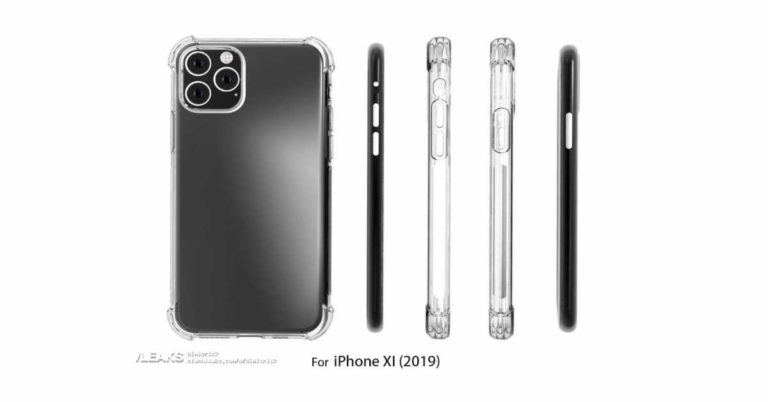
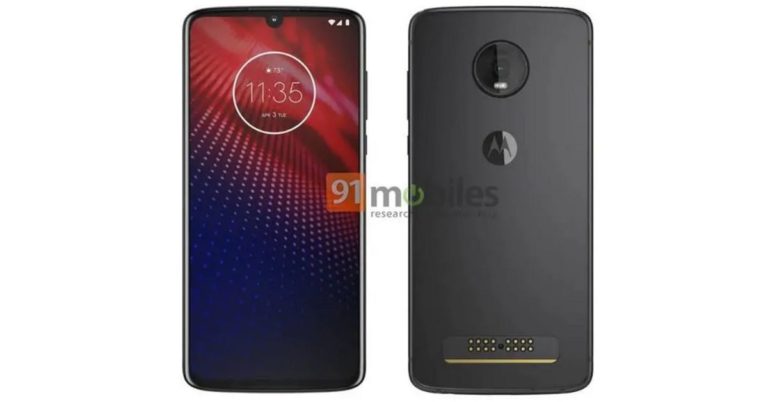
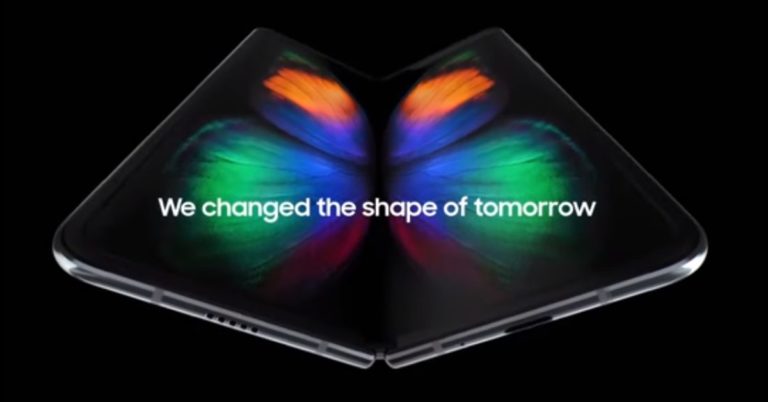
Cupertino-based technology giant Apple has announced the dates for it World Wide Developers Conference 2019. Apple WWDC 2019 will commence on June 3 and will go on till June 7. At the conference, we expect to see the new version of iOS, mac OS, tvOS, watch OS among other announcements. Apple has assigned a tagline for the upcoming event that reads “Write code. Blow minds.”
The key highlight of the event will be iOS 13, which is expected to bring some radical changes to the core user interface of iPhones and iPads. According to reports, Apple has been working to give an overhaul to ‘Springboard’ UI, and it is expected to roll it out at WWDC this year. Other than this, iOS 13 will also include some other improvements over iOS 12.
One thing that we are hoping to see is multi-user support coming to iPad Pro. Although Apple hasn’t said that it will be getting the feature this time, we can hope to see it as it is a much-anticipated one. Besides this, other improvements for iPad Pro can also be expected considering the fact that the device has powerful hardware, but somehow also has some software limitations.
However, that’s still not the biggest change that we are looking forward to. This WWDC will see Apple bring iOS and macOS closer together. The company plans to do this by allowing iPad apps to the Mac. Although it has not been specified, we might get to see iPhone apps on Mac too. This initially started with macOS Mojave, however, that was only on a few Apple apps.
In the upcoming WWDC 2019, Apple is expected to open this up to more developers and it is being speculated that the company will also improve its so-called ‘Marzipan’ apps. As of now, these apps on Mac are considered to be overpowered and some say that they also feel a little foreign on the operating system.
We should mention that in February, a report by MacRumours correctly predicted the dates of Apple’s developer conference. Although not much is known about what all Apple can do in June at its event, we’ll be looking out for some clues on the Cupertino-based technology giant’s March 25 event.
The registrations for the event have begun and will end on March 20 at 5 pm PT. If you are a developer, it will cost you $1599 to attend if you manage to land a ticket. In addition to this, Apple is offering 350 scholarships to attend this year.
Do you own a Nokia 3.1 smartphone? If the answer is yes, you have a reason to be happy about. HMD Global has announced that it has started rolling out the Android Pie software update to the Nokia 3.1 smartphone. We should mention that just six months back in September 2018, the Nokia 3.1 started receiving the Android 8.1 Oreo update.
We would have been surprised to see such a quick Android Pie update had it been any other smartphone, but considering HMD Global’s record of keeping all its devices updated with the latest Android version, we can only say that we are impressed once again.
However, it is worth noticing that Android Pie for Nokia 3.1 is not being rolled out globally as of now and it is limited to a few regions.
It was tweeted by HMD Global’s Juho Sarvikas that the roll out of the Android Pie update for Nokia 3.1 has begun. But we should mention that it has not been specified whether the roll out of the update is phased or not. Another thing that has not been mentioned is whether the Android Pie update on Nokia 3.1 gets the latest Android security patch.
To celebrate @AndroidAuth recognizing us for the best pie delivery in the industry, it is our pleasure to cater you a very special serving 😋🍰! Your premium companion, Nokia 3.1 now offers the sweetest experience with Android 9, Pie! Nokia smartphones get better with time! pic.twitter.com/Wa9bIaJBxt
With Android Pie, Nokia 3.1 will get the following new features:
App Actions – Helps get things done faster by predicting the user’s next move and displaying the right action.
Slices – Identifies relevant information of favourite apps to make them more easily accessible when required.
Adaptive Battery – Uses deep learning to understand usage patterns and prioritise battery power on important apps.
Adaptive Brightness – Automatically adapts phone brightness by learning from user interactions with different settings.
New system navigation – Features a single home button that provides intelligent predictions and suggestions (user enabled).
Digital Wellbeing – Gives users a complete picture of their digital habits and disconnect when they want to.
To recall, Nokia 3.1 sports a 5.2-inch HD+ (720×1440 pixels) display that comes with an aspect ratio of 18:9 and is protected by a layer of Corning Gorilla Glass. Powered by an octa-core MediaTek MT6750N processor, the smartphone comes with 3GB of RAM and has 32GB of internal storage. It can also hold a microSD card of up to 128GB. Nokia 3.1 has a dual rear camera setup with 13MP and 8MP sensors and packs a 2,990mAh battery.
Last month, HMD Global also rolled out the Android Pie update to Nokia 3.1’s successor – Nokia 3.1 Plus. We should mention that all Nokia smartphones by HMD Global are a part of Google‘s Android One programme, which means that the company ensures that they get timely Android updates and security patches.
This week, Apple announced that it will be holding an event on March 25 and right after the company made the announcement, speculations about what the company has up its sleeve started circulating on the internet. Although a number of speculative media reports have surfaced online, most of them agree on two things that Apple may be launching on March 25: A video streaming service and a subscription-based news service.
And now, a new report in Bloomberg claims that the Cupertino-based technology giant is expected to reach deals with HBO, Showtime, and Starz in time, so its much-awaited and talked-about video service will be able to make a debut on March 25. The report also said that most of the shows and movies on Apple’s service at the time of launch will be from third-parties.
However, we should also add that the company has spent money on original programming and has also signed deals with a number of big names, however, in spite of this, Apple wouldn’t have a lot of exclusive content right at the inception of the service. But then, it does have some existing content of its own Carpool Karaoke: The Series.
It has also been reported that three premium networks are still in negotiations with Apple over user experience and marketing. However, a deal with a few of them is expected to be finalised by the end of this week.
Previous reports have indicated that both Netflix and Hulu don’t want to partner with Apple for its upcoming service. While Hulu has some of its content listed on Apple TV app, the company is not very interested in strengthening its relationship with Apple more than this. Netflix has a different story altogether. It is reported to be tired of Apple’s subscription terms to the extent that it doesn’t even allow customers to sign up directly from its iOS app.
From Bloomberg’s report, it seems like Apple is signing content partnerships with various content creators to make an all-in-one streaming service like Netflix. However, there are certain indications that suggest that the technology company will be selling its subscriptions to some partner video apps from the TV app. However, we would have to wait till March 25 to know what exactly Apple has up its sleeve. Another question that will remain unanswered till March 25 is that what Apple TV app will have to offer to non-subscribers once these services are made available.
Chinese smartphone maker Huawei has unveiled its Nova 4e smartphone in China today. The new smartphone will be a part of Huawei’s mid-range line-up of smartphones and it will come with double-curved glass body, rear-mounted fingerprint scanner and a triple-rear camera. Along with the Chinese market, the company also introduced the smartphone in the Malaysian market.
In This Article
Huawei Nova 4e price
Huawei Nova 4e is priced at CNY 1,999 (approximately Rs 21,000) for the 4GB RAM/ 128GB storage variant. On the other hand, the 6GB RAM/ 128GB storage variant of the Nova 4e costs CNY 2,299 (approximately Rs 24,000).
The smartphone will be available for pre-order today onwards in China but the official sale of the Nova 4e will start from March 21.
Furthermore, in Malaysia, Huawei will be selling the Nova 4e at an earlier date than the Chinese market. In Malaysia, the smartphone would be available for purchase from March 16 and it will carry a price tag of MYR 1,199 (approximately Rs 21,000) for the 6GB RAM and 128GB storage variant. The Nova 4e will come in three colour options — Garland Blue, Pearl White, and Magic Night Black.
Other than China and Malaysia, there is no information about the launch of Huawei Nova 4e in other markets.
Huawei Nova 4e specifications
Huawei Nova 4e sports a 6.15-inch Full HD+ (1080 x 2312 pixels) resolution IPS display with pixel density of 415ppi. The device is powered by an octa-core HiSilicon Kirin 710 SoC and it runs Android 9.0 skinned with EMUI 9.0.1. Huawei Nova 4e comes in two variants – one with 4GB RAM and the other with 6GB RAM. But both the variants come with the same 128GB storage capacity. It also supports a microSD card of up to 512GB and packs a 3,340mAh battery.
On the camera front, Huawei Nova 4e packs a triple-rear camera setup comprising of a 24MP wide-angle lens with f/1.8 aperture paired with an 8MP ultra-wide-angle lens and a 2MP depth sensor. On the front, there is a 32MP selfie camera with f/2.0 aperture.
For connectivity, the Huawei Nova 4e comes with Wi-Fi 802.11ac, Bluetooth 4.2 and 4G VoLTE.
It should be noted that the launch of Huawei Nova 4e in the mid-range segment comes days before the launch of the company’s upcoming smartphones – P30 and the P30 Pro – which are scheduled to be launched on March 26 in Paris, France. Huawei P30 Pro will be a top-of-the-line smartphone from the company and it would go toe-to-toe with the Samsung Galaxy S10 series.
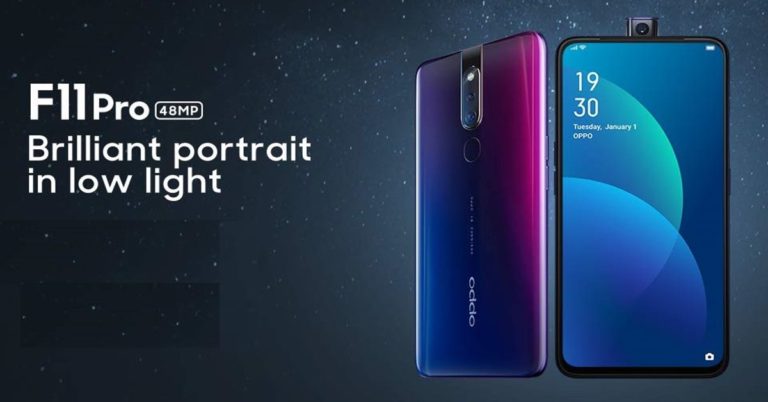
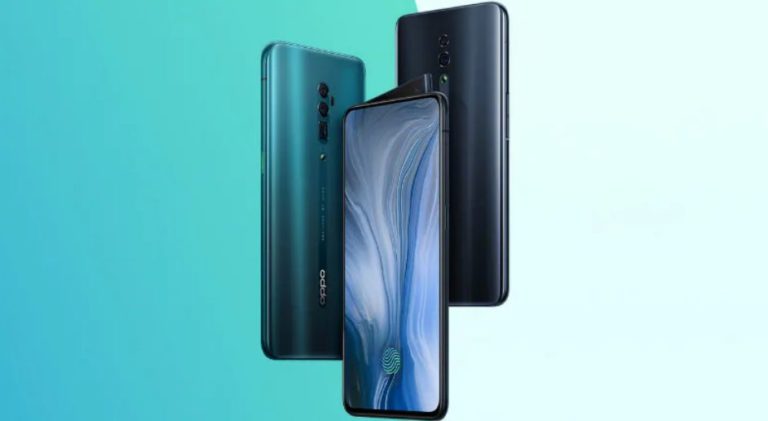
If you have been planning to buy a mid-range smartphone, we have some news for you. The recently launched Oppo F11 Pro will go on its first sale tonight at 12 pm. The device will be available on Flipkart, Amazon.in, Snapdeal, Paytm, and all Oppo stores. The smartphone packs powerful specifications and it is powered by the MediaTek Helio P70 SoC. Oppo F11 Pro comes in two colour options – Thunder black and Aurora Green.
In This Article
Oppo F11 Pro price and launch offers
The Oppo F11 Pro has been launched in only one variant in India – which comes with 6GB RAM and 64GB storage and costs Rs 24,990. The smartphone will be available on Flipkart, Amazon.in, Paytm, Snapdeal and Oppo stores.
If you pay for the purchase of Oppo F11 Pro using an HDFC Bank debit or credit cards, you will get a 5% cashback on EMI transaction. Other than this, customers will also get a full accidental damage protection for 180 days after the purchase of the smartphone. Along with that, customers can avail a discount of Rs 1,000 on flight tickets and Rs 175 off on bus tickets via ixigo. During the first sale of the Oppo F11 Pro, the customers would get 3 months free subscription worth Rs 3,400 and will also get up to 3.2TB of data and benefits up to Rs 4,900 on Reliance Jio. The customers would also get free mobile insurance for one year but it will only be applicable on finance cased from IDC first through IDFC. All the offers on Oppo F11 Pro is valid from March 15 to March 17.
Oppo F11 Pro specifications
Oppo F11 Pro sports a 6.5-inch full-HD+ Panoramic LCD display with 90.9% screen-to-body ratio. The device is powered by MediaTek Helio P70 SoC coupled with 6GB RAM and 64GB storage. Oppo F11 Pro sports a dual-rear camera setup that comprises of a 48MP primary sensor and a 5MP secondary sensor. The front camera is a pop-up selfie camera of a 16MP sensor with Face ID technology. The front-facing snapper comes with f/1.79 aperture, ball-bearing closed-loop VCM, 6P lens, and 1/2.25-inch image sensors to bring more light for low-light photography.
The Oppo F11 Pro runs Android 9.0 Pie skinned with Color OS 6.0. It packs 4,000mAh battery and has VOOC 3.0 charger for fast-charging.
Will Yang, CMO of OPPO South Asia said, “With the launch of the OPPO F11 Pro, we aim to enhance the power and style quotient of our Indian customers enabling them to explore and master the low light photography experience. Today, we are delighted to announce the exciting first sale of OPPO F11 pro and we are hopeful that the device too will receive the same love and appreciation that we have received for the rest of our devices so far.”
German audio equipment manufacturer Blaupunkt has launched new range of soundbars in India named SBW-50 (120W) and SPW-01 (80W). The newly launched soundbars come with wired subwoofers and the company has promised that they will be able to deliver heavy bass with 3D cinematic sound. Blaupunkt has also stated that it will launch more audio equipment and products in the coming months in India. With the launch of SBW-50 (120W) and SPW-01 (80W) soundbars, the company hopes to increase its traction in the Indian audio equipment market. Here’s a look at the price and specifications of the newly launched soundbars by Blaupunkt:
In This Article
Blaupunkt SBW-50 (120W) and SPW-01(80W) price and availability
While Blaupunkt SBW-50 (120W) bears a price tag of Rs 12,990, the SPW-01 (80W) soundbar is priced at Rs 17,990.
Both the products are available online through e-commerce shopping platforms – Flipkart and Amazon India.
Blaupunkt SBW-50 (120W) and SPW-01 (80W) specifications
The Blaupunkt SBW-50 (120W) packs a 120W RMS and it comes with one 6.5-inch woofer with two 2.25-inch speakers. It can be used by plugging in an AUX cable, by Bluetooth, by USB cable and optical audio. Its woofer is a side firing type and it has LED display through which it is able to show the details about the activity. The Blaupunkt SBW-50 (120W) comes with 4 pre-sets, namely, equaliser mode, movie, news, sports and music and it is 80 x 6.7 x 6.7 cm in dimension.
Blaupunkt SBW-50 (120W)
Andrzej Cebrat, Managing Director of Blaupunkt said, “Blaupunkt SBW-100 Soundbar with its performance-tuned surround sound will surely become the first choice of Indian users in the home audio market. Blaupunkt with its century-old legacy of impeccable innovation and 20+ years of experience in Indian audio products segment aims to raise the bars in India market and meet consumer demands with home audio products. With Envent as our India partner for Audio products, we believe that our home audio products including our exclusive SBW-100 Soundbar will become perfect companions for Indian youth and music lovers, that too in a price range that fits every pocket.”
On the other hand, the Blaupunkt SPW-01(80W) packs an 80W RMS. Similar to the SBW-50 (120W) it comes with one 6.5-inch woofer along with two 2.25-inch speakers. The SBW-01 (80W) too supports an AUX cable, Bluetooth, USB cable and optical audio. It holds a side-firing woofer, but unlike the other soundbar it comes with DOLBY surround sound. The SPW-01 (80W) comes with digital signal processor and is 80 x 6.7 x 6.7 cm in dimensions.
Chinese smartphone brand Honor took the wraps off its View 20 smartphone in India recently. The Honor View 20 smartphone is the first handset to come with a punch hole display in India. It also comes with a 48MP primary camera and is powered by 7nm octa-core HiSilicon Kirin 980 processor. We spent a few days with the newly launched the Honor View 20 handset and here is what we think of it:
In This Article
Design and Display
Like always, we’ll begin by talking about the design of the smartphone. Honor has made sure that its View 20 smartphone manages to make quite an impression with its appearance on the users. The Honor View 20 smartphone comes with a glossy back panel, but unlike most other devices in the same range, the company has added a V-shaped pattern here that reflects light when the handset is placed at certain angles. Honor View 20 was launched by the Chinese smartphone brand in three colour variants – Midnight Black, Phantom Blue and Sapphire Blue. The device that we got for review was dressed in Sapphire Blue and we should also add that if you wish to buy the Phantom Blue coloured option, it is only available in 8GB RAM/256GB storage version.
We found the design of the Honor View 20 to be very premium and the company has made efforts to make the smartphone look different from its rivals. One-handed usage is easy on the device as its curved sides make it comfortable to use. The rear panel of Honor View 20 smartphone is made of glass and its frame is made of metal. As we mentioned earlier, Honor View 20 smartphone has V-shaped patterns on its back panel that are visible only at certain angles. It adds a jazzy look to the design of the handset.
Besides this, the back panel of the smartphone houses the dual rear cameras. While one sensor is in one module alone, the other is coupled with the LED flash of the device. And they are placed horizontally rather than vertically. The fingerprint sensor and the Honor branding are also on the back of the handset. The power and the volume buttons of the Honor View 20 smartphone are placed on its right edge, while the SIM tray is on the left. On the top edge, you will see that the 3.5mm headphone jack, an IR emitter and an ambient light sensor are placed. At the bottom, the USB Type C port, the loudspeaker and the primary microphone of the handset are present.
The front panel of the Honor View 20 smartphone is dominated by a 6.4-inch full HD+ display that has a punch hole on the top left to house the selfie camera. We should mention that Honor View 20 is the first smartphone to launch in India to come with a display like this. Otherwise, we have seen devices with notches, sliders or pop-up cameras. Although we were apprehensive about the punch hole display hampering the video watching experience on Honor View 20, it surprisingly didn’t pose any issues during our time with the mobile. The primary reason for this is that the hole is located in the corner of the display so it didn’t hinder the experience too much. In fact, notches are more of a distraction than the hole.
We really liked the display of this smartphone. It showed bright colours that remained consistent at different viewing angles and projected sharp images. Never did the images or videos on Honor View 20‘s display lose clarity. Furthermore, there is an option of adjusting the colour temperature on the handset’s display, so you can make them warmer to keep your eyes protected. In addition to this, you can choose the option of ‘Smart Display’ so that the resolution of the smartphone can be reduced to HD+ (automatically) to save power.
To sum it up, we would say that the design and the display of Honor View 20 really impressed us. The look and feel were very refreshing and premium. The display kept us hooked to our handset as we couldn’t stop watching our favourite shows on it, too.
Performance and Cameras
Before we talk about the performance of the smartphone, let’s talk about its specifications. Honor View 20 handset runs Android Pie skinned with Magic UI 2.0 and is powered by Huawei’s 7nm octa-core HiSilicon Kirin 980 processor clubbed with 6GB/8GB RAM. The 6GB RAM model has 128GB of internal storage and the 8GB RAM has 256GB storage. Honor View 20 has a dual rear camera setup that comprises of a 48MP Sony IMX586 sensor with an f/1.8 aperture and a 3D ToF sensor. For selfies and video calls, there is a 25MP front-facing snapper. The device houses a 4,000mAh battery and it has support for 4G VoLTE, Bluetooth v5.0, Wi-Fi, GPS, and USB Type-C.
Coming to the software of the smartphone, it has a number of customisations. Although Android 9.0 Pie skinned with Magic UI is present, we should point out that it looks a lot like EMUI. The UI has been designed so that using the device with punch hole display remains a smooth experience. So, you will see that all the notifications on the display are placed on the right instead of the centre.
The Honor View 20 smartphone also comes with Digital Balance, that we earlier saw on Huawei Mate 20 Pro. The feature lets you manage how much time you spend on your smartphone. You can also opt for gesture navigation and a navigation dock instead of using the usual Android navigation buttons. We should add here that the navigation dock is actually a single floating button on the display of the smartphone that can be used to navigate.
The device had some pre-installed apps including Honor Club, Party Mode, HiCare, Camera360, Vigo Video, Facebook, Facebook Messenger, and Netflix. We should mention that some apps that are the company’s own cannot be uninstalled.
Speaking of the performance of the smartphone, we were really impressed by it. The combination of the Kirin 980 SoC and 6GB RAM managed to pull off some very heavy-duty tasks on the Honor View 20. We could easily launch and switch between a number of apps and even when we had 7-8 apps running in the background, we noticed no lag in the smartphone’s performance. We often used the Honor View 20 smartphone for multitasking like playing games and using it for navigation at the same time. Sometimes, we even watched shows on Netflix while using the device for getting directions to a certain place. Honor View 20 handled it all well.
Next thing to notice is that the smartphone does not come with an in-display fingerprint sensor. It has a physical fingerprint scanner and comes with face unlock, too. However, we personally didn’t find it to be an issue as we have a preference for physical fingerprint scanners over in-display fingerprint sensors since they don’t really match up to them in terms of accuracy. The face unlock of the smartphone worked perfectly in well-lit conditions, but in dimly lit areas, it at times failed to unlock the smartphone.
We ran a few benchmark tests on the smartphone. While it scored 3,237 and 8,693 in Single and Multi-core scores on Geekbench, in Antutu it scored 2,57,424.
Coming to gaming, even heavy games like PUBG Mobile or Asphalt 9: Legends ran well on the smartphone. If you are someone who loves to spend hours playing games on your smartphone, Honor View 20 wouldn’t disappoint you. And it was a sheer cakewalk to play games like Temple Run 2 and Alto’s Odessey on this mobile device.
However, we must add that at times, when we used the mobile phone for heavy games and navigation, it did heat up a bit, like most other handsets with a glass back panel.
Coming to the 4,000mAh battery of the smartphone, it takes about an hour to be charged completely. And with usage that involves Google Maps, gaming, watching YouTube videos, and using social media apps, the battery lasted more than a day.
Moving on to the cameras of the smartphone, Honor View 20 sports a 48MP primary shooter coupled with a TOF 3D camera. The camera app of Honor View 20 smartphone comes with a regular photo and video modes, AR Lens, Night, Pro, Portrait, Aperture, Panorama, Artist and HDR modes. The images taken by Honor View 20 turned out to be superb. Although the camera is set on 12MP by default, you can adjust the settings to click images that are 48MP in resolution. This is something that we also saw in Huawei Mate 20 Pro.
In well-lit conditions, the images were clear and sharp and had very accurate colours. When we enabled AI, there was a very visible difference as the contrast became higher and more details were added to the images.
In low-light, the images turned out to be good too. We even clicked some pictures in a room that had literally no light at all, and still, the shots turned out to be great. Enabling AI made the shots taken in dimly lit areas better too.
We clicked some Portrait shots and some shots with HDR mode on, and in both cases, we were happy with the results that we got. In the Portrait mode, there is an option of slimming the person down and making them look thinner by adding beauty modifications.
We simply loved the selfie camera of the device. To test how it works in conditions where there is literally no light, we clicked some pictures in a cinema hall. And our selfies turned out to be great, even without AI and beauty mode on. When we enabled them, the images became even better. In daylight, the shots taken were obviously better than the ones taken in dimly-lit areas.
As a whole, you can say it has one of the best cameras on it in this price range. If you are a photography lover, you would not be disappointed at all.
Verdict
At Rs 37,999, Honor View 20 smartphone is a great buy. The design is unconventional, the display is vibrant, the cameras are great and the device has an incredibly smooth performance. Some may not like the idea of having a display with a punch hole, since they may feel it’s a hindrance in watching videos, we did not encounter this issue during our time with our phone. There were instances when we felt that the handset warms up when we multitasked, but then that is an issue with all smartphones with glass back panels.
The software is extremely customised, so if that is not your cup of tea, you can go for OnePlus 6T for a cleaner UI at the same price from brands like Nokia. The facial recognition could have been better, but that is surely not a deal-breaker as the fingerprint sensor works just fine. None of these ‘issues’ is big enough, in our opinion. You would certainly not be disappointed if you buy the Honor View 20 smartphone. It is a solid performer and is great to look at too.
Microsoft has brought out a new change for the Windows 10 operating system which will automatically uninstall a failed Windows update and restore the user’s PC to the way it was back before. If after the update the Windows fails to boot up due to compatibility issues of the update with the PC’s hardware or software, or because of any issue the PC fails to start up then the Windows would revert back to the way it was before and uninstall the failed update.
But it will happen only if all other recovery options for the Windows do not work. The reverting back process would work on all Windows Updates including the hotfixes, major new Windows 10 release, service packs and driver updates. When the Windows has been reverted back to the older version the user will receive a notification after the PC starts up “We removed some recently installed updates to recover your device from a startup failure”.
The change was documented on the new page of Windows Support database and it was first spotted by Windows Latest. The documentation states that, the Windows Update will also prevent the failed update from being reinstalled automatically for 30 days. This would allow Microsoft and other parties to look for the problem and figure out a solution so that it doesn’t happen again.
But if users feel that an update is wrongly rolled back, they can manually install the update again. The new feature works not only for the automatic updates but for the manually applied updates as well. If Windows finds the update has failed, then it will retrieve the update and revert back to the previous version of Windows.
Also, Microsoft has announced the users of Windows 7 and Office 2010 will receive notifications on their apps/devices that they will not be receiving support or free security updates after January 14, 2020. As, the company has been urging the users to upgrade their Windows 7 to Windows 10 and Office 2010 to Office 365/ Office 2019.
But Microsoft has also said that it will grant a paid update extension for the Microsoft Windows 7 users till January 2023. The price of Windows 7 Pro update after the free period will be $50 (approximately Rs 3,476) for the 1st year, $100 (approximately Rs 6,953) for the second year and $200 (approximately Rs 13,907) for the third year.
After launching the Goggle Bolo app in India, the search giant has launched another useful application – Lookout. Google Lookout app was announced over 10 months ago at the company’s I/O 2018 developer conference. It is worth noticing that Lookout has been launched right before Google I/O 2019, however currently the app has been released in the US only and is limited to Google’s Pixel smartphones. But the technology giant has promised to make the Google Lookout app available on more devices, countries and platforms in the coming weeks.
Google Lookout app helps visually challenged people to identify information about their surroundings. The company said that it had been working on the Lookout app since it was announced last year. And with the launch of Google Lookout app, the company adds another app/service to its ever-increasing list of accessibility apps.
According to a Google’s blog post, the Lookout app uses Artificial Intelligence (AI), similar to Google Lens, and it lets users search and take action about the objects around them using the smartphone. The company has also promised that the app works in situations where the visually challenged people might need to most help.
Patrick Clary, Product Manager of Google Accessibility Engineering, wrote in the blog post, “We designed Lookout to work in situations where people might typically have to ask for help—like learning about a new space for the first time, reading text and documents, and completing daily routines such as cooking, cleaning and shopping.”
Google also stated that the new Lookout app can help the visually challenged people by identifying text, people, objects and other things. To use the Google Lookout app, the users can download it Play Store. Once they open the Google Lookout app, they need to keep their phones pointed forward and the app will do the rest on its own.
The app’s description on Play Store reads, “Lookout uses the camera and sensors on your device to recognize objects and text, and gives you spoken feedback, earcons, and other signals to inform you about what it sees.”
Currently, the Lookout app will work on the original Pixel along with Google Pixel 2 and Pixel 3 smartphones running Android 8.0 Oreo or higher.
Other than Google, Microsoft also offers something similar to Lookout. Microsoft’s app is called Soundscape and it is also aimed for the use of visually challenged people. But Soundscape is available only for the iOS compared to Lookout for Android. Microsoft has another app which performs similar function named Seeing AI, but it too is exclusively for the iOS platform only.
If you have been waiting for the Android Q, then you would be happy to know that the developer beta of the latest Android version is now live and can be downloaded on all Pixel smartphones. However, before you get excited about having a first look at Android Q, we should tell you that it is a beta update that is meant primarily for developers and we all know that beta updates are rarely bug-free. So we recommend you not to install it on your main device.
Prior to their respective launches, developer beta versions of Android Oreo and Android Pie were released too. However, they became stable for day-to-day tasks only after a few months of availability.
If you are still willing to download the Android Q developer beta, we should tell you that the first thing that you need is a Pixel smartphone. The beta version is being made available on all Pixel mobile phones including Pixel 3, Pixel 3 XL, Pixel 2, Pixel 2 XL, Pixel and Pixel XL.
Here’s how you can install the Android Q developer beta update on your Pixel smartphone:
Back up your smartphone
If you are even thinking of downloading the Android Q developer beta, you must have all your data backed up first. For doing this, you need to go to ‘Settings’ of your device, click on ‘System’ and then press ‘Backup’. We should mention that the initial backup of data may take some time. However, if Android Q is not bug-free, you would be glad later to have all your data safe. Also, you would be able to download it again in case you have to reinstall Android Pie.
2. Enrol in the beta program
Technology giant Google lets Pixel smartphone users enrol in beta by logging in with their Google account and then picking the device on which they would like to install the beta. After this, click on ‘Enrol’. By doing this, you would get an over-the-air update, just like you do for stable Android versions.
3. Once you do this, you will get a notification on your enrolled smartphone about the system update. You may alternatively have to check for a system update for your smartphone to fetch the beta software. However, even if you don’t, you should be notified within a few hours of enrolling
4. You will get Android Q developer preview notification to install the software just as you would get any other regular system update.
Xiaomi’s gaming smartphone is getting a second iteration with the Black Shark 2. The Xiaomi Black Shark 2 gaming smartphone will be launched on March 18 in China. Before its official launch, the company has released posters and images of the upcoming Black Shark 2 smartphone.
On Black Shark 2’s official registration page, it has been mentioned that the smartphone will come in ‘Frozen Silver’ colour option and will be available in three variants – 6GB RAM/128GB storage, 8GB RAM/256GB storage and 12GB RAM/256GB storage.
Recently, Xiaomi Black Shark 2 was spotted on Geekbench with 12GB RAM and its listing on AnTuTu also revealed similar specifications about the smartphone. The AnTuTu listing also revealed that the smartphone packs 12GB of RAM and comes with Snapdragon 855 SoC.
Earlier, the company confirmed that Xiaomi Black Shark 2 will come with Liquid Cool 3.0 technology for thermal heat management. But the company hasn’t mentioned the improvements and the upgrades it will hold over its predecessors.
The pricing listed on the official Black Shark store is CNY 9,999 (approximately Rs 1,03,653). Further details of the Black Shark 2 smartphone reveal that it will have a backlit logo similar to Asus ROG phone, and the gaming smartphone will also have illuminated strips on both its sides. Xiaomi’s President Lin Bin also shared a screenshot of the smartphone’s home screen. The teased picture of the Black Shark 2 reveals that it will have a curved design with sharp lines on the rear panel of the device which we have seen on the Black Shark 1.
When we think of online payments, one of the first apps that come to our mind is Paytm. That is the way it has been since the mobile payments app garnered popularity post demonetisation. However, Paytm’s popularity was not short-lived. The app continues to be a method of payment among masses even today.
Paytm Payments Bank, which initially started in 2017, has launched its new mobile banking app in an effort to make smartphone payments even simpler for users. According to Paytm, the payments that will be made by the new app will be quick and effortless and at the same time, users will have secured access to their bank account on the go.
With the newly launched mobile app, users will be able to check their account balance, raise a request for physical debits cards, access digital debit cards, and so much more. The mobile banking app will also provide customers with 24×7 help and support.
According to Paytm, with this app, it aims to bring millions of under-banked Indians to the economic mainstream.
Speaking about the app, Satish Kumar Gupta, MD & CEO Paytm Payments Bank said, “The new app has been introduced exclusively for its bank’s customers to provide a wide range of banking services in a phased manner.”
The CEO of Paytm Payment Bank, Satish Kumar Gupta also said, “The purpose of the new app is to segregate its operations from the existing app which caters to customers of several group entities. However, PPB customers will continue to serve its customers on its older app should its customers desire so. Both apps will co-exist.”
As of now, the newly launched mobile banking app’s Android version is available on Google Play store and is expected to come to Apple‘s App Store soon.
Like we mentioned earlier, Paytm Payments Bank Limited was launched in May 2017 and according to the Noida based company, it has enrolled over 43 Million saving bank customers and issued over 2 Million physical debit cards. The bank has also issued virtual debit cards to all its 43 million saving bank customers.
The customers of Paytm Payments Bank enjoy free banking services and earn an annual interest of 4% on their savings. Paytm Payments Bank lets its customers deposit up to Rs 1 lakh in their savings account and/or wallet. Any amount that exceeds the limit of Rs 1 lakh is automatically converted into a Fixed Deposit via auto sweep with PPB’s partner bank. This allows customers to earn up to 8% per annum interest on their Fixed Deposit amount. The customer can also instantly redeem the desired amount in their Fixed Deposit at any time free of charge.
To improve its Gboard keyboard platform,Google is adding an Artificial Intelligence (AI) offline dictation feature on its Gboard keyboard. This feature will currently be availed only by Google Pixel smartphone users. The new AI offline dictation would speak out the emails and texts to users even without an internet connection.
Johan Schalkwyk from Speech Team of Google, wrote in a blog post on Tuesday “We’re happy to announce the rollout of an end-to-end, all-neural, on-device speech recogniser to power speech input in Gboard which is always available, even when you are offline.”
Google also said that it has designed the feature to work on smartphones at the character level. The company also mentioned that it has developed a model that has been trained with RNN Transducer (RNN-T) technology which is compact enough to reside in a phone.
“This means no more network latency or spottiness — the new recogniser is always available, even when you are offline. The model works at the character level, so that as you speak, it outputs words character-by-character, just as if someone was typing out what you say in real-time, and exactly as you’d expect from a keyboard dictation system,” Schalkwyk added.
Currently, the on-device Gboard speech recogniser comes only in American English and it is limited to Google Pixel devices only. To increase the use-parameters of the speech recognition feature, the company said that it has hosted a new model in the device which would avoid the latency and inherent unreliability of communication networks.
“Our new all-neural, on-device Gboard speech recogniser is initially being launched to all Pixel phones in American English only. Given the trends in the industry, with the convergence of specialised hardware and algorithmic improvements, we are hopeful that the techniques presented here can soon be adopted in more languages and across broader domains of application. We are hopeful that the techniques presented here can soon be adopted in more languages and across broader domains of application,” Schalkwyk said.
Technology giant Google has finally released the first preview of Android Q to its developers today. This is the first time that we are getting a first official look at the next Android version. We should mention that it is becoming an annual tradition for Google to give a look at its next major Android update in March, before releasing it in May.
But then, only developers would be getting this first look and a number of changes that will have an impact on the usage pattern are not present on this version yet. Google has said, though, that the update gets some interesting and anticipated changes like enhanced privacy controls and support for foldable phones.
All the Pixel smartphones – including Pixel and Pixel XL – will be getting the first beta of Android Q. The search giant has said that it has added support for Android Q beta on Pixel and Pixel XL because of popular demand. However, we will recommend you not to install it on your main device, as beta versions are usually not bug-free. But then, there will be those who will think that having a first look at the updates that Google is adding to Android Q is worth it, even though the technology giant is saving some for its Google I/O developer conference.
Among the major changes that Android Q will get to smartphones is an additional privacy setting that will give users control over location access. Using it, one can make sure that apps only get access to their location when they are in use, rather than pulling that information at all times. Google is also adding settings that will put limits on apps having access to photos, videos, audio as well as downloaded files on the handset.
Another big change that the next Android version will see is support for foldable phones. Android Q will be better at resuming and pausing apps that run in the background. It will also be able to resize apps better for split-screen modes. All these features would prove to be useful when Samsung Galaxy Fold and Huawei Mate X finally hit the shelves later this year.
Moving on, Android Q will also be getting a new Settings Panel API, using which developers would be able to give an instant, pop-up access to phone settings. This means that users will be able to access a number of settings easily without having to go to the smartphone’s Settings app again and again.
Another thing that has improved is the share sheet, which will let users pre-publish how various apps work with sharing. This means that the share UI will load instantly, and there will be no need of manually rebuilding all actions each time.
Google is also standardizing how depth map images will work with Android. The search giant is doing this with Dynamic Depth format that comprises of a JPEG image, depth metadata, and a depth map bundled together. So, going forward, it will be easier for third-party apps to offer specialized bokeh and blur options.
One thing that we still don’t know about Android Q is the dessert that it will be named after. We are still waiting for that to be announced. If you know any Q-named desserts that you want Android Q to be named after, let us know in the comments below!
Vivo’s upcoming smartphone, X27 will officially be launched on March 19 in China. But prior to the launch of Vivo X27, the company has posted photos and teasers of the smartphone confirming the handset’s camera, storage and battery. Also, a TENAA listing has surfaced online carrying a model number V1838A which is speculated to be a trimmed down variant of the Vivo X27.
The Chinese smartphone brand has posted teaser pictures on Weibo confirming the Vivo X27’s details and specifications. The images showed that the upcoming Vivo X27 will have 8GB RAM along with 256GB storage. It will also be powered by a 4,000mAh battery and is rumoured to have the 22.5W fast charging support through a USB Type-C port.
About the camera of the Vivo X27, the teased images reveal that the smartphone will pack a triple-rear camera setup with the primary camera holding a 48MP sensor along with a 13MP secondary sensor. The sensor is speculated to be Sony’s IMX586. The teased images also revealed camera features such as wide-angle mode and night view mode.
Although not official, Vivo X27 might come in multiple variants with Vivo X27 and Vivo X27 Pro and an unknown trimmed down variant of the device. As we mentioned earlier, the TENAA listing that mentioned the specifications of a lesser variant of the Vivo X27 sports a 6.3-inch Full HD+ (1080 x 2340 pixels) resolution AMOLED display. The listing mentions that the smartphone will be powered by a 2.0GHz octa-core Snapdragon 710 SoC coupled with 8GB RAM. The handset carries the model number V1838A. The trimmed down variant of Vivo X27 would pack a triple-rear camera setup comprising of a 48MP sensor, a 13MP sensor and a 5MP sensor, while the front camera would house a 16MP sensor.
There is another variant of the Vivo X27 which will be powered by Snapdragon 675 SoC and it will reportedly carry a price tag of CNY 3,298 (approximately Rs 34,200).
According to the images leaked by Slashleaks, the Vivo X27 will pack a 6.7-inch display with an aspect ratio of 20.5:9. It might be powered by Snapdragon 710 SoC and will come with a 32MP selfie camera. Vivo X27 will reportedly be priced at CNY 3,598 (approximately Rs 37,300).
Talking about the Vivo X27 Pro, according to the leaks the smartphone packs a triple-rear camera setup and a dual pop-up selfie camera. It is speculated to be powered by Snapdragon 719 SoC coupled with 8GB RAM and 256GB storage. It will reportedly carry a price tag of CNY 3,998 (approximately Rs 41,500). Although the Vivo X27 is set to launch on March 19, the Vivo X27 Pro is expected to launch on April 12.
Social media giant Facebook and its photo-sharing app Instagram just suffered one of the biggest global outages that the platforms have seen so far. Although now you can open the two platforms and some services on Facebook and Instagram have been restored, a few hours back, this was not the case. Scores of users across the globe reported that they faced issues when they tried to use Facebook, Messenger, Instagram and in some cases, even WhatsApp. In some cases, Oculus VR users also faced issues.
While for some people took it as a digital detox, some felt really helpless without all these forms of communication. The latter is particularly true for those who could not access WhatsApp. While the instant messenger worked fine in a number of countries in the world, it suffered an outage in India, Paraguay, Bangladesh, Argentina and more. According to DownDetector, the app suffered the most severe outage in Brazil.

Speaking of Messenger, we should add here that reports suggest that the mobile app worked fine, but the service did not work on the desktop version. Instagram’s outage was far worse. Some users could not load posts on the feed and the Instagram Stories did not load. Even the button to post new content and the Direct Messages option did not been working.
Facebook and Instagram took to Twitter to announce that they are aware of the issues in their services and are working to fix them.
The photo-sharing app wrote, “We’re aware of an issue impacting people’s access to Instagram right now. We know this is frustrating, and our team is hard at work to resolve this ASAP.”
We’re aware of an issue impacting people's access to Instagram right now. We know this is frustrating, and our team is hard at work to resolve this ASAP.
On the other hand, Facebook said, “We’re aware that some people are currently having trouble accessing the Facebook family of apps. We’re working to resolve the issue as soon as possible.”
We're focused on working to resolve the issue as soon as possible, but can confirm that the issue is not related to a DDoS attack.
According to DownDetector, the outages were spread across New England, Texas, Seattle, Washington, parts of Latin America, Peru, the UK, India, and the Philippines. However, media reports suggest that users in Canada, Las Vegas, and Turkey also faced the same problem.
That’s not all. There were users who took to social media to say that when they attempted to sign in to apps like Tinder and Spotify using Facebook, they couldn’t do that successfully. When they tried, an error popped up saying that the feature isn’t available right now. However, the ones who had already signed into Spotify were not logged out because of the outage.
Popular messaging app WhatsApp has reportedly been testing a new feature for its platform. The new feature would let the users search Google for images they sent or received on WhatsApp. According to the report, this new feature will be called ‘Search Image’. Additionally, WhatsApp beta for Android version 2.19.73 adds a new transgender flag emoji to its huge collection of emojis. The new emoji can be found in the flag emoji section.

According to a report by WABetaInfo, the messaging app is developing the Search Image option to let the user search an image he received or sent in the chat directly from Google. To search for the image, the user needs to select the image which he wants to search, then he can use Google to search more about the image. The image is then uploaded to the search engine which then searches for relevant and similar images and other details. The user will then be shown the results about the image.
The report also mentions that the new feature isn’t available yet but it would be coming to the Android platform in near future. There is also a possibility that WhatsApp would use the Google’s API (Application Programming Interface) to enable the image search function. The new feature would be a part of WhatsApp’s initiative towards banning and stopping the spread of fake news on its platform.
The Search Image feature of WhatsApp is different from the Advanced Search feature that the messaging app was testing on the iOS beta app. The Advanced Search lets the user search for multiple types of messages other than media. The types of messages include photos, GIFs, links, audio, video and documents.
Also, as mentioned above, the beta version 2.19.73 of WhatsApp is adding a transgender flag to its list of emojis. The flag comes after the LGBT flag which WhatsApp added to its platform earlier. The transgender flag could be found between the UN flag and the LGBT flag.
The beta version of WhatsApp could be downloaded from Google Play Store if the user is part of the beta testing programme.
If you have just started playing PUBG Mobile, you should know that just knowing about how to collect weapons and attack is not enough. There are some secret moves that you should know if you want to have an edge over others in the game. Here, we are going to tell you about ten settings of PUBG Mobile that you can alter in order to improve your chances of getting the Chicken Dinner. Check out the list of PUBG Mobile settings that you need to change here:
In This Article
Peek and Fire
Let’s face it: It’s far harder for a player to attack you when you are only peeking from behind an object than when you actually come out to shoot. This is because they have to aim at your head rather than aiming anywhere on your body. So, if you haven’t already, turn the option on by going to Settings > Basic and selecting Enable Peek & Fire.
Pick up loot automatically
Would you rather just focus on the game or repeatedly tap on the screen to pick your loot? We bet you would rather do the former. If you turn on Auto Pick-Up by going to Settings > Pick Up and then selecting ‘Enable Auto Pick-Up’, you will be able to collect guns and ammo by just walking over them.
Decide how much ammo you wish to pick up
Although most people believe that the more ammo they have, the better it is for them, we should mention that there is a limit to how much inventory can be carried when you are playing PUBG Mobile. So basically, there is a limit on the number of rounds you can carry it. But on the upside, you can adjust this too. There are different limits for different guns and we recommend selecting as many rounds as you can. Go to Settings > Pick Up and then set the limits for each weapon.
Customise angle of view
In PUBG Mobile, the default field of view is 90 degrees. However, some people say that increasing this gives you a better view of the map. If you want to try this, you can head to Settings > Basic and make the change in 1st Person Camera View.
Optimize graphics settings according to your smartphone
PUBG Mobile recommends certain graphics settings for every smartphone in order to get the best performance. However, there is no reason for you to stick to it as there are times when you find your device performing better at settings different from the ones that have been recommended. So, head to Settings > Graphics, and try out various settings till you find the one that works the best on your smartphone. We also suggest that you change the frame rate to maximum.
Add the ability to send more messages
Head to Settings > Quick Chat and then select Add New Messages. This will enable you to communicate more quickly with your teammates and will also prove to useful if you want to avoid voice chat.
Choose your style of visuals
To do this, you have to head to Settings > Graphics. Then, just select the visuals that you want to use in the game. You can pick from classic, colourful, realistic, or soft. We should mention that this changes the colour tone of the game. Choosing the one that works the best with your smartphone will help you identify enemies more easily.
Customise various controls in the game
To change the controls in PUBG Mobile, head to Settings > Controls > Customise. You will find this option on the bottom left in the Controls menu. Once you do this, you will be able to place all the buttons in the game wherever you think you’ll be able to access them easily.
Turn off the mic and speakers
If you are a beginner, this is a tip you must follow. Turning your mic and speaker off once you enter the game will help you focus on sharpening your skills. After a while, you would be able to chat as you are playing.
Pick crosshair colour of your choice
In most shooting games, crosshair enables you to aim your weapon. And in PUBG Mobile, you can choose its colour so that it is easier for you to spot. For doing this, go to Settings > Basic and select the crosshair colour of your choice.
There are times when notifications from our favourite apps can annoy us a lot. Although a number of apps have the option of turning notifications off, some of them are still working on it.
And now, a report has surfaced online that claims that Facebook-owned photo-sharing app Instagram will be rolling out an option to mute all notifications from the app for a chosen period of time. The photo-sharing app’s feature will work similarly to the one we have seen on instant messenger WhatsApp.
According to Social Media Today, Instagram’s new feature would be called ‘Pause All’ and it would enable users to switch off all notifications for up to eight hours. The report said, “The option was spotted by social media expert Matt Navarra who initially spotted the same in testing last month. Given the amount of time we now spend on social media, it’s good to have an option to shut it down completely every now and then.”
So far, the new feature has been rolled out on iOS and has also made its way on Instagram’s Android beta app.
The report further added, “Instagram is particularly well-known for driving obsessive behaviour among younger users. Being able to shut it off for periods will help people distance themselves from the online world.”
In addition to this, the photo-sharing app is also testing a donation sticker on its Stories feature. The feature would make it easy for charity organisations to raise funds. Users would also be able to use the feature for getting a donation for personal reasons. It is very similar to Facebook’s fundraising and donation feature that has been present on the social media platform since 2015.
Jane Manchun Wong, who first found Instagram’s fundraising feature, took to Twitter to speak about the new addition. She said, “Instagram is working on ‘Donation’ sticker. It lets users start fundraisers for their favourite non-profits.”
Speaking about its feature, Instagram said, “We are in early stages and working hard to bring this experience to our community. Instagram is all about bringing you closer to the people and things you love, and a big part of that is showing support for and bringing awareness to meaningful communities and causes. Later this year, people will be able to raise money and help support non-profits that are important to them through a donation sticker in Instagram Stories. We’re excited to bring this experience to our community and will share more updates in the coming months.”
Software giant Microsoft will now let Xbox One owners stream the PC games by the company on their console. Xbox One owners will also be able to use a controller to play these Microsoft games. In order to carry this out, Microsoft has also updated its Wireless Display app that will let users play Steam games directly on their gaming console.
Users will be able to use a regular Xbox controller in order to control the remote PC. So they can play games on their Xbox One, or if they wish, they can also use the console for presentations.
The Wireless Display app can be used to form a connection between a PC and the Xbox One gaming console. Microsoft’s app uses Miracast to make this happen, and if you want to cast to the Xbox, the winkey + P combination can be used. However, we should add that protected content from the likes of Netflix still cannot be streamed.
It is worth noticing that Microsoft’s Wireless Display app was being tested for months, however, the company was using different names during this time. But now, the app has officially been released for all Xbox One owners. Previously, the app was known as Connect on Windows, and it is worth mentioning that the app initially worked for the Surface Hub.
Even earlier, the app could be used to connect the Microsoft enabled mouse, keyboard stylus and touch to the PC. Now, the company has added controller support for the Xbox version. For years, the software giant has been working on streaming PC games on Xbox One. But we have to say that this seems to be the best method so far to play games from Steam on Xbox One.
However, even now the app does not have support for keyboard and mouse input. This means that you still would not be able to stream PC games to your console and if you want to, you would have to continue using traditional methods. But on the upside, this is expected to change soon as the company added Xbox One keyboard and mouse support for a number of games last year.
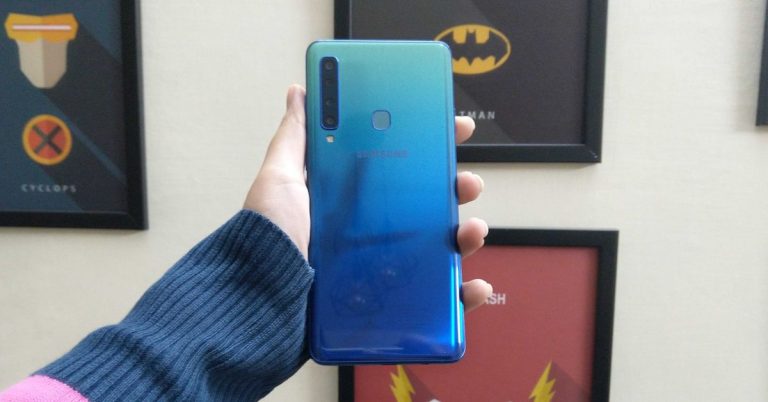
Samsung A9 (2018) was the first smartphone in the world to launch with a quad camera setup. It was unveiled by the company last year and it came with Android 8.0 Oreo out-of-the-box. But now, Samsung has announced that the Galaxy A9 will be receiving the Android 9.0 Pie update. Although the update is live and is being received by Samsung Galaxy A9, as of now, the rollout is limited to Poland only. Samsung hasn’t announced the official dates when the rollout will be global but since the update is already is already out, the other parts of the world too will soon receive the update.
The latest Android Pie update has the firmware version A920FXXU1BSC5, and it brings the Android security patch for February. Other features include fixes and patches over the previous Android version. There is also a possibility that it would bring the Samsung One UI with the update. Although the update is out, it hasn’t been mentioned by the company if it is a beta update or a stable final update for the Poland Galaxy A9 (2018) users. The update was spotted by SamMobile.
The Galaxy A9 (2018) has become the last smartphone in the Galaxy A-series to receive the Android Pie update. We should add that Samsung Galaxy A6 (2018) has already received the Android Pie update with One UI along with the Galaxy A7 (2018). Even Samsung Galaxy A8+ (2018) received the Android Pie update earlier in March 2019.
To recall, Samsung Galaxy A9 (2018) was launched in November last year and it sports a 6.3-inch Full HD+ (1080×2220 pixels) resolution Super AMOLED Infinity Display. The device is powered by an octa-core Snapdragon 660 SoC coupled with 6GB or 8GB of RAM. Samsung Galaxy A9 (2018) comes with 128GB of storage. It has a quad-camera setup which includes a 24MP primary sensor paired with a 10MP telephoto lens, an 8MP ultra-wide sensor and a 5MP depth sensor. The front of the device houses a 32MP selfie camera.
Earlier in February, the company had slashed the price of Samsung Galaxy A9 (2018) by Rs 3,000. After the price cut, the smartphone sold for Rs 33,990 instead of its original price of Rs 36,990.
Alright, so this is the tenth edition of the Samsung Galaxy S series and the company has put all its efforts to take on the competition by giving out the best from its camp. The Samsung Galaxy S10+ is what the company has come out with and the top-of-the-line flagship is ready to conquer. Or is it? We used the smartphone for well over 10 days to understand what makes it tick and what makes it tock. This is our review of the largest S series smartphone in the current generation, the Samsung Galaxy S10+.
In This Article
Design and Display
Samsung has left no stone unturned when it comes to the built of the Galaxy S10+. It is refreshing to look at, especially when you have seen a slew of smartphones with a notched display. The Samsung Galaxy S10+ comes with a large 6.4-inch edge to edge Dynamic AMOLED infinity-O display. So, what that means is that there is no notch on the smartphone where the front-facing camera and other sensors are placed. Instead, there is a punch hole setup on the top right side of the screen, which has the front facing dual cameras.
So, what happened to the sensors and the ear speaker? Well, they have been neatly tucked behind the screen and the earpiece speaker has been pushed towards the top part of the phone. This enables the smartphone to give a richer, nicer screen experience to its users. With almost 90% screen to body ratio, the Samsung Galaxy S10+ has nearly no bezels, on any of the sides. The curved screen is protected by Corning Gorilla Glass 6. The same glass can also be found on the back of the smartphone.
Talking about which, the rear of the smartphone has a ceramic back panel underneath the glass. Available in a couple of colours, we tested the prism white version that has a blue-ish pearl tint to it. To put it simply, it looks outstanding. At the back, Samsung has installed three cameras with an LED flash with the Samsung branding under it. Also, at the back one can find the manufactured in India writings at the bottom. The rear does manage to get its fair share of fingerprints since it is a glass back. However, with the colour scheme, one can’t really make them out. For the ones who have a hawk eye, then you might want to pick a nifty case for the mobile.
The bottom plays house to a 3.5mm audio port, USB Type-C charging jack, primary microphone and a loudspeaker. The top has the hybrid SIM and microSD card slot along with a secondary microphone. The smartphone is also dust and water proof.
Now to talk about the display, the Samsung Galaxy S10+ brings the absolute best. The infinity-O display is eye candy. We just could not get enough of it. The screen is legible in any kind of light conditions and is one of the best we have seen so far in 2019. The text is crisp, the imagery is sharp and the colours are vivid. YouTube videos play like a charm and gaming is a much better experience here when compared to the Google Pixel 3/3 XL.
The screen supports a resolution of 1,440 x 3040 with an aspect ratio of 19:9. So, we tested a couple of 4K videos on it too, and to our amazement, they ran very well. There is a night mode present in the UI that enlists most things with a black background colour. This makes everything look cooler, but not all is turned dark with it. The app drawer and some of the other apps are still in their natural colours. We were hoping they also turn dark and add to the ambience.
Performance and Camera
Switching gears, the Samsung Galaxy S10+ we held for review is the base version that has all the neat parts except more RAM and storage. Let’s quickly run you over the specs. This one is the Indian version of the Samsung Galaxy S10+, which has Exynos 9820 octa-core CPU with two cores running at 2.73 GHz, the next two running at 2.31 GHz and the last 4 running at 1.95 GHz. For the Lehman, to balance out things between when you are gaming and not gaming, you get multiple cores with different clock speeds.
The RAM in the device is 8GB since this is the base model with 128GB storage. In case you want more storage, you can install a microSD card of up to 512GB. However, that means you would lose one Nano SIM slot, since it is a hybrid slot. The GPU is powered by a Mali-G76 MP12 chip and it works wonderfully well. The whole combo made games run extremely smooth, even the more demanding ones like Asphalt 9 Legends or PUBG.
We threw everything at this device and it would never come under pressure. Yes, it did get a bit warm when we extended our PUBG sessions on it, but nothing that will burn your fingers. 8 gigs of RAM is good enough to load and run the most demanding of apps and is also good for multi-tasking.
A lot of security options are available in the smartphone starting from the trusted numeric password to the pattern lock. A new form of fingerprint unlock system has been added to the Samsung Galaxy S10+. This is called ultrasonic fingerprint detection, an advanced version of indisplay fingerprint detection. Which hardly faulters, but does take a few extra milliseconds to open the device’s screen. Face detection unlocking system is also there that does work really well and is super quick to open the smartphone during the day or in well-lit conditions. However, in the dark, it takes a wee bit of extra time to respond, since the screen will brighten to detect your face and then unlock.
The operating system on the Samsung Galaxy S10+ is Android 9 Pie with Samsung’s One UI. The user interface is now much cleaner and nicer looking. It is very close to stock Android. You do end up getting a few unwanted apps on the mobile, but nothing you cannot disable or remove. Nonetheless, in a premium phone, one would not want to see them at all. If one wants them, the PlayStore is where one should get it from. The UI is slick, responds well and almost never falters. Thanks to the good CPU and RAM combo inside, the whole operation during our time with the mobile was excellent.
Moving to the camera power. The Samsung Galaxy S10+ comes with a triple rear camera setup. The first one has 16-megapixels (ultrawide) with an aperture size of 2.2, next is the wide 12MP sensor with an aperture size of 1.5-2.4 and another 12MP telephoto sensor with a 2.4 aperture size. These are horizontally stacked on the rear glass panel and come with a very bright LED flash. When tested they gave us one of the best results we have seen so far from any Galaxy smartphone from Samsung. The day shots come out to be very close to life and have exceptional sharpness.
The night shots with flash were quite nice too, but lacked some detail when the flash was not used. A bit of camera noise also crept in around the corners without flash. The videos with the rear cameras can be shot in 4K and those come out to be vivid with great details around the object. However, we do not recommend it for dark to low-light videography as it suffers a little. Live mode, a lot of effects and other good styles are available in the native camera app and some of them even help you take the best shots by telling you where to point the camera exactly.
Let’s talk about the front cameras now. There are two selfie cameras in the Samsung Galaxy S10+. These comprise of a 10MP primary sensor with an aperture size of 1.9 and a secondary 8MP sensor with an aperture size of 2.2. What these essentially do is cover a lot of space around you. So, you get a wider shot in the selfie mode. The beauty effect here works superbly well and does manage to do what it is intended for. The front shots are crisp and are mostly on point during the day (indoors and outdoors). At night too we were able to squeeze out some good selfies, barring when we were in super dark areas.
As per our AnTuTu test, the Samsung Galaxy S10+ scored 3,29,575 points and on Geekbench 4’s compute test the mobile device got 7,087 marks. On the Geekbench 4 CPU single-core test it garnered 4,525 points and CPU multi-core test it got 10,057 marks. All of them indicate best in class performance and even without a Snapdragon chipset inside, the Exynos with 8 GB RAM can give its competition a run for its money.
The sound quality of the Samsung Galaxy S10+ is what we loved the most after its superb display and performance. The device comes with stereo speakers, with a downfiring single speaker located at the bottom and the earpiece speaker being used up as a second speaker in the stereo setup. Together they are very loud. These are backed by Dolby Atmos and do make the gaming, movie and YouTube experience more immersive. Our recommendation is to keep the volume at around 80 per cent, for the best optimal long-term use.
But that is not where the sound department ends, Samsung Galaxy S10+ come with a pair of AKG headphones that are even better than the supplied stereo speakers. They are thumpy and take gaming and music to a new level altogether. These are truly worthy of being in the pack of a flagship device.
The battery life of the Samsung Galaxy S10+ is where we got a mixed bag of results. During our test phase, we were able to get a full day of battery life with its 4,100 mAh battery under nominal use. But it fell down considerably when an hour or two of gaming or using the GPS navigation was added to the blend. Yes, the device does come with a fast charger, but unlike others it does not fast charge as quickly as one would expect from a premium device. Wireless charging is supported too, but that too isn’t as quick when compared to the Apple iPhone XS/XS max or Google Pixel 3.
Samsung has added reverse charging mode to the Galaxy S10+, which is quite cool if you have a pair of wireless ear buds or need to charge your buddies smartphone when out of juice. But be careful, this method will only work when your Samsung Galaxy S10+ has more than 30% battery soup left.
Verdict and Final Thoughts
Samsung Galaxy S10+ does get you excited from the word go, and the excitement continues as you move on. There are some good embellishments of UI engineering you would find on it, like the apps edge enrolment or the way the front cameras border lights up when you press the power button to face unlock/lift it up. These are things only Samsung would probably do.
There is attention to detail and one can see the effort the company has put in to give a far superior experience to its users. We would have been happier if they would have included a better fast charger in the box, as these days one rarely has time to wait. Overall, the Samsung Galaxy S10+ is a superb device at Rs 73,900 and is a rocking start to 2019 series of flagships!
Software giant Microsoft will soon be getting its popular Minecraft title to Xbox Game Pass. The company has announced that users will be able to access Minecraft via Xbox Game Pass next month onwards. On April 4, Microsoft will be releasing Minecraft as part of the monthly Xbox Game Pass subscription. Minecraft will be added to more than 100 games that Xbox players have access to via the subscription.
While a number of people who own an Xbox may already have a copy of Minecraft, the addition of the game in the Xbox Game Pass subscription will help the software company convince a number of more console owners to subscribe.
Xbox game Pass subscription is being promoted a lot by Microsoft in the last few months. The company has also started offering the first month of the subscription for $1 instead of $9.99. By paying for the subscription monthly, players can download and install more than 100 games including Crackdown 3, Sea of Thieves, and Forza Horizon 4, all of which are the latest first party games by the company.
The software giant has been launching its own games on Xbox Game Pass at the same time as they hit the stores, so subscribers don’t have to wait extra to get them. Also, this means that the next version of Gears of War, and additional Forza titles will also make their way to Xbox Game Pass.
Along with Xbox Game Pass, Microsoft is also working on its xCloud game-streaming service, which will enable it to offer its entire subscription on a number of devices. It has been said that users will be able to access xCloud across PCs, Macs, and smartphones. It will be available on both Android and iOS. The software company will reportedly run xCloud trials in the latter half of this year.
Speaking about Microsoft’s xCloud game-streaming service, the company’s cloud gaming chief Kareem Choudhry said, “Scaling and building out Project xCloud is a multi-year journey for us.” He further added, “We’ll begin public trials in 2019 so we can learn and scale with different volumes and locations.”
The Game Developers Conference (GDC) 2019 is all set to begin on March 18 and it will go on till March 23 in San Francisco, California. At the 2019 GDC, technology giant Google will also make its presence. According to earlier leaks and rumours, Google has been developing its own game streaming service – Project Stream along with a gaming console named ‘Yeti’. And there is a chance that Google will take the stage to unveil its game streaming service and the gaming console.
According to reports, Google has been testing its gaming streaming service, console and controller for a while now. There isn’t much information about what the console from Google would be and what it would look like but the gaming streaming service named ‘Project Stream’ has been in its beta testing phase since last year. In October 2018, the company piloted its streaming service which later ended on January 15, 2019. Other than the streaming service, ‘Project Yeti’ might be the codename of Google’s controller or controller and console both.
Earlier, it was conceptualised that Project Yeti could be similar to Chromecast dongle but later it was reported that the device would come in the form of a gaming console and a controller. A recent patent revealed that Google’s controller might come with a dedicated Google Assistant button. There is not much information about their official names but it is certain that Google will be releasing its products at the GDC 2019.
A recent report also states that the search giant might also launch multiple new games at the GDC 2019. So, it could mean that the search giant is expanding its arms and will be entering the gaming industry with the launch of new games, controllers, consoles and a video game streaming service.
After the successful launch of Samsung Galaxy A10, Galaxy A30 and Galaxy A50, the South Korean technology giant could be looking forward to bringing more A-series smartphones to its line-up. The next Galaxy A-series smartphone – Samsung Galaxy A90 – has been listed on the company’s official US website before its launch. Alongside the smartphone, Asphalt 9, exclusive content along with other free items for the customers has been promised by Samsung. But the website does not mention the launch date, specifications and the price of the Samsung Galaxy A90.
In the past, Samsung Galaxy A90 has been leaked multiple times online but now that the smartphone has been mentioned on the official Samsung US website, it could be launched in the coming weeks. On the website, Samsung Galaxy A90 has been listed alongside the Galaxy S10 series which will receive the exclusive Asphalt 9 contents as a gift. The gifts from Asphalt 9 includes a free Lotus Evora Sport 410 along with 50,000 Asphalt 9 credits, 250 tokens and 10 premium card packs. The listing was spotted by GalaxyClub.
In order to get the free content, the users would have to download Asphalt 9 from the Galaxy Store. But it is worth mentioning that Asphalt 9 is a graphic intensive game, and the mention of Galaxy A90 in the Asphalt 9’s list of smartphones to receive the gifts could mean that the smartphone could be packing some serious hardware.
Till now, there hasn’t been an official announcement about the specifications of Samsung Galaxy A90. But Samsung has promised that the eligible users could win free exclusive items and rewards throughout the year. They would also get a chance to participate in special events.
Although not much is known about the upcoming device but some rumours state that Samsung Galaxy A90 might come with a sliding and rotating camera. It might also feature a pop-up selfie camera and will sport a New Infinity Display without a notch or hole-punch screen like Samsung Galaxy S10. It might also hold the in-display fingerprint scanner and come with a 6.41-inch display. Reports suggests that the device could be powered by the Snapdragon 710 SoC and it might run One UI based on Android Pie.