
Don’t you want to add all your best songs to your playlist and play it over and over? You would want your favourite music to be played continuously when working or reading. You can create a playlist including all your best songs of all time on the Spotify playlist. Follow these steps and create the playlist.
Read Also: Apple discontinues iPad (9th gen); iPad (10th gen) gets a price cut
In This Article
On Laptop
 Using Spotify on your Windows notebook or Macbook is fairly simple. Follow our guide on how to add your favourite song to your Spotify playlist.
Read more: YouTube rolls out new personalised Mix Playlist for its music app
Creating a playlist
- Go to the Spotify website
- Navigate to the Create Playlist with the + icon
- Click on + icon to create a playlist
- Enter a playlist name
- Press Create
Adding songs to a playlist
- Search for songs
- Right-click on the song you want to add
- Choose Add to your playlist
Remove a song
- You can also remove a song from your playlist by clicking right click and remove
Download a song from the playlist
- You can also download songs from your playlist with the toggle download
Share with friends
- You can share your best songs with your loved ones
Secret or Public
- Click the Triple-dot button and select make public or make secret.
On the Phone
 Listening to music on the Spotify app is always fun. But it will be more fun if you listen to your favourite songs on a playlist. This way you don’t have to search for them, just select the playlist and start listening to your fav tunes.
Read also: Google releases hum to search feature, now hum a song to search on Google
Making a playlist
- Open the Spotify app on your Android or iOS smartphone
- Go to Your Library that is at the bottom of your phone screen
- Select Playlist
- Press Create playlist
- Name the Playlist
Adding songs to a playlist
- Search music to add
- Press three dots
- Select add to playlist
Delete a song
- You can also delete an added song from the playlist
- Press three dots
- Remove
Song Download to the Spotify app
- Now you can download songs from the playlist
- Use the toggle download
Share with friends/family
- You can share your love songs with your loved ones and family by clicking the share button
Make it secret or Public
- Press the Triple-dot button
- Select make public or make secret
Create an AI Playlist on Spotify
If you’re a Spotify Premium subscriber in the UK and Australia, you can use AI to create a playlist. Here’s how.
- Launch the Spotify app on your smartphone and switch to the Library tab.
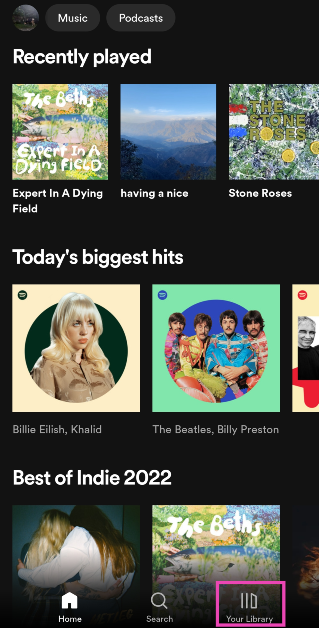
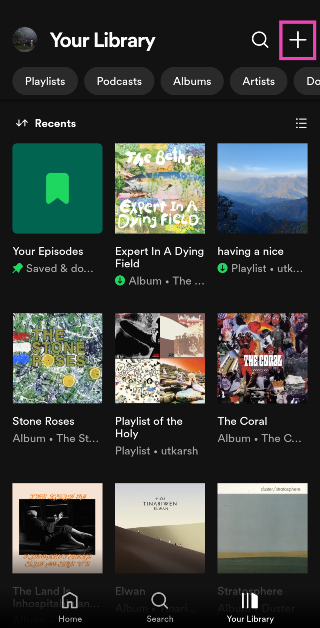
- Tap the plus icon at the top right corner of the screen.
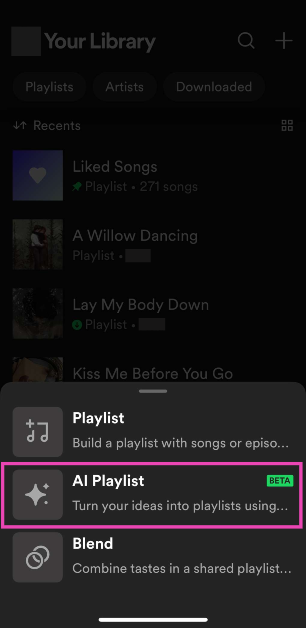
- Select AI Playlist.
- Enter a prompt. If you want a playlist that accurately represents your mood, be very specific with your prompts. Spotify also has preset prompts for you to choose from.
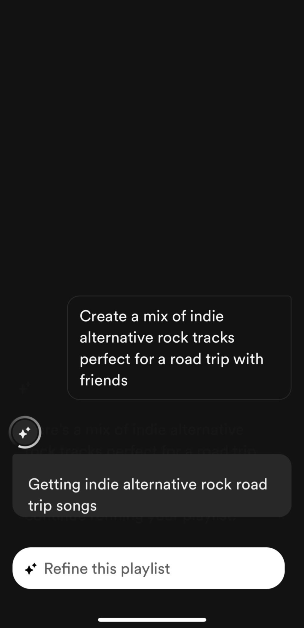
- Spotify will produce a playlist based on the prompt. You can edit the songs in this playlist or refine it further by entering a follow-up prompt.
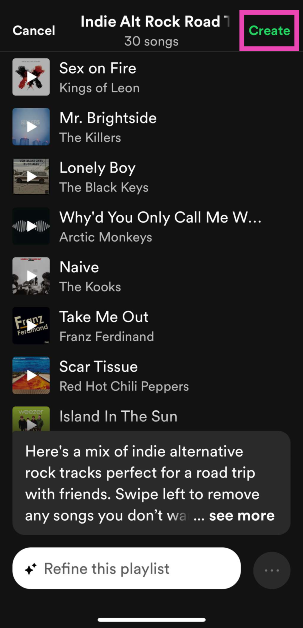
- When you’re happy with the results, hit Create.
Turn your Daylist into a playlist
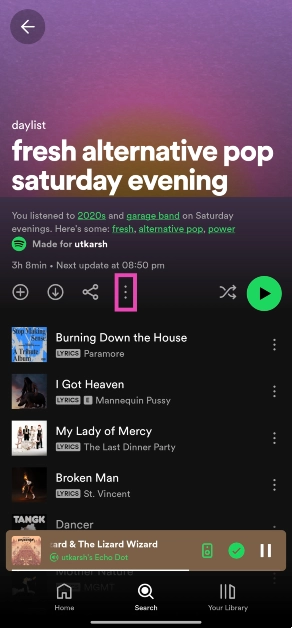
Your Spotify Daylist is a playlist that the platform curates specially for you by observing your past listening patterns. Daylists change throughout the and cannot be saved. However, if you want to save one as a playlist, follow these steps.
- Launch the Spotify app and go to your daylist.
- Hit the ellipses.
- Select Add to other playlist.
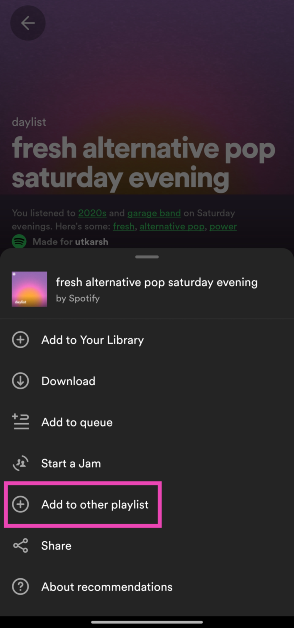
- Tap on New playlist.

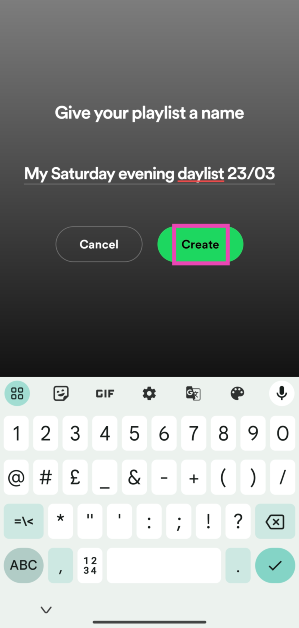
- Give the playlist a name and hit Create.
Frequently Asked Questions (FAQs)
How do I create a playlist on Spotify?
Launch Spotify, go to the ‘Your Library’ tab, hit the plus icon, select Playlist, give the playlist a name, and hit ‘Create’. You can now add songs to the playlist.
How do I add a song to a playlist?
To add a song to a playlist, hit the ellipses next to it, select ‘Add to playlist’, and tap on the playlist you want to add it to.
Where can my find my Spotify daylist?
You can find your Spotify daylist in the ‘Made for you’ section in the Search tab. Hit the plus icon to save the daylist to your library.
Read Also: Google Wallet Makes Its Debut in India, Elevating Daily Convenience for Users
Conclusion
These are the top 4 ways to create a playlist on Spotify. Read this article if you want to know how to transfer your playlist from Amazon Music to Spotify. Do share your created Spotify Playlist in the comments too, we would love to hear it.












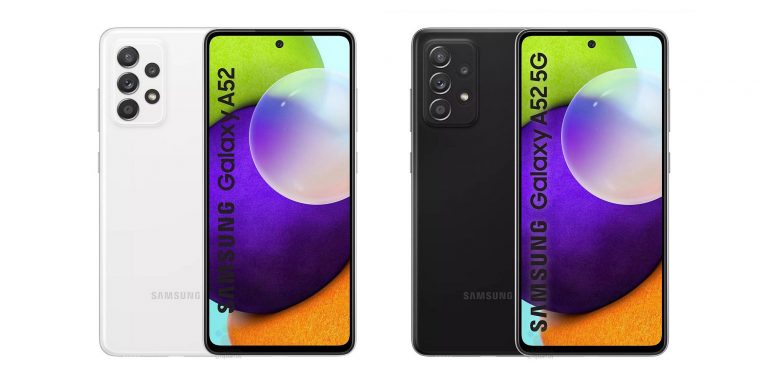


 The Apple iPhone 12 Pro Max also has one of the best touch screens available right now. iPhone 12 Pro Max has a 6.70-inch large touchscreen display with an extremely high resolution. The 458 pixel per inch (PPI) gives the display vibrancy no matter which angle you are looking at it from. The phone supports wireless charging with fast charging features.
 Last on the list for smartphones with a large touchscreen is Vivo X60 Pro. The screen brings AMOLED touch screen features. The refresh rate of the display clocks at 120Hz (Hertz) for smooth scrolling. The screen of the mobile measures6.56-inches with a resolution of 1,080×2,376 pixels. And the pixel density is at 398 pixels per inch for excellent colour reproduction.


















 This soil moisture testing tool can help you save a lot of money and stress. This
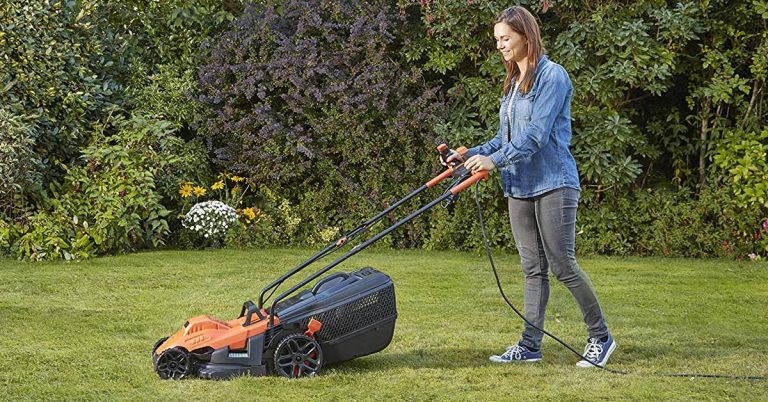
 It is a 1,400w electric portable garden tiller, cultivator, and rotavator designed to make your gardening activities a pleasure. It will till the soil at the rate of 24 cuts per tines’ revolution with the 4 steel tines with 4 soil tining blades. It is expected to give you high performance with a 4×4 garden tiller making the work light and the ground top notch. Its maximum working width is 45 cm and the maximum tilling depth is 22 cm, and it gives you a 2 point safety switch that comes with overheating protection for safe operation.


 “In the present scenario when social distancing has set the precedence, such secured modes of payments are eliminating the need for in-person transactions and aiding small businesses continue during uncertain times,” explained Freecharge CEO