




In This Article



In This Article
 On the other hand, MSI Bravo 15 FHD Gaming Laptop equipped with AMD Ryzen 7 4800H Mobile Processors and Radeon RX 5500M graphics. The MSI laptop offers 16GB RAM and a 512GB SSD contributes to maximum efficiency and performance. During the Amazon Grand Gaming Days sale, it will be available for Rs 74,990. Whereas the Lenovo IdeaPad 15.6-inch Gaming Laptop with 10th Gen Intel i5 processor and NVIDIA GeForce GTX 1650 with 4GB GDDR6 dedicated graphics can be bought at Rs 67,557.
In This Article
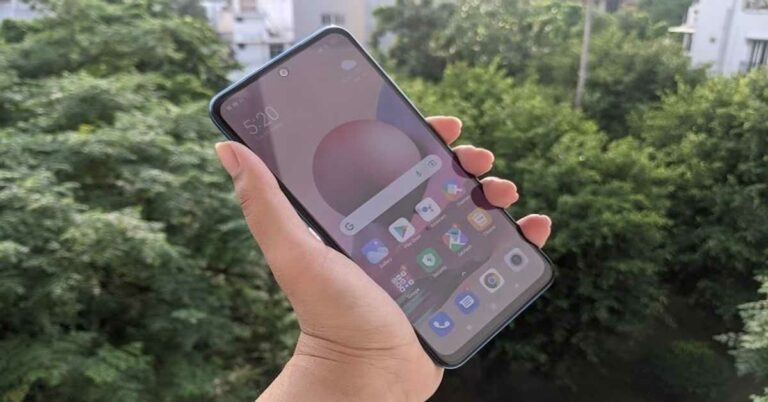
 The smartphone is curved along its sides, which along with the apt placement of buttons makes one-handed usage on the device easier. Besides this, Redmi Note 10S also comes with IP53 rating that offers dust and water resistance, and this is a big plus considering the price range of the handset.
Coming to the 6.43-inch full HD+ Super AMOLED display of Redmi Note 10S, we quite liked its performance. The screen is bright and it projects vibrant colours which remain consistent at different viewing angles. The sunlight readability is average, but one can still figure out the text on the display. The images appear to be sharp and clear on the handset’s screen. We watched a number of YouTube videos and shows during our time with the smartphone, and our experience was always good.
In a nutshell, we like the design and display of Redmi Note 10S smartphone, even though the device retains most of the features of its predecessor as far as the design goes. It definitely is repetitive, but there aren’t any major downsides to the device’s display and design.
The smartphone is curved along its sides, which along with the apt placement of buttons makes one-handed usage on the device easier. Besides this, Redmi Note 10S also comes with IP53 rating that offers dust and water resistance, and this is a big plus considering the price range of the handset.
Coming to the 6.43-inch full HD+ Super AMOLED display of Redmi Note 10S, we quite liked its performance. The screen is bright and it projects vibrant colours which remain consistent at different viewing angles. The sunlight readability is average, but one can still figure out the text on the display. The images appear to be sharp and clear on the handset’s screen. We watched a number of YouTube videos and shows during our time with the smartphone, and our experience was always good.
In a nutshell, we like the design and display of Redmi Note 10S smartphone, even though the device retains most of the features of its predecessor as far as the design goes. It definitely is repetitive, but there aren’t any major downsides to the device’s display and design.
 The MIUI 12.5 does offer some customizations on the device, but it comes with a fair share of bloatware too. There are a number of pre-installed apps on the smartphone, but the upside is that most of them can be uninstalled. However, this does not include the company’s native apps or GetApps, which sends out an alarming number of notifications. There were times when we even saw promotional content on the wallpaper of the device.
Coming to the performance, Redmi Note 10S left us impressed with most tasks that we threw at it. We often multitasked on the device and used it simultaneously for navigation and listening to music, and it did not stutter even once. We even watched back to back episodes of a Netflix show, and our experience was great. Not only were the visuals appealing because of the good display, the speakers of the device enhanced the experience with great audio quality.
The MIUI 12.5 does offer some customizations on the device, but it comes with a fair share of bloatware too. There are a number of pre-installed apps on the smartphone, but the upside is that most of them can be uninstalled. However, this does not include the company’s native apps or GetApps, which sends out an alarming number of notifications. There were times when we even saw promotional content on the wallpaper of the device.
Coming to the performance, Redmi Note 10S left us impressed with most tasks that we threw at it. We often multitasked on the device and used it simultaneously for navigation and listening to music, and it did not stutter even once. We even watched back to back episodes of a Netflix show, and our experience was great. Not only were the visuals appealing because of the good display, the speakers of the device enhanced the experience with great audio quality.
 We even used the smartphone for gaming and played a number of games like Temple Run 2, Alto’s Odyssey and Asphalt 9: Legends, and they all ran smoothly. The device did start getting warm after 10-15 minutes of gameplay though, and obviously, the battery levels fell quicker too while gaming. But the latter is hardly anything to complain about.
The fingerprint sensor of Redmi Note 10S did a quick job and unlocked each time we placed our finger on it, even when it was moist. The battery life of the device is also among one of its pros. Even with heavy usage that involved gaming, watching Netflix or using Google Maps, we could use the smartphone for a day and a half on a single charge. We are guessing that if your usage does not involve these too much, you would definitely be able to get more out of the device.
We even used the smartphone for gaming and played a number of games like Temple Run 2, Alto’s Odyssey and Asphalt 9: Legends, and they all ran smoothly. The device did start getting warm after 10-15 minutes of gameplay though, and obviously, the battery levels fell quicker too while gaming. But the latter is hardly anything to complain about.
The fingerprint sensor of Redmi Note 10S did a quick job and unlocked each time we placed our finger on it, even when it was moist. The battery life of the device is also among one of its pros. Even with heavy usage that involved gaming, watching Netflix or using Google Maps, we could use the smartphone for a day and a half on a single charge. We are guessing that if your usage does not involve these too much, you would definitely be able to get more out of the device.
 The call quality of the smartphone was flawless too and we had no problem receiving or making calls even from areas like basements and elevators.
Finally, let’s talk about the cameras of the smartphone. As we mentioned earlier, Redmi Note 10S comes with a 64MP primary camera, an 8MP ultra-wide angle lens, and a macro camera and a depth sensor with 2MP lenses each. There is also a 13MP selfie camera on the device.
The call quality of the smartphone was flawless too and we had no problem receiving or making calls even from areas like basements and elevators.
Finally, let’s talk about the cameras of the smartphone. As we mentioned earlier, Redmi Note 10S comes with a 64MP primary camera, an 8MP ultra-wide angle lens, and a macro camera and a depth sensor with 2MP lenses each. There is also a 13MP selfie camera on the device.
 The camera performance of Redmi Note 10S could be a lot better and more consistent. In day light, the camera managed to click decent images but the objects in the pictures looked a bit too sharp. It was a consistent problem and it affected the quality of the image. The shots that we took indoors in well-lit conditions turned out to be much better than the outdoor ones, which is strange since it’s usually the opposite with most phones. The ultra-wide-angle sensor allows a lot more area in the image but the quality visibly drops.
 The Portrait shots on the smartphone turned out to be good, and we liked the fact that we could adjust the level of blur we wanted before clicked the image. Macro shots turned out to be good too.
 However, it was the low-light photography that was not up to the mark, because some images that we clicked at night had noise. The quality does go up a little with the Night mode enabled, of course.
The selfies taken from the 13MP front camera turned out to be good and the performance of the camera remained consistent in well-lit as well as dimly-lit conditions. It was one aspect of the camera that we actually liked a lot.
Pros
However, it was the low-light photography that was not up to the mark, because some images that we clicked at night had noise. The quality does go up a little with the Night mode enabled, of course.
The selfies taken from the 13MP front camera turned out to be good and the performance of the camera remained consistent in well-lit as well as dimly-lit conditions. It was one aspect of the camera that we actually liked a lot.
Pros


In This Article



 The company has also announced introductory offers which include Rs 500 cashback on HDFC Bank and ICICI Bank cards till September 30. The company will also offer benefits worth up to Rs 7,000 for Jio users along with up to Rs 500 exchange bonus and no-cost EMI options for up to 9 months.
Vivo Y21 specifications
Vivo 21 comes with a 6.51-inch HD+ display with 1600×720 pixels of resolution and a waterdrop notch at the top. The phone runs on FunTouch OS 11.1 based on Android 11. Under the hood, there is a MediaTek Helio P35 processor paired with 4GB of RAM and up to 128GB of storage option. The internal storage can be expanded up to 1TB using a microSD card. The phone also offers Extended RAM 2.0, which makes use of up to 1GB idle ROM space.
In terms of photography, Vivo Y21 features a dual rear camera set-up that includes a 13-megapixel primary sensor and a 2-megapixel super macro camera lens. The rear camera also supports personalized Portrait Mode, Super HDR, Face Beauty, Filters, and Bokeh. The device also includes an 8-megapixel front-facing camera with AU beautification mode for taking selfies and video calling.
The handset includes Multi Turbo 5.0 which improves data connection, system processor speed and power-saving performance even after prolonged usage. It also comes with a liquid cooling solution and a side-mounted fingerprint sensor. The device is backed by a 5,000mAh battery that includes 18W Fast Charge support. On the connectivity front, there is a USB Type-C port, dual-SIM slots (Nano + Nano), 4G support, Bluetooth 5.0, 2.4GHz WiFi and others.
For the latest gadget and tech news, and gadget reviews, follow us on Twitter, Facebook and Instagram. For newest tech & gadget videos subscribe to our YouTube Channel. You can also stay up to date using the Gadget Bridge Android App. You can find the latest car and bike news here.
The company has also announced introductory offers which include Rs 500 cashback on HDFC Bank and ICICI Bank cards till September 30. The company will also offer benefits worth up to Rs 7,000 for Jio users along with up to Rs 500 exchange bonus and no-cost EMI options for up to 9 months.
Vivo Y21 specifications
Vivo 21 comes with a 6.51-inch HD+ display with 1600×720 pixels of resolution and a waterdrop notch at the top. The phone runs on FunTouch OS 11.1 based on Android 11. Under the hood, there is a MediaTek Helio P35 processor paired with 4GB of RAM and up to 128GB of storage option. The internal storage can be expanded up to 1TB using a microSD card. The phone also offers Extended RAM 2.0, which makes use of up to 1GB idle ROM space.
In terms of photography, Vivo Y21 features a dual rear camera set-up that includes a 13-megapixel primary sensor and a 2-megapixel super macro camera lens. The rear camera also supports personalized Portrait Mode, Super HDR, Face Beauty, Filters, and Bokeh. The device also includes an 8-megapixel front-facing camera with AU beautification mode for taking selfies and video calling.
The handset includes Multi Turbo 5.0 which improves data connection, system processor speed and power-saving performance even after prolonged usage. It also comes with a liquid cooling solution and a side-mounted fingerprint sensor. The device is backed by a 5,000mAh battery that includes 18W Fast Charge support. On the connectivity front, there is a USB Type-C port, dual-SIM slots (Nano + Nano), 4G support, Bluetooth 5.0, 2.4GHz WiFi and others.
For the latest gadget and tech news, and gadget reviews, follow us on Twitter, Facebook and Instagram. For newest tech & gadget videos subscribe to our YouTube Channel. You can also stay up to date using the Gadget Bridge Android App. You can find the latest car and bike news here. 
In This Article

Amazon Quiz has gone live on its platform. The quiz timings are daily from 12 AM to 11:59 PM. By submitting correct answers, millions of Amazon customers can win free gadgets as well as Amazon Pay Balance. By participating in the 21 August 2021 Amazon Quiz today you can stand a chance to win Rs 10,000 Amazon Pay Balance.

 Also Read: 7 digital face-mask concepts that will soon become reality

In This Article
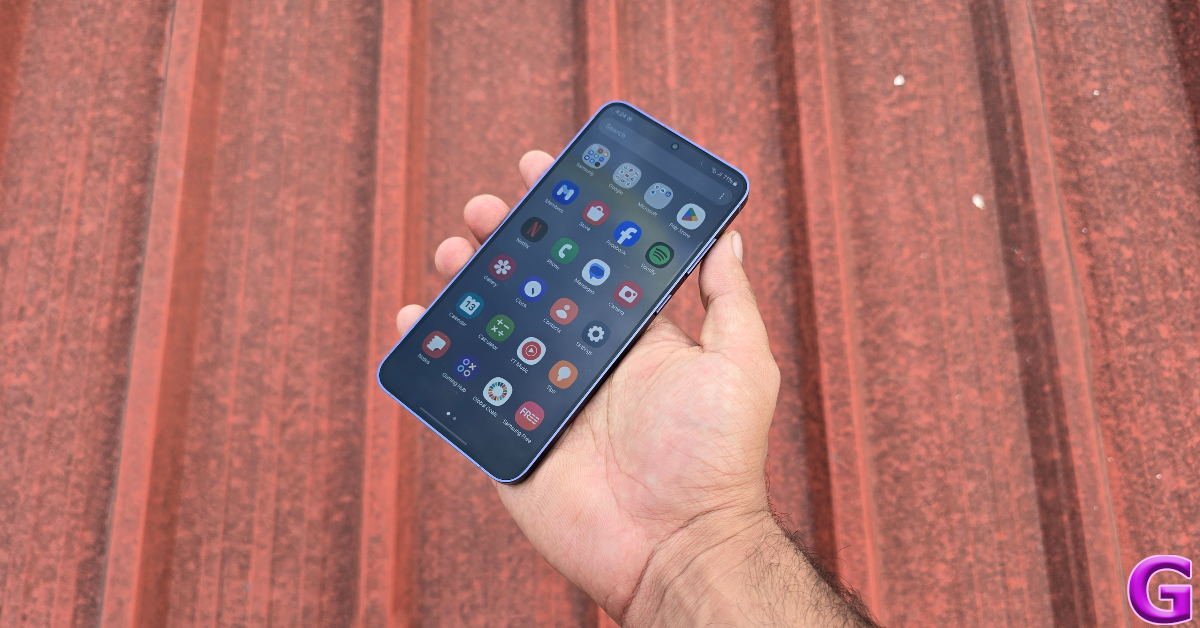 Using your device with high brightness settings can cause your device to heat a lot. The more light the display panel generates the more heat it produces. The best way to overcome this problem is to use your phones or tabs with minimum brightness indoors. Also, turn off auto-brightness from the settings. This will shut down the proximity sensor making the processor use less processing power, hence less heat.
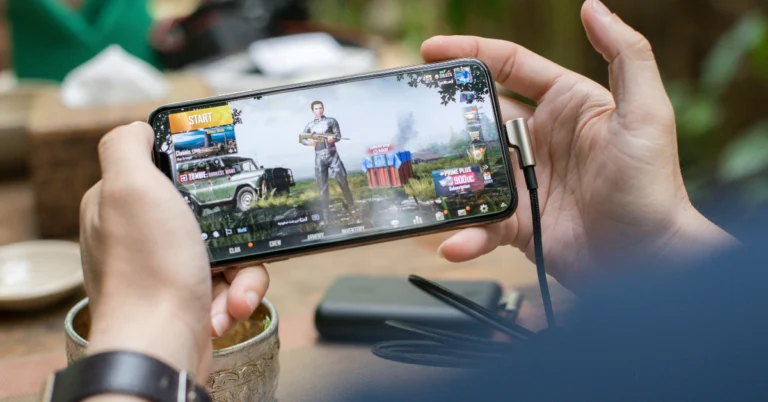
 This may seem like a no-brainer to some, but a lot of people are not aware of this hack. Lowering the graphics of the game you are playing exerts less stress on your phone’s CPU and battery, leading to fewer heating issues. You can change the graphics settings of any game from the in-game menu. While you’re at it, lower the frame rate to 60fps as well. You will notice that your phone’s temperature doesn’t rise as quickly anymore.
 Charging your phone increases the temperature of the battery, due to the motion of the ions inside it. This is more so the case on phones that charge at a very fast speed. To keep your smartphone cool while gaming, make sure it is not connected to the charger. Ideally, you should not carry out any task on your phone while charging it. This helps in preserving the battery life and ensuring that it doesn’t wear as quickly over time.
Read Also: JBL Wave 100 TWS with 20 hours of battery life launched in India
Charging your phone increases the temperature of the battery, due to the motion of the ions inside it. This is more so the case on phones that charge at a very fast speed. To keep your smartphone cool while gaming, make sure it is not connected to the charger. Ideally, you should not carry out any task on your phone while charging it. This helps in preserving the battery life and ensuring that it doesn’t wear as quickly over time.
Read Also: JBL Wave 100 TWS with 20 hours of battery life launched in India
 Make sure the other sensors, which are not in use, are turned off. Usually, these sensors run in the background and drain your battery fast making your device generate more heat. When you launch a game, it requires only Wi-Fi. You can turn off sensors like Mobile data, GPS location and Bluetooth. These will not only save you some extra battery juice but will also lower your device’s temperature. With more sensors running in the background, the processor needs to stress more and will heat up your device more frequently. This will also help to keep your smartphone cool.
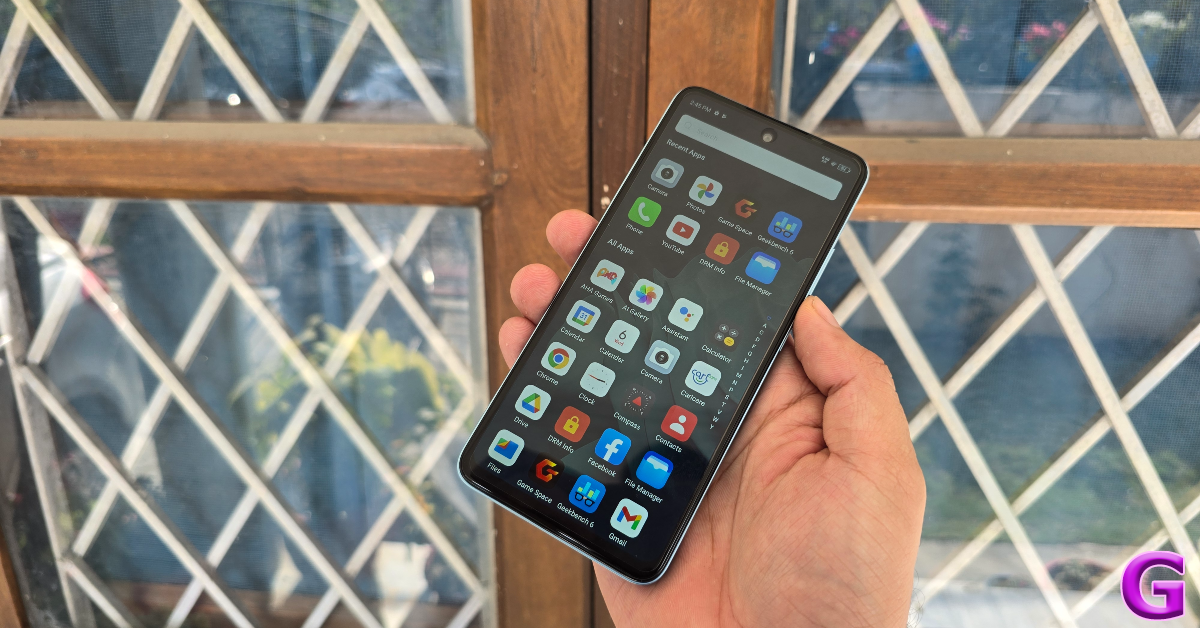 Another way to keep your smartphone cool while gaming is by removing clutter. Many companies nowadays add a lot of bloatware or unwanted applications to the OS (operating system). These apps notoriously eat up your device resources in the background. This will generate serious smartphone heating issues on your mobile or tablet. Uninstalling unwanted applications will eliminate this problem at once. Also, there are applications claiming to cool or enhance your device. Do not install any such kind of cleaning or boosting applications. They do nothing more than create an illusion so users feel their device is running fast. If there is any such application installed on your device, uninstall it instantly. Make sure there is no application open in the background before you start gaming.
 Apart from uninstalling the bloatware from your device, it is important to close the apps running in the background. Gaming is a power-intensive task, and if your phone’s CPU is being drained by other active apps in the background, the internal temperature of the phone can rise up very quickly. Before you launch a game on your device, make sure you have closed all the active apps running in the background.
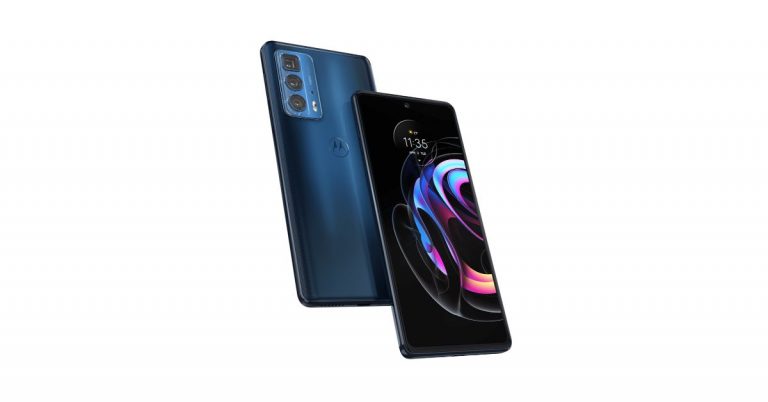
Read Also: Motorola Edge 20 Pro confirmed to launch in India soon
Apart from uninstalling the bloatware from your device, it is important to close the apps running in the background. Gaming is a power-intensive task, and if your phone’s CPU is being drained by other active apps in the background, the internal temperature of the phone can rise up very quickly. Before you launch a game on your device, make sure you have closed all the active apps running in the background.
Read Also: Motorola Edge 20 Pro confirmed to launch in India soon
 There might be some smartphone heating issues due to cases. There are lots of protective and fancy cases available on the market. These cases provide protection and also make your devices look pretty. But imagine someone asks you to run a marathon wearing your winter clothes. Your phone feels exactly the same. Cases on devices trap heat and block ventilation. Without proper ventilation, your Phone or tab will start to get hot. Some thicker cases might provide protection but they also block the antenna of your phone. This will make your device struggle for the network, which is again both bad for your device and your gaming experience.
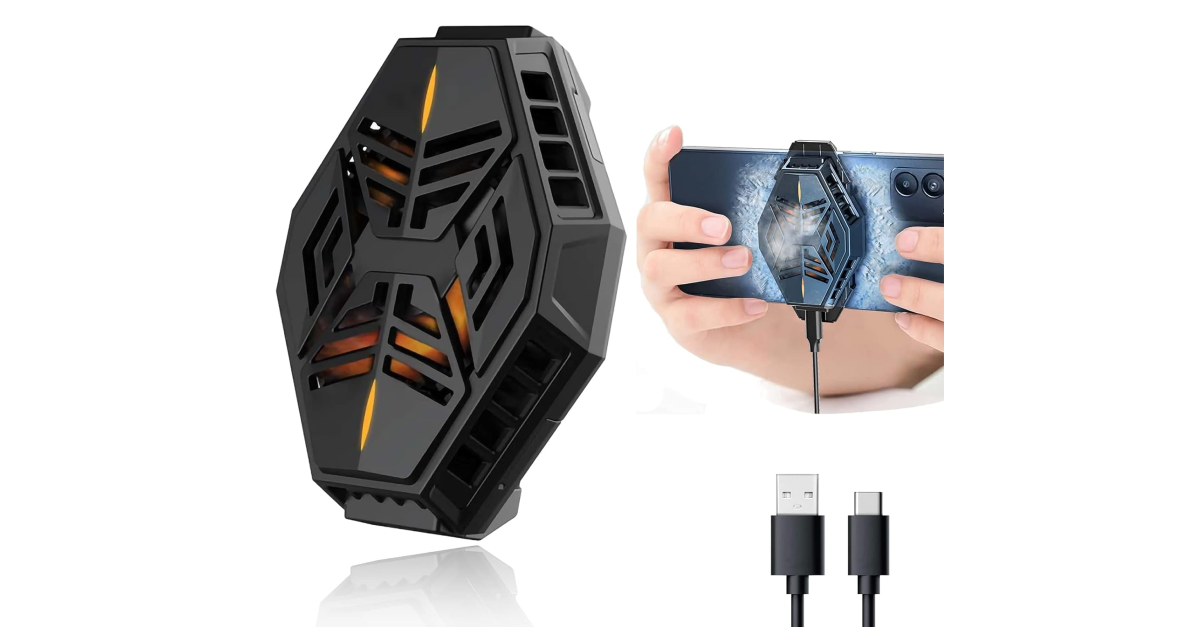 There are several phone cooling devices you can find on the internet that do a good job of dissipating heat and keeping the internal temperature of the device in check. A good phone cooler will cost you anywhere between Rs 1,000 – Rs 3,000. Mobilife’s cooling device is priced at Rs 1,500 and is suitable not only for gaming but also for other power-intensive tasks like vlogging and live streaming. This fan has a retractable soft silicone back clip which attaches easily to your phone’s back panel. Once you plug it into a power source using a USB Type-C cable, it kicks into action. Check out these external fans for your phone.


In This Article



In This Article

 Read Also: 5 best photo editing apps for Android devices
 Note – This app needs some learning and is used for professional editing, which requires some time to go through.
These apps are the top picks for our readers to edit, crop and add text to their screenshots. These applications will readily help you and come in handy to increase productivity.
For the latest gadget and tech news, and gadget reviews, follow us on Twitter, Facebook and Instagram. For newest tech & gadget videos subscribe to our YouTube Channel. You can also stay up to date using the Gadget Bridge Android App. You can find the latest car and bike news here.
Note – This app needs some learning and is used for professional editing, which requires some time to go through.
These apps are the top picks for our readers to edit, crop and add text to their screenshots. These applications will readily help you and come in handy to increase productivity.
For the latest gadget and tech news, and gadget reviews, follow us on Twitter, Facebook and Instagram. For newest tech & gadget videos subscribe to our YouTube Channel. You can also stay up to date using the Gadget Bridge Android App. You can find the latest car and bike news here. 
 Until now when users used to browse videos on YouTube they would see a thumbnail image of each video, which allowed you to gather a quick snapshot of the video’s content. On public demand for easier ways to see what a video is about, YouTube will make the search page even more visual to help people get a better glimpse of what’s inside a video. To make a more informed decision whether to watch the video or not, YouTube will now show what you’re going to watch through video chapters directly on the search page. When available, these time-stamped images detail the different topics covered in videos and let you better evaluate the video you’re about to watch. You can also jump directly to the section most relevant to your specific interest.
So now when you search for a recipe of a cake on YouTube with these new search results, you can see all the steps in the video, from feeding the starter to pulling the bread out of the oven – and skip right to the chapter on kneading. YouTube will show some snippets of each video on its platform while on the desktop the users can scroll over a video and begin to see a snippet of the content on the search page. As of now, the Google-owned video-sharing platform is rolling out the mobile version of this feature to help you easily preview different videos and decide if it’s what you’re looking for.
Other than this in order to improve content searches across the globe, Youtube started showing search results from other languages with automatically translated captions, titles and descriptions when relevant content in the local language isn’t available.
“We’ll start supplementing search results with English videos and plan to expand to more languages. Our hope is that all global content will become more accessible through translated captions and help creators reach a more global audience,” the blog post said.
Youtube has also started testing a new feature to complement search results with website links and other formats from Google Search when you don’t get enough high-quality or relevant video content to fully address what you’re looking for. This feature is currently available on mobile devices in India and Indonesia.
For the latest gadget and tech news, and gadget reviews, follow us on Twitter, Facebook and Instagram. For newest tech & gadget videos subscribe to our YouTube Channel. You can also stay up to date using the Gadget Bridge Android App. You can find the latest car and bike news here.
Until now when users used to browse videos on YouTube they would see a thumbnail image of each video, which allowed you to gather a quick snapshot of the video’s content. On public demand for easier ways to see what a video is about, YouTube will make the search page even more visual to help people get a better glimpse of what’s inside a video. To make a more informed decision whether to watch the video or not, YouTube will now show what you’re going to watch through video chapters directly on the search page. When available, these time-stamped images detail the different topics covered in videos and let you better evaluate the video you’re about to watch. You can also jump directly to the section most relevant to your specific interest.
So now when you search for a recipe of a cake on YouTube with these new search results, you can see all the steps in the video, from feeding the starter to pulling the bread out of the oven – and skip right to the chapter on kneading. YouTube will show some snippets of each video on its platform while on the desktop the users can scroll over a video and begin to see a snippet of the content on the search page. As of now, the Google-owned video-sharing platform is rolling out the mobile version of this feature to help you easily preview different videos and decide if it’s what you’re looking for.
Other than this in order to improve content searches across the globe, Youtube started showing search results from other languages with automatically translated captions, titles and descriptions when relevant content in the local language isn’t available.
“We’ll start supplementing search results with English videos and plan to expand to more languages. Our hope is that all global content will become more accessible through translated captions and help creators reach a more global audience,” the blog post said.
Youtube has also started testing a new feature to complement search results with website links and other formats from Google Search when you don’t get enough high-quality or relevant video content to fully address what you’re looking for. This feature is currently available on mobile devices in India and Indonesia.
For the latest gadget and tech news, and gadget reviews, follow us on Twitter, Facebook and Instagram. For newest tech & gadget videos subscribe to our YouTube Channel. You can also stay up to date using the Gadget Bridge Android App. You can find the latest car and bike news here. 
In This Article
In This Article


 Like we said above, the company has listed Samsung Galaxy M32 5G on Amazon to tease its availability. The dedicated microsite has also shared some additional details about the forthcoming phone like it will feature a 48-megapixel quad-rear camera setup. For selfies, the device will come with a 13-megapixel front-facing camera. In addition, the 5G smartphone will be fuelled by a 5,000mAh battery. It should be noted that the 4G variant was loaded with a massive 6,000mAh battery. Other than this the Amazon listing shares the design of the mobile phone which looks similar to its sibling.
Speculations suggest that Galaxy M32 5G will be a rebranded variant of Samsung Galaxy A32 5G. Most of the detailed specifications of the device share similarities with the A32 5G. If that is to be believed then apart from the 48-megapixel primary sensor the quad-camera set up will include an 8-megapixel ultra-wide-angle sensor with f/2.2, a 5-megapixel macro lens with f/2.4 aperture and a 2-megapixel depth sensor with an f/2.4 camera. The battery will also support 15W fast charging.
For the latest gadget and tech news, and gadget reviews, follow us on Twitter, Facebook and Instagram. For newest tech & gadget videos subscribe to our YouTube Channel. You can also stay up to date using the Gadget Bridge Android App. You can find the latest car and bike news here.
Like we said above, the company has listed Samsung Galaxy M32 5G on Amazon to tease its availability. The dedicated microsite has also shared some additional details about the forthcoming phone like it will feature a 48-megapixel quad-rear camera setup. For selfies, the device will come with a 13-megapixel front-facing camera. In addition, the 5G smartphone will be fuelled by a 5,000mAh battery. It should be noted that the 4G variant was loaded with a massive 6,000mAh battery. Other than this the Amazon listing shares the design of the mobile phone which looks similar to its sibling.
Speculations suggest that Galaxy M32 5G will be a rebranded variant of Samsung Galaxy A32 5G. Most of the detailed specifications of the device share similarities with the A32 5G. If that is to be believed then apart from the 48-megapixel primary sensor the quad-camera set up will include an 8-megapixel ultra-wide-angle sensor with f/2.2, a 5-megapixel macro lens with f/2.4 aperture and a 2-megapixel depth sensor with an f/2.4 camera. The battery will also support 15W fast charging.
For the latest gadget and tech news, and gadget reviews, follow us on Twitter, Facebook and Instagram. For newest tech & gadget videos subscribe to our YouTube Channel. You can also stay up to date using the Gadget Bridge Android App. You can find the latest car and bike news here. 
 Step 3 – Scroll down to Image options to find Adjustments
Step 4 – Adjust the transparency of the image
Step 3 – Scroll down to Image options to find Adjustments
Step 4 – Adjust the transparency of the image
 Step 5 – Adjust Brightness and Contrast accordingly, make sure you adjust your image properly as it will be difficult to move from behind the texts.
 Step 6- Share your documents with others by making them read only.
Read Also: 10 must-know Hidden Features of Microsoft Word
This was a simple do it yourself way to add a watermark on your Google Docs. This method is only a one time hassle and your document is secured. Also, we hope that Google soon adds an option to add watermarks natively. Till that time Gadget Bridge has got you covered.
For the latest gadget and tech news, and gadget reviews, follow us on Twitter, Facebook and Instagram. For newest tech & gadget videos subscribe to our YouTube Channel. You can also stay up to date using the Gadget Bridge Android App. You can find the latest car and bike news here.
Step 6- Share your documents with others by making them read only.
Read Also: 10 must-know Hidden Features of Microsoft Word
This was a simple do it yourself way to add a watermark on your Google Docs. This method is only a one time hassle and your document is secured. Also, we hope that Google soon adds an option to add watermarks natively. Till that time Gadget Bridge has got you covered.
For the latest gadget and tech news, and gadget reviews, follow us on Twitter, Facebook and Instagram. For newest tech & gadget videos subscribe to our YouTube Channel. You can also stay up to date using the Gadget Bridge Android App. You can find the latest car and bike news here. 
In This Article
 You can also head to your current post and hide your likes and views. It can be done by following these steps.
Step 1 – Head to the post you want to hide likes of.
Step 2 – Tap on the three dots of the post.
Step 3 – Select Hide Like Count.
You can also head to your current post and hide your likes and views. It can be done by following these steps.
Step 1 – Head to the post you want to hide likes of.
Step 2 – Tap on the three dots of the post.
Step 3 – Select Hide Like Count.
 Read Also: How to hide your telegram profile picture from others?
 This step by step guide will really help you to take care of your privacy if you wish and hide your like count. The post for Hiding the views is on the way and as soon as the update rolls out you will surely find it in Gadget Bridge.
For the latest gadget and tech news, and gadget reviews, follow us on Twitter, Facebook and Instagram. For newest tech & gadget videos subscribe to our YouTube Channel. You can also stay up to date using the Gadget Bridge Android App. You can find the latest car and bike news here.
This step by step guide will really help you to take care of your privacy if you wish and hide your like count. The post for Hiding the views is on the way and as soon as the update rolls out you will surely find it in Gadget Bridge.
For the latest gadget and tech news, and gadget reviews, follow us on Twitter, Facebook and Instagram. For newest tech & gadget videos subscribe to our YouTube Channel. You can also stay up to date using the Gadget Bridge Android App. You can find the latest car and bike news here. 
In This Article
 Step 4 – Open YouTube, now you will be able to see the reels panel at the bottom.
 Step 4 – Select YouTube from the list.
Step 5 – Head to storage in the app settings.
Step 4 – Select YouTube from the list.
Step 5 – Head to storage in the app settings.
 Step 6 – Clear cache and data.
 Step 7 – After this step, your app will be back to stock settings. Relaunch the app and enjoy.
Also Read: How to declutter your Facebook news feed?
Step 7 – After this step, your app will be back to stock settings. Relaunch the app and enjoy.
Also Read: How to declutter your Facebook news feed?
 Currently, YT Shorts are available specifically in only 2 countries: India and the USA. If you are either travelling or are in a different country and you wish to enjoy YouTube Shorts. There is a simple solution for you. Just head to the Google Play Store and Search VPN on the search bar. It will show you a list of the best VPNs in the market. Select one accordingly and set the country to either USA or India.
These steps will surely fix your problem related to YouTube Shorts. unless it’s a technical issue from YouTube’s side. Also, consider reinstalling the app once if none of these ideas works.
For the latest gadget and tech news, and gadget reviews, follow us on Twitter, Facebook and Instagram. For newest tech & gadget videos subscribe to our YouTube Channel. You can also stay up to date using the Gadget Bridge Android App. You can find the latest car and bike news here.
Currently, YT Shorts are available specifically in only 2 countries: India and the USA. If you are either travelling or are in a different country and you wish to enjoy YouTube Shorts. There is a simple solution for you. Just head to the Google Play Store and Search VPN on the search bar. It will show you a list of the best VPNs in the market. Select one accordingly and set the country to either USA or India.
These steps will surely fix your problem related to YouTube Shorts. unless it’s a technical issue from YouTube’s side. Also, consider reinstalling the app once if none of these ideas works.
For the latest gadget and tech news, and gadget reviews, follow us on Twitter, Facebook and Instagram. For newest tech & gadget videos subscribe to our YouTube Channel. You can also stay up to date using the Gadget Bridge Android App. You can find the latest car and bike news here.