In This Article
Micromax IN Air Funk 1 Pro: Design
Micromax’s IN Air Funk 1 Pro are budget-friendly true wireless earphones. Looking at the case first, we notice that it has a glossy finish and that there are some scratches on it, which could be due to the packaging. However, after only a few days of use, the glossy finish attracts fingerprints and even more scratches. Otherwise, we thought the construction quality and design were excellent. The charging case is small and sturdy. With one hand, you can easily open the case. The hinges are also of excellent quality, and the ear tips are aesthetically pleasing. On the front, there is an IN logo with an LED light. It has a Type-C charging port on the bottom, and the battery capacity and other details are listed on the back. The TWS earphones have an IP44 rating, which means they can withstand splashes of water, sweat, and dust.
 The earbuds are magnetised to the case. These lightweight in-ear headphones have an in-ear design. The earbuds have a glossy finish as well. The earphones lack physical buttons in favour of a touch-sensitive panel. These earbuds feature Bluetooth 5.2, 13mm drivers, and a quad mic setup. Overall, we liked the design and quality of Micromax’s new TWS earphones.
Micromax IN Air Funk 1 Pro: Performance
When it comes to performance, the Micromax IN Air Funk 1 Pro’s pairing process is simple. Simply remove them from the case, locate them on your device, and click to connect them to your smartphone. The Qualcomm QCC3040 chipset with cVc 8.0 powers the Micromax IN Air Funk 1 Pro. Aside from that, Bluetooth 5.2 and Aptx are also supported. In terms of sound quality, we put these Micromax true wireless earphones to the test, both indoors and out. It produces a good sound, with clear highs, lows, and mids, but it is not as loud as we are accustomed to hearing loud music. However, there is one advantage: these sounds aren’t particularly loud, but they last a long time on a single charge. Even though they have 13mm audio drivers, the bass isn’t as deep as it could be, but it’s not bad either.
The audio quality on both sides is crystal clear thanks to the quad mic setup, which means two mics in each earbud.
The IN Air Funk 1 Pro is touch-sensitive rather than having a physical button. The music pauses and resumes when you double-tap. You can easily switch to the next track by doing a triple tap on the right earbud, and the previous track by doing a triple tap on the left earbud. The Google Assistant is activated when you press the button for a long time.
However, the sound quality is adequate, especially when used while gaming, but there is some lag to be found. On the fliside, we did not notice any lag while listening to music, but (as said) you will notice some lag in gaming because these earphones are not designed for gaming, rather just for everyday use.
In terms of battery life, the Micromax IN Air Funk 1 Pro has a great deal to offer. This lasts up to 7 hours on a single charge, and when combined with the case, it provides a total of 32 hours of battery life.
In terms of sound quality, we put these Micromax true wireless earphones to the test, both indoors and out. It produces a good sound, with clear highs, lows, and mids, but it is not as loud as we are accustomed to hearing loud music. However, there is one advantage: these sounds aren’t particularly loud, but they last a long time on a single charge. Even though they have 13mm audio drivers, the bass isn’t as deep as it could be, but it’s not bad either.
The audio quality on both sides is crystal clear thanks to the quad mic setup, which means two mics in each earbud.
The IN Air Funk 1 Pro is touch-sensitive rather than having a physical button. The music pauses and resumes when you double-tap. You can easily switch to the next track by doing a triple tap on the right earbud, and the previous track by doing a triple tap on the left earbud. The Google Assistant is activated when you press the button for a long time.
However, the sound quality is adequate, especially when used while gaming, but there is some lag to be found. On the fliside, we did not notice any lag while listening to music, but (as said) you will notice some lag in gaming because these earphones are not designed for gaming, rather just for everyday use.
In terms of battery life, the Micromax IN Air Funk 1 Pro has a great deal to offer. This lasts up to 7 hours on a single charge, and when combined with the case, it provides a total of 32 hours of battery life.
 The Micromax TWS earphones also have ENC, which means that as soon as you put them on, a vacuum is created, effectively blocking out as much ambient noise as possible. As a result, they offer passive noise cancellation rather than active noise cancellation. So make sure to choose the right ear tip size for you, as this will not only ensure a secure fit but also improve sound quality.
A Qualcomm chipset and quad-array mics are included in the Micromax IN Air Funk 1 Pro. The headphones have a total battery life of 32 hours. The vocals are crystal clear, and the instrument separation is excellent. You get good bass that isn’t overpowering but is sufficient for everyday use.
The Micromax TWS earphones also have ENC, which means that as soon as you put them on, a vacuum is created, effectively blocking out as much ambient noise as possible. As a result, they offer passive noise cancellation rather than active noise cancellation. So make sure to choose the right ear tip size for you, as this will not only ensure a secure fit but also improve sound quality.
A Qualcomm chipset and quad-array mics are included in the Micromax IN Air Funk 1 Pro. The headphones have a total battery life of 32 hours. The vocals are crystal clear, and the instrument separation is excellent. You get good bass that isn’t overpowering but is sufficient for everyday use.
 We tried a variety of music genres and were generally pleased with the results, especially given the earbuds’ low price. To summarise, if you’re looking for a TWS with a good design and quality for everyday use, you should definitely look into them.
Micromax IN Air Funk 1 Pro: Pros and Cons
Pros- Decent audio quality
- Long battery life
- IP44 rating
- Touch controls
- Attracts fingerprints and scratches
- No gaming mode






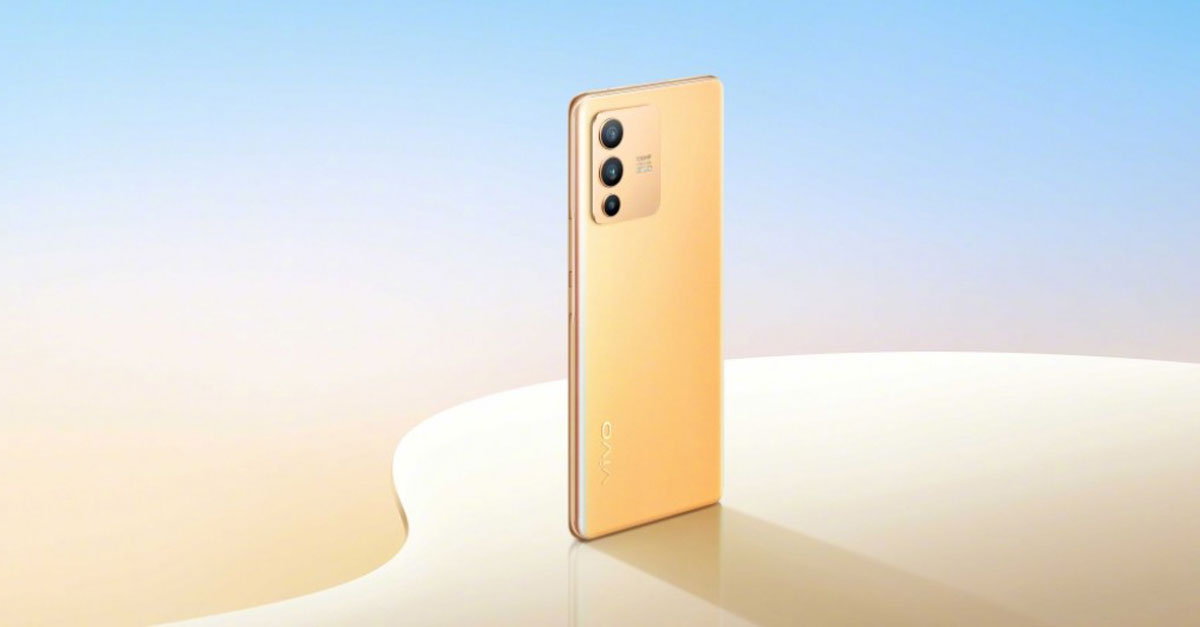


 Xiaomi has revealed in a recent teaser that the Xiaomi 11i Hypercharge will launch on 6th January 2022. The teaser shows that the phone is capable of mind-blowing super fast 120W charging. It may have a 6.67-inch AMOLED panel with MediaTek Dimensity 920.


 Step 3: Select Turn on Incognito from the list of options.
 Once you are in incognito mode, the videos you watch will not be reflected in your watch history. Your suggestions and feed will not be influenced by the videos you watch. To switch back to your account, tap on the You tab again and select Turn off.



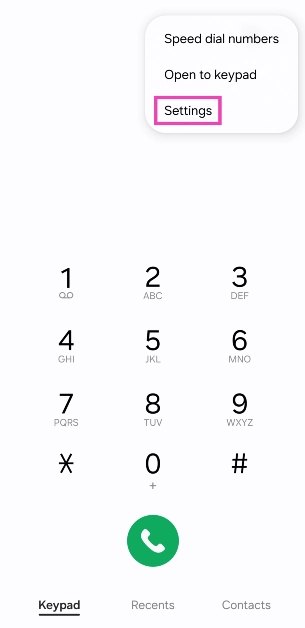
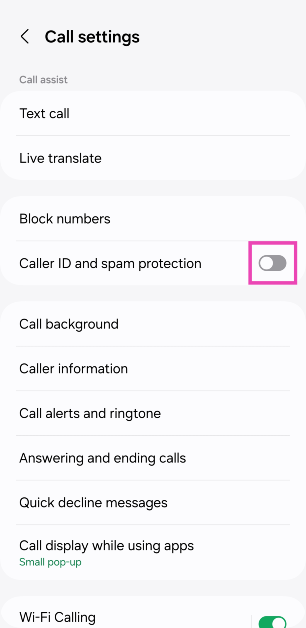
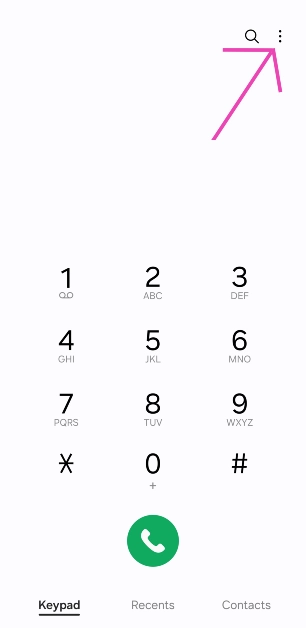 2. Select Settings.
 3. Turn on the toggle switch for Caller ID and spam protection.

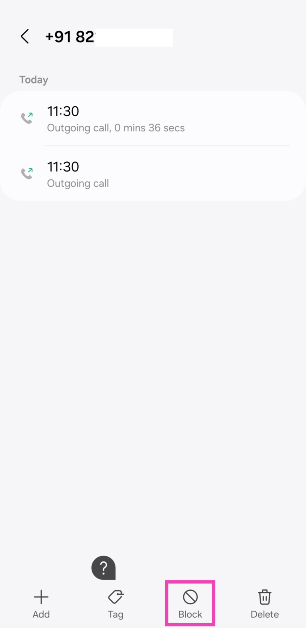
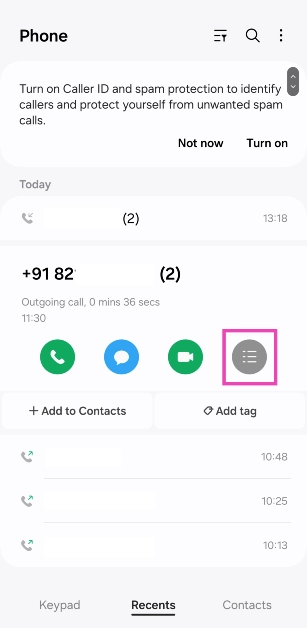 3. Hit Block.
















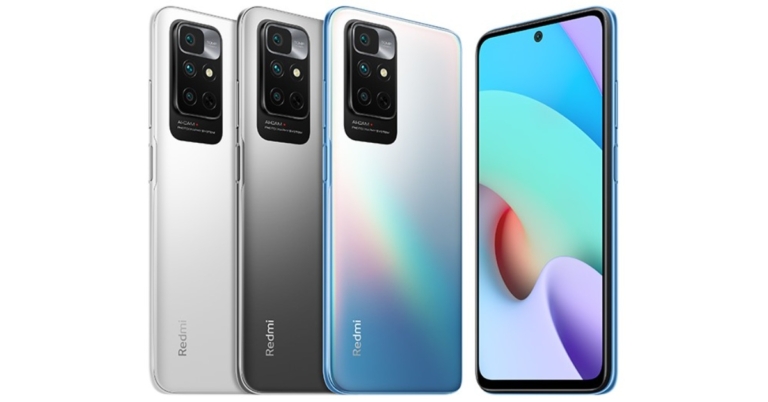






 In some phones, you have to swipe left from the green button while in some you have to swipe upwards, and in some, you just need to tap on the green button. Check the right way to pick up calls on your phone.
 You should also try to remove and insert the SIM card on your phone. If this is a network issue then this way the issue can be resolved and you can pick up the call that you are receiving.
 You can turn on ‘Airplane Mode’ by opening the quick settings menu and taping on the plane icon.


 2. Tap on Download and install.
 3. Select Install now.

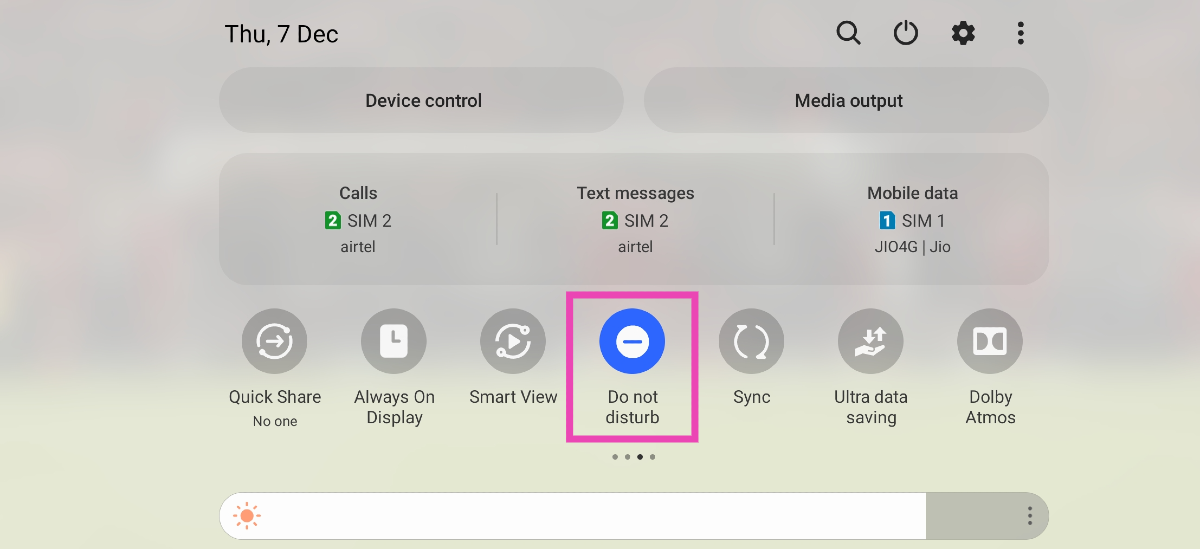 If your phone is in DND mode, you will not receive any notifications for incoming calls and messages. The idea of DND mode is to eliminate your phone as a distraction when you are focused on other tasks. This means all notifications will be muted and you won’t be able to receive any calls. Swipe down from the status bar and tap the tile for DND to turn it off.


 This is very useful for those types of groups which you never wanted to be a part of but you had to, and now you are irritated by the notifications that it sends to your phone.




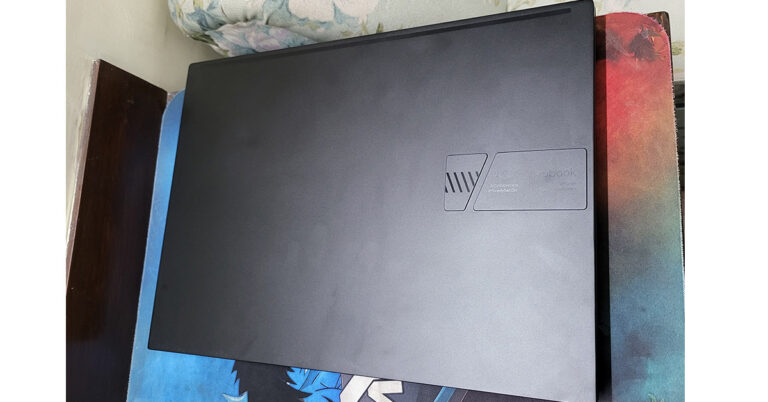
 Open it up and the first thing you will notice is the large keyboard, which has the side keys like TAB, Entre etc in a lighter shade of grey and the mid part is black in colour. With exception of the Escape key that is dressed in red. The keyboard is accompanied by a fairly large trackpad. Why is it so large? Because it also has the Asus virtual dial pad, which it has borrowed from its Pro Art sibling. There it was a physical dial, but here it is embedded within the trackpad. More about it in the ‘performance section’.
 As for the ports, users get 3 USB, 1 HDMI, 1 USB Type-C and 1 audio/mic port along with a microSD card slot. The speakers (powered by Harman Kardon) are bottom-firing which do have a decent output, but a bit louder would have been perfect.

 Moving to its screen, which is one of its best features, consumers get a 14-inch OLED NanoEdge screen that supports FHD+ resolution of 2,800×1,800 pixels. 600 nits of peak brightness with HDR support keeps everything lively on the screen. The text is crisp and the colours are very pleasing with super deep blacks. This is by far the finest display we have seen this year. We played a lot of things on the computer including Netflix shows, games like CS: Go and more. Everything on the screen looks very good. It did not give a chance to shame it even once.
 While the Asus branding can be seen under the screen, there is an HD camera present on top. This has a special shutter in front of it that slides in, this gives you that extra bit of relief that no one can see you even if they somehow get access to your laptop’s camera.
Also Read:
While the Asus branding can be seen under the screen, there is an HD camera present on top. This has a special shutter in front of it that slides in, this gives you that extra bit of relief that no one can see you even if they somehow get access to your laptop’s camera.
Also Read:  We threw everything at the machine including the kitchen sink to find a chink in the armour, but we could not find even one. It can play games like Dota 2 and CS: Go at their respective highest settings. Can play games like Battlefield 2042 in high settings, which is quite good too. We were able to edit 4K resolution videos easily and it could render them out swiftly. Not once did we feel it was underpowered.
The dual-fan cooling system works exceptionally well, too. Yes, these are winter months, but still many in the bracket get hot, but not this one. It got warm only when it was rending 4K videos. Other than that even after 30 minutes of gaming, it was cool.
We threw everything at the machine including the kitchen sink to find a chink in the armour, but we could not find even one. It can play games like Dota 2 and CS: Go at their respective highest settings. Can play games like Battlefield 2042 in high settings, which is quite good too. We were able to edit 4K resolution videos easily and it could render them out swiftly. Not once did we feel it was underpowered.
The dual-fan cooling system works exceptionally well, too. Yes, these are winter months, but still many in the bracket get hot, but not this one. It got warm only when it was rending 4K videos. Other than that even after 30 minutes of gaming, it was cool.