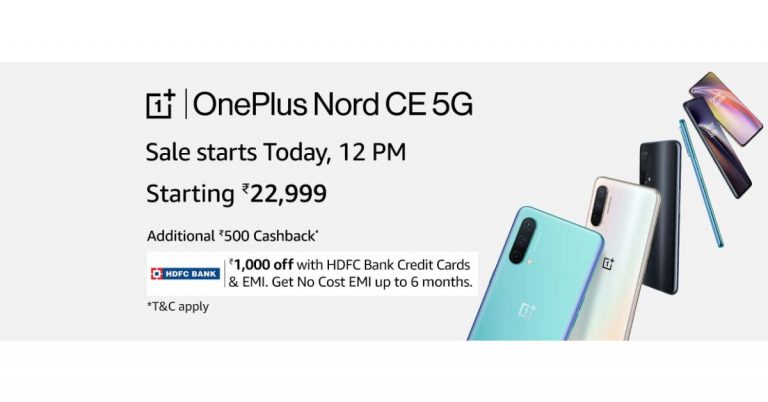
OnePlus Nord CE 5G to go on sale for the first time in India: Pricing, Launch offers and Specifications

Last week OnePlus took the wraps off its most anticipated OnePlus Nord CE 5G smartphone in India. The device features a 64-megapixel triple rear camera and is powered by Qualcomm Snapdragon 750G processor to offer 5G connectivity. Today, the newly launched phone will go on its first sale in India via the e-commerce website Amazon. Read on to know more about the sale details. OnePlus Nord CE 5G price, launch offers and availability details OnePlus Nord CE 5G is the latest handset by the Chinese premium smartphone company. The device has been variants of 6GB RAM with 128GB storage priced at Rs 22,999. Whereas the price of the 8GB RAM with 128GB storage variant can be owned at Rs 24,999 and the 12GB RAM with 256GB at Rs 27,999. The phone will be offered in three colour options of Blue Void, Silver ray and Charcoal Ink. Today the phone will go on sale in India via e-commerce website Amazon and OnePlus.in. The sale will begin at 12 noon on both websites. The sale offers Rs 1,000 off to the HDFC Bank credit card or on EMI transactions. The company is also offering no-cost EMI options for up to 6 months along with Jio benefits worth Rs 6,000 on the recharge of Rs 999. In addition to this, there will be Rs 500 off to Nord CE customers getting the OnePlus Buds Z or OnePlus Band via the official website. Lastly, there will be up to 5 percent cashback on select American Express cards. Also, the customers purchasing the device within the first day of the sale via the OnePlus Store App can get a chance to win the OnePlus Watch and other products.  OnePlus Nord CE 5G

OnePlus Nord CE 5G specifications

The OnePlus Nord CE 5G comes with a 6.43-inch full-HD+ AMOLED display offering 1,080×2,400 pixels of resolution. It has a 20:9 aspect ratio and 90Hz refresh rate support. It runs on OxygenOS 11 on top of Android 11 and is powered by a Qualcomm Snapdragon 750G processor paired with up to 12GB RAM with 256GB of storage. The internal storage can be expanded up to 1TB using a microSD card. Also Read: OnePlus Nord CE 5G and OnePlus TV U1S launched in India: Here are all the price and availability details
There is also a triple rear camera set up on its back featuring a 64-megapixel primary camera sensor with f/1.79 aperture and EIS. In addition to this, there is an 8-megapixel ultra-wide camera with 119 degrees of FoV and f/2.25 aperture lastly a 2-megapixel monochrome sensor with f/2.4 aperture. Upfront there is a Sony IMX471 16-megapixel camera sensor with f/2.45 aperture and EIS for taking selfies and video calling.
OnePlus Nord CE 5G houses a 4,500mAh battery that is supported by Warp Charge 30T Plus. The charger is claimed to charge from 0% to 70% in 30 minutes. On the connectivity front, there is 5G, 4G LTE, Wi-Fi 802.11ac, Bluetooth v5.1, GPS/ A-GPS/ NaVIC, NFC, USB Type-C, and a 3.5mm audio jack. Whereas the sensor on the phone includes an accelerometer, ambient light sensor, gyroscope, magnetometer, proximity sensor and in-display fingerprint sensor. In addition to this, there is a superlinear speaker which comes with noise cancellation support.  For the latest gadget and tech news, and gadget reviews, follow us on TwitterFacebook and Instagram. For newest tech & gadget videos subscribe to our YouTube Channel. You can also stay up to date using the Gadget Bridge Android App.

5 best microSD cards with the highest capacity for your smartphone

Using a microSD card can help you increase your phone storage. But the options to choose from are always tricky. You will want the highest capacity microSD card for your smartphone that can also give you great durability. Here is the list of some of the best microSD cards available.    Samsung Evo Plus: 128 GB upwardsThe Samsung Evo Plus microSD card can transfer files at a speed of 100 Mbps. The microSD card is rated UHS 3 (Ultra High Speed). Compatible with both phones and tablets, it can shoot up to 1080p videos. You also have the option to choose from 32GB, 64GB, 128GB, or 256 GB.  Price: Rs 1,400 upwards Buy it on Amazon Read also: Comparison: Redmi Note 10 Pro vs Redmi Note 9 Pro vs Poco X3
  • SanDisk Extreme: 64 GB upwards

SanDisk Extreme: 64 GB upwardsThe SanDisk Extreme has read speeds of up to 100 MBps and write speeds of up to 60 MBps. The most attractive feature is that the microSD can easily store 1080p video and can even handle 4K video shooting. The microSD card has been rated A2 for faster loading and app performance. It is also a certified UHD (Ultra High Speed) class.  Price: Rs 1,100 upwards Buy on Amazon  Read more: Xiaomi Mi 10i be priced upwards of Rs 26,999, features a 108MP rear camera and will launch tomorrow in India
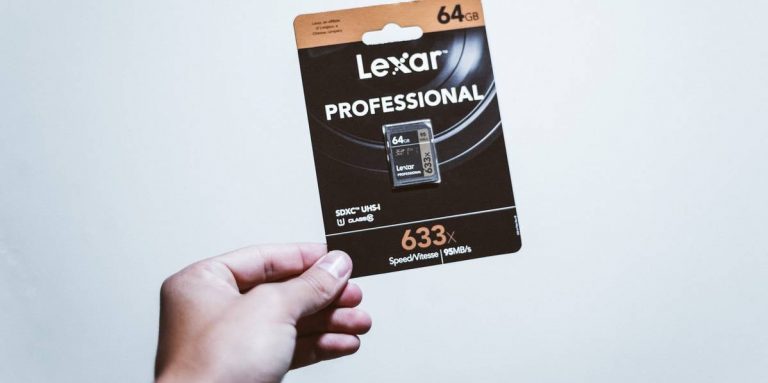
  • Lexar Professional: 1667x 64 GB upwards

Lexar Professional: 1667x 64 GB upwardsThe Lexar Professional is one of the best MicroSD designed for drone shooting or action camera shooting capable of delivering high-resolution videos. The microSD card has (Ultra High Speed) UHS-Ⅱ technology for an incredible high read speed of 270 Mbps and a write speed of 90 Mbps. The microSD card is also capable of shooting 1080p, 3D, and 4K videos on your smartphone or other devices.  Price: Rs 2,800 Buy at Amazon
  • Strontium Nitro A1: 64 GB upwards

Strontium Nitro A1: 64 GB upwardsThe strontium Nitro has a transfer speed of 100 Mbps. The microSD card has  (Ultra High Speed) UHS-Ⅰ certification. The Strontium is compatible with smartphones, tablets, and drones that allow action camera shooting with high-resolution video. The best feature of the microSD card is its long life. It has been tested for waterproof, temperature proof, magnetic proof, and X-ray proof.  Price: Rs 900 upwards Buy at Amazon. in 
  • Kingston canvas select: 128 GB upwards

Kingston canvas select: 128 GB upwardsThis microSD allows you to shoot full HD video of up to 4K. Kingston canvas select has been certified (Ultra High Speed) UHS-Ⅰ.  This card has been tested for waterproof, high and low temperatures, shock and vibration, and X-ray.  Price: Rs 1,800 Buy on Amazon For the latest gadget and tech news, and gadget reviews, follow us on TwitterFacebook and Instagram. For newest tech & gadget videos subscribe to our YouTube Channel. You can also stay up to date using the Gadget Bridge Android App.

June 16 Flipkart Daily Trivia Quiz Answers: Answer to win exciting prizes

The e-commerce website Flipkart is hosting Daily Trivia Quiz. Every day it brings a bunch of new questions for its users. By answering them correctly you can win exciting prizes. The questionnaire is based on questions related to general knowledge. Also, the users can win free vouchers and super coins, among other offers via the daily quiz. June 16 Flipkart Daily Trivia Quiz Answers has already gone live on its platform. The participant should be at least 18 years old and should have a valid login ID. The Quiz is available on the mobile platform and not the web version. E-commerce conducts the quiz on daily basis and goes live at 12:00 AM IST and runs till 11:59 PM IST.  The winners are announced within 15 days from the date of participation that can be viewed under the Gems/Rewards section in the app.

How to participate in the Flipkart Daily Trivia Quiz

To participate download the Flipkart app on your phone. Then open the Flipkart app then head to Game Zone. Now click on the Daily Trivia Banner or search for Daily Trivia. Enter the game and answer all 5 questions with correct answers.

June 16 Flipkart Daily Trivia Quiz Answers 

Question 1:  In which country did chess first appear in the 6th century CE? Answer: India Question 2: For which ISL team do Jackichand Singh, Mandar Rao Desai and Brandon Fernandes play? Answer: FC Goa Question 3: Who was named The Best FIFA Men’s Player 2019? Answer: Lionel Messi Question 4:Who became the first ever cricketer to play 150 Ranji matches? Answer: Wasim Jaffer Question 5: Who recently recorded most number of Test matches as an umpire? Answer: Aleem Dar
For the latest gadget and tech news, and gadget reviews, follow us on TwitterFacebook and Instagram. For newest tech & gadget videos subscribe to our YouTube Channel. You can also stay up to date using the Gadget Bridge Android App.
June 16 Amazon Quiz: Answer five easy questions to win Rs 50,000 Amazon Pay Balance

Amazon India is back with another lucrative quiz on its platform. Amazon Quiz has already gone live and today you can stand a chance to win Rs 50,000 Amazon Pay Balance. Every day the e-commerce platform brings an opportunity for its customers to win amazing prizes by answering five questions. The questionnaire is based on general knowledge and current affairs. If you managed to answer all the questions correctly you will be eligible to win gifts such as iPhone X, iPhone Xs, Seagate HDD, GoPro Hero 8 Camera, LG Smartphones, Air Purifier, Oppo smartphones, Amazon Pay Balance among others.

The Amazon Quiz is hosted for the app users only which means desktops users cannot participate in the quiz. So before participating just make sure you have downloaded the App. The lucky users might win something by answering all the questions correctly. The Amazon Quiz can be played daily from 12 AM to 11:59 PM. Daily the e-commerce platform gives a chance to millions of people across the country to win exciting prizes. To participate and win Rs 50,000 Amazon Pay Balance check out today’s answers.

June 16 Amazon Quiz Answers

Question 1: In April 2021, which space agency launched the SHIELDS Mission? The answer is- NASA Question 2: Which football club topped the EPL table in 2020-21 to win its fifth Premier League title? The answer is- Manchester City Question 3: Who has recently won the Best Actor Oscar in 2021 for playing an old man with dementia? The answer is- Anthony Hopkins Question 4: Name these nomadic people of the Sahara desert who are known for their unique tea ceremony and blue coloured veil. The answer is- Tuaregs Question 5: Which of the following was invented by Alan Shugart while working for this company? The answer is- Floppy Disk

5 best projectors you can buy under Rs 50,000

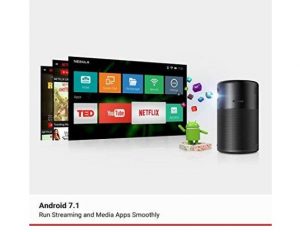
Projectors can give you a better experience than a small TV. They can turn your home into a mini-theatre perfectly suited for family get-togethers. If you are looking to set up a home theatre, you need to look no further. The list below has some of the best projectors available under Rs 50,000. Check it out.  Nebula: Anker Capsule Portable Smart Projector  The best feature of the Nebula Anker Capsule is it has a Pocket-Sized design. The projector comes with Android 7.1. And has a good sound that supports the immersive 360-degree audio with incredible 4-hour video playtime. The projector is specially designed for outdoors and travelers with less to worry about damages. The video quality can be up to 720p HD  and the connectivity is via HDMI or USB for your convenience.  Price: Rs 31, 000 Buy it on Amazon. in Read more: NASA’s Ingenuity Mars Helicopter runs the same processor as Samsung Galaxy S5
  • Nebula Mars Ⅱ Portable projectors: 720p DLP pictures, Android 7.1

Nebula Mars Ⅱ Portable projectors: 720p DLP pictures, Android 7.1The Nebula Mars Ⅱ is another portable projector but has a better system than the Nebula: Anker capsule. The company claims that the DLP technology in Mars Ⅱ will provide more detailed and vibrant videos. You can also connect the projector by downloading the Nebula connect app for better connectivity with a compatible device. The Nebula projector can be connected via HDMI and USB also. Designed for the outdoors (especially) it gives you 4-hours of non-stop entertainment.  Price: Rs 49,079 Buy on Amazon. in Read also: HP Chromebook x360 14c (2021) refreshed with 11th-generation Intel Core processors
  • ViewSonic M1+ Portable Smart Wi-Fi Projector

https://www.amazon.in/ViewSonic-M1-Bluetooth-Portable-Projector/dp/B07PJ3CPX9/ref=sr_1_1?dchild=1&keywords=viewsonic+m1%2B&qid=1623776309&sr=8-1The ViewSonic M1+ comes with a ton of advanced specifications. The projector has Bluetooth connectivity with HDMI and USB Type-C. The ultra-portable projector has a picture resolution of (854x480p), for decent projection. The lens can project up to 100-inches from a distance of 8 feet 9 inches. A built-in type battery provides you about 6 long hours of power and entertainment. The projector also has Dual Harman Kardon Bluetooth speakers inside that deliver room-filling sound.  The integrated Wi-Fi options let you connect with YouTube directly. Price: Rs 45,000 Buy on Amazon. in 
  • BenQ XGA: Business & Education Projector MX560P

BenQ XGA: Business & Education Projector MX560PThe BenQ XGA 4,000 lumens high brightness comes with a contrast ratio of  22000:1. The projector has a Dual HDMI for expanded connectivity. BenQ XGA has an incredibly extra-long lamp life of up to 15,000 hours. The projector also comes with a USB 2.0 type connection for your convenience. The main attractive feature of the projector is the SmartEco Mode that can save lamp power up to 70% cutting down on the electricity bills. Price: Rs 39,000 Buy it on Amazon. in  
  • ViewSonic PA 503S-3600: Lumens Projector

ViewSonic PA 503S-3600: Lumens ProjectorThe projector is designed for education and small businesses also. The flexible connectivity makes it ideal for all. The projector supports most media players from PCs to mobile and also has an HDMI connection option. The projection of the screen maxes at 120 inches from 5-feet-8-inches. And has a screen resolution of Full HD (1,920 x 1,080). The best feature is the long lamp life, which can last up to 15,000 hours with the SmartEco save mode.  Price: Rs 30,000 Buy on Amazon  For the latest gadget and tech news, and gadget reviews, follow us on TwitterFacebook and Instagram. For newest tech & gadget videos subscribe to our YouTube Channel. You can also stay up to date using the Gadget Bridge Android App.

How to recover deleted images on your Android smartphone

Deleting images accidentally or losing photos on your phones is very common. Important photos often get lost when you are switching to a new phone or the phone is stolen. But it has become quite easy to restore important images in quick ways. Read the list below and restore your images. 

Restore from the Cloud

You can easily restore deleted images on your Android phones from the cloud. Android is connected to a kind of cloud storage, whether Gmail or others. And it has uploaded all files to the cloud storage such as Google Photos, Dropbox, or Microsoft one drive. Restoring all your deleted photos from Cloud storage is the easiest method you can find. So let’s get started. (but this can only be done if you opted for it)
  • From Google Photos

From Google PhotosIf your images are stored in the Google photos it has been synced in your Gmail account and you can easily restore from the Google account using the Gmail login. Follow the steps to know how to restore Google Photos.
  1. Log in to Google Photos using the Gmail account 
  2. Once your sign-in on the Google Photos page, you will see all your images 
  3. Select all the images you wish to restore 
  4. Press Save to device
Read more: 5 free web services you can use to transfer large files
  • From Dropbox

From DropboxSome Android phone users prefer to upload photos on Dropbox. For those who use Dropbox. Follow the steps 
  1. Open Dropbox: app or website
  2. Find Deleted images
  3. Click and select all the photos you wish to restore
  4. Hit the three-dot icon 
  5. Press on Save to device
  • From Microsoft OneDrive

From Microsoft OneDriveAnother option to upload your photos on the cloud is through Microsoft OneDrive. Images uploaded to the OneDrive can be recovered easily. Here are the easy steps. 
  1. Open OneDrive: App or Website 
  2. Visit Recycle Bin
  3. Select all the images you want to restore 
  4. Press more with the three-dot icon 
  5. Select save 
Read also: 5 best ways to recover your data on a Windows PC

Using an Android app from Playstore: DiskDigger photo recovery  

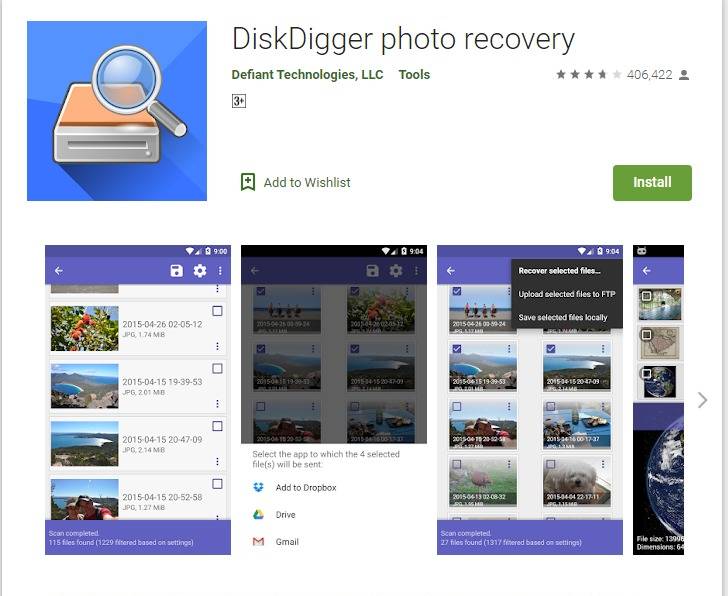
Using an Android app from Playstore: DiskDigger photo recovery You can download the DiskDigger app from Playstore for free, and it comes in handy to restore all your deleted photos. DiskDigger allows you to undelete your photos and restore them. And later you can upload the recovered photos to your Cloud storage for safer storage. The app is compatible with Android phones 4.1 and above and the size of the app is only 4.3MB. Follow the steps below to undelete and recover your photos using the DiskDigger app. 
  • Download the app from Playstore 
  • Install it on the Phone
  • Open the app
  • Choose the option: Basic scan or Full scan 
  • The app will find the deleted photos in a min 
  • Now select all the photos you want to restore 
  • Press the Recovery button
  • It will be saved on your phone. 
Hope the methods to restore your deleted photos are helpful. Besides the above-mentioned options. For the latest gadget and tech news, and gadget reviews, follow us on TwitterFacebook and Instagram. For newest tech & gadget videos subscribe to our YouTube Channel. You can also stay up to date with the Gadget Bridge Android App.

5 best headphones with microphone for the work from home that are available in India

Working from home has become the new normal for the past year. We have seen a surge in the setting up of a home office as the old normal is not going to be back soon and we have to accept the current situation. With the increase in video conferencing, one also needs to have a pair of good headphones for better communication. The market is filled with such devices offering both wired or wireless headphones that suit you the best at the comfort of your home. So we have compiled a list for you of the best headphones with microphones in India.  We have brought you the options that are easy on your pocket to read on to find out our top picks.
boAt Bassheads 900 On-Ear Wired Headphones

boAt Bassheads 900 On-Ear Wired Headphones

boAt Bassheads 900 comes with a PVC cable that is said to be durable and tangle-free. The headset comes with a corrosion-resistant 3.5mm audio jack. There is an in-line microphone and the headphones can be folded to be easily carried in a bag or storage. In India, this product will be available with a price tag of Rs 699 and will be available via Amazon.
Mi Super Bass On-Ear Wireless Headphones with Mic

Mi Super Bass On-Ear Wireless Headphones with Mic

These on-ear wireless headphones by Xiaomi come with a price tag of Rs 1,789. It includes a 40mm dynamic driver and comes with voice control to pick your genre of music or even to pick important calls. The audio device can be used both wired or wirelessly. The headphones deliver 20 hours of battery life and take 2 hours to get completely charged. You can purchase them from Amazon.in.
Logitech H111 Wired Headset with Noise-Cancelling Microphone

Logitech H111 Wired Headset with Noise-Cancelling Microphone

As the name suggests Logitech H111 is wired headphones available in India with a price tag of Rs 899. The device can be purchased via Amazon is one of the low-cost headphones with a microphone available in India. It features an adjustable headband. It comes with a 180 degrees rotating microphone that is to be worn on the left or right and can be easily removed when not in use. It has a background noise reduction and is compatible with computers, smartphones and tablets. There is a 3.5mm jack for connectivity. Cosmic Byte Blazar Headphones with Flexible Mic

Cosmic Byte Blazar Headphones with Flexible Mic

These headphones with a microphone by Cosmic Byte are also a gaming headset that can be used for both playing games and listening to music. There is a Soft cushion head-pad and ear-pad with adjustable hinges. It comes with a flexible microphone for exact positioning. It has a 3.5mm Jack for sound and mic. The headset is available for purchase via Amazon with a price tag of Rs 759.
Infinity Glide 510 by Harman

Infinity Glide 510 by Harman

Last but not least Infinity Glide 510 are wireless on-ear headphones with a microphone. It offers 72 hours of battery life and comes integrated with a 36mm Driver. With just 10 minutes of charging, it offers 2 hours of playtime. In addition to this, there is hands-free calling with 3 Button Remote. The audio device is available for purchase via Amazon at Rs 1,699. For the latest gadget and tech news, and gadget reviews, follow us on TwitterFacebook and Instagram. For newest tech & gadget videos subscribe to our YouTube Channel. You can also stay up to date using the Gadget Bridge Android App.
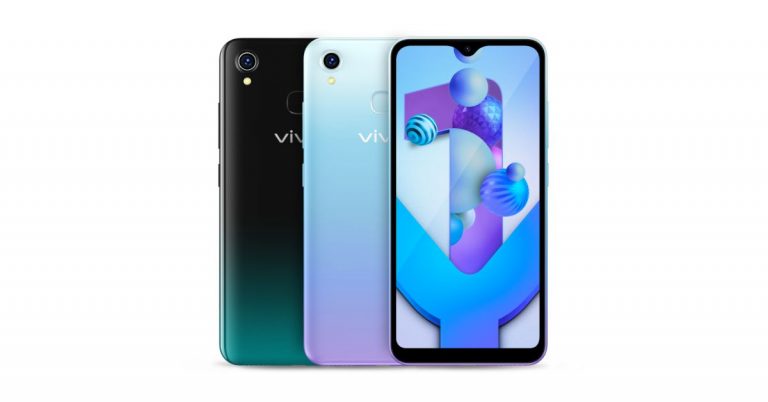
Vivo Y1s 3GB variant now available in India at Rs 9,490

Vivo’s entry-level smartphone Vivo Y1s was launched in India last year. Then the device was introduced in a single 2GB RAM option. Today the Chinese smartphone company announced the introduction of a 3GB RAM variant in the country. The rest of the specs of the smartphone includes a single rear camera set up and a 4,030mAh battery. The phone is powered by MediaTek Helio P35 SoC and ships Android 10 software out of the box. Vivo Y1s 3GB RAM with 32Gb storage price and availability Vivo Y1s is now available in a new 3GB RAM with a 32GB storage option. The new configuration will be available with a price tag of Rs 9,490. The device will be offered in two colour options of Aurora Blue and Olive Black on Vivo India E-store, Amazon, Flipkart, Paytm, Tatacliq, Bajaj EMI Store and across all partner retail stores. To recall, Vivo Y1s was launched in India last year in 2GB RAM with 32GB storage with a price tag of Rs 7,990.  Vivo Y1s 3GB RAM with 32GB storage specifications Vivo Y1s features a 6.22-inch HD+ LCD with 720×1,520 pixels of resolution and an 88.6 percent screen-to-body ratio. The device runs on FunTouch OS 10.5 based on Android 10. Under the hood, there will be a MediaTek Helio P35 MT6765 SoC paired with 3GB RAM with 32GB storage. The internal storage can be expanded up to 256GB using a microSD card. For the photos and videos, Vivo Y1s comes with a single 13-megapixel rear camera with an f/2.2 aperture. Upfront there is a 5-megapixel selfie camera with an f/1.8 aperture. The Vivo Y1s supports bokeh mode and includes a dedicated beauty feature that offers tailored solutions for more refined skin tones and textures in both daylight and night.  Vivo Y1s is backed by a 4,030mAh battery and it further includes 2.4G Wi-Fi, Bluetooth v5, Micro USB port, GPS, USB OTG, FM Radio, 3.5mm audio jack, and more as connectivity options. Whereas the sensors onboard include an accelerometer, ambient light sensor, proximity sensor, e-compass, and virtual gyroscope. In addition to this, the smartphone also has a Dark Mode that switches during the night. For the latest gadget and tech news, and gadget reviews, follow us on TwitterFacebook and Instagram. For newest tech & gadget videos subscribe to our YouTube Channel. You can also stay up to date using the Gadget Bridge Android App.

How to correctly use a digital thermometer scanner? A complete guide

The digital thermometer has made work easier and saves time. Instead of waiting for minutes to get the result like the previous mercury thermometer. Now the digital thermometer scanner can give you instant results. Using the device correctly will give you better readings. Check our guide to correctly use the digital thermometer scanner.  Scan at the forehead The first correct step to use a digital thermometer scanner is to aim at the forehead properly. If it is not positioned accurately at the forehead it will not give you the right reading. The digital scanner can be used on adults, children, and infants. The digital thermometer scanner is measured with an infrared sensor to check the body temperature. So placing it at the right place on your forehead will give better readings and accuracy. 
  • Use it from a distance

The digital thermometer should be used from a distance for an accurate reading. To get the best result the scanner should aim at the forehead from a minimum distance of 1-2 inches. The device also should not be used near electromagnetic fields such as mobile phones and radios. Avoid dropping the device on the ground to yield the best result. Read more: Try these easy fixes if your laptop’s camera is not working
  • Making sure the digital thermometer scanner is clean and dry 

The infrared sensor is easily affected by moisture and dirt. So making sure the digital thermometer is clean and dry is another way to get accurate results. To clean the device you can use a thin cloth or cotton with very little water. You can also use medical alcohol to clean the scanner. Wipe the lens first and the body of the thermometer carefully. And make sure before using, the device is dry and clean.  Read also: Amazon Halo band and companion app introduced for tech freaks
  • Using the right functional settings  

Using the right functional settings For optimal readings, you should select the right functional settings. First, check for the temperature unit switch, the button that has the sign °C/F°. Press on it and make sure you have on the switch adjusting your temperature unit. The next step is to press the button on which “Mode”/ “Body”/“Object” is written. Choose these settings to get the best and accurate reading on your digital thermometer scan. The different devices have a different setting name, but these are settings you need to adjust. The temperature unit button and the object reading button need to be put on to the right settings.
  • There should not be any obstructions between body and thermometer/use it on another body part

The digital thermometer is to be used on the optimal body parts. The first step suggested using on the forehead for effectiveness. The device is not effective on the forehead for various reasons. For example, wearing a hat for a long time will not give better results. And also the forehead is exposed to the outside temperature and is easily affected by the outside temperature. For such conditions, it is advised to scan on the wrist or the armpit for optimal reading on your device. Also make sure there are no obstructions between the scanner and the body like clothing, jewelry, etc. For the latest gadget and tech news, and gadget reviews, follow us on TwitterFacebook and Instagram. For newest tech & gadget videos subscribe to our YouTube Channel. You can also stay up to date using the Gadget Bridge Android App.  

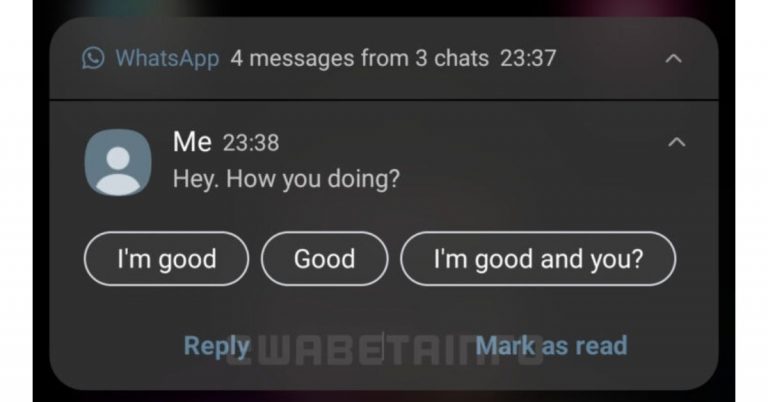
WhatsApp restores green colour notification for beta users

According to a report, WhatsApp has been testing green colour notifications for its Android beta app. Earlier the instant messaging app was testing blue colour for its notifications on Android which is said to be restored to green colour after getting feedback from the users. This change came with the 2.21.12.12 beta update where the company started with a dark blue colour and ultimately had to restore the original colour scheme for the notifications.  A report by WABetaInfo stated that a new dark blue colour in notifications arrived in the 2.21.12.12 beta update, but WhatsApp but the company has to restore the colour. With the update, the company is said to bring few changes to UI and colours in the previous updates. They started removing the line separators in the list of your chats, and they changed the tint colour in push notifications, choosing a dark blue colour. However, WhatsApp is said to have restored the old green colour after users complained that the new colour wasn’t correctly visible in the notification, due to its contrast. Listening to the feedback WhatsApp has reverted the changes. Recently the instant messaging app owned by Facebook was also spotted working on a feature called Flash Call that helps users to log into WhatsApp quickly. It is an automatic verification method over call to quickly get verified to log into WhatsApp that arrived in the WhatsApp beta for the Android 2.21.11.7 update.   As per the report, WhatsApp’s flash feature will call your phone number and then automatically end the call, verifying the last phone number in your phone’s log is equal to the number that gives you the 6-digit code. This automatic verification method is a safe method of login as all mobile numbers are different and one cannot trick.  However, this feature will be optional and the users can choose to go for the old mentioned method of logging into WhatsApp confirming the 6-digit code received via SMS or call. As far as privacy is concerned the messaging app is said to never use the user’s call history for any other purposes. However, it will just compare the last entry from your call history with the phone number that’s supposed to call you.  For the latest gadget and tech news, and gadget reviews, follow us on TwitterFacebook and Instagram. For newest tech & gadget videos subscribe to our YouTube Channel. You can also stay up to date using the Gadget Bridge Android App.

Apple iPhone 6S Plus catches fire on its own, even when the device was not charging

In a rare accident, an Apple iPhone 6S Plus caught fire. However, the phone was not kept on charge when it caught fire. Fortunately, the device was not in the pocket, however, it was kept on the mattress while the owner of the phone was asleep. The iPhone 6S is owned by a man who is from India. Mr Chaudhary from India is a user of the Apple iPhone 6S Plus which caught fire randomly in the middle of the night when he and his family members were asleep. However, the user was able to douse the fire so the situation was under control before the handset went up in flames. The user took to Twitter to report this scary incident to the company and its head Tim Cook and called for support. As per the tweet sent to the company and its chief, the Apple iPhone 6S Plus caught the fire at midnight.  His tweet reads, “@tim_cook  My iPhone 6s plus Catch the Fire at Midnight But thank Fully it’s not Burnt in my Pocket. I Request to apply Brand Pls Do something!”
Other than this the user has also made a video and uploaded it to YouTube in which he has shown the burnt iPhone 6S. As we said before the owner was asleep when the iPhone burnt. Due to this the bedsheet, as well as the mattress, had also caught fire which was thankfully beaten out resulting in no serious injury. Till now the company has not commented on the incident. This is not the first time such an incident happened. A similar incident was experienced when an iPhone 6 owned by an 11-year-old girl who is from California, USA suddenly caught fire and burned holes in her blanket. The girl used to watch YouTube videos and occasionally lets her younger siblings play games on it. Another shocking incident took place when a user named Hillard saw smoke coming from his iPhone XS Max and also suddenly started feeling a “large amount of heat” clubbed with a burning sensation on his skin. He reportedly rushed and took off his pants where he had placed his iPhone XS Max and a fire extinguisher had to be used to put out the flames of the burning smartphone. For the latest gadget and tech news, and gadget reviews, follow us on TwitterFacebook and Instagram. For newest tech & gadget videos subscribe to our YouTube Channel. You can also stay up to date using the Gadget Bridge Android App.
June 15 Flipkart Daily Trivia Quiz Answers: Answer to win exciting prizes

The e-commerce website Flipkart is hosting Daily Trivia Quiz. Every day it brings a bunch of new questions for its users. By answering them correctly you can win exciting prizes. The questionnaire is based on questions related to general knowledge. Also, the users can win free vouchers and super coins, among other offers via the daily quiz. June 15 Flipkart Daily Trivia Quiz Answers has already gone live on its platform. The participant should be at least 18 years old and should have a valid login ID. The Quiz is available on the mobile platform and not the web version. E-commerce conducts the quiz on daily basis and goes live at 12:00 AM IST and runs till 11:59 PM IST.  The winners are announced within 15 days from the date of participation that can be viewed under the Gems/Rewards section in the app.

How to participate in the Flipkart Daily Trivia Quiz

To participate download the Flipkart app on your phone. Then open the Flipkart app then head to Game Zone. Now click on the Daily Trivia Banner or search for Daily Trivia. Enter the game and answer all 5 questions with correct answers.

June 15 Flipkart Daily Trivia Quiz Answers 

Question 1: Which Aamir Khan starring film was also produced by him? Answer: Lagaan Question 2: The movie ‘Shadow of the Cobra’ is based on which man’s life? Answer: Charles Sobhraj Question 3: In which of these movies do aliens come to earth? Answer: Independence Day Question 4: Who was Sanjay Dutt’s co-star in his debut film Rocky? Answer: Tina Munim Question 5: Which is the first Bollywood film to premiere at Leicester Square? Answer: Life In A… Metro
For the latest gadget and tech news, and gadget reviews, follow us on TwitterFacebook and Instagram. For newest tech & gadget videos subscribe to our YouTube Channel. You can also stay up to date using the Gadget Bridge Android App.

June 15 Amazon Quiz: Participate and win Rs 30,000 Amazon Pay Balance

Every day Amazon India brings a daily quiz for its customers to win exciting new prizes every day on its platform. The Amazon Quiz can be played daily from 12 AM to 11:59 PM. Today you can win a Rs 30,000 Amazon Pay Balance if you managed to answer all the questions correctly. Daily a new set of questions is presented in front of the participants that gives millions of people across the country to win exciting prizes.

The Amazon Quiz has gone live on its mobile platform. The participants have to answer 5 questions that are based on general knowledge and current affairs. After clearing the daily quiz their name will be shortlisted for a lucky draw to select a winner. Amazon announces the results of the lucky draw at the end of the month. So today’s Quiz will let you win a Rs 30,000 Amazon Pay Balance.

June 15 Amazon Quiz Answers

Question 1: In the final of which of these ATP Masters 1000 series tournaments in 2021 did Rafael Nadal beat Novak Djokovic? The answer is- Italian Open Question 2: In which country would you find the hot and dry deserts called Gibson, Simpson and Tanami? The answer is- Australia Question 3: Which popular series of books on dragons is authored by Tui T. Sutherland? The answer is- Wings of Fire Question 4: According to legend, on the order of King Arthur people like these spent their lives searching for which precious treasure? The answer is- Holy Grail Question 5: What do the ear flaps in this animal help it do? The answer is- Stay cool For the latest gadget and tech news, and gadget reviews, follow us on TwitterFacebook and Instagram. For newest tech & gadget videos subscribe to our YouTube Channel. You can also stay up to date using the Gadget Bridge Android App.

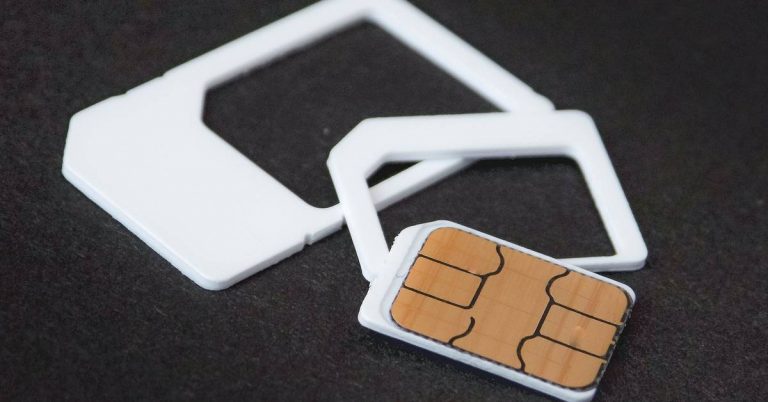
How to port a mobile number?

Changing from one mobile service provider to another can be useful from time to time. You need the right service provider, which gives you the best network connectivity and internet services. There are some ways you can port your mobile in easy steps. Read the steps given below. And port a mobile number today. 

Through SMS service

Through SMS serviceThe process to port your number has become easier than before. MNP (Mobile Number Portability) retains your number and chooses your desired service provider. You do not have to get stuck with the same service provider just to retain your number. You can start porting a mobile number easily by SMS. To port a mobile number you need to make sure the existing connection is active for 90 days. And all the bills are paid. The requirement is only these two. Start porting your mobile number with the steps below.
  • Decide which service provider you want to port to
  • Send text: PORT space Mobile number to 1900
  • You will receive an SMS accepting the request
  • Go to the nearest operator store 
  • Show them the request SMS: give details, take your ID cards
  • Charges are 19 Rupees
  • Now the process will take only 7 days: or it may take up to 15 days
  • Insert the new: with the same number 
  • Subscriber can withdraw the porting request in 24 hours
Read more: Branded Content ads with product Tags feature for Instagram Reels introduced by Facebook

On apps and websites of the service provider: Online 

On apps and websites of the service provider: OnlineYou can now port/order your SIM online and get it at your doorstep. The steps are as simple and easy as above. The mobile number you like to port should be active for 90 days. All bills should be cleared. You can visit the website or download the app of the service provider. Here are the simple steps to port your mobile number. 
  • Open the app or visit the website of the service provider
  • Find the MNP option and click 
  • Two option: New sim and Keep the existing number 
  • Select keep existing number: to retain your number but change the service provider 
  • Enter details: Pincode, Contact number, address 
  • Generate OTP from the number you entered
  • Enter OTP 
  • Select the Plan of the service provider you want to switch to 
  • Your request has been recorded 
  • Choose delivery at doorstep or store pick up 
  • Any time the representative you call and deliver you the new with the same number 
  • Or you can pick up the store according to convenience
Read also: Truecaller rolls out new features to build innovative communication suite For the latest gadget and tech news, and gadget reviews, follow us on TwitterFacebook and Instagram. For newest tech & gadget videos subscribe to our YouTube Channel. You can also stay up to date using the Gadget Bridge Android App.

How to restore WhatsApp backup?

Storing all your WhatsApp chats and files online is important. It will help backup all your data without the fear of losing it. But restoring it can get complicated for users. By following a few simple steps given below you will be able to restore the WhatsApp backup successfully.  Using Google drive backupIf you are changing to a new phone and restoring all your backup, all it takes is an easy few steps. You need to use your Google Drive account and you can easily restore the backup. The steps below will show you how. Most important note, you will need the same phone number and the same Google account to restore. Using google drive to restore backup works even when you want to uninstall and reinstall the WhatsApp app on the same phone. Let us get started with the steps.  (But make sure you have taken a backup from the previous smartphone onto your Google Drive)
  • Install the Whatsapp (Changing the phone) or reinstall the app (Same phone)
  • Open Whatsapp 
  • Verify your number
  • Restore Backup page in settings (or will show on the screen as a check box): Hit restore
  • The restoration process will start
  • After completion press next 
  • All media will automatically be restored via Google drive:
Read more: How to create a backup of and permanently delete your Google account?
  • From local backup

From local backupTo restore your files from local backup. First, you need to save all the WhatsApp media files to your new phone via a computer, or SD card. After you have completed transferring all files to your new mobile. You will be able to restore all media files and chat from your previous WhatsApp account. Your phone will be able to restore backup files from the last seven days. Follow the steps to know how to backup from local backup.
  • First, you need to save all the media files on your new phone 
  • Use a File manager to access the media files 
  •  Locate the saved backed files> WhatsApp files 
  • Make sure the Media files had been transferred to your new phone
  • Install WhatsApp now 
  • Enter your phone number associated with the WhatsApp account and verify
  • Select restore on the screen
  • The app will now load and search for the local backup file saved on your new phone
  • In a minute you will be able to restore all your backup
Read also: WhatsApp is said to be working on password-protected encrypted chat backups feature: What is it all about? The steps given above will help you in the right way to restore WhatsApp chats. If you are changing to a new phone or reinstalling WhatsApp on the same phone, you can use the above steps.  For the latest gadget and tech news, and gadget reviews, follow us on TwitterFacebook and Instagram. For newest tech & gadget videos subscribe to our YouTube Channel. You can also stay up to date using the Gadget Bridge Android App.
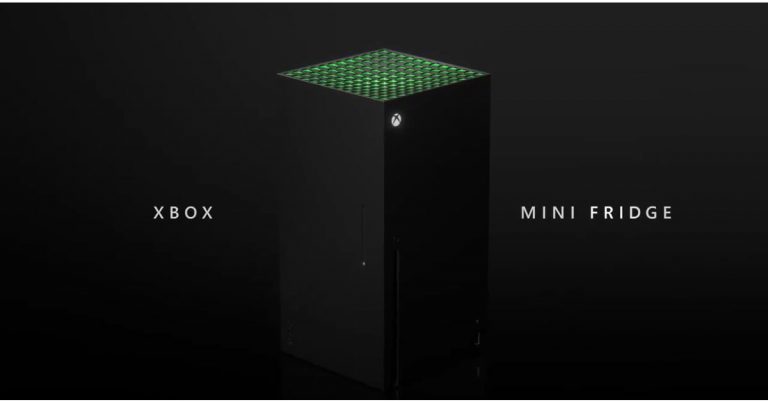
Responding to the meme in their own style, Microsoft unveiled the first look of the Xbox Mini-Fridge during the Bethesda E3 event

At the ongoing Electronics Entertainment Expo 2021 also known as E3 the tech giant, Microsoft took the wraps off its Xbox Series X-shaped mini-fridge. This is said to be the first most powerful mini-fridge that will allow gamers to stay cool through an immersive gaming experience. However, it is not a refrigerator but looks a lot like the one. The device is also said to arrive during this holiday. Read on to know more.  In 2019 when Microsoft introduced its Xbox console people mocked it for its shape and compared it to a refrigerator. So the company took that seriously and the new Xbox Mini Fridge is inspired by the memes posted on social media then a defeated Skittles in a Twitter poll announced that an actual mini-Xbox fridge will be released in holiday 2021.  Responding to the meme in their own style, Microsoft unveiled the first look of the Xbox Mini Fridge during the Bethesda E3 event Microsoft’s Xbox Games Marketing, Aaron Greenberg in April on Twitter said, “Thanks to everyone who voted, this was down to the wire and thrilling to follow. Now that @Xbox won, we will move forward on our promise to make those Xbox Series X Mini Fridges. First one off the line will be filled with games & headed to our friends @Skittles of course! Green heart.”  Xbox Series X-shaped mini-fridge Inspired by this the tech giant at the ongoing virtual E3 gaming conference presented the mini-fridge named the Xbox Mini Fridge. As per Microsoft, the product will arrive in the holiday season this year. As per the company, the Xbox Mini Fridge is going to be the world’s most powerful mini-fridge that will help gamers stay cool as they go through an immersive gaming experience that uses a technology named Xbox Velocity Cooling Architecture. It will be available in the iconic grey and neon colour scheme. However, information on the Mini Fridge is very scarce but will be available through Microsoft Store in the future. As for the pricing, this electronic device is said to be priced less than its console and would fall somewhere between  $200 to $300.  For the latest gadget and tech news, and gadget reviews, follow us on TwitterFacebook and Instagram. For newest tech & gadget videos subscribe to our YouTube Channel. You can also stay up to date using the Gadget Bridge Android App.
How to do WhatsApp video calls on the web?

The best messaging app has enabled the consumers to use the app on computers as well. Now you can text, call and video call other WhatsApp users from your computer. You can know exactly how to do it by reading the below guide. Follow the steps to WhatsApp video call on the web today. 

Installed the app 

Installed the app WhatsApp introduced the desktop version in 2020 to a small group of users first. Now users can easily use the app on their computers and avail all the features. Download the WhatsApp desktop app from google and install it on your laptop and PCs. Before making free voice and video calls on the WhatsApp Desktop app. You have to make sure your computer supports  Windows 10 64-bit version or newer, or a macOS 10.13 or newer.  Read more: How to do voice and video call on WhatsApp desktop? To make or receive calls, your computer needs an audio output device. And microphone for all voice and video calls. A webcam for video is necessary. Also, an active internet connection is necessary. But don’t worry too much about the features, every standard laptop has all these features. Download the WhatsApp desktop app 
  • Install it on your computer
  • Once you install the app open the app on your computer 
  • Sign in using your WhatsApp mobile app on your phone
  • Scan the QR code 
  • Now you the WhatsApp page your computer screen 
  • Select any contact you want to video call 
  • Tap the video call icon on the top  right corner
  • By clicking the video icon it will initiate the video on your contact list. 
Read also: Video and Voice call button goes live for WhatsApp desktop WhatsApp claims that video calling through the WhatApp desktop app will be more enjoyable. The larger screen on your laptop or PC will give you a better experience. This is true of the saying as for a long time the video calling market on the computer has been dominated by Skype and Zoom.  WhatsApp entering into the competition makes things easier for users. Now everyone can use WhatsApp for multipurpose with their regular contacts. Moreover, WhatsApp has put in end-to-end encryption for voice and video calls here, too. So, after the mobile app for video calls, the WhatsApp desktop app will also provide end-to-end encryption. For the latest gadget and tech news, and gadget reviews, follow us on TwitterFacebook and Instagram. For newest tech & gadget videos subscribe to our YouTube Channel. You can also stay up to date using the Gadget Bridge Android App.

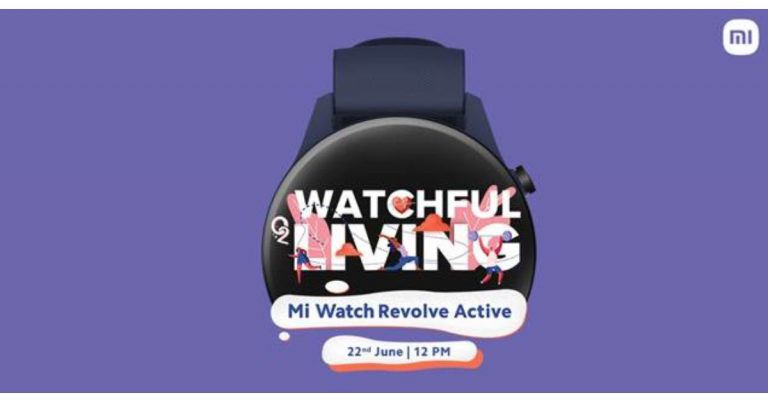
Mi Watch Revolve Active to launch on the same day as Mi 11 Lite on June 22

Xiaomi recently announced the launch of Mi 11 Lite in India on June 22. Today the company has also confirmed to introduce the Mi Watch Revolve Active in the country on the same day. The wearable is the follow up of the Mi Watch Revolve that was launched in India last year. The upcoming watch will be featuring a blood oxygen saturation (SpO2) monitor which is an essential feature to rule out the COVID symptoms. The Chinese smartphone company Xiaomi has officially announced to launch its next iteration of Mi Watch Revolve in India this month. The company has revealed that Mi Watch Revolve Active will make its debut on June 22 at 12 noon. The upcoming device has also been listed on its e-commerce portal as well as on Amazon to tease its availability. The microsite has also revealed the key specs of the smartphone. While announcing the launch the company said, “Mi India is geared up to bring the era of choosing health over everything. Our mantras guide us to live mindfully and consciously, root for happier minds and healthier bodies, and always getting more from life. Block your date for #WatchfulLiving with #MiWatchRevolveActive on June 22nd at 12 PM. Stay tuned to our social media channels for more updates.” As per the listing, the Mi Watch Revolve Active will have built-in GPS, Glonass, Galileo and BDS as connectivity options. The device will further include a blood oxygen saturation (SpO2) monitor, VO2 Max, Body Energy Monitor and HR Monitor. The smartwatch is listed to offer maximum sports mode. In addition to this, there will be sleep management features onboard as well as a sleep monitor. Besides all this, the Mi smartwatch will be Amazon Alexa enabled for voice control and will offer other features like calls, app notification and more.  On the other hand on the same day of the launch of Mi Watch Revolve Active, Xiaomi is also going to unveil Mi 11 Lite in India. The device was introduced in China in March this year. Mi 11 Lite will be offering a 90Hz 6.55-inch full-HD+ AMOLED display. It runs MIUI 12 on top of Android 11 and will be powered by the Qualcomm Snapdragon 732G SoC. For the photos and videos, it will include a triple rear camera set up that would include a 64-megapixel primary sensor with an f/1.79 aperture. Further assisted by an 8-megapixel ultra-wide-angle lens with f/2.2 and a 5-megapixel tele-macro camera with f/2.4 aperture. For taking photos and videos there is a 16-megapixel front-facing camera with an f/2.45 aperture. Moreover, the smartphone will be backed by a 4,250mAh battery that supports 33W fast charging. For the latest gadget and tech news, and gadget reviews, follow us on TwitterFacebook and Instagram. For newest tech & gadget videos subscribe to our YouTube Channel. You can also stay up to date using the Gadget Bridge Android App.

How to update the Google Play Store app?

Google keeps updating the Playstore without you even knowing. So many updates are available regularly. Updating the Play Store app regularly can help the performance of your other apps, too. Here is a useful guide to update your Google Play Store app. Follow the steps.

From the Play Store app settings

From the Play Store app settingsIt is always in your best interest to update the Play Store app. Running the latest version of the Play Store fixes bugs. The update will also give you stability improvement and new features to the digital store. To update the Play Store app from the settings. Follow the steps 
  • Open the Play Store app on your phone
  • Check for the three-line icon on the top left corner 
  • Scroll down at the bottom left end 
  • Find setting and tap on it 
  • Go to the About sub-section
  • Check the Playstore version display 
  • If there is an update click on it 
  • It is updated  
Read more: Best Health and Fitness Apps 2021 

Clear data 

Play Store is the hub for all apps in an Android operating system mobile. Updating to the latest version will enhance the performance of all the apps you have installed on your phone. Another method to keep the Google Play Store updated is to clear all data. When you clear all data Google will automatically check for all updates. Here are the steps.
  • Go to main settings on your phone (Not Play Store settings) 
  • Find the option on Apps & notification 
  • Then the page opens up for All apps
  • Scroll and find Google Play Store 
  • Tap on Google Play Store
  • Select the third option “Storage”: depending on the phone (Storage)
  • Now Tap clear data 
  • The last step is to restart your device.: Will Update automatically  
Read also: How to install Windows 10 using a pen drive

With a Play Store APK (Android Application Package)

With a Play Store APK (Android Application Package)You can also manually update the Google Play Store app. For this process, you need to download an APK file. You can download it from the APK mirror using a browser. Here are the steps to update the Playstore by using APK files.
  • First, download Playstore APK files from APK mirror using a browser
  • Open the setting on your Phone
  • Go to security: Lock icon
  • Enable the Unknown source
  • Confirm when a pop up shows up 
  • Now you need to install the downloaded APK files 
  • Again open settings 
  • Go to apps and application 
  • Scroll and find special file access
  • Go to install unknown apps 
  • Click the browser you downloaded the APK file from
  • Toggle allows the source 
  • Install the APK file 
  • You will be able to update the Play Store app 
For the latest gadget and tech news, and gadget reviews, follow us on TwitterFacebook and Instagram. For newest tech & gadget videos subscribe to our YouTube Channel. You can also stay up to date using the Gadget Bridge Android App.

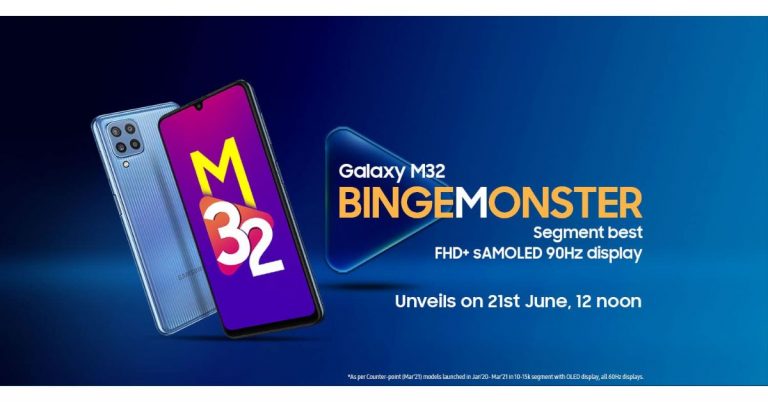
Samsung Galaxy M32 to launch in India on June 21: Here are all the details

After getting listed on the BIS certification website Samsung Galaxy M32 now has a launch date. The South Korean giant today confirmed that the Galaxy M32 will get launched in India on June 21. The leaks and reports about the upcoming device have been doing the rounds on the web for some time now. Also, it appeared on the Samsung Mobile Press site earlier. The key highlights of the handset are said to include a 90Hz Super AMOLED display and a 6,000mAh battery that is claimed to last for a whole day on a single charge. As per the dedicated microsite the device will launch in India on June 21 at 12 noon. In addition to this, the listing has also revealed some of the key specifications of the handset. Besides this, the quad rear camera set up will include a 64-megapixel primary sensor. In addition to this, the listing has also revealed that a front will be featuring a 20-megapixel selfie camera sensor.  As per the DEKRA certification website reported by 91Mobiles, the battery will ship a 15W fast charger. Additionally, the smartphone is said to be powered by a MediaTek Helio G80 processor, with 6GB of RAM. Whereas the quad rear camera setup will also include a 64-megapixel primary camera with f/1.8 aperture, an 8-megapixel ultra-wide-angle lens with 123-degrees of FoV, a 5-megapixel macro sensor and a 2-megapixel depth sensor. For taking selfies, there is a 20-megapixel front-facing camera.  The upcoming Galaxy M32 will also come with a 6.4-inch full HD+ Infinity-U sAMOLED display with a 90Hz refresh rate. The Samsung Galaxy M32 is confirmed to feature a waterdrop-style 90Hz Super AMOLED display on the front. The back panel will include a quad rear camera set up and will be backed by a 6,000mAh battery. Prior to the official announcement, the device had also appeared on the Samsung India site as well as on the Samsung Mobile Press site that revealed the three colour options it would come in. As far as the pricing is concerned the Samsung Galaxy M32 will make its debut in the country at Rs 15,000 price segment.  The phone has been spotted before with a model number via Geekbench 5 website with model number SM-M325FV. The benchmark listing reveals the Samsung Galaxy M32 will be powered by a MediaTek Helio G80 SoC paired with 6GB of RAM. It is also likely to ship Samsung One UI 3.1 based on Android 11. The device has managed to achieve a single-core score of 361 and a multi-core score of 1,254.  For the latest gadget and tech news, and gadget reviews, follow us on TwitterFacebook and Instagram. For newest tech & gadget videos subscribe to our YouTube Channel. You can also stay up to date using the Gadget Bridge Android App.

Top 5 DIY YouTube channels to follow and subscribe

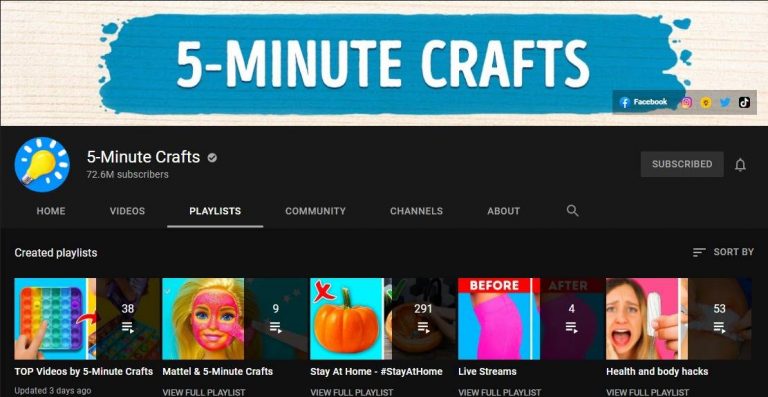
Watching Youtube has become a daily activity for many. Watching a DIY video keeps us motivated in doing things we never knew. It educates us. There are some great channels you can follow to make your chores easier. Check out the top channels on our list. Subscribe to them today 5-Minute Crafts This channel is all about life hacks videos and some are very innovative. The channel has an incredible 72.6 Million subscribers on YouTube. You will never get bored watching their videos. Besides the great edited videos, the channel gives unending knowledge on day-to-day hacks. Once you start watching it is highly addicting for more information on DIY. The 5-Minute crafts project revolves around crafts and experience. And also experimentation on many daily use things. Some popular ones are glue guns, kitchen hacks, and more. The target audience is both adults and children.  Watch the channel here Read more: 6 things that make ethical hacking a great career
  • I like to make stuff

I like to make stuffThe next on the list is I like to make stuff.  The channel is very popular among those who like to watch crafts and make videos. The channel has an incredible 3.17 Million subscribers on YouTube. The channel is presented and performed by Bob who puts it “demystifying the process” about the channel. The channel will show you how to make a bed,  assemble a 3D printer, and metalwork. He is an expert in both woodwork and metalworks. The channel is all about empowering people to make stuff.  Watch the channel here
  • Crafty Panda 

Crafty Panda Believe it or not, but Crafty pandy has 18.9million subscribers on YouTube. How about that? It is one of the highest on the list and it won’t disappoint you. The channel will help you discover hacks to reuse your old markers and teach how you can upgrade your notebooks. The best part of the channel is it has a hacks section for kids. Learn these hacks today for your kids from the channel.  Watch the channel here Read also: PUBG Mobile may actually launch in India as Battlegrounds Mobile India, the company teased on Facebook
  • Kipkay

KipkayThe second last on the list is the channel Kipkay. We included this channel with the least subscriber of 2.57 Million. Because the channel is all about recycling, upcycling the waste, and discarded items around. The channel works on restoring old, rusted, damaged, and expired items. From restoring tools to gadgets. Watch this channel for some never-before videos. And get education on hacks of restoring and recycling.  Watch the channel here
  • Sarabeautycorner 

Sarabeautycorner This one on the list is for all those who love to use makeup and nail art. The channel has a whopping 10.5 Million followers on YouTube. The genre of the channel is quite at large. You can watch DIY videos on make-up, nail art with a twisty comedy. DIY videos on the channel are worth your time. All the videos on the channel are designed for beginners. So the audience is targeted at all levels.  Watch the channel here For the latest gadget and tech news, and gadget reviews, follow us on TwitterFacebook and Instagram. For newest tech & gadget videos subscribe to our YouTube Channel. You can also stay up to date using the Gadget Bridge Android App.
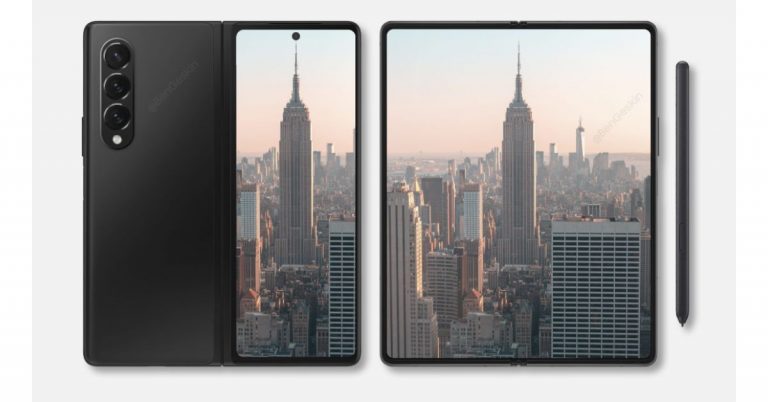
Samsung Galaxy Z Fold 3, Galaxy Z Flip 3, Galaxy Watch 4, and Galaxy Watch Active 4 could launch on August 3 at the Galaxy Unpacked Event

Samsung Galaxy Z Fold 3, Galaxy Z Flip 3, Galaxy Watch 4, and Galaxy Watch Active 4 are the new upcoming devices that are lined up to launch at the company’s next Galaxy Unpacked Event. As per the latest leaks, all four devices are set to make their debut on August 3. However, there is no official word from the company on the said event, but the leaks related to the gadgets are already doing rounds on the web.  Tipster Max Weinbach has taken the lid off about Samsung’s upcoming Unpacked event along with key details about the anticipated products, foldable phones and smartwatches. As per the tipster, the South Korean firm is said to host the Galaxy Unpacked event on August 3. The company is said to unveil two foldable phones Galaxy Z Fold 3 and Galaxy Z Flip 3. Additionally, there will be two more products: Samsung Galaxy Watch 4 and Samsung Galaxy Watch Active 4.   On the other hand, another tipster has disclosed that the Samsung Galaxy Watch 4 series will begin shipping from August 11 a week after the launch, whereas the Galaxy Z Fold 3 and Galaxy Z Flip 3 are said to start shipping from August 27, that is three weeks after the launch. Moreover, the Samsung Galaxy Watch 4 is claimed to become available in two sizes 42mm and 46mm. On the other hand, Samsung Galaxy Watch Active 4 will be available in 40mm and 44mm sizes. This is not the first time that a leak related to Samsung Galaxy Z Fold 3 has appeared on the internet. The past leaks claim that the phone will be made available in Black, Dark Green, and Silver options. The upcoming foldable will be featuring an under-display camera which is one of a kind. In addition to this, there will be hybrid S Pen support too. This type of S Pen is slated to bring in a blunt tip that will prevent the screen from scratches. There will be armour protection on the screen as well as on the hinge and bezels. The outer part of the foldable smartphone will be protected with Corning Gorilla Glass Victus. Leaks also suggest that the Z Fold 3 will also pack either a 4,275mAh or a 4,380mAh battery. For the latest gadget and tech news, and gadget reviews, follow us on TwitterFacebook and Instagram. For newest tech & gadget videos subscribe to our YouTube Channel. You can also stay up to date using the Gadget Bridge Android App.

Guide on how to enable hidden game mode in Android 12 beta

The Android 12 beta version has been recently rolled out by Google. It has many features available such as privacy and “hidden game mode” in the beta version. The all-new Android 12 will be available as an OTA update around September or October this year. Here is a handy guide to enable the hidden game mode when using Android 12 beta.  Go to the setting menu on your mobile This is the first thing you need to do before enabling the hidden game feature in Android 12 beta. Downloaded it and install it for those who have not, you need to install it. After successfully installing it go to the settings menu on your Android device to enjoy the features newly rolled out by Google
  • Navigate to the Digital Wellbeing option 

The next step to enable the hidden game mode is to navigate to the Digital wellbeing sub-menu. You can manually go to the option or you can use the search bar to search for it. The sub-menu is highlighted as Digital wellbeing and parental controls. So scroll down to Digital Wellbeing and follow the next step Read more: Instagram rolling out Guides features for all the users
  • Select the Do not disturb 

The next thing to do is tap on the Do not disturb menu. It is located in the reduce interruption sub- categorisation when you open the Digital Wellbeing menu. It is easily visible. Now you will find a list of options for apps and people that you can enable Do not disturb for. Next, scroll down to schedule
  • Click on Schedule 

Click on Schedule After clicking on Schedule you see some options. Select the game mode checkbox.  Now the game mode will be running when you turn on the Do not disturb.  Read also: Facebook and Instagram now enable the feature to hide like counts on their platform: How to enable the feature
  • Enable the Checkbox of the game mode 

Next, when you open the Schedule menu. You have to make sure you click on the game mode Checkbox. This will enable a floating menu with a Game mode option available. 
  • Game mode setting

When you are done with clicking the game mode checkbox. The next step is to click on the setting icon which is on the right of the screen. Now you can see six lists on the screen. Tap on it.
  • Screenshot capture
  • Screen recording 
  • Frames per second (FPS) counter 
  • Do Not Disturb 
  • Game optimisation: For an individual game 
  • Youtube play: For streaming your gameplay
This is how to enable your hidden game mode in Android 12 beta. After selecting all the settings you will be accessing a floating menu on the side of the screen for all shortcuts. You can tap and drag anywhere on the screen.  For the latest gadget and tech news, and gadget reviews, follow us on TwitterFacebook and Instagram. For newest tech & gadget videos subscribe to our YouTube Channel. You can also stay up to date using the Gadget Bridge Android App.