Micromax In 1 launching on 19th March: What all to expect from the smartphone

Micromax is set to launch a new smartphone called Micromax In 1 on March 19. Micromax is an Indian brand that made a comeback in 2020 with the launch of In Note 1 and In 1b smartphones. The new In 1 is expected to re-establish the company’s position in the Indian market.

What can we expect in Micromax In 1?

According to reports, the upcoming Micromax phone will come with a MediaTek Helio G95 processor. This chipset is an enhancement to the Helio G90 chipset that is installed in some of the available smartphones. Micromax co-founder, Rahul Sharma gave a glimpse of the company working on a 5G smartphone. On this basis, the new Micromax In 1 is expected to be a  5G device. However, future updates from the company will throw some more light on connectivity. As far as performance is concerned, this smartphone can emerge as a budget gaming smartphone, too. The new Micromax In 1 may consist of a triple camera setup and a 5,000 mAh battery like the one that came in In Note 1 and In 1b smartphones. The display size may lie between 6.5 and 6.7-inches. We can also expect a 4GB RAM like you get in In Note 1.
Micromax In Note 1 and In 1b
Micromax In 1b and In Note 1 (Image Credit: Micromax)

How much will the Micromax In 1 cost?

Micromax has its unique image of offering fully-featured smartphones at affordable prices. The Micromax In Note 1 and 1B were both budget-friendly 4G smartphones falling in the price range of Rs 8,000 to Rs 11,000. But we think the sweet spot for the above configuration will be under Rs 10,000.

How will Micromax In 1 help the company regain its market?

According to Rahul Sharma, the co-founder of Micromax, the company is looking forward to widening its portfolio. As a result, we can expect multiple Micromax smartphones to be launched this year including 5G devices. The new Micromax In 1 may open the dimension for the company to venture out into premium smartphones as well. At the same time, Micromax is aiming to launch other categories of gadgets including Smart TVs and ACs.

What’s the significance of Micromax In 1 for the Indian Market?

The launching of the new Micromax In 1 is seen as a significant step towards the motive of ‘Make in India’ and ‘Atmanirbhar Bharat’. According to Micromax, the manufacturing unit doesn’t outsource the assembly of smartphones. Instead, the factories owned by the company are utilised throughout the process. According to Rahul Sharma, the co-founder of Micromax, 60%-70% of the components of the Micromax smartphones are procured locally. The company is targeting to source the remaining 30%-40% parts as well from the local markets.

Atmanirbhar Bharat
Atmanirbhar Bharat (https://aatmanirbharbharat.mygov.in/)
For the latest gadget and tech news, and gadget reviews, follow us on TwitterFacebook and Instagram. For newest tech & gadget videos subscribe to our YouTube Channel. You can also stay up to date with the Gadget Bridge Android App.

Amazon.in announces ‘Apple Days’: Here are all the discounts

Amazon.in announced the ‘Amazon Apple Days’ where you can avail of exciting deals and discounts on various Apple products including the iPhone 12 series, iPad Mini, and MacBook. The company revealed in a statement that the offers will be live until March 17, 2021. Moreover, customers with HDFC bank credit cards can avail of an instant discount of ₹6,000.

1) iPhone 12 Mini

iPhone 12 Mini is known for being the lightest 5G smartphone with an outstanding edge-to-edge display. The iPhone 12 Mini has an M.R.P. of ₹69,900. But during Amazon Apple Days, you can get it for ₹67,100 with a discount of Rs 2,800. Moreover, if you have an HDFC bank credit card, you can avail of an additional discount of Rs 6,000.
iPhone 12 Mini
iPhone 12 Mini
Buy on Amazon

2) iPhone 11 Pro

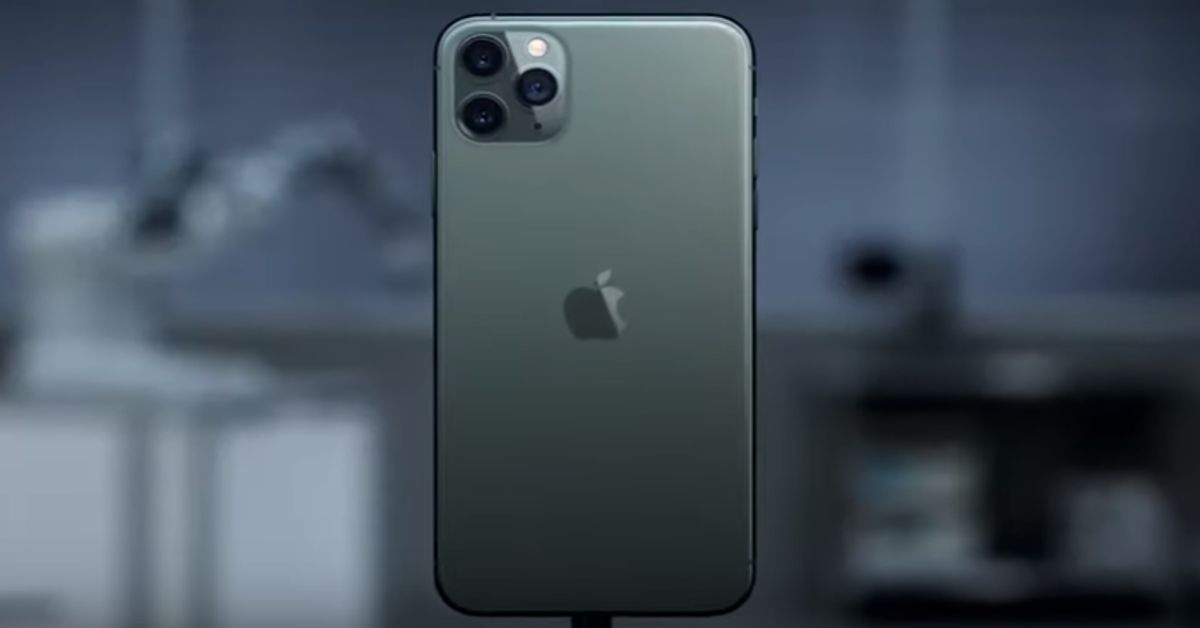
The iPhone 11 Pro is the predecessor of the latest iPhone series ie. iPhone 12 and comes with a triple camera setup. The smartphone has an M.R.P. of ₹ 1,06,600. During the Amazon Apple Days, it is available at a deal price of ₹ 81,900 with a discount of ₹ 24,700. The 256GB variant of the smartphone is available at a deal price of ₹ 85,900.
iPhone 11 Pro
iPhone 11 Pro
Buy on Amazon

3) Apple MacBook Pro

The Amazon Apple Days have brought an overwhelming deal on Macbook Pro. If you use an HDFC Debit or Credit Card, you can avail of an instant discount of ₹ 6,000 on the Apple MacBook Pro.
Apple MacBook Pro
Apple MacBook Pro
Buy on Amazon

4) iPad

iPad is another product from Apple that catches everyone’s eye due to its performance and stunning looks. Amazon Apple Days also offers attractive discounts of up to ₹9,000 on iPads. If you have an HDFC bank credit or debit card, you can get an additional discount of ₹ 3,000.
iPad
iPad
Buy on Amazon For the latest gadget and tech news, and gadget reviews, follow us on TwitterFacebook and Instagram. For newest tech & gadget videos subscribe to our YouTube Channel. You can also stay up to date with the Gadget Bridge Android App.

How can you enable Google Chrome extensions in incognito window?

0
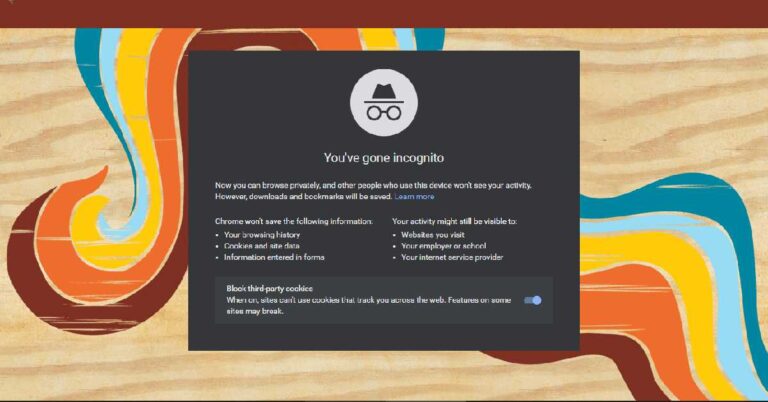
When you browse through websites, your activity is not immune to monitoring. Your login history and cookies associated with the websites provide enough information about your online activity. However, today, almost all the web-browsers like Chrome, Safari, and Mozilla provide methods to privately surf through the internet. Google’s web browser Chrome provides the incognito mode for visiting websites without being monitored or tracked.

Who needs to enable Google Chrome extensions in an incognito window and why?

Although the incognito mode saves your online activity to a certain extent from being tracked, it automatically takes away the extensions of the default window. Chromes does this to eliminate all chances of tracking by the extensions. However, you can enable Google Chrome extensions in your incognito window.

How to activate extensions in incognito mode?

To activate one or more extensions in incognito mode, follow these steps. 1) Clicking on the three vertical dots on the top-right. 2) Go to the ‘Settings’ 3) On the side menu, click on ‘Extensions’ Extensions Tab You could also quickly navigate to the Extensions tab through the ‘Extensions’ icon located on the top bar right next to your profile photo. When you click the ‘Extensions’ icon, you’ll find all your installed extensions. Click the ‘Manage Extensions’ option listed below the extensions. 4) Choose the extension that you want to enable in incognito mode and click on ‘Details’ 5) In the pop-up box, locate the ‘Allow in incognito’ section. 6) Turn the toggle on. Set the toggle on. You may enable as many installed extensions in incognito mode as you like. As soon as you exit the ‘Extensions’ tab, the settings will take effect. The above steps won’t change any permissions for the extensions in the default (non-private) window. Before you enable one or more extensions in incognito mode, you must note that they may track your browsing history or other sensitive information and yield it to a third party. Thus, ensure the extension you’re permitting is trusted and has a fair record. For the latest gadget and tech news, and gadget reviews, follow us on TwitterFacebook and Instagram. For newest tech & gadget videos subscribe to our YouTube Channel. You can also stay up to date with the Gadget Bridge Android App.

Acer Nitro 5 with NVIDIA 3060 launched in India: 5 reasons it should be your next gaming laptop

Acer has released a new gaming laptop named Nitro 5 with NVIDIA GeForce RTX 3060 graphics card and a 10th Gen Intel Core processor. The laptop has been priced at Rs 89,999 and is expected to give tough competition to the gaming series of other brands including Asus Rog, HP Omen, and MSI. According to Sudhir Goel, Chief Business Officer, Acer India, “With the new Nitro 5 gaming laptop using the NVIDIA GeForce RTX 3060 graphics card, we are entering a new era of high-performance gaming. Our Nitro 5 gaming laptop range has been a huge success in the Indian market and provides the perfect stepping stone to competitive e-sports. The close collaboration between Acer and NVIDIA has resulted in a laptop which has the performance, design, cooling and portability which is unmatched at this price point and we are excited to bring this to the Indian market”. Here are some features of the Acer Nitro 5 that make it stand out among gaming laptops.

144Hz display

Fast-paced gaming requires a responsive display. If the display fails to render what the GPU is delivering, visual issues like ghosting and latency occur. To check these issues and enhance the gamers’ responses, the Acer Nitro 5 comes with an ultra-fast display. You get a full-HD (1080p) IPS panel with a 144Hz refresh rate and 3ms response time. This laptop will surely give you an edge over others during an online gaming match.
his laptop will surely give you an edge over others during an online gaming match
The Acer Nitro 5 will surely give you an edge over others during an online gaming match (Image Credit: Acer)

RTX 3060 GPU

Ray-tracing is a revolutionary technology in the field of gaming visuals. It is also the most GPU demanding process. The Acer Nitro 5 comes with a GeForce RTX 3060 graphics card built on the Ampere-NVIDIA’s 2nd generation RTX architecture. Now you will get outstanding visuals with enhanced Ray Tracing Cores and Tensor Cores.

Wi-Fi 6

Wi-Fi 6 is another revolutionary technology that will change the way we play multiplayer games. With minimal communication latency, WI-Fi 6 will begin a new era of multiplayer gaming in which an unimaginable number of players can join a deathmatch simultaneously. The Acer Nitro 5 is the futuristic gaming laptop that comes with WI-Fi 6.

256GB Solid State Drive

With the advancement of video games, hard drives are falling short in providing less loading time. Owing to their mechanical origin, their moving parts are not fast enough to load a heavy game. The Acer Nitro 5 offers 256GB SSD to fetch and feed a huge amount of data from the secondary storage to the RAM.
The Acer Nitro 5 offers 256GB SSD
The Acer Nitro 5 offers 256GB SSD (Image Credit: Acer)

Price

Setting up a gaming console is not at all cheap when solely an RTX graphics card costs more than a workgroup laptop. At Rs 89,999, the Acer Nitro 5 is offering you what a high-end gaming PC would offer at twice the cost. Moreover, the RGB lit keyboard with 4-zone implementation and a dedicated NitroSense key make this laptop the most-awaited gaming laptop. According to Vishal Dhupar, Managing Director, NVIDIA South Asia, “This next-gen laptop will increase energy efficiency by up to 2x, accelerate performance dramatically, and introduce third-generation Max-Q technologies for thin and lightweight designs. Along with this, the new series laptop promises to deliver stunning ray-traced gaming experiences in top game titles”.

Bonus reasons why you must own this gaming laptop

  • The Acer Nitro 5 comes with CoolBoost technology that employs dual fans for full-throttle performance.
  • The machine uses DTS: X Ultra to render a 3D spatial soundscape for immersive gameplay.
For the latest gadget and tech news, and gadget reviews, follow us on TwitterFacebook and Instagram. For newest tech & gadget videos subscribe to our YouTube Channel. You can also stay up to date with the Gadget Bridge Android App.

Modern ergonomics: How to work ergonomically from home stress-free

The COVID-19 pandemic led organisations and companies all over the world to allow their employees to work from their homes. However, working from home has its bottlenecks. It’s always a challenge to achieve the same level of productivity while working from home as one would get in an office environment. Besides, several factors, ergonomics play a key role in your body-stress level and hence performance. Here are some tips that will significantly enhance your work-from-home ergonomics.

Correct Posture

Your posture is a key determinant of the amount of stress your body will bear during extended hours. You must sit up straight without forcing too much so that your spine is just straight. When you slouch forward on your dashboard, the risk of developing back issues may increase. Keep your forearms resting horizontally on your desk without bending your wrist to reach your keyboard.
Correct Posture
Correct Posture

Desk

The average office desk height is about 29-inches that may vary from person to person. Your desk should offer a neutral elbow height i.e. it should relax your shoulders and let your elbow to rest at 90-degrees. This can be achieved if your desk height is just below your neutral elbow height.

Monitor

The positioning of your monitor not only decides how much strain will be borne by your spine, neck and eyes. The recommended distance to view the screen without straining the eyes is about 550mm that may slightly vary across individuals. You may also tilt the monitor to enhance visibility and counter slouching. If you use multiple monitors, your total horizontal eyesight should fall within 30 degrees to either side.

Chair

Your chair is one of the most important ergonomic factors of your working dashboard. Even if other factors can’t be controlled you can always rectify them by adjusting your chair. Your chair should come with a height adjustment function, a tiltable backrest, and lumbar support. If your monitor is too high and can’t be lowered, you can adjust your chair. While adjusting the chair height, your thighs should be almost parallel with your feet resting flat on the footrest. Ensure that the seat pan is not compressing the rear of your thighs.
AmazonBasics Mid Back Office Chair
Price: ₹ 6,299 Buy on Amazon

Keyboard

Your keyboard should be placed flat on your desk with a slope of up to ± 15 degrees slope. The height of the panel should be appropriate. Keyboards having a high profile may cause your wrist to bend.

The 20-20-20 rule

When it comes to working on a device like a PC or a laptop, your eyes play an important role in ergonomics. To avoid strain on your eyes, follow the 20-20-20 rule. As per this rule, you should look at something (say wall) 20 feet away for at least 20 seconds after every 20 minutes of screen time. For the latest gadget and tech news, and gadget reviews, follow us on TwitterFacebook and Instagram. For newest tech & gadget videos subscribe to our YouTube Channel. You can also stay up to date with the Gadget Bridge Android App.

Everything you need to know about the latest fitness tracker by Fitbit designed for children

Fitbit has launched the third generation of its Ace series activity and sleep tracker called the Fitbit Ace 3. It is designed for kids as it comes with animated clock faces, daily physical activity targets, bedtime reminder, and a durable design. According to James Park, Fitbit CEO, “As families continue to navigate remote learning and social distancing guidelines, it is a constant challenge to keep kids moving, motivated, and happy. We’ve infused Ace 3 with experiences that bring more fun to kids’ day-to-day lives to help them, and their parents, reconnect with the joy of movement”. The features of the Fitbit Ace 3 are as follows.

Stay Active

Fitbit Ace 3 encourages physical activity in children. It comes with a pedometer with a target of recommended CDC value. The device tracks the number of skips, steps, and jumps taken. Parents can connect to their children using the family account on the Fitbit app. They can track the physical activity challenges completed by their kids. The Ace 3 restricts children from indulging in the social features of the Fitbit app.
Stay Active
Stay Active (Image Credit: Fitbit)

Animated Clock Faces

The graphics on the Ace 3 are designed keeping kids’ preferences in mind. As a result, the display offers animated clock faces and celebration animations to boost kids to complete the daily challenges. For encouragement and feedback, the device offers badges and stats. The Ace 3 comes with a 20 per cent brighter screen compared to its predecessor and has do-not-disturb and sleep modes.
Animated Clock Faces
Animated Clock Faces (Image Credit: Fitbit)

Bedtime Reminder

Not following a regular sleeping habit can deter kids’ growth and performance. The Fitbit Ace 3 helps induce healthy sleeping habit in children. It gives a bedtime reminder with a soft buzzing. Parents can track their sleep duration. The Ace sets sleep and fitness targets based on the age of the kid.
Bedtime Reminder
Bedtime Reminder (Image Credit: Fitbit)

Long-Lasting Battery

The Fitbit Ace 3 comes with a long-lasting battery. It can easily last up to 8 days. So, kids can wear it throughout their lifestyle like school, play, and entertainment. The device is made of durable material and is water-resistant up to 50m in depth. Thus, Ace 3 will always enhance the activities of children.
Long-Lasting Battery
Long-Lasting Battery (Image Credit: Fitbit)
The Fitbit Ace 3 will cost $79.95, which roughly is Rs 5850 and will be available in the global markets by March 15, 2021. The company wishes to launch (soon) two Minions-themed bands each costing around $29.95. It’s available for preorders starting today and available worldwide on March 15th in the USA. For the latest gadget and tech news, and gadget reviews, follow us on TwitterFacebook and Instagram. For newest tech & gadget videos subscribe to our YouTube Channel. You can also stay up to date with the Gadget Bridge Android App.

Samsung Unpacked event is on 17th March: Company will launch new smartphones and a smartwatch

In its official announcement, Samsung revealed to host the ‘Galaxy Awesome Unpacked’ event on March 17, 2021. The company is expected to reveal new smartphones and a smartwatch. The event is set to be streamed live on Samsung Newsroom and Samsung’s YouTube channel.

What can we expect at the event? 

There have been several rumours regarding what new products will be talked about during the ‘Galaxy Awesome Unpacked’ event. The Samsung Galaxy Z Flip was launched last year. However, there has been no news from the company regarding foldable smartphones so far. As a result, we can expect that to take place in the upcoming event. We can also expect some happenings related to the new Exynos-powered Windows 10 PC from Samsung. The company can also throw some light on its mid-range smartphones including the Galaxy A series like the Galaxy A72 and A52.

Samsung Galaxy Z Fold 3, Z Flip 3 and Z Fold Lite

Samsung is reported to reveal the Galaxy Z Fold 3 and the Z Flip 2 to extend the category of foldable. According to TM Roh, Samsung Electronics president, the company is planning to make foldable smartphones “more accessible to everyone”. The Galaxy Z Fold Lite is expected to come in the first quarter of this year. It may have a fold-out tablet design with a 7-inch internal display and a 4-inch external display. The smartphone may run a Snapdragon 865 chipset backed by 256GB storage.
Samsung Galaxy Z fold 2
The current Samsung Galaxy Z fold 2

Samsung Galaxy A72

The Samsung Galaxy A72 is expected to come with a 6.7-inch Full HD+ AMOLED display with a 90 Hz refresh rate. It may be launched in LTE and G versions. The 64 MP primary camera is expected to be a major camera upgrade over Galaxy A71 5G launched in 2020. It may consist of a 64MP primary camera, a 12MP ultrawide, 5MP macro sensors, and an 8MP telephoto lens. You may also get a 32MP selfie camera inside the central punch-hole notch. The smartphone is reported to run the Snapdragon 720G chipset with 6GB/8GB of RAM. The Galaxy A72 may be powered by a 5,000 mAh battery with 25W fast charging. The device will operate on the Android 11 operating system and may have 128GB/256GB of secondary storage. For the above features, the Galaxy A72 may cost around $600.

Samsung Galaxy A52

The Samsung Galaxy A52 5G is expected to come with a 6.5-inch Full HD+ AMOLED display with a 90 Hz refresh rate. The smartphone may have a quad-camera setup at the rear (a 64MP primary sensor, an 8MP ultrawide, 5MP, and 2MP ) and a 32MP selfie camera located at the centre of the screen. Featuring. It will feature a 64 MP primary camera and will run on the Android 11 operating system. The Galaxy A52 is also expected to be launched in either LTE or 5G version. The Galaxy A52 may be powered by a 4,500 mAh battery with 25W fast charging. Based on the above features, the Galaxy A52 may be launched at $200.

Samsung Galaxy Watch 4

Samsung may also announce the new Galaxy Watch 4 that may run on Google’s Wear OS instead of the Samsung Tizen OS. The device is rumoured to come with a blood glucose monitoring system. According to leaks, the smartwatch may come in the second quarter of this year.
Samsung Galaxy Watch
For the latest gadget and tech news, and gadget reviews, follow us on TwitterFacebook and Instagram. For newest tech & gadget videos subscribe to our YouTube Channel. You can also stay up to date with the Gadget Bridge Android App.

PUBG Mobile 1.3 launched: Latest features and what is new?

PUBG Mobile is celebrating its 3rd anniversary. On this occasion, the publishers of the game are releasing its new update named ‘PUBG Mobile 1.3’. The game is expected to come with several new features including Clowns Tricks gameplay and the Hundred Rhythms game mode. According to a tweet by the PUBG MOBILE, “The 3rd Anniversary – Hundred Rhythms 1.3.0 Update is NOW LIVE! Use mesmerizing music abilities in Hundred Rhythms Mode to take your defences and attacks to a whole new level. Hop into the game and try it out now!” The new PUBG Mobile 1.3 update will come with the following new features.

1) Hundred Rhythms Event

PUBG Mobile 1.3 update comes with a new event named ‘Hundred Event’. This mode is set in the Erangel map where players will have a set of three unique skills based on the chosen Armband, namely, Guardian, Recon, or Camouflage. The Guardian Armband offers strong abilities to the player. The latter-two are not active skills and only give buffs to the players. The players begin with core skills that can be upgraded be achieving ‘cassettes’. According to the patch notes, “Hundred Rhythms arrived in Erangel, get the party started at the electronic music festival. The Music Armband grants three special skills. Choose a skill that suits you, upgrade the skill by collecting scattered cassettes, and dominate the battlefield with the help of your skill. Choose Erangel in the map selection screen to experience this exclusive gameplay mode”.

2) Mosin-Nagant weapon and Motor Glider vehicle

The Mosin-Nagant in the new update is a sniper rifle with 7.62mm bullets capable of eliminating an unarmored enemy from a long distance. The new Motor Gliders will allow the players to fly over the opponents. You can find the motor gliders in Erangel and Miramar. The Motor Glide vehicle utilises the fuel based on the speed at which you fly. The faster you fly, the more fuel it will consume.
PUBG Mobile version 0.14.0
The new PUBG Mobile 1.3 update will come with new features.

3) Metro Royale: Uncover mode

The Metro Royale is a new chapter added to the update where you can find new rewards and permanent finishes. This mode throws smarter enemies with equipment adjustment capabilities. However, you will not find the Metro Exodus monsters and Tikhar Rifle. Now the enemies can appear instantly on the battlegrounds that can be spotted as marks on the map.

4) Clowns’ Tricks Gameplay

This new gameplay will offer graffiti scattered on the map and a Clown Shop Vehicle in Erangel. The target will be to acquire Clown Tokens to buy combat items from the Clown Shop Vehicle. These items will tell the players regarding the Playzone, airdrop, and opponents. You can also find a Music Graffiti Wall located near the Graffiti Square at Spawn Island. For the latest gadget and tech news, and gadget reviews, follow us on TwitterFacebook and Instagram. For newest tech & gadget videos subscribe to our YouTube Channel. You can also stay up to date with the Gadget Bridge Android App.

How to change profile pictures of Gmail, YouTube and Google accounts

0
Google provides the option to change your profile picture across all Google services through a single Google account. Your profile picture is also displayed on your Gmail and YouTube. Here are the methods to change your profile picture across three different platforms, namely, PC, Android, and iOS.

Change your Gmail / Google Account profile picture

How to change your profile picture on PC?

  1. Open the Gmail app on your PC.
  2. Click the profile picture located at the top-right corner.
  3. Click the Manage your Google Account option.
  4. Select Personal info
  5. Under the Profile section, click the current profile picture.
  6. Follow the on-screen instructions to choose a photo from your PC’s storage or take a new photo.
  7. Click Set Profile Photo.
How to change your profile picture on PC?

How to change your profile picture on Android?

  1. On your Android device, launch the Gmail app.
  2. Tap your profile picture located at the top-right corner.
  3. Tap Change or Add Profile picture options
  4. Choose a new profile picture from the Gallery or take a new photo.
  5. Tap Save as Profile picture.

How to change your profile picture on iOS?

  1. On your iOS device, launch the Gmail app.
  2. Tap your profile picture located at the top-right corner.
  3. Tap Change or Add Profile picture options
  4. Choose a new profile picture from the Photos app or take a new photo.
  5. Tap Save as Profile picture.
How to change your profile picture on iOS?

Change your YouTube profile picture

How to change your profile picture in YouTube Studio on PC? 

  1. Sign in to your YouTube Studio.
  2. Select Customization from the side menu.
  3. Click Upload and choose the desired image.
  4. Click Publish.

How to use the YouTube Android app to change your profile picture?

  1. Tap the YouTube profile picture.
  2. Tap Your Channel.
  3. Tap Edit Channel and then tap the profile picture.
  4. Choose a new profile picture from the Gallery or take a new photo.
  5. Tap Save.

How to use the YouTube iOS app to change your profile picture?

  1. Tap the YouTube profile picture.
  2. Tap Your Channel.
  3. Tap Edit Channel and then tap the profile picture.
  4. Choose a new profile picture from the Photos app or take a new photo.
  5. Tap Save.
For the latest gadget and tech news, and gadget reviews, follow us on TwitterFacebook and Instagram. For newest tech & gadget videos subscribe to our YouTube Channel. You can also stay up to date with the Gadget Bridge Android App.

5 ways to fix picture or videos not showing in Microsoft Teams

Microsoft Teams is an application that allows users to conduct online meetings, seminars, and classes. The app requires the webcam and the microphone to be enabled. However, sometimes the video fails to appear on the screen. The reasons may vary across different devices. Here are the top solutions that can cure this problem on the majority of devices.

Solution 1: Make sure Microsoft Teams has permission to use the webcam

Windows 10 requires you to offer permissions to the apps for using the system components like webcam and microphone. You can permit the Microsoft teams app for using the webcam in the following steps.
  • Go to Start > Settings > Privacy > Camera
  • Turn on the Allow apps to access your camera option.
  • The Choose apps that can use your camera option for Teams app should be on.

Solution 2: Update all of your drivers

The Microsoft Teams app might not be detecting the camera because of the old camera drivers installed in your system. To update the camera driver, follow these steps.
  • Go to Start.
  • Type Device Manager in the search bar.
  • Expand the Cameras category
  • Right-click the required camera.
  • Select the Update Driver option. Windows will automatically scan and install the latest version of the driver.
Solution 2: Update all of your drivers

Solution 3: Install the latest version of Microsoft Teams

There might be compatibility issues between your camera and the Teams version installed on your system. Go to the official website (https://teams.microsoft.com/downloads) and install the latest version of the Microsoft Teams client. Usually, the Teams client automatically updates when you connect your system to the internet. However, you can do that manually by selecting the user profile picture and then clicking the Check for updates option.
Solution 3: Install the latest version of Microsoft Teams
Solution 3: Install the latest version of Microsoft Teams (Image Credit: Microsoft)

Solution 4: Disable the GPU hardware acceleration

While using the Teams app, ensure that your GPU hardware acceleration and animations are disabled. Follow these steps.
  • Select the profile picture and then click on Settings.
  • Check the Disable GPU hardware acceleration and Turn off animations.
  • Close and relaunch the Microsoft Teams.

Solution 5: Disable the background blur

Before you use the Teams app, ensure that the custom background or the background blur in Teams is turned off. Follow these steps.
  • Click on the Background effects button located on the right side of the microphone.
  • Click the first box with an icon showing a circle with a slash.

Bonus Solutions:

  • Before launching the Teams app, close all unused applications. Sometimes these applications consume the RAM preventing the video to be rendered.
  • If you’re sharing the Wi-Fi, ensure that you’ve suspended the bandwidth-heavy tasks on connected devices such as gaming, downloading, and streaming.
For the latest gadget and tech news, and gadget reviews, follow us on TwitterFacebook and Instagram. For newest tech & gadget videos subscribe to our YouTube Channel. You can also stay up to date with the Gadget Bridge Android App.

Google celebrates 10 years of Chrome OS: These neat new features added

Google is celebrating the decadal anniversary of the Chrome OS. In a short span, Chromebooks have become one of the prominent devices in the field of education and business. To express gratitude, the company is releasing new features to the Chrome OS including a fresh appearance. Here are the key new features that you will find in the new update of the Chrome OS.

1) Phone Hub

The Phone Hub feature enables users to control their connected phones using their Chromebooks. As soon as you click the phone icon located near the status information, it will give you details regarding the network signal, ring mode, Hotspot, battery level, and Quick Settings. You will also see the last two tabs opened in Chrome on your smartphone. This feature will also allow you to reply to messages using your smartphone.

2) Screen Capture 

The new Screen Capture feature will enable users to record their screen without installing any third-party application. This feature will be available in the Quick Settings menu. The videos of the screen capture will be accessed from the Chrome OS Shelf.

3) Wi-Fi Sync

The Wi-Fi sync feature will save you from entering passwords individually on all devices with the same Google account. If any of your Chrome OS device is connected to a Wi-Fi network, your Chromebook will not ask for a password. By using Wi-Fi Sync, your device will automatically get connected to the network. To enable this feature, go to Settings > Connected devices.
Wi-Fi Sync
Wi-Fi Sync (Image Credit: Google)

4) Media Controls

The new media controls will enhance your productivity and listening experience. Now, you can find media controls in Quick Settings. You don’t need to open the music application to control the volume or change the track. You can control the playback right from the Quick Settings.

5) Redesigned Icons

With the new update, you will get a new appearance of the icons. The icons in the app launcher now have circular shapes with a white background. You will also get new icons for the calculator and canvas apps.

6) Enhanced Clipboard

The clipboard of the Chrome OS will now display the recent five things you copied. The Tote will show the copied items, screenshots, and recent downloads.

7) Quick Answers

Quick Answers is a new utility feature that defines the word you right-click on. It will also provide a translation of the word. If you highlight a number, it will suggest the unit conversion.
Quick Answers
Quick Answers (Image Credit: Google)

8) Nearby Share

The Nearby Share feature will enable you to share media files and applications to (and from) Chromebooks and Android devices located in the same proximity. For the latest gadget and tech news, and gadget reviews, follow us on TwitterFacebook and Instagram. For newest tech & gadget videos subscribe to our YouTube Channel. You can also stay up to date with the Gadget Bridge Android App.

How to block ad tracking on your iPhone

0
As long as we use our smartphones, we are constantly generating data. No matter how the nominal activity we do on our devices, companies gather this data for targetted advertisements. In targetted advertisements, companies make unique profiles of individuals based on their search habits to know about their preferences. These preferences help companies build a list of products and services for which they will present advertisements. On the iPhone, you can manually change the permissions regarding ad tracking.

What Is Ad Tracking?

Ad tracking is a technique by which websites track users while surfing the internet to send relevant advertisements. When you surf the internet on your iPhone, websites use a code block known as ad trackers to learn about your search behaviours.

How to turn off personalized ads?

To disable personalised ads, follow these steps.
  1. Go to Settings > Privacy > Apple Advertising
  2. Turn off the Personalized Ads option
How to turn off personalized ads?

How to turn off location-based ads?

To disable location-based ads, follow these steps.
  1. Go to Settings > Privacy > Location Services
  2. Turn off the Location Services option.
How to turn off location-based ads?

How to enhance privacy on Safari?

On Safari browser, you can tweak the setting to make surfing more secure.
  1. To block all cookies, follow these steps.
  2. Go to Settings > Safari
  3. In the Privacy & Security section, turn on the Prevent Cross-Site Tracking option. Now, advertising companies won’t be able to track the websites you visit.
  4. Turn on the Block All Cookies option. A cookie is a collection of data generated based on the data you enter into the website. As soon as you block these cookies, no data regarding your website usage will be saved.
How to enhance privacy on Safari?

How to turn off background app refresh?

When you keep the Background App Refresh active, the suspended apps will be able to check for updates and new content. To disable the Background App Refresh, follow these steps.
  1. Go to Settings > General > Background App Refresh. You’ll find all the apps that can use the Background App Refresh feature.
  2. Select the Background App Refresh located at the top of the screen.
  3. Select the Off option. Now, all the toggles for the apps listed on the previous page disappear.
How to turn off background app refresh?
You may also choose which apps should use the Background App Refresh feature. Just keep the Background App Refresh feature on and manually select the apps to toggle off. For the latest gadget and tech news, and gadget reviews, follow us on TwitterFacebook and Instagram. For newest tech & gadget videos subscribe to our YouTube Channel. You can also stay up to date with the Gadget Bridge Android App.

The best and most-affordable food processors you can buy for you home kitchen at or under Rs 10,000

Food-processors are one of the key kitchen appliances in today’s busy lifestyle. Food-processing is the most time consuming and effort demanding step of cooking. A good food-processor efficiently does this task, thereby, saving you precious time. You can perform tasks like blending, grinding, slicing, shredding and juicing, with a switch of a knob. Here are the best and most-affordable food-processors that you can buy that will make your cooking experience a pleasurable one.

1) Inalsa Food Processor INOX 1000-Watt With Blender Jar

This processor comes with a lot of features for everyday use. It consists of a powerful 1,000Watt motor made of 100% Copper. This appliance can perform several tasks including chopping, slicing, shredding, extracting juice, and knead bread dough. It offers two varieties of juicers, namely, centrifugal, and citric juicer. You get three jars made of high-quality steel. You get vacuum enabled base legs and a cord to keep the wire protected. The attachments of the food processor can be swapped conveniently and are easy-to-clean. up after use. You get the main bowl with a capacity of 2L making it perfect for large families as well.
nalsa Food Processor INOX 1000-Watt With Blender Jar
Inalsa Food Processor INOX 1000-Watt With Blender Jar
Wattage: 1,000Watts Price: Price: ₹ 9,400 Buy on Amazon

2) Bosch Lifestyle MCM3501M 800-Watt Food Processor

This food processor from Bosch comes with an 800Watt motor, six knives and three double blades. You can adjust the motor in two-speed settings to change the speed as per your need. You get multi-level six knife blades that can blend vegetables and nuts. The smart storage feature enables you to keep safely all the attachments. This food processor can perform around 50 unique functions including chopping, grinding, slicing, whipping, and kneading. You get a variety of accessories to fulfil all our food-processing requirements including blender attachment, reversible slicing disc, plastic dough tool, universal shredder, and a mixing bowl.
Bosch Lifestyle MCM3501M 800-Watt Food Processor
Wattage: 800Watts Price: ₹10,449 Buy on Amazon

3) Philips Food Processor HL1661 700Watts with Chutney Jar

This food processor comes with an efficient 700W motor with two-speed settings to control it as per your requirement. The appliance is designed on the PowerShot Technology that offers blade shape, cutting angle, and inner bow for convenient chopping. The food processor is compact to fit well in all sizes of kitchens and requires less effort for maintenance. It offers a unique chutney jar. You get jars made of high-quality stainless steel providing strength and durability. The base stands remain stable during blending and kneading. The centrifugal juicer is ideal for both hard and soft fruits.
Philips Food Processor HL1661 700Watts with Chutney Jar
Wattage: 700Watts Price: ₹ 7,960 Buy on Amazon

4) Morphy Richards Icon Superb 1000-Watt Food Processor

The Morphy Richards Icon Food Processor comes with a powerful 1,000Watt motor with a three-speed setting to perform up to 16 unique functions. You get a 1L grinding jar, a 1.5L jar, a 2.4L processing jar, and a 400 mL chutney jar. The appliance is designed using Quandra flow technology enabling you to check whether the ingredients are mixed or not. The customized slicing thickness allows you to cut vegetables as per your preference. You can use the Citrus Juicer to conveniently extract juices from fruits like oranges, lemon, and sweet lime. This food processor comes with a 2-year warranty.
Morphy Richards Icon Superb 1000-Watt Food Processor
Wattage: 1,000 Watts Price: ₹ 8,461 Buy on Amazon

5) Bajaj FX-1000 1000-Watt Food Processor

Another food processor with a powerful 1,000watt motor comes from the house of Bajaj.  It comes with an adjustment knob for you to set the speed up to three-speed levels as per your requirement. The appliance comes with an SS blade, citrus and centrifugal juicer, and dough kneader. You can perform a variety of tasks including whipping, juicing, and dicing. You also get a 500mL chutney jar, a 2.3L liquidizing jar, and a 1L dry grind jar. This food processor comes with 14 attachments and a 2-year warranty. The individual parts are made of durable ABS material and are easy-to-clean.
Bajaj FX-1000 1000-Watt Food Processor
Wattage: 1000Watts Price: ₹ 8,701 Buy on Amazon For the latest gadget and tech news, and gadget reviews, follow us on TwitterFacebook and Instagram. For newest tech & gadget videos subscribe to our YouTube Channel. You can also stay up to date with the Gadget Bridge Android App.

The best kids’ tablets you can buy in the year 2021

As technology is expanding its influence on more and more people, kids are no exception. Today, the growing stage of children is not only restricted to books. If used properly, technology can serve as an ideal source of entertainment and knowledge for kids. A tablet is one such gadget that offers loads of applications and games that help kids evolve their thought process and analytical skills. Here are the top tablets meant for kids that will enhance the learning curve of your kids.

1) Amazon Fire HD 8 Kids Edition

The Amazon Fire HD 8 Kids Edition is one of the best tablets for kids. It comes with a two-year warranty and a powerful battery that can last up to 10 hours after charging. The rubber bumper protects the tablet from scratches and drops. The case of the tablet has a rough texture so that kids can firmly hold it with their nimble hands. You get a good quality sound with a vivid 8-inch (1,280×800) display. The Amazon Fire HD 8 comes installed with the Fire operating system offering loads of content for kids. It offers 32GB of storage to install tons of apps and games meant for children. You get a 2MP camera each on the front and the rear.
Amazon Fire HD 8 Kids Edition
Price: ₹13,702 Buy on Amazon

2) Lenovo Tab 4 8

The Lenovo Tab 4 8 is an ideal choice for kids offering an Android operating system. Thus, you can install dozens of Google apps and games eliminating the risks of side-loading. The tablet comes with a powerful battery do that kids can remain engaged without the need to charge the device frequently. The 1280 x 800 screen renders vivid colours for rich gaming and video viewing. You can buy the Lenovo’s Kids Pack add-on worth $20 extra offering content meant for kids, parental control features, a protective bumper case, and a blue light filter. This tablet is packed with dual Dolby Atmos stereo speakers that produces crystal clear sound.
Lenovo Tab 4 8
Lenovo Tab 4 8
Price: ₹8,990 Buy on Amazon

3) Samsung Galaxy Tab A8

The Samsung Galaxy Tab A8 comes with a mature design ideal for teenagers. It has the option of adding parental controls so you can still have some peace of mind. It comes with 32GB of storage to install several games and apps. The Tablet runs Android operating system. Thus, you can find endless content for kids on the Play Store. The device has a great design but does not come with a pre-attached protective bumper. The Samsung Galaxy Tab A8 offers an 8-inch display for comfortable viewing. The quad-core processor is ideal for running all the apps and games meant for kids. It also features an 8MP rear camera and a 2MP front camera.
Samsung Galaxy Tab A8
Price: ₹ 10,267 Buy on Amazon

4) Kurio Xtreme Tablet

The Kurio Tab runs an Android operating system thus kids can access tons of apps and games on the Play Store. It comes with a durable build quality with a protective bumper to prevent damages from rubbing and drops. The tablet offers parental control features to block inappropriate content. It comes with dimensions of 20.3 x 12.7 x 1.3 cm that is suitable for kids to hold with their hand. The device comes with 16GB storage and an onboard Play Store to download content for kids. The tablet integrates with the ‘Kurio Genius’ system covering around 500 million web sites across 170 different languages. It comes packed with more than 90 Apps including games, e-books, educational apps, and video streaming apps.
Kurio Xtreme Tablet
Kurio Xtreme Tablet
Buy on Amazon

5) LeapFrog Epic

LeapFrog is a brand that manufactures a plethora of gadgets meant for kids. The LeapFrog Epic comes with and Android operating system with a customised UI with parental control features. The device comes with a durable design keeping kids in mind. The rubber bumper prevents damage from scratch and drops. It has a powerful battery that easily lasts for more than 5 hours. The 7-inch (1024 x 600) screen renders bright colours to elevate the experience of kids while playing games. It has a microSD card slot for expanding storage. The bundled stylus makes it ideal for young kids as well. The quad-core processor can easily run games and applications meant for kids.
LeapFrog Epic
LeapFrog Epic
Price: ₹4,640 Buy on Amazon For the latest gadget and tech news, and gadget reviews, follow us on TwitterFacebook and Instagram. For newest tech & gadget videos subscribe to our YouTube Channel. You can also stay up to date with the Gadget Bridge Android App.

Asus ROG Phone 5 to launch tomorrow: A complete rundown of its expected Tech Specs and price

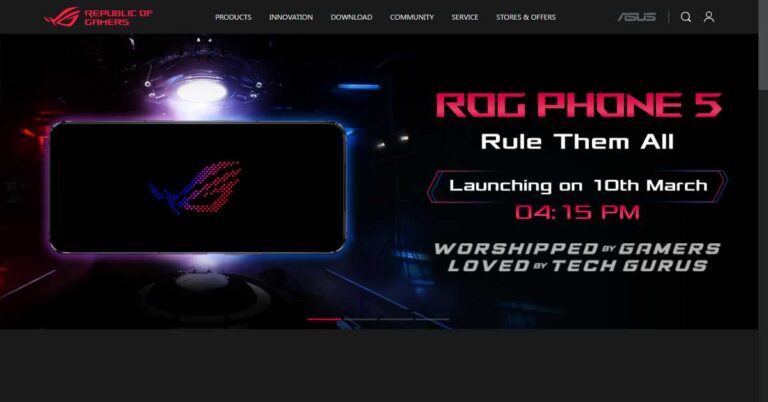
The new Asus ROG Phone 5 smartphone is set to launch tomorrow i.e. March 10, 2021. The Asus Rog series is one of the trusted smartphone series in gaming. This new smartphone will extend the gaming limits even further. The Asus ROG Phone 5 smartphone is likely to launch in the Indian market at Rs. 60,350. The table below breaks down the features of this smartphone in a crisp manner.
Launch Date March 10, 2021
  Price Rs. 60,350
     
Design Dimensions 6.80 x 3.04 x 0.41 in (172.8 x 77.3 x 10.3 mm)
  Waterproof No
  Colours Black
     
Hardware OS Android 11, ROG UI
  Chipset Qualcomm SM8350 Snapdragon 888 (5 nm)
  CPU Octa-core (1×2.84 GHz Kryo 680 & 3×2.42 GHz Kryo 680 & 4×1.80 GHz Kryo 680)
  GPU Adreno 660
     
Display Type AMOLED, 144Hz, HDR10+
  Size 6.78 inches
  Resolution 1080 x 2340 pixels, 19.5:9 ratio (~380 PPI)
  Protection Corning Gorilla Glass
     
Storage + RAM Internal 256GB 12GB RAM 512GB 12GB RAM 512GB 16GB RAM
  Card Slot No
     
Main Camera Setup Triple: 108 MP, f/1.8, (wide), 20 MP, f/2.4, (ultra-wide), 5 MP, f/2.0, (macro)
  Features LED flash, HDR, panorama
  Video 8K@30fps 4K@30/60/120fps 1080p@30/60/240fps 720p@480fps; gyro-EIS
     
Selfie Camera Setup Single
  Features Panorama, HDR
  Video 1080p@30fps
     
Battery Type 6000 mAh, Li-Po, non-removable
  Charging Fast charging 65W Power Delivery 3.0 Quick Charge 4.0+ Reverse charging 10W
     
Network Technology GSM / CDMA / HSPA / LTE / 5G
  SIM Dual SIM (Nano-SIM, dual stand-by)
     
Connectivity WLAN Wi-Fi 802.11 a/b/g/n/ac/6, dual-band, Wi-Fi Direct, hotspot
  USB USB Type-C 3.1 (side), USB Type-C 2.0 (bottom), accessory connector
  GPS Yes, with dual-band A-GPS, GLONASS, BDS, GALILEO, QZSS, GNSS
  Bluetooth 5.2, A2DP, LE, aptX HD, aptX Adaptive
     
Sound Speakers DTS:X stereo speakers
  Output 24-bit/192kHz audio
  3.5mm jack No
     
Commons NFC Yes
  Radio No
  Sensors Fingerprint (under display), accelerometer, gyro, proximity, compass
 
Asus ROG Phone 5
Image Credit: Asus
The new Asus Rog Phone 5 features everything that a high-end gamer demands such as a powerful octa-core Snapdragon processor, an AMOLED screen, a 12/16GB RAM, and a powerful 6000mAh battery. Moreover, the smartphone will perfectly cater to the requirements of photography enthusiasts as it comes with a camera that is capable of capturing 8K videos. Lastly, the unique ROG UI makes this smartphone stand-out from the rest. For the latest gadget and tech news, and gadget reviews, follow us on TwitterFacebook and Instagram. For newest tech & gadget videos subscribe to our YouTube Channel. You can also stay up to date with the Gadget Bridge Android App.

Apple’s mixed-reality headsets are expected to arrive in 2022: Everything we know so far

Apple is reportedly working on a new mixed-reality headset that might arrive in the markets by 2022. Apple wants to release a powerful headset capable of featuring 8K resolution for each eye with the implementation of technologies like augmented reality (AR) and virtual reality (VR) technologies. According to technological experts, Apple’s new headset could bring a shift in the paradigm that is currently dominated by smartphones. According to Ming-Chi Kuo, Apple analyst, “We predict that Apple’s MR/AR product roadmap includes three phases: helmet type by 2022, glasses type by 2025, and contact lens type by 2030–2040”.

How will Apple’s Mixed Reality headset work?

The new headset will come installed with Sony’s Micro-OLED displays and enhanced optical modules to give a better experience than the existing VR devices. Although the prototypes of the product weigh between 200 and 300 grams, the company is aiming to decrease it by another 100 to 200 grams. According to Ming-Chi Kuo, Apple analyst, “We believe that Apple may highly integrate this helmet with video-related applications as one of the key selling points”. Apple’s Mixed Reality headset is reported to consist of more than a dozen cameras for tracing hand gestures. These cameras will utilise a visor placed on the headset to deliver the video of the real world. The headset might carry two UHD 8K screens along with eye-tracking technology.
How will Apple's Mixed Reality headset work?
How will Apple’s Mixed Reality headset work?

Is Apple the only player in the field of AR/VR/MR?

Apple is not the only player in the field of AR/VR glasses. Tech giants including Facebook, Amazon and Microsoft are constantly working on these innovative technologies. For instance, Facebook’s Smart Glasses are expected to be released soon with the brand name of Ray-Ban. Mesh is one such technology, which was recently announced by Microsoft that will enable people located at different locations to meet in a shared mixed reality space. According to Alex Kipman, Microsoft technical fellow, “This has been the dream for mixed reality, the idea from the very beginning. You can actually feel like you’re in the same place with someone sharing content or you can teleport from different mixed reality devices and be present with people even when you’re not physically together.”
Microsoft Mesh mixed reality platform launched: Everything you need to know
Microsoft Mesh mixed reality platform (Image Credit: Microsoft)

What else is Apple working on apart from the Mixed-Reality headset?

Apple is also working on the AR glasses that are expected to be released around 2025. Unlike the Mixed-Reality headsets, the AR glasses will be portable and present an optical see-through AR experience. The Mixed-Reality headsets offer a more comprehensive virtual experience. On the other hand, the AR Glasses will focus on providing a mobile experience coupled with VR. According to Ming-Chi Kuo, Apple analyst, “We foresee that the helmet product will provide AR and VR experiences, while glasses and contact lens types of products are more likely to focus on AR applications”.
What else is Apple working on apart from the Mixed-Reality headset?
What else is Apple working on apart from the Mixed-Reality headset? (Image Credit: Apple Inc.)
Apple is also reportedly working on contact lenses to transition from computing to invisible computing. However, not much information is available regarding this future product except that it will not arrive earlier than in 2030. Kuo just observed that Apple is working on technologies related to MR, VR, and AR. Many companies are supplying intermediate products including Micro-OLED displays by Sony and EMS by Pegatron. For the latest gadget and tech news, and gadget reviews, follow us on TwitterFacebook and Instagram. For newest tech & gadget videos subscribe to our YouTube Channel. You can also stay up to date with the Gadget Bridge Android App.

WhatsApp is said to be working on password-protected encrypted chat backups feature: What is it all about?

It’s reported that WhatsApp is working on a new feature to save encrypted chat backups on iCloud and Google Drive. The password-protected feature would enable WhatsApp users to secure their chat backups against unauthorised access. According to a screenshot shared by WABetaInfo, “To prevent unauthorised access to your iCloud Drive backup, you can set a password that will be used to encrypt future backups. This password will be required when you restore from the backup”.

Why is WhatsApp working on this new feature? 

WhatsApp chats are claimed to be end-to-end encrypted i.e., they remain on the devices of the users involved in the chat and not on the Facebook servers. However, privacy concerns were raised regarding the chat backup provided by the app itself. Many instances revealed that the chats backups on the Facebook servers were leaked to the law enforcement authorities and foreign players. As a result, WhatsApp is said to be planning to release a functionality so that users will be able to keep a backup of their chats on their cloud storage such as iCloud or Google Drive. The feature is expected to be released on both iOS and Android platforms.
Why is WhatsApp working on this new feature? 
Why is WhatsApp working on this new feature? (Image Credit: WABetaInfo)

How will the new feature work?

According to the screenshots shared by WABetaInfo, the task of encrypting chat backup on the cloud will require several steps. The user will require to go to the WhatsApp Settings to enable the function. In the Settings, an option will be available for users to encrypt while creating backups. The app will ask them to set a password for the chat backups. After setting a strong password, the users will be asked to need to enter the phone number once again.
How will the new feature work?
How will the new feature work? (Image Credit: WABetaInfo)

What will be the impacts of the new feature?

The new feature will bring a lot of convenience to WhatsApp users as well as a few disadvantages. The following will be the impacts of the new feature. 1) Apart from chat backups on the cloud, the local Android backups would also work so that you can use password protection to the locally saved backups on your devices. However, there is no such feature for iPhone users.
What will be the impacts of the new feature?
2) Since the backups will be saved on the users’ cloud storage and not on the Facebook servers, it would not be possible for WhatsApp to assist users in recovering their lost passwords. The users shall have to enter their phone numbers for password protection. 3) Encrypted chat backups on the cloud will keep the chats secure and private. As a result, there would be minimal chances of them being leaked. For the latest gadget and tech news, and gadget reviews, follow us on TwitterFacebook and Instagram. For newest tech & gadget videos subscribe to our YouTube Channel. You can also stay up to date with the Gadget Bridge Android App.

Which internet speed tests should you use to test your internet connection at home?

Internet speed test applications are one of the most useful software. You don’t need experts or expensive tools to measure your internet’s speed. A reliable speed test application accurately talks about download speed, upload speed, and ping. However, it should not absorb too much bandwidth through background applications and advertisements. The interface should be user-friendly giving a graphical representation of the test results. Lastly, it should be cross-platform so that you can test your internet speed on multiple devices including mobile phones. Here are the top speed tests that give accurate and fast results.

1) Ookla

Ookla has been the oldest and most-consistent speed tests available on the internet. This website provides every information regarding your network’s speed like accuracy, speed test history, servers to connect to, and an app for speed testing on your smartphone. Ookla regularly adds new features and capabilities such as a video-specific speed test to check if your network can handle 4K video streams etc. You can also run the app on Windows and smart devices like Apple TV. What some users may find irritating on the website are advertisements. These ads inevitably deviate the results of your network’s strength during the test.
Ookla
Ookla
Run the speed test on Ookla

2) Fast.com

Fast.com comes with a simplistic interface so that you get as accurate results as possible. This website quite popular among the users as it is owned by Netflix. Fast.com even tells you if your network can stream Netflix at the best resolution without buffering. Thus, this website is preferred by online streamers. However, its oversimplified user interface has a disadvantage as it lacks advanced settings to test the internet speeds. Unlike other websites, Fast.com does not tell, which server you should connect to for the test. However, it’s the first choice of users who want only necessary information related to streaming, downloading, and uploading.
Fast.com
Fast.com
Run the speed test on Fast.com

3) Speedof.me

Speedof.me is also great site to test your internet’s speed and consistency. Just like Ookla, this website gives you a graphical representation of the test to get a better idea of the consistency of your network. The website is quite user-friendly that can easily run on smartphones. You need not download the app to run a speed test. The website is compatible with almost all modern browsers. Speedof.me implements pure web browser capacities like HTML5 and JavaScript. Unlike other websites, it is designed to test the internet connection speed without requiring Flash or Java. Speedof.me uses several automatically chosen test servers located across the globe for reliability.
Speedof.me
Speedof.me
Run the speed test on Speedof.me

4) Testmy.net

Testmy.net is one of the lightest websites to run the internet speed test. This website runs solely on HTML5 and PHP without needing a third-party application like Flash. As a result, it absorbs minimum bandwidth giving one of the most accurate results. Moreover, you can run this website even on older versions of web browsers. Once you create an account, you can keep your internet speed tests for future reference and comparison. However, beginners may find this website daunting, since it’s not as attractive as other websites on the list. The website allows you to test separately for Download and Upload speeds, too.
Testmy.net
Testmy.net
Run the speed test on Testmy.net

5) Google Fiber Speedtest

Google’s free Fiber Speedtest is one of the most reliable websites to test the speed of your internet connection. This application is open to all and you don’t need to subscribe to Google’s Fiber service to run the speed test. You get the efficiency and trust of Google giving you accurate results in a matter of seconds. It gives information regarding your download speed, upload speed, and ping data. The website also tells you the server you are connected to. The ‘Learn More’ option compares your current network speed to what you would get on Google Fiber.
Google Fiber Speedtest
Run the speed test on Google Fibre Speedtest For the latest gadget and tech news, and gadget reviews, follow us on TwitterFacebook and Instagram. For newest tech & gadget videos subscribe to our YouTube Channel. You can also stay up to date with the Gadget Bridge Android App.

WhatsApp’s new update for Android and iOS: What all is new including disappearing messages and how will it work

In future updates, WhatsApp is expected to release a new ability for ‘Disappearing Messages’. As of now, the messages from the selected chats or groups disappear only after seven days. Soon, the users will get the feature in which the messages from the selected chats will disappear after 24 hours. WhatsApp is currently carrying out the tests regarding this new feature. It’s yet to be revealed when this feature will come on Android and iOS platforms. The new feature is expected to work for media files as well.

What else can you expect in the future WhatsApp updates?

WhatsApp is planning to release a New Archive feature for Android and iOS platforms. This feature is currently under development and is expected to arrive in future updates. According to WaBetaInfo, “WhatsApp is preparing an update that brings a new experience for your Archive: when you receive a message from archived chats, they won’t be unarchived anymore. This is optional. It will be available in a future update for iOS and Android. 2.21.50.11”.

What is the current ‘Disappearing Messages’ feature in WhatsApp?

The ‘Disappearing messages’ feature allows WhatsApp users to activate an option in the settings so that new messages in the individual and group chats get automatically deleted after seven days. The ‘Disappearing Messages’ feature works for both WhatsApp chats and groups. However, only the group admins can activate the ‘Disappearing Messages’ option in group chats.
What is the current 'Disappearing Messages' feature in WhatsApp?
What is the current ‘Disappearing Messages’ feature in WhatsApp? (Image Credit: WhatsApp)

How does the current ‘Disappearing Messages’ feature work?

The ‘Disappearing Messages’ feature must be activated individually for each chat or group. Once enabled, the new messages sent to the selected chat will automatically disappear after seven days. Users getting the messages will be able to copy the text or take screenshots within seven days. Disappearing messages will also appear in user backups. The media files you receive in WhatsApp will be downloaded to your Gallery if the auto-download feature is on. To save the disappearing messages before they get deleted, you will need to copy these messages and to a separate location.

How to enable the current ‘Disappearing Messages’ feature?

To enable the ‘Disappearing Messages’ feature of WhatsApp on your Android or iOS device, follow these steps: 1) Launch WhatsApp on your Android or iOS device. 2) Tap the desired contact on which you wish to enable the feature. 3) On the contact’s information section, tap the ‘Disappearing Messages’ option located above the ‘Encryption’ option. 4) Choose ‘On’. It will switch on the disappearing messages feature for the selected chat.
WhatsApp 'Disappearing Messages' feature
WhatsApp ‘Disappearing Messages’ feature

How to disable the current ‘Disappearing Messages’ feature?

Follow these steps: 1) Launch WhatsApp on your Android or iOS device 2) Tap the contact on which you wish to disable the feature. 3) Tap the ‘Disappearing Messages’ option. 4) Choose ‘Off’. As soon as you disable the feature, messages from the selected chat will not disappear.

Is the current ‘Disappearing Messages’ feature on WhatsApp the same as that on other apps?

Apps like Snapchat, Telegram, and Signal also have similar features. Facebook Messenger comes with a vanish mode. However, the ‘Disappearing Messages’ feature on WhatsApp is not the same as what you get on other apps like Telegram. On Telegram, you can choose the duration before you want the messages sent to a particular chat to disappear. However, on WhatsApp, the messages sent to the desired chat will disappear only after seven days. On Snapchat, the Snaps automatically disappear once they have been opened. The unopened Snaps sent to a group chat automatically disappear in 24 hours.
Is the current 'Disappearing Messages' feature on WhatsApp the same as that on other apps?
Is the current ‘Disappearing Messages’ feature on WhatsApp the same as that on other apps? (Image Credit: WhatsApp)
For the latest gadget and tech news, and gadget reviews, follow us on TwitterFacebook and Instagram. For newest tech & gadget videos subscribe to our YouTube Channel. You can also stay up to date with the Gadget Bridge Android App.

5 best ways to secure your Windows PC in 2021

We use our Windows PCs every day for work and business, and we often do not think about the risks involved. Cybercrime has grown from where it was a decade ago. New risks have come up, but generally, the same risks have evolved and become more sophisticated. Some of the risks for PC users include:

●     Malware

Malware means malicious software that is specially designed to cause damage to servers, networks, and computers. The different variations of malware range from worms, Trojans, viruses, and others.

   Phishing

Phishing is among the most common risks and is created by malicious actors who try to solicit sensitive or private information. A phishing scam may come as an email that seems to originate from a trusted source such as a friend, colleague, or bank. The email consists of an attachment or link. When you download or click on the link, you are redirected to a bogus website that prompts you to enter your details such as name, passwords, etc.

●     Ransomware

Ransomware is software that encrypts your computer or data and makes it inaccessible. The hackers demand a ransom in exchange for the decryption key.

●     Man-in-the-Middle Attacks

Man-in-the-Middle attacks (MITM) attacks happen when hackers intercept two-party communication. Each person thinks they are talking to the other while, in essence, both are communicating with the hacker. This attack normally happens if your network is unsecured or has weak passwords.

How to Protect your Windows PC

You can protect your Windows PC from malicious software and hackers.

1.    Enable all automatic updates

Most operating systems come with automatic updates that seal any security patches. You do not have to click any buttons or download new apps or files. The software automatically updates in the background.

2.    Install a VPN

A Virtual Private Network (VPN) is an installed software that allows your PC to log safely into the internet. A PC VPN will hide your IP address, meaning no one can tell your physical location. The VPN also encrypts your data, and hackers cannot read it or intercept it in transit. Most VPNs use the 256-bit encryption standard that is impossible to crack and protects your PC from Man-in-the-Middle attacks.

3.    Activate firewalls and install antivirus software

Windows PCs come with inbuilt firewalls. Activate them to keep malware at bay. Install antivirus software to keep viruses from attacking your PC.

4.    Avoid Links and Downloads

Avoid downloading any attachments or clicking on links. If you are in doubt, hover on the link. If it is an HTTP and not an HTTPS, delete the email, that is a scam. If you think it could be legit such as an email from a bank, go to your browser and visit the bank website directly.

5.    Use Strong Passwords

Most people use weak and obvious passwords that hackers can easily crack. Do not use passwords like birthdays, pets, or children’s names. Use alphanumeric passwords combined with special symbols to make it harder for anyone to guess.

Conclusion

Windows PCs are at risk of hacking and other forms of cyber threats. Keeping your PC safe will protect your data from theft and encryption by hackers. Being careful about links and downloads helps a great deal in securing your Windows PC. For the latest gadget and tech news, and gadget reviews, follow us on TwitterFacebook and Instagram. For newest tech & gadget videos subscribe to our YouTube Channel. You can also stay up to date with the Gadget Bridge Android App.

Microsoft is testing Edge Browser on Xbox consoles: Everything you need to know

Microsoft recently began experimenting with its Chromium-based browser named Edge on the Xbox One and the new Xbox Series X/S consoles. It’s believed that Xbox testers can get access to the new Microsoft Edge browser on Xbox One or Xbox Series S/X consoles.

According to a report by The Verge, “the test build of the Chromium-based Microsoft Edge browser is now available for Xbox testers in the Alpha Skip-Ahead group. The new browser currently works best with the Xbox controller, while complete mouse and keyboard support are expected to come sometime in the future.”

What can you expect from Edge browser on Xbox consoles? 

The test version of the Edge running on the Xbox seems to support several features from the desktop version like extensions and vertical tabs. However, the current version supports navigation via Xbox controller but has some bugs that need to be removed. We can expect the basic features of the new Microsoft Edge to be available for the users including support for extensions, collections, and some desktop features.

According to the report, “Currently, the test is limited to Xbox testers in the Alpha Skip-Ahead group but hopefully, it won’t take Microsoft too long to release it to the public”.

What can you expect from Edge browser on Xbox consoles? 
What can you expect from Edge browser on Xbox consoles?

What will be the benefit of Edge browser on Xbox consoles?

The Edge browser testing on Xbox consoles will expand the browsing features that we can perform on gaming consoles like Xbox One and Xbox Series S/X. The Edge browser on Xbox will extend the capabilities for those users who wish to access websites on their consoles. With enhanced compatibility support of Chromium, users will get access to Google’s Stadia streaming service too.

With the integration of the Edge browser, users will be able to play browser-based games including Flappy Bird, Dinosaur game, Agar.io on their consoles. Edge on Xbox consoles will enhance the compatibility with browser-based services including Skype and Discord through the web.

Xbox head Phil Spencer reveals details of Xbox Series X
What will be the benefit of Edge browser on Xbox consoles?

When can you expect the MS Edge browser to arrive on Xbox consoles?

Microsoft has decided to put an end to the legacy version of the Edge browser by March 9, 2021. As a result, the new Microsoft Edge internet browser for Xbox will be released with the end-of-support for the legacy version of the desktop application. One of Microsoft’s beta testing groups, Xbox’s Alpha Skip-Ahead group, has got the preview builds of future system updates that may reach the end-user soon. So chances are in the coming few weeks all Xbox series X and S consoles will get the update.

For the latest gadget and tech news, and gadget reviews, follow us on TwitterFacebook and Instagram. For newest tech & gadget videos subscribe to our YouTube Channel. You can also stay up to date with the Gadget Bridge Android App.

How to fix apps not updating on Android smartphone

The android operating system automatically installs the updates of the applications and OS whenever your smartphone is connected to the internet. However, sometimes you may face issues in updating your apps. There can multiple reasons that might be preventing the Play Store to update your apps. Perform the following steps in the sequence. In most cases, your problem will get solved in the first three steps.

Step 1. Check your network

Having a stable internet connection is a requirement for Play Store to update apps on your smartphone. If you are facing a problem in updating your apps, wait for your internet to get stable or switch to a better connection.
Step 1. Check your network

Step 2. Check Your Phone’s Storage

While updating apps, your smartphone fetches new files from the Play Store. If your phone’s storage is full, it will prevent the updated files to download. Thus, before you update your apps, check that your smartphone has sufficient storage available: Settings > Storage.

Step 3. Clear Cache of the Play Store app 

Sometimes, the temporary files in the form of cache hinder the changes in the settings to occur if the updates demand them. Thus, you should Force Stop the Play Store app and clear the cache data before updating your apps. Follow these steps.
  1. Open Settings on your smartphone.
  2. Go to the All Apps section.
  3. Search for Google Play Store and tap on it.
  4. Tap on the Force Stop option.
  5. Now, go to Storage > Clear Cache > Clear Data.

Step 4. Uninstall & Re-install Play Store Updates

Although rare, the Play Store update can also be preventing the updates of your apps. Thus, try uninstalling the updates of the Google Play Store. Follow these steps.
  1. Open Settings on your smartphone.
  2. Go to the All Apps section.
  3. Search for Google Play Store and select it.
  4. Tap on the three dots located at the top-right corner.
  5. Tap on the Uninstall Updates button.
  6. Tap OK.
Step 4. Uninstall & Re-install Play Store Updates
Your Play Store will get back to the factory version and soon will automatically be updated. In case none of the above steps works, you should remove your Google Account and then add it back to your smartphone. This solves the issues related to your Google account that might be hindering the apps from getting updated. For the latest gadget and tech news, and gadget reviews, follow us on TwitterFacebook and Instagram. For newest tech & gadget videos subscribe to our YouTube Channel. You can also stay up to date with the Gadget Bridge Android App.

How to mute chats and groups on WhatsApp and Telegram

Internet messaging services like WhatsApp and Telegram offer a reliable platform to share information with your contacts and a larger audience via a group on your smartphone. However, apart from the high degree of convenience you get, these apps sometimes become disturbing elements when you get more notifications than you can handle. The best way to not let these apps distract you from your daily chores is to mute one or more chats or groups.

How to mute chats and group notifications on WhatsApp?

When you mute a chat or a group on WhatsApp, you will continue receiving messages sent via chat or the group. However, your smartphone will not notify or buzz you about that. Neither will the muted messages be visible in the badge count on the WhatsApp icon. To Mute chat or group notifications, follow these steps: 1) Open the WhatsApp app on your mobile phone 2) Go to the chat corresponding to the concerned contact or group. 3) Tap the chat or group subject. 4) Tap Mute. 5) You could swipe the chat or the group to the left followed by More > Mute. 6) Choose the duration you want to mute notifications for, namely, 8 hours, 1 week, or Always.
How to mute chats and group notifications on WhatsApp?

How to mute chats and groups on Telegram?

Telegram allows you to mute notifications from chats and group conversations. It should be noted that on Telegram, you can mute chats or groups for 1 hour, 8 hours, 2 days, or permanently. You can do that on different platforms in the following ways.

On Android

  1. Run the Telegram application on your Android device.
  2. Select the chat or group that you wish to mute.
  3. Tap the three dots located on the top right part of the screen.
  4. Select Mute Notifications and then select Disable.

On iOS

  1. Open the Telegram app on your iOS device.
  2. Select the chat or group that you wish to mute.
  3. Tap the contact or the group name located at the top.
  4. On the info page, tap on Mute and choose Mute Forever.
How to mute chats and groups on Telegram?

On Telegram Desktop

  1. Run the Telegram application on your desktop.
  2. Right-click the chat or group that you want to mute.
  3. Click on Disable Notifications 
  4. Choose Forever and click OK.

On Telegram Web 

  1. Open Telegram web in your browser.
  2. Select the chat that you want to mute.
  3. Click the contact or the group name located at the top.
  4. Disable the toggle for Notifications.
For the latest gadget and tech news, and gadget reviews, follow us on TwitterFacebook and Instagram. For newest tech & gadget videos subscribe to our YouTube Channel. You can also stay up to date with the Gadget Bridge Android App.

Ethernet Vs Wi-Fi 6: What is the difference and which one should you use for a great gaming experience

Ethernet has been the ideal choice for many gamers, since it provides very low latency. Wi-Fi 6 internet technology has opened many opportunities in the communications field. You might be thinking of upgrading your network and the router to Wi-Fi 6. If you have been using an Ethernet connection, then this decision is even more significant for you. Owing to its ultra-low latency, Wi-Fi 6 is seen as a revolution in online gaming. Till now, the number of participants per game has been a limitation. Wi-Fi 6 soon will turn the dream of have multiple people connected into reality when several gamers will be able to enjoy online gaming together without latency issues. But, can the Wi-Fi 6 completely replace the Ethernet LAN gaming? Let us compare them against each other to find out what’s the right choice for gaming.

What is Ethernet and how fast it is?

Gigabit Ethernet, commonly known as Ethernet is used in large networks and can offer speeds of up to 1Gbps or more. An Ethernet employs Category 5 (Cat5e) Ethernet cords connecting your PC/laptop modem to your router. Some home networks use Cat6e instead, but the cable looks the same at a casual glance. Nowadays, optic fibre cable is used as it allows us to send signals over a much larger distance without requiring a repeater or booster. We also have Ethernet systems capable of offering as high as 10-Gigabit speeds allowing us to carry out tasks like streaming 4K videos and gaming. A 10-Gigabit Ethernet usually needs an advanced Cat6a or Cat7 cable to work. In all the cases the latency is less as it is a cable connected environment.
What is Ethernet and how fast it is?

Is WiFi 6 faster than the best Ethernet?

Wi-Fi 6 is a revolutionary technology. Older versions of Wi-Fi such as Wi-Fi 5 worked on the half-duplex connection in which you can transfer data only in one direction at one time. As a result, it’s much slower than what the latest Wi-Fi 6 offers. The Wi-Fi 6 generates a full-duplex connection allowing us to send and receive data simultaneously. As a result, there’s no waiting time and we can achieve a maximum bandwidth of up to 9.6Gbps. Wi-Fi 6 technology is designed for IoT (Internet of Things) implementation. Wi-Fi 6 comes along with several new technologies allowing routers to communicate with multiple devices simultaneously, hence lowering lag.
NETGEAR Nighthawk AX8 8-Stream Wi-Fi 6 Router (RAX80) - AX6000 
NETGEAR Nighthawk AX8 8-Stream Wi-Fi 6 Router (RAX80) – AX6000
Price: ₹ 24,999 Buy on Amazon

Which one provides a better gaming experience?

Online gaming requires your network to be fast-paced so that data transfer occurs with minimum lag. Every Wi-Fi connection suffers from a high ping issue that may create some amount of lag in the game. This lag has a roll-over effect on the gamer’s reflexes. Although Wi-Fi 6 is much better than the previous Wi-Fi versions. But when it comes to gaming, Wi-Fi 6 also suffers from a small amount of lag. Sine Wi-Fi is a wireless connection, it depends on the orientation of the room and the objects kept inside. Unless you’ve remastered your room and removed all the obstacles between your PC/Laptop and the Wi-Fi 6 router, going for an Ethernet connection is better than the Wi-Fi 6 conenction for gaming.
Which one provides a better gaming experience?
For the latest gadget and tech news, and gadget reviews, follow us on TwitterFacebook and Instagram. For newest tech & gadget videos subscribe to our YouTube Channel. You can also stay up to date with the Gadget Bridge Android App.

Here are ways to use WhatsApp without revealing your number to others

Owning a phone number is a pre-requisite for using WhatsApp. However, the number can be your mobile number, landline, or a virtual number. As long as you can verify the number via OTP, you can register the same on the app. This process has an advantage as you can now use WhatsApp while hiding your original number.

Why would you need to hide your number while using WhatsApp?

There is nothing illegal in hiding your number while using WhatsApp. However, you must complete the OTP verification process every time you register on the app. As long as you use the app, your phone number is visible to the groups you are part of. The phone number can be easily transmitted to contacts and groups within the app. Thus, if you wish to hide your original contact details on WhatsApp, you can do that in the following two ways.

Method 1: Using a virtual phone number

You can find several applications on the Play Store that offer a virtual phone number. TextNow is a similar service that provides you with virtual numbers based in the US and Canada. With any of these virtual numbers, you can enjoy similar online services like WhatsApp as you do with your original number. Follow these steps. 1) Keep the TextNow app active throughout the signing up process on WhatsApp. 2) On WhatsApp, set the country code to the US or Canada whichever corresponds to the virtual number. 3) During OTP verification, let the timer to expire.
TextNow - Free US Phone Number
TextNow – Free US Phone Number
Download from the Play Store 4) Choose ‘Call me’ for OTP verification. 5) You will receive a missed call on the TextNow app and a new voice message. 6) Listen to the verification code in the voice message in the Text Now app. 7) Enter the code on WhatsApp just and follow the on-screen instructions to complete the registration.

Method 2: Using a landline number

You can use a landline number to use WhatsApp. However, the regular version of WhatsApp is not compatible with landline numbers. Instead, you will require to install the WhatsApp business app. Follow these steps. 1)Download and install the WhatsApp Business app on your smartphone. 2) During the phone number registration, select the country code for India i.e. +91. 3) Now enter the STD code followed by your landline number. 4) Let the OTP timer to expire.
Method 2: Using a landline number
5) Choose ‘Call me’ for OTP verification. 6) You will receive a call on your landline number. 7) Listen to the OTP on the call. 8) Enter the code on WhatsApp just and follow the on-screen For the latest gadget and tech news, and gadget reviews, follow us on TwitterFacebook and Instagram. For newest tech & gadget videos subscribe to our YouTube Channel. You can also stay up to date with the Gadget Bridge Android App.