13 October 2021 Amazon Quiz gas gone live on its mobile app platform. Customers from different parts of the country are participating in the daily quiz. The daily quiz is conducted by the company brings an opportunity for the customers to win exciting prizes. The quiz begins from 12 AM to 11:59 PM. In today’s quiz participants have a chance to win Rs 30,000 Amazon Pay Balance by answering all the questions correctly.
Every day Amazon brings a fresh set of questions for its customers that contains five easy questions. Amazon quiz brings an opportunity for its customers to win Amazon Pay Balance ranging from Rs 1,000 to Rs 50,000. which consists of five questions related to general knowledge and current affairs.
The participants need to answer all the questions correctly and their names will be selected for a lucky draw. The winner will be announced at the end of the month. One wrong answer could eliminate you from the quiz. If you manage to answer all the questions correctly you can stand a chance to win Rs 30,000 Amazon Pay Balance today. Only app users are eligible to participate in the Quiz. Check Out 13 October 2021 Amazon Quiz Answers.
In This Article
13 October 2021 Amazon Quiz Answers
Question 1: Which city has been marked the world’s safest city by the Economist Intelligence Unit in 2021?
Answer: Copenhagen
Question 2: Which word, a mashup of COVID 19 immunity and mRNA was chosen to name the Pfizer-BioNTech COVID-19 Vaccine?
Answer: Comirnaty
Question 3: Which sportsperson was given the honour of lighting the Olympic cauldron at the Opening Ceremony of the Tokyo 2020 Games?
Answer: Naomi Osaka
Question 4: Which Disney animated movie is based on this character?
Answer: Tangled
Question 5: Who is the lead character’s best friend in this book series?
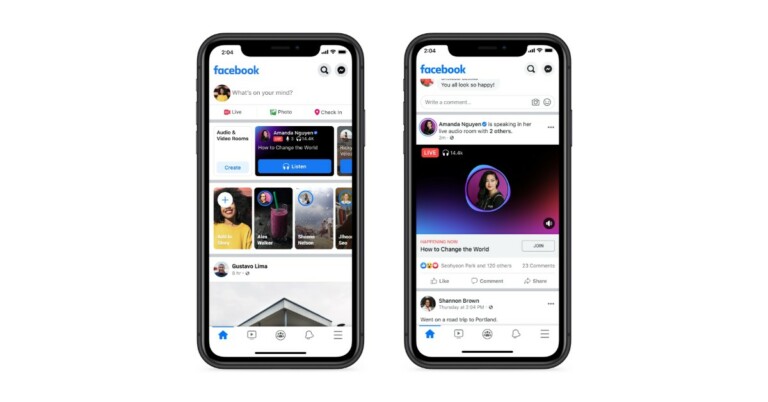
A year ago Facebook announced the Live Audio Rooms feature on its platform. This feature is similar to Clubhouse and was earlier available for iOS users only. Now the feature is being rolled out globally for public figures and creators as well as groups.
The Social media platform took to Twitter to announce the introduction of Facebook Live Audio Rooms features. The tweet reads, “Live Audio Rooms available to public figures and creators globally: From today, all verified public figures and creators will have the ability to host Live Audio Rooms. We’ve seen it become a great tool for lightweight connection and conversion among various types of communities.”
To recall, the Clubhouse-like audio chat service that is Facebook Live Audio was launched for iOS last year in the USA. But now Facebook has expanded the ability for more public figures and Groups to host a Live Audio Room globally. This feature allows users to discover, listen in on and join live conversations with public figures, experts and others about topics they’re interested in.
The friends, followers, verified public figures or any listener in the room can be invited to be a speaker by public figures. The host can invite speakers ahead of time during the discussion. Up to 50 speakers and an unlimited number of listeners can participate in Facebook Live Audio.
Admins can control whether moderators, group members or other admins can create a Live Audio Room in Groups. Members and visitors can both listen to the Live Audio Room in public groups, but only members can listen in private groups.
According to the company, people on iOS and Android can discover Live Audio Rooms to join from places like News Feed and via notifications. They can also sign up to be reminded when a Live Audio Room you’re interested in goes live. While they are listening to a conversation they can be notified when friends or followers join, too. In addition to this one can also enable live captions, “raise a hand” to request to join the conversation, and use reactions to participate in real-time.
Besides this, the listeners can support and show appreciation to the public figure host by sendingStars, which bumps those listeners up to the “front row.” The “front row” is a special section that highlights people who sent Stars, so hosts can recognise supporters (and maybe even give them a shout out during the conversation!). The Stars packs can be purchased during the conversation and send them anytime.
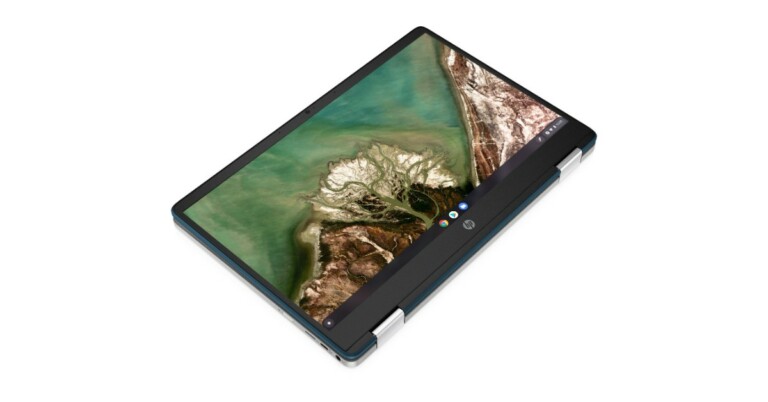
HP has expanded its convertible laptop portfolio with the launch of the HP Chromebook x360 14a in the Indian market today. The new HP convertible laptop is powered by AMD 3015ce processor along with AMD Radeon graphics.
The laptop is touch-enabled and comes with Google Assistant and Google One subscription enabled for one year. Read on to know HP Chromebook x360 price in India, availability and specifications.
HP Chromebook x360 14a specifications
The HP Chromebook x360 14a is suited for students aged 4-15 years, to help them stay connected, motivated, and creative whether at home or in the classroom. It comes in three different display sizes: 11-inch/14-inch touch screen display and a 14-inch convertible touch HD screen having 768×1366 pixels of resolution. The device weighs 1.495kg and is available in three shades of Mineral Silver, Ceramic White, and Forrest Teal.
HP Chromebook x360 14a is powered by AMD 3015ce processor along with AMD Radeon graphics for immersive multimedia, stutter-free video conferencing, and enhanced gaming experiences. The HP convertible laptop includes 4GB of RAM with 64 eMMC SSD storage along with 100GB free cloud storage (for one year) and 256 GB expandable micro-SD.
The new Chromebook comes with inbuilt apps for the education and engagement of students. While the Google “Everything Key” provides quick, convenient access to search and keyboard shortcuts.
HP Chromebook convertible laptop is backed by a 47Whr battery that offers an extended battery life of up to 12 ½ hours (HD) whereas the HP Fast Charge can charge the device from zero to 50 minutes in just 45 minutes.
HP Chromebook x360 14a Price in India and sale details
The price of the HP Chromebook x360 14a with an 11-inch touch screen starts at Rs 24,999 whereas the one with a 14-inch display comes with a starting price of Rs 28,999. The 14-inch convertible touch screen price begins at Rs 32,999. The device is now available for purchase via Amazon in the country.
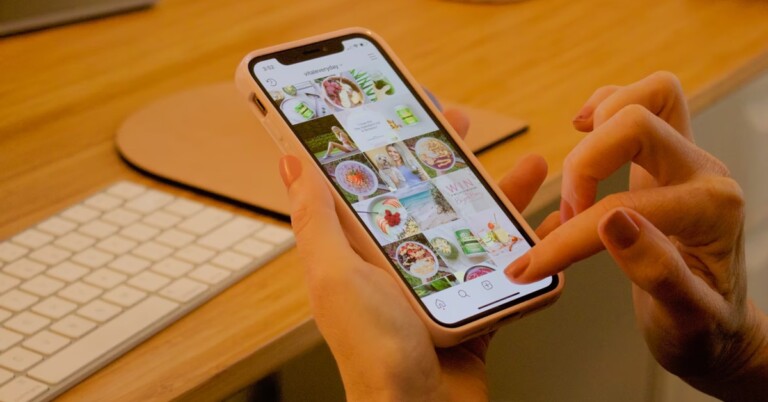
Instagram, owned by Facebook, is one of the largest social media platforms with millions of users across the globe. There is a library of videos that can be useful as well as innovative to keep them forever with you. Though the social media giant allows you to save the video in the application natively, the feature somewhat works like a bookmark and the video cannot be viewed offline. But, there are ways by which users can not only download these videos but also see them within the iPhone’s camera roll. Here is how you can do it.
As the default iOS browser does not allow you to save video files, we will be using a third-party application to accomplish it (Documents by Readdle). Before starting the process make sure you copy the link to the video you want to download. You can copy the link of the video by opening it in any browser or by hitting the three dots button next to the video and clicking on the copy link.
Once followed properly you can now see the downloaded video on your camera roll from where you can share and edit the video easily. We advise taking permission from the creator before posting the same somewhere else.
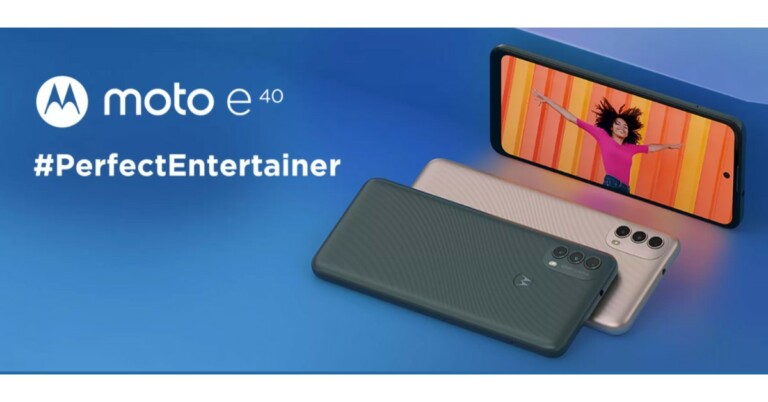
The Chinese smartphone company Motorola today announced the launch of the mid-range budget smartphone- Moto E40 in India. The device operates on Android 11 and is powered by Unisoc T700 octa-core SoC.
The phone includes a triple rear camera set up and also bears a 90Hz display. The handset packs a 5,000mAh battery and comes with 10W charging support.
In This Article
Moto E40 technical specifications
Moto E40 features a 6.5-inch HD+ Max Vision HD+ display along with 1,600×720 pixels of resolution. The screen comes with 90Hz refresh rate support and offers a 20:9 aspect ratio. The smartphone is powered by an octa-core Unisoc T700 processor paired with 4GB of RAM and 64GB of storage. The internal storage can be expanded using a microSD card to up to 1TB. Moto E40 ships with Android 11 and includes a rear-mounted fingerprint sensor.
In terms of rear and front optics, the phone will come with a triple rear camera set up that includes a 48 MP main sensor with f/1.79 aperture, 2MP macro and another 2MP depth sensor. For selfies, it sports an 8MP front-facing camera that comes with an f/2.0 aperture.
In addition to this, the device will pack a 5,000mAh battery along with a 10W charger that is claimed to deliver 76 hours of music playback, 14 hours of video playback and 10 hours of web browsing.
In terms of connectivity features, there is 4G LTE, Bluetooth v5.0, WiFi 802.11 a/b/g, GPS/ A-GPS and USB Type C port for charging available on the Moto E40. While the sensors on the phone include a proximity sensor, accelerometer and ambient light.
Moto E40 comes with IP52 certification for water and dust resistance, too.
Moto E40 price in India and availability details
Moto E40 has been in India in a single 4GB RAM with 64GB of storage option. The device is priced at Rs 9,999 and will be offered in two colour options of Carbon Gray and Pink Clay. The handset is scheduled to go on sale from October 17 via the e-commerce website Flipkart.
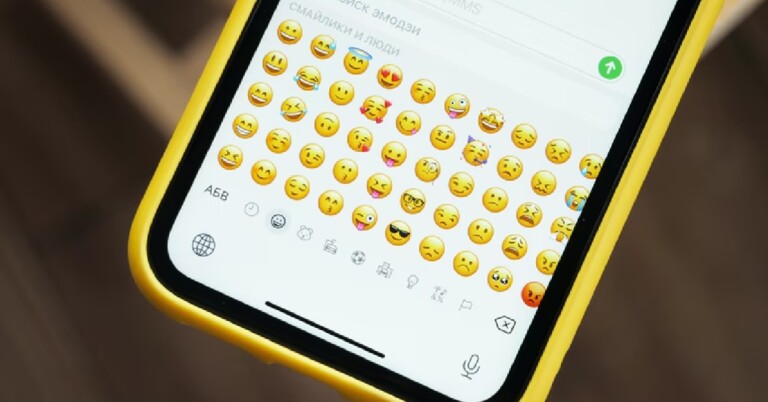
Emojis were popular when they were called emoticons back in the day and were mostly used on email or forums websites to make the text interesting. There were platforms like MSN, Yahoo and Google, which supported emoticons at that time. In SMS people used simple symbols that look like emoticons to express their words better. A lot has changed from then to now. Now, almost all websites and smartphones support emoticons.
These emoji are a much easier and fun way to express words, in the context of how we stay connected with our family and friends on social media. We can figure out emojis have a long history and are a universal way to express instant visual communication. This guide will tell you how to use them properly.
In This Article
When was the first Emoji Created?
The concept of the first Emoji or Emoticon at the time was put into use in 1982 by computer engineer Scott Fahlman. He suggested text-based symbols such as 🙂 and 🙁 could be used to replace language. The concept, later on, became mainstream in the early-mid 1990s when the internet explosion started across continents.
What is an Emoji?
The second question that arises is what is an emoji? An emoji or also known as an emoticon is a modern way to express emotion, object, or symbol. All the communication applications nowadays from social media apps such as Facebook, Instagram, WhatsApp, Twitter, and Snapchat offer a large library of emojis to choose from.
The keyboard of both Android and iOS devices have built-in emoticon libraries in them ranging from recent, animals/creatures, food, sports/activities and more. Does finding a perfect emoji from such a huge variety seem difficult?
Worry not, nowadays keyboards have built-in search features to search emoji for how you are feeling. For instance, type “happy” on the search bar and all the emoticons relative to happy will pop on your screen.
Users can also try to go old school by using symbols as emoticons for example typing- :), which is a smiling face symbol. Many applications understand these symbols and convert them to emojis automatically for your convenience.
Now we know all about emojis, the second question is how to use them.
The first rule is to understand your emojis better as the emoticon comes with no usage guide. Use emojipedia. It is a quick guide explaining to you the real meaning of all the emoticons. Search from different categories or lookout for an object in the search bar.
Know if there is some other meaning of a particular emoticon. Remember the praying hands? Those are actually two people giving each other high-fives. And now even after you know the true meaning of the emoji the other meaning remains constant for what has been used in social media, so use it wisely
Emojis are ok to use in professional terms, but only sometimes. You can use a smiling face at the end of a line to show your colleagues that your tone is friendly. On the other hand, using a smiling emoji at the end of a statement may seem harsh or taunt in professional terms. It’s always better to know your emotions before you use them.
The last rule is to know how to frame a sentence using an emoticon. You can say that the modern emojis are the next generation exclamation mark or full-stop. Always use emojis at the end of any sentence. These should tell exactly what you mean and if for instance two or three emoticons are used, they should have a connection with each other.
Nowadays most websites, social media platforms and communication applications support the use of stickers and GIFs as well. These are enhanced ways of emoji. We can surely tell that these stickers are the future of emoticons. One can consider using Bitmoji to make a personalised avatar of yourself and share your emotions better. Also, we advise not to overuse stickers or emojis as doing so makes you sound robotic.
Festivals especially in India are very colourful and a season of joy among everyone. When the festive season is on, everyone in the country starts to decorate their homes with beautiful lights and diyas.
A smart light offers complete control over the lighting setup and can be controlled easily via your smartphone using an app. Though there are many options in the market to choose from, here are some top picks by us to brighten up your festive season.
In This Article
Wipro 12 Watt smart LED bulb
From 16 million colours to choose from, Wipro 12 watt smart LED bulbs can be controlled via the Wipro Next Smart Home app that’s available both on Android and iOS. Users can set 3 levels of brightness: warm white, neutral white and cool white apart from the RGB colours for making this bulb look completely normal, traditional and ideal for day to day use.
There are presets available for the bulb such as party, reading, night, meeting, and leisure making the setup hassle-free. Set a timer for your smart bulb to switch on and power down automatically. The Wipro 12 Watt smart LED bulb supports voice commands from both Amazon Alexa and Google Assistant.
Another great product by Wipro. Similar to its bulb version, the Tubelight supports 16 million colours with the normal light being the natural white. There are presets available in the Wipro Next Smart Home app with which the users can set the decoration for their home according to their taste. Similarly, you can schedule the timer for switching on/off directly from your smartphone. The smart light accepts the commands from both Amazon Alexa and Google Assistant.
If there is a false ceiling on your home this smart light will be the best consideration. Replace your traditional lighting setup with EcoEarth 9W new. The light supports up to 16 million colours and can be tuned to normal white with shades of white for day to day usage. Schedule the timer for each room with a different RGB set and make the interior of the house look cool. The smart light supports compatibility with Amazon Alexa and Google Assistant as well.
Unlike traditional bulbs or lights, these are LED strips offered by GOHigh. These LEDs are completely waterproof making them ideal for both indoors and outdoors. In the pack, you get a 5m/16.4ft LED strip along with an instruction manual on how to set them up via your smartphone. The Strip lights support 16 million RGB colours to choose from and also the lights are dimmable making them ideal for Bedroom, Kitchen, TV, Party, Gaming and outdoor decorations.
They also support music sync and can be scheduled according to your will via the smartphone application. For voice control features the LED strip supports both Amazon Alexa and Google assistant.
Mi LED 10 Watt smart bulb is a stand-alone device without needing a hub to function. The smart bulb supports 16 million hues of colours with a peak brightness of 800 lumens. The device can be easily set up via the Mi Home application which offers a wide variety of settings to choose from.
The company claims it can last for 11 years if used properly. The Mi LED bulb is compatible with both Google Assistant and Amazon Alexa or one can use the Mi Home application to control the bulb. Features include controlling the brightness of the bulb, scheduling power and selecting colours from a wide palette of colours.
The smart bulb supports both Android( Android 4.3) and iPhone(iOS6 and above) for connectivity. The 9-watt Syska smart bulb is compatible with Amazon Alexa and Google Assistant as well. There is a large variety to offer with up to 16 million RGB colours supported by the Syska application natively.
Users can set time according to the time of the day they want the bulb to be switched on or off for their ease and convenience. The company also allows you to make groups in the application so that other family members can control the bulb as well.
The smart bulb is WiZ certified and can only function with Wiz certified applications or devices. Philips 9 Watt smart LED bulb is an affordable option to choose from for changing the ambience of your home. Other than the WiZ application it can also be controlled via Alexa, Google Assistant and Siri. In the WiZ application users can schedule timers for the bulb with 16 million colours to choose from. It also allows using cool and warm tones for day to day usage.
Nokia C20 Plus is the latest Android Go smartphone by HMD Global in India. Priced from Rs 8,999, the device goes against offerings from Xiaomi and Samsung, which are already doing very well in the market. Read our Nokia C20 Plus review to know about the smartphone’s pros and cons:
In This Article
Nokia C20 Plus review: Design and Display
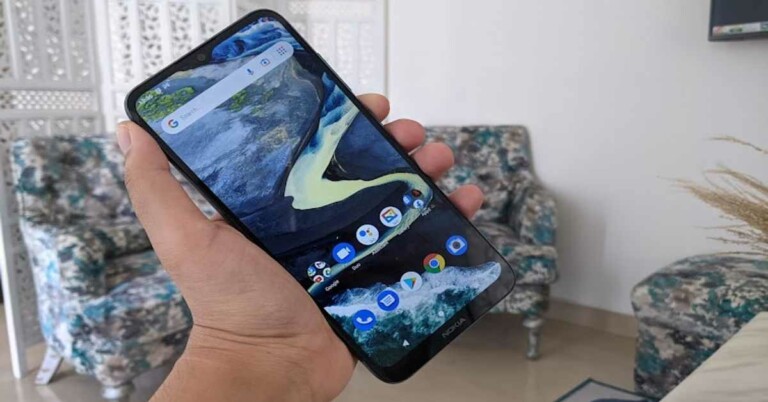
The look and aesthetics of the Nokia C20 Plus smartphone are very simple and basic. The back panel of the device is textured and it houses a circular camera module, an LED flash, Nokia brand, and also the speaker. We should mention that the position of the speaker wasn’t the best possible one, and each time we tuned in to Spotify, we had to keep the phone upside down to listen to the music. The right edge of the handset is where the Power and the Volume Rocker keys are and the left edge has the SIM tray on it.
The 3.5mm headphone jack is on the top and the MicroUSB port and the microphone is at the bottom. At this day and age, a MicroUSB port seems obsolete. On the upsides, the body of the Nokia C20 Plus seems very sturdy and the one-handed usage was easy while using the handset. With the matte finish, the device doesn’t really attract too many fingerprints, and that’s also a plus.
It is worth mentioning that the device does not have any fingerprint lock, so you get to choose between a face unlock or a PIN/Passcode. We took a preference for the latter, as the face unlock worked inconsistently.
The front panel of the smartphone is dominated by its 6.5-inch HD+ display that is outlined by not-so-thin bezels and an even thicker chin that has Nokia branding on it. There is a waterdrop-shaped notch on the center top of the screen that houses the selfie camera of the device, and the earpiece is placed right above it. The display of the Nokia C20 Plus only managed to do a decent job.
The colours projected seemed slightly dull and we noticed some distortion around the app icons. The text and images were also not as sharp as we have seen in most other smartphones of the same range. While the brightness levels were good, the sunlight readability and viewing angles could be better.
Overall, the design of the smartphone is decent and its built is sturdy. There are a few things like the microUSB port that we couldn’t see the point of, but still most things seem fine. The display experience could be much better though.
Nokia C20 Plus review: Performance and Cameras
Before we begin talking about the performance of Nokia C20 Plus, let’s take a look at its specifications. The smartphone is powered by the 1.6GHz Unisoc SC9863a processor clubbed with 3GB of RAM and 32GB of onboard storage. The device runs Android Go baked on Android 11, which means that you will get a leaner version of the software. On the upside though, the phone has Google‘s Go suite of apps that take up way lesser space than the regular counterparts. Nokia C20 Plus houses a 4,950mAh battery and 8MP+2MP rear cameras along with a 5MP selfie snapper.
As far as the software of Nokia C20 Plus goes, we were expecting it to be cleaner. While the abovementioned Google Go apps are definitely a plus, the device is loaded with a number of other pre-installed apps including Moj, MXTakaTak, Simple Soulful, Dancing Road, Color Hop 3D, Snapchat, Solitaire, etc, and even some regular Google apps like Gmail. Having so many apps on the board is never pleasant. The only upside is that most of these can be uninstalled.
Coming to the performance of Nokia C20 Plus smartphone, it can only be termed as satisfactory. Although the handset comes with 3GB of RAM, it did not run very smoothly. Even in daily tasks like opening multiple tabs of Chrome, or switching between multiple apps, the smartphone didn’t do a job as good as we expected it to. We understand it’s a budget device, but even those do a good job in basic everyday tasks. We aren’t referring to functions like navigation here or gaming when we talk about daily tasks.
Google Go apps did a better job, but then, they don’t have as many features as the regular versions of the same apps. While this isn’t a downside in any way and they belong to a different suite for a reason, we consider it important to mention.
We also tried to play games on the smartphone, and we suggest you stick to lighter ones like Alto’s Odyssey and avoid heavier ones like Asphalt 8. The battery life of the device usually lasts a day and a half with basic everyday tasks like talking on the phone, browsing Instagram Lite or the internet, or listening to a little bit of music. Add a function like gaming or navigation, and the number of hours comes down. But then, even if it’s lasting an entire day without the need of being charged again, we consider it to be neat.
Finally, let’s talk about the cameras of Nokia C20 Plus. The smartphone comes with an 8MP primary lens and a 2MP depth sensor. The camera app of the device is very straightforward, and one doesn’t have to look too much for any function. The images taken in daylight turned out average, but some shots seemed overexposed.
We weren’t too elated about the level of details in the images too. The quality only decreased in dimly lit areas. The 5MP selfie camera of the device also only did an average to decent job. Some images turned out satisfactory, while others had quality issues.
Verdict
Nothing about Nokia C20 Plus would leave you amazed. It’s a basic budget smartphone and most of its features do an average job. We think that had the device been priced a little lesser, it could have been called a good buy for people upgrading from feature phones. But at this price, there are offerings from Xiaomi that offer a lot more. Or if you just add in a few bucks, you can also get a very good smartphone from Nokia. But with the current sale season, you might be able to find a good deal on this device.
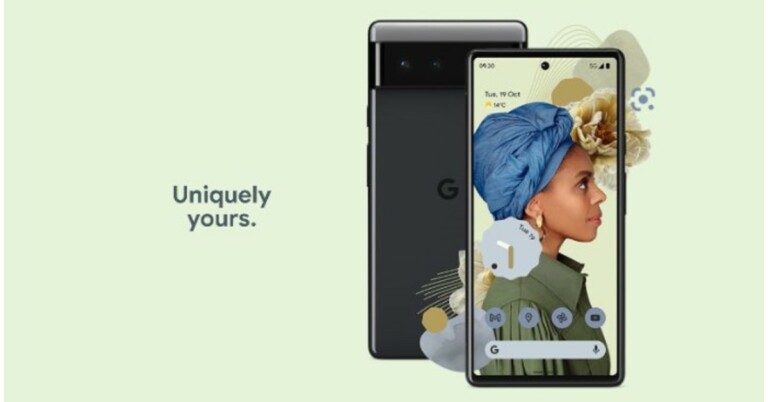
Google is all set to drop another generation of Pixel smartphones Google Pixel 6 and Pixel 6 Pro would be unveiled on October 19. The phone has been part of the rumours mills and leaks for the longest time yet another leak has surfaced on the web revealing the specifications, pricing and colour options.
Both the upcoming flagship phones by Google have been spotted listed on an online retailer based in the UK. The leaked listing tips that both the devices will include a Tensor chipset along with a Titan M2 security chip.
A UK based retailer (Carphone Warehouse) spilled the beans by accidentally listing both Google Pixel 6 and Pixel 6 Pro on its platform ahead of the official unveiling. However, tipster Evan Blass managed to get the screenshot before the landing pages on its website were removed.
In terms of pricing Google Pixel 6 will be priced at $849 that translated to Rs 64,000, while the Pixel 6 Pro could cost $1,099, which converts to Rs 82,900. The vanilla variant may arrive in three colour options of Kinda Coral, Sorta Seafoam and Story Black. Whereas the Pro model is likely to be offered in Cloudy White, Sorta Sunny and Stormy Black colours to choose from.
The landing page recommends vanilla Pixel 6 may get a 6.4-inch OLED display while the Pro variant will feature a 6.7-inch LTP OLED display with adaptive refresh rate support ranging from 10Hz to 120Hz. Both the displays will be guarded with Corning Gorilla Glass Victus and will come with an IP68 build for protection against splash and dust.
According to the leaked listing, both Pixel 6 and Pixel 6 Pro’s camera set up will include a 50MP primary sensor and a 12MP ultra wide-angle shooter. The main camera is suggested to capture 150% lighter than the previous Pixel 5.
The Google Pixel 6 Pro is said to accommodate a telephoto shooter with 4x optical zoom and up to 20x Super ResZoom. In addition to this Pixel 6 Series is likely to offer a Magic eraser that is proficient in eliminating undesired things including people from the captured images.
Not just that the landing page showed that both the Google Pixel 6 Series phones will come equipped with Google’s latest Tensor Chipset that is said to optimise for 80 percent faster performance than the previous generation. The SoC is said to be paired with a Titan M2 security chip.
Both the phones will ship Android 12 out of the box. The Pro model reportedly has the ability to interpret 55 languages even without an internet connection. It will also include At Glance feature to show relevant information like flight schedules and more.
Furthermore, the Pixel 6 Pro could also get 30W fast charging assistance but are said to offer 23W and 21W wireless charging support respectively.
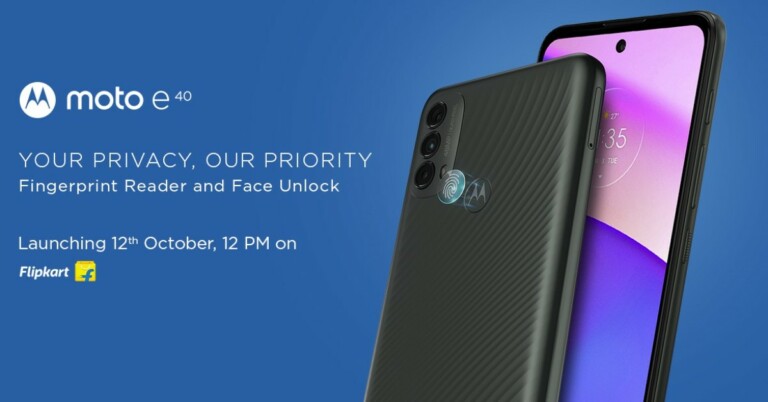
Moto E40, the latest smartphone from Motorola is all set to launch in India today. The smartphone maker is also teasing the device on Flipkart, confirming its availability on the e-commerce site. The device is said to be offered in the mid-range and budget categories. Before launching in India the smartphone has already gone official in Europe.
The Lenovo-owned smartphone company Motorola is on a launch spree these days. Not much time has passed since it arrived with the Motorola Edge series and is all geared up to land with another budget smartphone in India. Moto E40 is all geared up to launch in the country today at 12 noon exclusively via e-commerce site Flipkart.
Prior to its launch in the country, the smartphone had already entered Europe and we are already aware of its specification as well as its expected pricing.
In This Article
Moto E40 to be priced in India(expected) and sale details
Motorola has not yet revealed how much the Moto E40 will be priced in India. As it has already arrived in Europe last week the phone there is made available in a single 4GB RAM with 64GB storage option priced at EUR 149 which converts to Rs 12,900. The phone has been introduced in two colour options of Charcoal Gray and Clay Pink. Both the colour options are also teased to arrive in India as well.
Previously the device also got listed on a Romanian e-commerce website which revealed that the phone would cost RON 779 that is roughly around Rs 13,600.
Moto E40 specifications (expected)
So far the specifications of the Moto E40 are concerned the phone will feature a 6.5-inch HD+ display along with 90Hz refresh rate support. The phone will be powered by a Unisoc T700 processor paired with 4GB of RAM and 64GB of storage that can be expanded using a microSD card.
In terms of optics, the upcoming phone will come with a triple rear camera set up that includes a 48 MP main sensor, 2MP macro and another 2MP sensor. For selfies, it sports an 8MP front-facing camera. In addition to this, the device will pack a 4,000mAh battery along with a 10W charger.
All these specs are similar to what Flipkart is teasing on its platform. According to the online shopping portal,Moto E40 will have a vertically aligned triple rear sensor placed inside a pill-shaped camera module. The main lens will be powered by quad Pixel tech that will offer 4x improved low light sensitivity for sharp and punchy images. The device will run onAndroid 11 and support a dual-SIM slot.
There will also be a dedicated Google Assistant Key. While in India Moto E40 will be backed by a 5,000mAh battery that is claimed to last for 76 hours of music playback, 14 hours of video playback and 10 hours of web browsing. Moto E40 will come with IP52 certification for water and dust resistance.
OnePlus recently launched the Buds Pro and we spent some time with the new wireless earphones. Did they impress us or not? Read the OnePlus Buds Pro review below, which will tell you everything about these new-age smart TWS audio earbuds.
In This Article
OnePlus Buds Pro review: Design
OnePlus is a brand that is known for bringing out well-designed products. Starting from the OnePlus smartphones and now to the Buds Pro, the company designers do know what the customers are looking for.
In the box, users get OnePlus Buds Pro within a very premium charging case. Both, the Buds pro as well as the charging case are dressed in matt black finish. A bit of dark chrome is thrown on the stems of the OnePlus Buds Pro, giving it the edge.
The OnePlus Buds Pros are a little larger than others, but that is because these audio receptors can spew out a greater, better sound. The users also get a USB Type-C charging cable in the box, which can charge the OnePlus Buds Pro case using its USB Type-C port located on its back.
The charging case is sturdy and the lid is not flimsy at all. The Buds can be placed in it nicely as both have magnets to keep them in place. The case also has a button that lights up the battery indicator LED located upfront.
Users also get 2 additional pairs of black silicone tips in the box for different ear cavities. The fit of the medium version was best for us. They fit in nicely and when we took them out for a run, they did not fall or give an impression of falling off.
Each earbud weighs 4.35 grams (with a 40mAH battery inside apiece) and they do not feel heavy at all. The charging case is an additional 52 grams, but that is because a large battery of f520mAh is provided within.
OnePlus Buds Pro review: Performance
We connected the OnePlus Buds Pro with a OnePlus device, which auto connects to the Buds as soon as you open the case. But Bluetooth on the OnePlus needs to be turned on beforehand. We loved the resonance these earphones can provide.
The bass is simply superb, with the highs and lows quality much better than its competition. We used them with various audio apps including Spotify and they surprised us at each step. More so, since they are LHDC and Dolby Atmos optimised.
We saw few shows on Netflix as well with them and the sound here was excellent too. OnePlus does say these have low latency sound and are built for gaming. So, we put them to test playing BGMI. Well, to further our amazement OnePlus is correct, the audio quality is boggling and shot to sound latency is very low at 94ms. Our gaming experience with them was quite nice.
Over that, most of the audio/call/playback feats can be controlled with the stems of the OnePlus Buds Pro. Double pinch to go to the next track, triple pinch to go to the previous one. Single pinch is for play/pause or picking a call.
Hold the stem for 3 seconds and the Zen mode gets activated sending smooth tunes from the earbuds to your eardrums. We quite liked this mode. The earphones also have active noise cancellation that works decently too.
The battery life of the OnePlus Buds Pro is something to talk about. We got 4.75 hours with ANC on and over 6.5 hours with ANC turned off. Combined with the charging case you get additional 28 hours of playback.
The charging case can also be warp charged to provide 10 hours of charge with just 10 minutes of power supply. So, if you have a OnePlus warp charger of 35W or above, these can be fast-charged. They also support devices with up to Bluetooth 5.2 connectivity.
Verdict
The range of the OnePlus Buds Pro is up to 10 meters and this comes down a little if you have walls in between. They also have IP55 rating, which means they are sweat and water-resistant.
Overall, we were very impressed by the OnePlus Buds Pro earphones. The sound is great, ANC works well, the battery life is long and most of all they look great. At Rs 9,990 these are some of the best wireless earphones in the market, which can give many of the bigger players a run for their money.
12 October 2021 Amazon Quiz has gone live. Customers from different parts of the country are participating in the daily quiz. The quiz begins from 12 AM to 11:59 PM. Those participating in the quiz can win exciting prizes by answering all the questions correctly. Today participants have a chance to win Rs 25,000 Amazon Pay Balance.
Amazon quiz brings an opportunity for its customers to win Amazon Pay Balance ranging from Rs 1,000 to Rs 50,000.
The Quiz can be played from 12 AM to 11:59 PM. The e-commerce platform brings a fresh quiz on a daily basis which consists of five questions related to general knowledge and current affairs. The participants need to answer all the questions correctly and their names will be selected for a lucky draw. The winner will be announced at the end of the month. One wrong answer could eliminate you from the quiz. If you manage to answer all the questions correctly you can stand a chance to win Rs 25,000 Amazon Pay Balance today. Only app users are eligible to participate in the Quiz. Check Out 12 October 2021 Amazon Quiz Answers.
In This Article
12 October 2021 Amazon Quiz Answers
Question 1: In August 2021, who became the first Indian woman to win two Olympic medals?
Answer: PV Sindhu
Question 2: In August 2021, which Hollywood actress welcomed a baby boy named Cosmos with her husband, Colin Jost?
Answer: Scarlett Johansson
Question 3: Australia’s High Commissioner to India referred to the Indian hockey player Savita Punia by what phrase in 2021?
Answer: Great Wall of India
Question 4: Identify the country this flag belongs to.
Answer: Maldives
Question 5: This famous monument is located in which city?
Oppo’s ColorOS 12 has been officially released in India. The ColorOS 12 based on android 12 was introduced through an online presentation today, however, the new operating system was first revealed in September globally. Oppo Find X3 Series and the OnePlus 9 series are the company’s first to receive the latest OS in open beta.
In This Article
ColorOS 12 release date in India
OPPO officially rolls out the ColorOS 12 public beta to its user base. The public open beta update will first come to the Find X3 Pro devices in Indonesia, Thailand and Malaysia. Later on, it will make its way to the Indian market from November starting with the Reno series – Reno 6 Pro 5G, Reno 6 Pro Diwali Edition, and Reno 6 5G. The company aims to bring ColorOS 12 to over 110 models with 150 million users with ColorOS 12.
Color OS 12 features
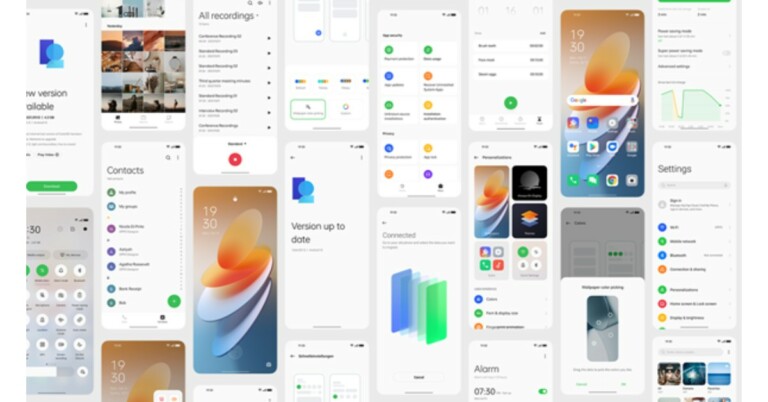
The new ColorOS 12 will bring features like Quick View cards, Omoji which are like 3D avatars and others. The company has also incorporated many stock Android features like the Wallpaper-based Theming system in Material You. In addition to this, it will now include App Cloner which is another important feature from Android 12.
For the cameras, the ColorOS 12 will offer features like Ultra Steady Video Shooting, HDR, Super Wide-Angle. The company will further provide HyperBoost, Color Vision Enhancement to benefit app developers and enhance the Android ecosystem.
The new operating system is also said to address issues like lags and stutters after prolonged usage, especially in anti-fragmentation and intelligent resource allocation to increase productivity. According to Oppo, its Quantum Animation Engine adopts more than 300 improved animations to achieve animated effects that are lifelike. By imitating physical habits of resistance, inertia and rebound, the feature makes the overall experience smoother and more aligned to the cognition and habits of the human brain so that the experience is more realistic and intuitive. This will include features like 3-Finger Translate powered by Google Lens and Phone Manager.
In terms of privacy, the ColorOS will be offering improved security and privacy features from Android 12, including Privacy Dashboards, Approximate Location Sharing and Microphone and Camera Indicators, giving users more control over their privacy with clear, visualized menus and buttons while retaining Private System, Private Safe, App Lock and others privacy features
In order to keep things clear the company is also working on improving data compliance through storage and process. With servers deployed in multiple locations across the world, OPPO guarantees that user data stay in the nearby servers, which is saved in a non-plain text format and is transmitted using a proprietary protocol. It is said to hold privacy certifications from authoritative organizations such as ePrivacy and ISO27001, and it even deploys third-party supervisors from the data security field to ensure everyday process compliance.
As Diwali is just around the corner Sony has announced Diwali offers across its product categories. The company will bring exciting discounts and attractive finance schemes on devices such as Bravia televisions, soundbars, Bluetooth speakers as well as on full-frame cameras.
There will be up to 20 percent additional cashback up to Rs 20,000 along with 3 years warranty and instant cashback on select BRAVIA televisions. In addition to this, Sony Diwali Sale will also offer an additional discount of up to 30% on a select range of Sony televisions. The company will also be providing EMI schemes starting at Rs 1,024 and there will be 1 EMI free along with an EMI scheme of 9/0, 12/4 and 18/4 on select BRAVIA and Digital Imaging products as well. This offer will be valid till November 16.
During the period the customers can also avail of 5% cashback and save up to Rs3,000 on the purchase of a soundbar with a BRAVIA television having a screen size of 40-inch or above. The HT-G700, Dolby Atmos soundbar can be purchased at a special discounted price of Rs 39,990. Moreover, on the purchase of the HT-Z9F, get a rear speaker worth Rs 10,990 complimentary.
In terms of headphones, the WH-1000XM4 and WF-1000XM3 are now available at a discounted price of Rs 22,990 and Rs 9,990 respectively. Other models like WF-XB700 and WH-CH710N will be up for Rs 6,490 and Rs 6,990 respectively. Other wireless headphones like WI-C200, WI-XB400, WI-SP510, WI-C400 and WI-C310 will be accessible at a starting price of Rs 1,599. Select range of wireless Bluetooth speakers are also available at a special discounted price, SRS-XB43 for Rs 14,990, SRS-XB33 for Rs 11,490, SRS-XB23 for Rs 7,990 and SRS-XB12 for Rs 3,990.
Sony X Series party speakers will let you save Rs 7,000. This will include models like SRS-XG500 and SRS-XP700 that will cost you Rs 32,990. Whereas the SRS-XP500 will be offered at Rs 26,990.
Additionally, Sony is also offering a Rs 20,000 discount on the purchase of a select full-frame camera body with the lens. One can also get a camera backpack worth Rs 9,990 free on the purchase of an A7S III Full-Frame mirrorless camera. A B&W Type 6600 carry case worth Rs 22,990 free with an FX6 Cinema Line camera.
The 1TB PS4 MEGA PACK along with 3 exciting games (Horizon Zero Dawn CE/ GTS II /Ratchet & Clank) and 3 months PS Plus membership will be available at a special price of Rs 29,990. Along with this, there will be a limited period festive offer on select PlayStation games starting at Rs 999.
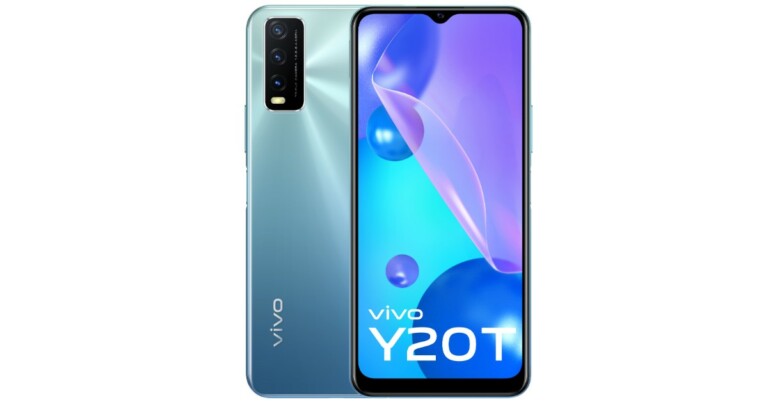
Vivo has officially announced the launch of its new mid-range smartphone in the Indian market today. Vivo Y20T is the latest device to arrive in the Indian market. It comes with the very latest Extended RAM 2.0 feature, which Vivo has been providing on all the latest offerings.
The device uses internal storage to boost the RAM to 7GB for multitasking. The smartphone further packs a 5,000mAh battery and a triple rear camera set up. In addition to this, the phone is powered by Snapdragon 662 SoC. Read on to know its pricing and other details.
In This Article
Vivo Y20T price in India and availability details
Vivo Y20T price in India has been set at Rs 15,490 for the single 6GB RAM with 64GB storage options. The device comes in two colour options to choose from: Obsidian Black and Purist Blue. The phone is now available for purchase via Vivo India E-store, Amazon.in, Flipkart, Paytm, Bajaj Finserv EMI Store and across all partner retail stores in the country.
The company will be providing an array of launch offers such as no-cost EMI up to 12 months with Bajaj Finserv (Additional up to Rs 500 Cashback) via e-store. There will be 6 months of No Cost Exchange on e-commerce platforms like Flipkart, Amazon, Paytm and Tata Cliq.
Vivo Y20T specs and features
Vivo Y20T features a 6.51-inch Halo FullView HD+ display with 1600×720 pixels of resolution. The screen has a waterdrop design notch to house a selfie camera. The phone ships with FunTouchOS 11.1 based on top of Android 11.
The device is powered by an Octa-core Qualcomm Snapdragon 662 SoC paired with 6GB RAM and a 64GB storage option. The mobile accepts memory expansion via a microSD card. The Y20T features Vivo’s revolutionary Extended RAM 2.0, which taps up to 1GB of idle ROM and gives a boosted 7GB RAM space for easier and quicker switching between apps.
In terms of imaging, Vivo Y20T comprises a triple rear camera set up that houses a 13MP primary sensor with f/2/2 aperture. Further, there is a 2MP macro sensor with f/2.2 aperture and a 2MP depth sensor with f/2.2 aperture. While on the front there is an 8MP selfie camera with an f/1.8 aperture. Both the rear and front camera supports autofocus.
The newly launched phone also includes a 5,000mAh battery with 18W Fast Charge and reverse charging support. The device comes with an AI power-saving technology, which provides 20 hours of online HD movie streaming and 8 hours of resource-intensive games on a full charge.
For gaming enthusiasts, the Vivo Y20T comes with Multi Turbo 5.0 for enhanced data and processor speed along with Ultra Game Mode, Esports Mode, 4D Game Vibration, Game Picture-in-Picture for a fuller sensory gaming experience.
In terms of connectivity, Vivo Y20T supports WiFi, GPS, Bluetooth v5, USB and micro USB. In addition to this, the sensors on the phone include a side-mounted fingerprint sensor, an accelerometer, ambient light sensor, compass/magnetometer, gyroscope and a fingerprint sensor.
YouTube allows users with an option to download a video natively from the application. But there are many creators who have made their video restricted from downloading. If you come across such a video, worry not, there are still ways to download video onto your iPhone’s camera roll. Downloading a video file from the traditional iOS browser is not easy due to many restrictions of which some are valid.
But, saving a video on your camera roll will give you access to the content offline and ads free. You can also send videos to your friend and family directly and lastly, the video is saved in the camera roll so users can edit the video as well. Follow the following steps in case you want to download a video onto an iOS camera roll from YouTube.
Step 1 – Download Documents by Readdle from App Store.
As the regular iOS web browser is not capable of saving video files.
Step 3 – Tap the compass icon in the lower corner of the screen.
Step 4 – Head to y2mate.com (or similar Youtube videos downloading website)
Step 5 – Paste the link or search for keywords related to the video you want to download.
Step 6 – From the list, select the video you want to download and click on the green Download video button.
Step 7- Select from the list of resolutions the video is available in.
Step 8 – Click on the download button.
Note: Make sure you do not click fake download buttons. These will probably try to trick you and can result in your personal information being stolen or a malware attack on your device.
Step 9 – Click Downlaod.MP4 from the popup menu and rename the file to start the download.
Step 10 – In the application itself tap on the folder icon in the lower-left corner naming ”Downloads”
Step 11 – Once the download is finished press the three dots and select the copy or move option from the list.
Step 12 – Tap the “Photos” folder and the application will ask for permission. Accept it.
Following these steps properly will show up the video on your iPhone’s camera roll. Keep in mind that by this way you are not financially helping the creator as there will be no ads on the downloaded video. Also, take the creators permission prior to uploading it somewhere else as many creators have protected their videos with copyright.
BGMI Mega Modes also known as PUBG Mobile modes have been officially announced for the Battlegrounds Mobile India. The new gaming modes are similar to what is being offered to PUBG Mobile, which includes Infection Mode, Metro Royale, Vikendi and others.
The latest BGMI Mega Modes are intended to attract the PUBG Mobile fans in the country. With this, the company is trying to offer a similar gaming experience to the BGMI game that they earlier had on the battle royal game before it was banned in the country.
The South Korean video game developer, Krafton, has revealed the dates for upcoming upgrades and new model launches, as well as the India-specific events schedule. The BGMI Mega Modes for Battlegrounds Mobile India will include a total of seven modes consisting of Infection Mode, Metro Royale, Payload 2, Runic Power, Zombie: Survive Till Dawn, Titans: Last Stand and Vikendi.
It should be noted that all these Modes were earlier available on PUBG Mobile. Upcoming Key Modes and Availability Dates
Metro Royale mode and Vikendi are currently available for Battlegrounds Mobile India and will end on November 16 at 5:30 AM. On the other hand, Erangel – Runic Theme Mode will begin from October 15 and will run till October 22. The Zombie: Survive till Dawn will start on October 22 and end on November 16. Whereas other BGMI Mega Modes like Titan-Last Stand, Infection Mode, Payload 2.0, and Erangel – Runic Theme Mode will be available from October 31 till November 16.
Besides this, Krafton has also announced Diwali In-Game Events for Battlegrounds Mobile India. The Lamp Exchange Event will start on October 20 and will end on November 9. In this event the players need to collect lamp items via in-game missions and exchange them with permanent ‘Cool Cat set and headband’, permanent ‘Rock Star -Mini14’, and Crate Coupon Scrap.
The Diwali Log-in event will be commencing from October 29 and will end on November 8. The gamers need to log in to the game for 7 days and earn a ‘Naughty Kitty set and headband (valid for 14 days each), Crate Coupon Scrap, and AG. While the Premium Crate Special Sale Limited Time will allow users to purchase one 50% discount coupon for Premium crate from October 15 to October 25.
Upcoming Key Modes and Availability Dates for BGMI
Mode
Start Date and Time
End Date and Time
Metro Royale
05:30 pm on September 28, 2021
05:30 am on November 16, 2021
Titan-Last Stand
07:30 AM on October 31, 2021
05:30 am on November 16, 2021
Vikendi
07:30 AM on October 8, 2021
05:30 am on November 16, 2021
Zombie: Survive till Dawn
07:30 am on October 22, 2021
05:30 am on November 16, 2021
Infection Mode
07:30 am on October 31, 2021
05:30 am on November 16, 2021
Payload 2.0
07:30 am on October 31, 2021
05:30 am on November 16, 2021
Erangel – Runic Theme Mode
07:30 am on October 15, 2021
05:30 am on October 22, 2021
Erangel – Runic Theme Mode
07:30 am on October 31, 2021
05:30 am on November 16, 2021
BGMI Diwali In-Game Events
Event
Event Details
Start Date
End Date
Lamp Exchange Event
Collect lamp items via in-game missions and exchange them with permanent ‘Cool Cat set and headband’, permanent ‘Rock Star -Mini14’, and Crate Coupon Scrap.
October 20, 2021
November 9, 2021
Diwali Log-in event
Log-in to the game for 7 days and earn ‘Naughty Kitty set and headband (valid for 14 days each), Crate Coupon Scrap, and AG.
October 29, 2021
November 8, 2021
Premium Crate Special Sale Limited Time
Purchase one 50% discount coupon for Premium crate
Smartphones have become such an important part of our lives that we take them everywhere. The basic phenomena now created is where the human body goes, their smartphone comes along with them. But there are often some mishaps that can result in broken phone screen of one of the closest technologies to you.
Whether it slipped from your hand or pocket or worse a heavy object fell on it, these accidents will completely shatter your phone’s screen. Here are 9 things you can consider doing when you crack your smartphone’s screen.
In This Article
Claim Insurance
Did you buy insurance for your smartphone? If yes, there is a good chance you can get your device fixed for free. Just get in touch with your insurance company and check with them if the accident covers the insurance’s terms and conditions. All you have to do is stay without your smartphone till it gets fixed, which can too be taken care of with the next solution.
Use an old spare cell phone
It is a good habit to keep an old spare. But that doesn’t mean you store your house with electronic junk. It is always advised to keep a decent smartphone or feature phone, which will last in case of emergencies. If your smartphone met with an accident and the screen is not working.
All you have to do is transfer your sim on the spare phone and you are good to go for at least basic functionalities. In case you don’t have an old cellphone, why not try asking your friends or relatives. Ask them to lend their spare phone for a few days until you get your’s fixed.
Try fixing it yourself
Even if you have little experience handling phones, why not try fixing it yourself. Thanks to the internet there are many DIY videos available on the internet, especially on YouTube. One can search for many DIY videos on fixing the screen with step by step procedures. Though this process is only advised if you are not confident enough that you can fix your smartphone by yourself. If you don’t wanna take this risk, follow the next step.
Get it fixed
Visit the official service centre of the company of which the smartphone is. Before heading to the service centre, there are many companies that provide you with the list of spare part costs, consider going through them as well.
Also, it’s advisable to check if your device is in warranty as some companies offer discounts and phones out of warranty can be very expensive to fix. Sure, spending money on a broken phone seems a waste, but it will be a lot cheaper than buying a new phone.
If the device is too old and you are not getting spare parts for it, better to get yourself a new phone. Yes, it will look like a hole in your wallet, but getting an expensive repair and ending up replacing it after a few months appears to be a waste of money and time. If you can, wait for some sales that many smartphone companies and e-commerce websites run all over the year. If you spot a smartphone that is good and pocket friendly as well, waste no time in buying it.
Sell your smartphone
The smartphone, especially big brands like Apple or Samsung get good resale value and exchange offers even with a broken phone screen. There are sites like OLX or eBay where you can sell your broken phone screen smartphone to get some money out of it. Always, something is better than nothing, with cash raised by selling the old one, add some more in it and get yourself a new phone.
Recycle your electronic
If the smartphone is completely shattered and you see no scope of getting it repaired or it seems very expensive. Why not try to recycle it? By recycling, you are doing mother nature a big favour and also many companies like recycledevice offer you money if you do so.
Just visit the website and choose the condition of your smartphone. After answering a few questions, the company will offer you an amount for your device. Take that money, add a few more from your pocket and get yourself a new smartphone.
Use it if it works
If the screen of the smartphone works and you are tight on budget. Use the smartphone as much as you can and save money for a new one. Make sure that the touchscreen is working properly and there is no risk of your smartphone’s screen just falling apart. Apply a screen protector over the damaged screen (if you can) to avoid further cracking of the screen. Saving money and waiting for a perfect buy is always a good option.
Get it repaired elsewhere
The reason why this option is in the last place is that if you get your smartphone repaired from outside, there is no chance the repair person is using genuine products. It gets worse if your warranty gets void and the phone is in warranty as you will lose it if any third-party part is installed.
Also, many functions do not work on these cheap replacements, in-display fingerprint scanners are prime examples of it. Do not expect the same fit and finish from these cheap replacements and they are advised only for emergency situations.
These are 9 things you need to first do in case of a broken phone screen. We advise you to handle the broken screen very carefully as the shattered glass on it can result in major cuts on your skin. Yes, a broken smartphone can be very frustrating but it should not be something running down your mental health.
Memes have grown in popularity in recent years. They are quick stress busters in your day to day life. From just posts on social media, memes have become a culture. They have become a way to express feelings and share thoughts. Because of memes, we have found some talented people as well. So, if you love memes, why not create one by yourself? Here are some applications available for both iOS and Android, which will help you out.
In This Article
Meme Generator
The application has already made its place in editors choice with over 10 million downloads. The application has thousands of meme templates to choose from that one can use to create some funny memes. Users can make memes and share them directly to any social platform within the application. They can also choose pictures from their gallery, for creating a personalised meme.
The meme generator has tons of effects to choose from with developers adding more over regular updates. Users can insert creative text with over 60 fonts to choose from. The application is free, and the developers are generous enough to provide watermark-free images.
For now, this application is limited to only Android Playstore, but it’s one of the most user friendly applications available. The templates and images are sorted into specific categories and further in subcategories for the ease of users. Cartoons, celebrities, and rage are just a few among its vast library.
Either select from more than 600 templates or use your own collection directly from the gallery, with Meme Creator making memes becomes very easy. Other features include text size, fonts, borders and adding clips. If you are an Android user, consider Meme creator once.
One of the best applications for creating meme images, videos and GIFs. The Memes maker and generator has thousands of templates and GIFs to choose from, also the developers change them according to the trend in the market. The application has a deep-fried feature that gives your creations a sweet touch.
In the app, a video editor tool can be found with which you can adjust the speed of the meme video you are making. Memes maker and generator has a big community where you can meet other creators as well. Just install the application and open yourself to thousands of awesome stickers, GIFs, fonts with which you can get extra creative in your own way.
Memasik has a friendly user interface for all the meme enthusiasts out there. Just pick up a traditional template and make it funnier with your own recipe. The user-friendly application allows you to insert stickers, texts and even lets you draw over a template. The database of Memasik gets updated regularly so you won’t run out of good templates.
The application provides a quick share option so that the user can share the meme directly to any social platform or your loved ones WhatsApp chatbox. Inside the app is a large community where you can post memes. For that Memasik provides you with an in-app currency called meme coins.
Designed specially to create good meme videos and GiFs. Users can also edit, add captions and adjust images for memes as well, but the main highlight of the application is its video and GIF library. The GIF library of the application is powered by Tenor, which is famous and amongst the best on the internet.
Just select a GIF from thousands of options and tweak it according to your taste. The app lets you quickly adjust the format, change quality playback, frame rate and more.
A lightweight and quick editing application that will help you make memes with thousands of HD photos, stickers and meme templates. Select any photo from your gallery and the application will be converted into an editing application with a pinch of meme suggestions. Just add text and funny quotes on the picture, and share them watermark-free. The application is free to use, however, there are ads shown that can be removed with an in-app purchase.
Just pick up a photo from your gallery and add funny faces over it. That’s what Meme faces is all about. The application allows you to take a completely normal photo from your gallery and choose a funny face with thousands of popular ones to choose from. Select any that suits the image and replace the faces in the original photo.
The application even has some popular comic text to enhance the feel of the edited photographs. Meme faces also has a built-in photo editing application for you to change the way the original image looked. Visit my creation section in the app where it stores all the images created by you.
These are 7 popular apps that help you create memes on iOS and Android. All the above applications have some unique features to give them a try. We also advise using them for only fun purposes, not for cyberbullying or hurting someone.
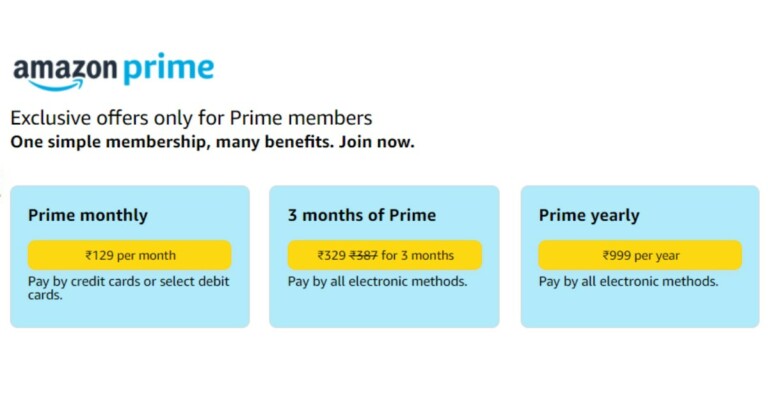
Amazon Prime’s Rs 129 monthly subscription was discontinued by the e-commerce platform earlier this year. The monthly Prime subscription is back in India. The most affordable plan can now be purchased but with certain limitations.
Since the Amazon Prime Rs 129 monthly subscription was removed by the company there were only three months and annual plans available. But now the e-retailer has reinstated the monthly plan.
Those who are unaware of the monthly plan for Amazon Prime, which costs Rs 129, was removed earlier this year after RBI rolled out new guidelines for the implementation of an additional factor of authentication for recurring online payments.
But now the Amazon customers have the choice to select between three subscriptions for the Prime membership: a monthly plan for Rs 129, a three months plan that costs Rs 329 and an annual pack for Rs 999 in India.
Amazon will be accepting all electronic payments modes for both three months and yearly plans, while on the other side, the Amazon Prime Rs 129 monthly subscription can be bought with only credit or debit cards.
Interested ones can only buy the affordable Amazon Prime monthly subscription through banks that have complied with RBI’s e-mandate guidelines. In addition to this, the e-commerce website has also temporarily discontinued new member sign-ups for Amazon Prime Free Trial until further notice. The users can continue to avail of Prime membership benefits by manually renewing/signing up for the Monthly, Three Month or Annual Prime Membership.
The company’s T&C says, “Please note that effective 1 October 2021, your bank may not be able to process any requests for automated payments on your credit/debit cards unless it complies with RBI’s e-mandate guidelines. Therefore, we have temporarily discontinued new member sign-ups for Amazon Prime Free Trial until further notice. You can continue enjoying Prime membership benefits by manually renewing/signing up for the Monthly, Three Month or Annual Prime Membershiphere. Effective 1 October 2021, the update under this notice will supersede any conflicting positions in the Prime T&Cs below.”
RBI permits the processing of e-mandate on cards for recurring transactions (merchant payments) with AFA during e-mandate registration, modification and revocation, as also for the first transaction, and simple/automatic subsequent successive transactions. This is applicable for transactions performed using all types of cards – debit, credit and Prepaid Payment Instruments (PPIs), including wallets.
According to RBI’s e-mandate, the maximum permissible limit for a transaction under this arrangement shall be ₹ 5,000. Transactions above this cap shall be subject to AFA also known as an additional one-time password (OTP).
The OnePlus 9RT launch is set for October 13. Just ahead of the official launch the device surfaced on various benchmarking and certification websites including BIS, therefore suggesting India launch as well. In a new development, the company has itself started teasing the key specs of the upcoming phone. The smartphone is teased to come with a Qualcomm Snapdragon 888 SoC and a 120Hz display.
OnePlus 9RT is scheduled to launch in China on October 13 and the company has started sharing teasers on the Chinese microblogging website Weibo. According to the latest teasers, the OnePlus 9RT is going to be powered by an octa-core Qualcomm Snapdragon 888 SoC. The phone will be offered with LPDDR5 RAM and UFS 3.1 internal storage.
The upcoming OnePlus smartphone is also confirmed to feature a 120Hz Samsung E4 display. In addition to this, it will arrive with a 4,500mAh battery that will get 65T Warp Charge fast charging.
Image Courtesy: Weibo
The OnePlus 9RT was earlier teased to come in three different colour options. The rear of the phone features a glossy and matte finish which may depend on the shades. The mobile phone is claimed to highlight a quad-camera set-up consisting of a 50 MP primary sensor.
Leaks suggest that the OnePlus 9RT will be priced at CNY 2,999 that is roughly around Rs 34,200 for the 8GB RAM with 128GB storage. Whereas the 8GB RAM with 256GB storage model is said to come with a price tag of CNY 3,299 which converts to Rs 37,600.
The above-mentioned specs of the device are similar to what it was previously rumoured. The theOnePlus 9RT is speculated to come with a 6.55-inch Samsung E3 full-HD+ Super AMOLED display with 1,080×2,400 pixels of resolution. The screen is tipped to support a 120Hz refresh rate and it will be protected with a layer of Gorilla Glass 5.
The phone is suggested to operate on OxygenOS 12 on top of Android 11. Under the hood, there will be a Qualcomm Snapdragon 870 SoC with up to 8GB of LPDDR4x RAM and up to 256GB of UFS 3.1 storage.
For the optics, the OnePlus phone is likely to house a triple rear camera setup that includes a 50-megapixel Sony IMX766 primary sensor along with a 16-megapixel Sony IMX481 ultra-wide-angle sensor and a 2-megapixel black and white sensor. For selfies, it may include a 16-megapixel Sony IMX471 sensor on the front.
The smartphone is tipped to include NFC, dual-speakers with Dolby Atmos, and an X-axis linear motor. It is also stated to be fueled by a 4,500mAh battery with 65W fast charging support.
Amazon is back with another quiz on its mobile platform. The Amazon Quiz is conducted every day for its customers. Customers from different parts of the country are participating in the daily quiz. Today’s Amazon quiz is now live on the Amazon App. The participants can play the 11 October 2021 Amazon Quiz and get a chance to win Rs 1,000 Amazon pay Balance.
The Amazon Quiz can be played from 12 AM to 11:59 PM. For those who are unaware of the quiz, the e-commerce platform brings a fresh quiz on a daily basis which consists of five questions related to general knowledge and current affairs. The participants need to answer all the questions correctly and their names will be selected for a lucky draw. The winner will be announced at the end of the month. One wrong answer could eliminate you from the quiz. Only app users are eligible to participate in the Quiz. Check Out 11 October 2021 Amazon Quiz Answers.
In This Article
11 October 2021 Amazon Quiz Answers
Question 1: In august 2021, which city got India’s first smog tower
Answer: New Delhi
Question 2: Which American won golds in both 50m and 100m freestyle swimming at the Tokyo 2020 Olympics?
Answer: Caeleb Dressel
Question 3: Which pet animals in Sri Lanka are to be given biometric identity cards as a way of protecting them from ill-treatment?
Answer: Elephants
Question 4: Which colour is the name of a song and an album made by this artist
Steam is one of the oldest and most popular websites/software on PC that provides games online. The question is how to refund a game on steam? The website has been popular among gamers since the day it kept a foot in the gaming market around the world. There are thousands of games to choose from in the Steam library. From free games to paid ones, Steam offers you not hours but days of entertainment.
All you have to do is make an account and get started. The website/software is secured as well, so you can ensure where you are putting your money. But what if you bought a game and you are not satisfied. This guide will show you and help you with how you can return a game, and get a refund from the company.
There are few policies that you must check before you can apply for a refund.
Requests for a refund for any title should be made within 14 hours of its purchase.
The game should be played for less than 2 hours.
If you meet these requirements you can opt for a hassle-free refund. If not, still submit a request for the team to take a look and consider.
Once all these steps are followed properly, a ticket will be raised of the order, to Steam customer support. You will receive an email for the same as well. After the request is processed successfully the refund should either reflect in your Steam wallet or your bank statement within 10-15 working days. This is how to refund a game on steam
Amazon is back with another quiz on its mobile platform. The daily quiz is now live on the Amazon App and today’s Amazon Quiz will give you a chance to win Rs 10,000 Amazon pay Balance. The participants can play the 10 October 2021 Amazon Quiz from 12 AM to 11:59 PM. For those who are unaware of the quiz, the e-commerce platform brings a fresh quiz on a daily basis which consists of five questions related to general knowledge and current affairs.
The participants need to answer all the questions correctly and their names will be selected for a lucky draw. The winner will be announced at the end of the month. One wrong answer could eliminate you from the quiz. Only app users are eligible to participate in the Quiz. In today’s Amazon Quiz the participants will get a chance to win Rs 5,000 Amazon Pay Balance. Check Out 10 October 2021 Amazon Quiz Answers.
In This Article
10 October 2021 Amazon Quiz Answers
Question 1: Kalyan SIngh, who recently passed away, was the former Chief Minister of Which state?
Answer: Uttar Pradesh
Question 2: Mutaz and Gianmarco made history at the Tokyo 2020 Olympics. In which event did they ‘Share’ the gold?
Answer: High Jump
Question 3: Which major general was the last American soldier to exit Afghanistan after 20 years of occupation?
Answer: Chris Donahue
Question 4: Who is the actor who plays this character in the Marvel universe?
Answer: Mark Ruffalo
Question 5: Which character of ‘The office’ did this mug belong to?
There are many benefits if you cook your own food. The best among them is that you know what is going inside to prepare it. Also, you can customise your food to your taste and liking. If we compare eating a meal outside, making your own food is a much cheaper and healthier option. There are plenty of new food apps on the market to choose from.
To cook good food, a little bit of cooking skills are required. But what takes the most time is thinking of what to cook. Don’t know what to cook? or don’t know how to? Worry not, technology to the rescue again. Here are 15 applications that will help you in making some delicious food and enhance your cooking skills.
In This Article
BBC Good Food
BBC is one of the most famous British channels that offers tons of food programs. From the start, till now, the channel has grown a lot and has a dedicated application for just food now. With the BBC Good Food application, you open doors to over 10,000 recipes to choose from. These recipes are from users and famous celebrity chefs.
The application lets you save your favourite recipe or save it into your personal collection to try it later. The recipes are laid in a step by step format making it really easy for users to understand. There is absolutely no charge for this application. All you have to do is create your account and you are good to go.
Ever opened your refrigerator and come up with some ingredients you don’t know what to do? This application will help you. In this busy world going out and buying specific ingredients sounds like a hassle. BigOven solves your problem here too. In this app, you can search for specific ingredients and the application will suggest some good recipes.
All you have to do is enter 3 ingredients and the application will show up dishes that can be made using them. BigOven uses a social media approach to attract new consumers. Meaning?In the application you can also see what others are cooking. With over 3 million recipes and options for making a grocery list, it is one of the best applications that you can consider.
A community of 50 million people along with developers run this application. It’s a place where millions of people either cook professionally or as a hobby around the world. Not only limited to cooking, but the users also upload their personal recipes on this app so you can ensure home-like taste with a personal feel.
Choose among many recipes that people suggest, you can start with noting down the ingredients with its inbuilt feature. Users can also filter recipes according to ingredients and diet. The application also lets you choose any food or cross out ingredients you are allergic to or you dislike. If you are an international citizen it will also show you nearby grocery stores.
A social media platform in which all you have to do is make an account and browse recipes. The user interface of the application manages the recipes and organises them into different categories. The application works offline as well so you can save recipes and look at them even without the internet.
It shows you recipes people are cooking all around the world and choose any one of them which you love. As it is also a community-driven application it’s very easy to learn new recipes and enhance your skills using Cookpad.
Inspired by the documentary “Forks over knives” this application is all about how to eat vegan food. If you are a vegan or follow a vegan diet, this application will surely help you. Fork Plant-based recipes consist of 500+ meals you can make yourself on a daily basis without using any animal products, processed or refined ingredients.
The developers add many recipes in frequent intervals of time so you don’t run out of ideas or recipes. The application claims that following this diet will reverse chronic diseases such as diabetes and heart disease due to the composition of recipes. There are no complicated recipes here and with the grocery list feature, this application is a gem for people on a vegan diet.
The application is very popular with over 35,000 recipes that all the people have tested and rated within the application. Not only do you find recipes from the Epicurious team but also big giants like Bon Appetit, Gourmet magazine, and Harper Collins. Just find the food you want to cook and make a shopping list in the application itself.
This new food apps also includes voice-over commands so you don’t have to look at your screen again and again to follow the cooking instructions. The user interface is very easy so you won’t have a hard time navigating. Sadly the application was removed from Android PlayStore and now is available only on Apple App Store.
Food Network is a popular TV channel in many countries. They make delicious food and show mouth-watering recipes. Well, with Food Network Kitchen it’s the same but now you don’t have to sit in front of the TV to learn them. With their dedicated application, you can learn and saviour 70,000+ recipes made by celebrity chefs.
These recipes are available in both text and video format so you can enjoy them according to your taste and understanding. The searching for recipes is seamless as well. Just type the ingredient or name of the chef, the application will search its database to find the best match for you. Adding to this the application has a meal planner ideal for people who are calorie-conscious.
Have very little time, say 20-30 minutes only? Kitchen Stories is a new food apps that is perfect for you. It focuses on a more visual rather than a textual approach. The instructions are easy to understand with high definition photos and videos make it even easier and interesting to cook with. It has thousands of dishes to choose from, you can consider Kitchen Stories for a Bon appetit.
With 140 plant-based dishes and 120+ gluten-free ones. The application is perfect for those who like eating healthy. The application has step by step photos of mouth-watering dishes that will make you fall in love with earthing health.
The application lets you filter your allergies, diet information, dish type and seasoning you like. Every recipe has information about what you are eating like calories and other nutrition information. Users can save a particular recipe so they do not have to find it again and again.
Entering the world of cooking? SideChef is the application for you. This application teaches you the basics of cooking while having a library of over 10,000+ recipes that can be searched by specific ingredient or category. For each recipe, there are images, videos and audio files available for your ease.
If you want to cook some dish for fewer people or you are allergic to some ingredients. Fret not, the application will alert you of a recipe accordingly. You can even email yourself the list of ingredients that are needed. If you are an international user you can also order groceries directly from the application itself.
This application a is new food app that tells you what you can make with minimum ingredients. Just gather a list of things you have in your fridge and input them into the application. Supercook will tell you what are the best dishes you can make from them.
If you don’t like the suggestions, which the application gave you, don’t worry as it does a web search for you as well. For making it even more user friendly, the application separates recipes according to categories such as dairy, vegetables, baking, spices, meats, beverages, and more.
This application is a food manager app rather than an application with a database full of recipes. Loved some recipes that you saw online? Save it on Paprika. Additionally, this application allows you to craft a grocery list and do meal planning. Paprika can also come in handy when you want to scale down ingredients depending on servings. After one step is finished, strike off the step to keep yourself organised when cooking.
A brand owned by BuzzFeed. They started with making food recipes and the network has grown ever since. The application is like Instagram stories for recipes. Users can filter recipes according to their tastes. The instructions in the application are very simple and really easy to follow. There is also a feature in the application that does not let your phone’s screen turn off making it easy to follow recipes even if your hands are dirty.
Who doesn’t like grilled food? And if you are a fan too, you are up for a treat. Weber iGrill is an application solely dedicated to grill food. The application is loaded with Grill recipes, be it a snack, breakfast or dinner. For the recipe, you choose it and the app sets timers automatically as different foods take different times on the grill. Just enter the amount of meat/veggies you are cooking, it will determine the time required.
This is an AI-based recipe finding app that gives you suggestions according to your recent searches. With a database of thousands of recipes, Yummly makes sure you are never bored. You can also filter your searches using a variety of parameters such as lifestyle, allergens, diets, and more. Users can buy everything related to cooking from groceries to utensils in this application.