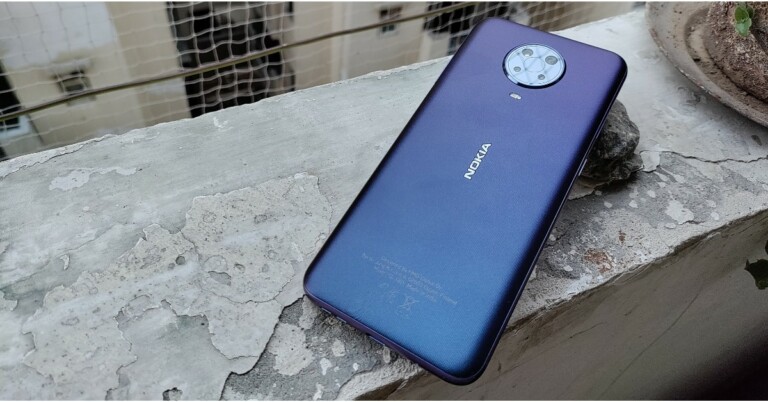
15 best food and recipe apps for iOS and Android (free and paid)

There are many benefits if you cook your own food. The best among them is that you know what is going inside to prepare it. Also, you can customise your food to your taste and liking. If we compare eating a meal outside, making your own food is a much cheaper and healthier option. There are plenty of new food apps on the market to choose from.

To cook good food, a little bit of cooking skills are required. But what takes the most time is thinking of what to cook. Don’t know what to cook? or don’t know how to? Worry not, technology to the rescue again. Here are 15 applications that will help you in making some delicious food and enhance your cooking skills.

BBC Good Food              

BBC is one of the most famous British channels that offers tons of food programs. From the start, till now, the channel has grown a lot and has a dedicated application for just food now. With the BBC Good Food application, you open doors to over 10,000 recipes to choose from. These recipes are from users and famous celebrity chefs.

The application lets you save your favourite recipe or save it into your personal collection to try it later. The recipes are laid in a step by step format making it really easy for users to understand. There is absolutely no charge for this application. All you have to do is create your account and you are good to go.

Price: Free

Download: iOS, Android

  • Big Oven

Big Oven

Ever opened your refrigerator and come up with some ingredients you don’t know what to do? This application will help you. In this busy world going out and buying specific ingredients sounds like a hassle. BigOven solves your problem here too. In this app, you can search for specific ingredients and the application will suggest some good recipes. 

All you have to do is enter 3 ingredients and the application will show up dishes that can be made using them. BigOven uses a social media approach to attract new consumers. Meaning?In the application you can also see what others are cooking. With over 3 million recipes and options for making a grocery list, it is one of the best applications that you can consider.

Price: Free

Download: iOS, Android

  • Allrecipes Dinner Spinner

Allrecipes Dinner Spinner

A community of 50 million people along with developers run this application. It’s a place where millions of people either cook professionally or as a hobby around the world. Not only limited to cooking, but the users also upload their personal recipes on this app so you can ensure home-like taste with a personal feel. 

Choose among many recipes that people suggest, you can start with noting down the ingredients with its inbuilt feature. Users can also filter recipes according to ingredients and diet. The application also lets you choose any food or cross out ingredients you are allergic to or you dislike. If you are an international citizen it will also show you nearby grocery stores.

Price: Free

Download: iOS, Android

Read Also: World Food Day: Top gadgets that will help you prepare great food

  • Cookpad

Cookpad

A social media platform in which all you have to do is make an account and browse recipes. The user interface of the application manages the recipes and organises them into different categories. The application works offline as well so you can save recipes and look at them even without the internet. 

It shows you recipes people are cooking all around the world and choose any one of them which you love. As it is also a community-driven application it’s very easy to learn new recipes and enhance your skills using Cookpad. 

Price: Free

Download: iOS, Android

  • Fork plant-based recipes

Fork plant-based recipes

Inspired by the documentary “Forks over knives” this application is all about how to eat vegan food. If you are a vegan or follow a vegan diet, this application will surely help you. Fork Plant-based recipes consist of 500+ meals you can make yourself on a daily basis without using any animal products, processed or refined ingredients. 

The developers add many recipes in frequent intervals of time so you don’t run out of ideas or recipes. The application claims that following this diet will reverse chronic diseases such as diabetes and heart disease due to the composition of recipes. There are no complicated recipes here and with the grocery list feature, this application is a gem for people on a vegan diet. 

Price: $5 (Rs 375)

Download: iOS, Android

  • Epicurious

Epicurious

The application is very popular with over 35,000 recipes that all the people have tested and rated within the application. Not only do you find recipes from the Epicurious team but also big giants like Bon Appetit, Gourmet magazine, and Harper Collins. Just find the food you want to cook and make a shopping list in the application itself. 

This new food apps also includes voice-over commands so you don’t have to look at your screen again and again to follow the cooking instructions. The user interface is very easy so you won’t have a hard time navigating. Sadly the application was removed from Android PlayStore and now is available only on Apple App Store.

Price: Free

Download: iOS

  • Food Network Kitchen

Food Network Kitchen

Food Network is a popular TV channel in many countries. They make delicious food and show mouth-watering recipes. Well, with Food Network Kitchen it’s the same but now you don’t have to sit in front of the TV to learn them. With their dedicated application, you can learn and saviour 70,000+ recipes made by celebrity chefs. 

These recipes are available in both text and video format so you can enjoy them according to your taste and understanding. The searching for recipes is seamless as well. Just type the ingredient or name of the chef, the application will search its database to find the best match for you. Adding to this the application has a meal planner ideal for people who are calorie-conscious.

Price: Free

Download: iOS, Android

Read Also: Flipkart introduces Voice Assistant in Hindi and English 

  • Kitchen Stories

Kitchen Stories

Have very little time, say 20-30 minutes only? Kitchen Stories is a new food apps that is perfect for you. It focuses on a more visual rather than a textual approach. The instructions are easy to understand with high definition photos and videos make it even easier and interesting to cook with. It has thousands of dishes to choose from, you can consider Kitchen Stories for a Bon appetit.

Price: Free

Download: iOS, Android

  • Oh She Glows

Oh She Glows

With 140 plant-based dishes and 120+ gluten-free ones. The application is perfect for those who like eating healthy. The application has step by step photos of mouth-watering dishes that will make you fall in love with earthing health. 

The application lets you filter your allergies, diet information, dish type and seasoning you like. Every recipe has information about what you are eating like calories and other nutrition information. Users can save a particular recipe so they do not have to find it again and again.

Price: $2 (Rs 150)

Download: iOS, Android

  • SideChef

SideChef

Entering the world of cooking? SideChef is the application for you. This application teaches you the basics of cooking while having a library of over 10,000+ recipes that can be searched by specific ingredient or category. For each recipe, there are images, videos and audio files available for your ease. 

If you want to cook some dish for fewer people or you are allergic to some ingredients. Fret not, the application will alert you of a recipe accordingly. You can even email yourself the list of ingredients that are needed. If you are an international user you can also order groceries directly from the application itself.

Price: Free

Download: iOS, Android

  • Supercook: Recipes by ingredients

Supercook_ Recipes by ingredients

This application a is new food app that tells you what you can make with minimum ingredients. Just gather a list of things you have in your fridge and input them into the application. Supercook will tell you what are the best dishes you can make from them. 

If you don’t like the suggestions, which the application gave you, don’t worry as it does a web search for you as well. For making it even more user friendly, the application separates recipes according to categories such as dairy, vegetables, baking, spices, meats, beverages, and more. 

Price: Free

Download: iOS, Android

Read Also:Best YouTube Channels to Follow: For recipes and home cooking

  • Paprika

Paprika

This application is a food manager app rather than an application with a database full of recipes. Loved some recipes that you saw online? Save it on Paprika. Additionally, this application allows you to craft a grocery list and do meal planning. Paprika can also come in handy when you want to scale down ingredients depending on servings. After one step is finished, strike off the step to keep yourself organised when cooking.

Price: Free(Android), $5 (Rs 375) for iOS

Download: iOS, Android

  • Tasty

Tasty

A brand owned by BuzzFeed. They started with making food recipes and the network has grown ever since. The application is like Instagram stories for recipes. Users can filter recipes according to their tastes. The instructions in the application are very simple and really easy to follow. There is also a feature in the application that does not let your phone’s screen turn off making it easy to follow recipes even if your hands are dirty.

Price: Free

Download: iOS, Android

  • Weber Grill

Weber iGrill

Who doesn’t like grilled food? And if you are a fan too, you are up for a treat. Weber iGrill is an application solely dedicated to grill food. The application is loaded with Grill recipes, be it a snack, breakfast or dinner. For the recipe, you choose it and the app sets timers automatically as different foods take different times on the grill. Just enter the amount of meat/veggies you are cooking, it will determine the time required.

Price: Free

Download: iOS, Android

  • Yummly

Yummly

This is an AI-based recipe finding app that gives you suggestions according to your recent searches. With a database of thousands of recipes, Yummly makes sure you are never bored. You can also filter your searches using a variety of parameters such as lifestyle, allergens, diets, and more. Users can buy everything related to cooking from groceries to utensils in this application.

Price: FreeDownload: iOS, Android

For the latest gadget and tech news, and gadget reviews, follow us on TwitterFacebook and Instagram. For newest tech & gadget videos subscribe to our YouTube Channel. You can also stay up to date using the Gadget Bridge Android App. You can find the latest car and bike news here.

How to sign out of Netflix on your smart TV, mobile and laptop?

Netflix is one of the most watched and convenient movies and TV series streaming websites/applications. It supports multiple devices like TVs, consoles, phones, tablets and the Web. Its own specific application allows you to log in and enables its users to create multiple user profiles so everyone can enjoy their own separate content. 

But what if you forgot to log off from a guest device. Or maybe you don’t want other people logged in using your account anymore. Having multiple logins can be a security issue as well. Here is a guide on how to sign out from all devices.

Using Web

Step 1 – Open Netflix.com on any web browser.

Step 2 – Head to Account by clicking on your profile.

Step 3 – Under the Setting will be Sign out of all devices.

Sign out of all devices

Step 4 – Confirm the Sign out prompt.

Sign Out prompt

Using this way all the logged-in devices will be signed out at one go.

Read Also: How to sign out of all your Google accounts at once on all devices?

On application

Step 1 – Open the Netflix application.

Step 2 – In the application, head to More on the bottom toolbar.

More on Netflix application

Step 3 – From here either Sign-out or head to Accounts. 

Sign out of Netflix application

If tapped on Accounts the application will open the web browser. Choose Sign out of all devices under the setting tab.

Sign out of all devices

Unfortunately for iOS devices, there is no option to Sign out of all devices. It has to be done by using the first method in the Safari browser.

Read Also: COVID-19: 5 Apps to help Android users sign documents

On Smart TV

Step 1 – Open Netflix on your smart TV.

Step 2 – Press the left key to open the menu.

Step 3 – Go to the second last option naming Get Help and press the select button.

Netflix on TV application

Step 4 – Tap on Sign-out and wait for the application to reload.

Sign out of TV application

This way you will be logged out from your Netflix account on the current smart TV. If the “Get help” tab does not appear on the screen. Open the application and follow this sequence: Up, Up, Down, Down, Left, Right, Left, Right, Up, Up, Up, Up.  This will directly open the get help menu and you can sign out from there hassle-free. Netflix has not brought sign out of all devices options on to Android TV. Following this guide, you can easily sign out of Netflix on your smart TV, mobile and laptop.

For the latest gadget and tech news, and gadget reviews, follow us on TwitterFacebook and Instagram. For newest tech & gadget videos subscribe to our YouTube Channel. You can also stay up to date using the Gadget Bridge Android App. You can find the latest car and bike news here.

Top PC gaming cabinets under Rs 10,000

A cabinet is a case that houses all the hardware components, which consist of a motherboard, power unit, cooling system, storage, RAM and GPU unit. With ample storage, a gaming cabinet provides a good cooling solution with a lot of space to mount fans and provide ventilation. Building a gaming PC is every gamer’s dream. Most gamers love transparent cabinets with lots of RGB lights.

Here are some points you should consider before buying a gaming cabinet.

  • You should check the size of the power supply unit you are choosing beforehand, as some of them can be bulky and may not fit all cabinets.
  • Knowing the size of the GPU, some of the 3 fan GPUs are larger and bulkier. A prime example being the Nvidia RTX 3090 or AMD 6800 XT. They might not fit in smaller cabinets.
  • See the amount of CPU you want to install, storage options along with ports including USB ports and cooling fan attachments.

Here are our top picks of gaming cabinets under Rs 10,000, which you can consider buying to make your build look cooler without compromising efficiency.

CHIPTRONEX X310B Mid Tower ATX Cabinet

The Chiptronex X310B cabinet is excellent for people who love minimalistic design and large cabinet space. In the front of the cabinet lies the RGB strip which is modifiable with just a click of a button. Motherboards supported by this cabinet are ATX, Micro ATX, and Mini ATX. The side of the cabinet has a beautiful transparent Acrylic panel enhancing the charm of the cabinet. 

The company provides one 120mm fan pre-installed with this cabinet but users can mount 3 more on the front. Ports included are USB 3.0, 2 x USB 2.0 and HD Audio In. Dimensions stand at 35 x 18.5 x 42 cm, which can easily hold a GPU of 280mm and CPU cooler height of 150mm. 

Price: Rs 1,999.

Buy here

  • Ant Esports ICE-130AG

Ant Esports ICE-130AG

Ant Espot is a well-known brand for building the best cabinet for PC and good quality gaming components. The cabinet has an elegant looking LED strip on the front panel of this cabinet. The build quality is sturdy and it comes with a magnetic dust filter to keep the components inside clean. The filters used are easily removable. The side panel used in this cabinet is transparent as well. Ant Espot provides one 120mm fan with the cabinet, but gamers can install 3 more on the front, 2 at the top and one at the rear to maintain good airflow. 

The cabinet supports a big GPU of up to 265mm and a cooler height of 150mm. The dimensions of the cabinet are 34.4 x 19.6 x 43 cm and support ATX and M-ATX motherboards. Extra features include 2 x HDD, 2 x SSD, 7 x PCI slots, 1 x USB 3.0, 1 x USB 2.0, 1 Audio In and 1 Mic In.

Price: Rs 3,000.

Buy Here

  • Corsair Carbide Series CC-9011050-WW

Corsair Carbide Series CC-9011050-WW

Corsair is a brand of reliability. The gaming cabinet is spacious with a large transparent side panel. The design language is clean and sturdy for long lastingness. Adding to that Corsair India provides 2 years of manufacturing warranty from the day of purchase. For cooling, users can use up to 4 fans of 120mm. All the cutouts are equipped with filters so that only air flows inside not the dust particles. 

The company has also provided cable routing for easy cable management. Dimensions of the cabinet are 47.75 x 19.81 x 42.93 and have a USB 3.0 internal connector at the front with 7 PCIe slots. The width of the CPU is not large so it’s advised not to go extreme for the CPU cooling system.

Price: Rs 2,799.

Buy Here

Read Also: Gaming PC: Build your custom gaming rig under Rs 60,000

  • Cooler Master MasterBox K501L RGB V2 

Cooler Master MasterBox K501L RGB V2

Built for high performance and gaming. The cooler master Masterbox is big and spacious. Apart from seven 120mm fans, users can install a 360mm radiator on top as well. It also has a PSU shroud, which makes the cabinet look cleaner and minimalistic. These can fit almost all the graphic cards of 410mm, can handle a CPU cooler up to 165mm and PSU of 180mm. 

The side of the cabinet is stronger tempered glass for rigidity. Dimensions stand at 49.6 x 21.7 x 46.9 cm. The cooler master provides the cabinet with the input of USB 3.0 and 2.0 ports as well.

Price: Rs 4,299.

Buy Here

  • Thermaltake H200

The cabinet gives a clean and polished look, which is ideal for gamers. The Thermaltake H200 has an excellent cooling solution with large tempered glass panels for protection. The company avails you of pre-installed RGB cooling fans which supports up to 19 lighting modes. Motherboard supported are  ATX, Micro ATX, and Mini ATX. The cabinet is big enough to support almost any PC component.  

It comes in with the support of USB 3.0 ports on the front panel. Cabinet has 2 magnetic dust filters, one at the bottom and one at the top. Dimensions are 52.1 x 49.3 x 26.9 cm which is ideal for GPU up to 320mm in length and CPU cooler up to 180mm.

Price: Rs 5,899.

Buy Here

  • NZXT H510 Compact

NZXT H510 Compact

Ideal for people who like a minimal and elegant design for their cabinet. NZXT uses a clean design that looks beautiful. It has some features taken from high-end cabinets such as SSD and HDD trays to switch your storage easily and a convenient cable management system to make the insides look cleaner. The cabinet is future proof with a USB C connector panel, removable radiator mounting bracket, multiple-fan filters for better and cleaner airflow. 

NZXT provides you with 4 fans in the box being 3 Aer F120 and 1 Aer F140. Along with the support of a Type-C port, the cabinets have the newer 3.1 USB A ports as well. You can fit all sizes of motherboards and swap the traditional CPU cooler with a water cooling system easily.

Price: Rs 6,799.

Buy Here

Read Also: Build your gaming rig under Rs 1,00,000

  • LIAN LI LANCOOL II 

LIAN LI LANCOOL II

The Lian Li gaming cabinet comes with a honeycomb mesh design with beautiful LED RGB fans to give it a premium look. The white colour of the cabin makes it look cleaner and luxurious. The RGB lighting of the fans can be controlled via C and M buttons placed on the front of the panel. Even if you are adding a big cooling system and large graphic card there will be ample space left in the cabinet for multiple storage options as its dimensions are  55.88 x 29.21 x 55.88 cm. 

The cabinet side panel is made of high-quality tempered glass and also has a Modular PSU shroud cover. The three fans in the front give an optimisation cooling solution and come pre-installed from the factory. Users can also choose to add 3 x 120mm or 2 x 140mm fans on  front ,2 x 120/140mm on top , 1 x 120mm on rear and 2 x 120mm above the PSU chamber. This is one of the best cabinet for PC you can consider

Price: Rs 8,703.

Buy Here

Here is the list of top gaming cabinets you can consider buying. While building a PC make sure you use a good quality PSU and cooling system as a cheaper bad quality one can be fatal to your system. Also, the availability and price may differ at the time when you buy it.

For the latest gadget and tech news, and gadget reviews, follow us on TwitterFacebook and Instagram. For newest tech & gadget videos subscribe to our YouTube Channel. You can also stay up to date using the Gadget Bridge Android App. You can find the latest car and bike news here.

Facebook new page experience rolled out for the users in India

Facebook is rolling out a new page experience for the users in India to help public figures and creators to build their communities. With the new page design, they might find it easier to manage their activities including one’s newsfeed and share likes and comments on updates from one’s own Page. 

Commenting on the Facebook new design for Indian users the company commented, “Facebook today announced the rollout of a new Page design, in India, that will make it simpler for public figures and creators to build community and achieve their business objectives.”

The new Facebook update will include new features that will make it easier for businesses to understand actionable insights on content performance including audience trends. Check out the new Facebook features:

With the rollout of the new Facebook page experience, the users will get to see a more streamlined and user-friendly design that will make it easier for the followers to check out your bio, posts and other important information on the page.

For the first time, a dedicated new feed for pages is said to open up new avenues for engagement by facilitating discovery and participation in conversations on Facebook. This will make it simple to keep up with trends, interact with peers and engage with followers. 

Also, the dedicated News Feed will suggest new connections such as other public figures, pages, groups and trending content that a page or public figure is interested in. 

Besides this, the Page conversations on Facebook will now be more visible to a broader audience and appear more frequently in the News Feeds of followers. Prominent figures’ comments will also be placed at the top of the comments section. Users will be able to follow pages straight from the comments and recommendations posts. 

The Facebook new page experience for the users in India will rely heavily on easier navigation between personal profiles and pages. In addition to this, the new page design will also now facilitate richer, interactive conversations, as a new text-based Q&A format is being introduced. 

How to Add Music to Your Facebook Profile

The Facebook new design will also eliminate likes in favour of followers, simplifying how people connect with their favourite page. Followers of a Page can now receive updates from their favourite Pages. This will also enable public figures to get a better estimation of their fan base and build a stronger connection with them.

Updated task-based admin controls such as the ability to clearly assign and manage admin access and allocate permissions based on specific tasks will now make page management more efficient. The page admins can now be granted full or limited access to manage specific tasks such as Insights, Ads, Content, and Community Activity and Messages. This will also ensure account safety and integrity.

According to Facebook the new page design will also have improved safety and integrity features to detect prohibited activities like hate speech, violent, sexual or spammy content and impersonation. Increased visibility of Verified Badges will make it easier to distinguish posts and comments from authentic Pages and profiles. A verified Page’s comment on another Page’s public post, may appear higher in the comments section and be visible in News Feed.

However the company has made many changes but few things like Existing content, posts and Page information, ads and campaigns admin rights. Admins will get a notification as one switch to the new experience will not change.

For the latest gadget and tech news, and gadget reviews, follow us on TwitterFacebook and Instagram. For newest tech & gadget videos subscribe to our YouTube Channel. You can also stay up to date using the Gadget Bridge Android App. You can find the latest car and bike news here.

Vivo announced festive offers on Vivo X70  Series, Y73 and V21 Series in India

0

With the commencement of the festive season in India, the Chinese smartphone company Vivo has announced special offers on Vivo X70 Series, V21 series, Y73 and more. The festive offers on Vivo smartphones will be available till October 15 in the country. There will be up to Rs 5,000 cashback on all the mentioned devices along with no-cost EMI offers and Jio benefits.

Festive offers on Vivo smartphones

Offers on Vivo X70 Series, V21 series and Y73 can be availed across all mainline retail partners, Vivo India E-store and major e-commerce websites. During the offer period, consumers can avail an array of attractive offers like 10% cashback on the Vivo X70 series if the transaction is made through Citibank, ICICI Bank, Kotak Mahindra Bank, IDFC First Bank & HDB Finance. 

One can also pay 101 to get a Vivo smartphone with Bajaj Finance. There will be up to Rs 2,500 cashback on Vivo X60, V and Y Series of smartphones with HDB Finance. On the other hand, if IDFC Bank customers purchase Vivo Y72 and Y73 they are eligible for up to Rs 1500 cashback. 

Festive offers on Vivo smartphones - Vivo X70 discount

According to the company if the West Bengal, Jharkhand and Odisha customers buy Vivo Y73 and Vivo Y21 through TVS credit they can avail of one EMI cashback. There will be Home Credit Zero processing fees on the selected schemes for the X70 Series and Jio benefits worth Rs 10,000 on the purchase of Vivo Y73 and Rs 7,000 on other Y series models. The company is also offering zero down payment with finance partners on devices ranging above Rs 15,000.

Vivo X70 Series price in India, specifications

The company recently introduced the Vivo X70 Pro and Vivo X70 Pro+ in India. The Pro variant comes at Rs 46,990 for the 8GB RAM with 128GB storage, 8GB RAM with 256GB storage and 12GB RAM with 256GB storage at Rs 49,990 and Rs 52,990 respectively. On the other hand, the Pro+ model is available in a single 12GB RAM with a 512GB storage variant at Rs 79,990. 

The Vivo X70 Pro features a 6.56-inch full HD+ E5 AMOLED display with 1080×2376 pixels of resolution and 120Hz refresh rate support. It runs on Funtouch OS 12 on top of Android 11 and is powered by an octa-core MediaTek Dimensity 1200 SoC. The phone comes with a quad rear camera set up with a 50MP primary sensor with Ultra Gimbal tech. Further assisted by a 12MP ultra wide-angle sensor, a 12-megapixel portrait sensor and an 8MP periscopic lens and OIS. For selfies, there will be a 32 MP front-facing camera.

The device includes a 4,450mAh battery with 44W Flash Charge fast charging support.

Whereas Vivo X70 Pro+ has a 6.78 ultra HD+ E5 AMOLED display and 120Hz refresh rate support and 1440×3200 pixels of resolution. It is powered by Qualcomm Snapdragon 888+ SoC and its quad-camera set up includes a 48MP Sony IMX578 ultra-wide-angle sensor with gimbal support, a 50MP primary sensor, a 12MP portrait and an 8MP periscope lens and OIS. The selfie camera remains the same. The handset packs a 5,000mAh battery with 55W Flash Charge with 50W Wireless Flash Charge fast charging support.

For the latest gadget and tech news, and gadget reviews, follow us on TwitterFacebook and Instagram. For newest tech & gadget videos subscribe to our YouTube Channel. You can also stay up to date using the Gadget Bridge Android App. You can find the latest car and bike news here.

Asus Vivobook Flip 14 (2021) review: 360 degree performance

0

Each year Asus upgrades its Vivobook Flip series and this year too they have brought a new, more powerful version of the popular 360-degree swivelling notebook for premium-end users. We got to play around with the notebook, and this is the Asus Vivobook Flip 14 (2021) review you should not miss.

Asus Vivobook Flip 14 (2021) review: Design and Display

When it comes to the form factor of the Asus Vivobook Flip 14 it seems very similar to the previous generations. You can see similar bezels and a comparable keyboard. However, to add a bit of zing the company has added a yellow outline on the enter key. With that, you will see improvements along the function (FN) keys. The badging on the lid says Asus Vivobook in chrome and that too is a nice touch.

The 14-inch touch display can swivel all the way to the back and the laptop comes with a stylus (with two buttons) since it is a touchscreen. A magnet attachment is also part of the package to hold the stylus in place. The resolution of the screen is Full HD and screen to body ratio is 82%. It is a glossy screen, which can display brilliant colours and crisp text. We watched a few movies on it via Netflix and loved every bit of it. We edited a couple of images on Photoshop too and that experience was very good. The stylus does a wonderful job in case you create a lot of imagery on Adobe Illustrator.asus vivobook flip 14 price in india - Keyboard

The trackpad on the Asus Vivobook Flip 14 has a fingerprint sensor on it, which is a good move, however, the trackpad is slightly small for our liking. As far as the ports are concerned the laptop has 2 USB ports, 1 USB Type-C, 3.5mm audio/MIC, HDMI, and microSD card slot. The power button is also positioned along with the other ports on the right side. Overall, the notebook has a sturdy feel to it with strong hinges and good plastics, dressed in midnight blue colour.

Asus Vivobook Flip 14 review: Performance

Inside the solid exterior Asus Vivobook Flip 14 has a lot of firepower. The notebook is powered by AMD Ryzen 5000 series CPU (5500U), which is 20-25% faster than the previous gen. As a result, Windows OS boots faster, software open quickly, and you can get the job done swiftly. The 6-Core CPU has a max clock speed of 2.1GHz and is supported by 8GB RAM and 512GB of NVMe PCIe 3.0 SSD storage. Graphics are provided by AMD Radeon onboard display adaptor.

Asus Vivobook Flip 14 price

On our tests, the notebook hardly flickered. It can handle your daily task along with games such as PUBG (at medium settings) at 60fps just fine. However, since this is more of a work cum play machine, Asus has put in Windows 10 Home in it. We were hoping to get Windows 10 Pro in this machine. Users will be allowed to upgrade to Windows 11 when it rolls out fully, but that to will be the Home edition. There was a little bit of bloatware found in the OS, but thankfully all of it can be removed. Users also get a trial of McAfee anti-virus and Microsoft Office 2019 apps on it.

The keyboard of the Asus Vivobook Flip 14 is backlit and very good to work with. The laptop also excels in the sound department as the speakers are tuned by Harman Kardon. There is no ethernet port in the device, but it does support the super-fast Wi-Fi 6 technique, so internet connectivity was never an issue. Zoom calls went well as the cam on the Asus Vivobook Flip 14 is HD ready and multiple MICs on the lappy made sure the other side heard us clearly. There is a special performance mode built into this laptop. Just hit Fn+F when you need that speed burst to kick in.

All in all, compared to some of the competing machines, the Asus Vivobook Flip 14 is right up there in terms of performance. Some might feel the AMD chip is underpowered, but in our tests, we did not feel it underperforming in any way.

Verdict

The weight of the Asus Vivobook Flip 14 is just 1.5Kg making it extremely portable. But does the small 18.2mm bezel mean it will heat up? Well, 90% of the time it did not heat up. It is only when we were playing PUBG for long it became a little warm, but the fan inside kept the heat bearable. The charger, fast charges the battery of Asus Vivobook Flip 14 to 60% in under 50 minutes.

The battery life of this portable PC is also very good. We extracted over 7.5 hours of battery under nominal use. The price at which you can get the notebook is Rs 60,000 – Rs 64,000 depending upon the city you live in. For the price, this is a rocking piece of machine to own. If you are a creator, like to illustrate or just want a light machine that looks good and performs well, you can go for this without a doubt.

Pro:

Good Performance

Brilliant Screen

Long battery life

Cons:

Trackpad is a bit small

No Ethernet port

For the latest gadget and tech news, and gadget reviews, follow us on TwitterFacebook and Instagram. For newest tech & gadget videos subscribe to our YouTube Channel. You can also stay up to date using the Gadget Bridge Android App. You can find the latest car and bike news here.

7 best yoga apps (2021) for iOS and Android devices that will keep you fit and calm

Pandemic has jailed many people inside their homes along with some unhealthy practices. Technology has helped us a lot in these tough times. While sitting at home there might be many people who have gained weight and want to lose it. Cannot afford weights or don’t feel like using them? Why not use the best yoga apps.

It is a healthy habit that will help you to lose weight and will improve your health in the long run. Below is the list of applications that you can consider installing on your smart device. 

Yoga Studio by Gaiam      

The application has some high-quality content available for its users. There are teachers to teach you from basics to professional level. You can also practice Yoga with other yogis around the world. Classes in the application revolve around flexibility, balance, relaxation, and strength. 

You can also consider opting for specialised classes for back pain, Prenatal Yoga, and Yoga for runners. Consisting of a library of 280+ poses and 15+ guided meditation, one can surely consider this application to learn some Yoga. The application is completely free to download with a minimum paid subscription which can be weekly, monthly, and yearly. The developers also avail 2 weeks free trial for you to get used to the application. 

Download here: Android, iOS

  • Down Dog

Down Dog

Plenty of lessons and routines for all levels. From beginners to experts with routines and duration varying from 10 minutes to 110. To keep you glued there are plenty of challenges for beginners to learn from scratch or continue the good practices with advanced yogis. The application allows you to choose focus and pace so you get plenty of choices. The instructions on the application are straightforward and clear. The application is free and users can consider buying the pro subscription to experience more options.

Download here: Android, iOS

  • Daily Yoga

Daily Yoga

Another one on the list of best yoga apps is this one. Ideal for people who love to do Yoga with the community. There are thousands of active users across the globe that make Yoga engaging and interactive. Users can share ideas with each other, be inspired and make others inspired with Daily Yoga. As the name suggests users can join daily activities which will keep them motivated. 

With multi-week programs to choose from such as Beginner to Master, Getting Toned, Health Enhanced, they all are goal-oriented. The free version of the application has ads that might annoy some. But, you can pay a minimum subscription fee to remove them. Along with no ads, users also get more than 500 asanas, 200 guided classes of Yoga, Pilates, and meditation, and 50 workout plans to choose from.

Download here: Android, iOS

Read Also: Launched: Fujifilm X-S10 mirrorless digital camera

  • Glo

Glo

With a team of qualified and well-experienced instructors to choose from, Glo is a versatile application. Users have a wide variety of classes and a great choice of instructors to choose from. Whether it’s for beginners or the advanced there are many classes for you to select by advance filter mechanism in the application. 

The Glo application has classes ranging from 5 to 20 minutes for ease of use. It offers many challenges to keep you motivated all the time. The application is free of cost with a monthly subscription for advanced features.

Download here: Android, iOS

  • Simply Yoga

Simply Yoga

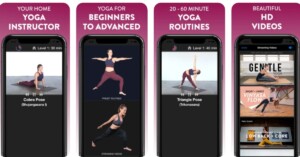
Moving on in the list of best yoga apps, rather than focusing on short Yoga lessons. Simply Yoga focuses on a Yoga classes sequence that could vary from 20-60 minutes. It can be a great pick for kids as the instructions are very basic and the video explanation is of high quality. Simply Yoga is also a great option for beginners who just entered pursuing this good practice. The free version has 6 predefined levels and to unlock more, the users need to buy the pro version which is a one-time fee.

Download here: Android, iOS

  • Yoga workout

Yoga workout - best free yoga apps 2020

Yoga offers a wide range of Yoga lessons and workouts. These lessons are conducted by experts all around the world. Challenges like 30 days beginner keep the yogis motivated. Whether being home or at work the application allows you to do Yoga anywhere at any time. Yoga features hundreds of high definition videos to keep you interested all the time. The best part about this application is it is completely free with no extra charges whatsoever.

Download here: Android, iOS

Read Also: Best websites to learn magic tricks from online

  • 5 minute Yoga

5 minute Yoga

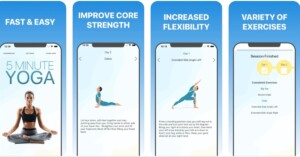
Want to do Yoga but don’t have enough time? 5 minute Yoga is for you. Just spend 5 minutes of your day to stay fit. The application features short sessions and effective Yoga poses with clear images and detailed instructions. Whether you took some break or in your office squeeze out 5 minutes of your life to stay healthy. The app is completely free for 1 week and after that, there is a minimum subscription fee.

Download here: Android, iOS

These are some great options to consider to get started with and learn Yoga in the process of staying fit and healthy. This was our list of the best yoga apps you can try for a calmer you.

For the latest gadget and tech news, and gadget reviews, follow us on TwitterFacebook and Instagram. For newest tech & gadget videos subscribe to our YouTube Channel. You can also stay up to date using the Gadget Bridge Android App. You can find the latest car and bike news here.

Google Maps is rolling out new navigation features for cyclists

Google Maps has released a slew of new features to help you navigate more sustainably. By providing new ways to navigate the company aims to reduce emissions hence providing more environmentally friendly options to masses when travelling from one place to another. This includes lite navigation for cyclists, bike and scooter share information as well as eco-friendly routes. 

The company introduced the features via a blog post that said, “Vehicles on the road account for over 75% of transportation CO2 emissions and are one of the largest contributors of greenhouse gasses worldwide, according to the International Energy Agency. Today at our Sustainable with Google event, we’re announcing three new Google Maps updates to help lower these emissions and provide people with greener choices when getting from A to B.”

Apart from displaying the fastest route, Google Maps will also show the most fuel-efficient routes to the users by using the company’s AI algorithms. According to the search giant users have the option to choose between two routes: fuel-efficient or fastest route. One can compare the ETA difference between the two routes and choose the one that works best for them. 

According to Jeff Gonder, Center for Integrated Mobility Sciences at NREL, this is a positive change for everyone. “Not only does Google Maps’ eco-friendly routing bring NREL’s fuel-efficient technology from the lab to the road, but it has huge potential to significantly lower emissions and saves drivers money on gas — something that’s good for both people and the planet.”

On the other hand the Lite navigation for cyclists, bike users can quickly see important details about their route without needing to keep their screen on or enter turn-by-turn navigation since their phone is usually tucked away for most of their ride. They can easily track their trip progress, can get ETA updates in real-time and know the elevation of their route while they are riding. According to the company, Lite navigation will go live on Google Maps in the coming months for Android and iOS devices. 

Whereas the Bike and scooter share information will let users find nearby stations and even pinpoint how many vehicles are available at that moment in places like Berlin, New York, São Paulo and Taipei. This functionality on Google Maps will be available to over 300 cities around the world on Android and iOS.

The Blog post stated, “And when you’re done with your ride, you can make sure there’s a place to park before heading over to the station. This expansion is made possible thanks to micro-mobility partners like the Donkey Republic, Tier and Voi based in Europe, along with Bird and Spin, which are headquartered in the U.S.”

For the latest gadget and tech news, and gadget reviews, follow us on TwitterFacebook and Instagram. For newest tech & gadget videos subscribe to our YouTube Channel. You can also stay up to date using the Gadget Bridge Android App. You can find the latest car and bike news here.

How to restart a frozen Windows 11 screen on PC or laptop?

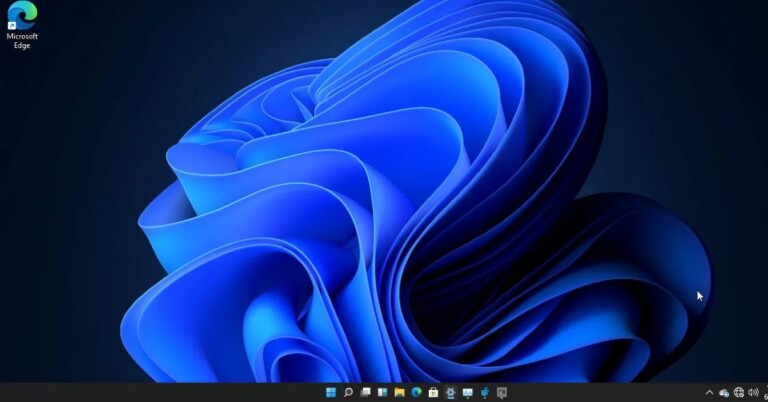
Windows 11 has started rolling out for many users. For tech-savvy enthusiasts, Microsoft has also provided direct downloads on their official website. The new Windows looks neat and promising. But as it is an early software version, the UI is not polished. 

There are some noticeable glitches that many users are facing. The trigger for these bugs are unknown but Microsoft is working hard on fixing them. One of the bugs that many users are facing is a frozen screen on Windows 11. Here is how to restart a frozen Windows 11 screen on PC or laptop.

There are many ways to fix this issue but as the OS is a little unstable on some systems there might be a possibility that your pc/computer have malfunctioned. But for most of the cases, these solutions below will surely work. 

Method 1 – Press Esc

It is a possibility that there might be some application that got triggered and has created the problem of screen freeze. Press the Esc key twice or thrice and see how the system behaves. Usually Esc key is the default exiting method programmed in many applications, so there is a chance that this trick might work. If not, don’t worry it’s just the start of the solution, we have a few more below, try them.

Method 2 – Task manager

Task manager in Windows 11

Read Also: How to resolve the ‘Frozen Mouse’ issue on a laptop?

Task manager is what its name says. It manages the tasks and keeps an eye on resources across your device. Press Ctrl+Alt+Del, if you are lucky you will see a list with a task manager on it. Click on the task manager and see if it opens. 

If it’s successful you will see a task manager just like in the image above. In the processes tab find any app which is showing ”Not responding”. If it’s spotted Click on the application and press End Task. Give your system some time to recover and you are good to go. 

There is also another powerful option, as soon as you press Ctrl+Alt+Del on the right down corner. With which you can either restart or shut down your computer.

Method 4 – Log off

If the above method didn’t work for you, press the power button once on your laptop or computer. This will log you off on the lock screen, try logging in again and check if the problem persists. If yes try to go back on the lock screen with the same method and restart or shut down from the power icon on the right lower corner.

Method 5 – Force restart/shutdown

This is the last step you can do, if none of the methods works you are left with nothing but to force your system to restart or shut down. To do so, press your power key for 3-4 seconds until the system starts to shut down. Be aware that you won’t be able to get back any unsaved data. There is a dedicated restart button on a few of the systems, consider pressing them once or holding them for 2-3 seconds if it doesn’t work.

Read Also: How to fix the bad signal strength of Android and iPhones

There are 5 methods that will help you to either fix the frozen screen or restart a frozen Windows 11 screen. If none of the above work and you suspect some other issue, which might be hardware one, it’s always advisable to contact customer care support to get professional help or take it to the nearest service centre.

For the latest gadget and tech news, and gadget reviews, follow us on TwitterFacebook and Instagram. For newest tech & gadget videos subscribe to our YouTube Channel. You can also stay up to date using the Gadget Bridge Android App. You can find the latest car and bike news here.

OnePlus 9RT launch confirmed to take place on October 13

0

The OnePlus 9RT has appeared on various certification sites including 3C and it also bagged certification from BIS in August this year. Very recently the company’ CEO Pete Lau also teased the device through a post on Weibo and finally, the OnePlus 9RT launch date has been officially declared by the Chinese company. The new OnePlus smartphone is set to launch on October 13.

The company took to the Chinese microsite Weibo to announce the OnePlus 9RT launch date. The launch will be hosted online and will be live-streamed at 7:30 pm CST and 5 PM IST. Alongside the smartphone, the firm will also launch the OnePlus Buds Z2 TWS earbuds.

OnePlus 9RT launch India launch
Image Courtesy: Weibo

Along with the announcement, OnePlus has also posted a few images of the upcoming device. According to the released teasers, the phone will offer faster performance than its other siblings. It is said to have a quad-camera setup featuring a 50MP primary sensor. The display will support a 120Hz refresh rate and while the battery will get Wrap Flash Charge support.

OnePlus 9RT specification
Image Courtesy: Weibo

As of now, the company has not confirmed about the OnePlus 9RT launch in India but a few months back the phone appeared on the Bureau of Indian Standards (BIS) certification website suggesting the launch. 

The device bore the model number MT2111. The smartphone also leaked several times through various other certifications platforms like  China Compulsory Certification also known as 3C with a similar model number. 

As per leaked information, the OnePlus 9RT is likely to come in  8GB RAM with 128GB storage which is expected to be priced at CNY 2,999 that is roughly around Rs 34,200. Whereas the 8GB RAM with 256GB storage model is said to come with a price tag of CNY 3,299 which converts to Rs 37,600.

In terms of specifications, the OnePlus smartphone may feature a 6.55-inch Samsung E3 full-HD+ Super AMOLED display with 1,080×2,400 pixels of resolution. The screen is tipped to support a 120Hz refresh rate and it will be protected with a laying of Gorilla Glass 5. 

The OnePlus 9RT is also said to ship OxygenOS 12 on top of Android 11. It is expected to be powered by a Qualcomm Snapdragon 870 SoC with up to 8GB of LPDDR4x RAM and up to 256GB of UFS 3.1 storage.

In terms of imaging, the device is likely to be highlighted with a  triple rear camera setup that includes a 50-megapixel Sony IMX766 primary sensor along with a 16-megapixel Sony IMX481 ultra-wide-angle sensor and a 2-megapixel black and white sensor. For selfies, it may include a 16-megapixel Sony IMX471 sensor on the front.

Possibilities are that the upcoming smartphone would pack a 4,500mAh battery with 65W fast charging support. It is further tipped to include NFC, dual-speakers with Dolby Atmos, and an X-axis linear motor.

For the latest gadget and tech news, and gadget reviews, follow us on TwitterFacebook and Instagram. For newest tech & gadget videos subscribe to our YouTube Channel. You can also stay up to date using the Gadget Bridge Android App. You can find the latest car and bike news here.

How to make ISO bootable DVD for Windows 11

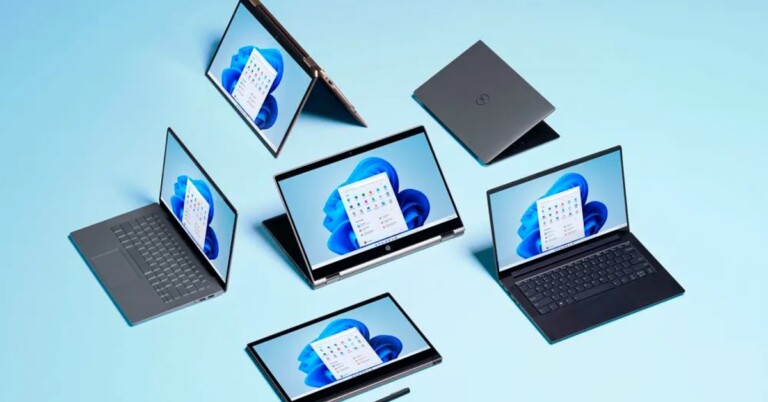
After years of work done on refining Windows 10, Microsoft has finally revealed Windows 11. The new OS looks minimalistic and the design is again user friendly. With the support of new applications and features, we can expect the fresh OS to follow the path of success like its previous generation. Microsoft availed update via OTA update or users can create ISO bootable DVD for Windows 11 or USB mass storage.

The company has started rolling out updates for Windows 11 just after its launch i.e 5th Oct 2021. But there are many users who cannot wait for the update and sit in the line for it to come via auto-updates. For them, Microsoft has brought ISO files on their website to either make a bootable via a USB flash storage or burn the bootable on a DVD. Here is how you can use DVDs as bootable.

There are two parts to this process. First, we will be fb to download a third-party application to burn ISO files to a DVD and make it bootable and second being downloading an ISO file. So let’s start with the first part.

Download application

There are many third-party applications available on the Internet to accomplish this job. Our choice of software is PowerISO. The application is free and is a powerful tool. Here is how to set it up

Step 1 – Download PowerISO from the official website.

Download PoweISO

Step 2 –  After the download process is completed, tap on the EXE file and start the installation process.

Step 3 – Press “I agree” on the next screen.

Install PowerISO

Step 4 – Press next after the installation is completed.

Complete installation for PowerISO

Step 5 – Select all for file associations as it comes handy for all file formats, press finish after that.

File Association PowerrISO

After you click close,  you are good to go. Now follow the next procedure to make a bootable DVD using PowerISO.

Read Also: Samsung will no longer be producing new Blu-ray players

Make ISO DVD bootable for Windows 11

Step 1 – Head to Microsoft official site to download Windows 11 ISO.

Step 2 – Select the last option (Windows 11 Disk Image ISO) and start the downloading process.

Download Windows 11 ISO

Step 3 – Open PowerISO once the installation is completed.

Step 4 – Head to Open option on the toolbar above.

Open in PowerISO

Step 5 – Select the ISO file.

Open Windows 11 ISO

Step 6 – Tap on Burn from the top toolbar(make sure DVD is inserted in the DVD drive).

Burn DVD in PowerISo

Step 7 – Select the DVD from the burning drive and click Burn to start the process.

Burn DVD

Read Also: Huawei received certification for its privacy information management system 

Now sit back and relax as burning a DVD takes a little bit of time. After the process is completed you end up with a bootable DVD for Windows 11. Now you can either install it via BIOS or directly on to your PC/Laptop. 

For the latest gadget and tech news, and gadget reviews, follow us on TwitterFacebook and Instagram. For newest tech & gadget videos subscribe to our YouTube Channel. You can also stay up to date using the Gadget Bridge Android App. You can find the latest car and bike news here.

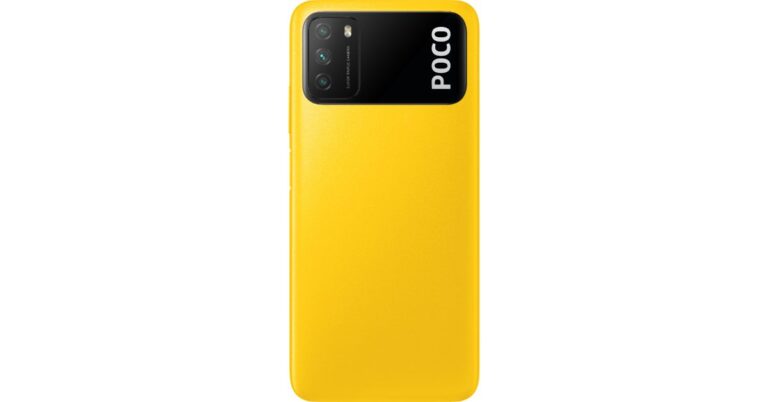
Poco M4 Pro 5G spotted in IMEI database, India launch likely to happen later this year

Poco M4 Pro 5G was spotted on various benchmarking and certifications websites. And recently the device was also caught listed on IMEI and TENAA certification sites. In a new development, the device has now appeared in the IMEI database hinting at the imminent launch in India. 

According to a report citing information from tipster Mukul Sharma. The Poco M4 Pro 5G is expected to get launched this month or next month in November globally. Whereas in India it is likely to arrive in India later this year.

The alleged smartphone has been spotted on the IMEI database which suggests the device would also get launched in the Indian market. However, as stated, the alleged database listing reveals no information about the Poco smartphone other than model number- 2109116AG. 

The device with a similar model number was also discovered on various other certification sites like the Eurasian Economic Commission(EEC) Compulsory Certificate of China also known as 3C and TENAA. According to these websites, the Poco M4 Pro 5G will have the support of 33W fast charging and will be powered by a MediaTek processor.

Rumours suggest that the upcoming Poco M4 Pro 5G will succeed the existing Poco M3 Pro 5G which was announced a few months back but will be an upgrade over the 4G Poco M3 that was introduced earlier this year.

To recall, Poco M3 came with an MIUI 12 for Poco based on top of Android 10. It is powered by an octa-core Qualcomm Snapdragon 662 SoC paired with 4GB of LPDDR4x RAM and up to 128GB of storage.

The smartphone features a 6.53-inch full HD+ display and sports a triple camera set up on its back that includes a 48MP primary sensor, a 2MP macro lens and a 2MP depth sensor. Upfront there is a selfie camera. 

The phone packs a 6,000mAh battery that comes with 18W fast charging support. 

Poco M3 was launched in India in 4GB RAM 64GB storage, 6GB RAM with 64GB storage and 6GB RAM with 128GB storage options. The price of the phone starts at Rs 10,499 and goes up to Rs 12,499.

For the latest gadget and tech news, and gadget reviews, follow us on TwitterFacebook and Instagram. For newest tech & gadget videos subscribe to our YouTube Channel. You can also stay up to date using the Gadget Bridge Android App. You can find the latest car and bike news here.

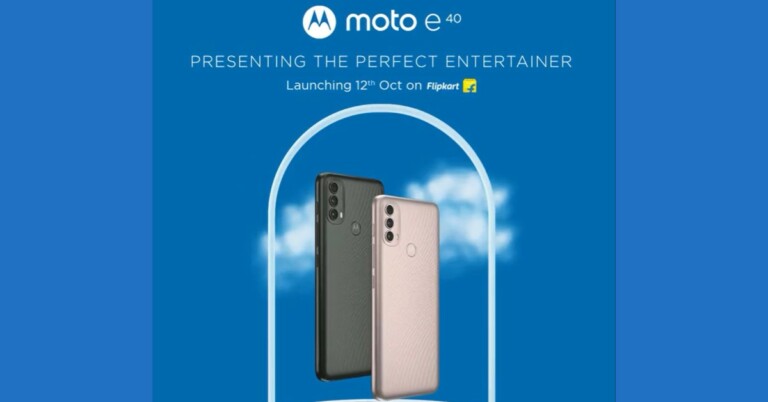
Moto E40 set to launch in India on October 12, gets listed on Flipkart

Motorola has officially declared the launch date of Moto E40. The India launch of the device is now set for October 12. In addition to this, the device has also been listed on Flipkart to tease its availability. The key details of the smartphone include a hole punch design display on the front while the rear consists of a vertically placed triple rear camera set up. Read on to know more about the upcoming smartphone.

Moto E40 is scheduled to launch in India on October 12. The Lenovo owned smartphone company took to Twitter to announce the launch of its new E-Series smartphone. The company has also created a dedicated microsite on Flipkart to tease its availability as well as its key specs. According to the Flipkart listing, the phone will be available in two colour options of Pink Clay and Carbon Gray. 

 Moto E40 price in India

Moto E40 is listed to feature a hole-punch display that will offer up to 400 nits of peak brightness. The device is listed to be powered by a 1.8GHz Unisonic T700 octa-core processor coupled with 4GB of RAM with 64GB of storage that can be expanded up to 1TB via a microSD card. In addition to this, the Motorola smartphone will have a rear-mounted fingerprint sensor.

The Flipkart listing also suggests that Moto E40 will have a vertically aligned triple rear sensor placed inside a pill-shaped camera module. The camera set-up will consist of a 48MP primary sensor, a depth sensor and a macro lens. According to the company, the main lens will be powered by quad Pixel tech that will offer 4x improved low light sensitivity for sharp and punchy images. 

 Moto E40 price in India

Moto E40 will ship Android 11 and support a dual-SIM slot. The mobile phone will come with a dedicated Google Assistant Key. The smartphone will be backed by a 5,000mAh battery that is claimed to last for 76 hours of music playback, 14 hours of video playback and 10 hours of web browsing. Moto E40 will come with IP52 certification for water and dust resistance. 

The company has not yet revealed the pricing but according to a Romanian e-commerce website, the Moto E40 is listed at RON 779 that is roughly around Rs 13,600. 

The listing further reveals that the Motorola smartphone will feature a 6.5 – inch HD+ IPS LCD display with a resolution of 1,600×720 and 90Hz refresh rate support. The triple rear camera set-up will consist of a 48MP primary sensor, a 2MP macro sensor and another 2MP depth sensor. In terms of selfies, the device is suggested to have an 8MP selfie camera on the front.

The eMag listing further revealed that Moto E40 will include Bluetooth, Wi-Fi, GPS, 3.5mm and USB Type – C port for connectivity. While the sensors on the phone include an accelerometer, fingerprint proximity sensor, and light sensor. 

For the latest gadget and tech news, and gadget reviews, follow us on TwitterFacebook and Instagram. For newest tech & gadget videos subscribe to our YouTube Channel. You can also stay up to date using the Gadget Bridge Android App. You can find the latest car and bike news here.

8 October 2021 Amazon Quiz today answers: Answer to win Rs 10,000 Amazon Pay Balance

Amazon is back with another quiz on its mobile platform. The 8 October 2021 Amazon Quiz is now live on its platform and today’s Amazon Quiz will give you a chance to win Rs 10,000 Amazon pay Balance. 

Every day Amazon brings a fresh questionnaire that comprises 5 questions. These questions are based on current affairs and general knowledge. The quiz can be played from 8 AM to 11:59 PM and the contestants need to answer correctly to enter into a lucky draw. In today’s Amazon Quiz the participants will get a chance to win Rs 10,000 Amazon Pay Balance. Check Out 8 October 2021 Amazon Quiz Answers.

8 October 2021 Amazon Quiz Answers

Question 1: Which Indian organisation recently launched Urja and an intelligent virtual assistant with AI/NLP capabilities?

Answer: BPCL

Question 2: Who became the fastest man at the Tokyo 2020 Olympics by winning the 100m event?

Answer: Lamont Marcell Jacobs

Question 3: Which annual maritime exercise is conducted to promote national and regional maritime security in East Africa and the Western Indian Ocean?

Answer: Cutlass Express

Question 4: What was this person named after?

Answer: A goddess

Question 5:  This famous monument was designed by a sculptor from which country?

Answer: France

For the latest gadget and tech news, and gadget reviews, follow us on TwitterFacebook and Instagram. For newest tech & gadget videos subscribe to our YouTube Channel. You can also stay up to date using the Gadget Bridge Android App. You can find the latest car and bike news here.

Samsung introduces IntensiveWash Dishwasher range with triple rinse feature for Indian cookware

Samsung on Thursday officially announced the launch of its IntensiveWash Dishwasher range in India. The new lineup is specifically developed for Indian cuisines. The new range of Samsung dishwashers addresses the growing concern of millions of people who work from home while still doing household chores. It comes with a triple rinse feature and kills 99.9 percent of food bacteria.

Samsung IntensiveWash Dishwasher price in India and availability details

The Samsung IntensiveWash Dishwasher is available in three variants- Stainless Steel, Silver and White. The company will be offering it in four models that can be purchased via Samsung’s official online store Samsung Shop. The price of the Samsung Dishwasher starts at Rs 39,500 bundled with attractive EMI and cashback offers.

Samsung IntensiveWash Dishwasher price in India and availability details

Samsung IntensiveWash Dishwasher range specifications, features

Like we said before the Samsung IntensiveWash Dishwasher is designed specifically for Indian cooking and its cookware. Every Indian household makes use of utensils like pots, pans, cookers and kadhai that heavily get soiled while cooking, so the new Smasung dishwasher range offers 13 Place Settings that can accommodate a large variety of dishes of different sizes in one wash cycle.  It is designed to remove grease, leftover oil, burnt stains and baked-on food from cookware, dishes and utensils. It can wash the utensils at a temperature of 70°C with its Triple Rinse feature that is claimed to kill 99.99% of bacteria (certified by Intertek) so that the dishes, cutlery and utensils are clean and safe to use. 

Samsung IntensiveWash Dishwasher

Whereas when the whole process of cleaning and drying is complete the AutoRelease Drying feature automatically opens the dishwasher door by 10cm to allow steam to escape for faster and better drying results than conventional methods, especially for plastic and small items.

Samsung IntensiveWash Dishwasher comes fitted with a stainless steel tub which is designed to be durable, makes less noise and stays cleaner than conventional ones. It also won’t become discoloured over time and prevents the build-up of bad odours.

Samsung IntensiveWash Dishwasher

The Smasung dishwasher is energy efficient too and is Energy Star certified as per the European Energy Standards, equivalent to an A+++ rating. It effectively cleans dirty dishes while conserving energy, without compromising washing performance or functionality.

The IntensiveWash Dishwasher is also resistant to fingerprints and other marks and smudges. It also has a  large and wide LED display allowing users to quickly check the status, settings, remaining time and cycle progress at a glance, even from a distance. Whereas the smart leakage sensor protects from any water leaks. If a leak is detected, it immediately stops the cycle, drains the water and displays an error message.

The Samsung IntensiveWash Dishwasher offers the Height Adjustment option which allows one to put large utensils in the dishwasher. The upper rack can be easily adjusted up and down so that large kadhai or pans can be stored in the racks without scratching or hitting the upper rack.

For the latest gadget and tech news, and gadget reviews, follow us on TwitterFacebook and Instagram. For newest tech & gadget videos subscribe to our YouTube Channel. You can also stay up to date using the Gadget Bridge Android App. You can find the latest car and bike news here.

By 2025, the Indian gaming market is expected to be worth USD 6-7 billion: IAMAI report

According to a report prepared by IAMAI together with OnePlus and RedSeer, the Indian gaming market will be worth USD 6-7 billion by 2025, up from USD 6-7 billion by 2025, up from USD 1.8 billion today. As per the report, 40 per cent of the hardcore gamers pay for their games with an average monthly spend of Rs 230.

The study revealed that the pandemic has accelerated the organic growth of digital games by increasing mobile app downloads by 50 percent and user engagement by 20 percent. In addition to this, casual gaming remained the most genre in India, increased gaming time has further fueled the growth of hardcore gamers in India. 

The report was launched today by Shri Jayesh Ranjan, Principal Secretary of the Industries & Commerce (I&C) and Information Technology (IT), Department of the Telangana Government; Shri Saurabh Gaur, Joint Secretary Ministry of Electronics and Information Technology, in the presence of Mr Navnit Nakra, Vice President, Chief

Strategy Officer and Head of India Sales, OnePlus India, and Mr Rajen Vagadia, Vice President and President, Qualcomm at a Roundtable discussion around E-Gaming hosted by IAMAI moderated by RedSeer, Associate Partner,

Kanishka Mohan. “We are at the cusp of a gaming revolution and the gaming ecosystem is working towards user-friendly smartphones and leveraging 5G technologies,” said Shri Jayesh Ranjan, speaking at the roundtable. He also discussed the gaming industry’s potential for growth and the importance of user-friendly devices in this regard. 

Also due to the rapid increase in smartphone penetration in India, gaming has jumped into the mobile gaming era with major console and PC games now being curated for mobile platforms. Reportedly the sector is also attracting significant investment interest, with nearly USD 1 billion invested in the last six months.

Over 400 million online gamers live in India today, with the number expected to rise to 650 million by 2025. Mobile gaming currently dominates the Indian gaming sector, accounting for more than 90 percent of the USD 1.8 billion gaming market which is expected to grow to USD 6-7 billion in value by2025, according to the report.

Smartphones equipped with powerful hardware that is capable of running games requiring medium to high specs have made more immersive gaming more accessible to the masses with smartphone OEMs also increasingly focusing on incorporating dedicated gaming features on their newest devices and launching gaming-specific phones

“Over the years, OnePlus has been focusing on making the seamless integration of top-of-the-line hardware and software more accessible to a wider audience of gaming enthusiasts. The company had also introduced industry-leading innovative features that amplified the gaming experience for users such as 120Hz refresh rate, Warp Charge, Screen Recording, and Gaming Mode, which was later revamped to ‘Fnatic mode’. Further, the recently launched OnePlus 9R 5G was specially designed to cater to the demands of gaming enthusiasts, empowering them with smooth scrolling, immersive gaming controls and a superior viewing experience. Today, the OnePlus 9R 5G is one of the very few gaming phones in the market with an inbuilt VC cooling system. The introduction of OnePlus Games and Pro Gaming Mode have further enhanced the gaming experience for OnePlus users,” the report stated.

For the latest gadget and tech news, and gadget reviews, follow us on TwitterFacebook and Instagram. For newest tech & gadget videos subscribe to our YouTube Channel. You can also stay up to date using the Gadget Bridge Android App. You can find the latest car and bike news here.
Google Pixel 6 price and key specs leaked just ahead of the official launch

Google Pixel 6 and Pixel 6 Pro are all set to make their debut next week. The launch is scheduled for October 19. As the launch is inching closer and in the lead up to it, a number of details about the upcoming devices have surfaced on the internet. 

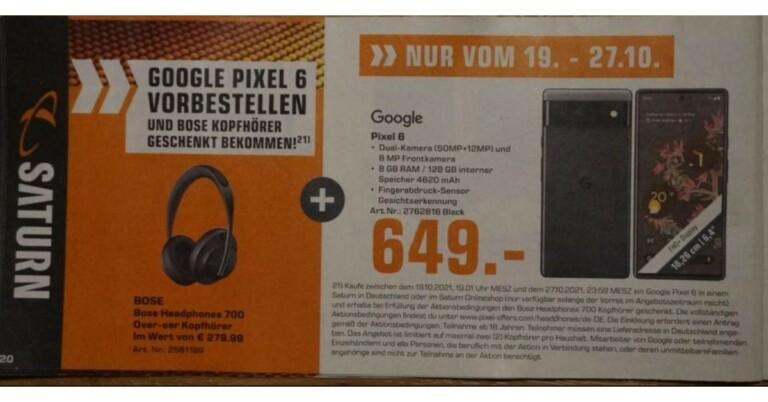
According to the most recent information, the vanilla Pixel 6 has been leaked by a German retailer chain Saturn via promotional material which popped up on the web ahead of the official launch. According to the leak, the device will have a dual rear camera set up and will go on pre-orders in Europe from October 27.

Google Pixel 6 price (expected)

The new development comes just ahead of the launch of Pixel 6 via Nils Ahrensmeier, who spotted promotional material through German retail chain Saturn. According to the leaked details, the price of the vanilla Pixel 6 is expected to be set at EUR 649 which converts to Rs 56,100 for the 8GB RAM with 128GB storage options. 

The Price and the specification of the Google Pixel 6 have been leaked by German retailer recently. The device is set to launch on October 19.
Image courtesy: Nils Ahrensmeier

Furthermore, the material shared by the German retailer suggests that it will go on pre-orders from the same day of the launch till October 27. Not only this, the buyers would also be eligible for a free pair of Bose Noise Cancelling Headphones 700 that retails at EUR 279.99 which is roughly around Rs 24,200.

Google Pixel 6 specifications (expected)

The promotional flyer also suggests that Google Pixel 6 is likely to feature a dual rear camera setup housing a 50MP primary sensor and a 12MP secondary sensor. The front notch is said to include an 8MP selfie camera that supports facial recognition tech. In addition to this, the phone is expected to include an in-display fingerprint sensor and a 4,620mAh battery. 

It is already confirmed that the Pixel 6 Series will be powered by the company’s in-house Google Tensor chip. Reportedly both the handsets may feature a 33W fast charging. Google Pixel 6 series will be the first to ship Android 12 out of the box.

Google will be hosting a Pixel fall launch event on the coming Tuesday that is on October 19 to introduce its most awaited Pixel 6 and Pixel 6 Pro. The launch event will be hosted live on the company’s official YouTube channel and social media platforms at 10 am PT that is 10:30 PM IST. 

For the latest gadget and tech news, and gadget reviews, follow us on TwitterFacebook and Instagram. For newest tech & gadget videos subscribe to our YouTube Channel. You can also stay up to date using the Gadget Bridge Android App. You can find the latest car and bike news here.

Amazon Fire TV Stick 4K Max with Wi-Fi 6 now available for purchase in India

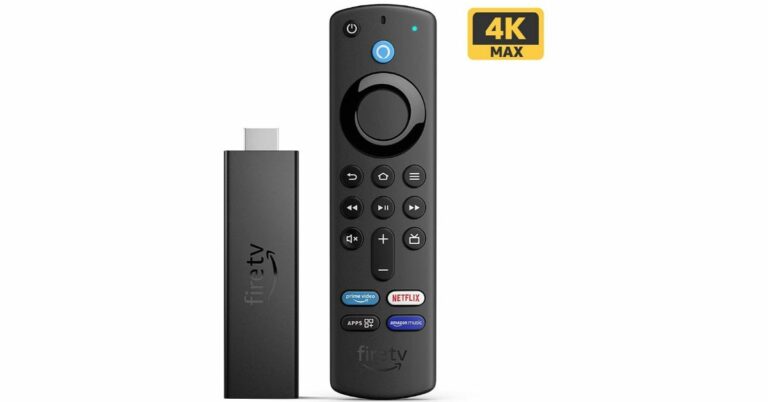
Amazon had officially announced the launch of the Fire TV Stick 4K Max in the Indian market last month. The device was earlier available for pre-orders and now the streaming device is available on sale in the country. The latest Fire TV Stick comes with Wi-Fi 6 connectivity. It also supports Dolby Vision and Dolby Atmos.

Amazon Fire TV Stick 4K Max price in India and availability details 

Amazon Fire TV Stick 4K Maxis is now available for purchase in India at Rs 6,499. The device can be purchased via Amazon.in during the Amazon Great Indian Festival Sale and Amazon kiosks in select malls.

Amazon Fire TV Stick 4K Max specifications

The Amazon Fire TV Stick 4K Max comes with a similar form factor as its predecessor. The Streaming device features a new quad-core 1.8GHz processor and 2GB of RAM that is claimed to be  40 percent more powerful than the previous generation allowing apps to load faster and navigation to be more fluid.

The Amazon Fire TV Stick 4K Max supports 4K UHD, HDR, and HDR10+ streaming. In addition to this, it also has support for Dolby Vision and Dolby Atmos for a theatre-like experience at home. Additionally, it comes with the first media player by Amazon to offer Wi-Fi 6 support and uses the latest Mediatek MT7921LS Wi-Fi 6 chipset that makes smoother streaming in 4K. 

It also includes the first media player by Amazon to offer Wi-Fi 6 support that employs the latest Mediatek MT7921LS Wi-Fi 6 chipset for smoother streaming in 4K. There are four preset buttons that will quickly take you to your apps. The same remote can also be used to control your compatible TV and soundbar.

Amazon’s new streaming device lets you access more than a thousand apps, Alexa skills, and channels and the latest movies. All the movies can be accessed in 4k Ultra HD resolution across other OTT platforms like Netflix and more. Stream for free with YouTube, watch live TV, and more. Listen to songs, playlists through services like Amazon Music, Apple Music, and Spotify.  

For the latest gadget and tech news, and gadget reviews, follow us on TwitterFacebook and Instagram. For newest tech & gadget videos subscribe to our YouTube Channel. You can also stay up to date using the Gadget Bridge Android App. You can find the latest car and bike news here.
How to make a bootable USB drive for Windows 11

Windows 11 has extremely useful tools and features in the UI. Microsoft started rolling out its new OS on October 5, 2021. The company will slowly move ahead to bring Windows 11 to all eligible users. But if you don’t want to wait in line, you can manually install it on your old or new system with help of the Windows 11 Media Creation Tool and making a bootable USB drive for Windows 11. 

The sole purpose of this application is to install the latest version of Windows onto a user’s PC/Laptop. In the tool, you get two options. Either you can upgrade to the latest version of Windows or build a USB drive to perform a clean install. The Media Creation Tool by Microsoft is completely free and easy to use. Here is how to use it. (Note: You will need a USB pen/storage drive with at least 8-16GB of storage inside.) 

Step 1 – Visit the official Windows 11 download page by Microsoft.

Step 2 – Select the Create Windows 11 Installation Media option.

Microsoft Website for windows 11

Step 3 – Make sure you read Before you start just above the download button. It will get you through the minimum requirements and free storage you need to perform the installation process.

Step 4 – Click on the Download Now button.

Download Now button

Step 5 – Once the download is completed, open the application.

Step 6 – There will be terms and user licence screen in front of you.

Applicable notice and licence of Windows 11

Step 7 – Accept them and move further.

Step 8 – Select the language or edition manually or let the tool pick it for you. Press next after it is done.

Select language and edition of Windows 11

Step 9 – Select the USB flash drive from the two options (Make sure your USB flash storage is connected to your pc/laptop).

Read Also: Top 2 ways: How to upgrade to Windows 11 for free easily

Chose media to use for Windows 11

Step 10 – Choose your flash storage device from the list by which you want to install Windows 11.

Select USB flash driver for Windows 11

Step 11 – Wait till the download process is completed. And thereafter, your bootable USB drive for Windows 11 is ready. You can use it to install on a new PC/Laptop or on an existing PC. 

Download Windows 11

Step 12 (extra step) – When you want to install using the bootable Windows 11 USB drive. A prompt will ask you if you want to keep the existing files or give the system a fresh start. Choose accordingly and press install.

Install windows 11

Read Also: WhatApp will soon stop working on these smartphones

For the latest gadget and tech news, and gadget reviews, follow us on TwitterFacebook and Instagram. For newest tech & gadget videos subscribe to our YouTube Channel. You can also stay up to date using the Gadget Bridge Android App. You can find the latest car and bike news here.

Top 2 ways: How to upgrade to Windows 11 for free easily

After the success of Windows 10, the company is providing a free upgrade to all eligible users for Windows 11. The only condition is that your computer must fulfil the minimum system requirements. 

Windows 11 is a leap over its predecessor and looks even better with tons of new features. The company added a lot of good ones to make it even more user-friendly than before. Grab your own copy of Windows 11 for free by following any of the below steps.

In most of the devices, the company has started giving updates after October 5 2021 and there is a possibility you missed the notification. Well, worry not here is how to check it from system updates and download/upgrade for free.

Step 1 – Head to the Windows search bar and type/search for Check for updates.

Check for updates

Step 2 – Click Check for updates. If the update is available it will be mentioned on the screen after the check is finished.

Windows 11 Update

If the update is not available it leaves you with 2 options. The first one is to wait for the update to be available directly by the company for your system. In the second case if you are tech-savvy like us and can’t wait any longer, follow the next method.

Read Also: Google removed 27 fake apps, identified by quick Heal

  • From Microsoft official website

Yes, if your system requirement matches the minimum requirement of Windows 11, Microsoft allows you to download it directly via its official website. Here is how you can do it.

Step 1 – Head to Windows 11 download page: Microsoft official Website.

Step 2 – You will find 3 options to choose from

  • Windows 11 Installation Assistant
  • Create Windows 11 Installation Media
  • Download Windows 11 Disk Image (ISO)

Microsoft Website for windows 11

Read Also: 5 best ways to recover your data on a Windows PC

By choosing the Windows installation assistant users can download Windows 11 directly to their system hassle-free. After clicking on Windows 11 Installation media the application will create a bootable version for you on either DVD or USB storage device. The last option is by downloading the ISO file directly to your system. Using this ISO users can create a bootable on their own. The easiest way to upgrade for free is by using the Windows installation assistant and follow the on-screen instructions. Remember you need 9GB of free storage space in your PC for this step to work. 

By following any of these steps you can easily download Windows 11 on your system. Please note:  Make sure to read Before you start guide while choosing any of the three options in the second method. Also, we advise you to check the minimum specifications page as well. The installation takes a lot of time and also it is recommended to backup your important files before starting the process. So this way you can upgrade to Windows 11 free of cost.

For the latest gadget and tech news, and gadget reviews, follow us on TwitterFacebook and Instagram. For newest tech & gadget videos subscribe to our YouTube Channel. You can also stay up to date using the Gadget Bridge Android App. You can find the latest car and bike news here.
WhatsApp caught testing a custom privacy setting for profile photo on Android yet again

Last month, WhatsApp was spotted working on updating its privacy settings for Android and iOS devices. Reportedly, the instant messaging platform was said to soon allow users to disable their Last Seen, Profile Photo, and About status. 

In a new development, the chatting app has again appeared to be testing the WhatsApp profile photo privacy setting letting users hide their profile photos from specific contacts. 

According to the latest report by WABetaInfo, WhatsApp for Android beta 2.21.21.2 bearing citations of the new profile photo privacy setting. According to a screenshot shared by the source, the new setting would be available via the option My Contacts except…. The custom privacy setting may be added to the existing options allowing users to show their WhatsApp profile photo to  Everyone, My Contacts or Nobody.  

WhatsApp custom privacy setting for profile photo
Image Courtesy: WABetaInfo

As of now, the feature is under development. It is not available for beta testers and is not yet clear when WhatsApp is planning to release this option for everyone. 

WABetaInfo says, “In the new WhatsApp beta for Android 2.21.21.2 update, there are new hidden tracks about this privacy option: WhatsApp is finally adding the compatibility for “Profile Picture”, confirming what we declared in the previous article!”

In our previous article, we shared that the “My Contacts Except” privacy option will not only be offered to exclude some contacts but will also be applicable to other privacy settings to disable last seen and About status for specific contacts.  It should be noted, if you disable your last seen for specific contacts, you won’t be able to see theirs.

Currently, you are not allowed to set these for specific contacts and hide their Last Seen, Profile Photo and About Status with Nobody. But when WhatsApp updates its privacy settings you can enable your last seen, and you can disable it for specific contacts.

For the latest gadget and tech news, and gadget reviews, follow us on TwitterFacebook and Instagram. For newest tech & gadget videos subscribe to our YouTube Channel. You can also stay up to date using the Gadget Bridge Android App. You can find the latest car and bike news here.

Motorola teased the India launch of Moto E40 on Twitter

The Chinese mobile manufacturer Motorola is all set to expand its E-series of the lineup in the Indian market. The company has begun teasing the Moto E40 India launch on its social media platforms. The teaser of the upcoming smartphone does not reveal any specific launch day nor it has opened up about the key specs of the Moto E40 smartphone. Although the device’s pricing has already been tipped and the phone also got listed on a Romanian e-commerce website which revealed its key specifications.

Motorola has posted a teaser on Twitter to announce the arrival of the Moto E40 in India. The released teaser of the Moto E40 contains the tagline “The Perfect Entertainer.” The company has not yet revealed any information but ahead of the official announcement the pricing, as well as the key details of the upcoming smartphone, got revealed via a Romanian listing.

A tipster Roland Quandt (@rquandt) spotted the Moto E40 got listed on a Romanian e-commerce website. According to the eMag listing the price of the Moto E40 is set at RON 779 that is roughly around Rs 13,600. 

In terms of specifications, Moto E40 is listed to come with a dual-sim functionality. The device is said to feature a 6.5 – inch HD+ IPS LCD display with a resolution of 1,600×720. There is a punch hole on the screen to house the selfies camera and the display comes with 90Hz refresh rate support. 

The forthcoming Motorola smartphone is listed to be powered by a Unisoc T700 SoC, paired with 4GB of RAM and 64GB of internal storage. It will operate on Android 11 ( Go edition ). 

The leaked listing suggests that Moto E40 will be highlighted with a triple rear camera set up that consists of a 48MP primary sensor. In addition to this, there will be a 2MP macro sensor and another 2MP depth sensor. In terms of selfies, the device is suggested to have an 8MP selfie camera on the front.

The eMag listing suggests that Moto E40 will include Bluetooth, Wi-Fi, GPS, 3.5mm and USB Type – C port for connectivity. While the sensors on the phone include an accelerometer, fingerprint proximity sensor, and light sensor. 

For the latest gadget and tech news, and gadget reviews, follow us on TwitterFacebook and Instagram. For newest tech & gadget videos subscribe to our YouTube Channel. You can also stay up to date using the Gadget Bridge Android App. You can find the latest car and bike news here.

Nokia G20 Review: A battery that lasts forever

There are very few smartphone brands that offer a complete stock Android experience on their phones and Nokia is one of them. Despite being offered at a low price its devices sometimes have struggled to capture attention, but not anymore. 

The Nokia G20 is the company’s latest offering and in today’s review, we’ll see how it performs and whether it’s worth purchasing.

Nokia G20 Review: Design and Display

A few months back we reviewed Nokia 3.4, which looks very similar to the Nokia G20 smartphone. Or, to put it another way, most Nokia phones these days have a similar form factor. For better grip, the company used polycarbonate material and designed the panel with ridged vertical stripes. 

Nokia G20 Review: A battery that lasts forever

A circular rear camera module with four sensors is neatly placed and an LED flash is located just below the camera module. The device is available in two colour options: Glacier and Night, and our review unit is the latter, which look nice. The phone’s textured back panel makes it resistant to scratches and fingerprints, but luckily the company includes a silicon cover for protection. 

review of Nokia G20

The power and volume buttons on the right frame are fairly easy to reach and provide good haptic feedback. The power button has been integrated with a fingerprint scanner that unlocks the device in about a second. One can also opt for the face unlock option but that is even slower. 

review of Nokia G20

Moving on, there is a SIM tray and a dedicated Google Assistant button on the left. Besides this, there is a 3.5mm headphone jack and a primary microphone on the top while the bottom part consists of a USB Type C port, a mono speaker grille and a secondary microphone. 

Nokia G20 Review: A battery that lasts forever

The Nokia G20 features a 6.5-inch HD+ IPS LCD panel with a dewdrop notch for the selfie camera and a 20:9 aspect ratio on the front. The HD+ screen may (on paper) appear underwhelming for the price, but we have to say that we rarely had any issues with the display’s sharpness. 

Enabling 1080p mode on YouTube gives you a good viewing experience. The videos appeared to be sufficiently sharp. In addition, the device is Widevine L1 certified for HD streaming on Ott platforms such as Netflix, Prime Videos and others. The outside readability could have been better. A few more nits would have been perfect. The colours of the screen are superb and we loved our experience with it indoors.

Nokia G20 review: Performance and Cameras

The Nokia G20 is powered by an octa-core MediaTek Helio G35 SoC based on a 12 nm processor, paired with 4GB of RAM and 64GB of internal storage. The device has a MicroSD card slot for expandable storage of up to 512GB.

A similar chipset can be found in a variety of low-cost smartphones including the Poco C3, Redmi 9 Active, Oppo A16, Oppo A55 and many others. It should be noted that all of these phones are significantly less expensive than the G20. The phone is built for people who are graduating from a feature phone to a smartphone. So for them, the performance would be great, however, if you are already a smartphone user, you might feel the lack of speed you are used to.

Nokia G20 review India

The applications load time could have been better, but multitasking on the other hand between the lightweight apps works well. It’s perfectly fine to play less demanding games when it comes to gaming on the Nokia G20. GPU-intensive games, on the other hand, put a strain on the processor. We tried out Call of Duty Mobile, and it stutters a lot under low graphics and high frame rate settings, but the gameplay improves at the lowest settings.

Let us now discuss the camera’s performance. The Nokia G20 has a quad-camera set up on the back, including a 48-megapixel primary sensor with an f/1.79 aperture. A 5-megapixel ultra-wide-angle lens, a 2-megapixel macro sensor and a 2-megapixel depth sensor round out the package. There is an 8-megapixel front-facing camera for taking selfies and video calls.

Nokia G20 review India

Shots from the primary camera produced reasonably detailed results in good lighting. The phone has a hard time focusing. When auto HDR is enabled, the photos become overly saturated, and the exposure is also a bit messy, so keep it off and you will be fine.

Nokia G20 review in English
Macro shot

The ultra-wide-angle shots, on the other hand, reduce the saturation to a more natural level. The portrait shots were slightly oversharpened, but the edge detection was excellent. The macro camera also has issues due to its fixed focus lens. 

Nokia G20 review in English

Aside from that, the low-light images were not super grainy with good details, but they occasionally shot soft-looking photos. The night mode increases the exposure slightly, but not significantly. 

Nokia G20 review in English
Portrait shot

The front-facing camera takes mediocre selfies. While the dynamic range is not what we were expecting, the photos appear to have soft, muted colours. 

The Nokia G20 is powered by a 5,050mAh battery that supports 10W charging. We were able to get two days of endurance with medium usage. However, if you are not interested in gaming or binge-watching, it can last for three days, which is impressive. The 10W charger fully charges the phone in 3 hours. 

Verdict

To summarise, the Nokia G20 (Rs 13,490) is a phone for people graduating from feature phones to a smartphone. While its design, clean stock Android 11 experience and battery life are redeeming, the phone ultimately falls short in terms of performance when compared to its competitors. At this price point, the company could have chosen the MediaTek G80 or G85. 

The phone is suitable for casual smartphone users who want long battery life and a dependable software experience. The Nokia G20 is a good choice as it will give you OS and security updates regularly.

Nokia G20 Pros and Cons

Pros

  • Good Battery life
  • Stock Android 11 experience
  • Classic design

Cons

  • Slow charging
  • weak processor
  • does not justify its price

For the latest gadget and tech news, and gadget reviews, follow us on TwitterFacebook and Instagram. For newest tech & gadget videos subscribe to our YouTube Channel. You can also stay up to date using the Gadget Bridge Android App. You can find the latest car and bike news here.

7 October 2021 Amazon Quiz today answers: Answer to win Rs 20,000 Amazon Pay Balance

7 October 2021 Amazon Quiz has gone live on its platform. The quiz timings are 12 AM to 11:59 PM. The Amazon App users can participate in the quiz daily and all they have to do is submit correct answers to the questions asked on the e-commerce platform. Today’s participants can get a chance to win Rs 20,000 Amazon Pay Balance.

By participating in the Amazon Quiz the participants can win Amazon Pay Balance ranging from Rs 5,000 to Rs 50,000 every day while sitting at home. To win the participants must answer five questions correctly that are based on current events and general knowledge.  One wrong answer can eliminate you from the quiz. The results will be announced at the end of the month. Today’s question will let you win Rs 20,000 Amazon Pay Balance. Check below for today Amazon quiz answers.

7 October 2021 Amazon Quiz Answers

Question 1: Naveen Kumar was a star player retained by which franchise ahead of the auction for the 8th season of the Pro Kabaddi League?

Answer: Dabang Delhi

Question 2: The Marvel character, Phil Coulson has served as the director of which of these organisations?

Answer: S.H.I.E.L.D

Question 3: 31st August is the birth anniversary of Nur-ud-din Muhannad Salim, better known to us by what name?

Answer: Jahangir

Question 4: This is a picture taken at the tomb of which famous ruler?

Answer: Napoleon Bonaparte

Question 5: Who among these is not one of the co-founders of this firm?

Answer: Sean Parker

For the latest gadget and tech news, and gadget reviews, follow us on TwitterFacebook and Instagram. For newest tech & gadget videos subscribe to our YouTube Channel. You can also stay up to date using the Gadget Bridge Android App. You can find the latest car and bike news here.