Amazon had officially announced the launch of the Fire TV Stick 4K Max in the Indian market last month. The device was earlier available for pre-orders and now the streaming device is available on sale in the country. The latest Fire TV Stick comes with Wi-Fi 6 connectivity. It also supports Dolby Vision and Dolby Atmos.
In This Article
Amazon Fire TV Stick 4K Max price in India and availability details
Amazon Fire TV Stick 4K Maxis is now available for purchase in India at Rs 6,499. The device can be purchased viaAmazon.in during the Amazon Great Indian Festival Sale and Amazon kiosks in select malls.
Amazon Fire TV Stick 4K Max specifications
The Amazon Fire TV Stick 4K Max comes with a similar form factor as its predecessor. The Streaming device features a new quad-core 1.8GHz processor and 2GB of RAM that is claimed to be 40 percent more powerful than the previous generation allowing apps to load faster and navigation to be more fluid.The Amazon Fire TV Stick 4K Max supports 4K UHD, HDR, and HDR10+ streaming. In addition to this, it also has support for Dolby Vision and Dolby Atmos for a theatre-like experience at home. Additionally, it comes with the first media player by Amazon to offer Wi-Fi 6 support and uses the latest Mediatek MT7921LS Wi-Fi 6 chipset that makes smoother streaming in 4K. It also includes the first media player by Amazon to offer Wi-Fi 6 support that employs the latest Mediatek MT7921LS Wi-Fi 6 chipset for smoother streaming in 4K. There are four preset buttons that will quickly take you to your apps. The same remote can also be used to control your compatible TV and soundbar.Amazon’s new streaming device lets you access more than a thousand apps, Alexa skills, and channels and the latest movies. All the movies can be accessed in 4k Ultra HD resolution across otherOTT platforms like Netflix and more. Stream for free with YouTube, watch live TV, and more. Listen to songs, playlists through services like Amazon Music, Apple Music, and Spotify.
For the latest gadget and tech news, and gadget reviews, follow us on Twitter, Facebook and Instagram. For newest tech & gadget videos subscribe to our YouTube Channel. You can also stay up to date using the Gadget Bridge Android App. You can find the latest car and bike news here.
Windows 11 has extremely useful tools and features in the UI. Microsoft started rolling out its new OS on October 5, 2021. The company will slowly move ahead to bring Windows 11 to all eligible users. But if you don’t want to wait in line, you can manually install it on your old or new system with help of the Windows 11 Media Creation Tool and making a bootable USB drive for Windows 11. The sole purpose of this application is to install the latest version of Windows onto a user’s PC/Laptop. In the tool, you get two options. Either you can upgrade to the latest version of Windows or build a USB drive to perform a clean install. The Media Creation Tool by Microsoft is completely free and easy to use. Here is how to use it. (Note: You will need a USB pen/storage drive with at least 8-16GB of storage inside.) Step 1 – Visit the official Windows 11 download page by Microsoft.Step 2 – Select the Create Windows 11 Installation Media option.Step 3 – Make sure you read Before you start just above the download button. It will get you through the minimum requirements and free storage you need to perform the installation process.Step 4 – Click on the Download Now button.Step 5 – Once the download is completed, open the application.Step 6 – There will be terms and user licence screen in front of you.Step 7 – Accept them and move further.Step 8 – Select the language or edition manually or let the tool pick it for you. Press next after it is done.Step 9 – Select the USB flash drive from the two options (Make sure your USB flash storage is connected to your pc/laptop).Read Also: Top 2 ways: How to upgrade to Windows 11 for free easilyStep 10 – Choose your flash storage device from the list by which you want to install Windows 11.Step 11 – Wait till the download process is completed. And thereafter, your bootable USB drive for Windows 11 is ready. You can use it to install on a new PC/Laptop or on an existing PC. Step 12 (extra step) – When you want to install using the bootable Windows 11 USB drive. A prompt will ask you if you want to keep the existing files or give the system a fresh start. Choose accordingly and press install.Read Also: WhatApp will soon stop working on these smartphones
For the latest gadget and tech news, and gadget reviews, follow us on Twitter, Facebook and Instagram. For newest tech & gadget videos subscribe to our YouTube Channel. You can also stay up to date using the Gadget Bridge Android App. You can find the latest car and bike news here.
After the success of Windows 10, the company is providing a free upgrade to all eligible users for Windows 11. The only condition is that your computer must fulfil the minimum system requirements. Windows 11 is a leap over its predecessor and looks even better with tons of new features. The company added a lot of good ones to make it even more user-friendly than before. Grab your own copy of Windows 11 for free by following any of the below steps.
In This Article
Check system updates
In most of the devices, the company has started giving updates after October 5 2021 and there is a possibility you missed the notification. Well, worry not here is how to check it from system updates and download/upgrade for free.Step 1 – Head to the Windows search bar and type/search for Check for updates.Step 2 – Click Check for updates. If the update is available it will be mentioned on the screen after the check is finished.If the update is not available it leaves you with 2 options. The first one is to wait for the update to be available directly by the company for your system. In the second case if you are tech-savvy like us and can’t wait any longer, follow the next method.Read Also: Google removed 27 fake apps, identified by quick Heal
From Microsoft official website
Yes, if your system requirement matches the minimum requirement of Windows 11, Microsoft allows you to download it directly via its official website. Here is how you can do it.Step 1 – Head to Windows 11 download page: Microsoft official Website.Step 2 – You will find 3 options to choose from
Windows 11 Installation Assistant
Create Windows 11 Installation Media
Download Windows 11 Disk Image (ISO)
Read Also: 5 best ways to recover your data on a Windows PCBy choosing the Windows installation assistant users can download Windows 11 directly to their system hassle-free. After clicking on Windows 11 Installation media the application will create a bootable version for you on either DVD or USB storage device. The last option is by downloading the ISO file directly to your system. Using this ISO users can create a bootable on their own. The easiest way to upgrade for free is by using the Windows installation assistant and follow the on-screen instructions. Remember you need 9GB of free storage space in your PC for this step to work. By following any of these steps you can easily download Windows 11 on your system. Please note: Make sure to read Before you start guide while choosing any of the three options in the second method. Also, we advise you to check the minimum specifications page as well. The installation takes a lot of time and also it is recommended to backup your important files before starting the process. So this way you can upgrade to Windows 11 free of cost.
For the latest gadget and tech news, and gadget reviews, follow us on Twitter, Facebook and Instagram. For newest tech & gadget videos subscribe to our YouTube Channel. You can also stay up to date using the Gadget Bridge Android App. You can find the latest car and bike news here.
Last month, WhatsApp was spotted working on updating its privacy settings for Android and iOS devices. Reportedly, the instant messaging platform was said to soon allow users to disable their Last Seen, Profile Photo, and About status. In a new development, the chatting app has again appeared to be testing the WhatsApp profile photo privacy setting letting users hide their profile photos from specific contacts. According to the latest report by WABetaInfo, WhatsApp for Android beta 2.21.21.2 bearing citations of the new profile photo privacy setting. According to a screenshot shared by the source, the new setting would be available via the option My Contacts except…. The custom privacy setting may be added to the existing options allowing users to show their WhatsApp profile photo to Everyone, My Contacts or Nobody. Image Courtesy: WABetaInfoAs of now, the feature is under development. It is not available for beta testers and is not yet clear when WhatsApp is planning to release this option for everyone. WABetaInfo says, “In the new WhatsApp beta for Android 2.21.21.2 update, there are new hidden tracks about this privacy option: WhatsApp is finally adding the compatibility for “Profile Picture”, confirming what we declared in the previous article!”In our previous article, we shared that the “My Contacts Except” privacy option will not only be offered to exclude some contacts but will also be applicable to other privacy settings to disable last seen and About status for specific contacts. It should be noted, if you disable your last seen for specific contacts, you won’t be able to see theirs.Currently, you are not allowed to set these for specific contacts and hide their Last Seen, Profile Photo and About Status with Nobody. But when WhatsApp updates its privacy settings you can enable your last seen, and you can disable it for specific contacts.
For the latest gadget and tech news, and gadget reviews, follow us on Twitter, Facebook and Instagram. For newest tech & gadget videos subscribe to our YouTube Channel. You can also stay up to date using the Gadget Bridge Android App. You can find the latest car and bike news here.
The Chinese mobile manufacturer Motorola is all set to expand its E-series of the lineup in the Indian market. The company has begun teasing the Moto E40 India launch on its social media platforms. The teaser of the upcoming smartphone does not reveal any specific launch day nor it has opened up about the key specs of the Moto E40 smartphone. Although the device’s pricing has already been tipped and the phone also got listed on a Romanian e-commerce website which revealed its key specifications.Motorola has posted a teaser on Twitter to announce the arrival of the Moto E40 in India. The released teaser of the Moto E40 contains the tagline “The Perfect Entertainer.” The company has not yet revealed any information but ahead of the official announcement the pricing, as well as the key details of the upcoming smartphone, got revealed via a Romanian listing.A tipster Roland Quandt (@rquandt) spotted the Moto E40 got listed on a Romanian e-commerce website. According to the eMag listing the price of the Moto E40 is set at RON 779 that is roughly around Rs 13,600. In terms of specifications, Moto E40 is listed to come with a dual-sim functionality. The device is said to feature a 6.5 – inch HD+ IPS LCD display with a resolution of 1,600×720. There is a punch hole on the screen to house the selfies camera and the display comes with 90Hz refresh rate support. The forthcoming Motorola smartphone is listed to be powered by a Unisoc T700 SoC, paired with 4GB of RAM and 64GB of internal storage. It will operate on Android 11 ( Go edition ). The leaked listing suggests that Moto E40 will be highlighted with a triple rear camera set up that consists of a 48MP primary sensor. In addition to this, there will be a 2MP macro sensor and another 2MP depth sensor. In terms of selfies, the device is suggested to have an 8MP selfie camera on the front.The eMag listing suggests that Moto E40 will include Bluetooth, Wi-Fi, GPS, 3.5mm and USB Type – C port for connectivity. While the sensors on the phone include an accelerometer, fingerprint proximity sensor, and light sensor.
For the latest gadget and tech news, and gadget reviews, follow us on Twitter, Facebook and Instagram. For newest tech & gadget videos subscribe to our YouTube Channel. You can also stay up to date using the Gadget Bridge Android App. You can find the latest car and bike news here.
There are very few smartphone brands that offer a complete stock Android experience on their phones and Nokia is one of them. Despite being offered at a low price its devices sometimes have struggled to capture attention, but not anymore. The Nokia G20 is the company’s latest offering and in today’s review, we’ll see how it performs and whether it’s worth purchasing.
In This Article
Nokia G20 Review: Design and Display
A few months back we reviewed Nokia 3.4, which looks very similar to the Nokia G20 smartphone. Or, to put it another way, most Nokia phones these days have a similar form factor. For better grip, the company used polycarbonate material and designed the panel with ridged vertical stripes. A circular rear camera module with four sensors is neatly placed and an LED flash is located just below the camera module. The device is available in two colour options: Glacier and Night, and our review unit is the latter, which look nice. The phone’s textured back panel makes it resistant to scratches and fingerprints, but luckily the company includes a silicon cover for protection. The power and volume buttons on the right frame are fairly easy to reach and provide good haptic feedback. The power button has been integrated with a fingerprint scanner that unlocks the device in about a second. One can also opt for the face unlock option but that is even slower. Moving on, there is a SIM tray and a dedicated Google Assistant button on the left. Besides this, there is a 3.5mm headphone jack and a primary microphone on the top while the bottom part consists of a USB Type C port, a mono speaker grille and a secondary microphone. The Nokia G20 features a 6.5-inch HD+ IPS LCD panel with a dewdrop notch for the selfie camera and a 20:9 aspect ratio on the front. The HD+ screen may (on paper) appear underwhelming for the price, but we have to say that we rarely had any issues with the display’s sharpness. Enabling 1080p mode on YouTube gives you a good viewing experience. The videos appeared to be sufficiently sharp. In addition, the device is Widevine L1 certified for HD streaming on Ott platforms such as Netflix, Prime Videos and others. The outside readability could have been better. A few more nits would have been perfect. The colours of the screen are superb and we loved our experience with it indoors.
Nokia G20 review: Performance and Cameras
The Nokia G20 is powered by an octa-core MediaTek Helio G35 SoC based on a 12 nm processor, paired with 4GB of RAM and 64GB of internal storage. The device has a MicroSD card slot for expandable storage of up to 512GB.A similar chipset can be found in a variety of low-cost smartphones including the Poco C3, Redmi 9 Active, Oppo A16, Oppo A55 and many others. It should be noted that all of these phones are significantly less expensive than the G20. The phone is built for people who are graduating from a feature phone to a smartphone. So for them, the performance would be great, however, if you are already a smartphone user, you might feel the lack of speed you are used to.The applications load time could have been better, but multitasking on the other hand between the lightweight apps works well. It’s perfectly fine to play less demanding games when it comes to gaming on the Nokia G20. GPU-intensive games, on the other hand, put a strain on the processor. We tried out Call of Duty Mobile, and it stutters a lot under low graphics and high frame rate settings, but the gameplay improves at the lowest settings.Let us now discuss the camera’s performance. The Nokia G20 has a quad-camera set up on the back, including a 48-megapixel primary sensor with an f/1.79 aperture. A 5-megapixel ultra-wide-angle lens, a 2-megapixel macro sensor and a 2-megapixel depth sensor round out the package. There is an 8-megapixel front-facing camera for taking selfies and video calls.Shots from the primary camera produced reasonably detailed results in good lighting. The phone has a hard time focusing. When auto HDR is enabled, the photos become overly saturated, and the exposure is also a bit messy, so keep it off and you will be fine.Macro shotThe ultra-wide-angle shots, on the other hand, reduce the saturation to a more natural level. The portrait shots were slightly oversharpened, but the edge detection was excellent. The macro camera also has issues due to its fixed focus lens. Aside from that, the low-light images were not super grainy with good details, but they occasionally shot soft-looking photos. The night mode increases the exposure slightly, but not significantly. Portrait shotThe front-facing camera takes mediocre selfies. While the dynamic range is not what we were expecting, the photos appear to have soft, muted colours. The Nokia G20 is powered by a 5,050mAh battery that supports 10W charging. We were able to get two days of endurance with medium usage. However, if you are not interested in gaming or binge-watching, it can last for three days, which is impressive. The 10W charger fully charges the phone in 3 hours.
Verdict
To summarise, the Nokia G20 (Rs 13,490) is a phone for people graduating from feature phones to a smartphone. While its design, clean stock Android 11 experience and battery life are redeeming, the phone ultimately falls short in terms of performance when compared to its competitors. At this price point, the company could have chosen the MediaTek G80 or G85. The phone is suitable for casual smartphone users who want long battery life and a dependable software experience. The Nokia G20 is a good choice as it will give you OS and security updates regularly.
7 October 2021 Amazon Quiz has gone live on its platform. The quiz timings are 12 AM to 11:59 PM. The Amazon App users can participate in the quiz daily and all they have to do is submit correct answers to the questions asked on the e-commerce platform. Today’s participants can get a chance to win Rs 20,000 Amazon Pay Balance.By participating in the Amazon Quiz the participants can win Amazon Pay Balance ranging from Rs 5,000 to Rs 50,000 every day while sitting at home. To win the participants must answer five questions correctly that are based on current events and general knowledge. One wrong answer can eliminate you from the quiz. The results will be announced at the end of the month. Today’s question will let you win Rs 20,000 Amazon Pay Balance. Check below for today Amazon quiz answers.
In This Article
7 October 2021 Amazon Quiz Answers
Question 1: Naveen Kumar was a star player retained by which franchise ahead of the auction for the 8th season of the Pro Kabaddi League?
Answer: Dabang Delhi
Question 2: The Marvel character, Phil Coulson has served as the director of which of these organisations?
Answer: S.H.I.E.L.D
Question 3: 31st August is the birth anniversary of Nur-ud-din Muhannad Salim, better known to us by what name?
Answer: Jahangir
Question 4: This is a picture taken at the tomb of which famous ruler?
Answer: Napoleon Bonaparte
Question 5: Who among these is not one of the co-founders of this firm?
After being mocked by other companies, Microsoft worked hard and made its store a respectable place to find PC games. The company integrated an Xbox game pass for the Windows PC and thanks to that, now the users can download any title directly. The game pass is available at a low monthly subscription fee and users can buy games at discount and keep them in their library. Here are 11 games you should consider playing on the new Windows 11 Operating System.
In This Article
Microsoft Flight Simulator (Price – Rs 3,999)
The first on our list is Microsoft’s own masterpiece. It is the experience of a lifetime. The game puts the player in the cockpit of an aeroplane with tons of options to choose from. It is one of the world’s largest open-world games. Does a world tour seem expensive? Worry not the maps in this game are of the entire earth. In addition, users can experience real-time weather effects based on live data, laser-scanned topography, and detailed landmark locations. Just hop on the cockpit and enjoy the ride.Download Here
Asphalt 9: Legends (Free)
The most popular racing game available for free in the Microsoft store. Asphalt 9 is packed with real-world cars manufactured by big companies like Ferrari, Porsche, Lamborghini and more. It features 70 different tracks across the globe to choose from, making it exciting. Players can also choose to play career mode to complete 60 seasons and 800 races to conquer it. If you love to play along with your friends, use online mode to compete against 7 players in real-time. With interesting graphics and smooth gameplay, Asphalt 9 keeps you glued to the screen for quite some time. There are some in-app purchases available in the games as well.Download Here
World of Warship (Free)
Not the only game produced by the Wargaming company on this list. This free to play game revolves around focusing on the naval military. Players can choose from various battleships, destroyers, cruisers, and even carrier squadrons. Team up with your friends to enter naval combat together and conquer the enemy. The graphics of the game are excellent and players can customise it according to their taste and hardware specification. Starting from the basics, the game lets you expand your skills with endless fighting simulation. Users can pay with real money to buy new battleships as well.Download Here
Age of Empire – Definitive Edition (Price – Rs 1,299)
Last year the second part of the franchise was remastered. The same footstep was filled by the third part as well. Age of Empire III Definitive Edition indulges you in a revamped version of an already popular classic strategy game. After the company remastered the game, now it has gorgeous new visuals, boosted music, refined A.I. with hours and hours of historically inspired campaigns. Being the timeless classic Age of Empire III is a good choice a gamer can consider. This game surely gets a cut for games to download list.Download Here
Forza Horizon 4 (Paid – Rs 3,999)
A masterful racing game with a beautiful open world and real-life cars. Playground Games are ready to launch the next generation of Forza Horizon 5 in the month of November. Which can possibly mean that there will be a discount on Forza Horizon 4. Consider playing this game to experience the ultimate open-world arcade racing experience. The game is online based so players can join the lobby with their friends to compete against each other in an adrenaline rush, real looking graphical races.Download HereRead Also: Samsung Galaxy A90 listed on the company’s official US website
World of Tanks Blitz (Free)
A Massively Multiplayer Online (MMO) game again from Wargaming. The game also revolves around war but this time it is on land with tanks. Just like World of Warships, it has over 300 tanks from Germany, Great Britain, the USA, USSR, and Japan. Users can compete against each other in a lobby of 7. There are 26 different battle arenas to choose from and players can buy new tanks with real money. Chat with other players online and compete to get achievements and see yourself on the leaderboard. Download Here
Fallout Shelter (Free)
A free game from the Fallout franchise. The story of the game revolves around an underground fault we build to save the rest of human society left. Now it’s up to you to make the vault best by giving people the right jobs, clothes, weapons, and training to protect them from the Wasteland. There are lots of decisions to make, which make the game even more interesting. The game is free to play, but there are in-game purchases.Download Here
Cuphead (Paid – Rs 1,099)
Best game for people who like comic book styled, old school graphics. Cuphead is a side-scrolling arcade game. It redefines the memories of classic titles like Contra and Gun Stars hero. In the game, we have to follow the trail and anthropomorphic creatures working for the boss enemy. You can play the game either solo or with a local co-op. Work the levels out in the game to defeat the boss in the end. You can surely consider these games to download.Download Here
Minecraft (Paid – Rs 1,474)
The classic all-time favourite open-world game which is still popular after years. The reason for such popularity is continuous support by the developers and community giving new updates all the time. It is a big open-world game in which you can meet your friends and be creative around. The company introduced an RTX mode for high-end gaming machines to make the world around more detailed. The best part about this game is you can play with your friends across any platform be it Xbox, Pc, Playstation or VR.Download Here
Resident Evil 7:Biohazard (Paid – Rs 1,500)
The story remains the same as Resident Evil 5 and 6. You are left in an Abandoned house/ place to fight evil. For people who like a horror game and jump scare and it gives them an adrenaline rush, this title will be a treat for them. With hours of campaign in story mode and interesting gun combat, makes this game one of the best entries on the list.Download HereRead Also: Mi Notebook 14 and Mi Notebook 14 Horizon Edition
Microsoft Minesweeper (Free)
Want to enjoy something more casual? Consider playing the famous Minesweeper. Earlier the game used to be built in the UI, but now if you want to enjoy this, you can download it from the Microsoft Store. The game now has updated graphics and sound, as well as a new Adventure Mode and daily challenges. This will keep you indulge in hours of entertainment and will kill your time easily.Download Here
These are 11 games to download and play on Windows 11, as mentioned some of the games are paid and some are free.
For the latest gadget and tech news, and gadget reviews, follow us on Twitter, Facebook and Instagram. For newest tech & gadget videos subscribe to our YouTube Channel. You can also stay up to date using the Gadget Bridge Android App. You can find the latest car and bike news here.
Instagram has officially announced that it has merged IGTV and feed video into a single format called Instagram Videos. You will now see a dedicated new video tab on your profile to provide the combined video format. According to the company, the new change will be simple to use and discover new video content on the photo-sharing platform.The company while launching Instagram Video commented, “Starting today, we’re combining IGTV and feed videos into one format — Instagram Video. We’re also introducing a new Video tab on your profile, where this combined video format will live, to make it easier for people to discover new video content. We love that our creator community has embraced video as a key format to tell their stories, entertain and connect with their audiences, and that’s why we want to make it even simpler to create and discover videos on Instagram.”IGTV and feed videos will now be combined into a single format- Instagram Video. The user will still be able to upload their videos from their camera roll by clicking on the + sign in the top right corner of the Instagram home page and selecting Post. Also, Instagram users when watching videos on the platform can tap anywhere on the video to enter fullscreen. They will also have the option to keep scrolling to discover new video content from creators that may interest them. Besides this, the post insights and video insights too have been combined into one combined metric for businesses and creators.Instagram has also introduced new features like trimming, filters and people and location tagging.In addition to the new change, the social media giant has also launched new features like trimming videos, adding filters and tagging people and locations on their videos. The video previews in the Instagram feed will now be 60 seconds long unless the video is eligible for ads — in which case, the preview will still be 15 seconds.Instagram has also made few changes to the IGTV advertisements as now they will be known as Instagram In-Stream video ads. However, the eligible creators can continue to monetize their long-form content and brands can reach long-form video audiences. Additionally, the videos must not be longer than 60 seconds in length for businesses interested in boosting their videos to reach more people.
For the latest gadget and tech news, and gadget reviews, follow us on Twitter, Facebook and Instagram. For newest tech & gadget videos subscribe to our YouTube Channel. You can also stay up to date using the Gadget Bridge Android App. You can find the latest car and bike news here.
Nokia brand licensee HMD Global has officially announced the launch of its latest tablet in the market. The Nokia T20 is the latest tablet by the company that comes with dual stereo speakers. It features a 2K display and includes a single 8MP rear camera. In addition to this, the Tab also boards an 8,200mAh battery that is claimed to last for a whole day. The company has introduced the tablet keeping in mind the current situation where the demand for tablets has grown since the pandemic started.
In This Article
Nokia T20 tablet price and availability details
The Nokia T20 tablet has officially debuted in the European market first. The device comes in a Wi-Fi only and Wi-Fi + 4G option. The former one’s price starts at EUR that is roughly around Rs 17,200 for the 3GB RAM with 32GB storage. Whereas the latter one cost EUR 239 which translates to Rs 20,600 for the 4GB RAM with 64GB storage model. In terms of availability, the Nokia Tablet will be available in the UK and select markets from today onwards. As far as the Indian availability is concerned that is yet to be revealed by the company but the company did confirm that India is also on its list. Whereas in the US its price starts at $249,99 and will be available from November 17.
Nokia T20 Tablet specifications and features
The Nokia T20 Tablet comes with a 10.4-inch 2K in-cell display with 2,000×1,200 pixels of resolution. The screen will offer a peak brightness of 400 nits and has been protected with toughened glass. The tab runs on Android 11 and the company has promised to provide two years of OS upgrades and three years of security updates. Under the hood, there is an octa-core Unisonic Tiger T610 SoC painted with up to 4GB of RAM and 64GB of storage options. The internal storage can also be expanded up to 512GB using a microSD card. In terms of imaging, the Nokia Tablet features an 8-MP camera sensor on the back of the device along with an LED flash. While on the front it includes a 5MP selfie camera sensor. Nokia T20 Tablet is backed by an 8,200mAh battery that comes with 15W charging support but shipped with a 10W charger inside the retail box. The battery is claimed to provide 15 hours of internet surfing, 7 hours of conference calls and 10 hours watching videos. The device has also got an IP52 rating for splash and dust resistance.On the connectivity front, there is 4G LTE, Wi-Fi 802.11ac, Bluetooth v5.0, 3.5mm headphone jack and USB Type C port for changing. The Tablet also includes a dual speaker as well.
For the latest gadget and tech news, and gadget reviews, follow us on Twitter, Facebook and Instagram. For newest tech & gadget videos subscribe to our YouTube Channel. You can also stay up to date using the Gadget Bridge Android App. You can find the latest car and bike news here.
Sony has officially announced the launch of its latest audio device in the US. The Sony SRS-NS7 wireless neckband speaker is the company’s latest device that is compatible with the WLA-NS7 transmitter to provide the company’s proprietary 360 Spacial Sound experience. It also comes with Dolby Atmos support so you can pair it with your Sony Bravia XR TV for a high-quality sound experience.
In This Article
Sony SRS-NS7 wireless neckband speaker specifications
Sony SRS-NS7 wireless neckband speaker features an upward-facing X-balanced speaker unit that provides an immersive listening experience without disturbing others. It has the company’s signature 360 Spatial Sound Personalizer that creates Dolby Atmos Cinematic surround sound. The Sony wireless neckband speaker comes with a flexible and ergonomic form-fitting design for all-day wearing. Moreover, the portable speaker is IPX4 splash-proof for protection against dust and water resistance. The audio device can be paired with the supplied wireless transmitter WLA-NS7 over a Bluetooth connection that helps minimise audio delay so you can be fully immersed in Dolby Atmos movies with sound and pictures precisely matched. While the passive radiator increases low-frequency response for clear bass sound. Hear thumping movie sound effects and deep beats.The Sony SRS-NS7 wireless neckband speaker is claimed to provide 12 hours of battery life and up to 5 hours at maximum volume and is suited for binge-watching. With just 10 minutes of quick charge, the wireless neckband speaker can last for 60 minutes. It comes with a built-in microphone for hands-free communication. While an X-Balanced Speaker Unit reproduces colleagues’ voices clearly. With echo-cancelling minimising feedback. The Sony wireless neckband speaker can be connected with two devices at the same time such as your laptop and smartphone. When you’re listening to music on your smartphone, you can take the call with just one click of the Play/Call button on the left side of the neckband.
Sony SRS-NS7 wireless neckband speaker price and availability
Sony SRS-NS7 wireless neckband speaker price has been set at $299.99 that converts to Rs 22,300 in Indian currency.The device is now up for pre-bookings via Sony Electronics, Amazon and Best Buy. However, the company will begin shipping from October 20 onwards. On the other hand, the Sony WLA-NS7 wireless transmitter is being sold separately for $59.99 that translates to Rs 4,400.
For the latest gadget and tech news, and gadget reviews, follow us on Twitter, Facebook and Instagram. For newest tech & gadget videos subscribe to our YouTube Channel. You can also stay up to date using the Gadget Bridge Android App. You can find the latest car and bike news here.
Whirlpool India has announced the launch of its latest W Series Range of Premium Quattro refrigerators in India. The new 4 door refrigerator comes in 665L storage space to provide ample space for your refrigeration needs. In addition to this, the Whirlpool refrigerator includes features like Adaptive Intelligence and triple cooling tech. It also comes with a 6-in-1 convertible mode.The Whirlpool W Series 4 Door refrigerators are exclusively available athttps://www.whirlpoolindia.com/. The price of the refrigerators starts at Rs 167,600 in India. Speaking of its features and specifications, the new Whirlpool W Series 4 Door refrigerators are equipped with adaptive intelligence technology and triple cooling technology that ensures optimum cooling and long-lasting freshness. The adaptive intelligence technology constantly detects temperature and humidity variations and quickly restores their ideal levels. This is done for optimal food preservation whereas the triple cooling system includes three independent cooling systems to create customised temperature and humidity in the three compartments (fridge, freezer and Convertible Space) to prevent odour mixing and keep food fresh for longer.The Whirlpool Quattro refrigerators come with an ozonizer that emits ozone to reduce odours and prevent bacteria from forming inside the cavity, improving hygiene and food freshness inside the fridge. It also has fast freeze is a smart button to accelerate the freezing process to deep freeze food quicker preserving its nutritional value.The door in door feature on the W Series 4 Door refrigerators allows easy drinks and snacks in one click without having to open the main door, thereby limiting the loss of cold air. There is a water and ice dispenser on the fridge that produces 1.5 kg of ice cubes per day or crushed ice. Its convertible functionality allows the users to choose between more than 6 preset temperatures from -22 °C to +10 °C. With the touch UI, one can easily operate and interact with the refrigerator. Commenting on the launch, KG Singh, Vice President Marketing, Whirlpool of India, said, “W Series range of Quattro format refrigerators opens a new realm of possibilities with its sophisticated design, spacious interiors and advanced refrigeration technology. With an award-winning design and immaculate craftsmanship, these stylish refrigerators add a touch of elegance to the consumer’s home. Powered by the state-of-the-art AI (Adaptive Intelligence) and Triple Cooling Technology, the refrigerator intuitively senses and adapts to changes in the ambient environment and usage patterns, to provide best-in-class cooling performance and long-lasting freshness. A convergence of functionality and powerful performance, W Series is a premium refrigerator for modern Indian families.”
For the latest gadget and tech news, and gadget reviews, follow us on Twitter, Facebook and Instagram. For newest tech & gadget videos subscribe to our YouTube Channel. You can also stay up to date using the Gadget Bridge Android App. You can find the latest car and bike news here.
Google has finally and officially announced the launch date of Google Pixel 6 and Pixel 6 Pro. The tech giant will be hosting a Pixel fall launch event on the coming Tuesday that is on October 19. In addition to the launch of its flagship device, the company might also officially announce the release of Android 12. Google’s in-house Tensor chipset will also first feature on the Pixel 6 phones. According toGoogle’s Official pageon October 19 it will be introducing two devices: Pixel 6 and Pixel 6 Pro powered by Tensor, Google’s first custom mobile chip, they’re fast, smart and secure. The launch event will be hosted live on the company’s official YouTube channel and on social media platforms at 10 am PT that is 10:30 PM IST.The dedicated event page has been interestingly designed that lets you hold a spacebar on the website that changes the colour and the background music according to your mood. Also, October 19 was the most rumoured launch date while the sales are likely to begin from October 28. The company has not revealed much information about the upcoming event. But the price of Google Pixel 6 and Pixel 6 Pro was leaked much ahead of the official event. Leaks suggest that the Pixel 6 could be priced around EUR 649 that converts to Rs 56,100 whereas the Pixel 6 Pro could bear a price tag of EUR 899 that translates to Rs 77,700. It is also speculated that the vanilla variant will be available in two colour options of Carbon and Fog. The carbon variant is rumoured to be a black one while the Fog will be green in colour.Even before the pricing was leaked the hands-on video of Pixel 6 Pro also surfaced online. The video was shared by YouTuber M. Brandon Lee the same tipster who tipped the pricing of Pixel phones. The display of the device shows thin bezels and chin and has a hole punch to house the selfie camera. The power button and the volume rocker is seen on the right side of the frame whereas the back of the phone carries a horizontally mounted triple rear camera set up. The Google Pixel devices feature a dual-tone design with a camera bar that runs across the width of the smartphones. The company earlier confirmed that it has used new materials and finishes such as the Pro’s light polished aluminium frame, and the 6’s matte aluminium finish.In terms of specifications, it is already confirmed that the Pixel 6 Series will be powered by the company’s in-house Google Tensor chip. Reportedly both the handsets may feature a 33W fast charging. In addition to these upcoming phones, may include a Live Translate feature that will translate captions, messages and more with the camera’s viewfinder. It is also said to include an in-display fingerprint sensor as well.According to Google, the Pixel 6 and Pixel 6 Pro will combine the same beautiful aesthetic across software and hardware withAndroid 12, to the new Tensor SoC. According to the company, most of its features are powered by AI and ML. The processor has been designed in such a manner to make Pixel even more capable. For a better photography experience, the rear camera set-up has been upgraded with improved sensors and lenses are now too big to fit into the traditional square — so the new design gives the whole camera system a new home with the camera bar.
Will Google Pixel 6 and Pixel 6 Pro launch in India?
The Japanese consumer electronics brand, AIWA has introduced a new range of Hi-Fi speakers in the Indian market. The company has launched 6 models that include MI –X450 PRO ENIGMA, MI –X 150 Retro Plus X, SB-X350A, SB-X350J and SB-X30. All the models are portable and come with high power rechargeable batteries and can be used both at home and outdoors.
In This Article
AIWA Hi-Fi speakers Pricing and Availability
The price of the MI –X450 PRO ENIGMA and MI –X 150 Retro Plus X have been set at Rs 59,990 and Rs 24,990 respectively. Whereas SB-X350A, SB-X350J and SB-X30 are priced at INR 19,990/- INR 17,990/- and INR 2,799/- respectively. The new range of hi-fi speakers are now up for sale and can be purchased via Reliance Digital Stores, Amazon and key retail partners across India.
MI –X450 PRO ENIGMA and MI –X 150 Retro Plus X specifications
MI –X450 PRO ENIGMA by AIWA features a triple-driver set-up and the speakers support a frequency response of 50 Hz to 15 kHz. The device includes Bluetooth version 5.0 and a built-in Lithium-ion battery. The AIWA speakers have a custom engineered audio limiter which helps in delivering distortion-free sound at the maximum volume. In addition to this, the audio device is offered with two wireless mics for the sing-along. There is a separate Echo/Bass/Treble/volume controls for mic output, Furthermore, it has a mic priority function along with a recording facility to record while singing on a karaoke track. MIX-X450On the other hand, MI-X 150 Retro Plus X includes high-efficiency amplifiers – class H & AB and Dual-link Technology that significantly improve the quality of audio.
SB-X350A, SB-X350J and SB-X30 specifications
SB-X 350A speaker comes equipped with two opposite-facing bass radiators that deliver 40 watts of power. The hi-fi speakers include Type-C charging and have a USB –IN port function along with an AUX-IN feature. Both SB-X350A and SB-X350J have TWS Multi-Link Technology that provides synced audio playback from multiple speakers for a true surround sound experience. SB-X350JThe SB-X350J is a compact desk speaker that is powered by Qualcomm aptX HD (high-resolution audio) supporting 24-bit music quality. There is Bluetooth 5.0 for connections. Moreover, the AIWA speaker has two passive bass radiators (front+ back facing) for even distribution of sound. In addition to this, the SB-X350J equips two custom-designed 40 mm, active audio drivers. There is a Type – C charging point that enables 3 hours of charging time and 5 hours of playback time. There is an LED battery display, a control panel and a 3.5mm AUX-IN as well.SB-X30SB-X30 on the other hand is also a lightweight speaker that comes with a built-in mic for phone calls hands-free function.
For the latest gadget and tech news, and gadget reviews, follow us on Twitter, Facebook and Instagram. For newest tech & gadget videos subscribe to our YouTube Channel. You can also stay up to date using the Gadget Bridge Android App. You can find the latest car and bike news here.
Amazon hosts a Quiz session for its customers daily. Its app platform brings a quiz on a daily basis, which begins at 12 AM and ends at 11:59 PM daily. The participants stand a chance to win cash prizes on a daily basis. Today’s 6 October 2021 Amazon Quiz will let you win Rs 15,000 Amazon Pay Balance.By participating in the Amazon Quiz the participants can win Amazon Pay Balance ranging from Rs 5,000 to Rs 50,000 every day while sitting at home. To win the participants must answer five questions correctly that are based on current events and general knowledge. One wrong answer can eliminate you from the quiz. The results will be announced at the end of the month. Today’s question will let you win Rs 15,000 Amazon Pay Balance. Check below for today Amazon quiz answers.
In This Article
6 October 2021 Amazon Quiz Answers
Question 1: Who won the rain hit Belgian F1 grand prix, as half points were awarded for only the 6th time in F1 history?
Answer: Max Verstappen
Question 2: In the 2021 movie Haseen Dilruba who plays the lead role of Rani?
Answer: Taapsee Pannu
Question 3: On August 29, which company launched its 21st rocket of the year sending the Dragon Cargo capsule to the International Space Station?
HP on Tuesday introduced a new line-up of laptops in the Indian market. The laptops come with the new OS Windows 11 pre-installed. The HP Windows 11 ready laptops include HP ENVY x360 13, Pavilion Gaming 15, All-in-One PC and Pavilion 14 and Pavilion 15. Below are all the details of the latest devices with their pricing.Nitish Singal, Head, Personal systems (Consumer), HP India said, “At HP our goal is to empower people with the latest products to deliver seamless experiences. PC is essential, and our devices are designed for people who learn, play and work from home, at the office and on the go. With pre-installed Windows 11 devices, we’ve taken another step toward our goal of providing amazing PC experiences that enable people to learn, create, and collaborate in different ways.”HP ENVY x360 13The first on the list is HP ENVY x360 13 with pre-installed Windows 11. The device is suited for creators and it is being offered in three colour options of Pale Gold, Silver and Nightfall Black. The Pale Gold and Silver devices are powered by Intel 11th Gen i7 processors. Whereas the Nightfall Black includes AMD Ryzen 5 processor under its hood. According to the company with the new OS, the creators will have a simple, powerful UX to improve their productivity and focus on creativity.In terms of pricing the Pale Gold and Silver colour option will be available at Rs 109,999 while the Nightfall Black will come with a starting price of Rs 84,999.
The next one is the HP Pavilion Gaming 15. As the name suggests it is a dedicated gaming laptop that will be provided with Intel 11th Gen i7 and i5 processors to choose from. The machine comes equipped with a dual-fan system for improved thermal cooling. As it’s a Windows 11 ready laptop it will offer access to the apps and multitask with ease using tools like Snap Layouts, Desktops and a new more intuitive redocking experience.
The one with an Intel Gen i7 processor will cost you Rs 104,999 and the Intel Gen i5 will come with a starting price of Rs 78,167.The HP all in one PC features a 22-inch AIO with a slim, three-sided borderless display. The device is powered by AMD Ryzen 3 processor. With Windows 11 the users can access Snap Layouts, view multiple documents side by side or quickly move a window to a specific region of the screen. The PC will be available at a starting price of Rs 39,999.Lastly, the HP Pavilion portfolio comprises Pavilion 14 and 15. The Windows 11 laptops are powered by Intel 11th Gen i5 processor. The lineup’s price will begin at Rs 68,999 in India.
For the latest gadget and tech news, and gadget reviews, follow us on Twitter, Facebook and Instagram. For newest tech & gadget videos subscribe to our YouTube Channel. You can also stay up to date using the Gadget Bridge Android App. You can find the latest car and bike news here.
Acer has officially announced the launch of a new range of Windows 11 laptops in the Indian market. The new lineup consists of a total of 6 devices Swift X, Swift 3, Aspire 5, Aspire 3, Spin 3 and Spin 5. All the Acer Windows 11 ready laptops also come preloaded with Office 2021. In Office 2021, you’ll find new inking tools, data types, functions, translation and editing tools, motion graphics, ease-of-use features, and so much more.
In This Article
Acer Swift X laptop
The Acer Swift X (SFX14-41G) model features a 14-inch Full HD display. The screen offers 100% sRGB colour gamut support and 300 nits of peak brightness. The device is powered by an AMD Ryzen 5 5600U Hexa-core processor with a base clock speed of 2.3Ghz and can go up to 4.2Ghz. The processor has been paired with a 4GB Nvidia RTX 3050 GPU and AMD Radeon Graphics. This Windows laptop comes with 16GB of RAM and has 512GB of SSD storage. The Acer Swift X packs a 4-cell 59Whr battery.The price of the Acer Swift X (SFX14-41G) starts at Rs 86,999.
Acer Swift 3
This model includes two models one with 11th Gen Intel Core processors and AMD Ryzen 5000U series processor. It offers up to 16 GB of RAM and a solid-state drive of up to 1 TB. Both the devices feature a 14-inch IPS screen with a resolution of 1920 x 1080 pixels. It has an 85 percent of ratio of the screen and a maximum brightness of 300 nits. Both the laptops include Intel Iris Xe graphics and Thunderbolt 4. In addition to this EVO-certified laptop gets up to 16 hours of battery back-up, and fast charging support.You can buy the Acer Swift 3 at a starting price of Rs 62,999.
Acer Aspire 5
The Aspire 5 comes in 14 inches and 15.6-inch screen sizes with a Full-HD IPS panel that comes with Acer’s Color Intelligence and eye care feature, Acer BlueLightShield and backlit keyboard. The machine is powered by the latest 11th Gen Intel Core processors with up to 1TB M.2 PCIe SSD and up to 2TB HDD. The new Aspire 5 also features dual-band Wi-Fi 61 (802.11ax) improves the average network throughput by up to 3 times and reduces latency by up to 75% compared to Wi-Fi 5 (802.11ac).Its price starts at Rs 57,999.
Acer Aspire 3
This laptop is powered by up to Intel Core i5-1135G7 with a 4.2 GHz clock speed. The device offers hybrid storage using SSD and HDD configuration which provides fast boot-up and software performance while the HDD provides ample storage for large files. In addition to this, the machine features a fingerprint reader for security that uses Windows Hello. The Acer Aspire 3 laptop also operates on Windows 11. The price of the product will start at Rs 55,999.
Acer Spin 3
Acer Spin 3 is a convertible laptop with a touchscreen 13.3-inch display. The screen offers a 16:10 aspect ratio and comes with a built-in Acer Active Stylus with Wacom AES 1.0. The PC is powered by an 11th Gen Intel Core Processor with Intel Iris Xe graphics. There are 4096 levels of pressure sensitivity for a realistic pen-on-paper feel. The Spin 3 has a battery life of up to 15 hours and charges in just 30 minutes. While the built-in charger recharges the stylus in just 15 seconds for 90 minutes.The price of the Acer Spin starts from Rs 74999Acer Spin 5The Acer Spin 5 model is also a convertible laptop that comes with Windows 11 out of the box. Under the chassis, there is an 11th Gen Intel Core i7 processor with Intel Iris Xe graphics paired with up to 1TB PCIe Gen 4 SSD, and up to 16GB LPDDR4X RAM. The device offers up to 15 hours of battery life. There are narrow bezels with a 3:2 ratio screen and an integrated electromagnetic resonance (EMR) stylus.The device will be available at a starting price of Rs 99,999Acer Windows 11 ready laptops availabilityIn terms of availability, all the latest Acer Windows 11 ready laptops will be available to purchase from the Acer e-store from October onwards. Customers can purchase from our online store by visiting the linkhttps://store.acer.com/en-in/Acer-Windows11 or our Acer exclusive stores, Flipkart, Amazon, and Croma, Reliance and Vijay Sales.
For the latest gadget and tech news, and gadget reviews, follow us on Twitter, Facebook and Instagram. For newest tech & gadget videos subscribe to our YouTube Channel. You can also stay up to date using the Gadget Bridge Android App. You can find the latest car and bike news here.
Google has provided tons of features to Safeguard your Android smartphone. Options like pin, password, pattern, face unlock and fingerprint make your device secure. What if you are unable to unlock your phone and forget your PIN? Yes, it can happen to the best of us. This is a well-detailed guide on how to unlock your Android phone after forgetting a pattern or pin. Google has been trying hard to secure its phone, and with no doubt, they are succeeding as well. It is a lot harder to open a newer Android device as compared to an old one.Read Also: How to reset your Android smartphone
In This Article
Using Smart Lock
This feature works only with phones running Android 5.0 or above. If this is not the specification of your smartphone head to the next step it will surely help you. Google introduced the Smart Lock feature to keep your phone unlocked as soon as it is in the range of a known device using Bluetooth or your home Wi-Fi. The phone will automatically unlock if the feature is switched on your smartphone as soon as it connects to a trusted device without entering the passcode. Google has also introduced a feature with which your smartphone’s key will be your smart wearable making it so easy for the users.Read Also: How to factory reset your iPhone?How can you enable it? Follow the below steps.Step 1 – Open Settings. Step 2 – Head to Security. Step 3 – Select Smart Lock.
Reset your password
The feature was removed after Android 4.4, so if you are running Android 4.4 or lower, it will be very easy to unlock your Android smartphone. Just input your pattern or pin wrong 5-6 times and a prompt will appear on the screen named ”Forgot Password”. Tap on the settings, the phone will ask you to log in to your Google Account for verification. Once done, the phone will ask you to set a new password or PIN. As said above this step won’t be applicable for newer Android phones.
Unlock your Samsung smartphone using SmartThings Find
Samsung’s phone tracking service lets you remotely unlock your phone. If you forgot your phone passcode, all you need to do is log into the SmartThings Find portal using your Samsung ID. You will need your Samsung password for this. Once you’re in, select your smartphone from the list and hit ‘Unlock’ in the toolbar on the right.
Use Find My Device
By this method, you can surely get into your Android smartphone, but at the cost of getting your smartphone’s data. Yes, everything will be erased. Earlier, Google used to let users change pins directly from the Find My Device feature, but this method had some security flaws and thus the company removed the feature. In case you do not mind losing the data, visit https://www.google.com/android/find and log in to your respective account. Select the phone from the device list and tap on Erase.Note – To accomplish this step, the user’s phone should be connected to the internet service.
Factory reset with recovery
This step is a little tricky and should be used only if none of the options above work. You can factory reset your Android Smartphone using the ‘Recovery’ feature. To do that switch off your phone and hold the power key along with the up/down volume key(depending on the mobile you are using). Wait until you see a startup screen on your smartphone then release the button.Navigate to erase all data and factory reset options and wait for the process to complete. Please note: The same drawback comes with this step as well. All your data from your mobile phone will be deleted. If your phone is protected with Factory Reset Protection(FRP) you might need to log in again via your Google account to switch your Android phone on.
Frequently Asked Questions (FAQs)
Is it possible to unlock my Android phone without knowing its PIN?
If you hit ‘Forgot Password’ in the unlock window, your phone will ask you for your Google Account credentials, following which you will be allowed to change your password.
Can I unlock my Samsung phone without knowing the password?
Samsung’s SmartThings Find tracking portal lets you unlock your phone without a password once you have logged in using your Samsung account.
What is Smart Lock?
Smart Lock is Google’s service for Android phones. It lets you automatically unlock your device around other ‘known’ devices like your smartwatch.
Read Also:Top 5 AI Apps to Make Your Photos Sing on iPhone
Conclusion
That is all on how to unlock your Android phone after forgetting the pattern or pin. We advise you not to use these steps for any other purpose. Also, using these steps is advised for emergency purposes only.
Smartphones have changed the way we work in our day-to-day lives. With the introduction of touchscreens, using a phone has become easier as compared to the traditional physical keyboard. Despite being a boon, there is some trouble faced at times as well. This can be solved if you disable the touch screen on your smartphone. Some of the issues include being prone to accidental taps. This is especially problematic if your smartphone is in your pocket or purse. However, to avoid these accidents you can temporarily disable the touch screen of your iPhone or Android smartphone. Here are some ways how you can disable the touchscreen of your mobile.Read Also:Top 3 ways to add a Google Map to your website
In This Article
Disable Touch Screen On Android
Screen pinning
The first method is using the screen pinning option. It is a feature which many people either have not heard of or don’t know how it works. It was introduced in Android phones after the update of Android 5.0. Follow these steps to use this feature:Step 1: Go to Settings.Step 2: Tap on Security.Step 3: Select Screen pinning.Step 4: Once the feature is turned on, toggle the Recent Apps gesture/button. You will see a pin symbol or long-press a specific application to find the pinning option.Read Also: Top Google Chrome extensions you should install today.
Use Pocket Mode
Companies nowadays have a built-in pocket mode feature that disables the phone’s screen when the light sensor of the phone gets covered. It is a handy feature, especially on the go. Head to settings and search for pocket mode(or similar, depending on your device). Once you find it, turn on its toggle switch.
Screen lock
One of the most underrated features to disable your screen. All you have to do is head to Settings>Security and enable the lock. One can choose between keeping a swipe lock or a PIN/password. Set the inactivity lock timer accordingly after doing the above. Once the phone is locked, it will require it to be unlocked before the user can work on it. So, the screen will stay locked till you put in your passcode.
Use a third-party app (Touch Protector)
If there is no pocket mode on your smartphone and the above steps are not working out for you. Try Touch Protector from Google Playstore. This app works somewhere between screen pinning and pocket mode. It will disable the screen until you want to work again. It also has a smart detection mode to enable the touch screen while receiving incoming calls. The best part is the application is completely free.Download from here
Use the Disable Touch Screen app by Firefly-Team
The Disable Touch Screen app by Firefly-Team can be downloaded for free from the Google Play Store. This app blocks accidental touches, so it doesn’t hinder your movie-watching experience. It works seamlessly with OTT apps like Netflix, Hotstar, Sony Liv, Voot, and more. Once you install the app, hit Start and press the lock button on the page that you want to lock.
Download from here
Disable Touch Screen On iPhone
For iPhones, there is a built-in function to temporarily disable the touch screen. The feature is called Guided Access. Using this feature users can disable specific areas of the iPhone’s screen and lock the buttons as well. Step 1: Go to Settings.Step 2: Tap on Accessibility.Step 3: Scroll down and select Guided Access.Step 4: Turn on the toggle switch for Guided Access.Step 5: Once the feature is switched on, open the app that you want to lock. On an iPhone X or later device, triple-click the side button. On an iPhone 8 or earlier, triple-click the Home button. Select the part of the screen you want to disable. Tap the Guided Access option, then tap Start.
Frequently Asked Questions (FAQs)
Is it possible to disable the touch screen of my Android phone?
You can disable the touch screen on an Android phone by pinning any app to the home screen. This will lock the app and render all touch gestures useless. You can turn on app pinning by going to Settings>Security>Screen pinning.
How do I reduce accidental touches while watching movies on apps like Netflix and Prime Video?
Popular OTT platforms like Netflix, Prime Video, and Hotstar have a screen lock option for their smartphone apps. If an app lacks that feature, use a third-party app like Touch Protector.
How do I disable the touch screen on an iPhone?
Go to Settings>Accessibility>Guided Access and turn on its toggle switch. Triple-click the side button or the home button to turn it on for a particular app.
Read Also: You should definitely POCKET this App [Review]
Conclusion
This is how you can disable the touch screens on Android or iPhone mobile. These simple steps will come in handy and will avoid unnecessary screen taps on your smartphone. If you know of any other method to disable the touch screen on your iPhone or Android phone, do let us know in the comments!
One of the most basic yet important functions of any smartphone is the calling feature. With users getting indulged in meeting new people online, it gets difficult to remember each and every detail of a particular person. Especially keeping all the phone numbers in your mind is a big task. But does your contacts keep disappearingUsers usually store these details in the “Contact” application of the device. But what if these contacts start to vanish.? It can be a matter of concern. However, you can easily fix this issue by following the below steps. Here is how to fix contacts that keep disappearing from the Android smartphone problem.
In This Article
Restart Your Phone
The thumb rule of every electronic. If any problem occurs, restart the device and give it a try. There might be some problem with UI interfering with the contact application. Restarting the Android device might solve the issue as it refreshes the phone by clearing the memory. After the device is restarted try to open the contacts app and see if the contacts are back or not. If not, head to the next step.Read Also: How to fix the bad signal strength of Android and iPhones
Turn on or off Sync
Contact synchronisation is important to backup your contacts safely within the cloud. This will help to transfer all the contacts when you switch to a new device as well. Check if the setting is toggled on, if not switch it on. If the setting is already on, switch it off then again turn it back on. This will restart the synchronisation process bringing your contacts back. This is how.Step 1 – Head to Accounts in Setting.Step 2 – Tap on the Account sync.Step 3 – Turn off all the settings and toggle them back on.
Update the application
It might be a case that you are running an older version of the application. To fix this update to the latest version of the contact app from the Play Store. Switching it to the latest version should fix the issue. We also recommend checking for any updates on your smartphone as well. If found, update it to the latest version too.
Clear application cache
The sudden vanishing of contacts can be caused by a bad cache saved by your application. Head to the app info of the Contact application after that Storage & cache> Clear cache. Note that clearing cache will not tamper with your already saved contacts. Though if you are planning to clear data make sure you backup the current contacts first.Read Also: How to change your language in Google on a PC or a smartphone?
Reset app preference
Resetting the app preference can fix many application issues. By doing so it will reset all the app setting values to default. Here is how you can do itStep 1 – Open Settings.Step 2 – Search for “Reset Options” in the settings.Step 3 – Tap on the Reset app preference.Step 4 – Accept the prompt and you are good to go.
Remove Google account
Try removing your Google account if none of these work. There might be an issue with specifically your account. Removing the account and adding it back again should solve the issue. If none of the above methods worked for you, this will work for sure.Step 1 – Open Settings.Step 2 – Head to accounts and then select the Google account.Step 3 – Tapping Remove account will directly log out your account from the device. (Your smartphone may ask you for your password or pin).
Backup all your contacts
Make a backup of the contacts every 2 months and save it on your Google Drive. By this, you will eliminate the risk of losing any contact. Try resetting your Android smartphone. This step is not very convenient but will fix any other bug related to the phone as well. But before that do backup your contacts once.Follow these steps to get rid of contacts that keep disappearing from Android smartphones and we are sure you will see your contacts appearing on your smartphone in no time.
For the latest gadget and tech news, and gadget reviews, follow us on Twitter, Facebook and Instagram. For newest tech & gadget videos subscribe to our YouTube Channel. You can also stay up to date using the Gadget Bridge Android App. You can find the latest car and bike news here.
Apple has finally announced the Indian availability of the Apple Watch Series 7. The new smartwatch from the company is going to be available from October 15 onwards in the country. The Watch model was unveiled in India last month along with the iPhone 13 series. At the time of the announcement, the price of the smartwatch series was not revealed but now the price of the devices, as well as their availability details, have been officially declared.
In This Article
Apple Watch Series 7 price in India and availability
According to the company, the price of the Apple Watch Series 7 will begin at Rs 41,900 in India. The pre-orders for the premium smartwatch will open from October 8 starting 1 PM onwards and will be available from October 15 onwards. The device will be available in beautiful new aluminium case finishes, including midnight, starlight, green, and a new blue and (PRODUCT)RED, along with a range of new band colours and styles. Stainless steel models are available in silver, graphite, and gold stainless steel, along with Apple Watch Edition in titanium and space black titanium. Other than in India the device will be available in Australia, Canada, China, France, Germany, India, Japan, Mexico, Russia, South Korea, the UAE, the UK, the US, and more than 50 other countries and regions.
Apple Watch Series 7 specs
Apple Watch Series 7 comes in 41mm and 45mm sizes. It is the company’s first to have an IP6X certification for resistance to dust and maintains a WR50 water resistance rating. The most premium smartwatch has an always-on Retina display with significantly more screen area and thinner borders. The device is just 1.7 mm thin. In addition to this, the Apple Watch features a user interface optimised for the larger display, a new QWERTY keyboard, plus two unique watch faces Contour and Modular Duo designed specifically for the new device.The Watch Series 7 also includes health and wellness features like an electrical heart sensor and ECG app, and a Blood Oxygen sensor and app. The smartwatch operates on the latest version of watchOS 8 that helps users stay healthy, active, and connected through new workout types, the new Mindfulness app, innovative accessibility features, greater access with Apple Wallet, and more capabilities with the Home app, along with enhancements to Messages and the Photos app.
For the latest gadget and tech news, and gadget reviews, follow us on Twitter, Facebook and Instagram. For newest tech & gadget videos subscribe to our YouTube Channel. You can also stay up to date using the Gadget Bridge Android App. You can find the latest car and bike news here.
Applications are an important part of the Android ecosystem. With so many options to choose from, you might have downloaded an app for a trial purpose. But, what if you are unable to uninstall the application. Fret not, as this article will help you out. Here is how to remove apps on Android that the phone won’t let you uninstall. Try these following simple steps.To understand the applications that are unable to uninstall, we must know the reason and which specific applications can’t be removed. There are 3 cases in which your Android smartphone will not let you uninstall a particular application.
System application – If the application is a system app the smartphone will not let you uninstall it. These are required and essential to run Android. You need some necessary files/software and these apps are among those.
Pre-installed applications – Some companies allow you to uninstall a few pre-installed apps. On the other hand, there are few which come from the factory and cannot be uninstalled even if you try to factory reset your smartphone.
Apps with Admin Privileges – You might have installed some application or some important pre-installed applications have admin privileges. If any app has admin privilege on your smartphone, then it won’t allow these applications to be uninstalled.
In the first two cases, users can disable the application and then they will not be bothering you. For the third case, users can take the privilege away from the application and uninstall it, simple as that. Here is how you can do it.
In This Article
Disable the Application
Few of the unnecessary pre-installed apps can be annoying with their push notifications or ads in some cases. Though it cannot be completely uninstalled from your device without rooting it, there is a way you can disable them so they don’t bother you anymore.Step 1 – Long press the application to find App info.Step 2 – An information screen will pop up in front of you.Step 3 – Tap on the disable option.Once disabled the application will no longer show up in your library and won’t run in the background. This will also save some space on your smartphone as the application will be reset to its factory settings.Read Also: Top 5 ways to force uninstall programs in Windows 10
Take away administrator privileges
Few applications require administrator privileges in order to perform a specific task. Fetching something from the lock screen is a prime example of this. While using these applications, one might have given admin rights to them in a hurry and do not remember it. With these rights given, the smartphone won’t uninstall the application. In such a case, first we have to take the privileges back and then try to uninstall them. Here is how.Step 1 – Head to Setting.Step 2 – Go on Security settings.Step 3 – Choose Device admin apps. (This feature might be called something else in your Android mobile)Step 4 – Toggle off the applications to take away the administrator privileges.After completing these steps uninstall the application following the normal way and this time it should uninstall.Read Also: Best ways to fix if Steam is not downloading games on your PCThese are the steps you can follow to fix remove apps on Android that the phone won’t let you uninstall. If none of them work for you there are 3 methods you can consider. First , rooting your smartphone, which is kind of a tricky task and voids the warranty of the company (and we will not recommend it). The other method is resetting your phone to the factory settings. The last option is using the ADB command line in Windows Powershell, which again is not recommended as it requires professional skills and may result in bricking your phone.
For the latest gadget and tech news, and gadget reviews, follow us on Twitter, Facebook and Instagram. For newest tech & gadget videos subscribe to our YouTube Channel. You can also stay up to date using the Gadget Bridge Android App. You can find the latest car and bike news here.
Facebook services were down for the longest time on Monday. The outage affected the Facebook app, WhatsApp, Instagram as well as Messenger. All these services were back online after several hours. According to the Down Detector, the services went down from 9 PM onwards (IST). When Gadget Bridge staff attempted to access these apps, they were all consistently unavailable. As we said, this is the longest Facebook outage in recent memory. The company’s CEO Mark Zuckerberg’s personal wealth has plummeted by more than $6 billion, which is equal to Rs 22,790 crores in Indian currency. Taking him down a notch on the list of the world’s wealthiest people.The Facebook, WhatsApp and Instagram outage is likely to be caused by a problem in the company domain name system (DNS). Though DNS is unnoticed but is a very vital component in the world on the Internet. The company itself apologised for the inconvenience caused to the users. It has released an official statement that said, “To all the people and businesses around the world who depend on us, we are sorry for the inconvenience caused by today’s outage across our platforms. We’ve been working as hard as we can to restore access, and our systems are now back up and running. The underlying cause of this outage also impacted many of the internal tools and systems we use in our day-to-day operations, complicating our attempts to quickly diagnose and resolve the problem.”According to the company its technical teams have discovered that changes to the configuration of the backbone routers that coordinate network traffic between its data centres caused issues that interrupted this communication. This disruption to network traffic had a cascading effect on how its data centres communicate, therefore bringing its services to a pause.Although all the Facebook services are back online and are fully functional. The company is also not sure whether user data was compromised as a result of this outage. The Social media giant at last added, “People and businesses around the world rely on us every day to stay connected. We understand the impact outages like these have on people’s lives, and our responsibility to keep people informed about disruptions to our services. We apologize to all those affected, and we’re working to understand more about what happened today so we can continue to make our infrastructure more resilient.”
For the latest gadget and tech news, and gadget reviews, follow us on Twitter, Facebook and Instagram. For newest tech & gadget videos subscribe to our YouTube Channel. You can also stay up to date using the Gadget Bridge Android App. You can find the latest car and bike news here.
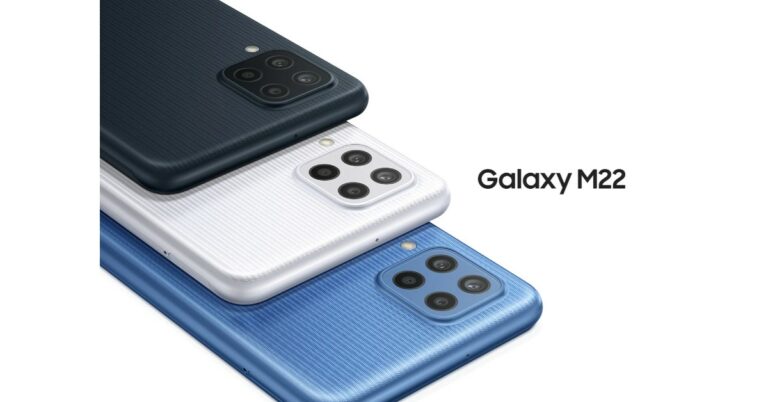
Samsung Galaxy M22 India launch is expected to take place soon. The device’s support page is now live on the company’s official website in the country. However, the Samsung India website does not reveal any details with regard to the upcoming smartphone except for the model number. But the phone will be the same variant of the Galaxy M22 smartphone that debuted in Germany last month.The phone is listed to bear a model number SM-M225FV/DS. The DS at the end of the model number hints at the Dual-SIM functionality that would come with the alleged smartphone. Also, the model number matches up to the similar device of which the support page was spotted in Russia last month.
In This Article
Samsung Galaxy M22 price in India (expected)
Like we mentioned earlier, the upcoming smartphone could be similar to the Samsung Galaxy M22 that was introduced in Germany last month. The pricing of the phone was not revealed, but the smartphone was tipped to be priced around EUR 239.90 that converts to around Rs 20,700. In Germany, the device is available in three colour options of Black, Light Blue and White.
Samsung Galaxy M22 specs (expected)
In terms of specifications, the Samsung Galaxy M22 variant that was launched in Germany features a 6.4-inch HD+ Super AMOLED Display with 720×1,600 pixels of resolution. The phone runs on Android OS and is powered by an unnamed octa-core processor with 4GB of RAM and 128GB of internal storage. The memory can be expanded up to 1TB using a microSD card.The Galaxy M22 may come with a quad rear camera set up that includes a 48MP primary sensor, an 8MP secondary and dual 2 MP sensors. In addition to this, there is a 13MP front-facing camera for taking selfies and video calling. The German variant of the Samsung Galaxy M22 packs a 5,000mAh battery that supports 25W fast charging. In terms of connectivity, there are dual-SIM slots, NFC, Bluetooth v5, WiFI 802.11ac 3.4mm jack and a USB Type C port for charging.
For the latest gadget and tech news, and gadget reviews, follow us on Twitter, Facebook and Instagram. For newest tech & gadget videos subscribe to our YouTube Channel. You can also stay up to date using the Gadget Bridge Android App. You can find the latest car and bike news here.
Poco M4 Pro 5G is reported to launch soon in the market. The alleged smartphone has been spotted on various benchmarking and certifications websites in the past. Now the device has appeared on the Eurasian Economic Commission(EEC) and Compulsory Certificate of China also known as 3C. In addition to this, the phone has also been spotted on IMEI and TENAA certification sites hinting at the imminent launch. The device is going to be a successor of the Poco M3 Pro 5G, which was launched in India a few months ago.According to an Indian tipster, Poco M4 Pro 5G has appeared on all the above-mentioned certification websites with the same model number 2109116AC. The EEC, 3C, IMEI and TENAA listing also suggests that the phone will have the support of 33W fast charging.Poco M3 Pro 5G is also tipped to be listed bearing a model number 21091116AG that suggests it to come with a MediaTek processor. Not much has been revealed about the upcoming smartphone but it would be coming with upgraded features and specs over its predecessor Poco M3 Pro 5GAlso Read: Poco M3 Pro 5G ReviewOnly a little time passed when Poco M3 Pro 5G was launched in India. But the device is suggested to be an upgrade over the 4G Poco M3 that was introduced earlier this year.The Poco M3 phone is powered by an Octa-core Qualcomm Snapdragon 662 SoC paired with 4GB of LPDDR4x RAM and up to 128GB of storage. It features a 6.53 full HD+ display and runs on MIUI 12 for Poco based on the top of Android 10. The device also comes with a triple camera set up on its back that includes a 48MP primary sensor, a 2MP macro lens and a 2MP depth sensor. Upfront there is a selfie camera. The smartphone is backed by a 6,000mAh battery that comes with 18W fast chagrin support.The Poco M3 comes in 4GB RAM 64GB storage, 6GB RAM with 64GB storage and 6GB RAM with 128GB storage options. The price of the phone starts at Rs 10,499 and goes up to Rs 12,499.
For the latest gadget and tech news, and gadget reviews, follow us on Twitter, Facebook and Instagram. For newest tech & gadget videos subscribe to our YouTube Channel. You can also stay up to date using the Gadget Bridge Android App. You can find the latest car and bike news here.


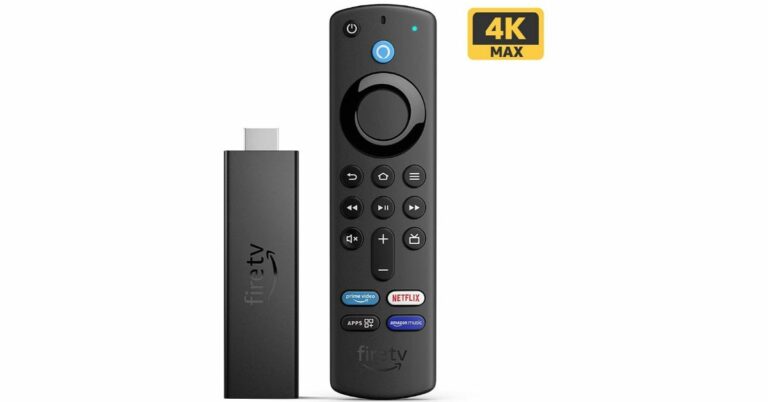
 Step 3 – Make sure you read Before you start just above the download button. It will get you through the minimum requirements and free storage you need to perform the installation process.
Step 4 – Click on the Download Now button.
Step 3 – Make sure you read Before you start just above the download button. It will get you through the minimum requirements and free storage you need to perform the installation process.
Step 4 – Click on the Download Now button.
 Step 3 – Make sure you read Before you start just above the download button. It will get you through the minimum requirements and free storage you need to perform the installation process.
Step 4 – Click on the Download Now button.
Step 3 – Make sure you read Before you start just above the download button. It will get you through the minimum requirements and free storage you need to perform the installation process.
Step 4 – Click on the Download Now button.
 Step 5 – Once the download is completed, open the application.
Step 6 – There will be terms and user licence screen in front of you.
Step 5 – Once the download is completed, open the application.
Step 6 – There will be terms and user licence screen in front of you.
 Step 7 – Accept them and move further.
Step 8 – Select the language or edition manually or let the tool pick it for you. Press next after it is done.
Step 7 – Accept them and move further.
Step 8 – Select the language or edition manually or let the tool pick it for you. Press next after it is done.
 Step 9 – Select the USB flash drive from the two options (Make sure your USB flash storage is connected to your pc/laptop).
Read Also: Top 2 ways: How to upgrade to Windows 11 for free easily
Step 9 – Select the USB flash drive from the two options (Make sure your USB flash storage is connected to your pc/laptop).
Read Also: Top 2 ways: How to upgrade to Windows 11 for free easily
 Step 10 – Choose your flash storage device from the list by which you want to install Windows 11.
 Step 11 – Wait till the download process is completed. And thereafter, your bootable USB drive for Windows 11 is ready. You can use it to install on a new PC/Laptop or on an existing PC.
 Step 12 (extra step) – When you want to install using the bootable Windows 11 USB drive. A prompt will ask you if you want to keep the existing files or give the system a fresh start. Choose accordingly and press install.
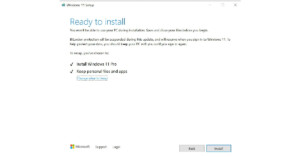 Read Also: WhatApp will soon stop working on these smartphones
For the latest gadget and tech news, and gadget reviews, follow us on Twitter, Facebook and Instagram. For newest tech & gadget videos subscribe to our YouTube Channel. You can also stay up to date using the Gadget Bridge Android App. You can find the latest car and bike news here.
Read Also: WhatApp will soon stop working on these smartphones
For the latest gadget and tech news, and gadget reviews, follow us on Twitter, Facebook and Instagram. For newest tech & gadget videos subscribe to our YouTube Channel. You can also stay up to date using the Gadget Bridge Android App. You can find the latest car and bike news here. 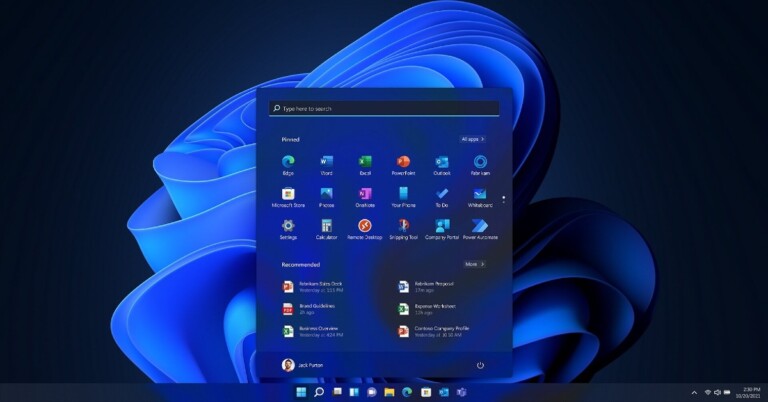
 Step 2 – Click Check for updates. If the update is available it will be mentioned on the screen after the check is finished.
 If the update is not available it leaves you with 2 options. The first one is to wait for the update to be available directly by the company for your system. In the second case if you are tech-savvy like us and can’t wait any longer, follow the next method.
Read Also: Google removed 27 fake apps, identified by quick Heal
If the update is not available it leaves you with 2 options. The first one is to wait for the update to be available directly by the company for your system. In the second case if you are tech-savvy like us and can’t wait any longer, follow the next method.
Read Also: Google removed 27 fake apps, identified by quick Heal


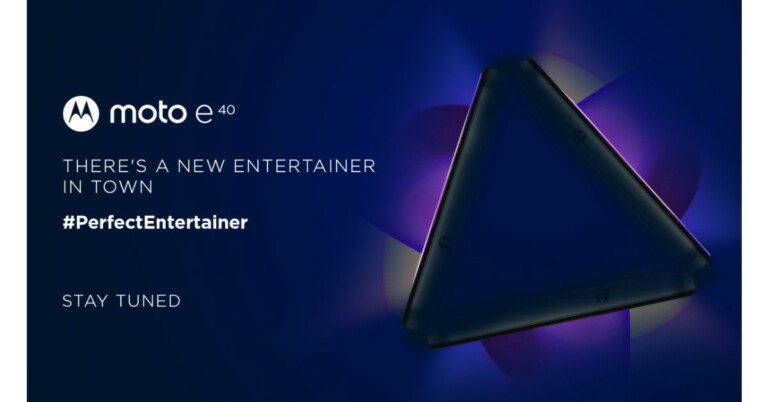
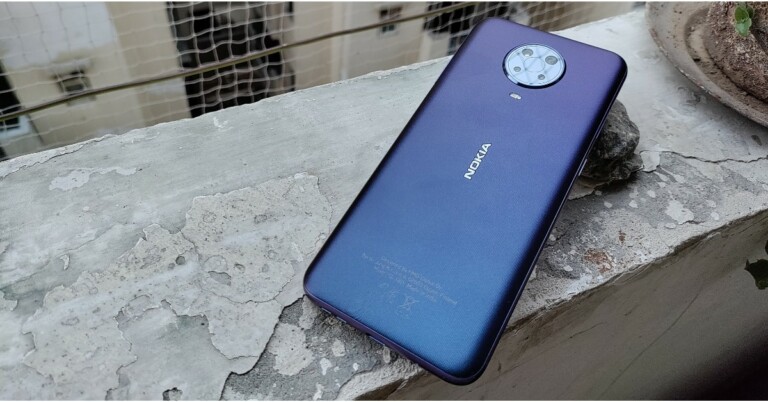
 A circular rear camera module with four sensors is neatly placed and an LED flash is located just below the camera module. The device is available in two colour options: Glacier and Night, and our review unit is the latter, which look nice. The phone’s textured back panel makes it resistant to scratches and fingerprints, but luckily the company includes a silicon cover for protection.
 The applications load time could have been better, but multitasking on the other hand between the lightweight apps works well. It’s perfectly fine to play less demanding games when it comes to gaming on the Nokia G20. GPU-intensive games, on the other hand, put a strain on the processor. We tried out Call of Duty Mobile, and it stutters a lot under low graphics and high frame rate settings, but the gameplay improves at the lowest settings.
Let us now discuss the camera’s performance. The Nokia G20 has a quad-camera set up on the back, including a 48-megapixel primary sensor with an f/1.79 aperture. A 5-megapixel ultra-wide-angle lens, a 2-megapixel macro sensor and a 2-megapixel depth sensor round out the package. There is an 8-megapixel front-facing camera for taking selfies and video calls.
The applications load time could have been better, but multitasking on the other hand between the lightweight apps works well. It’s perfectly fine to play less demanding games when it comes to gaming on the Nokia G20. GPU-intensive games, on the other hand, put a strain on the processor. We tried out Call of Duty Mobile, and it stutters a lot under low graphics and high frame rate settings, but the gameplay improves at the lowest settings.
Let us now discuss the camera’s performance. The Nokia G20 has a quad-camera set up on the back, including a 48-megapixel primary sensor with an f/1.79 aperture. A 5-megapixel ultra-wide-angle lens, a 2-megapixel macro sensor and a 2-megapixel depth sensor round out the package. There is an 8-megapixel front-facing camera for taking selfies and video calls.
 Shots from the primary camera produced reasonably detailed results in good lighting. The phone has a hard time focusing. When auto HDR is enabled, the photos become overly saturated, and the exposure is also a bit messy, so keep it off and you will be fine.
 A circular rear camera module with four sensors is neatly placed and an LED flash is located just below the camera module. The device is available in two colour options: Glacier and Night, and our review unit is the latter, which look nice. The phone’s textured back panel makes it resistant to scratches and fingerprints, but luckily the company includes a silicon cover for protection.
 The power and volume buttons on the right frame are fairly easy to reach and provide good haptic feedback. The power button has been integrated with a fingerprint scanner that unlocks the device in about a second. One can also opt for the face unlock option but that is even slower.
 Moving on, there is a SIM tray and a dedicated Google Assistant button on the left. Besides this, there is a 3.5mm headphone jack and a primary microphone on the top while the bottom part consists of a USB Type C port, a mono speaker grille and a secondary microphone.
 The Nokia G20 features a 6.5-inch HD+ IPS LCD panel with a dewdrop notch for the selfie camera and a 20:9 aspect ratio on the front. The HD+ screen may (on paper) appear underwhelming for the price, but we have to say that we rarely had any issues with the display’s sharpness.
Enabling 1080p mode on YouTube gives you a good viewing experience. The videos appeared to be sufficiently sharp. In addition, the device is Widevine L1 certified for HD streaming on Ott platforms such as Netflix, Prime Videos and others. The outside readability could have been better. A few more nits would have been perfect. The colours of the screen are superb and we loved our experience with it indoors.
The Nokia G20 features a 6.5-inch HD+ IPS LCD panel with a dewdrop notch for the selfie camera and a 20:9 aspect ratio on the front. The HD+ screen may (on paper) appear underwhelming for the price, but we have to say that we rarely had any issues with the display’s sharpness.
Enabling 1080p mode on YouTube gives you a good viewing experience. The videos appeared to be sufficiently sharp. In addition, the device is Widevine L1 certified for HD streaming on Ott platforms such as Netflix, Prime Videos and others. The outside readability could have been better. A few more nits would have been perfect. The colours of the screen are superb and we loved our experience with it indoors.
 The applications load time could have been better, but multitasking on the other hand between the lightweight apps works well. It’s perfectly fine to play less demanding games when it comes to gaming on the Nokia G20. GPU-intensive games, on the other hand, put a strain on the processor. We tried out Call of Duty Mobile, and it stutters a lot under low graphics and high frame rate settings, but the gameplay improves at the lowest settings.
Let us now discuss the camera’s performance. The Nokia G20 has a quad-camera set up on the back, including a 48-megapixel primary sensor with an f/1.79 aperture. A 5-megapixel ultra-wide-angle lens, a 2-megapixel macro sensor and a 2-megapixel depth sensor round out the package. There is an 8-megapixel front-facing camera for taking selfies and video calls.
The applications load time could have been better, but multitasking on the other hand between the lightweight apps works well. It’s perfectly fine to play less demanding games when it comes to gaming on the Nokia G20. GPU-intensive games, on the other hand, put a strain on the processor. We tried out Call of Duty Mobile, and it stutters a lot under low graphics and high frame rate settings, but the gameplay improves at the lowest settings.
Let us now discuss the camera’s performance. The Nokia G20 has a quad-camera set up on the back, including a 48-megapixel primary sensor with an f/1.79 aperture. A 5-megapixel ultra-wide-angle lens, a 2-megapixel macro sensor and a 2-megapixel depth sensor round out the package. There is an 8-megapixel front-facing camera for taking selfies and video calls.
 Shots from the primary camera produced reasonably detailed results in good lighting. The phone has a hard time focusing. When auto HDR is enabled, the photos become overly saturated, and the exposure is also a bit messy, so keep it off and you will be fine.

 Aside from that, the low-light images were not super grainy with good details, but they occasionally shot soft-looking photos. The night mode increases the exposure slightly, but not significantly.


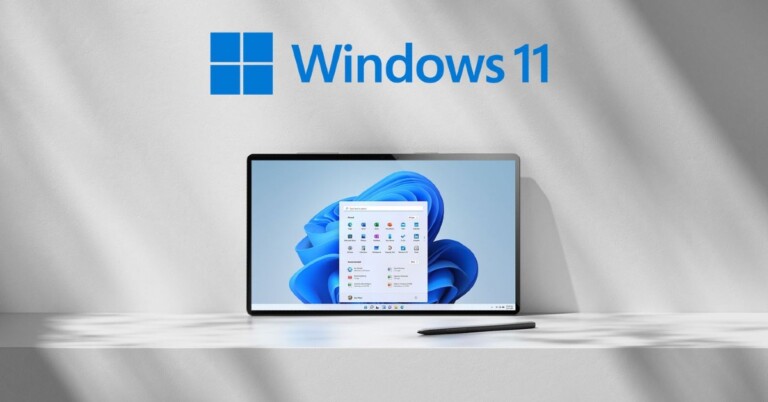
 The first on our list is Microsoft’s own masterpiece. It is the experience of a lifetime. The game puts the player in the cockpit of an aeroplane with tons of options to choose from. It is one of the world’s largest open-world games. Does a world tour seem expensive? Worry not the maps in this game are of the entire earth. In addition, users can experience real-time weather effects based on live data, laser-scanned topography, and detailed landmark locations. Just hop on the cockpit and enjoy the ride.
Download Here
The first on our list is Microsoft’s own masterpiece. It is the experience of a lifetime. The game puts the player in the cockpit of an aeroplane with tons of options to choose from. It is one of the world’s largest open-world games. Does a world tour seem expensive? Worry not the maps in this game are of the entire earth. In addition, users can experience real-time weather effects based on live data, laser-scanned topography, and detailed landmark locations. Just hop on the cockpit and enjoy the ride.
Download Here
 The most popular racing game available for free in the Microsoft store. Asphalt 9 is packed with real-world cars manufactured by big companies like Ferrari, Porsche, Lamborghini and more. It features 70 different tracks across the globe to choose from, making it exciting. Players can also choose to play career mode to complete 60 seasons and 800 races to conquer it. If you love to play along with your friends, use online mode to compete against 7 players in real-time. With interesting graphics and smooth gameplay, Asphalt 9 keeps you glued to the screen for quite some time. There are some in-app purchases available in the games as well.
Download Here
The most popular racing game available for free in the Microsoft store. Asphalt 9 is packed with real-world cars manufactured by big companies like Ferrari, Porsche, Lamborghini and more. It features 70 different tracks across the globe to choose from, making it exciting. Players can also choose to play career mode to complete 60 seasons and 800 races to conquer it. If you love to play along with your friends, use online mode to compete against 7 players in real-time. With interesting graphics and smooth gameplay, Asphalt 9 keeps you glued to the screen for quite some time. There are some in-app purchases available in the games as well.
Download Here
 Not the only game produced by the Wargaming company on this list. This free to play game revolves around focusing on the naval military. Players can choose from various battleships, destroyers, cruisers, and even carrier squadrons. Team up with your friends to enter naval combat together and conquer the enemy.
The graphics of the game are excellent and players can customise it according to their taste and hardware specification. Starting from the basics, the game lets you expand your skills with endless fighting simulation. Users can pay with real money to buy new battleships as well.
Download Here
Not the only game produced by the Wargaming company on this list. This free to play game revolves around focusing on the naval military. Players can choose from various battleships, destroyers, cruisers, and even carrier squadrons. Team up with your friends to enter naval combat together and conquer the enemy.
The graphics of the game are excellent and players can customise it according to their taste and hardware specification. Starting from the basics, the game lets you expand your skills with endless fighting simulation. Users can pay with real money to buy new battleships as well.
Download Here
 Last year the second part of the franchise was remastered. The same footstep was filled by the third part as well. Age of Empire III Definitive Edition indulges you in a revamped version of an already popular classic strategy game. After the company remastered the game, now it has gorgeous new visuals, boosted music, refined A.I. with hours and hours of historically inspired campaigns. Being the timeless classic Age of Empire III is a good choice a gamer can consider. This game surely gets a cut for games to download list.
Download Here
Last year the second part of the franchise was remastered. The same footstep was filled by the third part as well. Age of Empire III Definitive Edition indulges you in a revamped version of an already popular classic strategy game. After the company remastered the game, now it has gorgeous new visuals, boosted music, refined A.I. with hours and hours of historically inspired campaigns. Being the timeless classic Age of Empire III is a good choice a gamer can consider. This game surely gets a cut for games to download list.
Download Here
 A masterful racing game with a beautiful open world and real-life cars. Playground Games are ready to launch the next generation of Forza Horizon 5 in the month of November. Which can possibly mean that there will be a discount on Forza Horizon 4. Consider playing this game to experience the ultimate open-world arcade racing experience. The game is online based so players can join the lobby with their friends to compete against each other in an adrenaline rush, real looking graphical races.
Download Here
Read Also: Samsung Galaxy A90 listed on the company’s official US website
A masterful racing game with a beautiful open world and real-life cars. Playground Games are ready to launch the next generation of Forza Horizon 5 in the month of November. Which can possibly mean that there will be a discount on Forza Horizon 4. Consider playing this game to experience the ultimate open-world arcade racing experience. The game is online based so players can join the lobby with their friends to compete against each other in an adrenaline rush, real looking graphical races.
Download Here
Read Also: Samsung Galaxy A90 listed on the company’s official US website
 A Massively Multiplayer Online (MMO) game again from Wargaming. The game also revolves around war but this time it is on land with tanks. Just like World of Warships, it has over 300 tanks from Germany, Great Britain, the USA, USSR, and Japan. Users can compete against each other in a lobby of 7. There are 26 different battle arenas to choose from and players can buy new tanks with real money. Chat with other players online and compete to get achievements and see yourself on the leaderboard.
Download Here
A Massively Multiplayer Online (MMO) game again from Wargaming. The game also revolves around war but this time it is on land with tanks. Just like World of Warships, it has over 300 tanks from Germany, Great Britain, the USA, USSR, and Japan. Users can compete against each other in a lobby of 7. There are 26 different battle arenas to choose from and players can buy new tanks with real money. Chat with other players online and compete to get achievements and see yourself on the leaderboard.
Download Here
 A free game from the Fallout franchise. The story of the game revolves around an underground fault we build to save the rest of human society left. Now it’s up to you to make the vault best by giving people the right jobs, clothes, weapons, and training to protect them from the Wasteland. There are lots of decisions to make, which make the game even more interesting. The game is free to play, but there are in-game purchases.
Download Here
A free game from the Fallout franchise. The story of the game revolves around an underground fault we build to save the rest of human society left. Now it’s up to you to make the vault best by giving people the right jobs, clothes, weapons, and training to protect them from the Wasteland. There are lots of decisions to make, which make the game even more interesting. The game is free to play, but there are in-game purchases.
Download Here
 Best game for people who like comic book styled, old school graphics. Cuphead is a side-scrolling arcade game. It redefines the memories of classic titles like Contra and Gun Stars hero. In the game, we have to follow the trail and anthropomorphic creatures working for the boss enemy. You can play the game either solo or with a local co-op. Work the levels out in the game to defeat the boss in the end. You can surely consider these games to download.
Download Here
Best game for people who like comic book styled, old school graphics. Cuphead is a side-scrolling arcade game. It redefines the memories of classic titles like Contra and Gun Stars hero. In the game, we have to follow the trail and anthropomorphic creatures working for the boss enemy. You can play the game either solo or with a local co-op. Work the levels out in the game to defeat the boss in the end. You can surely consider these games to download.
Download Here
 The classic all-time favourite open-world game which is still popular after years. The reason for such popularity is continuous support by the developers and community giving new updates all the time.
It is a big open-world game in which you can meet your friends and be creative around. The company introduced an RTX mode for high-end gaming machines to make the world around more detailed. The best part about this game is you can play with your friends across any platform be it Xbox, Pc, Playstation or VR.
Download Here
The classic all-time favourite open-world game which is still popular after years. The reason for such popularity is continuous support by the developers and community giving new updates all the time.
It is a big open-world game in which you can meet your friends and be creative around. The company introduced an RTX mode for high-end gaming machines to make the world around more detailed. The best part about this game is you can play with your friends across any platform be it Xbox, Pc, Playstation or VR.
Download Here
 The story remains the same as Resident Evil 5 and 6. You are left in an Abandoned house/ place to fight evil. For people who like a horror game and jump scare and it gives them an adrenaline rush, this title will be a treat for them. With hours of campaign in story mode and interesting gun combat, makes this game one of the best entries on the list.
Download Here
Read Also: Mi Notebook 14 and Mi Notebook 14 Horizon Edition
The story remains the same as Resident Evil 5 and 6. You are left in an Abandoned house/ place to fight evil. For people who like a horror game and jump scare and it gives them an adrenaline rush, this title will be a treat for them. With hours of campaign in story mode and interesting gun combat, makes this game one of the best entries on the list.
Download Here
Read Also: Mi Notebook 14 and Mi Notebook 14 Horizon Edition
 Want to enjoy something more casual? Consider playing the famous Minesweeper. Earlier the game used to be built in the UI, but now if you want to enjoy this, you can download it from the Microsoft Store. The game now has updated graphics and sound, as well as a new Adventure Mode and daily challenges. This will keep you indulge in hours of entertainment and will kill your time easily.
Download Here
These are 11 games to download and play on Windows 11, as mentioned some of the games are paid and some are free.
For the latest gadget and tech news, and gadget reviews, follow us on Twitter, Facebook and Instagram. For newest tech & gadget videos subscribe to our YouTube Channel. You can also stay up to date using the Gadget Bridge Android App. You can find the latest car and bike news here.
Want to enjoy something more casual? Consider playing the famous Minesweeper. Earlier the game used to be built in the UI, but now if you want to enjoy this, you can download it from the Microsoft Store. The game now has updated graphics and sound, as well as a new Adventure Mode and daily challenges. This will keep you indulge in hours of entertainment and will kill your time easily.
Download Here
These are 11 games to download and play on Windows 11, as mentioned some of the games are paid and some are free.
For the latest gadget and tech news, and gadget reviews, follow us on Twitter, Facebook and Instagram. For newest tech & gadget videos subscribe to our YouTube Channel. You can also stay up to date using the Gadget Bridge Android App. You can find the latest car and bike news here. 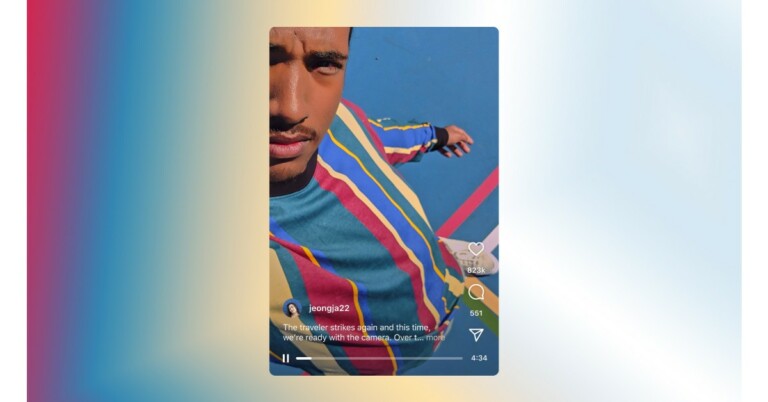

 Instagram has also made few changes to the IGTV advertisements as now they will be known as Instagram In-Stream video ads. However, the eligible creators can continue to monetize their long-form content and brands can reach long-form video audiences.
Additionally, the videos must not be longer than 60 seconds in length for businesses interested in boosting their videos to reach more people.
For the latest gadget and tech news, and gadget reviews, follow us on Twitter, Facebook and Instagram. For newest tech & gadget videos subscribe to our YouTube Channel. You can also stay up to date using the Gadget Bridge Android App. You can find the latest car and bike news here.
Instagram has also made few changes to the IGTV advertisements as now they will be known as Instagram In-Stream video ads. However, the eligible creators can continue to monetize their long-form content and brands can reach long-form video audiences.
Additionally, the videos must not be longer than 60 seconds in length for businesses interested in boosting their videos to reach more people.
For the latest gadget and tech news, and gadget reviews, follow us on Twitter, Facebook and Instagram. For newest tech & gadget videos subscribe to our YouTube Channel. You can also stay up to date using the Gadget Bridge Android App. You can find the latest car and bike news here. 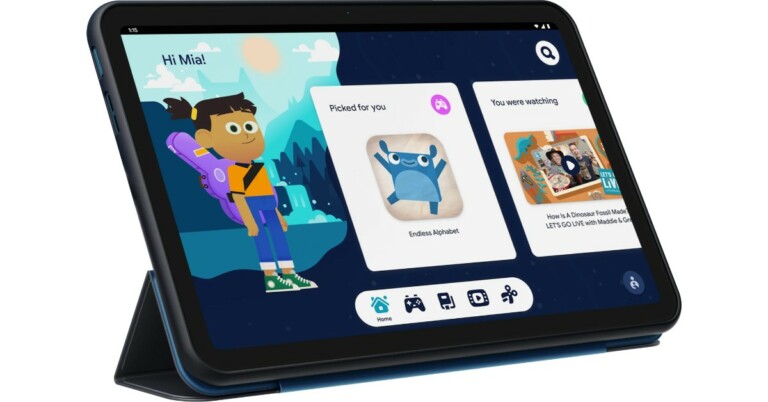
 In terms of availability, the Nokia Tablet will be available in the UK and select markets from today onwards. As far as the Indian availability is concerned that is yet to be revealed by the company but the company did confirm that India is also on its list. Whereas in the US its price starts at $249,99 and will be available from November 17.
 In terms of availability, the Nokia Tablet will be available in the UK and select markets from today onwards. As far as the Indian availability is concerned that is yet to be revealed by the company but the company did confirm that India is also on its list. Whereas in the US its price starts at $249,99 and will be available from November 17.
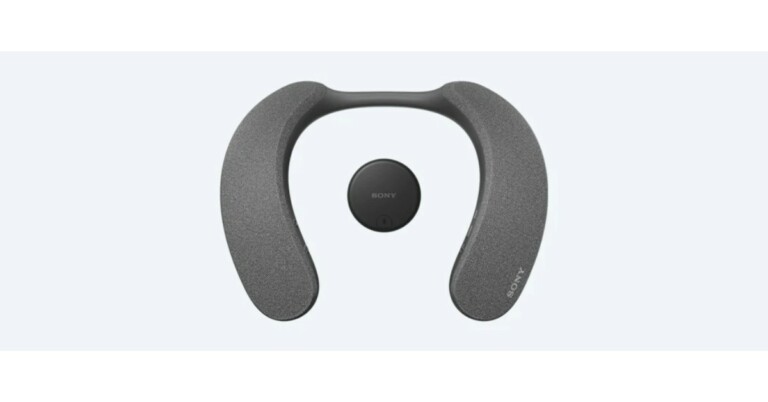
 The audio device can be paired with the supplied wireless transmitter WLA-NS7 over a Bluetooth connection that helps minimise audio delay so you can be fully immersed in Dolby Atmos movies with sound and pictures precisely matched. While the passive radiator increases low-frequency response for clear bass sound. Hear thumping movie sound effects and deep beats.
The Sony SRS-NS7 wireless neckband speaker is claimed to provide 12 hours of battery life and up to 5 hours at maximum volume and is suited for binge-watching. With just 10 minutes of quick charge, the wireless neckband speaker can last for 60 minutes. It comes with a built-in microphone for hands-free communication. While an X-Balanced Speaker Unit reproduces colleagues’ voices clearly. With echo-cancelling minimising feedback.
The audio device can be paired with the supplied wireless transmitter WLA-NS7 over a Bluetooth connection that helps minimise audio delay so you can be fully immersed in Dolby Atmos movies with sound and pictures precisely matched. While the passive radiator increases low-frequency response for clear bass sound. Hear thumping movie sound effects and deep beats.
The Sony SRS-NS7 wireless neckband speaker is claimed to provide 12 hours of battery life and up to 5 hours at maximum volume and is suited for binge-watching. With just 10 minutes of quick charge, the wireless neckband speaker can last for 60 minutes. It comes with a built-in microphone for hands-free communication. While an X-Balanced Speaker Unit reproduces colleagues’ voices clearly. With echo-cancelling minimising feedback.
 The audio device can be paired with the supplied wireless transmitter WLA-NS7 over a Bluetooth connection that helps minimise audio delay so you can be fully immersed in Dolby Atmos movies with sound and pictures precisely matched. While the passive radiator increases low-frequency response for clear bass sound. Hear thumping movie sound effects and deep beats.
The Sony SRS-NS7 wireless neckband speaker is claimed to provide 12 hours of battery life and up to 5 hours at maximum volume and is suited for binge-watching. With just 10 minutes of quick charge, the wireless neckband speaker can last for 60 minutes. It comes with a built-in microphone for hands-free communication. While an X-Balanced Speaker Unit reproduces colleagues’ voices clearly. With echo-cancelling minimising feedback.
The audio device can be paired with the supplied wireless transmitter WLA-NS7 over a Bluetooth connection that helps minimise audio delay so you can be fully immersed in Dolby Atmos movies with sound and pictures precisely matched. While the passive radiator increases low-frequency response for clear bass sound. Hear thumping movie sound effects and deep beats.
The Sony SRS-NS7 wireless neckband speaker is claimed to provide 12 hours of battery life and up to 5 hours at maximum volume and is suited for binge-watching. With just 10 minutes of quick charge, the wireless neckband speaker can last for 60 minutes. It comes with a built-in microphone for hands-free communication. While an X-Balanced Speaker Unit reproduces colleagues’ voices clearly. With echo-cancelling minimising feedback.
 The Sony wireless neckband speaker can be connected with two devices at the same time such as your laptop and smartphone. When you’re listening to music on your smartphone, you can take the call with just one click of the Play/Call button on the left side of the neckband.
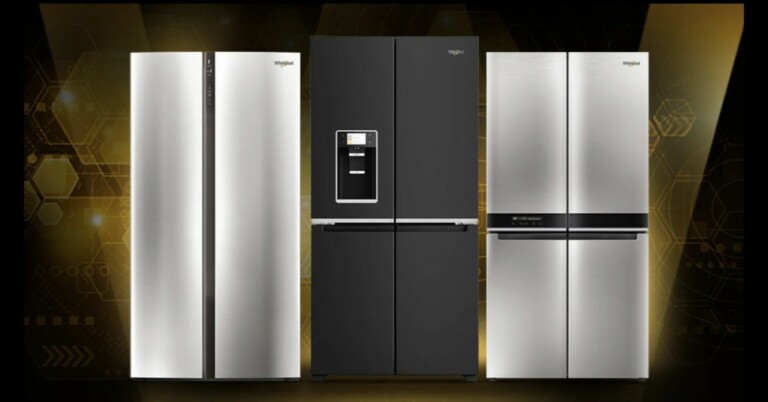
 The Whirlpool Quattro refrigerators come with an ozonizer that emits ozone to reduce odours and prevent bacteria from forming inside the cavity, improving hygiene and food freshness inside the fridge.
It also has fast freeze is a smart button to accelerate the freezing process to deep freeze food quicker preserving its nutritional value.
The door in door feature on the W Series 4 Door refrigerators allows easy drinks and snacks in one click without having to open the main door, thereby limiting the loss of cold air. There is a water and ice dispenser on the fridge that produces 1.5 kg of ice cubes per day or crushed ice. Its convertible functionality allows the users to choose between more than 6 preset temperatures from -22 °C to +10 °C. With the touch UI, one can easily operate and interact with the refrigerator.
Commenting on the launch, KG Singh, Vice President Marketing, Whirlpool of India, said, “W Series range of Quattro format refrigerators opens a new realm of possibilities with its sophisticated design, spacious interiors and advanced refrigeration technology. With an award-winning design and immaculate craftsmanship, these stylish refrigerators add a touch of elegance to the consumer’s home. Powered by the state-of-the-art AI (Adaptive Intelligence) and Triple Cooling Technology, the refrigerator intuitively senses and adapts to changes in the ambient environment and usage patterns, to provide best-in-class cooling performance and long-lasting freshness. A convergence of functionality and powerful performance, W Series is a premium refrigerator for modern Indian families.”
For the latest gadget and tech news, and gadget reviews, follow us on Twitter, Facebook and Instagram. For newest tech & gadget videos subscribe to our YouTube Channel. You can also stay up to date using the Gadget Bridge Android App. You can find the latest car and bike news here.
The Whirlpool Quattro refrigerators come with an ozonizer that emits ozone to reduce odours and prevent bacteria from forming inside the cavity, improving hygiene and food freshness inside the fridge.
It also has fast freeze is a smart button to accelerate the freezing process to deep freeze food quicker preserving its nutritional value.
The door in door feature on the W Series 4 Door refrigerators allows easy drinks and snacks in one click without having to open the main door, thereby limiting the loss of cold air. There is a water and ice dispenser on the fridge that produces 1.5 kg of ice cubes per day or crushed ice. Its convertible functionality allows the users to choose between more than 6 preset temperatures from -22 °C to +10 °C. With the touch UI, one can easily operate and interact with the refrigerator.
Commenting on the launch, KG Singh, Vice President Marketing, Whirlpool of India, said, “W Series range of Quattro format refrigerators opens a new realm of possibilities with its sophisticated design, spacious interiors and advanced refrigeration technology. With an award-winning design and immaculate craftsmanship, these stylish refrigerators add a touch of elegance to the consumer’s home. Powered by the state-of-the-art AI (Adaptive Intelligence) and Triple Cooling Technology, the refrigerator intuitively senses and adapts to changes in the ambient environment and usage patterns, to provide best-in-class cooling performance and long-lasting freshness. A convergence of functionality and powerful performance, W Series is a premium refrigerator for modern Indian families.”
For the latest gadget and tech news, and gadget reviews, follow us on Twitter, Facebook and Instagram. For newest tech & gadget videos subscribe to our YouTube Channel. You can also stay up to date using the Gadget Bridge Android App. You can find the latest car and bike news here. 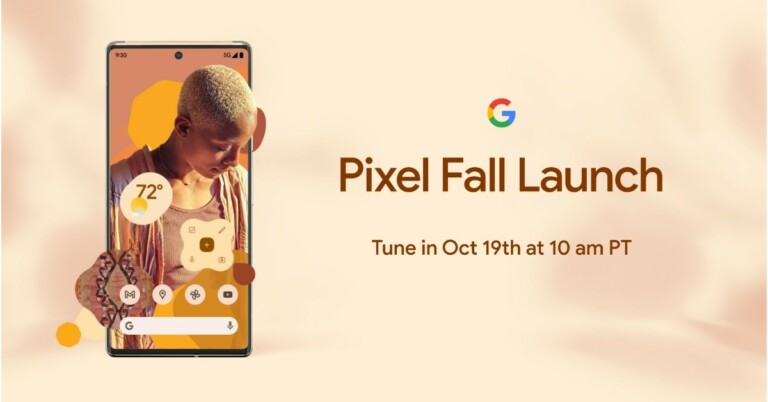
 The company has not revealed much information about the upcoming event. But the price of Google Pixel 6 and Pixel 6 Pro was leaked much ahead of the official event. Leaks suggest that the Pixel 6 could be priced around EUR 649 that converts to Rs 56,100 whereas the Pixel 6 Pro could bear a price tag of EUR 899 that translates to Rs 77,700.
It is also speculated that the vanilla variant will be available in two colour options of Carbon and Fog. The carbon variant is rumoured to be a black one while the Fog will be green in colour.
Even before the pricing was leaked the hands-on video of Pixel 6 Pro also surfaced online. The video was shared by YouTuber M. Brandon Lee the same tipster who tipped the pricing of Pixel phones. The display of the device shows thin bezels and chin and has a hole punch to house the selfie camera. The power button and the volume rocker is seen on the right side of the frame whereas the back of the phone carries a horizontally mounted triple rear camera set up.
The Google Pixel devices feature a dual-tone design with a camera bar that runs across the width of the smartphones. The company earlier confirmed that it has used new materials and finishes such as the Pro’s light polished aluminium frame, and the 6’s matte aluminium finish.
In terms of specifications, it is already confirmed that the Pixel 6 Series will be powered by the company’s in-house Google Tensor chip. Reportedly both the handsets may feature a 33W fast charging. In addition to these upcoming phones, may include a Live Translate feature that will translate captions, messages and more with the camera’s viewfinder. It is also said to include an in-display fingerprint sensor as well.
According to Google, the Pixel 6 and Pixel 6 Pro will combine the same beautiful aesthetic across software and hardware with Android 12, to the new Tensor SoC. According to the company, most of its features are powered by AI and ML. The processor has been designed in such a manner to make Pixel even more capable.
For a better photography experience, the rear camera set-up has been upgraded with improved sensors and lenses are now too big to fit into the traditional square — so the new design gives the whole camera system a new home with the camera bar.
The company has not revealed much information about the upcoming event. But the price of Google Pixel 6 and Pixel 6 Pro was leaked much ahead of the official event. Leaks suggest that the Pixel 6 could be priced around EUR 649 that converts to Rs 56,100 whereas the Pixel 6 Pro could bear a price tag of EUR 899 that translates to Rs 77,700.
It is also speculated that the vanilla variant will be available in two colour options of Carbon and Fog. The carbon variant is rumoured to be a black one while the Fog will be green in colour.
Even before the pricing was leaked the hands-on video of Pixel 6 Pro also surfaced online. The video was shared by YouTuber M. Brandon Lee the same tipster who tipped the pricing of Pixel phones. The display of the device shows thin bezels and chin and has a hole punch to house the selfie camera. The power button and the volume rocker is seen on the right side of the frame whereas the back of the phone carries a horizontally mounted triple rear camera set up.
The Google Pixel devices feature a dual-tone design with a camera bar that runs across the width of the smartphones. The company earlier confirmed that it has used new materials and finishes such as the Pro’s light polished aluminium frame, and the 6’s matte aluminium finish.
In terms of specifications, it is already confirmed that the Pixel 6 Series will be powered by the company’s in-house Google Tensor chip. Reportedly both the handsets may feature a 33W fast charging. In addition to these upcoming phones, may include a Live Translate feature that will translate captions, messages and more with the camera’s viewfinder. It is also said to include an in-display fingerprint sensor as well.
According to Google, the Pixel 6 and Pixel 6 Pro will combine the same beautiful aesthetic across software and hardware with Android 12, to the new Tensor SoC. According to the company, most of its features are powered by AI and ML. The processor has been designed in such a manner to make Pixel even more capable.
For a better photography experience, the rear camera set-up has been upgraded with improved sensors and lenses are now too big to fit into the traditional square — so the new design gives the whole camera system a new home with the camera bar.
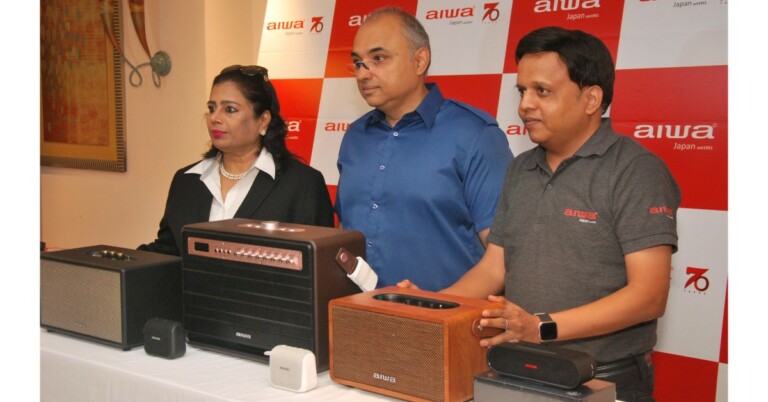



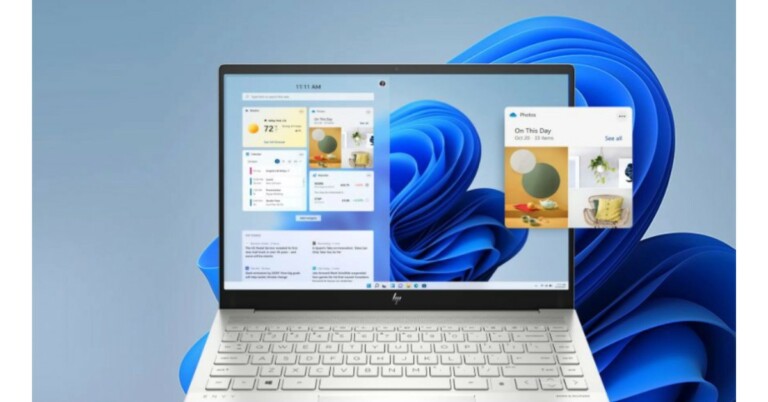

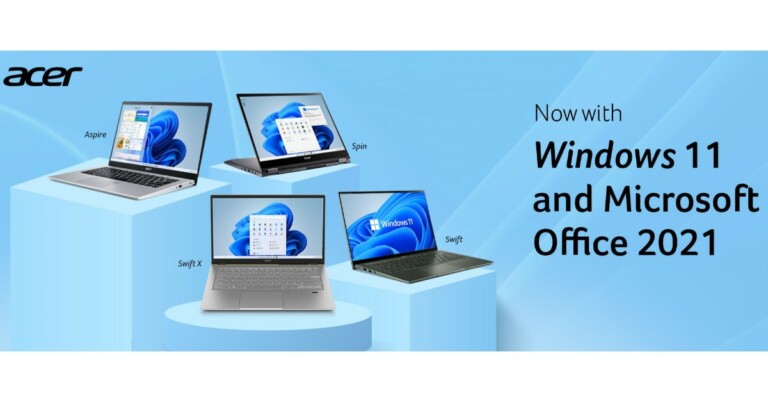
 Samsung’s phone tracking service lets you remotely unlock your phone. If you forgot your phone passcode, all you need to do is log into the SmartThings Find portal using your Samsung ID. You will need your Samsung password for this. Once you’re in, select your smartphone from the list and hit ‘Unlock’ in the toolbar on the right.
 This feature works only with phones running Android 5.0 or above. If this is not the specification of your smartphone head to the next step it will surely help you. Google introduced the Smart Lock feature to keep your phone unlocked as soon as it is in the range of a known device using Bluetooth or your home Wi-Fi.
The phone will automatically unlock if the feature is switched on your smartphone as soon as it connects to a trusted device without entering the passcode. Google has also introduced a feature with which your smartphone’s key will be your smart wearable making it so easy for the users.
Read Also: How to factory reset your iPhone?
How can you enable it? Follow the below steps.
Step 1 – Open Settings.
This feature works only with phones running Android 5.0 or above. If this is not the specification of your smartphone head to the next step it will surely help you. Google introduced the Smart Lock feature to keep your phone unlocked as soon as it is in the range of a known device using Bluetooth or your home Wi-Fi.
The phone will automatically unlock if the feature is switched on your smartphone as soon as it connects to a trusted device without entering the passcode. Google has also introduced a feature with which your smartphone’s key will be your smart wearable making it so easy for the users.
Read Also: How to factory reset your iPhone?
How can you enable it? Follow the below steps.
Step 1 – Open Settings.
 Step 2 – Head to Security.
 Step 3 – Select Smart Lock.

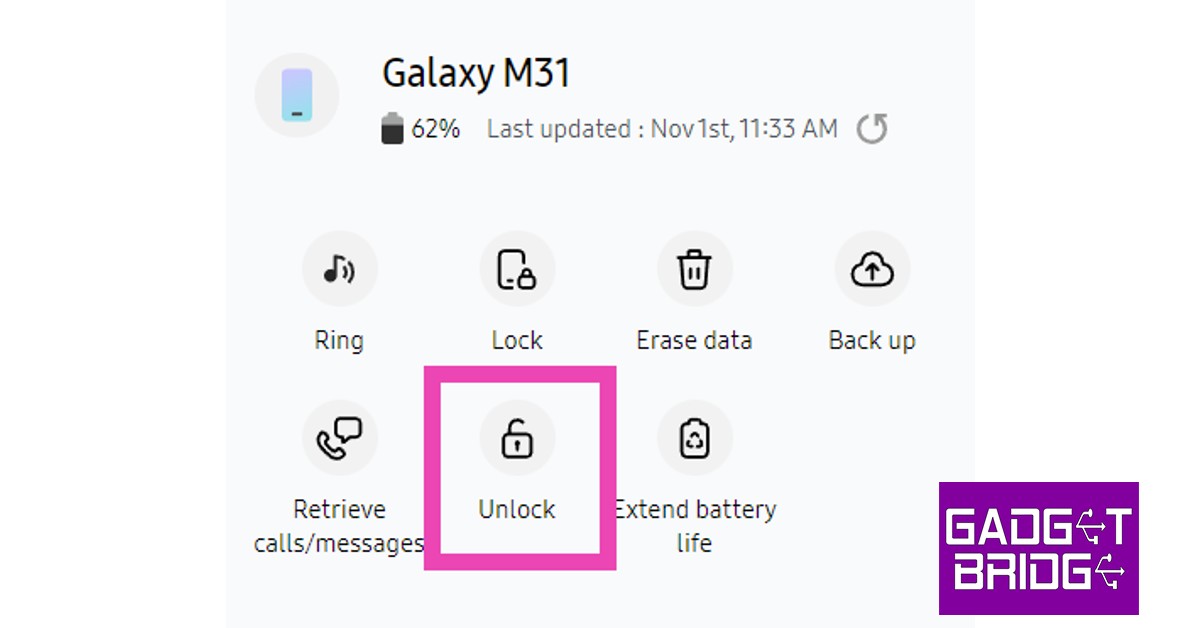 Samsung’s phone tracking service lets you remotely unlock your phone. If you forgot your phone passcode, all you need to do is log into the SmartThings Find portal using your Samsung ID. You will need your Samsung password for this. Once you’re in, select your smartphone from the list and hit ‘Unlock’ in the toolbar on the right.
 By this method, you can surely get into your Android smartphone, but at the cost of getting your smartphone’s data. Yes, everything will be erased. Earlier, Google used to let users change pins directly from the Find My Device feature, but this method had some security flaws and thus the company removed the feature. In case you do not mind losing the data, visit https://www.google.com/android/find and log in to your respective account. Select the phone from the device list and tap on Erase.
Note – To accomplish this step, the user’s phone should be connected to the internet service.
By this method, you can surely get into your Android smartphone, but at the cost of getting your smartphone’s data. Yes, everything will be erased. Earlier, Google used to let users change pins directly from the Find My Device feature, but this method had some security flaws and thus the company removed the feature. In case you do not mind losing the data, visit https://www.google.com/android/find and log in to your respective account. Select the phone from the device list and tap on Erase.
Note – To accomplish this step, the user’s phone should be connected to the internet service.
 Read Also: Top Google Chrome extensions you should install today.
 Step 3: Scroll down and select Guided Access.
 Step 4: Turn on the toggle switch for Guided Access.
 Step 5: Once the feature is switched on, open the app that you want to lock. On an iPhone X or later device, triple-click the side button. On an iPhone 8 or earlier, triple-click the Home button. Select the part of the screen you want to disable. Tap the Guided Access option, then tap Start.
 Step 4: Once the feature is turned on, toggle the Recent Apps gesture/button. You will see a pin symbol or long-press a specific application to find the pinning option.
 Read Also: Top Google Chrome extensions you should install today.
 Companies nowadays have a built-in pocket mode feature that disables the phone’s screen when the light sensor of the phone gets covered. It is a handy feature, especially on the go. Head to settings and search for pocket mode(or similar, depending on your device). Once you find it, turn on its toggle switch.
 If there is no pocket mode on your smartphone and the above steps are not working out for you. Try Touch Protector from Google Playstore. This app works somewhere between screen pinning and pocket mode. It will disable the screen until you want to work again. It also has a smart detection mode to enable the touch screen while receiving incoming calls. The best part is the application is completely free.
Download from here
If there is no pocket mode on your smartphone and the above steps are not working out for you. Try Touch Protector from Google Playstore. This app works somewhere between screen pinning and pocket mode. It will disable the screen until you want to work again. It also has a smart detection mode to enable the touch screen while receiving incoming calls. The best part is the application is completely free.
Download from here
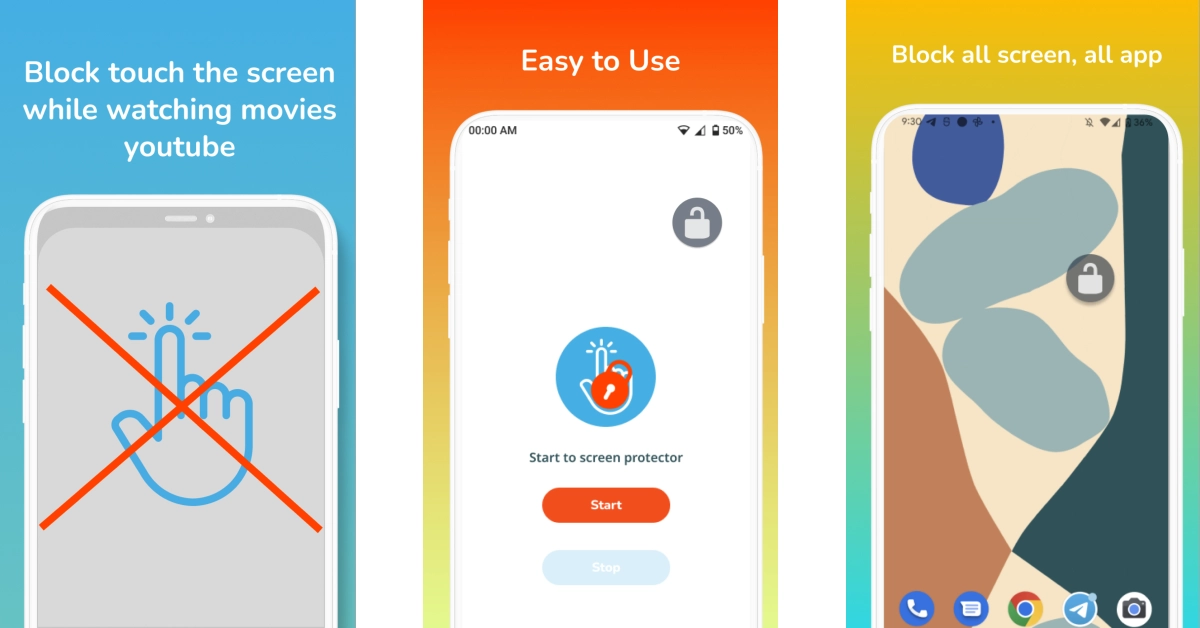 The Disable Touch Screen app by Firefly-Team can be downloaded for free from the Google Play Store. This app blocks accidental touches, so it doesn’t hinder your movie-watching experience. It works seamlessly with OTT apps like Netflix, Hotstar, Sony Liv, Voot, and more. Once you install the app, hit Start and press the lock button on the page that you want to lock.
Download from here
The Disable Touch Screen app by Firefly-Team can be downloaded for free from the Google Play Store. This app blocks accidental touches, so it doesn’t hinder your movie-watching experience. It works seamlessly with OTT apps like Netflix, Hotstar, Sony Liv, Voot, and more. Once you install the app, hit Start and press the lock button on the page that you want to lock.
Download from here
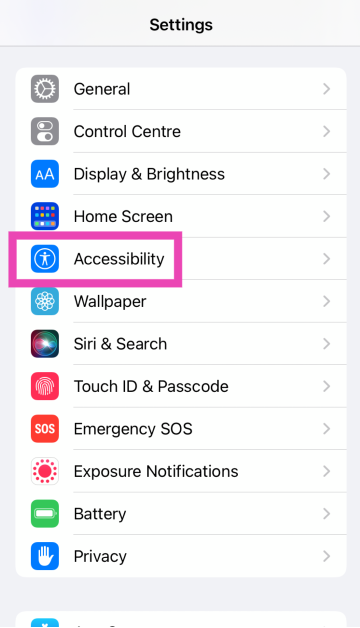 Step 3: Scroll down and select Guided Access.
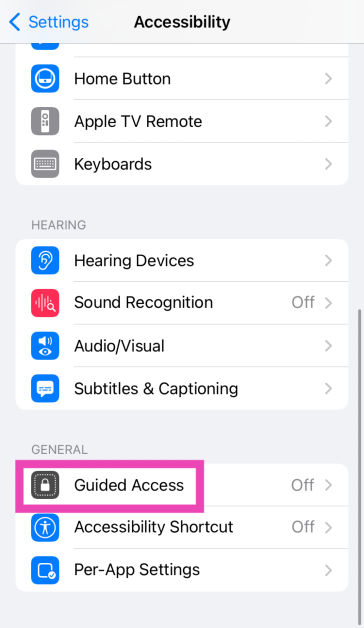 Step 4: Turn on the toggle switch for Guided Access.
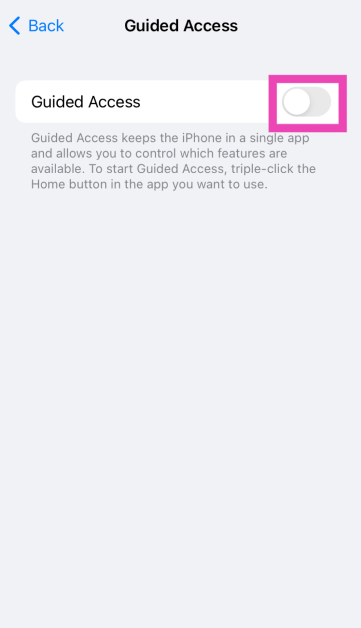 Step 5: Once the feature is switched on, open the app that you want to lock. On an iPhone X or later device, triple-click the side button. On an iPhone 8 or earlier, triple-click the Home button. Select the part of the screen you want to disable. Tap the Guided Access option, then tap Start.
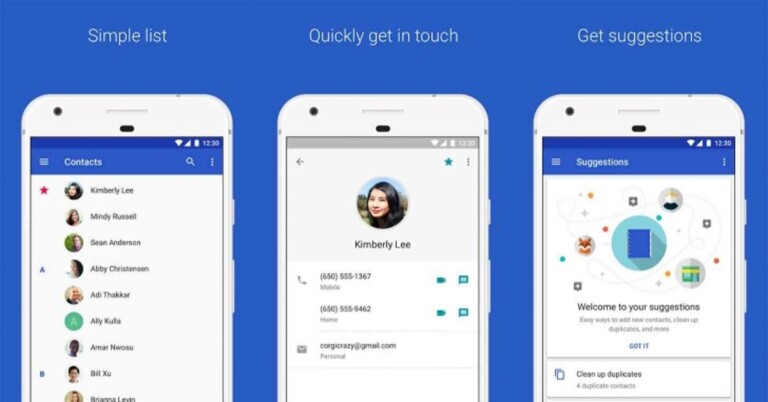

 The thumb rule of every electronic. If any problem occurs, restart the device and give it a try. There might be some problem with UI interfering with the contact application. Restarting the Android device might solve the issue as it refreshes the phone by clearing the memory. After the device is restarted try to open the contacts app and see if the contacts are back or not. If not, head to the next step.
Read Also: How to fix the bad signal strength of Android and iPhones
The thumb rule of every electronic. If any problem occurs, restart the device and give it a try. There might be some problem with UI interfering with the contact application. Restarting the Android device might solve the issue as it refreshes the phone by clearing the memory. After the device is restarted try to open the contacts app and see if the contacts are back or not. If not, head to the next step.
Read Also: How to fix the bad signal strength of Android and iPhones
 Step 2 – Tap on the Account sync.
 Step 3 – Turn off all the settings and toggle them back on.

 It might be a case that you are running an older version of the application. To fix this update to the latest version of the contact app from the Play Store. Switching it to the latest version should fix the issue. We also recommend checking for any updates on your smartphone as well. If found, update it to the latest version too.
 Read Also: How to change your language in Google on a PC or a smartphone?
 Step 3 – Tap on the Reset app preference.
Step 4 – Accept the prompt and you are good to go.
Step 3 – Tap on the Reset app preference.
Step 4 – Accept the prompt and you are good to go.


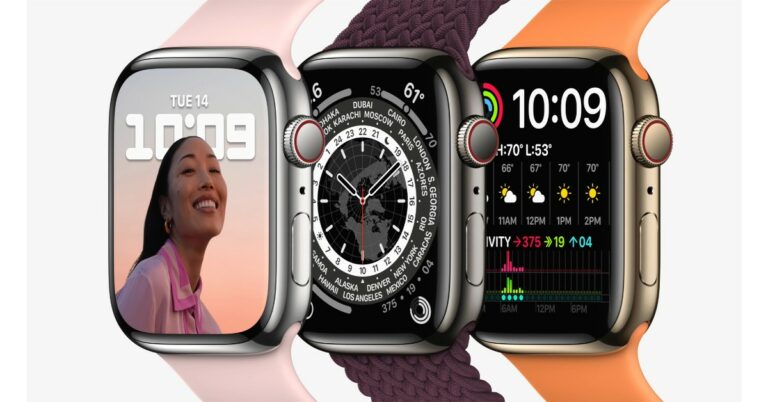
 Other than in India the device will be available in Australia, Canada, China, France, Germany, India, Japan, Mexico, Russia, South Korea, the UAE, the UK, the US, and more than 50 other countries and regions.
 Other than in India the device will be available in Australia, Canada, China, France, Germany, India, Japan, Mexico, Russia, South Korea, the UAE, the UK, the US, and more than 50 other countries and regions.
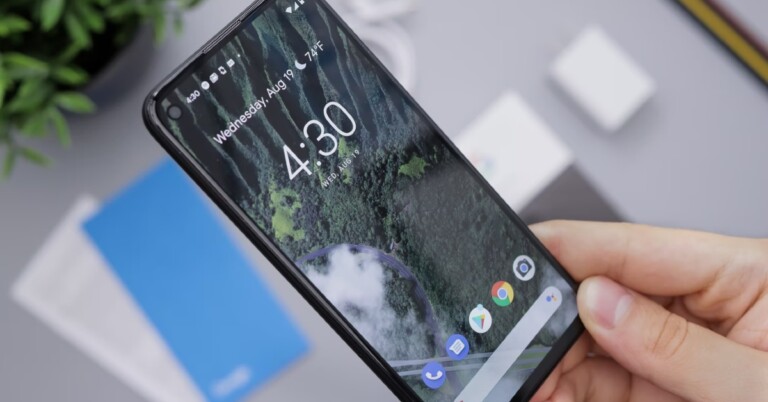
 Step 2 – An information screen will pop up in front of you.
Step 3 – Tap on the disable option.
Step 2 – An information screen will pop up in front of you.
Step 3 – Tap on the disable option.
 Once disabled the application will no longer show up in your library and won’t run in the background. This will also save some space on your smartphone as the application will be reset to its factory settings.
Read Also: Top 5 ways to force uninstall programs in Windows 10
Once disabled the application will no longer show up in your library and won’t run in the background. This will also save some space on your smartphone as the application will be reset to its factory settings.
Read Also: Top 5 ways to force uninstall programs in Windows 10
 Step 4 – Toggle off the applications to take away the administrator privileges.
After completing these steps uninstall the application following the normal way and this time it should uninstall.
Read Also: Best ways to fix if Steam is not downloading games on your PC
These are the steps you can follow to fix remove apps on Android that the phone won’t let you uninstall. If none of them work for you there are 3 methods you can consider. First , rooting your smartphone, which is kind of a tricky task and voids the warranty of the company (and we will not recommend it). The other method is resetting your phone to the factory settings. The last option is using the ADB command line in Windows Powershell, which again is not recommended as it requires professional skills and may result in bricking your phone.
For the latest gadget and tech news, and gadget reviews, follow us on Twitter, Facebook and Instagram. For newest tech & gadget videos subscribe to our YouTube Channel. You can also stay up to date using the Gadget Bridge Android App. You can find the latest car and bike news here.
Step 4 – Toggle off the applications to take away the administrator privileges.
After completing these steps uninstall the application following the normal way and this time it should uninstall.
Read Also: Best ways to fix if Steam is not downloading games on your PC
These are the steps you can follow to fix remove apps on Android that the phone won’t let you uninstall. If none of them work for you there are 3 methods you can consider. First , rooting your smartphone, which is kind of a tricky task and voids the warranty of the company (and we will not recommend it). The other method is resetting your phone to the factory settings. The last option is using the ADB command line in Windows Powershell, which again is not recommended as it requires professional skills and may result in bricking your phone.
For the latest gadget and tech news, and gadget reviews, follow us on Twitter, Facebook and Instagram. For newest tech & gadget videos subscribe to our YouTube Channel. You can also stay up to date using the Gadget Bridge Android App. You can find the latest car and bike news here.