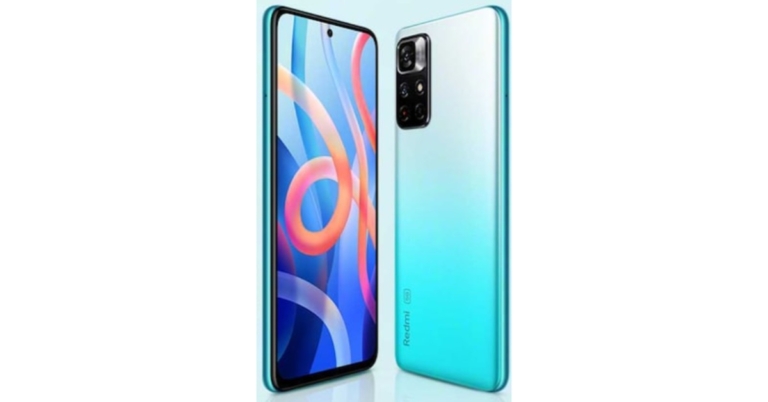
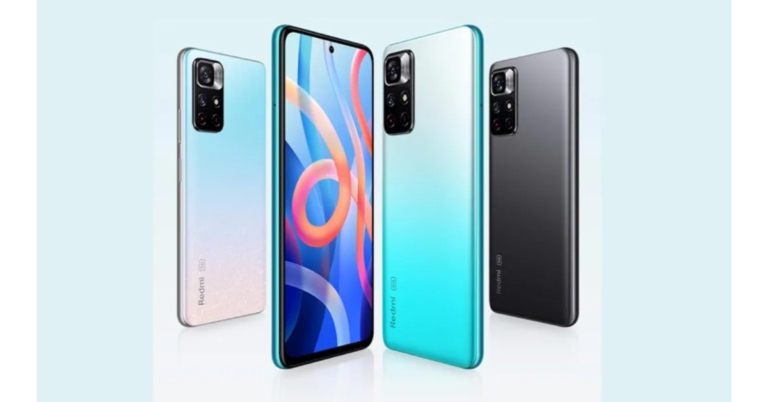
We previously reported that the Redmi Note 11 Pro and Redmi Note 11 Pro will be rebranded as Xiaomi smartphones in India. However, no information was provided about the standard Redmi Note 11 5G. According to a leak the device will be released in India as the Redmi Note 11T 5G.
Redmi late in October introduced the Redmi Note 11 series in China. The company has not yet revealed the global nor the Indian availability of the smartphone. But according to a tipster the Redmi Note 11 5G is expected to arrive in India as Redmi Note 11T 5G. The device is likely to be codenamed evergo. The codename of the Poco M4 Pro 5G is revealed to have the codename evergreen on the other hand the Redmi Note 10T 5G could be codename evergoin.
Some of the previous reports also suggested that Redmi Note 11 5G could be rebranded to Poco M4 Pro 5G which the company confirmed to launch on November 9.
Other than that Redmi Note 11 Pro and Redmi Note 11 Pro+ is will also be rebranded before arriving in the country the Phones are slated to hit the stores here as Xiaomi 11i and Xiaomi 11i HyperCharge respectively. For the global market, the company will go with Redmi branding.
If the rumours and leaks are true, then only the branding will change while the rest of the specifications will remain the same as the original ones.
The Redmi Note 11 5G features a 6.6-inch FHD display and comes with a refresh rate of 90Hz. It is powered byMediaTek Dimensity 810 SoC. The phone has dual rear cameras that include a 50MP primary sensor and an 8MP secondary lens. While on the front the phone features a 16MP selfie camera. It also carries a 5,000mAh battery and supports 33W fast charging. The 3.5mm audio jack and a USB Type C post are also available for connectivity.
On the other hand, Redmi Note 11 Pro and Redmi Note 11 Pro+ comes with a hole punch design 6.67 inch AMOLED display The screen supports a 120Hz refresh rate, 260Hz touch sampling rate 20:9 aspect ratio and HDR10+. Both the phones are powered by MediaTek Dimensity 920 SoC.
They have a quad rear camera set up on both Xiaomi 11i and Xiaomi 11i HyperCharge including a 108MP Samsung HM2 primary sensor. Apart from this, there is an 8MP wide-angle sensor and a 2MP depth sensor. There is a 16MP snapper on the front for taking selfies and video calling.
Redmi Note 11 Pro packs a 5,160mAh battery with 67W fast charging support. Whereas the Xiaomi 11i HyperCharge houses a 4,500mAh battery with a mega 120W fast charging support.
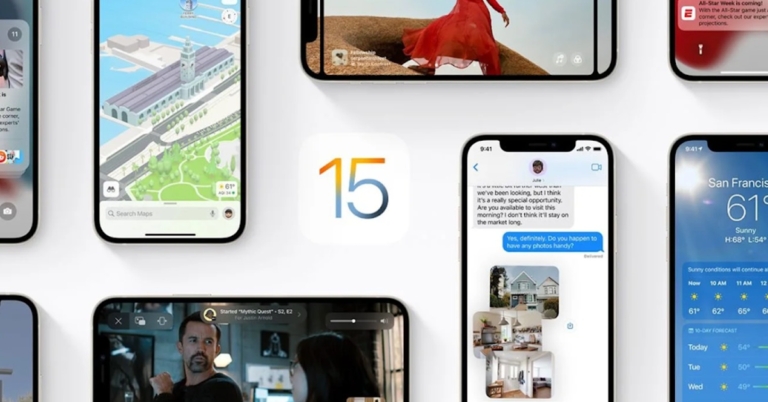
Usually, the process of uninstalling an application is very easy and simple. While uninstalling any program from your Apple iPhone you should not encounter any problem. With the update of iOS 15, there are multiple reports surfacing of people not being able to uninstall applications from their iPhones. This glitch is very frustrating especially when you are running out of limited space. Are you facing not being able to remove apps iPhone problem as well? Fret not, here are some walkthroughs that you can try to resolve this issue.
In This Article
Disable Restriction
There is an option by which you can disable applications from uninstalling/ installing. There might be a chance that some bug might have triggered this option making the apps not being able to uninstall. To rectify it, follow the steps below.
Step 1 – In the iPhone open settings>screen time options.
If the restrictions are turned off then there is no problem if they are turned on following the next step.
Step 2 – Tap in the Content and privacy restrictions.
Step 3 – Now head to the ‘iTunes & App Store Purchases’ (you will be asked for a passcode).
Step 4 – Now set deleting apps to allow.
This will potentially solve the problem, now try uninstalling the application.
If you want to uninstall an application but it’s stuck on waiting. All you have to do is first check for internet connection and speed. And the next check will be for storage, there should be a good amount of it available on the phone. If both are fine there are chances that the application has encountered some bug. To solve it, long-press the application and press cancel the download and it will automatically be removed from the device.
Force restart
For each iPhone, the force restart procedure differs, so follow the above combination of buttons and hold it for 2 seconds according to the iPhone you use. You will see the “Slide to Power Off” option, slide the bar and let the iPhone completely shut down. Wait for a few seconds and hold the power key to turn the device. Now try uninstalling the application.
The last option to try is resetting all settings. It will eliminate any system bugs and bring the UI settings to square one. To do so follow these steps.
Step 1 – Open Settings and head to General.
Step 2 – Scroll to the bottom to find the transfer and reset option and press Reset, and then press Reset all Settings.
After this step, there won’t be any doubt that your application won’t be uninstalled. Try these steps to solve the Not able to Remove Apps iPhone issues.
Technology has become an important part of our life. The more diverse the technology we use, the we get our hands on more and more files. These files are either of work or for entertainment. But what if we want to transfer files across platforms? Android and Windows are the two most used operating systems in the world. Want to transfer files to and fro them? Here are a few ways to transfer files from Android to PC.
In This Article
Bluetooth
The old school Bluetooth transfer is to the rescue. It is one of the easiest and traditional ways to transfer files from your Android smartphone to the system. Press Win + I on your Windows machine and then head to the Bluetooth and device section click on add devices and make sure the Bluetooth on your smartphone is on and is discoverable(refer to the image below). Once paired, transfer the file by clicking share on any of the devices and exchange files. This might take a lot of time as Bluetooth technology is slower than the other wireless solutions.
It is a simple and convenient way to transfer files from your smartphone to the PC. The first thing you need to do is install the AirDroid mobile app and sign in to the account of your preference. Next, install the AirDroid application from the download page. Accept all the permission needed. Now all you are left with is drag and drop the files that can be easily accessed from the other device. In Android start adding files in the device section and the files can be viewed on the system. (Transfer speed depends on the internet connection).
USB transfer
The most convenient way of transferring files is by connecting both devices via USB. connect the USB A/USB C to your system and the other MicroUSB/Type C to your Android smartphone. As soon as you connect them you will see a popup on your Android device (See the image below, for reference, OneUI is used, the name may defer in others) select file transfer and you are good to go. NOw open the system and transfer the needed files.
Another convenient sharing option to transfer files from Android to PC that will not only allow you to share files across two devices, but you can access these files on any system where you can log in to your cloud service and view the files on the go. There are many cloud services, but let’s take the example of Google Drive. Install Google Drive on your Android system and open the website for Google drive or download the desktop version. Now start uploading files on Drive and those can be viewed on any device where you have signed in with the same account. You can select any of cloud storages but read the terms and storage options carefully.
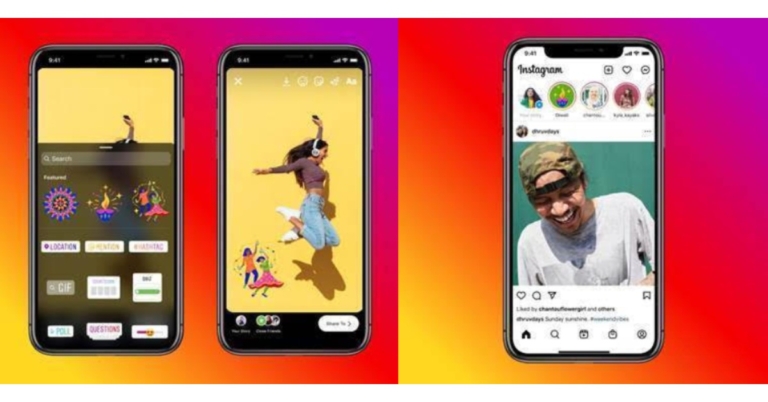
Instagram has announced the release of three new Diwali stickers to encourage users to connect with their friends and family. Once users post Stories with the stickers, their followers will see them in a Diwali-themed multi-author story.
These stickers are part of Instagram’s global Diwali campaign #ShareYourLight. They were created in collaboration with Neethi(@kneethee), a Bangalore based illustrator, muralist and pattern designer to commemorate new beginnings and the triumph of light over darkness.
In This Article
Here is how you can apply Stickers on Instagram:
Add content to your story by capturing it or uploading it.
From the top navigation bar, select the sticker tool.
The three new Diwali themed stickers can be found in the features section. Put the same thing on your story.
Now complete your story and post it!
The stickers are now available for access, and the multi-author story will be available starting tonight.
Apart from this, the photo-sharing app owned by Meta formerly Facebook has also introduced adding links in Stories to all accounts. Stories links were earlier limited to verified accounts or those with a certain number of followers. But on users’ demand Instagram has expanded the feature to general users as well.
Here is how to Add Links to your stories
To add a link to your Instagram story, use the Link sticker. People who tap on the sticker will be redirected.
To add a Link sticker, follow these steps:
Add content to your story by capturing it or uploading it.
From the top navigation bar, select the sticker tool.
Now tap the “Link” option to add the link of your choice then tap Done.
Place the Link sticker on your story, just like other stickers available on Instagram and tap to see colour variations.
The company is also working on ways to customise the sticker so that people know what they will see when they tap your link.
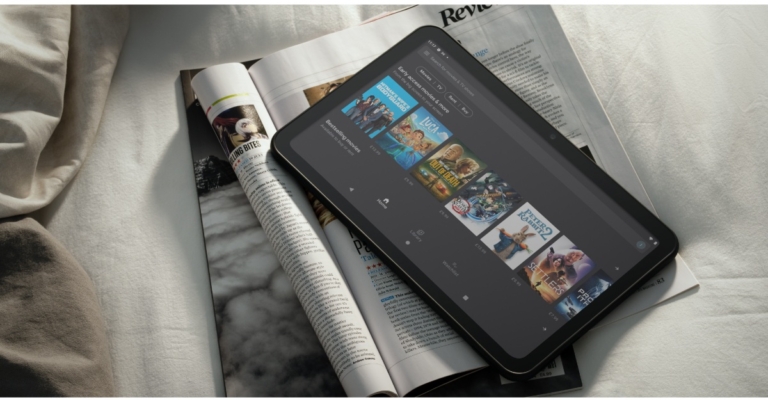
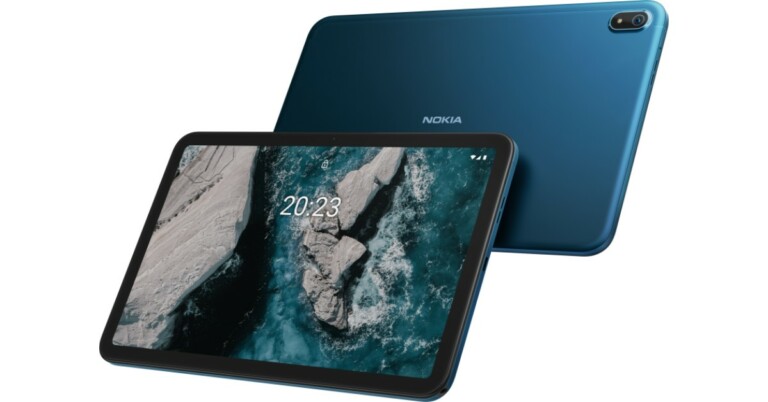
Nokia T20 Tablet has finally debuted in the Indian market today. The Tab was being teased on Flipkart for one week and has now gone official on the e-commerce platform. The Nokia Tablet features dual stereo speakers. It comes with a 2K display and includes a single 8MP rear camera. Additionally, the device houses an 8,200mAh battery.
In This Article
Nokia T20 tablet price in India and availability details
Nokia T20 Tablet has debuted in India in two variants Wi-Fi only and a Wi-Fi + LTE model. The Wi-Fi variant comes in two different configurations 3GB with 32GB storage and 4GB with 32GB storage priced at Rs 15,499 and Rs 16,499 respectively. The Wifi + LTE model has been made available with a price tag of Rs 18,499. The device will be available in a single blue colour option.
As for the availability, Nokia T20 Tablet is now available for purchase via Flipkart, the company’s official website and via offline stores across the country.
Nokia T20 Tablet specifications and features
The Nokia T20 Tablet is highlighted with a 10.4-inch 2K in-cell display with 2,000×1,200 pixels of resolution. The panel also offers 400 nits of peak brightness and is guarded with toughened glass. Additionally, the tablet is also blue light certified so that you don’t strain your eyes.
The Nokia Tablet is powered by octa-core UnisonicTiger T610 SoC painted with up to 4GB of RAM and 64GB of storage options. The internal storage can also be expanded up to 512GB using a microSD card. The device runs on Android 11 and the company promises to provide two years ofOS upgrades and three years of security updates. Apart from this, the tab will come pre-installed with Spotify that will give owners access to 70 million tracks and 2.9 million podcasts out of the box.
For the optics, there is an 8-MP camera sensor on the back of the device along with an LED flash. While on the front it includes a 5MP selfie camera sensor.
The Nokia Tab packs an8,200mAh battery that comes with 15W charging support but is shipped with a 10W charger inside the retail box. The battery is claimed to provide 15 hours of internet surfing, 7 hours of conference calls and 10 hours watching videos. The device has also got an IP52 rating for splash and dust resistance and comes equipped with Stereo speakers and OZO Playback. Also, there are dual microphones with noise cancellation.
The Nokia T20 Tablet also features Google Kids Space which can be managed easily through Family Link parental controls. In terms of connectivity, there is 4G LTE, Wi-Fi 802.11ac, Bluetooth v5.0, 3.5mm headphone jack and USB Type C port for changing.
Amazon is back with another quiz on its mobile platform. The daily quiz is now live on the Amazon App and today’s Amazon Quiz will give you a chance to win Rs 10,000 Amazon pay Balance. The participants can play the 2 November 2021 Amazon Quiz from 12 AM to 11:59 PM. For those who are unaware of the quiz, the e-commerce platform brings a fresh quiz on a daily basis which consists of five questions related to general knowledge and current affairs.
The participants need to answer all the questions correctly and their names will be selected for a lucky draw. The winner will be announced at the end of the month. One wrong answer could eliminate you from the quiz. Only app users are eligible to participate in the Quiz. In today’s Amazon Quiz the participants will get a chance to win Rs 40,000 Amazon Pay Balance. Check Out 2 November 2021 Amazon Quiz Answers.
In This Article
2 November 2021 Amazon Quiz Answers
Question 1: Which of these days is observed on 4th October to raise the status animals in order to improve welfare standards across the globe?
Answer: Worls Animal Day
Question 2: Team Europe recently won the Laver Cup. Which team did they beat?
Answer: The rest of the world (Team World)
Question 3: What if___? is an animated series reimagining noteworthy events in which cinematic universe?
Answer: Marvel Cinematic Universe
Question 4: Name this dish, a Japanese noodle soup
Answer: Ramen
Question 5: This is a famous monument in which European capital city?
Everyone loves time-lapse. It’s like a stable fast forward video that covers everything and also the size of the video is smaller than the traditional video. Nowadays smartphones come with the timelapse feature as a standard in their camera application. But the problem arises when you have already shot a video and now you want a time-lapse version of it. Well, fret not, here are some simple techniques that you can use to convert any video into a beautiful time-lapse one. Without further ado, let’s get started.
In This Article
Converting in Desktop
It is one of the easiest ways to convert any normal video. The software preferred by us to do this is Microsoft Hyperlapse Pro. It is a versatile application designed by Microsoft to give you an immersive time-lapse experience. Also, the company optimised the application to make the video look a bit natural and smoother. To use it follow the below steps.
Step 2 – Open the application and select from Import or Capture.
Step 3 – Choose speed according to the taste.
Once the process is completed you will be able to view the converted timelapse natively.
Convert Online
This is a convenient way if you don’t want to install any application on your device. There are many applications that do that for you but our choice for the task is Veed. The interface is very easy and user friendly. Here is how you can use it.
If you want to convert regular videos to time-lapse , but don’t care about the quality, just open up any video editing application on any platform. Upload the video on the desired video editing software. Now change the playback speed to 1.5X. This will not create smooth transitions for time-lapse but will show similar effects (Filmora video editing software used for demo images). Users can also shoot Timelapse directly from their smartphones for best results.
Lately, Redmi introduced the Redmi Note 11 series in China which includes Redmi Note 11 5G, Redmi Note 11 Pro and Redmi Note 11 Pro+. Out of the three two of the devices are now tipped to arrive in India soon. But the devices are expected to be released in the country with Xiaomi’s branding.
According to a tipster, Redmi Note 11 Pro and Redmi Note 11 Pro+ will be rebranded before arriving in India. The devices are said to come as Xiaomi 11i and Xiaomi 11i HyperCharge respectively. However, the company is said to go with the Redmi branding for the global market.
There is no information about the standard variant which is Redmi Note 11 5G but some reports suggest that the Poco M4 Pro 5G is a rebranded variant of the device which is set to launch on November 9.
If the tipped information is believed then Xiaomi 11i price may start at 6GB RAM with 128GB storage at CYN 1,599 that is approximately Rs 18,700 whereas the price of the 8GB RAM with 128GB storage is set at CYN 1,899 that translates to Rs 22,300. The 8GB RAM with 256GB storage model cost CYN 2,099 which converts to Rs 22,300.
On the other hand, Xiaomi 11i HyperCharge could come with a price tag of 6GB RAM with 128GB storage variant launched at CYN 1,899 which is approx. Rs 22,200. There is an 8GB RAM with 128GB/256B storage at CYN 2,099 that converts to Rs 24,500 and CYN 2,299 that is Rs 26,900.
In terms of specs, both smartphone’s will share similar specifications. They are likely to come with a hole punch design 6.67 inch AMOLED display The screen supports a120Hz refresh rate, 260Hz touch sampling rate 20:9 aspect ratio and HDR10+. Both the phones will be powered byMediaTek Dimensity 920 SoC.
There will be a quad rear camera set up on both Xiaomi 11i and Xiaomi 11i HyperCharge including a 108MP Samsung HM2 primary sensor. Apart from this, there is an 8MP wide-angle sensor and a 2MP depth sensor. There is a 16MP snapper on the front for taking selfies and video calling.
Xiaomi 11i could house a 5,160mAh battery with 67W fast charging support. Whereas, Xiaomi 11i HyperCharge houses a 4,500mAh battery with a mega 120W fast charging support.
Samsung tops global smartphone shipments in the third quarter according to the latest Counterpoint research report. The South Korean smartphone brand managed to retain its top position in Q3 2021 with smartphone shipments of 69 million. However, the global smartphone market grew 6 percent QoQ but has declined 6 percent YoY to 342 million units in Q3 2021.
According to the latest Counterpoint report, the global smartphone market grew 6% QoQ to reach 342 million units in Q3 2021while the market declined 6% YoY due to the ongoing global component shortages and the slow recovery of key markets such as China and parts of Europe. “As a result, market demand was met by mid-to high-tier smartphones that helped drive the quarter to a record revenue even with the declining shipments. Apple and Samsung refreshing their premium series with iPhone 13 series and Fold series respectively, added to the revenue growth,” Research Director Tarun Pathak said.
In terms of brand performance, also Samsung is said to have shipped 69 million units in the third quarter of 2021, a 20 percent increase year on year owing to the resumption of regular operations at its Vietnam factories and the successful launch of its new foldable series.
Whereas the revenue dynamics suggest that Apple led the smartphone market revenue, accounting for approximately 27 percent of the market, while Samsung increased its revenue by 32 percent QoQ is being propelled forward by the successful launch of its Fold Series.
Considering the India smartphone shipments which declined 2 percent YoY to reach over 52 million in Q3 2021. The drop can be linked to rising demand last year as a result of COVID 19. The smartphone market remains resilient and the quarterly figures would have been higher if not for component shortages that worsened during the quarter.
Xiaomi led the market with a 22 percent shipments share in the third quarter of 2021. Xiaomi produced three of the top five models during the quarter: Redmi 9A, Redmi 9 Power, Redmi Note 10 and Redmi 9 models.
On the other hand, Samsung took second place with a 19 percent market share. Shipments are said to be driven by the online-focused Galaxy M and F series as well as the newly launched Galaxy A series models which were in high demand in offline channels (Galaxy M42, M52, A22 and A52s models).
Also to differentiate itself from the competition, Samsung is focusing on providing the most 5G bands in its 5G models. Vivo’s Y series and V series smartphones also sold well, propelling the company to third place with a 15 percent market share. Realme took fourth place and Oppo came in fifth place.
In the third quarter of 2021, India’s overall mobile handset market fell 5 percent year on year. Samsung reclaimed first place in the handset market with an 18 percent share in the Q3 of 2021. While the feature phone market fell 12 percent year on year in Q3 2021 as the shift to smartphones continued. In this case Itel dominated the feature phone market, accounting for 27 percent of the market followed by Lava, Nokia and Samsung.
Amazon is back with another quiz on its mobile platform. The 1 November 2021 Amazon Quiz is now live on its platform and today’s Amazon Quiz will give you a chance to win Rs 15,000 Amazon pay Balance.
Every day Amazon brings a fresh questionnaire that comprises 5 questions. These questions are based on current affairs and general knowledge. The quiz can be played from 8 AM to 11:59 PM and the contestants need to answer correctly to enter into a lucky draw. In today’s Amazon Quiz the participants will get a chance to win Rs 10,000 Amazon Pay Balance. Check Out 1 November 2021 Amazon Quiz Answers.
In This Article
1 November 2021 Amazon Quiz Answers
Question 1: BTS recently launched a new song in collaboration with Coldplay. What is the title of the song?
Answer: My Universe
Question 2: Virat Kohli recently became the first Indian to reach what landmark in terms of T20 runs?
Answer: 10,000
Question 3:Which engineering company with a focus on defense and space, recently has an IPO which received a 304 times subscription?
Answer: Paras Defence
Question 4: Which famous fort has been shown here?
Answer: Red Fort, Delhi
Question 5: This is a soup dish called Pho. This is typical of which cuisine?
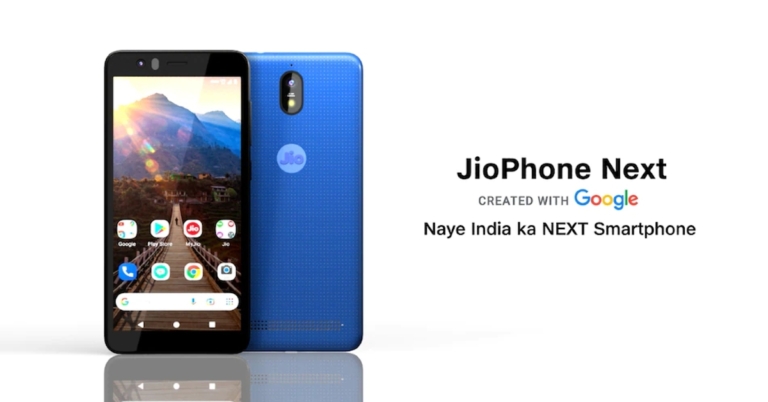
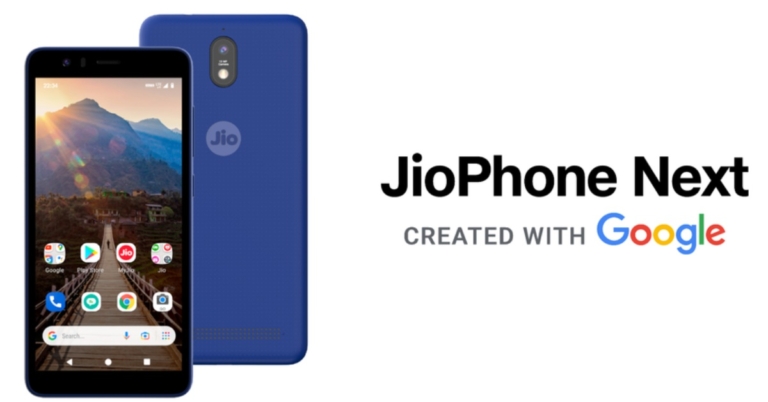
Reliance collaborated with Google to launch an India exclusive phone named JioPhone Next. The smartphone was much-awaited and seems to be the most affordable phone in the country. The phone will be available this Diwali and will have a low upfront payment tag of just Rs 1,999. The phone was expected to launch way earlier, but it got delayed due to a global chip shortage. There are 3 ways you can buy a Jio phone but before that, we should know what we are getting if we buy the new smartphone by Reliance Jio.
In This Article
Price and Plans
The phone starts from Rs 1,999 only and the rest of the cost can be paid via easy EMI of Rs 300-600 over the next 18-24 months. The free monthly data and voice plan will differ depending on the EMI plan a consumer chooses (consider the image below to get an idea of plans and processing fee). Consumers can also choose an upfront payment of Rs 6,499 without finance for the Jio Phone Next smartphone.
The phone is an entry-level option and the specifications we get on it are no different. The JioPhone Next is powered by the Qualcomm Snapdragon 215 SoC. At the front, we can see an 8MP camera that has big traditional bezels and holds a 5.5-inch touch screen LCD. The phone also gets a traditional 3.5mm audio jack and dedicated SD card slot.
Though there is a dual SIM provision, mobile data can only be utilised from a Jio SIM. While the other sim can be used for calls and messaging services. The device will be running on Pragati OS and it will get automatically updated in the background. Now the big question, how to buy a JioPhone Next. There are basically 3 ways to buy the JioPhone Next.
Visit the nearest Reliance Digital Store
Head to the nearest Reliance Digital store and ask the customer executive to tell you all the details about the JioPhone Next and guide you to the procedure on how to buy it.
Visit Official site
On the official Jio site head to the JioPhone Next registration. Input your email id and phone number to generate OTP. After the registration is complete choose the buying plan accordingly, with EMI or upfront payment. After giving them your location details you will receive an SMS confirming your order. Now you can just walk to the nearest Jio Mart retailer and collect your phone.
JioPhone Next can be purchased by sending ‘Hi’ to 7018270182. After that, they will process you with the link to register. Once done the process is similar to the above step.
The JioPhone Next will be an exciting entry-level offer for people who want to own an entry-level smartphone or for kids and old aged people. The smartphone will also have Google apps pre-installed along with the host’s Jio apps. A few of the best in class features like voice assistant, read aloud, translate and night mode picture are availed by the company as well.
Apple bringing iOS 15 is a massive update with new features and tweaks in the UI. In the last version of iOS, you could find widgets as well, but iOS 15 allows even more widgets that you can add. This customisability makes the newer iPhone look better and more advanced.
Now, speaking of customisation, lock screen wallpaper and home screen wallpaper plays an important role in this. So if it’s a stunning background with a 3D effect or be it a live wallpaper. Here is how you can set it and the application where you can find this wallpaper.
In This Article
How to set up
Step 1 – Find a wallpaper by searching 3D wallpaper or live wallpaper on the web or consider using an application from below.
Step 2 – Head to settings>wallpaper and select the wallpaper you downloaded.
Step 3 – Now select either perspective or live photo (depending on the wallpaper you choose to download).
If done correctly your wallpaper will have a 3D effect and the phone will use gyro to adjust the wallpaper as you move the device. Didn’t find any good wallpaper on the web? Here are a few applications that you can consider downloading.
The application has a wide variety of still and live wallpaper and a healthy amount of categories to choose from. The application has a user-friendly interface and you can select wallpapers according to your taste very easily. In the application, you will also find the “for you” section making it easy to install 3D wallpapers iPhone. Here you can find tons of free wallpapers that the application sorted specifically for you. Though the users will find ads and some premium wallpaper in the app for which you have to buy the premium version which is a one time buy.
Are you into retro images or 8-bit wallpaper? The Wow Pixel is a perfect wallpaper for you. The application has tons of wallpaper to choose from and all of them have that 8-bit game graphics. For live and Parallax wallpaper you can choose adventure background and hero’s wallpaper. This application makes you feel how past graphics have met the feature technology. There are thousands of wallpapers with a lot of customisation options allowing its users to change it according to their taste.
This is ideal for iPhone users who want something minimalistic and they want to take advantage of the new OLED displays on their iPhone. The application has a wide variety of live and parallax wallpaper with all back backgrounds and minimalistic design. The OLED panels switch off the pixels of the screen for blacks to look more vivid. This also results in a better battery. The lite version is free with some premium wallpapers which you can buy with a one-time payment.
This is it for install 3D wallpapers iPhone. The application has built-in features for applying 3D and live wallpaper. If you are unable to do it or understand it. All you have to do is download the wallpaper and use the method explained above to set it up.
Nokia brand licensee HMD Global earlier this month introduced Nokia T20 Tablet in the market. The Nokia tablet India’s availability was not announced yet but now the company has started teasing the device in the country as well. The Tab is expected to launch in India soon as it has now been listed on Flipkart.
The company has not yet revealed the exact date of the launch as Flipkart’s listing only mentions Coming Soon. Apart from this, the listing also highlights the key features of the upcoming tablet. It says that the SBI card users are eligible to avail 10 percent instant discount on the purchase of the Tab.
In This Article
Nokia T20 Tablet price in India (expected)
Nokia T20 was launched in the European market in two variants- Wi-Fi only and Wi-Fi + 4G. The price of the tablet starts at EUR that is roughly around Rs 17,200 for the 3GB RAM with 32GB storage. Whereas the latter one cost EUR 239 which translates to Rs 20,600 for the 4GB RAM with 64GB storage model.
Nokia T20 Tablet specifications and features
The Nokia T20 Tablet features a 10.4-inch 2K in-cell display with 2,000×1,200 pixels of resolution. The screen will offer a peak brightness of 400 nits and has been protected with toughened glass. It runs on Android 11 provided with two years ofOS upgrades and three years of security updates. It is powered by an octa-core UnisonicTiger T610 SoC painted with up to 4GB of RAM and 64GB of storage options. The storage can also be expanded up to 512GB using a microSD card.
For the optics, the Nokia Tablet comes with an 8-MP camera sensor on the back of the device along with an LED flash. While on the front it includes a 5MP selfie camera sensor.
The device boasts an8,200mAh battery that comes with 15W charging support but is shipped with a 10W charger inside the box. The battery delivers 15 hours of internet surfing, 7 hours of conference calls and 10 hours watching videos.
In terms of connectivity, the Nokia Tablet includes 4G LTE, Wi-Fi 802.11ac, Bluetooth v5.0, 3.5mm headphone jack and USB Type C port for changing. The Tablet also includes a dual speaker and has an IP52 rating for splash and dust resistance.
AirDroop is one of the finest and easiest ways to transfer files between devices across the Apple ecosystem. But sometimes these fine pieces of software malfunction, which creates hassle and worries. AirDrop not working is one of the biggest issues that Apple users face every now and then. Sometimes it also happens that AirDrop is working with all other devices but not a particular one. To fix these potential issues here are the best 3 ways to fix AirDrop transfer failure on iPhone.
In This Article
Turn off and on Wi-Fi and Bluetooth
From the heading of the solution, you might have known what to do. But for this, we advise you to do it via settings and not by iOS Control Center. Turn both the Wi-Fi and Bluetooth off and then turn them back on once again. Try this and see if AirDrops works for you.
An evergreen solution for all electronics. Try restarting both the device, the receiver and the sender. This will give the UI a fresh start eliminating all the temporary bugs and glitches. Consider the below image on how to force restart your iPhone.
Press the key simultaneously for 2 seconds to find the “Slide to Power Off” option. Slide the bar and let the iPhone completely shut down. Restart the device by holding the power button for 3-5 seconds. Once the device is on, try using AirDrop again.
Reset network Setting
You can also try resetting the network settings, it will eliminate any network bug and bring the network settings to square one. To do so follow these steps.
Step 1 – Open Settings and head to General.
Step 2 – Scroll to the bottom to find the transfer and reset option and press Reset, and then press Reset Network Settings.
Bonus Tip
Do check that all the AirDrop essential settings are turned on, like Wi-Fi and Bluetooth, check AirDrop visibility, the other device must have device compatibility. Also, make sure that the personal hotspot is turned off. These steps should surely fix AirDrop transfer failure on iPhone problem.
Chinese smartphone company, Poco, is all geared up to announce the launch of its new M Series smartphone in the market. Yes, we are talking about the Poco M4 Pro 5G, which is going to be the successor of the existing Poco M3 Pro 5G. The company has officially confirmed that its upcoming device is set to launch on November 9.
Ahead of this announcement, the smartphone also appeared on several certifications as well as benchmarking sites. While the rumours suggest that the phone will be very much like the recently launched Redmi Note 11.
According to the firm, the Poco M4 Pro 5G launch will take place on November 9. It is going to be an online event beginning at 8 pm GMT+8 which is at 5.30 pm IST. The launch event is going to be live-streamed via the company’s official YouTube Channel as well as on its social media platform at the same time.
The information about the upcoming Poco smartphone is very scarce, but the device has been spotted on Geekbench benchmarking site as well as on the IMEI certification website. The handset was found to be listed with similar model numbers- 21091116AC/21091116AG.
The suffixes C and G are said to be the Chinese and the Global variant. As per the listing, the phone is to be powered by an MT6833P chipset that is believed to be MediaTek Dimensity 810 SOC. The device’s single-core score is 603 and the multi-core score is 1,779.
Besides this, some reports suggest that the phone is likely to be powered by MediaTek Dimensity 700 SoC.
The listing further reveals that the Poco M4 Pro 5G may arrive with Android 11 out of the box. It could also be offered with 8GB of RAM. On the other hand, Eurasian Economic Commission (EEC) and China’s 3C listing suggest that the phone will get 33W fast charging support and a MediaTek chip.
Septembers are special, and you don’t need to be a gadget geek or tech freak to have this month marked out on the calendar. Why? It’s that time of the year when Apple introduces the world to a new set of iPhones. We got our hands on the new device and from the get-go, you note two things—it’s one of the costliest smartphones in the Indian market and the iPhone 13 Pro has all the features every iPhone enthusiast wants. But more on that later, let’s first take a closer look at the design.
In This Article
Apple iPhone 13 Pro review: Subtle but Sophisticated
One of the chief charges that Apple faced with this launch was that it has become a little stagnant when it comes to the design of the iPhones. To a certain extent, all companies have become design stagnant. However, when it comes to the iPhone 13 Pro, while it does look a little like the 11th and the 12th versions, the trained eye will notice subtle differences. Apple enthusiasts should look at it as a challenge, how well do you know the brand to notice these changes.
For starters, the square frame with rounded curves for the exterior shell feels familiar, but it looks a lot more premium than before. (At least in the golden variant that we are testing, this becomes apparent easily.) The camera module at the back has changed slightly, and the notch on the front of the device, which we were hoping would be done away with, this time has thankfully become smaller. A new sierra blue colour variant has been added to the line-up, which stands out for being bold and brilliant.
The Display
The Apple iPhone 13 Pro sports a 6.1-inch super Retina XDR OLED HDR10 ready display that supports a 120Hz refresh rate. What does that imply? It means everything on the screen will be faster. The scrolling experience will buttery smooth. The one place and you will feel the difference is when you will scroll through Instagram posts, Facebook feeds or other social media platforms.
The colours on Apple iPhone 13 Pro seem brighter, the text on the screen is sharper and our experience with platforms such as Netflix and Prime videos was great. This is something that none of the Android smartphones provides. Moreover, if like me you love to play games, the touchscreen of the Apple iPhone 13 Pro is by far the best in the current gen of phones.
Apple iPhone 13 Pro review: Performance Parameters
Under the hood, Apple has put the latest Bionic A15 chipset that is the latest and the fastest from the company. This is coupled with up to 1 TB of storage, so all those who were bickering about the brand, not including a memory card slot in the iPhone can simply buy a larger storage driven iPhone 13 Pro. The RAM and battery size have been bumped up and together with the latest CPU from Apple, the smartphone can open the most intense of games and apps in a blink of an eye. Battery life has become better in the Apple iPhone 13 Pro, too. You will get a few additional hours of playtime if you compare it to the previous version. Also, iPhone 13 Pro is water and dust resistant and comes with an iOS 15 operating system out of the box.
Finger Clicking Good
The Apple iPhone 13 Pro has triple 12 MP cameras that take care of ultra-wide, wide, and telephoto shooting experience. There is a TOF 3D LiDAR sensor included, which is great for adding depth to images. This has become better and the depth in shots is far superior when compared to its previous gen.
Low light shot
Not to forget, the imagery has become much better from all three camera sensors. In our test, we got to see exceptional results in the day and at night. There was hardly a time of the day that we could not adjust the settings and get the shot we wanted from the phone. A new cinematic video mode has been added in the native camera app that will adjust the subject focus automatically. If there are two subjects in the video and one looks away from the camera the focus will automatically move on to the other person. Which by the way can be shot in 4K at 60FPS (frames per second).
Macro photography has also been added to the new iPhone, which clicks very good up close and personal images. The front camera is also powered by a 12MP sensor and can take wide-angle shots. We loved the selfie experience of the Apple iPhone 13 Pro. We got fabulous Instagram-share worthy shots during the day and at night. The camera does perfect justice to your skin tone and adjusts according to the ambient light.
Apple iPhone 13 Pro review: Verdict
It boils down to this: at Rs 1,49,000 (512GB model) it the Apple iPhone 13 Pro worth buying? Yes, if you are looking for the best cameras in a smartphone. Yes, if you want brilliant performance and display. Yes, if you like to game a lot. However, there is just one ‘no’. If you don’t fall into any of the above categories and are using an iPhone 12 Pro version, then you might want to skip this gen and pick the next one. But if you are using iPhone 11 variants or lower, the Apple iPhone 13 Pro is the perfect upgrade for you.
Pros:
Excellent Display
Brilliant performance
Premium built
Cons:
Notch still there
Seen looks
Credit: The article first appeared in India Today: Spice magazine.
Apple gives support to all their devices for many years, but after a period of time, it leaves it. Support includes iOS updates and security updates. Recently debarred was the iPhone 6 and iPhone 6 Plus. Apple officially announced that it is leaving support for both phones while the iPhone 6S is still hanging by a thread. It’s appreciated that the company is still supporting a 6 years old phone.
With the updates stopped on the older iPhone the latest features are not included in the software. One of the most trending features is Dark mode, which was introduced in iOS 13 so obviously, iPhone 6 didn’t get it. But do you still want to get a dark mode like experience? Here are tricks you can use.
In This Article
Invert Colours
The best way through which you can achieve a dark mode like experience is by using inverted colours. To enable it to follow the below steps.
In the same option, you will be having two options
Smart Invert – Will give a more dark mode like experience while not inverting all the colours
Classic Invert – This will completely reverse all the colours.
The “other” method
Though this is never recommended especially with older phones as if things went wrong you will be left with an expensive paperweight. Try rooting your iPhone, we advise you not to try it if you don’t have any experience with it and doing so will void the warranty(which would have been already finished by the time).
If your iPhone is already rooted try using Cydia. In the application head to Sources>Add>Packix APT. In Packix search for carbon dark mode. Click install and confirm. After the installation is finished you can see system-wide dark mode just like the newer iPhones.
This is all for the best ways with which you can get dark mode on your older iPhones. The first mode is the safest and the Dark mode for the Ui at least can be achieved by the smart invert option.
30 October 2021 Amazon Quiz has gone live on its platform. The quiz timings are 12 AM to 11:59 PM. The Amazon App users can participate in the quiz daily and all they have to do is submit correct answers to the questions asked on the e-commerce platform. Today’s participants can get a chance to win Rs 5,000 Amazon Pay Balance.
By participating in the Amazon Quiz the participants can win Amazon Pay Balance ranging from Rs 5,000 to Rs 50,000 every day while sitting at home. To win the participants must answer five questions correctly that are based on current events and general knowledge. One wrong answer can eliminate you from the quiz. The results will be announced at the end of the month. Today’s question will let you win Rs 5,000 Amazon Pay Balance. Check below for today Amazon quiz answers.
In This Article
30 October 2021 Amazon Quiz Answers
Question 1: What was teenage sensation Emma Raducanu’s ranking, when she won the US Open women’s singles title in 2021?
Answer: 150
Question 2: JK Simmons would be playing which famous role in the upcoming movie Spider-Man: No Way Home?
Answer: J.Johan Jameson
Question 3: What is the worldwide initiative aimed at equitable access to COVID-19 vaccine co-led by Gavi, the Vaccine Alliance called?
Answer: COVAX
Question 4: Jack Dorsey, Noah Glass, Biz Stone and who collectively co-founded this social media platform?
Answer: Evan Williams
Question 5: If all the states of this country were placed in alphabetical order, what would be first and last?
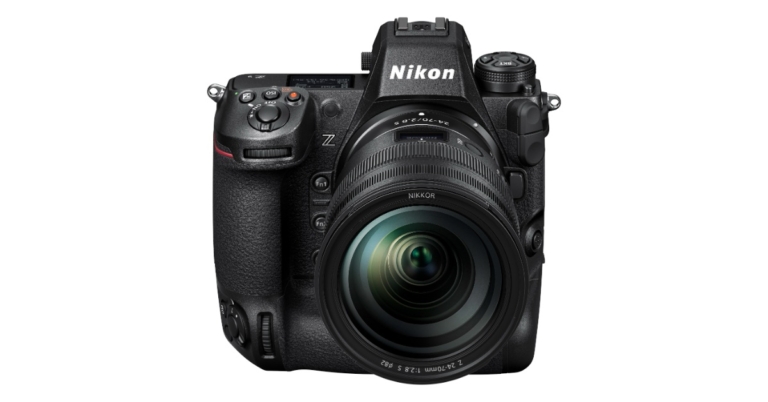
Nikon India Private Ltd has now lifted curtains off its most premium full-frame mirrorless camera. The Nikon Z9 is the latest addition to the company Z Series in the Indian market. The new mirrorless camera by Nikon comes with flagship-level features like 45.7 effective megapixels stacked CMOS sensor that is said to achieve 12 times faster still image reading, It also offers in-camera video recording in high-quality 8K@30p and 4K/30p/60p/120p. In addition to this camera has a 3.2-inch touchscreen monitor with an electronic viewfinder.
Starting with the pricing first, the Nikon Z9 full-frame mirrorless camera has been introduced in India with a price tag of Rs 4,75,995(body only). In terms of availability, the camera is said to be available for purchase through Nikon authorised stores in the country starting November.
Coming to Nikon Z9 full-frame mirrorless camera specifications, the device is the first to come with a 4-axis vertical and horizontal tilting monitor and integrated vertical grip that will have users capturing the best moments in comfort, even under the harshest conditions. The monitor is 3.2 in size and the TFT LCD screen provides a viewing angle of 70 degrees along with 11 levels of manual brightness control. It also offers 100 percent colour balance and frame coverage.
Moreover, the Nikon Z9 has a 45.7 effective megapixels stacked CMOS sensor with dual-stream technology. It can achieve 12 times faster still image reading, while also processing separately the display images for EVF/monitor and still image data for recording. There is a high-performance image-processing engine EXPEED 7 that is said to deliver 10 times faster processing speed thus allowing the live view data from EVF/monitor and recorded still image data to be separately yet simultaneously processed. The Electronic viewfinder has a newly equipped Quad-VGA panel that is compatible to adjust the viewfinder brightness up to 3000cd/m in response to various lighting conditions. Nikon’s first four-axis vertical and horizontal tilting image monitor provides outstanding flexibility especially when shooting from high or low angles.
In addition to this Nikon Z9 full-frame mirrorless camera offers in-camera video recording in high-quality 8K@30p and 4K/30p/60p/120p. It is claimed to record 8K@30p videos for up to approximately 125 minutes. Users can also choose to record in 4K with a wide range of frame size/frame rate from 24p to 120p available in multiple formats, even when recording in slow motion.
The full-frame mirrorless camera comes with CFexpress Type B-compatibility in both its slots, for faster write speed when it comes to 8K video recording and continuous shooting of large amounts of frames even with JPEG and RAW files.
Moreover, the Z9 can maintain focus with an expanded video AF speed range and a new AF setting. According to the company, when the subject is not detected AF is turned off, focus on the foreground and background blur is maintained even after the subject moves out of the frame. The sound quality has also been improved with in-linear PCM recording from 16-bit to 24-bit, the ability to turn off the plug-in power to the microphone connector, and enhanced compatibility with professional high-quality microphones.
There is no mechanical shutter on the Nikon Z9; this deliberate omission of a mechanical shutter in the Z 9 allows users to shoot distortion-free images along with the fastest scan rate. The in-camera VR adopts a safety lock to prevent the risk of damage to the image sensor.
The Z 9 also supports High-Efficiency RAW, which realises image quality equivalent to the conventional uncompressed RAW but with a file size smaller than approximately 1/3 of the file size. The Synchro VR enhances handheld shooting with up to 6.0-stop compensation. It makes sure that the images are steady. The device comes with Wi-Fi and allows smart with stable image transfers via a USB cable and NX MobileAir to a smart device and have them uploaded immediately to an FTP server of choice. There is the NX Tether for tethered photography and support GPS and GNSS tech.
Reliance Jio in association with Google has officially announced the availability of its economical Android smartphone in the Indian market today. The much-awaited JioPhone Next will be available in India from Diwali onwards. The entry-level phone runs on Pragati OS and is powered by a Qualcomm processor. Continue reading to know JioPhone Next price in India and specifications.
In This Article
JioPhone Next price in India and its availability details
JioPhone Next price in India has been set at Rs 6,499. But the company is offering easy EMI offers where the buyers can pay Rs 1,999 as a down payment while the rest of the amount can be paid in instalments over 18/24 months. However, the customers will have to pay a processing fee of Rs 501 in order to take the advantage of EMI plans. The EMI plans are as follow:
Always on- this plan comes at Rs 300/month for 24 months while Rs 350 plan for 18 months. While you pay the easy EMI, the company will be offering 5GB of internet data and 100 minutes of calls free for one month.
The larger plan costs Rs 459 per month for 24 months while Rs 500 for 18 months will include 1.5GB of data per day along with unlimited voice calls.
The XL plans would cost Rs 500 and Rs 550, valid for 24 months and 18 months respectively. This plan includes 2GB of data per day along with free voice calls.
XXL plan charges Rs 550 per month for 24 months or Rs 600 for 18 months. This plan will be offering 2.5GB of data per day and unlimited voice calling.
JioPhone Next will be available for purchase from Diwali that is from November 4. One can register the JioPhone Next by visiting their nearest Jio Mart Digital retailer or registering it online or else you can WhatsApp “Hi” to 70182-70182. On receiving a confirmation visit a nearby JioMart retailer to collect your device.
JioPhone Next specifications
Coming to the specification, the JioPhone Next features a 5.45-inch HD+ display with 720×1,400 pixels of resolution. The screen comes with anti-fingerprint layering and Corning Gorilla Glass 3 protection. The device runs on Pragati OS specially designed for the device by Google. At its heart, there is a quad-core Qualcomm Snapdragon 215 SoC. The smartphone comes with 2Gb of RAM and 32GB of memory. The internal storage can be expanded up to 512GB using a microSD card.
The imaging department has been taken care of by a 13-megapixel camera sensor on the back of the phone. For selfies, there is an 8-megapixel front-facing camera. JioPhone Next integrates India-themed Snapchat Lenses directly into Camera Go, the phone’s camera app, which will create a more delightful and innovative photo-taking experience for users. Along with this, the camera comes with a built-in filter and night mode.
In addition to this, JioPhone Next houses a 3,500mAh battery. It also includes dual-SIM slots, a 3.5mm headphone jack, Bluetooth v4.1, Wi-Fi and a Micro USB port for charging. While the sensors on the phone include a proximity sensor, accelerometer, and light sensor.
The Google Assistant support on the phone allows users to operate the device (Open App, manage settings etc.) by just speaking to it. Whereas the Read Aloud features enable the user to have any content on their screen read out to them by the device. This allows users to consume content easily by simply listening in their preferred language. JioPhone Next comes with over the air updates support for new features, customization, security updates and more, which will continue to enhance the phone experience over time.
Android smartphones are famous for their customisability and if users want they can make their smartphone’s UI stand out in the crowd. From icons to 3D parallax wallpaper pretty much every part of the Interface is customisable. Ever seen those videos or advertisements in which the wallpaper of the smartphone moves with the tilt of the smartphone giving it a 3D and depth effect.
They surely look very beautiful and here are some top applications you can consider using to enhance your experience. All you have to do is install any of the applications, select the desired wallpaper and apply it natively from the application.
In This Article
Pixel 4D Live Wallpapers 4K
With more than 300+ Parallax wallpapers, which includes animated lock screens and customisable wallpapers. You will even have the ability to keep a separate 3D wallpaper for your home screen and lock screen. If your Android phone supports it, the application even allows you to put live wallpaper for the lock screen which is an exclusive feature.
It is a free application that has interactive UI and other tools. You can create projects, download images and edit wallpaper for the application itself. You can also set the amount of motion you require in your 3D wallpaper through settings. It uses the phone’s motion sensors and accelerometer to get a 3D effect from wallpapers. There are tons of categories to choose from such as season, nature and holidays.
The feature that makes this app unique is that it focuses on holograms and objects to give users a 3D parallax background. You can select from hundreds of multilayers parallax 3D wallpapers. The best thing is that most of the wallpapers are free and for some premium ones there is an app purchase available. You also get a battery saver mode that will make the wallpaper go back to normal to save battery juice.
The application has tons of wallpaper with real-time 3D depth effects using the gyro of your phone. From the setting, you can choose the amount of effect you want to see on your wallpaper. This also gets a separate lock screen wallpaper feature so you can set a beautiful parallax wallpaper different from the home screen. There are some vector moving 3D wallpaper that does not drain a lot of battery from your smartphone. Making it the best 3D wallpaper for Android
Wallop not only has a collection of good parallax wallpaper but it also has a huge library of videos, gifs and more. The best part being this is available to all the users for free. A feature that makes it stand ahead of the crowd is that it can create any of your favourite images into a 3D wallpaper without hassle. The application also automatically adjusts the size of the wallpaper according to your smartphone’s screen.
These are some top picks for Parallax 3D wallpaper you can consider installing. Apply the wallpaper from the application and enjoy the new interface of your smartphone. With tons of options to choose from you can practically change the UI feel according to your daily mood.
Garena Free Fire has announced the Diwali Dhamaka tournament on BOOYAH which is an all-in-one dedicated platform for gaming live streams and videos this festive season.
According to the company, the tournament will feature 24 of the best Free Fire esports teams competing for a USD 2,000 prize pool. Fans who tune in stand a chance to win exciting Free Fire drops such as emotes, jerseys, and multiple crates
The three-day broadcast will take place from November 1 to November 3 and will kickstart at 11.30 am IST. The new Free Fire Diwali Dhamaka tournament assures plenty of competitive action and the fans will have the chance to win a variety of Free Fire rewards.
BOOYAH! can be accessed at the following locations:
The tournament which will be held in collaboration with Critical X will be played in the classic Battle Royale mode. The Diwali Dhamaka tournament will include performances by top Free Fire teams such as Total Gaming, Desi Gamers, Team Elite and PVS Gaming among others. Each team will consist of four players, one streamer and three teammates and the points system will be used to determine the winners for each day. A single competitive map of Bermuda, Purgatory or Kalhari will be played by up to 12 teams or 48 players until a BOOYAH! Is achieved.
Like we said earlier plenty of prizes to be won as the fans cheer on their favourite teams as they compete to be the best. According to Garena, the viewers who tune in and watch the broadcast for 30 or 60 minutes have a chance to win incredible drops like Free Fire emotes, jerseys and multiple crates.
The company is also running a Free Fire Diwali 2021 event on its platform which includes Diwali themed rewards and games. The event will be live until November 11. While the rewards include- Warrior Prince bundle, Greeting emote, Desi Gangster bundle, the Flying Diya, Light Surfer and more.
Along with the launch of the Redmi Note 11 Series, Xiaomi’s sub-brand has also introduced its latest generation of the Redmi Watch 2. The new smartwatch by the Chinese company comes with a larger AMOLED display. It also now offers SpO2 tracking. Alongside, Redmi Buds 3 Lite has also debuted in the market featuring touch-enabled buttons featuring a cat ear design.
In This Article
Redmi Watch 2 specs and price
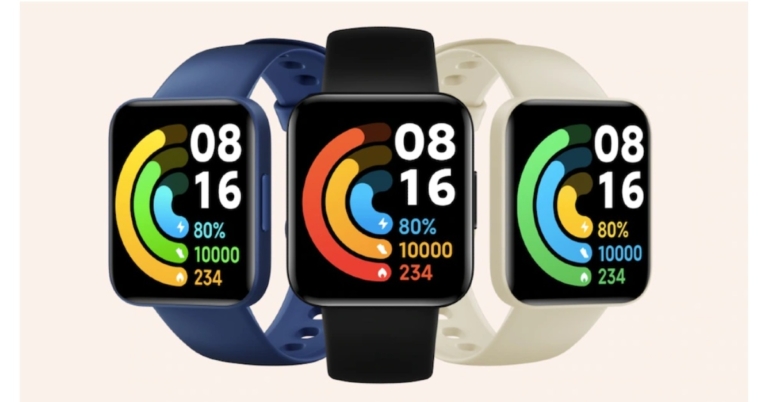
The Redmi Watch 2 is priced at CNY 399 that translates to Rs 4,700. The device comes in three colour options of Black, Blue and Ivory(Dial) whereas the straps come in a Brown, Olive and Pink colour variant. The smartphone will be available for purchase in China from November 11.
In terms of specifications, Redmi Watch 2 has a 1.6 inch AMOLED display instead of the TFT one which was available in the previous generation. The screen comes with a screen to body ratio of 63.7 percent. It has thin bezels around the display. The device comes with an Always-on Display including 100 watch faces.
Redmi Watch 2 offers 117 fitness modes along with 17 professional workout modes. Apart from this, the smartwatch has a slew of new sensors that aid in monitoring heart rate, blood oxygen saturation and sleep patterns.
Apart from this, the Redmi Watch 2 also features NFC and comes integrated with XiaoAi AI Assistant. Moreover, the watch also offers GPS, GLONASS, Galileo and BeiDou. The smart wearable is 5ATM rated for water resistance and delivers 12 days of battery life on a single charge.
Redmi Buds 3 Lite specs and price
The Redmi Buds 3 Lite has been launched in China with a price tag of CNY 99 that converts to Rs 1,200. The device is now available for purchase in the country.
As for the specification the Redmi Buds 3 Lite looks similar to Galaxy Buds+ and is very different from the original Redmi Buds 3 which look much similar to Apple AirPods. The new TWS earphones feature a cat ear design that is said to provide a stable fit as it has an in-ear design. It has 6mm drivers and comes with touch gesture controls. There is a low latency gaming mode and ENC for calling as well. The audio device is IP54 rated and includes Bluetooth v5.2 for connectivity.
The Redmi Buds 3 comes with a USB type c charging case. Each earbud is claimed to provide 5 hours of battery life and 18 hours of total playtime with the charging case.
Green Screen has been used in the film industry and photography industry for ages. Have you seen those epic real-life-looking shots in your video game or movies where superheroes destroy the whole city in order to save it? That’s the magic of the green screen. A layer of animation or a real-looking scenario is replaced with a green background. Now the question is what are the best green screen apps available?
This application has been used by filmmakers, videographers and photographers to create unique backgrounds. Earlier you needed a powerful system either Windows or Mac to accomplish this. Now with the help of AI (Artificial intelligence), this can even be achieved via your smartphone. Here are some applications you can consider using on Android and iOS.
In This Article
Kinemaster ( Android and iOS)
If you are familiar with video editing on your smartphone, there is a good chance you would have heard of Kine Master as well. It has a Chroma Key Function, which can be used to overlay photos, videos or texts. It supports multilayer support so you can import multiple multimedia at once. The application is completely free but if you want to import 4k images or videos and don’t want a watermark on your project, you can always subscribe to a premium plan.
Another popular application in the market will give a hassle-free experience for both videos and images. The application is paid but despite the minimum charge, it gives some top-notch features. These include Chroma Key effects like more Chroma colours, unlimited recording time and image merge functions. The feature that makes Chromavid stand out from the applications is the social sharing button and video shoot on the Chrome key option. The only drawback with the application is that you cannot import projects and the project should be real-time whether be video or image.
The application is Apple-specific and is absolutely free to download. The Chroma Key and screen features allow this application to read the green screen in real-time. You can also use Veescope live to get a live background change and fit in any location. Pair with a Bluetooth device and use the remote feature to change the background according to your need in real-time. The newer iPhones support 4k video and so is the application capable of using it.
Export and edit your green screen video directly to YouTube to continue your project on your Mac or Windows system, Stop Motion Studios has all the tools you need. Shoot exclusive 4K Ultra HD video and edit it on the desired platform be it smartphone or computer system, and export it directly on your favourite social media platform. There are built-in music applications so you can choose among the high-quality tracks directly from the UI.
A versatile and one of the best green screen apps for video and image editing that is ideal for vlogging. It does not support those extra juicy features that other applications on the list do, but fairly it does the job of replacing the background of the green screen pretty well. The application is cross-platform so you can continue on your project on devices be it smartphone or PC. The animated doodle tools and cut down features makes it ideal for beginners. The application is free for iOS and Android
Green Screen Wizard Pro Studio Editor (Android and iOS)
Capable with all Macs, Windows, iOS and Android. Green Screen Wizard is a costly professional studio application that has industry-standard features like Advanced Chroma. While changing the background you can also change colours and brightness on the fly. For learning, the company provides an in-depth tutorial for each feature and scenario.
This is another Apple-specific application good for creating photo and video green screens. The application is designed by Apple so you can expect that refinement support. iMovie supports green screen features for both images and videos. There are 10 pre-designed filters by Apple to choose from. The application also has Dark mode and other 8 unique themes to choose from making it one of the best greenscreen apps is free for all iOS users.
PowerDirector is a well-rounded video editing app that has the optimum tools for professionals and amateurs alike. Its AI Smart Cutout feature removes the background from your videos with ease. You can also choose to cartoonize the footage with anime photo templates, effects, and transitions. The Chroma Key feature lets you replace the green screen with any background of your choice.
Green Screen by Do Ink is the perfect app for teachers and educators that want to bring more fun into their classrooms by producing engaging content for their students. You can combine parts of different images and use different tools like person detection, mask brush, crop, scale, and move. Using Chroma Key, you can create green screen effects on your videos.
Videoleap has all the essential tools to get you started on your video editing journey. This app is designed to help users create video content for social media apps like YouTube, Instagram, and TikTok. Using AI, you can apply stunning edits and effects to your Reels and YouTube Shorts. Videoleap is also decked with artsy stuff like the double exposure effect. If you frequently shoot with a greenscreen, you can use this app to fill in the background with the images and video footage of your choice.
Facebook has changed its name to Meta, the firm released a statement saying, in a name change that seeks to create the “metaverse,” a mutual virtual experience that it claims to believe to become the leader of internet services. The company was facing laws and regulations introspection because of its dominant position in the market.
As Facebook has been rebranded to ‘Meta’, so its popular logo has also been replaced with an infinity symbol. The company’s founder at Connect 2021, CEO Mark Zuckerberg introduced the Meta. With the rebranding, the company aims to bring its apps and technologies under one new company brand. “Meta’s focus will be to bring the metaverse to life and help people connect, find communities and grow businesses,” the company stated.
As per the company, it will let you share immersive experiences with other people even when you can’t be together — and do things together you couldn’t do in the physical world. It’s the next evolution in a long line of social technologies, and it’s ushering in a new chapter for our company.
Meta founder Mark Zuckerberg said, “When I started Facebook, we mostly typed text on websites. When we got phones with cameras, the internet became more visual and mobile. As connections got faster, the video became a richer way to share experiences. We’ve gone from desktop to web to mobile; from text to photos to video. But this isn’t the end of the line. The next platform will be even more immersive — and embodied internet where you’re in the experience, not just looking at it. We call this the metaverse, and it will touch every product we build.”
Just like Facebook the Metaverse will allow you to do almost anything from connecting with friends and family to playing, shopping and creating. The company says that it chose Meta because it can mean beyond. While the symbol/logo has been drawn from a single line in space using the company’s Quest technology, the Meta symbol forms a continuous loop that works seamlessly between 2D and 3D contexts. It is designed to be experienced from different perspectives and interacted with. It can resemble an M for “Meta,” and also at times an infinity sign, symbolizing infinite horizons in the metaverse.
Sharing more about its vision Mark says that the firm has tried to take a different approach so that its services are accessible to as many people as possible, which means working to make them cost less, not more. Also, the company is planning to sell its devices at cost or subsidized to make them available to more people.
Apart from this, the rebranding of Facebook to Meta will not affect its apps and other brands.