Top 17 Manga apps on iOS and Android (2021)

Comic books are a good sail through from your free time and can be very interesting as well. Mangas also known as Japanese comic books are some of the top picks by enthusiasts. These comics have an intriguing storyline with vivid photos to get you deeply involved with them. Before the world of Netflix started, these were the still movies with action-packed scenes, dramas or be it comedy, you name it and these comics have it as well. Nowadays finding one is really difficult, but technology to the rescue again. Here are the best free manga apps for you to consider for both iOS and Android in 2021.

Crunchyroll Manga               

The application gets the latest Manga comics directly for Japan for you to enjoy and kill your boredom. From Space Brothers to Attack on Titan, the application covers it all. The official Manga applications roll out updated comics or the new ones as soon as they get released in the market. There are some free books available to download as well but to get the exclusive content you have to pay a little subscription fee.

Download: iOS, Android

  • VIZ Manga

VIZ Manga

Hit series like Dragonball, Naruto and some cult classics are readily available in this application. The VIZ Manga allows you to go through the digital catalogue to select from a list of some famous Manga comics. Adding to this, the developers add new comics daily. 

The application has an amazon feature to build your own library and go through comics according to your taste and pace. Further, it lets you download the books so they are available for you to read even when you are offline. You can read free reviews of paid volumes making it easy for you to make decisions if you want to on that comic.

Download: iOS, Android

  • Mangamo

Mangamo

This provides you with all the Manga comics legally and comes directly from the author themselves. You want to ensure that you are buying an original copy of the comic and the authors are getting their cut, try Mangamo. The application has a pretty solid collection of comics for you to read. Some great titles like Attack of the Titans, Immortal Undertaker and more. 

A minimum subscription fee gives you access to 30+ Manga comics legally. The developers add new chapters every week so you never run out of something to read. The subscription also covers no ads or random pop ups to hinder your peaceful reading experience. If you don’t want to register and want to try what you are paying for? Mangano issues one free chapter every 24 hours for you to indulge and get you to the story.

Download: iOS, Android

  • Shonen Jump

Shonen Jump

The application has many popular titles Like Naruto, Dragon Ball and more but the main highlight goes with the name of the application. Shonen Jump is an exclusive manga series with an exciting storyline and action-packed sequel. The application is ideal for Shonen Jump fans out there. The developers let you read 100 chapters every day for free. No worries if you are even more enthusiastic as you can read more than 100 chapters by paying a small subscription fee.

Download: iOS, Android

  • Tachiyomi

Tachiyomi

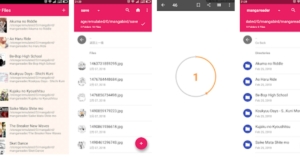
One of the most popular options among Manga comic readers. The application is completely free and is an open-source Manga reader. All you have to do is head to the website from the link below, download the application on your Android device, and you are good to go. The application fetches the comic books from services like MyAnimeList, AniList, Kitsu, Shikimori, and Bangumi and arranges them in an organised library. 

The built-in reader is simple to use with a colour filter for those late-night readings. The application is completely free with regular updates on board. The only drawback that stands is that the application is not available for iOS users. Otherwise, it is among the best free manga apps available

Download: Android

  • Manga plus

Manga plus

Manga Plus is an official manga comic service run by Shueisha. The application adds the latest comic books in English and Spanish for your interest. The publisher with various creators and artists for ensuring piracy free content for you. The application is available free on both iOS and Android with tons of manga titles to choose from at your fingertips. Manga Plus gives you access to an online community with whom you can share your thoughts and enjoy reading.

Download: iOS, Android

  • MangaToon

MangaToon

Ideal if you are multilingual as the application supports comics in several languages that include English, Indonesian, Vietnamese, Spanish, Portuguese and Thai making it flexible for readers across the globe. The highlight of the application is that users can upload their self made comics open to the world as well to get a lot of praise. 

Natively the application has a wide range of libraries including comedy, love, horror, romance, and action. With daily addition to it daily it is one of the top picks that you can consider spending your money on. The application is free to download with in-app purchases.

Download: Android, iOS

Read Also: Best SD and memory card readers under Rs 500 for your Windows PC

  • ComicRack

ComicRack

The application is perfect for Manga lovers with a built-in range of reading tools that help you improve your reading experience. You can set the colours and enhance them according to your taste. Also, the application supports a lot of formats including CBZ, CBR, CB7, CBT, PDF, DJVU, and WebComics and is PC compatible. All you have to do is pay a subscription fee and you are open to a series of comic books and hours of fun.

Download: Android

  • INKR comics

INKR comics

A sub-brand of a big manga company, “Manga Rock” is the best free manga apps designer and publisher. The Application revolves around giving a chance to new comic creators and publishers. Users can buy a subscription to open up the world of new artists and publishers. This application is good for people who want to read something new rather than traditional manga comics. 

With topics like action, romance, comedy, horror, drama, isekai, slice of life, sci-fi, and more to choose from you have hours of entertainment with you. The revenue generated by this app is split between content creators and publishers to support them.

Download: iOS, Android

  • Manga Readers

Manga Readers

Available for both iOS and Android, Manga Readers offers you thousands of comics with over 30 sources for you to never run out of books to read. The application has a powerful search tool that lets you find famous topics, comics or precise episodes which you want to read. The application remembers where you left reading and will create an automated bookmark for you. Tired of downloading manga one by one? Use Manga Readers to download 5 simultaneously. Download the app for free and consider buying in-app purchases if you wish.

Download: Android, iOS

  • Manga Dogs

Manga Dogs

With over 20 sources, manga Dogs is easily one of the top picks you can consider. The application has a massive library of manga comics to choose from and the application gives you personal recommendations as well. THe highlight of the application is that it knows the book you are reading and will alert you as soon as the new chapter for the same is available.

Download: iOS, Android

  • Manga Monster

Manga Monster

Available exclusive for iOS users the application consists of over 30,000 manga comics to choose from. It has a decent category with timely new updates of the application as well as new comics. The application is lightweight and feels snappy to use making it one of the best free manga apps. Enjoy your manga reading experience with Manga Monster.

Download: iOS

  • Online Manga Reader

Online Manga Reader

The application is what its name suggests. The Online Manga Reader is a lightweight application that lets you read manga comics online. The application fetches the comics from various different sources and provides them to you in an ever-updating catalogue. Feeling way too silent while reading? The application allows you to play songs while you read your book. Other features include offline download, bookmark, personal library and more. Consider installing the application on your Android phone for free and enjoy some manga comics.

Download: Android

  • Manga Box

Manga Box

Want to read Manga in a traditional way? Consider using Manga Box. It has one of the biggest libraries of books with popular authors across the globe. Additionally, the developers add new content daily to all the genres giving you a lot of options to choose from. There is no customisation or heavy tools to come across, just a simple traditional manga application that you can enjoy.

Download: iOS, Android

Read Also: Realme tells Xiaomi to ‘behave’ on being called a copycat brand

  • Manga Zone

Manga Zone

With over 15,000 comics to choose from this is ideal for people who absolutely love to read manga comics. Manga Zone has a huge library of titles for you to read and is available in English as well. The developers add new chapters instantly after the release and you don’t have to find an English translation for that. Read online or download the comic for later this application is a great choice and the best free manga apps to consider.

Download: iOS, Android

  • ComiXology

ComiXology

ComiXology is an all-rounder application with over a million comics. The application is not only settled till manga but you can find all the genres in one go. If you want to freshen up your mood you can consider reading other comics as well. You can also continue reading from your computer by opening the ComiXology website and logging in. The application is completely free for both iOS and Android with in-app purchases.

Download: iOS, Android

  • WebComics

WebComics

The application consists of many titles that are fresh and new in the market. These comics are mostly made by people who love manga. The application has a huge variety of comics by people across the globe. You can publish your own magazine here as well to gain some popularity. The application has a big community from where you can talk to other artists and readers.

Download: iOS, Android

For the latest gadget and tech news, and gadget reviews, follow us on TwitterFacebook and Instagram. For newest tech & gadget videos subscribe to our YouTube Channel. You can also stay up to date using the Gadget Bridge Android App. You can find the latest car and bike news here.

Samsung Galaxy Unpacked Part 2 today: Here is what to expect

Apple and Google are done with their launches and today Samsung has set the stage to unveil its new product in the market. Yes, the South Korean brand will be hosting yet another Unpacked event today. 

The company is calling it Samsung Galaxy Unpacked Part 2. Everything at the event is going to be a surprise, as the firm has not dropped any hint about what products that will be introduced. However, it does mention that it will be “opening up new experiences for self-expression through technology”. But rumours suggest that Samsung Galaxy S21 FE is likely to debut today. 

Samsung Galaxy Unpacked Part 2 event will be held online due to pandemic. The virtual event will kickstart at 10 AM ET that is 7:30 PM IST. The launch event is said to be live-streamed via the company’s official YouTube channel, official website as well as on Samsung Newsroom.

Here is what to expect from today’s Samsung Galaxy Unpacked Part 2

Rumours suggest that the company might launch Samsung Galaxy F21 FE but according to reports the launch of the device has been delayed. Now the device is expected to arrive in January next year.

The company is also speculated to launch Galaxy Z Series foldable phones in new colour options. If this is to be believed then this is for the first time that Samsung will be holding a separate event just to introduce a new colour variant of any of its devices. To recollect, Samsung held an August Galaxy Unpacked event to launch its foldable phones.

While announcing the event the company said, “Our users are multifaceted and live life in so many colourful, interesting and unique ways. As such, the technology they use every day should reflect their individuality. Join Galaxy Unpacked Part 2 on October 20 to see how Samsung is opening up new experiences for self-expression through technology.”

But if the company has plans to launch the Fan Edition of the Samsung Galaxy S21 then the device is expected to arrive in four colour options of Black, Green, Purple, and White. While the design of the phone will be similar to the vanilla Galaxy S21. But it may not include a metal housing around the camera sensors and microSD slot for expanding storage.

Other than this the Samsung Galaxy S21 FE is said to have IP68 certification for dust and water resistance. It is said to withstand up to 1.5m and up to 30 minutes. Furthermore, the display will support a high refresh rate along with an ultrasonic in-display fingerprint scanner. In addition to this, there will be Dolby Atmos, wireless and reverse wireless charging support.

For the optics, the Galaxy S21 FE could feature a triple rear camera set up that may include an ultra-wide-angle sensor and may not include a charger this time.

For the latest gadget and tech news, and gadget reviews, follow us on TwitterFacebook and Instagram. For newest tech & gadget videos subscribe to our YouTube Channel. You can also stay up to date using the Gadget Bridge Android App. You can find the latest car and bike news here.
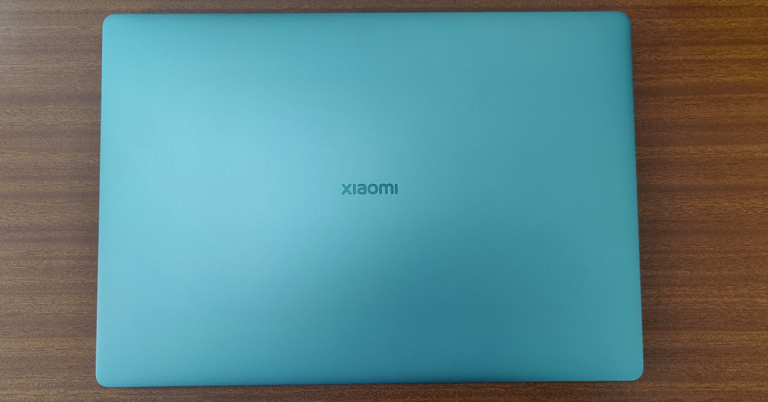
Xiaomi Mi Notebook Ultra review: An ultra-premium notebook with exceptional daily performance

Xiaomi has recently started producing laptops for the global and Indian markets and they have already become a force to reckon with. At competitive prices, they are bringing good looking and powerful laptops for the world and the latest to come out from their factory is Xiaomi Mi Notebook Ultra. We spent few weeks with the device to understand it well. This is the Xiaomi Mi Notebook Ultra review you all have been waiting for.

Xiaomi Mi Notebook Ultra review: Design and Display

Packed neatly, out of the box the notebook does come across as a really premium offering from the company. Yes, some might say it looks like the Macbooks, but, the Xiaomi Mi Notebook Ultra has its own distinct identity. Built out of metal, the notebook has a lot of it. Despite that, the notebook is not very heavy and weighs under 1.8Kg.

Mi-Notebook-Ultra-keys

When shut, it measures just 17.9mm from the sides, which again adds to its slim form factor. Xiaomi branding in Chrome can be seen on the top lid as well under the 15.6-inch screen. Open it up and you will see a large keyboard without a NUM pad. The keys have a scissor mechanism, which has 1.5mm deep key travel. The overall writing experience is good with it, but a bit robust tactile feel would have been better. The keyboard is also backlit and has 2 levels of it, good for people who work in dimly lit rooms or late at night.Xiaomi-Mi-Notebook-Ultra-keyboard

With it, you get a fairly large trackpad. This is a multi-touch trackpad and works quite well. Also, there is a fingerprint sensor with Windows hello in the Xiaomi Mi Notebook Ultra. The circular power button located on the top right (above the keyboard) also doubles up as a fingerprint sensor. This works well and 9 out of 10 times detected our finger without any extra effort.

fingerprint-sensor

For connectivity, the Xiaomi Mi Notebook Ultra comes with 1 USB 2.0, 1 USB 3.0 gen 1, 1 Thunderbolt 4 and 1 USB Type-C charging port. These are accompanied by an HDMI as well as a single Mic cum Audio 3.5mm port. Users also get an HD webcam on top of the screen with few MICS in the fray.

side-ports Xiaomi-Mi-Notebook-Ultra-ports

Moving to its display, it is one of the best features of this laptop. Users get a 3.2K display, which means the resolution of the screen is 3,200 x 2,000 pixels summing up to 242 pixels per inch (PPI) density. The peak brightness of the screen is about 300 nits and 90Hz refresh rate is supported.

Together they portray vivid colours, crisp text and possesses excellent viewing angles. We played a lot of Netflix shows on the machine and it did not disappoint at all. With it, you also get dual 2W speakers that are DTS optimised. These are quite loud and does not require you to add any additional external speakers.

Xiaomi Mi Notebook Ultra review: Performance

So what all do you get under the hood? We are reviewing the Xiaomi Mi Notebook Ultra with the Intel i5 11th Gen (11300H) CPU that has 4 cores and a clock speed of up to 4.4GHz. This is partnered with 16GB RAM (3,200MHz frequency), which is soldered on the mainboard and 512GB of NVMe SSD. For graphics, you will get an onboard Intel Iris XE graphics unit. Other features include WiFi 6 for fast network connectivity and Bluetooth 5.1 support.

Xiaomi-Mi-Notebook-Ultra-tech-specs

So let’s move on to how does it perform in real life. Xiaomi Mi Notebook Ultra comes packed with Windows 10 Home edition, which is fine for most users. If you want to use this laptop for day to day work, edit images or even some videos in Adobe Premiere, you can do that without a problem. However, the rendering process will take a little extra time. We edited a small 4K video on it and the laptop did a rather good job. Also, users get a basic version of the Microsoft Office suite, which includes Word, PowerPoint as well as Excel in the package. There is a bit of bloatware found within the OS, but luckily all of it can be removed.

The gaming experience on the Xiaomi Mi Notebook Ultra left us with a mixed bag of emotions. Since it does not have a very powerful graphics card, most games do not work at medium or high settings. Neither will you get 60-90FPS on them. But if you play games like CS:GO or DOTA 2, then you can extract 60-90FPS at medium to high settings.

The battery life is relatively good on this laptop. Xiaomi claims that users can get up to 12 hours of battery life. But that is when you put the display to the dimmest settings and are not doing any heavy-duty tasks on it. During our tests, it lasted for 7.5 hours when working and lasted 6 hours when we were binge-watching Netflix shows. Both of which is very impressive and quite good in the bracket. With the supplied 65W charger, which charges via the notebook using the USB-C port, the laptop charges to 50% in about 45 minutes.

The vents on the Xiaomi Mi Notebook Ultra are big and you do get a large heat sink and fan inside the shell, too. This keeps the laptop fairly cool and we hardly felt any part of the laptop getting too hot. Users can also switch between Quiet Mode and Balanced Mode by hitting FN+K keys, this reduces the fan noise by a lot. Also, a dedicated Marco key can be found at the top right of the keyboard that can be set as an easy shortcut.

Verdict

So, the final question that arises is, is it worth buying for Rs 64,999? Well, if you are a regular or power user who wants a lot of memory, storage, fast state-of-the-art performance, and a vivid screen, this laptop makes perfect sense, and you should go for it. If you are a gamer, then this is not the machine for you.

Overall, as a work from home force (at the moment), we quite loved the experience of the Xiaomi Mi Notebook Ultra. The boot time is very low, apps open quickly, and we hardly faced any issues. It has a good mix of work and entertainment features.

Pros

Good looks

Extreme performance

Good battery life

Cons

Tactile feel of the keys could have been better

No discreet graphics card

For the latest gadget and tech news, and gadget reviews, follow us on TwitterFacebook and Instagram. For newest tech & gadget videos subscribe to our YouTube Channel. You can also stay up to date using the Gadget Bridge Android App. You can find the latest car and bike news here.

Vivo Y3s budget smartphone with 5,000mAh battery launched in India

The Chinese smartphone company has announced the launch of a new smartphone in the Indian market. The company has introduced the latest model of Vivo Y3s in the country. The phone features a 5,000mAh battery and is powered by MediaTek Helio P35 SoC. It also includes a dual rear camera set up with a dewdrop notch display. Read on to know Vivo Y3s price in India and specifications.

Vivo Y3s tech specs and features

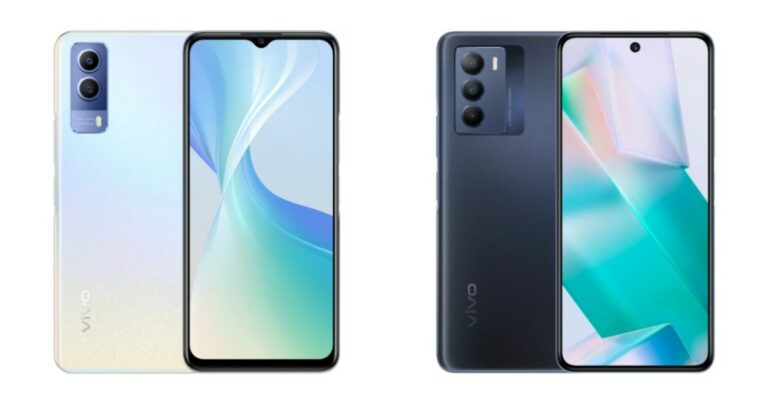
Vivo Y3s is the company’s latest addition to its budget portfolio and includes basic features but with long-lasting battery life. The device has a gradient rear finish and dew-drop style notch display. It features a 6.51-inch HD+ LCD display offering 720×1,600 pixels of resolution. 

On the software front, it ships Funtouch OS 11 based on top of Android 11 out of the box. Under the hood, there is MediaTek Helio P35 SoC paired with 2GB of RAM with 32GB of internal storage. The memory can be expanded up to 1TB using a microSD card.

Vivo Y3s price in India and availability details

In terms of photos and videos, Vivo Y3s features a dual rear camera set-up that includes a 13MP with f/2.2 aperture and another sensor. For selfies, there is a 5MP front-facing camera with an f/1.8 aperture. 

The budget smartphone comes with a 5,000mAh battery that has reverse charging support. The battery is said to deliver 19 hours of HD streaming and 8 hours of gameplay. In addition to this, the phone offers dual-band WiFi, Bluetooth v5.0, GPS, a Micro USB port for charging and a 3.5mm headphone jack for connectivity. 

Vivo Y3s price in India and availability details

Vivo Y3s, the new budget smartphone has been introduced in India in a single 2GB RAM with 32GB storage option. The device is priced at Rs 9,490 and will be available in three distinct colour options of Pearl White, Mint Green and Starry Blue. The smartphone is now available for purchase via Vivo e-store in the country, Amazon.in, Flipkart, Paytm, Tata CliQ, Bajaj Finserv EMI store and more.

For the latest gadget and tech news, and gadget reviews, follow us on TwitterFacebook and Instagram. For newest tech & gadget videos subscribe to our YouTube Channel. You can also stay up to date using the Gadget Bridge Android App. You can find the latest car and bike news here.

20 October 2021 Amazon Quiz today answers: Answer to win Rs 1,000 Amazon Pay Balance

0

The 20 October 2021 Amazon Quiz is now live on the Amazon app. In today’s quiz participants have a chance to win Rs 1,000 Amazon Pay Balance by answering all the questions correctly. The quiz can be played every day from 12 AM to 11:59. Only app users are eligible to participate in the Quiz as it is not accessible on the web platform.

The Amazon Quiz brings a fresh set of questions for its customers that contains five easy questions. The questionnaire consists of five questions related to general knowledge and current affairs. The participants need to answer all the questions correctly and their names will be selected for a lucky draw. The daily quiz brings an opportunity for the customers to win exciting prizes. They can win Amazon Pay Balance ranging from Rs 1,000 to Rs 50,000. The participants need to answer all the questions correctly and their names will be selected for a lucky draw. The winner will be announced at the end of the month. Check out 20 October 2021 Amazon Quiz Answers.

20 October 2021 Amazon Quiz Answers

Question 1: Tata Digital Ltd. a subsidiary of Tata Sons, has acquired a majority stake in which of these digital health companies?

Answer: 1mg

Question 2: Which among these is not made by South Korean firm Krafton Inc?

Answer: Crossfire

Question 3: In September 2021, which country severed diplomatic relations with Morocco over alleged hostile actions?

Answer: Algeria

Question 4: Along with this sport, what other two sports are included in a triathlon?

Answer: Swimming, Running

Question 5: What is the name of the clown mascot of this fast-food brand?

Answer: Ronald

For the latest gadget and tech news, and gadget reviews, follow us on TwitterFacebook and Instagram. For newest tech & gadget videos subscribe to our YouTube Channel. You can also stay up to date using the Gadget Bridge Android App. You can find the latest car and bike news here.

Google Pixel 6 and Pixel 6 Pro have been officially released: Specifications and pricing details inside

Software giant Google today officially announced the launch of the Pixel smartphones globally. The new series includes two phones- the Google Pixel 6 and the Google Pixel 6 Pro. Both the devices feature Google’s in-house Tensor chipset, which is the company’s first custom mobile chip. In addition to this, the smartphones run on Android 12 and feature a premium design.

Google Pixel 6, Pixel 6 Pro price and availability details

The Google Pixel 6 price will start at $599 that translates to Rs 44,971. On the other hand, the Google Pixel 6 Pro will be available at an asking price of $899, which converts to Rs 67,494. The pre-order will begin today and will be available for sale with all major U.S. carriers starting from October 28. The Pixel 6 will be offered in Black, Red and Blue colour options, while the Pro variant will come in White, Black and Light Gold shades.

Not only that, the company has also introduced Pixel Pass, an easy subscription that delivers the best of Google. Starting at $45 per month for U.S. customers. Its Pixel Pass includes a new Pixel 6, Google One, YouTube Premium and YouTube Music Premium, Google Play Pass, and Preferred Care. Pixel Pass with Pixel 6 Pro costs $55 per month. After two years, the users will have the option to upgrade to a new Pixel.

Google Pixel 6, Pixel 6 Pro price and availability details

Design and display of the Google Pixel 6 and Pixel 6 Pro

In terms of design, the biggest USP of both devices is the camera module, giving the phone a clean and symmetrical design. Pixel 6 has a distinct graphic and a vibrant appearance, according to the company. The matte black metal band makes it look premium. It is made with a polished metal unibody and transitions into gorgeous curved glass in colours that complement the metallic frames.

The Pixel 6 comes with a 6.4-inch LTPO display and it supports an adaptive refresh rate up to 90Hz. The Google Pixel 6 Pro features a 6.7-inch LTPO display that comes with a variable refresh rate that ranges from 10Hz to 120Hz depending upon the content. Both phones have a punch-hole cutout on the front and the display is protected with Corning Gorilla Glass Victus. There is an in-display fingerprint sensor onboard as well.

The Google Tensor processor is the company’s latest SoC specifically designed for Pixel phones

Google’s Pixel 6 and Pixel 6 Pro are the first devices to be powered by Google’s in-house Tensor chipset. It has 2 high-performance cores, 2 mid-core, and 4 high-efficiency cores paired with a 20 core GPU. The vanilla Pixel 6 will be available with 8GB of RAM and 128GB/256GB of UFS 3.1 storage. The Pro, on the other hand, will be available with up to 12GB of RAM and storage options of 128GB, 1256GB, and 512GB.

According to the company, Google Assistant on Google Tensor uses the most accurate Automatic Speech Recognition (ASR) ever released by Google. Users can also use a high-quality ASR model, even for long-running applications such as recorders or tools such as Live Caption, without quickly draining the battery. Google Tensor also enables Live Translate to work on media like videos using on-device speech and translation models. It will allow users to translate directly in the chat application, meaning no more cutting and pasting text into the Google Translate web service.

The devices are the first to run Android 12 out of the box. It includes the next-generation Titan M2TM, which works with the Tensor security core to protect your sensitive user data, PINs, and passwords. The company has also extended our support window to at least five years of security updates, so your phone has the most up-to-date protection.

What’s new with the cameras this time?

According to the Mountain View company, the Pixel 6 and Pixel 6 Pro have the most advanced cameras. Both the phones have a new 1/1.3 inch sensor on their rear. The primary sensor is said to capture up to 150% more light (compared to the Pixel 5’s primary camera), meaning you’re going to get photos and videos with even greater detail and richer colour.

Google Pixel 6 Pro price

The vanilla variant has a 50MP primary sensor that binds images down to 12.5MP. There is a 12MP ultra-wide lens as well. It includes an 8MP selfie camera.

On the other hand, the Pro variant has a similar sensor but has an additional 48MP telephoto lens offering 4x optical zoom and up to 20x zoom with an improved version of Pixel’s Super Res Zoom. There’s also an upgraded ultrawide front camera that records a 4K video. The device also sports an 11.1MP camera sensor in the front for taking selfies and video calling.

The company has also introduced the Magic Eraser feature for the smartphone that helps remove unnecessary distractions in just a few taps right in Google Photos. The feature is capable of detecting distractions in your photos, like people in the background, power lines, and power poles, and suggesting what you might want to remove. Then, you can choose whether to erase them all at once or tap to remove them one by one. In addition to this, the Magic Eraser can figure out what you’re trying to remove based on what you circle, so you don’t have to spend time worrying about precise brushing.

Battery and connectivity options 

The Google Pixel 6 boasts a 4,614mAh battery that comes with wireless and 30W fast charging support. The Google Pixel 6 Pro houses a bigger 5,003mAh battery which has wireless and 30W fast charging support.

Both the smartphones include WiFi 6E, Bluetooth 5.2, and sub 6Ghz 5G support.

For the latest gadget and tech news, and gadget reviews, follow us on TwitterFacebook and Instagram. For newest tech & gadget videos subscribe to our YouTube Channel. You can also stay up to date using the Gadget Bridge Android App. You can find the latest car and bike news here.

Samsung Galaxy Z Fold 3 and Galaxy Z Flip 3 are now available in a new shade in India

Not much time has passed since the Samsung foldable phones were launched in India. At the time of the launch, both Samsung Galaxy Z Fold 3 and Samsung Galaxy Z Flip 3 were introduced in two colour options but now they will be available in more shades as the new colour variant has joined the family.

Samsung Galaxy Z Fold 3 was earlier available in two colour options of Phantom Black and Phantom Green. Whereas Samsung Galaxy Z Flip 3 was made available in Phantom Black and Cream colour options. But now Z Fold 3 will come in a new Phantom Silver while Z Flip 3 can be accessed in Lavender colour options. But the new shades will specifically be available in 256GB and 128GB storage variants respectively.

The pricing remains unchanged as Z Fold 3 will retail at 1,49,999 for the 12GB RAM with a 256GB storage variant. The price for the 12GB RAM with a 512GB storage variant is set at Rs 1,57,999. On the other hand Z Flip 3 will still cost Rs 84,999 for the 8GB RAM with 128GB storage option and the 256GB storage model will come at Rs 88,999. 

Samsung Galaxy Z Fold 3 specifications

The Samsung Galaxy Z Fold 3 comes with a 7.6-inch foldable QXGA AMOLED 2X Infinity Flex main display having 2,208×1,768 pixels of resolution, 22.5:18 aspect ratio, and 374ppi pixel density. The outer display features a 6.2-inch HD AMOLED display on the outside with 832×2,268 pixels resolution, 24.5:9 aspect ratio, and 387ppi pixel density. Both screens have a 120Hz refresh rate, HDR10+ support with Gorilla Glass Victus protection on top. 

Samsung Galaxy Z Fold 3 Phantom Silver

The phone is powered by a 5nm octa-core SoC with up to 12 GB RAM with 512GB storage options. It runs on Android 11 on top of One UI. It comes with a side-mounted fingerprint sensor. There is a triple rear camera setup that includes a 12-megapixel primary sensor, along with a 12-megapixel secondary telephoto lens and a 12-megapixel ultra-wide lens. There is an under-display camera on the Galaxy Z Fold 3 with a 4-megapixel sensor along with an f/1.8 aperture and a 10-megapixel selfie camera with an f/2.2 aperture at the cover.

Besides this, the handset is backed by a 4,400mAh battery along with 25W wireless and reverse charging support. It also supports two new S Pen models- S Pen Fold Edition and the S Pen Pro. 

Samsung Galaxy Z Flip 3 specifications

Samsung Galaxy Z Flip 3 highlights a 6.7-inch primary full-HD+ dynamic display offering 1,080×2,640 pixels of resolution along with the support for HDR10+ and 120Hz refresh rate. There is a 1.9-inch AMOLED display with a 512×260 pixels resolution on the lid.

Samsung Galaxy Z Flip 3 Lavender colour

The device is powered by a 5nm octa-core SoC coupled with up to 8GB RAM and up to 256GB UFS 3.1 storage. For imaging, there is a dual rear camera setup that includes a 12-megapixel primary sensor with an f/1.8 aperture and a 12-megapixel wide-angle lens. In terms of selfies, there is a 10-megapixel sensor on the front having an f/2.4 aperture. 

In addition to this, the device is backed by a 3,300mAh battery with wireless and reverse charging support and 15W fast charging.

For the latest gadget and tech news, and gadget reviews, follow us on TwitterFacebook and Instagram. For newest tech & gadget videos subscribe to our YouTube Channel. You can also stay up to date using the Gadget Bridge Android App. You can find the latest car and bike news here.

Best way to use HDR mode to take photos on your Android smartphone: A complete guide

HDR or High Dynamic Range is a feature present in almost all the current phones and camera applications. Many people think that just turning on HDR makes the image look better and sharper. Yes, it’s kind of true but there is more to it. To know the best use of HDR the first step is to learn what it is and how to use HDR mode on Android

What is HDR

As mentioned above HDR is High Dynamic Range. Dynamic range in photography terms means the difference in the lightest and darkest elements of an image. When you turn on the HDR mode in any device, it increases the dynamic range beyond the actual capture. This helps create a more accurate and close to a real representation of what we actually see. Especially helpful when we click images of some landscape where brightening and better details are required. 

Yes, it’s true that it enhances the image, but HDR mode is not suitable for every situation. A prime example of it is taking a direct photograph of a scene with bright colours. HDR will gradually increase the light making the image look unnatural. Now the next question is what happens behind the scenes when you press the shutter button with HDR on. 

Read Also: CES 2020: Panasonic unveils the world’s first VR glasses 

Working of HDR

Working of HDR
Image Credit – Mi community

When you press the shutter of the mobile camera application, the camera takes lots of pics of the same scenario with different exposure. This is the reason why taking HDR images takes a little bit more time. After taking multiple pictures it is combined to make a perfect one piece. 

Then the software optimises the darker and lighter region while enhancing the details. This is the reason why it is advised to take HDR photos with steady hands as it gives the best results. Nowadays smartphone cameras also have an Auto HDR feature that analyses the scene and switches the mode on or off accordingly. Now the question is when to use HDR mode?

When to / When not to use HDR

When to

  • Landscapes – The outdoors especially in bright sunlight can cause way too much contrast, use HDR to reduce it and increase the blacks to balance it out.
  • Dim/dark light – As the process is software-based the HDR mode will try to compensate with the darker amount by adding some light to balance the whites in the photo, you might not see a drastic difference but a noticeable one.
  • Sharper image – Use HDR mode to get sharper images as the process captures multiple photos more details are covered in this mode. 

When not to

  • High contrast scene – When you are trying to capture a high contrast scene avoid using HDR as it will try to balance light making the image less vivid.
  • Moving object – As multiple images are captured during HDR mode a moving object can create distortion in the final result.
  • Vivid scenes – When in vivid surroundings the HDR mode will extra enhance the colours making the picture look unnatural, though it can be something a user likes and it completely depends on the individual’s taste.

Now the next question is how to use HDR mode on Android smartphone?

Read Also: Xiaomi Redmi Note 7 highlight: Super Night Scene Mode

How to enable HDR

Almost all phones nowadays have HDR mode built-in in their camera application. If you are still not satisfied, there are tons of applications available in Google PlayStore. Here is how you can turn it on.

Step 1 – Fire up the camera application on your Android smartphone.

Enable HDR

You will spot an HDR icon on the first screen itself, tap on it to enable HDR mode (OnePlus phone used for the above reference). If you do not find it on the first screen, follow the next steps.

Step 2 – Head to the camera setting to find the HDR option.


Step 3 – Toggle it on to enable HDR mode. (Samsung’s OneUI used for reference)

This is a complete guide of what HDR is and the best way to use HDR mode to take photos on your Android smartphone. Hope this helps you take good pictures and clarifies all the doubts regarding HDR you had.

For the latest gadget and tech news, and gadget reviews, follow us on TwitterFacebook and Instagram. For newest tech & gadget videos subscribe to our YouTube Channel. You can also stay up to date using the Gadget Bridge Android App. You can find the latest car and bike news here.

Vivo Y33s gets costlier in India, price hiked by Rs 1,000

0

Vivo Y33s made its debut in India just 2 months ago. Now the Chinese smartphone company has increased the price of the smartphone by Rs 1,000. This price revision will be applicable to the device with immediate effect. The smartphone comes with a  triple rear camera set up and a 5,000mAh battery. It is powered by MediaTek Helio G80 SoC.

Vivo Y33s new price in India and availability

The Vivo Y33s was launched in India in August this year. The phone was then launched at Rs 17,990 for the single 8GB RAM with 128GB storage. But after its latest price revision, the will retail in the country at Rs 18,990. 

The phone with new pricing is now available on Vivo e-store in the country as well on Amazon and Flipkart. The device comes in two colour options of Midday Dream and Mirror Black. 

Vivo Y33s specifications

Vivo Y33s is highlighted with a 6.58-inch full-HD+ LCD display with 1,080×2,408 pixels of resolution. The device is shipped with Funtouch OS 11.1 based on Android 11 out of the box. Under the hood, there is a MediaTek Helio G80 SoC with 8GB of RAM (4GB of extended RAM) and 128GB of storage. The internal memory can be expanded up to 1TB using a microSD card.

For optics, Vivo Y33s features a triple rear camera setup that includes a 50MP primary sensor. Furthermore, there is a 2MP macro sensor and a 2MP depth sensor. For taking selfies and video chats it sports a 16-megapixel front-facing camera.

There is Multi-Turbo 5.0 that optimizes the memory to improve performance. The liquid cooling technology features an intelligent heat dissipation management system that keeps the smartphone cool, even while playing heavy-duty games

In addition to this, there is a 5,000mAh battery that supports 18W fast charging. Also, the phone sports a side-mounted fingerprint scanner, dual-band Wi-Fi, 4G, Bluetooth v5, NFC, GPS, and USB Type-C port for connectivity. Whereas the sensors on the phone include an accelerometer, ambient light sensor, proximity sensor, e-compass, and gyroscope. 

For the latest gadget and tech news, and gadget reviews, follow us on TwitterFacebook and Instagram. For newest tech & gadget videos subscribe to our YouTube Channel. You can also stay up to date using the Gadget Bridge Android App. You can find the latest car and bike news here.

10 apps and software to download first on your new Apple Macbook Pro (2021)

The new insanely fast, top of the line Macbook Pro series was launched at the “Unleashed” event in October 2021. The new Macbook is even faster and looks more beautiful than the previous generation. Powering the new insides is the M1 max and M1 pro chips, which give the laptops a significant boost. Are you planning to buy the new Macbook Pro 2021? Here are some apps for MacBook pro that you must install to have a great experiece.

Ulysses

A writing application to get your work done with. It works as a completely normal notepad application until you open its extensive library of tools. With its minimalistic design keeping, a record of your written material becomes easy. All the documents are stored and organised in a dropdown styled many so users can open them with a click. 

These files are divided into folders and subcategories for ease of use. Do not worry if you can’t carry your Macbook everywhere, all the documents are backed up on your iCloud account so they can be easily accessed, viewed and shared from anywhere.

  • Microsoft 365

Microsoft 365

One of the most popular office suites with millions of users worldwide. If you are new to the Apple ecosystem, worry not Microsoft Office 365 supports the new M1 chips from day one. Every application included in the Microsoft productivity bundle will work natively without the need for Rosetta (used to run cross-platform applications). Whether you need to make a presentation, a Word file or manage records on your Excel sheet, install the Microsoft 365 package and you are good to go. 

  • Fantastica

Fantastica

This application is a list organiser, which helps you manage schedules and do day to day tasks easily. Whether it is a bill payment, a meeting reminder or a casual shopping list, Fantastica has got your back. Just set a reminder and forget about it. With a beautiful design, the application also has cross-platform compatibility so be it your Mac or a Windows laptop your reminders are covered anyway. Many awards winner, this application is a must-have in your library.

  • OmniFocus

OmniFocus

Imagine having a calendar application with cross-application sync. Well, OmniFocus is the application which you are looking for. One of the best productivity applications out in the market. The idea behind this application is to get your plans easily noted down in your calendar even when the application is not opened. You can add tasks from any application and everything will be synced down across all the devices. Consider using it to see what wonders it can do.

Read Also: Amazon launches Luna cloud gaming service

  • Affinity applications

Affinity applications

There are lots of Affinity applications available in the market. These all are ideal for artists and graphic designers. The application is used for productivity, creating posters, logos, icons, artwork and much more across the globe. There are a huge number of tools to make the work easy and go through the process smoothly. The application supports cross platforms, which makes it easy to run on all M1 chip systems including iPad pro. Getting this application an easy select for apps for MacBook Pro 

  • Zoom

Zoom

One of the most popular apps that helped us cope up with the covid situations by keeping our work going. Zoom is a simple video calling app with lots of features under its sleeves. Users can schedule a meeting, change the background while on a video call or record their calls, Zoom’s got you covered. 

Screen share is another great feature that initially gave competition to other applications. Users were able to share and control the screen making the life of teachers and tech support really easy. Use Zoom to conduct meetings or simply talk to your loved ones on your new Macbook.

  • Todoist

Todoist

Have a habit of making a list of jobs from pen and paper? Todoist is a simple solution for you. It fetches the details from your calendar and accepts manual input from the users. After that, the application arranges it in a to-do list, which users can scratch off once the task is done. While working you remembered to buy some groceries? Just add them to the Todoist and it will be automatically synced with your other hand device. The list can further be saved on any popular cloud service you use. Now no more forgetting small tasks, use Todoist and keep your work organised making it one of the best apps for MacBook pro.

  • Adobe Lightroom

Adobe Lightroom

Adobe is working hard on making the heavy Photoshop and Premiere pro compatible with M1 chips. Till then you can surely consider using Lightroom, which is a lightweight version of those applications without the need of Rosetta. 

It is a stripped down version of a complicated editing application that only includes essential basic photo editing tools. Ideal for consumers who want to edit their photos lightly or simply want to tweak them a little. It is also good for beginners, to get them into the world of photo editing. The application supports RAW files so using Lightroom won’t deteriorate the quality of your image.

Read Also: 10 Best Apps to download in your new Apple iPad Mini 2021

  • Luna Display

Luna Display

The new Macbook Pro now supports up to 4 external displays and having an external one improves your workspace. If you don’t want to invest in an external display and have a spare iPad in your home. Use Luna Display to extend your screen using your iPad. There is a built-in feature for that called Sidecar. Well, Luna Display takes it to a level further as you can make another Mac your extended display as well. A great option for people for whom one traditional monitor is not enough.

  • Pixelmator Pro

Pixelmator Pro

Want a photo editing application to just perform basic functions? Try using Pixelmator Pro, the application is capable of performing basic tasks and touch-up to photos. With a number of tools and filters, one can easily enhance their clicks or even old memories.

The application keeps everything simple, giving new life to a photograph. The best feature is an automatic photo-enhancement tool. It is an AI-based system that relies on an algorithm trained on 20 million images. This makes enhancing your photos in just a few clicks, child’s play.

These are some apps for MacBook Pro (2021) that you should consider installing for a better Apple experience.

For the latest gadget and tech news, and gadget reviews, follow us on TwitterFacebook and Instagram. For newest tech & gadget videos subscribe to our YouTube Channel. You can also stay up to date using the Gadget Bridge Android App. You can find the latest car and bike news here.

How to access free WiFi at Delhi Metro stations: Delhi Metro launches free WiFi service on the yellow line

Delhi Metro Rail Corporation will now allow free access to the Internet via free high-speed WiFi at Yellow Line Stations for the commuters. DMRC has collaborated with a technology consortium to offer the facility inside the metro station within a year except for the Airport Express line. The passengers will be able to access WhatsApp, Facebook, Google Search and more.

While allowing access to the internet for free at all Yellow Line Metro Stations in Delhi the DMRC said, “Despite the various constraints posed by the Covid pandemic in the last more than a year, Delhi Metro in its efforts to continuously enhance the travel experience for its commuters, has successfully introduced the facility of free high-speed wifi service from all Metro stations of its Yellow Line (i.e, Line-2 from HUDA City Centre to Samaypur Badli) from today.”

According to Delhi Metro, this service which happens to coincide with the start of festivities is launched on this Line which has a total of 37 Metro Stations and runs pretty much entirely underground through one of Delhi’s most congested areas, covering out Delhi, North Delhi, Central Delhi, South Delhi and at last Gurugram.

With the launch of High-Speed WI-Fi at all stations of Yellow Line, “Oui DMRC Free WI-Fi” is now available at 94 stations of the Delhi Metro Network. This Free Wi-Fi service is being provided by a Consortium led by M/S Techno Sat Comm. 

Commuters will be able to access standard internet applications, which includes Email, Facebook, Google Search, WhatsApp, Video and Audio calls and so on by simply logging into network ID “OUI DMRC FREE Wi-Fi”. 

In order to access the free WiFi at the stations, follow these steps:

  • Open your phone and search for  “OUI DMRC FREE Wi-Fi”. 
  • Enter your phone number and email address to receive OTP via SMS.
  • Then enter the OTP, agree to the terms and conditions and then tap the connect button to use the free WiFi service.

If you have any trouble accessing free WiFi at Metro Stations on any of these lines, commuters can call HelpLine at 9541693693.

“OUI DMRC Free High-Speed Wi-Fi connectivity is already available on all stations of the Blue Line and Airport Express Line (The network is restored after Covid),” Delhi Metro Rail Corporation said.

It should be noted that the Blue Line (Dwarka Sector 21 to Noida Electronic City/Vaishali) has 50 metro stations with over 400 access points installed by DMRC to provide uninterpreted internet access, whereas the Airport Express Line(New Delhi Railway Station to Dwarka Sector 21, linking Indira Gandhi International Airport) has six stations with over 50 access points to provide uninterpreted internet access. 

Apart from offering free WiFi service at Metro stations across its network, DMRC is working with Techno Sat Comm to introduce this service inside Metro trains within a year. In already operational trains, upgrading and installing the desired access points can be a difficult task according to DMRC but has trailed free WiFI service in its Airport Line trains, which has been suspended due to COVID restrictions in 2020 and is now being restored within the next 10-15 days. 

For the latest gadget and tech news, and gadget reviews, follow us on TwitterFacebook and Instagram. For newest tech & gadget videos subscribe to our YouTube Channel. You can also stay up to date using the Gadget Bridge Android App. You can find the latest car and bike news here.

Google Pixel 6 and Pixel 6 Pro launch set for today: Here is everything that we know so far

The much-awaited Google Pixel 6 Series is going to launch tonight. The company has set up a Pixel Fall Launch event to unveil its new lineup, which is going to include two devices Pixel 6 and Pixel 6 Pro. Every year the tech giant tries to come up with something; this time the upcoming smartphones will be armed with Google’s in-house Tensor chipset that will also be the first feature on the Pixel 6 phones.

How to watch Google Pixel 6 series launch event

The Pixel launch event will be hosted on the company’s official YouTube channel and on social media platforms at 10 am PT that is 10:30 PM IST. A special event page has been created by the company that will also live host the event. Just for your convenience, we have also embedded the link below:

The expected price of Google Pixel 6 devices

Ahead of the official announcement, the pricing details of Pixel 6 and Pixel 6 Pro for the US and UK were leaked via an online store. Both the devices were spotted listed on Target Store. As per the leaked listing the Google Pixel 6 is likely to be priced at $599 that is roughly around Rs 67,500 for the 128GB storage options. On the other hand, the price of the Pixel 6 Pro is expected to be $898 which translates to Rs 67,500 for the 128GB storage option. However the phone is expected to be offered in more variants, but as of now, we are only aware of the base variant pricing. 

The Google Pixel 6 and Pixel 6 Pro looks really cool, to be powered by Google Tensor chip

Another tipster spotted the upcoming phones on the Amazon UK website. The Google Pixel 6 Pro was listed at GBP 849 for the 128GB memory that converts to Rs 87,800 while the 256Gb storage option will cost GBP 949 which translates to Rs 98,100. According to the tipster both the phones will be available for sale from the very first day of November in the UK.

Google Pixel 6, Google Pixel 6 specification expected

In terms of specification, both the Pixel phone will be featuring Google’s in-house Tensor chipset. Reportedly the Pixel 6 will come with a 6.4-inch OLED display while the Pro variant will feature a 6.7-inch LTP OLED display with adaptive refresh rate support ranging from 10Hz to 120Hz. Both the displays will be guarded with Corning Gorilla Glass Victus and will come with an IP68 build for protection against splash and dust.

The leaks also confirm that the Google Pixel 6 and Pixel 6 Pro’s camera set up will include a 50MP primary sensor and a 12MP ultra wide-angle shooter. The main camera is suggested to capture 150% lighter than the previous Pixel 5. The Pro variant will equip a telephoto shooter with 4x optical zoom and up to 20x Super ResZoom. 

The smartphones are also said to come with added features like a Magic eraser that is proficient in eliminating undesired things including people from the captured images.

The Pixel 6 Pro might also support 30W fast charging further it may also offer 23W and 21W wireless charging support. 

For the latest gadget and tech news, and gadget reviews, follow us on TwitterFacebook and Instagram. For newest tech & gadget videos subscribe to our YouTube Channel. You can also stay up to date using the Gadget Bridge Android App. You can find the latest car and bike news here.

AirPods 3 vs Airpods Pro: Everything explained

After a year’s wait and lots of speculations, Apple finally debuted its new third-generation Airpods yesterday in the “Unleashed” event along with the new MacBook pro. The launch event tells us that there is a lot in common with both earphones with similar features and almost similar design. 

Surprisingly Apple didn’t give up on the 2nd gen Airpods and they are still being sold at the lowest $129 (Rs 12,900) mark. Now that the AirPods 3 are available for pre-order, the question is, which one should we consider buying AirPods 3 or AirPods pro? This article will help you out.

In This Article

Design

The new AirPods 3 has a design close to the Pro variant but without the silicon tip. The narrower round ear tip can be seen as compared to the prevision gen. Just like the AirPod Pro, the third generation is also sweat and water-resistant making it a good option for those who use these earphones during workouts or in bad weather conditions. 

We can also see a significant change in the design of the case for the 3rd gen. It looks a lot similar to the Pro counterpart as compared to the previous-gen. The newer version now supports MagSafe wireless charging so that is a big change as well. The stem of the 3rd gen AirPods is quite smaller, similar to AirPods pro. With a smaller stem, there is no compromise with the battery on board. 

They also have a new Force touch sensor, which enables you to control your entertainment as well as activate Siri. As the AirPods Pro have silicon tips, they are interchangeable according to your fit, but that’s not the case with 3rd gen AirPods.

Read Also: Apple to launch two new third-generation of AirPods

Features

AirPods 3rd Generation

The top of the earphone’s line by the company, Apple AirPods Pro gets active noise cancellation on board along with transparency mode to hear important noise and sounds around you. Not all but there are few features that these new TWS inherit are Spatial sound and Adaptive EQ. 

Spatial sound gives a surround sound feeling to users and when paired with Dolby Atmos support that the company recently added, gives an immersive experience. Adaptive EQ adjusts the sound of the music or multimedia according to the fit of the earphones to compensate for the loss of audio if any. 

Battery

Airpods Pro

The next-gen has a longer battery life as compared to the predecessor. Not only that it is a significant improvement over the Pro counterpart as well. Both, the 3rd gen AirPods and AirPods Pro, are powered by an H1 chip so we can expect similar performance. 

Apple claims that these new earphones will last for 6 hours on a single charge and up to 5 hours with spatial audio enabled. Along with that users can expect 4 hours of talk time and the charging case should provide up to 30 hours (4 full charges) of listening time.

Talking about the AirPods Pro in comparison, according to Apple it should last 4.5 hours on a single charge and 5 hours of active noise cancellation and transparency mode is disabled. They offer 3.5 hours of talk time and the case provides 24 hours (near to 3 full charges) of total listening time.

Read Also: Amazon to roll out an updated interface for Fire TV Stick

Now answering the question of AirPods Pro vs AirPods 3rd Gen: which one you should consider? Taking note of all the aspects and differences, if the users are keen to go towards active noise cancellation, transparency mode, better fit and budget is not an issue for them can consider buying the AirPods Pro for Rs 24,900 without a doubt. 

For consumers interested in better battery life, the round shape tips give a better fit and want to get the taste of the latest technology at an affordable price tag of Rs 12,900 can consider AirPods 3rd generation.

For the latest gadget and tech news, and gadget reviews, follow us on TwitterFacebook and Instagram. For newest tech & gadget videos subscribe to our YouTube Channel. You can also stay up to date using the Gadget Bridge Android App. You can find the latest car and bike news here.

Logitech MX Anywhere 3 review: For the professional in you

A mouse is an accessory that we consider as the most important tool with a PC or laptop. It comes in different shapes and sizes, and one must have the best one to finish your tasks efficiently. If you are a professional who wants more control from his/her mouse, then you are reading the right review. Logitech threw over the MX Anywhere 3, which we have been tinkering with for a few weeks now. This is Logitech MX Anywhere 3 review and what we think of this new-age PC/laptop companion.

Logitech MX Anywhere 3 review: Design

Right of the bat, you will find the Logitech MX Anywhere 3 to be one of the best-looking wireless mice out there. We have been using the MX Anywhere series in the team since the first version. And with every new edition, we feel that the company will only give a little bit of an upgrade. But to our amazement, they have been bringing some solid changes in both looks and performance sectors.

Compared to the first version, you will see a lot of changes on the exterior shell, but over the second version, not so much at least in the contour and curves department. What has changed from the last series is the rubberised side gripping, which works for us. We reviewed the silver-grey variant and quite liked the outlook. Other colours available are pink and white.

Logitech-MX-Anywhere-3-top

The Logi branding can be found on the top as well and really suave silver metallic scroll wheel. More about it in the performance section. Here you will also find the mode shift key that can switch the scroll wheel from ratchet to smooth free-spin mode.

Logitech-MX-Anywhere-3--rea

Twin forward and back buttons can be found on the left side and are well within reach. Below you will get vertically placed glider footings. These work really well, irrespective of the surface. The power key and the device selection button can also be found here. The Logitech MX Anywhere 3 is lighter than the previous edition and weighs 99 grams. The connectivity port has also been upgraded. Now you get USB Type-C port instead of the micro-USB port.

Logitech-MX-Anywhere-3--port

Logitech MX Anywhere 3 review: Performance

The Logitech MX Anywhere 3 is a workhorse, which the work from home force wants. This is a mouse that actually lowers a lot of your burden. To begin with, it works with multiple operating systems, including Mac and Windows. The company does give a USB wireless connection dongle with it, however, you do not require it as it can connect with Bluetooth easily.

The sensor in the Logitech MX Anywhere 3 has a max DPI value of 4,000 which is excellent if you work on large screens. Most of the functions can be customised using the Logitech Options software. Users can customise the scroll click button, the side buttons and even the mode key just above the scroll wheel. Or they can use some of the pre-sets already present in the software for apps like Adobe Photoshop and Microsoft office suite. So, this way the side buttons are pre-customised for each software you use and you do not have to change it every time you open the software.

This brings us to one of the main attractions of the mouse, its fabulous scroll wheel. The metal roll is something that has been borrowed from the Master edition of mice from Logitech. The mouse auto-detects the speed of your scroll, which the company calls MagSpeed. If you are slow scrolling, it will scroll few lines and if you quickly scroll it, the wheel becomes free and will start scrolling multiple lines at once. Pretty neat!

Also Read: How to remotely access your PC from anywhere in the world

Also, if you use multiple laptops or a desktop and laptop. You can download the Logitech Flow app. What this does is that you do not require multiple mice for each device. Just one Logitech MX Anywhere 3 mouse is enough. All you have to do is install the flow app in each machine (can be a MAC and Windows too), put them on the same WiFi network, take the mouse pointer to the edge of one screen and it will be automatically taken to the next one. The process is almost seamless. With it, you can even transfer files from one machine to the other or copy-paste text from one laptop to the other. Yes, we know, Mind Blown!

The Logitech MX Anywhere 3 can work on any surface including glass. And it does work on glass surfaces, but not as well as it does on a gaming mouse pad. Nonetheless, it surely works much better than its competition. A 500 mAh battery is placed inside the mouse and the company claims it can last for up to 70 days. Well, it has been 4 weeks for us and we have not recharged it even once. Also using the supplied USB-A to USB-C cable you can fast charge the mouse and get three hours of battery life in just 1 minute of charge.

Verdict

The Logitech MX Anywhere 3 can be purchased for Rs 5,995 from online e-commerce stores. The mouse makes perfect sense for power users, photo and video editors as it gives you more control. If you work on multiple machines, this is one mouse that can juggle three of them at once. We quite liked it and frankly speaking found no flaw in it. It is an exceptional buy if you can afford it.

Pros

The scroll wheel

A lot of good extra features

Works on any surface

Cons

Some might find it a bit expensive

For the latest gadget and tech news, and gadget reviews, follow us on TwitterFacebook and Instagram. For newest tech & gadget videos subscribe to our YouTube Channel. You can also stay up to date using the Gadget Bridge Android App. You can find the latest car and bike news here.

Apple HomePod mini is now available in more colour options

The tech giant Apple at its October event introduced a fresh lineup of products that includes MacBook Pro models with M1 Pro and M1 Max chipsets, AirPods 3 and a new HomePod mini. The Apple speaker comes in new bold and expressive colours and works seamlessly with the iPhone. It also features Siri Voice assistant for voice control.

The all-new HomePod mini is 3.3 inches tall. The smart speaker by Apple not only comes in white and space grey but it will be available in three bold new shades of yellow, orange, and blue. The company thinks that this will allow users to reflect their personality and style in any space. 

The Apple HomePod mini is not only great at providing a better listening experience but comes with Siri smart home capabilities, too. 

Bob Borchers, Apple’s vice president of Worldwide Product Marketing said, “With new vibrant colours, HomePod mini fits in even more places and delivers amazing sound, the power of Siri, and simple and secure smart home controls, all while protecting your privacy.”

The HomePod mini employs computational audio to deliver a rich and detailed acoustic experience while maintaining peak performance. It is powered by an Apple S5 chip that can run advanced software to analyse the unique characteristics of the music. It also applies complex tuning models to optimise loudness, adjust the dynamic range, and control the movement of the driver and passive radiators, all in real-time.

The full-range driver, premium neodymium magnet, and pair of force-cancelling passive radiators on the HomePods mini allows it to produce deep bass and crisp high frequencies. For an immersive 360-degree audio experience an acoustic waveguide designed by Apple directs the flow of sound down and out the bottom of the speaker.

It can be placed in multiple rooms to play the same music throughout the house, all in perfect sync or a different song in each room. Placing two HomePod mini speakers in the same room creates a stereo pair for an even more immersive experience when listening to music. 

HomePod mini price in India

When music is playing, a three microphone array listens for Hey Siri and a fourth inward-facing microphone helps cancel out sound from the speaker to improve Siri’s ability to hear voice requests. 

HomePod mini is designed to work with Apple Music, Apple Podcasts, thousands of radio stations including the award-winning Apple Music 1 station, and popular music services like Pandora, Deezer, and others, providing entertainment for everyone. The smart speaker also offers more than 90 million songs, all curated by world-class experts and tastemakers; thousands of curated playlists, including hundreds created specifically for the Apple Music Voice Plan; and more than 25,000 exclusive radio episodes and other original content.  

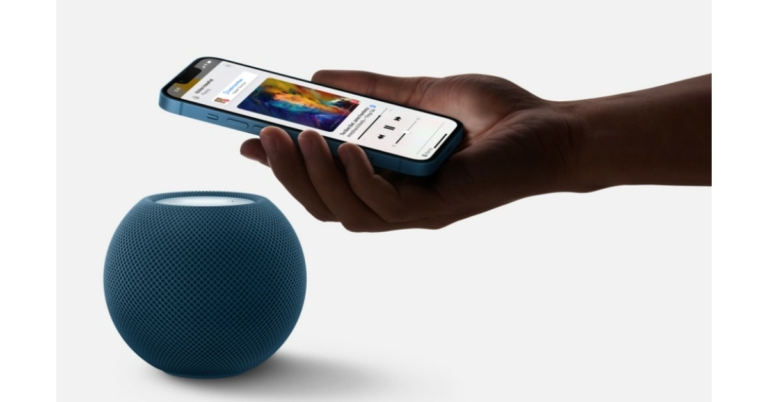
By bringing their iPhone close to the device while listening to music or podcasts or taking a phone call, users can seamlessly hand off the audio without missing a beat. With any U1-equipped iPhone, the experience becomes even more magical with visual, audible, and haptic effects that make it feel as if the devices are physically connected as sound flows from one to another.

If nothing is playing on the HomePod mini, personalised listening suggestions will automatically appear on the iPhone when it is near the speaker, and instant controls are available without needing to unlock the iPhone.

Siri can recognise the voices of up to six different household members, tailor music and podcasts to their preferences, and respond to personal requests, like reading their messages, reminders, notes, and calendar appointments, or making and answering phone calls. Not only this it can offer users a personal update for a quick snapshot of their day. Users can ask “Hey Siri, what’s my update?” to hear the latest news, weather, traffic, reminders, and calendar appointments with a single request.

You can simply use voice commands for Siri to turn off the lights, change the temperature, lock the doors, set a scene, or control devices at specific times. Users can send an intercom message from one HomePod mini to another — whether in a different room, a specific zone, or multiple rooms throughout the home — and their voice message will automatically play on the designated HomePod mini. This functionality also works with iPhone, iPad, Apple Watch, AirPods, and CarPlay, so everyone in the household can get Intercom notifications and send as well. 

In terms of privacy and security, information is sent to Apple servers only after Hey Siri is recognised locally on the device or when the user activates Siri by touch. Requests are not associated with the user’s Apple ID, nor is personal information used for Apple’s advertising sold to third parties. The device collaborated with the iPhone to fulfil requests for messages and notes on the device without disclosing that information to the company.

Apple HomePod mini price in India and availability

The Apple HomePod mini price in India has been set at Rs 9,990. It will be available in yellow, orange, blue, white and space grey colours. 

The smart speaker can be purchased through the Apple online store or via Apple Authorised Resellers (prices may vary) from next month onwards that is in November.

For the latest gadget and tech news, and gadget reviews, follow us on TwitterFacebook and Instagram. For newest tech & gadget videos subscribe to our YouTube Channel. You can also stay up to date using the Gadget Bridge Android App. You can find the latest car and bike news here.

19 October 2021 Amazon Quiz today answers: Answer to win Rs 30,000 Amazon Pay Balance

19 October 2021 Amazon Quiz has gone live on its platform. The quiz timings are 12 AM to 11:59 PM. The Amazon App users can participate in the quiz daily and all they have to do is submit correct answers to the questions asked on the e-commerce platform. Today’s participants can get a chance to win Rs 30,000 Amazon Pay Balance.

Amazon brings a fresh questionnaire that contains 5 questions daily. These questions are based on current affairs and general knowledge. The quiz can be played from 8 AM to 11:59 PM and the contestants need to answer correctly to enter into a lucky draw.

Only one person is declared as a winner and the results will be announced at the end of every month. And to make sure that you give correct answers to all the 5 questions Gadget Bridge everyday updates all the answers to the Amazon Quiz. Do check out 19 October 2021 Amazon Quiz Answers to win Rs 30,000 Amazon pay Balance.

19 October 2021 Amazon Quiz Answers

Question 1: Indian Oil is set to build India’s first green hydrogen plant at which location?

Answer: Mathura

Question 2: Ravindra Jadeja holds the record for most runs in an over in the IPL with 37. With whom does he share the record?

Answer: Chris Gayle

Question 3: My Mollem (Amche Mollem) campaign in Goa is a highly motivated social media grassroots campaign in saving what from being destroyed?

Answer: Forest

Question 4: Which actor plays the role of this superhero in the Marvel Cinematic Universe?

Answer: Chris Evans

Question 5: What is the slogan of the company shown in the picture?

Answer: Just do it

For the latest gadget and tech news, and gadget reviews, follow us on TwitterFacebook and Instagram. For newest tech & gadget videos subscribe to our YouTube Channel. You can also stay up to date using the Gadget Bridge Android App. You can find the latest car and bike news here.

Apple Unleashed the all-new MacBook Pro armed with M1 Pro and M1 Max chipsets: Tech specs and price

Apple today during its October event “Unleashed” the all-new MacBook Pro and AirPods Models globally. All the devices were introduced via an online presentation and it’s the company’s second event in just over a month. The key highlight of Apple’s latest laptop features a Mini-LED display supported by up to 120Hz refresh rate. The devices are powered by the company’s new M1 Pro or M1 Max chipsets, which has been specially designed for MacBooks. It has an upgraded webcam as well. Read on to know the MacBook Pro price and specifications.

These are the company’s most powerful laptop as it comes armed with the company specially designed M1 Max and M1 Pro introducing a system-on-a-chip (SoC) architecture to pro systems for the first time. It is capable of offering 400GB/s and up to 64GB unified memory along with 57 billion transistors. 

Not only this it has a 10-core CPU and 32 core GPU. The M1 Max is power efficient too; it is 7x faster than PC integrated graphics by offering discrete graphics at 70 percent less power consumption. According to the company, the chipset is capable of consuming 100 Watt less power without compromising on the performance. 

MacBook Pro Price in India and its availability

Not only this, the new silicon offers 3x faster ML performance. In terms of applications, the chipset offers incredible performance as it has been well optimised while the Rosetta 2 allows Intel’s application to keep performing. 

The all-new MacBook Pro will be made available in two sizes 14-inch and 16-inch models. Both feature a Liquid Retina HDR display. The 16-inch model is about 16.2-inches in size with a higher pixel density while the 14-inch model is nearly 14.2-inches in size. The display supports up to 120Hz of refresh rate that automatically adapts to the type of content being played on the device. The notebook is backlit with thousands of mini LEDs. When it comes to brightness MacBook Pro provides 1,000 nits of sustained and 1,600 nits of peak brightness. 

Also Read: Apple finally released its new Airpods 3rd gen priced at Rs 18,500

Coming to the cameras, the latest Apple notebook is now highlighted with a 1080p web camera offering a wider aperture and 2 timed better low light performance. In terms of audio, the Pro is capable of capturing a 60 percent lower noise floor on the microphone. Both the models offer four force cancelling woofers offering 80 percent improved bass along with two tweeters. The graphics are said to be 2.5x faster graphics with Mi Pro and 4x faster graphics with Mi Max.

MacBook Pro Price in India and its availability

MacBook Pro provides SSDs up to 7.4GB/s read. In terms of endurance, the Apple notebook provides 2 times prolonged Lightroom and 4 times extended code compiling. The devices are claimed to fast charge to 50 percent in just 30 minutes and it features MagSafe 3 magnetic charging.  

MacBook Pro Price in India and its availability

The MacBook Pro 14-inch model will be available at Rs 1,94,400 for the 512GB variant. On the other hand, the MacBook Pro 16-inch model price will start at Rs 2,39,900 for the 512GB model, however, the notebooks will also be available in a 1TB variant too. The new MacBook Pro models with M1 Pro and M1 Max are available to order today on apple.com/in/store. They will begin arriving to customers and will be in select Apple Store locations and Apple Authorised Resellers starting Tuesday, October 26.

For the latest gadget and tech news, and gadget reviews, follow us on TwitterFacebook and Instagram. For newest tech & gadget videos subscribe to our YouTube Channel. You can also stay up to date using the Gadget Bridge Android App. You can find the latest car and bike news here.

Apple finally released its new Airpods 3rd gen priced at Rs 18,500

After 2019, Apple has finally updated its AirPods to 3rd generation and the earphone looks neat. One of the most popular TWS has become even better this time with a new design similar to its pro counterpart. Apple AirPods 3 are even more sturdy and future proof.

The addition of Dolby atmos is a great touch with which you can get an immersive audio experience. Adding to this now the 3rd generation AirPods support 3-D spatial sound, which was introduced first in Apple Airpods Pro. This basically takes the surround sound to the next level. If you are playing a movie the earphones will adapt accordingly to give you a theatre-like experience. AirPods also feature AAC-ELD, a superior speech codec that offers full HD voice quality, providing clear, natural communication for FaceTime calls.

Spatial Audio Apple Airpods 3

Adding to it, the company introduced a new H1 chip combined with an Apple-designed acoustic system giving the users a good audio experience. The microphones are now inward-facing for monitor sound and then Adaptive EQ helps to get all the mids and lows on point, which might have been lost due to variance in fit.

Read Also: Apple launches new iPad 2021 model and iPad Mini: India price and other details

one touch setup Apple Airpods 3

The new Airpods 3rd gen is now waterproof and splash-proof making it ideal for jogging, hard workout sessions or during bad weather. The new TWS supports one-touch pair, meaning all you have to do is open the lid of the earphones case to seamlessly connect across any Apple device.

The battery has been improved as well and now gives the users 6 hours of listening time. Are you running out of battery time? Worry not, the next generation Airpods can give you 1 hour of backup with just 5 min of charge. Paired with the case the earphones give a backup of 30 hours (4 full charges). Charging solutions are also covered by MagSafe wireless chargers.

Read Also: Apple Unleashed the all-new MacBook Pro armed with M1 Pro and M1 Max chipsets: Tech specs and price

Airpods 3rd gen

The booking for the new Airpods starts from today and the delivery after one week. The initial starting price for earphones is set as $179 (Rs 18,500 in India) while the 2nd generation Airpod’s prices are reduced to $129 (Rs 12,900 in India) and if paired with a MagSafe charging case that supports wireless charging the costing of 3rd gen will go up to Rs 24,900.

For the latest gadget and tech news, and gadget reviews, follow us on TwitterFacebook and Instagram. For newest tech & gadget videos subscribe to our YouTube Channel. You can also stay up to date using the Gadget Bridge Android App. You can find the latest car and bike news here.

Top and best ways to download and play Minecraft on Chromebooks

Minecraft is a legendary game that introduced sandbox games and now the genre is expanding. A sandbox game allows players to create, modify, or destroy their environment. Good for players who love to do experiments and change their environment according to their taste. The game supports cross-platform compatibility and is available on  Windows, macOS, Linux, Android, iOS, and more. The question is how to play Minecraft on Chromebook?

Though it’s sad that the company has not put this game directly for a Chromebook owner to download and play. Nevertheless, the good news is that Chrome OS supports Linux and Android applications that will enable you to play this game on a Chromebook. Here is how.

Using Android

Step 1 – Head to the settings of the Chromebook.

Step 2 – Turn on the Google play store.

TURN ON GOOGLE PLAY STORE

Step 3 – Open Play Store and search  Minecraft: Education Edition

Once the installation is complete you are good to go. The version is free to play and install. The application is available online for students and will give first 10 free logins, after that you need to buy a subscription.

Download Minecraft: Java edition via Linux

Install Linux

The first step to install Minecraft: Java edition is by installing Linux on your Chromebook. To do so, follow the below steps.

Step 1 – In your Chrome book, head to Settings and then go under the Advanced tab.

Step 2 – Select Developers options from the tab to see the Linux option.

Step 3 – Tap on Turn on to start Linux.

Turn on Linux in Chrome book

The process will take a little time and after that, the Chromebook will ask you to set up Linux.

Read Also: How to install iTunes on a Chromebook laptop?

Setup Linux on Chromebook

The Linux setup is completed now following the next method to install Minecraft: Java Edition.

Install Minecraft: Java Edition

Step 1 – Download Minecraft.deb file from the official website.

Step 2 – Double click on the file to start installing.

Step 3 – Now press the search button to explore the Minecraft launcher. 

Step 4 – Now the application should be running.

Run Minecraft on Chromebook

Step 5 – Press “Play Demo”.

The application will start installing the latest version of the game and after the installation is complete that game will automatically be reopened (open manually in case the application did not open).

Read Also: Microsoft is set to add Minecraft to its Xbox Game Pass next month

Minecraft Java edition on Chromebook

Play the game and enjoy it with your fellow gamers. Explore the sandbox world and enjoy hours of fun on your Chromebook playing Minecraft.

For the latest gadget and tech news, and gadget reviews, follow us on TwitterFacebook and Instagram. For newest tech & gadget videos subscribe to our YouTube Channel. You can also stay up to date using the Gadget Bridge Android App. You can find the latest car and bike news here.

Top 10 alternatives to Adobe Photoshop for Windows and Mac

Photoshop is a marvellous piece of software that is developed by Adobe. Do you have a photo and you are willing to edit it? No problem Adobe photoshop got you covered with tons of tools and extensive editing options. But there is a drawback as well. With so many features there also is a big price tag attached to the software. Over that, the application requires a lot of resources to run. Here are some best alternatives to Adobe Photoshop.

These applications you can run on your Windows or MAC machines. Though these are not as powerful, they will get you through the day to day tasks.

GIMP

GIMP or GNU Image Manipulation Program is an open-source Photoshop alternative. The program provides almost similar features to photoshop but is relatively cheap/free. For a basic paint program or an expert retouching program, the software got you covered in all the aspects. 

GIMP also supports many file formats like  GIF, JPEG, PNG, and TIFF. The developer community is very active and rolls out updates often. The application is available for Windows, MAC or even Linux. 

Visit Site

  • PhotoWorks

PhotoWorks

An application for windows with incredible functionality and ideal for both professional editors or newbies. It has some AI-based basic tools to help you with basic tasks. Not only that, PhotoWorks is also equipped with niche tools to get you through some advanced photo editing procedures. The application supports over 450 RAW formats with an intuitive interface and library with beautiful presets. Another advanced AI feature is the Face Sculpt feature that takes portrait mode editing to the next level.

Visit Site

  • Pixlr x

Pixlr x

Pixlr X is the newer version of the popular Pixlr editor. The well-liked web-based photo-editing application is based on HTML5 rather than Flash that makes it ideal for all the latest browsers including iPad and iPhone. Following the modern dark and light scheme, the software looks modern and refreshed. 

The application is completely web-based, meaning all you need is a device with the support of an HTML5 browser. It does not do wonders but can do a mediocre level of editing with ease. The Auto-Fix tool is a handy feature to fix any image with just a click.

Visit Site

  • Colorcinch

Colorcinch

Another web-based editor and a great alternative for photoshop. The application has a big library of presets, graphics and creative assets to enhance your creation. The highlighting part of the application is an AI-based tool that adds a cartoonish special effect to your project. 

Also, as it is web-based it will run on any platform be it Mac, Windows PC and Linux as long as you have a good internet connection. Just want to sharpen your editing skills? Use 1.5 million high-resolution images available natively in the application. Colorcinch supports PNG, JPG, or PDF up to 300 DPI.

Visit Site

Read Also: How to bulk resize your images in Windows 10

  • Paint.NET

Paint.NET

Paint.NEt was initially a substitute for Microsoft Paint that came with Windows. The application runs on the .NET platform and can be a good alternative for Adobe Photoshop. The user interface of the application might seem outdated but Pain.NET is still a powerful tool you can consider using. 

The highlight of the software is that you can work in tabbed format just like you use in a modern browser. Multiple images can be opened in tabs for quick switching and editing. The application still has good support and updates automatically with new features and bug fixes.

Visit Site

  • Photopea

Photopea

Photopea is a web-based photoshop alternative that eliminates downloading and keeping another application on your system. Good for simple tasks like resizing and a quick touch up. Rather than waiting for photoshop to load, just open the web-based application and quickly edit your photographs. With the support of PSD, XCF, Sketch, XD, and CDR formats it is compatible with all platforms.

Visit Site

  • Krita

Krita

A free application specially made for photographers who need more flexibility when they get creative. The application revolves around some good painting tools. It has a huge library of paints and brushes with a highlighting pop-up colour palette. It is useful for artists, texture and matte painters, illustrators, and comic strip creators. 

You can easily make a shortcut of your most-used tools for easy access. If Krita doesn’t have what you are looking for, worry not you can easily import brush and pain packs from other creators or artists to expand your toolset. Whether you are a Windows, Linux or Mac owner, install Krita to enjoy painting hassle-free.

Visit Site

  • Photo Pos Pro

Photo Pos Pro

Does Photoshop seem a little too extreme for you? Try Photo Pos Pro. It is a full-fledged editing application but a more organised and tuned down version when compared to Adobe’s offering. The best part about the application as it also features an expert mode that switches the layout according to expert level editing. Practice your editing skills in novice mode to get great knowledge about the editing tool. The application runs on both Windows and Mac.

Visit Site

Read Also: 3 best ways to put watermark in your images

  • Seashore

Seashore

The application supports TIFF, PNG, JPEG, JP2000, BMP, PICT, PDF, XBM, and GIF, making it one of the most versatile editing tools. The inspiration was taken from the GIMP application but it is a toned-down version of the same exclusively for MAC OS. Ideal for people who just want to do basic tweaks on their photographs and for that Photoshop seems too heavy. The application natively supports pressure sensitivity, good for people who love drawing and have a drawing tablet with them.

Visit Site

  • Sumopaint

Sumopaint

Want something old school? Try usingSumopaint. The application is like Microsoft paint hit the gym to get some extra bulk. Sumopaint functions exactly like MS paint but has extra features like layering and extra editing tools. It works on any browser with Flash support and also has a dedicated application for Chromebooks. The file extensions supported are GIF, JPEG, and PNG and users can even use native SUMO format as well.

Visit Site

For the latest gadget and tech news, and gadget reviews, follow us on TwitterFacebook and Instagram. For newest tech & gadget videos subscribe to our YouTube Channel. You can also stay up to date using the Gadget Bridge Android App. You can find the latest car and bike news here.

HMD Global launched Nokia XR20 with military-grade design in India

Nokia XR20 has officially made its debut in the Indian market today. The device has a military-grade design and it is built to withstand extreme temperatures between +55C to -20C, 1.8-meter drops, 1 hour underwater and much more. In addition to this, the phone is powered by Snapdragon 480 SoC and was featured in the worldwide blockbuster James Bond movie No Time To Die.

Nokia XR20 price in India and availability

Nokia XR20 has been launched in India in a single 6GB RAM with 128GB storage options. The Nokia phone is priced at Rs 46,999. The device will be made available in two colour options of Ultra Blue and Granite. The smartphone will be available for pre-booking from 20-29 October 2021 and the sales will start from 30 October.  

Nokia XT20 price in India

Customers who pre-book the smartphone can avail free gifts such as a Nokia Power Earbuds Lite worth INR 3,599, and One year of screen protection plan. The phone will be available for purchase across leading offline retail stores, e-commerce platforms and Nokia.com.

Nokia XR20 specifications and features

The biggest USP of the Nokia XR20 is its design and build. Let’s understand that first. As the device comes with MIL-STD810H certification the phone is built to endure blistering temperatures from +55C to -20C and a 1.8meter drop will do nothing to it. It can also survive under water measuring up to 1.8meters for an hour.  Also, if it gets dirty, you can give it a good scrub with soap and water. 

Nokia XR20 comes with a 6.67-inch full HD+ display offering 1,080×2,400 pixels of resolution. The device offers an aspect ratio of 20:9, 550 nits of brightness and it comes with a layering of Corning Gorilla Glass Victus to prevent the screen from any breakage and scratches. On the software front, the phone offers an Android 11 stock experience with four years of monthly security updates, the latest software upgrades for up to three years, and future-proofed 5G.


Nokia XR20 specifications and features

Under its hood, there is a Qualcomm Snapdragon 480 SoC paired with 6GB of RAM along with 128GB of storage. The optics department has been taken care of by a ZEISS optics dual rear camera set up that houses a 48-megapixel primary sensor with f/1.79 aperture and a 13-megapixel ultra-wide-angle lens with f/2.4 aperture.  

The rear camera also features ZEISS Portrait, ZEISS Cinematic Effects, SpeedWarp mode, Action Cam mode, Night mode, Cinema mode, HDR, Beautification, Panorama, Watermark. Upfront there is an 8-megapixel camera sensor housed inside a centre punch hole for taking selfies and video calling.

For connectivity, Nokia XR20 includes 5G, 4G LTE, GPS/A-GPS, Galileo, GLONASS/A-GLONASS, Beidou, QZSS, NavIC, Wi-Fi 6 802.11 a/b/g/n/ac/ax-ready, Wi-Fi dual-band (2.4GHz + 5.0GHz), 2×2 MiMo NFC Supported, USB Type-C (USB 3.0 5Gbps) OTG Bluetooth 5.1 and 3.5mm headphones jack. 

Nokia XT20 comes with a 4,630mAh removable battery along with 18W wired fast charging, 15W wireless charging, Qi wireless charging, Quick Charge 4.0 and AI battery saving technology. In addition to this, the phone equips extra loud speakers (96dB), OZO Playback, OZO Spatial Audio capture with wind noise reduction, aptX Adaptive and aptX Voice.

For the latest gadget and tech news, and gadget reviews, follow us on TwitterFacebook and Instagram. For newest tech & gadget videos subscribe to our YouTube Channel. You can also stay up to date using the Gadget Bridge Android App. You can find the latest car and bike news here.
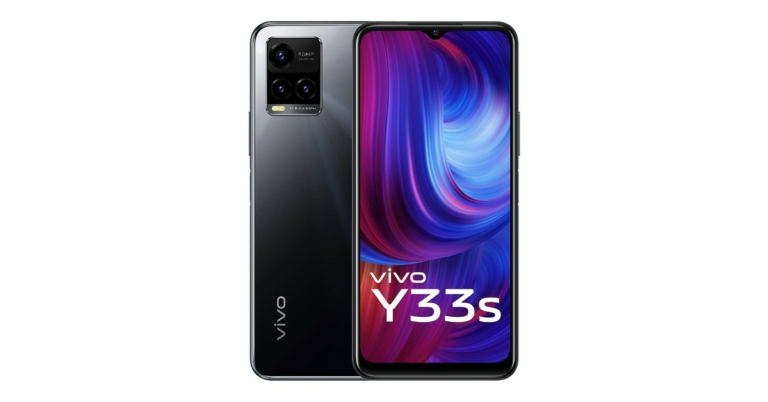
Vivo T1, Vivo T1x launch confirmed for October 19: Here is what to expect

The Chinese smartphone company, Vivo, is all set to announce a new smartphone series in the market — Vivo T Series. The company has confirmed that the fresh lineup will consist of two models, this could be called Vivo T1 and Vivo T1X. Both the devices have been leaked prior to the official announcement, therefore, revealing their specifications. The phones are rumoured to be rebranded variants of iQoo Z5x and iQoo Z5.

Vivo T1 series launch is going to take place on October 19 in China. The company has not yet revealed the names of the models but according to leaks, the new series may include Vivo T1 and Vivo T1x. As of now, there is no information shared by the company with regard to the launch event time, but the official renders of both smartphones have been leaked by a tipster ahead of the launch. 

According to the tipster the Vivo T1 is likely to be powered by the Qualcomm Snapdragon 778 SoC while the Vivo T1x will be armed with MediaTek Dimensity 900 SoC. T1x is said to feature an LCD display with a hole punch on the up centre of the screen that will playhouse to the selfie camera. 

Vivo T1
Vivo T1

The leaked renders suggest that the phone will come equipped with a triple rear camera set up vertically arranged in a rectangular-shaped module with an LED flash. On the other hand, the T1 will come with a dual-camera setup and a waterdrop style notch on the front screen. However, both the handsets will have negligible bezels on the sides with a slightly noticeable chin. 

Apart from this, the report suggests that the devices will be backed by a 5,000mAh battery and the camera setups will include a 64-megapixel primary sensor. 

A month back a Vivo smartphone, which is believed to be Vivo T1 was spotted on TENAA as well as on the 3C certification website. As per the listing, the smartphone will feature a 6.58-inch full HD+ display. The camera set is listed to include a 50MP and 2 dual 2MP back cameras while the phone is said to sport an 8MP selfie camera. 

Vivo T1X
Vivo T1X

The certification website also revealed that the upcoming phone may be offered in two variants: 8GB RAM with 128GB storage and 12GB RAM with 256GB storage. The phone is said to pack a 4,0005 mAh battery and will be powered by MediaTek Dimansity 900 SoC

Vivo T1X with model number V2115A was also listed on the certification sites which revealed that the mobile phone will come with a 6.67inch full HD display. The triple rear camera set-up will include a 64MP, 2MP and 2MP sensor whereas the front camera will have 16MP resolution sensors. Besides this, the smartphone may also arrive in 8GB RAM with 128GB storage and 12GB RAM with 256GB internal memory

For the latest gadget and tech news, and gadget reviews, follow us on TwitterFacebook and Instagram. For newest tech & gadget videos subscribe to our YouTube Channel. You can also stay up to date using the Gadget Bridge Android App. You can find the latest car and bike news here.
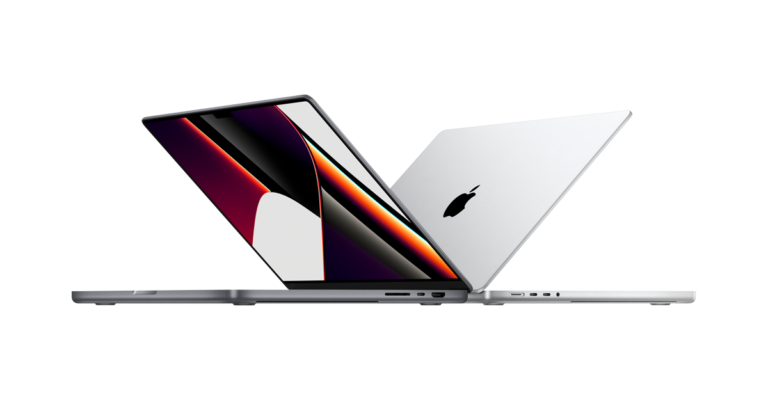
EZVIZ C6N smart security camera review: Good pan and tilt CCTV wireless option

2

Another Chinese company to enter the Indian market is EZVIZ with its new security cameras and devices. We played around with their flagship EZVIZ C6N smart security camera for homes over the last few weeks. This is the EZVIZ C6N smart security camera review you must go through if you are in the market to buy a PTZ camera for your home or office.

Out of the box, the EZVIZ C6N smart security camera looks like most others in the market including the one you get from Xiaomi. The contents of the chest include the security camera, a charger, a rather large USB cable to power the device (which is a very good thing) and a roof mounting bracket. The bracket is a good addition to the box, in our opinion, as it will keep the camera out of reach of perpetrators.

Setting up the EZVIZ C6N smart security camera is not hard at all. Just download the EZVIZ app from the Android or iOS store and scan the QR code with it that is placed on the Quick Start Guide. You would require to create a user ID in the app to use all the functionalities of the device. Once done, you are ready to record or see in real-time what the camera sees. Remember you must connect the CCTV camera to the same WiFi the app is on for the first time.

A microSD card of up to 256GB can also be put in the camera, which is nicely hidden beneath the lens. Talking about which, it has a 2MP sensor that can capture video in FHD (1080p). The clarity during the day is very good and at nighttime, it is decent thanks to the infrared light. Objects up to 5-8 meters are very clear during nighttime.

Also Read: Top 5 gadgets to make your home safer

EZVIZ-C6N-smart-security-camera-app

During EZVIZ C6N smart security camera review we tested its PTZ capabilities. Yes, it is a PTZ camera, which means you can remotely pan and tilt it. So, you always get a better view. The app does a good job, and you can record a moment through it as well on the cloud (optional). Features like motion detection and two-way talk are also there. This means you can interact with someone in front of the camera from anywhere around the world using the app. It makes up for a good baby monitoring camera as well.

Final Words

The EZVIZ C6N smart security camera is available at Rs 2,299 on Amazon. This is a very good price for a CCTV camera that has Full HD recording with PAN and Tilt features. If you run a kitchen/small business, want to monitor your children or dog in the house while you are away, it makes perfect sense to pick this device up.

For the latest gadget and tech news, and gadget reviews, follow us on TwitterFacebook and Instagram. For newest tech & gadget videos subscribe to our YouTube Channel. You can also stay up to date using the Gadget Bridge Android App. You can find the latest car and bike news here.

Nothing collaborates with Qualcomm, Nothing Phone likely to launch in 2022: Nothing Ear 1 to become more expensive

Ex-OnePlus co-founder Carl Pei’s Nothing has partnered with the American chipset maker Qualcomm. The company has been working on its first smartphone and the Nothing phone is expected to launch in 2022. 

Also, the news is confirmed that the Nothing 1 earphones will become more expensive. Price of the Nothing Ear 1 to rise from 10th Nov 2021 onwards to ₹6,999. Right now they are available at Rs 5,499. The rise in costs of select components and production processes is to be blamed for the price rise. The price rise will also happen in other countries as well. 

Till now Nothing only introduced one product that is Nothing Ear (1) and things are going to change soon as the Nothing Phone is in the works. This smartphone is expected to be released in early 2022. 

The London based consumer tech brand has announced it is collaborating with Qualcomm Technologies Inc. and its Snapdragon platform to power future tech products. In addition to this, Nothing has also raised an additional $50 million from strategic and private investors to strengthen its tech ecosystem.

Carl Pei, CEO and Co-founder of Nothing said, “The successful launch of our first product, ear (1), proved that there is room for a new challenger brand to emerge and disrupt today’s sea of sameness. Users deserve better products that are simpler to use, accessible, yet look amazing.” He further added “Seamless connectivity is paramount to achieving our vision of a future without barriers between people and technology. We look forward to working alongside Qualcomm Technologies and our strategic investors to achieve Nothing’s next phase of growth.”,

But before the company launches its very first Nothing smartphone the possibility is that it could introduce a power bank that is likely to be called Nothin Power (1). However, the details about the phone and the power bank are very less but the Nothing Power Bank could hit the market before the smartphone’s launch by the end of this year. 

Enrico Salvatori, senior vice-president and president, Qualcomm Europe/MEA, Qualcomm Europe, Inc. said, “We are excited to help Nothing bring to life its highly anticipated ecosystem of tech products. By combining the power and efficiency of Snapdragon mobile platforms with 5G connectivity across many different categories of devices, we are fostering the development of innovative products that are intended to benefit consumers and deliver richer, more immersive experiences.”

The company launched Nothing Ear (1) TWS earbuds were launched in India a few months back. And in this duration, the company has sold over 100,000 units of Nothing Ear 1 in the country. The device is now being offered in the country at Rs 5,499 via Flipkart.

For the latest gadget and tech news, and gadget reviews, follow us on TwitterFacebook and Instagram. For newest tech & gadget videos subscribe to our YouTube Channel. You can also stay up to date using the Gadget Bridge Android App. You can find the latest car and bike news here.

A look at the top air purifiers to buy before the air quality deteriorates in your city

Pollution is increasing in our country day by day. Not only is it affecting the lives of people but having a great impact on the environment too. To save ourselves we can surely consider buying an air purifier. Looking at the air pollution conditions in the country, even companies are pushing out their best models for the consumers. 

With so many options, it gets difficult to choose and differentiate on which grade, filter compound, pricing and features to consider while buying an air purifier. Worry not this article covers it all. Here are some of the best air purifiers you can buy. 

Dyson Pure Hot and Cool

The purifier is ideal for large spaces and is portable with a CMH( cubic meters per hour ) of 1,044. The purifier can easily filter harmful particulate matter like PM2.5 and PM10 under permissible limits. Dyson Pure can blow cool as well as hot air according to your needs. Other features include IoT connectivity, oscillation, scheduling, auto mode and more. The price of the air purifier might seem a little high but other features like IoT connectivity, oscillation, scheduling, auto mode and more makes it worth your money. Just plug the Dyson Pure into a 40W power supply and breath freely.

Price – Rs 39,900.

Buy Here

  • Xiaomi Mi Air Purifier 3

Xiaomi Mi Air Purifier 3

One of the most affordable solutions of air purification. With a CMH of 380, the Mi Air Purifier 3 is ideal for small rooms. The air purifier is equipped with a True HEPA filter with a 360 air suction module and the purified air is expelled from the top. This technology eliminates the air bubble effect making it ideal for rooms up to 400 square feet. The power consumption is also relatively less, at just 38 W.

Price – Rs 9,490.

Buy Here

  • Blue Star BS-AP490LAN

Blue Star BS-AP490LAN

With special UV-based microbe sterilisation technology, Blue Star BS-AP490LAN has a CMH of 915. Paired with Sense Air technology which can automatically detect, monitor and eliminate up to 99.7% of microbes and airborne pollutants. 

By keeping a record of this information, the air purifier changes its performance automatically. It also features an Odour sensor, which removes bad odour automatically when detected. The Blue Star BS-AP490LAN is powered by an 88 W power supply.

Price – Rs 13,490.

Buy Here

Read Also: Xiaomi announced the launch of Mi Air Purifier 3 in India

  • SAMSUNG AX40T3020UW

SAMSUNG AX40T3020UW

A 34 W air purifier that is ideal for a silent environment as the noise produced is just 45 DB. With a CMH of 327, this purifier is good for small to medium-sized rooms. There is a 4 colour LED indicator to provide you with information on the quality of air around you. The filtration duties are done by 3 step purification process i.e HEPA filtration, Dust filter and activated charcoal filter. There is no big screen or any such advanced feature in this air purifier making AX40T a classic choice.

Price – Rs 9,499.

Buy Here

  • PHILIPS AC1215/20

PHILIPS AC1215_20

A feature-packed air purifier with CMH of 677. Both the Philips AC1000 series use Vitashield IPS and NanoProtect Pro HEPA filters to eliminate P2.5 pollutants. The Philips purifier is also ideal for removing few total volatile organic compounds (TVOC) and harmful gases such as formaldehyde. Set the purifier in auto mode and the filtration will start automatically with a real-time air quality check. The company claims to remove bacteria and viruses from the air as well.

Price – Rs 9,000.

Buy Here

  • SHARP FP-J80M-H

SHARP FP-J80M-H

Sharp FP-J80 is silent as well as a low power consuming solution for air pollution. The air filter uses a Plasmacluter ion generator combined with an activated charcoal filter and an H14 grade HEPA filter to eliminate 99.97% of air pollutants. Few modes like haze and pollen mode make it stand out from the competition and are good for people having allergies or a sensitive nose. The coverage of the air filter is 680 CMH.

Price – Rs 27.614.

Buy Here

Read Also: How to check the battery health on iPhone and iPad?

  • Coway AirMega 150

Coway AirMega 150

A Korean company that is famous for making good air purifiers across the globe. The Coway AirMega uses a unique HEPA filter made out of Japanese Ginkgo leaves and Sumac trees, which are claimed to destroy protein on the surface of the virus. The company claims that the purifier removes 99.97% of air pollutants and 99.99% of viruses and allergens. The AirMega 150 is also equipped with an auto mode that adjusts the speed of the device automatically. Adding to it the features like smart pollution sensors and filter replacement indicator makes it a good choice for people willing to buy an air purifier.

Price – Rs 13,500.

Buy Here

These are some unique and best purifiers that one can buy for yourself and your family so that they can breathe better. These are a must-have for people staying in cities with the most pollution rate in India.

For the latest gadget and tech news, and gadget reviews, follow us on TwitterFacebook and Instagram. For newest tech & gadget videos subscribe to our YouTube Channel. You can also stay up to date using the Gadget Bridge Android App. You can find the latest car and bike news here.