Google is one of the most secure email service providing reliable methods of password protection. The 2-step verification from Google adds another layer to your account. Some other websites that offer two-step verification feature include Outlook, Amazon, Dropbox, and Facebook.
In This Article
Why do you need two-factor authentication?
This feature of Google adds another layer of security to your account. Google was of the first companies to provide a two-way authentication feature on its website. Once this feature is enabled, your account can be logged in only after authorisation from a physical device like a smartphone. Thus, it prevents unwanted access to your account.
How does the two-factor authentication Work?
When you activate the two-factor authentication feature in Google, your account will ask for the login password as well as a security key from a physical device to get access. The security key is sent to your smartphone through a text message or a voice call.
How does the two-factor authentication Work?
How to enable the two-factor authentication on Google?
You might have observed while working on your PC that all of a sudden, the mouse cursor stops moving. This issue is commonly known as the ‘Frozen Mouse’ problem. Touchpad or mouse is a necessary function. It makes your task convenient. Thus, this issue can’t be ignored especially when you face this problem frequently. In his article, we will talk about the major causes and ways to resolve this problem.
In This Article
How does the frozen cursor look like?
While using your system, you may suddenly experience the following issues that are indicative of the frozen mouse issue.
The system screen freezes and the mouse cursor disappears.
The cursor does not move at all even when you swipe the touchpad.
No response after clicking the buttons or scrolling the wheel.
It is a myth that an issue with the mouse or keyboard is the sole cause of the frozen mouse cursor. There are several causes for the frozen mouse cursor. These include the unavailability of CPU resources, crashing of the mouse driver, and a problem with the current application. In some cases it is the hardware itself as well.
How to resolve the frozen mouse problem?
Restarting the system solves the frozen mouse problem in most cases. However, you can implement take the following steps.
1) Ensure that the touchpad is active: In some laptops, tapping a certain portion of the touchpad disables the touchpad. It gives an impression as if the mouse cursor is frozen. Thus, ensure your laptop has not disabled the touchpad. Sometime it is connected to a Fn key on the laptop as well to enable to disable it.
2) Reinstall the application: Sometimes the installation of the recent application causes the mouse cursor to freeze. Boot the system into safe mode and reinstall the application.
3) Update the mouse driver: AN obsolete mouse driver often develops compatibility issues. Thus, update your mouse driver in safe mode.
4) Enable the mouse in the Device Manager: Go to Start > Device Manager > Mice and other pointing devices. If you find an exclamation mark, it indicates a disabled. Right-click the icon and select the ‘Enable Device’ option to enable the driver.
Enable the mouse in the Device Manager
5) Troubleshoot the external mouse: An external hardware issue could also be responsible for the frozen mouse cursor. The external mouse that you connected might be incompatible or damaged. Thus, troubleshoot the connected mouse.
It should be noted that troubleshooting can only resolve compatibility issues. If your device is found to be damaged, it shall need to be replaced.
For the latest gadget and tech news, and gadget reviews, follow us on Twitter, Facebook and Instagram. For newest tech & gadget videos subscribe to our YouTube Channel. You can also stay up to date with the Gadget Bridge Android App.
Buying a refurbished device like a smartphone or laptop is a challenging task. Although you are paying a lesser amount, there is a high chance of wear-out marks and malfunctioning. Refurbished gadgets go through a set of customers, so you need to make sure you don’t get a defected product. You should ask the following questions before buying a refurbished device to get a profitable deal.
In This Article
Question 1: What is the exact state of the refurbished device?
When you sell your used device like a smartphone to the company, it goes through a testing process. If the device seems like new and works properly, different methods of refurbishment are followed. Some brands put a tag “like new” on their refurbished gadgets. It relates to appearance and performance with respect to a new device. Thus, before buying a refurbished device, you must know the exact state and features. For instance, Amazon clearly reveals the battery capacity and if the smartphone has prior scratches.
What is the exact state of the refurbished device?
Question 2: Does the refurbished device come with a return policy?
The chances of malfunctioning in a refurbished deice are quite high. It may happen that it doesn’t work the way you expected. Companies like Amazon refrain from replacing the device’s skin. As a result, finding wear out marks on the refurbished gadget is quite common. Sometimes, the reference photograph hides the exact condition of the smartphone or laptop. When you finally get the refurbished item delivered, it may look much older than what is depicted on the website. Thus, ensure that the device comes with a return policy to save yourself from a loss-making deal.
Question 3: What kind of warranty comes with the refurbished device?
Contrary to a myth, some refurbished items do offer a warranty. Some companies offer a warranty beyond the return period. For example, Apple provides a one-year warranty on its refurbished products. Similarly, you get 90 days money-back satisfaction guarantee. The longer the warranty period you have, the safer the deal of buying the refurbished item is. Since the warranty period varies across sellers, you should search for the same product on multiple websites. Carefully read the vendor’s warranty terms before checking out.
What kind of warranty comes with the refurbished device?
Question 4: Will the refurbished smartphone be compatible with your network carrier?
This is the most critical yet most ignored detail while looking for a refurbished smartphone. Before buying one, you must not ignore the carrier limitations. Most of the websites mention the network carriers the device is locked in. However, if it’s unlocked, it will surely work will all the carriers including yours. After buying a locked phone, you can always choose to unlock it for your network carrier. Since the entire process of getting your smartphone unlocked can cost you time and money, it’s important that you verify this feature prior to buying. Luckily this does not imply in India, unless you are buying it from outside India.
Question 5: Does the refurbished device come with accessories?
Accessories play a significant role in deciding the deal price. Usually, smartphones or laptops with accessories are perceived as being relatively new as compared to the one’s void of accessories. On websites like Amazon, there are high chances of getting accessories along with the smartphone or laptop. These include earphones and a charger. However, you may not get the official charger that comes packed with a new device. These auxiliary items will help you save money by selling them. Thus, it important to look for websites that offer a complete package of the refurbished device.
Does the refurbished device come with accessories?
For the latest gadget and tech news, and gadget reviews, follow us on Twitter, Facebook and Instagram. For newest tech & gadget videos subscribe to our YouTube Channel. You can also stay up to date with the Gadget Bridge Android App.
The COVID-19 pandemic has caused organisations across the globe to carry out online meetings. Canon, a leading camera brand, recently announced to release a webcam accessory kit to allow users to easily set up Canon camera as a webcam.
In This Article
Who would require the webcam accessory kit?
The webcam installed in most of the laptops doesn’t provide crystal clear video capture. People who wish to achieve optimum video clarity through a new Canon DSLR should go for buying the Canon webcam accessory kit. This kit is essentially useful for those who already own a Canon DSLR and want to get the best out of that.
Which cameras will be compatible with the accessory kit?
Canon has decided to launch webcam accessory kits for a few of its DSLRs and mirrorless cameras that are listed below:
M50
M50 Mark II
M200
Rebel T3/EOS1100D
Rebel T5/EOS 1200D
Rebel T6/EOS 1300D
Rebel T7/ EOS 2000D
EOS RP
What are the components of the webcam accessory kit?
Canon revealed three kinds of webcam accessory kits that are available for preorder on Amazon (Buy Here). The two kits are compatible with the EOS M range of Canon cameras while the third kit is compatible with the EOS Rebel range of Canon cameras. Although each of the above kits consists of different components, they all include a USB cable and a battery insert and a power cord. The USB cable shall connect your camera to your PC. The battery insert along with the power cord will allow you to power your camera with a wall socket.
What are the components of the webcam accessory kit? (Image Credit: Canon)
What can the EOS Webcam Utility Software do with the kit?
With the Canon webcam accessory kit and EOS Webcam Utility Software, you can achieve the following.
1) Turn your EOS camera into a webcam: Using Canon’s EOS Webcam Utility Software, you can connect your EOS M series camera as a webcam to get high-quality video calls.
2) Live-Streaming like a pro: The EOS Webcam Utility Software and the kit accessories allow you to use your camera to stream live content and vlog. The kit along with the utility software provides a professional output at your home.
How much does the Canon webcam accessory kit cost? Is it worth the price?
The Canon webcam accessory kits will be sold at two price points. The two kits are quite affordable and will be available at $89.99 each (approx Rs 6,512.32). The third kit is comparatively expensive and will be sold at $159.99 (approx. Rs 11,578.01). When compared to buying individual components, the Canon kit is saving you around $12 (Rs 900 roughly). This amount may not seem significant at a glance but the company aims to provide everything in one package.
How much does the Canon webcam accessory kit cost? Is it worth the price? (Image Credit: Canon)
For the latest gadget and tech news, and gadget reviews, follow us on Twitter, Facebook and Instagram. For newest tech & gadget videos subscribe to our YouTube Channel. You can also stay up to date with the Gadget Bridge Android App.
Apple’s iOS offers one of the most convenient and secure interfaces. It offers dozens of features to have a personalised yet seamless user experience. With updates, new features are added including Face ID and appearance. Here are the Settings features that enhance accessibility and user experience.
In This Article
1) Disable 5G where not accessible
Apple released the 5G support for the first time on iPhone 12. Based on the availability of 5G access, the iPhone users can switch between 4G LTE and 5G. To turn off 5G, go to Settings > Cellular > Cellular Data Options > Voice & Data. In the Voice & Data Settings, tap the LTE option. To choose 5G, just turn 5G On.
2) Unlock your phone while wearing a face mask
Wearing a mask has been a necessity throughout the COVID-19 pandemic. Since half your face is covered, you can’t unlock your smartphone using the Face ID. After the stable release of iOS 14.5 is available, you will get a new face-unlock feature by which you can unlock your smartphone wearing a face mask. As of now, only a beta version of the feature is available.
3) Reveal notifications on your lock screen
By default, iPhones with the Face ID feature don’t show the contents of notifications on the lock screen. This is a privacy feature that you can change in the Settings. Go to Settings > Notifications > Show Previews. Select the ‘Always’ option. If you don’t want to reveal the notification contents, select the ‘Never’ option.
Show full notifications on your lock screen
4) Declutter the home screen
The Apple iOS 14 enables the users to more control over the visuals of the home screen. Using the App Library, you can remove app icons without deleting the app. You can also add different kinds of widgets. If you don’t wish to add new apps to the App Library, go to Settings > Home Screen. Now, choose either of the following options: ‘Add to Home Screen’ or ‘App Library Only’.
5) Use attractive wallpapers
Apple, in its recent updates, has included new wallpapers that you can add to the home or lock screen. Go to the Settings > Wallpaper. Ensure than the ‘Dark Appearance Dims Wallpaper’ option is enabled. Select ‘Choose a new wallpaper’ where you can pick Still or Live wallpapers. The black and white circle denotes that the current wallpaper adapts to light and dark modes.
6) Activate Do Not Disturb
The ‘Do Not Disturb’ settings is a highly useful feature that silences all notifications as per the schedule set by you. This feature helps you get sound sleep by preventing distractions from beep sounds and calls at night. However, you can always permit calls from selected contacts. The phone will also ring when someone calls you repeatedly in case of an emergency.
Turn on Do Not Disturb
7) Modify font-size to make the screen text readable
This feature is highly useful though rarely used by people. You can adjust the font size of the on-screen text to make it readable by old people or people with long-sightedness. Go to Settings > Display & Brightness > Text Size. Here you can use the slider to enlarge the font. You can also enable the ‘Bold text’ option to make the text look even stronger.
8) Alternate appearance to Face ID
Apple’s Face ID works on Artificial Intelligence to figure out your facial features. As a result, it learns the changes to your face after each scan to better adapt to the aspects of your face like a beard or make-up. If the Face ID fails to consistently recognise, you can add an alternative appearance. Go to Settings > Face ID & Passcode. Enter the PIN and choose the ‘Set Up An Alternate Appearance’ option.
9) Turn off auto-brightness for elongated battery life
The display is the most prominent feature of a smartphone. The brightness level determines the battery life of an iPhone. You can completely control the brightness level by turning the Auto-Brightness off. Go to Settings > Accessibility > Display & Text Size. Scroll down and turn off the Auto-Brightness switch.
10) Customising the Control Center
Control Center offers you one-touch features like switch songs, brightness level, and aeroplane mode. You can pick the apps for your Control Centre, Go to Settings > Control Center > Customize Controls. Discard a feature using the minus button and include the same with the green plus button.
Control Center puts everything a tap and swipe away
For the latest gadget and tech news, and gadget reviews, follow us on Twitter, Facebook and Instagram. For newest tech & gadget videos subscribe to our YouTube Channel. You can also stay up to date with the Gadget Bridge Android App.
Microsoft announced to release of its EA Play subscription to PC users who have Xbox Game Pass membership. The company is aiming to extend the players’ access to EA Play that offers Electronic Arts video games on subscription.
In This Article
What are the features of the Xbox Game Pass subscription?
With the Xbox Game Pass subscription, users will be able to access several video games without paying an extra cost. The game library includes Battlefield 5, Need for Speed Heat, and Star Wars Jedi: Fallen Order.
The EA Play subscription also comes with additional monthly rewards. The players can get rewards including EA Play Celebration Pack for Madden 21, Gold Team Fantasy MUT packs, and N7 Weapon Charm for Apex Legends. People using the EA Desktop app can get discounts on digital purchases. They will also access the exclusive in-game challenged and reward and member-only content.
What are the features of the Xbox Game Pass subscription?
Who will be able to access the EA Play subscription?
If you have already subscribed to EA PLay, you can access a variety of video games from Electronic Arts. The PC users holding Xbox Game Pass can avail of the subscription. It will also be available to Xbox Game Pass Ultimate members using Windows 10. The good thing about the plan is Xbox Game Pass members can play the PC and console versions of Star Wars: Squadrons on PC.
According to EA Play, “EA Play for PC is only available on PC, not on Mac. Games in The Play List may vary by region. Visit http://origin.com to see what’s available where you are.”
How much will the EA Play subscription cost?
The EA Play plan will be available to two kinds of users, namely, Xbox Game Pass PC subscribers and Xbox Game Pass Ultimate subscribers. The subscription cost of the Xbox Game Pass for PC will be ₹489 per month while that of the Xbox Game Pass Ultimate will be ₹699 per month.
How much will the EA Play subscription cost?
What is the procedure to get the plan?
PC users can enjoy the EA Play games using the EA Desktop app. Follow these steps.
1) Install the EA Desktop app
2) After installing the app, sign in with an EA account.
3) Now you will be asked to link their Xbox account and EA account.
4) After the linking process, you can download EA Play games on the Windows platform.
Windows 10 is expected to get an Auto HDR feature that was first launched with the Xbox Series X/ Series S in November 2020.
What is the procedure to get the plan?
According to Xbox Game Pass Team, “When enabled on your HDR-capable gaming PC, you will automatically get awesome HDR visuals on an additional 1000+ DirectX 11 and DirectX 12 games!”.
For the latest gadget and tech news, and gadget reviews, follow us on Twitter, Facebook and Instagram. For newest tech & gadget videos subscribe to our YouTube Channel. You can also stay up to date with the Gadget Bridge Android App.
Google Lens, an image recognition technology developed by Google, recently received a beta update that provides a gallery to view pictures. Google Lens utilises the smartphone camera and implements Deep Learning to detect objects, language translation and scan codes.
In This Article
What new feature does the new update offers?
Although the new update of Google Lens is not a major one, it will add to the convenience of using the app. The Google Lens application is of great utility as it enables users to perform various functions including. Besides the QR scan, it helps in object identification, explores places, text translation, and real-time analysis of live photos. The Gallery mode will further extend its capabilities. It will help users to quickly navigate through pictures through the Google Lens application.
What new feature does the new update offers? (Image Credit: Google)Download Google Lens on the Play Store
How to access the new feature?
You can find the new feature of Google Lens in the beta version of the app on Android. When you tap the gallery icon located next to the shutter, the updated app will allow you to scan the gallery in a thumbnail format. The app will display a fullscreen list of images arranged into folders. You can also view the recent eight screenshots that you took. To view the contents of a folder, tap the View All button.
What is the significance of the update?
According to Google lens. the new update will add convenience to online education with the ‘Education Mode’. Here are the key advantages.
1) This mode will assist students in solving complex problems. They will be able to see the solutions just by clicking a picture.
2) Students belonging to Science and Engineering fields can also seek solutions to problems by giving likely interpretations of the concepts.
What is the significance of the update?
The above features come under Google’s project named ‘The Anywhere School’. The motive of the project is to link different Google services like Meet, Classroom, and Suite for enhanced educational benefits.
For the latest gadget and tech news, and gadget reviews, follow us on Twitter, Facebook and Instagram. For newest tech & gadget videos subscribe to our YouTube Channel. You can also stay up to date with the Gadget Bridge Android App.
Twitter, the American microblogging and social networking service, is working on a new feature that will allow users to play YouTube videos straight away from tweets. This feature looks similar to the ‘Picture in Picture’ feature of WhatsApp that also enables you to watch YouTube videos within the chat in a mini player without opening the browser.
In This Article
How will the YouTube video play feature of Twitter work?
As of now, when a user clicks on the YouTube link embedded in a tweet, he is redirected to the website of YouTube video. Once the new feature is released, the user will be able to play the video directly on the Twitter app or website. This will save the user from getting redirected to the new window. Instead, they remain on the app and quickly switch back to their feed after watching the video.
How will the YouTube video play feature of Twitter work?
When can we expect the new feature of Twitter to come?
Twitter said that the new feature is in the testing phase on iOS. The company also revealed a GIF showing how the new YouTube feature will work.
According to Twitter, “Starting today on iOS, we’re testing a way to watch YouTube videos directly in your Home timeline, without leaving the conversation on Twitter”.
The new feature is expected to be released in a small batch of users in countries like the US, Canada, and Japan.
What else is Twitter working on?
Besides the new YouTube video play feature, Twitter revealed other projects that are being tested. The company is testing new methods to share and view media like audio and video within the app.
According to Twitter, “Now testing on Android and iOS: when you Tweet a single image, how the image appears in the Tweet composer is how it will look on the timeline bigger and better. We’re testing ways for you to upload and view 4K images on Android and iOS. If you’re in the test, update your high-quality image preferences in Data usage settings to get started”.
Soon we can also find the Undo button on Twitter. Although the Undo feature will not allow users to edit their posted tweets, it shall give them a chance to un-send them.
What else is Twitter working on?
Recently, Twitter rolled out some useful features including voice tweet and voice DM. The new YouTube video play feature is also expected to be welcomed by the people and will enhance the user experience.
For the latest gadget and tech news, and gadget reviews, follow us on Twitter, Facebook and Instagram. For newest tech & gadget videos subscribe to our YouTube Channel. You can also stay up to date with the Gadget Bridge Android App.
An Echo device like Amazon Alexa has become quite popular among households. It lets you control smart devices through a home automation system. Moreover, it can interact with you and do several other tasks including music playback, providing weather information, and setting alarms, and making to-do lists.
In This Article
Who needs to use the Echo with two Amazon accounts and why?
Amazon Household is quite useful for families using an Echo device. It allows you to share digital content including video games and ebooks. You can also use the other person’s account to make online purchases when especially when that person has a Prime account.
What are the limitations of the Amazon Household account?
Although Amazon Household enables you to share Amazon benefits with another person say adult, teens, and children, it comes with certain limitation. These are as follows
1) You can add only one other adult to your household account.
2) Amazon provides you to add up to four teenagers of age 13 to 17.
3) You can add up to four children of age 12 or under using the Amazon Kids Plus plan.
What are the limitations of the Amazon Household account?
How to add someone to your Amazon Household?
1) Go to the Amazon website and open the Amazon Household page.
2) Choose the appropriate option among the following: ‘Add Adult’, ‘Add a Teen’, or ‘Add a Child. For the sake of example, we’ll choose the ‘Add Adult’ option.
3) Enter the name and email address of the adult person you want to add. For sharing the account, the person will be asked through an email to join your Amazon Household.
4) Once you’ve added the person to the Amazon Household, you can easily switch accounts by saying “Alexa, switch accounts”.
If you want to know which account you’re using, just say, “Alexa, identify account”.
How to add someone to your Amazon Household?
How to delete the second account?
It may be the case that the other person is no longer a part of the household. Removing a person from the Amazon Household is quite easy. Follow these steps.
1) Go to the Amazon website and open the “Manage your Household” page.
2) You’ll find the icons representing you and the other member located on the left side. You may choose two options.
3) Either select ‘Leave’ if you yourself wish to leave the household or ‘Remove’ to remove the other person from the Amazon Household.
How to delete the second account?
It must be noted that when an adult leaves or is removed from the Amazon Household, the same person can’t join for the next 180 days. However, if you accidentally deleted the other person’s account, you can contact Amazon Customer Support without facing the 180 days restriction. This method also works when you merely want to shift a member to a different Amazon Household without facing 180 days ban.
For the latest gadget and tech news, and gadget reviews, follow us on Twitter, Facebook and Instagram. For newest tech & gadget videos subscribe to our YouTube Channel. You can also stay up to date with the Gadget Bridge Android App.
Micromax launched its new smartphone IN 1 on March 19, 2021. The company boasts the smartphone as “India Ka Naya Blockbuster” i.e. it’s a smartphone designed for a self-reliant India. The launch event had been eagerly awaited by smartphone enthusiasts. Let’s find out if this smartphone can dominate other players in the price segment.
In This Article
What are the features of the new Micromax IN 1?
Micromax is renowned for offering awesome features at an affordable price. Here is a crisp breakdown of individual functionalities.
1) Camera: You get a 48MP triple rear camera setup (a 48MP primary lens, a 2MP depth sensor, and a 2MP macro lens). The rear camera comes integrated with Artificial Intelligence that will give new dimensions to photography and video capturing. The IN 1 is the only smartphone in this price range to offer a Night-mode on both the front and rear cameras.
2) Display: This is with an elegant 6.67inch FHD+ with the selfie camera embedding in the punch-hole in the screen. You get a full 80degree viewing angle with 440 NITS of brightness.
3) Processor: The new IN 1 offers the powerful MediaTek Helio G80 processor. The Arm Mali-G52 class GPU with a peak speed of 950MHz is expected to make this smartphone quite popular among budget gamers.
4) Battery: The 5,000mAh battery installed in the new IN 1 is 100% Made in India. The battery can easily last up to 2 days once fully charged. You get an 18W fast charger so that you don’t have to wait for too long for music streaming and web browsing.
5) Design: The new IN1 looks more expensive than it is, owing to its elegant design. With merely 9mm thickness, it comes with a metallic finish and a unique X Pattern. The matte finish and Oleophobic coating protect it from fingerprint smudges
6) Connectivity: The IN 1 is a 4G smartphone supporting the latest Bluetooth V5.0 for efficient data transfer. You get Dual VoWi-Fi, Dual VoLTE and Dual Wi-Fi (2.4GHz/5GHz) features.
The device runs a Pure Android OS i.e., you will not get the skin, bloatware, and irritating advertisements. In a nutshell, the smartphone offers high performance and sleek design.
According to Rahul Sharma, Co-Founder, Micromax India,
“The IN 1 is inspired by the Indian cinema, and just like a superhit movie, we have tried to incorporate the best-in-class technology and great features to give you a seamless, safe and delightful experience. From the processor to the display, camera and battery, we have worked hard to incorporate all key features to make it a true blockbuster. We immensely value the feedback we receive from our consumers, which is why IN 1 brings to you enhanced hardware and software capabilities at India Ke Liye completely honest prices. It is the complete smartphone for all Indians.”
What are the variants of the new Micromax IN 1 and their respective prices?
The Micromax In 1 is launched in two variants, 4GB + 64GB and 6GB+128GB. The price of each variant is as follows.
Price of 4GB + 64GB variant: ₹ 10,499
Price of 6GB+128GB variant: ₹ 11,999
The smartphone will sport the following two colours, Purple and Blue.
When can you buy the new Micromax IN 1 and where?
The Micromax In 1 will be available for the first sale on March 26, 2021, at 12 PM. You can buy it exclusively on micromaxinfo.com and Flipkart. The company will also release an introductory offer for a limited period as long as the stock lasts. In this offer, you can get the smartphone at a discount of ₹500.
When can you buy the new Micromax IN 1 and where?
The best part about the phone is that its major components are manufactured within the country to consolidate the objective of ‘Atmanirbhar Bharat’. The display and camera quality with AI integration is just amazing. However, we had expected 5G connectivity considering the evolving requirements. However, considering the price point, the IN 1 might re-establish the company’s position in the Indian market.
For the latest gadget and tech news, and gadget reviews, follow us on Twitter, Facebook and Instagram. For newest tech & gadget videos subscribe to our YouTube Channel. You can also stay up to date with the Gadget Bridge Android App.
Pokemon Go in a tweet announced, “Trainers, get ready to dress with a splash of color! Two all-new T-shirt avatar items, inspired by the Festival of Colors, will be available for free to all Trainers worldwide!”
On the Indian festival of Holi this year, the augmented reality mobile game Pokemon Go will host a new in-game event on March 28, 2021. The event will allow players to earn special rewards to celebrate the “Festival of Colours” safely amidst the CoVID-19 pandemic.
In This Article
What is the Pokemon Go Holi Event all about?
Niantic, the Pokemon Go developer announced on the official blog post regarding the special Holi event. It will be an event dedicated to the Indian market rather than being a global event. Pokemon Go players in India will have to accomplish several in-game challenges to gain exclusive rewards including Pokemons and in-game items. The in-game items include Golden Razz Berry, Ultra Balls, Great Balls. The players will also encounter Alolan Muk, which is a colourful Poison-type Pokemon.
The Holi event is designed such that Pokemons exhibiting different colours of the Holi will be drawn towards Incense more frequently as compared to others. These colourful Pokemons include Pikachu, Jigglypuff, Alolan Grimer, and Bulbasaur. There will be following two kinds of event boxes available for the players.
Box 1 will contain 100 PokeCoin, 30 Poke Balls, a Lucky Egg, and 10 Pinap Berries.
Box 2 will be free of cost and will contain three Incenses.
What is the Pokemon Go Holi Event all about?
What will the global Pokemon Go players get?
Although the Holi event is dedicated to Indian players, the Pokeom Go global community can also avail of the special offers. Global players can get two new T-shirt avatar items with the theme of the “Festival of Colours”. These offers will be free of cost to spread the enthusiasm and joy of Holi to the Pokemon Go community across the globe.
When will the event start?
The Pokemon Go Holi event will be live on March 28, 2021, at 10 AM. and will continue till 8 PM. During that time, Indian players can enjoy participating in tasks and win offers. However, the global offer of “Festival of Colors” T-shirts will begin on March 26, 2021, at the in-game shop. According to reports, Niantic is planning to hire extra employees to maximise its reach throughout India on the “Festival of Colours”.
When will the event start?
For the latest gadget and tech news, and gadget reviews, follow us on Twitter, Facebook and Instagram. For newest tech & gadget videos subscribe to our YouTube Channel. You can also stay up to date with the Gadget Bridge Android App.
Facebook recently announced that it will stop recommending users worldwide regarding Facebook groups dealing with social and political issues. Last year, the company took several steps in promoting groups in search engine results and news feeds.
In This Article
Why did Facebook take this step?
There have been persistent criticisms by researchers and civil rights organisations regarding Facebook groups. According to them, Facebook has eagerly promoted misinformation. They believe that the platform, apart from offering a place to people with common interests, is providing a platform for organised radical activity.
According to Tom Alison, Facebook’s vice president of engineering, “They want us to turn down the temperature a little bit”.
During the US election and before the January 6 Capitol assault, Facebook groups were reported to spread misinformation and intense discourse. For instance, groups like “Stop the Steal” swiftly emerged even though their recommendations were stopped.
Why did Facebook take this step?
What will be the benefit of removing social and political group recommendations?
Throughout the COVID-19 pandemic, Facebook refrained from recommending health groups to users. This was done to stop rumours regarding the infection during a time when not much research was done on the virus. Recently, it has also busted some group as a part of the policy to check “militarised social movements.”
According to Facebook, the removal of the recommendations regarding social and political issues groups will significantly reduce tensions on the website. The new step will also restrict the reach of groups that violate Facebook’s terms and policies. Algorithmically, it is done by rating them lower in the recommendation list and warning people before they join groups that have earlier violated site rules.
How will Facebook implement the new step?
According to Tom Alison, Facebook’s vice president of engineering, the new Facebook groups on a particular subject would have to wait for 21 days before they could be recommended to users. In the meantime, the company would analyse how the group is projected to function.
Facebook stated that it would need some moderators to temporarily validate group posts. These posts pertain to the groups having rule-breaking members or those belonging to previously banned groups. However, Tom Alison, Facebook’s vice president of engineering, did not reveal the criteria to decide when a rule-breaking group or its members would be banned from the website.
How will Facebook implement the new step?
Groups have been the strategic priority for Facebooks since 2017. Facebook’s CEO, Mark Zuckerberg believes that Facebook groups are effective means to promote “meaningful connections”.
For the latest gadget and tech news, and gadget reviews, follow us on Twitter, Facebook and Instagram. For newest tech & gadget videos subscribe to our YouTube Channel. You can also stay up to date with the Gadget Bridge Android App.
Jio is one of the most prevalent telecom service providers in India. It is preferred for its wide availability and robust connection. JioFi is a trusted Wi-Fi router used by a significant number of Jio users due to is connectivity and portability.
In This Article
Who needs to update the JioFi password and why?
When you connect the same router to multiple devices, it becomes susceptible to unauthorised usage. You may start experiencing reduced internet speeds. This may impact your browsing experience and work. Moreover, when the router’s password is available with several users, it increases the chances of hacking. Thus, it’s a good habit to update your JioFi password once every three months.
How to change the JioFi password using the website?
To change the JioFi password using the website, follow these steps.
Connect your device with the JioFi hotspot
Launch a web browser on the connected device. In the search field, you will need to add http://jiofi.local.html or http://192.168.225.1
Once you’re on the website, click the Login option located on the top-right part of the screen.
Enter the credentials i.e. username and password and click the login button.
Now go to Network > Wi-Fi Configuration > Secure key
YouTube is releasing a new feature called “Checks” that will verify a video for copyright violation before it’s published. YouTubers will be able to find this feature no YouTube Studio dashboard while uploading a new video.
In This Article
How will the YouTube “Checks” feature work?
According to YouTube, “The copyright checks usually finish within three minutes, while monetization checks can take a couple of minutes longer. You’ll see a time estimate on the screen”.
While you are uploading a new video, YouTube’s algorithm will scan the content of the video. If any content is found that violates the copyright of original content, YouTube shall block the video from getting published.
According to YouTube, “You no longer have to publish a video as unlisted or private. Once the checks have completed, you’ll know if your video’s visibility or monetisation potential will be restricted once it’s public. However, it’s still possible for your video to receive restrictions after it’s published”.
How will the YouTube “Checks” feature work?
What will be the benefits of the new feature?
Prevention is indeed better than cure. The new feature of YouTube verifies the video for violation of copyright before it’s published. It will have the following benefits.
1) Encourages original content: Many YouTubers kept uploading content without caring for copyright violation. A significant number of them went unnoticed for violating the copyright. Now, the “Checks” feature will prevent the creators from uploading copyright content thereby encouraging creativity.
2) Fewer copyright violations: Since the copied material is blocked from getting published, there will be a drastic reduction in the number of cases of copyright violation.
3) Increased productivity: YouTube restricts the videos containing copyright content from getting monetised. As a result, YouTubers would eventually delete those videos nullifying the money and effort that was invested in creating the video. Now, they can put their energy into authentic content.
According to YouTube, “Keep in mind that if an issue is found, it might impact the video’s visibility or monetisation of the video”.
What is the benefit of the new feature?4) Minimised strikes on the channel: Since copied content will not be uploaded on YouTube, the chances for a YouTube channel to receive strikes for copied content will be minimum. However, it can still get banned for violating YouTube’s terms and policies.
According to YouTube, “protect your videos from other potential issues after publishing (like future manual claims, copyright strikes, and/or restrictions as a result of edits to your video settings)”.
5) Efforts reduced for copyright holders: Till now, the copyright holder had an extra responsibility of protecting their content from being copied on YouTube. Now, the same task will be taken care of by the “Checks” feature.
The new feature will discourage YouTubers from using someone’s intellectual property for raising their own channel and will encourage creativity.
For the latest gadget and tech news, and gadget reviews, follow us on Twitter, Facebook and Instagram. For newest tech & gadget videos subscribe to our YouTube Channel. You can also stay up to date with the Gadget Bridge Android App.
Samsung recently launched its Galaxy F62 smartphone in India at a starting price of Rs 23,999. The smartphone has an impressive set of specifications including a 7,000mAh battery, a 64MP primary camera, and an AMOLED display. Is Samsung Galaxy F62 a good buy for you? Read the rest of our review to find out:
In This Article
Samsung Galaxy F62 design and display
Let’s begin by talking about the look and feel of Samsung Galaxy F62. The smartphone is really good to look at and its design really stands out. The handset is available in Laser Blue, Laser Green, and Laser Black colour options and the one that we got for review was dressed in Black. The Black colour on the back panel transitions to Silver towards the bottom. There are thin stripes that run along the rear panel of the device, that also houses the quad camera setup, the LED flash and the Samsung branding. The frame and the back of the smartphone are made of plastic and have a glossy finish.
The right edge of Samsung Galaxy F62 has the Power and the Volume Rocker keys while the left edge has the SIM tray. The 3.5mm headphone jack, the Type-C port, the microphone and the speaker grille are at the bottom, while the secondary microphone is at the top.
Flip over, and you will see the 6.7-inch screen of the smartphone. The handset has a full-HD+ Super AMOLED Plus display that comes with a refresh rate of 60Hz. There is a selfie camera placed in a hole-punch cutout on the top middle part of the screen, right below the earpiece. It is worth pointing out that the device lacks an onscreen fingerprint scanner.
Coming back to the display of the smartphone, it can easily be called one of its best aspects. The images displayed were sharp and clear and the colours were vibrant. The brightness of the screen adjusted automatically according to the ambient lightning and the viewing angles were good too. The sunlight readability could be better. We spent a lot of time binge watching shows on Netflix using Samsung Galaxy F62 and the experience was really good, especially because the sound quality of the device matched the display quality.
Samsung Galaxy F62 performance and cameras
Before we speak about the performance of Samsung Galaxy F62, let’s quickly talk about its specifications. The handset is powered by an Exynos 9825 processor clubbed with 6GB/8GB RAM. The smartphone has 128GB of onboard storage and runs Android 11 skinned with One UI 3.1. The device boasts of a 7,000mAh battery and for imaging duties, there is a 64MP primary camera, a 5MP macro lens, a 12MP ultra-wide sensor, and a 5MP depth sensor. There is also a 32MP front camera for selfies and video calls.
The user interface of the smartphone is clean and you do have an option of selecting the additional apps you want installed on your device at the time of setup. However, even then, there were some besides the usual suite of Google apps and Samsung apps, like Facebook and Netflix, which were pre-installed. We did not get too many notifications while using the device, although there were some from the Galaxy Store. The handset has a number of nifty gestures that you can find in the Settings section, which you may find useful.
Coming to the performance of Samsung Galaxy F62, in most cases, it was smooth. Performing day-to-day tasks was a cakewalk for the device, and it did well even when it came to multi-tasking. We opened a number of apps and switched between them, and we did not face any lag in the performance. We even played several graphic-heavy games on the smartphone including Asphalt 9: Legends. While we didn’t experience any lag in gaming as well, the device did start warming up after like 10 minutes of play. You would find more gaming options in the One UI Game Launcher and if you want to block out notifications, you can switch to the Priority Mode.
The real highlight of the handset is its 7,000mAh battery. Even with heavy usage, involving social media apps, gaming, watching shows on Netflix and more, the battery of Samsung Galaxy F62 easily lasted two complete days. With moderate usage, you can use it for even longer. We found this to be extremely impressive. Since the battery capacity of the device is massive, you should know that it takes almost two hours to charge it using the 25W charger that’s there in the box.
Now, let’s talk about the cameras of the smartphone. As we mentioned earlier, Samsung Galaxy F62 comes with a quad rear camera setup that comprises of a 64MP primary lens, a 12MP ultra-wide lens, a 5MP depth sensor and a 5MP macro sensor. On the front panel, there is a 32MP camera for selfies.
Clicked from the primary camera
The primary as well as the ultra-wide cameras of the smartphone clicked some great shots in well-lit areas, especially outdoors. The images had very good details and were sharp and clear. The colour reproduction was apt too.
Clicked from the ultra-wide camera
However, a few shots taken from the ultra-wide sensor do have some distortion. In lowly-lit areas or at night, the two cameras showed good results with the Night Mode on, and we highly recommend turning it on.
Night mode shot
The macro camera’s performance was slightly inconsistent. While it did a good job during the day, in lowly-lit areas, the shots taken with it were just average. The Portrait Mode on the handset worked well too and you do get some filters for customization.
Clicked from the macro lens
The front camera did a fairly good job when we used it outdoors. We also managed to click some decent selfies indoors in well-lit conditions.
Verdict
At a price of Rs 23,999, Samsung Galaxy F62 has several features that make it a good investment. The smartphone’s design stands out and watching content on its display is a treat to the eyes. The battery life of the device is outstanding and its biggest pro. The performance is smooth too. The notifications on the device may be annoying to some and the lack of onscreen fingerprint scanner is not a deal breaker but would have a been a great addition. The cameras mostly did a good job, although their performance could be more consistent. Despite these minor hiccups, Samsung Galaxy F62 is smartphone you won’t regret buying. Go for it.
Pros
Google Chrome is one of the most preferred browsers due to its intuitive experience and security. It has been evolving since its inception to deliver a personalised browsing experience to its users. The Live Caption is another useful feature that you find in the updated version of the Chrome browser.
Yes, the new Live Caption feature automatically provides captions for the audio and videos that you play on the browser.
In This Article
How do the Live Captions function?
Once you activate the Live Caption feature from the Chrome Settings, the browser engine uses Machine Learning to process and convert audio signals into their equivalent text. You can find captions appearing in a movable box at the bottom of the Chrome window. Although the words of speech appear with a short delay, they have a high degree of accuracy. The interesting thing regarding this feature is that you can see the subtitles even when the volume is turned off.
How do the Live Captions function?
What are the advantages of the Live Caption feature?
The Live Caption feature was first introduced in Pixel smartphones in 2019. They are of great utility.
1) Hearing disability: The Live Caption feature has enabled people with hearing disability to get an enhanced experience over the internet. Now they can understand the speeches and videos that are primarily void of subtitles.
2) Do not disturb: The Live Caption feature works even when the system volume or the browser media player volume is turned off. As a result, you can read the captions to understand podcasts and speeches.
3) Lyrics: The Live Caption feature is highly useful for music listeners. The lyrics of the fast-tempo songs is difficult to catch. The Live Caption feature will effectively display the lyrics that you can even pause to understand the meaning.
How can you enable Live Captions?
You can enable the Live Captions in the latest version of Chrome browser in the following steps.
1) Click the vertical three dots located on the top-right.
2) Click the ‘Settings’ option
3) Scroll down to the bottom
4) Click the ‘Advanced’ option
5) In the ‘Advanced’ settings, locate the ‘Accessibility’ section
6) You’ll find the ‘Live Caption’ option with the following explanation: “Automatically creates captions for English audio and video. Audio and captions never leave your device”.
7) Turn the ‘Live Caption’ on.
How can you enable Live Captions?
As soon as you toggle the option on, Chrome will automatically download speech recognition files. Now when your browser plays audio, the captions will appear.
For the latest gadget and tech news, and gadget reviews, follow us on Twitter, Facebook and Instagram. For newest tech & gadget videos subscribe to our YouTube Channel. You can also stay up to date with the Gadget Bridge Android App.
Intel, the world’s largest semiconductor chip manufacturer, recently released its new 11th Gen Intel Core S-series desktop processors including the flagship Intel Core i9-11900K chipset. It is claimed to be a significant improvement from its predecessor with the capability to clock to 5.3 GHz with Intel Thermal Velocity Boost. As a result, it will greatly enhance the gaming and media experience.
In This Article
What is the architecture of the new Core S-series desktop processors?
The new Core S-series desktop processors are designed on the new Cypress Cove architecture. These chips will improve the hardware and software efficiency thereby enhancing the gaming experience. The Intel Core i9-11900K consists of 16MB of Intel Smart Cache and eight cores that are capable of handling 16 threads. The new architecture brings up to 19% more IPC (Instructions Per Cycle) (IPC) for the highest frequency cores. To attain intelligent graphic capabilities, it implements the Intel Xe graphics architecture.
What is the architecture of the new Core S-series desktop processors?
How will it enhance the gaming experience?
The performance of games relies on high-frequency cores for rendering several frames per second and reducing latency. The new 11th Gen desktop processors are designed to bring to the gamers the best gameplay experience. The new architecture is capable of taking up to 19 gen-over-gen instructions in each clock cycle. This will enable the GPU to seamlessly perform complex rendering techniques like anti-aliasing and ray-tracing. The fast memory speeds of DDR4-3200 will provide multitasking capabilities and smooth gameplay.
How will it enhance the gaming experience?
How will it enhance the media and streaming features?
The new 11th Gen Intel Core S-series is capable of offering exceptional media experiences including AAA gaming and high-definition streaming. The DDR4-3200 MHz support with 20 PCIe 4.0 lanes and Intel Quick Sync Video provide high-efficiency video decoding and end-to-end compression.
Why is it better than the predecessor?
Compared to the predecessor, the new 11th Gen Intel Core S-series desktop processors have made the following improvements.
Up to 19% gen-over-gen IPC performance enhancement
Intel Xe graphics architecture to achieve up to 50% better-integrated graphics performance
Support of the Intel Deep Learning Boost and Vector Neural Network Instructions to stimulate artificial intelligence (AI) inference
Improved tools and features for allowing smooth overclocking and tuning performance
Intel has collaborated with over 200 game developers to reach the current level of game engines and rendering optimisations.
What is the architecture of the new Core S-series desktop processors?
How does it achieve superior tuning and stability?
The new 11th Gen Intel Core desktop processors have come up with new overclocking tools to achieve smoother tuning and hence superior game performance. The real-time memory allows overclocking to feed real-time changes to DDR4 frequency. It will provide memory support for H570 and B560 chipsets to experience overclocking. Other capabilities include Advanced Vector Extensions (AVX), AVX-512 voltage guard band override, and an integrated memory controller with broader timings.
For the latest gadget and tech news, and gadget reviews, follow us on Twitter, Facebook and Instagram. For newest tech & gadget videos subscribe to our YouTube Channel. You can also stay up to date with the Gadget Bridge Android App.
Sennheiser recently released its new earphones with the name IE 300. These earphones are claimed to offer a high-quality listening experience capturing every nuance of the sounds you play. The German company has set standards in the field of professional audio systems. The company is celebrating its 75th anniversary with a new set of earphones that will continue the legacy.
According to Kapil Gulati, Director, Consumer Segment, Sennheiser India, “Sennheiser has been at the forefront of innovation and has evolved into developing some of the finest audio peripherals in the market right now. With the armour of high-end audio products, Sennheiser has paved the way to an audio revolution. Taking this legacy forward, we are excited to launch the all-new Sennheiser IE 300 in-ear headphones that have been crafted to offer a premium audio experience for our customers with impeccable sound quality when on the go.”
In This Article
What sound quality is offered by the new Sennheiser IE 300?
The new Sennheiser IE 300 is designed with an upgraded Sennheiser’s 7mm Extra Wide Band (XWB) transducer to deliver excellent sonic accuracy. The earphones are premium both in design and sound signature. The device consists of an optimised membrane foil that minimizes natural resonances to render a noiseless listening experience. With the Total Harmonic Distortion (THD) value of less than 0.08% at 1KHz, this earphone cuts the reflection inside the resonator chamber for detailed frequencies. It can produce sounds ranging from 6Hz to 20KHz so that you get the true-bass and refined trebles.
How comfortable are the new Sennheiser IE 300?
Sennheiser claims the IE 300 to be highly comfortable and durable. Sennheiser is renowned for designing the most professional and ergonomic audio systems. The new earphones come with flexible ear hooks that can be adjusted. The silicone and memory foam ear adapters provide a soft feel even after sustained usage. These adapters are available in three sizes, namely, small, medium, and large. The earphones provide a secure fit for optimum noise isolation. Thus, you can wear them in all kinds of sounding environments with comfort.
How comfortable are the new Sennheiser IE 300?
Is the new Sennheiser IE 300 durable enough?
The Sennheiser IE 300 consists of a 3.5mm cable guarded by para-aramid material to maintain strength even after several bend cycles. You get balanced cables with 2.5mm or 4.4mm connectors as optional gear. The gold-plating of the Fidelity+ MMCX connector minimises conductive noise and prevents rusting and wearing out. You get a premium case for keeping your earphones safely while travelling.
Power banks are highly useful gadgets proving a charging facility for your devices on the go. While travelling you may not find a charging socket at all places. Thus, a power bank keeps your devices charged so that you don’t get deprived of clicking pictures and listening to music. Considering the massive size of the latest smartphones, we’ve come with powerful power banks with a capacity of at least 10,000 mAh. Here is the top 10 list.
In This Article
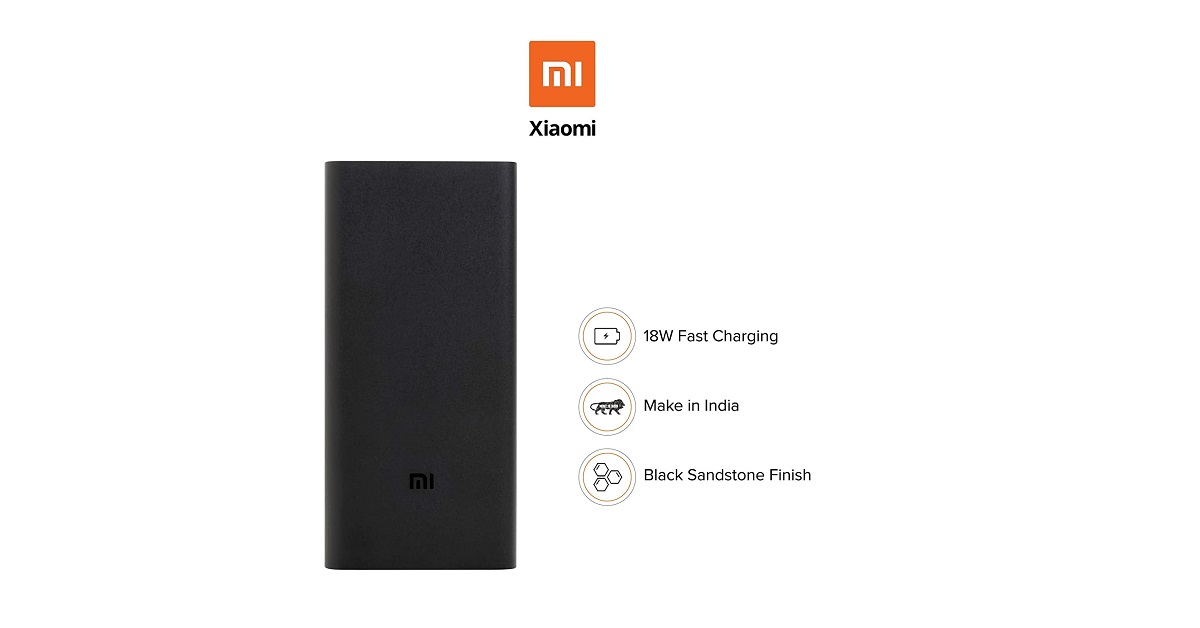
1) Mi 20000mAh 2i
Mi 20000mAh 2i comes with an attractive design, durable quality, and high output capacity. This power bank fully supports fast charging. With dual USB output, you can charge two devices at a time. The ABS material used for making this power bank is lightweight, eco-friendly, and of high quality. Once fully charged, the power bank holds enough backup to charge a 3000mAh phone battery 4 times. This power bank now comes with a black metallic finish.
Mi 20000mAh 2i
Capacity (mAh): 20,000
Price: ₹ 1999
Buy on Amazon
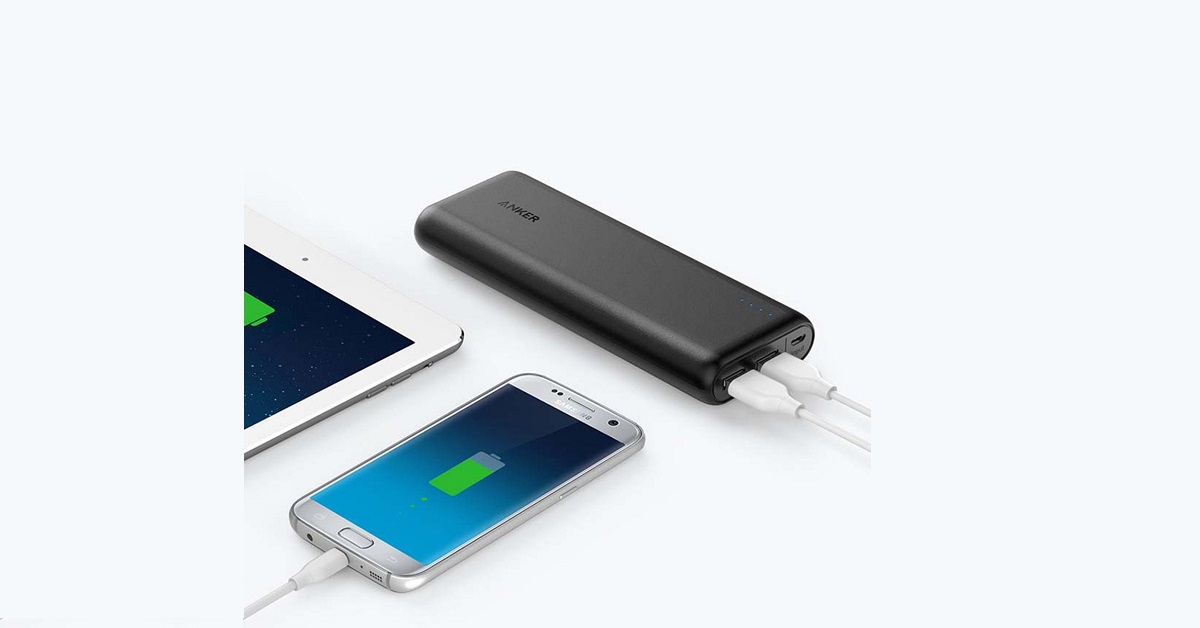
2) Anker PowerCore 20100
The Anker PowerCore 20100 Power Bank is based on the PowerIQ and VoltageBoost technologies to offer fast and constant charging. The power bank comes with the MultiProtect safety system that ensures protection to the connected device and the user. The elegant matte finish improves grip and avoids smudges. This power bank is compatible with the included cable as well as third-party certified cables.
Anker PowerCore 20100
Capacity (mAh): 20,100
Price: ₹ 3,189
Buy on Amazon
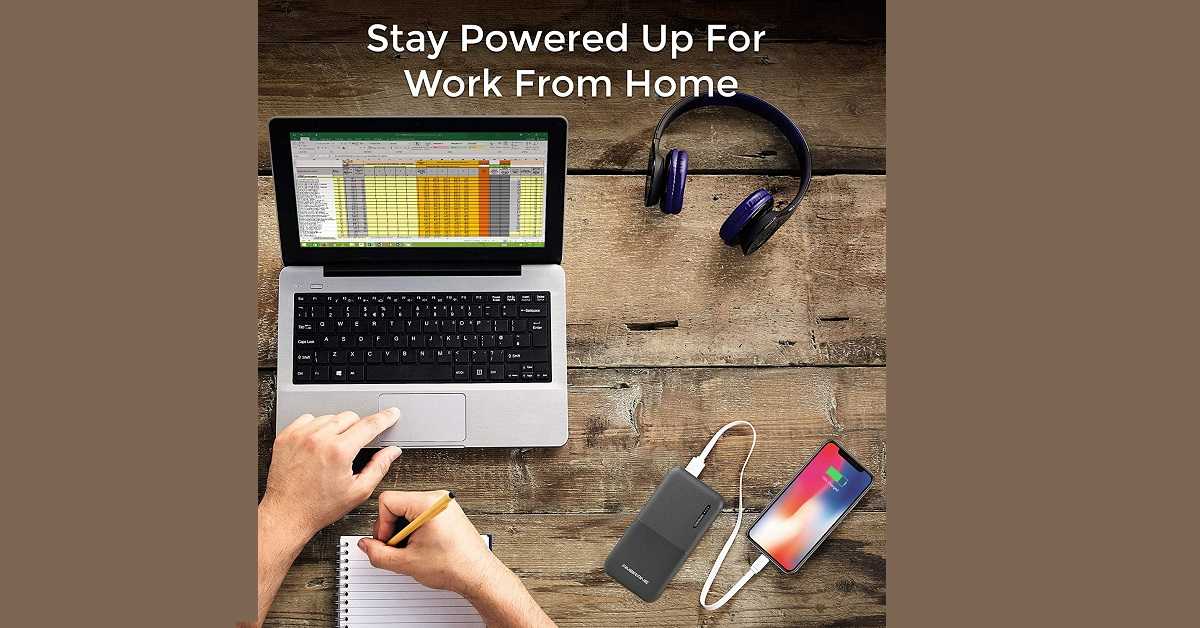
3) Ambrane PP-20
Ambrane PP-20 is a 20,000 mAh power bank that comes with a durable rubber finish with a high-capacity polymer battery. You get dual input and dual output facility. You can connect one device to the micro-USB port and the other to a type-C port. The power bank has a compact design so that you can easily carry it along. It has a combined rating of 5V/2.1A and providing you with high efficiency and conversion rates.
Ambrane PP-20
Capacity (mAh): 20,000
Price: ₹ 699
Buy on Amazon
4) MAXOAK 50000 mAh
The MAXOAK 50000 mAh power bank offers a huge charging capacity of 50,000 mAh that is capable of efficiently charging even large devices including tablets and laptops. You get four Type-A USB ports for charging your smartphones and tablets. For charging your laptops, you get additional 12V and 20V ports. The power bank can be charged using the provided in-port. Owing to its size, some people may find it difficult to carry it in their hands.
MAXOAK 50000 mAh
Capacity (mAh): 50,000
Price: ₹ 27,979
Buy on Amazon
5) Xiaomi Mi 1000 mAh 2I
The Xiaomi Mi 1000 mAh 2I is a highly portable power bank weighing only 245 grams. You get dual-USB output for efficiently charging two devices. The power bank is covered with an Anodized aluminium alloy case to provide strength and durability. The 180degree ergonomic arc design makes it look attractive. It also provides a firm grip to avoid drops. The LED indicator tells you when your power bank needs to be charged.
Xiaomi Mi 1000 mAh 2I
Capacity (mAh): 10,000
Price: ₹ 899
Buy on Amazon
6) Philips 11000 mAh
The Philips 11000 mAh power bank is a highly portable charger enabling you to charge your devices on the go. You get additional power for charging up to three devices at a time. The intuitive LED battery display tells you the remaining battery. You get a 1-year manufacturing warranty with a micro connector inside the box. The compact design allows you to carry it along. The LED indicator tells you how much power backup is left in the power bank.
Philips 11000 mAh
Capacity (mAh): 11,000
Price: ₹1,040
Buy on Flipkart
7) Ambrane 10000 mAh
Ambrane 10000 mAh power bank comes with a single input and dual inputs facility. The elegant octagonal design making it one of the most attractive power banks that you can buy. The multiple chipset protection provides insulation from short circuits. The indicative LEDs help you optimally charge your smartphones and tablets. This power bank is available in two colours, namely, Turquoise Blue and Jet-Black. You can easily carry this device while travelling as it weighs only 277 grams.
Ambrane 10000 mAh
Capacity (mAh): 10,000
Price: ₹ 499
Buy on Amazon
8) SYSKA P1016B
SYSKA P1016B is a 10000 mAh power bank delivering an output of 5V/2.4A. It comes with a battery indicator so that your device doesn’t get overcharged. The intelligent multi-protection circuits offer current shunting and prevent short-circuits. You get a 6-month warranty and a prolonged battery life. The power bank weighs only 285 grams making it highly portable. It is available in attractive white and black colours.
SYSKA P1016B
Capacity (mAh): 10,000
Price: ₹ 699
Buy on Amazon
9) Samsung Wireless Powerbank 10000mAh
This wireless power bank is designed with Fast Wireless Charging capabilities so that you can charge two devices simultaneously plugged-in or wirelessly. The Qi-compatible technology makes it compatible with a wide range of devices including smartwatches. It weighs only 234 grams so you can easily carry it along while travelling or driving. The silver colour provides it with an elegant finish and classy look. Along with the battery pack, you get a USB-C charging cable and a QSG.
Samsung Wireless Powerbank 10000mAh
Capacity (mAh): 10,000
Price: ₹ 3,950
Buy on Amazon
10) Duracell PB10050
Duracell is a renowned brand in batteries. This power bank comes with a three-year warranty with a name of trust and experience. It is one of the rare power banks that come pre-charged from the factory. Thus, you can use it right after unboxing. With a 4-level LED indication, you can know when your power bank needs to be charged. It is designed using Dual charge technology so that you can simultaneously charge your smartphone and the power bank.
Duracell PB10050
Capacity (mAh): 10050
Price: ₹ 3999
Buy on Amazon
For the latest gadget and tech news, and gadget reviews, follow us on Twitter, Facebook and Instagram. For newest tech & gadget videos subscribe to our YouTube Channel. You can also stay up to date with the Gadget Bridge Android App.
Devices like smartphones and tablets are a great of knowledge and entertainment for kids. However, too much exposure to these gadgets can hamper their growth and well-being. Parents should set an upper bound to the time spent by their children on these devices. This can be done in the following simple steps on both Android and iOS devices.
Limit your child’s screen time on an Android smartphone or tablet
Google’s Family Link allows you to fix screen time limits for your child on their Android smartphone or tablet.
In This Article
How to set daily device limits?
Using a parent’s device
launch the Family Link app.
Choose your child’s profile.
In the ‘Daily limit’ section, tap ‘Set up’ or ‘Edit limits’.
Follow the on-screen instructions.
Using your child’s device
Open the Settings on your child’s Android device.
Tab ‘Digital Wellbeing & parental controls’.
Tap ‘Daily limit’ to see the current settings
To change the daily limit, sign in to confirm that you’re a parent.
Limit your child’s screen time on an Android smartphone or tablet
To change the Bedtime settings, sign in to confirm that you’re a parent.
Limit your child’s screen time on an iOS smartphone or tablet
With Content & Privacy Restrictions in Screen Time, you can block or limit specific apps and features on your child’s device. And restrict the settings on your iPhone, iPad, or iPod touch for explicit content, purchases and downloads, and privacy.
Set Content & Privacy Restrictions
Open the Settings and tap Screen Time.
Tap Continue and choose This is My Child’s [Device] while ‘Device’ stands for iPhone or iPad.
Follow the on-screen instructions until you reach the Parent Passcode.
Limit your child’s screen time on an iOS smartphone or tablet
Enter the Passcode. You’ll be prompted to enter your Apple ID and password.
Select Content & Privacy Restrictions.
Enter your passcode and turn on Content & Privacy. Set a passcode that’s different from what you use to unlock your device.
To modify or disable the passcode on your child’s device, go to Settings > Screen Time > [child’s name]. Now, tap Change Screen Time Passcode or Turn Off Screen Time Passcode. You’ll need to approve the modifications with Touch ID, Face ID, or passcode.
Google’s Family Link is an easy-to-use application allowing parents to set rules for their children to use devices like smartphones and tablets. It ensures that children grow in a healthy environment gaining useful knowledge while blocking inappropriate online content.
In This Article
Who needs Google Family Link?
Nowadays, children have as much access to gadgets like smartphones and tablets as an adult. Most schools have curriculums in which children have to submit homework and assignments through a portal or mobile application. Besides, the COVID-19 pandemic has led tasks like lectures and assessments to be carried out solely online on the internet.
Although smartphones and tablets are of great utility for children, they also expose them to online content inappropriate at such an age. To solve parents’ dilemma whether they should offer gadgets to their children or not, Google’s Family Link comes to their rescue.
How can Google’s Family Link help you manage your child’s phone?
Google’s Family Link empowers parents in a variety of ways to monitor their child’s activity on a smartphone.
1) Apps download: The app allows them to be the final authority to approve apps that their child wishes to download from the Play Store.
2) Screen time: With Family Link, parents can allot limits for the daily screen time on their child’s device. Moreover, the weekly and monthly reports tell the overall screen time and the time spent on individual applications by their child.
3) Remote lock: Family Link enables the parents to remotely lock their child’s device or hide particular apps during productive hours of their child.
4) SafeSearch filters: The SafeSearch feature blocks explicit content on Google Search including graphics violence and suggestive videos. This feature remains active for the user under 13.
5) Build curiosity: Besides being a limiter, the app acts as a facilitator. Family Link automatically shows teacher-recommended apps that your child can directly download from the Play Store.
How can Google’s Family Link help you manage your child’s phone?
How to use Google’s Family Link?
Google’s Family Link allows parents to decide when their child is mature enough to freely use the device. To set the Family link using the app, follow these steps.
1) Install the Family Link on an Android device.
2) Create a Google Account for your child within the application or a browser on the website families.google.com.
3) Now you can monitor your child’s account as a parent on your Android or iOS smartphone.
4) As soon as your child turns 13, the app will allow him/her to upgrade to a normal Google Account.
How to use Google’s Family Link?
Google’s Family Link allows a family group of up to six people with the parent as the administrator.
For the latest gadget and tech news, and gadget reviews, follow us on Twitter, Facebook and Instagram. For newest tech & gadget videos subscribe to our YouTube Channel. You can also stay up to date with the Gadget Bridge Android App.
PUBG Mobile recently ban over 1 million accounts permanently for actions that violate the game’s terms and policy. It is not a new event happening in the gaming world. Tencent regularly checks players exercising in-game activities that go against a healthy match.
In a tweet, PUBG Moble declared, “Don’t get caught on the wrong side of the #BanPan. From March 5th-11th, we permanently banned 1,110,842 accounts from accessing our game. The majority of reasons include Auto-Aim Hacks, Speed Hacks, X-Ray Vision”.
In This Article
What illicit tactics did the banned players use?
In its BanPan initiative, Tencent found that a majority of banned accounts were using illegitimate tactics to enhance their performances in the gameplay. These activities included auto-aim cheats, X-Ray vision cheats, and speed cheats.
While scanning the banned players, the company discovered the following.
34 per cent of the players belonged to the Bronze category
13 per cent belonged to the Diamond category
12 per cent belonged to the Silver and Crown ranks
11 per cent belonged to the Platinum category
10 per cent belonged to the Gold category
7 per cent belonged to the Ace category.
the remaining 13 per cent belonged to the Conqueror category.
Will the banned accounts be recovered?
As per the rules of the company, the banned accounts will not be recovered as their data has been deleted from the gamer servers. It has been found that among the banned accounts, a significant number constituted fake accounts or bots created by hackers to gain an unauthorised advantage during the gameplay. The remaining accounts were genuine players using cheats and hacks to gain rewards in the game. Tencent also observed a decline of about 41 per cent in the number of fake accounts created by hackers since the last BanPan report.
Will the banned accounts be recovered?
How can PUBG Mobile players prevent getting banned?
Using cheats is a common practice across different single-player and multiplayer games including GTA and Call of Duty. However, PUBG Mobile maintains a rigid position regarding cheats. It does not permit players to use hacks during gameplay that yield them unnecessary advantages over other players. To avoid getting banned, PUBG Mobile has suggested gamers obey the propriety of the game. They must indulge in fair gameplay to develop natural tactics of spotting and killing opponents.
For the latest gadget and tech news, and gadget reviews, follow us on Twitter, Facebook and Instagram. For newest tech & gadget videos subscribe to our YouTube Channel. You can also stay up to date with the Gadget Bridge Android App.
Realme GT was allegedly found cheating the AnTuTu benchmark tool owned by a Chinese software company named Cheetah Mobile. As a result, AnTuTu removed Realme from its benchmarking platform. In the past, smartphone brands including Huawei, OnePlus, and some others were also found manipulating the benchmark scores and faced consequences.
In This Article
Why was Realme removed from AnTuTu benchmarking platform?
AnTuTu revealed the reason for removing Realme from the benchmark on Weibo. It stated that the company tampered with the performance testing outcomes of its GT smartphone. AnTuTu claimed that Realme tried to change the values of the multi-threaded workload and JPG decoding parts.
As per the allegations, Realme delayed the threads of the GT smartphone while running the multithreaded test on the AnTuTu app. This enabled the smartphone to run the fastest CPU cores raising the result values. AnTuTu also blamed Realme for changing the reference image to minimise the processing time and attain a higher score.
What are the actions taken by AnTuTu?
AnTuTu has taken strict actions against Realme for manipulating the parameters. It has expelled the company from the benchmark platform for three months. Moreover, AnTuTu has asked Realme to furnish clarification for the action and to take corrective measures. If the company still fails to avoid such misdeed, it may get banned permanently from the list.
What are the actions taken by AnTuTu?
How did Realme respond to the situation?
Realme vehemently denied the allegations put by AnTuTu saying that it provided genuine data regarding the smartphone’s performance.
According to Realme, “Realme GT is equipped with the latest Snapdragon 888 5G platform, bringing users high performance. Benchmark scores of Realme GT are all accurate data under the current versions of the Antutu benchmark. Realme has always been committed to bringing users excellent performance, the actual user experience is the top priority for Realme. On the other hand, regarding the test issues doubted by both sides, we are in touch with Antutu to sort it out positively.”
Seems like Realme is up to no good and the customer sentiment with cheaters is known. The brand has already been facing a lot of flak and is not the best when it comes to smartphones or after-sales service. Many think that the Indian leadership is to be blamed for many of its hiccups here. And now with this Realme-cheating-gate, the companies worries are just going to increase.
For the latest gadget and tech news, and gadget reviews, follow us on Twitter, Facebook and Instagram. For newest tech & gadget videos subscribe to our YouTube Channel. You can also stay up to date with the Gadget Bridge Android App.
Samsung is hosting the awaited ‘Galaxy Awesome Unpacked’ event today i.e., March 17, 2021 at 7:30 PM India time. The company will launch globally a couple of its mid-range smartphones and a smartwatch. The event will be streamed live on Samsung Newsroom and Samsung’s YouTube channel. Here are the expected specs of the upcoming smartphones. For your convinence we have embedded the live streaming link here as well.
In This Article
How to watch live the Galaxy Awesome Unpacked event?
The Samsung Galaxy A72 may sport a 6.7-inch Full HD+ AMOLED display offering a 90 Hz refresh rate for fast-paced gaming. It may be released in LTE and 5G variants. You may get a 64MP primary camera, a 12MP ultrawide, 5MP macro sensors, and an 8MP telephoto lens. The smartphone might come with a 32MP selfie camera embedded in a central punch-hole notch. The Galaxy A72 is expected to run a powerful Snapdragon 720G processor accompanied by 6GB/8GB RAM. The device may be packed with a massive 5,000 mAh battery with 25W fast charging. The Android 11 operating system might board the smartphone backed by 128GB/256GB of secondary storage.
Expected Price:
128GB variant: ₹34,999
256GB variant: ₹37,999
Samsung Galaxy A52 expected features
The Samsung Galaxy A52 5G is expected to offer a 6.5-inch Full HD+ AMOLED display with an outstanding 90 Hz refresh rate. The smartphone may sport a quad rear camera setup with a 64MP primary sensor, a 12MP telephoto lens, a 5MP macro lens, and a 5MP depth sensor. You may expect a 32MP selfie camera fixed at the centre of the screen. The smartphone may run the Android 11 operating system. Like the galaxy A72, it may also arrive in two secondary storage variants i.e., 28GB and 256GB. The Galaxy A52 is also expected to be released with LTE or 5G connectivity. The device is reported to be packed with a heavy-duty 4,500 mAh battery with 25W fast charging.
Camera quality has been the priority of a majority of smartphone users. When it comes to social media and online meetings, we can’t ignore the selfie camera. The selfie talks much about the overall smartphone quality. The lens and the megapixels number go complementary with each other. Today, 24MP is considered a standard for front cameras. We have curated a list of the best smartphones offering at least a 24MP selfie camera.
In This Article
1) Samsung Galaxy S21 Ultra
Samsung Galaxy S21 Ultra is renowned for having outstanding camera quality. This 5G smartphone has one of the most powerful and latest hardware among all smartphones. It comes with a sharp 1,440p display that offers an impressive view quality. It does not get too hot even during non-stop GPU usage at 100% while playing high-end video games and delivering heavy tasks. On the rear, the smartphone has a 108-megapixel primary camera, a 12-megapixel camera, a 10-megapixel camera, and a 10-megapixel camera.
Samsung Galaxy S21 Ultra
Selfie camera: 40-megapixel
Price: ₹ 1,05,999
Buy on Amazon
2) Samsung Galaxy M51
The Samsung Galaxy M51 comes with an outstanding 6.7-inch Super AMOLED display supporting Full HD+ resolution. It runs a powerful Qualcomm Snapdragon 730G processor that can efficiently handle multitasking and gaming. You get a long-lasting 7,000mAh battery, which is one of the most massive batteries you can get in a smartphone. The device is available in two variants, one has 6GB RAM and 64GB of storage and the other has 8GB RAM and 128GB of storage. You can capture 4K videos from the rear as well as front camera.
Samsung Galaxy M51
Selfie camera: 32MP
Price: ₹ 22,999
Buy on Amazon
3) Oppo Reno 5 Pro 5G
The Oppo Reno 5 Pro 5G is known for its sleek design. It comes with a MediaTek Dimensity 1000+ processor for delivering high processing speeds. The device runs ColorOS 11.1 operating system based on Android 11. It is a 5G smartphone to offer you lightning-fast connectivity with the support of Bluetooth 5.1 and Wi-Fi 6. You get a 6.55-inch 1,080×2,400 pixels Super AMOLED display proving vivid colours and wide viewing angles. Along with a premium design, you get long battery life with fast charging.
Oppo Reno 5 Pro 5G
Selfie camera: 32MP
Price: ₹ 35,990
Buy on Amazon
4) Oppo Reno 3 Pro
Oppo Reno 3 Pro comes with a 6.4-inch AMOLED display with a fingerprint scanner embedded within the display. It runs an octa-core MediaTek Helio P95 processor that can easily handle multitasking and gaming. The device offers 8GB of RAM with two storage options, 128GB and 256GB. You get a long-lasting 4,025mAh battery with the support of 30W VOOC charging. The smartphone runs the ColourOS 7 operating system over Android 10. It has a quad-camera setup at the back consisting of a 64-megapixel primary sensor.
Oppo Reno 3 Pro
Selfie camera: 44MP + 2MP
Price: ₹24,990
Buy on Flipkart
5) Vivo V20 Pro
The Vivo V20 Pro sports a 6.44-inch full-HD+ AMOLED display along with Schott’s Xensation Up protective glass. It runs a powerful Qualcomm Snapdragon 765G processor that delivers high performance without much heating. The display renders amazing graphics to enhance your video streaming and gaming experience. This smartphone offers a 44-megapixel primary lens and an ultra-wide-angle 8-megapixel camera. Moreover, it’s a 5G smartphone to provide you connectivity with minimum latency.
Vivo V20 Pro
Selfie camera: 44MP + 8MP
Price: ₹ 29,990
Buy on Amazon
6) Vivo X50
This smartphone sports a 90Hz 6.56-inch AMOLED display supporting a Full-HD+ resolution to elevate your video-watching and gaming experience. it comes with an elegant yet durable design with Funtouch OS 10.5 based on Android 10. The device runs a powerful Qualcomm Snapdragon 730 processor offering outstanding performance while carrying out resource-demanding tasks. Vivo X50 is known for having an impressive battery life easily lasting more than a day once fully charged. The rear quad camera setup (48MP + 13MP + 8MP + 5MP) captures amazing pictures even in low-light conditions.
Vivo X50
Selfie camera: 32MP
Price: ₹ 34,990
Buy on Amazon
7) Asus ROG Phone 5
Asus ROG Phone 5 offers a 6.78-inch 1,080×2,448 pixels Full HD+ display. It runs a powerful octa-core Qualcomm Snapdragon 888 processor accompanied by 5GB RAM making it one of the most-awaited gaming smartphones. It comes with a massive 6,000mAh battery supported by proprietary fast charging. The Asus ROG Phone 5 has a 4G smartphone with an Android 11 operating system. You get 128GB of inbuilt storage with an in-display fingerprint sensor. The 64-megapixel primary camera captures outstanding pictures and videos.
Asus ROG Phone 5 (Image Credit: Asus)
Selfie camera: 24MP
Price: ₹49,999
Buy on Flipkart
8) OnePlus Nord
The OnePlus Nord is a budget smartphone offering outstanding camera quality and seamless experience. It has a 48 MP Sony IMX586 sensor to reduce blur and shakiness in pictures and videos. You also get an 8 MP ultra-wide-angle lens in addition to the 32MP main shooter. The device features a 90Hz fluid AMOLED screen and Oxygen OS. Nord runs on a powerful Qualcomm Snapdragon 765G 5G mobile platform that offers you improved CPU speeds, faster graphics rendering, and peak gaming performance. The smartphone delivers a high gaming performance and its HDR10+ screen renders amazing graphics.
OnePlus Nord
Selfie camera: 32MP + 8MP
Price: ₹ 27,999
Buy on Amazon
9) LG G8X
LG G8X is a dual-screen smartphone with a 360 Degree Free-Stop Hinge enabling you to fold the screen around or fix it at any desired angle. You get a dual 6.4-inch 2,340 x 1,080 pixels OLED FullVision display offering an outstanding picture quality with vivid colours. The smartphone runs a powerful Qualcomm Snapdragon 855 Octa-Core processor accompanied by 6GB RAM for delivering high performance and rendering cool graphics on each screen. The Balanced Stereo Speakers with DTS:X 3D Surround and 32-bit Hi-Fi Quad DAC offer a premium audio quality.
LG G8X
Selfie camera: 32MP
Price: ₹ 29,500
Buy on Amazon
10) Redmi Note 9 Pro Max
The Redmi Note 9 Pro Max comes with a 6.67-inch screen with a comfortable design. It has a huge 5,020mAh battery that can last longer than many other smartphones in the same price range. The device runs a powerful Qualcomm Snapdragon 720G processor. The Redmi Note 9 Pro Max is available in three variants, 6GB RAM with 64GB storage, 6GB RAM with 128GB storage and 8GB RAM with 128GB storage. You get a 33W fast charging that refills the battery within an hour. The rear 64MP rear camera captures sharp pictures even in low-light conditions.
Redmi Note 9 Pro Max
Selfie camera: 32MP
Price: ₹ 15,790
Buy on Amazon
For the latest gadget and tech news, and gadget reviews, follow us on Twitter, Facebook and Instagram. For newest tech & gadget videos subscribe to our YouTube Channel. You can also stay up to date with the Gadget Bridge Android App.














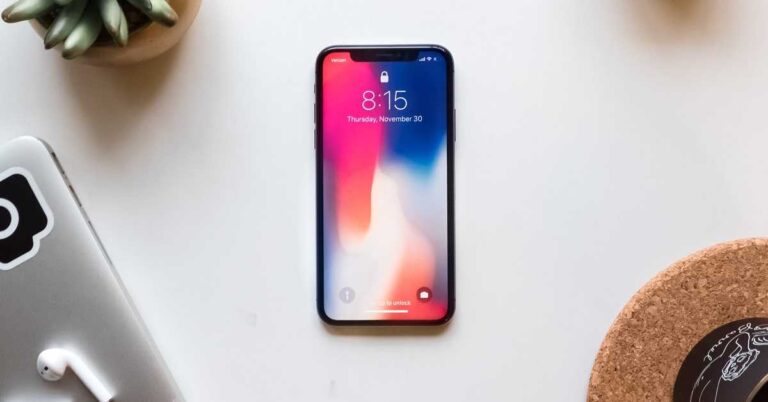





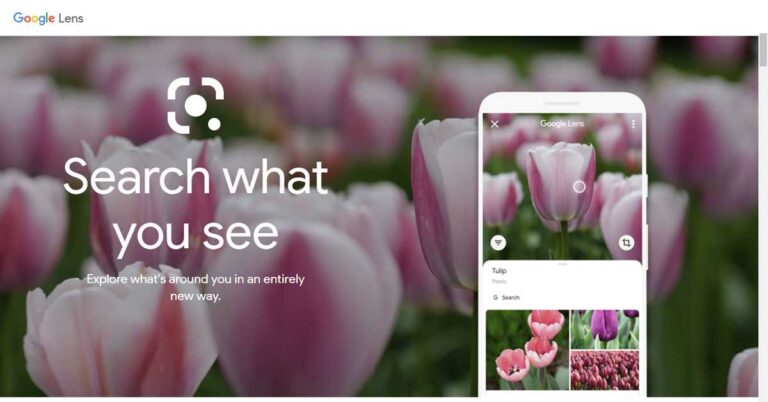





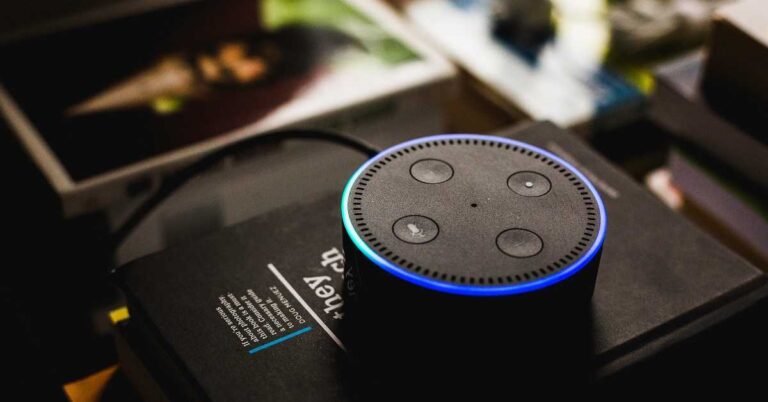


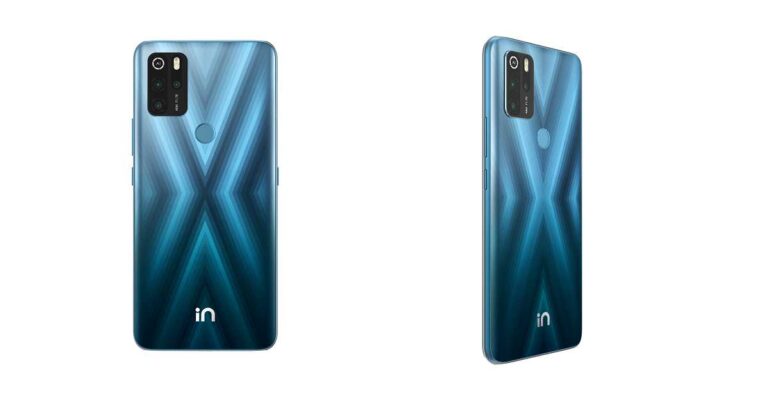
 According to Rahul Sharma, Co-Founder,






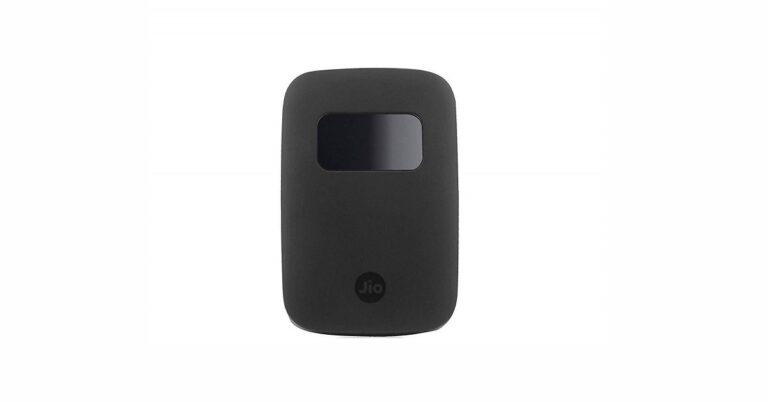




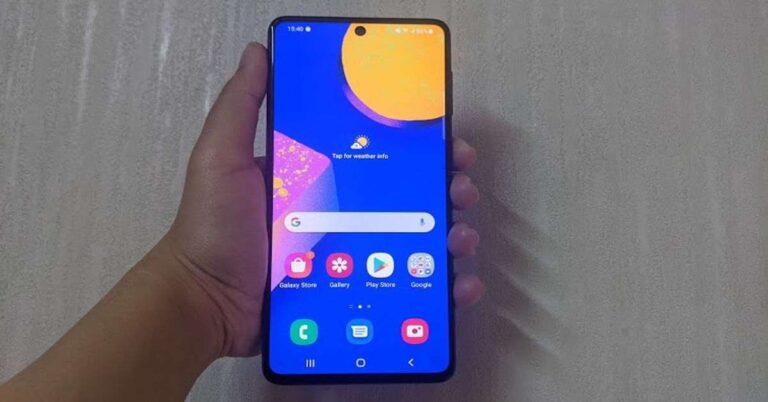
 The right edge of
  Coming back to the display of the smartphone, it can easily be called one of its best aspects. The images displayed were sharp and clear and the colours were vibrant. The brightness of the screen adjusted automatically according to the ambient lightning and the viewing angles were good too. The sunlight readability could be better. We spent a lot of time binge watching shows on
  The user interface of the smartphone is clean and you do have an option of selecting the additional apps you want installed on your device at the time of setup. However, even then, there were some besides the usual suite of Google apps and Samsung apps, like
  Coming to the performance of Samsung Galaxy F62, in most cases, it was smooth. Performing day-to-day tasks was a cakewalk for the device, and it did well even when it came to multi-tasking. We opened a number of apps and switched between them, and we did not face any lag in the performance. We even played several graphic-heavy games on the smartphone including Asphalt 9: Legends. While we didn’t experience any lag in