



 The steps below are to add music to your Instagram stories from Instagrams own music library. Follow the below.
 You can also add music to your Instagram stories from apps like Spotify. And the steps to add the music are similar in iPhone and Android. Follow below to know more.
 The songs available on Soundcloud can be added to your Instagram stories. The steps are the same for both Android and iPhone. Check the steps below.
 The music app owned by Apple has some interesting and innovative features. You can add the music from Shazam to your Instagram stories also in a few easy steps. Here are the steps


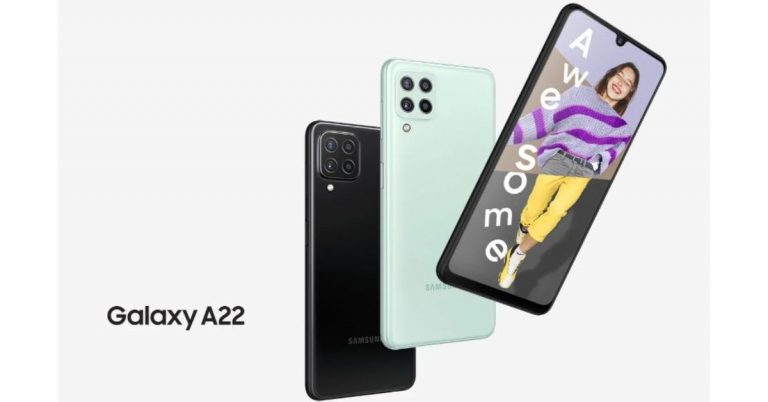
 Samsung Galaxy A22 tech specs and features
Samsung Galaxy A22 features a 6.4-inch HD+ Super AMOLED display with 720×1,600 pixels of resolution. It offers a 90Hz refresh rate panel and a 20:9 aspect ratio. The device runs on One UI 3.1 Core based on Android 11 out of the box. Under the hood, there is an unnamed octa-core SoC paired with 6GB RAM with 128GB storage. The internal memory can be expanded up to 1TB using a microSD card.
In terms of camera capabilities, the Samsung Galaxy A22 comes with a quad rear camera setup that includes a 48-megapixel primary sensor with an f/1.8 aperture with optical image stabilisation (OIS). Further accompanied by an 8-megapixel ultra-wide-angle lens, a 2-megapixel macro lens and a 2-megapixel depth sensor with an f/2.4 aperture. For taking selfies, there is a 13-megapixel camera sensor on the front.
The handset packs a 5,000mAh battery that is supported by 15W Adaptive Fast Charging. The device is said to deliver up to 38 hours of talk time. In terms of connectivity, there is 4G LTE, Wi-Fi 802.11ac, Bluetooth v5.0, GPS/ A-GPS, USB Type-C, and a 3.5mm audio jack. While the sensors on the phone include a side-mounted fingerprint sensor, accelerometer, ambient light, gyroscope, magnetometer, and proximity sensor.
For the latest gadget and tech news, and gadget reviews, follow us on Twitter, Facebook and Instagram. For newest tech & gadget videos subscribe to our YouTube Channel. You can also stay up to date using the Gadget Bridge Android App.
Samsung Galaxy A22 tech specs and features
Samsung Galaxy A22 features a 6.4-inch HD+ Super AMOLED display with 720×1,600 pixels of resolution. It offers a 90Hz refresh rate panel and a 20:9 aspect ratio. The device runs on One UI 3.1 Core based on Android 11 out of the box. Under the hood, there is an unnamed octa-core SoC paired with 6GB RAM with 128GB storage. The internal memory can be expanded up to 1TB using a microSD card.
In terms of camera capabilities, the Samsung Galaxy A22 comes with a quad rear camera setup that includes a 48-megapixel primary sensor with an f/1.8 aperture with optical image stabilisation (OIS). Further accompanied by an 8-megapixel ultra-wide-angle lens, a 2-megapixel macro lens and a 2-megapixel depth sensor with an f/2.4 aperture. For taking selfies, there is a 13-megapixel camera sensor on the front.
The handset packs a 5,000mAh battery that is supported by 15W Adaptive Fast Charging. The device is said to deliver up to 38 hours of talk time. In terms of connectivity, there is 4G LTE, Wi-Fi 802.11ac, Bluetooth v5.0, GPS/ A-GPS, USB Type-C, and a 3.5mm audio jack. While the sensors on the phone include a side-mounted fingerprint sensor, accelerometer, ambient light, gyroscope, magnetometer, and proximity sensor.
For the latest gadget and tech news, and gadget reviews, follow us on Twitter, Facebook and Instagram. For newest tech & gadget videos subscribe to our YouTube Channel. You can also stay up to date using the Gadget Bridge Android App. 
 To take the screenshot of the entire screen press Shift+Command+3 on your Mac. After pressing the command key a thumbnail will appear on your screen at the corner. You can also use the edit option to edit the screenshot. Once you have clicked the screenshot it will be saved on your Mac.
Read more: How to take a screenshot on Windows 10 using a laptop or a PC?
To take the screenshot of the entire screen press Shift+Command+3 on your Mac. After pressing the command key a thumbnail will appear on your screen at the corner. You can also use the edit option to edit the screenshot. Once you have clicked the screenshot it will be saved on your Mac.
Read more: How to take a screenshot on Windows 10 using a laptop or a PC?
 This function is to capture a customised selection of the screenshots. This means you can take screenshots of a portion of your screens. Press Shift+Command+4 and wait for the cursor to change into Apple crosshair. There are many options now that you can make use of. Follow the steps:
 If you want to take screenshots of a particular window or menu you can press the keys Shift+Command+5. After pressing the command keys, click on the Capture selected window option in the toolbar. Now the pointer will turn into a camera icon and you can drag the icon to a window to capture the screenshot. You can also take a custom screenshot by using the spacebar. There are some advanced features with this command: you can also capture video by pressing Shift+Command+5.
Read also: Top 5 things you didn’t know your Apple Watch could do
If you want to take screenshots of a particular window or menu you can press the keys Shift+Command+5. After pressing the command keys, click on the Capture selected window option in the toolbar. Now the pointer will turn into a camera icon and you can drag the icon to a window to capture the screenshot. You can also take a custom screenshot by using the spacebar. There are some advanced features with this command: you can also capture video by pressing Shift+Command+5.
Read also: Top 5 things you didn’t know your Apple Watch could do
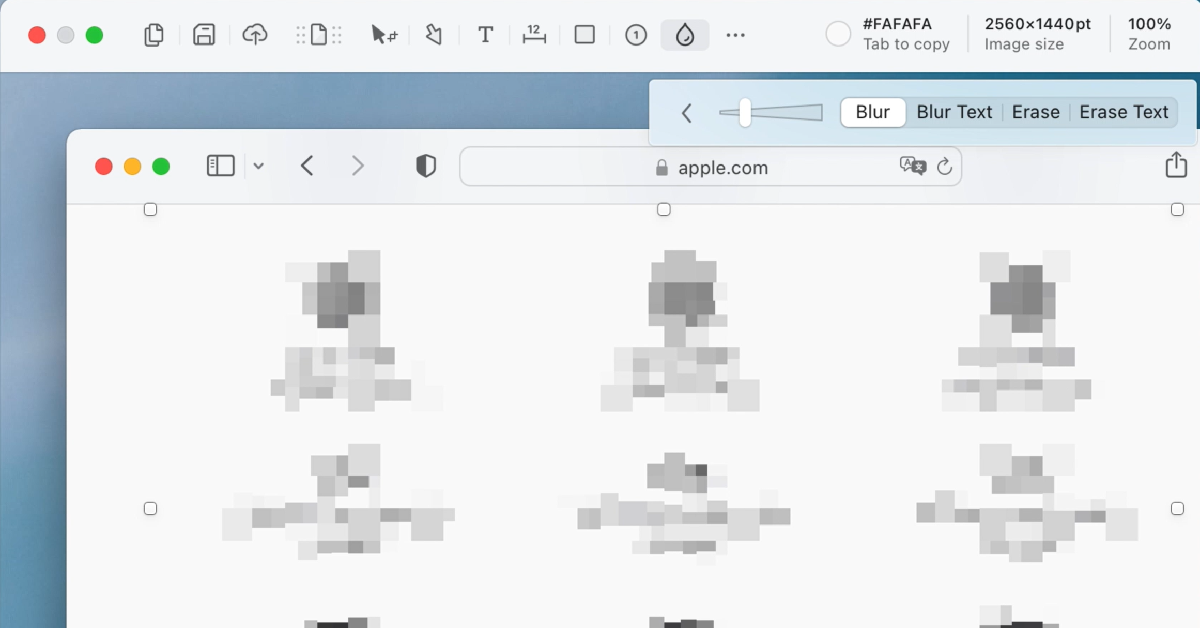 If you don’t want to rely on native methods to take a screenshot on Mac, you can always download a third-party app. Shottr is one of the best ones around. Not only can Shottr take screenshots on your Mac, but it can also carry out basic editing tasks like erasing certain elements from the screen grabs and pixelating or blurring personal information. You can also pin multiple screenshots on the screen and extract text from them to your clipboard. Want to take a rolling screenshot? Shottr can manage that too.

 Cleaning your microwaves is everyday work and it often gets overlooked. The task seems to take a lot of time but to your surprise, these hacks will make things easier. A clean microwave will ensure the durability of the appliance and hygienic cooking as well. Follow the hacks to clean your microwaves.
 Electrical appliances such as ovens and toasters are advised to be cleaned regularly. The leftover crumbs from your toast might spark a circuit. There are some easy things you can start doing every day after you toast your breakfast: unplug the toaster and shake it upside down so that the crumbs fall down. If the toaster has a crumb tray regularly clean and you can also use a brush to clean the inside of a toaster. For ovens, you can wash the removable tray with water and make sure it is dry before you put it back. You can also use vinegar mixed with water to clean the insides of the oven.
Read also: World Food Day: Top gadgets that will help you prepare great food at home
Electrical appliances such as ovens and toasters are advised to be cleaned regularly. The leftover crumbs from your toast might spark a circuit. There are some easy things you can start doing every day after you toast your breakfast: unplug the toaster and shake it upside down so that the crumbs fall down. If the toaster has a crumb tray regularly clean and you can also use a brush to clean the inside of a toaster. For ovens, you can wash the removable tray with water and make sure it is dry before you put it back. You can also use vinegar mixed with water to clean the insides of the oven.
Read also: World Food Day: Top gadgets that will help you prepare great food at home
 The coffee maker which is used daily should be cleaned regularly, possibly every day. This will prevent bacteria growth and also make your coffee taste better. The coffee maker mixed moisture and warmth which is the highest breeding ground for bacteria and other mold growth. The parts of the coffee maker can be washed with warm and soapy water. Make sure you empty the water reservoir and drip trays regularly. Do not forget to leave the reservoir lid open so that it is dry out.
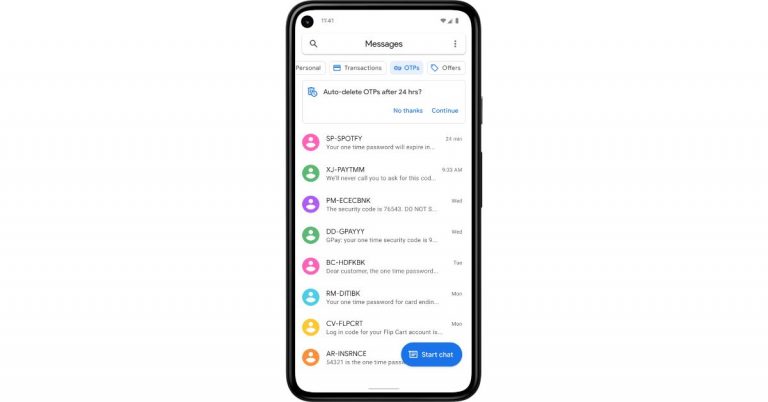
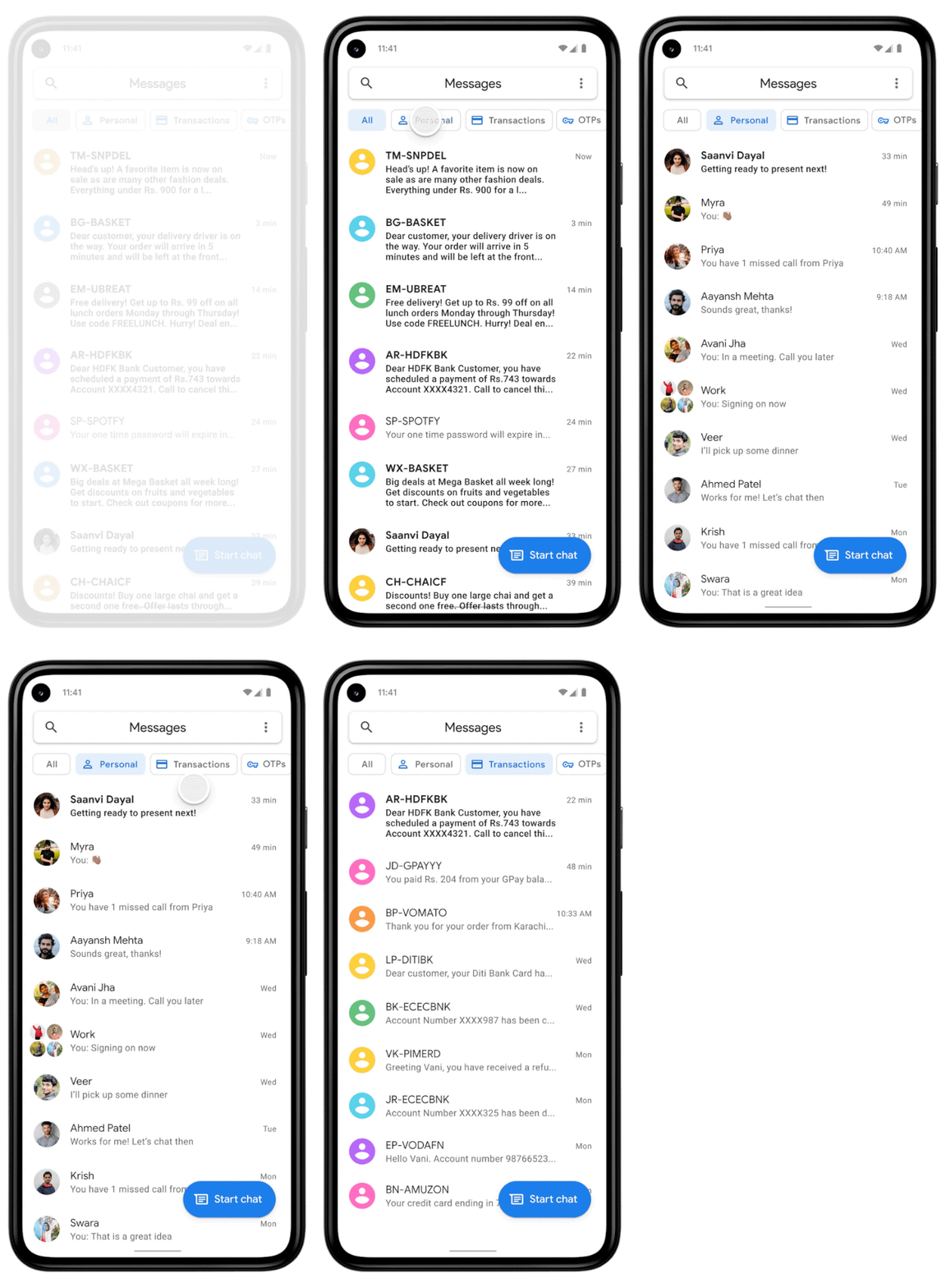 In order to keep your inbox clutter-free, the Messages app has received a feature in which it uses machine learning technology to automatically sort your messages into categories, including personal, transactions and OTPs. The new functionality will filter out bank transactions and bills to the transitions tab while the conversations with saved numbers can be easily located in the personal tab. The decluttering of the messages will not hamper any of your conversations they will stay in a device but will be more manageable.
We all have a habit of not deleting one-time passwords (OTPs) from our phones after money transitions, payments or account log-in is complete. So now the Google Messages app will take the lead by auto-deleting the OTPs from your phone. The application will provide the option to automatically delete your one-time passwords (OTPs) 24-hours after they’re received, so you don’t have to spend time deleting them manually. To enable the feature, just tap continue when you see the suggestion prompt to confirm your selection.
As per the company, the new update for the Messages app will be pushed out over the coming weeks (in English) on Android phones in India running Android 8 or newer. These features are optional and can be managed in settings, too. To try them out, update your Messages app to the latest version or download the app here.
For the latest gadget and tech news, and gadget reviews, follow us on Twitter, Facebook and Instagram. For newest tech & gadget videos subscribe to our YouTube Channel. You can also stay up to date using the Gadget Bridge Android App.
In order to keep your inbox clutter-free, the Messages app has received a feature in which it uses machine learning technology to automatically sort your messages into categories, including personal, transactions and OTPs. The new functionality will filter out bank transactions and bills to the transitions tab while the conversations with saved numbers can be easily located in the personal tab. The decluttering of the messages will not hamper any of your conversations they will stay in a device but will be more manageable.
We all have a habit of not deleting one-time passwords (OTPs) from our phones after money transitions, payments or account log-in is complete. So now the Google Messages app will take the lead by auto-deleting the OTPs from your phone. The application will provide the option to automatically delete your one-time passwords (OTPs) 24-hours after they’re received, so you don’t have to spend time deleting them manually. To enable the feature, just tap continue when you see the suggestion prompt to confirm your selection.
As per the company, the new update for the Messages app will be pushed out over the coming weeks (in English) on Android phones in India running Android 8 or newer. These features are optional and can be managed in settings, too. To try them out, update your Messages app to the latest version or download the app here.
For the latest gadget and tech news, and gadget reviews, follow us on Twitter, Facebook and Instagram. For newest tech & gadget videos subscribe to our YouTube Channel. You can also stay up to date using the Gadget Bridge Android App. 
 The CoWIN vaccination certificates are produced when you are traveling and will help in entering many premises. Earlier the status update on your vaccination was through the Aarogya Setu app, but now CoWIN has allowed you to make changes. Here are the steps to fix the errors.
 Those who have received the first dose will have a single blue border with vaccination status on the home screen. And for those who have gotten the second dose have a “Blue Shield” with a double tick displayed on CoWin after 14 days of the vaccination. When you get vaccinated the certificate that has been issued includes a secure QR code to maintain authenticity and you can do the authentication from the CoWIN portal. Here are the steps:


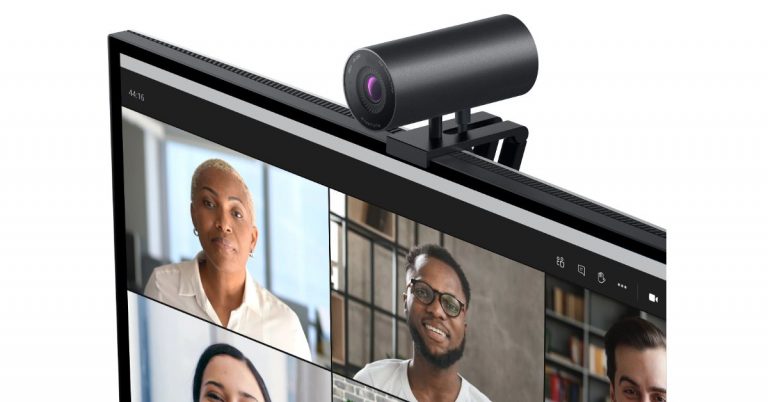
 Dell UltraSharp Webcam specifications
Speaking of the design first, the Dell UltraSharp Webcam features an all-aluminium cylindrical body. There is a magnetic mount along with a tripod adapter so that it can be attached to your device easily. It comes with a magnetic snap-on cover for privacy. There is a white LED light indicator, which lets us know when the webcam is in use.
This Webcam from Dell comes with an 8.3-megapixel Sony STARVIS CMOS sensor. The camera is capable of offering 4K UHD resolution at 24fps/ 30fps frame rate and full-HD and HD resolution at up to 60fps frame rate. In addition to this, the camera module also comes integrated with the multi-element lens on top for well light videos and Digital Overlap HDR capability. Over that, the webcam features an AI-backed Auto-Framing feature to keep you stay focused during video conferencing. The device is compatible with both Windows and macOS devices.
The Dell UltraSharp Webcam uses 3D/2D video noise reduction for not so grainy picture quality and offers a customisable field of view options to choose from 65, 78, and 90-degrees of FOV. Additionally, it is also capable of providing 5x digital zoom. Furthermore, there is a Dell Express Sign-In feature to detect motion with a built-in proximity sensor. This also lets it log you out when it detects you have stepped away from the sensor. With an IR sensor, it logs in users using Windows Hello.
On the connectivity front, there is a USB Type-C port, which can be used to connect with a PC using a USB-A-to-USB-Type C cable that comes inside the box.
For the latest gadget and tech news, and gadget reviews, follow us on Twitter, Facebook and Instagram. For newest tech & gadget videos subscribe to our YouTube Channel. You can also stay up to date using the Gadget Bridge Android App.
Dell UltraSharp Webcam specifications
Speaking of the design first, the Dell UltraSharp Webcam features an all-aluminium cylindrical body. There is a magnetic mount along with a tripod adapter so that it can be attached to your device easily. It comes with a magnetic snap-on cover for privacy. There is a white LED light indicator, which lets us know when the webcam is in use.
This Webcam from Dell comes with an 8.3-megapixel Sony STARVIS CMOS sensor. The camera is capable of offering 4K UHD resolution at 24fps/ 30fps frame rate and full-HD and HD resolution at up to 60fps frame rate. In addition to this, the camera module also comes integrated with the multi-element lens on top for well light videos and Digital Overlap HDR capability. Over that, the webcam features an AI-backed Auto-Framing feature to keep you stay focused during video conferencing. The device is compatible with both Windows and macOS devices.
The Dell UltraSharp Webcam uses 3D/2D video noise reduction for not so grainy picture quality and offers a customisable field of view options to choose from 65, 78, and 90-degrees of FOV. Additionally, it is also capable of providing 5x digital zoom. Furthermore, there is a Dell Express Sign-In feature to detect motion with a built-in proximity sensor. This also lets it log you out when it detects you have stepped away from the sensor. With an IR sensor, it logs in users using Windows Hello.
On the connectivity front, there is a USB Type-C port, which can be used to connect with a PC using a USB-A-to-USB-Type C cable that comes inside the box.
For the latest gadget and tech news, and gadget reviews, follow us on Twitter, Facebook and Instagram. For newest tech & gadget videos subscribe to our YouTube Channel. You can also stay up to date using the Gadget Bridge Android App. 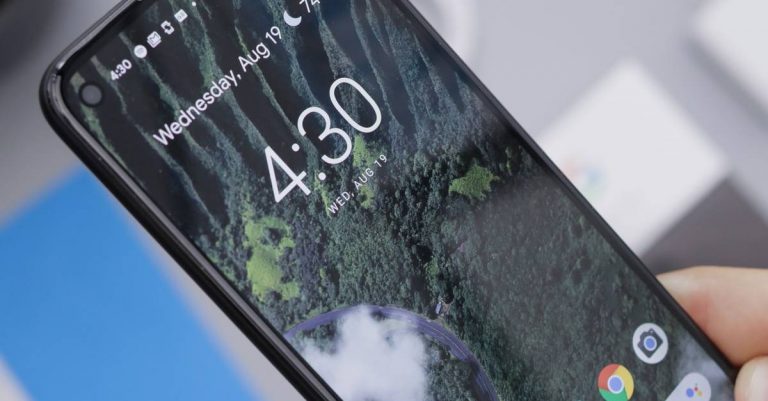
 As mentioned, Playstore has thousands of Live wallpaper apps on the market for you to download and install and most of them are for free. There are many ways to download a live wallpaper. You can either check the live wallpaper for rating, search on Google for the best live wallpaper on Play Store, or just go Google Playstore and type live wallpaper on the search box and click on the one you like. Here is how you can download and install a live wallpaper app.
 Most Android phones do not come with pre-installed video live wallpaper, but you can always download it from the Google Play Store. The video live wallpaper is to be added to your home screen through a third-party app so make sure you have the best-looking app. Here is a guide to add video as live wallpaper.



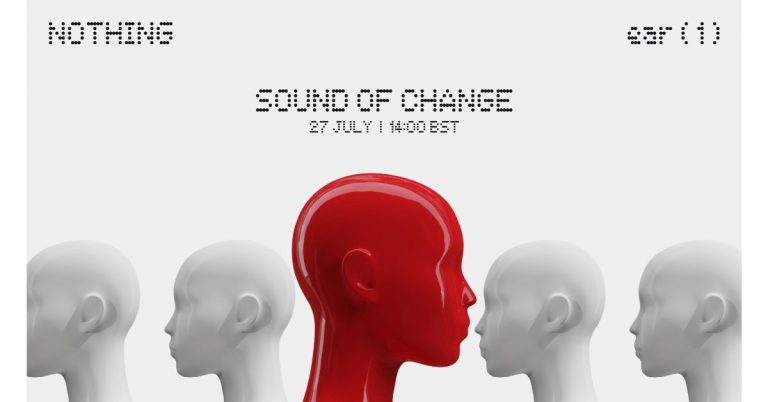
 The doesn’t divulge much information but the previous design concept of its upcoming TWS earphones shared by the company mentions that Ear 1 TWS will be a combination of transparency, iconic form, and refined functionality. It is the starting point that will define the artistry, confidence and craftsmanship that will carry our products and services for years to come.
Whereas the teaser shows the form factor of the audio device. It should be noted that the Noting earbuds are designed in association with Stockholm-based Teenage Engineering.
For the latest gadget and tech news, and gadget reviews, follow us on Twitter, Facebook and Instagram. For newest tech & gadget videos subscribe to our YouTube Channel. You can also stay up to date using the Gadget Bridge Android App.
The doesn’t divulge much information but the previous design concept of its upcoming TWS earphones shared by the company mentions that Ear 1 TWS will be a combination of transparency, iconic form, and refined functionality. It is the starting point that will define the artistry, confidence and craftsmanship that will carry our products and services for years to come.
Whereas the teaser shows the form factor of the audio device. It should be noted that the Noting earbuds are designed in association with Stockholm-based Teenage Engineering.
For the latest gadget and tech news, and gadget reviews, follow us on Twitter, Facebook and Instagram. For newest tech & gadget videos subscribe to our YouTube Channel. You can also stay up to date using the Gadget Bridge Android App. 
 Another thing you need to look at to spot fake reviews is by checking the company which uploaded the product. If you do not seem to locate an authentic company website, it is highly probable that the company is not trustworthy and all the reviews are to be reconsidered. These are signs that you can spot fake reviews easily.
Read also: How to spot a phishing email or SMS message and avoid it?
Another thing you need to look at to spot fake reviews is by checking the company which uploaded the product. If you do not seem to locate an authentic company website, it is highly probable that the company is not trustworthy and all the reviews are to be reconsidered. These are signs that you can spot fake reviews easily.
Read also: How to spot a phishing email or SMS message and avoid it?
 Using a review tool is the best method to check if the review is genuine or fake. Reviewmeta simply uses the grading process as an Amazon-only analyzer. The steps to verify the review on the tool are easy and simple: you copy the URL and paste it on the website. The website will eliminate all the unreliable reviews and help you spot fake reviews on Amazon. The algorithm works in a unique way, letting you grade the reviews and provide detailed breakdowns with graphs. You can also add an extension to your browser.
 The review tools will rate how reliable product pages are on Amazon and other websites. You can open the fakespot website and copy the URL from Amazon and paste it on site. Fakespot will then grade the page and see how reliable the information can be. The algorithm of Fakespot finds reviews, analyses language, checks previous reviews, and purchase history to determine the product and the reviews. It filters out all the fake reviews for you to shop better and you can also add an extension of it to your browser.
For the latest gadget and tech news, and gadget reviews, follow us on Twitter, Facebook and Instagram. For newest tech & gadget videos subscribe to our YouTube Channel. You can also stay up to date using the Gadget Bridge Android App.
The review tools will rate how reliable product pages are on Amazon and other websites. You can open the fakespot website and copy the URL from Amazon and paste it on site. Fakespot will then grade the page and see how reliable the information can be. The algorithm of Fakespot finds reviews, analyses language, checks previous reviews, and purchase history to determine the product and the reviews. It filters out all the fake reviews for you to shop better and you can also add an extension of it to your browser.
For the latest gadget and tech news, and gadget reviews, follow us on Twitter, Facebook and Instagram. For newest tech & gadget videos subscribe to our YouTube Channel. You can also stay up to date using the Gadget Bridge Android App. 
 Although allowing apps to run online using the internet on the laptop is usually good, there are many reasons to block an app from accessing the internet on your computer. One example is to stop automatic updates of an app or disable an app that cannot be used offline. The following are the steps to block an app on Windows computers.
 By disabling the network adapter you can also block the app access to the internet. Access to all utilities or setups of your computers will be blocked if you disable the network and will help the app in denying access to the internet on your computers. Follow the steps to disable the network adaptor.
netsh advfirewall firewall add rule name=”FF Block In” protocol=TCP dir=in action=block program=(paste the path of the app here)
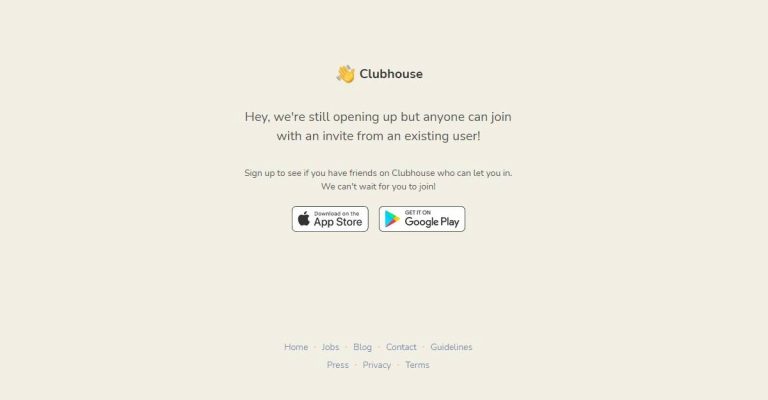
 The Android application emulator is one of the best options available to run your Clubhouse app on your PC. You can download the BlueStack software on your computers and the Android apps emulator will let you download and install the Clubhouse app on your PC.
The BlueStack emulator is available for both Windows and Mac. The following steps is how to download and install the BlueStacks programming and Clubhouse app.
The Android application emulator is one of the best options available to run your Clubhouse app on your PC. You can download the BlueStack software on your computers and the Android apps emulator will let you download and install the Clubhouse app on your PC.
The BlueStack emulator is available for both Windows and Mac. The following steps is how to download and install the BlueStacks programming and Clubhouse app.
 For those who are new to Clubdeck, it is an unofficial desktop client app for the Cubhouse app. Using the Cludeck website you can access your Clubhouse app on your Windows or Mac PC. The websites you can use have some features for Clubhouse Moderators also. The best part of Clubdeck websites is all the functionality of the app is made available. And also features some advanced functions like recording, streaming to other social networks, and playing custom local audio. Check out the guide below to know more about Clubdeck.

 The following steps are to enable the Ticketed feature in your Twitter account. And make sure you meet the requirement set out by Twitter to enable the feature.
 The tickets let you host an audio-based live session and let you control the entry of other participants by putting a fee to join your sessions. Know more below:
 If your Twitter account starts to get more Super Follows you can earn more revenue and also create more content. With the increase in Super Follows, you can earn monthly revenue by creating a direct relationship with your active followers. Also, you can create bonus content and offer it to your biggest followers. Customisation is another great feature of having Super Follows. You can customise the price from 2.99 dollars to 9.99 dollars per month.
For the latest gadget and tech news, and gadget reviews, follow us on Twitter, Facebook and Instagram. For newest tech & gadget videos subscribe to our YouTube Channel. You can also stay up to date using the Gadget Bridge Android App.
If your Twitter account starts to get more Super Follows you can earn more revenue and also create more content. With the increase in Super Follows, you can earn monthly revenue by creating a direct relationship with your active followers. Also, you can create bonus content and offer it to your biggest followers. Customisation is another great feature of having Super Follows. You can customise the price from 2.99 dollars to 9.99 dollars per month.
For the latest gadget and tech news, and gadget reviews, follow us on Twitter, Facebook and Instagram. For newest tech & gadget videos subscribe to our YouTube Channel. You can also stay up to date using the Gadget Bridge Android App. 

 An Apple developer program will cost you 100 dollars annually and you can join the developer program. There are also some requirements you need to meet, such as turn-on two-factor sign in and you also have to provide your full legal name and address. After you have your developer ID you can download the beta version. The following steps are on how to install the beta version.
 Software is tagged as beta when it is at a stage of development but not yet complete. The basic features are in place but not fully developed. The public betas do lag behind the developer version and it is rolled out significantly late. The public beta is to be available in July 2021. Here are the steps to install a public beta version.