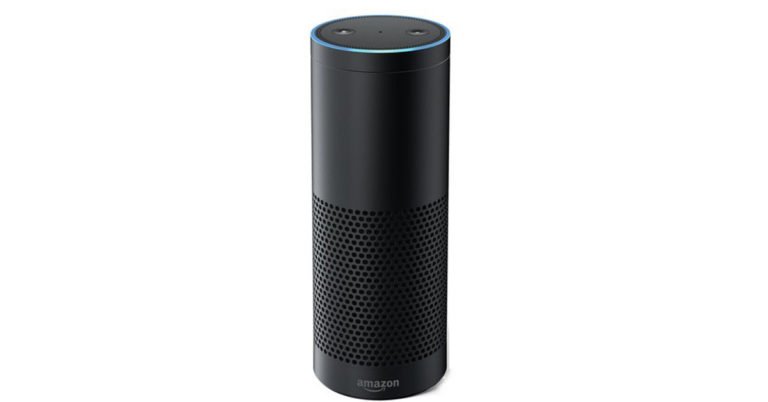
Amazon has announced that it is developing the new version of Alexa that will understand Hindi. The company has decided to increase the Alexa Skills Kit by adding up a new Hindi model of the voice assistant. In its latest addition, the company now allows the developers to build the Alexa Hindi model for the users in India.
Amazon has also started providing invite-only access to the Alexa Voice Service developers preview that will permit the commercial hardware manufacturers to develop Alexa built-in models for the users who speak in Hindi. Since its launch in India, the Alexa Voice assistant communicates in either English or Hinglish with customers in the country.
The Alexa Skills Kit (ASK) is a compilation of free self-service APIs and tools that make it quicker and easier for developers who are not experienced with speech recognition to create skills, or capabilities, for Alexa.
The developers need to Select Hindi for their language model in the Alexa Development Kit to start training Alexa in the new language. Along with that, the company is providing a step by step user guide so that the developers can easily train the device with new skills in Hindi. In addition to this, the company has also released a technical documentation for the developers to understand the modulation for developing skills for the Hindi language model.
Apart from that, the company is also organizing a webinar for the developers on how to build Hindi language skills on July 24. Amazon is also offering the developer Alexa merchandise on first arrival bases to those who submit their Hindi language skill before July 31.
Last year, the company launched a new type of skill named Cleo that helps the users in India to help Alexa learn Hindi and other languages’. This enables the user to respond to Alexa’s English Statements in other local languages that are spoken in India such as Tamil, Marathi, Kannada, Bengali, Telugu, Gujarati and other regional languages. Currently, Alexa accessible in more than 80 countries and it can speak and understand over 14 languages.
On its official blog post, the company said, “Developers will get a head start and will be able to submit skills for certification as we prepare to offer engaging experiences for Alexa users in one of the most spoken languages in the country.”
In addition to this, Amazon has also revealed that soon companies such as Dish TV, Mybox, Sony, and Boat will be getting control for Alexa Voice service.
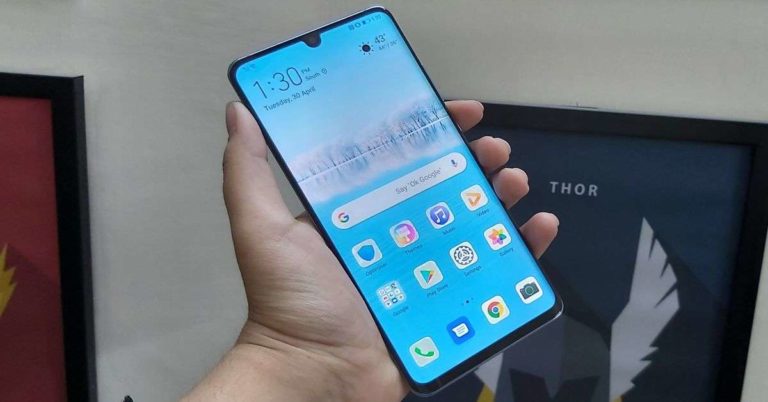
Chinese technology company Huawei is slated to roll out the GPU Turbo 3.0 to its popular smartphones like the Huawei P30 Lite, Huawei P20 Lite, Huawei Nova3i, Huawei Y9 among others. For those unaware, the GPU 3.0 feature enhances the gaming performance of smartphones without eating up the battery of the device exorbitantly. The benefits of GPU 3.0 include a “smooth and seamless experience and improved battery performance while gaming.”
As of now, the latest version of the GPU Turbo is exclusively available on the Huawei P30 Pro. According to the company, “GPU Turbo 3.0 cuts down on SoC power consumption by 10% and optimizes the performance of the underlying system to provide a seamless gaming experience.”
GPU Turbo quickens faster touch response and lowers energy consumption. It also reduces frame drops and results in a higher average frame rate compared to when the feature is switched off. It is worth adding that the feature will not remain limited to Huawei’s flagship smartphones and the company will be pushing it out to budget smartphones as well.
GPU Turbo 3.0 supports a number of Android game titles which are optimised for it. Below is the list of game titles.
Fortnite
Knives Out
Battle Bay
Crazy Taxi
Real Racing 3
Into the Dead 2
NBA 2K19
Dragon Nest M
Duel Links
PES2019
DRAGON BALL LEGENDS
FIFA Mobile
Free Fire
Minecraft
Helix
Plants vs. Zombie Heroes
Subway Surfers
Brawl Stars
Speed Drifters
Mobile Legends: Bang Bang
Vainglory
Arena of Valor
Rules of Survival
NBA 2K18
In an unrelated piece of news, various reports about Huawei’s Mate 30 Pro smartphone have started surfacing online. A report suggests that the 5G variant of the Huawei Mate 30 Pro will be launched by December this year.
A slide that the company officials shared at a conference in Russia revealed that the Huawei Mate 30 would also be launched in a 5G variant. This will be the third 5G smartphone by the Chinese technology brand after Mate X and Mate 20 X 5G.
A report in technology website GSMArena stated, “Take that timeline to apply primarily to the Russian market, but it could also be a good indicator of when we can expect the entire Mate 30 family to show up in stores worldwide.”
Other than this, Chinese website IThome reported that the upcoming Mate 30 Pro will be powered by a Kirin 985 SoC, a HiSilicon Balong 5000 5G modem and its screen will come with a refresh rate of 90Hz.
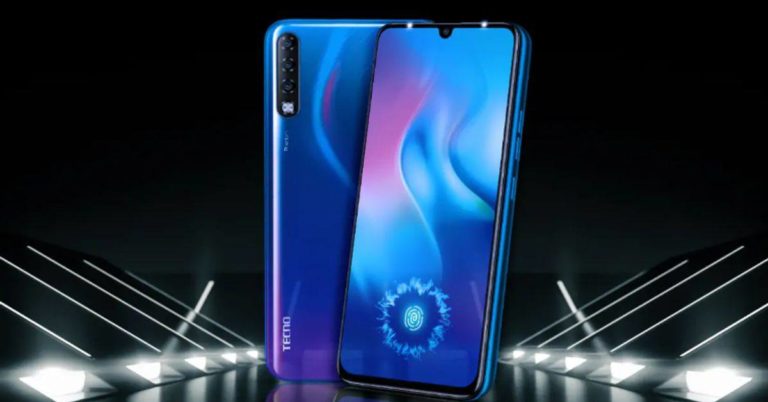
Hong-Kong-based Transsion Holding’s smartphone brand Tecno Mobile recently launched its flagship device Phantom 9 in India. Today, the company has announced that its Tecno Phantom 9 handset will be going on sale on Flipkart starting July 17.
So, if you are interested in buying the newly launched smartphone, you can head to the e-commerce website tomorrow to get your hands on it. Here’s a look at the price details and specifications of the Tecno Phantom 9 smartphone:
In This Article
Tecno Phantom 9 price and availability
The company has launched its Tecno Phantom 9 smartphone in India in only one storage variant that comes with 6GB of RAM and 128GB of internal storage. The smartphone is priced at Rs 14,999 and will be going on sale via Flipkart tomorrow. Tecno’s new smartphone is available only in Lapland Aurora colour option in India.
It is worth mentioning that since it belongs in the sub-Rs 15,000 category, Tecno Phantom 9 competes with the likes of Redmi Note 7 Pro, Vivo Z1 Pro, Samsung Galaxy M30, Realme 3 Pro and Nokia 6.1 Plus.
Tecno Phantom 9 specifications
Coming to the specifications of the Tecno Phantom 9 smartphone, the device features a 6.4-inch Full HD+ AMOLED display that has 600 nits of brightness and an aspect ratio of 19.5:9. The handset is powered by an Octa-Core MediaTek Helio P35 12nm processor that is clubbed with IMG PowerVR GE8320 GPU. The smartphone is available only with 6GB of RAM and 128GB of internal storage. It can also hold a microSD card of up to 256GB.
It has support for dual SIM cards and runs HiOS5 based on Android 9.0 Pie. Tecno’s new offering houses 3,500mAh battery that does not have support for fast charging. For imaging duties, the smartphone comes with a triple rear camera setup that consists of a 16MP primary camera, an 8MP ultra-wide sensor and a 2MP depth sensor. The device also has a 32MP selfie camera on its front panel.
The camera app of the smartphone has support for a number of modes like AI CAM, HDR, Portrait, Beauty, AR Mode, Animoji, Wide Selfie, Bokeh and Panorama. It is also integrated with Google Lens.
Tecno Phantom 9 has an in-display fingerprint scanner and a 3.5mm headphone jack. For connectivity, it has Bluetooth 5.0, FM Radio, Dual 4G VoLTE, GPS and GLONASS, Micro USB and Wi-Fi. Will you be buying the Phantom 9 smartphone tomorrow? Let us know in comments below!
Xiaomi’s Redmi K 20 Pro will be officially launched in India tomorrow. A few days back, Xiaomi India MD Manu Kumar Jain announced on his Twitter account that the company will be launching Redmi K20 and Redmi K20 Pro on July 17 in the country. Xiaomi has also been teasing the launch of its K series smartphone for quite a long time. Today, just before the launch of the handset, the company took to its official Twitter account that the new variant of the Redmi K20 Pro will be unveiled in the country.
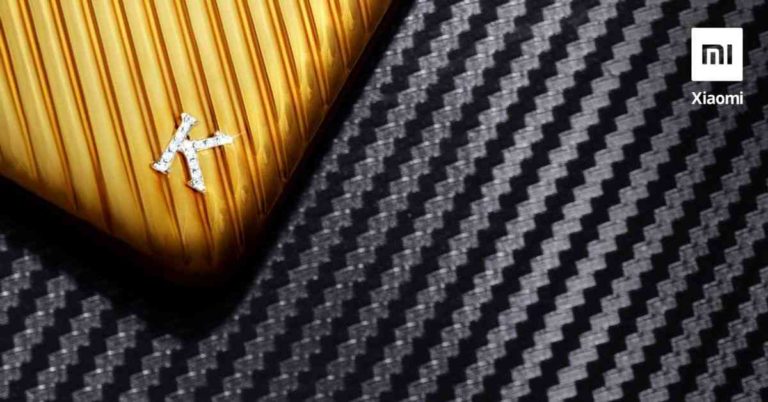
The company also teased the image of the new variant of the device. The tweet says, “Mi fans! Tomorrow, we’ll be unveiling a very special version of the #RedmiK20Pro… worth ₹4.8 LAKHS! What’s gonna be so special about this device, you ask? RT if you want to know more! #BelieveTheHype”
The image teased shows that the device will come with a black and golden finish on the rear panel and along with that, it sports a diamond logo representing the logo ‘K’. According to the tweet, the special variant of the Redmi K20 Pro will cost Rs 4,80,000.
Xiaomi India Managing Director Manu Kumar Jain also took to Twitter, “20 hours to go for #RedmiK20Pro & #RedmiK20 Launching something OUT OF THE WORLD tomorrow! A very special version worth. hold-your-breath. ₹ 4.8 Lakh! What’s so special about this variant? RT if you want to know more!”
The launch of Redmi K20 Pro special edition smartphone may be the sign of Xiaomi to celebrate its fifth anniversary in the country. Xiaomi arrived in India with the launch of its first smartphone Mi 3 in July 2014
The company has not yet confirmed that whether the special version of Redmi K20 will be available for purchase along with the other two devices that are all set to be launched tomorrow. Although we know about the specifications of the Redmi K20 and Redmi K20 Pro, there is no word about the specifications of the special edition of the device.
Redmi K20 Pro specifications, features
The Redmi K20 Pro sports a 6.39-inch full-HD+ (1080×2340 pixels) AMOLED panel that has an aspect of 19.5:9 and 91.9% screen-to-body ratio. The device features an in-display fingerprint sensor and has support for DC dimming. The device is powered by an octa-core Snapdragon 855 SoC, coupled with Adreno 640 GPU. It comes with 8GB of RAM and has 256GB of internal storage. The smartphone houses a 4,000mAh battery that has support for 27W fast charging.
For imaging duties, the Redmi K20 Pro comes with a triple rear camera setup that consists of a 48MP Sony IMX586 primary sensor with an f/1.75 lens, a 13MP secondary wide-angle sensor, and a third 8MP sensor with an f/2.4 lens. On the front, there is a 20MP pop-up camera for selfies and video chats.
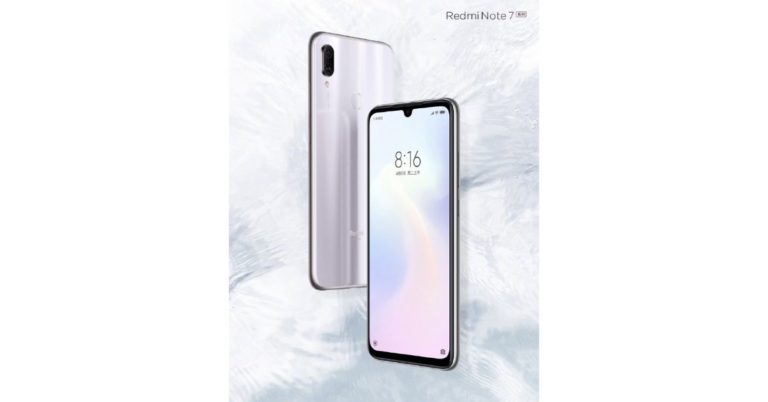
Chinese technology company Xiaomi has introduced a new colour variant for its Redmi Note 7 series smartphone. The company today teased the images of the new colour variant of Redmi Note 7 on its official Weibo account.
The company shared the first look of the new colour variant of its Redmi Note 7 smartphone that will be launched in its home market very soon. But Xiaomi has not revealed when it is planning to launch the new colour variant of its Redmi Note 7 series. While flaunting the glossy white finish variant of the Redmi Note 7, the company has asked its fans to guess the name of the new device. In addition to this, whoever guessed the correct name of the colour variant will win a 20-inch Redmi Suitcase, that was launched in China a few months ago.
Initially, the new colour model of the Redmi Note 7 series will be launched in China. It is expected that after its launch in the home market, the company will unveil the device soon in other markets including India. The Redmi Note 7 is currently available in three colour options – Onyx Black, Sapphire Blue, and Ruby Red colour. While Redmi Note 7 Pro also comes in three colour variants – Neptune Blue, Nebula Red, and Space Black. The rest of the specification of the Redmi Note 7 series will be same.
Redmi Note 7 Pro specifications
Redmi Note 7 Pro features a 6.3-inch Full HD+ (1080 x 2340 pixels) resolution display that has an aspect ratio of 19.5:9. The Xiaomi’s smartphone runs Android 9.0 Pie skinned with MIUI 10 on top. The device is powered by an 11nm octa-core Qualcomm Snapdragon 675 SoC and is available 4GB and 6GB RAM variants. While the former is clubbed with 64GB of storage, the latter has or 128GB internal storage. Both can hold a microSD card of up to 256GB. The smartphone houses a 4,000mAh battery that has support for Qualcomm Quick Charge 4.0.
On the imaging front, the Redmi Note 7 Pro comes with a dual rear camera setup that includes a 48MP primary sensor with an f/1.79 aperture along with a 5MP depth sensor. On the front, it has a 13MP snapper that can be used for selfies and video calls. The device also has a fingerprint sensor on its back panel.
Redmi Note 7 specifications
The Redmi Note 7 is powered by an octa-core Qualcomm Snapdragon 660 SoC. The smartphone is available in 3GB RAM/4GB RAM variants and has 32GB/64GB of internal storage. The device can hold a microSD card of up to 256GB.
Coming to the camera, the Redmi Note 7 features a dual-rear camera setup that consists of a 12MP primary sensor with an f/2.2 aperture and a 2MP secondary sensor. On its front panel, there is a 13MP selfie camera.
Rest of the specifications of the Redmi Note 7 are the same as Redmi Note 7 Pro’s.
Truecaller rose to popularity for identifying spam calls, finding mobile number details, and blocking phone numbers. People access it via all platforms and now, the company has announced the global launch of its Truecaller SDK solution. Truecaller SDK will have support for all important mobile platforms like Android, iOS, React and now mobile web that also includes Progressive Web App support.
In the emerging markets like India and Africa, mobile web-based experiences on smartphones are proving to be the first point of discovery for users trying to access products and services online. This makes the launch of Truecaller SDK very important for the company.
Speaking about the new development, Mukund Laddha, Product Manager, OYO, said,“At OYO, we have been expanding globally at a rapid pace. Improving user experience during authentication has been a key area of focus. This integration with Truecaller presented us with an opportunity to present users with a reliable alternate login method with a large presence across countries. This has made user on-boarding on the web more fluid and frictionless.”
One of the most important challenges in such markets has been the onboard users that are using email or other modes in getting verified by using inefficient OTP process. The software development kit will also make that process a bit easier for the developers with a verification solution that does not require an OTP and is free to use. By using the Truecaller credentials, the users can securely access the services. According to the company, this will reduce the hurdles along with fewer drop-offs that will result in an increase in verified users.
Zairus Master, CEO,Shine.com, said, “At Shine.com, our constant endeavor is to improve our end-user experience by adopting best-in-class technologies. As an early access partner, the integration with Truecaller’s verification solution for mobile web platform will help candidates simplify their registration process on Shine.com and facilitate a constantly active and verified set of candidates on the platform, complete with their updated contact details. We believe that this product integration will give Shine.com a competitive edge over other job portals which solely rely on traditional, OTP-based verification.”
The Truecallers SDK for the mobile web will be helpful in as mobile number-based signup, login, checkout, verification, and more
Commenting on the launch, Priyam Bose, Global Head, Developer Platform & Relations, Truecaller, said, “Our vision has always been to enable the developer community by providing them with solutions that help them to build a user focused, trust-based and growth-oriented products. User onboarding and verification continue to be one of the critical use cases for developers as it is crucial in creating the first impression for their users in terms of building a seamless and secure product experience. On an average, developers in growth markets are starting to see anywhere between 40%-60% of their users now coming from mobile web, giving us more reasons to launch our Truecaller SDK solution for mobile Web interfaces.”
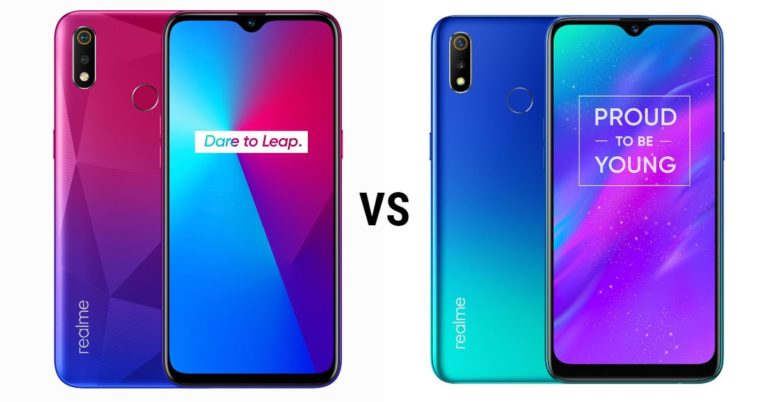
Chinese technology company Realme has launched its Realme 3i smartphone in India this week. The smartphone is a watered-down version of the Realme 3 smartphone that was launched in India in March this year. The newly launched smartphone comes with a dual rear camera setup, an AI-backed selfie camera, runs Android 9.0 Pie, and houses a 4,230mAh battery. Here, we compare the Realme 3i with the Realme 3 smartphone so that you can know which among the two is the right buy for you. Take a look at our comparison here:
In This Article
Display
Realme 3i: 6.2-inch HD+ (720×1520 pixels) display with an aspect ratio of 19:9
Realme 3: 6.2-inch HD+ (720×1520 pixels) display with an aspect ratio of 19:9
As you can see, most of the specifications of the two smartphones are similar to each other. It is only the processor of the two devices that set them apart. Realme 3, that was launched in March this year, has a more powerful processor among the two smartphones. That is actually the only notable change in the device. While the SoC used in the younger sibling is not as powerful as the one used in the higher variant, it is also worth mentioning that the handset costs Rs 1,000 less.
If you can live with that, you might as well spend Rs 1,000 less and buy the younger sibling. However, if you want all the specifications to be powerful, then you should go for the Realme 3 smartphone among the two devices. We should add that the processors affect the overall performance of any smartphone. Most of the other specifications of the two are the same.
Chinese Electronics manufacturer TCL has launched its P8E 4K Android 9 TV in India. The 4K TV comes with the support of free voice search technology. The company has claimed that the bezel-less smart TV is India’s first of its kind innovations. TCL P8E 4K Android 9 TV will be available for sale on Amazon India starting 15 July.
Commenting on the latest launch, TCL India Country Manager Mr. Mike Chen, said “At TCL, we have been committed to delivering smart and innovative solutions that upgrades everyday living without causing a strain on one’s pocket. To the same end, we are excited to bring India’s very first 4K AI Android 9 Smart TV with Handsfree (Farfield) technology. The latest launch carries our 38 years of legacy forward, serving industry-leading innovations in AI & IoT to serve an integrated and immersive experience, within a price bracket that feels comfortable. We are affirmative that India’s growing number of tech and digital savvy users would appreciate this advanced offering and look forward to an affirmative response.”
TCL’s 4K AI Android 9 55-inch P8E Smart TV comes with the support of voice assistant and the company has said that user’s voice command reaches the TV and all the background sound is canceled in the process. This feature allows the user to control the TV right from switching it on or off, changing channels and setting programme reminders just by using voice. The voice interaction feature lets the user connect with other smart home devices such as robot sweepers, curtains, lights and more.
The TCL’s Smart TV 55-inch P8E TV is backed by Artificial Intelligence (AI). The AI-algorithm enhances the quality of the picture and auto-adjusts the brightness, contrast, and saturation. The AI also improves the signals, the volume of the speakers and allows the user to connect all their smart home devices.
The smart TV is boosted by Android Pie (9.0) along with the latest version of OS. The feature also allows the user to enjoy movies, shows, and games from Google Play, YouTube, and other apps.
The Netflix and Prime Videos enthusiasts can easily watch their favourite shows and videos on TCL’s Smart TV. TCL allows the users to access more than 950,000 content supplied including movies, series, live shows, sports, music, kids channels and more. For doing this, TCL has partnered India’s leading VOD players like ErosNow, ZEE5, Hotstar, Voot, Jio Cinema, Hungama Play, ALTBalaji, and YuppTV. The device is compatible with Amazon’s digital assistant Alexa.
TCL P8E 4K Android 9 TV is powered by quad-core CPU and comes with a triple-core 600-800 MHz GPU. The television has 2GB DDR3 RAM and 16GB storage. TCL P8E TV also supports HDMI 2.0, USB2.0, WI-FI 2.4G, and Bluetooth connections.
As we mentioned earlier, smart television is available for purchase on Amazon. The TCL’s 55-inch P8E smart TV is priced at Rs 82,990 but during the Amazon Prime Day sale, it can be purchased at a discounted price of Rs 40,999. In addition to this, buyers who purchase the Smart TV between July 15th and 16th will receive a free dongle before August 5th from TCL.
Disney-Owned video streaming platform Hotstar has announced that it has broken a world record by gathering 25.3 million simultaneous viewers watched the ICC Cricket World-Cup semi-final match between India and New Zealand on its platform. According to the video streaming platform, with a viewership of 25.3 million, it has surpassed its own previous record of 18.6 million viewers that tuned in during the VIVO IPL 2019 final. In addition to this, the company said that it also observed a rise in concurrent viewers to 15 million in all the matches that streamed on the platform during ICC Cricket World Cup 2019.
Speaking about the new milestone, Varun Narang, Chief Product Officer, Hotstar said in a statement, “We are thrilled about, once again, re-writing the global record for the highest concurrent video viewership anywhere in the world,”
The company also said that Hotstar is built to handle an immense scale. A few days back, the platform had crossed the record-breaking viewership of 100 million daily users during the India vs Pakistan match. Leaving cricket aside, the entertainment consumption on Hotstar remains is as high as 60 percent. In the past year, the viewers of entertainment content have also increased by 2X.
As we mentioned earlier, during the India Vs Pakistan World Cup match, Hotstar crossed 100 million active users all across the world. The match was held on June 12 when Hotstar got the record-breaking viewership.
Sharing the news Hotstar’s Chief Product Officer Varun Narang, said “We are delighted to have been able to deliver an uninterrupted cricket watching experience to such a large audience at once. Having achieved a single day platform reach of 100 million demonstrates the indisputable technology prowess that Hotstar brings to the OTT industry. This remarkable achievement has helped us set a new viewership benchmark.”
The company stated that out of 100 million viewers, 66% of them came from towns outside metro cities that recorded 15.6 million of concurrency.
During the Cricket World Cup 2019, Hotstar provided streams across six languages – English, Hindi, Bengali, Tamil, Telugu, and Kannada. Hotstar also provided streaming to it viewers living in the US and Canada via mobile and web application as well as on devices like Roku TV, Apple TV, Amazon Fire TV Stick, Android TV, and Samsung Smart TV so that they can enjoy watching Cricket World Cup through its service.
Hotstar also partnered with the other video streaming platforms like Amazon Prime Video, SonyLiv, Netflix, Voot, Zee5, ALTBalaji and Eros Now.
To recall, during IPL 2019 final match Hotstar crossed the milestone of over 18.9 million concurrent viewership.
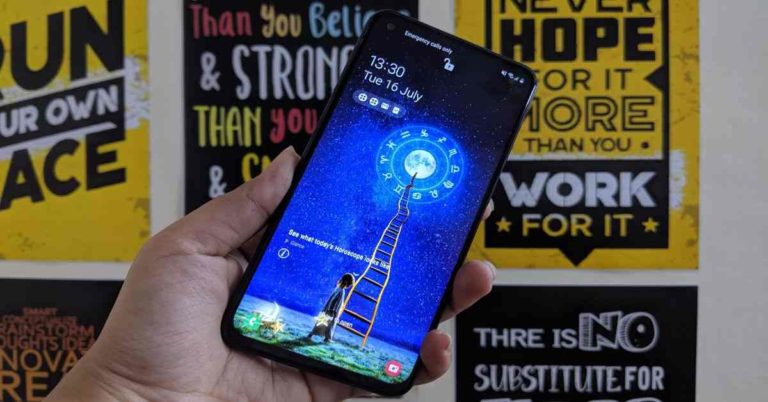
Samsung has been on a launching spree in India. The company has launched a number of devices in its Galaxy A and Galaxy M series this year. The latest to join the list is Samsung Galaxy M40, that is priced at Rs 19,999. The handset has a triple rear camera setup, a 3,500mAh battery and is powered by Qualcomm’s Snapdragon 675 SoC. We spent a few days with it to find out its pros and cons. Read the rest of our review of Samsung Galaxy M40 to find out if it’s a good buy:
In This Article
Samsung Galaxy M40 design and display
If you have seen any other smartphone from the Samsung Galaxy’s M series, you would be able to draw a lot of similarities between theirs and Galaxy M40’s design. It looks very much in-line with the entire range. Samsung Galaxy M40 has a glossy finish on its rear panel that is made of plastic. The back panel is dark in the centre and light towards the edges. The handset is available in two colour variants: Midnight Blue and Seawater Blue. The one that we got for review was dressed in Midnight Blue.
The rear panel of the Samsung Galaxy M40 smartphone comes with a triple rear camera setup, an LED flash, a fingerprint scanner and the ‘Samsung’ branding. The right edge of the device comes with volume rocker keys and the power button. The left side has the SIM card slot and the bottom edge has the USB Type C port, speaker grille and a microphone. It is worth adding that there is no 3.5mm headphone jack on the device. But then, Samsung has added a Type-C headset in the box.
The one-handed usage on the Samsung Galaxy M40 smartphone is fairly easy. We could easily reach out to all the keys of the handset and even the top of the screen of the device to access Quick Settings.
On the front panel, the 6.3-inch touchscreen dominates the smartphone. The bezels that outline the display of Samsung Galaxy M40 are fairly thin and this includes the chin of the device. It also has a punch-hole design that houses the selfie camera of the device. This has support for facial unlock, too.
To sum it up, we would say that the design of the Samsung Galaxy M40 is really good. It has a compact body and is light in weight. One handed usage on the device is very simple.
Coming to the 6.3-inch display of the smartphone, it has a full HD+ resolution of 1,080×2,340 pixels and uses a PLS TFT LCD panel. The display showcases bright and vibrant colours that remain consistent at different viewing angles. The images are sharp and extremely clear. We watched a lot of videos on the device during our time with it and our experience was good. The phone plays videos of 1080p resolution with perfect ease. While some may think of the selfie camera to be a hindrance, we did not find it to be too disturbing.
Samsung Galaxy M40 also has the ‘Screen Sound technology’, that enables it to produces sound through vibrations through the display. So the handset does not require an earpiece. Other than that, there is also Widevine L1 Certification for HD video streaming.
The sunlight readability of the Samsung Galaxy M40 smartphone is decent too. In a nutshell, we would say that the display of the device is another of its good aspect. If you spend hours watching Netflix content on your device, you would not be unhappy with Samsung Galaxy M40’s screen performance.
Samsung Galaxy M40 performance and cameras
Here’s a look at the specifications of the Samsung Galaxy M40 before we begin talking about its overall performance. The smartphone is powered by the octa-core Qualcomm’s Snapdragon 675 SoC clubbed with Adreno 612 GPU and packs 6GB of RAM. The device has 128GB of storage and can hold a microSD card of up to 512GB. Samsung Galaxy M40 runs Android 9 Pie skinned with One UI and houses a 3,500mAh battery with 15W fast charging support.
For imaging duties, the smartphone features a triple-rear camera setup that consists of a 32MP main sensor with an f/1.7 aperture, an 8MP ultra-wide-lens with f/2.2 aperture and a 5MP depth sensor with an f/2.2 aperture. On its front panel, there is a 16MP camera housed in a punch-hole setup with an f/2.0 aperture for selfies and video calls.
Coming to the software of the device, as we just mentioned, Samsung Galaxy M40 runs OneUI based on Android 9.0 Pie. The software of the smartphone is exactly like the one on the other recent Samsung Galaxy devices. The icons are bigger than the previous UI of Samsung and it looks a lot cleaner. The device comes with Google’s Digital Wellbeing and has support for gestures. Make sure you pay attention while setting up the phone as you will have to uncheck a few options so that you don’t receive too many notifications. You will be spammed otherwise.
Finally, let’s talk about the performance of the smartphone. We used the device for a lot of multi-tasking. We opened multiple tabs of Chrome on it and kept on switching between apps and faced no lag while doing this. We used the Samsung Galaxy M40 for playing games and navigation at the same time, and even then, we did not encounter any problems.
Speaking of gaming, the smartphone handles anything from Alto’s Odessey and Temple Run 2 to Asphalt 9: Legends. However, when we tried playing PUBG Mobile on it, it did warm up a bit. But then, that was the only time when this happened. On the upside, because the display of the device offers a full-screen experience, it was fun to play all these games on it.
Most of the apps worked well on the device in spite of the fact that it has a punch-hole design. The call quality of the Samsung Galaxy M40 is good and the company’s Screen Sound Technology worked well during our usage. Although we did not have any trouble hearing the caller, we also felt that at times, the volume was too high in spite of being set at the lowest.
The 3,500mAh battery is one amongst the biggest strengths of the Samsung Galaxy M40 smartphone. With usage that involves phone calls, gaming, social media apps, watching videos on YouTube and navigation via Google Maps, the battery of the handset lasted more than a day for us. We consider this to be impressive as our usage was heavy. Samsung Galaxy M40 has support for Qualcomm’s Quick Charge technology and comes with a 15W fast charger. In an hour, the device charged more than 80% each time.
Coming to the cameras of the handset, it has a triple rear camera setup that consists of a 32MP primary lens, an 8MP wide-angle lens, and a 5MP depth sensor. The camera app does not have support for OIS and it does not have the best autofocus that we have seen. But then, on the upside, you would be able to record 4K and slow-motion videos.
Like most other smartphones that come with high-resolution camera sensors, the 32MP lens saves images in 12MP resolution by default. However, you would get the option of saving them in 32MP resolution too.
We personally found the camera performance of the handset to be a little inconsistent. In good lighting conditions, they seemed to be respectable most of the times. However, when we transferred them to a laptop and saw them on a bigger screen, the image quality seemed different. It did not seem as sharp as it did otherwise. Some shots also seemed to have inaccurate colours and were grainy. The zoomed in shots also lacked clarity, in some cases. Low-light photography was not the best aspect of the handset either.
We got some good shots using the 16MP selfie camera of the smartphone. But then, the performance was inconsistent as it didn’t do the best job in lowly lit conditions.
Verdict
At Rs 19,999, Samsung Galaxy M40 is a good buy, but then, you should know what you are buying it for. The battery is one of the strongest points of the device and it has a beautiful design. The full-screen experience and the ability to handle heavy-duty tasks are also upsides of the handset. The good video-watching experience is a big plus too.
However, the smartphone is not the best when it comes to the camera performance. At times, it performs well, and at other times, it fails to do so. Another downside is that with its default settings, the smartphone gets too many notifications. Not everyone will like the hole-punch design of the handset either.
So, if Samsung Galaxy M40’s good points are on your priority list, you would certainly not be disappointed. It is definitely a good buy.
Micro-blogging platform Twitter has rolled out a new design on its desktop today. The redesigned platform now comes with more customization options and completely rearranges the navigation experience on Twitter. Actually, with the new redesign, the desktop version of Twitter looks a lot like the mobile app of the platform.
While some testers had been gradually receiving the redesigned version of Twitter for a few months, now the company will be making it available to everyone over the next few years. It is also worth pointing out that unlike previous redesigns, this one is not optional and all users will have to opt into it. A report in Mashable confirms this and adds that this time, there will be no legacy Twitter to fall back to.
Among the biggest changes that have been introduced include a navigation bar on the top left sidebar. This contains the bookmarks, lists and user’s profile. A new explore tab has also been added. According to Twitter, the company has brought over the new ‘Explore’ tab from its mobile app so that more live videos and personalized local trends can be featured.
The Direct Messages on the platform have also been revamped and now, they show conversations and messages sent by the user in the same window. In addition to this, the desktop experience of Twitter will also be getting different themes and colour schemes. These will also include more options for the Dark Mode.
A number of other features from Twitter’s mobile app have now been made available on the desktop as well. For instance, the ‘Sparkle’ button on the home bar that lets users switch between the latest tweets instead of the top ones has also been added. With the side-navigation bar, it will also be easier for users to use multiple accounts and switch between them without having to log in and log out. While this has been available on the mobile app for long, it has finally come to the desktop too.
In an unrelated piece of news, Twitter is adding a new feature that will give users more control over which comments are visible in a conversation that has been started by them. The upcoming feature will be called ‘Hide Replies’. While the company was reported to be testing this feature for a long time, it has finally announced that it will be rolling it out to Twitter users in Canada soon.
Today is the last day of the Amazon Prime Day Sale 2019. The sale on the e-commerce website will run for 24 hours more. On the last day, the company is offering some more deals across various categories for its Prime members. The Prime members can avail a number of discounts and offer on TVs, electronic appliances, budget smartphones, mobile accessories and much more.
To avail the offers and discount you can sign up for Amazon Prime by paying Rs 999 annually or you can also opt for a monthly plan that costs Rs 129.
We are listing down some of the best deals on Amazon on its last day of Prime Day Sale. Take a look:
Boat Airdopes 311 true wireless earbuds
boAt Airdopes 311 True Wireless Earbuds (Bluetooth V5.0) with HD Sound and Sleek Design, Integrated Controls with in-Built mic and 500mAh Charging case was launched during Amazon Prime Day Sale. Originally it costs Rs 6,999, but during the Amazon Prime Day Sale, it can be picked up for Rs 2,999. The earbuds are IPX5 water and sweat resistant.
Amazon Echo Dot bundle with Syska smart bulb
This bundle contains Echo Dot and Syska 9W smart colour bulb (pin type). It can be used for controlling your lights just by using just your voice. You can also control them remotely away from home. Or you can create a routine to dim them automatically at night. This bundle can be bought be for Rs 2,449 during e-commerce’s biggest sale. Originally it costs Rs 6,298.
Amazon Kindle 10th generation
Amazon’s Kindle 10th generation comes in two variants – 4GB and 8GB. The 4GB variant can be purchased for Rs 6,249 instead of Rs 7,999. The 8GB model, on the other hand, will cost you Rs 10,249 during the sale instead of its original price of Rs 12,999.
Bose SoundLink Revolve
Bose Soundlink Revolve 739523-5130 Wireless Portable Bluetooth Speaker that gives up to 12 hours of play time one fully charged can be grabbed at its lowest price of Rs 13930 whereas it originally costs Rs 19900. The device can be accessed by Siri or Google Assistant or it can be paired with other multiple speakers.
Amazon Echo Show 5
The Amazon Echo Show 5 features a smart screen with a 5.5-inch display, has a rich sound, comes with an HD camera and built-in camera shutter. The latest addition by the company is available at Rs 5,399 during the Amazon Prime Day sale. The original price of the product is Rs 8,999.
LG 55-inch 4K Smart LED TV
The LG 55-inch 4K Smart LED TV will be available at a discounted price of Rs. 59,999 during Amazon’s Prime Day sale. The original price of the TV is MRP Rs. 89,990. It comes with new Ai ThinQ features that can be accessed through company’s Magic Remote separately. The TV features 3 HDMI ports and two USB ports along with a 1-year manufacturer warranty.
Sony Bravia 32-inch smart LED TV
The Sony Bravia 32-inch smart LED TV is being sold for Rs 28,990 on Amazon during the ongoing sale. You can get an additional discount of Rs 1,000 by adding a virtual coupon on the product listing page. The full-HD LED TV features YouTube, Opera Store, Netflix, and other apps. It comes with HDMI ports and two USB ports on the TV. The original price of the product is MRP Rs 39,900
LG 22-inch full-HD monitor
The LG 22-inch full-HD monitor can be purchased for Rs 7,499 during the Amazon Prime Day sale. The monitor features a native resolution of 1920×1080 on a borderless IPS panel. It comes with a VGA port, an HDMI ports, a DVI port, and audio out along with AMD FreeSync support.
Kindle Unlimited at Rs 69
Amazon is offering a 3-month subscription to Kindle Unlimited at just Rs 69. The subscription is being offered at its lowest price till now. Otherwise, the subscription will cost you Rs 597.
TP-Link Deco M9 Plus mesh Wi-Fi router (Pack of 3)
The TP-Link Deco M9 Plus is currently available at Rs. 24,999 (MRP Rs 39,999) during Amazon’s Prime Day sale. It comes in a pack of three routers. It can be easily set up an entire wireless network through a mobile app.
For deals from Day 1 of sale, you can check out our list over here.
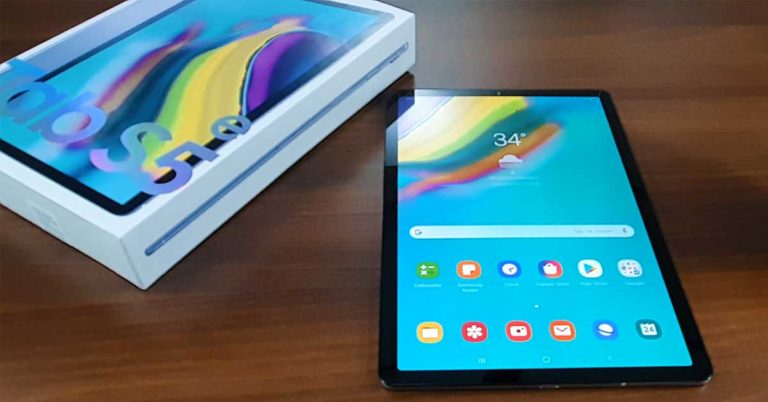
Samsung will not leave any stone unturned this year, seems like. Its range of smartphones in the A and the M series are doing great and now is the turn of its tablets. Yes, we are talking about Samsung Tab S5e, which is in direct competition with Apple’s iPad pro. In certain ways, it is cleverer than Apple’s tablet. But how did it fare in our review bench? Let’s find out.
In This Article
Samsung Tab S5e Design and Display
The Samsung Tab S5e is built out of one block of aluminium. This means you get a seamless body experience from top to bottom and left to right. The front has a large 10.52-inch display with an aspect ratio of 16:10. The Screen is not fully edge to edge. A small black band runs around it but does not distract. When off, the who front façade is unified. An 8MP FHD camera is also placed on the top part of the screen, which helps in video chats and also face recognition to unlock the device.
On the right side (in portrait mode) Samsung has placed the power button within a rectangular dimple. This also doubles up as a fingerprint scanner. Here you will also find the volume rocker keys, a microphone and a microSD card slot to expand the storage further. The left side has the magnets along with POGO connectivity port, which enables the tablet to be mounted on the POGO keyboard (sold separately). This lets you work in DEX desktop mode, which automatically turns on when you attach the two.
The bottom part of the Samsung Tab S5e has a USB Type C charging port along with two speaker grilles. Two more speakers (along with one more MIC) can be found on the top of the tablet as well. So, in total users get 4 speakers on this tablet for a great surround sound experience.
Toss the Samsung Tab S5e around and you get to see a sleek silver metal finish rear body. We were reviewing the silver version, however, there are two more colours available – Gold and Black, both of which look very stylish. At the back, the company has placed a rear camera module (that juts out), Samsung branding and powered by AKG logo. Oh, did we forget to mention the four speakers we just spoke about are powered by AKG.
Samsung bought AKG sometime back, so it was about time they got the tech into their tablets too. We will talk more about the sound in the performance section. So that sums up the form factor, let’s talk a bit about its display now. The 10+ inch touchscreen is one of the best we have seen on any tablet this side of the globe. It supports a resolution of 2,560×1600 at 286 pixels per inch.
The graphics here are supplied by an Adreno 615 chip based on Qualcomm Snapdragon architecture. The colours are very vivid, blacks are deep and one can see subjects pop out. Sunlight legibility is brilliant and we loved the movie, and games experience on the larger than life display.
Samsung has done a good job with the Samsung Tab S5e touchscreen. The response time is great and it hardly misses a tap. The icons look nice and the display does perfect justice to the Android 9 ecosystem.
Samsung Tab S5e Performance and Cameras
Welcome to the fun part. We love to stress devices and to our amazement, the Samsung Tab S5e came out with flying colours on most counts. With the metal shell, Samsung gives you a Qualcomm Snapdragon 670 Octa-core mobile chipset which has two cores running at 2.0 GHz and the next 6 running at 1.7 GHz. Yes, some might say it is an old chipset, but it still gets the job does pretty darn well, also keep the price of the tablet low, so Samsung can concentrate on other important things like security and more RAM.
The chipset is partnered with 6GB RAM and 64GB internal memory. The memory can be expanded further using a microSD card up to 512GB. To give this large tab extra life, Samsung has installed a rather huge 7,040 mAh battery inside. Four Speakers, as we said, are powered by AKG and come with Dolby Atmos support too. WiFi 802.11 a/b/g/n/ac along with WiFi direct are supported. Bluetooth 5.0 has also been thrown in the mix. Together, these make up for superior performance.
The operating system on the Samsung Tab S5e is Android 9 Pie with Samsung One UI on top. The whole outlook is very stock Android-ish and like the 2019 version of Samsung smartphones, this one also comes with an App drawer. The bloatware is next to none and we did like the Knox security integration.
This gives you protection against malware and other attacks. For additional security, the fingerprint scanner is also there along with face detection. Both of which work well on most counts. It is only that the fingerprint scanner is pretty thin and when the Bookcover keyboard is attached, it misses a scan or two. Since the back panel of the cover comes in the way, slightly.
When attached with the Book Cover Keyboard, the DEX mode comes in to play. This turns the UI into a desktop-like mode, which is great to work with. Everything on the screen looks neater, icons become smaller and you get a bottom bar, where you can find the usual set of apps, settings etc. The navigation bar can also be turned on or off and you can use gestures from the bottom for going a step back, to the home screen or to the recently opened apps.
The version of Samsung Tab S5e launched in India is WiFi only. Which is ok, since most of us would have our cell phone with us almost 100 per cent of the times. And one can tether the internet from the mobile to the tablet. In case you do not have the mobile around or is a bit far, you can always connect compatible Galaxy devices to the Samsung Tab S5e. This enables the tablet to receive mobile phone calls and messages coming to your phone.
Moving over to the cameras, the Samsung Tab S5e comes with a 13MP autofocus rear camera, which does a decent job at clicking pictures. The colours look natural but one can find a bit of grain at the edges. You can produce good pictures from it, but do not expect smartphone-like imagery from it. Same is the case with the front camera. It supports 1080p video, so one can video call in good resolution. Things like Bixby vision, stickers and HDR mode have been added to both the cameras.
The battery life of the Samsung Tab S5e is another bright point of this tablet. We were able to get over 10 hours of work time with it, at 50 per cent screen brightness and WiFi connected at all times. Also, the Bookcover keyboard was attached to it 90 per cent of the time.
On the benchmarks, it did a fine job too. On Antutu it captured a score of 1,53,298. While on Geekbench 4 the Samsung Tab S5e managed a score of 1,625 on single-core and 5,692 on multi-core CPU tests. On the compute test it scored 6,125 points. All pointing towards fair performance. Also, while playing games or watching movies for long we did not find any sort of heating issues.
Talking about movies, we loved the experience. Netflix app comes on it as default and watching the latest shows on it with Dolby Atmos packed on a set of 4 loudspeakers was brilliant. So was the gaming feat. Games like Shadow Fight 3 and Asphalt 9 are pure eye candy. Nonetheless, you will get see an occasional lag on graphic heavy games. So, if you play games like PUBG, keep the settings at medium and you will be fine. Remember, gaming is not the primary aim of this tablet, it is work (at which it excels).
Verdict and Final Words
We tried our hand at a bit of everything on this tablet and the experience was fairly good. The security features are nice, the display is super to work with, the Bookcover keyboard attachment works well (which by the way is available at a discount right now at Rs 3,500, additional), apps open smoothly and if you want to use apps like a document editor or spreadsheet maker, Samsung Tab S5e will do perfect justice to them.
Over that, the entertainment features are aplenty. With 400 grams of weight and just 5.5mm slimness, it is very portable. At a price of Rs 34,999 it will not replace your laptop but comes pretty darn close to it.
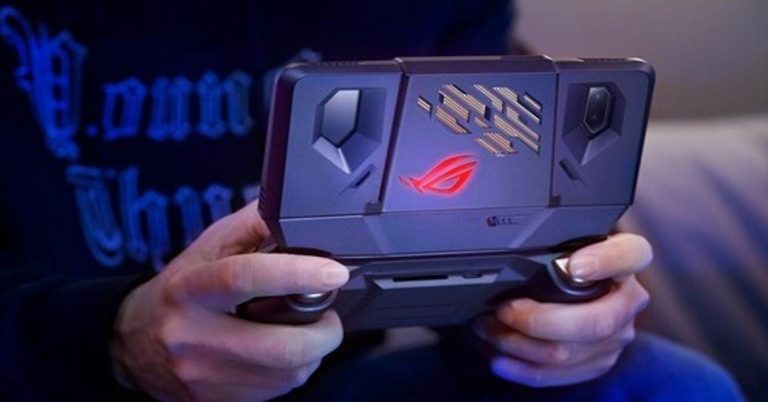
Taiwanese technology company Asus has announced that its upcoming Asus ROG Phone II will be the world’s first gaming smartphone to be powered by Qualcomm’s Snapdragon 855 Plus mobile platform.
We should mention that as of now, Snapdragon 855 Plus is the most powerful processor in the world and since Asus ROG Phone II will be powered by it, it is bound to have an excellent performance. Considering that Asus has promised to get a better gaming performance with its ROG Phone II, this obviously is a plus for the device.
It is worth adding that some high-end offerings like Samsung Galaxy S10 series come with the Snapdragon 855 SoC, and the processor on Asus’ device is supposed to be better than that. As of now, not much is known about the upcoming Asus ROG Phone II, the company is expected to roll out a number of new gaming-oriented features in the device. The handset will succeed the ROG Phone that was launched in August last year.
The company has confirmed that it will be launching its new gaming-centric Asus ROG Phone II on July 23. We would get to know about the detailed specifications and features of the smartphone then. But since Snapdragon 855 SoC will be powering it, we can say that the smartphone will have a powerful performance.
According to Asus, the Kryo 485 Prime CPU in the Snapdragon 855 Plus runs at up to 2.96GHz and will offer a 4.2% improvement as compared to the 2.84GHz that was present on the Snapdragon 855 SoC. It has also been announced that the Adreno 640 GPU in Snapdragon 855 Plus is clocked 15% faster than 855 SoC.
Other than this, it has also been confirmed that Asus ROG Phone II will feature a 120Hz display and house a massive RAM. The only other smartphone to have a display with 120HN refresh rate is Razer Phone 2, which is also known for its gaming capabilities.
Asus ROG Phone 2 will be launched in two variants and will reportedly hold a starting price of CNY 4,399 (approximately Rs 44,400.
The predecessor of the smartphone – Asus ROG Phone – was launched in June 2018 globally and it made available in India in November 2018. The handset packs some powerful gaming-centric specifications and is powered by an overclocked version of the Snapdragon 845 SoC.
After being launched, Asus ROG Phone II will compete with the likes of Razer Phone 2 and Xiaomi’s Black Shark 2.
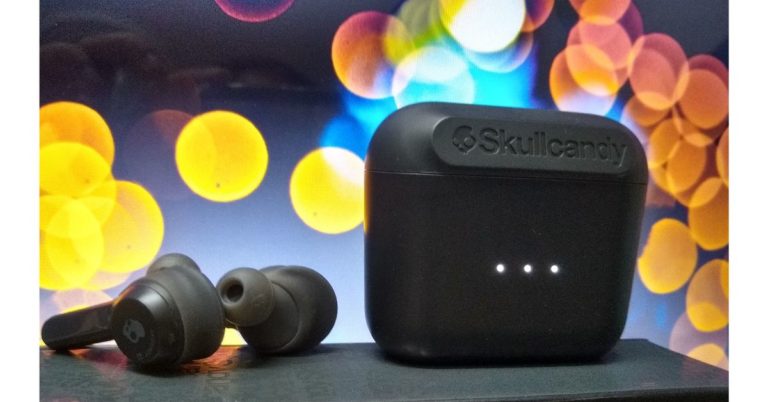
We have always liked music, and since headphones and earphones can give you much better audio qualitythan speakers, as well as it gives you the ability to enjoy listening to music without troubling others, we love them even more. So, when we received the Skullcandy Indy wireless earbuds the first thing that came to our mind is that these earphones are small, light and they are portable. Skullcandy Indy wireless earbuds don’t take much space in your bag for storage.
So, before we talk about the looks of the wireless earphones by Skullcandy let’s take a look at what comes inside the black box. Inside it comes a user guide, a micro USB cable and various gel tips size small, medium and large. The flap has instructions no how to pair the device and it talks about volume up, next track, playing and pause. The device supplies four hours of listening time and 16 additional hours can be supplied with the case. It takes one hour to fully charge. Over that, ten minutes of charge gives you 1.2 hours and the case takes two hours to fully charge. It uses Bluetooth 5.0 with more than 30 feet of range.
In This Article
Design
Skullcandy Indy has touch controls for access. Micro USB for charging and it has IP55 sweat, water, and dust resistance. The case is fairly light and is made of plastic all around. It has the Skullcandy branding on the front of the case and the facade of the case also has LED charge status along with the Micro USB charging port at the bottom. Opening the lid, you will see a light upon the front along with the earbuds placed securely inside the case. They are held into place by magnets. The lid opens and closes firmly and the earbuds are light as they are made of plastic.
The left side earphone has touch controls, LED status light, the stability gel, interchangeable ear tips, and the charging contacts. While the right-side earbud is the master earbud, it also has touch controls, LED status light, stability gel, interchangeable ear tips, microphone and charging contacts.
Controlling the earbuds is done by the touch controls on each side.
Right side controls
Tap once for volume up, tap two times for play and pause, hold down two seconds for next track, holding down both earbuds for three seconds will allow you to pair it.
Left side controls
Tap once for volume down, hold down for 2 seconds for the previous track.
Performance
So, we have been using this out for a few days now. So, after using it for a week here is what we think about the Skullcandy Indy wireless earphones performance.
The Skullcandy Indy has a good range. The earphones can be used both stereo or in mono modes. If you want to use the earphones in mono then it will have to be on the right side because the right earphone is the master.
The earbuds come with various ear tip sizes that are helpful for proper fitting. The stability gel adds additional support that makes it feel secure while wearing. The built quality is decent and seems durable, but it does not look elegant as not the best plastic has been used on it.
Coming to the sound, while using the Skullcandy Indy’s we felt that the sound is not that great as we expected. We expected a bit more bass. It provided enough of the lows but not deep sounds were missing. The sound quality was painfully sharp, too. Like other brands, it has no companion app to adjust the bass or treble or to customize the sound according to our liking. We had to keep adjusting the Skullcandy Indy as it doesn’t fit our ears well and at times we felt it will fall off, thankfully they did not. Even when we did try them on with three different sizes of ear tips that they have. As a default, they came fitted with the medium size ones.
We tried the larger, then the small ones, but the fear of them falling still loomed. At times they just came out a bit of the ear cavity, sort of hanging in there, which makes the audio not sound as nice. On the brighter side, they can be used easily while working out as they are IPX4 rated and are sweat and water resistant.
Verdict
We would have liked to see the voice assistant integrated into the touch controls and also being able to go mono on either earbud would have been nice not just the right side. They can be used for everyday casual listening. The deal breaker for us was the audio syncing with the Bluetooth. With the Skullcandy Indy’s, as we were watching a movie on the phone the audio was maybe half a second off and that got a bit annoying for us. The device also gets disconnected when the connection gets disrupted when we covered our ears with hands or when the device has cover or hood on top of it
Price: ₹7,499
Pros:
Good battery life
Can be used casually
Sweat and water resistant
Cons:
The sound is not so great
Still using micro-USB for charging
Does not look elegant as cheap plastic has been used.
Xiaomi Mi Super Bass wireless headphones have finally launched in India after being teased for well over a week. Last week the Chinese company had announced that the headphones will come to India during the Amazon Prime sale. And as promised Xiaomi has launched the wireless headphones, which support Bluetooth 5.0 in the country at a competitive price point of Rs 1,799. At the moment Amazon prime members can also avail an additional 5% discount if they purchase them with ICICI bank credit cards.
To talk about Xiaomi Mi Super Bass wireless headphones technical specifications, these headphones come with the 40mm dynamic audio driver inside. These, as the company says, will enable the user to feel every beat. The company claims they can provide a wide gamut of resonance and deeper Bass. Xiaomi does say that the headphones are specifically made for Bass lovers.
A 400mAh rechargeable battery powers the Xiaomi Mi Super Bass wireless headphones. This gives its users 20 hours of audio playback and 200 hours of standby time. Which is at par with many in the same price bracket as Skullcandy, but do not get BT 5.0. Users can connect these headphones to any device which has Bluetooth in it. Over that, users do get the option to connect using a 3.5mm audio port in case they run out of battery juice while using them. The aux wire is supplied within the box.
When it comes to the built, Xiaomi Mi Super Bass wireless headphones do look great. Xiaomi has used PU material on them, which provides soundproofing and the extra cushioning should give superior comfort too. The company has also put in an adjustable headband with elastic shafts that rotate the earmuffs. However, these headphones do not have active noise cancellation, but passively cut out ambient noise. Overall, the look of the headphones is not bad at all. They have given these budget wireless headphones an almost seamless look and dressed in black and red they do look quite modern.
We heard the news sometime back that Google is working on a social media app to counter Facebook. Google now has developed a new social networking app called Shoelace. This new app has been developed by Google’s in-house incubator Area 120. It is like regular social networks similar to Facebook and Twitter. Google’s Shoelace is a mobile app that is helpful for people in connecting with other people having the same interests shared through in-person activities. It has been specially designed keeping in mind the people who have shifted in new cities or who are looking to meet other people living nearby.
Initially, the social networking app has been launched in New York City. The motive behind releasing the app in New York is that it will help the software maker to work and improvise After which it can be made available to more people. Shoelace has been built by a small team in Area 120 that is Google’s workshop for experimental products.
After the user installs the app in their device it will ask them to join a community. To join the community the user has to go through a verification process. This will ensure that the user only attends Loops with people that they want to know.
According to the company, the idea behind the Shoelace social network is to tie people together based on their interests like two laces on a shoe. That is done through activities that are fittingly called ‘Loops’
Currently, the app is working on an invite-only basis and it has also partnered with selected communities for now. It supports both Android devices and iOS. To sign in the user must have an active Google account
As per the Shoelace’s official website, it says “While our goal is to bring Shoelace to cities nationwide (United States), we’ve decided to focus our efforts on New York City at first. This will help us determine what works and what doesn’t as we work to make the app available to more people.”
With the introduction of the new mobile-only social media app by Google, it seems like Facebook groups and its set of apps has good competition in store.
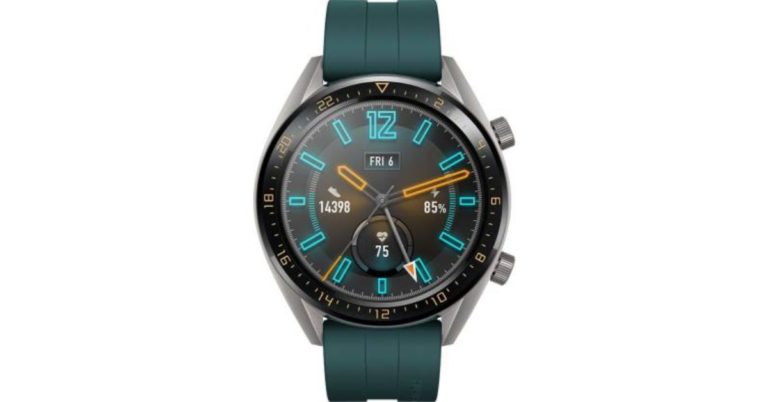
Earlier this year in March Huawei announced its new model of Watch GT smartwatch along with its P30 series of smartphone at an event in Paris. Now the company has announced the availability of Huawei Watch GT Active in India.
The smartwatch comes with a 46mm display with touchscreen controls. The Watch GT Active sports a 1.39-inch AMOLED HD screen with a resolution of 454×454 pixels. All this in with a lightweight design. The device is available in two colour variants orange and green colours. The Watch GT Active comes with features such as it can monitor the heart rate of the user.
The smartwatch also monitors wearers sleep. Apart from that, it comes with a feature called Triathlon mode that has an ability to record an entire triathlon. This also includes transition time. The triathlon includes swimming, cycling, and running modes.
The company claims that the watch also provides coaching in introductory to advanced running courses to assist one in real-time. Over that, it also offers guidance training and time-movement effect feedback.
The company stated that HUAWEI WATCH GT sold more than two million units globally contributing to year-on-year growth of 282.2%, compared to the same quarter last year. They shipped five million units in total – putting it among the top three global wearable vendors.
The Watch GT Active also comes with features like HUAWEI TruSleep 2.0 and HUAWEI TruSeen 3.0 Heart-rate Monitoring Technology, as said earlier. As per the company the technology keeps a track on the wearer’s heart health and monitors their sleeping patterns. For better sleep, it provides the user more than 200 potential suggestions for sleeping.
Huawei Watch GT Active comes with the company’s own operating system called Lite OS. Once charged fully it can last up to two weeks. The device is powered by dual-chipset architecture to deliver ultra-long battery life. Watch GT Active is compatible with both Android and iOS devices.
Availability and offers:
The Watch GT Active can be purchased through Flipkart at a discounted price of Rs 15,990. Originally the smartwatch was priced at Rs 20,990. Buyers can also avail a no-cost EMI at Rs 445/month. The Huawei watch GT Active is available exclusively on Flipkart with a 1-year warranty and 10 days of the replacement policy.
Furthermore, there is a 10% Instant discount for SBI credit card users, 5% instant cashback on Flipkart via Axis Bank credit card and an additional 5% off with Axis Buzz credit card.
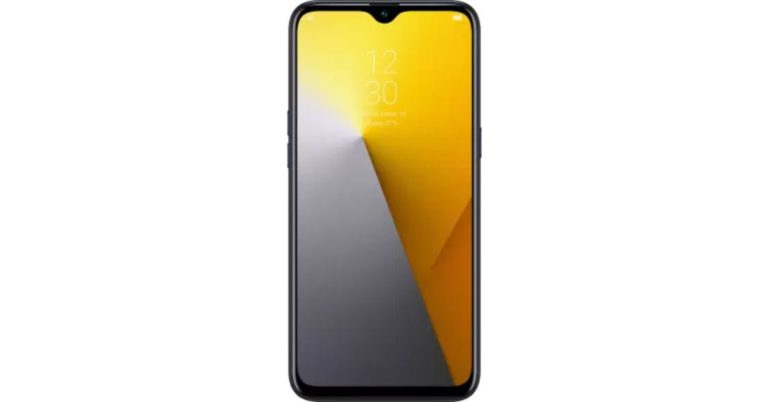
Today Realme launched its most anticipated smartphone Realme X in India. The smartphone was launched in New Delhi. Along with Realme X, the Chinese smartphone makers also launched another smartphone during the launch event. To compete with Xiaomi’s Redmi 7A the company launched Realme 3i in the budget smartphone segment. The key features include dual rear camera setup, dewdrop notch display, and an octa-core MediaTek Helio P60 SoC. Apart from that, it boasts a 4,230 mAh battery along with 13-megapixel selfie camera.
Realme 3i price in India
Realme launched the budget smartphone in two storage variants. The 3GB RAM with 32GB internal storage variant has been priced at Rs 7,999. On the other hand, 4GB with 64GB storage variant is available at Rs 9,999. Realme 3i is available on e-commerce website Flipkart in three colour options Diamond Black, Diamond Blue, and Diamond Red. The device will go on its first sale on Flipkart from July 23 at 12 noon. The buyers will also get an option of no cost EMI on the purchase of Realme 3i.
As we mentioned earlier that the company has also launched Realme X that can be purchased for Rs 16,999 in the country.
Along with that Realme has also released mobile phone accessories in India that will be sold through Flipkart and Realme online and offline stores. The accessories include Realme C2 case, Realme X soft silicon case, Micro USB cable, chargers, etc.
Realme 3i specifications, features
Realme 3i runs on Android Pie skinned with ColorOS 6 on top. The smartphone features a 6.2-inch HD+ (720×1,520 pixels) display with 19:9 aspect ratio, 88.30 percent screen-to-body ratio along with Corning Gorilla Glass 3 protection. The device is powered by MediaTek Helio P60 SoC along with 4GB of RAM with 64GB of onboard storage that can be expanded up to 256GB via MicroSD card. The Budget smartphone houses a 4,230mAh battery and measures 156.1×75.6×8.3mm.
Speaking about the camera, the devices sport a dual rear camera setup that includes 13-megapixel primary sensor with an f/1.8, five-piece lens and a 2-megapixel secondary sensor. On the front, it comes with a 13-megapixel camera sensor.
Skipping over to the connectivity front, the phone has Wi-Fi, Bluetooth v4.2, GPS/ A-GPS, Micro-USB port. Price to specs comparison, this smartphone does seem to a wee bit better than the Xiaomi Redmi 7A.
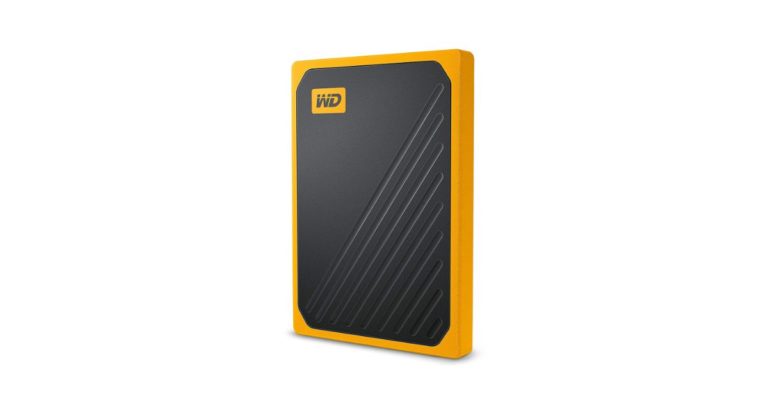
Today, Western Digital launched new My Passport Go external SSD in India. It comes with a shock-absorbing rubber coating and no moving parts, making it drop-resistant up to 2 meters (roughly 6 feet). Western Digital has designed this device for the people who travel frequently and want to carry their data safely. The device was launched internationally at the CES trade show earlier this year and now users in India can also buy it.
The company claims that the WD My Passport Go SSD is 2.5x faster than most portable hard drives and comes with longer durability. According to the firm My Passport Go can deliver SSD file transfer performance of up to 400MB/s[1]. It also comes with an attached USB cable to connect to any PC or laptop. Its pocket-sized form factor and built-in cable make the My Passport Go drive incredibly convenient without leaving important components behind. The device is Fully compatible with PC or Mac computers.
My Passport Go SSD comes with a three-year limited warranty, easy-to-use automatic backup software for Windows and is also Time Machine compatible for Mac backup. For this, you would need to reformat it to a compatible file sector.
The Western Digital My Passport Go comes in 500GB and 1TB storage capacities. The external drive is available in two colour options — Cobalt Blue and Amber. The official price of the device is Rs 14,500 for 500GB capacity and Rs 29,500 for 1TB variant.
My Passport Go has been launched exclusively on Amazon Prime Day sale. During the Prime Day sale, the device 500GB variant is being offered for Rs 6,499 and the 1TB version is currently priced at Rs 12,999 respectively. The discounted priced is being offered exclusively for Amazon Prime Sale after which the device will be sold at its original price.
The in-built USB cable comes with a USB Type-A port and does not carry a USB Type-C adapter. The Device measures 95 x 65 x 10mm and it weighs meager 55g.
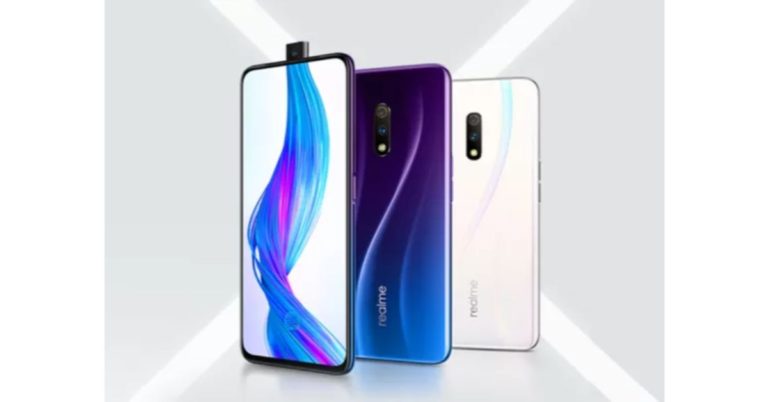
Today, Realme X smartphone launched in India. During the launch of Realme X in New Delhi, Realme India CEO Madhav Seth declared that the company has crossed the milestone of 9,00,000 active users in the country. The key highlights of the launched smartphone are that it comes with a pop-up selfie camera module along with 19.5:9 display panel and an octa-core Qualcomm Snapdragon 710 SoC.
In addition to this, the company has also launched 360-degree Real Service doorstep repairing option in metropolitan cities namely Bengaluru, Chennai, Delhi, Hyderabad, Mumbai, and Pune. In this new service, the company promises to provide doorstep repairs within 30 minutes of first raising the complaint.
In This Article
Realme X specifications and features
Realme X runs Android Pie skinned with ColorOS 6.0 on top. The smartphone features a 6.53-inch full-HD+ (1,080×2,340 pixels) AMOLED display that has an aspect ratio of 19.5:9. It also comes with Gorilla Glass 5 for protection. The smartphone is powered by an octa-core Snapdragon 710 SoC, paired with Adreno 616 GPU and comes with up to 8GB of RAM and 128GB of internal storage. The smartphone houses a 3,765mAh battery that supports VOOC Flash Charge 3.0 to deliver super quick charging.
On the imaging front, the Realme X comes with a dual rear camera setup that comprises of a 48MP Sony IMX586 primary sensor with an f/1.7 aperture and a 5-megapixel secondary sensor with an f/2.4 aperture. There is also a 16-megapixel IMX 471 selfie camera on the front that has an f/2.0 aperture housed in a pop-up selfie camera setup.
Apart from that, the device houses a 3,765mAh battery that supports VOOC 3.0 fast charging technology. The connectivity choices of the handset include 4G LTE, Wi-Fi 802.11ac, Bluetooth v5.0, GPS/ A-GPS, USB Type-C port and Dolby Atmos audio. Astonishingly there is no microSD card slot in this smartphone.
Realme X price in India, launch offers
The Realme X comes in two variants 4GB and 8GB. The 4GB variant comes with 128GB of internal storage that can be purchased for Rs 16,999. The upper variant that comes with 8GB RAM and 128GB of internal storage fetches a price tag of Rs 19,999. The smartphone can also be purchased via offline mode, too. The device will be available in two colour variants Polar White and Space Blue.
To recall, the smartphone was launched in China in the month of May this year. The Realme X smartphone’s base variant with 4GB RAM/64GB storage is priced at CNY 1,499 in China. On the other hand, its 6GB RAM/64GB storage variant and 8GB RAM/128GB storage model bear a price tag of CNY 1,599 and CNY 1,799 respectively.
The Company launched its limited-edition smartphone Realme X Spider-Man Far from Home along with Realme X.
The special edition has been launched with a price tag of Rs 20,999 and will be available in a single 8GB RAM + 128GB storage variant. Additionally, Realme will also be offering the Naoto Fukasawa collection of the Realme X with Garlic and Onion textures that comes in 8GB RAM + 128GB storage configuration at a price tag of Rs. 19,999. Both Spider-Man: Far from Home edition and Naoto Fukasawa collection will become available in early-August. For the lesser known, Realme X: Far from Home Edition was unveiled in China a few weeks back. The company’s special smartphone has been launched in collaboration with Sony Pictures.
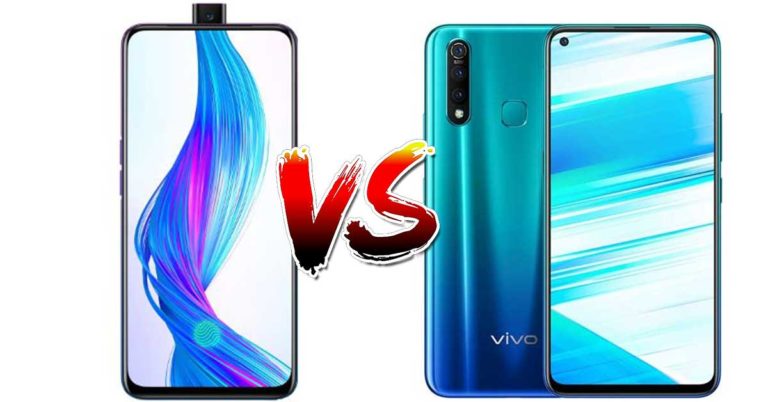
The Vivo Z1Pro was launched a few weeks ago in India, with an impressive set of features. While the Realme X has been launched now, here. The smartphones boast similar specs and are priced under Rs 20,000. Both are from and are built in China and are sister concerns. Today we compare the Realme X with Vivo Z1Pro and Realme’s 3 pro. So, let’s get to it.
In This Article
Display
Realme X: 6.53-inch FHD+ AMOLED display with 19.5:9 aspect ratio with Corning Gorilla Glass 5 on top.
Vivo Z1 Pro: 6.53-inch Full-HD+ LCD display with a hole-punch design, protected with Corning Gorilla Glass 5 Realme 3 Pro: 6.3-inch Full-HD+ display with Gorilla Glass 5 protection
Processor
Realme X: Qualcomm Snapdragon 710 SoC.
Vivo Z1 Pro: Qualcomm’s Snapdragon 712 AIE chipset Realme 3 Pro: Snapdragon 710 SoC clubbed with Adreno 616 GPU.
Rear camera(s)
Realme X: Dual rear camera setup with 48MP Sony IMX586 sensor and 5MP secondary sensor.
Vivo Z1 Pro: Triple rear camera setup with a 16MP sensor, an 8MP sensor and a 2MP sensor. Realme 3 Pro: Dual-rear camera with a 16MP main camera and a 5MP secondary sensor.
Selfie camera
Realme X: 16MP elevating front camera Sony IMX471 sensor.
Vivo Z1 Pro: 32MP selfie camera
Realme 3 Pro: 25MP selfie camera
Vivo Z1 Pro: 4GB RAM/64GB internal storage, 6GB RAM/64GB onboard storage and 6GB RAM/128GB storage.
Realme 3 Pro: 6GB of RAM and up to 128GB of internal storage
Vivo Z1 Pro: 5,000mAh battery Realme 3 Pro: 4,045mAh battery.
Operating system
Realme X: Android 9 Pie
Vivo Z1 Pro:Android 9 Pie skinned with FunTouch OS 9.0 Realme 3 Pro: Android 9 Pie skinned with ColorOS 6
Fingerprint Sensor:
Realme X: In-display
Vivo Z1Pro: On the back panel
Realme 3 Pro: On the back panel
Price
Realme X: Rs 16,999 for the 4GB/128GB model, Rs 19,999 for the 8GB/128GB model. Rs 20,999 for the Spiderman limited edition.
Vivo Z1 Pro: Rs 14,990 for the 4GB RAM/64GB storage, Rs 16,990 for 6GB RAM/64GB, Rs 17,990 for 6GB RAM/128GB storage. Realme 3 Pro: The 4GB RAM/64GB storage variant costs Rs 13,999 and the 6GB RAM/64GB storage is priced at Rs 15,999.
What do we think?
Well, while Vivo has got the price bang on in comparison to the specs they are giving. Realme has missed the mark hard. Vivo Z1Pro wins hands down over Realme X. As Vivo Z1Pro has a better processor, superior front-facing camera, 3 cameras at the back, larger 5,000mAh battery, a dedicated gaming mode and comes at a cheaper price. In our opinion, you are better off buying a Vivo Z1Pro than Realme X in this price bracket. Realme 3 Pro is not even in the race between the two.
An Apple iPhone 6 caught fire in the USA. The iPhone was owned by an 11-year-old girl who is from California, USA. Media reported that the device suddenly caught fire and burned holes in her blanket once she threw the device on it. The 11 years old girls name is Kayla Ramos
In her statement to 9to5Mac on Saturday, the teenager said “I was sitting down, and I had my phone in my hand and then I saw sparks flying everywhere and I just threw it on a blanket. I was right here on the bed and the phone managed to burn through this blanket and make these holes.” The teenager said she used her iPhone 6 to watch YouTube videos and occasionally lets her younger siblings play games on it.
Immediately after the incident the mother of the teenager Maria Adata called Apple for support. The Apple support instructed them to send them the pictures of the burned device and asked her to ship the device to the retailer.
Although the Company has not commented on the incident, however, it is reported that Apple will provide the family with a new phone and ensured the family that it will investigate the cause of the explosion.
Image courtesy: YouTube/KTNV Channel 13 Las Vegas
According to another report Maria Adata said “This was my child. My child could have been caught on fire and she could have been hurt more and I am glad she’s ok,”
According to the iPhone manufacturer, there may be various reasons why the iPhone caught fire, they doubted that the users could have been using an unauthorized charging cable and chargers to charge the device.
This, not the first incident when the Apple smartphone has caught fire. Two years back a viral video that surfaced on Twitter showed an iPhone 7 Plus catching fire. In another incident that happened in December last year in Ohio, United States was reported catching fire in the back pocket of a man. The user reported about the incident to Apple but he was disappointed over the option given by the company to replace the device.
Amazon has begun Amazon Prime Day sale in India. The company has announced that the sale will begin on July 15 and will go on till July 16 12 midnight IST. The sale will run for two days only. This sale has been announced exclusively for Amazon Prime subscribers all over the world. To avail amazing offers and discount You can sign up for Amazon Prime by paying Rs 999. That is the annual fee or you can also opt for a monthly plan that costs Rs 129 per month. Airtel, BSNL, Vodafone, and Idea subscribers can also get the subscription for free according to their tariff plans.
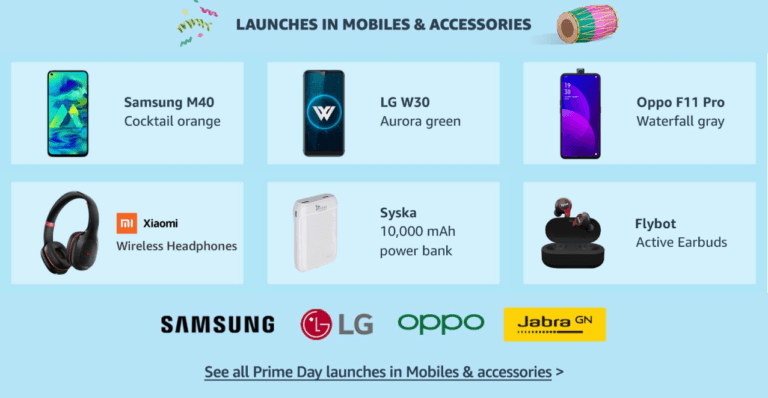
The company will be offering great deals in all the categories with great discounts and offers. Amazon Prime Day Sale promises to bring 1000+ product launches from top brands such as OnePlus, Samsung, Whirlpool, Sennheiser, Intel, Maggi, Shoppers Stop, LG, IFB and many more. Amazon will also be launching new products among various categories such as Mobiles and accessories, electronics, home and kitchen, daily essentials, fashion and clothing, TVs and appliances, video games and software. Here are a few offers listed below for your convenience.
In This Article
Top offers on mobile phones
Apple iPhone XR
Apple’s iPhone XR 64GB variant is available for Rs 49,999 during Amazon’s Prime Day 2019 sale. The device is originally priced at MRP Rs 76,900. The HDFC card user can avail a 10% discount and on the exchange, the buyers can get up to Rs 10,400 discount on the purchase of the device.
iPhone XR 128GB variant is being offered for Rs 54,999 during the sale that is currently sold for Rs 81,900. The offer also comes bundled with HDFC Bank offers and discounts.
Samsung Galaxy M30
Samsung Galaxy M30 features a 6.4-inch full-HD+ display with a triple camera set up at the rear along with a 16-megapixel front-facing camera. This mobile will also available at a discount during the sale. The device is currently available for Rs 16,490 and during the sale it will be offered for Rs 13,990. The buyers can also avail up to Rs 10,400 off on exchange.
Nokia 6.1 Plus
During Amazon’s Prime Day sale in India, The Nokia 6.1 Plus is down to Rs 11,999 that originally costs Rs 18,499. The device will also be available with exchange offers of up to Rs 10,400. The mobile comes with a 5.8-inch display sporting a resolution of 1,080×2,280 pixels. The smartphone is powered by Qualcomm’s Snapdragon 636 SoC and is supported by 4GB of RAM.
OnePlus 6T (6GB, 128GB)
The OnePlus 6T (6GB, 128GB) will also be up for sale. The device comes with a 6.41-inch full HD+ display. It is powered by the Snapdragon 845 SoC, supported by 6GB of RAM. During the sale, the smartphone will be available for Rs 26,999 that is originally priced at Rs 37,999 with exchange offers of up to Rs 10,400 along with HDFC card offers.
Xiaomi Mi A2
Xiaomi’s Mi A2 4GB, 64GB variant will be up for grabs at Rs 9,999 during Amazon’s Prime Day 2019 sale. The device is currently sold for Rs 17,499.
Xiaomi Mi A2 features a 5.99-inch full-HD+ display. The device is powered by the Qualcomm Snapdragon 660 SoC and is supported by 4GB of RAM. Mi A2 is based on Android One operating system.
Redmi Y3
Redmi Y3 is also part of Amazon’s Prime Day sale. It will be sold at Rs 8,999 (MRP Rs 11,999) for a limited period. On the exchange of an old device, the buyer can get up to Rs 8,050 off. The budget smartphone features a 6.26-inch HD+ display with a resolution of 720×1,520 pixels. The HDFC bank card users can avail 10 percent instant discount on the purchase of the device.
Honor Y9 (2019)
The Honor Y9 (2019) that is currently being sold for MRP Rs 18,990 is now down to Rs 11,990 during the Prime Day 2019 sale in India. The smartphone comes with a 6.5-inch display with a resolution of 2,340×1,080 pixels. It comes with dual cameras at the back and two on the front. The phone is powered by the Kirin 710 SoC, supported by 4GB of RAM.
Best offers on Amazon devices
Amazon Fire TV Stick
During the Prime Day Sale this year The Fire TV Stick with all-new Alexa voice remote will be available at Rs 2,799 that is originally priced Rs 3,999. Whereas the Fire TV Stick 4K is now down to Rs 3,999 that was earlier sold for Rs 5,999.
Amazon Echo smart speakers
Amazon’s Echo smart speakers will also be available at a discounted price during the Prime Day 2019 sale. Echo Dot 3rd generation will be down to Rs 2,449 that is currently priced at Rs 4,499. The upper version, the Echo, will be available at Rs 5,999 originally priced at Rs 9,999. Whereas the Echo Plus (2nd generation) can be purchased for Rs 10,499 that is sold for Rs 14,999.
Amazon Kindle Paperwhite (7th generation)
On the purchase of Amazon Kindle Paperwhite (7th generation), the company is offering a discount coupon worth Rs 2,000 that can be used while checking out. After applying the coupon, the price will come down to Rs 8,999 from Rs 10,999. The device comes with a built-in backlight, 4GB storage, and Wi-Fi connectivity.
Best deals on laptops and accessories
Asus TUF 15.6-inch gaming laptop (FX570)
Asus’ TUF gaming laptop (FX570) was earlier sold for Rs 68,990 and now it will be sold for Rs 55,000 during the Prime Day sale. The gaming laptop is powered by the 8th generation Intel Core i5 processor and it is supported by 8GB of RAM. The device comes with a 1TB hybrid hard disk and runs Windows 10 on an HD display.
Samsung Gear S3 Frontier
Samsung’s Gear S3 Frontier smartwatch is available at Rs 15,990 that was originally priced at Rs 28,500. The Samsung Gear S3 Frontier comes with a 1.3-inch Super AMOLED display that is compatible with both Android and iOS devices. Gear S3 is supported by wireless charging and is water and dust resistant.
Amazon Prime Day sale – best deals on TVs and soundbars
Blaupunkt SBW-100 soundbar
During Prime Day 2019, the Blaupunkt SBW-100 is down to Rs 4,999. The soundbar is currently sold for Rs 12,990. The product comes with a wired subwoofer. The soundbars deliver a 3D cinematic sound experience. They can be synced with mobile devices via Bluetooth to play music on the soundbar.
Samsung 43-inch full-HD LED TV
Samsung’s 43-inch full HD LED TV is now available at Rs 28,990 during the Prime Day Sale. Originally the HD LED TV is priced at Rs 44,900. During the sale, Amazon is giving its Fire TV Stick absolutely free with the TV. The LED TV comes with two HDMI ports and two USB ports along with 1-year comprehensive warranty and 1-year additional warranty on the display panel.
Samsung 55-inch 4K smart LED TV
During the Amazon Prime Day sale, Samsung’s 55-inch 4K smart LED TV (2019) will be sold for Rs. 59,999. The market value of the TV is Rs. 1,04,900. The TV comes with 2 HDMI ports and a single USB port along with Supported applications that include YouTube, Netflix, Prime Video, Hotstar, Jio Cinema, and others. The HDFC Bank debit or credit card users can receive an additional cashback of Rs. 1,750 separately from an instant discount worth Rs. 1,750.
Top deals on headphones
Sony WH-1000XM3 wireless headphones
The music lovers can now buy the high-priced Sony WH-1000XM3 wireless headphones for Rs. 23,490 (MRP Rs. 29,990) on Amazon Prime Day sale. The wireless headphones feature active noise cancellation. The headphones come with the support for Amazon Alexa.
Bose Quiet Comfort 35 II wireless headphones
The Bose fans can now purchase Quiet Comfort 35 II headphones at a discounted price of Rs. 23,490 during Amazon’s Prime Day 2019 sale. The headphones come with an active noise cancellation feature.
Sweden-based music streaming app Spotify has announced that it will be integrating with Google Assistant in India. With this collaboration, Spotify users in India will be able to ask Google Assistant to play music for them via the app.
The feature is being made available for premium as well as free customers of Spotify. It will be available across all the supported devices including Google Home smart speakers, Android TV and Chromecast.
In addition to this, Spotify will also be getting an integration with Google Maps on smartphones. With this, the drivers would not have to switch between the two apps and will be able to navigate and play their favourite music at the same time.
If you wish to activate this feature, here are the steps you need to follow:
Press on ‘Link Accounts’, and then Log in to your Spotify account.
Once you enter your login details, your Spotify account will get linked to your Google Home account.
You can now ask Google Assistant to play music. Just say, “Ok Google, play ‘song name’ from Spotify.”
We should mention that the feature has been rolled out right after Spotify announced its integration with PlayStation Music on PS3 and PS4 in India. For those unaware, the company had spoken about the development just a few days back.
It is also worth adding that recently, the Sweden-based company had introduced its Spotify Lite app in India. The newly launched app is only 10MB in size and it installs very quickly. It can also be operated more quickly by the user than the regular app. According to Spotify, one will be able to monitor cache data and clear it using a single tap with the app. With the Lite version of Spotify, users will also be able to set a data limit and get notified when they reach the pre-defined data limit. Spotify Lite will be compatible with all devices running Android version 4.3 or more.
We should also add that the Lite version of the popular music streaming app works a lot like the regular version. It is available in 36 countries now including India, Brazil, Canada, Peru, Chila, Colombia, Costa Rica, Mexico, Argentina among others.