The Chinese smartphone company Xiaomi recently introduced the Xiaomi 11T series in the European market. The lineup includes Xiaomi 11T, Xiaomi 11T Pro and Xiaomi 11 Lite 5G NE. Out of the three, the Xiaomi 11 Lite 5G NE launch in India is now scheduled to happen on September 29. The company has confirmed it through social media channels.Xiaomi took to Twitter to announce its upcoming smartphone in India. The company via a teaser poster declared to launch Xiaomi 11 Lite 5G NE in India on September 29. The tweet reads, “The slimmest and the lightest 5G Smartphone of 2021 is coming home, in a NEW avatar. We’re bringing the all-new #Xiaomi 11 Lite NE 5G to India on 29th September.”The company has also created an Event page where the key highlights of the smartphone have been showcased. To recall the smartphone is one of the three devices which debuted in the European market recently. The launch details related to the remaining two smartphones are yet to be revealed by the company. As for the pricing, the Xiaomi 11 Lite 5G NE price in India is expected to be similar to the one that was launched in Europe. To recall there the phone is priced at EUR 349 which converts to Rs 30,300 for the 6GB RAM with 128GB storage variant. On the other hand, 8GB RAM with a 128GB storage model will be available at EUR 399 translating to Rs 34,600. The company has not yet revealed the price of 8GB RAM with a 256GB configuration.Speaking of the specification, Xiaomi 11 Lite 5G NE comes with a 6.55-inch full-HD+10-bit flat AMOLED true-colour display with 1,080×2,400 pixels of resolution. It has a refresh rate of 90Hz and supports Dolby Vision. The phone runs on MIUI 12.5 on top of Android 11. Under the hood, there is an octa-coreQualcomm Snapdragon 778G SoC along with up to 8GB of RAM and up to 256GB of internal storage. There is a triple rear camera set up which includes a 64-megapixel primary sensor, an 8-megapixel ultra-wide-angle lens and a 5-megapixel tele macro lens. Upfront there is a 20-megapixel camera sensor for selfies and video calling.TheXiaomi 11 Lite 5G NE packs a 4,250mAh battery that supports 33W fast charging. In terms of connectivity, there is 5G, 4G LTE, Wi-Fi 6, Bluetooth v5.2, GPS/ A-GPS, NFC, IR blaster, and a USB Type-C port as connectivity options.
For the latest gadget and tech news, and gadget reviews, follow us on Twitter, Facebook and Instagram. For newest tech & gadget videos subscribe to our YouTube Channel. You can also stay up to date using the Gadget Bridge Android App. You can find the latest car and bike news here.
The e-commerce website Flipkart is hosting Daily Trivia Quiz. Every day it brings a bunch of new questions for its users. By answering them correctly you can win exciting prizes. The questionnaire is based on questions related to general knowledge. Also, the users can win free vouchers and super coins, among other offers via the daily quiz. 18 September 2021 Flipkart Daily Trivia Quiz Answers has already gone live on its platform.
The participant should be at least 18 years old and should have a valid login ID. The Quiz is available on the mobile platform and not the web version. E-commerce conducts the quiz on daily basis and goes live at 12:00 AM IST and runs till 11:59 PM IST. The winners are announced within 15 days from the date of participation that can be viewed under the Gems/Rewards section in the app.
In This Article
How to participate in the Flipkart Daily Trivia Quiz
To participate download the Flipkart app on your phone. Then open the Flipkart app then head to Game Zone. Now click on the Daily Trivia Banner or search for Daily Trivia. Enter the game and answer all 5 questions with correct answers.
18 September 2021 Flipkart Daily Trivia Quiz Answers
Question 1: For which Ranji team does Sanju Samson play?
Answer: Kerala
Question 2: Who holds the record of the highest average in Test cricket on home soil?
Answer: Donald Bradman
Question 3: Pokal is a knockout football cup competition held annually in which country?
Answer: Germany
Question 4: In which sport would one use pull buoys while training to develop upper body strength?
Answer: Swimming
Question 5: After India, which country won the most gold medals in the South Asian Games 2019?
Answer: Nepal
For the latest gadget and tech news, and gadget reviews, follow us on Twitter, Facebook and Instagram. For newest tech & gadget videos subscribe to our YouTube Channel. You can also stay up to date using the Gadget Bridge Android App. You can find the latest car and bike news here.
Get ready to answer a new set of questions as the 18 September 2021 Amazon Quiz is live on its platform. The e-commerce platform brings a daily quiz on its mobile platform, which every day gives chance to millions of people across the country to win exciting prizes. Today’s Amazon Quiz prize is the Rs 50,000 Amazon Pay Balance.
By participating in Amazon Quiz every day you can stand a chance to win prizes such as iPhone X, iPhone Xs, Seagate HDD, GoPro Hero 8 Camera, LG Smartphones, Samsung Galaxy S20, Air Purifier, Oppo smartphones, Amazon Pay Balance among others. Every day Amazon brings a fresh new quiz on its app, here we would like to mention that the quiz is not available for desktop users, only app users can participate in the daily quiz.
The company puts 5 questions based on general knowledge and current affairs to which the contestants have to answer all the questions correctly. A wrong answer will eliminate you from the quiz. After giving correct answers to all the questions, your name will get further selected for a lucky draw. The results of the lucky draw will be announced at the end of the month. So today’s quiz winner’s name will be declared at the end of the month. We have updated today’s five questions with their correct answers below so that you can win Amazon Quiz and get Rs 50,000 Amazon Pay Balance
18 September 2021 Amazon Quiz Answers
Question 1: Who defeated the world’s No. 1 ranked men’s player Novak Djokovic in the semi-finals of the Tokyo 2020 Olympics?
The answer is- Alexander Zverev
Question 2: What is the GI tagged Bhavani Jamakkalam, manufactured in Erode district, Tamil Nadu?
The answer is- Carpets
Question 3: Whitney Wolfe Herd became a billionaire after her dating app raised over $2.2 billion in the initial IPO. What is the name of her app?
The answer is- Bumble
Question 4: Which character from the animated movie series, “Ice Age” is obsessed with this tree-nut?
The answer is- Scrat
Question 5: In which city is the headquarters for this luxury fashion brand located?
The answer is- Paris
For the latest gadget and tech news, and gadget reviews, follow us on Twitter, Facebook and Instagram. For newest tech & gadget videos subscribe to our YouTube Channel. You can also stay up to date using the Gadget Bridge Android App. You can find the latest car and bike news here.
Infinix, a Hong Kong-based smartphone company has officially launched its new smartphone series in the Indian market. The company has introduced Infinix Hot 11 and Infinix Hot 11S. The phones come with an FHD+ resolution and 90Hz refresh rate display. The lineup is powered by MediaTek Helio C- Series Processor. The Infinix Hot 11 series also includes Cinematic dual speakers with DTS Surround sound.Infinix Hot 11 specificationsInfinix Hot 11 comes with a 6.6-inch full-HD+ IPS LCD display with 1,080×2,408pixels of resolution. The device also comes with a brightness of 500 NITS, minimum bezels on the screen with a 90.5% screen-to-body ratio and 1500:1 contrast ratio. It runs on XOS 7.6 skin on top of Android 11. Under the hood, there is an octa-core MediaTek Helio G70 SoC which is available in 4GB of LPDDR4 RAM and 64GB of internal storage option. It also has the option for memory expansion which allows to expand up to 256GB using a microSD card. In terms of the camera, the phone sports a dual rear camera set-up. It includes a 13MP dual rear camera with f/1.8 aperture and quad-LED flash. It also features a video camera with multiple recording modes like Slo-Mo, Timelapse, 2k Bokeh and Super Night. There is an 8MP front-facing camera with f/2.0 aperture and dual-LED flash for selfies.Infinix Hot 11 is shipped with a 5200mAh battery along with a 10W charge support with a Type C cable.Infinix Hot 11S specificationsInfinix Hot 11S on the other hand features a 6.78-inch full-HD+ LTPS LCD display with 1,080×2,480 pixels of resolution and a 90Hz refresh rate. It comes with a 180Hz touch sampling rate,500 NITS brightness and minimum bezels on the screen with a 90.5% screen-to-body ratio. The phone is powered by MediaTek Helio G88 SoC with 4GB of LPDDR4 RAM and 64GB of storage option. The internal memory can be expanded up to 256GB using a microSD card.This budget smartphone sports a triple rear camera setup that includes a 50 MP AI Triple rear camera with the widest f/1.6 aperture and quad-LED flash, a secondary lens with a 2MP depth sensor and an AI lens. The camera app supports features like Time-lapse video recording mode and Slow Motion video mode that allows users to capture videos with 240fps, Bokeh video recording and super night video mode. For selfies, the smartphone features an 8MP front-facing camera.There is a 5,000mAh battery with 18W fast charging support onboard. Both the phones include Wi-Fi, 4G LTE, Bluetooth v5, USB Type-C, and USB OTG as connectivity options. The sensors onboard include Ambient Light Sensor, G-Sensor, Proximity Sensor, Gyroscope, and E-Compass. There is a rear-mounted fingerprint sensor as well for phone unlocking. Infinix Hot 11 and Infinix Hot 11S price and availabilityInfinix Hot 11 has been launched in India with a price tag of Rs 8,999 for the single 4GB RAM with 64GB of storage option. On the other hand, Infinix Hot 11S will be available at 10,999 for the 4GB RAM with a 64GB storage option. The former one will be available in four colour options of 7 Degree Purple, Silver Wave, Emerald Green and Polar Black whereas the latter one will be offered in three colour variants Green Wave, Polar Black, and 7 Degree Purple. Both the phones will be available for purchase via the e-commerce website Flipkart starting September 21.
For the latest gadget and tech news, and gadget reviews, follow us on Twitter, Facebook and Instagram. For newest tech & gadget videos subscribe to our YouTube Channel. You can also stay up to date using the Gadget Bridge Android App. You can find the latest car and bike news here.
YouTube is one of the most popular video streaming services in the world. People consume a lot of data from the application be it for entertainment or knowledge. There are often times you might want to watch your favourite video, but could not watch it due to either poor connection or low internet speed. Here are a few methods that will help you with these problems and let you download YouTube videos directly on your local storage.
In This Article
Using built-in function
The easiest way to watch your favourite video offline is this. Though the company doesn’t allow you to keep the video on your local storage, it practically solves the issue. Here is how to use it.Step 1 – Open YouTube Application.Step 2 – Select the video you want to download.Step 3 – Tap download.Step 4 – Select the quality of video you want the video to be downloaded in.Step 5 – wait for the download to complete, it can be viewed in the download section in the library.Following these methods will help you watch the video of your choice even when you are offline or with slow internet connectivity.
Third-Party application
It often happens that a creator has not enabled the download option for their videos or one needs the video on their local storage to share it with their friends or family. There are many third-party applications in this case. Snaptube is a prime example of it. Though the application is not available on iOS for this purpose, users can stream music with it. Here is how you can make it work on your Android smartphone.Step 1 – Visit Snaptube official websiteStep 2 – Tap on the Download Snaptube option.Step 3 – Press Allow to start downloading.Step 4 – Tap on the file once downloading is completed.Step 5 – Press install on the next menu.Step 6 – Open the application and accept the terms and conditions.Step 7 – Search for the video you want to download.Step 8 – Select the desired format and start the download.Following these steps will download the video in the selected format to your local storage. With the help of this app, you will be able to download videos from platforms like YouTube, Facebook, Instagram, etc. and watch them later.Read Also: How to record WhatsApp voice calls?
From Online web service
If you do not want to download a third party application or you use an iOS device. This website will help you and get the job done of downloading the video Step 1 – Head to YouTube and press share on the desired video.Step 2 – Select the Copy Link option from the list.Step 3 – Open desired browser and go to en.savefrom.netStep 4 – Paste the copied URL to the Enter URL section.Step 5 – Select the format you want to download in and tap download.Once the download is completed the video will be saved in your local storage.These are some simple tricks to download your favourite and desired YouTube video. We advise if you are planning for steps 2 and 3 make sure to ask permission of the creator to download if not used for personal consumption.
For the latest gadget and tech news, and gadget reviews, follow us on Twitter, Facebook and Instagram. For newest tech & gadget videos subscribe to our YouTube Channel. You can also stay up to date using the Gadget Bridge Android App. You can find the latest car and bike news here.
You usually relate or connect SanDisk to a seller who makes USB drives and memory cards for mobiles or cameras. But this time they have brought something new to the Indian market. The company recently launched SanDisk Ixpand wireless charger 15W here and we spent some time with it to understand the product better. This is SanDisk Ixpand wireless charger review and our take of the product.
In This Article
So what is this device all about?
The device comes neatly tucked in a foam shell and the box includes the circular wireless charging plate, a long USB Type-C charging cable and a charging adaptor. All of which looks very well built and sturdy. The charging plate has a USB Type-C charging port as well as a LED light. This glows when you place a device on it. The face of the SanDisk Ixpand wireless charger plate also has a circular rubber pad on it, around the edges, so that your smartphone does not get any scratches.
The wireless charger can charge any device, be it a smartphone or a tablet with wireless Qi-charging capability. So before buying you will also need to check if your smartphone can charge wirelessly.
We tested the SanDisk Ixpand wireless charger with various devices including OnePlus 9, Apple iPhone 11 and Samsung Galaxy S series smartphones. The charging was seamless with all the devices. 15W charge supply is what the wireless charging plate provides, which is one of the fastest in current wireless charging standards. We were able to charge the iPhone 11 from 0-100% in under 3 hours. The OnePlus 9 took additional 30 minutes since the battery size is much larger.
Over that, the SanDisk Ixpand wireless charger can charge smartphones with their cover or bumper case on as well (up to 5mm thick). We tested it out with a 4mm rubber case and 3mm plastic case on two phones and it worked just fine. The charge times with the case on was also similar to the above. The company says you can charge Apple Air Pods, iPhone 8 and upwards, Samsung Galaxy S7 and upwards and Samsung Note devices with this Qi-enabled 15W charger.
So, is it worth buying? We would say yes. At Rs 2,999 this wireless charger gives you a host of conveniences. You do not have to plug in the cable to your smartphone to charge it. Just place it on the pad and it starts charging. Also, a smartphone is something you keep using every now and then, so the hassle of plugging and unplugging a device during work hours is also gone.
Over that, if you use more than one device, it helps you get rid of multiple chargers and cables. Just placed your Qi-enables device on it and you are good to go. The only downside is that you will not get super-fast charging as you get from a 35W+ wire charger. If convenience matters to you, go for it!
Battlegrounds Mobile India developer Krafton has rolled out the new September update. Update 1.6 brings Flora Menace, exclusive features and lifelike game dynamics to BGMI. The new update is being released in a staged manner and will be available on both Google Play Store and Apple App Store in a few days.While announcing the rollout the company said, “with the introduction of Flora Menace, special features and realistic game dynamics in version 1.6 rolling out on the Google Play Store and iOS App Store. The update will be rolling out sequentially starting today, so fans are requested to be patient for it to show up on your app store.”According to Battlegrounds Mobile India the new BGMI update 1.6 will bring a new mode called “Flora Menace”. This mode will create a life barrier in some parts of the map that is encroached by alien creatures. In the wall, players’ HP gradually recovers. The gamers will have the ability to loot “Nacore” in the mode and use the item to buy battle items. The mode is available in Classic Theme Modes and starting from Erangel, it will be added to Sanhok and Livik.On the other hand the in Erangel “Flora Menace,” players can get benefit from Cell-Matrix content. Basically, Cell-Matrix is an airship floating in the air and players can ride it using Cells that can be found on the map. The players will be benefitted from three chances to revive themselves and get to fight with randomly provided weapons. They can acquire Nacore by eliminating enemies or robots infected by an alien creature in the airship.In addition to this, the Battlegrounds Mobile India latest update will be packed with other exciting features like Zombie mode “Survive Till Dawn” that will come to EvoGround where the last surviving player in the zombie attack gets the final victory. Other popular game modes like Payload Mode will and other 8 different game modes will be part of EvoGround. Besides this BGMI update for September will include a recording option that will let players record their gameplay to share it on social media platforms later on. Additionally, various community contests related to recorded clips in-game will be rolled out on the Battlegrounds Mobile India social media platforms. With the latest update, the uses will get an auto-bandage option with distance information is included in the In-Game Mark, and the famous flight path can now be replayed after landing. Additionally one can test out weapons like P90, MG3, ASM Abakan in the all-important training ground before heading into a match. Improved camera vibration effect on grenade detonation, configurable headshot sound adjustments, dynamic scope adjustment options have been added with the new update.Kraton will also be releasing the RPM3 – Royale Pass Month 3 from today and the pricing will be similar to the previous months starting at 360UC, there’s an array of outfits on offer. As we are inching closer to the festive season BGMI will also see month-long in-game events around Dusshera and Diwali. All details will be announced at a later date.
For the latest gadget and tech news, and gadget reviews, follow us on Twitter, Facebook and Instagram. For newest tech & gadget videos subscribe to our YouTube Channel. You can also stay up to date using the Gadget Bridge Android App. You can find the latest car and bike news here.
Apple in its California event released a new set of iPhones. iPhone 13 and iPhone 13 Mini being small yet strong devices pack a lot of potential in them. Here are some useful and unique apps for iPhone 13 and iPhone 13 mini you must install to increase their productivity and take full advantage of these powerful devices.
In This Article
Tunity
Tunity is a lifesaver application if you live in a huge family or watch tv in a room of many people making noise. The application allows users to simply scan the TV screen, and it streams the TV audio straight to your device so you can listen with a pair of headphones. Just connect a wireless or wired headphone to your smartphone and listen to the TV audio directly via your iPhone.Download Here
Khan Academy
Sitting home and gaining knowledge seems impossible. Khan Academy is a non-profitable organization that provides free online educational tools to help students learn. The developer says that being a student just means you have something you’d like to learn more about. The application has a lot of explanations related to the specific topics and learning tools according to the subject you prefer to learn. All one has to do is open the application and search for the topic they want to learn and related videos along with MCQ will be available to you for free.Download Here
Mealime
Mealime is a recipe application that lets users enter information about their taste and diet goals if they have any. After this process, the application recommends recipes that correspond to said information. Along with some healthy recipes, Mealime also provides a feature to add materials required by you to make food, in an organised grocery list. With these features, it makes Mealime a good meal planner, which will help you plan ahead for what you have to eat.Download HereRead Also: Shazam app gets a new feature called Pop-up
Libby
Libby sounds like a short form of Library and that is what this application is. The application essentially works as an e-library. All one has to do is buy the library card from the application and they can borrow e-book or audiobooks for free. All the borrowed books are automatically retired on their due dates making it an ideal and hassle-free ebook reading application.Download Here
AirDroid
With AirDroid, one can share photos, videos, audio, or any files with your friends and across devices. As long as the devices are in the same WiFi network the AirDroid account on your computer will recognise the account on the other device and vice versa. The next step will be to select the files you want to transfer from the connected devices. The method is completely wireless, all you have to do is install the application on devices you want to share data from and with.Download Here
Insight Timer
Due to the high stressful life, mental peace is very important nowadays. Insight Timer is for meditation everywhere. It provides guided meditations at various lengths instructed by the world’s top meditation and mindfulness experts, neuroscientists, psychologists, and teachers from Stanford, Harvard, the University of Oxford etc. With tons of free meditation tracks and live sessions by professionals, it is a must-have application. One can also join the social community inside the application’s interface to connect to like-minded people and work together.Download HereRead Also: Facebook still receives user data from major Android apps
Shazam
It might have happened often that you like the music on the go but couldn’t recognise it. That is where shazam shines. Shazam users can open the app while a song is playing on the radio, in a store, or pretty much anywhere, and the app will provide the name of the song as well as the artist who sings it including all the important related information. The users can connect their Spotify account with the app as well to create an automatic playlist of the songs they found via Shazam.Download Here
Duolingo
Duolingo is one of the leading applications for learning basic phrases and words. It has an interactive interface, which will help you to learn how to read and even write a language properly. It also gives goals and motivation to keep you going. Consumers can use Duolingo cross-platform as well making learning a new language easy. The best part about this application is that it is completely free.Download Here
Photomath
Photomath is what its name suggests. It uses your smartphone’s camera to scan the math problem, analyses the information and gives a detailed step-by-step answer and explanation. It covers a range from basic math to calculus and trigonometry. The tool works flawlessly in offline mode. Though the functions for the free version are limited one can always go for in-app purchases to experience its full potential.Download HereRead Also: 5 apps and software you can use to wirelessly transfer files
Night Sky
It is an interesting application for people who love looking at stars or have an interest in planets. The application has several slick AR models that will show the real-time positions of stars above you along with the planets. All you have to do is raise your new iPhone towards the sky and move it around to find and identify objects in the sky including star patterns and planet positions. When your phone is down, the interface turns into a compass that points you in the direction of stuff worth looking at. Download HereThese are the top 10 apps for iPhone 13 and iPhone 13 mini and will bring the best out of them. Not all the applications on the list are free but we are sure they will not disappoint you. They will help you in your day to day life in one way or the other making your time with your iPhone 13 or iPhone 13 mini more productive.
For the latest gadget and tech news, and gadget reviews, follow us on Twitter, Facebook and Instagram. For newest tech & gadget videos subscribe to our YouTube Channel. You can also stay up to date using the Gadget Bridge Android App. You can find the latest car and bike news here.
The OnePlus 9RT is the company’s most anticipated upcoming smartphone which is in the news again. It has been leaked several times and has not reportedly received certification from the China Compulsory Certification. After it has acquired the 3C certification the alleged device is speculated to hit stores in India and China in the coming weeks. Before this, the phone was also spotted on the Bureau of Indian Standards (BIS) website which therefore confirmed the imminent launch in the country.According to a report, the OnePlus 9RT has appeared on the China Compulsory Certification authority with a model number MT2110. The device is expected to launch in India as well as in China in October. A few weeks back the alleged handset was spotted on the Bureau of Indian Standards (BIS) with a similar model number which has received the 3C certification from the Chinese authority. The price and the specification of the OnePlus 9RT were also leaked previously. According to the leaked information the phone might be offered in two different configurations of 8GB RAM with 128GB storage which is expected to be priced at CNY 2,999 that is roughly around Rs 34,200. Whereas the 8GB RAM with 256GB storage model is said to come with a price tag of CNY 3,299 which converts to Rs 37,600.Speaking of the specifications, the alleged phone is likely to feature a 6.55-inch Samsung E3 full-HD+ Super AMOLED display with 1,080×2,400 pixels of resolution. OnePlus 9RT is tipped to come with 120Hz refresh rate support along with Gorilla Glass 5 protection. Additionally, the smartphone will run on OxygenOS 12 on top of Android 11. It is expected to be powered by a QualcommSnapdragon 870 SoC with up to 8GB of LPDDR4x RAM and up to 256GB of UFS 3.1 storage.It is probable that the OnePlus 9RT will include a triple rear camera setup that includes a 50-megapixel Sony IMX766 primary sensor along with a 16-megapixel Sony IMX481 ultra-wide-angle sensor and a 2-megapixel black and white sensor. For selfies, it may include a 16-megapixel Sony IMX471 sensor on the front.It is quite possible that the upcoming OnePlus phone would ship a 4,500mAh battery with 65W fast charging support. The device is also tipped to get NFC support along with dual-speakers with Dolby Atmos, and an X-axis linear motor.
For the latest gadget and tech news, and gadget reviews, follow us on Twitter, Facebook and Instagram. For newest tech & gadget videos subscribe to our YouTube Channel. You can also stay up to date using the Gadget Bridge Android App. You can find the latest car and bike news here.
Many gamers use unfair means to beat out other players while playing mobile games, therefore, undermining the overall experience. They use lots of legitimate methods that not only impact the gameplay but they use tricks to extract data used in the games. So to curb cheating, the developers of Battlegrounds Mobile India (BGMI) has announced strict measures for illegal programs and activities. Recently Krafton has also banned more than 140,000 accounts that used illegal programs.BGMI developer Krafton has released countermeasures for illegal programs and activities that affect the rate of gameplay. As per the official blog post, Battlegrounds Mobile India has identifier new types of illegal programs and activities recently and will be taking strict measures to stop them from violating the gaming standards game. “Battlegrounds Mobile India will continue to take strong sanctions to eradicate the use of illegal programs in order to provide a pleasant gaming environment to all the fans who play in a normal way.”Now the gamers will get a warning message even if they have now used an illegal program, data that is judged to be an illegal program (data falsification, etc.) may have been detected through installing other apps without being aware of it. In that case, they can precede the Routine Repair in the login screen to convert the data back to normal.But if the gamers have installed Battlegrounds Mobile India (BGMI) app other than the official markets, (Google Playstore, Apple App Store) you may install an abnormal app that has falsified some data. Or if they have installed illegal programs or untrusted auxiliary programs on their device, using a rooted or jailbroken device, use another player’s account or when abnormal data is detected a warning message will pop up on their screen the developer could take strict measures like account ban could be taken. So the installed app should be downloaded from an official channel only. In another case, if you are not using any illegal means on Battlegrounds Mobile India and still a warning message pops up on your screen then you may opt for a Routine Repair in the login screen to convert the data back to normal. To do so tap on the arrow at the bottom right corner of the lobby. Then go to SETTINGS > Basic > Tap Log Out at the bottom left corner > Tap Repair in the login screen > Check Routine Repair and OK. After following these mentioned steps your account’s abnormal data will be replaced with normal data and you could log in again and play the game as usual. When you choose not to proceed with the Routine Repair, the security system will detect the abnormal data in your device and logins will not be possible.
For the latest gadget and tech news, and gadget reviews, follow us on Twitter, Facebook and Instagram. For newest tech & gadget videos subscribe to our YouTube Channel. You can also stay up to date using the Gadget Bridge Android App. You can find the latest car and bike news here.
The e-commerce website Flipkart is hosting Daily Trivia Quiz. Every day it brings a bunch of new questions for its users. By answering them correctly you can win exciting prizes. The questionnaire is based on questions related to general knowledge. Also, the users can win free vouchers and super coins, among other offers via the daily quiz. 17 September 2021 Flipkart Daily Trivia Quiz Answers has already gone live on its platform.
The participant should be at least 18 years old and should have a valid login ID. The Quiz is available on the mobile platform and not the web version. E-commerce conducts the quiz on daily basis and goes live at 12:00 AM IST and runs till 11:59 PM IST. The winners are announced within 15 days from the date of participation that can be viewed under the Gems/Rewards section in the app.
In This Article
How to participate in the Flipkart Daily Trivia Quiz
To participate download the Flipkart app on your phone. Then open the Flipkart app then head to Game Zone. Now click on the Daily Trivia Banner or search for Daily Trivia. Enter the game and answer all 5 questions with correct answers.
17 September 2021 2021 Flipkart Daily Trivia Quiz Answers
Question 1: For which Ranji team does Sanju Samson play?
Answer: Kerala
Question 2: Who holds the record of the highest average in Test cricket on home soil?
Answer: Donald Bradman
Question 3: Pokal is a knockout football cup competition held annually in which country?
Answer: Germany
Question 4: In which sport would one use pull buoys while training to develop upper body strength?
Answer: Swimming
Question 5: After India, which country won the most gold medals in the South Asian Games 2019?
Answer: Nepal
For the latest gadget and tech news, and gadget reviews, follow us on Twitter, Facebook and Instagram. For newest tech & gadget videos subscribe to our YouTube Channel. You can also stay up to date using the Gadget Bridge Android App. You can find the latest car and bike news here.
Get ready to answer a new set of questions as the 17 September 2021 Amazon Quiz is live on its platform. The e-commerce platform brings a daily quiz on its mobile platform, which every day gives chance to millions of people across the country to win exciting prizes. The quiz goes live from 12 AM to 11:59 PM. Today’s Amazon Quiz prize is Rs 30,000 Amazon Pay Balance.
By participating in Amazon Quiz every day you can stand a chance to win prizes such as iPhone X, iPhone Xs, Seagate HDD, GoPro Hero 8 Camera, LG Smartphones, Samsung Galaxy S20, Air Purifier, Oppo smartphones, Amazon Pay Balance among others. Every day Amazon brings a fresh new quiz on its app, here we would like to mention that the quiz is not available for desktop users, only app users can participate in the daily quiz.
The company puts 5 questions based on general knowledge and current affairs to which the contestants have to answer all the questions correctly. A wrong answer will eliminate you from the quiz. After giving correct answers to all the questions, your name will get further selected for a lucky draw. The results of the lucky draw will be announced at the end of the month. So today’s quiz winner’s name will be declared at the end of the month. We have updated today’s five questions with their correct answers below so that you can win Amazon Quiz and get a Rs 30,000 Amazon Pay Balance.
17 September 2021 Amazon Quiz Answers
Question 1: The 2021 documentary ‘The Lost Leonardo’ tells the inside story behind which painting, the most expensive one ever sold at public auction?
The answer is- A) Salvator Mundi
Question 2: Which is India’s 1st wheelchair accessible transport service?
The answer is- B) Ezy Mov
Question 3: In 2021, who became the youngest poet to perform at a Presidential inauguration in the USA?
The answer is- C) Amanda Gorman
Question 4: The company that designed this video game console, was originally founded under what name?
The answer is- C) Nintendo Karuta
Question 5: Identify the yoga pose.
The answer is- B) Cobra Pose
Apple announced a new iPad Mini with slimmer bezels and redesigned frame to make it look modern. Due to its compact nature, it is handy and easy to carry. Apple also announced the support of Apple Pencil, which was a great move by the company and this will enhance the tablet’s productivity. With so many options to choose from, here are the 10 best apps to download in your new Apple iPad Mini 2021.
In This Article
Adobe Lightroom
With the support of the new Apple Pencil, Adobe Lightroom is a must-have application in your app drawer. With this application, Adobe has brought desktop-like photo editing standards to the iPad. The application has lots of free as well as paid features to choose from. Even professional users can use Adobe lightroom on iPad to get photo work done on the go. With the advent of iPadOS, a recent update even lets you directly import photos into Lightroom from a memory card. Download here
Flipboard
Flipboard is an application that uses a combination of editors and algorithms to deliver news, videos and podcasts tailored to your interests. It is one of the first applications to take advantage of the full screen and convert it to a magazine-style layout. The application creates smart magazines that bundle together according to the user’s interest like photography, technology, automobiles etc. One can use this app if he/ she has a keen interest in reading news in a newsletter style.Download Here
Procreate
One of the most popular applications for iPad users. Procreate is an art application that has been used by iPad users with the support of the Apple pen for years. Now as the new iPad Mini supports the Apple Pencil 2 and has a bigger screen than the previous version this has become a must-have application. It features ultra-high-definition canvases, hundreds of virtual brushes, and many designs along with animation tools. It’s used by creative professionals, hobbyists and aspiring artists, who can import or export art as Adobe Photoshop files or in virtually any other format they’d like and directly share their art on desired socials.Download HereRead Also: Samsung Galaxy A8 Star launched in India
Amazon Kindle
The Amazon Kindle application has been available for iPad for a long time now. The application opened the world of e-books, as it allowed people to purchase e-books on the Kindle app and read them on the iPad, instead of on a Kindle. The Upgraded iPad Mini having a big screen and portable size is a perfect alternative to a Kindle. Even the books bought via the Amazon website automatically appear directly on the application.Download Here
Netflix
Want to watch Netflix on the go but the screen size of your phone feels small? Try installing Netflix on your iPad Mini and make it a goto entertainment system. Netflix has the best in class collection of movies and Tv series as compared to other applications. The users can easily create personalised profiles for everyone in the family. This becomes especially useful for parents, who can now hand an iPad to their kid to watch family-friendly Netflix shows.Download Here
Star Walk
Winner of many awards, Star Walk is a detailed astronomy app that allows users to track the night sky, constellations, planets and more in real-time. All one has to do is install the application and point the device towards the sky. The application will show all the stars, planets, satellites and constellations from your location. If the user has interest he/she can explore the deep knowledge sections in the application as well. Download HereRead Also: Amazon launches New Kindle Paperwhite for Rs 10,999
Notability
Notability is what its name says. It is a Comprehensive note-taking application that lets users combine handwritten notes or drawing with audio recording natively. It will help you to take the advantage of Mini’s capability and use it as a notepad. If the user wants, they can even invest in the premium version to unlock the feature which will convert handwritten notes to text.Download Here
Luma Fusion
It is one of the most popular video editing applications available in the Apple Store. The application proved that one can not only watch good quality videos on their iPad but can edit them seamlessly as well. The app is a multitrack video editor which can be used by professional video producers, filmmakers and journalists as well. Luma Fusion provides six video and audio tracks for photos, videos, audio, titles and graphics. It also lets you add layer effects for colour corrections.Download Here
YouTube
YouTube was one of the default apps on the iPad until iOS 6. Then it was moved to the App Store after YouTube parent company Google’s license expired. Even after so many years, the application remains one of the most popular apps for iPad. With so many videos and endless entertainment combined with a bigger screen further the iPad’s reputation as a mobile content consumption platform.Download HereRead Also: Over 38,000 Adobe flash games can now be played for free
Duet Display
Duet Display is an app that turns your iPad into a second monitor for your laptop, desktop or phone. Designed by former Apple engineers, the app can turn your tablet into a productivity tool, with full gesture support and customizable shortcuts. All the user has to do is download the application on the desired device be it a Windows or Mac and convert your iPad into a second screen wirelessly.Download HereThese are the top 10 applications to bring the best out of your new Apple iPad Mini. Not all the applications on the list are free but none will disappoint you, as they will surely help you in your day to day life in one way or the other.
For the latest gadget and tech news, and gadget reviews, follow us on Twitter, Facebook and Instagram. For newest tech & gadget videos subscribe to our YouTube Channel. You can also stay up to date using the Gadget Bridge Android App. You can find the latest car and bike news here.
Xiaomi recently launched its New Mi Mix 4 in international markets. The company started using ‘Mi’ badging on all of its high-end smartphones and budget phones for almost 10 years. To which now the company confirmed that it’s going to change the name from Mi to Xiaomi for its smartphones and Redmi remains the same. Xiaomi also claimed that this move is not only just a thought, but the plan has already started in its country of origin, China. The company announced that the change of name from Mi to Xiaomi will be seen in its future device launches in the international market as well. The first product to have this revamp was its flagship smartphone being Mix 4, which was released with the name of Xiaomi Mix 4 that is powered by the Qualcomm Snapdragon 888+ chipset. In addition to this, the trade name for other product categories such as tablets, wearables, and laptops is used across the globe as well. We can expect not to be able to see this trademark on the upcoming device range as well. As a matter of fact, it will be interesting to see the name of the new lineup of products at its Smarter Living event on 29th September at 12 Noon.Read Also: The Xiaomi Mi Note 10 is not coming to India this monthIt’s strange for the company to make this move when it became the leader for the smartphone category in the world surpassing Samsung as the world’s top smartphone company with a market share of 15.7%, followed by Apple at 14.3%. Even the company spent a good amount of money to change its Mi logo just over four months ago with round corners and now has ended up dropping it completely.
What about old Mi users?
Xiaomi’s existing devices bearing the Mi brand will remain as is, like the newly launched Mi 11 series. The consumers will get full customer support from the company. There is nothing changed for the existing customers just the name of the brand/badging has changed, the support remains the same. This new name of the phone will come in other markets slowly and can be expected to roll out with new upcoming product releases by the company.
For the latest gadget and tech news, and gadget reviews, follow us on Twitter, Facebook and Instagram. For newest tech & gadget videos subscribe to our YouTube Channel. You can also stay up to date using the Gadget Bridge Android App. You can find the latest car and bike news here.
Apple series 7 is a powerful wearable right out of the box. Apple upgraded its screen size and new OS with tons of additional features. Even if there are some amazing inbuilt applications that are best in the market, here are 10 Apps that you should install on Apple Watch Series 7.
In This Article
Auto Sleep
Apple has added sleep tracking on watchOS 7 and it works fine as well. But the problem with it is that it shows the basic details of your sleep, not much insight into the quality of sleep you had. Also, it only works during specifically designated Sleep Mode hours. Auto Sleep is especially helpful in this case as it shows some details like the quality of sleep you had and also ways to improve it for getting better sleep. Not only does the application work very well and give you lots of great data, but it also has a reasonable price, unlike other applications that have so many in-app purchases or ads.Download Here
1Password
With recent updates and tweaks by the company, Keychain has become a lot better at working flawlessly with iCloud and Safari. The problem with the Keychain is that if by any chance you step outside the Apple ecosystem it won’t work for you. For such cases, you need a third-party password manager. 1Password is a good solution for all such problems. It offers top-notch security along with tools that work across platforms. On your Apple Watch, 1Password can quickly show you passwords, credit/debit card details, notes, and one-time passwords for two-factor authentication. For macOS users one can unlock their 1Password using the Apple Watch. The application has a 30-day free trial period and then one needs to pay monthly for self or family plan.Download Here
Phone Buddy Lost Phone Alert
It’s a perfect application if you tend to lose your phone often. This application uses a sophisticated way to alert you as soon as the Bluetooth range starts to decrease between your iPhone and your Apple Watch. The Phone buddy also has a feature to find your phone directly via the application. Consumers can choose alerts from ringing to just vibration in the interface and never lose their phone.Download HereRead Also: iBall launches Andi 4.5 O’ Buddy Android smartphone
Carrot Weather
There are plenty of weather applications available for the Apple watch already but Carrot Weather has many more features. It has weather forecasting with data from Weather Underground or Dark Sky, lots of customisation, and even achievements. It also supports the API weather display and warning features in real-time with its interactive bot. One can surely consider this application for keeping an eye on the weather and related information.Download Here
Tiny Armies
Due to the screen size of the Apple Watches, there are not a lot of games available in the App store. Tiny Armis is an exception to kill your boredom. The application is optimised to overcome very limited screen space and interactions available in that form factor. The game is an extremely compact and simple design strategy game. If you’re looking for a fun little distraction to kill your time and don’t want to pull out your iPhone, give Tiny Armies a try.Download Here
Things 3
One of the best task managers available for WatchOS is simple to use. The interface looks attractive and simple. One can easily note down tasks, accomplish what you have to do today, and it stays silent the rest of the time. You can quickly add a to-do item, which can be organised later on your iPhone. Look at today’s tasks, check off items as you do them, or postpone them for later with just a couple of taps and with the support of Siri it gets easy to add reminders with your voice commands.Download HereRead Also: Tata Sky Binge launched on the Amazon FireTV Stick
Citymapper
The application revolves around making your transits on public transport easy by giving you bus and subway times, alerting you to service outages, and helping you plan trips. It works by grabbing public data feeds from all the transit agencies. It becomes better with your smart wearable as one can see the next route with just a glance on their wrist. Only one downside of the application is it is available to selective cities for now but the developers are trying day by day to enhance its coverage.Download Here
Streaks
To build and master a skill, the key is to practice regularly. Streaks help its users in such cases, whether you want to lose weight, eat healthier, learn a new skill, or build any new good habit. It is a simple way to create custom reminders to do something each day and track up to 12 tasks daily. It will remind you when it’s time to do the task and collect health data automatically from the default set application.Download Here
Spotify
Arguably the most popular music streaming application in the world with a lot of active users. With the recent update, Spotify now also supports podcasts making it a go-to application for many more new users. After buying the premium subscription of the application, the user no longer needs to carry their iPhone with them to stream music or listen to podcasts. The application will stream them directly to your smartwatch. An easy solution for fitness enthusiasts especially those who are planning to buy the cellular version of the new Apple watch series 7.Download HereRead Also: 3 best password managers for your Android smartphone
Night Sky
It is an interesting application for people who love looking at stars or have an interest in planets. The application has several slick AR models that will show the real-time positions of stars above you along with the planets. All you have to do is raise your wrist towards the sky and move it around to find and identify objects in the sky including star patterns and planet positions. When your watch is down, the interface turns into a compass that points you in the direction of stuff worth looking at. One need not be an astronomer to fall in love with this app.Download HereThese are 10 Apps that you should install on Apple Watch Series 7. Not all the applications on the list are free but none will disappoint you, as they will surely help you in your day to day life in one way or the other.
For the latest gadget and tech news, and gadget reviews, follow us on Twitter, Facebook and Instagram. For newest tech & gadget videos subscribe to our YouTube Channel. You can also stay up to date using the Gadget Bridge Android App. You can find the latest car and bike news here.
The Chinese smartphone manufacturer Xiaomi today hosted a global event later today where it introduced the Xiaomi 11T series. The new smartphone lineup consists of three models- Xiaomi 11T, Xiaomi 11T Pro and Xiaomi 11 Lite 5G NE. All the devices consist of a triple rear camera set up and a hole-punch design AMOLED display. All the smartphones run MIUI 12.5 on top of Android 11. The cameras on the phones offer an 8K recording option and support up to 120Ws fast charging.
In This Article
Xiaomi 11T Series price and availability details
Xiaomi 11T has been launched at EUR 499 which gives us a straight currency conversion of Rs 43,300 for the 8GB RAM with 128GB storage option. The 256GB variant will be available at EUR 549 that translates to Rs 47,700. On the other hand the Xiaomi 11T Pro price starts at EUR 649 that converts to Rs 56,400 for the 8GB RAM and 128GB storage. The price of the 8GB RAM with 256GB storage is set at EUR 699 roughly around Rs 60,700 and the 12GB RAM with 256GB storage model at EUR 749 translates to Rs 65,000 for the 12GB RAM with 256GB storage option. Lastly, Xiaomi 11T Lite 5G NE will come in a 6GB RAM with 128GB storage variant at EUR 349 which converts to Rs 30,300. The 8GB RAM with 128GB storage model will be available at EUR 399 translating to Rs 34,600. There is an 8GB RAM with 256GB configuration as well, of which the price is yet to be disclosed.Both Xiaomi 11T and Pro variants will be available in Europe in two colour options of Celestial Blue Meteorite Gray, and Moonlight White. Whereas Xiaomi 11 Lite 5G NE will be available in Bubblegum Blue, Peach Pink, Snowflake White, and Truffle Black colour options.The company is yet to say on the international availability of all three smartphones.
Xiaomi 11T specifications
Xiaomi 11T features a 6.67-inch flat AMOLED display. It offers a 90Hz refresh rate support. The device operates on MIUI 12.5 on top of Android 11 and is powered by an octa-core MediaTek Dimensity 1200-Ultra SoC paired with 8GB of RAM and up to 256GB of internal storage. There is a triple rear camera set up on the device which houses a 108-megapixel primary sensor. In addition to this, there is an 8-megapixel ultra-wide lens with f/2.2 aperture and 120-degree FoV and a telemacro lens with f/2.4 aperture. The rear cameras offer an 8K video recording option and there is an additional third microphone that activates Audio Zoom which when enabled can capture audio from a distance. Upfront there is a 16-megapixel selfie camera sensor.Xiaomi 11T packs a 5,000mAh battery which supports 67W Xiaomi turbocharging. For connectivity, there is 5G, 4G LTE, Wi-Fi 6, Bluetooth v5.2, GPS/ A-GPS, NFC, Infrared (IR) blaster, and a USB Type-C port. There are dual speakers on the phone which comes with Dolby Atmos support.
Xiaomi 11T Pro specifications
Xiaomi 11T Pro comes with a 6.67-inch flat 10bit AMOLED true-colour display. The screen refreshes at 120Hz and it also supports AdaptiveSync which dynamically adjusts the refresh rate. The screen has been protected with Corning Gorilla Glass Victus. The phone is powered by an octa-core Qualcomm Snapdragon 888 SoC with up to 12GB of RAM and 256GB of onboard storage. The camera specification on this smartphone is the same as above. The battery capacity is the same as well however there is 120W Xiaomi HyperCharge fast charging. Whereas the dual speakers on this phone are fine-tuned by Harman Kardon further supported by Dolby Atmos and Dolby Vision.
Xiaomi 11 Lite 5G NE specifications
Lastly, the Xiaomi 11 Lite 5G NE is the company’s mid-range device that has a slightly smaller display- a 6.55-inch full-HD+10-bit flat AMOLED true-colour display. It offers 1,080×2,400 pixels of resolution and a 90Hz refresh rate. Under the hood, there is an octa-core Qualcomm Snapdragon 778G SoC along with up to 8GB of RAM and up to 256GB of internal storage. The handset also comes with a triple rear camera set up which includes a 64-megapixel primary sensor, an 8-megapixel ultra-wide-angle lens and a 5-megapixel tele macro lens. For selfies, the phone houses a 20-megapixel front-facing camera.The Xiaomi 11 Lite 5G NE comes with a 4,250mAh battery that supports 33W fast charging. There is 5G, 4G LTE, Wi-Fi 6, Bluetooth v5.2, GPS/ A-GPS, NFC, IR blaster, and a USB Type-C port as connectivity options.
For the latest gadget and tech news, and gadget reviews, follow us on Twitter, Facebook and Instagram. For newest tech & gadget videos subscribe to our YouTube Channel. You can also stay up to date using the Gadget Bridge Android App. You can find the latest car and bike news here.
Tech Giant Google has officially announced the rollout of Dark Mode for Google Search on the desktop. The users have now been updated with a three-option that will show up in the Google search appearance settings. The search engine will now include the option to keep the search synced with the desktop’s default theme which will be helpful to the users if they have chosen a specific time to turn on/off Dark mode. Here is how you can enable Google to search dark mode on your desktop.After being under testing, Google has officially rolled out settings to enable dark mode on the computer for the search engine. This feature will reduce eye strain, making them easier to use during dark environments or at night. This would be similar to the dark mode function which comes on the smartphone apps but now the users can enable it for their desktop with three options- Device default, Dark, or Light to choose from. The new settings will be applicable to Google Homepage, the search results, settings and some of the linked web pages. The feature is now being rolled out for the users in a staged manner and will soon reach all the users in the coming weeks. So here is our guide on how you can toggle between the new Dark Mode settings for Google Search on desktop.
Step by step guide on how to enable Dark mode for Google Search on Computer
Now at the top right, click Settings and then go to search settings
After this on the left tap on the Appearance.
Then select your preferred option from the three options:
Device Default: This option matched the colour theme of your current deviceDark: As the name suggests the given option will enable light text on a dark background.Light: The option will turn dark text on a light background
Bumble has started to gain popularity around the globe. The reason why the application is getting so much attention is due to the unique modes it has. The application has 3 modes, the first one being Bumble date where one can find their ideal date, Bumble Bizz allowing professional people to come together and the last being Bumble Bff. Here the users can find people to create meaningful friendships. The following is how you can create your account on Bumble.
In This Article
How to create Bumble dating profile on a smartphone
Bumble supports both Android and iOS devices and has the same steps to be followed by the users to create an account. They have updated their interface and now one doesn’t need to log in from their Facebook to create an account. The user interface of both platforms is pretty much the same and is easy for users to understand. Here is how you can make your account.Step 1 – Search for Bumble on Google Play Store or Apple App Store.Step 2 – Tap on install and wait for the process to complete.Step 3 – Open the application.Step 4 – Below ‘Continue with Facebook’ will be an option to use cell phone number.Read Also: How to enable Dark Mode on your smartphoneStep 5 – Logging in with social accounts is hassle-free but logging in with a phone number will ask you for an OTP.Step 6 – Enter the OTP if you logged in with your phone number.Step 7 – If not logged in with Facebook, you need to input your biodata as well as upload your photos.
How to create Bumble dating profile on a web browser
The Tinder application allows you to access your profile anywhere, without the hassle of carrying your smartphone with you. All you need is a device with an internet connection and start swiping. Here is how you can set up your profile using the web browser.Step 1 – Visit Bumble.comStep 2 – Click Sign In if you already have a profile or tap on Join for creating a new profile.Read Also: Bumble introduces in-app voice and video calling on its appStep 3 – Select the login option according to your preference.Step 4 – Login with socials will redirect you to your social logins but logging in with a phone number will send an OTP to your entered phone number.Step 5 – Enter the OTP, if you choose the ‘Use cell phone number’ option.Step 6 – The next step will be creating your profile and you are good to go. You would need to upload your image and add your Bio if logged in from your phone number.Following these simple steps, one can enjoy swiping to find and create friends. Always make sure to keep your profile interesting so that more people swipe right. Also, it has a feature by which girls pick first to message. This is also an interesting and useful feature for female users.
For the latest gadget and tech news, and gadget reviews, follow us on Twitter, Facebook and Instagram. For newest tech & gadget videos subscribe to our YouTube Channel. You can also stay up to date using the Gadget Bridge Android App. You can find the latest car and bike news here.
In a recent California event, Apple launched its new iPhone 13 series. The iPhone 13 pro and iPhone 13 pro max being the top of the line. The new marvels come with a beautiful new and bigger screen along with the best in class Lidar scanner. Here are the best applications one can consider installing on their new set of iPhones.
In This Article
Widgetsmith
With iOS 15, which comes pre-installed on your iPhone 13 Pro or iPhone 13 Pro max, it comes with the feature of re-sizable and detail-rich widgets that you can insert right onto the home screen. With Widgetsmith, one can see all the applications that support these beautiful widgets. Also with the help of this application, you can create your customised widget as well.Once the application is installed just open Widgetsmith and select a widget. It can be small, medium, or large, you can pick a widget category from time, date, reminders, health & activity, etc. After doing so there will be a lot of customisations to choose from like font types, tint colours, background colours, border colours, and so on. The application is absolutely free and comes with a paid subscription if one wants a customised weather widget.Download Here
Measure
Apple has its own measure application, which is freely available in the Apple App Store. It is a virtual alternative to a physical ruler, tape measure, and level meter. You can measure the distance between two points, determine the dimensions of an object, and even figure out if a surface is straight. It’s easy to use this application by positioning the phone pointing towards the object you want to measure. Position the centre dot circle and press + to measure the distance of an object. One can also find the dimension of a shape such as a square or a cube, record the length of one side, by double-tapping the + button. Move the phone to each side and tap finish to find the measurement.It can also be used as a level meter to measure the angle. Tap the same option at the bottom of the screen. Then you can position your device horizontally or vertically to know the angle of slopes.Download here
1Password
1Password is a password manager that helps you by storing all your passwords in one place. The iPhone 13 Pro and iPhone 13 Pro Max already have iCloud Keychain for password storage but that makes one limited to the Apple ecosystem only. If you want to access your passwords across platforms, consider using 1Password instead.1Password lets you create strong, unique passwords and syncs them across all popular mobile and desktop platforms. It also lets you store other sensitive information such as credit/debit card numbers and addresses. The application also supports Apple’s FaceID making autofilling of sensitive information hassle-free. The application has a 1 month free plan then is charged annually or monthly.Download hereRead Also: 3 best password managers for your Android smartphone
Spark Email
It is an all in one mailing solution for all the services you use. The application has integrated and collaborated with third-party apps and collaboration tools. Spark Email is actually an interesting use case for a widget since it can be customised to show only new incoming messages or emails from the applications you have signed in to. It gives you one-tap access to composing a new email as well. Download here
IKEA Place
One can swiftly remodel your home without bringing in a piece of completely new furniture. Yes, this can be done with the help of LiDAR sensor in your top of the line iPhone 13. It becomes really easy with this application. The user can choose from a variety of items, including chairs, sofas, tables, desks, bookcases, and lamps. You can browse by collection, category, or theme. Just position the object into an area in your home to see how it would fit. After positioning the camera the application inserts a virtual item that you can reposition and move. You can save multiple items to redesign your complete room.Download here
Documents by Readdle
Documents by Readdle is a superior file manager compared to the native Files app on the iPhone 13 pro and iPhone 13 Pro Max. It can integrate with all popular cloud storage services Google Drive, Dropbox, Outlook, etc and show its content under one roof. It lets you organise files easily, lets you preview file types and play multimedia directly. Documents make it easy for the users to get all these features in one file manager.Download hereRead Also: Huawei Mate 20 Pro review: High-end performance
Seeing AI
The application is designed by Microsoft and it specifies the things that your camera sees. However, the new LiDAR-based features make the app a fascinating experience for everyone. With the power of AI, the application can describe people, scenes, and objects that appear in the viewfinder. One can also scan barcodes to know of identical products on the fly. With LiDAR support, Seeing AI that can help you feel the distance to objects based on your device’s haptic proximity sensor. And if you’re wearing headphones, the app can describe nearby objects, which can be helpful for visually impaired people.Download here
Walli
With the massive new screens on the new iPhone 13 Pro and Pro max, vibrant wallpapers will look stunning. This application will help and come in handy to search for a high definition wallpaper for your new buy. It has a collection of millions of wallpaper that are completely free. All the wallpapers are arranged in popular tabs making it very convinient to choose from.Download here
3D scanner app
The application is what it says. With the 3D Scanner app, you can scan any object or scene to create a three-dimensional image of it on your device. By default, the scan is created in low resolution, but you can switch to high resolution for better control of the quality of the image. One can tweak the scanned object by refining, smoothing, or simplifying detailing. The application can also measure the dimensions of the scanned application and natively allows you to share it on your social media platform.Download hereRead Also: Microsoft revamps Xbox Game Bar on Windows 10
Shazam
Loved a song on the go, but don’t know its name? Shazam is the application that shines in that case. It will listen to the song via the microphone of your phone and will identify the song for you. The best part about the application is that it organises the songs it found in a systematic order. After that, the user can access all the information including Lyrics, videos or podcasts directly from the application. You can also link your Spotify account to it, so it will automatically make a playlist of the songs it found for you.Download hereThese are the top 10 application list, which a person can look to download these extremely useful apps on the new iPhone 13 Pro or Pro max. These will save a lot of your time and increase productivity on the new Apple smartphones.
For the latest gadget and tech news, and gadget reviews, follow us on Twitter, Facebook and Instagram. For newest tech & gadget videos subscribe to our YouTube Channel. You can also stay up to date using the Gadget Bridge Android App. You can find the latest car and bike news here.
Smartphones are the most used tech toy in the world. An average user consumes a lot of information from calling, playing games to watching their favourite videos. These features look good on a big screen. With a large screen, the smartphone will consume a lot of battery as well. This list covers smartphones with big display and battery under Rs 25,000 all the multimedia needs one has.
In This Article
Motorola Edge 20 Fusion
Screen size: 6.7-inchBattery size: 5,000mAhThe Motorola Edge 20 Fusion starts at Rs 21,499 for the base variant which has 6GB of RAM and 128GB of storage. The other variant, with 8GB of RAM and 128GB of storage, is priced at Rs 22,999. The phone has a big 6.7-inch OLED display with a ultra-wide-angle FHD+ resolution, 90Hz refresh rate, and support for HDR10 protected by Gorilla Glass 3. The phone is powered by a MediaTek Dimensity 800U processor and comes with a hybrid sim slot which increases the storage up to 1TB. The Edge 20 Fusion packs in a 5,000mAh battery and comes with a 30W TurboPower charger in the box with a type-c to type-c connecting cable. Talking about the camera, it has a 108-megapixel primary camera, an 8-megapixel ultra-wide-angle camera, and a 2-megapixel depth sensor. For the selfie camera, the phone houses a 32-megapixel front camera. For a consumer wanting to pick a phone with a bigger battery and a large screen, The Motorola Edge 20 Fusion should be an easy pick. As it is a 5G phone it is future proof as well.
Samsung F62
Screen size: 6.70-inchBattery size: 7,000mAhThe F62 is the new F series offered by the company and the main highlight of the smartphone is the processor it is powered by. The phone uses Exynos 9825 SoC which was once a flagship processor of Samsung. This makes the switching between applications snappy and provides a smooth multitasking experience. The Samsung Galaxy F62 is available in two variants in India first is 6GB of RAM and 128GB of storage for Rs 23,999, and the other is 8GB of RAM and 128GB of storage for Rs 25,999. The 5G ready phone runs on One UI 3.1 which is based on Android 11. Samsung’s AMOLED panels are among the best in the market, and the huge 6.70-inch one used on the Galaxy F62 is no different. It has excellent brightness and very good colour saturation with the support of HDR 10. Battery life is another big win for the Samsung Galaxy F62. It has a 7,000mAh battery and comes with a USB Type-C 25W fast charger in the box, unlike its flagship segment. For the cameras at the back, we have a 64-megapixel primary camera, a 12-megapixel ultra-wide camera. The phone has two more cameras which are 5-megapixel cameras for depth sensing and macro shots respectively. In the front, there’s a 32-megapixel selfie camera that clicks sharp images.
Xiaomi Mi 10i
Screen size: 6.67-inchBattery size: 4,820mAhThe base price of the Mi 10i in India starts from Rs 20,999, with 6GB of RAM and 64GB of storage. The 6GB of RAM and 128GB of storage retails for Rs 21,999 which is just Rs. 1,000 more, making it a value for money as compared to the base variant. The top of the line 8GB with 128Gb storage retails for Rs 23,999. At the front, we have a 6.67-inch full-HD+, 120Hz, HDR10+ LCD display. The display features an adaptive refresh rate, which can scale between 30Hz and 120Hz in six steps.The phone is powered by a Qualcomm Snapdragon 750G which is a relatively modern SoC. Juicing up the phone is a 4,820mAh battery and supports fast charging of 33W with a fast charger is included in the box. Talking about the camera, the rear has a 108-megapixel primary rear camera with its Samsung HM2 sensor and f/1.75 aperture. On the other hand, an 8-megapixel f/2.2 ultra-wide camera, 2-megapixel macro camera, and 2-megapixel depth sensors. Read Also: Best mid-range smartphones in India so far 2021
OnePlus Nord CE 5G
Screen size: 6.43-inchBattery size: 4,500mAhThe OnePlus Nord CE 5G is the recent release by the company and its price starts at Rs 22,999 in India for the base variant which has 6GB of RAM and 128GB of storage. The mid-spec variant with 8GB RAM and 128GB of storage is priced at Rs 24,999. There is another top variant priced at Rs 27,999 with 12GB RAM, 256GB storage variant. The phone has a big 6.43-inch AMOLED display that has full-HD+ resolution and a 90Hz refresh rate.Powering the OnePlus Nord CE 5G is the Qualcomm Snapdragon 750G processor which makes multitasking smooth and efficient. The camera unit in the Nord CE is a 64-megapixel primary camera with an OmniVision sensor, f/1.79 aperture and EIS, an 8-megapixel ultra-wide angle camera with a 119-degree field of view and a 2-megapixel black and white camera. For selfies, it has a 16-megapixel camera with an f/2.45 aperture. A 4,500mAh battery might not seem huge in the phone but with the 30W 30T Wrap charger, battery efficient processor and UI it will easily cover up some extra juice. The phone runs on OxygenOS over Android 11 which is the most popular and customisable version of android without bloatware.
Redmi Note 10 Pro Max
Screen size: 6.67 inchBattery size: 5020mAhXiaomi raised its bars releasing a new mid-segment phone. The Redmi Note series is fairly popular in India with good specifications at decent prices. This one is no different. The phone has a large 6.67 inch full-HD+ 120Hz HDR10 Super AMOLED display with a punch-hole camera embedded in it. The screen looks vibrant, crisp and bright. Powering the phone is a Qualcomm Snapdragon 732G SoC and up to 8GB of RAM with 128GB of storage. The base variant of the phone starts from Rs 19,999 and reaches Rs 21,999 for its second and top of the range 8/128GB variant. The camera is a quad setup with the primary being a 108-megapixel Samsung HM2 sensor shooter, 5-megapixel macro camera, 8-megapixel ultra-wide camera and a 2-megapixel depth sensor. Juicing up the phone is a 5020mAh battery that can be quickly charged by a 33W charger included inside the box. The phone has an overall good performance and so is the battery life.
OnePlus Nord
Screen size: 6.44 inchesBattery size: 4,115mAhYes, the phone is a year old now, but the specification still is up to the mark and can compete with most of the mid-range phones. The screen is 6.44 inches and has a Full-HD+ resolution (1080×2400) along with a 90Hz refresh rate. OnePlus also gives options for tweaking colours in the UI. Though there is no colour accuracy certification as on its sibling it does support HDR 10+. Powering the phone is an old yet powerful Qualcomm Snapdragon 765G SoC. This SoC is built on the 7nm process and has an integrated Qualcomm X52 5G modem. One also gets a sizable 4,115mAh battery, with support of Warp Charge 30T fast charging. OnePlus Nord has a total of 6 cameras. Four in the rear being a 48-megapixel Sony IMX586 sensor with optical stabilisation, an 8-megapixel wide-angle camera, a 2-megapixel macro camera, and a 5-megapixel depth sensor. In the front, you get a 32-megapixel Sony IMX616 camera as primary and a secondary 8-megapixel wide-angle camera.Read Also: Here are the best Smartphones in India so far 2021
Samsung Galaxy M32
Screen size: 6.4-inchBattery size: 6,000 mAhRecently, Samsung launched its budget-focused M series of smartphones globally. The new Galaxy M32 has a 6.4-inch AMOLED display with a dewdrop notch at the top housing a 20-megapixel selfie camera. The company went with a side-mounted fingerprint scanner rather than their traditional in-display one. The body is made of plastic yet feels sturdy in hand. The phone is powered by a MediaTek Helio G80 processor. The phone retails for Rs 14,999 for the base non 5G 4/64 GB variant and goes all the way up to Rs 21,999 for the 6/128 GB 5G variant. With the processor not being the best in the segment the phone still runs smoothly due to the optimisation of OneUI 3.1 on top of Android 11. M32 holds a quad-camera setup at the rear consisting of a 64-megapixel primary camera, an 8-megapixel ultra-wide angle camera, a 2-megapixel macro camera and a 2-megapixel depth sensor.Galaxy M32 has a big battery of 6,000 mAh which can last easily for a day on standby. The phone supports 25W fast charging. Though sadly Samsung only provides a 15W charger in the box and the fast charger needs to be bought separately.These are the top picks under the price range of Rs 25,000. These smartphones will not only give an immersive multimedia and gaming experience but also avoid the hassle of charging the phone again and again.
For the latest gadget and tech news, and gadget reviews, follow us on Twitter, Facebook and Instagram. For newest tech & gadget videos subscribe to our YouTube Channel. You can also stay up to date using the Gadget Bridge Android App. You can find the latest car and bike news here.
Tinder being an American geosocial networking and dating application with the support of 190+ countries. The user interface is friendly and one needs to swipe to like or unlike someone’s profile. You can do this by viewing the photograph of the other user and reading their general bio. Now the question arises of how to create a dating profile on Tinder. Following these steps will help.
In This Article
On Smartphone
Tinder supports both Android and iOS devices and has the same steps to be followed by the users to create an account. The user interface of both platforms is pretty much the same and is easy for users to understand. Here is how you can make your account.Step 1 – Search for Tinder on Google Play Store or Apple App Store.Step 2 – Tap on install and wait for the process to complete.Step 3 – Open the application.Step 4 – Select the login option according to your preference.Read Also: Now add a video to your Tinder profile and find matchesStep 5 – Logging in with social accounts is hassle-free but logging in with a phone number will ask you for an OTP.Step 6 – Enter the OTP if you logged in with your phone number.Step 7 – Now you would need to upload your image and add your Bio. You can set up your profile accordingly.
On Web Browser
The Tinder application allows you to access your profile anywhere, without the hassle of carrying your smartphone with you. All you need is a device with an internet connection and start swiping. Here is how you can set up your profile using the web browser.Step 1 – Visit Tinder.comStep 2 – Click login if you already have a profile or tap on Create account for new.Read Also: Tinder adds a new Explore section, giving more control to users Step 3 – Select the login option according to your preference.Step 4 – Login with socials will redirect you to your social logins but logging in with a phone number will send an OTP to your entered phone numberStep 5 – Enter the OTP, if you chose to login with a phone number.Step 6 – The next step will be creating your profile and you are good to go. You would need to upload your image and add your Bio.These steps will help one easily create a Tinder profile on the desired platform. After successfully creating the profile the users can start swiping and meet new people who match with them or they want to match with. Happy swiping!
For the latest gadget and tech news, and gadget reviews, follow us on Twitter, Facebook and Instagram. For newest tech & gadget videos subscribe to our YouTube Channel. You can also stay up to date using the Gadget Bridge Android App. You can find the latest car and bike news here.
Has it ever happened to you when you try to read or do something on your phone and suddenly the screen goes off? Screen timeout solely decides how long your phone will stay illuminated. Usually, it takes 30 seconds to 1 minute to turn off the screen. But sometimes it depends upon your device because the process slightly varies depending on which phone you have, and depending on this, you may need professional assistance to solve the problem. As each manufacturer changes the Android user interface, it still requires only a few steps. Did you know Screen timeout is the setting on your phone by which you can set a timer to your Android smartphone screen shut off time? We are going to tell you the 3 most easy ways, by following which anyone can stop their phone screen from turning off automatically. And whenever you want you can change it back to default as well.Here are the 3 easy steps for you:
In This Article
Step 1: Lock Screen Option
Swipe down the quick settings panel from the top and tap on the settings icon to go to settings.
In the settings menu, go to Lock Screen.
Click on the icon and search for sleep option.
Now you need to click on sleep and just select Never from the option.
After clicking on the Never option your phone screen will stop turning off.
There are plenty of such apps available on the Android Play Store that stops your Android phone screen from turning off automatically. One of them is the Caffeine app Here’s how to use it.
Install Caffeine keep screen on the app from Android Play Store. (Download from here)
Now you will get the caffeine icon in the quick settings panel on your phone.
Click on the Caffeine icon and go to the app and click on timeout.
Yesterday the Cupertino based company Apple unveiled the latest generation of the iPhone 13 series in India and globally. Followed by the launch, the previous generation which is the Apple iPhone 12 series is now seeing a price drop in India. All the devices from the lineup have got a massive price cut of up to Rs 20,000. The new pricing is now being reflected on the company official website. In addition to this the Apple has now also announced that it has discontinued three of its older models namely- iPhone 12 Pro, iPhone 12 Pro Max and iPhone XR in India According to the latest price revision, the Apple iPhone 12 price will start at Rs 59,900 for the base 64GB storage variant. The price of the 128GB storage will be available at Rs 64,900 whereas the 256GB variant will now come at Rs 74,900. To recall the iPhone 12 was launched in India at Rs 79,900 for the 64GB variant. The same goes with the 128GB storage and 256GB variant that was launched at Rs 84,900 and Rs 94,900.Apple iPhone 12The new MRP of the iPhone 12 mini now begins at Rs 59,900 for the base 64GB variant which was earlier launched at Rs 69,900. The 128GB and 256GB storage options are now priced at Rs 64,900 and Rs 74,900, respectively. The phones were earlier launched at Rs Rs 74,900 while the 256GB model was available at Rs 84,900.It should be noted that Apple has now officially discontinued the iPhone 12 Pro, iPhone 12 Pro Max and iPhone XR in India followed by the launch of the iPhone 13 series. However, the devices are available on Flipkart, Amazon and authorised Apple retailers in the country and the e-commerce platforms are now offering massive discounts on the phones on their respective platforms. iPhone 12 Pro Max 128GB storage variant was launched at Rs 1,19,900 in India but is now available at Rs 1,15,900. Flipkart is offering a Rs 4,000 discount and the buyers can also get an additional discount of up to Rs 15,000 on the exchange of their old devices. In the same way, the 256GB variant now comes at Rs 1,25,900 whereas the 512GB is now available at a discounted price of Rs 1,45,900.On the other hand, the iPhone 12 Pro Max is now selling for Rs 125,900 for the 128GB variant which was launched at Rs 1,29,900. The 256GB and the 512GB variants of the iPhone 12 Pro Max are up for grabs at Rs 135,900 and Rs 155,900 respectively on Flipkart in the country.Lastly, iPhone XR is listed at Rs 42,999 for the 64GB variant and the 128GB storage model now costs Rs 47,999.
For the latest gadget and tech news, and gadget reviews, follow us on Twitter, Facebook and Instagram. For newest tech & gadget videos subscribe to our YouTube Channel. You can also stay up to date using the Gadget Bridge Android App. You can find the latest car and bike news here.
The Festive season is here and e-commerce platform like Flipkart has announced its this year festival sale in India. Although the company has not yet announced the dates of the sale but has revealed additional benefits on EMI offerings, discounts and deals on products that will be up for sale during the upcoming Flipkart’s Big Billion Days Sale 2021. The e-retailer will bring heavy discounts across its product categories like apparel, electronics, smartphones and home products during Big Billion Day on Flipkart. Flipkart’s Big Billion Days Sale 2021 is coming soon and instead of revealing the sale dates the company has confirmed the deals and benefits that will be on offer during the festival sale on its platform. Flipkart will be extending extended benefits on its ‘Flipkart Pay Later’ offering to drive affordability and convenience of purchases on its platform. It will be applicable to all its products and categories that will be on sale. So the customers who do not have direct access to credit to fulfil their shopping needs will also be able to apply for the product by providing the required information. The ‘Flipkart Pay Later’ EMI facility opens a credit line of up to Rs. 70,000 that can be paid back over flexible tenures of 3, 6, 9 and12 months for eligible customers during Flipkart’s Big Billion Days Sale 2021. In order to access the service, all you need to do is simply enter your PAN and Aadhar details on the app, verify the Aadhaar number with an OTP, and verify their bank account details. During the purchase of a product, the customers can PAN and Aadhar details on the app, verify the Aadhaar number with an OTP and verify their bank account details. In addition to this, the e-commerce platform will also be offering no-cost EMI offers across a wide range of products, as well as standard EMIs — in partnership with 18 leading banks and financial companies including American Express, Axis Bank, Bajaj Finserv, Bank of Baroda, Citibank, Federal Bank, HDFC Bank, Home Credit, HSBC, ICICI Bank, IDFC FIRST Bank, IndusInd Bank, J&K Bank, Kotak Bank, RBL Bank, Standard Chartered, SBI, ZestMoney and others. The term for no-cost EMIs and standard EMIs will be up to 12 months and 36 months respectively.According to the microsite, the Big Billion Sale 2021 will be offering the best deals on mobiles as well as on tablets. There will be devices from brands like Samsung, Apple, Oppo, Vivo among others that will be putting up phones on sale at discounted prices. There will be up to 80 percent off on electronics and accessories that includes healthcare devices, power banks, smartwatches, headphones and speakers. TVs and other appliances will be up to 80 percent off during the festive sale on Flipkart. There will be up to 70 percent off on top-selling TVs and home appliances, up to 50 percent off on Refrigerators, and the kitchen appliances will start at Rs 299 only.
For the latest gadget and tech news, and gadget reviews, follow us on Twitter, Facebook and Instagram. For newest tech & gadget videos subscribe to our YouTube Channel. You can also stay up to date using the Gadget Bridge Android App. You can find the latest car and bike news here.
If you are an existing Paytm Bank customer you would have a Rupay debit card, which is issued by Paytm. Now they have come back with a new offer for their cardholders. Users can get a free Visa International Debit Card that comes with NFC technology. You can just apply for it and after that, your old Rupay card will be blocked. By applying for Visa International Debit Card the company will provide you with international transactions and other advantages.This card will be globally accepted. It can be useful for International travellers and for those who make international transactions. The company has also provided enable and disable options on the Paytm app for International transactions, which offers an additional layer of security to its customers.Here are the steps that will guide you on How to get a virtual visa International debit card for free.
First, you need to update your Paytm app with the latest version from Play Store.
Next, you need to click on Paytm Bank from the dashboard and enter your Paytm Bank pin code.
Now you will see ‘get a visa card now’ > Tap on it.
Agree with all the terms and conditions.
Read Also:Paytm Payments Bank launches mobile banking app for its 43 million customers in IndiaAfter agreeing with the terms and conditions, your old Paytm Rupay debit card will be blocked. Here your Paytm Visa debit card will be activated instantly. Now you can check your digital payment Visa debit card.One thing you have to remember is that your KYC details should be complete. If not, you would need to finish that process first or call customer care to help you out with the KYC process to apply for a Paytm Visa card. Read Also: Paytm rolls out its Android Mini App Store to support Indian developersHow To Activate Paytm Visa Debit Card?
Just scan the QR code located on the back of the debit card you have.
Then the app will ask for the password associated with it for the authentication.
Then you need to set a pin for your Paytm Visa debit card.


 As for the pricing, the Xiaomi 11 Lite 5G NE price in India is expected to be similar to the one that was launched in Europe. To recall there the phone is priced at EUR 349 which converts to Rs 30,300 for the 6GB RAM with 128GB storage variant. On the other hand, 8GB RAM with a 128GB storage model will be available at EUR 399 translating to Rs 34,600. The company has not yet revealed the price of 8GB RAM with a 256GB configuration.
Speaking of the specification, Xiaomi 11 Lite 5G NE comes with a 6.55-inch full-HD+10-bit flat AMOLED true-colour display with 1,080×2,400 pixels of resolution. It has a refresh rate of 90Hz and supports Dolby Vision. The phone runs on MIUI 12.5 on top of Android 11. Under the hood, there is an octa-core Qualcomm Snapdragon 778G SoC along with up to 8GB of RAM and up to 256GB of internal storage.
There is a triple rear camera set up which includes a 64-megapixel primary sensor, an 8-megapixel ultra-wide-angle lens and a 5-megapixel tele macro lens. Upfront there is a 20-megapixel camera sensor for selfies and video calling.
The Xiaomi 11 Lite 5G NE packs a 4,250mAh battery that supports 33W fast charging. In terms of connectivity, there is 5G, 4G LTE, Wi-Fi 6, Bluetooth v5.2, GPS/ A-GPS, NFC, IR blaster, and a USB Type-C port as connectivity options.
For the latest gadget and tech news, and gadget reviews, follow us on Twitter, Facebook and Instagram. For newest tech & gadget videos subscribe to our YouTube Channel. You can also stay up to date using the Gadget Bridge Android App. You can find the latest car and bike news here.
As for the pricing, the Xiaomi 11 Lite 5G NE price in India is expected to be similar to the one that was launched in Europe. To recall there the phone is priced at EUR 349 which converts to Rs 30,300 for the 6GB RAM with 128GB storage variant. On the other hand, 8GB RAM with a 128GB storage model will be available at EUR 399 translating to Rs 34,600. The company has not yet revealed the price of 8GB RAM with a 256GB configuration.
Speaking of the specification, Xiaomi 11 Lite 5G NE comes with a 6.55-inch full-HD+10-bit flat AMOLED true-colour display with 1,080×2,400 pixels of resolution. It has a refresh rate of 90Hz and supports Dolby Vision. The phone runs on MIUI 12.5 on top of Android 11. Under the hood, there is an octa-core Qualcomm Snapdragon 778G SoC along with up to 8GB of RAM and up to 256GB of internal storage.
There is a triple rear camera set up which includes a 64-megapixel primary sensor, an 8-megapixel ultra-wide-angle lens and a 5-megapixel tele macro lens. Upfront there is a 20-megapixel camera sensor for selfies and video calling.
The Xiaomi 11 Lite 5G NE packs a 4,250mAh battery that supports 33W fast charging. In terms of connectivity, there is 5G, 4G LTE, Wi-Fi 6, Bluetooth v5.2, GPS/ A-GPS, NFC, IR blaster, and a USB Type-C port as connectivity options.
For the latest gadget and tech news, and gadget reviews, follow us on Twitter, Facebook and Instagram. For newest tech & gadget videos subscribe to our YouTube Channel. You can also stay up to date using the Gadget Bridge Android App. You can find the latest car and bike news here. 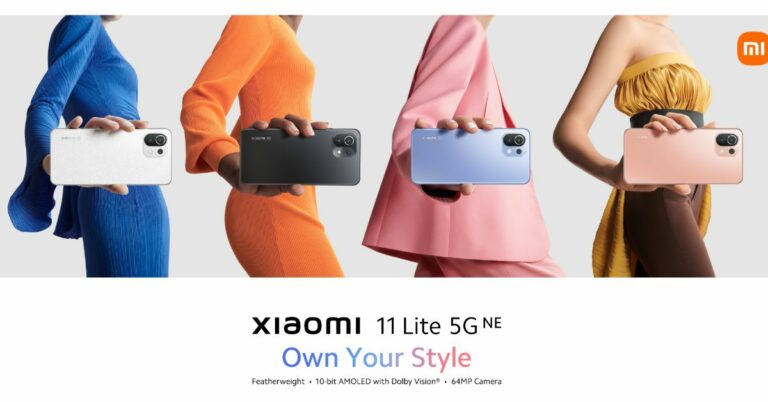
 As for the pricing, the Xiaomi 11 Lite 5G NE price in India is expected to be similar to the one that was launched in Europe. To recall there the phone is priced at EUR 349 which converts to Rs 30,300 for the 6GB RAM with 128GB storage variant. On the other hand, 8GB RAM with a 128GB storage model will be available at EUR 399 translating to Rs 34,600. The company has not yet revealed the price of 8GB RAM with a 256GB configuration.
Speaking of the specification, Xiaomi 11 Lite 5G NE comes with a 6.55-inch full-HD+10-bit flat AMOLED true-colour display with 1,080×2,400 pixels of resolution. It has a refresh rate of 90Hz and supports Dolby Vision. The phone runs on MIUI 12.5 on top of Android 11. Under the hood, there is an octa-core Qualcomm Snapdragon 778G SoC along with up to 8GB of RAM and up to 256GB of internal storage.
There is a triple rear camera set up which includes a 64-megapixel primary sensor, an 8-megapixel ultra-wide-angle lens and a 5-megapixel tele macro lens. Upfront there is a 20-megapixel camera sensor for selfies and video calling.
The Xiaomi 11 Lite 5G NE packs a 4,250mAh battery that supports 33W fast charging. In terms of connectivity, there is 5G, 4G LTE, Wi-Fi 6, Bluetooth v5.2, GPS/ A-GPS, NFC, IR blaster, and a USB Type-C port as connectivity options.
For the latest gadget and tech news, and gadget reviews, follow us on Twitter, Facebook and Instagram. For newest tech & gadget videos subscribe to our YouTube Channel. You can also stay up to date using the Gadget Bridge Android App. You can find the latest car and bike news here.
As for the pricing, the Xiaomi 11 Lite 5G NE price in India is expected to be similar to the one that was launched in Europe. To recall there the phone is priced at EUR 349 which converts to Rs 30,300 for the 6GB RAM with 128GB storage variant. On the other hand, 8GB RAM with a 128GB storage model will be available at EUR 399 translating to Rs 34,600. The company has not yet revealed the price of 8GB RAM with a 256GB configuration.
Speaking of the specification, Xiaomi 11 Lite 5G NE comes with a 6.55-inch full-HD+10-bit flat AMOLED true-colour display with 1,080×2,400 pixels of resolution. It has a refresh rate of 90Hz and supports Dolby Vision. The phone runs on MIUI 12.5 on top of Android 11. Under the hood, there is an octa-core Qualcomm Snapdragon 778G SoC along with up to 8GB of RAM and up to 256GB of internal storage.
There is a triple rear camera set up which includes a 64-megapixel primary sensor, an 8-megapixel ultra-wide-angle lens and a 5-megapixel tele macro lens. Upfront there is a 20-megapixel camera sensor for selfies and video calling.
The Xiaomi 11 Lite 5G NE packs a 4,250mAh battery that supports 33W fast charging. In terms of connectivity, there is 5G, 4G LTE, Wi-Fi 6, Bluetooth v5.2, GPS/ A-GPS, NFC, IR blaster, and a USB Type-C port as connectivity options.
For the latest gadget and tech news, and gadget reviews, follow us on Twitter, Facebook and Instagram. For newest tech & gadget videos subscribe to our YouTube Channel. You can also stay up to date using the Gadget Bridge Android App. You can find the latest car and bike news here. 


 In terms of the camera, the phone sports a dual rear camera set-up. It includes a 13MP dual rear camera with f/1.8 aperture and quad-LED flash. It also features a video camera with multiple recording modes like Slo-Mo, Timelapse, 2k Bokeh and Super Night. There is an 8MP front-facing camera with f/2.0 aperture and dual-LED flash for selfies.
Infinix Hot 11 is shipped with a 5200mAh battery along with a 10W charge support with a Type C cable.
Infinix Hot 11S specifications
Infinix Hot 11S on the other hand features a 6.78-inch full-HD+ LTPS LCD display with 1,080×2,480 pixels of resolution and a 90Hz refresh rate. It comes with a 180Hz touch sampling rate,500 NITS brightness and minimum bezels on the screen with a 90.5% screen-to-body ratio. The phone is powered by MediaTek Helio G88 SoC with 4GB of LPDDR4 RAM and 64GB of storage option. The internal memory can be expanded up to 256GB using a microSD card.
In terms of the camera, the phone sports a dual rear camera set-up. It includes a 13MP dual rear camera with f/1.8 aperture and quad-LED flash. It also features a video camera with multiple recording modes like Slo-Mo, Timelapse, 2k Bokeh and Super Night. There is an 8MP front-facing camera with f/2.0 aperture and dual-LED flash for selfies.
Infinix Hot 11 is shipped with a 5200mAh battery along with a 10W charge support with a Type C cable.
Infinix Hot 11S specifications
Infinix Hot 11S on the other hand features a 6.78-inch full-HD+ LTPS LCD display with 1,080×2,480 pixels of resolution and a 90Hz refresh rate. It comes with a 180Hz touch sampling rate,500 NITS brightness and minimum bezels on the screen with a 90.5% screen-to-body ratio. The phone is powered by MediaTek Helio G88 SoC with 4GB of LPDDR4 RAM and 64GB of storage option. The internal memory can be expanded up to 256GB using a microSD card.
 This budget smartphone sports a triple rear camera setup that includes a 50 MP AI Triple rear camera with the widest f/1.6 aperture and quad-LED flash, a secondary lens with a 2MP depth sensor and an AI lens. The camera app supports features like Time-lapse video recording mode and Slow Motion video mode that allows users to capture videos with 240fps, Bokeh video recording and super night video mode. For selfies, the smartphone features an 8MP front-facing camera.
There is a 5,000mAh battery with 18W fast charging support onboard. Both the phones include Wi-Fi, 4G LTE, Bluetooth v5, USB Type-C, and USB OTG as connectivity options. The sensors onboard include Ambient Light Sensor, G-Sensor, Proximity Sensor, Gyroscope, and E-Compass. There is a rear-mounted fingerprint sensor as well for phone unlocking.
Infinix Hot 11 and Infinix Hot 11S price and availability
Infinix Hot 11 has been launched in India with a price tag of Rs 8,999 for the single 4GB RAM with 64GB of storage option. On the other hand, Infinix Hot 11S will be available at 10,999 for the 4GB RAM with a 64GB storage option. The former one will be available in four colour options of 7 Degree Purple, Silver Wave, Emerald Green and Polar Black whereas the latter one will be offered in three colour variants Green Wave, Polar Black, and 7 Degree Purple. Both the phones will be available for purchase via the e-commerce website Flipkart starting September 21.
For the latest gadget and tech news, and gadget reviews, follow us on Twitter, Facebook and Instagram. For newest tech & gadget videos subscribe to our YouTube Channel. You can also stay up to date using the Gadget Bridge Android App. You can find the latest car and bike news here.
This budget smartphone sports a triple rear camera setup that includes a 50 MP AI Triple rear camera with the widest f/1.6 aperture and quad-LED flash, a secondary lens with a 2MP depth sensor and an AI lens. The camera app supports features like Time-lapse video recording mode and Slow Motion video mode that allows users to capture videos with 240fps, Bokeh video recording and super night video mode. For selfies, the smartphone features an 8MP front-facing camera.
There is a 5,000mAh battery with 18W fast charging support onboard. Both the phones include Wi-Fi, 4G LTE, Bluetooth v5, USB Type-C, and USB OTG as connectivity options. The sensors onboard include Ambient Light Sensor, G-Sensor, Proximity Sensor, Gyroscope, and E-Compass. There is a rear-mounted fingerprint sensor as well for phone unlocking.
Infinix Hot 11 and Infinix Hot 11S price and availability
Infinix Hot 11 has been launched in India with a price tag of Rs 8,999 for the single 4GB RAM with 64GB of storage option. On the other hand, Infinix Hot 11S will be available at 10,999 for the 4GB RAM with a 64GB storage option. The former one will be available in four colour options of 7 Degree Purple, Silver Wave, Emerald Green and Polar Black whereas the latter one will be offered in three colour variants Green Wave, Polar Black, and 7 Degree Purple. Both the phones will be available for purchase via the e-commerce website Flipkart starting September 21.
For the latest gadget and tech news, and gadget reviews, follow us on Twitter, Facebook and Instagram. For newest tech & gadget videos subscribe to our YouTube Channel. You can also stay up to date using the Gadget Bridge Android App. You can find the latest car and bike news here.  In terms of the camera, the phone sports a dual rear camera set-up. It includes a 13MP dual rear camera with f/1.8 aperture and quad-LED flash. It also features a video camera with multiple recording modes like Slo-Mo, Timelapse, 2k Bokeh and Super Night. There is an 8MP front-facing camera with f/2.0 aperture and dual-LED flash for selfies.
Infinix Hot 11 is shipped with a 5200mAh battery along with a 10W charge support with a Type C cable.
Infinix Hot 11S specifications
Infinix Hot 11S on the other hand features a 6.78-inch full-HD+ LTPS LCD display with 1,080×2,480 pixels of resolution and a 90Hz refresh rate. It comes with a 180Hz touch sampling rate,500 NITS brightness and minimum bezels on the screen with a 90.5% screen-to-body ratio. The phone is powered by MediaTek Helio G88 SoC with 4GB of LPDDR4 RAM and 64GB of storage option. The internal memory can be expanded up to 256GB using a microSD card.
In terms of the camera, the phone sports a dual rear camera set-up. It includes a 13MP dual rear camera with f/1.8 aperture and quad-LED flash. It also features a video camera with multiple recording modes like Slo-Mo, Timelapse, 2k Bokeh and Super Night. There is an 8MP front-facing camera with f/2.0 aperture and dual-LED flash for selfies.
Infinix Hot 11 is shipped with a 5200mAh battery along with a 10W charge support with a Type C cable.
Infinix Hot 11S specifications
Infinix Hot 11S on the other hand features a 6.78-inch full-HD+ LTPS LCD display with 1,080×2,480 pixels of resolution and a 90Hz refresh rate. It comes with a 180Hz touch sampling rate,500 NITS brightness and minimum bezels on the screen with a 90.5% screen-to-body ratio. The phone is powered by MediaTek Helio G88 SoC with 4GB of LPDDR4 RAM and 64GB of storage option. The internal memory can be expanded up to 256GB using a microSD card.
 This budget smartphone sports a triple rear camera setup that includes a 50 MP AI Triple rear camera with the widest f/1.6 aperture and quad-LED flash, a secondary lens with a 2MP depth sensor and an AI lens. The camera app supports features like Time-lapse video recording mode and Slow Motion video mode that allows users to capture videos with 240fps, Bokeh video recording and super night video mode. For selfies, the smartphone features an 8MP front-facing camera.
There is a 5,000mAh battery with 18W fast charging support onboard. Both the phones include Wi-Fi, 4G LTE, Bluetooth v5, USB Type-C, and USB OTG as connectivity options. The sensors onboard include Ambient Light Sensor, G-Sensor, Proximity Sensor, Gyroscope, and E-Compass. There is a rear-mounted fingerprint sensor as well for phone unlocking.
Infinix Hot 11 and Infinix Hot 11S price and availability
Infinix Hot 11 has been launched in India with a price tag of Rs 8,999 for the single 4GB RAM with 64GB of storage option. On the other hand, Infinix Hot 11S will be available at 10,999 for the 4GB RAM with a 64GB storage option. The former one will be available in four colour options of 7 Degree Purple, Silver Wave, Emerald Green and Polar Black whereas the latter one will be offered in three colour variants Green Wave, Polar Black, and 7 Degree Purple. Both the phones will be available for purchase via the e-commerce website Flipkart starting September 21.
For the latest gadget and tech news, and gadget reviews, follow us on Twitter, Facebook and Instagram. For newest tech & gadget videos subscribe to our YouTube Channel. You can also stay up to date using the Gadget Bridge Android App. You can find the latest car and bike news here.
This budget smartphone sports a triple rear camera setup that includes a 50 MP AI Triple rear camera with the widest f/1.6 aperture and quad-LED flash, a secondary lens with a 2MP depth sensor and an AI lens. The camera app supports features like Time-lapse video recording mode and Slow Motion video mode that allows users to capture videos with 240fps, Bokeh video recording and super night video mode. For selfies, the smartphone features an 8MP front-facing camera.
There is a 5,000mAh battery with 18W fast charging support onboard. Both the phones include Wi-Fi, 4G LTE, Bluetooth v5, USB Type-C, and USB OTG as connectivity options. The sensors onboard include Ambient Light Sensor, G-Sensor, Proximity Sensor, Gyroscope, and E-Compass. There is a rear-mounted fingerprint sensor as well for phone unlocking.
Infinix Hot 11 and Infinix Hot 11S price and availability
Infinix Hot 11 has been launched in India with a price tag of Rs 8,999 for the single 4GB RAM with 64GB of storage option. On the other hand, Infinix Hot 11S will be available at 10,999 for the 4GB RAM with a 64GB storage option. The former one will be available in four colour options of 7 Degree Purple, Silver Wave, Emerald Green and Polar Black whereas the latter one will be offered in three colour variants Green Wave, Polar Black, and 7 Degree Purple. Both the phones will be available for purchase via the e-commerce website Flipkart starting September 21.
For the latest gadget and tech news, and gadget reviews, follow us on Twitter, Facebook and Instagram. For newest tech & gadget videos subscribe to our YouTube Channel. You can also stay up to date using the Gadget Bridge Android App. You can find the latest car and bike news here. 
 Step 2 – Select the video you want to download.
Step 3 – Tap download.
Step 2 – Select the video you want to download.
Step 3 – Tap download.
 Step 2 – Select the video you want to download.
Step 3 – Tap download.
Step 2 – Select the video you want to download.
Step 3 – Tap download.
 Step 4 – Select the quality of video you want the video to be downloaded in.
 Step 5 – wait for the download to complete, it can be viewed in the download section in the library.
Following these methods will help you watch the video of your choice even when you are offline or with slow internet connectivity.
Step 5 – wait for the download to complete, it can be viewed in the download section in the library.
Following these methods will help you watch the video of your choice even when you are offline or with slow internet connectivity.
 Step 2 – Tap on the Download Snaptube option.
Step 3 – Press Allow to start downloading.
Step 4 – Tap on the file once downloading is completed.
Step 5 – Press install on the next menu.
Step 2 – Tap on the Download Snaptube option.
Step 3 – Press Allow to start downloading.
Step 4 – Tap on the file once downloading is completed.
Step 5 – Press install on the next menu.
 Step 6 – Open the application and accept the terms and conditions.
Step 7 – Search for the video you want to download.
Step 6 – Open the application and accept the terms and conditions.
Step 7 – Search for the video you want to download.
 Step 8 – Select the desired format and start the download.
 Following these steps will download the video in the selected format to your local storage. With the help of this app, you will be able to download videos from platforms like YouTube, Facebook, Instagram, etc. and watch them later.
Read Also: How to record WhatsApp voice calls?
Following these steps will download the video in the selected format to your local storage. With the help of this app, you will be able to download videos from platforms like YouTube, Facebook, Instagram, etc. and watch them later.
Read Also: How to record WhatsApp voice calls?
 Step 3 – Open desired browser and go to en.savefrom.net
Step 4 – Paste the copied URL to the Enter URL section.
Step 3 – Open desired browser and go to en.savefrom.net
Step 4 – Paste the copied URL to the Enter URL section.
 Step 5 – Select the format you want to download in and tap download.
 Once the download is completed the video will be saved in your local storage.
These are some simple tricks to download your favourite and desired YouTube video. We advise if you are planning for steps 2 and 3 make sure to ask permission of the creator to download if not used for personal consumption.
For the latest gadget and tech news, and gadget reviews, follow us on Twitter, Facebook and Instagram. For newest tech & gadget videos subscribe to our YouTube Channel. You can also stay up to date using the Gadget Bridge Android App. You can find the latest car and bike news here.
Once the download is completed the video will be saved in your local storage.
These are some simple tricks to download your favourite and desired YouTube video. We advise if you are planning for steps 2 and 3 make sure to ask permission of the creator to download if not used for personal consumption.
For the latest gadget and tech news, and gadget reviews, follow us on Twitter, Facebook and Instagram. For newest tech & gadget videos subscribe to our YouTube Channel. You can also stay up to date using the Gadget Bridge Android App. You can find the latest car and bike news here. 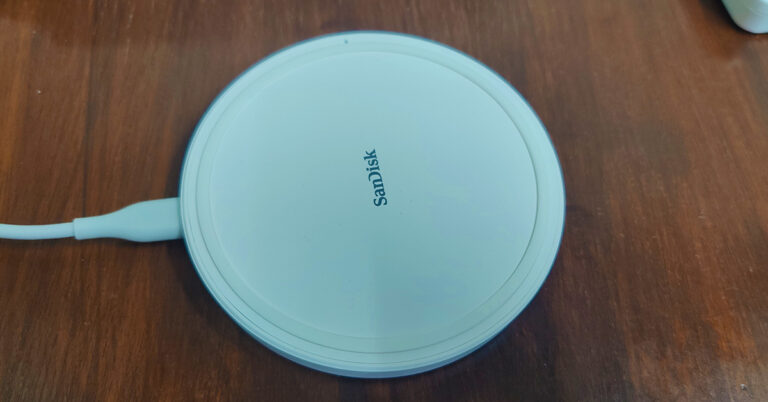
 The wireless charger can charge any device, be it a smartphone or a tablet with wireless Qi-charging capability. So before buying you will also need to check if your smartphone can charge wirelessly.
We tested the SanDisk Ixpand wireless charger with various devices including OnePlus 9, Apple iPhone 11 and Samsung Galaxy S series smartphones. The charging was seamless with all the devices. 15W charge supply is what the wireless charging plate provides, which is one of the fastest in current wireless charging standards. We were able to charge the iPhone 11 from 0-100% in under 3 hours. The OnePlus 9 took additional 30 minutes since the battery size is much larger.
Over that, the SanDisk Ixpand wireless charger can charge smartphones with their cover or bumper case on as well (up to 5mm thick). We tested it out with a 4mm rubber case and 3mm plastic case on two phones and it worked just fine. The charge times with the case on was also similar to the above. The company says you can charge Apple Air Pods, iPhone 8 and upwards, Samsung Galaxy S7 and upwards and Samsung Note devices with this Qi-enabled 15W charger.
The wireless charger can charge any device, be it a smartphone or a tablet with wireless Qi-charging capability. So before buying you will also need to check if your smartphone can charge wirelessly.
We tested the SanDisk Ixpand wireless charger with various devices including OnePlus 9, Apple iPhone 11 and Samsung Galaxy S series smartphones. The charging was seamless with all the devices. 15W charge supply is what the wireless charging plate provides, which is one of the fastest in current wireless charging standards. We were able to charge the iPhone 11 from 0-100% in under 3 hours. The OnePlus 9 took additional 30 minutes since the battery size is much larger.
Over that, the SanDisk Ixpand wireless charger can charge smartphones with their cover or bumper case on as well (up to 5mm thick). We tested it out with a 4mm rubber case and 3mm plastic case on two phones and it worked just fine. The charge times with the case on was also similar to the above. The company says you can charge Apple Air Pods, iPhone 8 and upwards, Samsung Galaxy S7 and upwards and Samsung Note devices with this Qi-enabled 15W charger.
 The wireless charger can charge any device, be it a smartphone or a tablet with wireless Qi-charging capability. So before buying you will also need to check if your smartphone can charge wirelessly.
We tested the SanDisk Ixpand wireless charger with various devices including OnePlus 9, Apple iPhone 11 and Samsung Galaxy S series smartphones. The charging was seamless with all the devices. 15W charge supply is what the wireless charging plate provides, which is one of the fastest in current wireless charging standards. We were able to charge the iPhone 11 from 0-100% in under 3 hours. The OnePlus 9 took additional 30 minutes since the battery size is much larger.
Over that, the SanDisk Ixpand wireless charger can charge smartphones with their cover or bumper case on as well (up to 5mm thick). We tested it out with a 4mm rubber case and 3mm plastic case on two phones and it worked just fine. The charge times with the case on was also similar to the above. The company says you can charge Apple Air Pods, iPhone 8 and upwards, Samsung Galaxy S7 and upwards and Samsung Note devices with this Qi-enabled 15W charger.
The wireless charger can charge any device, be it a smartphone or a tablet with wireless Qi-charging capability. So before buying you will also need to check if your smartphone can charge wirelessly.
We tested the SanDisk Ixpand wireless charger with various devices including OnePlus 9, Apple iPhone 11 and Samsung Galaxy S series smartphones. The charging was seamless with all the devices. 15W charge supply is what the wireless charging plate provides, which is one of the fastest in current wireless charging standards. We were able to charge the iPhone 11 from 0-100% in under 3 hours. The OnePlus 9 took additional 30 minutes since the battery size is much larger.
Over that, the SanDisk Ixpand wireless charger can charge smartphones with their cover or bumper case on as well (up to 5mm thick). We tested it out with a 4mm rubber case and 3mm plastic case on two phones and it worked just fine. The charge times with the case on was also similar to the above. The company says you can charge Apple Air Pods, iPhone 8 and upwards, Samsung Galaxy S7 and upwards and Samsung Note devices with this Qi-enabled 15W charger.
 So, is it worth buying? We would say yes. At Rs 2,999 this wireless charger gives you a host of conveniences. You do not have to plug in the cable to your smartphone to charge it. Just place it on the pad and it starts charging. Also, a smartphone is something you keep using every now and then, so the hassle of plugging and unplugging a device during work hours is also gone.
Over that, if you use more than one device, it helps you get rid of multiple chargers and cables. Just placed your Qi-enables device on it and you are good to go. The only downside is that you will not get super-fast charging as you get from a 35W+ wire charger. If convenience matters to you, go for it!
So, is it worth buying? We would say yes. At Rs 2,999 this wireless charger gives you a host of conveniences. You do not have to plug in the cable to your smartphone to charge it. Just place it on the pad and it starts charging. Also, a smartphone is something you keep using every now and then, so the hassle of plugging and unplugging a device during work hours is also gone.
Over that, if you use more than one device, it helps you get rid of multiple chargers and cables. Just placed your Qi-enables device on it and you are good to go. The only downside is that you will not get super-fast charging as you get from a 35W+ wire charger. If convenience matters to you, go for it!

 On the other hand the in Erangel “Flora Menace,” players can get benefit from Cell-Matrix content. Basically, Cell-Matrix is an airship floating in the air and players can ride it using Cells that can be found on the map. The players will be benefitted from three chances to revive themselves and get to fight with randomly provided weapons. They can acquire Nacore by eliminating enemies or robots infected by an alien creature in the airship.
In addition to this, the Battlegrounds Mobile India latest update will be packed with other exciting features like Zombie mode “Survive Till Dawn” that will come to EvoGround where the last surviving player in the zombie attack gets the final victory. Other popular game modes like Payload Mode will and other 8 different game modes will be part of EvoGround.
On the other hand the in Erangel “Flora Menace,” players can get benefit from Cell-Matrix content. Basically, Cell-Matrix is an airship floating in the air and players can ride it using Cells that can be found on the map. The players will be benefitted from three chances to revive themselves and get to fight with randomly provided weapons. They can acquire Nacore by eliminating enemies or robots infected by an alien creature in the airship.
In addition to this, the Battlegrounds Mobile India latest update will be packed with other exciting features like Zombie mode “Survive Till Dawn” that will come to EvoGround where the last surviving player in the zombie attack gets the final victory. Other popular game modes like Payload Mode will and other 8 different game modes will be part of EvoGround.
 Besides this BGMI update for September will include a recording option that will let players record their gameplay to share it on social media platforms later on. Additionally, various community contests related to recorded clips in-game will be rolled out on the Battlegrounds Mobile India social media platforms. With the latest update, the uses will get an auto-bandage option with distance information is included in the In-Game Mark, and the famous flight path can now be replayed after landing. Additionally one can test out weapons like P90, MG3, ASM Abakan in the all-important training ground before heading into a match. Improved camera vibration effect on grenade detonation, configurable headshot sound adjustments, dynamic scope adjustment options have been added with the new update.
Kraton will also be releasing the RPM3 – Royale Pass Month 3 from today and the pricing will be similar to the previous months starting at 360UC, there’s an array of outfits on offer. As we are inching closer to the festive season BGMI will also see month-long in-game events around Dusshera and Diwali. All details will be announced at a later date.
For the latest gadget and tech news, and gadget reviews, follow us on Twitter, Facebook and Instagram. For newest tech & gadget videos subscribe to our YouTube Channel. You can also stay up to date using the Gadget Bridge Android App. You can find the latest car and bike news here.
Besides this BGMI update for September will include a recording option that will let players record their gameplay to share it on social media platforms later on. Additionally, various community contests related to recorded clips in-game will be rolled out on the Battlegrounds Mobile India social media platforms. With the latest update, the uses will get an auto-bandage option with distance information is included in the In-Game Mark, and the famous flight path can now be replayed after landing. Additionally one can test out weapons like P90, MG3, ASM Abakan in the all-important training ground before heading into a match. Improved camera vibration effect on grenade detonation, configurable headshot sound adjustments, dynamic scope adjustment options have been added with the new update.
Kraton will also be releasing the RPM3 – Royale Pass Month 3 from today and the pricing will be similar to the previous months starting at 360UC, there’s an array of outfits on offer. As we are inching closer to the festive season BGMI will also see month-long in-game events around Dusshera and Diwali. All details will be announced at a later date.
For the latest gadget and tech news, and gadget reviews, follow us on Twitter, Facebook and Instagram. For newest tech & gadget videos subscribe to our YouTube Channel. You can also stay up to date using the Gadget Bridge Android App. You can find the latest car and bike news here. 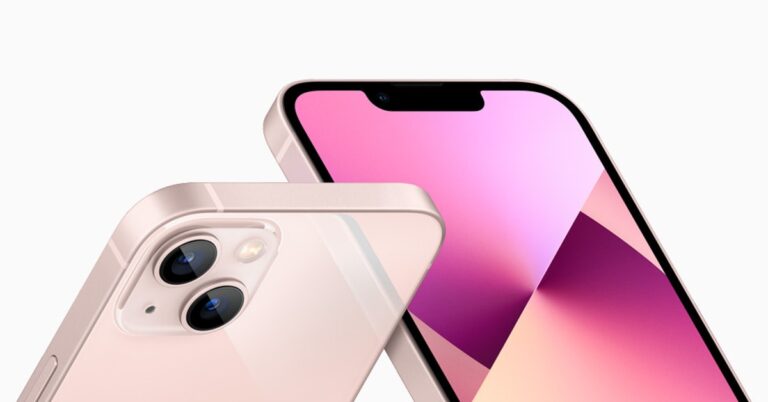
 Tunity is a lifesaver application if you live in a huge family or watch tv in a room of many people making noise. The application allows users to simply scan the TV screen, and it streams the TV audio straight to your device so you can listen with a pair of headphones. Just connect a wireless or wired headphone to your smartphone and listen to the TV audio directly via your iPhone.
Download Here
Tunity is a lifesaver application if you live in a huge family or watch tv in a room of many people making noise. The application allows users to simply scan the TV screen, and it streams the TV audio straight to your device so you can listen with a pair of headphones. Just connect a wireless or wired headphone to your smartphone and listen to the TV audio directly via your iPhone.
Download Here
 Sitting home and gaining knowledge seems impossible. Khan Academy is a non-profitable organization that provides free online educational tools to help students learn. The developer says that being a student just means you have something you’d like to learn more about.
The application has a lot of explanations related to the specific topics and learning tools according to the subject you prefer to learn. All one has to do is open the application and search for the topic they want to learn and related videos along with MCQ will be available to you for free.
Download Here
Sitting home and gaining knowledge seems impossible. Khan Academy is a non-profitable organization that provides free online educational tools to help students learn. The developer says that being a student just means you have something you’d like to learn more about.
The application has a lot of explanations related to the specific topics and learning tools according to the subject you prefer to learn. All one has to do is open the application and search for the topic they want to learn and related videos along with MCQ will be available to you for free.
Download Here
 Mealime is a recipe application that lets users enter information about their taste and diet goals if they have any. After this process, the application recommends recipes that correspond to said information.
Along with some healthy recipes, Mealime also provides a feature to add materials required by you to make food, in an organised grocery list. With these features, it makes Mealime a good meal planner, which will help you plan ahead for what you have to eat.
Download Here
Read Also: Shazam app gets a new feature called Pop-up
Mealime is a recipe application that lets users enter information about their taste and diet goals if they have any. After this process, the application recommends recipes that correspond to said information.
Along with some healthy recipes, Mealime also provides a feature to add materials required by you to make food, in an organised grocery list. With these features, it makes Mealime a good meal planner, which will help you plan ahead for what you have to eat.
Download Here
Read Also: Shazam app gets a new feature called Pop-up
 Libby sounds like a short form of Library and that is what this application is. The application essentially works as an e-library. All one has to do is buy the library card from the application and they can borrow e-book or audiobooks for free. All the borrowed books are automatically retired on their due dates making it an ideal and hassle-free ebook reading application.
Download Here
Libby sounds like a short form of Library and that is what this application is. The application essentially works as an e-library. All one has to do is buy the library card from the application and they can borrow e-book or audiobooks for free. All the borrowed books are automatically retired on their due dates making it an ideal and hassle-free ebook reading application.
Download Here
 With AirDroid, one can share photos, videos, audio, or any files with your friends and across devices. As long as the devices are in the same WiFi network the AirDroid account on your computer will recognise the account on the other device and vice versa. The next step will be to select the files you want to transfer from the connected devices. The method is completely wireless, all you have to do is install the application on devices you want to share data from and with.
Download Here
With AirDroid, one can share photos, videos, audio, or any files with your friends and across devices. As long as the devices are in the same WiFi network the AirDroid account on your computer will recognise the account on the other device and vice versa. The next step will be to select the files you want to transfer from the connected devices. The method is completely wireless, all you have to do is install the application on devices you want to share data from and with.
Download Here
 Due to the high stressful life, mental peace is very important nowadays. Insight Timer is for meditation everywhere. It provides guided meditations at various lengths instructed by the world’s top meditation and mindfulness experts, neuroscientists, psychologists, and teachers from Stanford, Harvard, the University of Oxford etc.
With tons of free meditation tracks and live sessions by professionals, it is a must-have application. One can also join the social community inside the application’s interface to connect to like-minded people and work together.
Download Here
Read Also: Facebook still receives user data from major Android apps
Due to the high stressful life, mental peace is very important nowadays. Insight Timer is for meditation everywhere. It provides guided meditations at various lengths instructed by the world’s top meditation and mindfulness experts, neuroscientists, psychologists, and teachers from Stanford, Harvard, the University of Oxford etc.
With tons of free meditation tracks and live sessions by professionals, it is a must-have application. One can also join the social community inside the application’s interface to connect to like-minded people and work together.
Download Here
Read Also: Facebook still receives user data from major Android apps
 It might have happened often that you like the music on the go but couldn’t recognise it. That is where shazam shines. Shazam users can open the app while a song is playing on the radio, in a store, or pretty much anywhere, and the app will provide the name of the song as well as the artist who sings it including all the important related information. The users can connect their Spotify account with the app as well to create an automatic playlist of the songs they found via Shazam.
Download Here
It might have happened often that you like the music on the go but couldn’t recognise it. That is where shazam shines. Shazam users can open the app while a song is playing on the radio, in a store, or pretty much anywhere, and the app will provide the name of the song as well as the artist who sings it including all the important related information. The users can connect their Spotify account with the app as well to create an automatic playlist of the songs they found via Shazam.
Download Here
 Duolingo is one of the leading applications for learning basic phrases and words. It has an interactive interface, which will help you to learn how to read and even write a language properly.
It also gives goals and motivation to keep you going. Consumers can use Duolingo cross-platform as well making learning a new language easy. The best part about this application is that it is completely free.
Download Here
Duolingo is one of the leading applications for learning basic phrases and words. It has an interactive interface, which will help you to learn how to read and even write a language properly.
It also gives goals and motivation to keep you going. Consumers can use Duolingo cross-platform as well making learning a new language easy. The best part about this application is that it is completely free.
Download Here
 Photomath is what its name suggests. It uses your smartphone’s camera to scan the math problem, analyses the information and gives a detailed step-by-step answer and explanation. It covers a range from basic math to calculus and trigonometry.
The tool works flawlessly in offline mode. Though the functions for the free version are limited one can always go for in-app purchases to experience its full potential.
Download Here
Read Also: 5 apps and software you can use to wirelessly transfer files
Photomath is what its name suggests. It uses your smartphone’s camera to scan the math problem, analyses the information and gives a detailed step-by-step answer and explanation. It covers a range from basic math to calculus and trigonometry.
The tool works flawlessly in offline mode. Though the functions for the free version are limited one can always go for in-app purchases to experience its full potential.
Download Here
Read Also: 5 apps and software you can use to wirelessly transfer files
 It is an interesting application for people who love looking at stars or have an interest in planets. The application has several slick AR models that will show the real-time positions of stars above you along with the planets.
All you have to do is raise your new iPhone towards the sky and move it around to find and identify objects in the sky including star patterns and planet positions. When your phone is down, the interface turns into a compass that points you in the direction of stuff worth looking at.
Download Here
These are the top 10 apps for iPhone 13 and iPhone 13 mini and will bring the best out of them. Not all the applications on the list are free but we are sure they will not disappoint you. They will help you in your day to day life in one way or the other making your time with your iPhone 13 or iPhone 13 mini more productive.
For the latest gadget and tech news, and gadget reviews, follow us on Twitter, Facebook and Instagram. For newest tech & gadget videos subscribe to our YouTube Channel. You can also stay up to date using the Gadget Bridge Android App. You can find the latest car and bike news here.
It is an interesting application for people who love looking at stars or have an interest in planets. The application has several slick AR models that will show the real-time positions of stars above you along with the planets.
All you have to do is raise your new iPhone towards the sky and move it around to find and identify objects in the sky including star patterns and planet positions. When your phone is down, the interface turns into a compass that points you in the direction of stuff worth looking at.
Download Here
These are the top 10 apps for iPhone 13 and iPhone 13 mini and will bring the best out of them. Not all the applications on the list are free but we are sure they will not disappoint you. They will help you in your day to day life in one way or the other making your time with your iPhone 13 or iPhone 13 mini more productive.
For the latest gadget and tech news, and gadget reviews, follow us on Twitter, Facebook and Instagram. For newest tech & gadget videos subscribe to our YouTube Channel. You can also stay up to date using the Gadget Bridge Android App. You can find the latest car and bike news here. 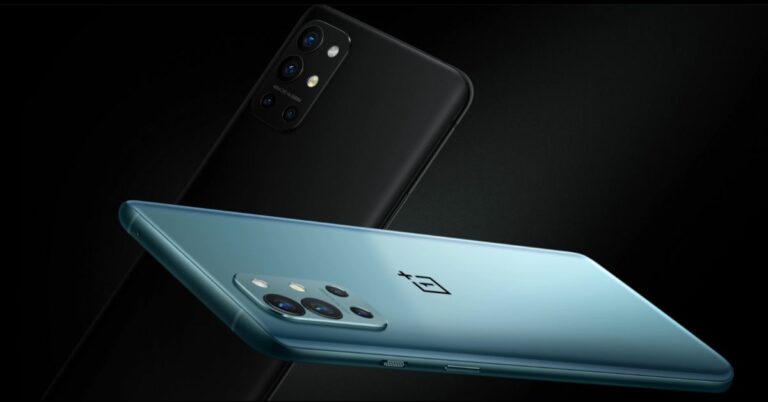




 Winner of many awards, Star Walk is a detailed astronomy app that allows users to track the night sky, constellations, planets and more in real-time. All one has to do is install the application and point the device towards the sky. The application will show all the stars, planets, satellites and constellations from your location. If the user has interest he/she can explore the deep knowledge sections in the application as well.
Download Here
Read Also: Amazon launches New Kindle Paperwhite for Rs 10,999
Winner of many awards, Star Walk is a detailed astronomy app that allows users to track the night sky, constellations, planets and more in real-time. All one has to do is install the application and point the device towards the sky. The application will show all the stars, planets, satellites and constellations from your location. If the user has interest he/she can explore the deep knowledge sections in the application as well.
Download Here
Read Also: Amazon launches New Kindle Paperwhite for Rs 10,999
 Notability is what its name says. It is a Comprehensive note-taking application that lets users combine handwritten notes or drawing with audio recording natively. It will help you to take the advantage of Mini’s capability and use it as a notepad. If the user wants, they can even invest in the premium version to unlock the feature which will convert handwritten notes to text.
Download Here
Notability is what its name says. It is a Comprehensive note-taking application that lets users combine handwritten notes or drawing with audio recording natively. It will help you to take the advantage of Mini’s capability and use it as a notepad. If the user wants, they can even invest in the premium version to unlock the feature which will convert handwritten notes to text.
Download Here
 With the support of the new Apple Pencil, Adobe Lightroom is a must-have application in your app drawer. With this application, Adobe has brought desktop-like photo editing standards to the iPad. The application has lots of free as well as paid features to choose from. Even professional users can use Adobe lightroom on iPad to get photo work done on the go. With the advent of iPadOS, a recent update even lets you directly import photos into Lightroom from a memory card.
Download here
With the support of the new Apple Pencil, Adobe Lightroom is a must-have application in your app drawer. With this application, Adobe has brought desktop-like photo editing standards to the iPad. The application has lots of free as well as paid features to choose from. Even professional users can use Adobe lightroom on iPad to get photo work done on the go. With the advent of iPadOS, a recent update even lets you directly import photos into Lightroom from a memory card.
Download here
 Flipboard is an application that uses a combination of editors and algorithms to deliver news, videos and podcasts tailored to your interests. It is one of the first applications to take advantage of the full screen and convert it to a magazine-style layout. The application creates smart magazines that bundle together according to the user’s interest like photography, technology, automobiles etc. One can use this app if he/ she has a keen interest in reading news in a newsletter style.
Download Here
Flipboard is an application that uses a combination of editors and algorithms to deliver news, videos and podcasts tailored to your interests. It is one of the first applications to take advantage of the full screen and convert it to a magazine-style layout. The application creates smart magazines that bundle together according to the user’s interest like photography, technology, automobiles etc. One can use this app if he/ she has a keen interest in reading news in a newsletter style.
Download Here
 One of the most popular applications for iPad users. Procreate is an art application that has been used by iPad users with the support of the Apple pen for years. Now as the new iPad Mini supports the Apple Pencil 2 and has a bigger screen than the previous version this has become a must-have application. It features ultra-high-definition canvases, hundreds of virtual brushes, and many designs along with animation tools. It’s used by creative professionals, hobbyists and aspiring artists, who can import or export art as Adobe Photoshop files or in virtually any other format they’d like and directly share their art on desired socials.
Download Here
Read Also: Samsung Galaxy A8 Star launched in India
One of the most popular applications for iPad users. Procreate is an art application that has been used by iPad users with the support of the Apple pen for years. Now as the new iPad Mini supports the Apple Pencil 2 and has a bigger screen than the previous version this has become a must-have application. It features ultra-high-definition canvases, hundreds of virtual brushes, and many designs along with animation tools. It’s used by creative professionals, hobbyists and aspiring artists, who can import or export art as Adobe Photoshop files or in virtually any other format they’d like and directly share their art on desired socials.
Download Here
Read Also: Samsung Galaxy A8 Star launched in India
 The Amazon Kindle application has been available for iPad for a long time now. The application opened the world of e-books, as it allowed people to purchase e-books on the Kindle app and read them on the iPad, instead of on a Kindle. The Upgraded iPad Mini having a big screen and portable size is a perfect alternative to a Kindle. Even the books bought via the Amazon website automatically appear directly on the application.
Download Here
The Amazon Kindle application has been available for iPad for a long time now. The application opened the world of e-books, as it allowed people to purchase e-books on the Kindle app and read them on the iPad, instead of on a Kindle. The Upgraded iPad Mini having a big screen and portable size is a perfect alternative to a Kindle. Even the books bought via the Amazon website automatically appear directly on the application.
Download Here
 Want to watch Netflix on the go but the screen size of your phone feels small? Try installing Netflix on your iPad Mini and make it a goto entertainment system. Netflix has the best in class collection of movies and Tv series as compared to other applications. The users can easily create personalised profiles for everyone in the family. This becomes especially useful for parents, who can now hand an iPad to their kid to watch family-friendly Netflix shows.
Download Here
Want to watch Netflix on the go but the screen size of your phone feels small? Try installing Netflix on your iPad Mini and make it a goto entertainment system. Netflix has the best in class collection of movies and Tv series as compared to other applications. The users can easily create personalised profiles for everyone in the family. This becomes especially useful for parents, who can now hand an iPad to their kid to watch family-friendly Netflix shows.
Download Here
 Winner of many awards, Star Walk is a detailed astronomy app that allows users to track the night sky, constellations, planets and more in real-time. All one has to do is install the application and point the device towards the sky. The application will show all the stars, planets, satellites and constellations from your location. If the user has interest he/she can explore the deep knowledge sections in the application as well.
Download Here
Read Also: Amazon launches New Kindle Paperwhite for Rs 10,999
Winner of many awards, Star Walk is a detailed astronomy app that allows users to track the night sky, constellations, planets and more in real-time. All one has to do is install the application and point the device towards the sky. The application will show all the stars, planets, satellites and constellations from your location. If the user has interest he/she can explore the deep knowledge sections in the application as well.
Download Here
Read Also: Amazon launches New Kindle Paperwhite for Rs 10,999
 Notability is what its name says. It is a Comprehensive note-taking application that lets users combine handwritten notes or drawing with audio recording natively. It will help you to take the advantage of Mini’s capability and use it as a notepad. If the user wants, they can even invest in the premium version to unlock the feature which will convert handwritten notes to text.
Download Here
Notability is what its name says. It is a Comprehensive note-taking application that lets users combine handwritten notes or drawing with audio recording natively. It will help you to take the advantage of Mini’s capability and use it as a notepad. If the user wants, they can even invest in the premium version to unlock the feature which will convert handwritten notes to text.
Download Here
 It is one of the most popular video editing applications available in the Apple Store. The application proved that one can not only watch good quality videos on their iPad but can edit them seamlessly as well. The app is a multitrack video editor which can be used by professional video producers, filmmakers and journalists as well. Luma Fusion provides six video and audio tracks for photos, videos, audio, titles and graphics. It also lets you add layer effects for colour corrections.
Download Here
It is one of the most popular video editing applications available in the Apple Store. The application proved that one can not only watch good quality videos on their iPad but can edit them seamlessly as well. The app is a multitrack video editor which can be used by professional video producers, filmmakers and journalists as well. Luma Fusion provides six video and audio tracks for photos, videos, audio, titles and graphics. It also lets you add layer effects for colour corrections.
Download Here
 YouTube was one of the default apps on the iPad until iOS 6. Then it was moved to the App Store after YouTube parent company Google’s license expired. Even after so many years, the application remains one of the most popular apps for iPad. With so many videos and endless entertainment combined with a bigger screen further the iPad’s reputation as a mobile content consumption platform.
Download Here
Read Also: Over 38,000 Adobe flash games can now be played for free
YouTube was one of the default apps on the iPad until iOS 6. Then it was moved to the App Store after YouTube parent company Google’s license expired. Even after so many years, the application remains one of the most popular apps for iPad. With so many videos and endless entertainment combined with a bigger screen further the iPad’s reputation as a mobile content consumption platform.
Download Here
Read Also: Over 38,000 Adobe flash games can now be played for free
 Duet Display is an app that turns your iPad into a second monitor for your laptop, desktop or phone. Designed by former Apple engineers, the app can turn your tablet into a productivity tool, with full gesture support and customizable shortcuts. All the user has to do is download the application on the desired device be it a Windows or Mac and convert your iPad into a second screen wirelessly.
Download Here
These are the top 10 applications to bring the best out of your new Apple iPad Mini. Not all the applications on the list are free but none will disappoint you, as they will surely help you in your day to day life in one way or the other.
For the latest gadget and tech news, and gadget reviews, follow us on Twitter, Facebook and Instagram. For newest tech & gadget videos subscribe to our YouTube Channel. You can also stay up to date using the Gadget Bridge Android App. You can find the latest car and bike news here.
Duet Display is an app that turns your iPad into a second monitor for your laptop, desktop or phone. Designed by former Apple engineers, the app can turn your tablet into a productivity tool, with full gesture support and customizable shortcuts. All the user has to do is download the application on the desired device be it a Windows or Mac and convert your iPad into a second screen wirelessly.
Download Here
These are the top 10 applications to bring the best out of your new Apple iPad Mini. Not all the applications on the list are free but none will disappoint you, as they will surely help you in your day to day life in one way or the other.
For the latest gadget and tech news, and gadget reviews, follow us on Twitter, Facebook and Instagram. For newest tech & gadget videos subscribe to our YouTube Channel. You can also stay up to date using the Gadget Bridge Android App. You can find the latest car and bike news here.
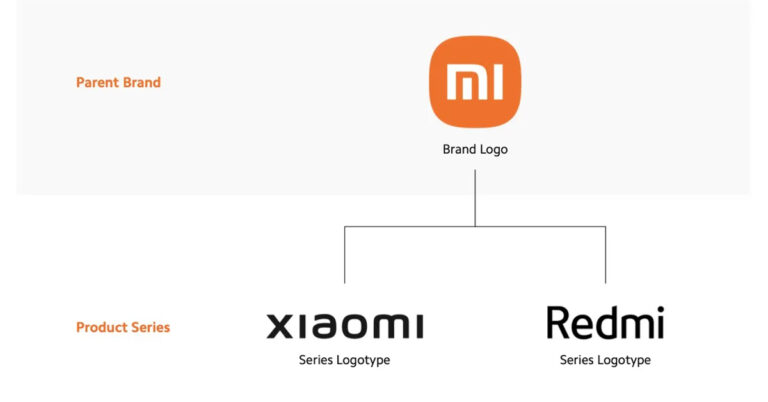
 Read Also: The Xiaomi Mi Note 10 is not coming to India this month
It’s strange for the company to make this move when it became the leader for the smartphone category in the world surpassing Samsung as the world’s top smartphone company with a market share of 15.7%, followed by Apple at 14.3%. Even the company spent a good amount of money to change its Mi logo just over four months ago with round corners and now has ended up dropping it completely.
Read Also: The Xiaomi Mi Note 10 is not coming to India this month
It’s strange for the company to make this move when it became the leader for the smartphone category in the world surpassing Samsung as the world’s top smartphone company with a market share of 15.7%, followed by Apple at 14.3%. Even the company spent a good amount of money to change its Mi logo just over four months ago with round corners and now has ended up dropping it completely.
 Read Also: The Xiaomi Mi Note 10 is not coming to India this month
It’s strange for the company to make this move when it became the leader for the smartphone category in the world surpassing Samsung as the world’s top smartphone company with a market share of 15.7%, followed by Apple at 14.3%. Even the company spent a good amount of money to change its Mi logo just over four months ago with round corners and now has ended up dropping it completely.
Read Also: The Xiaomi Mi Note 10 is not coming to India this month
It’s strange for the company to make this move when it became the leader for the smartphone category in the world surpassing Samsung as the world’s top smartphone company with a market share of 15.7%, followed by Apple at 14.3%. Even the company spent a good amount of money to change its Mi logo just over four months ago with round corners and now has ended up dropping it completely.

 Apple has added sleep tracking on watchOS 7 and it works fine as well. But the problem with it is that it shows the basic details of your sleep, not much insight into the quality of sleep you had. Also, it only works during specifically designated Sleep Mode hours. Auto Sleep is especially helpful in this case as it shows some details like the quality of sleep you had and also ways to improve it for getting better sleep. Not only does the application work very well and give you lots of great data, but it also has a reasonable price, unlike other applications that have so many in-app purchases or ads.
Download Here
Apple has added sleep tracking on watchOS 7 and it works fine as well. But the problem with it is that it shows the basic details of your sleep, not much insight into the quality of sleep you had. Also, it only works during specifically designated Sleep Mode hours. Auto Sleep is especially helpful in this case as it shows some details like the quality of sleep you had and also ways to improve it for getting better sleep. Not only does the application work very well and give you lots of great data, but it also has a reasonable price, unlike other applications that have so many in-app purchases or ads.
Download Here
 With recent updates and tweaks by the company, Keychain has become a lot better at working flawlessly with iCloud and Safari. The problem with the Keychain is that if by any chance you step outside the Apple ecosystem it won’t work for you. For such cases, you need a third-party password manager. 1Password is a good solution for all such problems. It offers top-notch security along with tools that work across platforms.
On your Apple Watch, 1Password can quickly show you passwords, credit/debit card details, notes, and one-time passwords for two-factor authentication. For macOS users one can unlock their 1Password using the Apple Watch. The application has a 30-day free trial period and then one needs to pay monthly for self or family plan.
Download Here
With recent updates and tweaks by the company, Keychain has become a lot better at working flawlessly with iCloud and Safari. The problem with the Keychain is that if by any chance you step outside the Apple ecosystem it won’t work for you. For such cases, you need a third-party password manager. 1Password is a good solution for all such problems. It offers top-notch security along with tools that work across platforms.
On your Apple Watch, 1Password can quickly show you passwords, credit/debit card details, notes, and one-time passwords for two-factor authentication. For macOS users one can unlock their 1Password using the Apple Watch. The application has a 30-day free trial period and then one needs to pay monthly for self or family plan.
Download Here
 It’s a perfect application if you tend to lose your phone often. This application uses a sophisticated way to alert you as soon as the Bluetooth range starts to decrease between your iPhone and your Apple Watch.
The Phone buddy also has a feature to find your phone directly via the application. Consumers can choose alerts from ringing to just vibration in the interface and never lose their phone.
Download Here
Read Also: iBall launches Andi 4.5 O’ Buddy Android smartphone
It’s a perfect application if you tend to lose your phone often. This application uses a sophisticated way to alert you as soon as the Bluetooth range starts to decrease between your iPhone and your Apple Watch.
The Phone buddy also has a feature to find your phone directly via the application. Consumers can choose alerts from ringing to just vibration in the interface and never lose their phone.
Download Here
Read Also: iBall launches Andi 4.5 O’ Buddy Android smartphone
 There are plenty of weather applications available for the Apple watch already but Carrot Weather has many more features. It has weather forecasting with data from Weather Underground or Dark Sky, lots of customisation, and even achievements. It also supports the API weather display and warning features in real-time with its interactive bot. One can surely consider this application for keeping an eye on the weather and related information.
Download Here
There are plenty of weather applications available for the Apple watch already but Carrot Weather has many more features. It has weather forecasting with data from Weather Underground or Dark Sky, lots of customisation, and even achievements. It also supports the API weather display and warning features in real-time with its interactive bot. One can surely consider this application for keeping an eye on the weather and related information.
Download Here
 Due to the screen size of the Apple Watches, there are not a lot of games available in the App store. Tiny Armis is an exception to kill your boredom. The application is optimised to overcome very limited screen space and interactions available in that form factor. The game is an extremely compact and simple design strategy game. If you’re looking for a fun little distraction to kill your time and don’t want to pull out your iPhone, give Tiny Armies a try.
Download Here
Due to the screen size of the Apple Watches, there are not a lot of games available in the App store. Tiny Armis is an exception to kill your boredom. The application is optimised to overcome very limited screen space and interactions available in that form factor. The game is an extremely compact and simple design strategy game. If you’re looking for a fun little distraction to kill your time and don’t want to pull out your iPhone, give Tiny Armies a try.
Download Here
 One of the best task managers available for WatchOS is simple to use. The interface looks attractive and simple. One can easily note down tasks, accomplish what you have to do today, and it stays silent the rest of the time. You can quickly add a to-do item, which can be organised later on your iPhone. Look at today’s tasks, check off items as you do them, or postpone them for later with just a couple of taps and with the support of Siri it gets easy to add reminders with your voice commands.
Download Here
Read Also: Tata Sky Binge launched on the Amazon FireTV Stick
One of the best task managers available for WatchOS is simple to use. The interface looks attractive and simple. One can easily note down tasks, accomplish what you have to do today, and it stays silent the rest of the time. You can quickly add a to-do item, which can be organised later on your iPhone. Look at today’s tasks, check off items as you do them, or postpone them for later with just a couple of taps and with the support of Siri it gets easy to add reminders with your voice commands.
Download Here
Read Also: Tata Sky Binge launched on the Amazon FireTV Stick
 The application revolves around making your transits on public transport easy by giving you bus and subway times, alerting you to service outages, and helping you plan trips. It works by grabbing public data feeds from all the transit agencies. It becomes better with your smart wearable as one can see the next route with just a glance on their wrist. Only one downside of the application is it is available to selective cities for now but the developers are trying day by day to enhance its coverage.
Download Here
The application revolves around making your transits on public transport easy by giving you bus and subway times, alerting you to service outages, and helping you plan trips. It works by grabbing public data feeds from all the transit agencies. It becomes better with your smart wearable as one can see the next route with just a glance on their wrist. Only one downside of the application is it is available to selective cities for now but the developers are trying day by day to enhance its coverage.
Download Here
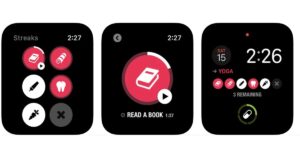 To build and master a skill, the key is to practice regularly. Streaks help its users in such cases, whether you want to lose weight, eat healthier, learn a new skill, or build any new good habit. It is a simple way to create custom reminders to do something each day and track up to 12 tasks daily. It will remind you when it’s time to do the task and collect health data automatically from the default set application.
Download Here
To build and master a skill, the key is to practice regularly. Streaks help its users in such cases, whether you want to lose weight, eat healthier, learn a new skill, or build any new good habit. It is a simple way to create custom reminders to do something each day and track up to 12 tasks daily. It will remind you when it’s time to do the task and collect health data automatically from the default set application.
Download Here
 Arguably the most popular music streaming application in the world with a lot of active users. With the recent update, Spotify now also supports podcasts making it a go-to application for many more new users. After buying the premium subscription of the application, the user no longer needs to carry their iPhone with them to stream music or listen to podcasts. The application will stream them directly to your smartwatch. An easy solution for fitness enthusiasts especially those who are planning to buy the cellular version of the new Apple watch series 7.
Download Here
Read Also: 3 best password managers for your Android smartphone
Arguably the most popular music streaming application in the world with a lot of active users. With the recent update, Spotify now also supports podcasts making it a go-to application for many more new users. After buying the premium subscription of the application, the user no longer needs to carry their iPhone with them to stream music or listen to podcasts. The application will stream them directly to your smartwatch. An easy solution for fitness enthusiasts especially those who are planning to buy the cellular version of the new Apple watch series 7.
Download Here
Read Also: 3 best password managers for your Android smartphone
 It is an interesting application for people who love looking at stars or have an interest in planets. The application has several slick AR models that will show the real-time positions of stars above you along with the planets.
All you have to do is raise your wrist towards the sky and move it around to find and identify objects in the sky including star patterns and planet positions. When your watch is down, the interface turns into a compass that points you in the direction of stuff worth looking at. One need not be an astronomer to fall in love with this app.
Download Here
These are 10 Apps that you should install on Apple Watch Series 7. Not all the applications on the list are free but none will disappoint you, as they will surely help you in your day to day life in one way or the other.
For the latest gadget and tech news, and gadget reviews, follow us on Twitter, Facebook and Instagram. For newest tech & gadget videos subscribe to our YouTube Channel. You can also stay up to date using the Gadget Bridge Android App. You can find the latest car and bike news here.
It is an interesting application for people who love looking at stars or have an interest in planets. The application has several slick AR models that will show the real-time positions of stars above you along with the planets.
All you have to do is raise your wrist towards the sky and move it around to find and identify objects in the sky including star patterns and planet positions. When your watch is down, the interface turns into a compass that points you in the direction of stuff worth looking at. One need not be an astronomer to fall in love with this app.
Download Here
These are 10 Apps that you should install on Apple Watch Series 7. Not all the applications on the list are free but none will disappoint you, as they will surely help you in your day to day life in one way or the other.
For the latest gadget and tech news, and gadget reviews, follow us on Twitter, Facebook and Instagram. For newest tech & gadget videos subscribe to our YouTube Channel. You can also stay up to date using the Gadget Bridge Android App. You can find the latest car and bike news here. 
 The phone is powered by an octa-core Qualcomm Snapdragon 888 SoC with up to 12GB of RAM and 256GB of onboard storage. The camera specification on this smartphone is the same as above. The battery capacity is the same as well however there is 120W Xiaomi HyperCharge fast charging. Whereas the dual speakers on this phone are fine-tuned by Harman Kardon further supported by Dolby Atmos and Dolby Vision.
 There is a triple rear camera set up on the device which houses a 108-megapixel primary sensor. In addition to this, there is an 8-megapixel ultra-wide lens with f/2.2 aperture and 120-degree FoV and a telemacro lens with f/2.4 aperture. The rear cameras offer an 8K video recording option and there is an additional third microphone that activates Audio Zoom which when enabled can capture audio from a distance. Upfront there is a 16-megapixel selfie camera sensor.
Xiaomi 11T packs a 5,000mAh battery which supports 67W Xiaomi turbocharging. For connectivity, there is 5G, 4G LTE, Wi-Fi 6, Bluetooth v5.2, GPS/ A-GPS, NFC, Infrared (IR) blaster, and a USB Type-C port. There are dual speakers on the phone which comes with Dolby Atmos support.
There is a triple rear camera set up on the device which houses a 108-megapixel primary sensor. In addition to this, there is an 8-megapixel ultra-wide lens with f/2.2 aperture and 120-degree FoV and a telemacro lens with f/2.4 aperture. The rear cameras offer an 8K video recording option and there is an additional third microphone that activates Audio Zoom which when enabled can capture audio from a distance. Upfront there is a 16-megapixel selfie camera sensor.
Xiaomi 11T packs a 5,000mAh battery which supports 67W Xiaomi turbocharging. For connectivity, there is 5G, 4G LTE, Wi-Fi 6, Bluetooth v5.2, GPS/ A-GPS, NFC, Infrared (IR) blaster, and a USB Type-C port. There are dual speakers on the phone which comes with Dolby Atmos support.
 The phone is powered by an octa-core Qualcomm Snapdragon 888 SoC with up to 12GB of RAM and 256GB of onboard storage. The camera specification on this smartphone is the same as above. The battery capacity is the same as well however there is 120W Xiaomi HyperCharge fast charging. Whereas the dual speakers on this phone are fine-tuned by Harman Kardon further supported by Dolby Atmos and Dolby Vision.



 Step 3 – Open the application.
Step 4 – Below ‘Continue with Facebook’ will be an option to use cell phone number.
Step 3 – Open the application.
Step 4 – Below ‘Continue with Facebook’ will be an option to use cell phone number.
 Read Also: How to enable Dark Mode on your smartphone
Step 5 – Logging in with social accounts is hassle-free but logging in with a phone number will ask you for an OTP.
Step 6 – Enter the OTP if you logged in with your phone number.
Read Also: How to enable Dark Mode on your smartphone
Step 5 – Logging in with social accounts is hassle-free but logging in with a phone number will ask you for an OTP.
Step 6 – Enter the OTP if you logged in with your phone number.
 Step 7 – If not logged in with Facebook, you need to input your biodata as well as upload your photos.
 Read Also: Bumble introduces in-app voice and video calling on its app
Step 3 – Select the login option according to your preference.
Read Also: Bumble introduces in-app voice and video calling on its app
Step 3 – Select the login option according to your preference.
 Step 4 – Login with socials will redirect you to your social logins but logging in with a phone number will send an OTP to your entered phone number.
Step 5 – Enter the OTP, if you choose the ‘Use cell phone number’ option.
Step 4 – Login with socials will redirect you to your social logins but logging in with a phone number will send an OTP to your entered phone number.
Step 5 – Enter the OTP, if you choose the ‘Use cell phone number’ option.
 Step 6 – The next step will be creating your profile and you are good to go. You would need to upload your image and add your Bio if logged in from your phone number.
Following these simple steps, one can enjoy swiping to find and create friends. Always make sure to keep your profile interesting so that more people swipe right. Also, it has a feature by which girls pick first to message. This is also an interesting and useful feature for female users.
For the latest gadget and tech news, and gadget reviews, follow us on Twitter, Facebook and Instagram. For newest tech & gadget videos subscribe to our YouTube Channel. You can also stay up to date using the Gadget Bridge Android App. You can find the latest car and bike news here.
Step 6 – The next step will be creating your profile and you are good to go. You would need to upload your image and add your Bio if logged in from your phone number.
Following these simple steps, one can enjoy swiping to find and create friends. Always make sure to keep your profile interesting so that more people swipe right. Also, it has a feature by which girls pick first to message. This is also an interesting and useful feature for female users.
For the latest gadget and tech news, and gadget reviews, follow us on Twitter, Facebook and Instagram. For newest tech & gadget videos subscribe to our YouTube Channel. You can also stay up to date using the Gadget Bridge Android App. You can find the latest car and bike news here. 
 With iOS 15, which comes pre-installed on your iPhone 13 Pro or iPhone 13 Pro max, it comes with the feature of re-sizable and detail-rich widgets that you can insert right onto the home screen. With Widgetsmith, one can see all the applications that support these beautiful widgets. Also with the help of this application, you can create your customised widget as well.
Once the application is installed just open Widgetsmith and select a widget. It can be small, medium, or large, you can pick a widget category from time, date, reminders, health & activity, etc. After doing so there will be a lot of customisations to choose from like font types, tint colours, background colours, border colours, and so on. The application is absolutely free and comes with a paid subscription if one wants a customised weather widget.
Download Here
With iOS 15, which comes pre-installed on your iPhone 13 Pro or iPhone 13 Pro max, it comes with the feature of re-sizable and detail-rich widgets that you can insert right onto the home screen. With Widgetsmith, one can see all the applications that support these beautiful widgets. Also with the help of this application, you can create your customised widget as well.
Once the application is installed just open Widgetsmith and select a widget. It can be small, medium, or large, you can pick a widget category from time, date, reminders, health & activity, etc. After doing so there will be a lot of customisations to choose from like font types, tint colours, background colours, border colours, and so on. The application is absolutely free and comes with a paid subscription if one wants a customised weather widget.
Download Here
 Apple has its own measure application, which is freely available in the Apple App Store. It is a virtual alternative to a physical ruler, tape measure, and level meter. You can measure the distance between two points, determine the dimensions of an object, and even figure out if a surface is straight.
It’s easy to use this application by positioning the phone pointing towards the object you want to measure. Position the centre dot circle and press + to measure the distance of an object. One can also find the dimension of a shape such as a square or a cube, record the length of one side, by double-tapping the + button. Move the phone to each side and tap finish to find the measurement.
It can also be used as a level meter to measure the angle. Tap the same option at the bottom of the screen. Then you can position your device horizontally or vertically to know the angle of slopes.
Download here
Apple has its own measure application, which is freely available in the Apple App Store. It is a virtual alternative to a physical ruler, tape measure, and level meter. You can measure the distance between two points, determine the dimensions of an object, and even figure out if a surface is straight.
It’s easy to use this application by positioning the phone pointing towards the object you want to measure. Position the centre dot circle and press + to measure the distance of an object. One can also find the dimension of a shape such as a square or a cube, record the length of one side, by double-tapping the + button. Move the phone to each side and tap finish to find the measurement.
It can also be used as a level meter to measure the angle. Tap the same option at the bottom of the screen. Then you can position your device horizontally or vertically to know the angle of slopes.
Download here
 1Password is a password manager that helps you by storing all your passwords in one place. The iPhone 13 Pro and iPhone 13 Pro Max already have iCloud Keychain for password storage but that makes one limited to the Apple ecosystem only. If you want to access your passwords across platforms, consider using 1Password instead.
1Password lets you create strong, unique passwords and syncs them across all popular mobile and desktop platforms. It also lets you store other sensitive information such as credit/debit card numbers and addresses. The application also supports Apple’s FaceID making autofilling of sensitive information hassle-free. The application has a 1 month free plan then is charged annually or monthly.
Download here
Read Also: 3 best password managers for your Android smartphone
1Password is a password manager that helps you by storing all your passwords in one place. The iPhone 13 Pro and iPhone 13 Pro Max already have iCloud Keychain for password storage but that makes one limited to the Apple ecosystem only. If you want to access your passwords across platforms, consider using 1Password instead.
1Password lets you create strong, unique passwords and syncs them across all popular mobile and desktop platforms. It also lets you store other sensitive information such as credit/debit card numbers and addresses. The application also supports Apple’s FaceID making autofilling of sensitive information hassle-free. The application has a 1 month free plan then is charged annually or monthly.
Download here
Read Also: 3 best password managers for your Android smartphone
 It is an all in one mailing solution for all the services you use. The application has integrated and collaborated with third-party apps and collaboration tools. Spark Email is actually an interesting use case for a widget since it can be customised to show only new incoming messages or emails from the applications you have signed in to. It gives you one-tap access to composing a new email as well.
Download here
It is an all in one mailing solution for all the services you use. The application has integrated and collaborated with third-party apps and collaboration tools. Spark Email is actually an interesting use case for a widget since it can be customised to show only new incoming messages or emails from the applications you have signed in to. It gives you one-tap access to composing a new email as well.
Download here
 One can swiftly remodel your home without bringing in a piece of completely new furniture. Yes, this can be done with the help of LiDAR sensor in your top of the line iPhone 13. It becomes really easy with this application.
The user can choose from a variety of items, including chairs, sofas, tables, desks, bookcases, and lamps. You can browse by collection, category, or theme. Just position the object into an area in your home to see how it would fit. After positioning the camera the application inserts a virtual item that you can reposition and move. You can save multiple items to redesign your complete room.
Download here
One can swiftly remodel your home without bringing in a piece of completely new furniture. Yes, this can be done with the help of LiDAR sensor in your top of the line iPhone 13. It becomes really easy with this application.
The user can choose from a variety of items, including chairs, sofas, tables, desks, bookcases, and lamps. You can browse by collection, category, or theme. Just position the object into an area in your home to see how it would fit. After positioning the camera the application inserts a virtual item that you can reposition and move. You can save multiple items to redesign your complete room.
Download here
 Documents by Readdle is a superior file manager compared to the native Files app on the iPhone 13 pro and iPhone 13 Pro Max. It can integrate with all popular cloud storage services Google Drive, Dropbox, Outlook, etc and show its content under one roof. It lets you organise files easily, lets you preview file types and play multimedia directly. Documents make it easy for the users to get all these features in one file manager.
Download here
Read Also: Huawei Mate 20 Pro review: High-end performance
Documents by Readdle is a superior file manager compared to the native Files app on the iPhone 13 pro and iPhone 13 Pro Max. It can integrate with all popular cloud storage services Google Drive, Dropbox, Outlook, etc and show its content under one roof. It lets you organise files easily, lets you preview file types and play multimedia directly. Documents make it easy for the users to get all these features in one file manager.
Download here
Read Also: Huawei Mate 20 Pro review: High-end performance
 The application is designed by Microsoft and it specifies the things that your camera sees. However, the new LiDAR-based features make the app a fascinating experience for everyone. With the power of AI, the application can describe people, scenes, and objects that appear in the viewfinder. One can also scan barcodes to know of identical products on the fly. With LiDAR support, Seeing AI that can help you feel the distance to objects based on your device’s haptic proximity sensor. And if you’re wearing headphones, the app can describe nearby objects, which can be helpful for visually impaired people.
Download here
The application is designed by Microsoft and it specifies the things that your camera sees. However, the new LiDAR-based features make the app a fascinating experience for everyone. With the power of AI, the application can describe people, scenes, and objects that appear in the viewfinder. One can also scan barcodes to know of identical products on the fly. With LiDAR support, Seeing AI that can help you feel the distance to objects based on your device’s haptic proximity sensor. And if you’re wearing headphones, the app can describe nearby objects, which can be helpful for visually impaired people.
Download here
 With the massive new screens on the new iPhone 13 Pro and Pro max, vibrant wallpapers will look stunning. This application will help and come in handy to search for a high definition wallpaper for your new buy. It has a collection of millions of wallpaper that are completely free. All the wallpapers are arranged in popular tabs making it very convinient to choose from.
Download here
With the massive new screens on the new iPhone 13 Pro and Pro max, vibrant wallpapers will look stunning. This application will help and come in handy to search for a high definition wallpaper for your new buy. It has a collection of millions of wallpaper that are completely free. All the wallpapers are arranged in popular tabs making it very convinient to choose from.
Download here
 The application is what it says. With the 3D Scanner app, you can scan any object or scene to create a three-dimensional image of it on your device. By default, the scan is created in low resolution, but you can switch to high resolution for better control of the quality of the image. One can tweak the scanned object by refining, smoothing, or simplifying detailing. The application can also measure the dimensions of the scanned application and natively allows you to share it on your social media platform.
Download here
Read Also: Microsoft revamps Xbox Game Bar on Windows 10
The application is what it says. With the 3D Scanner app, you can scan any object or scene to create a three-dimensional image of it on your device. By default, the scan is created in low resolution, but you can switch to high resolution for better control of the quality of the image. One can tweak the scanned object by refining, smoothing, or simplifying detailing. The application can also measure the dimensions of the scanned application and natively allows you to share it on your social media platform.
Download here
Read Also: Microsoft revamps Xbox Game Bar on Windows 10
 Loved a song on the go, but don’t know its name? Shazam is the application that shines in that case. It will listen to the song via the microphone of your phone and will identify the song for you. The best part about the application is that it organises the songs it found in a systematic order. After that, the user can access all the information including Lyrics, videos or podcasts directly from the application. You can also link your Spotify account to it, so it will automatically make a playlist of the songs it found for you.
Download here
These are the top 10 application list, which a person can look to download these extremely useful apps on the new iPhone 13 Pro or Pro max. These will save a lot of your time and increase productivity on the new Apple smartphones.
For the latest gadget and tech news, and gadget reviews, follow us on Twitter, Facebook and Instagram. For newest tech & gadget videos subscribe to our YouTube Channel. You can also stay up to date using the Gadget Bridge Android App. You can find the latest car and bike news here.
Loved a song on the go, but don’t know its name? Shazam is the application that shines in that case. It will listen to the song via the microphone of your phone and will identify the song for you. The best part about the application is that it organises the songs it found in a systematic order. After that, the user can access all the information including Lyrics, videos or podcasts directly from the application. You can also link your Spotify account to it, so it will automatically make a playlist of the songs it found for you.
Download here
These are the top 10 application list, which a person can look to download these extremely useful apps on the new iPhone 13 Pro or Pro max. These will save a lot of your time and increase productivity on the new Apple smartphones.
For the latest gadget and tech news, and gadget reviews, follow us on Twitter, Facebook and Instagram. For newest tech & gadget videos subscribe to our YouTube Channel. You can also stay up to date using the Gadget Bridge Android App. You can find the latest car and bike news here. 
 Screen size: 6.7-inch
Battery size: 5,000mAh
The Motorola Edge 20 Fusion starts at Rs 21,499 for the base variant which has 6GB of RAM and 128GB of storage. The other variant, with 8GB of RAM and 128GB of storage, is priced at Rs 22,999. The phone has a big 6.7-inch OLED display with a ultra-wide-angle FHD+ resolution, 90Hz refresh rate, and support for HDR10 protected by Gorilla Glass 3. The phone is powered by a MediaTek Dimensity 800U processor and comes with a hybrid sim slot which increases the storage up to 1TB.
The Edge 20 Fusion packs in a 5,000mAh battery and comes with a 30W TurboPower charger in the box with a type-c to type-c connecting cable. Talking about the camera, it has a 108-megapixel primary camera, an 8-megapixel ultra-wide-angle camera, and a 2-megapixel depth sensor. For the selfie camera, the phone houses a 32-megapixel front camera. For a consumer wanting to pick a phone with a bigger battery and a large screen, The Motorola Edge 20 Fusion should be an easy pick. As it is a 5G phone it is future proof as well.
Screen size: 6.7-inch
Battery size: 5,000mAh
The Motorola Edge 20 Fusion starts at Rs 21,499 for the base variant which has 6GB of RAM and 128GB of storage. The other variant, with 8GB of RAM and 128GB of storage, is priced at Rs 22,999. The phone has a big 6.7-inch OLED display with a ultra-wide-angle FHD+ resolution, 90Hz refresh rate, and support for HDR10 protected by Gorilla Glass 3. The phone is powered by a MediaTek Dimensity 800U processor and comes with a hybrid sim slot which increases the storage up to 1TB.
The Edge 20 Fusion packs in a 5,000mAh battery and comes with a 30W TurboPower charger in the box with a type-c to type-c connecting cable. Talking about the camera, it has a 108-megapixel primary camera, an 8-megapixel ultra-wide-angle camera, and a 2-megapixel depth sensor. For the selfie camera, the phone houses a 32-megapixel front camera. For a consumer wanting to pick a phone with a bigger battery and a large screen, The Motorola Edge 20 Fusion should be an easy pick. As it is a 5G phone it is future proof as well.
 Screen size: 6.70-inch
Battery size: 7,000mAh
The F62 is the new F series offered by the company and the main highlight of the smartphone is the processor it is powered by. The phone uses Exynos 9825 SoC which was once a flagship processor of Samsung. This makes the switching between applications snappy and provides a smooth multitasking experience.
The Samsung Galaxy F62 is available in two variants in India first is 6GB of RAM and 128GB of storage for Rs 23,999, and the other is 8GB of RAM and 128GB of storage for Rs 25,999. The 5G ready phone runs on One UI 3.1 which is based on Android 11. Samsung’s AMOLED panels are among the best in the market, and the huge 6.70-inch one used on the Galaxy F62 is no different.
It has excellent brightness and very good colour saturation with the support of HDR 10. Battery life is another big win for the Samsung Galaxy F62. It has a 7,000mAh battery and comes with a USB Type-C 25W fast charger in the box, unlike its flagship segment. For the cameras at the back, we have a 64-megapixel primary camera, a 12-megapixel ultra-wide camera.
The phone has two more cameras which are 5-megapixel cameras for depth sensing and macro shots respectively. In the front, there’s a 32-megapixel selfie camera that clicks sharp images.
Screen size: 6.70-inch
Battery size: 7,000mAh
The F62 is the new F series offered by the company and the main highlight of the smartphone is the processor it is powered by. The phone uses Exynos 9825 SoC which was once a flagship processor of Samsung. This makes the switching between applications snappy and provides a smooth multitasking experience.
The Samsung Galaxy F62 is available in two variants in India first is 6GB of RAM and 128GB of storage for Rs 23,999, and the other is 8GB of RAM and 128GB of storage for Rs 25,999. The 5G ready phone runs on One UI 3.1 which is based on Android 11. Samsung’s AMOLED panels are among the best in the market, and the huge 6.70-inch one used on the Galaxy F62 is no different.
It has excellent brightness and very good colour saturation with the support of HDR 10. Battery life is another big win for the Samsung Galaxy F62. It has a 7,000mAh battery and comes with a USB Type-C 25W fast charger in the box, unlike its flagship segment. For the cameras at the back, we have a 64-megapixel primary camera, a 12-megapixel ultra-wide camera.
The phone has two more cameras which are 5-megapixel cameras for depth sensing and macro shots respectively. In the front, there’s a 32-megapixel selfie camera that clicks sharp images.
 Screen size: 6.67-inch
Battery size: 4,820mAh
The base price of the Mi 10i in India starts from Rs 20,999, with 6GB of RAM and 64GB of storage. The 6GB of RAM and 128GB of storage retails for Rs 21,999 which is just Rs. 1,000 more, making it a value for money as compared to the base variant. The top of the line 8GB with 128Gb storage retails for Rs 23,999. At the front, we have a 6.67-inch full-HD+, 120Hz, HDR10+ LCD display. The display features an adaptive refresh rate, which can scale between 30Hz and 120Hz in six steps.
The phone is powered by a Qualcomm Snapdragon 750G which is a relatively modern SoC. Juicing up the phone is a 4,820mAh battery and supports fast charging of 33W with a fast charger is included in the box. Talking about the camera, the rear has a 108-megapixel primary rear camera with its Samsung HM2 sensor and f/1.75 aperture. On the other hand, an 8-megapixel f/2.2 ultra-wide camera, 2-megapixel macro camera, and 2-megapixel depth sensors.
Read Also: Best mid-range smartphones in India so far 2021
Screen size: 6.67-inch
Battery size: 4,820mAh
The base price of the Mi 10i in India starts from Rs 20,999, with 6GB of RAM and 64GB of storage. The 6GB of RAM and 128GB of storage retails for Rs 21,999 which is just Rs. 1,000 more, making it a value for money as compared to the base variant. The top of the line 8GB with 128Gb storage retails for Rs 23,999. At the front, we have a 6.67-inch full-HD+, 120Hz, HDR10+ LCD display. The display features an adaptive refresh rate, which can scale between 30Hz and 120Hz in six steps.
The phone is powered by a Qualcomm Snapdragon 750G which is a relatively modern SoC. Juicing up the phone is a 4,820mAh battery and supports fast charging of 33W with a fast charger is included in the box. Talking about the camera, the rear has a 108-megapixel primary rear camera with its Samsung HM2 sensor and f/1.75 aperture. On the other hand, an 8-megapixel f/2.2 ultra-wide camera, 2-megapixel macro camera, and 2-megapixel depth sensors.
Read Also: Best mid-range smartphones in India so far 2021
 Screen size: 6.43-inch
Battery size: 4,500mAh
The OnePlus Nord CE 5G is the recent release by the company and its price starts at Rs 22,999 in India for the base variant which has 6GB of RAM and 128GB of storage. The mid-spec variant with 8GB RAM and 128GB of storage is priced at Rs 24,999. There is another top variant priced at Rs 27,999 with 12GB RAM, 256GB storage variant. The phone has a big 6.43-inch AMOLED display that has full-HD+ resolution and a 90Hz refresh rate.
Powering the OnePlus Nord CE 5G is the Qualcomm Snapdragon 750G processor which makes multitasking smooth and efficient. The camera unit in the Nord CE is a 64-megapixel primary camera with an OmniVision sensor, f/1.79 aperture and EIS, an 8-megapixel ultra-wide angle camera with a 119-degree field of view and a 2-megapixel black and white camera. For selfies, it has a 16-megapixel camera with an f/2.45 aperture.
A 4,500mAh battery might not seem huge in the phone but with the 30W 30T Wrap charger, battery efficient processor and UI it will easily cover up some extra juice. The phone runs on OxygenOS over Android 11 which is the most popular and customisable version of android without bloatware.
Screen size: 6.43-inch
Battery size: 4,500mAh
The OnePlus Nord CE 5G is the recent release by the company and its price starts at Rs 22,999 in India for the base variant which has 6GB of RAM and 128GB of storage. The mid-spec variant with 8GB RAM and 128GB of storage is priced at Rs 24,999. There is another top variant priced at Rs 27,999 with 12GB RAM, 256GB storage variant. The phone has a big 6.43-inch AMOLED display that has full-HD+ resolution and a 90Hz refresh rate.
Powering the OnePlus Nord CE 5G is the Qualcomm Snapdragon 750G processor which makes multitasking smooth and efficient. The camera unit in the Nord CE is a 64-megapixel primary camera with an OmniVision sensor, f/1.79 aperture and EIS, an 8-megapixel ultra-wide angle camera with a 119-degree field of view and a 2-megapixel black and white camera. For selfies, it has a 16-megapixel camera with an f/2.45 aperture.
A 4,500mAh battery might not seem huge in the phone but with the 30W 30T Wrap charger, battery efficient processor and UI it will easily cover up some extra juice. The phone runs on OxygenOS over Android 11 which is the most popular and customisable version of android without bloatware.
 Screen size: 6.67 inch
Battery size: 5020mAh
Xiaomi raised its bars releasing a new mid-segment phone. The Redmi Note series is fairly popular in India with good specifications at decent prices. This one is no different. The phone has a large 6.67 inch full-HD+ 120Hz HDR10 Super AMOLED display with a punch-hole camera embedded in it. The screen looks vibrant, crisp and bright. Powering the phone is a Qualcomm Snapdragon 732G SoC and up to 8GB of RAM with 128GB of storage.
The base variant of the phone starts from Rs 19,999 and reaches Rs 21,999 for its second and top of the range 8/128GB variant. The camera is a quad setup with the primary being a 108-megapixel Samsung HM2 sensor shooter, 5-megapixel macro camera, 8-megapixel ultra-wide camera and a 2-megapixel depth sensor. Juicing up the phone is a 5020mAh battery that can be quickly charged by a 33W charger included inside the box. The phone has an overall good performance and so is the battery life.
Screen size: 6.67 inch
Battery size: 5020mAh
Xiaomi raised its bars releasing a new mid-segment phone. The Redmi Note series is fairly popular in India with good specifications at decent prices. This one is no different. The phone has a large 6.67 inch full-HD+ 120Hz HDR10 Super AMOLED display with a punch-hole camera embedded in it. The screen looks vibrant, crisp and bright. Powering the phone is a Qualcomm Snapdragon 732G SoC and up to 8GB of RAM with 128GB of storage.
The base variant of the phone starts from Rs 19,999 and reaches Rs 21,999 for its second and top of the range 8/128GB variant. The camera is a quad setup with the primary being a 108-megapixel Samsung HM2 sensor shooter, 5-megapixel macro camera, 8-megapixel ultra-wide camera and a 2-megapixel depth sensor. Juicing up the phone is a 5020mAh battery that can be quickly charged by a 33W charger included inside the box. The phone has an overall good performance and so is the battery life.
 Screen size: 6.44 inches
Battery size: 4,115mAh
Yes, the phone is a year old now, but the specification still is up to the mark and can compete with most of the mid-range phones. The screen is 6.44 inches and has a Full-HD+ resolution (1080×2400) along with a 90Hz refresh rate. OnePlus also gives options for tweaking colours in the UI. Though there is no colour accuracy certification as on its sibling it does support HDR 10+. Powering the phone is an old yet powerful Qualcomm Snapdragon 765G SoC.
This SoC is built on the 7nm process and has an integrated Qualcomm X52 5G modem. One also gets a sizable 4,115mAh battery, with support of Warp Charge 30T fast charging. OnePlus Nord has a total of 6 cameras. Four in the rear being a 48-megapixel Sony IMX586 sensor with optical stabilisation, an 8-megapixel wide-angle camera, a 2-megapixel macro camera, and a 5-megapixel depth sensor. In the front, you get a 32-megapixel Sony IMX616 camera as primary and a secondary 8-megapixel wide-angle camera.
Read Also: Here are the best Smartphones in India so far 2021
Screen size: 6.44 inches
Battery size: 4,115mAh
Yes, the phone is a year old now, but the specification still is up to the mark and can compete with most of the mid-range phones. The screen is 6.44 inches and has a Full-HD+ resolution (1080×2400) along with a 90Hz refresh rate. OnePlus also gives options for tweaking colours in the UI. Though there is no colour accuracy certification as on its sibling it does support HDR 10+. Powering the phone is an old yet powerful Qualcomm Snapdragon 765G SoC.
This SoC is built on the 7nm process and has an integrated Qualcomm X52 5G modem. One also gets a sizable 4,115mAh battery, with support of Warp Charge 30T fast charging. OnePlus Nord has a total of 6 cameras. Four in the rear being a 48-megapixel Sony IMX586 sensor with optical stabilisation, an 8-megapixel wide-angle camera, a 2-megapixel macro camera, and a 5-megapixel depth sensor. In the front, you get a 32-megapixel Sony IMX616 camera as primary and a secondary 8-megapixel wide-angle camera.
Read Also: Here are the best Smartphones in India so far 2021
 Screen size: 6.4-inch
Battery size: 6,000 mAh
Recently, Samsung launched its budget-focused M series of smartphones globally. The new Galaxy M32 has a 6.4-inch AMOLED display with a dewdrop notch at the top housing a 20-megapixel selfie camera. The company went with a side-mounted fingerprint scanner rather than their traditional in-display one. The body is made of plastic yet feels sturdy in hand. The phone is powered by a MediaTek Helio G80 processor.
The phone retails for Rs 14,999 for the base non 5G 4/64 GB variant and goes all the way up to Rs 21,999 for the 6/128 GB 5G variant. With the processor not being the best in the segment the phone still runs smoothly due to the optimisation of OneUI 3.1 on top of Android 11. M32 holds a quad-camera setup at the rear consisting of a 64-megapixel primary camera, an 8-megapixel ultra-wide angle camera, a 2-megapixel macro camera and a 2-megapixel depth sensor.
Galaxy M32 has a big battery of 6,000 mAh which can last easily for a day on standby. The phone supports 25W fast charging. Though sadly Samsung only provides a 15W charger in the box and the fast charger needs to be bought separately.
These are the top picks under the price range of Rs 25,000. These smartphones will not only give an immersive multimedia and gaming experience but also avoid the hassle of charging the phone again and again.
For the latest gadget and tech news, and gadget reviews, follow us on Twitter, Facebook and Instagram. For newest tech & gadget videos subscribe to our YouTube Channel. You can also stay up to date using the Gadget Bridge Android App. You can find the latest car and bike news here.
Screen size: 6.4-inch
Battery size: 6,000 mAh
Recently, Samsung launched its budget-focused M series of smartphones globally. The new Galaxy M32 has a 6.4-inch AMOLED display with a dewdrop notch at the top housing a 20-megapixel selfie camera. The company went with a side-mounted fingerprint scanner rather than their traditional in-display one. The body is made of plastic yet feels sturdy in hand. The phone is powered by a MediaTek Helio G80 processor.
The phone retails for Rs 14,999 for the base non 5G 4/64 GB variant and goes all the way up to Rs 21,999 for the 6/128 GB 5G variant. With the processor not being the best in the segment the phone still runs smoothly due to the optimisation of OneUI 3.1 on top of Android 11. M32 holds a quad-camera setup at the rear consisting of a 64-megapixel primary camera, an 8-megapixel ultra-wide angle camera, a 2-megapixel macro camera and a 2-megapixel depth sensor.
Galaxy M32 has a big battery of 6,000 mAh which can last easily for a day on standby. The phone supports 25W fast charging. Though sadly Samsung only provides a 15W charger in the box and the fast charger needs to be bought separately.
These are the top picks under the price range of Rs 25,000. These smartphones will not only give an immersive multimedia and gaming experience but also avoid the hassle of charging the phone again and again.
For the latest gadget and tech news, and gadget reviews, follow us on Twitter, Facebook and Instagram. For newest tech & gadget videos subscribe to our YouTube Channel. You can also stay up to date using the Gadget Bridge Android App. You can find the latest car and bike news here. 
 Step 3 – Open the application.
Step 4 – Select the login option according to your preference.
Step 3 – Open the application.
Step 4 – Select the login option according to your preference.
 Read Also: Now add a video to your Tinder profile and find matches
Step 5 – Logging in with social accounts is hassle-free but logging in with a phone number will ask you for an OTP.
Step 6 – Enter the OTP if you logged in with your phone number.
Read Also: Now add a video to your Tinder profile and find matches
Step 5 – Logging in with social accounts is hassle-free but logging in with a phone number will ask you for an OTP.
Step 6 – Enter the OTP if you logged in with your phone number.
 Step 7 – Now you would need to upload your image and add your Bio. You can set up your profile accordingly.
 Read Also: Tinder adds a new Explore section, giving more control to users
Step 3 – Select the login option according to your preference.
Read Also: Tinder adds a new Explore section, giving more control to users
Step 3 – Select the login option according to your preference.
 Step 4 – Login with socials will redirect you to your social logins but logging in with a phone number will send an OTP to your entered phone number
Step 5 – Enter the OTP, if you chose to login with a phone number.
Step 4 – Login with socials will redirect you to your social logins but logging in with a phone number will send an OTP to your entered phone number
Step 5 – Enter the OTP, if you chose to login with a phone number.
 Step 6 – The next step will be creating your profile and you are good to go. You would need to upload your image and add your Bio.
These steps will help one easily create a Tinder profile on the desired platform. After successfully creating the profile the users can start swiping and meet new people who match with them or they want to match with. Happy swiping!
For the latest gadget and tech news, and gadget reviews, follow us on Twitter, Facebook and Instagram. For newest tech & gadget videos subscribe to our YouTube Channel. You can also stay up to date using the Gadget Bridge Android App. You can find the latest car and bike news here.
Step 6 – The next step will be creating your profile and you are good to go. You would need to upload your image and add your Bio.
These steps will help one easily create a Tinder profile on the desired platform. After successfully creating the profile the users can start swiping and meet new people who match with them or they want to match with. Happy swiping!
For the latest gadget and tech news, and gadget reviews, follow us on Twitter, Facebook and Instagram. For newest tech & gadget videos subscribe to our YouTube Channel. You can also stay up to date using the Gadget Bridge Android App. You can find the latest car and bike news here. 


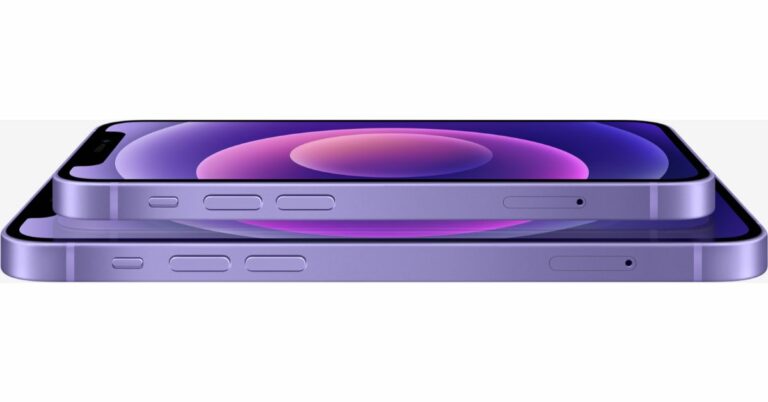



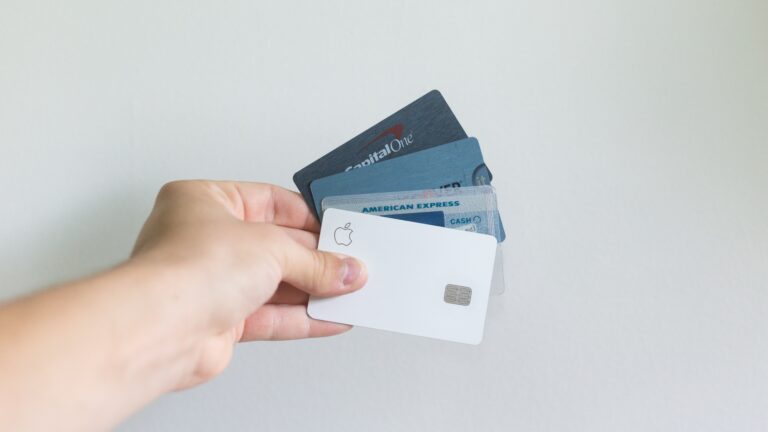
 Here your Paytm Visa debit card will be activated instantly. Now you can check your digital payment Visa debit card.
One thing you have to remember is that your KYC details should be complete. If not, you would need to finish that process first or call customer care to help you out with the KYC process to apply for a Paytm Visa card.
Read Also: Paytm rolls out its Android Mini App Store to support Indian developers
How To Activate Paytm Visa Debit Card?
Here your Paytm Visa debit card will be activated instantly. Now you can check your digital payment Visa debit card.
One thing you have to remember is that your KYC details should be complete. If not, you would need to finish that process first or call customer care to help you out with the KYC process to apply for a Paytm Visa card.
Read Also: Paytm rolls out its Android Mini App Store to support Indian developers
How To Activate Paytm Visa Debit Card?


 Here your Paytm Visa debit card will be activated instantly. Now you can check your digital payment Visa debit card.
One thing you have to remember is that your KYC details should be complete. If not, you would need to finish that process first or call customer care to help you out with the KYC process to apply for a Paytm Visa card.
Read Also: Paytm rolls out its Android Mini App Store to support Indian developers
How To Activate Paytm Visa Debit Card?
Here your Paytm Visa debit card will be activated instantly. Now you can check your digital payment Visa debit card.
One thing you have to remember is that your KYC details should be complete. If not, you would need to finish that process first or call customer care to help you out with the KYC process to apply for a Paytm Visa card.
Read Also: Paytm rolls out its Android Mini App Store to support Indian developers
How To Activate Paytm Visa Debit Card?