In This Article
Scan Document with Google Drive
Google Drive is the most popular cloud storage platform, it also offers users to share documents. If you use Google Drive then you will be very happy to know that you can scan documents with Google Drive and you do not have to install any other application for this. To scan documents with Google Drive just follow these steps:- Open Google Drive on your Android phone.
- In the bottom right corner, you will see a + icon, tap on that.

- Then, select scan, the camera will be opened, and now click the picture of the document
- Now just adjust the corner of the scanned file to your liking and save it. That is it!

Use PhotoScan by Google
Photo scan is a scanning app from Google that is solely made to scan and share documents. You can download PhotoScan from Google from the Playstore or from Apple Appstore After downloading the app just follow the steps:- Open the Photoscan app and hit the red button.
- You will see 4 white dots in each corner of the screen, move your phone so that each dot gets aligned with the center.
- When you have scanned the document the final step is to adjust corners according to your liking, and that’s it. Just save the document.

Scan Document with iPhone’s note app
If you have an iPhone or iPad and you do not want to install any other app to scan documents, then the best way is to use the native note app. Just follow the steps given below:- Open the Notes app on your iPhone/iPad and select a note or create a new one.
- Then tap the Camera button, then tap the Scan Documents.
- Place your document in view of the camera.
- If your device is in Auto mode, your document will automatically scan. If you need to manually capture a scan, tap the Shutter button tap the Shutter button to scan or one of the Volume buttons. Then drag the corners to adjust the scan to fit the page, then tap Keep Scan.
- The final step is to just save the document.
Use DigiLocker to password protect documents
 DigiLocker is a platform for the issuance and verification of documents & certificates in a digital way, you can also save your scanned documents in this as well. You can download DigiLocker for iOS from here and for Android from here
Just install DigiLocker and import your scanned documents in it and that is it.
Read also: Scanning multiple documents daily? Check out the best
For the latest gadget and tech news, and gadget reviews, follow us on Twitter, Facebook and Instagram. For newest tech & gadget videos subscribe to our YouTube Channel. You can also stay up to date using the Gadget Bridge Android App. You can find the latest car and bike news here.
DigiLocker is a platform for the issuance and verification of documents & certificates in a digital way, you can also save your scanned documents in this as well. You can download DigiLocker for iOS from here and for Android from here
Just install DigiLocker and import your scanned documents in it and that is it.
Read also: Scanning multiple documents daily? Check out the best
For the latest gadget and tech news, and gadget reviews, follow us on Twitter, Facebook and Instagram. For newest tech & gadget videos subscribe to our YouTube Channel. You can also stay up to date using the Gadget Bridge Android App. You can find the latest car and bike news here. 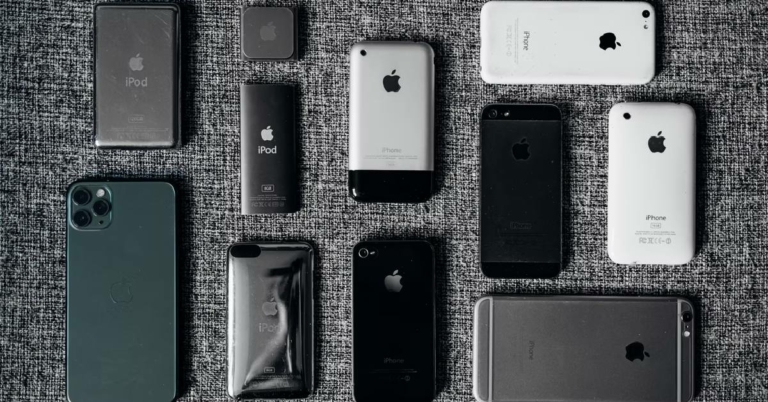

 An alternative way to check the model no of the iPhone is to check the backside of the iPhone (for models older than iPhone8). If you have the latest series of iPhones that comes with a notch. You have to remove the sim tray and check the model no from there.
 The alternative option is to check the backplate of the iPad on the bottom. With these methods, you can find which iPad you have and if you want to check the origin of your iPad you can check the list from




 Another way to play video while doing your work is to play videos in either pip mode or split-screen mode. Both modes allow users to shrink the size of the window so that they can focus on other work while the video is playing. There are different ways for every phone to enable PiP and split-screen functionality so, just have a look on the internet and you are good to go.
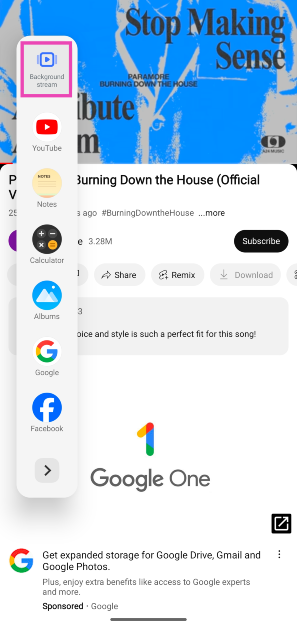 The video will start playing in the background.
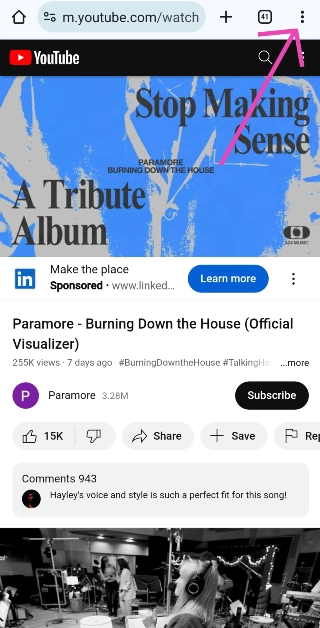 Step 3: Hit Desktop Mode.
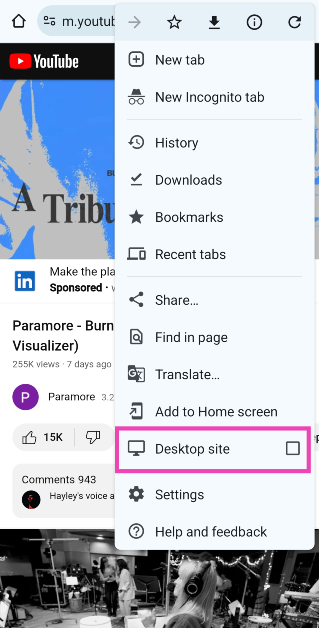 Step 4: Minimise the browser.
Step 5: Swipe down from the status bar and hit the Play button in the video player.
Step 4: Minimise the browser.
Step 5: Swipe down from the status bar and hit the Play button in the video player.
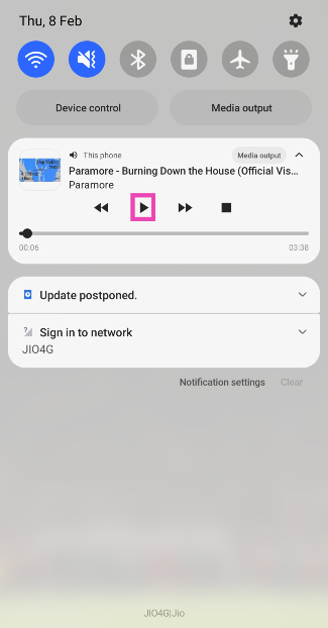 The video will start playing in the background.




 If you use Clubhouse on your PC then you can use any screen recording software to record all the conversation on Twitter spaces, if you are on a Mac you can use QuickTime and if you are on Windows PC you can use OBS, or stream labs or any other software that records the PC screen. Just open and join the Clubhouse on PC and record the screen. If you do not know how to record a screen on a windows pc then click













 With more accessible super-fast networks, cloud computing is a technological trend that we will see in the year 2022. Since users will have a quicker and more reliable network cloud computing will become mainstream.
  AI and ML are the most used terms at this time. They gained a lot of popularity when manufacturers started implementing them in
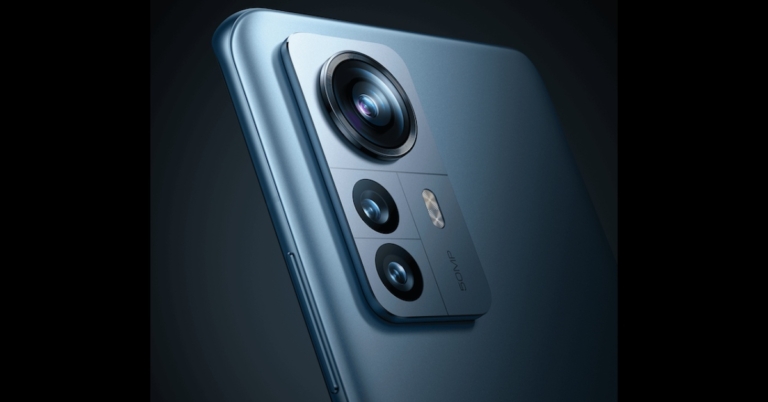
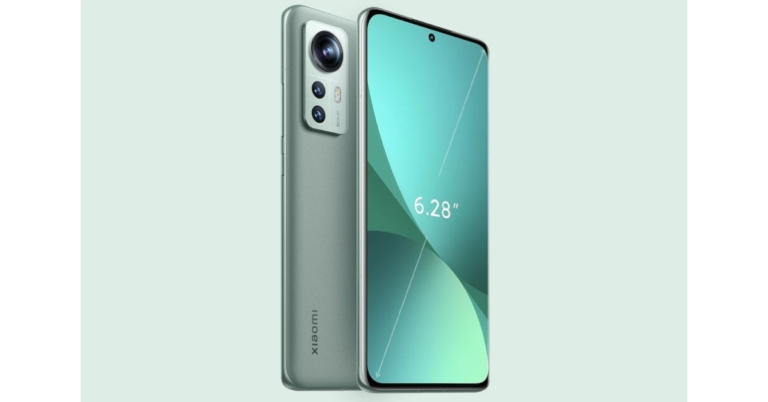
  Putting three different lenses of different focal lengths was just an alternate option to achieve different focal lengths. In 2020 Xiaomi and recently
  The concept of AR and VR has been for a while now and in 2022, we could see major leaps in this sector. With the Rise of the Metaverse, the future of a digital world is coming closer to us. We have already seen how much a pandemic can have an impact on our day-to-day work.
 The luxury audio group will be showcasing its latest product offerings at Harman’s EXPLORE 2022 event on 5, 6, and 7 January at CES. On January 7, 2021, the one of a kind HARMAN EXPLORE virtual event will offer an inside look at their newest experience-focused automotive, audio, and technology solutions.
 Samsung is all set and charged up for the CES as well and Samsung looks set to unveil a new generation of flat-panel TVs that will be a hybrid between their Quantum Dot displays technology and the OLED technology that is being used by other brands. We expect Samsung to show off a number of new 4K and 8K Neo QLED TVs in CES 2022. We could also get some glimpse or hints on the upcoming
  In CES 2022, we could expect a lot of display products from LG with a bunch of AR and VR gadgets. LG will also show up their first ever gaming laptop in CES 2022. The LG 17G90Q with its big 17-inches screen and
 TCL always has some interesting range of TVs, phones, flexible-screen devices, and other gadgets, and this year is no different for TCL. Since the main earning source for TCL is TVs, we could see some new TVs from TCL under the new 6-Series Mini LED TVs. We could also see the TCL 20 series or maybe the TCL 30 range of phones this year.
 The most interesting announcement that can be expected from
  Canon is a very famous camera brand and we can expect some interesting showcases from Canon. One of the main cameras expected to come in early 2022 is the
  The popular pc maker
  Qualcomm is a leading mobile chipmaker, and we could expect some interesting announcements from the company next year in CES 2022. Although Qualcomm already had their own
  Asus has confirmed that they will be at CES showing their latest creations for gamers, creators, and professionals. Asus has promised “exciting” debuts for devices including laptops, monitors, and other gadgets. We could also see some new products in the ROG lineup of Asus.