In This Article
Acer P Series Android TV review: Design
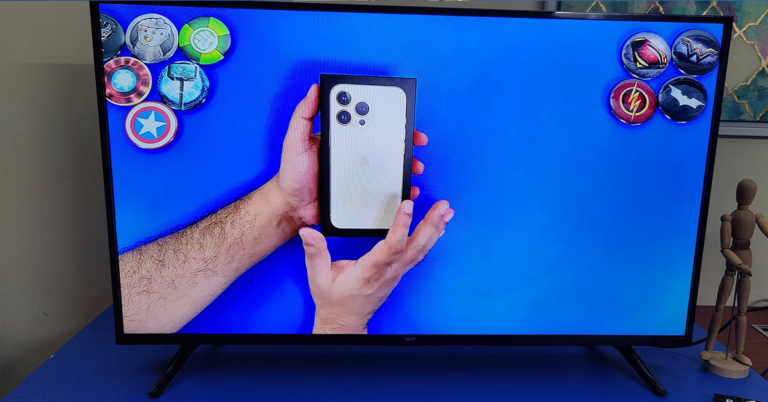
Out of the box, the Acer P Series Android TV is like any of the usual LED TVs you get in the price bracket. Thin black bezels, V-Type twin footings and a weight of under 6 Kg is what you get. The TV can be placed on a table or can be wall-mounted (wall mounts are not part of the package). Acer branding in chrome can be seen under the large 42-inch display upfront. Beneath that is where the company has placed the IR receiver and the LED off light. Behind which you will find the power button as well. All the connectivity ports on the Acer P Series Android TV are side-mounted, facing the right side of the TV and not the usual left. The attachment ports include two HDMI, two USB, one Ethernet, one 3.5mm audio out, one 3.5mm aux to composite (adaptor included in the box), and one antenna port. Most of the functions of the TV can be accessed using the ergonomically correct IR remote control. The remote is voice-enabled and once you set up the Google Assistant it can do everything from searching and playing your favourite show on Netflix, to searching for a recipe on YouTube. The remote also has dedicated buttons for Netflix, YouTube, Prime Video and TikiTV (here you get some free global channels, basically free online TV).

Acer P Series Android TV review: Performance
Setting up the Acer P Series Android TV is not hard at all. Just turn on the TV and follow the onscreen instructions and if you already have a Gmail account, which most of us do, you will be up and running in 5 minutes. The TV has WiFi capability as well and connects to any router. Talking a bit more about the tech specs of the Acer P Series Android TV, this smart telly has a 64-bit Quad-Core CPU, 1.5GB RAM, 8GB Storage and 24W (12W x 2) speakers that are downward-firing hidden under the TV. The TV also supports Dolby audio and Pure sound. The LED screen resolution is 1,920 x 1080p (FHD), which supports 350 nits of peak brightness and a contrast ratio of 3,000:1. When put on the test bench the Acer P Series Android TV did surprise us. We were not expecting this good a picture. There are plenty of display presets available like Movie and dynamic, and each does justice to the onscreen moving pictures. When you press the volume keys on the remote a special audio menu also appears to choose the audio genre you are listening to. This automatically equalises the Hz frequency. The TV takes about a minute to start, which is a bit high when compared to the rest of the smart TVs in the bracket. Less RAM could be blamed for it. However, when the Android for TV OS 10 fully loads everything runs very smoothly. The apps open quickly, you can switch between them swiftly and the load time for any movie or show from places like Netflix, YouTube or Prime video is low.
The colours portrayed by the TV are on point and you do not see any ghosting or noise on the Acer P Series Android TV. IT has a special digital noise reduction feature as well, which reduce grains intelligently. The blacks are deep and no matter what you want to view, a sports game or your daily soap, this TV will do justice. Moreover, the sound is incredibly powerful on this TV. Not once did we feel that we needed a soundbar to be connected to this TV. The remote functions well and picks up all the audio commands using Google assistant nicely. We did not face any issues here either.
The TV takes about a minute to start, which is a bit high when compared to the rest of the smart TVs in the bracket. Less RAM could be blamed for it. However, when the Android for TV OS 10 fully loads everything runs very smoothly. The apps open quickly, you can switch between them swiftly and the load time for any movie or show from places like Netflix, YouTube or Prime video is low.
The colours portrayed by the TV are on point and you do not see any ghosting or noise on the Acer P Series Android TV. IT has a special digital noise reduction feature as well, which reduce grains intelligently. The blacks are deep and no matter what you want to view, a sports game or your daily soap, this TV will do justice. Moreover, the sound is incredibly powerful on this TV. Not once did we feel that we needed a soundbar to be connected to this TV. The remote functions well and picks up all the audio commands using Google assistant nicely. We did not face any issues here either.



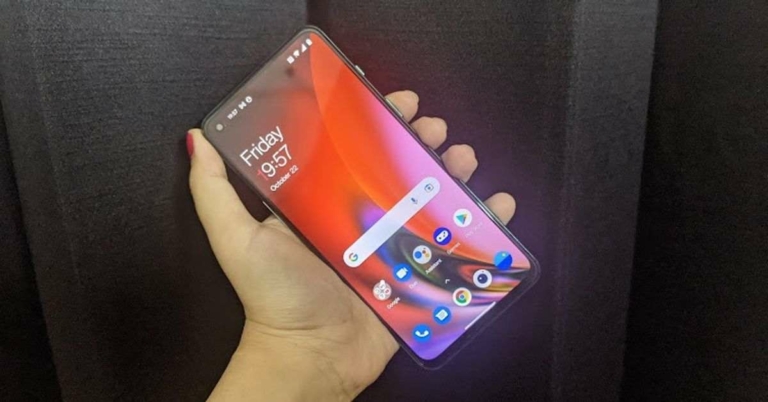
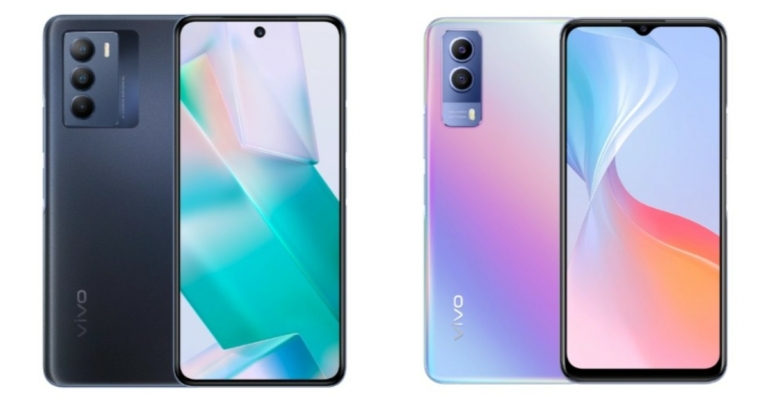
 The display also has the on-screen fingerprint scanner embedded on it and the barely visible earpiece is placed on the centre top above the screen. Flip over, and you will see the textured glass back panel of the
  Moving on, the smartphone sports a 6.43-inch full-HD+ AMOLED display that has a refresh rate of 90Hz and comes with support for HDR10+. The colours were accurate and remained consistent at different viewing angles. The images were sharp and the brightness was apt. The sunlight readability was decent too. The overall experience with the display in fact was very good. We spent hours watching shows on
  Coming to the software, the smartphone strides is with the entire suite of
 The images that we clicked with the primary
  We clicked some images using the Portrait mode too and they turned out to be good too. The phone allows the user to pre-set the level of blur for the images before they click a picture.
The images taken at night were average, but the quality gets enhanced a lot with the Night Mode enabled. So, we highly recommend you to turn it on before taking pictures at night, and you won’t have a reason to complain. The device’s 32MP selfie camera did a great job too regardless of the lights around.
We clicked some images using the Portrait mode too and they turned out to be good too. The phone allows the user to pre-set the level of blur for the images before they click a picture.
The images taken at night were average, but the quality gets enhanced a lot with the Night Mode enabled. So, we highly recommend you to turn it on before taking pictures at night, and you won’t have a reason to complain. The device’s 32MP selfie camera did a great job too regardless of the lights around.










 Note –
 On iPhone 7 and below –
  For the latest
























 Step 6