In This Article
Google Nest Hub design and display
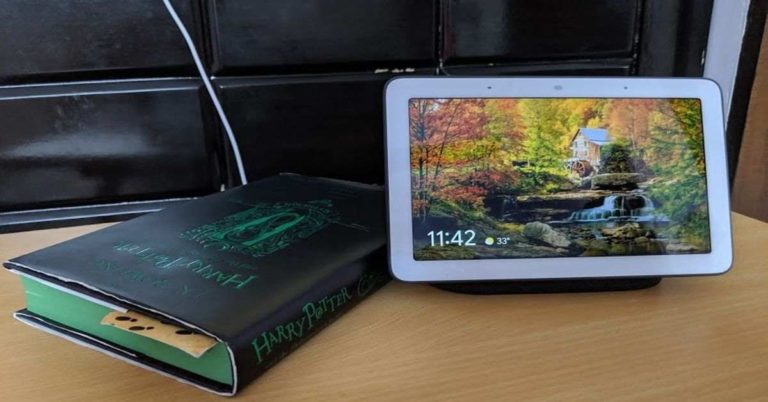
Google has combined simplicity and style in its Nest Hub smart speaker’s design. The speaker has been made in a way that one would be comfortable to keep it at workplace environment as well as at home. Trust us when we say that it wouldn’t look out of place in either of the two setups. On the front, the smart speaker has a 7-inch LCD touchscreen display and at the back, its speakers are covered in Grey coloured fabric. If you look at it from a distance, the device may come across as a tablet that’s resting on a stand. It’s actually not very different from Amazon‘s Echo Show devices in terms of the design. The screen of the Google Nest Hub also comes with a light sensor that adjusts the brightness of the display according to the ambient light. There are far field microphones on the device that enable Google’s digital assistant to listen to user’s commands. You also get a toggle switch to turn this off in case you are having a conversation that you don’t want the Google Assistant to listen. On the back panel of the smart speaker, you will find a port where you can connect the power cable. The volume rocker keys of the device are also located at the back.
We should mention that the Google Nest Hub does not come with a front facing camera. While for some, this is a downside as it means that the device cannot be used to make video calls, there will also be those who will appreciate the kind of focus the company has put on privacy of the user by doing this. You really don’t have to be worried about using the Nest Hub in places like your living room or bed room because of this.
Coming to the display of the Google Nest Hub smart speaker, we found it to be one among the pros of the device too. We have used the Amazon Echo Show (second generation) and Amazon Echo show 5 prior to using the Google Nest Hub. The size of the display of Google’s smart speaker lies somewhere in between the two and it provides a good viewing experience. We used the device to watch a number of videos on YouTube and we were happy with the results. The images projected on the screen were clear and sharp and the colours were accurate.
Besides this, one also gets an option to choose from various watch faces to project on the screen while the device is not in use. Users also have the option of having images from Google’s gallery being displayed on the screen. We should also mention that the screen of the device responds to touch well. There wasn’t a single time when we tried to navigate by selecting options on the screen and couldn’t.
The screen of the Google Nest Hub also comes with a light sensor that adjusts the brightness of the display according to the ambient light. There are far field microphones on the device that enable Google’s digital assistant to listen to user’s commands. You also get a toggle switch to turn this off in case you are having a conversation that you don’t want the Google Assistant to listen. On the back panel of the smart speaker, you will find a port where you can connect the power cable. The volume rocker keys of the device are also located at the back.
We should mention that the Google Nest Hub does not come with a front facing camera. While for some, this is a downside as it means that the device cannot be used to make video calls, there will also be those who will appreciate the kind of focus the company has put on privacy of the user by doing this. You really don’t have to be worried about using the Nest Hub in places like your living room or bed room because of this.
Coming to the display of the Google Nest Hub smart speaker, we found it to be one among the pros of the device too. We have used the Amazon Echo Show (second generation) and Amazon Echo show 5 prior to using the Google Nest Hub. The size of the display of Google’s smart speaker lies somewhere in between the two and it provides a good viewing experience. We used the device to watch a number of videos on YouTube and we were happy with the results. The images projected on the screen were clear and sharp and the colours were accurate.
Besides this, one also gets an option to choose from various watch faces to project on the screen while the device is not in use. Users also have the option of having images from Google’s gallery being displayed on the screen. We should also mention that the screen of the device responds to touch well. There wasn’t a single time when we tried to navigate by selecting options on the screen and couldn’t.
 In a nutshell, we would say that the design and the display of the Google Nest Hub are both its plus points. It’s a compact device and it has a big enough screen for you to enjoy video content.
Google Nest Hub performance
One of the key features of the Google Nest Hub is clearly the Google Assistant. The digital assistant by Google and the company’s large ecosystem of services makes the device extremely useful. Since most of us use at least a few services by Google on our smartphones, like Maps, YouTube, Gmail or even Assistant, the device is quick in curating cards for us based on our usual activity. A great advantage that Google Nest Hub has over Amazon’s Echo Show devices is that Google’s ecosystem of services is way more vast than Amazon’s. Since most users already use a number of services from the company, it’s not necessary to sign up for new ones to make the most of the device. When we were using Amazon Echo Show 5, we were asked to sign up for plenty of Amazon’s services like Amazon Prime to perform certain actions. We did not encounter this in Google’s smart speaker, and this is definitely a plus. If you own an Android smartphone, you would have no trouble using the Nest Hub at all. It actually becomes an extension of everything you do on your phone and will offer more services. One thing that we really liked about Google Nest Hub is that the digital assistant already recognised our voice and allowed us to add family members in the Google Home app. With this, no one else other than people who were registered could access Google Assistant. Needless to say, this added a layer of security to the data on the device. Another feature that we liked was Digital Wellbeing. After Android smartphones, the feature has now made its way to the Nest Hub too. After you set a particular time period in Downtime feature, Google Assistant on the smart speaker will not answer any of your queries. Coming back to the large ecosystem of the device, there are a number of activities that you will be able to perform seamlessly on the smart speaker. The device has integration with Google Photos, so you can ask the assistant to show you pictures from a particular day or a trip. There is Google Calendar, so you can update your entries using the smart speaker itself. The device also has Google Maps, so you can check for commute routes and time that you will take to reach your destination before you leave home. Google Nest Hub also has YouTube, so you can make full use of its display to watch content on it for hours.
Some other functions that can be performed on Google Nest Hub include:
Coming back to the large ecosystem of the device, there are a number of activities that you will be able to perform seamlessly on the smart speaker. The device has integration with Google Photos, so you can ask the assistant to show you pictures from a particular day or a trip. There is Google Calendar, so you can update your entries using the smart speaker itself. The device also has Google Maps, so you can check for commute routes and time that you will take to reach your destination before you leave home. Google Nest Hub also has YouTube, so you can make full use of its display to watch content on it for hours.
Some other functions that can be performed on Google Nest Hub include:
- Managing personal information
- Playing radio
- Getting information about various geographical places
- Checking financial markets
- Finding and playing music
- Using calculator
- Finding places to visit in your town
- Translating languages
- Finding words in dictionary
- Finding food recipes
- Playing audiobooks
Verdict
At a price of Rs 9,999 Google Nest Hub is one amongst the best smart speakers that you’ll find in the under Rs 10,000 category. The pros of the Google Nest Hub definitely outweigh its cons and everyone is bound to find it useful because of the number of services that it offers and the number of functions that it does. Consider it to be a one stop destination for all Google services coupled with a great display. However, the only downside is that you cannot make video calls using the device, but then, on the upside, the same has not been added to enhance privacy. Pros- Great display
- Very feature rich because of integration with Google services
- Google Assistant
- Privacy-focussed settings
- No video calls
- Sound quality at high volume can be better


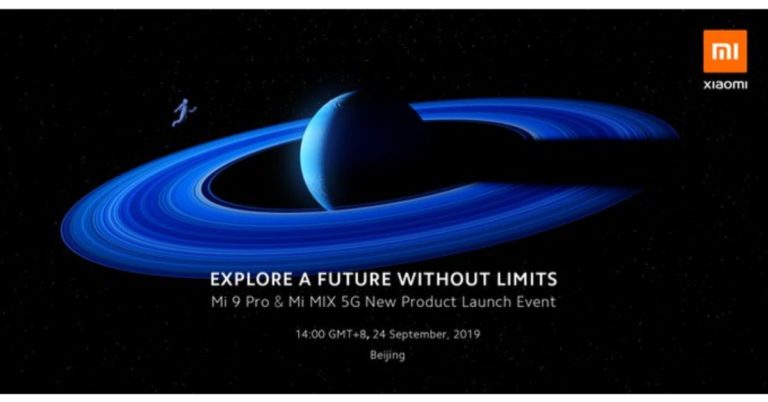
 Additionally, the company also launched its first-ever Smart Tv along with double joystick gamepad.
![[Video] Samsung Galaxy A50s unboxing, camera samples, should you buy it?](https://www.gadgetbridge.com/wp-content/uploads/2019/09/maxresdefault-768x432.jpg "[Video] Samsung Galaxy A50s unboxing, camera samples, should you buy it?")

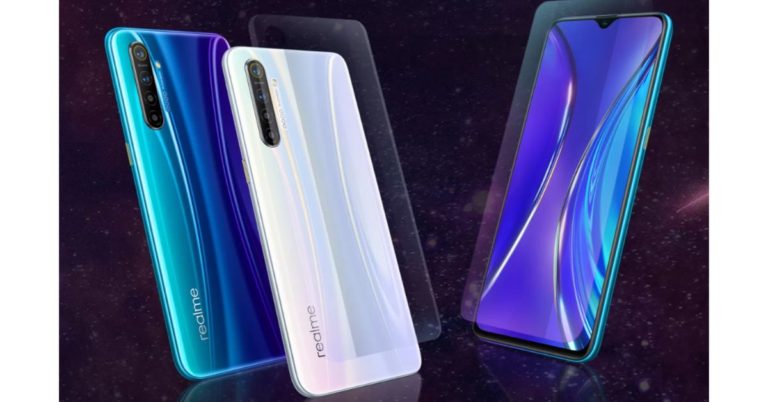
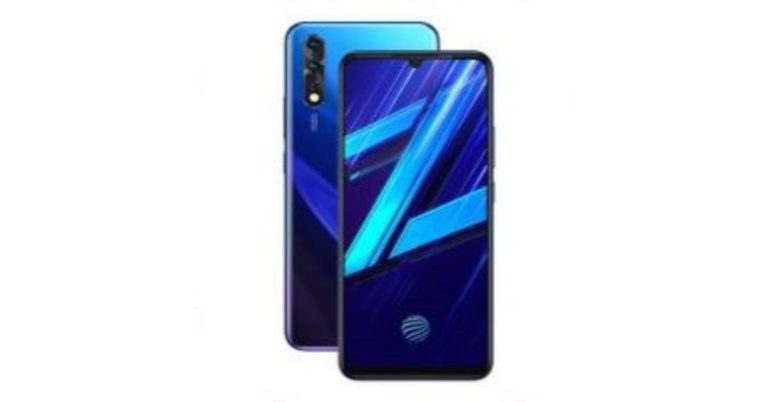

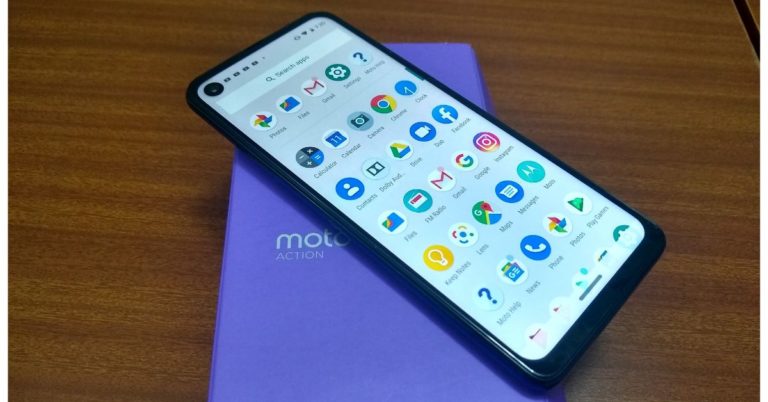
 There is a triple camera set up on the back of the Motorola One Action. Other than that, the smartphone has a Motorola logo at the centre, which has a fingerprint scanner embedded on it. So, this means it does not have an in-display fingerprint scanner. The back panel has a reflective finish, which does it attract fingerprint smudges. On the left, it has the power button with the volume rocker keys. The left side has the Dual SIM tray. The button placements are the same as of the One Vision except for the glass body that made it a bit heavier. Therefore, the Platic body of the
  All in all, the phone was smooth and performed fast. To give it life it comes loaded with 3500mAh battery that lasts for more than a day, if not used profoundly. We browsed the internet, social media apps like
  We must say while holding the phone vertically and recording a video, it becomes much easier to pan left and right. A separate static pic mode with this mode would have been a boon too, and every time to click a picture we would not need to turn on the video to get a widescreen image. At the end of the day, this
  Verdict
To conclude we would say at this price range not many phones manage to offer you such a good deal and great camera features. Looks-wise it a decent phone but we would recommend you use a case to protect the back panel as it catches scratches very easily because of its plastic build. The device is also light in weight, tall and slim. But that big punch hole camera was really off-putting when watching videos or playing a game. It looked more like a bindi (Indian women’s decorative mark on the forehead) than a camera.
Well, jokes apart, the overall experience was good we can say it is a multi-tasking phone. The company could have given a better
Verdict
To conclude we would say at this price range not many phones manage to offer you such a good deal and great camera features. Looks-wise it a decent phone but we would recommend you use a case to protect the back panel as it catches scratches very easily because of its plastic build. The device is also light in weight, tall and slim. But that big punch hole camera was really off-putting when watching videos or playing a game. It looked more like a bindi (Indian women’s decorative mark on the forehead) than a camera.
Well, jokes apart, the overall experience was good we can say it is a multi-tasking phone. The company could have given a better