OnePlus recently started teasing its upcoming smartphone for the Indian market. The company has confirmed the launch of a new Pac-Man themed device for the OnePlus Nord 2. Till now OnePlus did not reveal much information but in a new development, the device has been listed on the Amazon India website teasing its availability. Not just that the company has also revealed the pricing of the smartphone. Ahead of the launch, OnePlus has created a dedicated microsite to tease the availability of the Pac-Man themed device for the OnePlus Nord 2 Pac-Man Edition. The device is listed to arrive in India with a price tag of Rs 37,999 that is much pricier than the original Nord 2. To recall, the OnePlus Nord 2 debuted in India with a price tag of Rs 27,999.Although the dedicated page doesn’t divulge much information like OnePlus Nord 2 Pac-Man Edition specification, pricing or design. But it is suggested to be a gaming-focused smartphone. The Amazon listing reads, “ A fun, gamified smartphone experience featuring the timeless arcade legend Pac-Man.”The upcoming device is tipped to be powered by Qualcomm Snapdragon 77G SoC. To recall, the original OnePlus Nord 2 is powered by MediaTek Dimensity 1200 SoC. It runs on OxygenOS 11.3 custom skin based on Oppo’s ColorOS 11.3 out of the box. It features a 6.43-inch full-HD+ Fluid AMOLED display having 1,080×2,400 pixels of resolution. It comes with a 20:9 aspect ratio and 90Hz refresh rate.The Nord 2 equips a triple rear camera set up for the optics that includes a 50-megapixel Sony IMX766 primary sensor with OIS, 8-megapixel secondary wide-angle sensor, and a 2-megapixel monochrome sensor. Upfront the device sports a 32-megapixel selfie camera that offers dual video, nightscape ultra, group shot 2.0, and more. It houses a 4,500mAh battery with 65W Warp Charge fast charging support.Sensors on the phone include an in-display fingerprint sensor, accelerometer, ambient light, gyroscope, and proximity sensor. In terms of connectivity, there is 5G, 4G LTE, Wi-Fi 6, Bluetooth v5.2, GPS/ A-GPS/ NavIC, NFC, and a USB Type-C port.
For the latest gadget and tech news, and gadget reviews, follow us on Twitter, Facebook and Instagram. For newest tech & gadget videos subscribe to our YouTube Channel. You can also stay up to date using the Gadget Bridge Android App. You can find the latest car and bike news here.
Facebook owned Whatsapp is one of the most popular applications used for chatting and sharing multimedia. The company always brings out some good features for their customers and keeps them indulging in using this application. Recently the company announced the support of multi-device. Want to know how to use WhatsApp on two phones?The feature is still in its beta mode, but consumers can use it very easily. This will allow you to connect 4 devices without the need for the primary devices to stay online. The feature currently only lets you make a computer system as your companion device. Do you want to use a smartphone rather than your computer? Here is how you can do it.The first step will be enrolling yourself into beta testing and then later will be connecting your smartphone.Read Also: WhatsApp multi-device feature will be limited to Web
In This Article
Enable multi-device beta
Step 1 – Open the Whatsapp application on your primary device.Step 2 – Tap the three-dot on the rightmost corner.Step 3 – Select Linked devices from the drop-down menu.Step 4 – A try new improvement popup will appear in front of you, press ok.Step 5 – Now tap on Multi-device beta to enrol yourself.Step 6 – Press Continue to step ahead (all previously connected devices will be logged out).Step 7 – Read all the terms and conditions before linking the device.Step 8 – Head back and select the Link a Device option.Step 9 – Open the QR scanner and follow the next steps.
Windows 11 is a long-awaited update over the old Windows 10 operating system (OS). The new OS has tons of new features and redesigned user interface. But the OS is still in its early stage and the application along with UI still needs some polishing. One such application is the photos app in Windows 11. Many users are facing black screen errors on Windows 11. As soon as they open an image or open the application, they face a black screen with no response by application. If you are also facing Windows 11 photos black screen error, worry not, here are some fixes.
In This Article
Run Troubleshoot
Windows 11 has a built-in troubleshooter for the application in the Windows store and it is very easy to launch. Follow these steps.Step 1 – On the search bar search for Find and fix problems with Windows Store Apps.Step 2 – Press next to let the system automatically detect the problem and fix it for you.Read Also: Top 5 ways to force uninstall programs in Windows 10
Repair/Reset Photos application
Repairing and resetting the application will bring back the application to the factory setting, it will fix the issue if caused by any bug.Step 1 – Press the Start button and head to Add and remove programs.Step 2 – Search Microsoft Photos application then tap on the 3 dot menu to see Advanced options.Step 3 – Try both the repair and reset options to see if it works for you.
End task Photos
This method works similar to Force stop in Android smartphones. To initiate this press Ctrl+Shift+Esc simultaneously to see the task manager in front of you. Search for Photos and then either press end task or right-click and press end task from the drop-down list.
Update graphic drivers
From the display of your system to any viewing of the image requires graphic drivers by your system. If the current graphics drivers are not compatible with the current OS it may generally create issues and give a buggy performance. It’s easy to fix though, do not try it if you have no knowledge of updating drivers as this will result in your display not working completely. Head to Device Manager at the start and then to Display adapters, right-click to select update driver and let it search automatically.
Reinstall Photos via PowerShell
This again is advised for people with little knowledge of how PowerShell works as if anything goes wrong it can cause further troubles. Press start and run PowerShell as administrator. Inside the PowerShell execute the following command.Get-AppXPackage -AllUsers | Foreach {Add-AppxPackage -DisableDevelopmentMode -Register “$($_.InstallLocation)\AppXManifest.xml”}Upon restart, your system will automatically install the Photos application. If not Download from Here.Read Also: How to fix the USB drive format error message in Windows
Uninstall updates
The issue may have been caused due to a bad update. By removing and uninstalling the recent updates, it will solve the black screen problem on your Photos app. To do this press the Start button and search View your update history. Here head to the last and select Uninstall updates. After which the system will ask you to select a previous version, select according to your convenience and you should be good to go.
Use a third-party application
There are tons of third party applications/image viewers available for Windows 11. Our pick for this purpose is ImageGlass by Kobe. This application is absolutely free and supports lots of tools and formats for the ease of its consumers. The developers are active and push out regular features and updates. Try this application if you face Photos Black Screen error.Download Here
For the latest gadget and tech news, and gadget reviews, follow us on Twitter, Facebook and Instagram. For newest tech & gadget videos subscribe to our YouTube Channel. You can also stay up to date using the Gadget Bridge Android App. You can find the latest car and bike news here.
WhatsApp has been working very hard to roll out new features to stand ahead of the competition. The multi-device beta program is an opt-in one giving you early access to never feature of WhatsApp. With this, you can use linked companion devices without the need of keeping your phone connected to the internet. For security purposes, all your data will still be end to end encrypted. Here is how to use this feature in its beta phase.Before being able to use it there are a few things to keep in mind.
In This Article
Notes
Up to 4 devices can be used as companion devices but the main login should be only in 1 account.
The registration and linking of the device should be done via your primary device only.
Not using the device consecutively for 14 days will result in disconnecting of linked devices.
Cannot clear or delete chats if your companion device is an iPhone.
Messaging or calling someone with an older version of WhatsApp.
View live location on the companion device.
View or create a broadcast on a companion device.
Calling between people who joined and not enrolled on the beta program.
Sending a message with link previews from WhatsApp web.
How to use the feature – WhatsApp on multiple devices
Before using the feature one should ensure that they are running the latest version of the WhatsApp application or WhatsApp business on their Android or iPhone.Step 1 – Open the Whatsapp application on your primary device.Step 2 – Tap the three-dot on the rightmost corner.Step 3 – Select Linked devices from the drop-down menu.Step 4 – A try new improvement popup will appear in front of you, press ok.Step 5 – Now tap on Multi-device beta to enrol yourself.Step 6 – Press Continue to step ahead (all previously connected devices will be logged out).Step 7 – Read all the terms and conditions before linking the device.Step 8 – Head back and select the Link a Device option.Step 9 – Scan the QR code by either installing the WhatsApp application on PC or heading to web.whatsapp.com.Read Also: Instagram is testing a companion app called ThreadsNow you can easily link up to 4 devices by following the method. By using this method you need not stay online on your primary device and will still be able to use WhatsApp. You can leave beta anytime you wish from step 7.
For the latest gadget and tech news, and gadget reviews, follow us on Twitter, Facebook and Instagram. For newest tech & gadget videos subscribe to our YouTube Channel. You can also stay up to date using the Gadget Bridge Android App. You can find the latest car and bike news here.
American chipmaker, Qualcomm, has finally announced the dates for its upcoming Tech event- Snapdragon Tech Summit 2021. The event will begin on November 30. It is going to be a two days event that will run until December 1. During the tech summit, the company will be unleashing its next-generation flagship chipset, the Qualcomm Snapdragon 898. Continue reading to know more.The Qualcomm Snapdragon Tech Summit 2021 is scheduled to take place on November 20 and December 1. It is going to be a virtual event that will begin at HST/3 p.m. PST daily. It will be live-streamed via the company’s official website, Twitter and YouTube channel. Keynotes will debut the latest Snapdragon premium-tier mobile platform and showcase industry-leading technology innovations across camera, AI, gaming, and connectivity.According to the company Along with Qualcomm Technologies executives, the following mobile and technology industry leaders are slated to join this year’s event: Cadillac,Ernst Leitz Labs, Google Cloud, Lenovo, Microsoft, Motorola, Verizon, and Xiaomi.Qualcomm’s President and CEO Cristiano Amon said, “Snapdragon remains at the centre of delivering premium mobile experiences and Tech Summit is the must-attend event if you want to hear firsthand what to expect in 2022.”On the very first day of the Snapdragon Tech Summit, Qualcomm Snapdragon 898 SoC is expected to make its debut. It is the successor of Qualcomm Snapdragon 888 which is currently the fastest chipset being integrated into the latest flagship devices. The next iteration of 888 is expected to be based on 4nm architecture with the latest ARMS design. It is said to deliver 15 percent faster performance than the predecessor and 5 percent over the current flagship 888+. Qualcomm Snapdragon 898 chipset is likely to be rolled out in 2022 on the flagship devices.
Qualcomm Snapdragon 898 SoC is expected to debut on these smartphones:
There has been a lot of speculation with regard to the launch of the Samsung Galaxy S21 FE. The device specifications leaked several times and its launch was rumoured to happen last month. According to new information received, the launch of the Samsung Galaxy S21 FE is now anticipated to happen early next month. However, the company is expected to push back the launch of its flagship series Galaxy S22 to February. According to popular tipster Jon Prosser, Samsung’s Unpacked event for S21 FE could take place on January 4, 2022. Moreover, the first sale is likely to start from January 11. On the other hand, the launch of the Samsung Galaxy S22 series is tipped to happen on February 8, 2022, at 10.00ET. The pre-orders will begin on the same day and it will go on sale from February 18.Image Courtesy: Twitter/Jon ProsserPast leaks and rumours suggest that the alleged Samsung Galaxy S21 FE will carry a similar design as the standard Galaxy S21 excluding metal housing around the camera sensors and microSD slot for expanding storage. It will also steer clear of the 3.5mm headphone jack. The user may use a USB Type-C adapter or a wireless headphone to connect.The device is slated to offer a high refresh rate display, which may include an ultrasonic in-display fingerprint scanner. Galaxy S21 FE will also include an IP68 rating for dust and water resistance. It is said to withstand up to 1.5m and up to 30 minutes. Furthermore, it may come with Dolby Atmos, wireless and reverse wireless charging support.In addition to this, there will be Wireless DeX and Samsung Pay features as well. For the cameras, the smartphone could also feature a triple rear camera set-up that may include an ultra-wide-angle sensor, the user manual noted. The Galaxy S21 FE is also expected to arrive in four colour options of Black, Green, Purple, and White.Other reports suggest that Samsung Galaxy S21 FE is expected to have a 6.4-inch AMOLED display with 120Hz refresh rate support. It is likely to pack a 4,500mAh battery and may come in Blue, Grey, Green, Violet, and White colour options. The Geekbench listing claims that the phone will be powered by Exynos 2100 SoC along with a max clock speed of 2.91GHz paired with 8GB of RAM.
For the latest gadget and tech news, and gadget reviews, follow us on Twitter, Facebook and Instagram. For newest tech & gadget videos subscribe to our YouTube Channel. You can also stay up to date using the Gadget Bridge Android App. You can find the latest car and bike news here.
Get ready to participate in the 9 November 2021 Amazon Quiz, as it is live on its mobile platform. In today’s quiz participants have a chance to win Rs 15,000 Amazon Pay Balance by answering all the questions correctly. The quiz can be played every day from 12 AM to 11:59.
The daily quiz conducted by the company brings an opportunity for the customers to win exciting prizes. Every day Amazon brings a fresh set of questions for its customers that contains five easy questions. The questionnaire consists of five questions related to general knowledge and current affairs.
The participants need to answer all the questions correctly and their names will be selected for a lucky draw. The winner will be announced at the end of the month. Amazon quiz brings an opportunity for its customers to win Amazon Pay Balance ranging from Rs 1,000 to Rs 50,000. Only app users are eligible to participate in the Quiz as it is not accessible on the web platform. Check Out 9 November 2021 Amazon Quiz Answers.
In This Article
9 November 2021 Amazon Quiz Answers
Question 1: Which Indian company is setting up the world’s largest women-only factory that will employ about 10,000 female workers?
Answer: Ola
Question 2: Which famous individual is the most followed account holder on Twitter, with over 130 million followers as of October 2021?
Answer: Barack Obama
Question 3: Which composer launched a new age music label for independent voices, Maajja?
Answer: AR Rahman
Question 4: How many gold medals does Sie Mo Farah have from this international multi-sport event>
Answer: 4
Question 5: What is the name of the house of the Weasley family in the movie series that features this location?
Vivo has finally announced the launch of its next-gen V-Series smartphone. Yes, we are talking about the successor of Vivo V21. The company has introduced Vivo V23e that is the successor of Vivo V21e. The device has debuted in Vietnam and it features a slim form factor. It comes with a 44W fast charging support and equips a 50-megapixel selfie camera. In addition to this, it is powered by MediaTek Helio G96 SoC.
In This Article
Vivo V23e price and availability
The Vivo V23e has been rolled out in Vietnam at VND 8,490,000 that translates to Rs 27,900. The device comes in Moonlight Shadow and Sunshine Coast. As of now, the phone is available in Vietnam but it has also been spotted listed on the Chinese website suggesting launching soon as Vivo has not officially revealed the launch date of the upcoming smartphone.
Vivo V23e technical specifications
In terms of specifications, Vivo V23e features a 6.44-inch full HD AMOLED display having a resolution of 2,400×1,080. It comes with a standard 60Hz panel. The handset runs on FunTouch 12 on top of Android 11. Under the hood, there is a MediaTek Helio G96 chipset paired with 8GB of RAM and 128GB of internal storage. The chipset has two Arm Cortex-A76 cores clocked at 2.05GHz along with six Arm Cortex-A55 cores.In terms of photos and videos, Vivo V23e comes with a triple rear camera setup that comes equipped with a 64-megapixel primary sensor with an f/1.79 aperture. The camera set-up further includes an 8-megapixel ultra-wide-angle lens and a 2-megapixel macro lens. In addition to this, the device sports a 50-megapixel selfie shooter with an f/2.0 aperture. The camera app offers you features like eye focus, night mode, portrait eraser, live photo, slow-mo and others.In terms of endurance, Vivo V23e houses a 4050mAh battery that offers 44W fast charging support that is claimed to charge up to 69 percent in 30 minutes. For connectivity, the handset includes dual-band Wifi, Wi-Fi, Bluetooth V5.2. USB type-c port, GPS, BEIDOU, GALILEO, GLONASS lastly a 3.5mm headphone jack. In addition to this, the mobile phone comes with an in-display fingerprint sensor for phone unlock. While other sensors on the device include. light sensor, gyroscope, compass and gravity sensor.
For the latest gadget and tech news, and gadget reviews, follow us on Twitter, Facebook and Instagram. For newest tech & gadget videos subscribe to our YouTube Channel. You can also stay up to date using the Gadget Bridge Android App. You can find the latest car and bike news here.
Chinese smartphone company Oppo has announced the launch of its latest smartphone Oppo A16K. The device that has been released is the Philippines and is a water down variant of Oppo A16. The new smartphone features a single 13-megapixel sensor and an HD+ display. It is powered by MediaTek Helio G35 SoC and houses a 4,230mAh battery.
In This Article
Oppo A16K price and sale details
Oppo A16K has been launched in the Philippines with a price tag of PHP 6,999 for the single 3GB RAM and 32GB storage option that translates to Rs 10,300. The device is being offered in two colour options of Black and Blue. The budget smartphone is now being sold via Shopee and Lazada.
Oppo A16K tech specs
Oppo A16K comes with a 6.52-inch HD+ IPS LCD display with 1,600×720 pixels of resolution. It offers a standard 60Hz refresh rate and 269ppi. The mobile phone runs on ColorOS 11.1 Lite on top of Android 11 out of the box. Under the hood, there is an octa-core MediaTek Helio G35 SoC coupled with 3GB of RAM and 32GB of storage option which can be expanded up to 256GB using a microSD card.In terms of photography, Oppo A16K features a single 13-megapixel camera sensor on the back of the phone. For the selfies, there is a 5-megapixel front-facing camera. On the connectivity front, there is dual-band WiFi, Bluetooth version 5, USB Type C port and a 3.5mm audio jack. The device packs a 4,230mAh battery and supports 5v charging.Like we said earlier Oppo A16K is water down variant of Oppo A16 which was launched in India in September this year. It features a similar display as well as a processor. But on the camera front, the handset features a triple rear camera set-up that includes a 13-megapixel primary sensor, a 2-megapixel depth sensor, and a 2-megapixel macro sensor. Upfront there is an 8-megapixel selfie camera. It is also backed by a 5,000mAh battery with Smart Temperature Control that monitors the heat that is generated while the device is on charge and reduces the charging current if it is found to be too high.
For the latest gadget and tech news, and gadget reviews, follow us on Twitter, Facebook and Instagram. For newest tech & gadget videos subscribe to our YouTube Channel. You can also stay up to date using the Gadget Bridge Android App. You can find the latest car and bike news here.
Facebook is one of the biggest social media platforms with millions of active users. Imagine having lots of likes and comments on your photos and the application is not pushing notifications about it. If this is the problem you are facing, you are not alone. Such complaints surfaced in bulk while the company was testing its dark mode. And now the consumers have started facing it again. There can be many reasons, which can cause this problem. But worry not here are fixes that you can try.
In This Article
Force restart the device
The basic start of a troubleshooting process is restarting your device. The restarting process for all the iPhones are very different so we advise you to refer to the image below to check on the required set of keys you need to press to initiate the process.Hold the button for 2-3 seconds. This will make the iPhone force restart. Wait for the phone to start and see if the problem persists.
Check Wi-Fi connection
Notification can be delayed or stopped due to poor internet connection. If the internet is not proper your iPhone won’t be able to refresh the Facebook app resolution g in not notification pushed by the same. Visit Fast.com to ensure you have a fast internet connection
Check notification in setting
This is easy to check head to Settings>Notifications>Facebook. Make sure the toggle is switched on.If the notification is already turned on try turning it off and turning it back on again. After the process, see if the application is putting out a notification.
Turn off do not disturb
Do not disturb mode suspends incoming notifications and naturally will not allow Facebook’s notifications to pass as well. Switching it off will solve the problem.
If running iOS 15: Settings>Focus>Do not disturb
If running iOS 14 or earlier: Setting>Do not disturb
Open the Facebook application and click on the three bars to open up settings. Here head to Notification Settings. Make sure the Push option is turned on.
Update the application
There are many times that the Facebook applications malfunction due to buggy updates or due to the application is not updating at all. These bugs are reported on a daily basis and developers work hard to fix these updates. Head to the App Store and search Facebook or alternatively tap on your profile to open all the applications and tap on update all.
Check for smart devices connection
If you are into the Apple ecosystem you might own an Apple watch as well. Make sure that the watch or any smart display is disconnected from your iPhone. Due to this and the phone is locked the notification will be pushed to the Watch and not the iPhone. Though this can be changed within the setting of your Apple Watch.
Reinstall the application
There is a possibility that you might have received a bad update or the updated application has malfunctioned due to a bug. The best way to solve it is by uninstalling the application and reinstalling it. Head to the App Store and search for Facebook. Uninstall from here or hold the application and select the uninstall option from there. After the process is complete reinstall the application from the App Store to see if the problem persists.
Reset setting
You can try resetting settings. It will eliminate any system bugs and bring the settings like Wi-Fi, notifications, Bluetooth, etc. to square one. To do so follow these steps.Step 1 – Open Settings and head to General.Step 2 – Scroll to the bottom to find the transfer and reset option and press Reset, and then press Reset all Settings.Read Also: Guide on how to enable hidden game mode in Android 12 beta
Reset iPhone
This will probably be the last option and should be done only if these notifications are of utmost importance for you in the iPhone. Once the iPhone is erased the data cannot be retrieved back until it’s been backed up in the cloud. For doing so you need to follow the same method from above just before pressing Reset (Step – 2) press Erase All Content and Settings. This will completely delete every file from your iPhone and turn it into factory setting.
For the latest gadget and tech news, and gadget reviews, follow us on Twitter, Facebook and Instagram. For newest tech & gadget videos subscribe to our YouTube Channel. You can also stay up to date using the Gadget Bridge Android App. You can find the latest car and bike news here.
Lenovo owned Chinese smartphone company Motorola is getting ready to release its next flagship smartphone in the market. The company is set to introduce a new device in its Edge Series. It has started teasing the Motorola Edge X smartphone. The device is the third smartphone to make its debut after Motorola Edge S Pro and Edge Lite arrived in China just a few months ago. Motorola’s executive took to Weibo to break the news. He has posted the first teaser of the flagship Motorola Edge X. The Weibo poster does not divulge much information related to its availability and specification. But it is slated to be a gaming-centric phone. Besides this, a Motorola smartphone bagged a 3C certification. It was spotted with model number XT2175-2 that is believed to be Motorola Edge X. The phone is listed to come with 33W fast charging support. But a handset with a similar model number also got listed on Wifi Alliance suggesting a 30W fast charging support for the phone. To recall Motorola Edge S Pro and Motorola Edge Lite were rebranded for India as Motorola Edge 20 Pro and Edge 20.
In This Article
Motorola Edge 20 specifications
Motorola Edge 20 has a 6.7-inch OLED Max Vision display with 1,080×2,400 pixels of resolution and a 144Hz refresh rate. The device runs MyUX on top of Android 11 and is powered by an octa-coreQualcomm Snapdragon 778G SoC.The device features a triple camera setup that includes a108-megapixel Samsung ISOCELL HM2 sensor, a 16-megapixel ultra-wide-angle sensor and a macro lens, and an 8-megapixel sensor with a 3x high-res optical zoom and 30X Super Zoom telephoto lens. There is a 32-megapixel front-facing camera on the front.Furthermore, there is a 4,000mAh battery that also supports30W TurboPower fast charging.
Motorola Edge 20 Pro specifications
Motorola Edge 20 Pro is highlighted with a 6.7-inch full HD+ Max Vision AMOLED display which supportsa 144Hz refresh rate. The device runs on My UX on top of Android 11 and is powered by octa-core Qualcomm Snapdragon 870 SoC with Adreno 650 GPU for graphics. For the optics, there is a triple rear camera set-up that includes a 108MP primary sensor with an f/1.9 aperture. It further includes a 16MP ultra-wide-angle lens with a macro sensor and an 8MP periscope shaped telephoto lens with f/3.4 aperture offering 50x superzoom and 5x macro vision. The phone also includes a 32MP selfies camera with an f/2.25 aperture on the front. Additionally, it comes with a 4,500mAh battery on board with 30W fast charging tech support.
For the latest gadget and tech news, and gadget reviews, follow us on Twitter, Facebook and Instagram. For newest tech & gadget videos subscribe to our YouTube Channel. You can also stay up to date using the Gadget Bridge Android App. You can find the latest car and bike news here.
Melbet is a bookmaker known for its excellent sports betting service. Present in the betting industry since its founding in 2012, Melbet is licensed in Curacao and is gaining a solid Indian customer base.
In the Melbet bookmaker review, we will talk about all the points on the site, analyze each of the functions and find out if you can use it for betting.
The Melbet website is an extremely simple platform with all the essential features at your fingertips without looking far. It is made in white-black-yellow colours, thanks to which the site looks very presentable and pleases the eye. To the left of the live events, you will find in the centre at the top the main site themes, promotions, sports, live betting, and more.
In This Article
Melbet Mobile App for Indians Users
Melbet offers the ability to place bets from anywhere using a mobile phone or tablet because the bookmaker offers a mobile version of the website, as well as applications for Android and IOS, the two most popular operating systems.
IOS users will be able to easily find the Melbet app in the App Store, however, Android users need to access the website at home and download the APK in order for them to install and get the app.
All of the mobile betting methods offered by Melbet are of excellent quality, you can choose what to do and you will have access to a wide range of games and services.
Melbet app information
Operating system
Android, iOS
App file size:
4 MB
Installed client size:
42 MB
Live Streaming Support
Cricket, Football, Gold
Currencies
USD, CAD, INR, EUR
Gambling Opportunities
Sports Betting, Live Betting, Live Casino, Toto, Virtual Betting
Melbet App for Android (APK)
Melbet software is supported by most Android devices. You can download the Melbet app for Android from the official website by download link or on other specialized resources. The Melbet apk will not take up much space on your device. But make sure that your device meets certain system requirements.
Step-by-step instruction on how to download Melbet Apk:
Click on the apk icon in your smartphone and run the installation;
Launch the app and complete the registration;
Start Betting.
Android Smartphones where the Melbet APK is Available:
Xiaomi
Huawei
Samsung
Poco
Asus
Oppo
ZTE
Meizu
Download Melbet for iOS
The Melbet app is also available for iOS gadgets. The Melbet app can be downloaded exactly in the same way as other Apple software. To do this, go to the App Store and search for the program you are looking for. Then you need to click on the “Download” button next to the bookmaker’s image and wait until the software is installed.
How to register in the Melbet Application?
Melbet allows you to register both via its mobile app and mobile version of its main website. Check the instruction below for creating an account:
Download the app and click the registration button;
Fill in the required fields, accept the rules of the site and confirm the registration;
If you have registered using your phone number, confirm your number.
When registering make sure to use promo code DHANA (which will give you an extra bonus on your deposit)
This concludes the registration process, now you can start betting.
For all new players, Melbet offers two types of bonuses: a Casino bonus and a Betting bonus. In the first case, you will get a bonus of up to 20,000 INR into your account, in the second case – up to 15,000 INR.
What should be done?
Complete the registration (using DHANA promo code) on the site or in the app;
Make a deposit of up to 20,000 INR and get 100% cashback;
Start betting;
Get your winnings and withdraw them using the preferred payment system.
Betting Line
With Melbet, players can place bets on champions of football, basketball, ice hockey, cricket tournaments and more. Special bets are offered for individual teams, which you can see on the website. You can even place bets on transfers, coach appointments, the future success of young athletes and the end of a legend’s career. The number and variety of options allow Melbet to delight sports betting in a new direction.
Melbet is developing very dynamically and has its own permanent audience. It is a competitive participant in the betting business, providing high-quality betting services.
Problems for players here are relatively rare, but if they arise, you can contact the technical support service, which works around the clock.
Advantages of using Melbet app
If you like the idea of being able to place bets and watch championships anywhere, then the app is the best choice. Melbet decided to offer more than just a beautiful and quality website. They also decided to create an application that will make the gamer’s life even more interesting. Pay attention to the three main advantages that we have highlighted:
Practical and efficient
Like the website, the entire app has been designed to offer players the best experience possible. Thus, all of its elements are very practical and intuitive. You will have no problem finding anything in it.
This is a really cool advantage, especially if you are new to this world of betting. However, there are no complaints about problems with the application on players’ cell phones.
Safe alternative
Users are very concerned about the problem of application security. Some gambling sites provide versions that are not available for download on the platform itself.
This often leads to viruses that can cause problems with your cell phone.
However, this is not a cause for concern here. You download the application as securely as possible.
Equal opportunity
This way, nothing will be too different from the site and you can get the most out of it.
What else does Melbet have to offer?
You can spend time with pleasure and benefit for your wallet with Melbet not only by placing bets. Among other things, the bookmaker offers six more game sections:
Samsung has officially announced the launch of its next 5G smartphone. The Company has expanded its A-series lineup with the launch of the Samsung Galaxy A22s 5G. The device has debuted in Russia. The phone features an LCD display. It comes with a triple rear camera set up and a 5,000mAh battery. The handset is powered by MediaTek Dimensity 700 SoC. Read on to know the pricing and specifications of the newly launched mobile phone.
In This Article
Samsung Galaxy A22s 5G price and availability
The price and the availability details of the Samsung Galaxy A22s are yet to be confirmed. However, when it goes on sale it would come in two different configurations of 4GB RAM with 64GB storage and 4GB RAM with 128GB internal memory. The device will be available in three colour options of Mint, Gray and White.
Samsung Galaxy A22s 5G technical specification
In terms of specification, the Samsung Galaxy A22s 5G is highlighted with a 6.6 inch full HD+TFT LCD display with 1,080×2,408 pixels of resolution. It has a dewdrop notch, supports a 90Hz refresh rate and 20:9 aspect ratio. The device runs on OneUI 3.1 on top of Android 11 OS. The mobile phone is powered by MediaTek Dimensity 700 SoC paired with 4GB of RAM and up to 128GB of internal storage options. The memory can be expanded up to 1TB using a microSD card. On the camera front, there is a triple camera set up on the back of the Samsung Galaxy A22s 5G. It houses a 48-megapixel primary sensor with an aperture of f/1.8. A secondary 8-megapixel ultra-wide lens and a 2-megapixel macro lens. The rear camera set-up supports 10x digital zoom and HD video resolution. Upfront there is an 8-megapixel selfie camera with f/2.0 aperture. The Samsung Galaxy A22s 5G is fueled by a 5,000mAh battery that comes with 15W fast charging support. The device further includes Wi-Fi 802.11 ac, Wi-Fi Direct, Bluetooth v5.0, NFC, USB Type-C port and a 3.5mm headphone jack for connectivity. Apart from the smartphone features a side-mounted fingerprint sensor for biometrics.
For the latest gadget and tech news, and gadget reviews, follow us on Twitter, Facebook and Instagram. For newest tech & gadget videos subscribe to our YouTube Channel. You can also stay up to date using the Gadget Bridge Android App. You can find the latest car and bike news here.
The notification drop-down option in the Android smartphone makes life easy in day-to-day life. At a glance, you can view all the notifications pushed via applications. This comes really handy, especially for the call and messaging applications. Want to fix the ‘missed call notifications not showing on Android’ issue even when they are turned on? Keep reading. This issue might happen when the UI glitches or the bug in the application gets triggered and does not prompt the notification. If this is the issue you are facing, worry not we have fixes for you.Read Also:Vivo Y100 and Vivo Y100A prices dropped again: Price cut details inside
In This Article
Restart Phone
The golden rule is applied to all the techs if they malfunction. Just restart to fix minor bugs and issues. Once you restart your phone your smartphone’s UI will get a fresh start eliminating the temporary glitches and solving the UI related problems. This will also make the dialer application restart, which will ultimately result in starting the application from ground zero. Most of the minor bugs are fixed with a simple restart.
Clear cache and data of the phone application
A bad cache file can cause issues related to notification, to eliminate that all you have to do is clear the catch and try to use the application again. To do this first long-press the application and head to App info. Inside, head to Cache and storage, then press Clear cache. Try using the application, if it does not work, do the same steps and instead of clearing the cache, press clear data. Most probably this will fix the issue.Read Also: Apple approves TRAI’s DND app to avoid iPhone ban in India
Change default application
There are many third-party applications, which include a dialer part built-in. The prime example of this is the Truecaller app which many people use. The application often asks to make it the default dialer application. If it is done, you won’t be receiving the notification from the phone application. To check and undo follow these steps.Step 1: Open Settings and head to App and notification.Step 2: In Advanced, head to Default apps.Step 3: Check for the Phone app.After changing, see if the problem is solved for you, if not don’t worry, try the next step.
Check for notification
There is a good chance that the notification option faces a bug and if it is switched off due to some reason, it is very easy to turn it back on.Step 1: Hold the application and select App info.Step 2: Inside, go to NotificationStep 3: Turn it on, especially check for the Missed calls notification.Read Also: How to join missed Whatsapp video calls?
Turn off DND
The Do Not Disturb feature prevents applications from showing you notifications and saves the pop-ups in the background. If your DND option is switched on the phone won’t show you missed call notification. To check bring down the notification hub check for the do not disturb option and make sure it is turned off.
Turn off Caller ID and spam protection
Step 1:Launch the native Phone app on your Android smartphone.Step 2: Hit the ellipses at the top right corner of the screen.Step 3: Select Settings.Step 4: Turn off the toggle switch for Caller ID and spam protection.
Reset App Preferences
Resetting the app preferences restores their settings to the factory without deleting any data. If you recently changed a setting on the Phone app but can’t remember it, resetting the app preferences will restore everything to the factory default, eliminating the notification issue caused by the change of settings. The one thing that you should keep in mind is that resetting app preferences will restore the settings of all apps to the factory default, not just the Phone app. Go to Settings>Apps, tap the ellipses, and select Reset App Preferences from the list of options.
Disable third-party device management apps
If you use third-party device management apps on your smartphone, they may be obstructing the notifications from the default phone app. Most management apps have a spam notification blocker that prevents unwanted ads from clogging up your device. Sometimes, the notifications from the Phone app can get caught in the spam filter. To prevent this situation, disable the management app or exclude the Phone app from its spam filter.
Perform a Factory Reset
If nothing works, you can factory reset your device as a last-ditch measure. This will erase all your personal data so make sure you create a backup beforehand.Step 1: Go to Settings, scroll down and select General management.Step 2: Tap on Reset.Step 3: Select Factory data reset.Step 4: Scroll down and tap on Reset.
Frequently Asked Questions (FAQs)
Why are the missed call notifications not showing on my Android phone and how do I fix it?
You may not receive missed call notifications on your device if some other app is interfering with the native phone app. To fix this, restore the native phone app as the default calling app and remove all third-party management apps from your device.
What does resetting the app preferences do?
Resetting app preferences restores the settings of all the apps on your phone to their factory defaults. Go to Settings>Apps, tap the ellipses, and select Reset App Preferences from the list of options.
How do I pause missed call notifications on my Android device?
This is for how to fix missed call notifications not showing in Android. Make sure your phone is updated to its latest OS version to reduce the possibility of bug-related issues. Know any other methods to fix this problem? Let us know in the comments!
Samsung recently introduced the Galaxy Watch 4 with the new WearOS platform based on its custom OneUI, effectively killing off its TysonOS platform. The new Galaxy Watch Series is one of the most exciting wearables this year. The Watch 4 Classic and the Watch 4 are the two models announced by the company. The regular Watch 4 has a sporty appearance and feels like a follow-up to the Watch Active 2 that was released a few months ago. So there you have it, our review of Samsung Galaxy Watch 4 is below and you should go through it if you are planning to buy it.
In This Article
Samsung Galaxy Watch 4 Review: Design and Display
The Samsung Galaxy Watch 4 is available in two sizes: 40mm and 44mm, and we have the latter for review. In terms of construction, the regular Watch 4 has an aluminum frame and weighs 30gm. The smartwatch has a soft silicon band that comes in a variety of colour options. We reviewed the silver shade with an aluminum frame on the unit.As previously stated, it has a soft silicone band that causes no skin irritation or allergies when worn all day. It should be observed that the company has redesigned the navigation buttons on the sides, as compared to the circular ones found on the previous year’s models. The most recent ones are spaced widely apart, rectangular in shape, and are equipped with BioActive Sensors. This device has three useful health features, including optical heart rate, bioelectrical impedance analysis, and the ability to assess blood pressure, AFib irregular heartbeat, blood oxygen level, and, most saliently, body composition. The Samsung Galaxy Watch 4’s display is circular in shape. It has a 1.4 – inch SAMOLED display with a resolution of 450 x 450 pixels and a pixel density of 330 PPI. The watch’s display is protected by Gorilla Glass DX +. The wearable is 5ATM + IP68 certified, as well as MIL-STD-810G certified. The screen on the Galaxy smartwatch is of high quality, with vibrant colours and a high contrast ratio. The viewing angles are perfect and the brightness level is flawless. Not only that, the screen has an auto-brightness adjustment, which is excellent. The Galaxy Watch 4 does, however, provide a selection of customisable watch faces to choose from. You can also download over a hundred watch faces from the play store using the wearable.
Samsung Galaxy Watch 4 Review: Performance
After that, the Samsung Galaxy Watch 4 is powered by the Exynos W920 Dual-core 1.18GHz 5nm processor, which is said to be a 20% faster CPU, 50% more RAM, and a GPU that is 10 times faster than its predecessor. It has an impressive 16GB of memory, which is enough space to save content such as apps, music, photos, and other files that are too secure with Samsung’s Knox Security. A single tap of the home button introduces you to the home screen, where you can customise the actions with double and long presses. Similarly, the back key can be set to return to the previous screen or to display a list of recently opened apps. As previously stated, the superior Galaxy Watch 4 Classic has a rotating bezel design; however, the regular model provides similar digital capabilities by touching and rotating the screen clockwise or anticlockwise. Swiping down brings up the control panel, while swipes to the left and right bring up notifications and widgets. You can now host the app launcher by swiping up from the edge. In addition to English, the incoming notifications support Hindi and emojis. While the Galaxy Watch 4’s haptic feedback and vibration are quite good. Now, let’s talk about the Galaxy Watch 4’s fitness and health features. As said, the smartwatch provides body composition measurement, which is not available on any other device. Other features of the new three-in-one bioactive sensor include optical heart rate, electrical heart rate, and a bioelectrical impedance analysis sensor. This enables it to detect AFIB irregular heartbeat, blood oxygen level, blood pressure, and body composition. The button contains electrodes that measure various metrics such as skeletal muscle, basal metabolic rate, body water, and body fat percentage. With just two fingers, you can now easily calculate your body composition from your wrist. The watch’s sensor will collect 2,400 data points in about 15 seconds. This feature provides you with a more in-depth understanding of your overall health and fitness. Aside from that, there are a plethora of wellness features to track your daily activities such as sleep, women’s health, SpO2, and stress level. By connecting your Galaxy Watch 4 to a compatible Samsung Smart TV, you can choose from a variety of guided workouts, participate in Group Challenges with your friends and family, or set up a home gym. The Samsung Watch can continuously or manually record heart rate and stress levels. The SpO2 and sleep tracking have also been accurate. The sleep score, on the other hand, assists you in analyzing your sleep quality. The device can monitor your blood pressure and ECG levels, but this feature is not available in India. The Galaxy Watch 4 can also track up to 95 different workout modes, including cycling, running, hiking, swimming, and many others. There is, however, an automatic workout detection system that is both accurate and slow. The workout details can be viewed on your smartphone’s Health App. Surprisingly, the smart wearable can also monitor your snoring, but in this case, you must sleep with your smartphone on your side while it charges. Also, you can also participate in group challenges with your friends and family. In terms of battery life, the Watch is outfitted with a standard 361mAh battery. The company claims that its smartwatch has a battery life of up to 40 hours and can last for 10 hours with only 30 minutes of charging. However, we were able to achieve a battery life that was comparable to that claimed by Samsung. The company includes a 5W WPC base Qi wireless charger that takes more than two hours to fully charge. When it comes to calling quality, the receivers had no trouble hearing us, but the speaker on this device is not very loud.
Conclusion
To summarise, the Samsung Galaxy Watch 4 is unquestionably the greatest blessing in the Android wearable technology sector. The combination of the company’s hardware and classy user interface design, combined with Android Store compatibility, results in an unforgettable experience. So, whether you have an Android device and just want the finest fitness tracker available, go here.
Samsung Galaxy Watch 4 pros and cons
Pros
Sturdy
Eye-catching design
Vibrant display
Supports Google Play Store
Cons
No support for ECG and Blood Pressure support for the Indian market
In July this year, WhatsApp multi-device support was spotted under testing. Now finally the company has rolled out the most speculated feature to its users. The WhatsApp users can not access the instant messaging app on a secondary device without having to get connected to an internet connection.To enhance the user’s experience, and after several testings, the much-awaited WhatsApp’s multi-device support is now accessible for the users even without the need for the device to stay connected to the internet. This feature is now accessible to both Android and iOS users.The WhatsApp multi-device support will allow you to access the application on your desktop or laptop via the WhatsApp web even if you do not have a smartphone. As of now, users can link up to four additional devices without keeping their phones online. It should be noted that the new multi-device support is only available for beta users and can be enabled in the app’s Linked Devices section. All you need to do is tap on the three dots icon shown on the top right corner of your screen.Remember the functionality is still under Beta testing and you need to opt into that option in order to get access to the feature. When you tap on the Linked devices pop up screen will appear saying, “ Join the multi-device beta! Use WhatsApp on up to 4 additional devices at once without keeping your phone online.” So when you enable it you will be inaccessible from all devices you are re-linked to a new one.
Here is how you can enable your WhatsApp account to a secondary device without an internet connection
First things first, simply launch WhatsApp and tap on the three-dot icon at the top right corner of the screen.
You Now tap on Linked Devices and then OK
After this click on Link a Device.
You will then be asked to scan a QR code from web.whatsapp.com.
Because WhatsApp’s Multi-device feature is still in beta, you are required to opt for Join Multi-Device Beta.
Then using the WhatsApp app, scan the QR code and you are good to go.
Following the above-mentioned steps, you can now receive and send messages for up to 14 days after your primary smartphone goes offline. This feature is useful if the device runs out of battery or in other cases like stolen or lost. Mind that you must reconnect the smartphone app after 14 days in order to continue using this functionality.
For the latest gadget and tech news, and gadget reviews, follow us on Twitter, Facebook and Instagram. For newest tech & gadget videos subscribe to our YouTube Channel. You can also stay up to date using the Gadget Bridge Android App. You can find the latest car and bike news here.
8 November 2021 Amazon Quiz gas gone live on its mobile app platform. Customers from different parts of the country are participating in the daily quiz. The daily quiz is conducted by the company brings an opportunity for the customers to win exciting prizes. The quiz begins from 12 AM to 11:59 PM. In today’s quiz participants have a chance to win Rs 10,000 Amazon Pay Balance by answering all the questions correctly.
Every day Amazon brings a fresh set of questions for its customers that contains five easy questions. Amazon quiz brings an opportunity for its customers to win Amazon Pay Balance ranging from Rs 1,000 to Rs 50,000. which consists of five questions related to general knowledge and current affairs.
The participants need to answer all the questions correctly and their names will be selected for a lucky draw. The winner will be announced at the end of the month. One wrong answer could eliminate you from the quiz. If you manage to answer all the questions correctly you can stand a chance to win Rs 10,000 Amazon Pay Balance today. Only app users are eligible to participate in the Quiz. Check Out 8 November 2021 Amazon Quiz Answers.
8 November 2021 Amazon Quiz Answers
In This Article
Question 1: Shaili Singh who won silver in the women’s long jump at the World Junior Athletics Championship 2021is coached by whom?
Answer: Robert Bobby George
Question 2: BTS recently released a remix of which popular song of their in collaboration with Megan Thee Stallion?
Answer: Butter
Question 3: The Quad or the Quadrilateral Security Dialogue has been in the news recently. Which of these countries is NOT part of the Quad?
Answer: UK
Question 4: This is a view of what celestial body from the New Horizons spacecraft in 2015?
Answer: Pluto
Question 5: This famous structure is located in a place also known as the City__. Fill in the blanks
Lenovo owned Chinese smartphone company Motorola has expanded its E-Series lineup with the release of a new smartphone. The company has launched Moto E30 smartphone in some of the regions of South America. The device comes with a triple rear camera and a 5,000mAh battery that is claimed to last for 40 hours on a single charge. The budget smartphone is powered by Unisoc T700 SoC and runs on Android 11 Go Edition.
In This Article
Moto E30 price and availability details
Moto E30 has been launched with a price tag of COP 529,900 which translates to Rs 12,200 for the 2GB RAM with 32GB storage variant. The company has not yet revealed much information about the smartphone but it would be available in two colour options of Blue and Urban Grey. The device is now available for purchase in Columbia and Slovakia (South American regions).
Moto E30 technical specifications
Moto E30 is highlighted with a 6.5-inch HD+ Max Vision IPS display. It offers 720×1600 pixels of resolution, comes with a refresh rate of 90Hz and an aspect ratio of 20:9. The device runs on Android 11 Go Edition. The phone is equipped with an octa-core Unisoc T700 SoC paired with 2GB of RAM and 32GB of storage option. The internal storage can be expanded up to 1TB using a microSD card.In terms of photography, Moto E30 features a triple rear camera set-up that includes a 48-megapixel main lens with an f/1.79 aperture. In addition to this, there is a 2-megapixel depth sensor and a 2-megapixel macro lens. Moreover, the phone includes an 8-megapixel front-facing camera with an f/1.79 aperture for taking selfies and video calling.Apart from this, the Motorola smartphone has a fingerprint sensor embedded on the logo at the back panel. The device is IP52 certified for water and dust resistance. Moto E30 houses a 5,000mAh battery but supports 10W charging only. In terms of connectivity, there is 4G LTE, Bluetooth Version 5, Wi-Fi 802.11, GPS, USB Type C port and 3.5mm headphone jack. While the sensors on the phone include a proximity sensor, an accelerometer and an ambient light sensor.
For the latest gadget and tech news, and gadget reviews, follow us on Twitter, Facebook and Instagram. For newest tech & gadget videos subscribe to our YouTube Channel. You can also stay up to date using the Gadget Bridge Android App. You can find the latest car and bike news here.
Google’s first foldable phone, the Pixel Fold is expected to arrive in the market in 2022. Some of the new details about the device have surfaced on the web with regard to the camera of the upcoming Google foldable phone. According to a report the device may see camera cutbacks from the recently launched Pixel 6 series. Yes, it will not equip similar sensors used on its flagship devices. As per the latest report by 9to5Google, the Pixel Fold may get the similar 12.2MP IMX363 camera sensor that was provided on the previous generations of Pixel devices like Pixel 3 and Pixel 5. This is said to be used as a primary lens and is said to be codenamed ‘Pipit’. Earlier the company used the Passport codename which has been replaced with the former one. According to the files associated with the latest version of the Google Camera app, the Pixel 4 might forego the 50MP GN1 sensor which is used on the Pixel 6 series in favour of the 12MP IMX363 sensor. In addition to this, the Google Pixel Fold is also likely to include a 12MP IMC386 ultra-wide-angle sensor along with two 8MP IMX355 sensors for taking selfies and video calling. The report states that out of the 2 sensors one will be placed on top of the out display whereas the other one will sit inside the primary display. Not just this, the Pixel Fold is expected to come with a similar form factor as the Samsung Z Fold. Previous reports anticipated the device would be introduced alongside the Pixel 6 series but this did not occur. And now the phone is speculated to be released in 2022. It should be noted that Google itself in 2019 revealed that it is working on the development of its foldable smartphone and it even brought the native support for foldable display in the Android 10. Past reports also suggested that Google’s smartwatch is also under the pipeline that could be named Pixel Watch. It may feature a circular display and run improved Wear OS.
For the latest gadget and tech news, and gadget reviews, follow us on Twitter, Facebook and Instagram. For newest tech & gadget videos subscribe to our YouTube Channel. You can also stay up to date using the Gadget Bridge Android App. You can find the latest car and bike news here.
This festive season, there were no major smartphone launches, particularly under the Rs 15000 price category. However, based on their features and performance we have curated a list of the best smartphones under Rs 15000 in India. Not only that, but the guide also includes devices that look good. So if you are looking to buy a feature-packed phone that won’t break the bank, then you have landed on the right place.
In This Article
Best Smartphones priced less than Rs 15000 in India
Poco M3 Pro 5G
Poco M3 Pro 5G price starts at Rs 13,999 for the 4GB RAM with 64GB storage while the 6GB RAM with 128GB storage variant comes at Rs 15,999. The device features a 6.5-inch full-HD+ Dot Display having 1,080×2,400 pixels of resolution with a 90Hz refresh rate. It is powered byMediaTek Dimensity 700 SoC. The phone comes with a 48MP triple rear camera set up and sports an 8MP front-facing camera.Poco M3 Pro 5G review
Samsung Galaxy F22
The next on the list is Samsung Galaxy F22. The smartphone comes with a starting price of Rs 12,499 for the 4GB of RAM with 64GB of storage and the 6GB RAM with 128GB storage option is available with a price tag of Rs 14,499. In terms of specs, Galaxy F22 features a 6.4-inch HD+ sAMOLED Infinity-U display with a refresh rate of90Hz. Under the hood, there is octa-coreMediaTek Helio G80 SoC. For the optics, the phone is highlighted with a 48MP quad-camera set up and a 13-megapixel front-facing camera.Samsung Galaxy F22 Review
Samsung Galaxy M32
Samsung Galaxy M32 is available at a starting price of Rs 12,999 for the base variant. At its heart, there is an octa-coreMediaTek Helio G80 SoC. The handset runs on One UI 3.1 on top of Android 11. It comes with a 90Hz 6.4-inch full-HD+ Super AMOLED display. The device comes with a quad rear camera setup which includes a 64-megapixel primary camera. In addition to this, there is a 20-megapixel front-facing camera. Samsung Galaxy M32 Review
Poco M3
Poco M3 is another budget smartphone that fulfils all your basic requirements. Its price starts at Rs 10,499 for the 6GB with 64GB storage and the 6GB with 128GB storage model comes with a price tag of Rs 11,999. The device features a 6.53-inch full-HD+ display. It runs on MIUI 12 for Poco based on the top of Android 10 and is powered by the QualcommSnapdragon 662 SoC. There is a 48MP triple rear camera set up and an 8-megapixel selfie camera.Poco M3 Review
Redmi Note 10S
Redmi Note 10S is offered in different configurations of 6GB RAM with 64GB storage and 6GB RAM with 128GB memory priced at Rs 14,999 and Rs 15,999 respectively. It is highlighted with a 6.43-inch full-HD+ display. On the software front, the phone runs MIUI 12.5 on top of Android 11 and is powered byMediaTek Helio G95 SoC. In terms of cameras, the phone equips a quad rear camera setup housing a 64-megapixel primary sensor. In terms of selfies, it sports a 13-megapixel front-facing camera.Redmi Note 10S ReviewMoto G30
Moto G30
Moto G30 price in India has been set at Rs 10,999 for the 4GB RAM with 64GB storage option. It runs on Android 11 out of the box and is powered by Qualcomm Snapdragon 662 SoC. The device comes with a 6.5-inch HD+ IPS display with 720×1,600 pixels of a resolution offering a 90Hz refresh rate panel. In terms of optics, there is a quad rear camera setup that includes a 64-megapixel primary sensor and a 13-megapixel selfie camera.Moto G30 review
Redmi Note 10 Lite
Redmi Note 10 Lite 4GB RAM with 64GB storage costs Rs 13,999 whereas the 4GB RAM with 128GB storage model comes at Rs 15,999. The 6GB RAM with 128GB storage model will be selling at Rs 16,999. It sports a 6.67-inch full HD+ IPS display. There is an octa-coreQualcomm Snapdragon 720G SoC paired with Adreno 618 GPU for graphics. In addition to this, there is aquad-camera set up on the back of Redmi Note 10 Lite consisting of a 48MP primary lens. Redmi Note 10 Lite Review
Nokia 5.4
This device comes in two variants priced at Rs 13,999 for the 4GB RAM with 64GB storage and 6GB RAM with 64GB storage model priced at 15,499. Nokia 5.4 runs on Android 10 and features a 6.39-inch LCD display.The phone is powered by an octa-core Qualcomm Snapdragon 662 SoC. Nokia 5.4 sports a quad-camera set-up that includes a 48-megapixel primary sensor. While on the front the smartphone features a 16-megapixel selfie sensor.Nokia 5.4 Review
Samsung Galaxy F12
Samsung Galaxy F12 is available with a price tag of Rs 10,999 for the 4GB RAM with 64GB storage variant and the 4GB RAM with 128GB storage model at Rs 11,999. The device sports a 6.5-inch HD+ HD+ Infinity-V Display and is powered by an octa-core Qualcomm Snapdragon 450 SoC. It comes with a triple rear camera setup that includes a 13-megapixel primary sensor. While on the front, there is a 5-megapixel selfie camera.Samsung Galaxy F12 Review
Nokia 3.4
Nokia 3.4 comes in a single 4GB RAM with 64GB storage priced at Rs 11,999. It features a 6.39-inch HD+ display. Under the hood, there is an octa-core Qualcomm Snapdragon 460 SoC and comes with a triple rear camera set up that includes a 13-megapixel primary sensor. On the front, there is a hole-punch to house an 8-megapixel selfie camera sensor.Nokia 3.4 Review
For the latest gadget and tech news, and gadget reviews, follow us on Twitter, Facebook and Instagram. For newest tech & gadget videos subscribe to our YouTube Channel. You can also stay up to date using the Gadget Bridge Android App. You can find the latest car and bike news here.
Planning to go out on a bike ride, jogging, take a walk outside or go for an adventurous trip knowing the weather outside ahead of the time is necessary. To solve this Apple has given weather applications built into the UI so that it gets easy for users. The Weather app for iPhone is very basic.There might be some cases that a user is not satisfied with the default application and wants a third party one, no worries we got you covered. Here are 7 top weather widget apps for the iPhone.
In This Article
AccuWeather: Weather Alerts
One of the most accurate and versatile applications that many companies collaborate with. The application has its own widget and the newer iOS version supporting widgets making the application a versatile choice. It displays information like winds, rain and snow. The schedule set can be from hourly to monthly. The animation on the application looks beautiful and even better with a widget. The hyper localization map lets you access temperature contour maps and live tropical storm radar. You can ask Siri to read weather articles for you in the application natively.Download Here
Windy.app – wind & weather
The application helps you group down the selected parameters together giving you a detailed chart of weather-related information. The weather is specifically designed to offer you wind and wait for conditions which is ideal for people interested in water or wind-related sports. If there is any storm or tide the application will offer you a detailed overview of what is causing it and show the wind velocity and temperatures along with the direction. The Windy.app doubles up as a compass so can be used in difficult situations.Download Here
CARROT weather
The application is famous for its simplicity and stands ahead design. The applications present the weather in an interesting and funny way so you love to interact with a basic weather application. It gives you clues to track down a secret location. The Ui of the application is editable so you can arrange internal settings according to your liking. The weather data is fetched from the best applications in the market like Dark Sky, AccuWeather, and ClimaCell. You can see voice notifications for alerts like rain, lightning, storm and more.Download HereRead Also: PUBG Mobile bans 30,000 players: Here’s why
MyWeather – 10-Day Forecast
The application has a cartoonish style UI that gives out an instant notification on weather forecasts. As per the name, the application gives you a 10-days forecast with time trends and multiple data sources. You can select from light or dark themes according to your taste. There are multiple widgets available for the same and you can also choose from seasonal themes to get more indulgent with the application.Download Here
Forecast Bar – Weather + Radar
Get personalised daily weather report with Forecast Bar. Select the application for which weather you want to be notified. In this, you get accurate and live updates of the local weather and information like the speed of the wind, dew point, pressure, and UV index. The accurate timing for sunrise and sunset can also be viewed in the UI and widget.Download Here
Weather Widget & Radar Fuji
The application is famous for its beautiful design widgets that are customisable. Choose a theme from the festival or seasonal and the widget will change itself automatically. The live widget changes the look in real-time according to the weather and pollution outside. Apart from that you also get detailed information about weather, temperature, humidity, rain, and wind direction.Download HereRead Also: Samsung Galaxy Z Flip 3 review: Flip it with pride
Weather Fit: Accurate Forecast
This application is interesting as after installing the application, you are asked to set up your avatar based on sex, skin tone, the colour of hair, and the beard. Now the application will give you outfit ideas according to the weather outside. The application will create a beautiful season according to the weather outside and the avatar which you made will be wearing the cloth accordingly, giving you clues on what you can wear and look good according to the weather outside. The avatar changes its outfit according to the real-time forecast outside. making it one of the best Weather app for iphoneDownload Here
For the latest gadget and tech news, and gadget reviews, follow us on Twitter, Facebook and Instagram. For newest tech & gadget videos subscribe to our YouTube Channel. You can also stay up to date using the Gadget Bridge Android App. You can find the latest car and bike news here.
The cloud-based instant messaging software and application service, Telegram, has rolled out a major update. The new Telegram Update 8.2 brings features such as high-speed scrolling and a calendar view, an admin approval setting for invite links, global chat themes for your entire app, and more. Keep reading to know about the features in detail.With the release of Update 8.2 Telegram will be offering hyperspeed scrolling for shared media. A new date bar on the side of the page has been added, which you can drag up and down to scroll through shared media faster. All you need to do is pinch in and out, so you can see anywhere from 2 big thumbnails to a dozen small squares per row.Besides this, the latest Telegram update also brings Calendar views for shared media as well. In order to quickly find media from a specific time user needs to tap on the date bar to open a calendar interface with media previews for each day – then tap to see all the media from that date. In addition to this, the users can also filter shared media to show only photos, only videos, or both. To view shared media, simply tap the header at the top of your screen in any chat and scroll down. To open the new menu, tap on three dots Android or on iOS.Telegram will now also allow the opportunity to join your group or channel on their own time – whether you share the link privately or turn it into aQR code on a billboard is up to you. When additional invite links are created for chat, a Request Admin Approval setting will give admins more control over who is able to join and see the chat.When a link is opened with Admin Approval turned on a button will be shown to send a join request that admins can manage from a new bar at the top of the chat. Admins will be able to view the applicant’s public profile pictures and bio there themselves and can then approve or dismiss a request. However, the Admin Approval can be applied to any link in the ‘Additional Invite Links’ section but giving all of those links unique names is new to the social media platform that comes with the latest update. So now you can label them for better organization and this will be hateful especially when you are using all the different options that exist for invite links, such aslimits on duration, number of uses, etc.Telegram’s last update brought 8 new themes that could be set for individual chats but they are now available for your entire app on iOS (with Android soon to follow). The users will be able to personalise their designs and tweak the colours or change the pattern. For more options and custom settings, tap ‘Chat Themes’ to edit and share your creations.Apart from this, the iOS users can now share their transit times for shared locations. Your exact location can be shared from the attachment menu in the message bar. Tapping a shared location pulls up a map of the area – which now shows you the travel time to get there by foot, car, or public transport. To see detailed directions or get a taxi to the location, tap on the travel time to open it in your preferred app. The Transit times are displayed for both static and live locations
For the latest gadget and tech news, and gadget reviews, follow us on Twitter, Facebook and Instagram. For newest tech & gadget videos subscribe to our YouTube Channel. You can also stay up to date using the Gadget Bridge Android App. You can find the latest car and bike news here.
If you use a Samsung smartphone you might be familiar with the Samsung account on the device. Just like a Google account, this is an alternative to keep a backup of rewards, analyse health data, provide cloud storage sync data across devices and more. Yes, it’s true that not all the applications of the Samsung ecosystem are useful as the smartphone comes with tons of them preloaded. Remove or delete Samsung accounts to get rid of them.You don’t necessarily need to disable them, simply remove your Samsung account to get rid of the hassle. If you are new to the Samsung ecosystem you must know how to add the account. This article will cover how to add, remove or delete Samsung accounts from Android smartphones.Read Also:Germany’s Gaming Revolution: The Arrival of iGaming Kingdom’s German Wave
In This Article
Remove Samsung Account
While setting up a Samsung smartphone you might have signed in to the account and now you might feel like syncing is a waste or for a change of mind, you don’t want to connect your Samsung account. Here is how you can remove it easily. (Samsung’s UI is used for demo purposes but the process is similar on all smartphones).Step 1 – Open Settings on your smartphone.Step 2 – Head to Accounts and backup.Step 3 – Inside the option head to Manage Accounts.Step 4 – Tap on the Samsung account you want to remove.Step 5 – Select the remove account option.If done properly will lead to completely removing the account and stopping the sync and backup from the device to the particular Saving account.
Remove your Samsung Account from your phone using SmartThings
Lost your Samsung smartphone? SmarThings lets you remotely remove your account from your device. Here’s how.
Step 1 – Go to the Samsung SmartThings web page on your PC and log into your account.
Step 2 – Click the ellipses next to the device from which you want to remove your Samsung account.
Step 3 – Select Remove.
Step 4 –Confirm your selection in the popup box.
Read Also: Google finally removed this ‘controversial’ app from Play Store
Adding a Samsung account
If you love the Samsung ecosystem and want to sync your device be it other than Samsung smart device you can do it very easily, just follow the below steps.Step 1 – Head to Settings on your smartphone.Step 2 – Select Accounts and backup.Step 3 – Inside the option reach to Manage Accounts.Step 4 – Secret Add account option to get started.Step 5 – Select the Samsung account option from the list.You can now input the log details here or you can even make a new account directly from this page. Connect your Google account to Samsung’s account to make the process hassle-free and you are good to go.
Delete your Samsung account
Deleting an account, for now, is only possible with the Web. You can either open the web page on your smartphone or head to your PC and follow the below process.Step 1 – Head to the Samsung account official website and select the Sign-in option.Step 2 – Either input the account details or continue with Google.Step 3 – After login click on the profile to further proceed.Step 4 – Click on Manage Samsung Account.Step 5 – Select the Delete Account option.Once done properly your Samsung account will be deleted. Please note that this cannot be undone so if your sync data is present with your Samsung account it will be deleted permanently as well.
Frequently Asked Questions (FAQs)
How do I remove my Samsung account from my smartphone?
Go to Settings>Accounts and backup>Manage accounts, select your Samsung account, and hit ‘Remove’.
How do I track my lost Samsung smartphone?
Go to the Samsung SmartThings web page, log into your account, and click on the phone you wish to track. Its live location will be marked on the map.
This is it for the article. We covered everything related to adding, removing or deleting a Samsung account from an Android smartphone. These steps are hassle-free and will surely give you a smooth experience while following.
The Chinese smartphone company Xiaomi has introduced its Loop LiquidCool Technology for its upcoming smartphones. The new technology is said to provide twice the cooling capacity than conventional VC chambers. According to the company, the heat dissipation method separates hot air and cooling liquid circulations, therefore, lowering the heating issues as it operates on the capillary effect which gathers liquid cooling substances to the generator, vaporises them and transmits the heat to a balanced environment. The mass production is aimed for H2 2022.While announcing the Loop LiquidCool Technology Xiaomi said, “Today, Global technology leader Xiaomi unveiled its latest breakthrough in heat dissipation – Loop LiquidCool Technology. Inspired by cooling solutions used in the aerospace industry, Loop LiquidCool Technology utilizes a capillary effect that draws liquid cooling agent to the heat source, vaporizes, and then disperses the heat efficiently towards a cooler area, until the agent condenses and is captured via a unidirectional closed-looped channel. Compared to conventional vapour chambers solutions, this new technology has twice the cooling capabilities and ranks as the most efficient smartphone cooling solution. Xiaomi aims to bring Loop LiquidCool Technology to its products in H2 2022.”According to the company, the Loop LiquidCool Technology includes a heat pipe system made up of an annular heat pipe system made up of an evaporator, a condenser, a refill chamber, gas and liquid pipes. The evaporator, which is placed near the heat source, contains a refrigerant that evaporates to gas when the smartphone is under heavy load. The gas and airflow are then diffused to the condenser, where the gas condenses back into liquid. These liquids are absorbed and collected by tiny fibres in the refill chamber, which refills the evaporator and makes the system self-sustaining.However, Xiaomi’s Loop LiquidCool Technology employs the same method as VC liquid cooling, the new form factor significantly improves efficiency. Due to the lack of separate channels for gases and liquids in traditional VC systems, hot gas and cool liquids mix and obstruct each other, especially under heavy lead. According to the company, “The ring-shaped pump features a special gas pipe design, which greatly reduces air passage resistance by 30%. By allowing for a smoother steam flow, the maximum heat transfer capacity is increased by up to 100%.”Implementing a Tesla valve structure within the refill chamber is critical to ensuring one-way high-efficiency circulation. A Tesla valve is a one-way valve that allows liquid to flow through the evaporator which prevents gases from flowing in the opposite direction. This improved the efficiency of gas/liquid circulation throughout the system.The company has also replaced the original vapour chamber in its custom Xiaomi MIX 4 with the new Loop LiquidCool Technology solution. As per the company, this kept the device below a maximum temp of 47.7 degrees C during a 30-minute Genshin impact gameplay test at 60fps at max video settings and the processor was 8.6 degrees C cooler than the standard version.
For the latest gadget and tech news, and gadget reviews, follow us on Twitter, Facebook and Instagram. For newest tech & gadget videos subscribe to our YouTube Channel. You can also stay up to date using the Gadget Bridge Android App. You can find the latest car and bike news here.
6 November 2021 Amazon Quiz has gone live. Customers from different parts of the country are participating in the daily quiz. The quiz begins from 12 AM to 11:59 PM. Those participating in the quiz can win exciting prizes by answering all the questions correctly. Today participants have a chance to win Rs 25,000 Amazon Pay Balance.
Amazon quiz brings an opportunity for its customers to win Amazon Pay Balance ranging from Rs 1,000 to Rs 50,000.
The Quiz can be played from 12 AM to 11:59 PM. The e-commerce platform brings a fresh quiz on a daily basis which consists of five questions related to general knowledge and current affairs. The participants need to answer all the questions correctly and their names will be selected for a lucky draw. The winner will be announced at the end of the month. One wrong answer could eliminate you from the quiz. If you manage to answer all the questions correctly you can stand a chance to win Rs 25,000 Amazon Pay Balance today. Only app users are eligible to participate in the Quiz. Check Out 6 November 2021 Amazon Quiz Answers.
In This Article
6 November 2021 Amazon Quiz Answers
Question 1: Which Women’s Big Bash League franchise has recently signed Indian cricketers- Harmanpreet Kaur and Jemimah Rodrigues?
Answer: Melbourne Renegades
Question 2: Rashmi Rocket is an upcoming sports drama film, where which of these actors portrays a national level athlete?
Answer: Taapsee Pannu
Question 3: Afte raising $100 million in a recent funding round which edtech platform became India’s 28th unicorn of 2021?
Answer: Vedantu
Question 4: This famous scientist born in Germany, spent the last part of his life in which country?



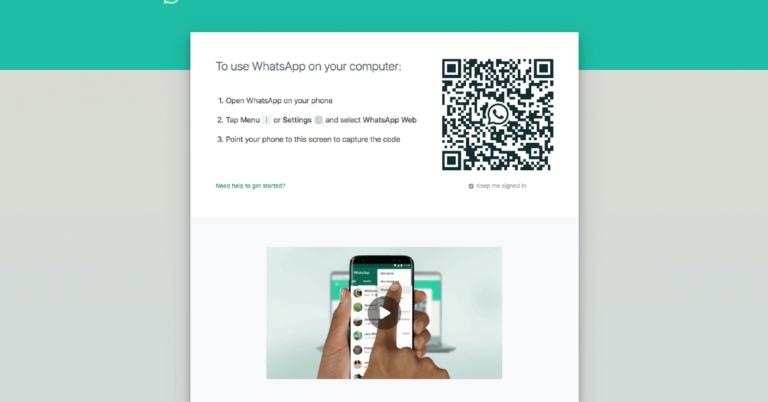
 Step 4 – A try new improvement popup will appear in front of you, press ok.
 Step 8 – Head back and select the Link a Device option.
 Step 4 – A try new improvement popup will appear in front of you, press ok.
 Step 5 – Now tap on Multi-device beta to enrol yourself.
 Step 6 – Press Continue to step ahead (all previously connected devices will be logged out).
 Step 7 – Read all the terms and conditions before linking the device.
 Step 8 – Head back and select the Link a Device option.
 Step 9 – Open the QR scanner and follow the next steps.
 Step 12 – Now you will be able to see a QR code on your smartphone.
 Step 13 – After this take your primary device and scan the QR with the scanner.
 After following the steps correctly you will be able to use WhatsApp on your smartphone as a companion device.
For the latest gadget and tech news, and gadget reviews, follow us on Twitter, Facebook and Instagram. For newest tech & gadget videos subscribe to our YouTube Channel. You can also stay up to date using the Gadget Bridge Android App. You can find the latest car and bike news here.
After following the steps correctly you will be able to use WhatsApp on your smartphone as a companion device.
For the latest gadget and tech news, and gadget reviews, follow us on Twitter, Facebook and Instagram. For newest tech & gadget videos subscribe to our YouTube Channel. You can also stay up to date using the Gadget Bridge Android App. You can find the latest car and bike news here. 
 Download Here
For the latest gadget and tech news, and gadget reviews, follow us on Twitter, Facebook and Instagram. For newest tech & gadget videos subscribe to our YouTube Channel. You can also stay up to date using the Gadget Bridge Android App. You can find the latest car and bike news here.
Download Here
For the latest gadget and tech news, and gadget reviews, follow us on Twitter, Facebook and Instagram. For newest tech & gadget videos subscribe to our YouTube Channel. You can also stay up to date using the Gadget Bridge Android App. You can find the latest car and bike news here.  Step 2 – Press next to let the system automatically detect the problem and fix it for you.
 Read Also: Top 5 ways to force uninstall programs in Windows 10
 Step 2 – Search Microsoft Photos application then tap on the 3 dot menu to see Advanced options.
 Step 3 – Try both the repair and reset options to see if it works for you.


 Upon restart, your system will automatically install the Photos application. If not Download from Here.
Read Also: How to fix the USB drive format error message in Windows
Upon restart, your system will automatically install the Photos application. If not Download from Here.
Read Also: How to fix the USB drive format error message in Windows

 Download Here
For the latest gadget and tech news, and gadget reviews, follow us on Twitter, Facebook and Instagram. For newest tech & gadget videos subscribe to our YouTube Channel. You can also stay up to date using the Gadget Bridge Android App. You can find the latest car and bike news here.
Download Here
For the latest gadget and tech news, and gadget reviews, follow us on Twitter, Facebook and Instagram. For newest tech & gadget videos subscribe to our YouTube Channel. You can also stay up to date using the Gadget Bridge Android App. You can find the latest car and bike news here. 

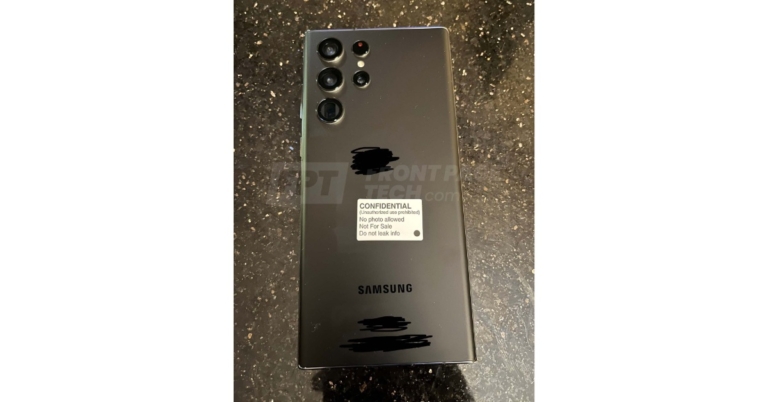



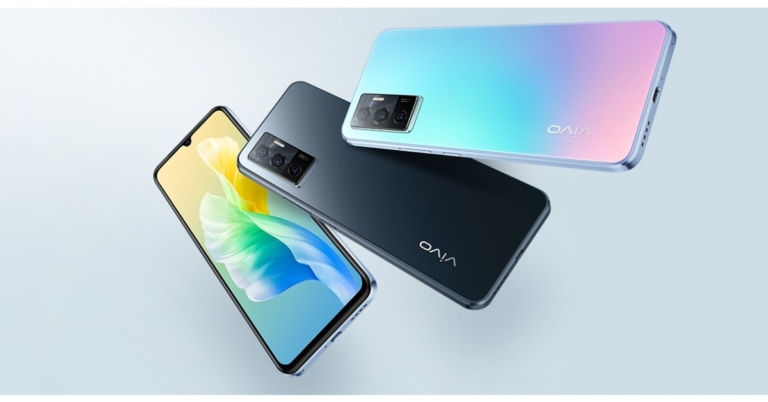
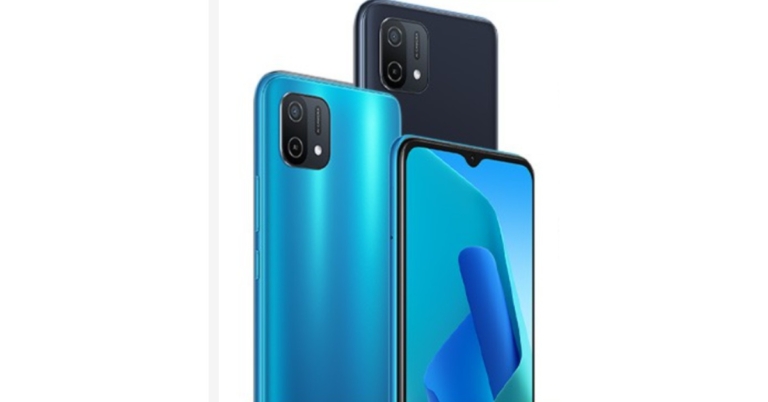


 Read Also: Top 5 ways to fix if you are unable to download apps
 Hold the button for 2-3 seconds. This will make the iPhone force restart. Wait for the phone to start and see if the problem persists.
 If the notification is already turned on try turning it off and turning it back on again. After the process, see if the application is putting out a notification.
 Read Also: Top 5 ways to fix if you are unable to download apps


 Step 2 – Scroll to the bottom to find the transfer and reset option and press Reset, and then press Reset all Settings.
Read Also: Guide on how to enable hidden game mode in Android 12 beta
Step 2 – Scroll to the bottom to find the transfer and reset option and press Reset, and then press Reset all Settings.
Read Also: Guide on how to enable hidden game mode in Android 12 beta
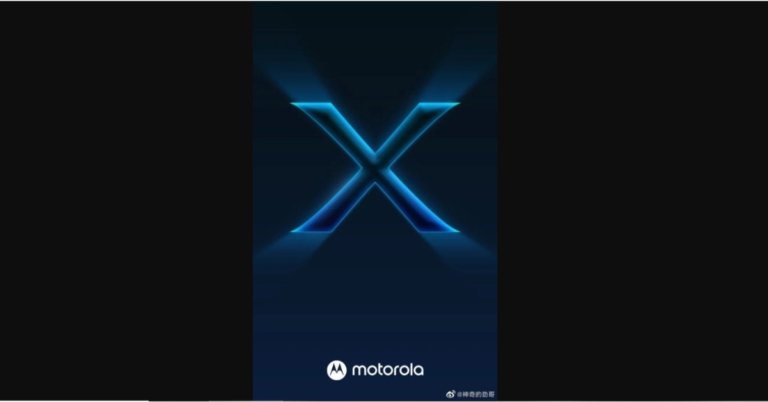

 Melbet offers the ability to place bets from anywhere using a mobile phone or tablet because the bookmaker offers a mobile version of the website, as well as applications for Android and IOS, the two most popular operating systems.
IOS users will be able to easily find the Melbet app in the App Store, however, Android users need to access the website at home and download the APK in order for them to install and get the app.
All of the mobile betting methods offered by Melbet are of excellent quality, you can choose what to do and you will have access to a wide range of games and services.
Melbet offers the ability to place bets from anywhere using a mobile phone or tablet because the bookmaker offers a mobile version of the website, as well as applications for Android and IOS, the two most popular operating systems.
IOS users will be able to easily find the Melbet app in the App Store, however, Android users need to access the website at home and download the APK in order for them to install and get the app.
All of the mobile betting methods offered by Melbet are of excellent quality, you can choose what to do and you will have access to a wide range of games and services.
 Melbet offers the ability to place bets from anywhere using a mobile phone or tablet because the bookmaker offers a mobile version of the website, as well as applications for Android and IOS, the two most popular operating systems.
IOS users will be able to easily find the Melbet app in the App Store, however, Android users need to access the website at home and download the APK in order for them to install and get the app.
All of the mobile betting methods offered by Melbet are of excellent quality, you can choose what to do and you will have access to a wide range of games and services.
Melbet offers the ability to place bets from anywhere using a mobile phone or tablet because the bookmaker offers a mobile version of the website, as well as applications for Android and IOS, the two most popular operating systems.
IOS users will be able to easily find the Melbet app in the App Store, however, Android users need to access the website at home and download the APK in order for them to install and get the app.
All of the mobile betting methods offered by Melbet are of excellent quality, you can choose what to do and you will have access to a wide range of games and services.
 Melbet software is supported by most Android devices. You can download the Melbet app for Android from the official website by download link or on other specialized resources. The Melbet apk will not take up much space on your device. But make sure that your device meets certain system requirements.
 Melbet allows you to register both via its mobile app and mobile version of its main website. Check the instruction below for creating an account:
 For all new players, Melbet offers two types of bonuses: a Casino bonus and a Betting bonus. In the first case, you will get a bonus of up to 20,000 INR into your account, in the second case – up to 15,000 INR.
 With Melbet, players can place bets on champions of football, basketball, ice hockey, cricket tournaments and more. Special bets are offered for individual teams, which you can see on the website. You can even place bets on transfers, coach appointments, the future success of young athletes and the end of a legend’s career. The number and variety of options allow Melbet to delight sports betting in a new direction.
Melbet is developing very dynamically and has its own permanent audience. It is a competitive participant in the betting business, providing high-quality betting services.
Problems for players here are relatively rare, but if they arise, you can contact the technical support service, which works around the clock.
With Melbet, players can place bets on champions of football, basketball, ice hockey, cricket tournaments and more. Special bets are offered for individual teams, which you can see on the website. You can even place bets on transfers, coach appointments, the future success of young athletes and the end of a legend’s career. The number and variety of options allow Melbet to delight sports betting in a new direction.
Melbet is developing very dynamically and has its own permanent audience. It is a competitive participant in the betting business, providing high-quality betting services.
Problems for players here are relatively rare, but if they arise, you can contact the technical support service, which works around the clock.
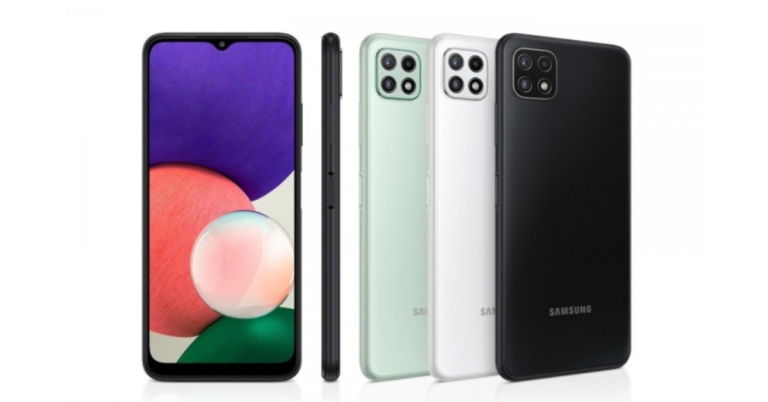


 Step 3: Select Settings.
 Step 4: Scroll down and tap on Reset.
 The golden rule is applied to all the techs if they malfunction. Just restart to fix minor bugs and issues. Once you restart your phone your smartphone’s UI will get a fresh start eliminating the temporary glitches and solving the UI related problems. This will also make the dialer application restart, which will ultimately result in starting the application from ground zero. Most of the minor bugs are fixed with a simple restart.
 A bad cache file can cause issues related to notification, to eliminate that all you have to do is clear the catch and try to use the application again. To do this first long-press the application and head to App info. Inside, head to Cache and storage, then press Clear cache. Try using the application, if it does not work, do the same steps and instead of clearing the cache, press clear data. Most probably this will fix the issue.
Read Also: Apple approves TRAI’s DND app to avoid iPhone ban in India
A bad cache file can cause issues related to notification, to eliminate that all you have to do is clear the catch and try to use the application again. To do this first long-press the application and head to App info. Inside, head to Cache and storage, then press Clear cache. Try using the application, if it does not work, do the same steps and instead of clearing the cache, press clear data. Most probably this will fix the issue.
Read Also: Apple approves TRAI’s DND app to avoid iPhone ban in India
 Step 2: In Advanced, head to Default apps.
 Step 3: Check for the Phone app.
 After changing, see if the problem is solved for you, if not don’t worry, try the next step.
 Step 2: Inside, go to Notification
 Step 3: Turn it on, especially check for the Missed calls notification.
 Read Also: How to join missed Whatsapp video calls?

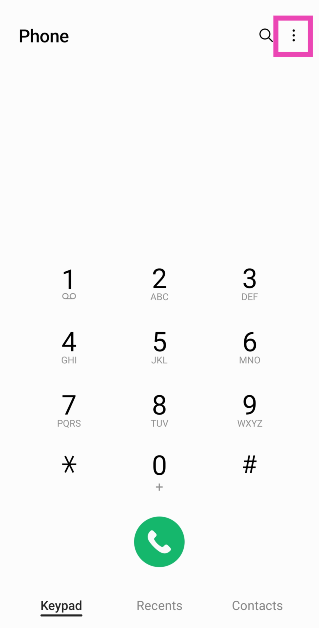 Step 3: Select Settings.
 Step 4: Turn off the toggle switch for Caller ID and spam protection.
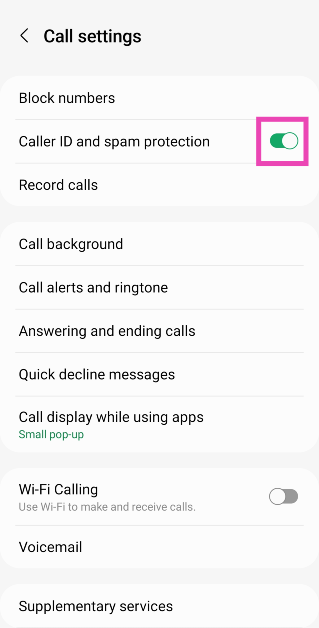
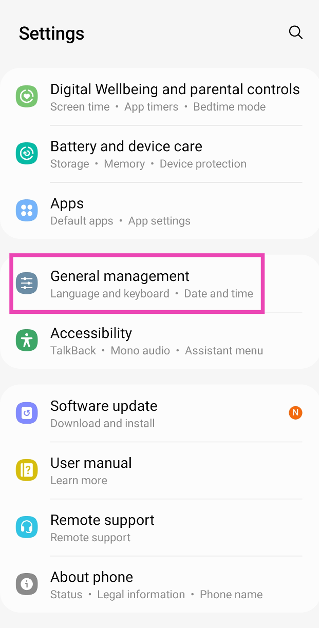 Step 2: Tap on Reset.
 Step 3: Select Factory data reset.
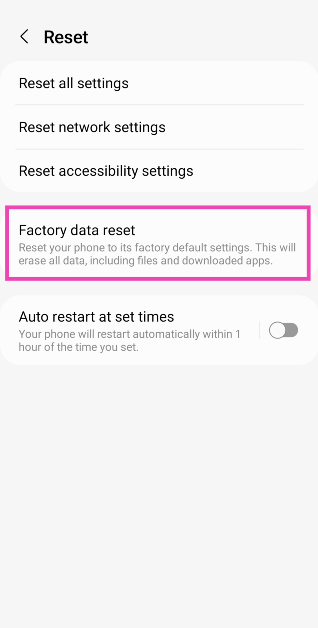 Step 4: Scroll down and tap on Reset.
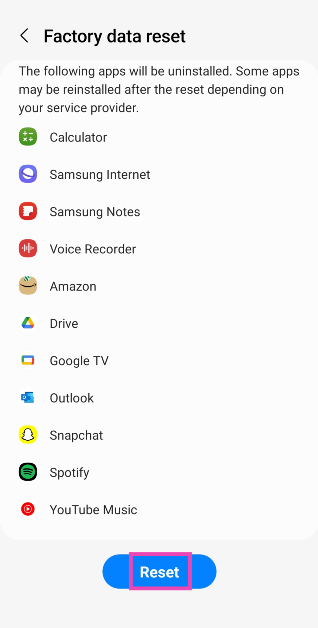
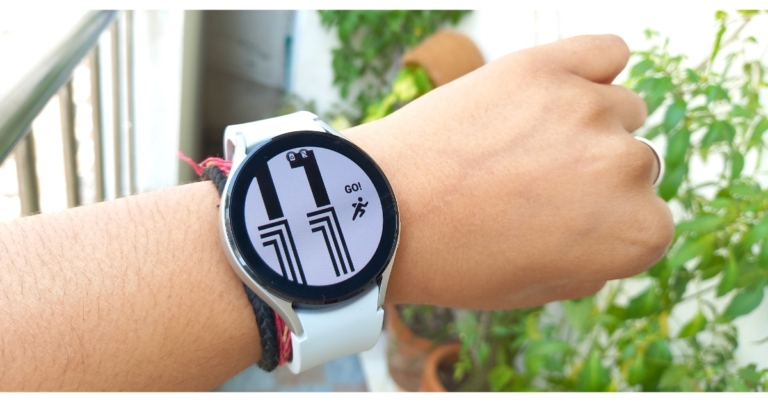
 As previously stated, it has a soft silicone band that causes no skin irritation or allergies when worn all day.
 The sleep score, on the other hand, assists you in analyzing your sleep quality. The device can monitor your blood pressure and ECG levels, but this feature is not available in India.
 As previously stated, it has a soft silicone band that causes no skin irritation or allergies when worn all day.
 It should be observed that the company has redesigned the navigation buttons on the sides, as compared to the circular ones found on the previous year’s models. The most recent ones are spaced widely apart, rectangular in shape, and are equipped with BioActive Sensors. This device has three useful health features, including optical heart rate, bioelectrical impedance analysis, and the ability to assess blood pressure, AFib irregular heartbeat, blood oxygen level, and, most saliently, body composition.
 The Samsung Galaxy Watch 4’s display is circular in shape. It has a 1.4 – inch SAMOLED display with a resolution of 450 x 450 pixels and a pixel density of 330 PPI. The watch’s display is protected by Gorilla Glass DX +. The wearable is 5ATM + IP68 certified, as well as MIL-STD-810G certified. The screen on the Galaxy smartwatch is of high quality, with vibrant colours and a high contrast ratio. The viewing angles are perfect and the brightness level is flawless. Not only that, the screen has an auto-brightness adjustment, which is excellent.
 The Galaxy Watch 4 does, however, provide a selection of customisable watch faces to choose from. You can also download over a hundred watch faces from the play store using the wearable.
 A single tap of the home button introduces you to the home screen, where you can customise the actions with double and long presses. Similarly, the back key can be set to return to the previous screen or to display a list of recently opened apps. As previously stated, the superior Galaxy Watch 4 Classic has a rotating bezel design; however, the regular model provides similar digital capabilities by touching and rotating the screen clockwise or anticlockwise.
 Swiping down brings up the control panel, while swipes to the left and right bring up notifications and widgets. You can now host the app launcher by swiping up from the edge. In addition to English, the incoming notifications support Hindi and emojis. While the Galaxy Watch 4’s haptic feedback and vibration are quite good.
Now, let’s talk about the Galaxy Watch 4’s fitness and health features. As said, the smartwatch provides body composition measurement, which is not available on any other device. Other features of the new three-in-one bioactive sensor include optical heart rate, electrical heart rate, and a bioelectrical impedance analysis sensor. This enables it to detect AFIB irregular heartbeat, blood oxygen level, blood pressure, and body composition.
Swiping down brings up the control panel, while swipes to the left and right bring up notifications and widgets. You can now host the app launcher by swiping up from the edge. In addition to English, the incoming notifications support Hindi and emojis. While the Galaxy Watch 4’s haptic feedback and vibration are quite good.
Now, let’s talk about the Galaxy Watch 4’s fitness and health features. As said, the smartwatch provides body composition measurement, which is not available on any other device. Other features of the new three-in-one bioactive sensor include optical heart rate, electrical heart rate, and a bioelectrical impedance analysis sensor. This enables it to detect AFIB irregular heartbeat, blood oxygen level, blood pressure, and body composition.
 The button contains electrodes that measure various metrics such as skeletal muscle, basal metabolic rate, body water, and body fat percentage. With just two fingers, you can now easily calculate your body composition from your wrist. The watch’s sensor will collect 2,400 data points in about 15 seconds. This feature provides you with a more in-depth understanding of your overall health and fitness.
Aside from that, there are a plethora of wellness features to track your daily activities such as sleep, women’s health, SpO2, and stress level. By connecting your Galaxy Watch 4 to a compatible Samsung Smart TV, you can choose from a variety of guided workouts, participate in Group Challenges with your friends and family, or set up a home gym. The Samsung Watch can continuously or manually record heart rate and stress levels. The SpO2 and sleep tracking have also been accurate.
The button contains electrodes that measure various metrics such as skeletal muscle, basal metabolic rate, body water, and body fat percentage. With just two fingers, you can now easily calculate your body composition from your wrist. The watch’s sensor will collect 2,400 data points in about 15 seconds. This feature provides you with a more in-depth understanding of your overall health and fitness.
Aside from that, there are a plethora of wellness features to track your daily activities such as sleep, women’s health, SpO2, and stress level. By connecting your Galaxy Watch 4 to a compatible Samsung Smart TV, you can choose from a variety of guided workouts, participate in Group Challenges with your friends and family, or set up a home gym. The Samsung Watch can continuously or manually record heart rate and stress levels. The SpO2 and sleep tracking have also been accurate.

 The sleep score, on the other hand, assists you in analyzing your sleep quality. The device can monitor your blood pressure and ECG levels, but this feature is not available in India.
 The Galaxy Watch 4 can also track up to 95 different workout modes, including cycling, running, hiking, swimming, and many others. There is, however, an automatic workout detection system that is both accurate and slow. The workout details can be viewed on your smartphone’s Health App.
 Surprisingly, the smart wearable can also monitor your snoring, but in this case, you must sleep with your smartphone on your side while it charges. Also, you can also participate in group challenges with your friends and family.
 In terms of battery life, the Watch is outfitted with a standard 361mAh battery. The company claims that its smartwatch has a battery life of up to 40 hours and can last for 10 hours with only 30 minutes of charging. However, we were able to achieve a battery life that was comparable to that claimed by Samsung. The company includes a 5W WPC base Qi wireless charger that takes more than two hours to fully charge.
When it comes to calling quality, the receivers had no trouble hearing us, but the speaker on this device is not very loud.
In terms of battery life, the Watch is outfitted with a standard 361mAh battery. The company claims that its smartwatch has a battery life of up to 40 hours and can last for 10 hours with only 30 minutes of charging. However, we were able to achieve a battery life that was comparable to that claimed by Samsung. The company includes a 5W WPC base Qi wireless charger that takes more than two hours to fully charge.
When it comes to calling quality, the receivers had no trouble hearing us, but the speaker on this device is not very loud.
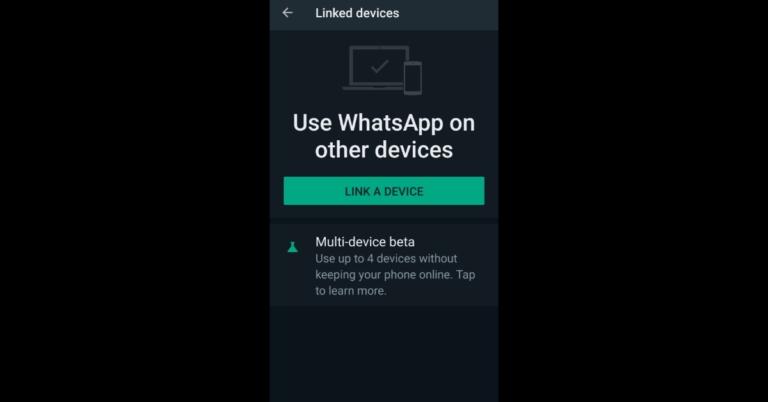

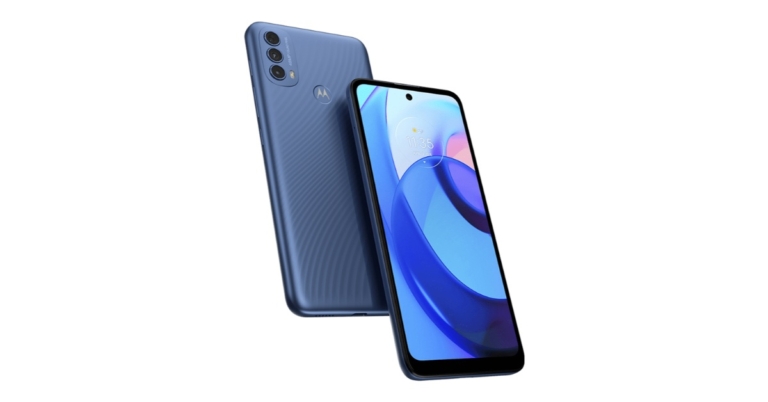


 In terms of photography, Moto E30 features a triple rear camera set-up that includes a 48-megapixel main lens with an f/1.79 aperture. In addition to this, there is a 2-megapixel depth sensor and a 2-megapixel macro lens. Moreover, the phone includes an 8-megapixel front-facing camera with an f/1.79 aperture for taking selfies and video calling.
Apart from this, the Motorola smartphone has a fingerprint sensor embedded on the logo at the back panel. The device is IP52 certified for water and dust resistance. Moto E30 houses a 5,000mAh battery but supports 10W charging only. In terms of connectivity, there is 4G LTE, Bluetooth Version 5, Wi-Fi 802.11, GPS, USB Type C port and 3.5mm headphone jack. While the sensors on the phone include a proximity sensor, an accelerometer and an ambient light sensor.
For the latest gadget and tech news, and gadget reviews, follow us on Twitter, Facebook and Instagram. For newest tech & gadget videos subscribe to our YouTube Channel. You can also stay up to date using the Gadget Bridge Android App. You can find the latest car and bike news here.
In terms of photography, Moto E30 features a triple rear camera set-up that includes a 48-megapixel main lens with an f/1.79 aperture. In addition to this, there is a 2-megapixel depth sensor and a 2-megapixel macro lens. Moreover, the phone includes an 8-megapixel front-facing camera with an f/1.79 aperture for taking selfies and video calling.
Apart from this, the Motorola smartphone has a fingerprint sensor embedded on the logo at the back panel. The device is IP52 certified for water and dust resistance. Moto E30 houses a 5,000mAh battery but supports 10W charging only. In terms of connectivity, there is 4G LTE, Bluetooth Version 5, Wi-Fi 802.11, GPS, USB Type C port and 3.5mm headphone jack. While the sensors on the phone include a proximity sensor, an accelerometer and an ambient light sensor.
For the latest gadget and tech news, and gadget reviews, follow us on Twitter, Facebook and Instagram. For newest tech & gadget videos subscribe to our YouTube Channel. You can also stay up to date using the Gadget Bridge Android App. You can find the latest car and bike news here. 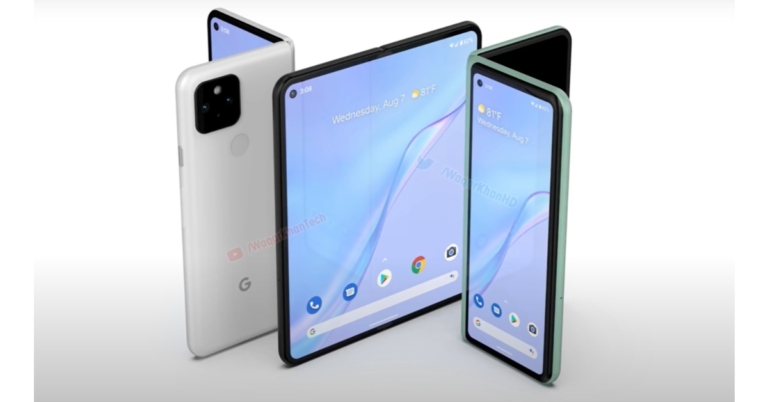
 In addition to this, the Google Pixel Fold is also likely to include a 12MP IMC386 ultra-wide-angle sensor along with two 8MP IMX355 sensors for taking selfies and video calling. The report states that out of the 2 sensors one will be placed on top of the out display whereas the other one will sit inside the primary display.
Not just this, the Pixel Fold is expected to come with a similar form factor as the Samsung Z Fold. Previous reports anticipated the device would be introduced alongside the Pixel 6 series but this did not occur. And now the phone is speculated to be released in 2022.
It should be noted that Google itself in 2019 revealed that it is working on the development of its foldable smartphone and it even brought the native support for foldable display in the Android 10.
Past reports also suggested that Google’s smartwatch is also under the pipeline that could be named Pixel Watch. It may feature a circular display and run improved Wear OS.
For the latest gadget and tech news, and gadget reviews, follow us on Twitter, Facebook and Instagram. For newest tech & gadget videos subscribe to our YouTube Channel. You can also stay up to date using the Gadget Bridge Android App. You can find the latest car and bike news here.
In addition to this, the Google Pixel Fold is also likely to include a 12MP IMC386 ultra-wide-angle sensor along with two 8MP IMX355 sensors for taking selfies and video calling. The report states that out of the 2 sensors one will be placed on top of the out display whereas the other one will sit inside the primary display.
Not just this, the Pixel Fold is expected to come with a similar form factor as the Samsung Z Fold. Previous reports anticipated the device would be introduced alongside the Pixel 6 series but this did not occur. And now the phone is speculated to be released in 2022.
It should be noted that Google itself in 2019 revealed that it is working on the development of its foldable smartphone and it even brought the native support for foldable display in the Android 10.
Past reports also suggested that Google’s smartwatch is also under the pipeline that could be named Pixel Watch. It may feature a circular display and run improved Wear OS.
For the latest gadget and tech news, and gadget reviews, follow us on Twitter, Facebook and Instagram. For newest tech & gadget videos subscribe to our YouTube Channel. You can also stay up to date using the Gadget Bridge Android App. You can find the latest car and bike news here.  In addition to this, the Google Pixel Fold is also likely to include a 12MP IMC386 ultra-wide-angle sensor along with two 8MP IMX355 sensors for taking selfies and video calling. The report states that out of the 2 sensors one will be placed on top of the out display whereas the other one will sit inside the primary display.
Not just this, the Pixel Fold is expected to come with a similar form factor as the Samsung Z Fold. Previous reports anticipated the device would be introduced alongside the Pixel 6 series but this did not occur. And now the phone is speculated to be released in 2022.
It should be noted that Google itself in 2019 revealed that it is working on the development of its foldable smartphone and it even brought the native support for foldable display in the Android 10.
Past reports also suggested that Google’s smartwatch is also under the pipeline that could be named Pixel Watch. It may feature a circular display and run improved Wear OS.
For the latest gadget and tech news, and gadget reviews, follow us on Twitter, Facebook and Instagram. For newest tech & gadget videos subscribe to our YouTube Channel. You can also stay up to date using the Gadget Bridge Android App. You can find the latest car and bike news here.
In addition to this, the Google Pixel Fold is also likely to include a 12MP IMC386 ultra-wide-angle sensor along with two 8MP IMX355 sensors for taking selfies and video calling. The report states that out of the 2 sensors one will be placed on top of the out display whereas the other one will sit inside the primary display.
Not just this, the Pixel Fold is expected to come with a similar form factor as the Samsung Z Fold. Previous reports anticipated the device would be introduced alongside the Pixel 6 series but this did not occur. And now the phone is speculated to be released in 2022.
It should be noted that Google itself in 2019 revealed that it is working on the development of its foldable smartphone and it even brought the native support for foldable display in the Android 10.
Past reports also suggested that Google’s smartwatch is also under the pipeline that could be named Pixel Watch. It may feature a circular display and run improved Wear OS.
For the latest gadget and tech news, and gadget reviews, follow us on Twitter, Facebook and Instagram. For newest tech & gadget videos subscribe to our YouTube Channel. You can also stay up to date using the Gadget Bridge Android App. You can find the latest car and bike news here. 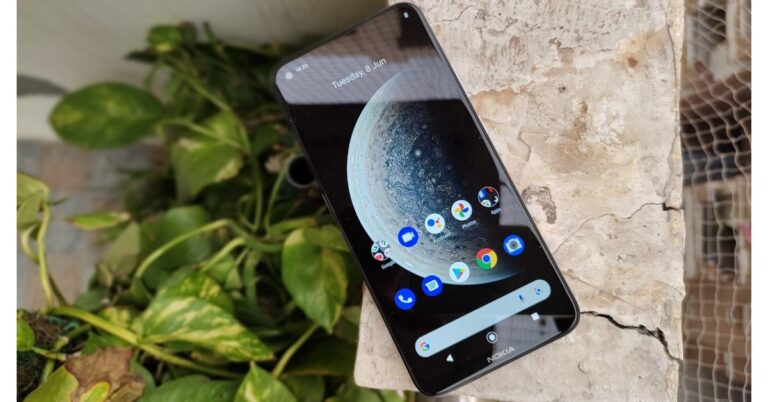


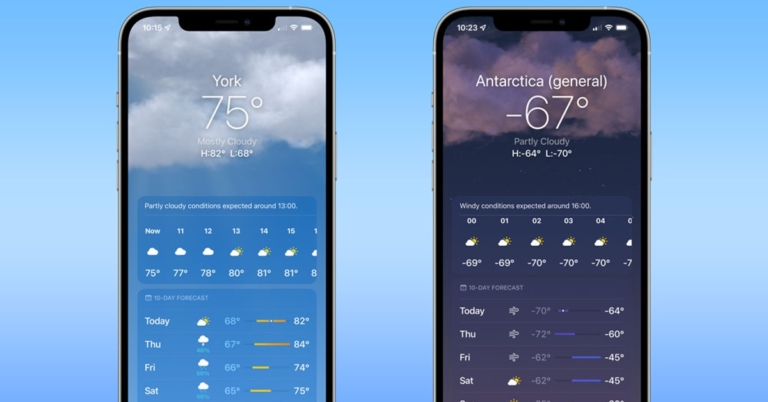
 One of the most accurate and versatile applications that many companies collaborate with. The application has its own widget and the newer iOS version supporting widgets making the application a versatile choice. It displays information like winds, rain and snow.
The schedule set can be from hourly to monthly. The animation on the application looks beautiful and even better with a widget. The hyper localization map lets you access temperature contour maps and live tropical storm radar. You can ask Siri to read weather articles for you in the application natively.
Download Here
One of the most accurate and versatile applications that many companies collaborate with. The application has its own widget and the newer iOS version supporting widgets making the application a versatile choice. It displays information like winds, rain and snow.
The schedule set can be from hourly to monthly. The animation on the application looks beautiful and even better with a widget. The hyper localization map lets you access temperature contour maps and live tropical storm radar. You can ask Siri to read weather articles for you in the application natively.
Download Here
 The application helps you group down the selected parameters together giving you a detailed chart of weather-related information. The weather is specifically designed to offer you wind and wait for conditions which is ideal for people interested in water or wind-related sports. If there is any storm or tide the application will offer you a detailed overview of what is causing it and show the wind velocity and temperatures along with the direction. The Windy.app doubles up as a compass so can be used in difficult situations.
Download Here
The application helps you group down the selected parameters together giving you a detailed chart of weather-related information. The weather is specifically designed to offer you wind and wait for conditions which is ideal for people interested in water or wind-related sports. If there is any storm or tide the application will offer you a detailed overview of what is causing it and show the wind velocity and temperatures along with the direction. The Windy.app doubles up as a compass so can be used in difficult situations.
Download Here
 The application is famous for its simplicity and stands ahead design. The applications present the weather in an interesting and funny way so you love to interact with a basic weather application. It gives you clues to track down a secret location. The Ui of the application is editable so you can arrange internal settings according to your liking. The weather data is fetched from the best applications in the market like Dark Sky, AccuWeather, and ClimaCell. You can see voice notifications for alerts like rain, lightning, storm and more.
Download Here
Read Also: PUBG Mobile bans 30,000 players: Here’s why
The application is famous for its simplicity and stands ahead design. The applications present the weather in an interesting and funny way so you love to interact with a basic weather application. It gives you clues to track down a secret location. The Ui of the application is editable so you can arrange internal settings according to your liking. The weather data is fetched from the best applications in the market like Dark Sky, AccuWeather, and ClimaCell. You can see voice notifications for alerts like rain, lightning, storm and more.
Download Here
Read Also: PUBG Mobile bans 30,000 players: Here’s why
 The application has a cartoonish style UI that gives out an instant notification on weather forecasts. As per the name, the application gives you a 10-days forecast with time trends and multiple data sources. You can select from light or dark themes according to your taste. There are multiple widgets available for the same and you can also choose from seasonal themes to get more indulgent with the application.
Download Here
The application has a cartoonish style UI that gives out an instant notification on weather forecasts. As per the name, the application gives you a 10-days forecast with time trends and multiple data sources. You can select from light or dark themes according to your taste. There are multiple widgets available for the same and you can also choose from seasonal themes to get more indulgent with the application.
Download Here
 Get personalised daily weather report with Forecast Bar. Select the application for which weather you want to be notified. In this, you get accurate and live updates of the local weather and information like the speed of the wind, dew point, pressure, and UV index. The accurate timing for sunrise and sunset can also be viewed in the UI and widget.
Download Here
Get personalised daily weather report with Forecast Bar. Select the application for which weather you want to be notified. In this, you get accurate and live updates of the local weather and information like the speed of the wind, dew point, pressure, and UV index. The accurate timing for sunrise and sunset can also be viewed in the UI and widget.
Download Here
 The application is famous for its beautiful design widgets that are customisable. Choose a theme from the festival or seasonal and the widget will change itself automatically. The live widget changes the look in real-time according to the weather and pollution outside. Apart from that you also get detailed information about weather, temperature, humidity, rain, and wind direction.
Download Here
Read Also: Samsung Galaxy Z Flip 3 review: Flip it with pride
The application is famous for its beautiful design widgets that are customisable. Choose a theme from the festival or seasonal and the widget will change itself automatically. The live widget changes the look in real-time according to the weather and pollution outside. Apart from that you also get detailed information about weather, temperature, humidity, rain, and wind direction.
Download Here
Read Also: Samsung Galaxy Z Flip 3 review: Flip it with pride
 This application is interesting as after installing the application, you are asked to set up your avatar based on sex, skin tone, the colour of hair, and the beard. Now the application will give you outfit ideas according to the weather outside. The application will create a beautiful season according to the weather outside and the avatar which you made will be wearing the cloth accordingly, giving you clues on what you can wear and look good according to the weather outside. The avatar changes its outfit according to the real-time forecast outside. making it one of the best Weather app for iphone
Download Here
For the latest gadget and tech news, and gadget reviews, follow us on Twitter, Facebook and Instagram. For newest tech & gadget videos subscribe to our YouTube Channel. You can also stay up to date using the Gadget Bridge Android App. You can find the latest car and bike news here.
This application is interesting as after installing the application, you are asked to set up your avatar based on sex, skin tone, the colour of hair, and the beard. Now the application will give you outfit ideas according to the weather outside. The application will create a beautiful season according to the weather outside and the avatar which you made will be wearing the cloth accordingly, giving you clues on what you can wear and look good according to the weather outside. The avatar changes its outfit according to the real-time forecast outside. making it one of the best Weather app for iphone
Download Here
For the latest gadget and tech news, and gadget reviews, follow us on Twitter, Facebook and Instagram. For newest tech & gadget videos subscribe to our YouTube Channel. You can also stay up to date using the Gadget Bridge Android App. You can find the latest car and bike news here. 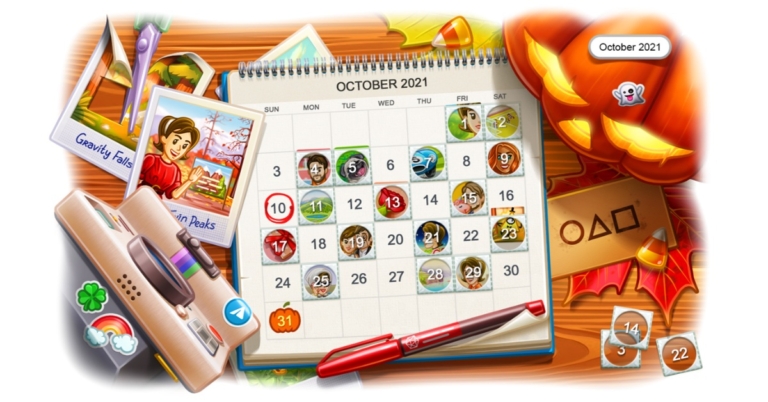
 Besides this, the latest Telegram update also brings Calendar views for shared media as well. In order to quickly find media from a specific time user needs to tap on the date bar to open a calendar interface with media previews for each day – then tap to see all the media from that date. In addition to this, the users can also filter shared media to show only photos, only videos, or both. To view shared media, simply tap the header at the top of your screen in any chat and scroll down. To open the new menu, tap on three dots Android or on iOS.
Telegram will now also allow the opportunity to join your group or channel on their own time – whether you share the link privately or turn it into a QR code on a billboard is up to you. When additional invite links are created for chat, a Request Admin Approval setting will give admins more control over who is able to join and see the chat.
Besides this, the latest Telegram update also brings Calendar views for shared media as well. In order to quickly find media from a specific time user needs to tap on the date bar to open a calendar interface with media previews for each day – then tap to see all the media from that date. In addition to this, the users can also filter shared media to show only photos, only videos, or both. To view shared media, simply tap the header at the top of your screen in any chat and scroll down. To open the new menu, tap on three dots Android or on iOS.
Telegram will now also allow the opportunity to join your group or channel on their own time – whether you share the link privately or turn it into a QR code on a billboard is up to you. When additional invite links are created for chat, a Request Admin Approval setting will give admins more control over who is able to join and see the chat.
 Besides this, the latest Telegram update also brings Calendar views for shared media as well. In order to quickly find media from a specific time user needs to tap on the date bar to open a calendar interface with media previews for each day – then tap to see all the media from that date. In addition to this, the users can also filter shared media to show only photos, only videos, or both. To view shared media, simply tap the header at the top of your screen in any chat and scroll down. To open the new menu, tap on three dots Android or on iOS.
Telegram will now also allow the opportunity to join your group or channel on their own time – whether you share the link privately or turn it into a QR code on a billboard is up to you. When additional invite links are created for chat, a Request Admin Approval setting will give admins more control over who is able to join and see the chat.
Besides this, the latest Telegram update also brings Calendar views for shared media as well. In order to quickly find media from a specific time user needs to tap on the date bar to open a calendar interface with media previews for each day – then tap to see all the media from that date. In addition to this, the users can also filter shared media to show only photos, only videos, or both. To view shared media, simply tap the header at the top of your screen in any chat and scroll down. To open the new menu, tap on three dots Android or on iOS.
Telegram will now also allow the opportunity to join your group or channel on their own time – whether you share the link privately or turn it into a QR code on a billboard is up to you. When additional invite links are created for chat, a Request Admin Approval setting will give admins more control over who is able to join and see the chat.
 When a link is opened with Admin Approval turned on a button will be shown to send a join request that admins can manage from a new bar at the top of the chat. Admins will be able to view the applicant’s public profile pictures and bio there themselves and can then approve or dismiss a request. However, the Admin Approval can be applied to any link in the ‘Additional Invite Links’ section but giving all of those links unique names is new to the social media platform that comes with the latest update. So now you can label them for better organization and this will be hateful especially when you are using all the different options that exist for invite links, such as limits on duration, number of uses, etc.
Telegram’s last update brought 8 new themes that could be set for individual chats but they are now available for your entire app on iOS (with Android soon to follow). The users will be able to personalise their designs and tweak the colours or change the pattern. For more options and custom settings, tap ‘Chat Themes’ to edit and share your creations.
Apart from this, the iOS users can now share their transit times for shared locations. Your exact location can be shared from the attachment menu in the message bar. Tapping a shared location pulls up a map of the area – which now shows you the travel time to get there by foot, car, or public transport. To see detailed directions or get a taxi to the location, tap on the travel time to open it in your preferred app. The Transit times are displayed for both static and live locations
For the latest gadget and tech news, and gadget reviews, follow us on Twitter, Facebook and Instagram. For newest tech & gadget videos subscribe to our YouTube Channel. You can also stay up to date using the Gadget Bridge Android App. You can find the latest car and bike news here.
When a link is opened with Admin Approval turned on a button will be shown to send a join request that admins can manage from a new bar at the top of the chat. Admins will be able to view the applicant’s public profile pictures and bio there themselves and can then approve or dismiss a request. However, the Admin Approval can be applied to any link in the ‘Additional Invite Links’ section but giving all of those links unique names is new to the social media platform that comes with the latest update. So now you can label them for better organization and this will be hateful especially when you are using all the different options that exist for invite links, such as limits on duration, number of uses, etc.
Telegram’s last update brought 8 new themes that could be set for individual chats but they are now available for your entire app on iOS (with Android soon to follow). The users will be able to personalise their designs and tweak the colours or change the pattern. For more options and custom settings, tap ‘Chat Themes’ to edit and share your creations.
Apart from this, the iOS users can now share their transit times for shared locations. Your exact location can be shared from the attachment menu in the message bar. Tapping a shared location pulls up a map of the area – which now shows you the travel time to get there by foot, car, or public transport. To see detailed directions or get a taxi to the location, tap on the travel time to open it in your preferred app. The Transit times are displayed for both static and live locations
For the latest gadget and tech news, and gadget reviews, follow us on Twitter, Facebook and Instagram. For newest tech & gadget videos subscribe to our YouTube Channel. You can also stay up to date using the Gadget Bridge Android App. You can find the latest car and bike news here. 
 Step 3 – Select Remove.
 Step 4 – Confirm your selection in the popup box.
 Step 3 – Inside the option reach to Manage Accounts.
 Step 3 – Inside the option head to Manage Accounts.
 Step 4 – Tap on the Samsung account you want to remove.
 Step 5 – Select the remove account option.
 If done properly will lead to completely removing the account and stopping the sync and backup from the device to the particular Saving account.
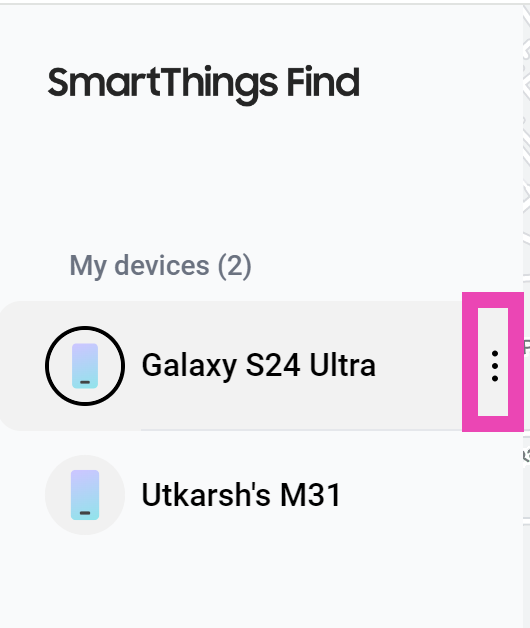 Step 3 – Select Remove.
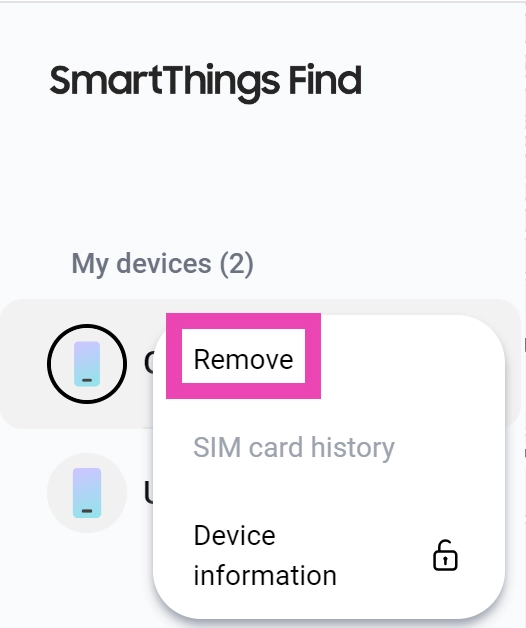 Step 4 – Confirm your selection in the popup box.
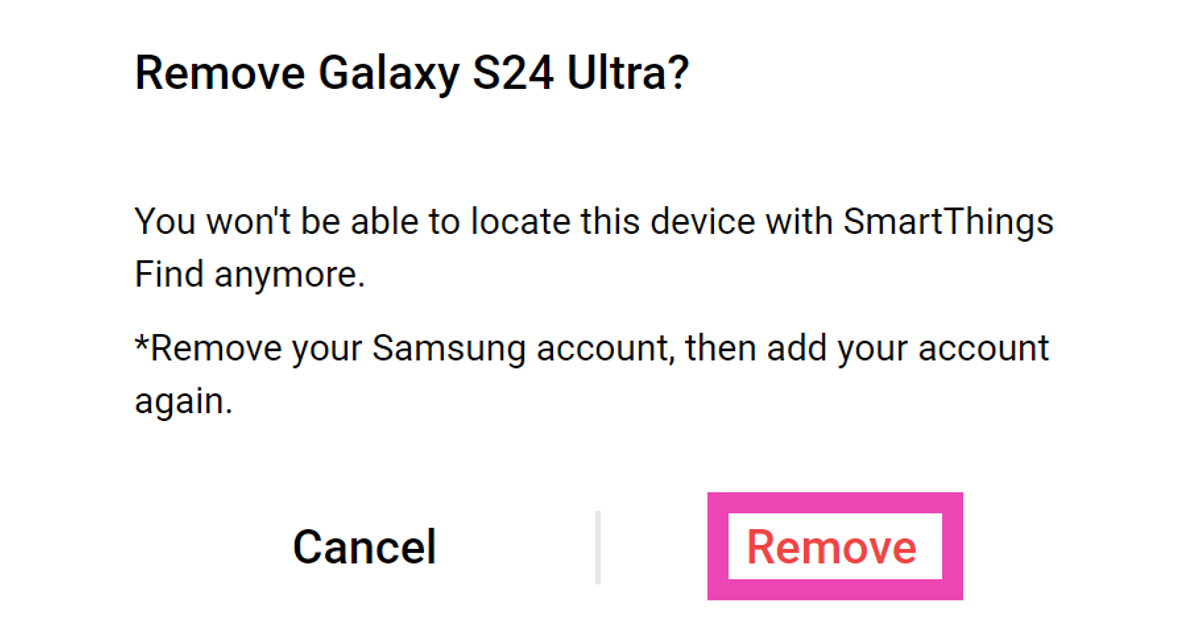 Read Also: Google finally removed this ‘controversial’ app from Play Store
 Step 5 – Select the Samsung account option from the list.
 You can now input the log details here or you can even make a new account directly from this page. Connect your Google account to Samsung’s account to make the process hassle-free and you are good to go.
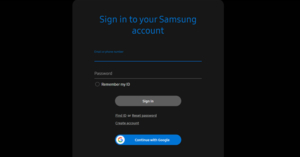 Step 3 – After login click on the profile to further proceed.
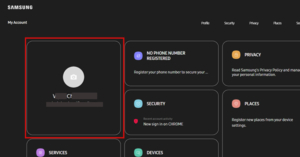 Step 4 – Click on Manage Samsung Account.
 Step 5 – Select the Delete Account option.
 Once done properly your Samsung account will be deleted. Please note that this cannot be undone so if your sync data is present with your Samsung account it will be deleted permanently as well.

 According to the company, the Loop LiquidCool Technology includes a heat pipe system made up of an annular heat pipe system made up of an evaporator, a condenser, a refill chamber, gas and liquid pipes. The evaporator, which is placed near the heat source, contains a refrigerant that evaporates to gas when the smartphone is under heavy load. The gas and airflow are then diffused to the condenser, where the gas condenses back into liquid. These liquids are absorbed and collected by tiny fibres in the refill chamber, which refills the evaporator and makes the system self-sustaining.
However, Xiaomi’s Loop LiquidCool Technology employs the same method as VC liquid cooling, the new form factor significantly improves efficiency. Due to the lack of separate channels for gases and liquids in traditional VC systems, hot gas and cool liquids mix and obstruct each other, especially under heavy lead.
According to the company, “The ring-shaped pump features a special gas pipe design, which greatly reduces air passage resistance by 30%. By allowing for a smoother steam flow, the maximum heat transfer capacity is increased by up to 100%.”
Implementing a Tesla valve structure within the refill chamber is critical to ensuring one-way high-efficiency circulation. A Tesla valve is a one-way valve that allows liquid to flow through the evaporator which prevents gases from flowing in the opposite direction. This improved the efficiency of gas/liquid circulation throughout the system.
The company has also replaced the original vapour chamber in its custom Xiaomi MIX 4 with the new Loop LiquidCool Technology solution. As per the company, this kept the device below a maximum temp of 47.7 degrees C during a 30-minute Genshin impact gameplay test at 60fps at max video settings and the processor was 8.6 degrees C cooler than the standard version.
For the latest gadget and tech news, and gadget reviews, follow us on Twitter, Facebook and Instagram. For newest tech & gadget videos subscribe to our YouTube Channel. You can also stay up to date using the Gadget Bridge Android App. You can find the latest car and bike news here.
According to the company, the Loop LiquidCool Technology includes a heat pipe system made up of an annular heat pipe system made up of an evaporator, a condenser, a refill chamber, gas and liquid pipes. The evaporator, which is placed near the heat source, contains a refrigerant that evaporates to gas when the smartphone is under heavy load. The gas and airflow are then diffused to the condenser, where the gas condenses back into liquid. These liquids are absorbed and collected by tiny fibres in the refill chamber, which refills the evaporator and makes the system self-sustaining.
However, Xiaomi’s Loop LiquidCool Technology employs the same method as VC liquid cooling, the new form factor significantly improves efficiency. Due to the lack of separate channels for gases and liquids in traditional VC systems, hot gas and cool liquids mix and obstruct each other, especially under heavy lead.
According to the company, “The ring-shaped pump features a special gas pipe design, which greatly reduces air passage resistance by 30%. By allowing for a smoother steam flow, the maximum heat transfer capacity is increased by up to 100%.”
Implementing a Tesla valve structure within the refill chamber is critical to ensuring one-way high-efficiency circulation. A Tesla valve is a one-way valve that allows liquid to flow through the evaporator which prevents gases from flowing in the opposite direction. This improved the efficiency of gas/liquid circulation throughout the system.
The company has also replaced the original vapour chamber in its custom Xiaomi MIX 4 with the new Loop LiquidCool Technology solution. As per the company, this kept the device below a maximum temp of 47.7 degrees C during a 30-minute Genshin impact gameplay test at 60fps at max video settings and the processor was 8.6 degrees C cooler than the standard version.
For the latest gadget and tech news, and gadget reviews, follow us on Twitter, Facebook and Instagram. For newest tech & gadget videos subscribe to our YouTube Channel. You can also stay up to date using the Gadget Bridge Android App. You can find the latest car and bike news here.  According to the company, the Loop LiquidCool Technology includes a heat pipe system made up of an annular heat pipe system made up of an evaporator, a condenser, a refill chamber, gas and liquid pipes. The evaporator, which is placed near the heat source, contains a refrigerant that evaporates to gas when the smartphone is under heavy load. The gas and airflow are then diffused to the condenser, where the gas condenses back into liquid. These liquids are absorbed and collected by tiny fibres in the refill chamber, which refills the evaporator and makes the system self-sustaining.
However, Xiaomi’s Loop LiquidCool Technology employs the same method as VC liquid cooling, the new form factor significantly improves efficiency. Due to the lack of separate channels for gases and liquids in traditional VC systems, hot gas and cool liquids mix and obstruct each other, especially under heavy lead.
According to the company, “The ring-shaped pump features a special gas pipe design, which greatly reduces air passage resistance by 30%. By allowing for a smoother steam flow, the maximum heat transfer capacity is increased by up to 100%.”
Implementing a Tesla valve structure within the refill chamber is critical to ensuring one-way high-efficiency circulation. A Tesla valve is a one-way valve that allows liquid to flow through the evaporator which prevents gases from flowing in the opposite direction. This improved the efficiency of gas/liquid circulation throughout the system.
The company has also replaced the original vapour chamber in its custom Xiaomi MIX 4 with the new Loop LiquidCool Technology solution. As per the company, this kept the device below a maximum temp of 47.7 degrees C during a 30-minute Genshin impact gameplay test at 60fps at max video settings and the processor was 8.6 degrees C cooler than the standard version.
For the latest gadget and tech news, and gadget reviews, follow us on Twitter, Facebook and Instagram. For newest tech & gadget videos subscribe to our YouTube Channel. You can also stay up to date using the Gadget Bridge Android App. You can find the latest car and bike news here.
According to the company, the Loop LiquidCool Technology includes a heat pipe system made up of an annular heat pipe system made up of an evaporator, a condenser, a refill chamber, gas and liquid pipes. The evaporator, which is placed near the heat source, contains a refrigerant that evaporates to gas when the smartphone is under heavy load. The gas and airflow are then diffused to the condenser, where the gas condenses back into liquid. These liquids are absorbed and collected by tiny fibres in the refill chamber, which refills the evaporator and makes the system self-sustaining.
However, Xiaomi’s Loop LiquidCool Technology employs the same method as VC liquid cooling, the new form factor significantly improves efficiency. Due to the lack of separate channels for gases and liquids in traditional VC systems, hot gas and cool liquids mix and obstruct each other, especially under heavy lead.
According to the company, “The ring-shaped pump features a special gas pipe design, which greatly reduces air passage resistance by 30%. By allowing for a smoother steam flow, the maximum heat transfer capacity is increased by up to 100%.”
Implementing a Tesla valve structure within the refill chamber is critical to ensuring one-way high-efficiency circulation. A Tesla valve is a one-way valve that allows liquid to flow through the evaporator which prevents gases from flowing in the opposite direction. This improved the efficiency of gas/liquid circulation throughout the system.
The company has also replaced the original vapour chamber in its custom Xiaomi MIX 4 with the new Loop LiquidCool Technology solution. As per the company, this kept the device below a maximum temp of 47.7 degrees C during a 30-minute Genshin impact gameplay test at 60fps at max video settings and the processor was 8.6 degrees C cooler than the standard version.
For the latest gadget and tech news, and gadget reviews, follow us on Twitter, Facebook and Instagram. For newest tech & gadget videos subscribe to our YouTube Channel. You can also stay up to date using the Gadget Bridge Android App. You can find the latest car and bike news here. 