Twitter recently rolled out its promoted tweets advertisement service. The promotion gave you advertising from the trends list. You were able to get these sponsored tweets if you followed them. But these posts fill your timeline, which can be irrelevant to you or sometimes inappropriate. Now you have the option to hide these tweets in the following ways.
In This Article
Hide the Promoted Tweets from your timeline:
The advertisement of promoted tweets can create discomfort by filling up your timeline. Even though if you had followed the page earlier you can still hide their ads now. Follow the steps to know how to hide the promotion from your Twitter timeline.
Open the Twitter app and log in with your username and password
On the promoted tweets find the arrow icon or the vertical three-dot and click on it
Now select I don’t like this ad or not interested
Now you can hide the promoted ad from your timeline
Another option to remove the promoted tweets from your account is to block the accounts or the page. This will not let the page show up again and help you to hide the promoted tweets from your Twitter timeline. Check the guide below to block the account
Log in to your Twitter account from your phone or desktop
When you open Twitter on the timeline you see the promotion click on the three-dot menu for options
Now with the drop-down screen scroll down to Block @ the account
Click on it and it will block the account and it will not appear on the screen anymore
You can also hide the page promotion from your Twitter timeline by visiting the Personalised settings. Read the guide below to hide the promoted tweets from your Twitter timeline.
Sign in to your Twitter account using your username and password
Click on more with the three-dot icon
Go to Settings
And select Privacy and settings
Under “Data sharing and off-Twitter activity”
Tap on Ads preference
Click personalised ad
Also, you can use other options
Mute the page or account
The last option on the list to hide the promoted tweets on your Twitter timeline is to use the option of mute the page or account. Follow the steps to know how to mute it.
Go to your Twitter account
Browse for the page or account
Choose the page you like to mute
Click on the option from the three-dot
From the page that opens select mute and clicks Yes I’m sure
Privacy is always the priority when using tech or gadgets. Having a private conversation or call needs to be secure or private. There are many instances where you want to hide private calls or messages. It may be for a secret birthday party or for that celebration you want to keep a secret. You can hide your calls or messages from a contact on your Android device by following the guide below.
In This Article
Securing with A password, fingerprint, or PIN
To save yourself from those prying eyes you can always hide your calls or messages on your Android mobile by putting a password or fingerprint. Securing your phone with a PIN is always a simple way to start to keep things private and secure. You can always turn on the silent notifications to keep those messages private. Follow the steps for notification settings below.
Open the phone screen and go to settings
Find Apps and notification
Navigate to Sensitive notification and toggle it off
And also turn on the Hide silent conversations and notifications
If you don’t want people to find certain conversations after opening the Google Messages app, simply store them in the Archive folder. Archived conversations don’t appear on the main page, even when they have unread messages. You can archive a conversation by long-pressing it and hitting the box icon with the arrow. The Archive folder can be accessed by hitting your profile icon at the top right corner of the screen.
Lock a chat on WhatsApp
Archiving your messages can only get you so far. As soon as someone accesses the Archived folder, it’s game over for privacy. WhatsApp, being one of the most popular messaging platforms in the world, lets you secure your chats by storing them in a locked folder. This folder is secured by your biometric and password. To lock a chat, open it in WhatsApp, tap the name of the contact, hit Chat lock, and turn on the toggle switch for ‘Lock this chat with fingerprint’.
Calculator Pro+ Private Message and Call screening: App
Calculator Pro+ is the decoy app that hides your calls and messages. The app has a calculator icon so that you can hide all your calls or messages in plain sight from an Android phone. Follow the steps for the settings
First, download Calculator Pro+ from the Play Store
Allow permission on the app for contacts and storage and proceed
On the next step, you can set a four-digit PIN to secure it
Choose the calculator screen to start hiding calls and messages
When the Message box screen pop up make sure you add the contacts you want to make calls and message privately
After adding the contacts it will now move to a private database
Using Private Text Messaging + Secure Texting & Calling:
Another app that you can choose to hide your calls or messages is Private Text Messaging+. You can download the app from Playstore and installation is simple and easy. The app allows you to have end-to-end encryption with the CoverMe Private Messenger. It gives the option to keep all your contacts, call records, and messages private. A pin-based lock for more securing the app. Text messages can be added to privacy. And you can also put the app to hide. The best feature is you can send disappearing messages and also recall sent messages. Over that, you can also include a private Vault to hide all your photos, videos, and passwords.Download on Play storeRead also:10 must-know Hidden Features of Microsoft Word
TextU-Private SMS Messenger, call app
TextU is another app that you can download from the Play Store to hide your calls or messages from a contact. The perks of the app are the list of options provided by the app. From secure messages, Caller ID, Private box, to delay & schedule SMS you can access many features on the app. TextU has an encrypted messages option to secure all your messages to keep people away from snooping. Other features include the option to lock your app with patterns to use your phone in private. Try the app by downloading it from the Play Store.Download here from the Play Store
Frequently Asked Questions (FAQs)
How do I archive my conversations in Google Messages?
Long-press a conversation and hit the folder with the arrow icon at the top toolbar to archive it.
Where is the Archived folder in Google Messages?
Tap on your profile picture at the top right corner of the screen and select Archive to view the contents of the archived folder.
How do I lock a chat in WhatsApp?
Open a message, tap the name of the contact, then go to Chat lock>Lock this chat with a fingerprint. You can view the locked folder by scrolling all the way to the top of the chat page and swiping down once.
Read Also:Best smartphone deals to look out for during Amazon Great Summer Sale
Conclusion
These are the top 6 ways to hide calls and messages from a particular contact on your Android smartphone. You can also use DND and only allow certain contacts to filter through. The calls and messages from other contacts will be muted and you will only be notified when you take your phone off DND.
Noise Buds XS201 true wireless stereo (TWS) earbuds have been launched in India. This is the company’s latest budget-friendly offering which comes with Dual Equaliser. It features a 6mm driver for an impressive sound experience and supports Android and iOS devices via 5.1 Bluetooth connectivity. There is full touch control and each earbud offers up to 4.5 hours of playback on a single charge and up to 14 hours of total playback including a chagrin case. In addition to this, the earbuds are IPX5 rated for water and dust resistance.Commenting on the launch, Amit Khatri, Co-Founder, Noise said, “We at Noise, are continuously working towards offering the smartest technology and features to Noisemakers within an affordable price range which earlier, one could only imagine. We intend to offer a phenomenal experience to the Noisemakers with a wide portfolio of smart TWS earbuds. Our newest offering, Buds VS201 with Dual Equalizer not only augments the sound and audio quality but also offers a comfortable fit for prolonged usage.”Noise Buds XS201 true wireless stereo (TWS) earbuds pricing and availabilityNoise Buds XS201 true wireless stereo (TWS) earbuds have been launched in India with a price tag of Rs 1,499. But as introductory offers the company is offering them at a discounted price of Rs 1,299 for a limited period. It will be offered in a single Charcoal Black colour option. The earphones will be exclusively available via the e-commerce website Amazon in the country.Noise Buds XS201 true wireless stereo (TWS) earbuds features and specifications Noise Buds XS201 true wireless stereo (TWS) earbuds feature a Dual Equalizer and 6mm driver that is claimed to allow the user to balance the sound quality between normal and bass modes to offer a whimsical musical experience. The earphones have Bluetooth Version v5.1 which offers a Bluetooth range of 10 metres and supports Android and iOS devices. Noise Buds XS201i are IPX5 sweat and water-resistant and come with full touch controls for accessing the call, during workout sessions, switch tracks and binge-watching. The TWS earbuds by Noise also come with a Type-C charging case with charging indicators. Each earbud offers 4.5 hours of battery life on a single charge, but with the charging case it provides a total playback of up to 14 hours. The wireless earphones also have Voice Assistant/Siri support for voice control.
For the latest gadget and tech news, and gadget reviews, follow us on Twitter, Facebook and Instagram. For newest tech & gadget videos subscribe to our YouTube Channel. You can also stay up to date using the Gadget Bridge Android App.
Twitter has changed the authentication process from password to Auth. This means you will not be sharing your username and password when logging into any third-party app without your authorisation. This will help increase the security of your accounts. Read the below guide to see how to remove third-party access from your accounts.
In This Article
Remove third-party access from Twitter account:
How will the YouTube video play feature of Twitter work?Twitter introducing the authentication process is a big step to keeping your account more secure. Especially when you sign up for any other app using your Twitter account and the app might turn out to be spam. Twitter works continuously to improve such flaws and to manage the third-party app accessing your account, so they have updated the app permission. The third-party app request authorisation has changed and the app you only authorise can have access when you are signing up for a third-party tool. And also Twitter brings you the options to remove all the third-party access directly from your Twitter account. You can see how to remove the apps that have access to your Twitter account by reading the below steps.
Read more: How to remove saved passwords from Google Chrome browser on smartphone and PC
Disabled form App or Desktop:
If you are using an Android device these steps guide you on how to disable the third-party access allowed on your Twitter account for a safer and secure account with privacy maintained. Check out the steps.
Open Twitter account and sign in with your username and password
Go to more and select Settings and privacy
From settings access the “Security and account access”
Now click on Apps and session
And select connected apps
Press on the app you want to disable and click on the Revoke app permission
On iPhone or Mac:
You can also remove third-party access to your Twitter account if you are using an iPhone or a Mac. Check the steps below.
For iPhone Tap on the profile icon and in Mac click the three-dot menu icon
Find Settings and privacy
Next, click on Account
Navigate to the section Apps and session
Choose the Apps you want to remove the access from the Twitter account
Remove third-party access from your Instagram account:
Instagram allows you to connect to third-party apps for its services. But there are still many apps linked to your Instagram account which you do not even need, use, or forget you have allowed permission to have access. Fortunately, Instagram allows you disabled third-party access to your account with some easy and simple steps. Revoking the third-party access will help you in keeping your account secure and maintain privacy. Follow the steps below to know how to revoke the access.
On the mobile app:
These steps are to disable the apps that have access to your Instagram account. The simple and easy steps will help you to securely so do. Follow the steps below.
Open the Instagram app
Go to Profile on the bottom corner and click on it
Now click on the hamburger menu: Three horizontal line
Find Setting on the bottom of the side panel
On the settings page go to the security
Scroll down to Apps and Websites
Select active
And choose the apps you want to remove and press remove
On the website: Desktop
You can also remove third-party access from your Instagram account if you are using it from the website or your desktop version. Follow the guide to disable it.
Browse Instagram and log in with your username and password
Go to the profile icon on the extreme right corner
From the drop-down menu select settings
Click on Apps and websites
And on the page open on the right find the apps you want to remove from the Active page
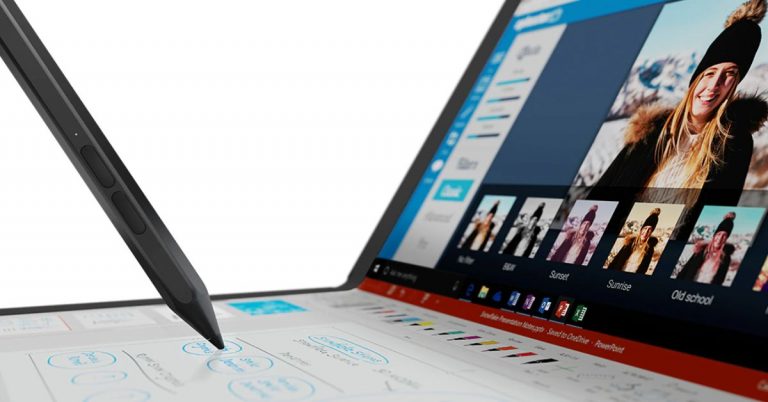
After showcasing at CES 2020 the Lenovo ThinkPad X1 Fold has now hit the Indian shores. So far we know that many companies such as Dell, HP, Samsung among others offer convertible laptops in the market. But this laptop is the world’s first foldable laptop, setting it apart from others. The device looks similar to any other foldable phone, which we have seen but is still different as it is aimed at professional users who are looking for a more portable option, which offers the best hardware.You must have seen a foldable phone or a convertible laptop that transforms into a tablet but have you ever heard of a full-fledged laptop that comes with a foldable screen? Lenovo has officially launched its world’s first foldable laptop namely Lenovo ThinkPad X1 Fold and it belongs to the ThinkPad series of laptops in India. No, it is neither a phone nor a tablet when unfolded it opens up to a 13.3-inchOLED 2K display that looks like a big-sized tablet and on being folded its compresses to 9.6-inches. It can be split into two screens or can be accessed in its full width. The display is by LG, which offers thin bezels. With the help of a mechanical hinge, the device transforms into a foldable screen. It can be used as a regular laptop in landscape mode and in portrait mode to be accessed as a notebook using Lenovo’s Active Pen you can take notes or do sketching on it. In addition to this, the Lenovo ThinkPad X1 Fold ships an Easel Stand for the Whereas Bluetooth Mini Fold Keyboard can be attached to it to make it work as your regular laptop.As for the software, the new foldable laptop runs Windows 10 Pro. There is a preloaded Mode Switcher app that will allow you to change the orientation of the laptop as you like. Now you must be thinking this should be as fragile as a foldable phone but according to company Lenovo ThinkPad X1 Fold is MIL-STD 810H certified and can withstand stresses while opening or closing the laptop’s lid several or a thousand times.Powered by an Intel Core i5 processor and paired with 11th-generation Intel UHD graphics the device offers 8GB of LPDDR4x RAM, and up to 1TB of PCIe-NVMe M.2 2242 SSD storage.In terms of connectivity, there is 5G/ 4G LTE support, which is optional. Furthermore, it includes Wi-Fi 6, Bluetooth v5.1, and two USB Type-C 3.2 Gen 2 ports.Lenovo ThinkPad X1 Fold comes with a Hybrid infrared (IR) and HD webcam integrated with Windows Hello facial recognition. The device also equips four microphones and a Dolby Atmos speaker and is claimed to offer up to 10.4 hours of video playback. The 50Wh battery also supports 50W Rapid Charge fast charging technology. Coming to the pricing, the Lenovo ThinkPad X1 Fold will be available at Rs 3,29,000 in India. However, it is currently listed on the Lenovo India website at a starting price of Rs 2,48,508.
For the latest gadget and tech news, and gadget reviews, follow us on Twitter, Facebook and Instagram. For newest tech & gadget videos subscribe to our YouTube Channel. You can also stay up to date using the Gadget Bridge Android App.
The e-commerce website Flipkart is hosting Daily Trivia Quiz. Every day it brings a bunch of new questions for its users. By answering them correctly you can win exciting prizes. The questionnaire is based on questions related to general knowledge. Also, the users can win free vouchers and super coins, among other offers via the daily quiz. June 23 Flipkart Daily Trivia Quiz Answers has already gone live on its platform.
The participant should be at least 18 years old and should have a valid login ID. The Quiz is available on the mobile platform and not the web version. E-commerce conducts the quiz on daily basis and goes live at 12:00 AM IST and runs till 11:59 PM IST. The winners are announced within 15 days from the date of participation that can be viewed under the Gems/Rewards section in the app.
In This Article
How to participate in the Flipkart Daily Trivia Quiz
To participate download the Flipkart app on your phone. Then open the Flipkart app then head to Game Zone. Now click on the Daily Trivia Banner or search for Daily Trivia. Enter the game and answer all 5 questions with correct answers.
June 23 Flipkart Daily Trivia Quiz Answers
Question 1: Who among these made a special appearance in the film Zero?
Answer: R. Madhavan
Question 2: From 2009 to 2014, who served as the Leader of the Opposition in the Rajya Sabha?
Answer: Arun Jaitley
Question 3: Airports Authority of India appointed Taniya Sanyal as its first woman _____.
Answer: Firefighter
Question 4: Sharanya Manivannan’s novel ‘The Queen of Jasmine Country’ is about which poet?
Answer: Andal
Question 5: Soap Operas get their name from which company originally sponsoring such programs?
Answer: Procter & Gamble
Amazon Quiz for June 23 has gone live. Daily the e-commerce platform brings a new quiz that gives a chance to its millions of users to win exciting prizes being offered by the company. The quiz contains 5 general questions that you have to answer correctly. Today you can stand a chance to win Rs 15,000 Amazon Pay Balance.
Daily the e-commerce platform brings a fresh questionnaire to which the contestants have to answer correctly to enter into a lucky draw. The quiz can be played daily from 12 AM to 11:59 PM. The quiz contains a total of five questions, all the questions are based on general knowledge and current affairs. Only one person will be declared a winner. Amazon will announce the result of the quiz at the end of the month. Only app users are eligible to participate in the Quiz. If you don’t know the answers, every day we update all the Amazon Quiz questions with their correct answers on our website. Check out today’s answers for the Amazon Quiz to win Rs 15,000 Amazon Pay Balance.
June 23 Amazon Quiz Answers
Question 1: Project Dantak, a project of Border Roads Organisation, just completed 60 years. It was undertaken in which neighbouring country? The answer is- Bhutan
Question 2: Which sportsperson and UNICEF Goodwill Ambassador led the global vaccination drive during World Immunization Week 2021?
The answer is- David Beckham
Question 3: Commercial Crew Program to carry astronauts to and from the International Space station is a partnership between private industry and whom?
The answer is- NASA
Question 4: In which year did he receive the Nobel Peace Prize? (See Image in App)
The answer is- He never received the Nobel Peace Prize
Question 5: Name the architect of this building.
The answer is- Frank Gehry
For the latest gadget and tech news, and gadget reviews, follow us on Twitter, Facebook and Instagram. For newest tech & gadget videos subscribe to our YouTube Channel. You can also stay up to date using the Gadget Bridge Android App.
Google Chrome is one of the most popular web browsers in the world. The browser makes it easier to download any image from web pages across the internet. But sometimes you may experience broken images or problems of not being able to download images from the web browser. Here are some ways you can fix the ‘images not getting downloaded from the Google Chrome browser’ issue.
Read Also:Top 2 Ways to Schedule a Text Message on an iPhone (2024)
In This Article
Check your internet connection
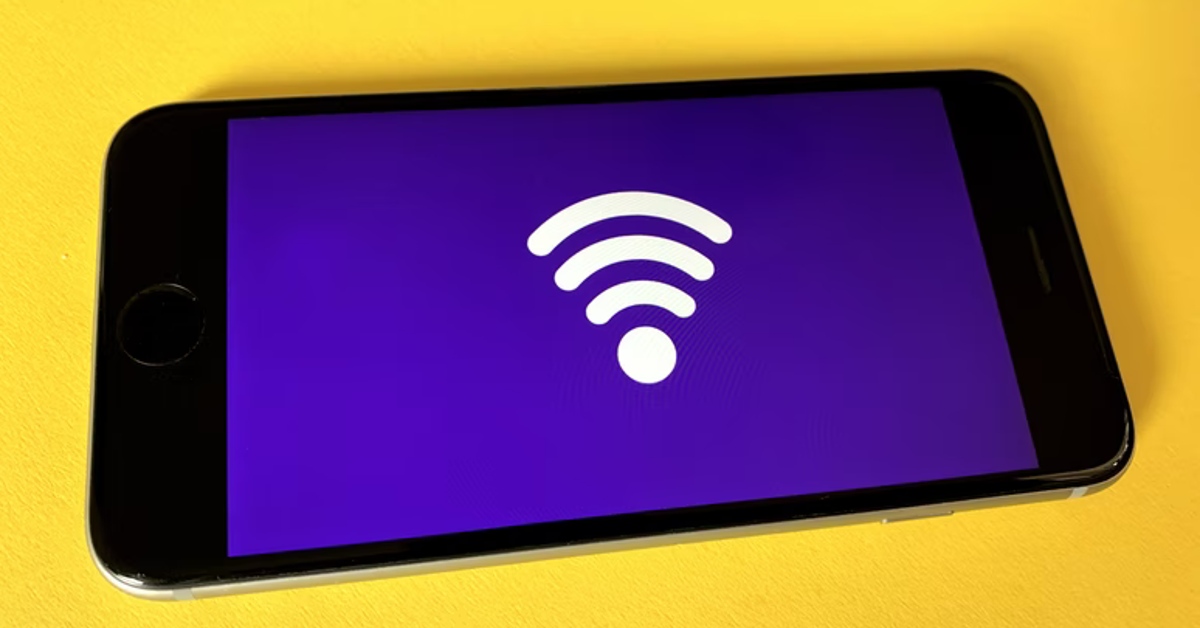
If you’re unable to download any image using Google Chrome, it could just be because of a faulty internet connection. Load another webpage or perform a speed test to confirm whether that is the case. If Chrome is able to load other web pages with ease, move on to other fixes.
Check your device’s storage
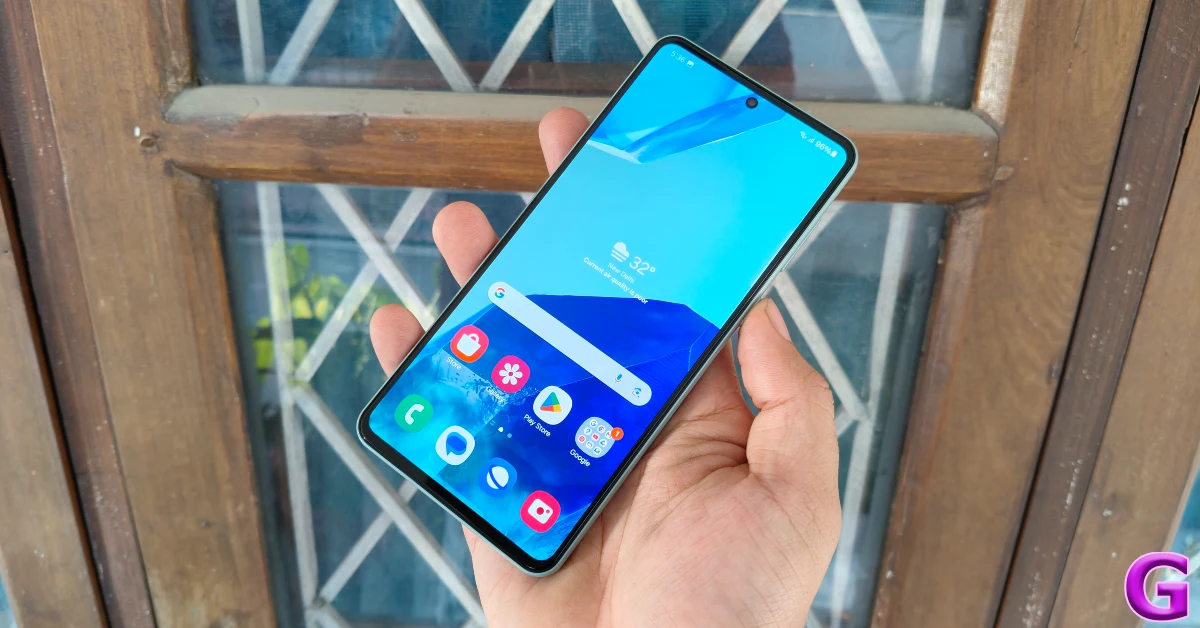
If your phone or laptop is running out of storage, it won’t be able to save the images you’re trying to download from the internet. On your smartphone, go to Settings>Storage and have a look at the internal storage capacity. If it is close to full, delete some files from your device to make space.
Clear cache & cookies, and browsing data
You can try clearing your browsing data, and cache & cookies on Chrome. If you had synced data of your browsing history or all your saved passwords, deleting it on your computers will delete it everywhere it is synced. Here are the steps to clear all your browsing data.
Open Chrome on your computer
Go to the top right corner and click the vertical three-dot icon
Scroll down to more tool from the drop-down window and click on it
A panel will appear now, select clearing browsing data
Another method to fix images not able to download from the Google Chrome browser is by turning off the added extension on your Chrome browser. The below steps will show you how to turn off an extension.
Open the Chrome browser and go to the vertical three-dot icon
Click setting and select extension
Now on the screen, you will see all the added extensions
Another way to fix the image not getting downloaded is to make sure the option to show all images is selected. If the option is not selected the problem might be with this option. Check the steps below to see if the option is selected.
Open Google Chrome browser and go to settings
Now select Privacy and Settings
Scroll down to Site settings
And on the Content options
Click on Image and toggle to show all
Switch on Javascript
Turning on the Javascript might help solve the problem of not being able to download images on the Google Chrome browser. Javascript is required for many features to work. Allowing all sites to run Javascript will help with the download. Follow the steps to switch on Javascript.
Open the Chrome browser and select settings
Click the Privacy and settings
Find the Site settings by scrolling down
And with the options Content on the screen click on Java
Toggle the Java to on and try downloading the images
Update Google Chrome browser
If you’re using an older version of Chrome, it may struggle to download new images. You can update the browser by going to Options>Help>About Chrome>Update or by simply clicking on the red arrow icon at the top right corner of the screen. Smartphone users can update Chrome using the Google Play Store.
Frequently Asked Questions (FAQs)
Why am I not able to download images from the Google Chrome browser?
If you’re unable to download images using Chrome, it could be because of a faulty internet connection, corrupted cache, lack of storage on your device, or malfunctioning extensions.
How do I update Google Chrome on my device?
On your smartphone, you can update Google Chrome by visiting its page in the Play Store and hitting the update button. On your PC, you can update the browser by clicking on the red arrow icon at the top right corner of the screen.
Hopefully, one out of the above will work for you and you will be able to see and download images from your Google Chrome browser. Some websites restrict users from downloading images, no matter which browser they are using. You can get around this issue by taking a screenshot.
The E-commerce website Amazon today announced the commencement of the Grand Gaming Days Sale on its platform. The new sale will bring discounts and deals on gaming laptops, gaming consoles, accessories, graphics cards, monitors and more. There will be up to 50 percent off as well as additional exchange offers on the gaming devices offered by popular brands like Lenovo, Acer, ASUS, LG, HP, Sony, Dell, Corsair, Cosmic byte, JBL and more. Amazon Grand Gaming Days Sale is now live on the e-commerce platform that will go on until June 24. The customer can get great discounts and deals on gaming laptops, desktops & monitors, advanced headphones, gaming consoles, graphic cards, TVs from popular brands. There will be up to 40 percent off on Television having high-resolution RAM and Higher refresh rates. There will be no-cost EMI and exchange offers with a price drop on select models. Also, there will be up to 50% off on Gaming accessories like Racing wheels, Blue switch mechanical Keyboards, high DPI gaming mice and RGB gaming headsets with 7.1 surround sound, from top brands like Logitech, Redgear, Alienware and HyperX. However, the discounted deals will be applicable to select models. There will also be a 10 percent discount to SBI credit cardholders. The Low latency headphone will get up to 65percent off whereas the price of the gaming microphones will start at Rs 2,249. Following are the top deals on gaming products that you can avail of during the Amazon Grand Gaming Days Sale:Gaming laptops such asAcer Nitro 15.6 inch,HP Pavilion Gaming 15.6 inch FHD Laptop andMSI Bravo 15 FHD Gaming Laptop will be available at a discounted price of Rs 67,990, Rs 93,000 and Rs 77,990 respectively. On the other hand Gaming monitors likeLG 24-inch Gaming Monitor andAOPEN Acer 24-inch Full HD Curve VA Panel Gaming Monitor can be purchased for Rs 13,499 and Rs 10,999 respectively during the Grand Gaming Days Sale.Gaming accessories by Zebronics, HyperX, Logitech, MSI, Claw and others will also be part of the ongoing Sale on Amazon. The customers can purchase ZEBRONICS Zeb-MAX Plus V2 Mechanical Keyboard for Rs 3.310,HyperX Cloud Core + 7.1 Gaming Headset at Rs 5,990. Other than thisLogitech G923 Racing Wheel and Pedals can be grabbed for Rs 5,000 off andLogitech G333 Gaming Earphones at a discounted price of Rs 3,395.Clutch GM40 Gaming Optical Mouse by MSI is not retailing at Rs 2,499.Coming to the Gaming TelevisionRedmi (55) 4K Ultra HD Android Smart TV which comes with dual 15W speakers and DTS Virtual: X support can be bought for Rs 40,999. TheSony Bravia (55) 4K Ultra HD Certified Android TV is powered by X1 4K Processor and includes a Bass Reflex speaker that delivers impressive low-end sound that is well suited to movies, sport and music. You can now purchase it at a discounted price at the Grand Gaming Days Sale on Amazon.
For the latest gadget and tech news, and gadget reviews, follow us on Twitter, Facebook and Instagram. For newest tech & gadget videos subscribe to our YouTube Channel. You can also stay up to date using the Gadget Bridge Android App.
For the past couple of weeks, we have been using Redmi Note 10 Pro Max as the primary device. However, we have already reviewed the vanilla variant earlier, so we took a little bit more time to test this device and this is our honest review of the Redmi Note 10 Pro Max.
In This Article
Redmi Note 10 Pro Max Design and Display
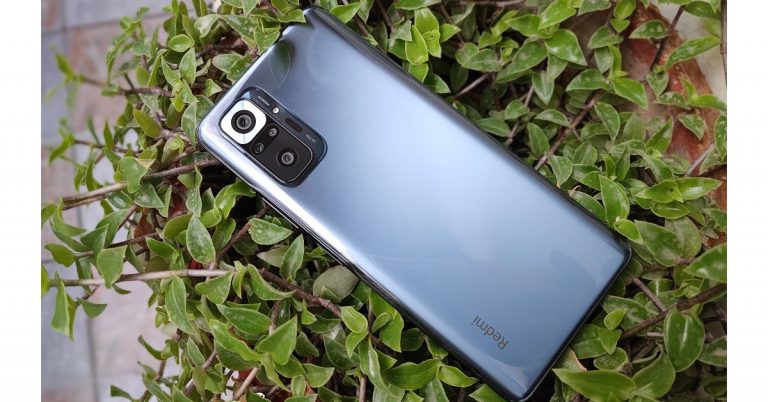
Starting with the design, as we said in our earlier review (of its younger sibling) the Redmi Note Series comes with a sleek good looking design. Being a very sleek smartphone the Redmi Note 10 Pro Max is not at all a very light phone because the company has used a more premium and heavier material than plastic (which is a good thing). The device is wrapped in Corning Gorilla Glass 5 from the front to the back and packs a big 5,000mAh battery. However, the heft of the handset is acceptable and easy to hold in the hands. We like that Xiaomi is offering the phone in gorgeous colour options. The unit we have is the Dark Night colour variant and it also comes in another Glacial Blue colour to choose from. All the colour options look refreshing. Being a darker colour, the phone does attract fingerprint smudges that is why we would prefer to go for the lighter variant. We loved the camera module design as it has a thick chrome or you can say silver frame around the 108-megapixel prime camera lens.The frame given on the sides here is still plastic. On the right side of the frame, you will see a power button that doubles up as a fingerprint sensor. Our hands can easily reach them, which is again a very good thing. Just above it, there is a volume key button and on the other side, a MicroSD card/SIM tray is given. The 3.5mm audio jack and a secondary speaker grill can be found at the top of the frame. Whereas a USB Type-C port and the primary speaker is given at the bottom. Notably, the device comes with an IP53 rating, for safekeeping against water and dust. Coming to the front, it has a Super AMOLED 6.67-inch full-HD+ display. This has support for HDR-10, up to 1,200 nits of peak brightness, full DCI-P3 colour gamut coverage and a 120Hz maximum refresh rate support. The screen comes with TUV Rheinland certification for low blue light emission and has Corning Gorilla Glass 5 protection. The screen is of top quality and everything on it looks crisp and bright. While watching movies and videos it delivers vivid colours and deep blacks, whereas the outside(directly under the sun) visibility is also not an issue. No doubt, Xiaomi offers the best in class display at this price point.The audio department has also been improved as the smartphone now comes with two speakers (stereo output) that are loud and offer a decent amount of details, which is great for the multimedia buff.
Redmi Note 10 Pro MaxPerformance and Cameras
Done with the design and display, let’s talk about the performance next. With the Redmi Note 10 Pro Max, Xiaomi has gone with the 4G capable octa-core Qualcomm Snapdragon 732G SoC, which is a good performer in this price range, but the company could have gone for the 5G 750G chipset. We performed our tests on the 6GB RAM LPDDR4X with 128GB UFS2.2 storage variant and we found it to be a very good performer for its price.In terms of gaming, if we compare Redmi Note 10 Pro Max with last year’s device the performance here is much better. In Call of Duty Mobile, it can go up to high settings. There are no heating issues when heavy-duty games such as COD or Asphalt 9 are played, but it does get warm (after prolonged gaming), which is not a major concern as it runs without any stutters.We have experienced some minor issues and that is basically software related. Redmi Note 10 Pro Max ships with MIUI 12 on top of Android 11. The apps don’t take much time to load and the multitasking is swift. Other usages such as texting, browsing social media are also a breeze. We tested the phone on a high 120Hz refresh rate setting and the things here are pretty smooth. But we have to mention, the screen refresh rate goes back to the standard 60Hz refresh rate while watching movies or pictures.The dark mode on the phone is not that optimised, some parts which are supposed to be dark are not. So we would recommend you to keep the system-wide dark mode off as you would experience a lot of dark and not-dark modes, which takes away from the experience. Also, when 4 to 5 apps are running in the background it takes a few seconds to reload a particular app or either kill one. We have also seen some ads running on the lock screen which in this segment should not happen. The MIUI skin needs a lot of improvement in our opinion, as when we reopen an app it is very slow to reload. However, when it comes to multitasking we did not encounter any lag or jittery performance. So the MIUI left us with a mixed bag of feelings.As Redmi Note 10 Pro Max comes with dual speakers, it delivers respectable quality. Mid and Highs are good and have a decent level of detail. Finally, let’s talk about the cameras. Here it has a quad-camera set up on its back that includes a 108-megapixel primary sensor setting it apart from its other two siblings. There is a 5-megapixel super macro lens, an 8-megapixel ultra-wide-angle camera and a 2-megapixel depth sensor onboard. Standard Mode(Left) 108-megapixel sensor(Right)The normal daytime images are quite good having a good amount of details, dynamic range and colour reproduction is ok as well. But when we compared it to other phones the images lacked a little bit of sharpness and brightness and the device tended to oversaturate the photos a little. Though while shooting photos of flowers we loved the colour we got, more because of the colour contrast. Compared to the primary lens we noticed a magenta tint in the wide-angle shots, which made them look less vibrant. Additionally, the wide-angle shots also lacked a satisfactory amount of details too. Ultra-wide(Left) Wide(Right)As far as the portraits are concerned the human elements looked a bit darker, but the results are not bad at all. The autofocus is also fast, especially when your subject is in the centre area. Under low light conditions, the device will not disappoint you at all; it delivers popping colours that look pleasing to the eyes. With night mode on, the images contained plenty of details with the right amount of exposure but that’s not in the case of dark conditions. Macro ShotsThe macro images shot from this phone will give amazing results so this device can be a good option if you are considering buying one of the best macro cameras.Macro ShotsFor selfies, there is a 16-megapixel front-facing camera. Here we noticed a greenish tint in the selfies, therefore, making the human element look less natural. The same goes with the portraits selfies but the edge detection is on point. There is a cinematic effects option that will enhance the portrait selfies if you wish to. The edge detection is good when there is a human element but when you are shooting flowers or there are other objects in the image, the blur effect is not that amazing. In some situations, you would notice boosted colours, which could be an issue of processing. We are sure in future updates this will be sorted by Xiaomi.Getting to the videography there is no OIS, instead, the company has provided EIS, which is only applicable when shooting in 1080p@ 30fps. The resolution can be increased to 1080P @ 60fps or 4K @ 30fps for better details but there will be no image stabilisation. You will see a noticeable shake while walking. The device also offers you video recording in wide-angle in 1080p @ 30fps. We did not notice any frame skipping when shooting in slow motion. The clone feature allows you to take multiple shots of a subject at the same place. The video from the front camera is limited to 1080p @ 30fps only, which is not that good if you are into vlogging or similar stuff. There is an interesting feature if we open the more menu in the camera app which is the dual video. Let’s now talk about its battery, Redmi Note 10 Pro Max boasts a 5020mAh battery. However, there is a 120Hz refresh rate display and with it, the battery will hardly last for a day. Thankfully, it supports a 33W fast charging, which takes about 30 minutes to get its charge to 50 percent and 100 percent in 1 hr 15 minutes.
Conclusion
Now here comes the last part of our Redmi Note 10 Pro Max review. Considering the camera performance there was a lot of temperature difference in standard and wide-angle shots. You will notice a magenta tone in wide-angle shots and there is more softness. The images taken from the 108-megapixel camera are also nice and images are printable too. But we would recommend you to use this option less often as it takes more space in your storage because of the heavy file size. Xiaomi has also brought a significant improvement to the Redmi Note 10 Pro Max compared to its predecessor. All in all, at the price point this is one of the best options right now. We loved the display and the sound. You can go for it, without a doubt.Pros
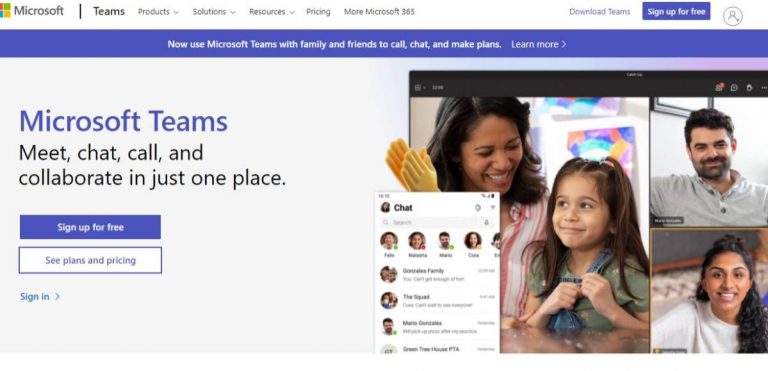
Working remotely brings many difficulties to video calls. But Microsoft Teams now lets you blur your background to avoid those awkward disturbances. Now you can disguise your room with the new blur feature by Microsoft? The newly added feature will be very helpful for people who do not work from an office. Follow the guide and know how to operate the blurred background on Microsoft Teams.
In This Article
Switch on blur background before the Microsoft Teams meeting:
Microsoft team has now featured the option to video calls without much distraction or any hustle and bustle in the background. No matter the situation, many users will now be able to conduct important meetings without worrying about what is going on around them. To change the background appearance in your video you can either blur your background or replace it with any image you choose. Check the steps below.
Open Microsoft Team and go to Background Filters: Below the video image
On the display that appears on the right side: Select blur
By clicking the Blur option you will able to blur your background
While everything is blur you will be focus on the screen
You can also go to Add new and replace the background with a new image you select
You can also disable the effect by clicking on the stop icon
Microsoft teams let you connect face-to-face video chat remotely through video calls with options in groups also. The video calling service from Microsoft is now used widely for remote work. And at times the meeting schedule on Microsoft Teams can get unexpected disturbances in the background or somewhere farther, but still be visible on the screen. To be safe from such incomings, Microsoft has revealed this new option of blur background during the video call as well. Follow the guide and enable the feature on your Microsoft Teams.
During the meeting check the screen for the ellipsis icon: The three-dot icon
And go to show background effects
Now you can choose a background from the sidebar that appears on the left side of the screen
You have two options: Blur your background or use a custom image
Select the blur you background to blur
Or you can choose an image also by visiting the Add new option
Google Chrome can be used to open PDF documents on your computer. The new version of Chrome browser v87 includes a new redesigned PDF reader. The new edition has integrated support for page thumbnail, previews, support for documents outline, a file zoom view controller, a Fit to page option, and support to rotate the documents. Read how to open and view PDF on your Google Chrome browser.
In This Article
Using Chrome Flag page:
The new update on PDF-viewer on the Google Chrome browser has brought the built-in PDF viewer, which is PDFium. To enable the new feature you can visit the Chrome Flag page. Follow the steps below to enable it.
Open Google Chrome browser on your computer
Open the Chrome Flag page from the search bar
Or you can use this link: chrome://flags/#pdf-viewer-update
Now with the option given next to PDF viewer update click on enabled
Now you use the feature and view any PDF file without any other action as it will open the file directly in the Chrome browser
Google Chrome browser has a handy built-in PDF file viewer for quick and easy access to your PDF documents. The built-in feature allows you instant access to any PDF you want. You do not have to necessarily download very PDF files, you can view them first on your Chrome browser. This will save you a lot of time and unnecessary download of PDF files. This is how to enable it using the Google Chrome settings.
Open your Google Chrome browser on your system
Go to the vertical three-dot icon and click on it
And from the drop-down list select settings
From the left side, panel click on Privacy and Security
Now scroll down to the bottom of the page on the Window
The extension will make Google Chrome the default PDF viewer browser. The third option to view your PDF on Google Chrome browser with no difficulties is where you download the PDF or read it by adding an extension to your Chrome browser. The steps below will show how to add and PDF file extension.
Open the Chrome browser
Click on the vertical three-dot icon on the top right corner
Scroll down to settings
And go to the extension on the left side panel
Click on the extension and using the three horizontal line on the top left corner go to open google chrome web store on the bottom of the left side panel
Now search PDFjs viewer on the search bar which is on the left side panel
Click on the PDFjs and use the Add to chrome option to enable and view PDF files with ease
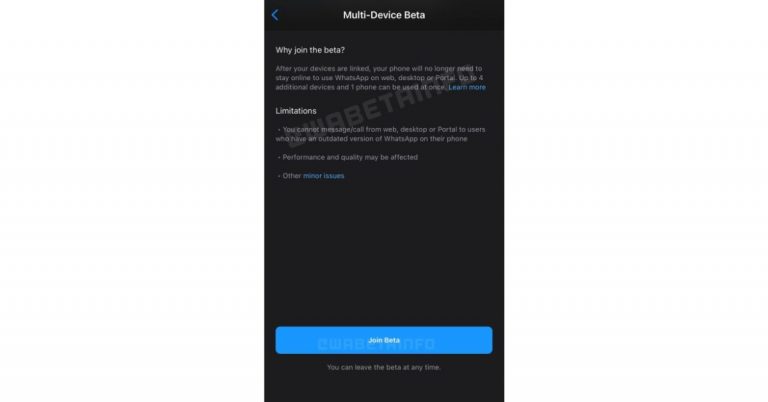
For a very long time rumour mills have been suggesting that WhatsApp will soon enable its users to use their accounts on multiple devices. The Multi-device support was recently spotted in the latest beta version. Now according to a report, the new functionality will first arrive in beta on the WhatsApp Web, desktop, and Portal clients before being made available to Android and iPhone users. Also, it is said to be accessible to a limited number of users at its initial stage before releasing to the public.Multi-device is the most awaited feature, which is still in the pipeline and will soon be rolled out to the users. This functionality will allow users to enable multiple devices with one account without requiring an active Internet connection on the main device. As per the latest report by WABetaInfo, which shares all the important updates related to WhatsApp, has revealed that the first version of the multi-device operation will be rolled out for WhatsApp Web, WhatsApp Desktop and Portal only. That means that the users won’t be able to link a mobile phone like another iPhone or Android at first, but soon they will be able to.The shared WhatsApp screenshot also confirms that the first version of the multi-device will support those devices only which may also affect the performance and quality for a short time, as being a beta version which usually carries bugs and other issues. But that would be fixed before the final release of this functionality. The first version of multi-device operation only allows WhatsApp Web, WhatsApp Desktop and Portal to work without an active Internet connection on your phone.The report also states that in order to be able to link a second mobile phone WhatsApp might offer a logout option in a future update. Though the feature is still in the works, it will appear only on linked devices allowing users to link mobile devices too in the future. In the past, a chat betweenMark Zuckerberg and Will Cathcart confirmed to WABetaInfo that multi-device is coming within two months. Like we said before in Multi-device the linked device will still be functional without an active Internet connection on the main device. It will allow linking up to 4 devices to your WhatsApp account. Additionally, WhatsApp will also allow users to migrate their chat history between Android and iOS.
For the latest gadget and tech news, and gadget reviews, follow us on Twitter, Facebook and Instagram. For newest tech & gadget videos subscribe to our YouTube Channel. You can also stay up to date using the Gadget Bridge Android App.
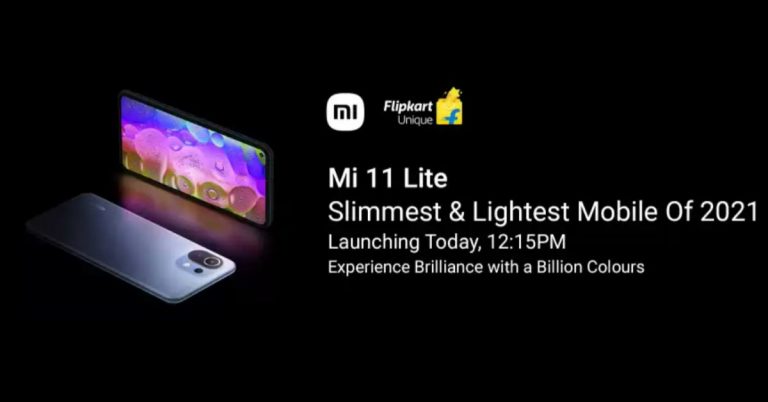
Xiaomi today officially announced the launch of Mi 11 Lite and Mi Watch Revolve Active in India. The smartphone is a toned-down model of the Mi 11 whereas the smartwatch is a follow up of Mi Watch Revolve. Check out the pricing and specification of both the devicesMi 11 Lite specifications and pricingThe Mi 11 Lite ships MIUI 12 on top of Android 11. Highlighted with a 6.55-inch full-HD+ AMOLED display the screen comes with 1,080×2,400 pixels of resolution and 90Hz refresh rate support. It has HDR10+ and Dolby Vision support, 402ppi pixel density, 800 nits peak brightness with Corning Gorilla Glass 5 protection. Under the hood, there is a Qualcomm Snapdragon 732G SoC paired with up to 8GB of LPDDR4X RAM and up to 128GB of UFS 2.2 storage.For imaging, Mi 11 Lite comes with a triple camera set up on the rear panel that includes a 64-megapixel primary sensor with an f/1.79 aperture. Further assisted by an 8-megapixel ultra-wide-angle lens with f/2.2 and a 5-megapixel telemacro camera with f/2.4 aperture. For taking photos and videos there is a 16-megapixel front-facing camera with an f/2.45 aperture.On the connectivity front, there is Wi-Fi, 4G, Bluetooth v5.1, NFC, GPS, and a USB Type-C port. The sensors on the phone include a proximity sensor, ambient light sensor, accelerometer, gyroscope, electronic compass, linear motor, IR Blaster and a side-mounted fingerprint scanner. There is a 4,250mAh battery onboard that supports 33W fast charging.With that said, Mi 11 Lite will be available in India in two different configurations of 6GB RAM with 128GB storage at Rs 18,999. The 8GB RAM with 128GB model is going to be priced at Rs 20,999. This phone will be offered in Jazz Blue, Tuscany Coral, and Vinyl Black colour options. The launch offer includes a pre-order disFlipkart count of Rs 1500 and up to Rs 1500 cashback to HDFC Bank customers, therefore, bringing down the effective price to Rs 18,999 and Rs 20,999 respectively. The pre-orders will begin from June 25 at 12 noon via mi.com, Mi Home, and retail stores across the country. The first sale is scheduled to happen on June 28 from 12 noon onwards.
Mi Watch Revolve Active specifications and pricingMi Watch Revolve Active is a follow up of Mi Watch Revolve featuring a 1.3-inch Always-on AMOLED display with over 110 watch faces. The watch comes integrated with GPS and offers more than 117 sports modes along with fitness analysis. For health management its offer a blood oxygen saturation (SpO2) monitor, which is an essential feature to rule out the COVID symptoms.In addition to this, there is a VO2 Max sensor to measure the maximum oxygen consumed during a workout, sleep monitor and heart rate monitor. Besides this the smartwatch also offers a body energy monitor, stress level monitor, call and text notifications, stopwatch, alarm, timer, Find My Phone, flashlight, and more. It has Amazon Alexa enabled for voice control as well. Other than built-in GPS there is Glonass, Galileo and BDF as connectivity option onboard.Speaking of the pricing Mi Watch Revolve Active has been launched at Rs 8, 249 in India. The sale will begin on June 25 at 12 noon via mi.com, Amazon, mi Home and retail stores in the country. For the early birds, there will be a Rs 1,000 discount and up to Rs 750 instant off for HDFC Bank customers.
For the latest gadget and tech news, and gadget reviews, follow us on Twitter, Facebook and Instagram. For newest tech & gadget videos subscribe to our YouTube Channel. You can also stay up to date using the Gadget Bridge Android App.
The South Korean electronics giant, Samsung, has officially announced that it will host the Samsung Galaxy MWC Virtual Event on June 28. The company has less openness about the Mobile World Congress event, but the firm is expected to showcase its upcoming device at the tech event. It is likely to introduce its next iteration of foldable devices along with Galaxy smartwatches at the MWC 2021.Samsung has the tradition of hosting Galaxy Unpacked events to announce its new devices. Not going by tradition, the company has new plans to go with at the Samsung Galaxy MWC Virtual Event that is scheduled to happen on June 28. The tech event will be held in Spain, which is going to be its global mobile exhibition to kickstart at 07:15 pm CET (10:45 pm IST). The Mobile World Congress event will be hosted online and live-streamed through the company’s YouTube channel and the Samsung Newsroom site. The announcement on the company’s official website reads, “Samsung Electronics will hold the ‘Samsung Galaxy Virtual Event’ at the Mobile World Congress (MWC), a global mobile exhibition that opens on the 28th (local time in Spain).” The company further added, “This online event can be viewed live on theSamsung Electronics Newsroom andSamsung YouTube channel from 3:15 a.m. on the 29th of Korea time.”The information is very scarce but the teaser hints at announcing a foldable phone, tablet and a new smartwatch. While making the announcement the company said, “Samsung Electronics introduces the ever-expanding Galaxy device ecosystem. It also presents a vision for the future of smartwatches that will provide new experiences for users and new opportunities for developers. It also plans to present the latest technologies and innovation efforts of the company in relation to the growing importance of smart device security.”(translated to English).Besides this Samsung Galaxy Z Fold 3, Galaxy Z Flip 3, Galaxy Watch 4, and Galaxy Watch Active 4 are the new upcoming devices that are tipped to launch at the company’s next Galaxy Unpacked event, which is likely to be held on August 3.The Samsung Galaxy Watch 4 is said to arrive in two sizes 42mm and 46mm. On the other hand, Samsung Galaxy Watch Active 4 will be available in 40mm and 44mm sizes.
For the latest gadget and tech news, and gadget reviews, follow us on Twitter, Facebook and Instagram. For newest tech & gadget videos subscribe to our YouTube Channel. You can also stay up to date using the Gadget Bridge Android App
The updates on Google Meet to blur background before a meeting or during a meeting have been finally rolled out. And now you can toggle it on or off easily to blur the image. It may be that messy day right before that meeting, or that unexpected meeting when you are not in a private space. The blurred background is designed to make your work more convenient and comfortable with the new feature. Find out how to toggle on the feature in the steps below.
In This Article
Click on or off before a meeting:
The feature will help you work in many ways. The blurred background will limit the unwanted distraction and it will also make that background more focused with you just on the screen and all the other things out of focus. Before enabling the blur feature you should know that users who are not logged into Google accounts and have joined the video call can only change the background once. So it is better if you log in from your Google account and make use of the blur feature. Follow the steps for more
The bright side of the feature is you can make use of the blur feature even when you are on a video call. The steps are not very different from the above and it is easy and simple. Check the steps below to know how to change to the blurred background in Google Meet when it has started.
During the video call meeting on the screen go to more on the bottom
With the windows open up select Change background
Now with the side panel option choose the two option: Slightly blur the background or blur your background
You can also use pre-uploaded images or your own image in the background
Click on blur your background to completely blur the background
You can also download the Background blur for the Google Meet extension on your browser. The extension will blur the background during a Google Meet or Hangout video call. The extension also allows you to control your desired level of blur. Download this free Chrome extension and blur your background during the meeting. Check the guide below to know how to download the extension and add it to Chrome.
Open Google Chrome browser and click the three-dot icon on the top right corner
Go to settings and on the side panel find the extension
Now click on the three horizontal lines on the top right corner and scroll down to the bottom
Select Open Chrome Web store
And on the Search the Store tab: Type Background Blur for Google Meet
Now on the left side with the blue icon Add to Chrome: Select it
When you have added the extension now you turn on/off the blur option at the top of the screen with the click turn on/off button
With remote work and education gaining popularity, Zoom has rolled out another feature. With the latest 5.5.0 update Zoom has introduced the blur background feature. So you can now blur everything in the background except you on the video call. The feature will encourage privacy and a distraction-free video calling experience. Follow the steps to know how to use the new feature
In This Article
Enable blur background before the Zoom meeting:
First of all, to enable this blur background feature you need to make sure the Zoom client version is updated to 5.5.0. The new feature on Zoom video call will give you a new level of privacy without making you choose a virtual backdrop that needs to be downloaded. Now with the new option, you do not have to show your private space or your room; the blurred background will take care of it. Check the steps below to blur the background before your Zoom meeting.
The first step, open the Zoom client on your device
Go to the setting icon on the top right corner and click the icon
And on the side panel that comes out find Background & Filters
Select the Virtual background option and Click the pointer on Blur
Now enable the blur feature so when the meeting starts except yourself everything goes out of focus
ZooRanging from messy rooms to unable to find proper privacy maintaining space for a meeting the new feature from Zoom Client video will cover it all. Before the feature was rolled out the background had to be dealt with the virtual background, which does not work well without proper lighting. Follow the below steps and find out how to enable blur background during a Zoom meeting.
Navigate to the stop icon on the button left corner and click on the up arrow on it
Now select the Choose Virtual Background option
The sidebar will open and go to Background & Filter’s
Now you can Tap on Blur and make the effect appear on your screen
The feature will be applied and focus will go out on the background except you
WhatsApp updates the feature regularly and this time they have updated the feature to mute videos. The instant messaging app has rolled out this new awaited feature for Android users recently. Now you can mute the videos before sharing them on the status as well. Follow to know how to enable the new feature.
Read more: How to do WhatsApp video calls on the web?
Mute videos before sending them on WhatsApp
What are the features that WhatsApp is working on to enhance expression?The mute feature was introduced recently for Android users, the mute feature is already available on Instagram, and Facebook now it is time for Whatsapp to make use of this feature. The feature works very well in situations where the audio of the video is not required to be shared. Find out how to use this feature and mute videos before sending them on WhatsApp below.
For you to start sending muted videos, first you have to make sure you have updated to the latest version of WhatsApp. The feature will only work with the latest version it has been updated with.
Open your WhatsApp: Log in if you are not
Start by opening the contact chat window
Now find the paperclip icon near the type bar
And go to the gallery to attach a video
If you want to record a video, go back to the camera and record a video. Or if you send an existing video select the video from the gallery
The video you have selected from the gallery or the one that has captured will appear on the screen
You have the option to alter it or edit the video
On the same page, you will find a speaker icon on the top left corner
You have to click on the speaker icon to mute the video you are sharing on the WhatsApp
Now click on the send button and you have muted the video
Read also: Know how WhatsApp users can send Payments in IndiaTo use some more advanced features you can crop a video from the frame and change it to GIF, but you have to decrease the video to 6 seconds or less. You can convert your video into a GIF of 6 seconds by clicking on the GIF option in the top right corner. And for more information about the mute video feature on WhatsApp as of now, the feature is available for just Android users the timeline of when this feature will be featured on the iOS Whatsapp app has not been revealed but it is rumored to be coming soon.
For the latest gadget and tech news, and gadget reviews, follow us on Twitter, Facebook and Instagram. For newest tech & gadget videos subscribe to our YouTube Channel. You can also stay up to date using the Gadget Bridge Android App.
Mi 11 Lite and Mi Watch Revolve Active are set to make their official debut today in India. Mi 11 Lite second device to join the Mi 11 series that already includes Mi 11 Ultra and now the toned-down variant will join the mix. However, the company has not introduced the Pro variant from the Series in the country, which has already debuted in China with both the other two siblings in March this year. On the other hand, Mi Watch Revolve Active is the follow up of the Mi Watch Revolve that was launched in India last year.How to watch the Livestream of Mi 11 Lite and Mi Watch Revolve ActiveMi 11 Lite and Mi Watch Revolve Active are scheduled to launch in India today The launch event of the device will kickstart at 12 noon onwards and will be live-streamed via the company’s official YouTube channel including its social media accounts. We have embedded the link below for your convenience.
After the official launch in the country, Mi 11 Lite will be available for purchase via Flipkart whereas Mi Watch Revolve Active will go on sale via Amazon. Ahead of the official launch, the upcoming smartphone was teased to be made available in three colour options of Jazz Blue, Tuscany Coral, and Vinyl Black. All the three colour variants are said to be inspired by a region in Italy, a music genre & phonographic records.Mi 11 Lite specificationsMi 11 Lite will come with a 6.55-inch full-HD+ AMOLED display with 1,080×2,400 pixels of resolution and 90Hz refresh rate support. The Mi 11 Lite 4G runs MIUI 12 on top of Android 11 out of the box. It will be powered by Qualcomm Snapdragon 732G SoC with up to 8GB of LPDDR4X RAM and up to 128GB of UFS 2.2 storage. For the optics, the smartphone will be highlighted with a triple camera set up on the rear panel that includes a 64-megapixel primary sensor. Further assisted by an 8-megapixel ultra-wide-angle lens and a 5-megapixel tele macro camera. For taking photos and videos there is a 16-megapixel front-facing camera.In terms of connectivity, there will be Wi-Fi, 4G, Bluetooth v5.1, NFC, GPS, and a USB Type-C port. The sensors on the phone include a proximity sensor, ambient light sensor, accelerometer, gyroscope, electronic compass, linear motor, IR Blaster and a side-mounted fingerprint scanner. It comes with a 4,250mAh battery that supports 33W fast charging.Mi Watch Revolve Active expected specificationAmazon has listed out some key specs of the Mi Watch Revolve Active. As per the dedicated microsite, the smartwatch will come with built-in GPS, Glonass, Galileo and BDS as connectivity options. Furthermore, there will be a blood oxygen saturation (SpO2) monitor, VO2 Max, Body Energy Monitor and HR Monitor. It would also include a maximum sports mode along with other features such as sleep management Amazon Alexa enabled for voice control, calls, app notification and more.
For the latest gadget and tech news, and gadget reviews, follow us on Twitter, Facebook and Instagram. For newest tech & gadget videos subscribe to our YouTube Channel. You can also stay up to date using the Gadget Bridge Android App.
If you are a YouTuber, or Travel blogger the list of best 5 drones is meant for you. Capturing 4K video has become a trend and buying the best 4K camera drone is a necessity. The eagle view that a drone shoots gets more stunning with the 4K camera it supports. Check out the list below.
In This Article
DJI Mavic 2 Pro: 4K Video Adjustable
This drone by DJI comes with a remote control to adjust that 4K video experience. The Mavic 2 Pro is equipped with a smart controller and Hasselblad L1D-20c camera supporting a 20 MP 1-inch CMOS sensor. The drone has a flight time of 31 minutes, 44 mph max speed and 907G take off weight. It also features a 3-axis gimbal for steady shots for better aerial view. And supports memory of upto 128 GB. The screen is of 5.5-inch supporting 1080p display and of course can capture videos supporting 4K full HD.Price: Rs 1, 53,000Buy on Amazon.com
Read more: 5 best projectors you can buy under Rs 50,000
DJI Mavic 2 Zoom: 12 MP 1/ 2.3” CMOS
The Mavic 2 zoom is all about that dynamic zoom camera. The drone has a 1/ 2.3 inch 12 MP sensor with its main feature of 4x zoom including 2x optical zoom. It comes with 31 minute of flight time, 44 mph max speed, and 905 G take off weight. And also featuring 3-axis gimbal steady shots and support SD card up to 128 GB. The main attractions of this drone included ActiveTrack 2.0, Omnidirectional obstacle sensing, Hyperlapse Low-noise design, and Dolly zoom. Price: Rs 78,000Buy at Amazon.com
EVO Ⅱ: Autel Robotics: 6K Drones cameras
The amazing EVO Ⅱ not only can capture up to 6K resolution but it is portable folding aircraft. The drone comes with 20 MP and 1-inch sensor image quality for more reliability. The flight time of the drone is 40 minutes, which gives you the required time for capturing stunning 4K videos. This lightweight drone can be deployed in 30 second with 2.5lb (Pounds). Evo Ⅱ also has an 3.3 inch OLED screen.Price: Rs 1,45,000Buy from Amazon.com
Read also: Oppo Reno 4 Pro review: The stunner
Yuneec Typhoon H Plus: Hexacopter
The drone can capture 4K video and comes with a 20MP camera. It also features 360-Degree Image and Video capture feature, and a 3-Axis sensor driven Image stabilisation. The Yuneec Typhoon H Plus can give you up to 30 minutes of flight time. The drone also has Intelligent Autonomous Flight Modes. And also a Flight Controller with a 7-inch Touch Screen. Price: Rs 1, 86,000Buy now on Amazon.com
TATHASTU ENTERPRISE drone: 4K Camera
This drone is on the list for those who want to buy on Amazon.in. The Tathastu enterprise has many features to offer. It comes with a foldable design and a 120 Degree wide Angle camera. The drone also features WiFi FPV for app control through WiFi. The flight height of the drone is about 40-50 meters with very less flight time than on the above list. The drones also have other amazing features you can explore.Price: 6,000Available on Amazon. in
For the latest gadget and tech news, and gadget reviews, follow us on Twitter, Facebook and Instagram. For newest tech & gadget videos subscribe to our YouTube Channel. You can also stay up to date using the Gadget Bridge Android App.
The e-commerce website Flipkart is hosting Daily Trivia Quiz. Every day it brings a bunch of new questions for its users. By answering them correctly you can win exciting prizes. The questionnaire is based on questions related to general knowledge. Also, the users can win free vouchers and super coins, among other offers via the daily quiz. June 22 Flipkart Daily Trivia Quiz Answers has already gone live on its platform.
The participant should be at least 18 years old and should have a valid login ID. The Quiz is available on the mobile platform and not the web version. E-commerce conducts the quiz on daily basis and goes live at 12:00 AM IST and runs till 11:59 PM IST. The winners are announced within 15 days from the date of participation that can be viewed under the Gems/Rewards section in the app.
In This Article
How to participate in the Flipkart Daily Trivia Quiz
To participate download the Flipkart app on your phone. Then open the Flipkart app then head to Game Zone. Now click on the Daily Trivia Banner or search for Daily Trivia. Enter the game and answer all 5 questions with correct answers.
June 22 Flipkart Daily Trivia Quiz Answers
Question 1: Which is the most mobile and powerful piece in chess?
Answer: Queen
Question 2: What is the nickname of Zimbabwe’s national men’s cricket team?
Answer: Chevrons
Question 3: Against which team did India record their highest successful T20 run chase?
Answer: West Indies
Question 4: Which is the only club this season to win all their group games in UEFA Champions League?
Answer: Bayern Munich
Question 5: To which country does former world number one tennis player Caroline Wozniacki belong?
Answer: Denmark
Amazon Quiz is getting more popular these days as more people have started participating in the quiz in the hope to win free gadgets as well as Amazon Pay Balance. The e-commerce platform brings Amazon Quiz on its mobile platform every day. The quiz can be played every day from 12 AM to 11:59 PM. Today you can stand a chance to win Rs 10,000 Amazon Pay Balance.
The Amazon Quiz has gone live on its platform. Every day it brings a new questionnaire to which the participants have to answer correctly. It consists of a total of five questions to which you have to answer correctly to enter the lucky draw. All the questions are based on general knowledge and current affairs. Amazon will announce the result of the quiz at the end of the month. Only app users are eligible to participate in the Quiz. To help our readers to clear the Amazon Quiz successfully, every day we update all the Amazon Quiz questions with their correct answers on our website to let you win Rs 10,000 Amazon Pay Balance. You can increase your chances of winning prizes by daily participating from 12 AM to 11:59 PM. We have already updated all the answers to today’s quiz below.
June 22 Amazon Quiz Answers
Question 1: Which organisation outlines the global strategy on occupational safety and health?
The answer is- ILO
Question 2: Whereabouts’ is the latest book released by which famous author of Indian origin?
The answer is- Jhumpa Lahiri
Question 3: Microsoft entered into a partnership with whom to build the world’s most powerful weather and climate forecasting supercomputer by 2022?
The answer is- UK Met Office
Question 4: These towers are located in which Asian country?
The answer is- Kuwait
Question 5: Identify the person.
The answer is- Walt Disney
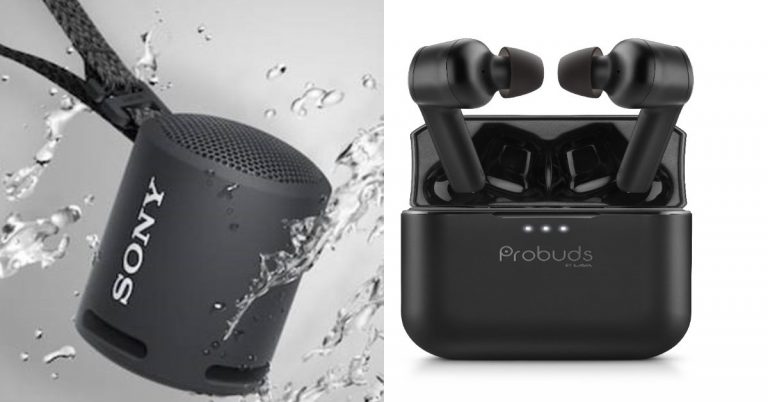
On the special occasion of World Music Day, Sony India and India mobile maker Lava has introduced new audio products in the Indian market. Sony has introduced the SRS-XB13 Extra Bass portable wireless speaker that comes with an IP67 rating for dust and water resistance and is powered by Bluetooth for connectivity. On the other hand, Lava has announced its entry into the true wireless segment with the launch of its first-ever true wireless earphones- Lava Probuds.Sony SRS-XB13 Extra Bass portable wireless speaker price and specificationsSony SRS-XB13 Extra Bass portable wireless speaker has been launched in India with a price tag of Rs 3,990. It will be available for purchase at Sony retail stores (Sony Center and Sony Exclusive),www.ShopatSC.com portal, major electronic stores and on Amazon and Flipkart portal in India from today onwards.Coming to the features the new Sony SRS-XB13 Extra Bass portable wireless speaker comes with an Extra Bass and passive radiator that enhances low-end tones, boosting the bass. With Sound Diffusion Processor and has a single 46mm speaker driver. With its DSP technology, the Sound Diffusion Processor expands sound to fill up any space.The device is ideal for the outdoors and comes with a rugged design having an IP67 rating for protection from water and dust resistance. It has a multi-way strap that can be hung anywhere, whether that be on your backpack or on your wrist or even from a parasol. The Sony SRS-XB13 delivers up to 16-hours battery life with a battery indicator on your phone that shows the amount of charge left. It can be connected with other devices via Bluetooth and is incorporated with Google’s Fast Pair technology that allows you to quickly connect compatible Android smartphones or tablets.This Bluetooth speaker from Sony will be available in Black, Light Blue, Pink, Powder Blue, Taupe, and Yellow colour options.Lava Probuds price and specificationsLava Probuds have been launched in India at a retail price of Rs 2,199. The device will be available for sale starting June 24 via Lava e-store, Amazon, and Flipkart in the country. The company has also introduced a special introductory offer in which the earbuds can be grabbed for just Rs. 1. The special offer is valid from 24th June 12.00 pm onwards, until stocks last.Speaking of the features the Lava Probuds come with 11.6mm advanced drivers and MediaTek Airoha chipset to provide an immersive audio experience with powerful sound with deep bass and ensure no voice distortion during calls. The TWS earphones offer 25-hour long music playtime which is backed by a 55 mAh (each bud) battery and 500 mAh case battery.There is an instant ‘Wake and Pair Technology’ which power on the earbuds and enter connection mode as soon as charging case lid is opened. The Lava Probuds uses Bluetooth v5.0 which offers seamless as well as instant connectivity. In addition to this, the TWS earphones come with an IPX5 rating for water and sweat resistance. Additionally, Probuds enable users to directly access the voice assistant function by gently tapping twice on the right earbud.
Now you will be able to watch YouTube while using other apps with the new PiP mode in Apple products. YouTube is introducing this feature to iPhone and iPad users. The feature will be available for YouTube premium subscriptions. When you close the YouTube app the video you were watching will be displayed in a small window, which you will be able to move on the screen. Here is everything you need to know about picture-in-picture by YouTube.
In This Article
Compatibility of OS
The picture-in-picture mode is already available for Android, but it is coming soon for iPhone and iPad users who have a YouTube subscription. An iPad with IOS 14 update or later, and iPhones with iOS 14 or later will be able to feature this mode. The PiP mode lets you watch YouTube videos in a mini player while simultaneously browsing other apps on the mobile. The mini player can move across the screen and also let you resize by pinching two fingers.
Read also: Twitter’s new feature will allow users to play YouTube videos in tweets within the app
Multitasking while using the phone
Now while you are watching YouTube you can Facetime also with the picture-in-picture mode. Multitasking on iPhone and iPad is made possible with the new feature. PiP will work even when you are using YouTube from Safari. You will still be able to multitask with a small window over other apps.
Read more: Microsoft released EA Play on Xbox Game Pass for PC and Auto HDR Preview for Windows
How to use PiP (picture-in-picture)
Before learning how to enable picture-in-picture mode you must have a Youtube premium subscription. And the mode should be enabled from any browser Chrome or Safari.
Open the Web browser from your iPhones or iPad.
Log in to your account which has a YouTube premium subscription.
Now search for any video you want to watch on the search bar and click the video.
Once you play the video, put the video on fullscreen by tapping the square icon.
Now tap on the video that is playing and you can view the controls.
Click the picture-in-picture button from the top-left side which is just next to the close button.
You can also use double tap or swipe up to enable the picture-in-picture mode.
Once you are in the picture-in-picture mode you can drag the mini window or resize it and use other apps while still playing YouTube video.
And you can exit the picture-in-picture mode by clicking on its icon from the top-right side in the small window.
You can also go to full screen by double-tapping on the video that is playing.
With lockdown still in place and less interaction with other people, the OTT platform has become a happy place for many. If you are a big fan of movies that stream on Netflix and Amazon Prime Video. These are the 5 best upcoming movies on the platforms. The list includes different genres so make sure you check them out.
In This Article
On Netflix:
The movie’s content on Netflix has become a favourite of many viewers’. Netflix gives the option to choose from three plans to enjoy your movie time on Netflix. Whichever you subscribe to, the movies on the list will be available but may differ in quality according to your plan. Here is the list of movies on Netflix.
Dhamaka:
This Bollywood movie is from the thriller genre of films with a great cast. The movie is directed by Ram Madhvan. Dhamaka is a drama-thriller film about a TV reporter starring Kartik Aaryan in the lead role. This is one of those movies that will not let you blink a lot and get hooked on the story and the performance. The story is about an ex-TV news anchor star attempting to make a career comeback.
The next on the list for the best upcoming movie on Netflix is Haseen Dillruba, a must-watch movie. The story of the movie starts with a woman who is under investigation as a suspect in her husband’s murder, revealing a thorny marriage that is seen to be only blurring the truth. The cast is also played by some very talented actors starring Taapsee Pannu as the woman who is under investigation. The movie is an offbeat thriller genre flick.
Release date: 2 July 2021
Jaadugar:
This movie on the list is from the romantic comedy genre to make you laugh throughout the movie with its amazing cast. Jitendra Kumar is in the lead role who is best known for his natural acting skills, and his acting ability to make people laugh, giving you flashbacks of a similar event. The romantic story of the movie starts with a small-time magician of a small town trying to win a football trophy with no particular athletic skills to marry the love of his life.
Release date: August 14 2021
On Amazon Prime Video
Amazon Prime Video also gives you great content, the recently released “The Family Man” season two was an incredible show and is a ‘not to miss’. The subscription on Amazon Prime starts from 999/year and you can access a wide range of genres on the OTT platform.
Toofan:
The movie is a sport-genre movie that should be full of adrenaline. The cast is also very great with Farhan Akhtar in the lead role-playing a national boxer. The story of the movie will give you a glimpse of how a boxer faces struggles in his journey to reach national-level competitions. The ups and downs faced by the boxer that will be shown in the movie will get you motivated and know more about the sport.
The last movie on the list is an English movie and Sci-fi action genre film. The lead role of the cast is Christ Pratt who we have seen in dozens of cinemas. The story of the movie starts with a soldier sent to the future to the year 2052 to fight against the alien invasion and attempt to make the world a better place. This movie is a must-watch and should be on your list to watch on Amazon Prime Video. It will be filled with some action pack scenes to enjoy.



 Another option to remove the promoted tweets from your account is to block the accounts or the page. This will not let the page show up again and help you to hide the promoted tweets from your Twitter timeline. Check the guide below to block the account
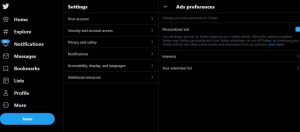 You can also hide the page promotion from your Twitter timeline by visiting the Personalised settings. Read the guide below to hide the promoted tweets from your Twitter timeline.
 The last option on the list to hide the promoted tweets on your Twitter timeline is to use the option of mute the page or account. Follow the steps to know how to mute it.
 Archiving your messages can only get you so far. As soon as someone accesses the Archived folder, it’s game over for privacy. WhatsApp, being one of the most popular messaging platforms in the world, lets you


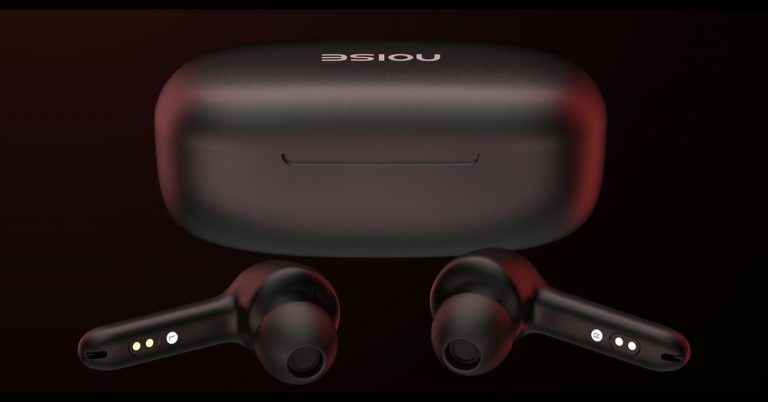
 Noise Buds XS201 true wireless stereo (TWS) earbuds features and specifications







 If you’re unable to download any image using Google Chrome, it could just be because of a faulty internet connection. Load another webpage or
  If your phone or laptop is running out of storage, it won’t be able to save the images you’re trying to download from the internet. On your smartphone, go to Settings>Storage and have a look at the internal storage capacity. If it is close to full, delete some files from your device to make space.


 If you’re using an older version of Chrome, it may struggle to download new images. You can update the browser by going to Options>Help>About Chrome>Update or by simply clicking on the red arrow icon at the top right corner of the screen. Smartphone users can update Chrome using the Google Play Store.





















 Zoo
Zoo